Best Expensify Alternatives in 2026: 13 Expense Management Tools Compared
Turn this article into takeaways for your work.


Each assistant summarizes the article only for you and suggests best practices for your work.
Expensify built the best receipt capture in this category and it is still the fastest way for one person to turn a crumpled restaurant receipt into an approved, reimbursable line item. SmartScan reads the total, the merchant, and the date without anyone typing; policy rules flag the violations; approvals route without a workflow builder. For a five-person consultancy, a bookkeeper juggling nine small clients, or a sales team that lives out of airports, that is genuinely hard to beat.
The reasons people go shopping anyway are just as real, and almost all of them are about money rather than features. Expensify runs two plans that bill on two different definitions of "member," a card-usage discount that can cut the Control rate roughly in half, and a pay-per-use rate that is double the annual one. Four variables, one invoice, and buyers routinely mis-model it by a factor of three. Approval depth trails SAP Concur and Sage Expense Management once you are routing spend through multiple entities and cost centers. And the Control rate without the Expensify Card looks expensive next to card-funded platforms that charge $0 for the same job. The 13 platforms below cover all of that, and if you want the wider field rather than a like-for-like swap, start with our best expense management software guide.
Key Facts
Key Facts: What Expense Reporting Actually Costs
- The average cost to process an expense report for a single night hotel stay is $58 and 20 minutes of work, per a GBTA Foundation study conducted with HRS (GBTA).
- 19% of expense reports contain errors or missing information, and each one costs an extra $52 and 18 minutes to correct (GBTA).
- 24% of full-time employees admit to passing personal purchases off as business expenses, in a YouGov survey of 1,021 workers commissioned by Emburse (Emburse).
- Expense reimbursement schemes appeared in 13% of occupational fraud cases studied, with a median loss of $50,000 per case (ACFE, 2024 Report to the Nations).
- The median occupational fraud case runs 12 months before anyone catches it, at a median loss of $104,000 (ACFE, Occupational Fraud 2026).
Those first two numbers are the whole business case, and they are both larger than any per-seat price on this page. Which is why the right question is not "what does this tool cost" but "how many reports does it stop me from filing at all."
Quick Comparison Table
| Tool | Best For | Starting Price | Key Strength | Key Limitation |
|---|---|---|---|---|
| Ramp | US teams that want cards, expenses, and AP at $0 | Free $0/user/mo; Plus $15/user/mo plus a platform fee | Free tier that a real finance team can run on | Platform fee amount on Plus is not published |
| Brex | Startups and multi-entity companies operating globally | Essentials $0/user/mo; Premium $12/user/mo | Global card coverage and a business account together | Less focused on non-venture-backed small firms |
| Zoho Expense | Budget-driven teams that want a like-for-like swap | Standard $3/user/mo billed annually | Cheapest credible reimbursement platform here | Card issuing depends on region and partner |
| Sage Expense Management | Teams keeping the corporate cards they already have | Growth $11.99/active user/mo billed annually | Real-time feeds on existing cards, deep approvals | 5-user minimum, billed on active users |
| SAP Concur | Global enterprises with VAT reclaim and audit duties | Quote-only, no list price | Deepest global policy, audit, and ERP integration | No published pricing, heavy implementation |
| Navan | Travel-heavy teams tired of booking and expense splitting | Business free up to 300 employees | Trip and expense live on one record | Expense is free only for the first 5 users |
| Rydoo | Mid-market T&E with per diems and multi-country rules | Essentials $9/user/mo billed annually | Per diem and compliance handling done properly | 5-user minimum, higher tiers quote-only |
| BILL Spend & Expense | Companies wanting free cards next to a mature AP tool | $0/user/mo for Spend & Expense | Free card program plus a credit line up to $5M | AP and AR is a separate paid product |
| Pleo | European teams wanting cards and expenses in one app | Essential GBP 39/mo billed yearly, 3 users | Cleanest European card and receipt experience | GBP and EUR pricing, base fee plus per-extra-user |
| Payhawk | Multi-entity finance teams buying by module, not by seat | Cards & Expenses from $449/mo per company | Per-company price does not scale with headcount | Expensive floor for teams under about 30 people |
| Emburse | Enterprises replacing a legacy T&E deployment | Quote-only, no list price | Three products covering SMB through enterprise | Nothing published, product line is fragmented |
| Spendesk | European mid-market that refuses per-seat pricing | Quote-only, no list price | Explicitly charges no active user fees | Nothing published, every evaluation starts with sales |
| Rho | Teams that want spend software funded by banking | $0 platform, $0 per user | No subscription or per-user fee at all | You bank with Rho, which is a bigger commitment |
Expensify's Pricing Model, Decoded
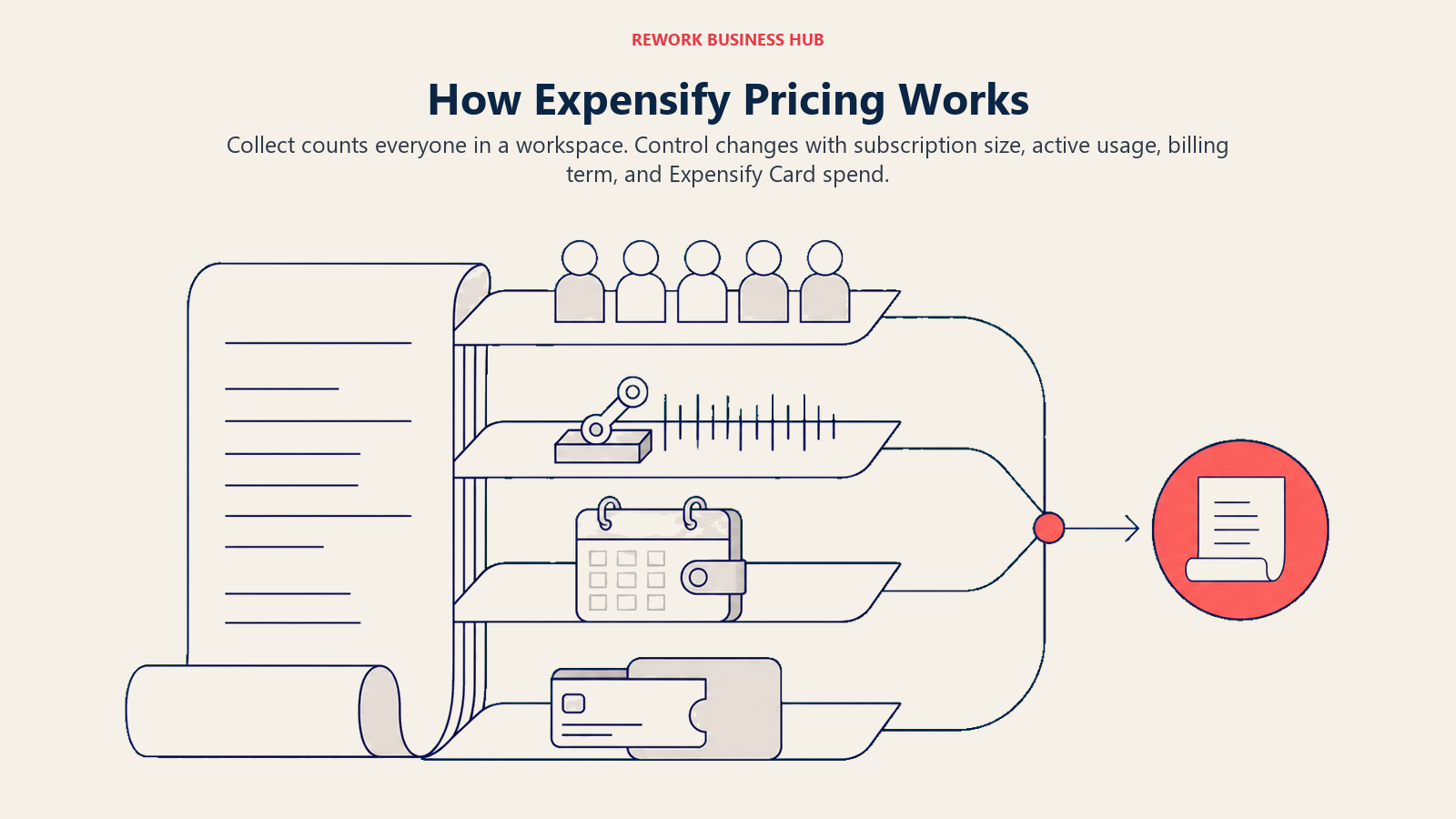
More buyers misquote Expensify's price than any other tool in this category, and it is not because anyone is hiding anything. It is because two plans bill on two different populations, and one of them has a discount attached to card spend.
| Plan and billing mode | What it bills on | Rate without the Expensify Card | Rate with Expensify Card usage |
|---|---|---|---|
| Collect, pay-per-use | Unique members | $5 per unique member per month | No card discount available on Collect |
| Control, annual subscription | Members included in your subscription size | $18 per included member per month | As low as $9 per included member per month |
| Control, annual overage | Active members above your subscription size | $36 per active member per month | As low as $18 per active member per month |
| Control, pay-per-use | Active members | $36 per active member per month | As low as $18 per active member per month |
The member definitions are the part that moves the invoice most:
| Term | Who it counts | Which plan uses it |
|---|---|---|
| Unique member | Everyone in the workspace that month, active or not | Collect |
| Active member | Only people who created, submitted, approved, reimbursed, or exported an expense that month | Control |
Three practical consequences fall out of this. A quiet workspace full of occasional travelers is cheap on Collect and expensive on Control overage. The Control card discount scales to the share of approved USD expenses that ran on the Expensify Card, so a team that keeps its existing bank cards never sees the $9 rate. And pay-per-use costs exactly double the annual rate on Control, which is why "Expensify is $36 a head" and "Expensify is $9 a head" are both true statements about the same product. All figures come from Expensify's own pricing documentation.
Why Companies Actually Leave Expensify
| Pain Point | Who Feels It Most | How Often It's the Trigger |
|---|---|---|
| Two plans billing on two member definitions | Controllers modeling next year's budget | Very common |
| Control rate without the Expensify Card | Finance teams keeping their existing bank cards | Very common |
| Pay-per-use costs double the annual rate | Small teams avoiding an annual commitment | Common |
| Approval routing depth at multi-entity scale | Finance directors with cost centers and subsidiaries | Common |
| Wanting cards, expense, and AP under one roof | CFOs consolidating vendors | Very common |
| Card and spend controls lighter than card-first tools | Controllers trying to stop spend before it happens | Common |
| Interface feels dated next to newer entrants | Employees filing reports weekly | Moderate |
| Non-US entity and VAT handling | Finance teams with European or APAC subsidiaries | Moderate |
Note what is missing from that list: receipt capture. Almost nobody leaves Expensify because SmartScan let them down. They leave because of how the bill is calculated, or because the job grew from "reimburse people" into "control spend before it happens."
The Four Ways These Tools Charge You
Three platforms can advertise similar-looking numbers and produce wildly different invoices at 40 people. Knowing which model a vendor uses tells you more than the headline rate.
| Pricing Model | How It Bills | Tools Using It | Watch Out For |
|---|---|---|---|
| Per user, per month | Scales linearly with headcount | Brex Premium, Zoho Expense, Rydoo Essentials and Pro, Navan Expense, Ramp Plus | Whether it counts every seat or only active ones |
| Per active user | Counts only people who did something that month | Expensify Control, Sage Expense Management, Rydoo Business and Enterprise | Each vendor defines "active" differently |
| Per company, per month | Flat regardless of headcount | Payhawk, Pleo base fee, Spendesk platform fee | Cheap at 200 people, painful at 15 |
| Free or interchange-funded | $0 software, revenue from card spend and treasury | Ramp Free, Brex Essentials, BILL Spend & Expense, Rho | You need real card volume for the model to work |
Rydoo is worth flagging here because it defines active users almost exactly the way Expensify does: users that perform at least one action in the product in a given month. If Expensify's active-member billing suits your usage pattern, Rydoo's higher tiers will feel familiar rather than foreign.
1. Ramp - Free Expense Software Funded by Card Spend
Ramp is the single most common destination for a company leaving Expensify, and the reason is blunt: the free tier does expense reports, receipt matching, approval policies, reimbursements, and accounting sync at $0 per user per month. If your Expensify bill exists mainly because you have people who need to be paid back, Ramp removes the line item entirely.
Methodology: Ramp's model is that software should be funded by interchange on card spend, not by seats. The product is card-first, so controls sit on the card itself (merchant locks, category limits, one-time virtual cards) rather than being applied after someone already paid.
Target audience: US companies of roughly 10 to 500 employees willing to move card spend onto Ramp's cards. Finance-led, not travel-led.
| Pros | Cons |
|---|---|
| Free tier that a real finance team can operate on | Requires moving card spend to Ramp for the model to work |
| Controls stop spend before it happens, not after | US-centric, weaker for multi-country entities |
| Fast close with strong accounting integrations | Plus platform fee amount is not published |
| Bill pay and procurement in the same platform | Underwriting decides your credit limit, not your plan |
Pricing: Free is $0 per user per month. Plus is $15 per user per month plus a platform fee that scales with team size, and Ramp does not publish that platform fee as a number, so it has to come from a quote. Annual billing takes 20% off Plus. Enterprise is contact sales. From Ramp's own pricing page.
Best for: Any Expensify Control customer who is paying for expense software while also carrying a separate corporate card program. Read Expensify vs Ramp for the head-to-head most buyers actually run, and best Ramp alternatives if Ramp turns out to be the one you would rather avoid.
2. Brex - Global Cards, Expense, and a Business Account Together
Brex answers a question Expensify does not try to: what if the card, the bank account, and the expense tool were the same system? For a company with entities in more than one country, that consolidation is the pitch, and Essentials delivers it at $0 per user per month.
Methodology: Brex builds around global spend. Cards issue in multiple countries and currencies, local reimbursements work in dozens of markets, and the expense layer reads from card transactions first rather than waiting for a submitted report.
Target audience: Venture-backed startups and multi-entity companies of roughly 10 to 1,000 employees, particularly those hiring across borders.
| Pros | Cons |
|---|---|
| Free Essentials tier covering cards and expenses | Underwriting and account opening favor funded companies |
| Genuine multi-country card and reimbursement coverage | Less natural fit for traditional non-tech small firms |
| Business account, cards, and expense in one login | Premium features gated behind the paid tier |
| Strong policy automation on card transactions | Support experience varies by account size |
Pricing: Essentials is $0 per user per month. Premium is $12 per user per month. Enterprise is contact sales. From Brex's own pricing page.
Best for: A company whose Expensify problem is really an entity-structure problem, with people to reimburse in three currencies. See best Brex alternatives if you have already ruled Brex out.
3. Zoho Expense - The Cheapest Like-for-Like Swap
If you like what Expensify does and simply want to pay less for it, Zoho Expense is the shortest move on this list. Receipt scanning, policy rules, multi-level approvals, mileage, per diems, and accounting export all exist, at a fraction of Control's rate.
Methodology: Zoho sells depth at volume across a very large application suite, so Expense is priced to pull companies into the wider ecosystem rather than to maximize revenue on its own. Feature parity with more expensive tools is the deliberate strategy.
Target audience: Cost-sensitive teams of 1 to 100 employees, and any company already running Zoho Books, Zoho CRM, or Zoho People.
| Pros | Cons |
|---|---|
| Lowest credible per-user price in this comparison | Interface density takes some getting used to |
| Free tier for up to 3 users with 20 scans each | Card issuing depends on region and banking partner |
| Real approval workflows, per diems, and mileage | Support is ticket-first rather than named-rep |
| Deep integration across the rest of Zoho | Less brand recognition with US finance teams |
Pricing: Free is $0 for up to 3 users, 20 receipt scans per user per month, and 5 GB storage. Standard is $4 per user per month billed monthly or $3 per user per month billed annually. Premium is $6 per user per month monthly or $5 billed annually. Zoho Spend is custom. From Zoho's own pricing page.
Best for: A 20-person company on Expensify Control paying $360 a month for what Zoho Expense does for $60, with the same receipt scanning, approvals, and export at the other end.
4. Sage Expense Management (formerly Fyle) - Keep the Cards You Already Have
Most card-first platforms want you to switch cards. Sage Expense Management does the opposite: it plugs real-time transaction feeds into the Visa and Mastercard corporate cards your company already carries, then texts the cardholder for the receipt within seconds of the swipe. For a finance team locked into a banking relationship, that removes the single biggest objection to leaving Expensify.
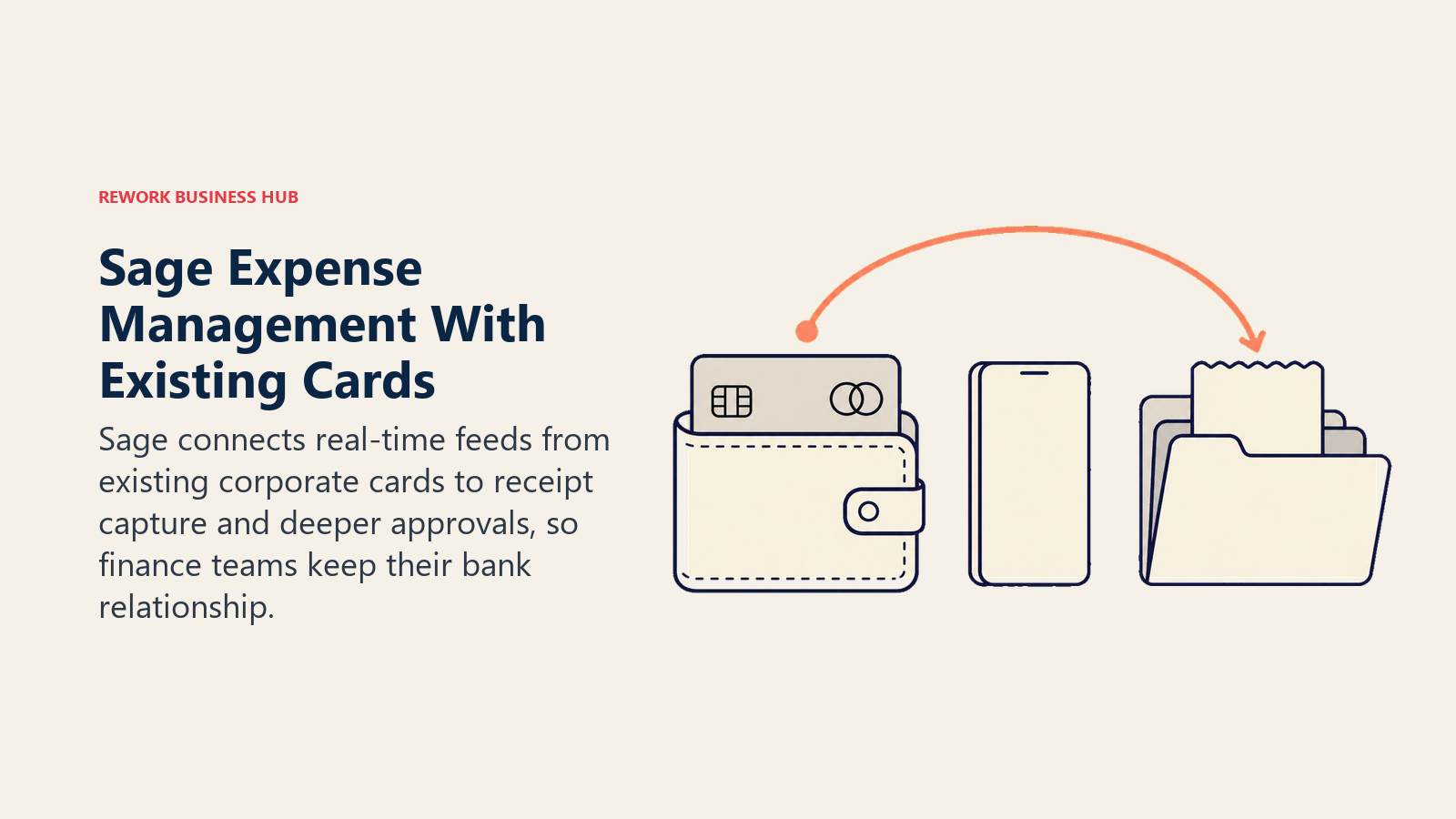
Methodology: Fyle was acquired by Sage, announced July 2025, and rebranded to Sage Expense Management, with the product and the fylehq.com domain unchanged (Sage). The design principle is that expense management should not require changing your payment rails.
Target audience: US and India-based teams of roughly 25 to 1,000 employees with an existing corporate card program and a real approval hierarchy.
| Pros | Cons |
|---|---|
| Real-time feeds on cards you already carry | 5-user minimum on Growth, 10 on Business |
| Text-message receipt capture with strong compliance | Billed on active users, so usage spikes cost money |
| Deeper approval routing than Expensify at mid-market | Card program itself is still your bank's problem |
| Natural fit with Sage accounting products | Newer brand identity after the acquisition |
Pricing: Growth is $11.99 per active user per month billed annually with a 5-user minimum. Business is $14.99 per active user per month billed annually with a 10-user minimum. Enterprise is custom, aimed at 250+ employees. From the vendor's own pricing page.
Best for: A finance team that likes Expensify's approach but needs approval depth and card feeds without switching banks. If you run Sage Intacct as your ledger, best Sage Intacct alternatives is worth reading alongside this, since consolidating on one vendor cuts both ways.
5. SAP Concur - The Enterprise Answer to Approval Depth
Concur is where companies land when the expense problem stops being about receipts and starts being about audit trails, VAT reclaim, delegate approvals, and a policy engine that has to satisfy an external auditor in six countries. Expensify does not compete here, and does not really claim to.
Methodology: Concur treats travel, expense, and invoice as one compliance surface. Policy is enforced at entry, audit rules can be automated or handed to Concur's own audit service, and the integration story with SAP and other ERPs is the deepest in the category.
Target audience: Global enterprises, typically 1,000+ employees, with multiple legal entities, statutory reporting obligations, and a travel program.
| Pros | Cons |
|---|---|
| Deepest global policy, VAT, and audit tooling | No published pricing, every deal is quoted |
| Delegate approvals and complex routing done properly | Implementation runs months, not days |
| Strong ERP integration, especially with SAP | Interface is the least loved on this list |
| Huge supplier and travel partner network | Overwhelming and expensive under 200 employees |
Pricing: SAP publishes no standardized list price for Concur Expense; every deployment is quoted on entity count, module mix, and transaction volume. Third-party ranges circulate, so treat any figure you see elsewhere as (reported) and unverified by SAP.
Best for: A multinational whose Expensify workspace has quietly become the system of record for spend it cannot properly audit. If NetSuite is your ledger, best NetSuite alternatives covers the other half of that integration decision.
6. Navan - Booking and Expense on the Same Record
Navan solves a problem Expensify structurally cannot: the flight, hotel, and taxi are booked in one system and expensed in another, so someone reconciles them by hand afterwards. Book through Navan and the expense is already categorized, policy-checked, and matched before the trip ends.
Methodology: Navan starts from travel rather than from receipts. Policy is applied at booking time, which prevents the out-of-policy spend that expense tools can only flag after the money is gone.
Target audience: Travel-heavy teams of roughly 20 to 5,000 employees. The value scales with how much of your spend is travel.
| Pros | Cons |
|---|---|
| Trip and expense share one record, no reconciliation | Value drops sharply for non-travel-heavy teams |
| Free tier covers companies up to 300 employees on travel | Expense is free only for the first 5 users |
| Policy enforced at booking rather than after the fact | Booking inventory matters more than software features |
| Strong global coverage for a travel-first product | Less depth on non-travel spend controls |
Pricing: Navan Business is free for companies up to 300 employees, with unlimited trips on travel. Navan Expense is free for the first 5 users and $15 per user per month after that. Navan Enterprise is contact sales. From Navan's own pricing page.
Best for: A sales-heavy or consulting company where most of the Expensify volume is airfare, hotels, and per diems that were booked somewhere else entirely.
7. Rydoo - Per Diems, Multi-Country Rules, and a Published Price
Rydoo is the closest thing to a European Expensify with the compliance work done. Per diem rates by country, mileage schemes, VAT handling, and multi-level approvals are core product rather than add-ons, and unlike most of its regional peers it publishes what it charges.
Methodology: Rydoo bills active users on its upper tiers, defining them as users that perform at least one action in Rydoo in a given month. That mirrors Expensify's Control logic, which makes a cost comparison unusually straightforward for once.
Target audience: Mid-market finance teams of roughly 50 to 2,000 employees with people traveling across borders and per diem obligations to get right.
| Pros | Cons |
|---|---|
| Per diem and multi-country compliance built in | 5-user minimum on both published tiers |
| Published pricing in USD, EUR, and GBP | Business and Enterprise are quote-only |
| Active-user definition is stated plainly | Business tier needs 30 active users minimum |
| Clean mobile capture and approval experience | Less card-issuing capability than card-first tools |
Pricing: Essentials is $9 per user per month billed annually or $12 billed monthly (also EUR 8/10 and GBP 8/10), with a 5-user minimum. Pro is $11 per user per month annually or $14 monthly, same 5-user minimum. Business is custom with a 30 active-user minimum, and Enterprise is custom with a 50 active-user minimum. From Rydoo's own pricing page.
Best for: A European or globally distributed team where German or French per diem rules are the reason Expensify never quite fit.
8. BILL Spend & Expense - Free Cards Next to a Mature AP Product
BILL Spend & Expense, formerly Divvy, gives away the half of the problem Expensify charges for. Cards, budgets, virtual cards, and expense tracking are $0 per user per month, backed by a credit line that runs from $1,000 to $5M depending on underwriting.
Methodology: The model is budget-first. Money is allocated to a budget before it is spent, cards draw against that budget, and overspend is prevented rather than reported. Without automation, companies pay $12.88 to process a single invoice and take 17.4 days to do it, per Ardent Partners' State of ePayables research (Bottomline), which is the gap BILL's paid AP product exists to close.
Target audience: US companies of roughly 10 to 500 employees, especially those already using BILL for accounts payable.
| Pros | Cons |
|---|---|
| Cards, budgets, and expense tracking at $0 per user | AP and AR is a separate paid subscription |
| Credit line from $1,000 up to $5M | Credit limit depends on underwriting, not on the plan |
| Pairs with one of the most established AP products | US-centric, weaker for multi-country entities |
| Budget-first model catches overspend early | Two products means two onboarding projects |
Pricing: BILL Spend & Expense is $0 per user per month, including cards, budgets, expense tracking, and credit lines from $1,000 to $5M. BILL's separate AP and AR product is $49, $65, or $89 per user per month depending on tier, with Enterprise custom. From BILL's own pricing page.
Best for: A company already paying BILL for AP that is also paying Expensify for expense. See best BILL.com alternatives if the two-product structure is the dealbreaker.
9. Pleo - The European Card and Expense Standard
Pleo is what a lot of European teams pick instead of Expensify, and the experience is noticeably tighter: a physical or virtual card, an instant push notification asking for the receipt, and a bookkeeping export that a Danish or Dutch accountant will actually accept.
Methodology: Pleo prices per company with a small number of users included, then charges per additional user. That flattens the cost curve compared with pure per-seat tools, and it is why a 40-person Pleo bill looks very different from a 40-person Expensify Control bill.
Target audience: UK and EU companies of roughly 5 to 500 employees that want cards and expenses in one place without an enterprise implementation.
| Pros | Cons |
|---|---|
| Best-in-class European card and receipt experience | Pricing is published in GBP and EUR, not USD |
| Base fee includes 3 users, keeping small teams cheap | Per-additional-user fees add up past 30 people |
| Strong local accounting integrations across the EU | Weaker fit for US-only finance teams |
| Clear tier ladder from Starter to Business | Starter caps at 3 users |
Pricing: In GBP, Starter is £9.50 per month billed yearly for up to 3 users. Essential is £45 per month billed monthly or £39 billed yearly, includes 3 users, then £11 per additional user per month. Advanced is £109 per month monthly or £99 yearly, includes 3 users, then £15 per additional user per month. Business starts from £249 per month billed yearly. From Pleo's own pricing page. These are GBP figures, not converted dollars.
Best for: A European team whose Expensify workspace never handled local VAT or local bookkeeping exports well enough to trust.
10. Payhawk - Per-Company Pricing for Multi-Entity Finance
Payhawk breaks the per-seat assumption completely. It sells modules at a per-company monthly rate, so adding 60 more employees to Cards & Expenses does not change the invoice. For a growing company, that is the opposite of Expensify Control's math.
Methodology: Modular by design. Cards & Expenses, Accounts Payable, and Travel are priced separately, and multi-entity, multi-currency handling is treated as core rather than as an enterprise upsell.
Target audience: Multi-entity companies of roughly 100 to 2,000 employees across Europe, the UK, and the US, usually with a group CFO.
| Pros | Cons |
|---|---|
| Per-company pricing that ignores headcount growth | Expensive floor for teams under about 30 people |
| Genuine multi-entity and multi-currency handling | Buying three modules means three line items |
| Strong ERP integrations for group reporting | Less known in the US than in Europe |
| Cards, AP, and travel from one vendor | Published prices are starting points, not the final quote |
Pricing: Per company, per month, in USD: Cards & Expenses from $449, Accounts Payable from $349, and Travel from $299. These are company-level starting prices, not per-user rates. From Payhawk's own pricing page.
Best for: A group finance function whose Expensify bill grows every time HR onboards someone, and who would rather pay a flat number.
11. Emburse - The Legacy T&E Estate Under One Roof
Emburse is not one product. It is Certify, Chrome River, and Emburse Spend under a single brand, covering everything from a 20-person expense workflow to a university system's travel program. Companies usually arrive here through a legacy Certify or Chrome River deployment rather than through a fresh evaluation.
Methodology: Emburse grew by acquisition and kept the products separate on purpose, so each one targets a different size band rather than forcing a single platform onto every customer. That is a real advantage for enterprises with entrenched processes and a real drawback for buyers who want one obvious answer.
Target audience: Mid-market and enterprise organizations, often in education, government, professional services, and non-profits, replacing an aging T&E system.
| Pros | Cons |
|---|---|
| Products sized for SMB through large enterprise | No list pricing published anywhere |
| Deep expense audit and compliance capability | Product line is genuinely confusing to compare |
| Strong presence in public sector and education | Modernization has lagged newer card-first entrants |
| Established implementation and support practice | Migration between Emburse products is not trivial |
Pricing: Emburse publishes no list pricing and has no public pricing page, and each product is quoted individually. Any figure quoted elsewhere should be treated as (reported) with its source named, not as vendor-confirmed. Notably, Emburse also commissioned the YouGov survey cited in Key Facts above, which found 24% of employees admitting to expense fraud.
Best for: An organization already running Certify or Chrome River that wants to modernize without leaving the vendor relationship.
12. Spendesk - No Per-Seat Fee, and No Published Price Either
Spendesk takes a clear position on the thing Expensify buyers complain about most: it states plainly that it does not charge active user fees. What it will not tell you without a call is what it does charge.
Methodology: A fixed platform fee plus variable transaction fees, which decouples cost from headcount entirely. For a company adding people faster than it adds spend, that is structurally cheaper than per-seat billing. For a small team with heavy spend, it may not be.
Target audience: European mid-market companies of roughly 50 to 1,000 employees, strongest in France, the wider EU, and the UK.
| Pros | Cons |
|---|---|
| Explicitly charges no active user fees | Nothing published, every evaluation starts with sales |
| Cost does not scale with headcount growth | Transaction fees are harder to forecast than seats |
| Strong European compliance and bookkeeping fit | Weaker US market presence |
| Card ordering included rather than charged per card | Not a fit for very small teams |
Pricing: Spendesk publishes no prices. Its pricing page describes a fixed platform fee plus variable transaction fees and states that it does not charge active user fees, but gives no numbers. Every quote is custom. From Spendesk's own pricing page.
Best for: A European finance team that has done the math on Expensify Control's active-member overage and decided per-seat pricing is the wrong shape entirely.
13. Rho - Spend Software Paid For by the Bank, Not by You
Rho is the most direct answer to "why am I paying for expense software at all?" The platform is free: $0 subscription, $0 per user, and $0 on same-day ACH, wires, and checks, with AP, expense management, and accounting automation included. Rho earns its money on banking and interchange.
Methodology: Rho bundles a business banking account, corporate cards, AP, and expense into one platform and funds the software with treasury and card revenue. The tradeoff is explicit: you move your banking relationship, not just your expense tool.
Target audience: US companies of roughly 5 to 200 employees willing to consolidate banking and spend with one provider.
| Pros | Cons |
|---|---|
| Genuinely $0 platform and $0 per user | Requires banking with Rho to make sense |
| Free same-day ACH, wires, and checks | US-only, not a fit for multi-country entities |
| AP, expense, and accounting automation included | Less specialized than a dedicated T&E tool |
| Removes the software line item completely | Switching banks is a bigger project than switching software |
Pricing: $0 subscription, $0 per user, and $0 for same-day ACH, wires, and checks. AP, expense management, and accounting automation are included at no software cost. FX is 1%. From Rho's own pricing page.
Best for: A finance team whose Expensify renewal quote arrived at the same time as a banking review, and who would rather solve both at once.
Adjacent Tools Worth Knowing
Two more come up in Expensify evaluations without earning a full slot, usually because they are contextual rather than universal.
| Tool | Why it comes up | Pricing reality |
|---|---|---|
| Rippling Spend | Companies already running Rippling for HR and IT get cards and expense attached to the employee record, so offboarding kills the card automatically | No fixed published price; quote-only and modular on the Rippling platform. See best Rippling alternatives |
| Center | US teams wanting real-time card feeds with expense built around the transaction rather than the report | No published pricing at all, quote-only |
What a 40-Person Team Actually Pays Per Month
Same scenario across every platform: 40 employees, all of them expense-active in a given month, US pricing where the vendor publishes it.
| Platform and plan | Basis | Monthly cost at 40 people |
|---|---|---|
| Ramp Free | Free, interchange-funded | $0 |
| Brex Essentials | Free, interchange-funded | $0 |
| BILL Spend & Expense | Free, interchange-funded | $0 |
| Rho | Free, banking-funded | $0 |
| Zoho Expense Standard | $3/user/mo annual | $120 |
| Zoho Expense Premium | $5/user/mo annual | $200 |
| Expensify Collect, pay-per-use | $5 per unique member | $200 |
| Rydoo Essentials | $9/user/mo annual | $360 |
| Expensify Control, annual, heavy card use | As low as $9 per included member | $360 |
| Payhawk Cards & Expenses | From $449/mo per company | From $449 |
| Sage Expense Management Growth | $11.99/active user/mo annual | $479.60 |
| Brex Premium | $12/user/mo | $480 |
| Navan Expense | First 5 free, then $15/user/mo | $525 |
| Ramp Plus | $15/user/mo plus unpublished platform fee | $600 plus platform fee |
| Expensify Control, annual, no card discount | $18 per included member | $720 |
| Expensify Control, pay-per-use | $36 per active member | $1,440 |
| SAP Concur, Spendesk, Emburse, Rippling Spend | Quote-only | Not published |
The spread inside Expensify's own rows is the real story. The same 40 people cost $200, $360, $720, or $1,440 a month depending on which plan you are on, whether you pay annually, and how much spend runs on the Expensify Card. Model your actual usage before you compare Expensify to anything else, because the wrong internal assumption will make every alternative look either cheap or pointless.
Stage Fit Matrix
Company size changes the best fit: free card-first tools dominate early stages, while multi-entity controls and enterprise compliance matter later.
| Tool | Startup (1-10) | Growth (10-50) | Mid-Market (50-200) | Enterprise (200+) |
|---|---|---|---|---|
| Ramp | Strong fit | Strong fit | Strong fit | Possible |
| Brex | Strong fit | Strong fit | Strong fit | Possible |
| Zoho Expense | Strong fit | Strong fit | Possible | Not a fit |
| Sage Expense Management | Possible | Strong fit | Strong fit | Possible |
| SAP Concur | Not a fit | Not a fit | Possible | Strong fit |
| Navan | Strong fit | Strong fit | Strong fit | Strong fit |
| Rydoo | Possible | Strong fit | Strong fit | Possible |
| BILL Spend & Expense | Strong fit | Strong fit | Strong fit | Possible |
| Pleo | Strong fit | Strong fit | Strong fit | Possible |
| Payhawk | Not a fit | Possible | Strong fit | Strong fit |
| Emburse | Not a fit | Possible | Strong fit | Strong fit |
| Spendesk | Not a fit | Possible | Strong fit | Possible |
| Rho | Strong fit | Strong fit | Possible | Not a fit |
Sizing and Persona Table
| Tool | Ideal Team Size | Primary Buyer | Region Strength |
|---|---|---|---|
| Ramp | 10-500 employees | Controller, CFO | US |
| Brex | 10-1,000 employees | CFO, VP Finance | US and global |
| Zoho Expense | 1-100 employees | Founder, finance manager | Global, strong in India and APAC |
| Sage Expense Management | 25-1,000 employees | Controller, accounting manager | US and India |
| SAP Concur | 1,000+ employees | CFO, shared services, global travel lead | Global |
| Navan | 20-5,000 employees | Travel manager, Head of Ops | Global |
| Rydoo | 50-2,000 employees | Finance director, T&E manager | Europe and global |
| BILL Spend & Expense | 10-500 employees | Controller, AP manager | US |
| Pleo | 5-500 employees | Finance lead, office manager | UK and EU |
| Payhawk | 100-2,000 employees | Group CFO, finance director | Europe, UK, US |
| Emburse | 200-5,000 employees | VP Finance, procurement lead | US and global |
| Spendesk | 50-1,000 employees | CFO, finance director | France, EU, UK |
| Rho | 5-200 employees | Founder, controller | US |
Integration Fit: What Your Accounting Stack Allows
Expense tools live or die on the export. Before shortlisting, check what your ledger already speaks.
| If your ledger is... | Safest picks | Watch for |
|---|---|---|
| QuickBooks Online | Ramp, BILL Spend & Expense, Zoho Expense, Sage Expense Management | Class and location mapping depth varies by tool. See best QuickBooks alternatives |
| Xero | Pleo, Zoho Expense, Ramp, Rydoo | Multi-currency handling on the expense side. See best Xero alternatives |
| NetSuite | Ramp, Brex, Navan, SAP Concur, Payhawk | Custom segment mapping usually needs the higher tier |
| Sage Intacct | Sage Expense Management, Ramp, Payhawk | Dimension support, not just account codes |
| SAP or Oracle ERP | SAP Concur, Emburse, Payhawk | Implementation scope, not connector existence |
| Zoho Books | Zoho Expense | Cross-vendor exports are workable but less automatic |
Where the Savings Actually Come From
Software price is the smallest of the three numbers in this decision. At $58 per report and a 19% error rate costing $52 each to fix, a 40-person company filing 600 reports a year carries roughly $34,800 in processing cost and about $5,900 in corrections. A tool that cuts either number matters more than a $10 per-seat difference.
| Lever | What it changes | Which tools pull it hardest |
|---|---|---|
| Fewer reports filed at all | Card spend never becomes a report | Ramp, Brex, BILL Spend & Expense, Pleo, Payhawk |
| Lower error rate at capture | Fewer corrections at $52 each | Expensify, Sage Expense Management, Rydoo |
| Policy enforced before spend | Violations prevented, not flagged | Ramp, Navan, Payhawk, Spendesk |
| Faster close | Finance hours freed each month | Ramp, Brex, Rho |
| Software line item removed | Direct budget saving | Ramp Free, Brex Essentials, BILL, Rho |
Automated approval routing is the piece most teams underuse, and it is where AI is currently making the fastest difference. Our overview of the AI expense approval agent covers how rule-based routing turns into risk-scored routing, and the AI budgeting agent piece covers the forecasting side that card-first platforms increasingly bundle in.
How to Choose: Decision Framework
Choose by the constraint Expensify no longer covers, whether that is free card-funded spend, existing cards, global audit, travel, or flat company pricing.
| If you need... | Choose |
|---|---|
| Expense software at $0 with cards attached | Ramp, Brex Essentials, BILL Spend & Expense, or Rho |
| The same job as Expensify for a fraction of the price | Zoho Expense |
| To keep your existing corporate cards | Sage Expense Management |
| Approval depth, VAT reclaim, and global audit trails | SAP Concur |
| Travel booking and expense on one record | Navan |
| Per diems and multi-country compliance with a published price | Rydoo |
| Free cards beside a mature AP product | BILL Spend & Expense |
| A European card and receipt experience | Pleo |
| Pricing that ignores headcount growth | Payhawk or Spendesk |
| To modernize a Certify or Chrome River deployment | Emburse |
| To replace the bank and the expense tool at once | Rho |
| Cards tied to the HR record so offboarding kills them | Rippling Spend |
| To stay put | Expensify, when receipt capture speed and a workflow your team already knows outweigh the billing model, especially on Collect at $5 per unique member |
What Expensify Still Does Best
Expensify is not the right fit for most people reading this page, or you would not be reading it. But it earns these honestly.

| Expensify Strength | Who It Matters For |
|---|---|
| SmartScan receipt capture, still the fastest in the category | Anyone filing reports weekly from a phone |
| Collect at $5 per unique member, cheap for small quiet teams | Companies under about 15 people |
| Works without changing how anyone pays for anything | Teams locked into an existing card program |
| Excellent fit for accountants managing multiple clients | Bookkeepers and outsourced controllers |
| Deep integration coverage built over more than a decade | Finance teams with an unusual ledger |
| No implementation project required | Companies with no time for a rollout |
If your team is small, your spend is mostly out-of-pocket, and Collect covers you at $5 per unique member, switching is probably not worth the disruption. The pressure to leave shows up when headcount grows past the point where Control's active-member math starts working against you, or when the job changes from reimbursing people to controlling spend before it happens.
Frequently Asked Questions about Expensify Alternatives
How much does Expensify actually cost per user?
It depends on four things: the plan, the billing mode, whether the person is a unique member or an active member, and how much spend runs on the Expensify Card. Collect is $5 per unique member per month on pay-per-use. Control is $18 per included member per month on annual billing, $36 per active member above your subscription size, and $36 per active member on pay-per-use, falling to as low as $9 and $18 respectively with Expensify Card usage.
What is the difference between a unique member and an active member?
A unique member is anyone in the workspace that month, whether they did anything or not, and that is what Collect bills on. An active member is only someone who created, submitted, approved, reimbursed, or exported an expense that month, and that is what Control bills on. A team of 40 people where only 22 file anything pays for 40 on Collect and 22 on Control overage.
What is the cheapest real alternative to Expensify?
Free, if you are willing to move card spend. Ramp Free, Brex Essentials, BILL Spend & Expense, and Rho all charge $0 per user per month and fund the software with card interchange or banking revenue. Keeping your existing cards? Zoho Expense Standard at $3 per user per month billed annually is the cheapest paid like-for-like swap.
Which alternative works if we want to keep our current corporate cards?
Sage Expense Management, formerly Fyle, is built for exactly that. It pulls real-time transaction feeds from Visa and Mastercard corporate cards you already carry and texts the cardholder for a receipt within seconds of the swipe, so you get card-first behavior without switching banks. It runs $11.99 per active user per month on Growth, billed annually with a 5-user minimum.
Is Ramp or Brex better as an Expensify replacement?
Ramp if you are US-based and finance-led, because the free tier covers expenses, reimbursements, approvals, and accounting sync at $0 and the controls are tight. Brex if you have entities or employees in more than one country, since Essentials is also $0 but the card and reimbursement coverage is genuinely global.
Do any of these publish no pricing at all?
Yes, four of them. SAP Concur, Spendesk, Emburse, and Rippling Spend all quote individually with nothing published. Spendesk at least states its structure, a fixed platform fee plus variable transaction fees with no active user fees. Any specific dollar figure you see for these vendors elsewhere is a third-party report, not a vendor-confirmed price.
Is switching expense tools actually worth the disruption?
Run the math on processing cost, not license cost. At $58 and 20 minutes for a single night hotel stay report, with 19% of reports containing errors that cost another $52 and 18 minutes each, per GBTA's study with HRS, a mid-size company's paperwork cost dwarfs the subscription. Switching pays off when the new tool removes reports entirely, not when it shaves a few dollars per seat.
What to Do Next
Pull your last three Expensify invoices and count two numbers: how many unique members you were billed for, and how many people actually filed something. If those numbers are far apart, your plan choice is costing you more than your vendor choice, and the fix might be an internal one.
Then pick two alternatives from the decision framework and run one real month through each: a card purchase, an out-of-pocket reimbursement, an out-of-policy expense that should get rejected, and a month-end export into your ledger. Whichever one closes the month without a support ticket is the answer. Cost is the trigger? Start with Ramp or Zoho Expense. Keeping your cards? Start with Sage Expense Management. Travel-heavy? Start with Navan.
Camellia writes about finance and spend management tooling for B2B teams. Last updated August 2026.

Principal Product Marketing Strategist
On this page
- Key Facts
- Quick Comparison Table
- Expensify's Pricing Model, Decoded
- Why Companies Actually Leave Expensify
- The Four Ways These Tools Charge You
- 1. Ramp - Free Expense Software Funded by Card Spend
- 2. Brex - Global Cards, Expense, and a Business Account Together
- 3. Zoho Expense - The Cheapest Like-for-Like Swap
- 4. Sage Expense Management (formerly Fyle) - Keep the Cards You Already Have
- 5. SAP Concur - The Enterprise Answer to Approval Depth
- 6. Navan - Booking and Expense on the Same Record
- 7. Rydoo - Per Diems, Multi-Country Rules, and a Published Price
- 8. BILL Spend & Expense - Free Cards Next to a Mature AP Product
- 9. Pleo - The European Card and Expense Standard
- 10. Payhawk - Per-Company Pricing for Multi-Entity Finance
- 11. Emburse - The Legacy T&E Estate Under One Roof
- 12. Spendesk - No Per-Seat Fee, and No Published Price Either
- 13. Rho - Spend Software Paid For by the Bank, Not by You
- Adjacent Tools Worth Knowing
- What a 40-Person Team Actually Pays Per Month
- Stage Fit Matrix
- Sizing and Persona Table
- Integration Fit: What Your Accounting Stack Allows
- Where the Savings Actually Come From
- How to Choose: Decision Framework
- What Expensify Still Does Best
- What to Do Next