Best Free Website Technology Checkers in 2026
Turn this article into takeaways for your work.


Each assistant summarizes the article only for you and suggests best practices for your work.
If you just want to know what one website runs, install the Wappalyzer or WhatRuns extension and you'll have an answer in a click, for free. If you want the CMS, server and hosting history of a site without installing anything, W3Techs, Netcraft and BuiltWith each offer a lookup page. And if you want a list of every website that uses a given tool, that's where the free tier ends and paid technographic data begins. This page compares 11 tools on what they detect, what the free tier actually allows, and which reader each one suits.
A website technology checker reads the public code of a page (HTML, scripts, cookies, response headers) and matches it against a library of known fingerprints. That's how it tells you a site runs WordPress, Shopify, Google Tag Manager or Cloudflare. We sorted the tools below by the job you're trying to do, because a developer checking a competitor's checkout and an SDR building a 500-account list from "uses HubSpot" need very different things. Prices and limits come from each vendor's own pages.
This article is about free lookups. For the paid side (lists by installed technology, company-level install base, contacts), see the best technographic data providers and the best BuiltWith alternatives.
Key Facts
- W3Techs says it detects technologies using a combination of regular expressions and DOM traversal with several thousand indicators, and that accuracy can't be 100% because sites can hide their technologies.
- BuiltWith says it tracks 127,890 web technologies across 491.9 million domains (vendor claim).
- WhatRuns reports 450k+ active users for a free extension that needs no sign-up (vendor claim).
- Salesforce's State of Sales report says reps spend almost one full day of the workweek on prospecting, which is why teams filter lists by installed technology instead of guessing.
- The median worker has been with their current employer for 4.1 years, per the US Bureau of Labor Statistics, so any contact attached to a technology record decays on a similar clock.
Two readers, two jobs
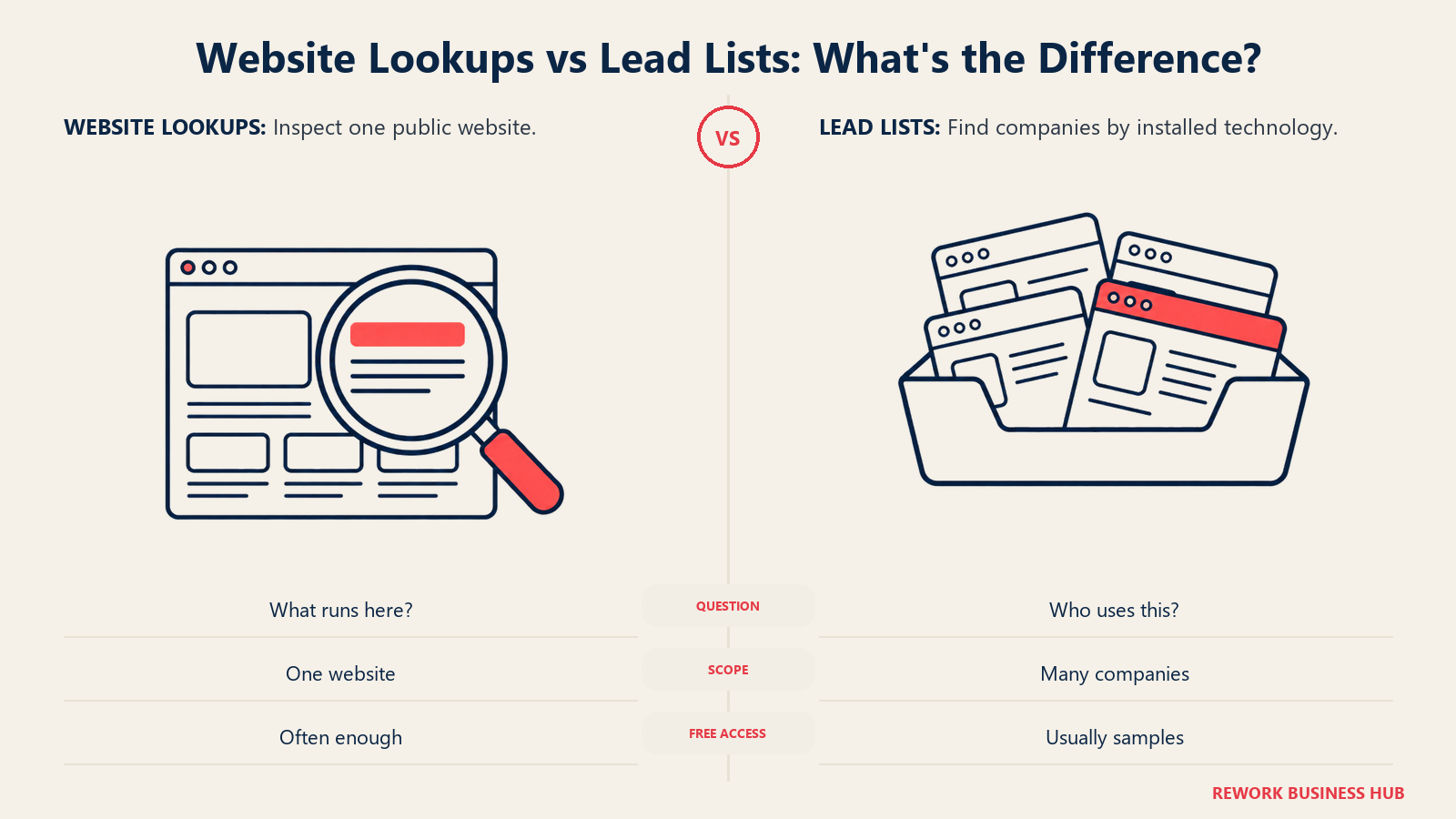
Most roundups mix these up. Here's the split we use for every tool in this article.
| Reader | The question | What you want | Tools that fit |
|---|---|---|---|
| Developer or agency | "What is this site built with?" | One-click extension, API, no signup | Wappalyzer, WhatRuns, WhatCMS, browser DevTools |
| Marketer or competitive analyst | "What does this competitor run, and when did it change?" | Lookups, alerts, history, market share | BuiltWith, W3Techs, Wappalyzer, Netcraft |
| Sales or SDR building a list | "Which companies run X, and who do I email?" | Lists by technology, contacts, CRM sync | Paid tiers of BuiltWith, Wappalyzer, Similarweb, Hunter, Apollo |
| Security or IT reviewer | "Is this site on risky infrastructure?" | Hosting, network and risk data | Netcraft |
If you're in the first two rows, the free tools below are probably enough and you can skip anything that asks for a credit card. If you're the third reader, a free checker will show you one site at a time, and the real decision is which paid tool fits. Our guide to choosing sales intelligence software covers that purchase.
Quick Comparison Table
| Tool | Best For | Starting Price | Key Strength | Key Limitation |
|---|---|---|---|---|
| Wappalyzer | Developers and marketers | Free extension; free account with 50 lookups a month; paid from $250/mo | Extension for Chrome, Firefox, Edge and Safari | Lead lists and CRM enrichment need paid plans |
| BuiltWith | Marketers and agencies | Free individual lookups; paid from $295/mo | Deep per-site profiles and history | Lists by technology start at $295/mo |
| WhatRuns | Quick single-site checks | Free, no sign-up | One-click, follow a site for changes | Chrome extension, single site at a time |
| W3Techs Site Info | Researchers, anyone who wants methodology | Lookup page, extensions and API | Documented detection method | API terms not on the lookup page |
| Netcraft | Hosting and infrastructure questions | Free extension; Site Report | Hosting, network and risk context | Not a marketing-stack tool |
| Similarweb (SimilarTech) | Market share by technology | Free technology checker; paid via Similarweb Sales | Usage and market-share stats per technology | Not sold standalone |
| WhatCMS | CMS detection, batch and API | Free plan: 500 detections | Public API prices from $20/mo | CMS-focused, free API is rate limited |
| Hunter TechLookup | Lists of sites by technology plus emails | Paid All-in-One plan required | Technology list feeds email search | Not a single-site checker |
| Datanyze | Contact reveals, not tech lookups | 90-day trial; $29/mo billed monthly | Cheap per-user credits | Not a technology checker today |
| Apollo.io | Free technology filter on company search | Free plan; Basic $49/seat/mo billed annually | Filter and enrichment in one tool | Web-detected technologies only |
| Browser DevTools | Anyone who wants no third party | Free, built in | Shows exactly what the page loads | Manual, no database of fingerprints |
How these checkers detect technology (and what they miss)
Nearly every free checker works the same way, and the shared method explains the shared blind spots.
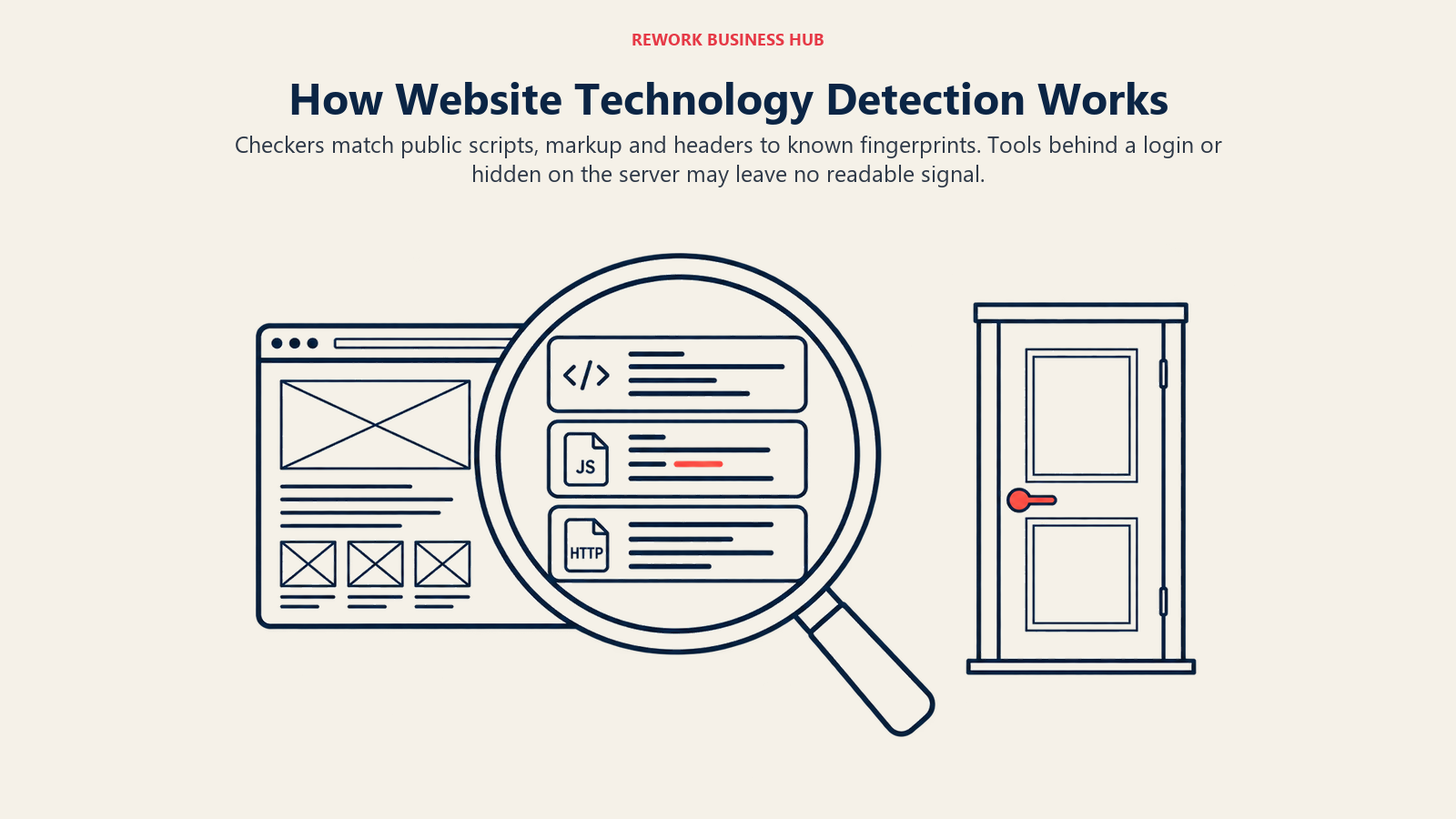
- Fingerprinting the page. The tool loads the page, or reads it inside your browser, and looks for known patterns: a
wp-contentpath, a Shopify script, a Google Analytics tag, a header such asX-Powered-By. W3Techs also lists DNS records and Whois data among its indicators, and uses dependencies between technologies, such as inferring PHP from a WordPress site, per its FAQ. - Crawling at scale. BuiltWith says it indexes the internet much as a search engine does and doesn't rely on third-party data. W3Techs says it visits sites about once a month and usually crawls a few sample pages, not the whole site.
- Reading in the browser. Extensions such as Wappalyzer and WhatRuns inspect the page you're on at that moment, including scripts that load after the page renders.
| What you want to know | Can a checker see it? | Why |
|---|---|---|
| CMS, ecommerce platform | Usually yes | Leaves traces in markup and URLs |
| Analytics and tag manager | Usually yes | Scripts load in the browser |
| JavaScript frameworks | Often | Bundles and global variables are visible |
| CDN, web server, hosting | Often | Headers and DNS expose them |
| Backend language, database | Sometimes, by inference | Headers and file extensions can be hidden or spoofed |
| Internal CRM, ERP, HRIS | No | Nothing on the public site points to them |
| A tool loaded only after login | No | The checker never sees the logged-in page |
The practical rule: a checker tells you what a visitor's browser could see. It does not tell you what a company runs behind the login. A site can also hide or rename signals, which is why W3Techs says accuracy can't be 100%. Treat any single result as a strong hint, and cross-check surprising answers with a second tool or with your own browser DevTools.
1. Wappalyzer: the free extension that most developers install first
Wappalyzer is the closest thing the category has to a default. Its browser extension is listed for Chrome, Firefox, Edge and Safari and reveals the stack behind any site you visit. The company, Wappalyzer Pty Ltd in Australia, says its coverage is "thousands of web technologies across millions of websites" (vendor claim, no hard count).
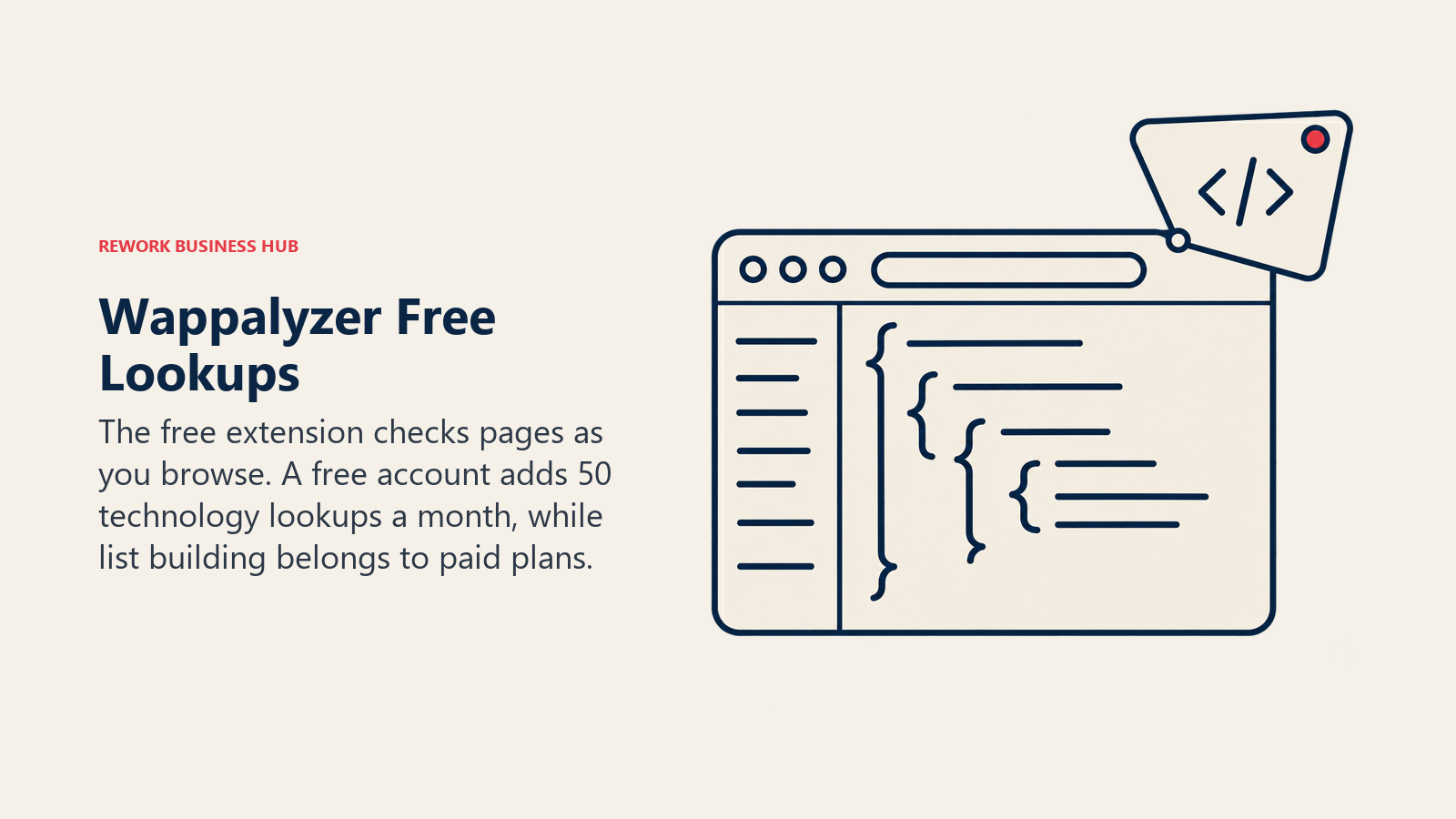
The free layer is more generous than most. The extension is free. A free account on the pricing page includes 50 technology lookups and 50 email verifications a month, 5 website alerts and free sample lead lists. The lookup page says a live lookup counts as 5 lookups, distinguishes cached results (those checked within the last 30 days), and that bulk analysis takes up to 100,000 URLs per upload.
Where the free tier stops: paid plans are Pro at $250/mo, Business at $450/mo and Enterprise from $850/mo, all shown monthly. Annual billing saves 17%; ask Wappalyzer for the annual figure. Pro gives one user, 2 lead-list technology targets and 5,000 technology lookups. Business gives 5 users, unlimited targets, 20,000 lookups and CRM enrichment. Plan API credits expire after 60 days.
Best for: developers and marketers checking sites (free), SMB sellers starting list-building (paid). Not ideal for: sales teams that need unlimited lists at a low monthly price.
| Pros | Cons |
|---|---|
| Free extension on four browsers | Free account is capped at 50 lookups a month |
| Free sample lead lists to test | Pro allows only 2 lead-list technology targets |
| Alerts when a watched site changes | Annual prices not published |
| API and bulk upload | Coverage described without a hard number |
2. BuiltWith: the deepest free profile per website
BuiltWith is the best-known name in technology lookups, and its single-site profile is the one most agencies reach for when they want history and not just a snapshot. The vendor says it tracks 127,890 technologies across 491.9 million domains, with history going back 41 years (vendor claims).
On the free side, BuiltWith says its tool is free to use for individual site lookups forever, and it publishes free browser extensions for Chrome, Firefox and Edge plus a bookmarklet. The plans page states no numeric cap on free lookups, so confirm any volume you plan to use with the vendor.
Where the free tier stops: the paid plans are built for list-building. Basic is $295/mo or $2,950/yr (2 technologies, 2 keywords, 1 login), Pro is $495/mo or $4,950/yr with unlimited technologies and keywords, and Team is $995/mo or $9,950/yr with unlimited Pro logins. Pricing is flat per account, and annual billing is cheaper than monthly. For cheaper routes to the same lists, see the best BuiltWith alternatives.
Best for: marketers, agencies and analysts who want technology history on a competitor's site, and sales teams ready to pay for lists. Not ideal for: anyone who wants a published free-lookup quota in writing.
| Pros | Cons |
|---|---|
| Free individual lookups | No published numeric cap on the free tier |
| Extensions for three browsers | Lists by technology start at $295/mo |
| Long technology history | Basic limits you to 2 technologies |
| Flat per-account pricing | Contact data on paid leads still needs checking |
3. WhatRuns: the zero-friction extension
WhatRuns does one job and asks for nothing. The home page calls it free with no sign-up required, reports 450k+ active users, and says it shows web apps, CDNs, visitor-tracking methods, WordPress plugins and fonts. It also lets you follow a site and get notified when that site starts or stops using a technology. The page names only an "Add to Chrome" button, so confirm availability on other browsers before you roll it out to a team.
It lists no paid plans, no export and no API. That's a feature for the casual reader and a gap for anyone who wants to move from one site to a list. The page doesn't describe its detection method or publish accuracy figures.
Best for: developers and marketers who want fast answers on competitor sites. Not ideal for: list-building, exports or API workflows.
| Pros | Cons |
|---|---|
| Free, no sign-up | Single-site only |
| Shows WordPress plugins and fonts | No export or API listed |
| Follow a site for changes | Chrome named; confirm other browsers with the vendor |
| Large user base (vendor claim) | Method and accuracy not published |
4. W3Techs Site Info: the checker with a documented method
W3Techs is better known for market-share reports, but its Site Info tool lets you enter a URL and see the CMS, programming language, web server and hosting provider, among other items. The same page offers a bookmarklet, Chrome and Firefox extensions and a Site Info API.
What makes it useful is the methodology. The FAQ explains the fingerprinting approach, the monthly revisit cycle, and the fact that low-usage technologies can produce unreliable statistics. That's more candour than most vendors offer. The lookup page doesn't state a price or usage cap, and the FAQ doesn't address API terms, so confirm commercial or high-volume use with W3Techs through its API documentation.
Best for: analysts and technically minded marketers who want to understand how a result was produced. Not ideal for: lists of accounts or contacts, which it doesn't provide.
| Pros | Cons |
|---|---|
| Method and limits documented | Confirm lookup terms and API pricing with the vendor |
| Server and hosting detail | Monthly crawl, a few sample pages per site |
| Bookmarklet and extensions | No contact or company records |
| Covers technology market share too | Not a lead-building tool |
5. Netcraft: hosting and infrastructure first
Netcraft sits slightly apart from the others. Its Site Report shows the infrastructure and technologies used by any site, based on Netcraft's internet data mining, and its free browser extension displays site technology and hosting provider alongside anti-phishing protection. The extension is listed for Chrome, Firefox and Edge, and it also gives a risk rating for sites Netcraft hasn't seen before.

That security focus is the difference. Netcraft is the tool you'd open to ask where a site is hosted and whether it looks risky, not to ask which email platform the marketing team picked. Netcraft says use of its site is subject to its Fair Use and Copyright policies, and the Site Report page doesn't state free-use limits, so read those terms before building a workflow around it.
Best for: security, IT and procurement reviewers, and developers who need hosting context. Not ideal for: marketing-stack research.
| Pros | Cons |
|---|---|
| Hosting and infrastructure context | Not aimed at marketing or sales tooling |
| Free extension with phishing protection | Confirm Site Report limits in its Fair Use terms |
| Risk rating on unfamiliar sites | No lists or contact data |
| Useful for vendor due diligence | Site Report fields not itemized on its landing page |
6. Similarweb (SimilarTech): market share by technology, free
SimilarTech is no longer sold on its own. Its site now reads "A Similarweb Company" and lists free tools including a Technology Checker, which sends you to a Similarweb page. That free checker lets you search for a technology and see its usage and market share, top industries and countries, with stats it says are updated weekly. Its calls to action lead to registration, so expect to create an account for anything beyond a quick search. Similarweb also offers a free Sales Chrome extension.
So this is a "who uses this technology" tool, not a "what does this site run" tool. The paid path is Similarweb Sales Intelligence, with pricing on request. If you land here from an old SimilarTech link, that's the route.
Best for: marketers and strategists sizing a technology's market, and sales teams evaluating Similarweb Sales. Not ideal for: a quick check of one site's stack.
| Pros | Cons |
|---|---|
| Usage and market-share stats per technology | Not a standalone SimilarTech product any more |
| Industry and country breakdowns | Confirm whether sign-up is required |
| Free Chrome extension for Sales | Paid pricing on request |
| Weekly update claim | Single-site stack view is not the focus |
7. WhatCMS: CMS detection with a public API price list
WhatCMS focuses on one question, which content management system a site uses, and it has widened to other technologies. The site says it detects over 1,200 CMS and website-powering technologies (vendor claim). It also links to sister tools for hosting providers, WordPress themes and Shopify themes.
Its API page is one of the clearest in this category. The free plan allows 500 detections with the API limited to 1 URL per 10 seconds and no batch processing or private detections. Paid plans start at $20 a month for 10,000 detections, $40 for 20,000, $80 for 50,000 and $150 for 100,000, and go up to $800 a month for 1,000,000 detections. Prices are monthly. The page says upgrades and downgrades are prorated and paid plans include an ad-free interface.
Best for: developers, agencies and freelancers who need CMS detection in a script. Not ideal for: marketing-stack analysis beyond the CMS.
| Pros | Cons |
|---|---|
| Free plan with 500 detections | Free API rate is 1 URL per 10 seconds |
| Transparent monthly API prices | Focused on CMS and website technologies |
| Batch processing on paid plans | No contact or company data |
| Sister tools for themes and hosts | Confirm free web-tool limits with the vendor |
8. Hunter TechLookup: a technology list that feeds email search
Hunter is best known as an email finder, but it also has TechLookup, and it works in the opposite direction from everything above. According to Hunter's help center, you pick a technology, click "Reveal the websites," and Hunter opens a Discover search with the Technology filter applied. Browsing the list of tracked technologies needs no account, but finding companies by technology requires a paid All-in-One plan and isn't available on the free plan.
So Hunter isn't a single-site checker. It answers "which sites use Shopify?", then lets you pull emails for them. Check Hunter's current plans and see the best Hunter alternatives before committing, and see the best email finder tools for how the credit models compare.
Best for: sales teams who already use Hunter and want technology as a list filter. Not ideal for: anyone who needs a free checker for one URL.
| Pros | Cons |
|---|---|
| Technology list joined to email search | Finding companies by technology needs a paid plan |
| Browsable technology catalog without an account | Not a single-site lookup |
| One tool for list and contacts | Technology search is one filter inside a larger email tool |
| Familiar credit model for Hunter users | Contact data is personal data once exported |
9. Datanyze: not a checker any more, and the trial is only 90 days
Datanyze appears in older "technology checker" lists because it began as technographic prospecting. Its product today is a contact-reveal Chrome extension, and ZoomInfo has owned it since 2018. On its pricing page, Nyze Lite is $0 for a 90-day trial with 10 credits a month and access lost after the trial, so it isn't a permanent free tier. Nyze Pro 1 is $29/mo billed monthly (80 credits) or $21/mo billed yearly (960 credits a year). Nyze Pro 2 is $55/mo billed monthly (160 credits) or $39/mo billed yearly (1,920 credits a year). Prices are per user, a credit is one contact reveal, and yearly plans are non-refundable.
It's in this article so you can rule it out. If your goal is to find out what technology a site runs, use one of the tools above. If your goal is cheap contact reveals while you browse, it's a different job. For the broader contact-data options, see the best B2B data providers.
Best for: individual sellers who want cheap contact reveals. Not ideal for: technology checks or technology-based lists.
| Pros | Cons |
|---|---|
| Low per-user price | Free tier is a 90-day trial |
| Chrome extension workflow | No longer a technographic tool |
| Simple one-credit-per-contact model | Yearly plans non-refundable |
| ZoomInfo ownership | 10 credits a month on the trial |
10. Apollo.io: a free technology filter on company search
Apollo isn't a checker, but its free plan includes something sellers often want from one: a technology filter on company search, plus enrichment, in the same account. On Apollo's pricing page, the Free plan is $0 with 900 credits per seat a year, granted monthly at 75, which covers light prospecting. Basic is $49 per seat a month billed annually ($65 billed monthly), Professional is $79 annually ($99 monthly), and Organization is $119 annually with a 3-seat minimum. An email costs 1 credit and a phone number 8, and credits don't roll over.
Apollo's data page claims 240M+ contacts and 30M+ companies (vendor claim). Technology data is detected from websites, so it shares the blind spots described above. For plan comparisons see the best Apollo alternatives.
Best for: small sales teams who want a free technology filter with contacts. Not ideal for: developers who want to inspect one site.
| Pros | Cons |
|---|---|
| Free plan with 75 credits a month | Phone numbers cost 8 credits each |
| Technology filter plus sequencing | Web-detected technologies only |
| Pooled team credits on paid plans | No credit rollover |
| Annual billing is cheaper | Lowest rate needs annual billing |
11. Browser DevTools: the check that needs no tool
You can answer a surprising share of questions with the browser you already have. Open DevTools (F12 in most browsers), then:
- Network tab: reload the page and filter by domain to see which third-party scripts load (analytics, chat, ads, payments).
- Response headers: click the main document request to read headers such as
Server,X-Powered-Byand CDN identifiers. - Sources and Elements: look for framework names,
generatormeta tags and plugin paths. - View source: search for
wp-content,cdn.shopify.comor a tag manager ID.
DevTools shows exactly what the page loads, with no third-party database in between, which makes it the best tiebreaker when two checkers disagree. The trade-off is time. There's no fingerprint library, no history and no export.
Best for: developers who want ground truth, and anyone double-checking a surprising result. Not ideal for: checking dozens of sites.
| Pros | Cons |
|---|---|
| Free and already installed | Manual and slow |
| No third-party data in the way | You need to know what to look for |
| Shows headers and loaded scripts | No history or alerts |
| Best way to confirm a disputed result | Doesn't scale beyond a handful of sites |
Where the free tier stops
Free checkers do one site at a time. The moment your question becomes "show me every company that uses X", you've moved to a different product, and that's where pricing changes shape.
| Job | Free option | Where it stops | Paid next step |
|---|---|---|---|
| Check one site | Wappalyzer, WhatRuns, BuiltWith, W3Techs, Netcraft | Manual, one URL at a time | Wappalyzer or BuiltWith API |
| Check dozens of sites | WhatCMS free API (500 detections), Wappalyzer account (50 lookups a month) | Monthly caps and rate limits | WhatCMS from $20/mo, Wappalyzer bulk |
| List sites by technology | Sample lists only | Lists need a paid plan | BuiltWith from $295/mo, Wappalyzer from $250/mo, Hunter All-in-One |
| Company-level install base | None | Needs company data, not website scans | Similarweb Sales, ZoomInfo and others in the technographic data provider roundup |
| Technology plus contacts | Apollo Free | Credit limits, web-only detection | Paid Apollo plans, data enrichment tools |
If you're not sure which side of that line you're on, run the free tools first. They'll show you whether the technology signal is strong enough to build a list on. A tool that returns inconsistent results on five sites you know well won't get better at 5,000.
Reader-fit matrix
| Tool | Developer | Marketer or analyst | Sales list building | Free tier |
|---|---|---|---|---|
| Wappalyzer | Strong | Strong | Medium (paid) | Extension and 50 lookups a month |
| BuiltWith | Medium | Strong | Strong (paid) | Individual lookups |
| WhatRuns | Strong | Medium | No | Free, no sign-up |
| W3Techs Site Info | Medium | Strong | No | Lookup page and extensions |
| Netcraft | Strong | Light | No | Extension |
| Similarweb checker | Light | Strong | Medium | Checker and Chrome extension |
| WhatCMS | Strong | Light | No | 500 detections |
| Hunter TechLookup | No | Light | Medium | Catalog only |
| Datanyze | No | No | No | 90-day trial |
| Apollo.io | No | Light | Medium | Free plan |
| Browser DevTools | Strong | Light | No | Built in |
Stage-fit matrix
| Stage | Start with | Why |
|---|---|---|
| Solo founder, freelancer or agency | Wappalyzer, WhatRuns, DevTools | Zero spend, enough for client audits and competitor checks |
| Seed to Series A marketing team | Wappalyzer plus BuiltWith free lookups | Competitor stack and tag audits without a contract |
| First SDR hires | Apollo Free or Wappalyzer sample lead lists | Test whether a technology filter produces replies |
| Growth-stage RevOps | BuiltWith, Wappalyzer Business or Hunter | Repeatable lists, CRM sync, credits |
| Security or procurement | Netcraft | Hosting and infrastructure context |
Sizing and persona table
| Persona | Team size | Likely tools | Budget signal |
|---|---|---|---|
| Developer or freelancer | 1-5 | Wappalyzer, WhatCMS, DevTools | $0 to $20/mo |
| Agency owner | 5-25 | BuiltWith, Wappalyzer, WhatCMS API | $0 to a few hundred a month |
| Head of marketing | 10-50 | Wappalyzer, BuiltWith, W3Techs | Mostly free, occasional paid |
| SDR lead | 2-10 sellers | Apollo, Hunter, Wappalyzer Pro | Tens to low hundreds a month |
| RevOps | 50-200 | Paid technographic data | Annual contracts |
Accuracy, credits and compliance
Accuracy. Detection depends on what the site exposes and how recently the tool looked. Ask three questions of any result: how was it detected, when was it last seen, and could the site be hiding it? The 4.1-year median employer tenure from BLS is a reminder that anything attached to a technology record, especially a contact, goes stale. Salesforce's report adds that 46% of sales pros with agents say data quality issues hurt their sales.
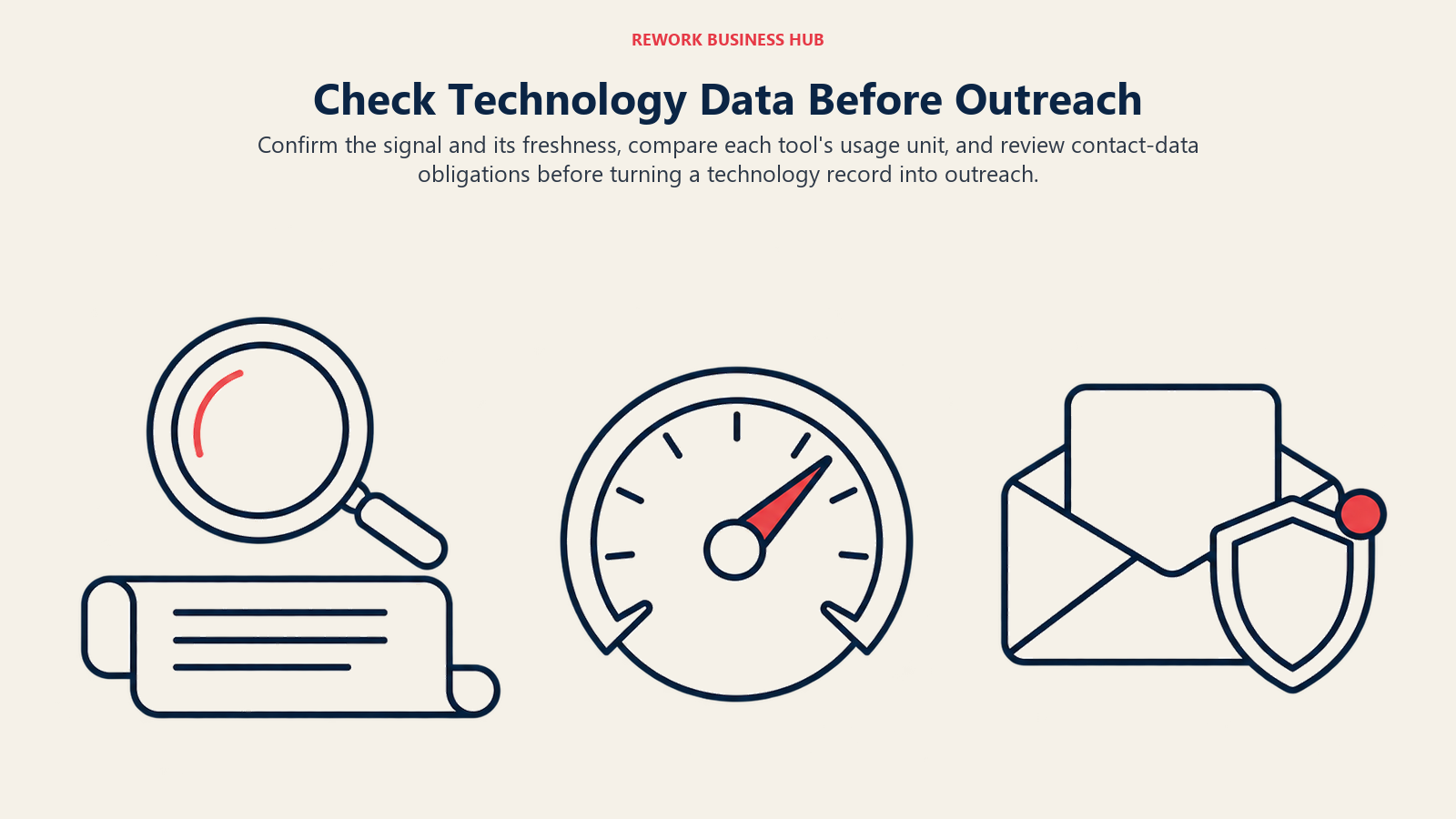
Credit models. The free tools meter differently, so compare units rather than prices.
| Tool | Unit | Free allowance | Paid unit |
|---|---|---|---|
| Wappalyzer | Technology lookup (live lookup counts as 5) | 50 lookups a month | Plan lookups, 5,000 on Pro |
| WhatCMS | Detection | 500 detections | 10,000 for $20/mo |
| Apollo.io | Credit (email 1, phone 8) | 75 a month | Per-seat credits |
| Datanyze | Contact reveal | 10 a month for 90 days | 80 or 160 a month |
| Hunter | Plan access | Catalog browsing only | All-in-One plan |
| BuiltWith | Account plan | Individual lookups | Flat per account |
Compliance, kept proportionate. A technology fact about a public website is business information, and checking one site's code is ordinary research. The risk arrives when a tool attaches people to it. Contact details are personal data under GDPR in Europe, PDPA in Singapore, Malaysia and other Southeast Asian countries, and CCPA in California, so lawful basis, notice and opt-out still apply. The French regulator fined Kaspr EUR 240,000 for collecting LinkedIn members' contacts, a reminder that scraping personal data has consequences even for B2B use. For phone outreach, the FTC says Do Not Call civil penalties reach $53,088 per violation, though the registry rule does not apply to business-to-business calls. Rules differ by country, so this is a starting point, not legal advice. Our prospecting strategy guide covers the workflow side.
How to Choose: Decision Framework
| If you need... | Pick | Why |
|---|---|---|
| One site's stack in one click | Wappalyzer or WhatRuns | Free extensions |
| Technology history on a competitor | BuiltWith | Long history, free individual lookups |
| To understand how a result was produced | W3Techs Site Info | Documented method |
| CMS detection in a script | WhatCMS | Free 500 detections, public API prices |
| Hosting and risk context | Netcraft | Infrastructure focus |
| Market share for a technology | Similarweb checker | Usage and industry stats |
| Lists of websites by technology | BuiltWith or Wappalyzer paid | Built for list-building |
| A tiebreaker when tools disagree | Browser DevTools | Shows what the page loads |
Before you build a list, define who you're targeting. Our ideal customer profile guide helps you decide which technology signals actually predict a fit.
What to Do Next
Pick five websites you know well, three of your own or your clients' and two competitors, and run them through Wappalyzer, WhatRuns and W3Techs Site Info. Compare the results against DevTools on the pages where they disagree. If the tools agree and the technology you care about shows up reliably, you've found a signal worth building on, and the next step is a paid technographic tool or a BuiltWith alternative. For the wider category, return to the sales intelligence hub.

Principal CRM Strategist
On this page
- Key Facts
- Two readers, two jobs
- Quick Comparison Table
- How these checkers detect technology (and what they miss)
- 1. Wappalyzer: the free extension that most developers install first
- 2. BuiltWith: the deepest free profile per website
- 3. WhatRuns: the zero-friction extension
- 4. W3Techs Site Info: the checker with a documented method
- 5. Netcraft: hosting and infrastructure first
- 6. Similarweb (SimilarTech): market share by technology, free
- 7. WhatCMS: CMS detection with a public API price list
- 8. Hunter TechLookup: a technology list that feeds email search
- 9. Datanyze: not a checker any more, and the trial is only 90 days
- 10. Apollo.io: a free technology filter on company search
- 11. Browser DevTools: the check that needs no tool
- Where the free tier stops
- Reader-fit matrix
- Stage-fit matrix
- Sizing and persona table
- Accuracy, credits and compliance
- How to Choose: Decision Framework
- What to Do Next