Best TalentLMS Alternatives in 2026: 13 Options for Growing Teams
Turn this article into takeaways for your work.


Each assistant summarizes the article only for you and suggests best practices for your work.
iSpring Learn, 360Learning, and Docebo are strong first stops if you're evaluating TalentLMS alternatives in 2026, but the right pick depends on exactly why you're leaving. TalentLMS deserves credit first: it's one of the few LMS vendors publishing real prices instead of "contact sales," its free plan (up to 5 users, up to 10 courses) is genuinely still live, and setup takes an afternoon, not a quarter. This guide evaluates 13 alternatives on pricing transparency, authoring depth, skills intelligence, and fit for external academies.
Most people searching for TalentLMS alternatives aren't leaving because it's expensive. They're leaving because its pricing is banded by user count, and cost steps up hard the moment headcount crosses a band: Core covers 1 to 40 users, Grow covers 1 to 70, Pro covers 1 to 100 then adds $6 per extra user, and Enterprise starts at 1,000 users. Add in teams that need skills-intelligence mapping, separate customer or partner academies, or heavier native authoring, and the search makes sense on its own terms, not as a price complaint. If you haven't narrowed the category yet, the LMS software roundup is a good place to start.
Key Facts
- US organizations spent $102.8 billion on training in 2024-2025, up nearly 5% year over year (Training Magazine).
- Average training spend rose to $874 per learner in 2025, up from $774 in 2024, even as average training hours fell to 40, down from 47 (Training Magazine).
- Direct learning expenditure per employee fell to $846 in 2025 from $1,254 in 2024, even as formal training hours rose to 16.7 hours, up from 13.7 (ATD, 2026 State of the Industry Report).
- Employees who strongly agree their organization encourages them to learn new skills are 47% less likely to be searching or watching for another job (Gallup).
- 88% of organizations say they're concerned about employee retention, and providing learning opportunities is their top-ranked retention strategy (LinkedIn Learning, Workplace Learning Report).
Why Teams Outgrow TalentLMS
This isn't about TalentLMS being a bad product. It's solid and honestly priced, and the reasons teams outgrow it are structural, not quality complaints. If you're building a genuine continuous learning culture rather than a one-time onboarding checklist, here's where the real gaps show up, and where they matter less than they sound.
| Real reason teams look for alternatives | Honest counterpoint |
|---|---|
| Pricing is banded by user count, so cost jumps sharply the moment you cross 40, 70, or 100 users | The bands are published and predictable, unlike most quote-only competitors |
| No native skills-intelligence layer (skills-gap mapping, career pathing tied to learning data) | Most teams under a few hundred employees don't need it yet; it matters once L&D must answer "who can do what" org-wide |
| Native course authoring covers the basics but lacks the interaction depth of a dedicated authoring tool | TalentLMS pairs fine with an external tool like iSpring Suite or Articulate; you don't need to replace the LMS to fix this |
| Not built to run fully separate branded portals for customers and partners at real scale | TalentLMS supports some branded groups and portals; the gap is depth for multi-audience academies, not absence |
| Enterprise tier requires 1,000 users to unlock custom pricing (a Flexible option starts at 500) | That ceiling matters to a minority of buyers; most teams evaluating alternatives are well under 500 users |
If you're evaluating an LMS as one piece of a bigger HR stack refresh, our HR software roundup covers the adjacent categories.
What TalentLMS Actually Costs in 2026
Every figure below comes straight from TalentLMS's own pricing page as published in August 2026. Annual billing takes 20% off the monthly rate across every paid plan.
| Plan | Monthly price | Annual price as published | User band | What's included |
|---|---|---|---|---|
| Free | $0 | $0 | Up to 5 users | Up to 10 courses, free forever |
| Core | $119/month | $1,428/year listed, and TalentLMS advertises 20% off for paying yearly | 1 to 40 users (base band) | Entry paid tier |
| Grow | $229/month | $2,748/year listed, same 20% yearly discount | 1 to 70 users (base band) | Mid-tier feature set |
| Pro | $449/month | $5,388/year listed, same 20% yearly discount | 1 to 100 users (base band) | +$6/additional user/month above 100, to 500 |
| Enterprise | Custom | Custom | Starts at 1,000 users (Flexible option starts at 500) | Custom quote |
Read the bands literally, because that's where the real cost jumps live. A 41-user team pays the same $119 a month a 5-user team pays $0, since crossing from Free into Core jumps from 5 to 40 seats included. A 101-user team on Pro pays $449 plus $6 for that one extra seat, a smaller jump than Core to Grow to Pro. Enterprise requires 1,000 users before TalentLMS quotes it as a standard tier.
Quick Comparison Table
| Tool | Best For | Starting Price | Key Strength | Key Limitation |
|---|---|---|---|---|
| iSpring Learn | Heavy custom course content | $6.91/user/month at 100 users, annual | Built-in PowerPoint authoring | Cost per user climbs fast under 100 users |
| 360Learning | Collaborative, peer-built courses | $8/user/month, up to 100 users | Monthly billing, no annual contract | Published tier caps at 100 users |
| Docebo | Enterprise skills intelligence | Quote only, best at 250+ learners | AI Workforce Readiness Platform | No self-serve pricing |
| Absorb LMS | Compliance-heavy enterprise | Quote only (learner-band form) | Absorb Aura AI admin agents | Zero published pricing |
| LearnUpon | Customer and partner academies | Quote only, 100+ user minimum | Multi-portal architecture | No pricing, minimums exclude small teams |
| Litmos | Enterprise compliance libraries | Quote only | Large pre-built compliance library | Fully quote-only, all tiers |
| D2L Brightspace | Structured enterprise L&D programs | Quote only | Authoring, certifications, and learning-design services | No pricing, add-ons, 4-8 week rollout |
| Tovuti | Associations bundling events | $7,500/year, first 100 learners | Events, gamification, community bundled | Per-learner rate above 100 unpublished |
| Coassemble | Lean teams, many course builders | $250/month (Build) | Unlimited course creators, every tier | IR pricing needs mapping to headcount |
| MoodleCloud | Budget-conscious Moodle courses | $170/year (Starter, 50 users) | Moodle's mature course structure | No free tier, caps at 750 users |
| Trainual | SOP-driven onboarding | Quote only | Fast SOP-to-training path | No prices on any of four tiers |
| Continu | Modern UX, MAU pricing | Quote only (tiers by MAU) | Priced on active users, not seats | No prices at any tier |
| Seismic Learning | Sales/CS enablement training | Quote only | Training tied to sales content, coaching | No pricing, enablement-first |
1. iSpring Learn - The Course-Authoring Powerhouse
iSpring built its reputation on iSpring Suite, a PowerPoint-based authoring tool used well beyond its own LMS, and iSpring Learn wraps that authoring engine in a delivery platform. If you're spending real hours building custom courses (compliance, product training, sales onboarding), you probably don't want authoring and hosting as two separate purchases.
Pricing is unusually transparent for the category and structured differently from TalentLMS: iSpring bills per active user rather than per licensed seat, and the rate drops sharply as volume grows (full figures below). "Active" means the user logged in at least once that month, so seats that go quiet don't cost you.
Target audience. L&D teams building real volume of original course content, not just assigning off-the-shelf modules.
Sizing fit. 50 to 500; under 50 the per-user rate is steep, above 500 it's custom Enterprise pricing.
Stage fit. Best once course creation is an ongoing job function, not an occasional task.
| Pros | Cons |
|---|---|
| Authoring tool and LMS are one purchase, not two | Billed annually only, no published monthly option |
| Pay-per-active-user means idle seats don't cost extra | Per-user rate is high below the 100-user tier |
| Rate drops meaningfully as headcount scales | Enterprise pricing above 500 users is a custom quote |
Pricing: Business plan, billed annually, pay-per-active-user. 100 users: $6.91/user/month ($8,286/year). 300 users: $4.46/user/month ($16,050/year). 500 users: $3.97/user/month ($23,790/year). Enterprise custom above that.
Best for: L&D teams that build real course-content volume and want authoring bundled with the LMS, not bought separately.
2. 360Learning - Peer-Powered, Collaborative Learning
360Learning runs against the grain of top-down course design. Instead of one instructional designer building courses for everyone, subject matter experts across the company create and iterate on them, with peer feedback built into the workflow. That tends to suit fast-moving onboarding and sales-enablement content that goes stale quickly.
Pricing is the most transparent thing about it: Team is $8 per user per month for up to 100 users, billed monthly with no annual commitment, rare in this category. Above 100 users, Business and Enterprise go custom and generally annual, priced on a mix of registered and active users, which complicates budgeting once you outgrow Team.
Target audience. Growing companies where onboarding, sales enablement, or product-launch content changes too fast for formal authoring.
Sizing fit. 1 to 100 on the published Team plan; above that, pricing moves to a custom quote.
Stage fit. Best for high-growth companies under 100 employees, or larger orgs piloting on one team first.
| Pros | Cons |
|---|---|
| Transparent $8/user monthly price, no annual contract | Published tier caps at 100 users |
| Collaborative authoring gets content out fast | Above 100 users, pricing is a custom quote mixing registered and active users |
| Peer review built into the course-creation workflow | Less suited to formal, compliance-style course structures |
Pricing: Team $8/user/month, up to 100 users, billed monthly, no annual commitment, no minimum volume. Business and Enterprise custom, generally annual.
Best for: Companies under 100 users that want fast, peer-built courses without an annual contract. If 360Learning itself is on your shortlist, the 360Learning alternatives guide covers the rest of that field.
3. Docebo - Skills Intelligence Meets Learning
Docebo answers the specific reason a lot of teams start shopping: TalentLMS doesn't have a skills-intelligence layer, and Docebo now does. In January 2026, Docebo acquired the French skills-intelligence vendor 365Talents for roughly $54.6 million in cash plus up to $5.1 million in earn-outs, kept the 365Talents brand distinct, and now sells an AI Workforce Readiness Platform combining Learning, Skills Intelligence, Enterprise Knowledge, and AgentHub. That's why the pricing page lists a third 365Talents line alongside its Elevate and Enterprise tiers.
None of that is cheap or self-serve. Every tier is quote-only and usage-based on active users, and Docebo's own pricing page states it's best suited to companies "training at least 250+ learners." Below that, you're paying for scale you're not using yet.
Target audience. Enterprise L&D teams mapping skills gaps org-wide, not just delivering courses.
Sizing fit. 250+ learners, per the vendor's own stated fit; smaller teams will find it oversized.
Stage fit. Best for a mature L&D function moving into workforce planning, not a first LMS.
| Pros | Cons |
|---|---|
| Real skills-intelligence layer via the 365Talents acquisition | Fully quote-only, no self-serve tier |
| AI content generation and an AgentHub of agents | Best suited for 250+ learners per the vendor |
| Scales cleanly into very large learner populations | Heavier admin than a straightforward course-delivery LMS |
Pricing: Quote only. Elevate, Enterprise, and 365Talents (Skills Intelligence) tiers, usage-based on active users (MAU, YAU, or RAU).
Best for: Enterprise teams that need skills intelligence layered on learning, not just delivery. If Docebo itself is what you're evaluating alternatives to, see the Docebo alternatives guide.
4. Absorb LMS - Enterprise Scale With an AI Layer
Absorb LMS has spent years building a reputation as a scalable, compliance-friendly enterprise LMS, and in 2026 it added an AI layer called Absorb Aura, "a team of learning and admin agents" for routine admin work. Worth being precise here: absorblms.com/pricing now forwards to absorbai.com/get-pricing, but the company has not renamed itself "Absorb AI." It's still Absorb LMS, made by Absorb Software, with a new AI product line layered on top.
There's no published price anywhere on that page. Instead you fill out a form and select a learner-count band, from 1-50 up to 25,000-plus (full bands below), the honest answer to "does this scale": Absorb genuinely serves both a 60-person company and a 20,000-person one, but you won't know your number until you talk to sales.
Target audience. Compliance-driven or extended-enterprise orgs comfortable with AI-assisted admin and a quote process.
Sizing fit. Effectively 1 to 25,000+; the band form covers the whole range.
Stage fit. Best for real compliance-tracking needs, not early-stage teams wanting a simple course library.
| Pros | Cons |
|---|---|
| Learner-count bands scale from small teams to very large enterprises | Zero published pricing at any band |
| Absorb Aura AI agents reduce routine admin work | Must fill out a lead form even for a rough estimate |
| Strong reputation in compliance and extended-enterprise training | No visible self-serve trial |
Pricing: No prices or tier names published. The pricing page is a form based on learner-count bands from 1-50 up to 25,000+.
Best for: Compliance-heavy or extended-enterprise teams that want AI-assisted admin and a quote-driven process. If Absorb is the incumbent you're replacing, the Absorb LMS alternatives guide picks up from there.
5. LearnUpon - Built for Customer and Partner Academies
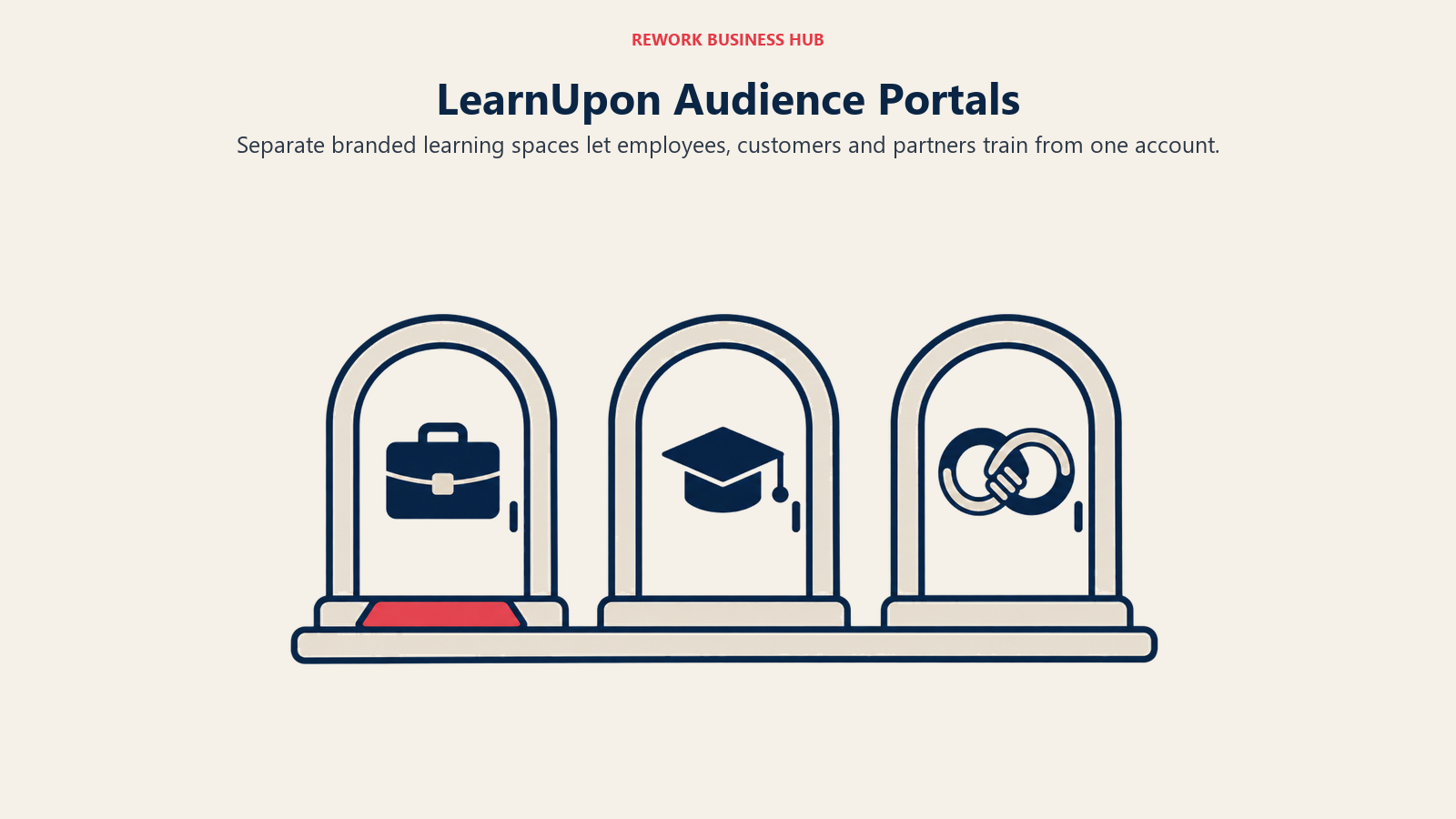
LearnUpon's whole architecture is built around a problem TalentLMS doesn't really solve: running separate, branded training portals for employees, customers, and partners from one account. If you're training internal staff and also selling customer certification programs or supporting a partner channel, LearnUpon treats that as the default use case, not a workaround.
Pricing is entirely quote-based. LearnUpon publishes no dollar figures, only minimum user counts by product line (below), and those minimums matter as much as the missing prices: a small internal-training-only team won't clear the employee minimum easily, and a company just starting customer certifications will find the Customer Education minimum a real jump.
Target audience. Companies running external academies (customer education, partner enablement) alongside internal training, from one platform.
Sizing fit. 100 users and up for internal training, 150 to 300-plus depending on academy type.
Stage fit. Best once external training is a real program, not an experiment.
| Pros | Cons |
|---|---|
| Purpose-built multi-portal architecture for external academies | No published pricing at any tier |
| Strong reputation specifically in customer education | Minimum user counts (100-300) rule out very small teams |
| Single account can serve multiple distinct audiences | Full cost only known after a sales conversation |
Pricing: No prices published. Minimums only: Employees "From 100 Users," Customer Education "From 300 Users," Associations "From 150 Users."
Best for: Teams running customer or partner academies that need multiple branded portals from one platform, not one course library.
6. Litmos - Enterprise Compliance and Content Library
Litmos, independent since SAP sold it to Francisco Partners in December 2022, leans hard into two things: a large library of ready-made compliance content (safety, harassment prevention, soft skills) and enterprise-grade reporting and certification tracking. For a company that needs to prove regulatory training happened, on a schedule, with an audit trail, that matters more than authoring flexibility.
The tradeoff is pricing opacity. All three tiers show "Contact for Pricing," with no figures and no user minimums published, unusual even for this category. You're evaluating Litmos on reputation and a sales call, not a published rate card.
Target audience. Large enterprises with compliance mandates that want content pre-built, not authored in-house.
Sizing fit. Positioned above SMB, though no minimum is published to confirm the floor.
Stage fit. Best for an established compliance function that needs an audit trail, not a lean team building its first course.
| Pros | Cons |
|---|---|
| Large pre-built compliance content library | Fully quote-only, no published pricing on any tier |
| Strong certification tracking and reporting for audits | No published user minimums to gauge fit in advance |
| Established compliance track record across mid-size and large companies | Feels heavy for a small, lean L&D function |
Pricing: Three plans, Foundation, Platinum, and Platinum AI, all shown as "Contact for Pricing." No user minimums published.
Best for: Large enterprises that need compliance content pre-built and audit-ready, not authored from scratch.
7. D2L Brightspace - A Full Enterprise LMS, Not a Lighter TalentLMS
D2L built Brightspace for universities and schools, and D2L for Business is the same platform aimed at corporate training: onboarding, upskilling with certifications, product enablement, and compliance. Built-in authoring, assessments, AI learning recommendations, and SCORM support come with it. To be plain about it, this is a heavier, enterprise-tier platform, not a step sideways from TalentLMS.
No price is published; D2L quotes on organization size, training scope, support needs, and integrations, the opposite of TalentLMS's published bands and free plan. D2L says most organizations go live in 4 to 8 weeks, quick for an enterprise LMS and slow next to a TalentLMS account set up in an afternoon. Lumi AI and Creator+ authoring are listed as optional add-ons, so ask what a quote includes.
Target audience. Corporate L&D teams running structured, multi-stage programs with certifications and a dedicated admin.
Sizing fit. Mid-market to enterprise. There's no self-serve entry point for teams still in TalentLMS's smaller user bands.
Stage fit. Best for turning training into a formal program with implementation support, not for a quick self-serve LMS.
| Pros | Cons |
|---|---|
| Authoring, assessments, certifications, and learning paths in one platform | No published pricing or free plan; buying starts with a sales call |
| Optional D2L learning designers to build custom content | 4 to 8 week guided rollout, per D2L, versus same-day TalentLMS setup |
| More than 25 years building learning platforms, per D2L | Grew up in education, and AI and authoring extras are sold as add-ons |
Pricing: No published pricing. Custom quote based on organization size, training scope, support needs, and integrations.
Best for: Organizations that have outgrown TalentLMS's scope, not just its price bands, and want a formal learning program with certifications.
8. Tovuti - One Flat Price, Heavy Feature Bundle
Tovuti's pitch is consolidation through one flat price rather than a modular rate card. The single all-inclusive plan bundles course delivery with gamification, virtual events, webinars, and community features, normally three separate vendor contracts. For associations running events, a community forum, and training as one member relationship, that bundling removes real integration work.
Pricing is unusually simple to state and unusually hard to extend: one flat annual price for the first 100 learners. What happens past that isn't published; Tovuti lists no per-extra-learner rate, so scaling past 100 means a conversation, not a lookup.
Target audience. Associations and membership organizations that want events, community, and learning under one vendor and price.
Sizing fit. Priced from 100 learners; growing past that requires a custom quote.
Stage fit. Best where training is one part of a broader member or community relationship, not a standalone L&D function.
| Pros | Cons |
|---|---|
| Single flat annual price bundles far more than a typical LMS | Annual billing only, no monthly option |
| Webinars, gamification, and community included, not add-ons | Per-extra-learner rate above 100 isn't published |
| One vendor instead of three for events, community, and learning | Less depth on any single feature than a specialist tool |
Pricing: One all-inclusive plan, $7,500/year for the first 100 learners, priced by learner, annual only. Per-extra-learner rate not published.
Best for: Associations or membership organizations that want events, community, and learning bundled into one price, not three vendors.
9. Coassemble - Fast, Visual Course Building for Lean Teams
Coassemble optimizes for a specific complaint about most LMS platforms: they charge per admin or per course creator, discouraging exactly the people who should be building training. Coassemble gives unlimited course creators on every tier, so a manager, a subject-matter expert, and an HR generalist can all build courses without adding seats.
Pricing runs on an interactive-recipient (IR) allowance per year rather than a simple per-user rate, so it takes some math to map onto your actual headcount (figures below). A free sandbox with validation-level limits lets you test the authoring experience before committing.
Target audience. Lean training or HR teams that want many people building courses without paying per course-creator seat.
Sizing fit. Small to mid-market; "from" pricing on Scale and Partner signals larger deployments go custom.
Stage fit. Best for teams without a dedicated instructional designer, where course-building is spread across several roles.
| Pros | Cons |
|---|---|
| Unlimited course creators on every plan | Pricing based on an IR allowance takes work to map to headcount |
| Transparent monthly and annual pricing on all three tiers | Scale and Partner both start "from," so larger builds go custom |
| Fast, visual course-building UX | Less depth on compliance tracking than an enterprise-focused LMS |
Pricing: Build $250/month or $2,500/year. Scale from $500/month or from $5,000/year. Partner from $2,000/month or from $20,000/year. Priced on an interactive-recipient (IR) allowance per year. Free sandbox available.
Best for: Lean teams that want many people building courses without paying a per-seat tax on course creators.
10. MoodleCloud - Open-Source Roots, Hosted Simplicity
Say this plainly, because it's the single most common mistake in this category: Moodle is free, and MoodleCloud is not the same thing. Self-hosted Moodle LMS is genuinely free and open source under the GPL if you run your own servers. MoodleCloud, the hosted version most buyers actually compare against TalentLMS, has no permanent free tier: it offers a 28-day trial with no credit card required, then moves to a paid annual plan.
What you get is Moodle's mature, well-understood course structure without managing hosting yourself, at genuinely low prices for small deployments (five tiers, figures below). The top tier is also the ceiling: MoodleCloud caps at 750 users, and no tier allows custom plugins. Beyond that, the next step up is self-hosted Moodle or Moodle Workplace, sold only through certified partners with no published list price.
Target audience. Small training or education-adjacent orgs that want Moodle's course structure hosted for them.
Sizing fit. 50 to 750 users; no higher tier above that.
Stage fit. Best for budget-constrained teams comfortable with Moodle's academic feel.
| Pros | Cons |
|---|---|
| Genuinely low annual price at small scale | No permanent free tier, only a 28-day trial |
| Inherits Moodle's mature course structure | Hard cap at 750 users, no path to more |
| 28-day trial, no credit card | No custom plugins on any MoodleCloud tier |
Pricing: Annual, paid upfront. Starter (50 users, 1GB): $170. Mini (100 users, 2.5GB): $280. Small (200 users, 5GB): $510. Medium (500 users, 20GB): $1,220. Standard (750 users, 50GB): $2,150. 28-day free trial, no credit card.
Best for: Small training programs that want Moodle's course structure hosted for them and are fine with the 750-user ceiling. If Moodle in any form is the incumbent, the Moodle alternatives guide covers the wider field, including self-hosted and Workplace options.
11. Trainual - SOPs and Onboarding, Not Course Authoring
Clear this up first: Trainual no longer publishes any prices. Figures like $199, $249, or $299 a month, including in older comparison articles, are stale. The current pricing page names four tiers, Core, Pro, Premium, Enterprise, with no dollar amounts, and tells you to book a demo instead.
What Trainual actually does differs from a traditional LMS in a way that matters for fit. It turns your standard operating procedures into trackable training: a new hire reads the actual process doc your team follows and gets marked complete, rather than working through a formally authored course with quizzes. That's often faster to stand up for a small business documenting "how we do things here" for the first time, but lighter than it looks if you need certification-style assessments.
Target audience. Small businesses formalizing SOPs and onboarding for the first time, not teams building formal certification programs.
Sizing fit. Small business through lower mid-market, based on the four-tier structure.
Stage fit. Best for earlier-stage or ops-heavy companies documenting process for the first time.
| Pros | Cons |
|---|---|
| Fastest path from undocumented process to trackable training | No prices published anywhere |
| Four tiers scale features as the company grows | Lighter on formal course and quiz authoring |
| Strong fit for SOP-driven onboarding | Must book a demo for any pricing |
Pricing: Quote only. Four tiers, Core, Pro, Premium, Enterprise, named with no published figures. The vendor says pricing depends on team size and features and directs buyers to book a demo.
Best for: Small businesses documenting SOPs and onboarding for the first time, not teams that need formal course authoring. Our guide to onboarding certification programs is a useful next read if that's the gap you're trying to close.
12. Continu - Modern UX for Growing Companies
Continu competes less on feature breadth than on how the product feels to use day to day, aimed at teams who find enterprise LMS platforms clunky to administer and clunky to learn in. If your complaint about your current LMS is that nobody enjoys being in it, that's Continu's bet.
Pricing structure is worth understanding even without published numbers: Continu tiers by monthly active users rather than total licensed seats (three bands, below). No prices are published at any tier, so you'll need a sales conversation, but MAU-based pricing means dormant accounts don't quietly inflate your bill the way a per-seat model can.
Target audience. Mid-market companies that want a modern admin and learner experience past their first LMS.
Sizing fit. Scales from under 1,000 MAU to 5,000-plus across the three published tiers.
Stage fit. Best for companies past their first, scrappier LMS choice, ready to standardize on a better day-to-day experience.
| Pros | Cons |
|---|---|
| MAU-based tiering means idle accounts don't inflate cost | No prices published at any tier |
| Clean, modern interface for both admins and learners | Three-tier MAU structure requires a call to translate into a number |
| Clear growth path from Growth to Professional to Enterprise | Less name recognition than the larger enterprise players here |
Pricing: No prices published. Three tiers by monthly active users: Growth (under 1,000 MAU), Professional (1,000-5,000 MAU), Enterprise (5,000+ MAU).
Best for: Mid-market companies that want MAU-based pricing so idle accounts don't inflate the bill, with a noticeably better day-to-day interface.
13. Seismic Learning - Enablement Folded Into the Sales Stack
Seismic Learning is the current name for what used to be Lessonly, acquired by Seismic in 2021 and folded into its broader sales enablement platform. If you've seen "Lessonly" mentioned recently, that's the same product under a new name.
The product logic differs from a general-purpose LMS on purpose: training lives next to the content management, coaching, and readiness tools revenue teams already use, so a rep's practice and roleplay activity sits alongside the sales content they use in real deals. That's a real advantage for sales or customer-success enablement specifically, and a real limitation if you also need a company-wide LMS for compliance, IT onboarding, or general employee training.
Pricing is not published anywhere; it's enterprise quote-only.
Target audience. Sales and customer-success orgs that want training tied directly to the content and coaching reps use daily.
Sizing fit. Mid-market to enterprise revenue organizations, based on typical Seismic deployments.
Stage fit. Best for sales-led companies already investing in broader enablement, not a first company-wide LMS.
| Pros | Cons |
|---|---|
| Training lives alongside sales content and coaching tools | No published pricing anywhere |
| Practice and roleplay features built for revenue teams specifically | Enablement-first, a weak fit for company-wide compliance training |
| Backed by Seismic's broader enablement platform investment | Best value only shows up if you're already in the Seismic ecosystem |
Pricing: No published pricing, enterprise quote only.
Best for: Sales and customer-success orgs that want training folded into their enablement and coaching stack, not one LMS for the whole company.
How to Choose: Decision Framework
One more note before the table: an LMS and a performance-review cycle are different purchases people often shop for together. If review cycles are still open, our performance management software roundup picks up from there.
| If you need... | Choose |
|---|---|
| Deep skills-intelligence mapping across the org | Docebo |
| Separate branded portals for customer and partner academies | LearnUpon |
| Heavy in-house course authoring bundled with the LMS | iSpring Learn |
| Fast, collaborative course creation without an annual contract | 360Learning |
| SOP-driven onboarding rather than formal course authoring | Trainual |
| A large pre-built compliance content library | Litmos |
| Events, community, and gamification bundled with training | Tovuti |
| MAU-based pricing so idle seats don't inflate the bill | Continu |
Frequently Asked Questions about TalentLMS Alternatives
How much does TalentLMS cost in 2026?
TalentLMS runs a free plan for up to 5 users and 10 courses. Paid tiers: Core $119/month (1-40 users), Grow $229/month (1-70 users), Pro $449/month (1-100 users, plus $6 per extra user up to 500). Annual billing takes 20% off every paid tier. Enterprise is custom, starting at 1,000 users (a Flexible option starts at 500).
What's the cheapest TalentLMS alternative with a published price?
360Learning's Team plan is $8/user/month for up to 100 users, billed monthly, no annual commitment. MoodleCloud's Starter tier is $170/year for 50 users, but it has no permanent free tier and caps at 750 users, so it isn't a like-for-like swap for TalentLMS's free plan.
Which TalentLMS alternative has the strongest skills-intelligence features?
Docebo, after its January 2026 acquisition of skills-intelligence vendor 365Talents, now sells an AI Workforce Readiness Platform spanning Learning, Skills Intelligence, Enterprise Knowledge, and AgentHub. Pricing is quote-only, best suited to companies training at least 250-plus learners.
Is Moodle actually free?
Partly. Self-hosted Moodle LMS is genuinely free and open source under the GPL if you run your own servers. MoodleCloud, the hosted version most buyers compare against TalentLMS, is not: only a 28-day trial, then paid annual plans from $170/year for 50 users, capping at 750 with no custom plugins.
Does Trainual still cost $199 to $299 a month?
No. Trainual stopped publishing prices; those figures circulate in older articles but aren't current. Its pricing page names four tiers, Core, Pro, Premium, Enterprise, with no dollar amounts, and directs buyers to book a demo.
What happened to Lessonly?
Lessonly was acquired by Seismic in 2021 and now operates as Seismic Learning, folded into Seismic's broader sales enablement platform. An older article mentioning Lessonly means the same product under its current name. Pricing is enterprise quote-only.
What to Do Next
Pick your real reason for leaving TalentLMS first: skills intelligence points to Docebo, external academies to LearnUpon, heavy course authoring to iSpring Learn, SOP-driven onboarding to Trainual. Request pricing from your top two based on actual headcount, not a round number, since most vendors above price in bands or minimums that shift the real cost. Then run a two-to-three-week pilot with one real course and a small group before signing anything annual.
Camellia writes about HR and people-ops tooling for B2B teams.

Principal Product Marketing Strategist
On this page
- Key Facts
- Why Teams Outgrow TalentLMS
- What TalentLMS Actually Costs in 2026
- Quick Comparison Table
- 1. iSpring Learn - The Course-Authoring Powerhouse
- 2. 360Learning - Peer-Powered, Collaborative Learning
- 3. Docebo - Skills Intelligence Meets Learning
- 4. Absorb LMS - Enterprise Scale With an AI Layer
- 5. LearnUpon - Built for Customer and Partner Academies
- 6. Litmos - Enterprise Compliance and Content Library
- 7. D2L Brightspace - A Full Enterprise LMS, Not a Lighter TalentLMS
- 8. Tovuti - One Flat Price, Heavy Feature Bundle
- 9. Coassemble - Fast, Visual Course Building for Lean Teams
- 10. MoodleCloud - Open-Source Roots, Hosted Simplicity
- 11. Trainual - SOPs and Onboarding, Not Course Authoring
- 12. Continu - Modern UX for Growing Companies
- 13. Seismic Learning - Enablement Folded Into the Sales Stack
- How to Choose: Decision Framework
- What to Do Next