QuickBooks vs Sage: Which Accounting Platform Fits Your Business in 2026?
Turn this article into takeaways for your work.


Each assistant summarizes the article only for you and suggests best practices for your work.
If you run a US business with 5 to 200 people and you're weighing the Intuit line against the Sage line, most of what you'll find online starts from a broken premise. Article after article sets QuickBooks Online next to "Sage Business Cloud Accounting" as if it's a live product you can sign up for today. It isn't. Sage retired that product in the US at the end of 2024, and comparing a current cloud tool against a discontinued one won't help you make a real decision.
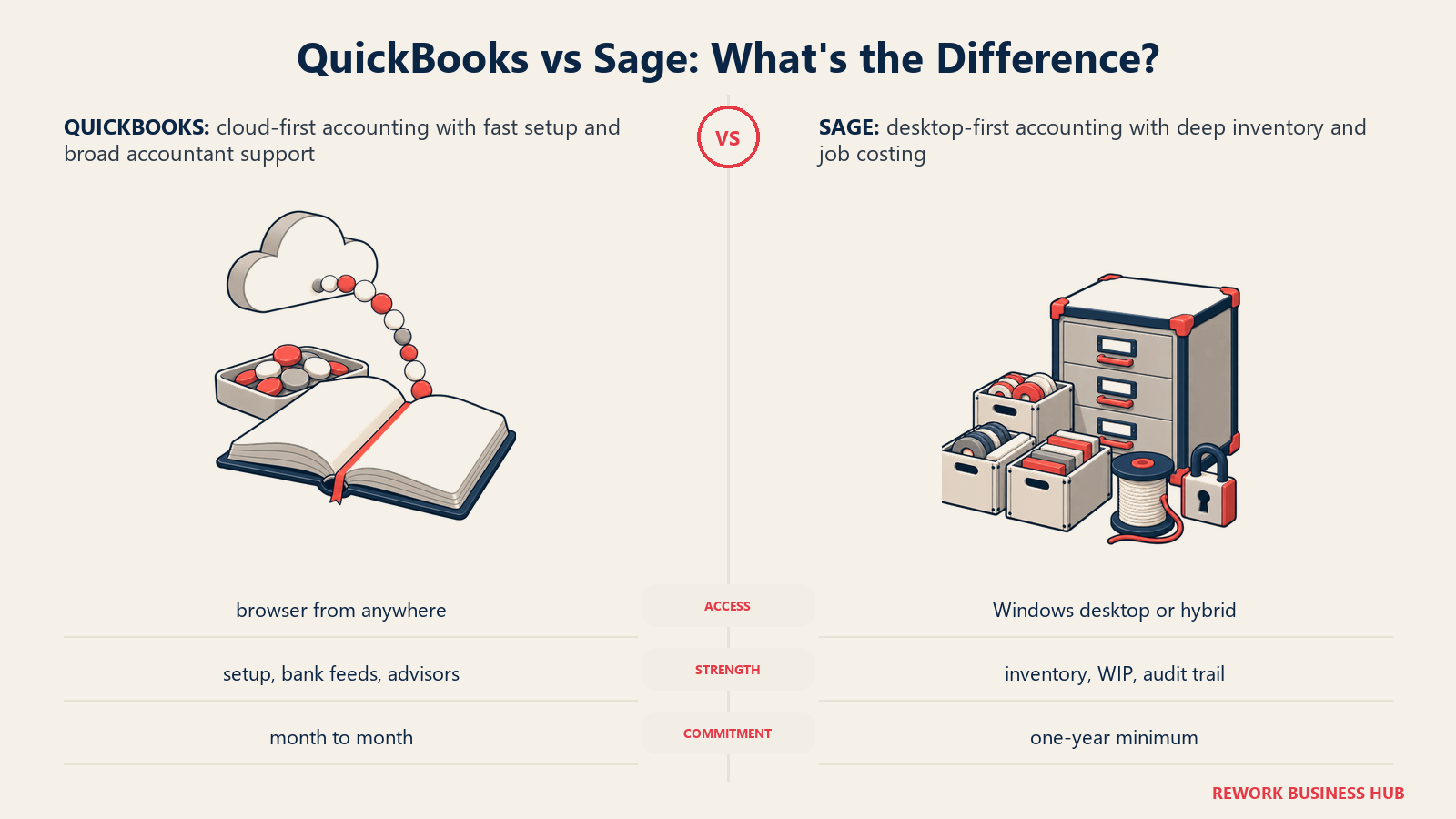
The comparison that actually applies in the US right now is QuickBooks Online, or QuickBooks Desktop Enterprise if you want to stay on-premise, against Sage 50 Accounting, with Sage Intacct waiting in the wings as the up-market answer once either platform runs out of room. This article works from that framing. It does the pricing math at real seat counts, and it tells you honestly where each platform's actual strength sits: cloud simplicity and a deep accountant bench for QuickBooks, desktop-grade inventory and job costing for Sage 50, and dimensional multi-entity reporting for Sage Intacct once you've outgrown both.
Key Facts
- Sage retired Sage Business Cloud Accounting (SBCA) in the US on December 31, 2024, with technical support ending January 31, 2025. The retirement applies to the US only, not to Sage's cloud accounting product in other countries (Cherry Bekaert).
- Intuit stopped selling new QuickBooks Desktop Pro Plus, Premier Plus, and Mac Plus subscriptions to new US customers on September 30, 2024. Existing subscribers can still renew, and QuickBooks Desktop Enterprise remains on sale for new buyers (Intuit).
- The US has roughly 36.2 million small businesses, making up 99.9% of all American firms, per the Small Business Administration's Office of Advocacy (SBA).
- QuickBooks holds roughly 62% of the accounting-software category by install base, against Sage 50's roughly 10% and Xero's roughly 9%, per B2B intent-data firm 6sense (6sense).
- Sage Intacct carries a 4.4-out-of-5 rating across hundreds of verified reviews in Gartner Peer Insights' Cloud Core Financial Management Suites market, a genuine independent signal for the up-market tier of this comparison (Gartner Peer Insights).
TL;DR: QuickBooks vs Sage at a Glance
| QuickBooks (Online / Desktop Enterprise) | Sage (Sage 50 / Sage Intacct) | |
|---|---|---|
| Entry price (US) | QuickBooks Online Simple Start, $38/mo, 1 user | Sage 50 Pro Accounting, $128.67/mo, 1 user, minimum one-year commitment |
| Deployment model | Cloud-native browser app (QBO); on-premise desktop app (Desktop Enterprise) | Desktop/hybrid installed app (Sage 50); true multi-tenant cloud, quote-based (Sage Intacct) |
| Billing terms | Month-to-month, cancel anytime | Every Sage 50 tier requires a minimum one-year contract |
| Where it's genuinely stronger | Setup speed, mobile and remote access, bank feed automation, breadth of accountant support | Built-in inventory costing methods, job costing with work-in-progress tracking, audit trail depth |
| Multi-entity or consolidation | Not native in QBO; Desktop Enterprise only offers a manual "combine reports" view | Native and dimensional in Sage Intacct; not available in Sage 50 |
| Best fit | Cloud-first teams that want to log in from anywhere and move fast | Teams that need desktop-grade inventory and job costing without jumping straight to a full ERP |
| US accountant bench | Deep. Intuit reports more than 500,000 ProAdvisors in its accountant network (Intuit) | Smaller and more specialized, concentrated among Sage-certified consultants and VARs |
For the wider field beyond these two vendors, our best accounting software for 2026 roundup covers the full category, including tools priced very differently from either QuickBooks or Sage.
Which Sage Product Are You Actually Comparing?
This is the question most "QuickBooks vs Sage" articles skip, and it's the one that decides whether the rest of the comparison means anything. "Sage" isn't one product in the US. It's a portfolio, and the piece that used to make this an easy, apples-to-apples cloud comparison is gone.
Sage Business Cloud Accounting (SBCA) was Sage's browser-based, QuickBooks Online-style product for small US businesses. Sage retired it in the US on December 31, 2024, and cut off technical support on January 31, 2025. If you're reading a comparison that quotes SBCA pricing, tells you to "check Sage's cloud plans," or lists it as something you can buy today, that comparison is talking about a product that no longer exists here. The retirement is US-only. SBCA (rebranded in some markets as Sage Accounting) is still sold in the UK, Canada, and other countries, which is part of why stale US content keeps surfacing: the product genuinely is still live somewhere, just not where you're buying.
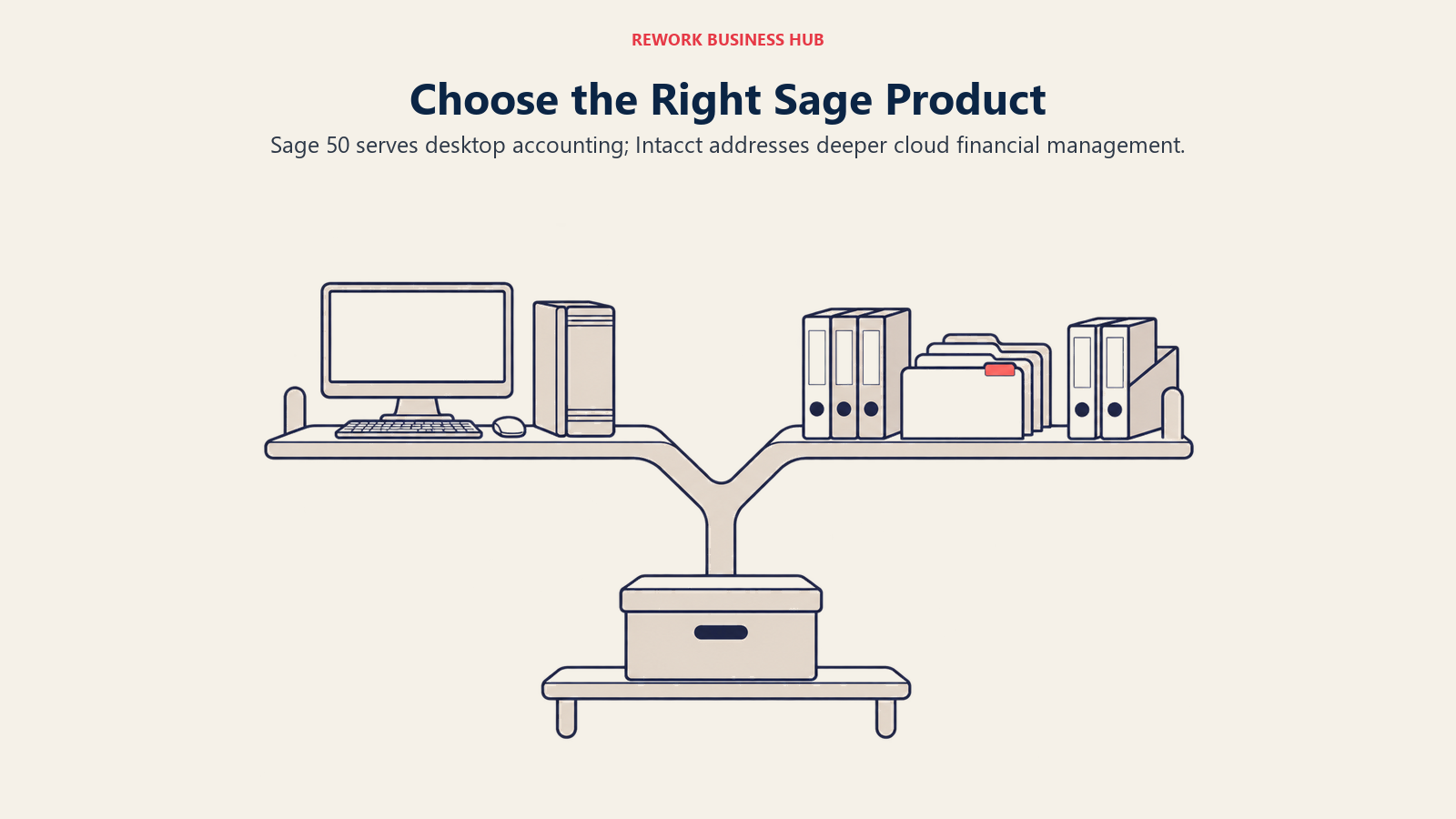
So what's actually for sale in the US right now? Two products carry Sage's small-and-mid-market accounting line: Sage 50 Accounting, a desktop-installed application with cloud-connected features like bank feeds, mobile invoicing, and Microsoft 365 integration, and Sage Intacct, a true multi-tenant cloud financial management platform aimed at mid-market and multi-entity businesses. Sage also sells Sage 100 and Sage X3 further up the ERP stack, but those are operations-and-manufacturing plays outside the scope of a straight accounting-platform comparison.
| Your profile | Sage product to look at | Status in the US (August 2026) |
|---|---|---|
| Wanted a pure browser SaaS tool at QuickBooks Online's price point | Sage Business Cloud Accounting (SBCA) | Retired. Not purchasable. Support ended January 31, 2025 |
| Solo operator or 1 to 40 employees, comfortable with a desktop-installed app | Sage 50 Accounting (Pro, Premium, Quantum) | Active, sold today, minimum one-year commitment |
| Mid-market, multiple entities, needs dimensional reporting and audit-grade consolidation | Sage Intacct | Active, sold today, quote-based pricing |
| Manufacturing, distribution, or broader ERP needs beyond financials | Sage 100 or Sage X3 | Active, out of scope for this comparison |
The rest of this article compares QuickBooks Online (and, where relevant, QuickBooks Desktop Enterprise) against Sage 50 as the core matchup, with Sage Intacct covered separately as the honest up-market answer once Sage 50 or QBO stops being enough.
Pricing: QuickBooks Online and Sage 50 Plans
Here's what each vendor actually publishes today, list price, no promotional discounting baked in.
QuickBooks Online (US, regular monthly price for new subscribers):
| Plan | Regular price | Users included |
|---|---|---|
| Free | $0/mo | 1 |
| Simple Start | $38/mo | 1 (plus 2 accountant users) |
| Essentials | $85/mo | 3 (plus 2 accountant users) |
| Plus | $140/mo | 5 (plus 2 accountant users) |
| Advanced | $340/mo | 25 (plus 3 accountant users) |
Intuit frequently runs a promotional discount for new subscribers, currently 50% off for the first three months. Treat that as a promo, not the price: the figures above are what you'll be paying once the promotional window ends. Payroll is always a separate add-on and is never included in any of the numbers above.
There's a nuance current QuickBooks Online subscribers need to know that isn't reflected in the table above. Intuit has announced that monthly subscription prices for Essentials, Plus, and Advanced will change for renewals on or after August 1, 2026 (Free, Lite, Ledger, and Simple Start are unaffected). Intuit's own product-update page confirms the change is coming but doesn't publish the new dollar figures in a way we're willing to treat as final, so we won't print a post-increase number here. If you're already on Essentials, Plus, or Advanced, check the price shown inside your own account before your next renewal, and see Intuit's official update page for the current state of the rollout.
Sage 50 Accounting (US, monthly equivalent of an annual contract):
| Plan | Regular price | Users included |
|---|---|---|
| Pro Accounting | $128.67/mo, minimum one-year commitment | 1 |
| Premium Accounting | $182.50/mo, minimum one-year commitment | 1 to 5 |
| Quantum Accounting | $271.17/mo, minimum one-year commitment | 1 to 40 |
Every Sage 50 tier is sold on a minimum one-year contract; the monthly figure above is the monthly equivalent of that annual commitment, not a month-to-month rate you can cancel at will. If you see Sage 50 quoted anywhere at $50, $70, or $90 a month, that's a stale or incorrect figure. It doesn't match what Sage currently publishes on its own pricing page.
QuickBooks Desktop is a separate, older track. Intuit stopped selling new QuickBooks Desktop Pro Plus, Premier Plus, and Mac Plus subscriptions to new US customers on September 30, 2024. If you're already subscribed, you can keep renewing, but a new buyer can no longer purchase those specific editions. QuickBooks Desktop Enterprise is the exception: it's still sold to new customers, and Intuit does publish annual list pricing for it. Enterprise ships in tiers (Silver, Gold, Platinum, Diamond), with Gold starting at $2,210 a year, Platinum at $2,717, and Diamond at $5,363, and a Silver tier sold below Gold at an unpublished rate. Those are entry figures for the base user count: the subscription scales with simultaneous users (30 on Gold and Platinum, 40 on Diamond) and with the industry edition, so a real quote for your seat count will land above the headline. If your organization is weighing QuickBooks options generally, our best QuickBooks alternatives roundup is worth a look before you commit to any tier.
Total Cost at 1, 5, 10, and 25 Users
This is where the two pricing models actually diverge, and it's more revealing than either vendor's marketing page. QuickBooks Online meters by tier, and each tier caps at a specific number of included users; you can't buy an extra seat inside a tier, you have to upgrade. Sage 50 sells a flat monthly-equivalent price per tier, and that price doesn't change whether you're using 1 seat or the tier's full cap. The comparison below picks the cheapest plan on each platform that actually covers the stated headcount.
| Users needed | Cheapest QuickBooks Online plan that fits | Cheapest Sage 50 plan that fits |
|---|---|---|
| 1 user | Simple Start, $38/mo | Pro Accounting, $128.67/mo, one-year commitment |
| 5 users | Plus, $140/mo | Premium Accounting, $182.50/mo, one-year commitment |
| 10 users | Advanced, $340/mo | Quantum Accounting, $271.17/mo, one-year commitment |
| 25 users | Advanced, $340/mo | Quantum Accounting, $271.17/mo, one-year commitment |
At 1 and 5 users, QuickBooks Online is meaningfully cheaper on a pure monthly-rate basis, and it's month-to-month with no contract. But the crossover at higher headcounts is the honest surprise here: at 10 and 25 users, Sage 50 Quantum's flat $271.17/mo undercuts QuickBooks Online Advanced's $340/mo by roughly $69 a month, a gap that widened when Intuit raised Advanced in August 2026. That's not a reason to default to Sage 50 at scale. It comes with a minimum one-year commitment, a per-workstation desktop install, and none of QBO's mobile-first convenience. But it does mean the "cloud is always cheaper" assumption doesn't hold once you're past a handful of users, and anyone comparing these two purely on sticker price at 10-plus seats should run this exact table before assuming QuickBooks wins on cost. Note also the tier gap: QuickBooks Essentials only covers 3 users, so a 4- or 5-person team has to jump straight to Plus at $140/mo, a bigger step than the headcount alone would suggest.
Deployment and Access: Cloud-Native vs Desktop and Hybrid
This single difference, more than any feature checkbox, is what actually decides most QuickBooks-vs-Sage 50 conversations, because it determines cost shape, remote access, and how much IT overhead you're signing up for.
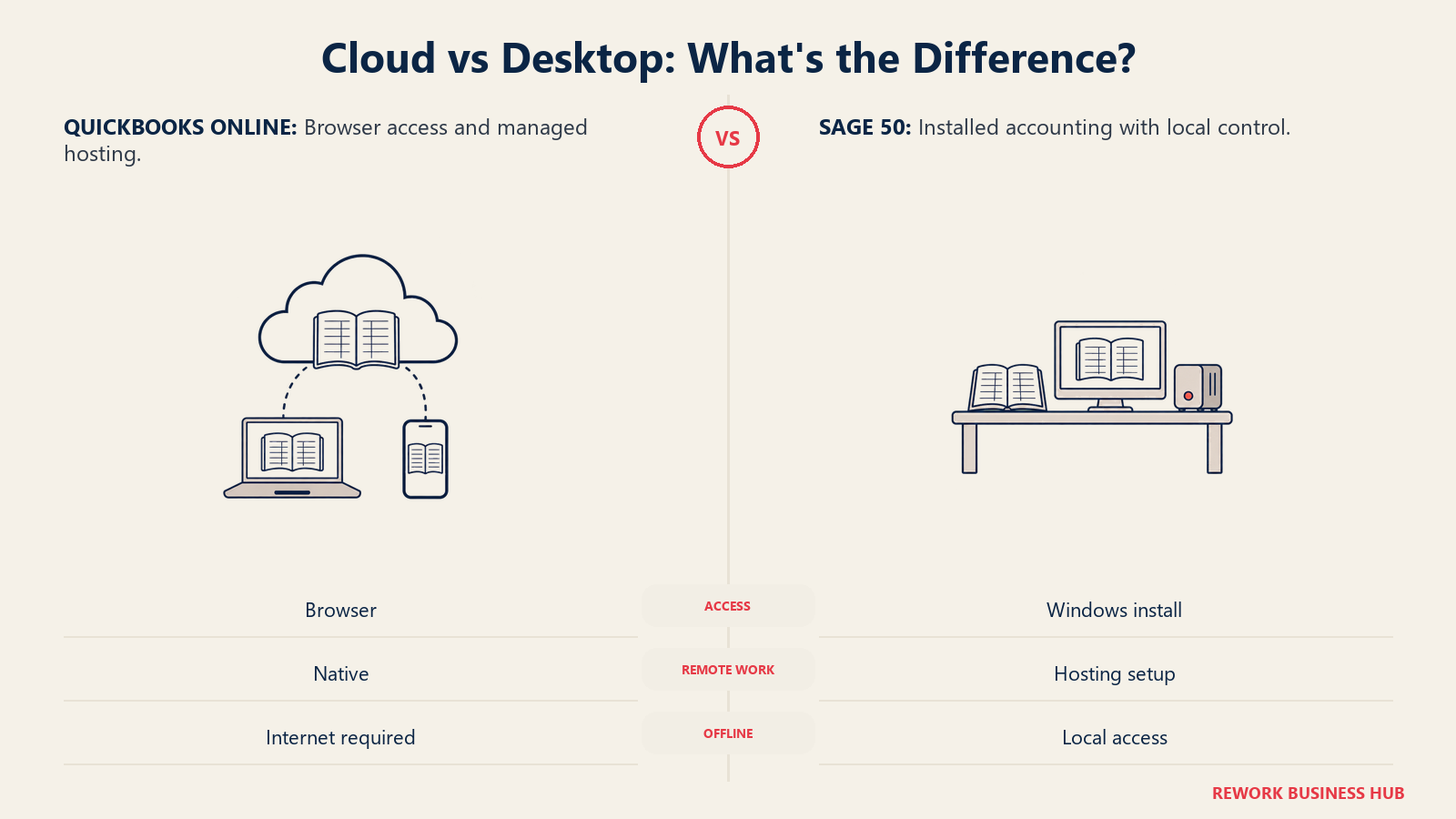
QuickBooks Online runs entirely in the browser. There's nothing to install, no server to maintain, and any team member with a login can work from any device with an internet connection. Updates roll out automatically, and Intuit handles hosting, backups, and uptime.
Sage 50 is a Windows desktop application at its core. It markets cloud-connected features, bank feed automation, mobile invoicing, and Microsoft 365 integration, and for a period it carried the "Sage 50cloud" name before Sage dropped that branding back to plain "Sage 50" a few years ago. But the core program installs on a workstation, and multi-user access means either a peer-to-peer network install across office machines or a hosted-desktop arrangement through a third-party provider. Remote work is possible, but it's bolted on rather than native the way it is in QBO.
| Deployment factor | QuickBooks Online | Sage 50 Accounting |
|---|---|---|
| Access method | Browser, any device | Installed Windows application, per-workstation |
| Remote / multi-location work | Native, log in from anywhere | Requires hosted desktop or third-party remote access setup |
| IT overhead | Minimal, Intuit hosts everything | Ongoing: local backups, network install management, workstation updates |
| Mobile app | Full-featured, invoicing, expense capture, approvals | Limited to companion features like mobile invoicing |
| Update cadence | Automatic, continuous | Scheduled version releases, requires an install step |
| Offline access | None, requires internet | Yes, works without an internet connection once installed |
That last row matters more than it might seem. A field office with unreliable internet, or a controller who wants a local, self-contained set of books outside any vendor's servers, is a legitimate reason to prefer Sage 50's model. It's a genuine trade-off, not just an older way of doing the same thing.
Core Accounting Depth
Both platforms cover the fundamentals of double-entry accounting: chart of accounts, accounts payable and receivable, bank reconciliation, 1099 tracking, and standard financial statements. Where they separate is depth of controls and how much the software assumes about your accounting sophistication.
| Capability | QuickBooks Online | Sage 50 Accounting |
|---|---|---|
| Double-entry general ledger | Yes, all tiers | Yes, all tiers |
| Accounts payable / receivable | Yes, all tiers | Yes, all tiers |
| Bank feed automation | Strong, broad bank connectivity | Present, generally considered less automated than QBO |
| Audit trail | Present, less granular by default | Detailed, transaction-level audit trail is a longtime Sage 50 strength |
| Fixed asset tracking | Add-on/limited | Built-in on Premium and Quantum tiers |
| Budgeting | Present on Plus and Advanced | Built-in on all tiers |
| Departments / classes | Classes and locations on Plus and Advanced | Departments built into the core product |
| User permission granularity | Role-based, improves at higher tiers | Detailed, per-module permission control historically a Sage strength |
The pattern that shows up across almost every row: QuickBooks Online is built for speed and approachability, with its deeper controls gated behind the Plus and Advanced tiers. Sage 50 assumes a bit more accounting fluency from day one and bakes department-level structure and audit-trail depth into the base product rather than treating them as upsells.
Inventory and Job Costing
This is Sage 50's clearest, most defensible strength in this comparison, and it's the section most "QuickBooks always wins" content glosses over.
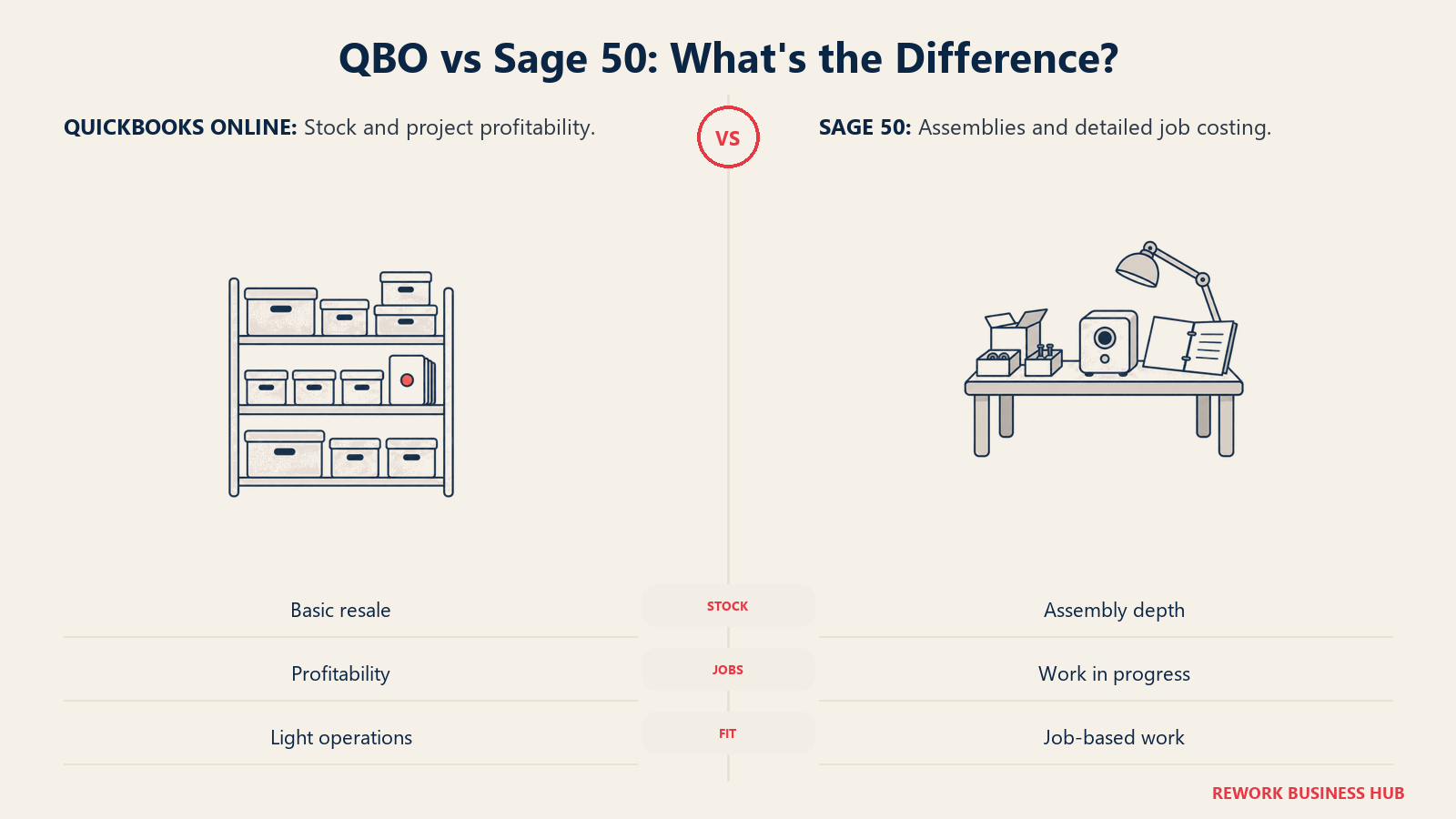
QuickBooks Online's inventory tracking exists only on the Plus and Advanced tiers, not on Simple Start or Essentials. Where it does exist, it uses FIFO costing and covers the basics: quantity on hand, reorder points, and cost of goods sold. QBO's "Projects" feature offers job-level profitability tracking, revenue and cost rolled up per project, but it isn't full work-in-progress (WIP) job costing with committed-cost tracking against a budget.
Sage 50, particularly on the Premium and Quantum tiers, was built with manufacturing, distribution, and construction businesses in mind from the start. It supports average cost, FIFO, and LIFO costing methods (a real differentiator; QBO only offers FIFO), assembly and bill-of-materials tracking, and job costing with genuine WIP visibility, tracking committed costs, change orders, and job-level profitability against a budget as the job progresses, not just after the fact.
| Inventory / job costing factor | QuickBooks Online | Sage 50 Accounting |
|---|---|---|
| Costing methods | FIFO only | Average cost, FIFO, and LIFO |
| Available on which tiers | Plus and Advanced only | All tiers, deeper on Premium and Quantum |
| Assembly / bill of materials | Limited | Built-in on Premium and Quantum |
| Job costing depth | Project-level profitability (revenue vs. cost) | Full job costing with WIP tracking and committed costs |
| Best fit | Simple resale or light-service inventory | Manufacturing, distribution, construction, or job-shop businesses |
If your business tracks jobs with change orders, retainage, or multi-phase costs, this section alone is often reason enough to look seriously at Sage 50 over QBO, regardless of which platform wins on price or ease of use elsewhere.
Multi-Entity and Consolidation: When You Outgrow Both
Neither QuickBooks Online nor Sage 50 was built to consolidate multiple legal entities, and this is exactly where both platforms hand off to a different tier of software.
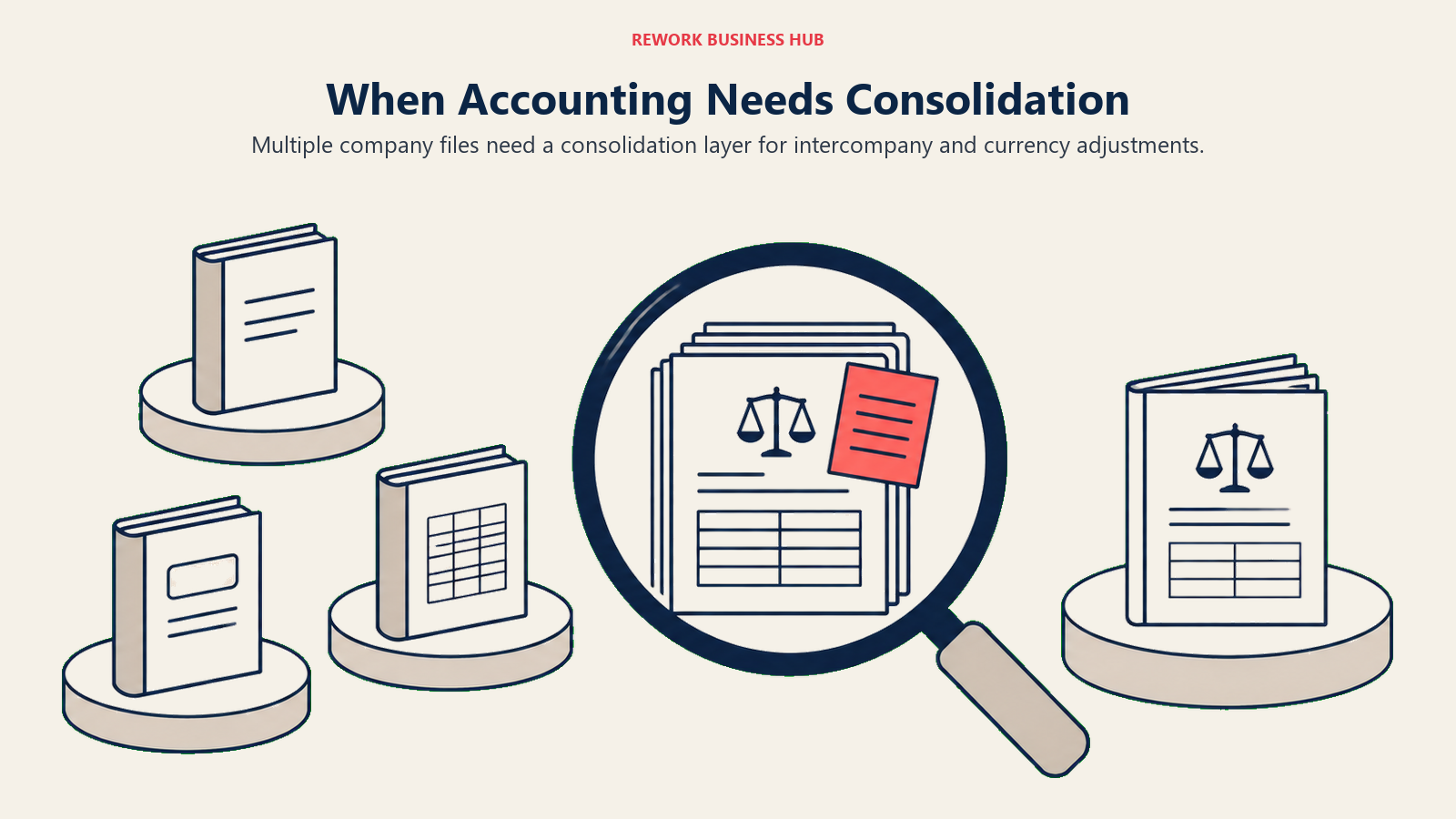
QuickBooks Online has no native multi-entity consolidation. Each company file is its own subscription and its own island; if you run three entities, you're paying for three separate QBO subscriptions with no built-in way to combine them into one consolidated statement. QuickBooks Desktop Enterprise gets a little closer with a "combine reports from multiple company files" feature, but it's a manual, batch-style combination of reports, not real-time consolidation with automated intercompany eliminations or currency translation.
Sage 50 doesn't solve this either. It's designed around a single company file per installation, with no native consolidation layer.
Sage Intacct is where Sage's answer to this actually lives, and it's a genuinely different category of product: a true multi-tenant cloud platform built around dimensional accounting (tagging every transaction with attributes like entity, department, location, and project rather than burying that detail in the chart of accounts), automated intercompany eliminations, multi-currency consolidation, and audit-grade controls. Sage doesn't publish a list price for Sage Intacct; it's sold entirely through a custom quote based on entity count, transaction volume, and modules, so don't trust any third-party site that prints a specific dollar range as if Sage confirmed it. The same is true of NetSuite, the other name that comes up constantly in this conversation: no published list price, quote-based, priced as an annual license plus modules plus per-user fees.
| Multi-entity factor | QuickBooks Online | QuickBooks Desktop Enterprise | Sage 50 | Sage Intacct |
|---|---|---|---|---|
| Native multi-entity consolidation | No | Manual "combine reports" only | No | Yes, native |
| Automated intercompany eliminations | No | No | No | Yes |
| Dimensional reporting (entity, dept, location, project as tags) | No | No | No | Yes |
| Multi-currency consolidation | Limited | Limited | No | Yes |
| Pricing model | Published, per subscription | Quote-based | Published, per tier, annual commitment | Quote-based only |
| Independent quality signal | N/A | N/A | N/A | 4.4/5 across hundreds of Gartner Peer Insights reviews |
If multi-entity or dimensional reporting is already a real requirement, not a someday-maybe, don't force it onto either QuickBooks Online or Sage 50. Go straight to comparing Sage Intacct against its real competitive set: our best Sage Intacct alternatives guide and best NetSuite alternatives roundup both cover that tier directly, including platforms priced differently from either vendor's quote-only model.
Payroll
Both vendors sell payroll as a separate add-on. Neither bundles it into the base accounting subscription, and we're not going to print specific payroll dollar figures for either platform here: third-party estimates for both QuickBooks Payroll and Sage 50 Payroll disagree with each other and, in several cases, with the vendors' own current base pricing, which tells you they're stale. Get a live quote from each vendor directly if payroll cost is a deciding factor.
| Payroll factor | QuickBooks Payroll | Sage 50 Payroll |
|---|---|---|
| Sold as | Separate add-on, tiered (multiple service levels) | Separate add-on subscription |
| Native integration | Fully native inside QuickBooks Online | Native inside Sage 50, same installed application |
| Tax filing | Full-service tax calculation and filing on higher tiers | Tax calculation and form preparation included |
| Direct deposit | Included | Included |
| HR add-ons | Available on higher tiers | Available as a bundled add-on |
| Where to get current pricing | quickbooks.intuit.com | sage.com |
Reporting and Dashboards
Both platforms ship the standard financial statement set out of the box: profit and loss, balance sheet, cash flow, and trial balance. QuickBooks Online leans into visual dashboards and pre-built report templates that are easy for a non-accountant to read at a glance, and Advanced adds custom report builder tools and more granular permission-based report access. Sage 50's reporting is more traditional and detail-dense: it exposes the transaction-level audit trail and departmental breakdowns more readily, which finance-trained users tend to prefer, but it asks more of the person reading it.
| Reporting factor | QuickBooks Online | Sage 50 Accounting |
|---|---|---|
| Standard financial statements | Yes, all tiers | Yes, all tiers |
| Visual dashboard | Strong, designed for quick reads | More traditional, list and grid-oriented |
| Custom report builder | On Advanced | Present across tiers, more configuration-heavy |
| Departmental / class reporting | Classes and locations on Plus and Advanced | Departments built into the base reporting model |
| Export options | Excel, PDF, CSV | Excel, PDF, CSV |
| External BI export | Via API and native integrations | Via export and third-party connectors |
Integrations and Ecosystem
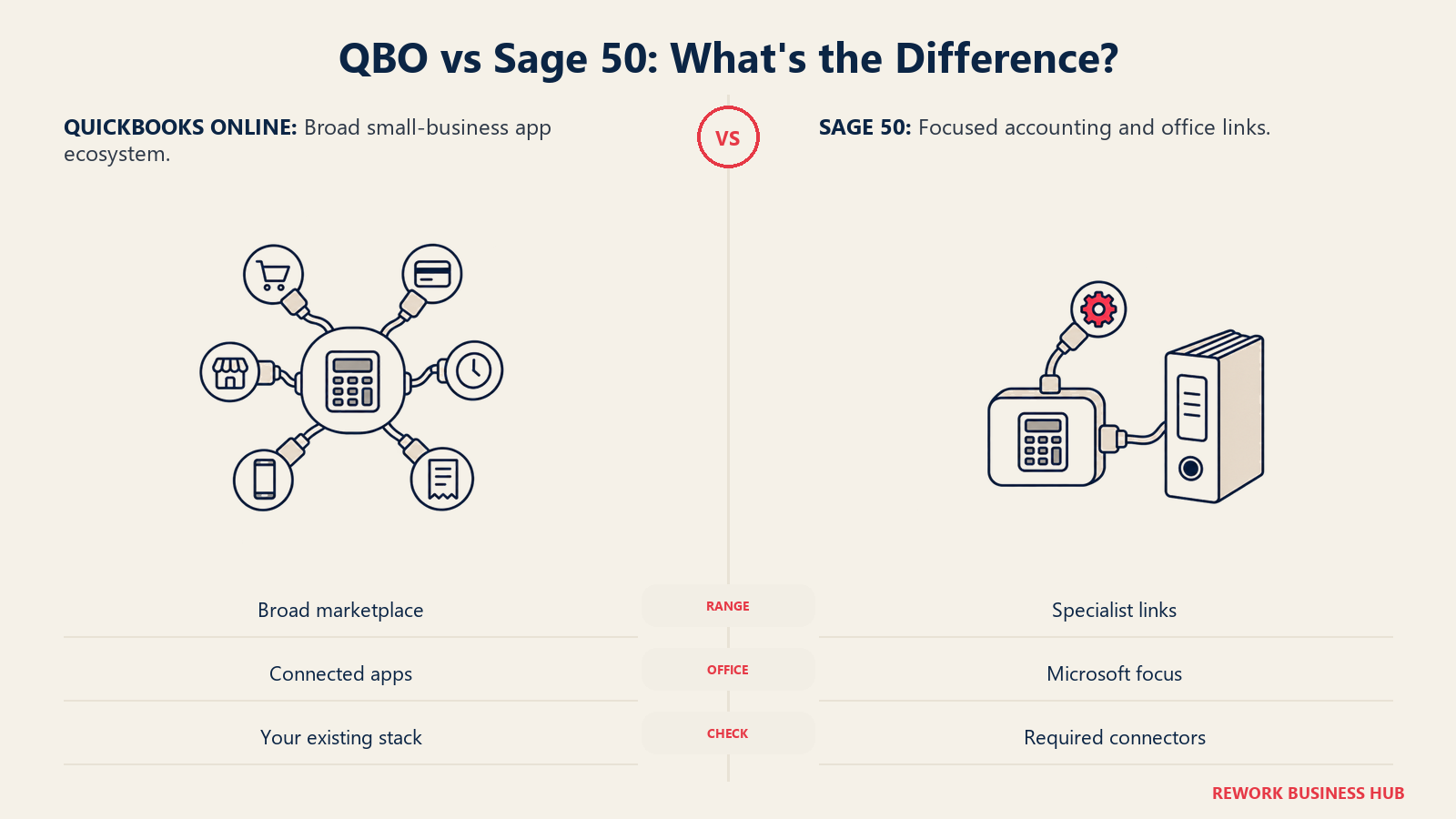
QuickBooks Online's app ecosystem is larger by a wide margin, which tracks with its dominant install-base share. It connects natively to most payment processors, e-commerce platforms, CRM tools, and time-tracking apps a small or mid-size business is likely to already run, and its App Store lists integrations numbering in the hundreds. Sage 50's ecosystem is smaller and leans more heavily on its Microsoft 365 integration and a set of accounting-specific connectors (payment processing, e-commerce via specific partners) rather than a sprawling general marketplace.
| Integration factor | QuickBooks Online | Sage 50 Accounting |
|---|---|---|
| Native app marketplace size | Large, hundreds of listed integrations | Smaller, more accounting-specific |
| Payment processing | Broad native and third-party options | Native Sage Payments plus select third parties |
| E-commerce connectors | Broad (Shopify, Amazon, and others) | Available through specific partner integrations |
| Microsoft 365 integration | Available | Deep, a specifically marketed strength |
| CRM connectors | Broad, including native Salesforce integration on higher tiers | Available through partner integrations |
| Extended connectivity | Zapier, native API | Zapier, native API |
If Stripe or another payments platform is central to how you invoice and collect, our best Stripe alternatives guide is a useful adjacent read before you lock in either accounting platform.
Accountant and Bookkeeper Supply in the US
This is the section most buyers underweight, and it's a real, practical factor: the accountant or bookkeeper you hire to close your books every month has to already know the software, or be willing to learn it.
QuickBooks' bench in the US is deep. Intuit's own ProAdvisor Program lists more than 500,000 accounting professionals, and QuickBooks' overall install-base share (roughly 62% of the category by 6sense's data) means the average bookkeeper, CPA firm, or fractional controller you interview has almost certainly worked in QuickBooks Online before, often exclusively. That translates into faster onboarding for outside help, more competitive rates (because supply is high), and a much easier time firing and replacing a bookkeeper if the relationship doesn't work out.
Sage 50's US bench is real but smaller and more specialized. Sage-certified consultants and value-added resellers (VARs) exist and are often deeply competent, particularly with the inventory and job-costing configurations Sage 50 is good at, but there are simply fewer of them relative to QuickBooks-trained professionals, and 6sense's install-base data (roughly 10% category share for Sage 50 against QuickBooks' 62%) reflects that gap. If you're planning to lean on outside bookkeeping or a fractional controller, budget more time to find the right Sage 50-fluent person, and expect a narrower field of candidates.
This gap compounds with the deployment difference covered earlier: a QuickBooks Online bookkeeper can service your books from anywhere with a login. A Sage 50 bookkeeper working with an on-premise or peer-to-peer network install may need either remote-desktop access or a documented in-office arrangement, which further narrows the realistic candidate pool for a fully remote finance function. If Xero (rather than Sage) is also on your shortlist as a QuickBooks alternative, our QuickBooks vs Xero comparison covers that specific matchup in the same depth as this one.
Implementation and Migration Effort
Neither vendor publishes an audited, apples-to-apples implementation-time study, so treat the ranges below as general guidance to confirm in your own onboarding conversation, not a guarantee.
| Implementation factor | What drives it | QuickBooks Online | Sage 50 Accounting |
|---|---|---|---|
| Initial setup | Chart of accounts, bank connections, opening balances | Fast, largely self-service, guided setup wizard | Slower, more manual configuration, often needs a certified consultant |
| Data migration | Historical transactions, open invoices, inventory | Straightforward from most legacy systems and spreadsheets | More involved, especially moving into job costing or assembly structures |
| Typical time to first close | Combination of setup and team training | Days to a few weeks for a straightforward business | Several weeks, longer if inventory/job costing configuration is involved |
| Staff training load | Familiarity with cloud SaaS tools generally | Low, most staff have used browser-based tools before | Moderate to higher, desktop application conventions and network access setup |
| Consultant involvement | Optional for most setups | Common but not required for simple setups | Frequently recommended, especially for Premium/Quantum configurations |
Support
QuickBooks Online support scales with plan tier: Simple Start and Essentials customers get standard chat and phone support during business hours, while Advanced adds a dedicated account team and priority callback options. Sage 50 support is included with an active subscription and is generally phone- and case-based, and given the smaller consultant bench discussed above, many Sage 50 customers lean on their VAR or certified consultant for hands-on support rather than the vendor's own front line.
| Support factor | QuickBooks Online | Sage 50 Accounting |
|---|---|---|
| Included support channels | Chat, phone (hours vary by tier) | Phone, case-based support |
| Priority support | Available on Advanced | Not tiered the same way, consistent across plans |
| Community / knowledge base | Large, active user community | Present, smaller community |
| Third-party consultant network | Large (ProAdvisor network) | Smaller, more specialized VAR network |
When QuickBooks Is the Right Call
- You want to be live this week, not this month. QuickBooks Online's guided setup and browser-based access mean a straightforward business can be entering transactions within days, with no installation and no network configuration.
- Your team is distributed or remote-first. Cloud-native access means anyone with a login and an internet connection can work from anywhere, on any device, without a hosted-desktop workaround.
- You need the broadest bench of outside accounting help. With over 500,000 ProAdvisors and the largest install-base share in the category, finding (and replacing) a QuickBooks-fluent bookkeeper or CPA firm is close to a solved problem.
- Your inventory and job-costing needs are genuinely light. If you're a service business or a simple resale operation, QBO's FIFO-only, Plus-tier-and-up inventory is plenty, and you won't miss what Sage 50 does better.
When Sage Is the Right Call
- You run job-costed, inventory-heavy, or light-manufacturing work. Sage 50's average cost/FIFO/LIFO costing options, assembly tracking, and true WIP job costing solve problems QuickBooks Online's Plus and Advanced tiers simply don't reach.
- You want desktop-grade audit trail and permission granularity without paying for a full cloud ERP. Sage 50's transaction-level audit trail and per-module permissions are a genuine step up in control for businesses that need it.
- You're comfortable with (or prefer) an on-premise or hybrid setup. If offline access, local data control, or an existing Windows-network environment matters to your IT posture, Sage 50's desktop-first model is a legitimate fit, not a compromise.
- You already know you'll need Sage Intacct eventually. If multi-entity consolidation is on a realistic near-term roadmap, starting on Sage 50 and staying inside the Sage ecosystem for an eventual Sage Intacct migration can be simpler than jumping platforms twice.
If Sage 50's one-year commitment is the sticking point rather than its feature set, our best Sage 50 alternatives roundup covers month-to-month options with similar inventory depth.
Decision Framework
| If this is true for you | Pick |
|---|---|
| You need to be operational this week with minimal setup | QuickBooks Online |
| Your team works remotely or across multiple locations | QuickBooks Online |
| You run job costing with committed costs, change orders, or WIP tracking | Sage 50 |
| You need FIFO, LIFO, and average-cost inventory methods in one platform | Sage 50 |
| You want the deepest available bench of outside bookkeepers and CPAs | QuickBooks Online |
| You're already running 2 or more legal entities that need real consolidation | Sage Intacct, see our best Sage Intacct alternatives guide |
| You want to stay on-premise with an existing Windows network | Sage 50 |
| Your business is a true 1-to-2-person shop that doesn't need either platform's depth | See our best Wave alternatives or best FreshBooks alternatives roundups instead |
| You want a cheaper, unlimited-user cloud option and can live without US-native payroll built in | See our QuickBooks vs Xero comparison |
| You want something in between QuickBooks' price and Sage 50's inventory depth | See our best Zoho Books alternatives guide |
Frequently Asked Questions about QuickBooks vs Sage
Is Sage Business Cloud Accounting still available in the US?
No. Sage retired Sage Business Cloud Accounting (SBCA) in the US on December 31, 2024, and technical support ended January 31, 2025. It's no longer purchasable by new or existing US customers. The retirement is US-only; Sage continues to sell a cloud accounting product under the Sage Accounting or SBCA name in other countries.
What's the actual difference between Sage 50 and Sage Intacct?
Sage 50 is a desktop-installed accounting application for single-entity small and mid-size businesses, sold on a minimum one-year commitment starting at $128.67/mo for one user. Sage Intacct is a true cloud, multi-tenant financial management platform built for multi-entity consolidation, dimensional reporting, and audit-grade controls, sold only through a custom quote. They serve different company sizes and different problems; Sage 50 doesn't scale into Sage Intacct's capabilities, you migrate to it.
Which is cheaper, QuickBooks or Sage, for a 10-person team?
At 10 users, QuickBooks Online Advanced runs $340/mo month-to-month with no contract, while Sage 50 Quantum runs $271.17/mo but requires a minimum one-year commitment. Sage 50 is the cheaper monthly rate since Intuit's August 2026 increase, so the question is whether a one-year commitment and a per-workstation desktop install are worth roughly $69 a month to you.
Can I still buy QuickBooks Desktop Pro or Premier as a new customer?
No. Intuit stopped selling new QuickBooks Desktop Pro Plus, Premier Plus, and Mac Plus subscriptions to new US customers on September 30, 2024. Existing subscribers can continue renewing. QuickBooks Desktop Enterprise remains available for new purchases, on an annual subscription that Intuit lists from $2,210 a year for Gold, $2,717 for Platinum, and $5,363 for Diamond, rising with the number of simultaneous users.
Is QuickBooks Online about to get more expensive?
For some plans, yes, on renewal. Intuit has announced that monthly subscription prices for Essentials, Plus, and Advanced change for renewals on or after August 1, 2026 (Free, Lite, Ledger, and Simple Start are unchanged). Intuit hasn't published the exact new dollar figures on its official update page, so check the price shown inside your own account ahead of your next renewal date.
Does either platform handle multiple business entities?
Not well, in either case, at the small-business tier. QuickBooks Online has no native multi-entity consolidation (each entity is a separate subscription), and QuickBooks Desktop Enterprise only offers a manual report-combining feature. Sage 50 is single-entity by design. Real multi-entity consolidation, with automated intercompany eliminations and dimensional reporting, lives in Sage Intacct or a comparable mid-market platform like NetSuite, both sold on a quote basis.
Which platform has better inventory and job costing?
Sage 50, clearly, for businesses that need it. It supports average cost, FIFO, and LIFO costing methods plus true work-in-progress job costing with committed costs. QuickBooks Online's inventory (Plus and Advanced tiers only) uses FIFO exclusively, and its Projects feature tracks job profitability without full WIP job costing.
Is it easier to find a bookkeeper for QuickBooks or Sage?
QuickBooks, by a wide margin. Intuit's ProAdvisor network lists more than 500,000 accounting professionals, and QuickBooks holds roughly 62% of the accounting-software category by install base against Sage 50's roughly 10%, per 6sense. That translates into more available, more competitively priced outside bookkeeping and CPA support for QuickBooks users.
What to Do Next
- Confirm which Sage product you're actually being pitched. If a rep, reseller, or article mentions "Sage cloud accounting" as something you can buy new in the US today, that's a signal to double-check; it likely means Sage 50 or Sage Intacct, not the retired SBCA product.
- Run your own headcount against the total-cost table above. The crossover between QuickBooks Online and Sage 50 sits right around 8 to 10 users; know which side of that line your business actually falls on before you assume either platform is cheaper.
- Be honest about your inventory and job-costing needs. If they're real, weight this decision toward Sage 50 or skip straight to evaluating ERP-adjacent options; if they're minimal, QuickBooks Online's simplicity is hard to beat.
- Ask each vendor for a written quote that matches your real user count, not a generic published number. Sage Intacct publishes no list price at all, and QuickBooks Desktop Enterprise publishes only an entry figure per tier that rises with simultaneous users.
- Talk to your bookkeeper or CPA firm before you decide. Given the accountant-supply gap covered above, their existing platform fluency is a real cost (or savings) that doesn't show up in either vendor's pricing table.

Principal Product Marketing Strategist
On this page
- Key Facts
- TL;DR: QuickBooks vs Sage at a Glance
- Which Sage Product Are You Actually Comparing?
- Pricing: QuickBooks Online and Sage 50 Plans
- Total Cost at 1, 5, 10, and 25 Users
- Deployment and Access: Cloud-Native vs Desktop and Hybrid
- Core Accounting Depth
- Inventory and Job Costing
- Multi-Entity and Consolidation: When You Outgrow Both
- Payroll
- Reporting and Dashboards
- Integrations and Ecosystem
- Accountant and Bookkeeper Supply in the US
- Implementation and Migration Effort
- Support
- When QuickBooks Is the Right Call
- When Sage Is the Right Call
- Decision Framework
- What to Do Next