Best Vercel Alternatives in 2026: 12 Hosting and Deployment Platforms

Turn this article into takeaways for your work.


Each assistant summarizes the article only for you and suggests best practices for your work.
Vercel deserves its reputation. Preview deploys that spin up in seconds, a global edge network that genuinely delivers fast cold starts, and zero-config Next.js support that just works out of the box. If you're building a Next.js app and you want to go from git push to live URL without reading docs, Vercel is still the fastest path there. For a lot of frontend teams, it remains the right choice.
But the usage-based billing model catches teams off guard once traffic or serverless function usage grows. Bandwidth overages, Edge Function invocations, and image optimization requests all bill separately, and the costs compound in ways that a flat-fee plan wouldn't. Beyond cost, platform engineering and DevOps leads face a structural question: Vercel is tightly coupled to its own infrastructure and, for Next.js specifically, its own runtime behavior. Self-hosting or migrating later gets harder the deeper you go. Full-stack developers and backend-heavy teams also hit a ceiling quickly since Vercel is fundamentally a frontend cloud, not a general-purpose PaaS. This guide is for frontend developers, full-stack developers, platform and DevOps leads, CTOs evaluating hosting strategy, and indie hackers watching their monthly bill. It covers 12 serious alternatives with real 2026 pricing and honest trade-offs.
If you're evaluating CI/CD and source control options alongside your deployment platform, the comparisons for best GitLab alternatives and best GitHub Copilot alternatives cover adjacent decisions. For API testing tooling, see best Postman alternatives. If you're also picking a project management tool for your engineering team, best Jira alternatives and best Linear alternatives are worth a read. And once the app is deployed, best Sentry alternatives covers the error monitoring layer that sits on top of whichever platform you land on.
Quick Comparison Table
| Tool | Best For | Starting Price | Key Strength | Key Limitation |
|---|---|---|---|---|
| Netlify | Jamstack and frontend teams leaving Vercel | Free / $9/mo (Personal) / $20/mo (Pro) | Credit-based model, mature ecosystem | Not for heavy full-stack backends |
| Cloudflare Pages | Global edge performance on a budget | Free / $5/mo | Free unlimited requests to static assets, fastest edge | Workers-based functions, not Node-compatible by default |
| AWS Amplify | AWS-native full-stack apps | Free tier / pay-as-you-go | Deep AWS integration, per-use billing | Complex config, AWS lock-in |
| Render | Full-stack apps and APIs, simple pricing | Free / $25/mo flat (Pro workspace), instances from $7/mo | Simple flat pricing, broad language support | Free tier has cold starts |
| Railway | Solo devs and startups, usage-first billing | Free ($1/mo credit) / $5/mo (Hobby) | Usage-based, deploys any Dockerfile | Limited enterprise features |
| Fly.io | Latency-sensitive global apps | Pay-as-you-go from ~$1.94/mo per machine | Multi-region, real VMs, Docker-native | No free tier; more ops overhead |
| Heroku | Teams that want a simple PaaS with no surprises | $5/mo (Eco) / $7/mo (Basic) | Battle-tested, simple DX | More expensive at scale vs newer PaaS |
| DigitalOcean App Platform | Predictable flat-rate PaaS | Free (static) / $5/mo | Simple pricing, good DO ecosystem | Less feature-rich than hyperscalers |
| Firebase Hosting | Google-stack apps with Firestore/Auth | Free / pay-as-you-go | Free tier generous, tight Google integration | Expensive at high bandwidth on Blaze |
| Azure Static Web Apps | Microsoft-stack teams | Free / Standard (per-app rate via Azure pricing calculator) | GitHub Actions CI built-in, generous free tier | Limited to static + Azure Functions |
| GitHub Pages | Documentation and static sites | Free (with GitHub) | Zero cost, no setup required | No server-side rendering, no build flexibility |
| Coolify | Teams that want full infra control | Free self-host / $5/mo cloud | Apache 2.0, runs on your own VPS | Requires infra management |
1. Netlify: The Closest Direct Replacement for Frontend Teams
Netlify is the most natural first stop when leaving Vercel. Both platforms share the same Jamstack DNA: git-connected deployments, instant preview URLs per branch, serverless functions, and a global CDN. The mental model transfers almost exactly, which means your team won't spend a sprint relearning deployment concepts.
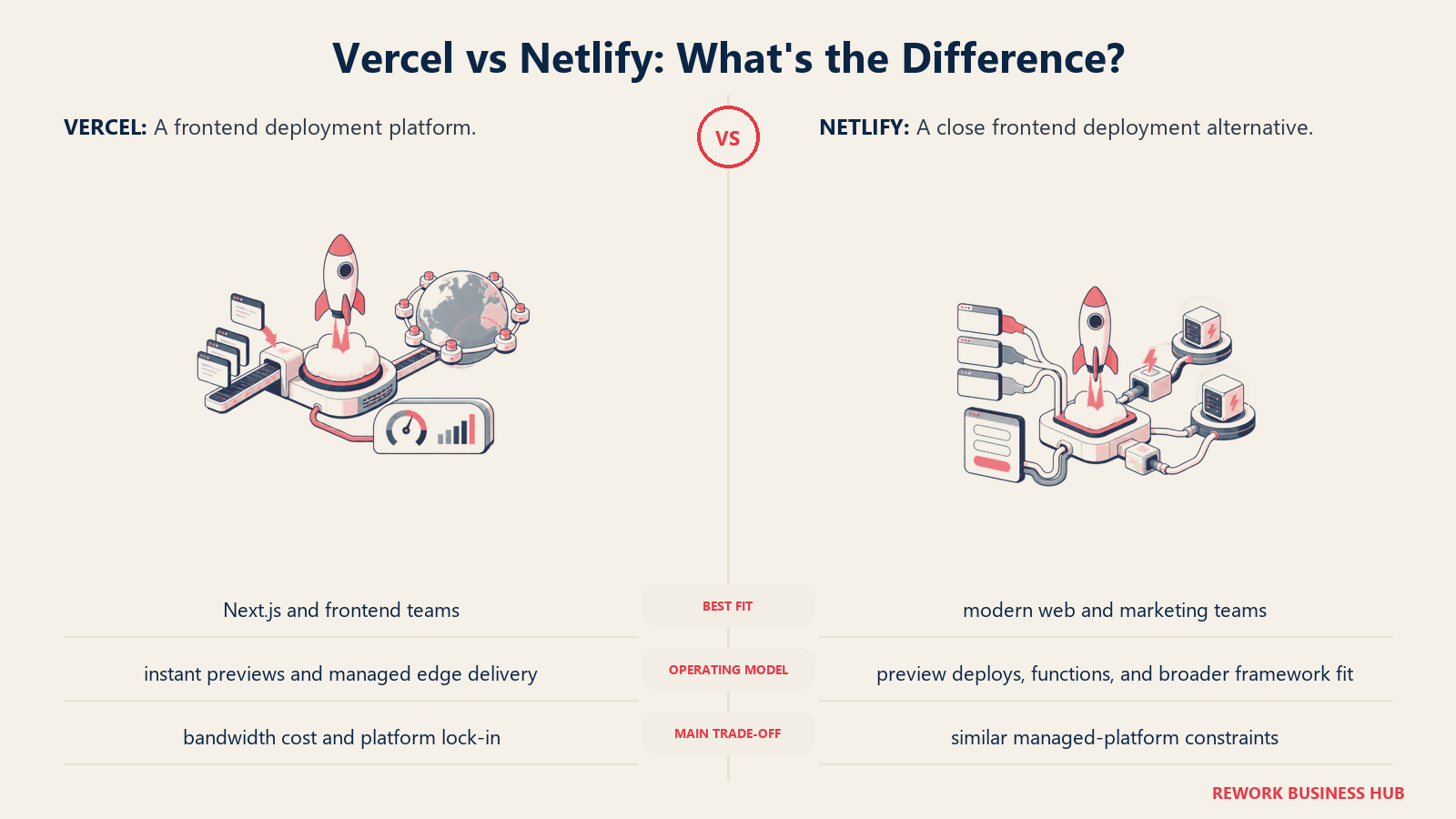
In April 2026, Netlify moved the Pro plan to a flat $20/month with unlimited team members. That's a meaningful shift away from seat-based pricing, and it makes Netlify significantly cheaper than Vercel for teams of four or more where Vercel's per-member cost adds up. The credit system (3,000 credits/month on Pro) covers compute for serverless functions, background jobs, and preview environments.
Netlify's ecosystem is mature. Netlify Edge Functions run on the Deno runtime at more than 100 edge nodes globally. The Forms, Identity, and Analytics add-ons are bolt-on options rather than core dependencies, which keeps the base cost predictable. Framework support has broadened well beyond Next.js to include Remix, Astro, SvelteKit, Nuxt, and plain static sites.
Where Netlify isn't the answer: if you need persistent long-running processes, full Node.js APIs, or backend databases managed alongside your frontend, you'll still need separate infrastructure. Netlify is a frontend platform, not a general PaaS. If Netlify is the platform you're weighing up rather than the one you're leaving, best Netlify alternatives runs the same comparison from that starting point.
| Pros | Cons |
|---|---|
| Nearly identical workflow to Vercel, low switching cost | Not a general-purpose PaaS for backend workloads |
| Flat Pro plan ($20/mo) with unlimited team members | Credit consumption requires monitoring on high-traffic sites |
| Mature ecosystem: Edge Functions, Forms, Identity, Analytics | Function execution time limits on lower plans |
| Broad framework support beyond Next.js |
Pricing: Free (300 credit limit); Personal $9/month (1,000 credits); Pro $20/month (3,000 credits, unlimited members); Enterprise custom. See Netlify pricing.
Best for: Frontend and Jamstack teams who want a Vercel-equivalent experience with predictable flat billing and no per-seat cost.
2. Cloudflare Pages: Edge-First with the Cheapest Bandwidth Story
Cloudflare Pages is the right answer if your primary driver for leaving Vercel is bandwidth cost. Static assets on Cloudflare Pages are served free and unlimited on both free and paid plans, with no bandwidth overage charges for static files. That alone eliminates one of Vercel's most common billing surprises.
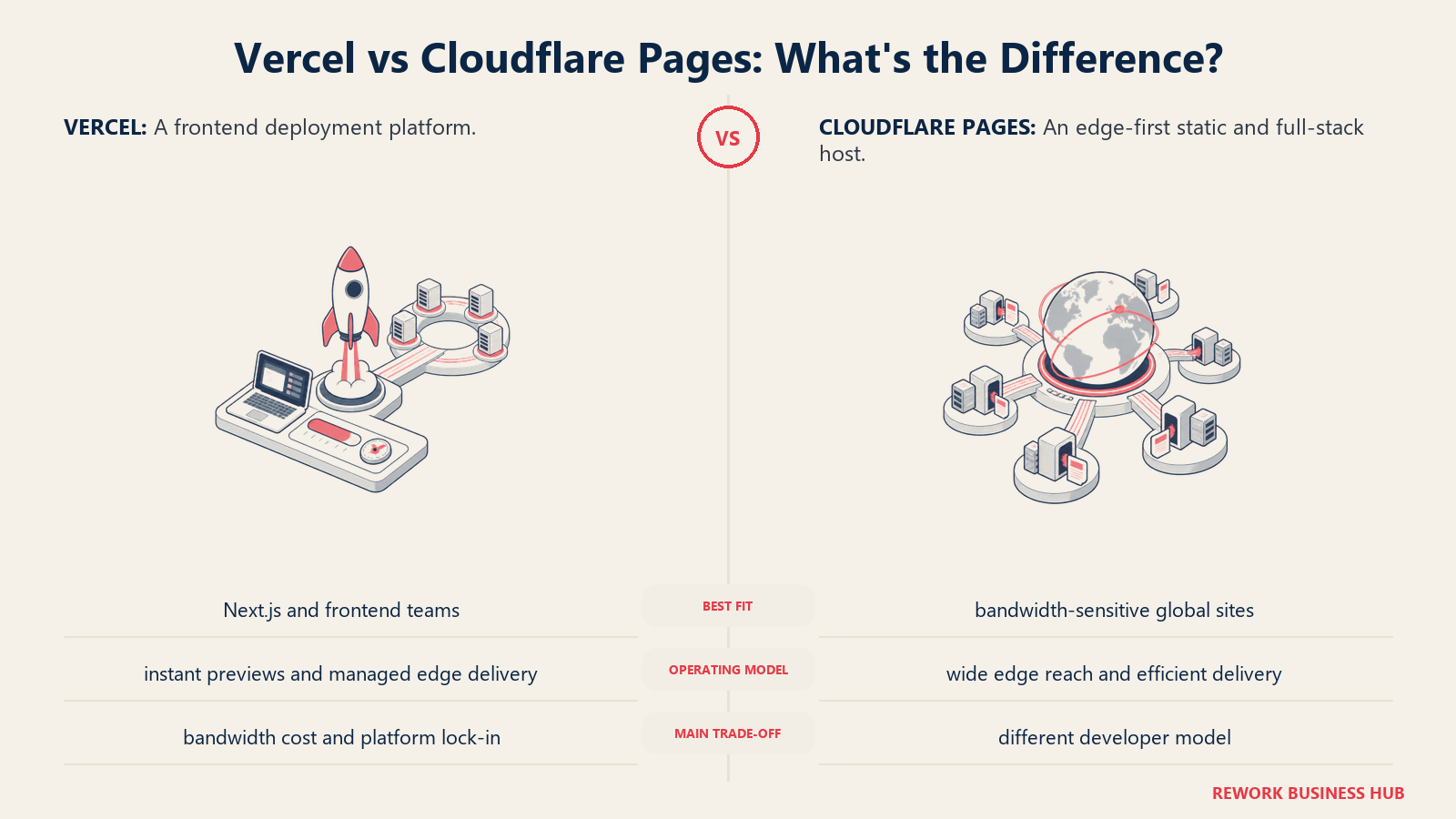
Pages functions (server-side logic) run on Cloudflare Workers, which has its own runtime: V8 isolates, not Node.js. That distinction matters. Worker code runs in a restricted environment without access to Node's built-in modules, the filesystem, or standard Node APIs. If your app is pure static or uses light API routes that don't depend on Node-specific packages, this works fine. If your Next.js app uses heavy Node.js APIs or npm packages that depend on the Node runtime, you'll need to rewrite or restructure.
The pricing is genuinely competitive. The Workers Paid plan at $5/month includes 10 million requests. For a high-traffic static site or a lightweight SPA with minimal edge function calls, your monthly cost could stay at $5 regardless of traffic volume. Cloudflare's global network (330-plus cities as of 2026) also means your edge performance is legitimately world-class.
| Pros | Cons |
|---|---|
| Unlimited bandwidth for static assets | V8 Workers runtime, not Node.js compatible |
| Fastest and most global edge network here | Heavy Node.js apps require significant rework |
| $5/mo paid plan covers most production workloads | Less mature ecosystem vs Netlify |
| Zero cold start for static delivery | Full-stack support requires Workers expertise |
Pricing: Free (unlimited requests to static assets, 500 Pages builds/month, 100,000 Workers requests/day); Workers Paid $5/month (10M requests included, then $0.30/M; 30M CPU-ms included, then $0.02/M). See Cloudflare Pages pricing.
Best for: High-traffic static sites, SPAs, and teams comfortable with the Workers runtime who want the lowest possible bandwidth cost.
3. AWS Amplify: Full-Stack for AWS-Native Teams
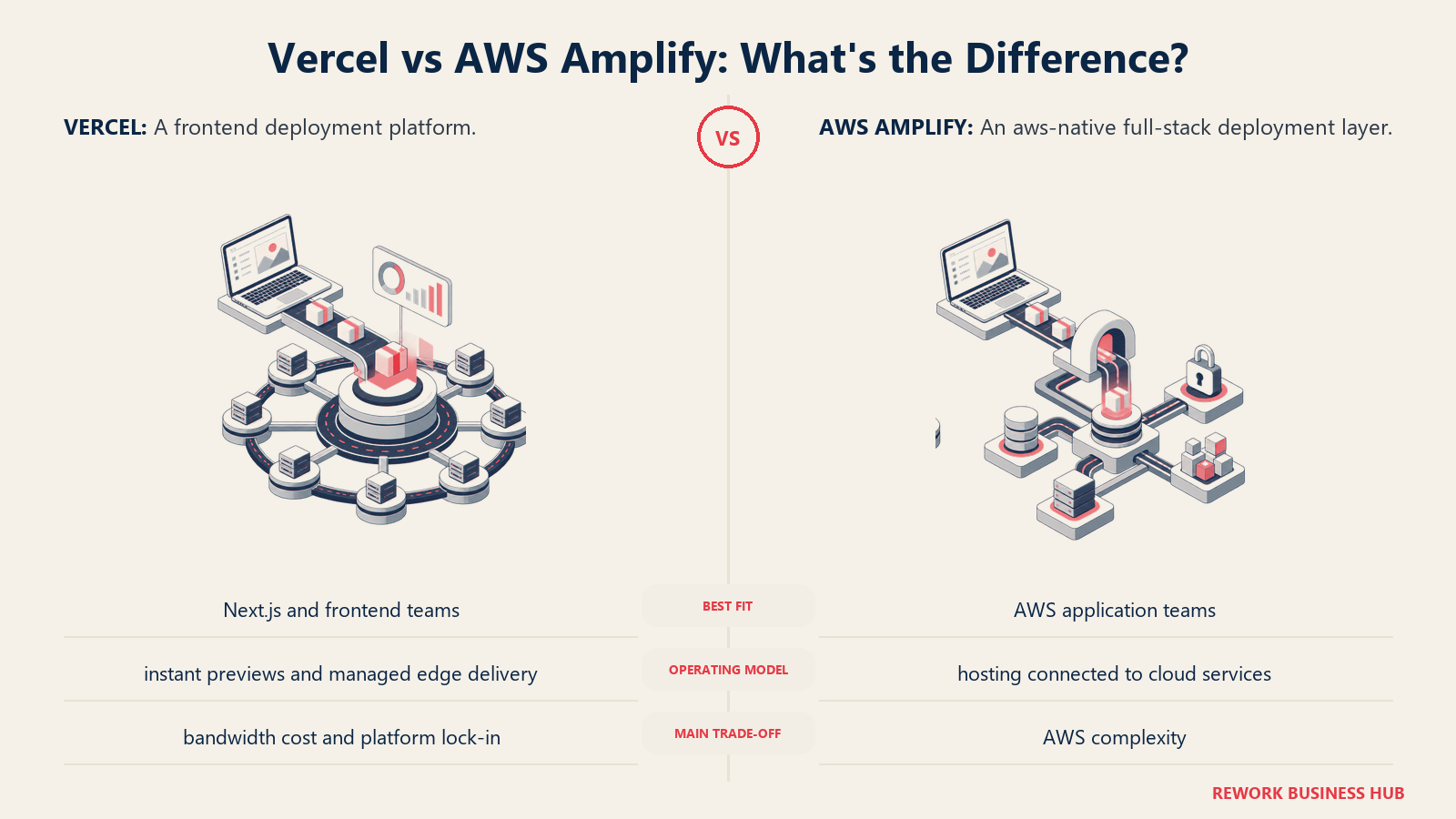
AWS Amplify Hosting is the deployment layer for teams already operating inside the AWS ecosystem. If your backend runs on Lambda, your database is on RDS or DynamoDB, and your team knows CloudFormation or CDK, Amplify removes the friction of deploying your frontend to a separate platform and wiring it back to your backend services.
The pricing model is pure pay-as-you-go with no seat cost. Build minutes cost $0.01 per minute, bandwidth is $0.15/GB, and storage is $0.023/GB. The free tier (1,000 build minutes, 15 GB bandwidth, 5 GB storage per month) covers most hobby projects and light production sites without any charge. For larger apps, SSR adds $0.0000556 per request and $0.00000834 per GB-second of compute. The math is complex but generally cheaper than Vercel for high-volume apps if you're already paying for AWS infrastructure alongside.
The complexity trade-off is real. Amplify Console has a steeper configuration curve than Vercel or Netlify, and the AWS console UX is not as polished for the pure frontend deployment experience. If you're not already in AWS, the onboarding friction is significant. But if you are already in AWS, the native integration with IAM, Cognito, API Gateway, and CloudFront makes Amplify the obvious choice.
| Pros | Cons |
|---|---|
| Deep native AWS integration (Lambda, Cognito, API Gateway) | Console UX less polished than Vercel/Netlify |
| Zero per-seat pricing; pure pay-as-you-go | Complex config for teams not already in AWS |
| Generous free tier for small/hobby workloads | SSR billing adds up quickly at scale |
| Framework support: Next.js, Nuxt, SvelteKit, Astro, Angular | Tight AWS lock-in by design |
Pricing: Pay-as-you-go. Free tier: 1,000 build min/month, 15 GB bandwidth, 5 GB storage. Then $0.01/build minute, $0.15/GB served. See AWS Amplify pricing.
Best for: Teams already on AWS building full-stack apps who want their frontend deployment inside the same account, IAM, and billing as their backend infrastructure.
4. Render: Simple, Honest Pricing for Full-Stack Apps
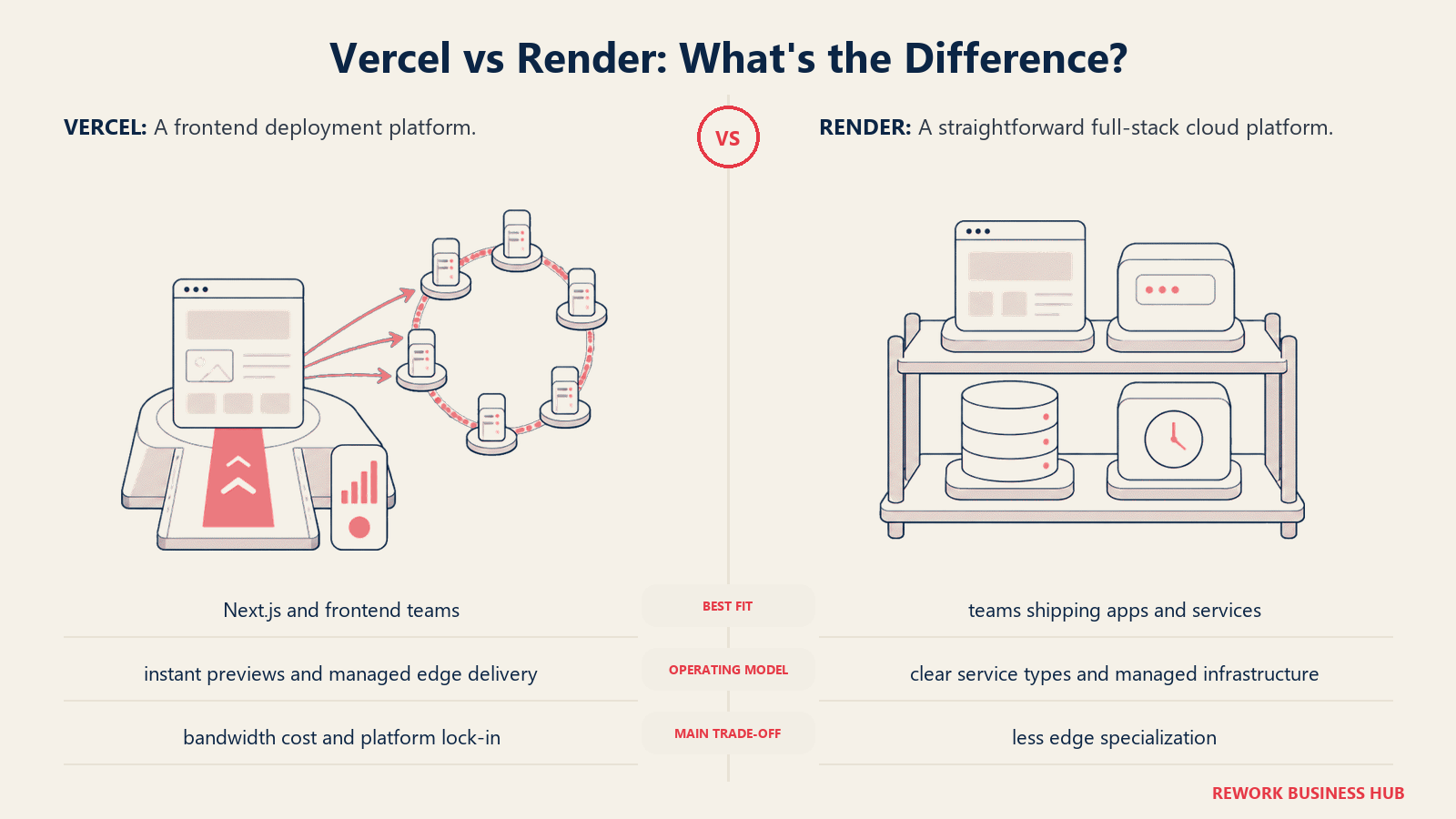
Render's pitch is simplicity. You get a PaaS that deploys web services, background workers, cron jobs, static sites, and databases without needing to understand Kubernetes, manage VMs, or parse a bill with seventeen line items. The pricing reflects that philosophy: flat rates per service instance, no seat fees, and no surprise bandwidth overages for most use cases.
The April 2026 pricing update removed seat fees across the board. Hobby remains free, and the Pro workspace plan covers unlimited team members. Pro moved from $19 per member per month to a flat $25/month with unlimited members, and Scale from $29 per member to a flat $499/month; legacy per-seat workspaces auto-converted on 1 August 2026. Instances bill separately, starting at $7/month for 512 MB, $25/month for 2 GB and $85/month for 4 GB.
Render supports any language or framework via Dockerfile, with native support for Node.js, Python, Go, Ruby, Rust, and Elixir. That makes it far more capable than Vercel or Netlify for full-stack deployments: you can run your Next.js frontend, your Express or FastAPI backend, and a managed Postgres database all in one platform. The free tier caveat is worth knowing: free web services sleep after 15 minutes of inactivity, with cold starts of 30 to 60 seconds. For production workloads, you're on a paid instance.
| Pros | Cons |
|---|---|
| Flat per-instance pricing, no hidden billing | Free tier cold starts (30-60 seconds) |
| Full-stack: frontend, backend, databases, cron jobs | More expensive than Railway for compute-heavy usage |
| Deploys any language or Dockerfile | Less global edge reach than Vercel or Cloudflare |
| No seat fees after April 2026 update |
Pricing: Workspace plans since 23 April 2026: Hobby free (single member); Pro $25/month flat with unlimited members; Scale $499/month flat; Enterprise custom. Instances are billed separately: static sites always free, 512 MB $7/month, 2 GB $25/month, 4 GB $85/month. See Render pricing.
Best for: Full-stack developers and small teams who want a single platform for frontend, backend, and database without Kubernetes complexity.
5. Railway: Developer-First PaaS with Usage-Based Billing
Railway targets the developer who wants Heroku's simplicity with more modern infrastructure. You connect your repo, Railway detects the runtime (or you provide a Dockerfile), and it deploys. No YAML manifests, no container orchestration config. The Nixpacks build system auto-detects your language and builds a container automatically.
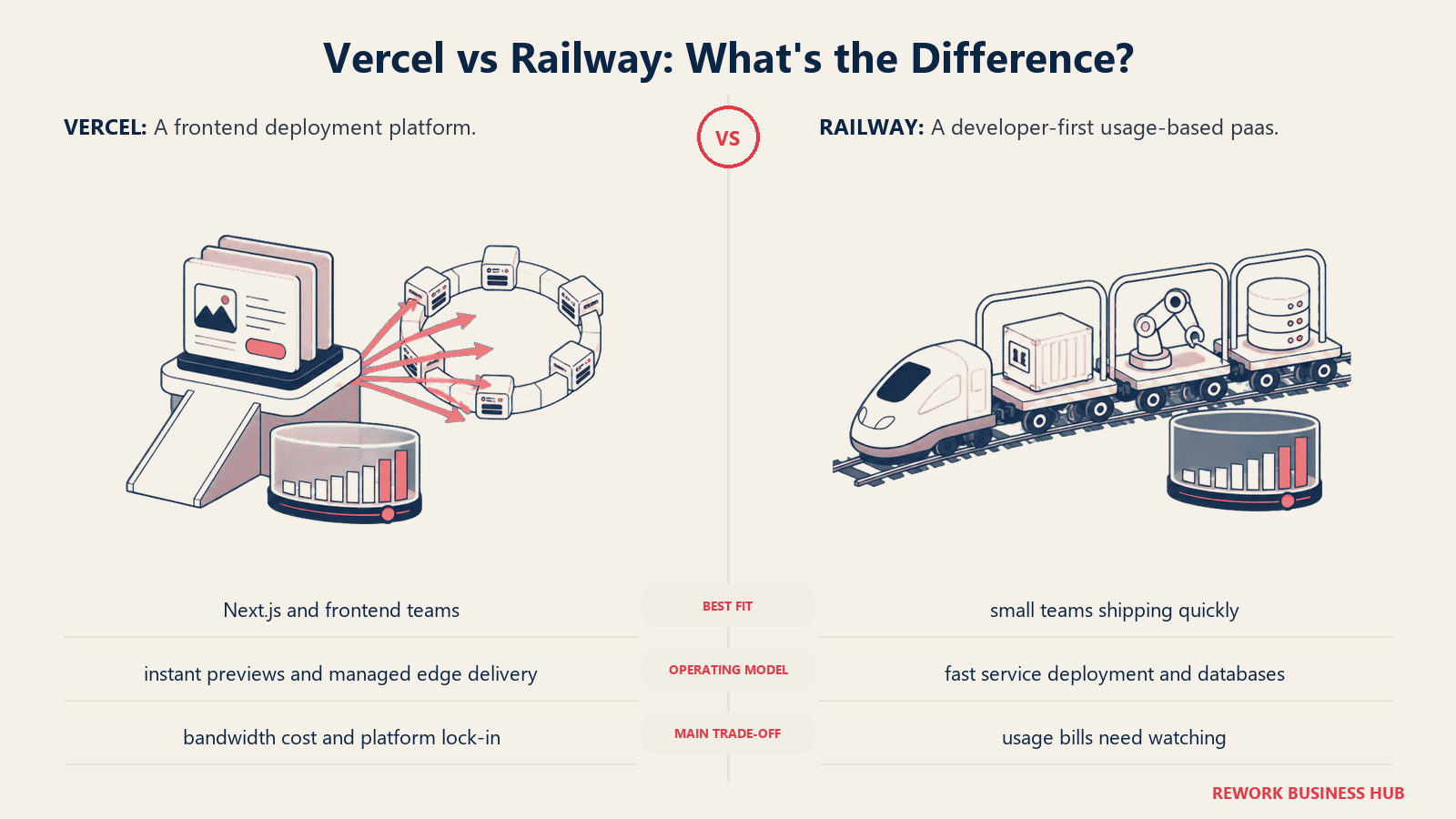
The billing model is usage-based within a plan floor. The Hobby plan at $5/month includes $5 of resource credits. If your app's CPU and memory consumption for the month costs less than that, you pay nothing beyond the $5 base. If it exceeds it, you pay the overage. The Pro plan at $20/month per seat includes $20 in credits and adds workspace collaboration, multiple environments, and priority support.
Railway's strength is the breadth of what it deploys: Node.js, Python, Go, Rust, Ruby, Java, PHP, any Dockerfile, and one-click template installs for databases (Postgres, MySQL, Redis, MongoDB) and popular frameworks. Preview environments are a first-class feature, which is the killer Vercel feature that Railway matches.
For solo developers and early-stage startups, the $5 Hobby plan is a compelling entry point. Enterprise compliance features (SOC 2, dedicated infrastructure, SLA) require the Enterprise tier at $2,000/month minimum.
| Pros | Cons |
|---|---|
| Clean DX, Nixpacks auto-detects runtime | Limited enterprise compliance features below Enterprise |
| Usage-based within plan floor: pay only for what you use | $2,000/month Enterprise minimum is a hard jump |
| Preview environments per branch | No dedicated edge CDN for static asset delivery |
| One-click database provisioning | Smaller community than Render or Heroku |
Pricing: Free $0/month (includes $1 of monthly usage credits); Hobby $5/month (includes $5 of usage credits); Pro $20/month per workspace, not per user (includes $20 of usage credits); Enterprise custom with contractual SLAs. See Railway pricing.
Best for: Solo developers, indie hackers, and early-stage startups who want Heroku-style simplicity, usage-based billing, and built-in database provisioning.
6. Fly.io: Multi-Region VMs for Latency-Sensitive Apps
Fly.io takes a different architectural approach than the other platforms here. Instead of serverless functions and edge workers, Fly.io runs real virtual machines (Firecracker microVMs) in data centers across 35-plus regions. You get actual persistent processes, full Linux environments, and the ability to run any Docker image without runtime restrictions. The tradeoff is more operational overhead than Vercel or Netlify.
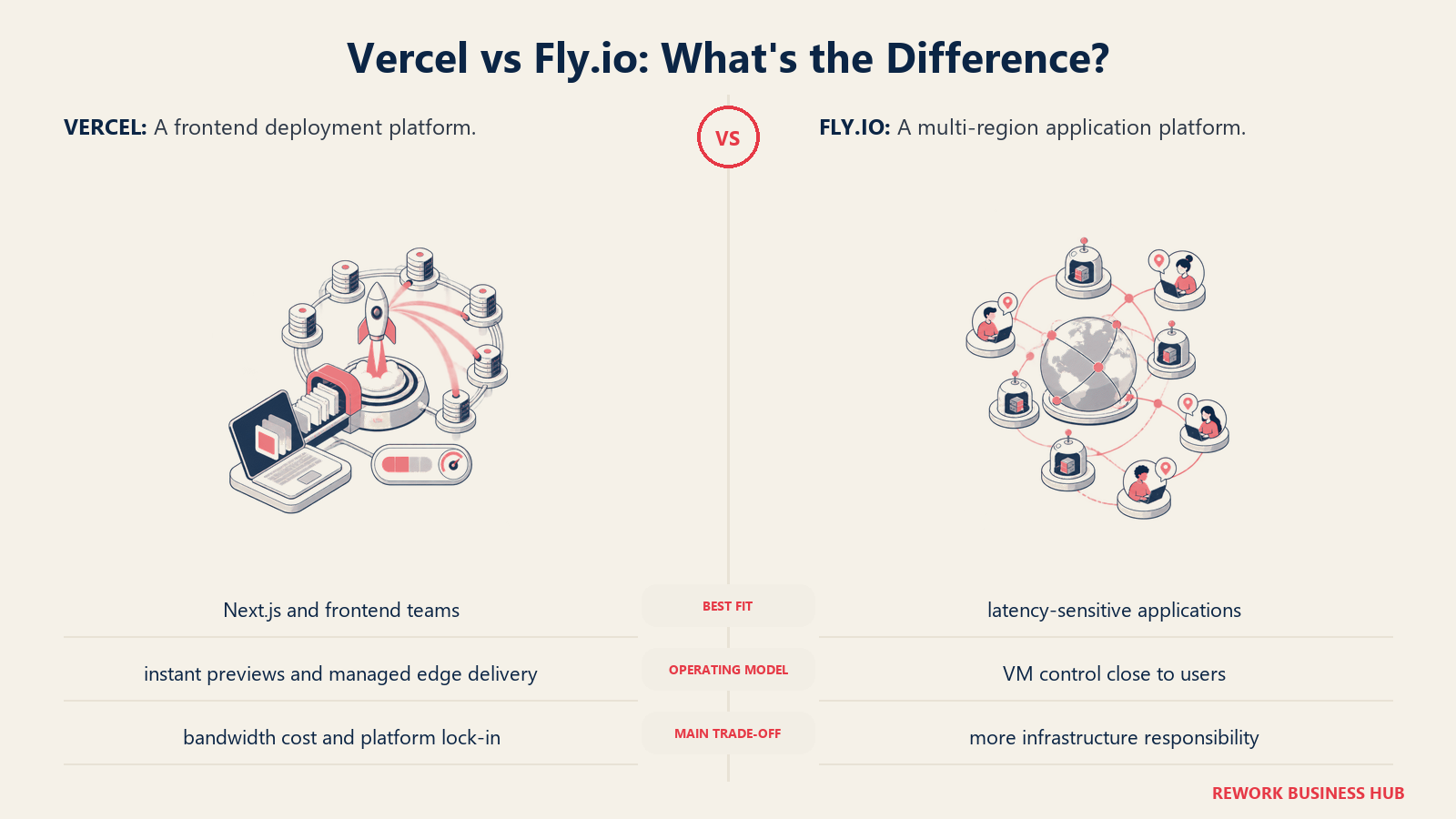
The platform removed its free tier for new users in 2024. New accounts get a 2-hour or 7-day trial, after which you need a payment method. The practical minimum for a small app is around $5/month. Pricing is usage-based: $0.0000022/vCPU-second, $0.0000032/GB-second of RAM, $0.02/GB outbound bandwidth in North America and Europe. Persistent volumes are $0.15/GB-month.
Where Fly.io earns its place: apps that need low latency for geographically distributed users, workloads that require persistent state close to users (e.g., multiplayer games, collaborative tools), and teams that need real Docker containers rather than a constrained serverless runtime. The Machines API lets you spin up isolated VMs programmatically, which opens interesting possibilities for multi-tenant architectures.
| Pros | Cons |
|---|---|
| Real VMs in 35+ regions, low global latency | No free tier for new users |
| Full Docker support with no runtime restrictions | More ops complexity than Netlify/Render |
| Persistent volumes, stateful workloads supported | Egress costs add up for high-bandwidth apps in expensive regions |
| Firecracker VMs start in sub-second time | IPv4 adds $2/month per dedicated address |
Pricing: Pay-as-you-go compute from $0.0027/hour (about $1.94/month) for the smallest shared-cpu-1x machine. Support tiers: Community free, Standard $29/month, Premium $199/month, Enterprise from $2,500/month. See Fly.io pricing.
Best for: Teams building latency-sensitive apps for global users, stateful workloads that need persistent processes, and developers who need unrestricted Docker environments rather than serverless runtimes.
7. Heroku: Battle-Tested PaaS with No Surprises
Heroku invented the developer PaaS category and, after Salesforce removed the free tier in 2022, repositioned around low-cost paid tiers that don't sleep. The Eco plan at $5/month gives you 1,000 compute hours shared across all your Eco dynos. The Basic dyno at $7/month runs a single always-on dyno (no sleep) with up to 512 MB RAM. Standard dynos start at $25/month.
The pitch for Heroku in 2026 is maturity and ecosystem. The Heroku Add-ons marketplace has over 200 third-party services: Postgres, Redis, SendGrid, Papertrail, Datadog, Scheduler, and dozens more. You add them in one click, they provision automatically, and billing rolls into your Heroku invoice. The buildpack system supports every major language runtime, and the dyno model is simple enough that a team can onboard a new developer without any cloud infrastructure training.
The honest trade-off: Heroku is more expensive than Railway, Render, and Fly.io for compute-heavy workloads. A Standard-2X dyno with 1 GB RAM costs $50/month on Heroku; you'd get equivalent or better compute on Render for $25/month. You're paying a maturity and ecosystem premium. For teams where simplicity and vendor stability matter more than per-unit cost, that premium can be worth it. For teams optimizing infrastructure spend, it often isn't.
| Pros | Cons |
|---|---|
| 200+ Add-ons marketplace, everything integrates cleanly | More expensive per compute unit than Render/Railway |
| Battle-tested platform with predictable behavior | No serverless or edge function model |
| Simple dyno model, easy to onboard new team members | Limited to Heroku's supported regions |
| Basic plan never sleeps for $7/mo | Scaling model less flexible than newer PaaS |
Pricing: Eco $5/month (1,000 dyno hours); Basic $7/month (always-on dyno); Standard-1X $25/month; Standard-2X $50/month; Performance-M $250/month. See Heroku pricing.
Best for: Teams that value platform stability, a mature add-ons ecosystem, and predictable dyno pricing over per-unit compute efficiency.
8. DigitalOcean App Platform: Predictable Pricing, DO Ecosystem
DigitalOcean App Platform sits between full DIY infrastructure (DigitalOcean Droplets) and a managed PaaS (Heroku). You get the simplicity of git-connected deploys with the pricing clarity of DigitalOcean's flat-rate billing. Static sites deploy free (up to three apps), and web services start at $5/month per instance.
The platform supports Node.js, Python, Go, Ruby, PHP, and any Dockerfile. You can co-locate your app with DigitalOcean Managed Databases (Postgres, MySQL, Redis from $15/month), DigitalOcean Spaces object storage, and the broader DO ecosystem without leaving the console. For developers already running Droplets or Kubernetes clusters on DigitalOcean, App Platform offers a deployment layer that fits naturally into that account.
Where App Platform trails the competition: it doesn't have the edge CDN story of Cloudflare or Netlify, the add-ons richness of Heroku, or the multi-region VM flexibility of Fly.io. It's a clean, mid-tier PaaS that does what it says. If you're an individual developer or a small team already on DigitalOcean, it's a sensible choice. If you're not already in the DO ecosystem, there isn't a strong pull-in reason over Render.
| Pros | Cons |
|---|---|
| Simple flat-rate pricing, no surprise overages | Less feature-rich than hyperscaler options |
| Free static hosting (up to 3 apps) | No global edge CDN for static delivery |
| Integrates cleanly with DO Droplets, DBs, and Spaces | Scaling options less granular than AWS/GCP |
| Bandwidth included (100 GiB per instance) | Fewer add-ons and integrations than Heroku |
Pricing: Free (static sites, up to 3 apps); Web services from $5/month; Managed databases from $15/month extra. See DigitalOcean App Platform pricing.
Best for: Developers and small teams already on DigitalOcean who want a simple, flat-rate deployment layer alongside their existing Droplets and managed databases.
9. Firebase Hosting: Google-Stack Apps with a Generous Free Tier
Firebase Hosting is purpose-built for apps in the Google/Firebase ecosystem. If your app uses Firestore, Firebase Auth, Realtime Database, or Cloud Functions, hosting your frontend on Firebase Hosting means everything is in the same project, the same IAM model, and the same billing dashboard.
The free Spark plan includes 10 GB storage, 360 MB/day bandwidth, and 10,000 rewrites/month. That's genuinely usable for small apps. The Blaze (pay-as-you-go) plan retains all Spark quotas but unlocks higher limits and charges $0.026/GB for storage beyond 10 GB and $0.20/GiB for bandwidth above the free threshold (uncached). Heavy traffic with many uncached requests can get expensive on Blaze.
For teams not in the Google ecosystem, Firebase Hosting doesn't offer much. The build and deploy pipeline is less polished than Netlify or Vercel, there's no built-in preview deploy system comparable to branch deploys on other platforms, and framework support outside of Angular and basic React/Vue is limited without additional configuration.
| Pros | Cons |
|---|---|
| Deep Firebase/Google Cloud integration | Expensive bandwidth on Blaze for high-traffic sites |
| Generous Spark free tier (10 GB storage, 360 MB/day) | No built-in branch preview deploys |
| Same IAM and billing as Firestore, Auth, Cloud Functions | Less useful outside the Google ecosystem |
| Fast global CDN included | Build tooling less mature than Netlify/Vercel |
Pricing: Spark (free): 10 GB storage, 360 MB/day bandwidth. Blaze (pay-as-you-go): $0.026/GB storage beyond the free 10 GB, $0.15/GB data transfer beyond the free 360 MB/day. See Firebase pricing.
Best for: Teams building apps on the Firebase/Google Cloud stack who want zero-friction hosting within the same project and billing account.
10. Azure Static Web Apps: Microsoft-Stack Teams with GitHub Actions
Azure Static Web Apps is Microsoft's answer to Netlify and Vercel, and it integrates tightly with GitHub Actions and Azure DevOps. The free plan covers 2 custom domains per app, 3 staging environments, a 250 MB app size cap and SSL, with no SLA. The Standard plan raises that to 5 custom domains per app, 10 staging environments and a 500 MB app cap, and adds an SLA and private endpoints. Microsoft does not render a flat per-app monthly figure on its own pricing table, so run your usage through the Azure pricing calculator rather than trusting a number from a comparison post.
The platform handles the CI/CD wiring automatically: link your GitHub repo, and Azure creates the Actions workflow for you. Dynamic functionality comes via Azure Functions, which means your backend runs on the same Azure infrastructure as your other services. For .NET teams and Microsoft-stack organizations, the integration with Azure AD for authentication, Azure API Management for API proxying, and Azure Monitor for observability is a strong argument.
The limitation is scope. Azure Static Web Apps is, as the name says, for static web apps. Complex SSR frameworks beyond Next.js and Nuxt have partial support, and any backend logic beyond Azure Functions requires separate Azure services. If you're not already in the Azure ecosystem, there's no reason to start here over Netlify or Cloudflare Pages.
| Pros | Cons |
|---|---|
| Free tier covers most small production workloads | Limited to static + Azure Functions for dynamic content |
| GitHub Actions CI wired automatically on setup | Less useful outside Microsoft/Azure ecosystem |
| $9/mo Standard plan covers 500 GB bandwidth | SSR support outside Next.js/Nuxt is limited |
| Azure AD, API Management, and Monitor integration | No branch preview environments on Free tier |
Pricing: Free (2 custom domains per app, 3 staging environments, 250 MB max app size, no SLA); Standard (5 custom domains per app, 10 staging environments, 500 MB max app size, SLA, private endpoints). Microsoft renders the Standard per-app rate only as a placeholder on its pricing table, so price it through the Azure pricing calculator. The separate Dedicated plan was retired on 31 October 2025. See Azure Static Web Apps plans.
Best for: Microsoft-stack engineering teams building apps with Azure backends, .NET developers, and organizations standardized on Azure DevOps or GitHub Enterprise with Azure.
11. GitHub Pages: Zero Cost for Static Sites and Documentation
GitHub Pages is the simplest option on this list and also the most limited. It's free static hosting that publishes directly from a GitHub repository. No build pipeline to configure, no deployment dashboard to learn. You push to a branch, and GitHub builds and serves your site.
The free tier is permanent and never expires: 1 GB repo size, 100 GB/month soft bandwidth limit, 10 builds per hour. Custom domains and HTTPS are included. Commercial use is allowed on public repositories. For documentation sites, landing pages, open-source project pages, and simple blogs, it covers everything without any monthly cost.
What GitHub Pages can't do: no server-side rendering, no serverless functions, no backend logic of any kind. Every page must be a static file. If your site needs any dynamic content generation at request time (user-specific data, API calls at render, authentication-gated content), GitHub Pages isn't the answer. You're also constrained to the GitHub Actions build pipeline, and heavy Next.js or Remix apps may require significant reconfiguration to export as fully static.
| Pros | Cons |
|---|---|
| Completely free, no expiry, no credit card | No SSR, no serverless, static-only |
| Deploys directly from your GitHub repo | Hard 1 GB repo size limit |
| Custom domain and HTTPS included | 10 builds/hour soft limit |
| Zero learning curve if you're already on GitHub | No preview deploys, no branch environments |
Pricing: Free for public repos on any GitHub plan; also available on private repos with paid GitHub plans (Pro, Team, Enterprise). See GitHub Pages.
Best for: Open-source project documentation, personal portfolio sites, landing pages, and static blogs where zero cost matters more than dynamic functionality.
12. Coolify: Full Infra Control via Self-Hosted PaaS
Coolify is an open-source, self-hostable PaaS (Apache 2.0) that you run on your own VPS. Instead of paying a platform to manage your deployments, you install Coolify on any Linux server and it handles the deployment, scaling, and service management layer. Over 55,900 GitHub stars as of May 2026 makes it the most popular self-hosted PaaS alternative on GitHub.
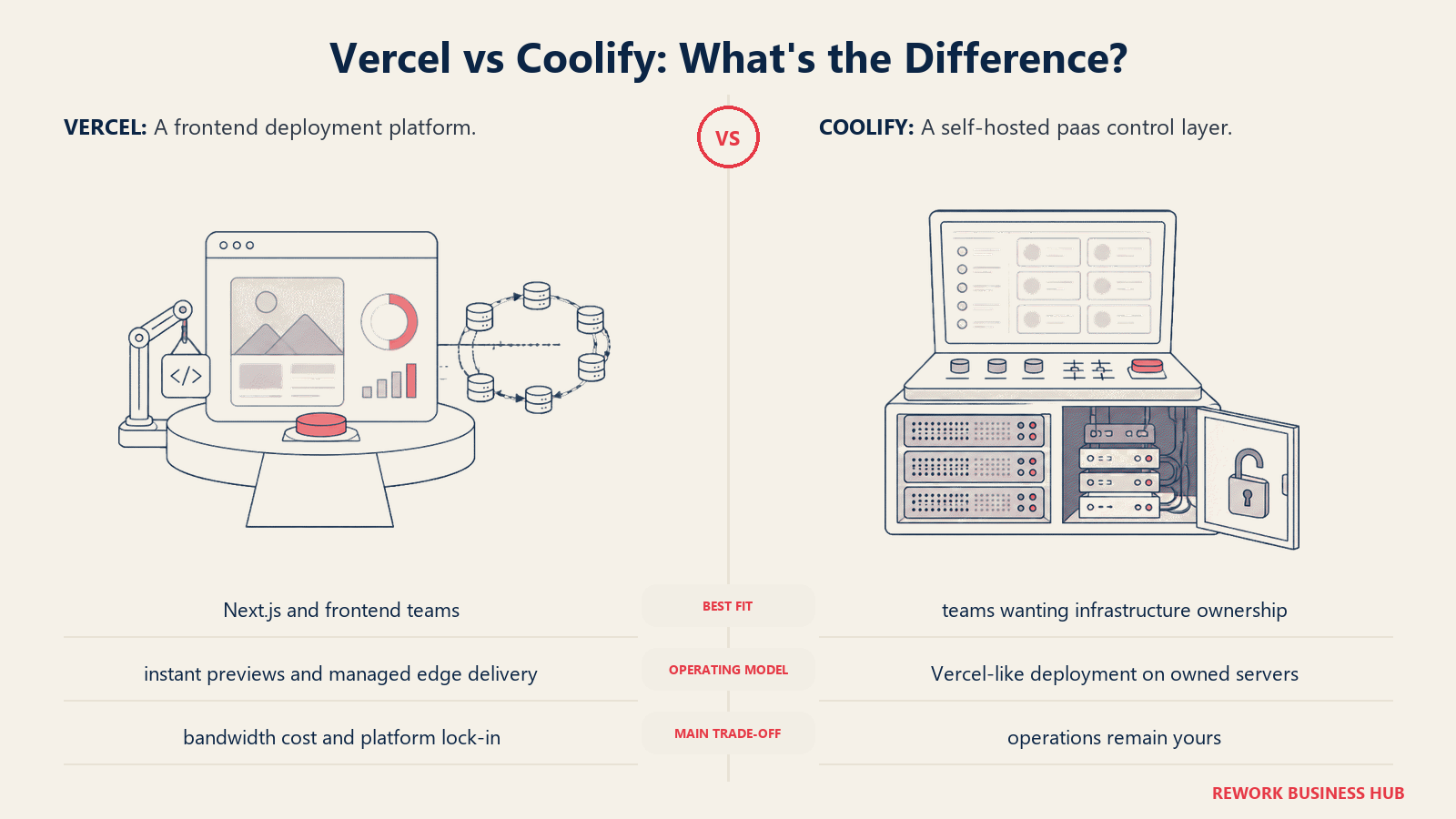
The self-hosted version is completely free with no feature limits, no user caps, and no trial period. You pay only for your VPS (from around $5/month on DigitalOcean, Hetzner, or Linode). Coolify Cloud, which manages the Coolify control plane for you (not your app hosting), costs $5/month for up to 2 connected servers plus $3/month per additional server.
The v4 feature set is substantial: Nixpacks build detection, Docker Compose deployments, preview environments, Traefik or Caddy reverse proxy, SSL automation, Sentinel monitoring, and 280-plus one-click service templates (Postgres, Redis, WordPress, Ghost, n8n, and more). For teams that want Vercel-style preview deploys and zero-config deployments but need complete infrastructure ownership, Coolify delivers both.
The trade-off is operational responsibility. You manage the underlying server (patching, backups, uptime). If your server goes down, your apps go down. There's no multi-region failover built in, no global CDN for static assets, and no managed SLA.
| Pros | Cons |
|---|---|
| Free self-hosted with no feature limits | You own all server ops (patching, uptime, backups) |
| Apache 2.0: full commercial use, no lock-in | No built-in global CDN for static asset delivery |
| 280+ one-click service templates | Multi-region requires additional setup |
| Preview environments, branch deploys included | Steeper initial setup than fully managed platforms |
Pricing: Self-hosted: free forever (you pay VPS costs, ~$5-20/month). Coolify Cloud: $5/month (2 servers) plus $3/month per additional server. See Coolify pricing.
Best for: Teams and indie hackers who want full infrastructure ownership, organizations with data-residency or compliance requirements that rule out SaaS hosting, and developers who want Vercel-style DX on their own hardware.
Stage Fit Matrix
| Tool | Solo / Indie Dev | Small Team (2-20) | Mid-Market Eng Org | Enterprise (100+) |
|---|---|---|---|---|
| Netlify | Strong | Strong | Good | Limited (no self-host) |
| Cloudflare Pages | Strong | Strong | Good | Good (enterprise plan available) |
| AWS Amplify | Good (if on AWS) | Good | Strong | Strong (AWS ecosystem) |
| Render | Strong | Strong | Good | Limited (no air-gap) |
| Railway | Strong | Good | Limited | Not recommended |
| Fly.io | Good (pay-as-you-go) | Good | Good (multi-region) | Limited (compliance gaps) |
| Heroku | Good | Good | Limited (cost) | Not recommended (cost) |
| DigitalOcean App Platform | Strong | Strong | Good | Limited (less feature-rich) |
| Firebase Hosting | Good (if Google stack) | Good (if Google stack) | Good | Good (GCP ecosystem) |
| Azure Static Web Apps | Good (if Azure) | Good | Strong (Microsoft stack) | Strong (Azure enterprise) |
| GitHub Pages | Strong (static only) | Limited | Not recommended | Not recommended |
| Coolify | Strong | Good | Good (compliance use case) | Good (data residency) |
Sizing and Persona Table
| Tool | Team Size Sweet Spot | Primary Buyer | Secondary Buyer |
|---|---|---|---|
| Netlify | 1-100 | Frontend developer or eng lead | Platform/DevOps lead |
| Cloudflare Pages | 1-500+ | Frontend developer | CTO (cost optimization) |
| AWS Amplify | 5-500+ | AWS developer or cloud architect | Platform/DevOps lead |
| Render | 1-50 | Solo developer or full-stack team | Startup CTO |
| Railway | 1-20 | Indie hacker or solo developer | Technical co-founder |
| Fly.io | 2-100 | Senior developer (Docker-comfortable) | Platform engineer |
| Heroku | 2-50 | Developer or small team lead | Startup CTO valuing stability |
| DigitalOcean App Platform | 1-30 | Developer already on DigitalOcean | Small team lead |
| Firebase Hosting | 1-50 (Google stack) | Firebase developer | Product-focused CTO |
| Azure Static Web Apps | 5-500+ | Azure developer or DevOps engineer | Enterprise cloud architect |
| GitHub Pages | 1-5 | Individual developer or OSS maintainer | Documentation owner |
| Coolify | 1-50 | DevOps engineer or self-hosting enthusiast | CTO with compliance mandate |
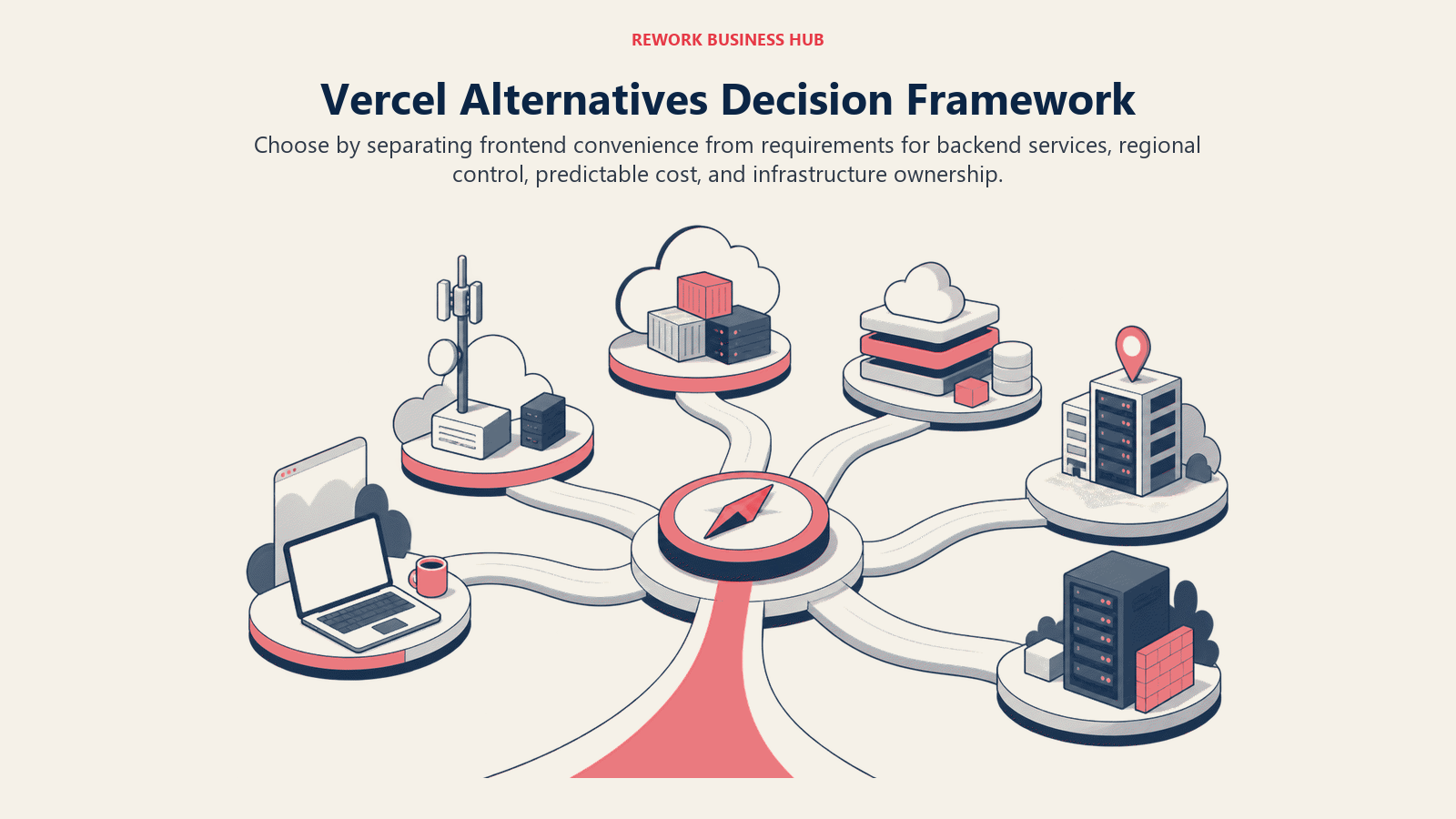
How to Choose: Decision Framework
| If you need... | Choose |
|---|---|
| The closest Vercel experience with predictable flat billing for a team | Netlify Pro |
| The lowest bandwidth cost on a high-traffic static site | Cloudflare Pages |
| Full-stack deployment with frontend, backend APIs, and managed databases on one platform | Render or Railway |
| A deployment layer inside your existing AWS account | AWS Amplify |
| Multi-region, low-latency apps with unrestricted Docker containers | Fly.io |
| A proven PaaS with a rich add-ons marketplace and no surprises | Heroku |
| Zero-cost hosting for a static site, documentation, or personal project | GitHub Pages |
| Deployment inside your Azure account with GitHub Actions CI wired in | Azure Static Web Apps |
| Hosting co-located with Firestore, Firebase Auth, and Google Cloud services | Firebase Hosting |
| Complete infrastructure ownership with Vercel-style DX on your own servers | Coolify |
| Simple flat-rate PaaS on the DigitalOcean ecosystem | DigitalOcean App Platform |
| Edge performance at global scale with a budget of $5/month | Cloudflare Pages Workers |
| A Next.js app on AWS with IP indemnity and compliance documentation | AWS Amplify |
What to Do Next
Don't pick based on this table alone. Your real workload is the only meaningful test. Take your top two candidates and deploy a branch of your actual app on each for two weeks. The differences that matter (cold start behavior, build cache hit rate, function execution limits, actual monthly cost at your traffic level) only surface on real code. Run both in parallel, check the billing dashboard at the end of week one, and make your call on data rather than feature lists.
Camellia writes about developer and engineering tooling for B2B teams. Last updated June 2026.

Principal Product Marketing Strategist
On this page
- Quick Comparison Table
- 1. Netlify: The Closest Direct Replacement for Frontend Teams
- 2. Cloudflare Pages: Edge-First with the Cheapest Bandwidth Story
- 3. AWS Amplify: Full-Stack for AWS-Native Teams
- 4. Render: Simple, Honest Pricing for Full-Stack Apps
- 5. Railway: Developer-First PaaS with Usage-Based Billing
- 6. Fly.io: Multi-Region VMs for Latency-Sensitive Apps
- 7. Heroku: Battle-Tested PaaS with No Surprises
- 8. DigitalOcean App Platform: Predictable Pricing, DO Ecosystem
- 9. Firebase Hosting: Google-Stack Apps with a Generous Free Tier
- 10. Azure Static Web Apps: Microsoft-Stack Teams with GitHub Actions
- 11. GitHub Pages: Zero Cost for Static Sites and Documentation
- 12. Coolify: Full Infra Control via Self-Hosted PaaS
- Stage Fit Matrix
- Sizing and Persona Table
- How to Choose: Decision Framework
- What to Do Next