Best Postman Alternatives in 2026: 12 API Testing Tools for Developers

Turn this article into takeaways for your work.


Each assistant summarizes the article only for you and suggests best practices for your work.
Postman didn't lose its dominance by accident. For nearly a decade it set the standard for API development: a polished GUI, a massive collection ecosystem, collaborative workspaces, mock servers, monitors, and an environment management system that teams across every stack adopted as a default. If you're on Postman today and things are working, there's no urgent reason to leave.
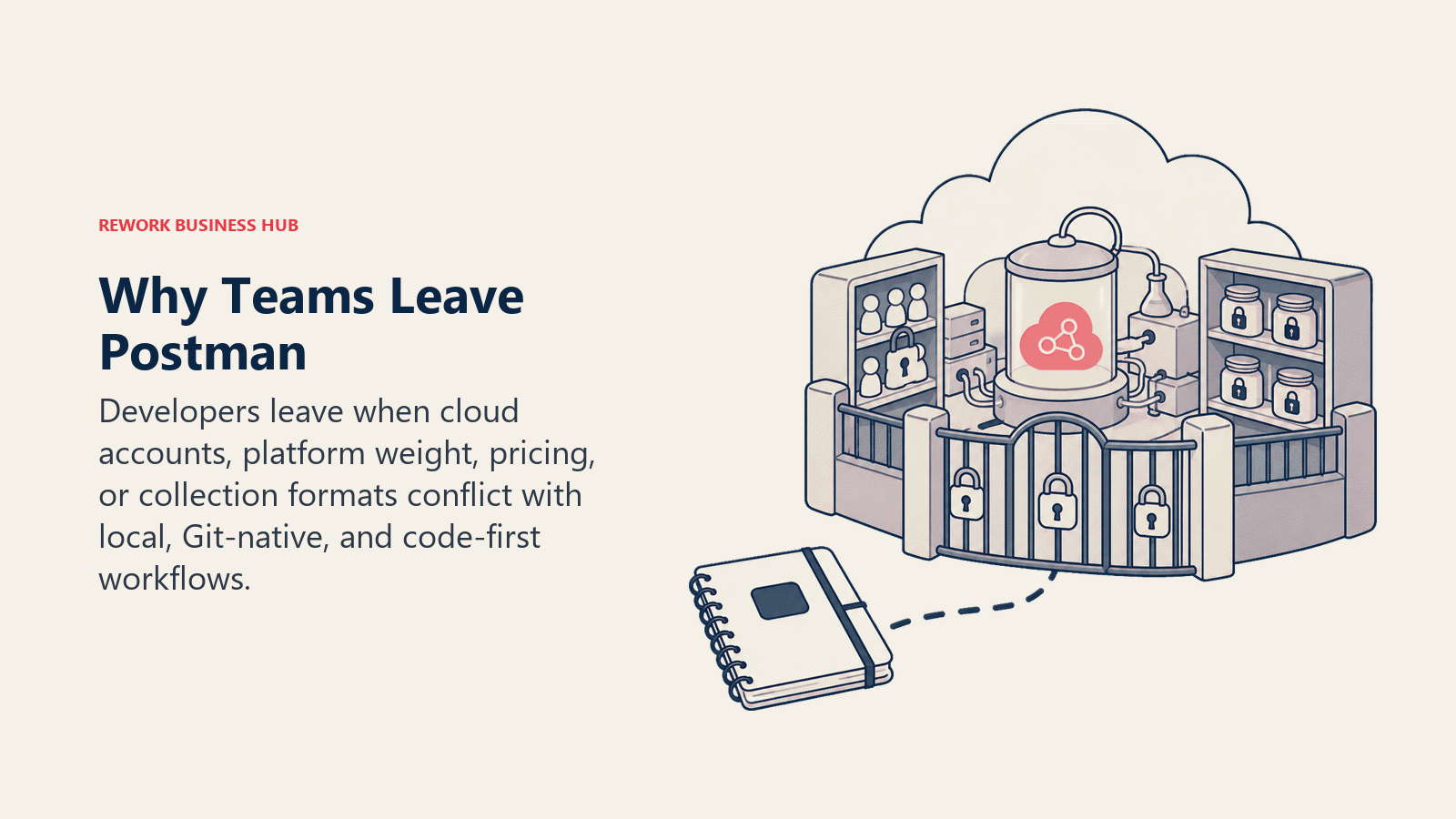
But for a growing number of developers, the friction has become real. Postman now requires a paid account for most collaborative features, with the Team plan at $19/user/month and Enterprise at $49/user/month adding up fast for larger teams. The free plan was restricted to one user as of early 2026, stripping away what used to be the zero-cost onramp for small teams. The desktop app itself is Electron-based and memory-hungry. Opening a collection with hundreds of requests on an older machine is noticeably sluggish. Collection data syncs to Postman's cloud by default, which creates friction for teams with strict data residency requirements or who work in air-gapped environments. And the scratchpad/offline mode that existed as a workaround was quietly deprecated. These aren't abstract concerns: they're the specific reasons developers are actively looking for alternatives. For teams reconsidering how dev tools are budgeted alongside issue tracking and project tooling, the best Jira alternatives and best Linear alternatives guides are natural companions to this review.
Quick Comparison Table
| Tool | Best For | Starting Price | Key Strength | Key Limitation |
|---|---|---|---|---|
| Bruno | Local-first, Git-native API collections | Free (OSS); $6/user/mo (Pro) | Collections stored as plain files with no cloud sync | No hosted cloud option; team features require paid tier |
| Insomnia | Cross-protocol API testing with Git sync | Free; $10/user/mo (Team) | GraphQL, gRPC, WebSocket in one client | Team plan is pricier than some OSS alternatives |
| Hoppscotch | Fast browser-based API testing | Free; $6/user/mo (Org) | Open-source, works in browser, self-hostable | Less powerful for scripting and test automation |
| Apidog | All-in-one: design, test, mock, document | Free (4 users); $9-$27/mo | Replaces Postman + Swagger in one tool | Feature depth takes time to learn |
| Thunder Client | Embedded API testing in VS Code | Free (limited); $7/user/mo (Business) | No context-switching, lives in your editor | Collection sync limited on free tier |
| HTTPie | Human-readable CLI and desktop API tool | Free | Minimal, readable syntax; cross-platform | Lighter on scripting and automation |
| Yaak | Fast, private desktop client (cross-platform) | Free (personal); $50/seat/yr (commercial) | Truly local, no cloud, clean UI | Newer tool; smaller community |
| RapidAPI for Mac | Mac-native API client (formerly Paw) | Free; $10/user/mo (team) | Best Mac-native experience | Mac-only; team sync requires paid plan |
| REST Client (VS Code) | Code-first HTTP file testing in VS Code | Free | .http files live in your repo; no separate app | No GUI collection management |
| Firecamp | Real-time API testing (REST, WS, GraphQL, SocketIO) | Free (OSS) | Multi-protocol with team collaboration | Smaller community; fewer integrations |
| Testfully | API testing and monitoring combined | Free; paid from $49/mo | Built-in monitoring alongside testing | Monitoring credits are add-on |
| ReadyAPI (SoapUI) | Enterprise functional and load testing | From ~$749/user/yr | SOAP, REST, GraphQL, load + security testing | Expensive; steep learning curve |
Why Developers Are Actually Leaving Postman
Before diving into tools, it's worth naming the specific pain points that drive people to search for alternatives.
| Pain Point | Who Feels It Most | Severity |
|---|---|---|
| Free plan restricted to one user (as of 2026) | Small teams that relied on free collab | High |
| Team plan at $19/user/mo scaling costs | Engineering teams of 10-50 | High |
| Electron app memory consumption and sluggishness | Developers on older machines or with many tabs | Medium-High |
| Collection data syncs to Postman cloud by default | Teams with data residency or air-gap requirements | High |
| Offline/scratchpad mode deprecated | Developers who work offline or need local-only storage | High |
| Enterprise plan at $49/user/mo for governance features | Mid-market teams that need SSO or audit logs | Medium |
If none of those apply to your situation, stay on Postman. The ecosystem, documentation quality, and mock server capabilities are still best-in-class. But if even one resonates, the tools below offer real alternatives without major tradeoffs.
1. Bruno: The Git-Native API Client
Bruno is the most philosophically distinct alternative on this list. Instead of storing your API collections in the cloud or a proprietary format, Bruno stores every collection as plain text files (Markdown-ish .bru format) directly on your filesystem. That means your collections live in your Git repository, get versioned with your code, get reviewed in pull requests, and never touch a third-party cloud. For teams who lost sleep over Postman syncing sensitive API credentials and internal endpoint details to the cloud, Bruno is the direct answer.
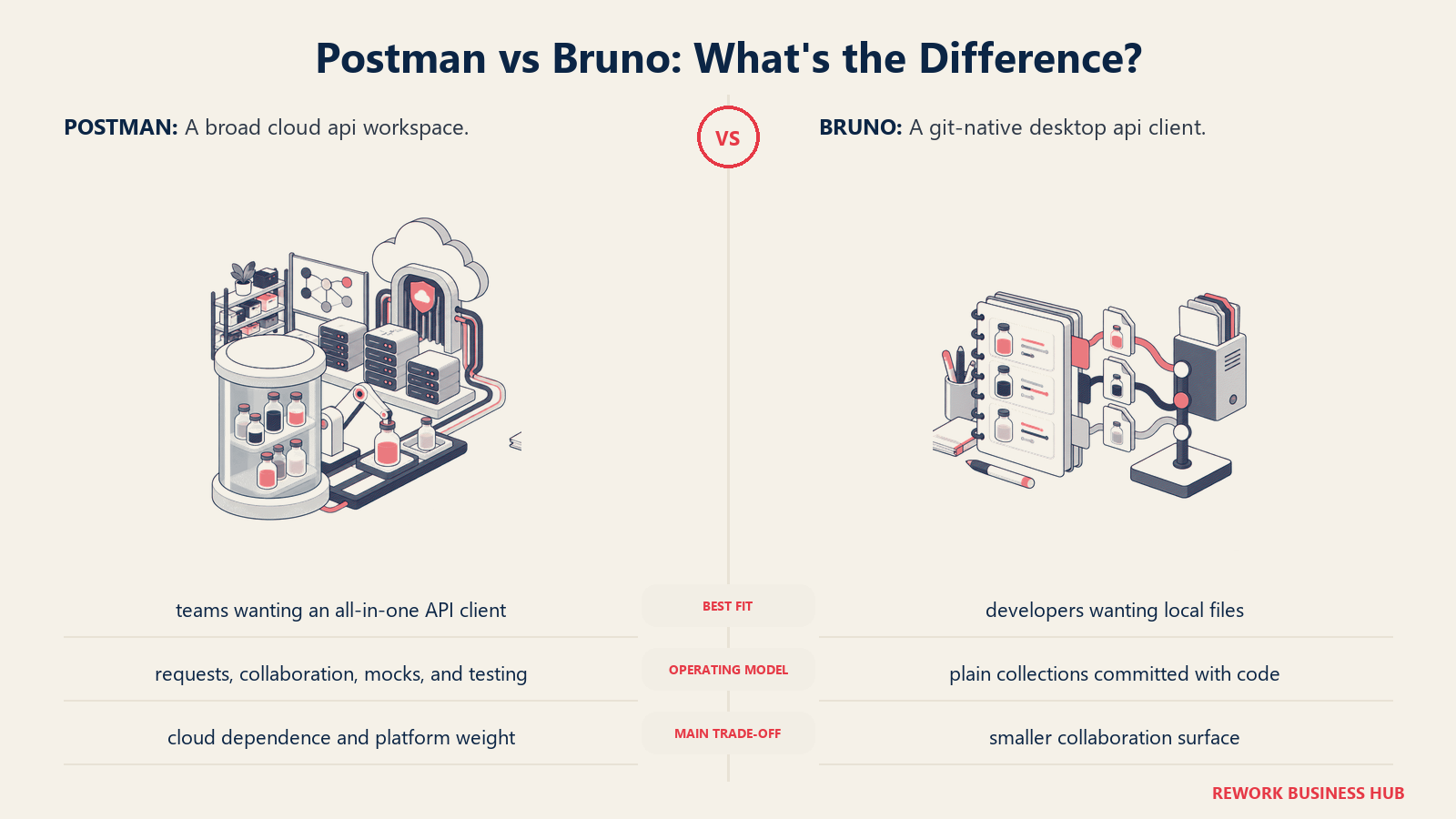
Methodology: Bruno treats API collections as code artifacts, not SaaS data. The tool's philosophy is that your API definitions should live where your code lives, be reviewable like code, and be free from vendor lock-in. It's built with Electron but keeps a deliberately small footprint.
Target audience: Backend and full-stack developers who are Git-centric and want their API collections under version control. Security-conscious teams. Open source projects. Companies in regulated industries where storing API collections on a third-party cloud is a compliance risk.
| Pros | Cons |
|---|---|
Collections stored as plain .bru files in your repo |
No cloud sync by design; requires Git for sharing |
| Open source (MIT); free for individuals | Team collaboration features (Git UI, OAS gen) require paid Pro |
| Scripting with JavaScript; supports environments | Smaller ecosystem than Postman; fewer community-shared collections |
| No account required to use core features | UI is functional but less polished than Postman |
Sizing fit:
| Team Size | Fit |
|---|---|
| Solo developer | Excellent: free, no limits, no account needed |
| Small team (2-10) | Excellent: collections in Git = natural collaboration |
| Mid-size (10-50) | Strong: Pro tier adds Git UI and priority support |
| Enterprise (50+) | Good: Ultimate tier adds test reports and secret managers |
Stage fit: Any stage, but particularly strong for startups and growth teams that already have engineering-first cultures and treat configuration-as-code seriously.
Team vs company-wide: Engineering tool. Backend developers, QA engineers, and API teams.
Pricing: Free and open source. Pro at $6/user/month. Ultimate at $11/user/month.
Best for: Developers who want API collections version-controlled in Git, with no cloud sync and no vendor lock-in.
2. Insomnia: The Versatile Cross-Protocol Client
Insomnia (built by Kong) is the most direct feature-for-feature Postman replacement on this list. It covers REST, GraphQL, gRPC, WebSockets, and Server-Sent Events in a single client, with a UI that will feel immediately familiar to Postman users. Importantly, Insomnia offers both cloud sync and Git sync, letting teams choose whether collections live in Insomnia's cloud or in their own repositories.
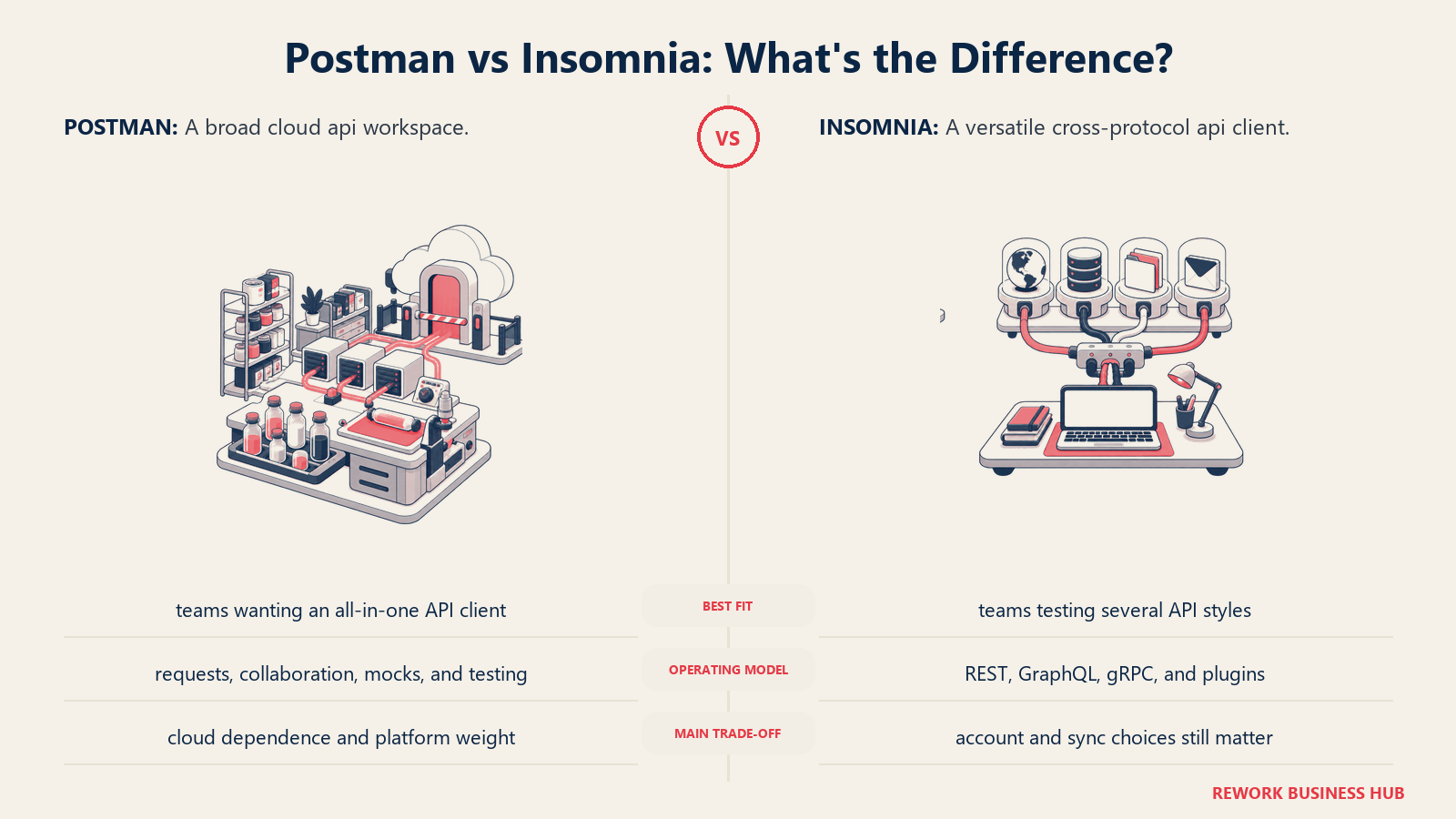
Methodology: Insomnia's philosophy is that API developers shouldn't have to choose between a great GUI and protocol flexibility. It handles every modern API protocol in one place, with an IDE-like experience for debugging and testing.
Target audience: Backend developers and API engineers who work across multiple protocols. QA engineers who need a GUI-first testing workflow. Teams that want Postman's collaboration model at a lower cost point. The ICP is a full-stack or backend developer at a growth-stage company working on REST and GraphQL APIs who is frustrated by Postman's pricing or cloud-sync behavior.
| Pros | Cons |
|---|---|
| REST, GraphQL, gRPC, WebSocket, SSE in one client | Team plan at $10/user/mo adds up for large teams |
| Git sync as an alternative to cloud storage | Git sync setup requires some configuration |
| Familiar Postman-like UI; low migration friction | Enterprise plan pricing is not publicly listed |
| OpenAPI linting and spec editor built in | Plugin ecosystem smaller than Postman's |
Sizing fit:
| Team Size | Fit |
|---|---|
| Solo developer | Excellent: generous free tier |
| Small team (2-10) | Strong: Team plan is $10/user/mo vs Postman's $19 |
| Mid-size (10-50) | Good: cheaper than Postman at scale |
| Enterprise (50+) | Moderate: Enterprise pricing not public; contact sales |
Stage fit: All stages. The free tier is solid for individual developers. The Team plan scales reasonably through mid-market. A 10-person team on Insomnia Team saves over $2,000/year compared to Postman Professional.
Team vs company-wide: Engineering. API developers, QA, platform teams.
Pricing: Free (individuals). Team at $10/user/month. Enterprise: contact sales.
Best for: Teams migrating from Postman who want a familiar GUI with multi-protocol support and the option to store collections in Git rather than the cloud.
3. Hoppscotch: The Browser-Based Open Source Option
Hoppscotch is a fast, browser-based API development tool that's fully open source and self-hostable. It started life as a single-page app for quick API testing without installing anything, and has grown into a collaborative platform. The key appeal: you can spin up Hoppscotch in a browser, test an endpoint in 30 seconds, and walk away with no account, no install, and no overhead.
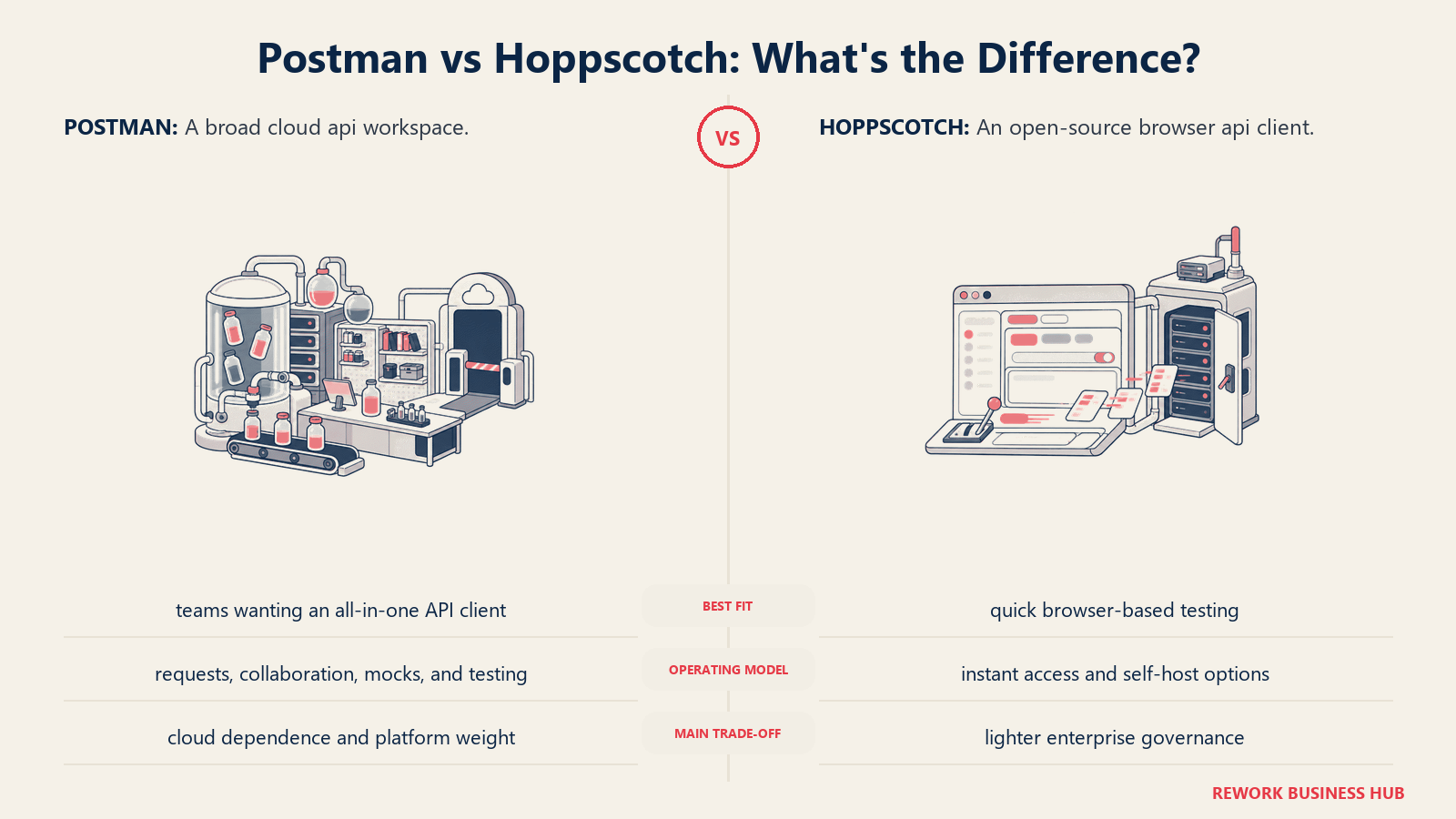
Methodology: Hoppscotch prioritizes accessibility and openness. The bet is that API testing should be frictionless: open a browser tab, paste an endpoint, fire a request. The platform extends this to team collaboration through its organization tier, and to on-premise deployment for teams that want self-hosted control.
Target audience: Individual developers who want a zero-install testing workflow. Frontend developers who occasionally test APIs and don't want a full desktop client. Teams with GDPR or data residency concerns who want to self-host. Open source projects. The ICP is a developer who needs to quickly test an API without installing or logging into anything.
| Pros | Cons |
|---|---|
| Works in a browser: no install, no account for basic use | Scripting and test automation less powerful than Postman or Insomnia |
| Open source (MIT); self-hostable | UI collection management not as deep as a desktop client |
| Real-time collaboration on the Organization plan | Desktop app is available but browser is the primary surface |
| REST, GraphQL, WebSocket, SSE, MQTT support | Community ecosystem smaller than Postman's |
Sizing fit:
| Team Size | Fit |
|---|---|
| Solo developer | Excellent: free, browser-only, instant access |
| Small team (2-10) | Good: Organization plan at $6/user/mo |
| Mid-size (10-50) | Moderate: works, but desktop clients may serve complex workflows better |
| Enterprise (50+) | Limited: self-host is viable, but enterprise features are basic |
Stage fit: Great for early-stage teams, developers at organizations restricting software installs, and any team where a browser-based tool is easier to standardize than a desktop app.
Team vs company-wide: Engineering and QA. Frontend developers especially.
Pricing: Free (cloud). Organization at $6/user/month. Self-hosted: free.
Best for: Developers who want instant, zero-install API testing in a browser, with self-hosting available for data-sovereign teams.
4. Apidog: The All-in-One API Workspace
Apidog is an ambitious all-in-one platform: API design (OpenAPI spec editor), API testing (Postman-style collection runner), mock servers, and API documentation in a single tool. The pitch is that you shouldn't need Postman for testing, Swagger UI for docs, and a separate mock server for development. Apidog replaces all three.
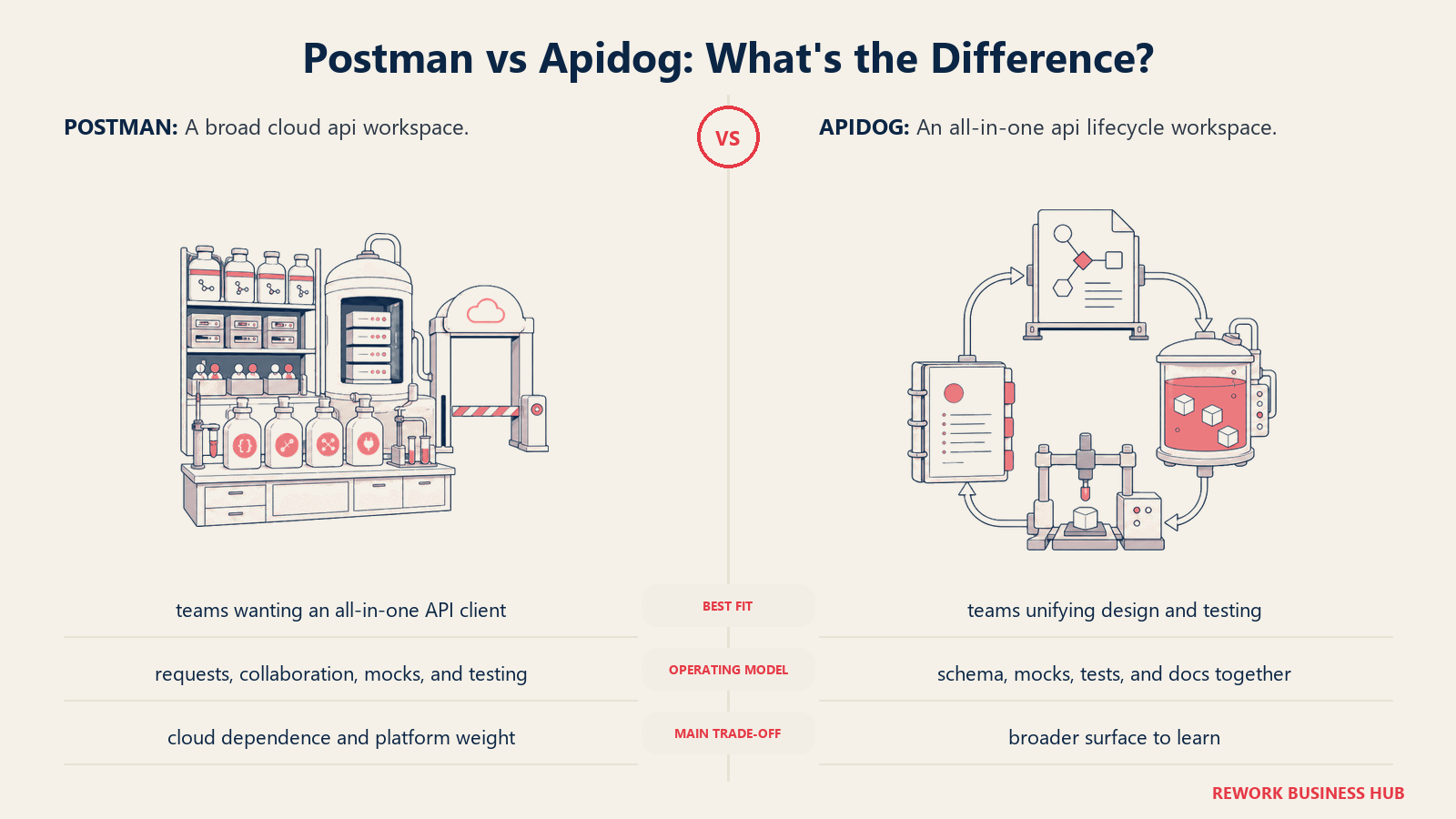
Methodology: Apidog's philosophy is that the API lifecycle (design, test, mock, document) should live in a single workspace where changes in the spec automatically propagate to tests and docs. It's the most "platform" of the options in this list.
Target audience: Full-stack development teams and platform engineering groups who are tired of stitching together separate tools for each stage of the API lifecycle. Product-minded engineering teams at companies building APIs as a product. The ICP is an engineering lead at a startup or growth-stage company who wants a single tool their backend, QA, and frontend developers all use.
| Pros | Cons |
|---|---|
| API design, testing, mocking, and docs in one tool | Feature depth means a steeper onboarding curve |
| Free tier supports up to 4 users (better than Postman) | Some advanced features still maturing |
| OpenAPI spec stays in sync with tests and docs automatically | Heavier than a simple API client if you only need testing |
| Local mock servers for frontend teams to develop against | Fewer community-shared collections than Postman |
Sizing fit:
| Team Size | Fit |
|---|---|
| Solo developer | Good: free tier, full-featured |
| Small team (2-10) | Excellent: free tier covers 4 users; Basic plan for more |
| Mid-size (10-50) | Strong: Professional and Enterprise tiers |
| Enterprise (50+) | Good: SSO and on-prem deployment on Enterprise |
Stage fit: Particularly strong at growth stage, where teams are building APIs seriously and starting to care about documentation, mocking, and developer experience but haven't yet standardized on a complex enterprise toolkit.
Team vs company-wide: Backend, QA, and frontend engineering. Can span to technical product managers.
Pricing: Free (up to 4 users). Basic at $9/month. Professional at $18/month. Enterprise at $27/month.
Best for: Engineering teams who want to replace Postman, Swagger UI, and their mock server with a single integrated tool.
5. Thunder Client: API Testing Without Leaving VS Code
Thunder Client is a VS Code extension that brings REST API testing directly into the editor. If you live in VS Code, switching to Postman or Insomnia means opening a second application, managing a separate workspace, and context-switching out of your coding flow. Thunder Client eliminates that switch. You stay in VS Code, open the Thunder Client panel, and test your API from within the same window where you wrote it.
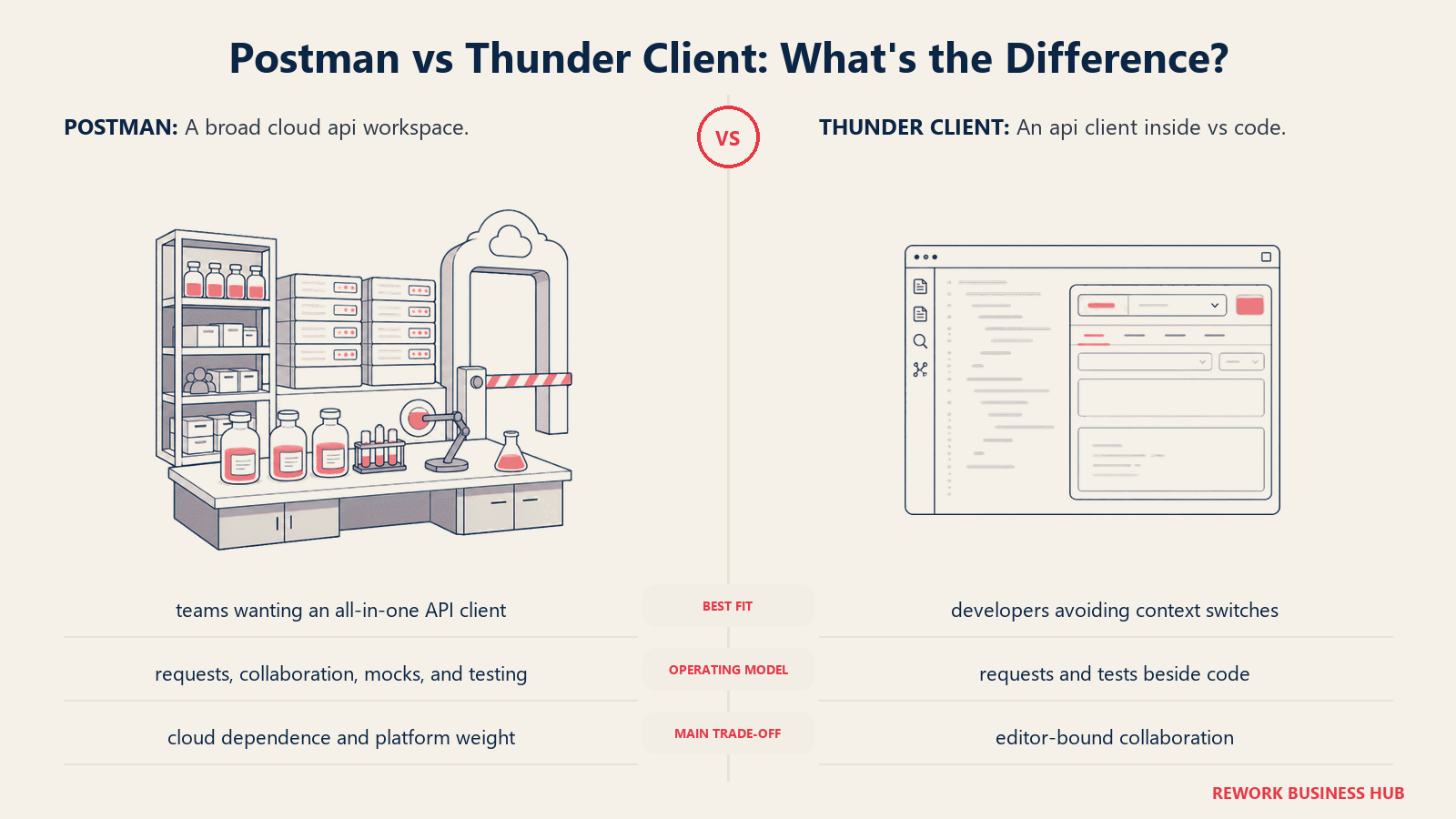
Methodology: Thunder Client's philosophy is editor-embedded API testing. Keep developers in their flow state. No separate app, no switching contexts, no separate account for basic testing. The trade-off is that the tool is less powerful than a full desktop API client: scripting and complex test workflows are more limited.
Target audience: Backend and full-stack developers who do most of their work in VS Code and want quick API testing without leaving the editor. Individual developers and small teams. Developers building Node.js, Python, or Go services who want to test endpoints they just wrote. The ICP is a solo or small-team developer who finds a full Postman setup heavier than the job requires.
| Pros | Cons |
|---|---|
| Zero context-switching: test APIs in VS Code | Free tier limits collection runs to 30/month (non-commercial only) |
| Lightweight and fast with no separate Electron app | Less powerful scripting than Postman or Insomnia |
| REST, GraphQL, WebSocket, SSE, gRPC support | Business plan required for team sync ($7/user/mo) |
| Import existing Postman collections | VS Code-only: no separate desktop client |
Sizing fit:
| Team Size | Fit |
|---|---|
| Solo developer | Excellent: stays in the editor, minimal overhead |
| Small team (2-10) | Good: Business plan enables collection sync |
| Mid-size (10-50) | Moderate: works, but dedicated clients offer more scripting depth |
| Enterprise (50+) | Limited: not designed for enterprise workflows |
Stage fit: Strong at every stage for individual developers. Team sharing becomes relevant at growth stage when consistent collections matter for QA and onboarding.
Team vs company-wide: Individual developer tool. Works in a team context with a paid plan, but it's most natural as a personal productivity tool.
Pricing: Free (individual, non-commercial). Individual paid at $49/year. Business at $7/user/month.
Best for: VS Code developers who want fast, in-editor API testing without switching applications or paying for a heavy desktop client.
6. HTTPie: Human-Readable API Testing for CLI and Desktop
HTTPie started as a CLI tool with a simple premise: make HTTP requests as readable as possible. Instead of a curl command that looks like a cryptographic algorithm, an HTTPie request reads like English. It has since expanded to a desktop GUI app and a web interface, all sharing the same design philosophy: API testing should be readable, not cryptic.
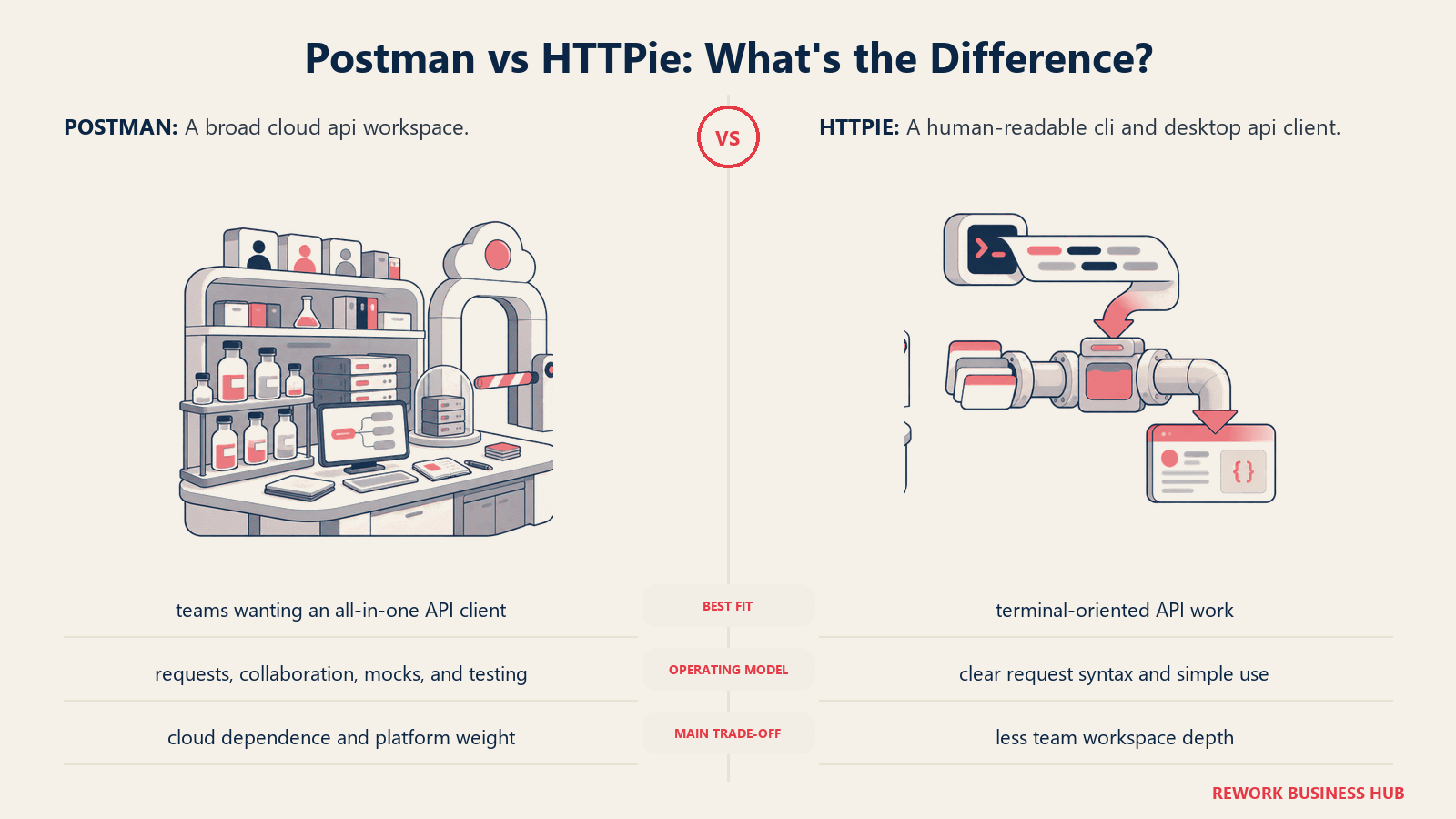
Methodology: HTTPie bets that readability is productivity. JSON request bodies are formatted automatically. Responses are syntax-highlighted. Request history is searchable. The CLI and desktop app share the same collection format. For developers who live in terminals and want a tool that complements that workflow rather than fighting it, HTTPie is the natural choice.
Target audience: Backend developers, DevOps engineers, and platform engineers who prefer CLI workflows but want an upgrade from raw curl. Developers who script API calls in terminal sessions and want those scripts to be readable by teammates. Teams that mix terminal and GUI work. The ICP is a senior backend engineer or platform engineer who writes shell scripts, is comfortable in the terminal, and finds Postman's GUI too heavy for their daily API calls.
| Pros | Cons |
|---|---|
| Highly readable request/response syntax | Not a heavyweight test automation platform |
| CLI, desktop, and web interface share the same format | Scripting and test assertions less deep than Insomnia |
| Free: both CLI and desktop are free to use | Desktop app is less mature than the CLI |
| Sessions, auth flows, and plugins available in CLI | Smaller community than Postman for sharing collections |
Sizing fit:
| Team Size | Fit |
|---|---|
| Solo developer | Excellent: free, readable, works immediately |
| Small team (2-10) | Good: collections can be shared, though less collaboration UI |
| Mid-size (10-50) | Moderate: better as a personal tool than a team platform |
| Enterprise (50+) | Not the right fit for structured team workflows |
Stage fit: Useful at any stage as a personal productivity tool or for scripting in CI pipelines. Not a platform-level tool for organizing and scaling API testing across a team.
Team vs company-wide: Individual developer or terminal-heavy engineering workflows.
Pricing: Free. CLI is open source. Desktop app is free to download. No paid tier for core features.
Best for: Backend and DevOps engineers who want a readable, minimal API client in their terminal workflow and a matching desktop GUI for visual inspection.
7. Yaak: The Clean, Private Desktop Client
Yaak is a newer, cross-platform desktop API client that prioritizes privacy, simplicity, and speed. All data stays local by default. There's no cloud sync, no account required for personal use, and no telemetry that phones home. It covers REST, GraphQL, WebSockets, Server-Sent Events, and gRPC with a clean interface that's deliberately less cluttered than Postman.
Methodology: Yaak's philosophy is local-first and minimal-footprint. The tool is built on Tauri (not Electron), which makes it notably faster to launch and lighter on memory than Postman or Insomnia. The commercial license funds active open-source development, and the pricing model is straightforward: free for personal use, $50/seat/year for commercial work.
Target audience: Individual developers and small teams who want a fast, private desktop client without the cloud overhead. Developers frustrated by Electron-based bloat. Teams where data privacy is a first-class concern. The ICP is a backend developer or API engineer who wants a clean, responsive tool that respects their machine's resources and doesn't require an account.
| Pros | Cons |
|---|---|
| Built on Tauri: faster launch, lower memory than Electron | Newer tool; smaller community and ecosystem |
| Fully local by default; no cloud sync, no account needed | Fewer integrations than mature tools |
| Cross-platform: macOS, Windows, Linux | No hosted team collaboration layer |
| Transparent, simple pricing ($50/seat/yr commercial) | Plugin/extension ecosystem is still early |
Sizing fit:
| Team Size | Fit |
|---|---|
| Solo developer | Excellent: free for personal use, fast and clean |
| Small team (2-10) | Good: commercial license per seat, collections shared via file system |
| Mid-size (10-50) | Moderate: works, but lacks team collaboration UI |
| Enterprise (50+) | Not designed for enterprise workflows |
Stage fit: Strong for early-stage and individual developers. Small teams at any stage who prioritize privacy and performance over collaboration features.
Team vs company-wide: Individual developer tool. Can be used in teams where collections are shared via Git or file sharing.
Pricing: Free for personal use. Commercial license at $50/seat/year. No per-month option.
Best for: Developers who want a fast, private, non-Electron desktop client with no cloud sync and clean local storage.
8. RapidAPI for Mac: The Native Mac API Client
RapidAPI for Mac (formerly Paw, acquired by RapidAPI in 2021) is the premium Mac-native API client. It's not Electron. It's written for macOS using native frameworks, which means it feels like a real Mac app: keyboard shortcuts work the way you expect, the UI follows macOS conventions, and performance on Apple Silicon is excellent. If you're a macOS-first developer and the Mac experience matters, nothing else on this list matches it.
Methodology: RapidAPI for Mac's philosophy is that Mac developers deserve a native-class experience, not a ported Electron app. It covers REST, GraphQL, and XML/SOAP with a beautiful interface, powerful dynamic values system (for generating authentication tokens, UUIDs, and computed request parameters automatically), and extension support.
Target audience: Mac developers who value native performance and UI quality. Backend engineers and API architects at companies standardized on macOS. The ICP is a senior macOS developer or tech lead who spends significant time in API tools and won't accept an Electron app's sluggish feel or memory overhead.
| Pros | Cons |
|---|---|
| Native macOS app: best-in-class Mac performance | Mac-only: excludes Windows and Linux teammates |
| Powerful dynamic values for computed parameters | Team sync requires the paid plan ($10/user/mo) |
| Extension ecosystem for custom code generators | Less active community development since RapidAPI acquisition |
| Supports REST, GraphQL, XML/SOAP | Some users report the acquisition slowed feature development |
Sizing fit:
| Team Size | Fit |
|---|---|
| Solo developer | Excellent: free tier works well |
| Small team (2-10) | Good: if the whole team is on Mac |
| Mid-size (10-50) | Moderate: Mac-only limits cross-platform teams |
| Enterprise (50+) | Limited: cross-platform gap is a problem at scale |
Stage fit: Strong for individual and small teams on Mac. The Mac-only nature becomes limiting at growth and mid-market scale, where team members are likely on mixed OS environments.
Team vs company-wide: Engineering tool for Mac-first teams.
Pricing: Free (personal, professional use). Team plan at $10/user/month.
Best for: Mac developers and small all-Mac teams who want a native, polished API client and are willing to pay for team sync.
9. REST Client (VS Code Extension): Code-First API Testing
REST Client is a free VS Code extension that takes a fundamentally different approach: instead of a separate GUI or collection browser, you write your HTTP requests as plain text in .http files inside your project directory. Press a button next to the request in the editor, and the response appears in a panel beside it. The collections are your .http files. They live in your Git repository. They change in pull requests. They're readable without installing anything.
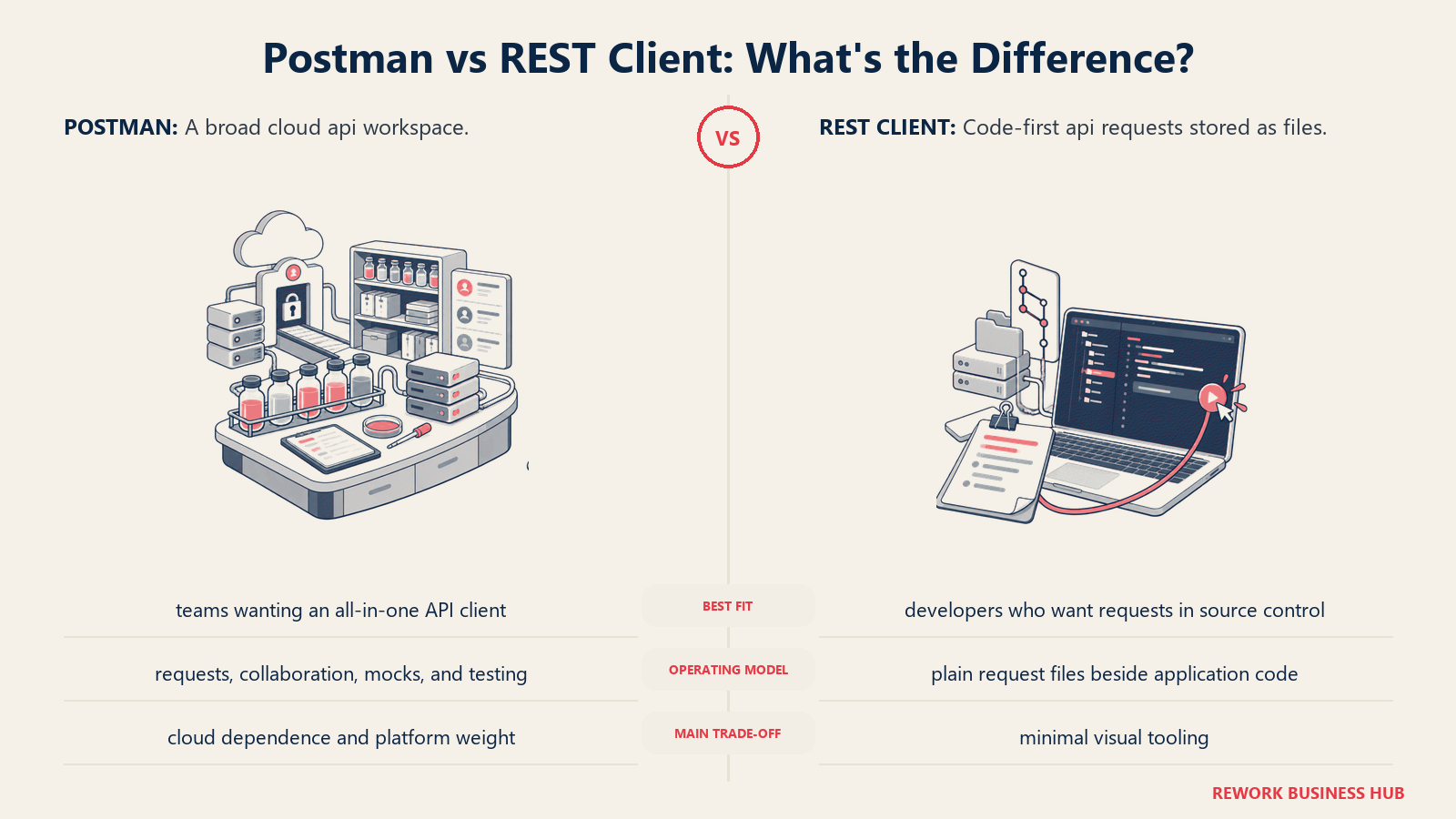
Methodology: REST Client treats API requests as code artifacts, not GUI configurations. An .http file with your API calls serves as both a test harness and living documentation. Other developers can run the same requests without any account, sync, or additional tool setup. Just VS Code and the free extension.
Target audience: Developers who strongly prefer text-based, code-centric workflows. Backend engineers who value documentation-as-code. Teams where API calls should be reviewable in pull requests. The ICP is a senior backend engineer or tech lead who finds GUI-based collection managers unnecessarily complex for what is fundamentally just an HTTP request.
| Pros | Cons |
|---|---|
| Completely free, open source | No GUI collection browser or visual organization |
| .http files live in your repo, versioned with code | More manual than a full API client for complex workflows |
| No account, no sync, no vendor lock-in | Limited scripting and test assertion capabilities |
| Active maintenance; 1.4M+ VS Code installs | VS Code only with no standalone desktop option |
Sizing fit:
| Team Size | Fit |
|---|---|
| Solo developer | Excellent: zero cost, zero friction |
| Small team (2-10) | Good: shared .http files in repo = built-in collaboration |
| Mid-size (10-50) | Moderate: works, but organizing many .http files gets unwieldy |
| Enterprise (50+) | Not practical for managing large API test suites |
Stage fit: All stages for developers who prefer this approach. Most natural at early to growth stage before organizations need structured API governance.
Team vs company-wide: Engineering tool. Backend developers primarily.
Pricing: Free. Open source. Available in the VS Code marketplace.
Best for: Developers who want API requests in their codebase as text files, reviewable in PRs, with zero external tooling or accounts.
10. Firecamp: Multi-Protocol Collaborative API Testing
Firecamp is an open-source API platform built specifically for multi-protocol testing: REST, GraphQL, WebSockets, and Socket.IO in a single workspace. Where it differentiates itself is real-time collaboration: multiple team members can work on API requests simultaneously in the same workspace, more like a collaborative docs experience than a traditional API client. It's positioned as a developer-first, privacy-respecting Postman alternative.
Methodology: Firecamp's philosophy is that API development is increasingly collaborative and multi-protocol. REST-only tools miss half the picture for teams building real-time features with WebSockets or event-driven APIs with Socket.IO. Firecamp covers all of those in one place, with a focus on open-source availability and team collaboration.
Target audience: Full-stack teams building real-time features (chat, notifications, live updates) who need to test WebSocket and Socket.IO APIs alongside their REST and GraphQL endpoints. Teams who want an open-source collaborative client without paying Postman rates. The ICP is a full-stack or backend developer at a startup or growth-stage product company building real-time features.
| Pros | Cons |
|---|---|
| REST, GraphQL, WebSocket, Socket.IO in one workspace | Smaller community and ecosystem than Postman or Insomnia |
| Open source with self-hosting option | Feature maturity varies across protocols |
| Real-time collaborative editing | Fewer third-party integrations |
| Free tier includes core features | Documentation is thinner than established tools |
Sizing fit:
| Team Size | Fit |
|---|---|
| Solo developer | Good: free, covers multiple protocols |
| Small team (2-10) | Good: collaboration features shine here |
| Mid-size (10-50) | Moderate: depends on protocol needs |
| Enterprise (50+) | Limited: ecosystem and support not enterprise-grade |
Stage fit: Strong for startups and growth-stage teams building real-time features who want a free, open-source multi-protocol client.
Team vs company-wide: Engineering tool. Full-stack and backend developers.
Pricing: Free for core features. Open source (MIT). See firecamp.io for current team plan details.
Best for: Teams who need to test WebSocket or Socket.IO APIs alongside REST and GraphQL in a single collaborative workspace.
11. Testfully: Testing and Monitoring in One Tool
Testfully combines API testing with built-in API monitoring, a pairing most tools treat as separate products. You build your API test collections in Testfully, then schedule those same collections to run on a continuous basis as health monitors. Instead of a separate uptime monitoring tool and a separate testing tool, Testfully handles both from one workspace.
Methodology: Testfully's philosophy is that writing an API test and setting up an API health check are the same activity. The same collection you use to validate your API during development can be scheduled to run against your production environment every few minutes. The platform is commercially licensed even on the free tier, which avoids the friction of Thunder Client's non-commercial free limitation.
Target audience: QA engineers and backend developers at startups and growth-stage companies who want API testing and monitoring without buying two tools. Platform engineers who monitor microservice health. Teams that want their API regression tests to double as production monitors. The ICP is a QA lead or senior backend developer at a company with 10-100 engineers who is tired of paying separately for a testing tool and a monitoring tool.
| Pros | Cons |
|---|---|
| API testing and monitoring in a single workspace | Monitoring credits are add-on beyond base plan |
| Free tier is commercially licensed (not limited to personal use) | Paid plans start at $49/month |
| Offline workspaces for local development | Smaller community than Postman |
| Straightforward, honest pricing | Less powerful for scripting-heavy test workflows |
Sizing fit:
| Team Size | Fit |
|---|---|
| Solo developer | Good: free tier covers testing |
| Small team (2-10) | Good: monitoring adds real value at this scale |
| Mid-size (10-50) | Strong: testing + monitoring ROI is clear |
| Enterprise (50+) | Moderate: larger orgs may need more advanced enterprise features |
Stage fit: Strong at growth and mid-market stages where teams are investing in API reliability but don't want to buy separate tooling for testing and monitoring.
Team vs company-wide: Engineering and QA. Can involve SRE and DevOps for the monitoring side.
Pricing: Free (core features). Paid plans start at $49/month. Monitoring credits available as add-ons.
Best for: QA engineers and backend developers who want their API test collections to double as production health monitors without buying a separate uptime tool.
12. ReadyAPI (SmartBear): Enterprise-Grade API Testing
ReadyAPI is the enterprise end of the spectrum. It's SmartBear's commercial API testing platform, built for teams that need functional testing, load/performance testing, security testing, and API virtualization all in one governed environment. The open-source SoapUI underpins its REST and SOAP testing capabilities, but ReadyAPI adds load testing, data-driven testing, CI/CD pipeline integration, and team governance on top.
Methodology: ReadyAPI treats API testing as a formal engineering discipline, not a developer convenience. It's designed for organizations with QA departments, compliance requirements, and multi-environment release processes. The tool covers SOAP (still common in enterprise), REST, GraphQL, and microservices with a depth that no other tool in this list matches for pure test engineering rigor.
Target audience: QA leads and test automation engineers at enterprises and mid-market companies with formal quality assurance processes. Organizations in finance, healthcare, or government where API testing is tied to compliance requirements. Teams that run load and security tests alongside functional tests. The ICP is a QA director or senior test engineer at a company with 50-500 engineers where testing rigor is a professional requirement, not an afterthought.
| Pros | Cons |
|---|---|
| Functional, load, performance, and security testing in one tool | Expensive: starts around $749/user/year for the Test module |
| SOAP, REST, GraphQL, and microservices all covered | Steep learning curve; heavyweight for simple use cases |
| Strong CI/CD integration (Jenkins, Azure DevOps, etc.) | Pricing is not publicly listed; requires vendor contact for exact quotes |
| Data-driven testing and test parameterization at scale | UI feels dated compared to modern API clients |
Sizing fit:
| Team Size | Fit |
|---|---|
| Solo developer | Not the right tool |
| Small team (2-10) | Too expensive and complex |
| Mid-size (10-50) | Strong: where the investment starts to pay off |
| Enterprise (50+) | Excellent: designed for this environment |
Stage fit: Mid-market and enterprise only. Startups and growth teams should use Insomnia, Bruno, or Apidog instead.
Team vs company-wide: QA and test engineering teams. Not a daily developer tool.
Pricing: Test module from approximately $749/user/year. Load and virtualization modules priced separately. Contact SmartBear for exact current pricing.
Best for: Enterprise QA teams who need structured functional, load, and security API testing with formal CI/CD integration and compliance-grade governance.
Stage Fit Matrix
| Tool | Startup (0-10) | Growth (10-50) | Mid-Market (50-200) | Enterprise (200+) |
|---|---|---|---|---|
| Bruno | Excellent | Strong | Good | Moderate |
| Insomnia | Excellent | Strong | Good | Moderate |
| Hoppscotch | Excellent | Good | Moderate | Limited |
| Apidog | Excellent | Strong | Good | Good (on-prem) |
| Thunder Client | Excellent | Good | Moderate | Limited |
| HTTPie | Excellent | Good | Moderate | Not recommended |
| Yaak | Excellent | Good | Moderate | Not recommended |
| RapidAPI for Mac | Excellent | Good (Mac-only) | Limited | Not recommended |
| REST Client | Excellent | Good | Moderate | Not recommended |
| Firecamp | Good | Good | Moderate | Limited |
| Testfully | Good | Strong | Strong | Moderate |
| ReadyAPI | Not recommended | Limited | Strong | Excellent |
Sizing and Persona Table
| Tool | Team Size Sweet Spot | Primary Buyer | Secondary Buyer |
|---|---|---|---|
| Bruno | 1-50 | Backend Developer | Engineering Lead |
| Insomnia | 1-100 | API Engineer / QA Lead | Director of Engineering |
| Hoppscotch | 1-30 | Individual Developer | Engineering Manager |
| Apidog | 1-100 | Engineering Lead / CTO | QA Lead |
| Thunder Client | 1-20 | Individual Developer | Solo or Small Team Lead |
| HTTPie | 1-10 | Backend / DevOps Engineer | Platform Engineer |
| Yaak | 1-20 | Individual Developer | Privacy-conscious team lead |
| RapidAPI for Mac | 1-20 (Mac) | Senior Mac Developer | Mac-standardized team |
| REST Client | 1-30 | Backend Developer | Engineering Lead |
| Firecamp | 1-30 | Full-Stack Developer | QA Engineer |
| Testfully | 5-100 | QA Lead / Backend Dev | Engineering Manager |
| ReadyAPI | 20-500+ | QA Director | VP Engineering |
How to Choose: Decision Framework
| If you need... | Choose |
|---|---|
| API collections in Git, no cloud sync, privacy-first | Bruno |
| Closest Postman replacement with multi-protocol support | Insomnia |
| Zero-install, browser-based testing with self-host option | Hoppscotch |
| API design, testing, mocking, and documentation in one tool | Apidog |
| API testing inside VS Code without switching applications | Thunder Client |
| Readable CLI and lightweight desktop tool for terminal workflows | HTTPie |
| Fast, local, non-Electron desktop client on any OS | Yaak |
| Native Mac performance and UI quality | RapidAPI for Mac |
| API requests as code files, versioned in your repo | REST Client (VS Code) |
| Multi-protocol including WebSocket and Socket.IO | Firecamp |
| Combined API testing and production health monitoring | Testfully |
| Enterprise functional, load, and security API testing | ReadyAPI |
| Reduce DevOps tooling sprawl across dev stack | Also check best n8n alternatives for API workflow automation |
What Postman Still Does Best
In the interest of honest comparison: Postman's ecosystem advantages are real and worth naming before switching.
| Postman Strength | Who It Matters For |
|---|---|
| Largest public API collection library (shared community collections) | Teams discovering third-party APIs for the first time |
| Mock servers built into the platform | Teams building APIs before backends exist |
| API monitoring built in (paid tiers) | Teams that want uptime monitoring in the same tool |
| Postman Flows (visual API workflow builder) | Non-developer API automation |
| Enterprise governance features (RBAC, SSO, audit logs) at $49/user/mo | Large enterprises with formal API governance requirements |
For teams that heavily use Postman's shared public collections or its API network for discovering external APIs, no alternative in this list replicates that ecosystem. The tools above win on specific dimensions: cost, privacy, performance, or specific protocol depth.
What to Do Next
Pick two candidates from the decision framework, then run a two-week pilot on a real project. Don't evaluate in isolation: take an actual API collection your team uses daily and build it in each candidate tool. The productivity gap you feel on day seven is more reliable than any feature comparison.
For most teams leaving because of Postman's pricing or cloud-sync behavior, Bruno and Insomnia are the two strongest starting points. Bruno if your team is Git-native and wants zero cloud dependency. Insomnia if you want the most familiar GUI experience and a clear cost step-down from Postman's team pricing. If you're building real-time features and need WebSocket testing alongside REST, Firecamp or Hoppscotch are worth an evaluation.
Engineering teams reconsidering their broader dev tooling stack alongside API clients may also want to evaluate their source control and CI/CD setup. The best GitLab alternatives guide covers that side of the stack, and the best GitHub Copilot alternatives covers AI coding tools that increasingly touch the API development workflow directly. For what happens after those APIs ship, best Sentry alternatives compares the error monitoring tools that catch the failures your API tests did not.
Camellia writes about developer tooling and API platforms for engineering teams. Last updated June 2026.

Principal Product Marketing Strategist
On this page
- Quick Comparison Table
- Why Developers Are Actually Leaving Postman
- 1. Bruno: The Git-Native API Client
- 2. Insomnia: The Versatile Cross-Protocol Client
- 3. Hoppscotch: The Browser-Based Open Source Option
- 4. Apidog: The All-in-One API Workspace
- 5. Thunder Client: API Testing Without Leaving VS Code
- 6. HTTPie: Human-Readable API Testing for CLI and Desktop
- 7. Yaak: The Clean, Private Desktop Client
- 8. RapidAPI for Mac: The Native Mac API Client
- 9. REST Client (VS Code Extension): Code-First API Testing
- 10. Firecamp: Multi-Protocol Collaborative API Testing
- 11. Testfully: Testing and Monitoring in One Tool
- 12. ReadyAPI (SmartBear): Enterprise-Grade API Testing
- Stage Fit Matrix
- Sizing and Persona Table
- How to Choose: Decision Framework
- What Postman Still Does Best
- What to Do Next