Best Streak Alternatives in 2026: 13 CRMs for Teams Outgrowing the Inbox

Turn this article into takeaways for your work.


Each assistant summarizes the article only for you and suggests best practices for your work.
Streak is a genuinely clever product. It lives inside Gmail, turns email threads into pipeline stages, and requires zero migration from the inbox your team already lives in. For a solo founder or a two-person sales duo who never want to touch a separate CRM tab, it's hard to argue with that simplicity.
But the inbox-first architecture that makes Streak approachable is also the thing that boxes you in. Streak's pipeline visibility breaks down when more than a couple of reps are working the same funnel: there's no shared inbox view to see who's working which lead without diving into threads. Reporting is thin compared to purpose-built sales tools. The product lives entirely inside Gmail, which means teammates on Outlook, mobile-first workflows, or leads coming through WhatsApp and LinkedIn are effectively excluded. And at $49-$129/user/month for tiers that actually do anything meaningful, Streak isn't the affordable option it once was. Teams that started on Streak as a scrappy solo tool often find themselves paying enterprise-level per-seat rates for something that still can't produce a reliable revenue forecast. If you're at that inflection point, these 13 alternatives are worth a proper look. For a broader view of the market, the best CRM software in 2026 guide segments the full landscape by team size and sales motion.
Quick Comparison Table
| Tool | Best For | Starting Price | Key Strength | Key Limitation |
|---|---|---|---|---|
| Copper | Google Workspace-native teams | $9/seat/month | Official Google Workspace integration | Full pipeline needs Professional ($59/seat) |
| Salesflare | B2B SMBs wanting auto data capture | $29/user/month (Growth, annual) | Automated contact and activity logging | Limited customization vs enterprise tools |
| Rework | Mid-size teams needing unified CRM and lead ops | From $69/mo billed yearly (5 seats); $159/mo with chat inbox (Revenue Engine) | Multi-channel chat inbox, lead routing | Not for solo or sub-5-person teams |
| folk | Relationship-led sales and partnerships | $24/user/month (Standard, annual) | LinkedIn capture, multi-channel messaging | Deal sequences need Premium ($48/seat) |
| Pipedrive | Sales-first teams scaling pipeline ops | $14/user/month (Essential, annual) | Visual pipeline, strong workflow automation | Marketing and ops tools are add-ons |
| HubSpot CRM | Teams wanting free entry and room to grow | Free; $20/seat/month (Starter) | Best free tier in the market | Costs climb fast at Professional and above |
| Close | Outbound-heavy inside sales teams | $35/user/month (Essentials, annual) | Built-in calling, SMS, and email in one UI | Expensive for teams that don't dial |
| Attio | Data-driven, ops-forward startups | Free (3 seats); $29/seat/month (Plus, annual) | Spreadsheet-level flexibility, modern data model | Sequences need Pro ($69/seat) |
| Zoho CRM | Budget-conscious teams needing depth | Free (3 users); $14/user/month (Standard, annual) | Broad feature set at low price | UX complexity, steep learning curve |
| Nutshell | SMBs wanting CRM and email marketing together | $13/user/month (Foundation, annual) | All-in-one with email marketing included | API access locked to Enterprise tier |
| Capsule CRM | Simple CRM for small professional services | Free (2 users); $21/user/month (Starter) | Clean, approachable UI | Thin automation on lower tiers |
| Less Annoying CRM | Very small teams wanting no-frills simplicity | $15/user/month (flat) | Single price, no upsell, genuinely simple | Limited integrations and reporting |
| Insightly | SMBs needing CRM plus project management | $29/user/month (Plus, annual) | CRM-to-project handoff in one tool | Dashboard depth limited on entry tiers |
1. Copper: The Official Google Workspace CRM
Copper is the only CRM with Google's official "Recommended for Google Workspace" badge, and it earned that designation legitimately. It embeds directly into Gmail via a sidebar, auto-populates contacts from Google Contacts, pulls calendar events into deal timelines, and syncs bidirectionally with Google Drive. If your team runs entirely on Google Workspace and never plans to leave, Copper is a more purpose-built Google CRM than Streak.
The key difference from Streak: Copper is a proper CRM that happens to live inside Google's ecosystem, not just a pipeline layer built on top of email threads. Contacts, deals, and activities are stored in Copper's own database. That makes reporting and pipeline management meaningfully more reliable.
Watch out for the pricing architecture. Copper's Starter at $9/seat/month caps at 1,000 contacts and doesn't include Sales Opportunities or Leads, which are the core features of a sales CRM. For real pipeline management, you need Professional at $59/seat/month. That's a significant jump. Teams comparing Copper to Streak often find the plan they actually need puts Copper at the same price level or higher. See our best Copper alternatives guide if you're evaluating where that gap matters.
| Pros | Cons |
|---|---|
| Only CRM with official Google Workspace designation | Professional plan ($59/seat) required for real pipeline features |
| Gmail sidebar with auto-populated contacts | Starter and Basic don't include Leads or Opportunities |
| Native Google Drive, Calendar, and Docs integration | Limited automation on lower tiers |
| Clean, familiar interface for Google-native teams | Not suitable for teams outside Google's ecosystem |
Pricing: Starter $9/seat/month, Basic $23/seat/month, Professional $59/seat/month, Business $99/seat/month. Annual billing saves roughly 26%. See copper.com/pricing.
Best for: Google Workspace-native sales teams of 5-50 who want their CRM to live inside the tools they already use, and can justify the Professional tier for full pipeline access.
2. Salesflare: Automated CRM for B2B Small Teams
Salesflare's core pitch is automation: it eliminates the manual data entry that makes most CRMs feel like homework. It pulls contact information from email signatures, calendar events, and LinkedIn, logs calls and meetings automatically, and builds a timeline of interactions without a rep lifting a finger. For B2B teams where the problem is CRM adoption because reps won't log their activity, Salesflare removes the main reason they resist.
The product is built specifically for B2B SMBs: small to mid-size companies selling to other businesses, usually with a 5-30 person sales team. It integrates with Gmail and Outlook, has a mobile app that works well, and includes a LinkedIn sidebar for capturing contacts from prospecting workflows. It's not trying to compete with Salesforce on customization or with HubSpot on marketing depth. It's a focused sales tool for teams that want their data logged without manual work.
One real limitation: Salesflare's customization ceiling is lower than Pipedrive or Zoho. If your pipeline stages, contact properties, or reporting requirements are non-standard, you may hit the walls faster than expected.
| Pros | Cons |
|---|---|
| Automated contact and activity logging | Limited customization compared to full-featured CRMs |
| Gmail, Outlook, and LinkedIn integration | Not built for large or enterprise teams |
| Clean pipeline and reporting UI | No marketing automation built in |
| Strong mobile app for field teams | Fewer native integrations than HubSpot or Zoho |
Pricing: Growth $29/user/month (annual), Pro $49/user/month (annual), Enterprise $99/user/month (5-user minimum). 30-day free trial. See salesflare.com/pricing.
Best for: B2B teams of 5-30 where manual CRM entry is an adoption problem and automated data capture is the priority.
3. Rework: Unified CRM and Lead Management for Multi-Rep Teams
Rework is a purpose-built Sales Ops platform: CRM, lead management, pipeline automation, and a multi-channel chat inbox (WhatsApp, Messenger, Instagram, TikTok, Telegram, LINE, Zalo, and live chat), with web-form and ad leads captured into the same pipeline. Email runs through a separate Mail app, and there is no built-in phone channel. Where Streak lives inside Gmail and handles one channel, Rework brings chat, form, and ad leads into a single pipeline. Leads route automatically, reps work from a shared inbox without stepping on each other, and managers get cross-team visibility without pulling a spreadsheet export.
The target audience is 5-50 person sales teams that have outgrown the shared-inbox model, specifically teams where leads come through more than one channel and where missed handoffs cost real revenue. Rework isn't the right tool for a solo operator who just wants a CRM attached to their Gmail account, and it's not positioning itself as an enterprise consolidation play for 500-seat deployments.
If you're evaluating Rework because you've run into Streak's reporting limits, the thing to look at is cross-team reporting: you can see pipeline by rep, by source, and by lead lifecycle stage without exporting anything. Its Lead app also handles sequences and automations natively, which Streak doesn't.
| What you get | What you don't |
|---|---|
| Multi-channel chat inbox (WhatsApp, Messenger, Instagram, live chat) plus web-form capture | Not suited for solo or 1-2 person teams |
| Cross-team lead visibility and routing | Requires a 5-user minimum commitment |
| Custom fields, automation, and pipeline stages | Not a Gmail-native sidebar experience |
| CRM and lead capture in a single product | No free tier (14-day free trial only) |
| Annual pricing model that gets better per-seat as you scale | Not an enterprise Salesforce replacement for 500 seats |
Pricing: The Sales Engine (CRM) is $69/month billed yearly, or $80 month to month, with 5 sales seats included; extra seats come in blocks of 5 ($21/month per block on yearly billing). The Revenue Engine ($159/month billed yearly) adds the multi-channel inbox and lead capture. See rework.com/pricing.
Best for: Teams of 5-50 people who receive leads through multiple channels (WhatsApp, social, web forms, ads) and need shared pipeline visibility without paying HubSpot Professional prices.
Not ideal for: Solo operators who just want a CRM inside Gmail, or companies that need to stay entirely within the Gmail interface as Streak provides.
4. folk: Relationship-Led CRM with Multi-Channel Messaging
folk is a modern CRM built for relationship-driven sales motions: partnerships, business development, investor relations, agency pipeline, and sales roles where the relationship matters more than the volume. It's built around contact management first, with LinkedIn capture via a Chrome extension (folkX), WhatsApp and email integration, and AI-assisted fields (Magic Fields) that auto-populate contact properties.
Where Streak sits inside Gmail and Salesflare focuses on B2B sales automation, folk focuses on the quality of relationship tracking across channels. You can see every interaction across email, WhatsApp, and LinkedIn in a single contact view, which makes it genuinely useful for teams where relationships span multiple platforms.
The pricing architecture is worth knowing before you evaluate. The Standard plan ($24/user/month annual) handles pipeline and multi-channel contact management, but custom objects, email sequences, advanced roles, and dashboards all require Premium ($48/user/month annual). Teams doing outbound sequencing will need that tier. See our best folk alternatives guide for the broader competitive picture.
| Pros | Cons |
|---|---|
| LinkedIn capture via Chrome extension | Sequences and dashboards need Premium ($48/seat) |
| Multi-channel contact timeline (email, WhatsApp, LinkedIn) | Smaller integration ecosystem than Pipedrive or HubSpot |
| AI Magic Fields for auto-populated contact data | Less suited for high-volume pipeline |
| Clean, modern UI | 500 shared enrichment credits per month workspace-wide |
Pricing: Standard $24/user/month (annual) or $30/month. Premium $48/user/month (annual) or $60/month. Custom from $80/user/month (annual). See folk.app/pricing.
Best for: Teams running partnership, BD, agency, or relationship-led sales where multi-channel relationship tracking matters more than pipeline volume.
5. Pipedrive: Sales-First Pipeline Management
Pipedrive is one of the most mature sales-first CRMs in this price range. It was built on the philosophy that salespeople should always know their next action on every deal, and the product enforces that through its activity-centric pipeline view. You can't have a deal without a next step. That constraint is annoying for teams that want total flexibility, but it's highly effective for keeping sales teams moving.
At $14/user/month for the Essential plan, Pipedrive offers core pipeline management, unlimited contacts, and deal tracking at a price point that beats Streak's Pro tier substantially. The Advanced plan at $29/user/month adds two-way email sync and basic workflow automation. Professional at $59/user/month unlocks custom reporting and forecasting.
Pipedrive's limitation is that it's a sales-specific tool. Marketing automation, project management, and deep customer success features require add-ons or integrations. If you need a single platform across sales and marketing, HubSpot or Rework is more appropriate. But if you want the best pure-play pipeline management tool in this price range, Pipedrive is hard to beat. The best Pipedrive alternatives guide covers the full competitive set.
| Pros | Cons |
|---|---|
| Activity-enforced pipeline keeps reps moving | Marketing and project features require add-ons |
| Visual pipeline is among the cleanest in the market | Reporting limited to Professional and above |
| Strong workflow automation on Advanced and higher | No free tier; 14-day trial only |
| Large integration marketplace | Email marketing requires Campaigns add-on ($16/month) |
Pricing: Essential $14/user/month, Advanced $29, Professional $59, Power $69, Enterprise $99 (all annual). See pipedrive.com/en/pricing.
Best for: Sales-specific teams of 5-100 who want best-in-class pipeline management without the overhead of a full CRM suite.
6. HubSpot CRM: The Best Free Tier, With a Catch
HubSpot's free CRM is the most generous free tier in the market: unlimited users, up to 1 million contacts, email tracking, deal pipelines, forms, and live chat. For teams coming from Streak who want to explore a proper CRM without committing budget, it's the obvious first stop.
The catch is well-documented. HubSpot's free tier puts HubSpot branding on every customer-facing asset and limits automation and reporting. The features that make HubSpot genuinely powerful sit behind Professional, which starts at $100/seat/month for Sales Hub and often requires a $500-$3,000 onboarding fee. Growth-stage teams who start free often face a steep jump when they need real workflow automation or revenue forecasting.
For teams that need CRM plus inbound marketing in a single platform, HubSpot is still the most complete integrated option at growth stage. For teams that just need sales pipeline, Pipedrive or Rework will cost less at the feature level that counts. The best HubSpot alternatives guide breaks down the cost-vs-feature calculation in detail.
| Pros | Cons |
|---|---|
| Best free tier in the CRM market | Professional tier pricing is steep ($100 and above per seat) |
| Sales, Marketing, and Service in one platform | Mandatory onboarding fees on Professional and Enterprise |
| Huge integration ecosystem | Free plan has HubSpot branding everywhere |
| Strong reporting at paid tiers | Complexity grows quickly with hubs and add-ons |
Pricing: Free (unlimited users, limited features). Starter $20/seat/month (promotional rate $9/seat for new customers). Professional from $100/seat/month. Enterprise from $150/seat/month. See hubspot.com/pricing/crm.
Best for: Growth-stage teams that want a CRM they won't outgrow and plan to adopt inbound marketing alongside sales ops.
7. Close: Built-In Calling and Outbound-First Design
Close was built for inside sales teams that live on the phone. Every plan includes built-in VoIP calling, SMS, and email in one interface. You don't need a separate dialer, a Zapier connection to Twilio, or a third-party SMS tool. That matters for outbound-heavy teams where the stack complexity of combining CRM, dialer, email sequencer, and SMS tool creates both cost and context-switching overhead.
The Essentials plan at $35/user/month gives you the core CRM with unlimited contacts and pipelines. Growth at $99/user/month adds a Power Dialer for high-volume outbound and call coaching. Scale at $139/user/month includes Predictive Dialer and compliance tools for regulated industries.
If your team doesn't make outbound calls regularly, Close's value proposition shrinks. You're paying for a dialer you're not using. Teams that operate primarily through email, LinkedIn, or WhatsApp will find Pipedrive, Salesflare, or folk more cost-efficient. See the best Close alternatives guide if you're comparing outbound-first options.
| Pros | Cons |
|---|---|
| Built-in calling, SMS, and email in one interface | Power Dialer only on Growth ($99/user) |
| No separate dialer integration needed | Expensive for teams that don't do outbound calling |
| Strong email sequencing at all paid tiers | Less suited for relationship-led or inbound-heavy teams |
| 30-day money-back guarantee | Call credits and premium numbers add to base cost |
Pricing: Solo $9/user/month (1 user only), Essentials $35/user/month, Growth $99/user/month, Scale $139/user/month (annual). See close.com/pricing.
Best for: Inside sales teams of 5-50 doing outbound calling at volume, where having calling, SMS, and email in a single tool without integrations is the primary need.
8. Attio: Spreadsheet-Flexible CRM for Data-Driven Teams
Attio is the most architecturally modern CRM in this list. Its data model is genuinely different: you can create custom objects, define your own relationship types, and build pipelines that reflect how your business actually works, not a fixed schema you have to work around. For teams who've spent months fighting Salesforce's object model or hacking Notion into a CRM, Attio's flexibility is a real differentiator.
The free plan supports 3 users with 50,000 records and basic enrichment, making it accessible for early-stage teams. Plus ($29/seat/month annual) unlocks unlimited records and advanced automations. Pro ($69/seat/month annual) adds custom objects, advanced permissions, and AI workflows, where Attio's unique architecture fully opens up.
The limitation is sequencing: email sequences require the Pro tier at $69/seat/month. Teams doing volume outbound sequencing will find Close or Salesflare more cost-effective. Attio's sweet spot is data-centric teams: founders tracking complex relationship networks, ops leads building multi-object CRM pipelines, or teams that need CRM flexibility without a Salesforce instance. See best Attio alternatives for the full competitive view.
| Pros | Cons |
|---|---|
| Custom objects and flexible data model | Email sequences require Pro ($69/seat) |
| Free plan for up to 3 users | Newer product; some enterprise features still maturing |
| Real-time data sync and enrichment | Steeper learning curve than simpler CRMs |
| Modern, clean interface | Less suited for high-volume outbound |
Pricing: Free (3 seats, 50,000 records). Plus $29/seat/month (annual). Pro $69/seat/month (annual). Enterprise custom. See attio.com/pricing.
Best for: Data-driven founders, ops teams, and growth-stage companies of 3-50 people who need CRM flexibility and are willing to configure a more powerful data model.
9. Zoho CRM: Broad Feature Set at SMB-Friendly Prices
Zoho CRM covers more ground at lower price points than almost anything else in this list. The free plan supports 3 users with basic contact and deal management. Standard at $14/user/month adds workflows, email templates, and basic reports. Professional at $23/user/month brings in sales automation and inventory tracking. Enterprise at $40/user/month unlocks multi-currency, custom modules, territory management, and AI forecasting.
The breadth is genuine. Zoho CRM handles things that Pipedrive and Salesflare don't touch natively: inventory management, territory management, multi-currency, and deep custom module creation. For mid-market SMBs with non-standard sales processes, that flexibility matters.
The trade-off is UX complexity. Zoho CRM has accumulated a lot of features over many years, and it shows. Onboarding is harder than Pipedrive or folk. The interface is denser. Teams that want to be productive within two weeks will have a harder start. The payoff is depth and price, which makes Zoho well-suited for budget-conscious teams with patience for configuration. See best Zoho alternatives for the full comparison.
| Pros | Cons |
|---|---|
| Most affordable enterprise-depth CRM per seat | Dense UI; steeper learning curve than most alternatives |
| Free tier for up to 3 users | Configuration overhead is high |
| Custom modules and territory management | Mobile app less polished than competitors |
| AI forecasting (Zia) on Enterprise | Support quality inconsistent at lower tiers |
Pricing: Free (3 users). Standard $14/user/month. Professional $23/user/month. Enterprise $40/user/month. Ultimate $52/user/month. All annual billing. See zoho.com/crm/zohocrm-pricing.html.
Best for: Budget-conscious SMBs of 5-100 who need enterprise-depth features (custom modules, territory management, multi-currency) without enterprise pricing, and have the bandwidth to configure.
10. Nutshell: CRM Plus Email Marketing in One Package
Nutshell's positioning is clear: it's the CRM that doesn't force you to buy a separate email marketing tool. The Foundation plan at $13/user/month (annual) includes unlimited contacts, email sync, basic pipeline management, and a built-in landing page builder. Marketing Pro is an add-on at $49/month per company for email campaigns, not per seat, which makes it cost-effective as teams scale past the basic plan.
The product is designed for SMBs: clean UI, live chat support on every plan, and a non-intimidating setup. It doesn't try to be Salesforce. What it does offer is a surprisingly complete toolset for the $13-$42/user/month range: CRM, email marketing, landing pages, and basic attribution reporting without needing separate Mailchimp and HubSpot subscriptions.
The ceiling to watch: API access is locked to the Enterprise tier at $79/user/month (annual). If your operations team needs custom integrations, that's an expensive gate. Teams with no custom integration needs won't hit it. See best Nutshell alternatives for more context.
| Pros | Cons |
|---|---|
| CRM plus email marketing in one tool | API access requires Enterprise ($79/user) |
| Affordable per-seat pricing | Not as deep on pipeline customization as Pipedrive |
| Free live support on all plans | Marketing Pro is a per-company add-on (not fully bundled) |
| No separate marketing tool needed for most SMBs | Limited advanced automation vs HubSpot |
Pricing: Foundation $13/user/month (annual), Growth $25, Pro $42, Business $59, Enterprise $79. Marketing Pro add-on $49/month/company. See nutshell.com/pricing.
Best for: SMBs of 5-50 that want CRM and email marketing in one budget-friendly tool and don't need a custom integration layer.
11. Capsule CRM: Clean and Simple for Small Professional Services Teams
Capsule CRM targets the same audience as Streak but as a proper CRM rather than an inbox layer. Its UI is notably clean and approachable: contacts, opportunities, tasks, and cases in a simple four-tab layout that non-sales professionals (consultants, architects, lawyers) can use without training. The free plan supports 2 users with 250 contacts.
Paid tiers run $21/user/month (Starter), $38/user/month (Growth), $60/user/month (Advanced), and $75/user/month (Ultimate). Starter includes unlimited contacts and basic pipeline management. Growth adds email campaigns and advanced reporting. Advanced and Ultimate bring in project tracking and deeper automation.
Capsule's positioning is honest: it's a simple, well-designed CRM for small professional services businesses. It doesn't compete on automation depth or integration breadth. If you need those things, Pipedrive or HubSpot is a better fit. If you need something your team will actually use without a 20-hour onboarding process, Capsule delivers.
| Pros | Cons |
|---|---|
| Clean, approachable UI with low training overhead | Thin automation on Starter and Growth tiers |
| Free plan for 2 users (250 contacts) | Not built for high-volume outbound |
| Good contact and pipeline organization | Fewer integrations than Pipedrive or HubSpot |
| Responsive customer support | Smaller ecosystem and community |
Pricing: Free (2 users, 250 contacts). Starter $21/user/month. Growth $38/user/month. Advanced $60/user/month. Ultimate $75/user/month. See capsulecrm.com/pricing.
Best for: Small professional services firms of 2-15 people that want a clean, simple CRM their non-sales team members will actually adopt without a steep learning curve.
12. Less Annoying CRM: One Price, No Games, Genuinely Simple
Less Annoying CRM does exactly what the name says. It's $15/user/month: no tiers, no upsells, no feature gates, no annual commitment required. Every user gets the full product. All feature upgrades come to every account automatically. You can add users at any time at the same flat rate.
The product is for very small businesses: a handful of people, a simple pipeline, and no appetite for the complexity that comes with Pipedrive or Zoho. It has basic contact management, pipeline tracking, task management, and a calendar view. What it doesn't have is marketing automation, built-in email sequencing, custom reporting, or a large integration ecosystem.
The target user is a small team of 2-5 who finds Streak's Gmail dependency limiting and HubSpot's free tier overwhelming. Less Annoying CRM is the simplest serious CRM in the market, and it charges accordingly.
| Pros | Cons |
|---|---|
| Single flat price ($15/user), no tiers or upsells | Limited integrations and reporting depth |
| No annual commitment required | Not suitable for teams needing automation or sequences |
| Full feature access on day one | UI is functional but not modern |
| 30-day free trial, no credit card needed | Won't scale past small team use |
Pricing: $15/user/month, one plan only. 30-day free trial. See lessannoyingcrm.com/pricing.
Best for: Very small teams of 2-5 people who want a simple, honest CRM with no pricing complexity and no risk of being upsold into features they don't need.
13. Insightly: CRM with a Project Management Handoff
Insightly's unique angle is the bridge between sales pipeline and project delivery. When a deal closes in Insightly, it can trigger a project record automatically, assign team members, and start a task workflow without a separate Asana or monday integration. For service businesses where winning a client immediately generates a delivery project (agencies, consultancies, IT services, construction), that handoff matters.
The Plus plan at $29/user/month covers core CRM with pipeline management, email templates, and basic project tracking. Professional at $49/user/month adds workflow automation, custom dashboards, and deeper project management. The product targets SMBs that deliver a service after the sale and don't want to run two separate platforms for sales and delivery.
The limitation is dashboard depth on lower tiers. Custom dashboards and advanced reporting require Professional. Teams that need detailed sales analytics out of the Plus plan will find it thin.
| Pros | Cons |
|---|---|
| CRM-to-project handoff in one tool | Dashboard depth limited on Plus tier |
| Workflow automation on Professional and above | UI less polished than Pipedrive or Copper |
| Email templates and tracking included | Not the best pure-play pipeline CRM |
| Good fit for service businesses | Smaller community vs HubSpot or Zoho |
Pricing: Plus $29/user/month. Professional $49/user/month. Enterprise $99/user/month. Annual billing. See insightly.com/pricing.
Best for: Service businesses of 5-50 that need CRM and project management together, specifically where closing a deal triggers a delivery workflow.
Stage Fit Matrix
| Tool | Startup (1-10) | Growth (10-50) | Mid-Market (50-200) | Enterprise (200+) |
|---|---|---|---|---|
| Copper | Good | Strong | Moderate | Limited |
| Salesflare | Strong | Good | Moderate | Not suited |
| Rework | Good (5 or more users) | Strong | Strong | Viable |
| folk | Strong | Good | Moderate | Not suited |
| Pipedrive | Good | Strong | Strong | Moderate |
| HubSpot CRM | Excellent (free) | Strong | Strong | Viable |
| Close | Moderate | Strong | Strong | Moderate |
| Attio | Excellent | Strong | Good | Viable |
| Zoho CRM | Good | Strong | Strong | Viable |
| Nutshell | Strong | Good | Moderate | Not suited |
| Capsule CRM | Excellent | Good | Limited | Not suited |
| Less Annoying CRM | Excellent | Limited | Not suited | Not suited |
| Insightly | Good | Strong | Moderate | Limited |
Sizing and Persona Table
| Tool | Team Size Sweet Spot | Primary Buyer | Secondary Buyer |
|---|---|---|---|
| Copper | 5-50 users | Sales Manager | IT / Google Workspace Admin |
| Salesflare | 3-30 users | Founder / Sales Manager | Head of RevOps |
| Rework | 5-50 users | VP Sales / Head of Sales Ops | COO / Revenue Ops |
| folk | 2-30 users | Head of Partnerships / BD Lead | Founder |
| Pipedrive | 5-100 users | Sales Manager / Director | VP Sales |
| HubSpot CRM | 5-200+ users | Marketing and Sales Leader | CMO / VP Sales |
| Close | 5-50 users | VP Inside Sales | Head of SDRs |
| Attio | 2-50 users | Founder / Ops Lead | Head of Sales |
| Zoho CRM | 5-100 users | IT Admin / CRM Admin | VP Sales |
| Nutshell | 5-50 users | Sales Manager | Marketing Manager |
| Capsule CRM | 2-15 users | Principal / Owner | Office Manager |
| Less Annoying CRM | 2-5 users | Owner / Founder | Office Manager |
| Insightly | 5-50 users | Head of Client Services | Sales Director |
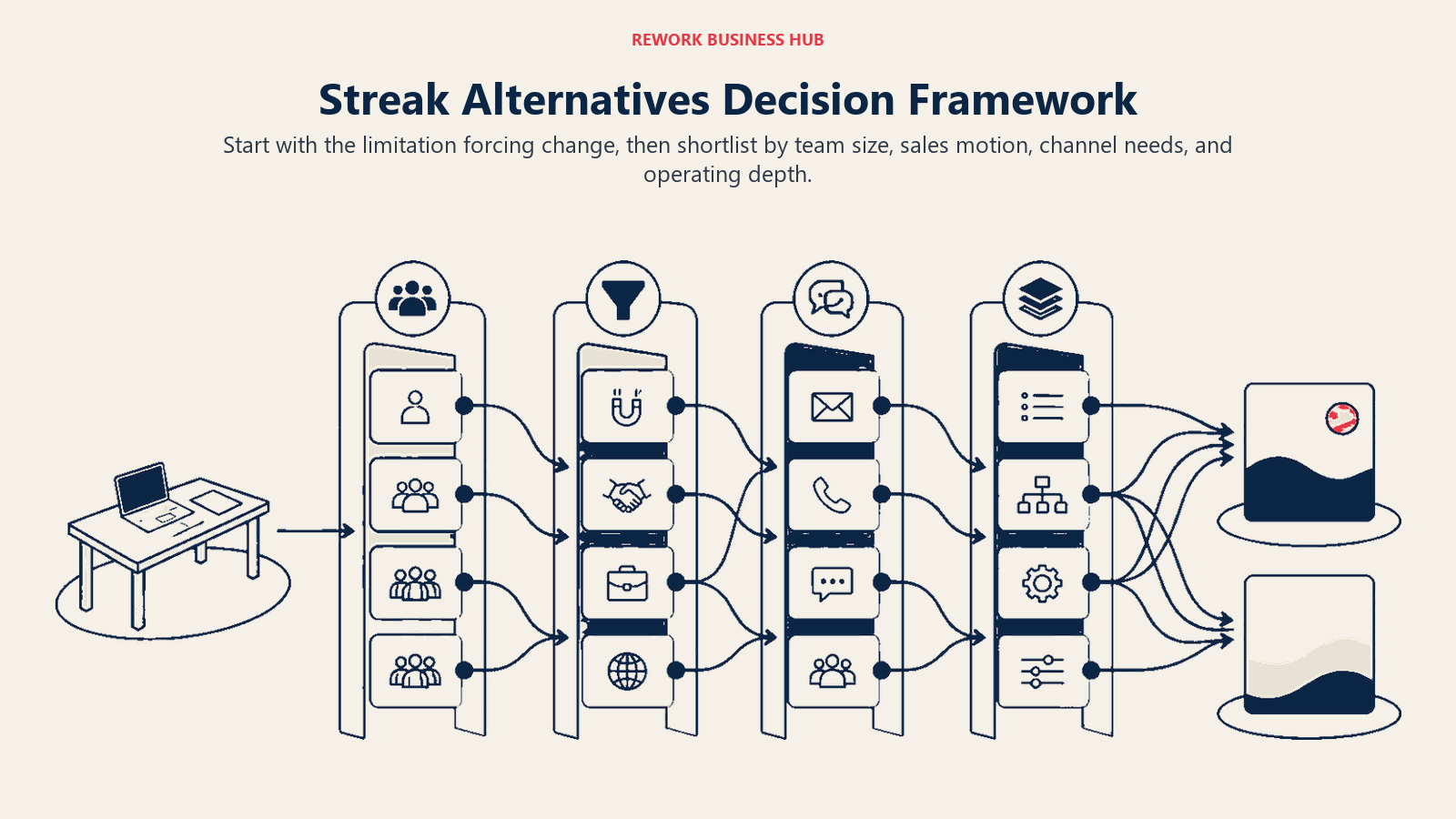
How to Choose: Decision Framework
| If you need... | Choose |
|---|---|
| A CRM that lives inside Google Workspace natively | Copper |
| Automatic contact and activity logging without manual entry | Salesflare |
| Multi-channel chat inbox (WhatsApp, Messenger, Instagram, live chat) for a 5-50 person team | Rework |
| LinkedIn-first contact capture with multi-channel relationship tracking | folk |
| The best pure-play pipeline management tool at a mid-range price | Pipedrive |
| A free CRM that can grow into a full marketing and sales platform | HubSpot CRM |
| Built-in calling, SMS, and email without a separate dialer | Close |
| Maximum flexibility in data model and custom objects | Attio |
| Enterprise-depth features at the lowest per-seat price | Zoho CRM |
| CRM plus email marketing without buying a separate tool | Nutshell |
| A clean, simple CRM for a non-sales-native small team | Capsule CRM |
| The simplest possible CRM, flat pricing, no upsells | Less Annoying CRM |
| CRM that automatically triggers project records when deals close | Insightly |
What to Do Next
Pick your top two alternatives based on the stage and size fit above, then run a two-week parallel pilot on a real slice of your pipeline, not a demo environment. Import 20-30 active contacts, run your actual workflow (email a lead, log a call, move a deal stage), and check whether the UX friction disappears or stays. Most of these tools offer free trials of 14 days or more. The tool that feels invisible after week two is the right one.
If you're moving from Streak because your team has grown past 3-5 people and needs shared pipeline visibility, start with Copper if you're staying close to the Google Workspace ecosystem: it's the most direct upgrade path. If you're ready to leave the inbox, look at Rework (for multi-channel, mid-size teams) or Pipedrive (for pure-play pipeline at a predictable per-seat cost).
For more context on the broader CRM market, the best CRM software in 2026 guide covers the full landscape segmented by team size, stage, and sales motion.
Camellia writes about CRM and sales tooling for B2B teams. Last updated June 2026.

Head of Enterprise Solutions
On this page
- Quick Comparison Table
- 1. Copper: The Official Google Workspace CRM
- 2. Salesflare: Automated CRM for B2B Small Teams
- 3. Rework: Unified CRM and Lead Management for Multi-Rep Teams
- 4. folk: Relationship-Led CRM with Multi-Channel Messaging
- 5. Pipedrive: Sales-First Pipeline Management
- 6. HubSpot CRM: The Best Free Tier, With a Catch
- 7. Close: Built-In Calling and Outbound-First Design
- 8. Attio: Spreadsheet-Flexible CRM for Data-Driven Teams
- 9. Zoho CRM: Broad Feature Set at SMB-Friendly Prices
- 10. Nutshell: CRM Plus Email Marketing in One Package
- 11. Capsule CRM: Clean and Simple for Small Professional Services Teams
- 12. Less Annoying CRM: One Price, No Games, Genuinely Simple
- 13. Insightly: CRM with a Project Management Handoff
- Stage Fit Matrix
- Sizing and Persona Table
- How to Choose: Decision Framework
- What to Do Next