Best Client Portal Software in 2026: 15 Platforms for Agencies, Accounting Firms, and Professional Services
Turn this article into takeaways for your work.


Each assistant summarizes the article only for you and suggests best practices for your work.
The best client portal software in 2026 depends on whether you're running an agency that needs a branded project status page, an accounting or tax firm that needs secure document exchange with two-factor authentication, or a consultancy that wants proposals, contracts, and invoicing under one login. SuiteDash and Assembly (formerly Copilot) lead for agencies wanting a fully white-labeled, general-purpose portal. SmartVault and Progress ShareFile lead for accounting and tax firms with real compliance requirements. Wayfront (formerly Service Provider Pro) leads for agencies selling productized, repeatable services with a checkout built in. This guide ranks 15 platforms across that range, evaluated on pricing transparency, security depth, and fit by firm size.
A few of these started as freelancer invoicing tools and picked up a client portal along the way (HoneyBook, Bonsai, Dubsado); others were built as a portal first (SuiteDash, Assembly, Moxo, Clinked, FuseBase). One (Softr) isn't a portal product at all, it's a no-code app builder that agencies use to build a portal on top of, which matters if you want something ready on day one instead of something to configure. Match the platform to the actual job, everyday file and status sharing, formal accounting document exchange, or a fully custom client-facing app, before comparing price tags, because the cheapest option on this list and the most expensive one are not competing for the same buyer.
Key Facts
- The global client portal software market was valued at $1.7 billion in 2023 and is projected to reach $3.5 billion by 2032, a CAGR of more than 8%. (Global Market Insights)
- 73% of consumers will switch to a competitor after multiple bad experiences with a company, per Zendesk Benchmark data. (Zendesk)
- Invoices with an online payment link get paid 79.6% of the time, with a median payment time of 8 days, versus 56.1% of the time and a 15-day median without one, per Tofu's analysis of 3.75 million invoices sent by 442,894 US home-service businesses between January 2025 and May 2026. (Tofu)
- Accounting practices that continually invest in technology serve 50% more clients on average, 100 versus 67, than the average respondent in the 2024 CPA.com and AICPA PCPS Client Advisory Services Benchmark Survey of 206 practices. (CPA.com and AICPA)
- Business email compromise, the fraud category that targets exactly the invoice and document exchanges a client portal is built to secure, accounted for $3.05 billion of reported losses in the FBI IC3 2025 Internet Crime Report. (FBI IC3)
Quick Comparison Table
| Tool | Best For | Starting Price | Key Strength | Key Limitation |
|---|---|---|---|---|
| SuiteDash | Agencies wanting one white-labeled platform for CRM, portal, and invoicing | $19/mo, START ($180/yr annual) | Unlimited staff and CRM contacts on every plan | Steeper learning curve than a single-purpose portal |
| Assembly (formerly Copilot) | Agencies wanting a modern, no-code branded client portal | $29/mo billed annually, Starter | Fast setup across messaging, payments, files, and contracts | Active-contact caps mean cost climbs fast past Starter |
| Moxo | Enterprise and regulated workflows needing structured client actions | $500/mo ($5,000/yr annual), Team | Unlimited seats; SOC 2 Type II and SOC 3 certified | Highest entry price in this roundup by a wide margin |
| Clinked | Teams wanting a member-based portal with strong compliance | $11/user/mo, Start Up | SSO, 2FA, and FedRAMP-authorized AWS infrastructure | Steep jump from Start Up to the $239/mo flat Standard tier |
| FuseBase | Consultancies wanting AI-assisted client workspaces | $32/month, Solo | SOC 2 and HIPAA compliant, with SSO and 2FA included | Annual pricing isn't published, only a 30% discount claim |
| Onehub | Teams needing a virtual data room alongside a portal | $15/user/mo ($12.50/user/mo annual), Standard | Dedicated Data Room Edition and detailed audit trails | White-labeling is a $100/month add-on, not included |
| SmartVault | Accounting and tax firms needing unlimited storage and e-signature | $55/user/mo billed annually, Business Pro (3-user minimum) | SOC 2 Type 2; unlimited eSignatures on the top tier | Every tier carries a multi-user minimum, no solo plan |
| Progress ShareFile | Firms wanting unlimited external client users | $16.50/user/mo billed annually, Advanced (3-user minimum) | Unlimited client users included at every tier | Account storage is a shared 3TB pool, not unlimited |
| Ideagen Collaboration Portal (formerly Huddle) | Government and regulated-enterprise teams | Not published, contact sales | FedRAMP certification (vendor-stated, the first SaaS collaboration vendor to hold it); used by 80%+ of UK Central Government | No published pricing; built for large regulated organizations |
| Accelo | Professional services firms wanting a portal inside their ops platform | Not published, contact sales | SOC 2, SSO, and 2FA on a full client-work management platform | No published pricing to budget against before a sales call |
| HoneyBook | Solo consultants and small creative businesses | $29/month billed yearly, Starter | Flat pricing with invoicing and contracts built in | Team members capped at 2 until the Premium tier |
| Bonsai | Freelancers and small teams needing a portal plus contracts | $19/user/mo billed annually, Essentials (portal starts here) | SOC 2 Type II certified (July 2025); MFA required on every account | The entry-level Basic tier has no client portal at all |
| Dubsado | Solo service providers on a tight budget | $35/month, Starter | 3 free additional users included on every plan | No 2FA, no SOC 2, no HIPAA compliance published |
| Softr | Agencies wanting to build a fully custom client portal | $19/month, Basic | SOC 2 Type II certified; full app-builder flexibility | It's a builder, not a ready-made portal; needs build time |
| Wayfront (formerly Service Provider Pro) | Agencies selling productized, repeatable services | $129/month, $99/month billed annually, Base (5 seats) | Checkout-to-delivery workflow built around one branded portal | The API add-on costs $300/month extra on the Pro tier |
1. SuiteDash: The White-Label Hub That Bundles CRM, Portal, and Invoicing
SuiteDash's whole pitch is consolidation with your brand on it, not SuiteDash's: every client-facing screen, the login page, the portal, the invoices, carries your logo, colors, and your own URL, on every plan including the cheapest one. It bundles a CRM, project and task boards, file sharing, proposals, contracts, and invoicing into one system, which is why agencies switching off a stack of five separate tools tend to land here first. The unlimited staff and unlimited CRM contacts on every tier (per SuiteDash's own pricing page) is unusual in a category where most vendors meter one or the other.
The tradeoff for that breadth is depth: SuiteDash doesn't specialize in any one workflow the way a dedicated e-signature tool or a purpose-built CRM does, and new admins report a real learning curve getting all the modules configured the way they want. See Best SuiteDash Alternatives if that breadth-over-depth tradeoff is the wrong one for your team, or SuiteDash vs Moxo if those two are your actual shortlist.
| What you get | What you don't |
|---|---|
| Unlimited staff and CRM contacts on every plan | A narrow, single-purpose focus |
| White-label branding included at the entry tier | A native SSO option confirmed on the security page |
| CRM, portal, files, proposals, and invoicing in one login | The fastest setup time in this category |
| Two-factor authentication and a signed BAA for HIPAA needs | SOC 2 certification confirmed on its public materials |
Sizing fit: 1-10 and 10-50 person agencies and consultancies replacing several point tools at once. Pricing: START $19/month ($180/year annual); THRIVE $49/month ($480/year); PINNACLE $99/month ($960/year). Extra storage is $5/month per 250GB. Best for: Agencies and consultancies wanting one branded login for clients instead of a CRM, a portal, and an invoicing tool stitched together with Zapier.
2. Assembly (formerly Copilot): The No-Code Portal Rebuilt for Speed
Assembly rebranded from Copilot on September 30, 2025, and copilot.com now serves an unrelated Microsoft product, so double-check any link before you click it. The pitch hasn't changed: a no-code, modern client portal that agencies and consultancies can stand up in a day, with messaging, payments, file-sharing, contracts, forms, and a help desk under one branded login. It's SOC 2 Type II certified, and the Advanced tier adds optional HIPAA compliance with a signed BAA, enforced MFA, and an audit log, which matters for firms handling anything regulated.
The pricing structure is where teams get surprised: Assembly meters by internal users, active contacts, and build credits, not flat per-seat pricing, so a growing client list pushes you up tiers even if your team headcount doesn't change. Only Starter has a published monthly-billed price ($49/month vs $29/month billed annually); Professional and Advanced are annual-only figures on the public page.
| What you get | What you don't |
|---|---|
| SOC 2 Type II certification with optional HIPAA/BAA | A published monthly-billed price above Starter |
| Fast, no-code setup across messaging, payments, and files | Unlimited active contacts below the Advanced tier |
| No setup, hosting, or per-client fees | SSO below the Enterprise tier |
| A functional free plan (1 user, 5 contacts) | Predictable cost as your client list scales |
Sizing fit: 1-10 and 10-50 person agencies wanting a modern portal without engineering resources. Pricing: Free ($0, 1 internal user, 5 active contacts); Starter $29/month billed annually; Professional $99/month billed annually; Advanced $499/month billed annually; Enterprise custom. Best for: Agencies wanting a fast, no-code, compliance-ready portal and willing to plan around active-contact limits rather than seat counts.
3. Moxo: Unlimited Seats, Priced for Regulated Enterprise Workflows
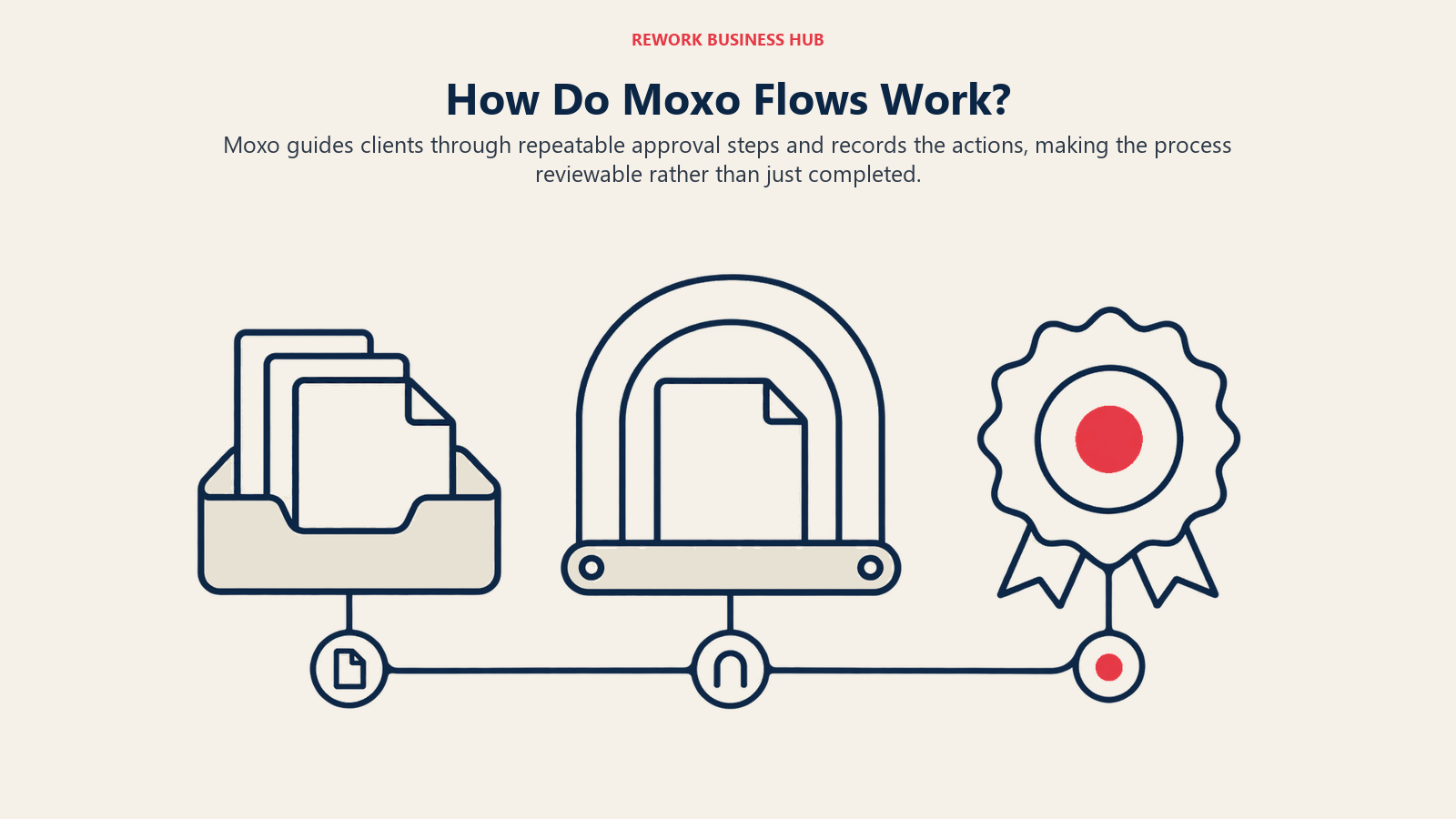
Moxo re-metered its pricing model, and it's worth knowing before you get a quote: it's no longer per-user. Every plan now includes unlimited seats, and the meter is "flows" (structured client workflows like onboarding or approvals) and AI credits instead. That's a deliberate fit for banks, wealth managers, and professional-services firms whose client work is a repeatable, auditable process, not a folder of files. Moxo is SOC 2 Type II and SOC 3 certified, runs an active HIPAA compliance program, and supports SSO through SAML and OIDC with Okta, Azure AD, or Google Workspace, alongside detailed audit trails that log every message, meeting, and file access with a timestamp and user attribution.
The honest headline is the entry price: $500/month ($5,000/year annual) is by far the highest starting point in this roundup, and there's no free tier. That's not a pricing mistake, it's Moxo positioning itself for enterprise and regulated buyers who need the structured-workflow and compliance depth, not a three-person agency comparing options on a spreadsheet. See Best Moxo Alternatives if that entry price rules it out, or SuiteDash vs Moxo for the direct comparison.
| What you get | What you don't |
|---|---|
| Unlimited seats on every tier | A free tier or a low entry price |
| SOC 2 Type II, SOC 3, and an active HIPAA program | Per-user pricing if that's what you're budgeting around |
| SSO (SAML/OIDC) and granular, role-based audit trails | A published feature list for the Scale and Enterprise tiers |
| Structured, auditable client workflows ("flows") | A fit for teams whose real need is simple file sharing |
Sizing fit: 50-200 and 200+ person regulated enterprises (financial services, wealth management, professional services with formal compliance needs). Pricing: Team $500/month ($5,000/year annual), 250 flows/year and 25,000 AI credits/year; Scale and Enterprise are custom quotes. Best for: Regulated enterprises needing structured, auditable client workflows and willing to pay an enterprise entry price for SOC 2/SOC 3 and unlimited seats. Not ideal for: Small agencies or solo consultants; Moxo's pricing floor alone rules it out for that buyer.
4. Clinked: Member-Based Pricing With Real Enterprise Security
Clinked splits its pricing model in two: the entry Start Up plan is priced per user, everything above it is flat with a member allowance built in, which makes the jump from Start Up to Standard ($239/month flat, 100 members included) feel steep if you're used to per-seat math. What you get for that jump is real: SOC 2-compliant infrastructure on AWS (which itself carries FedRAMP authorization, distinct from Clinked being independently FedRAMP-certified as a product), HIPAA-ready controls, SAML 2.0 SSO, and two-factor authentication starting at the Premium tier.
Clinked also targets government and public-sector buyers directly with a dedicated portal offering, alongside the standard agency and professional-services use case. Enterprise adds a white-label mobile app, Active Directory/SSO, choice of data-center location, and SLA options, all of which point at the same buyer as Moxo, just at a lower published entry price. Billing flexibility is a real differentiator here too: monthly, yearly (20% off), or two-yearly (35% off).
| What you get | What you don't |
|---|---|
| SOC 2-compliant, HIPAA-ready infrastructure | FedRAMP certification for Clinked itself (only its AWS host holds it) |
| SAML 2.0 SSO and 2FA (Premium and above) | 2FA included at the entry Start Up tier |
| A dedicated government/public-sector portal option | A flat published price below $239/month for a team, not per-user |
| Steep multi-year billing discounts (up to 35% off) | White-labeling below the Enterprise tier |
Sizing fit: 10-50 and 50-200 person teams, including public-sector and government buyers. Pricing: Start Up $11/user/month; Standard $239/month flat (100 members, 1TB); Premium $599/month flat (250 members, 3TB); Enterprise and Virtual Data Room are custom quotes. Best for: Teams wanting real enterprise security (SSO, 2FA, compliance-ready infrastructure) without Moxo's $500/month entry price.
5. FuseBase: AI-Assisted Client Workspaces for Consultancies
FuseBase (formerly Nimbus) leans into AI more than any other tool on this list: the Free plan alone includes 20 AI prompts and 20 automation runs a month before you pay anything, and paid tiers scale that allowance up alongside member and client caps. The product itself is a client workspace, shared docs, wikis, client-specific portals, and light project tracking, aimed at consultancies and agencies that want AI drafting and summarization built into the same place their clients log in, not a separate tool.
FuseBase went through a security rebuild that added SOC 2 and HIPAA compliance, SSO, two-factor authentication, and encryption, which is a meaningful upgrade for a tool in this price range and puts it ahead of most other sub-$100/month options here on compliance depth. The one pricing quirk to know: FuseBase advertises annual billing at "30% off" but doesn't publish the actual annual dollar figures anywhere on its pricing page, so budget off the monthly numbers until you get a quote.
| What you get | What you don't |
|---|---|
| SOC 2 and HIPAA compliance with SSO and 2FA | Published annual pricing (only a "30% off" claim) |
| AI prompts and automation runs on every tier, including Free | Client caps that stay generous much past Essentials |
| Client-specific portals alongside docs, wikis, and tasks | The consolidation of a full CRM or invoicing suite |
| A 14-day free trial | A flat per-account price; it's metered by members and clients |
Sizing fit: 1-10 and 10-50 person consultancies wanting AI-assisted client workspaces. Pricing: Free $0; Solo $32/month (1 member, 10GB); Essentials $82/month (5 members, 100 clients, 100GB); Advanced $266/month (50 members, 1,000 clients, 500GB); Unlimited is a custom quote. Best for: Consultancies wanting AI drafting and summarization built into the same workspace clients access, not bolted on as a separate app.
6. Onehub: A Portal With a Dedicated Data Room Built In
Onehub sits closer to secure file sharing and virtual data rooms than the messaging-and-payments portals elsewhere on this list, which makes it a fit for firms whose client relationship is really about controlled document access, due diligence, fundraising, M&A, audits, rather than ongoing project collaboration. Its Data Room Edition ($375/month flat, or $300/month billed annually) is a named, purpose-built tier most competitors here don't offer at all.
Security is genuinely deep for the price: enforceable two-factor authentication, detailed audit trails on every file action, role-based permissions down to view/print/download privileges, watermarking, and HIPAA-compliant protocols. What's missing against Onehub's own security page is any mention of SOC 2 or FedRAMP certification, and SSO isn't confirmed there either, so regulated buyers should ask directly rather than assume. White-labeling is a genuine add-on cost too: $100/month on top of the Advanced tier, not included.
| What you get | What you don't |
|---|---|
| A dedicated, named Data Room Edition | SOC 2 or FedRAMP confirmed on Onehub's own security page |
| Enforceable 2FA and detailed audit trails | White-labeling included in the base price |
| Role-based permissions down to print/download | Native SSO confirmed on the security page |
| HIPAA-compliant protocols | An unlimited-storage entry tier (Standard caps at 1TB) |
Sizing fit: 10-50 and 50-200 person firms doing due diligence, M&A, audits, or fundraising work with external parties. Pricing: Standard $15/user/month ($12.50/user/month annual, 50 workspaces, 200 users, 1TB); Advanced $25/user/month ($20/user/month annual, 200 workspaces, 1,000 users, unlimited storage, white-label $100/month add-on); Data Room Edition $375/month flat ($300/month annual); Enterprise custom, priced by usage. Best for: Firms whose client relationship centers on controlled document access rather than ongoing collaboration.
7. SmartVault: Purpose-Built for Accounting and Tax Firm Clients
SmartVault is built specifically for accounting and tax practices, not adapted from a general file-sharing tool, and it shows in the details: unlimited cloud storage on every tier, and the client portal itself is included at no extra per-client charge, your firm's staff seats are what you license, not the clients logging in to grab their K-1. It's SOC 2 Type 2 certified with continuous auditing, HIPAA-capable for firms handling healthcare-adjacent data, and enforces multi-factor authentication platform-wide, which the vendor states blocks 95% of unauthorized access attempts.
The top Accounting Unlimited tier is where the accounting-specific depth shows up: unlimited eSignatures, unlimited KBA/ID verification for signer authentication, and unlimited PDF form fillers, all built for the document-heavy, identity-sensitive workflow of tax season. If e-signature is the whole reason you're evaluating a portal, it's worth comparing SmartVault's bundled version against a dedicated tool; see Best E-Signature Software or Best DocuSign Alternatives for that comparison set.
| What you get | What you don't |
|---|---|
| Unlimited storage on every tier | A single-user plan; every tier has a multi-user minimum |
| SOC 2 Type 2 with platform-wide enforced MFA | A general-purpose CRM or project management layer |
| Unlimited eSignatures and ID verification (top tier) | A published SSO option |
| Client portal access with no per-client licensing fee | A fit for non-accounting professional services |
Sizing fit: 1-10 and 10-50 person accounting and tax practices. Pricing: Business Pro $55/user/month billed annually ($75/user/month billed monthly, 3-user minimum); Accounting Pro $65/user/month billed annually ($85/user/month billed monthly, 2-user minimum); Accounting Unlimited $85/user/month billed annually ($110/user/month billed monthly, 2-user minimum). Best for: Accounting and tax firms wanting unlimited storage, e-signature, and ID verification purpose-built for that workflow, not adapted from a general file-sharing tool.
8. Progress ShareFile: Unlimited Client Users, Licensed by Employee
ShareFile (part of Progress Software, formerly Citrix ShareFile) runs the model most portals should run and most don't: you license your own employees, and every plan includes unlimited external client users at no extra cost. For firms whose client list grows faster than their headcount, tax practices, law firms, consultancies with dozens of active accounts, that's the difference between a bill that scales with your business and one that scales with theirs.
Compliance is a genuine strength here: SOC 2 Type II, ISO 27001, and ISO 27701 certifications, HIPAA support with a signed BAA on select plans, and multi-factor authentication that admins can enforce for both client and employee user types, with SAML 2.0 SSO available. White-label branding, your logo, colors, and a custom subdomain, is confirmed on the client portal itself. The one number worth double-checking before you budget: account storage is a shared 3TB pool across the main tiers (1TB per license, aggregated), not unlimited, and the Virtual Data Room tier flips to 1GB per license with a 5-license minimum instead.
| What you get | What you don't |
|---|---|
| Unlimited external client users on every tier | Unlimited storage; it's a shared, calculated pool |
| SOC 2 Type II, ISO 27001, and ISO 27701 certifications | The lowest entry price in this roundup |
| HIPAA support with a signed BAA (select plans) | A flat, per-account price; it's licensed per employee |
| SAML 2.0 SSO and enforceable MFA for both user types | AI features below the Premium tier |
Sizing fit: 10-50 and 50-200 person firms with client counts that outgrow their employee headcount. Pricing: Advanced $16.50/user/month billed annually ($18.15/user/month billed monthly, 3-user minimum); Premium $26.00/user/month billed annually ($28.59/user/month billed monthly); Industry Advantage $41.66/user/month billed annually ($45.83/user/month billed monthly); Virtual Data Room $69.30/user/month billed annually ($77.00/user/month billed monthly, 5-user minimum). Best for: Accounting, legal, and consulting firms whose client count grows faster than their team size and don't want to pay per client for it.
9. Ideagen Collaboration Portal (formerly Huddle): The Government-Grade Option
Ideagen Collaboration Portal, still commonly known by its long-running product name Huddle, is the option to reach for when the client on the other end of the login is a government agency or a heavily regulated enterprise, not a small business. Ideagen states it was the first SaaS collaboration vendor to achieve FedRAMP certification in the US, and that the platform is used by more than 80% of UK Central Government agencies, credentials that put it in a different security tier than most of this list. It's still actively developed: a new desktop client (v5.0) shipped in July 2026, and Ideagen has not discontinued or folded it into another product.
Worth knowing before you build a shortlist around those credentials: Ideagen retired the standalone Huddle security page during the rebrand, so the detailed certification list is no longer published at a stable URL and the FedRAMP scope and impact level are not something you can confirm yourself before a sales call. Ask for the current authorization package in writing. What it doesn't do is publish a price anywhere; every path routes to a sales conversation, which is standard for a product sold into government procurement cycles but a real friction point for anyone hoping to self-serve a quote.
| What you get | What you don't |
|---|---|
| FedRAMP certification, rare in this category | Any published pricing |
| A verified UK Central Government customer base | A self-serve trial or transparent tier structure |
| A security posture built for government procurement | A fit for small agencies or solo consultants |
| Continued active development (v5.0 shipped July 2026) | The fastest sales cycle in this category |
Sizing fit: 200+ person regulated enterprises and government agencies. Pricing: Not published. Contact sales for a quote. Best for: Government agencies and large regulated enterprises that need FedRAMP-authorized collaboration and are prepared for a procurement-style sales process.
10. Accelo: A Portal Built Into a Full Professional Services Platform
Accelo isn't a standalone portal, it's a professional-services automation (PSA) platform, quotes, projects, tickets, retainers, and billing, with a client portal as one module inside that larger system. That's the actual pitch: your client doesn't just see files and messages, they see the same ticket, project, or retainer status your team is tracking internally, because it's the same record, not a synced copy.
Accelo no longer publishes tier pricing at all; its pricing page now states cost is "based on your team size and growth goals" and routes every visitor to a custom quote, a genuine change from earlier tiered pricing rather than a broken or blocked page. Security is solid for a PSA platform: a SOC 2 Type 2 report (available to subscribers, or to prospects under NDA), SSO via SAML 2.0, OAuth, and OpenID Connect with Active Directory and LDAP integration, and two-factor authentication through Google Authenticator. If the CRM layer underneath the portal matters more to your decision than the portal itself, see Best CRM Software for that comparison set.
| What you get | What you don't |
|---|---|
| A portal built on the same records as your PSA data | Any published pricing tier |
| SOC 2 Type 2 (available under NDA to prospects) | A quick, self-serve signup |
| SSO via SAML, OAuth, and OpenID Connect | A lightweight option for teams that don't need full PSA |
| Two-factor authentication via Google Authenticator | A fit for teams wanting a portal, not a whole PSA platform |
Sizing fit: 10-50 and 50-200 person professional services firms wanting quotes, projects, retainers, and billing on one platform. Pricing: Not published. Contact sales for a quote based on team size. Best for: Professional services firms wanting the client portal built on the same quotes, projects, and billing records their team already works from, not a separate synced tool.
11. HoneyBook: Flat Pricing for Solo Creatives and Small Studios
HoneyBook grew up serving photographers, event planners, and small creative studios, and the product still reflects that: proposals, contracts, invoicing, and a client-facing portal bundled at one flat monthly price per account rather than metered by seats or contacts. Card payments run 2.7% plus 10 cents, bank transfer (ACH) is 1.5%, both standard for the category and worth factoring into your real cost if most clients pay by card.
The prices shown on HoneyBook's own pricing page are the billed-yearly monthly equivalents, with a struck-through list price next to Essentials and Premium showing a 25% discount for committing annually; a 30-day free trial requires no card. Team size is the real ceiling here: Starter and Essentials both cap out at 2 team members, and Premium is the only tier with unlimited team members, so a growing studio will outgrow the entry tiers on headcount well before it outgrows the feature set. If ongoing billing and subscription management matters more than one-off invoices, see Best Subscription Billing Software for that comparison set.
| What you get | What you don't |
|---|---|
| Flat, predictable per-account pricing | Team members past 2 until the Premium tier |
| Contracts, proposals, and invoicing bundled together | Published SOC 2, HIPAA, or SSO documentation |
| A 30-day free trial with no card required | A fit for agencies needing multi-brand or white-label portals |
| A 25% annual-commitment discount clearly shown | Metered flexibility for teams with very different needs |
Sizing fit: 1-10 person solo consultants and small creative studios. Pricing: Starter $29/month billed yearly; Essentials $49/month billed yearly ($59 list, 25% off); Premium $109/month billed yearly ($129 list, 25% off, unlimited team members). Best for: Solo consultants and small creative businesses wanting proposals, contracts, invoicing, and a client portal at one flat, predictable price.
12. Bonsai: SOC 2 Certified, But the Portal Isn't on Every Tier
Bonsai is a freelancer-and-small-team operations tool, contracts, proposals, invoicing, time tracking, and a client portal, and it's worth knowing upfront that the client portal specifically starts on the Essentials tier, not the cheapest Basic plan, so the sticker price you see for Basic isn't the price of the feature you're evaluating this list for. Bonsai achieved SOC 2 Type II certification on July 3, 2025, a genuinely recent and specific milestone for a tool at this price point, and two-factor authentication is required on every account and cannot be disabled, a stricter default than most competitors here.
Pricing runs per user with a real gap between monthly and annual billing, the annual rate runs anywhere from 17% to 40% below the monthly rate depending on tier, so the annual commitment is worth taking seriously if you're staying more than a few months. Bonsai also offers a reduced rate for teams above 30 users and dedicated onboarding starting at 10 seats on the Premium and Elite tiers. For the contracts side of the product specifically, compare it against a dedicated tool at Best Contract Management Software.
| What you get | What you don't |
|---|---|
| SOC 2 Type II certification (achieved July 2025) | A client portal on the entry Basic tier |
| Mandatory 2FA on every account | Flexible or optional 2FA if your team dislikes it |
| A meaningful monthly-to-annual price gap | Published HIPAA or SSO support |
| Volume discounts for teams above 30 users | A flat, per-account price; it's per-user |
Sizing fit: 1-10 person freelancers and small teams needing a portal alongside contracts and invoicing. Pricing: Basic $15/user/month ($9/user/month annual, no client portal); Essentials $25/user/month ($19/user/month annual, portal starts here); Premium $39/user/month ($29/user/month annual); Elite $59/user/month ($49/user/month annual, 3-user minimum). Best for: Freelancers and small teams wanting SOC 2-certified infrastructure and mandatory 2FA without an enterprise price tag, as long as you budget for Essentials, not Basic.
13. Dubsado: The Budget Option, With Real Security Tradeoffs
Dubsado is a flat, per-account tool for solo service providers, forms, contracts, invoicing, scheduling, and a basic client portal, and its lowest starting price on this list ($35/month) is the reason it shows up on every "budget-friendly" roundup in the category. Both plans include 3 free additional team members before you pay for extra seats, which is generous compared to most flat-rate competitors here.
Where Dubsado genuinely falls short of the rest of this list is security: the vendor's own help center states Dubsado does not enable HIPAA compliance and has no immediate plans to; there's no SOC 2 report published anywhere; and the only login protection beyond a password is a device-verification email link when you sign in from a new browser, not true two-factor authentication with an authenticator app. For a firm handling sensitive financial or health-adjacent client data, that's a real gap, not a nitpick. Starter is also capped at 1 active lead-capture form; Premier removes that cap.
| What you get | What you don't |
|---|---|
| The lowest starting price in this roundup | Two-factor authentication (only email device verification) |
| 3 free additional users on every plan | HIPAA compliance (the vendor states this directly) |
| Unlimited lead-capture forms on Premier | A published SOC 2 report |
| A 21-day free trial of Premier, no card | White-labeling; "additional brands" is a $10/month multi-brand add-on, not a custom domain |
Sizing fit: 1-10 person solo service providers on a tight budget. Pricing: Starter $35/month ($335/year annual); Premier $55/month ($525/year annual). Extra team members: $25/month for 4-10 users, $45/month for 11-20, $60/month for 21-30. Best for: Solo providers who want the lowest price on this list and don't handle data sensitive enough to need HIPAA compliance or real 2FA. Not ideal for: Any firm handling financial, health, or legal client data where the lack of true 2FA and HIPAA support is disqualifying.
14. Softr: Build Your Own Portal Instead of Renting One
Softr belongs on this list with a caveat: it's not a client portal product, it's a no-code app builder, and agencies use it to build a custom client portal on top of a database (often Airtable or Google Sheets) rather than configure a template someone else designed. That's real flexibility, layouts, fields, and logic exactly as your workflow needs them, at the cost of build time nothing else on this list requires.
Softr meters two kinds of logins, not one: "builders" who can edit the app, and "app users" who can log in, split into Team users (same email domain as a builder) and Client users (everyone else, including free email domains), the group that actually represents your clients. All prices below are the monthly figures on Softr's plan page; yearly billing is advertised as "2 months off" without a specific annual dollar figure published, so budget off the monthly numbers until you get a quote. It's SOC 2 Type II compliant, hosts data in Germany to support GDPR requirements, and adds enterprise SSO over SAML and OpenID on the Enterprise plan, with SCIM provisioning for automated user management. Pro removes Softr's own branding from your build, which functions as its version of white-labeling.
| What you get | What you don't |
|---|---|
| Full layout and logic control most template portals don't offer | A ready-made portal; you're building it, not configuring one |
| SOC 2 Type II compliance, GDPR-supportive EU hosting | SSO below the Enterprise tier |
| Metered builders and app users, not a flat license | A single, simple pricing meter (two kinds of users, plus records) |
| Branding removal on Pro and above | A dedicated support team that knows your specific client workflow |
Sizing fit: 1-10 and 10-50 person agencies with the time or budget to build, not just configure. Pricing: Free $0 (up to 3 builders, 5 app users); Basic $19/month (1 builder, 5 team + 5 client users); Pro $99/month (2 builders, 10 team + 50 client users, removes branding); Business $329/month (3 builders, 30 team + 100 client users); Enterprise custom. Best for: Agencies wanting a fully custom client portal built to their exact workflow and willing to invest build time to get it.
15. Wayfront (formerly Service Provider Pro): Checkout-to-Delivery for Productized Services
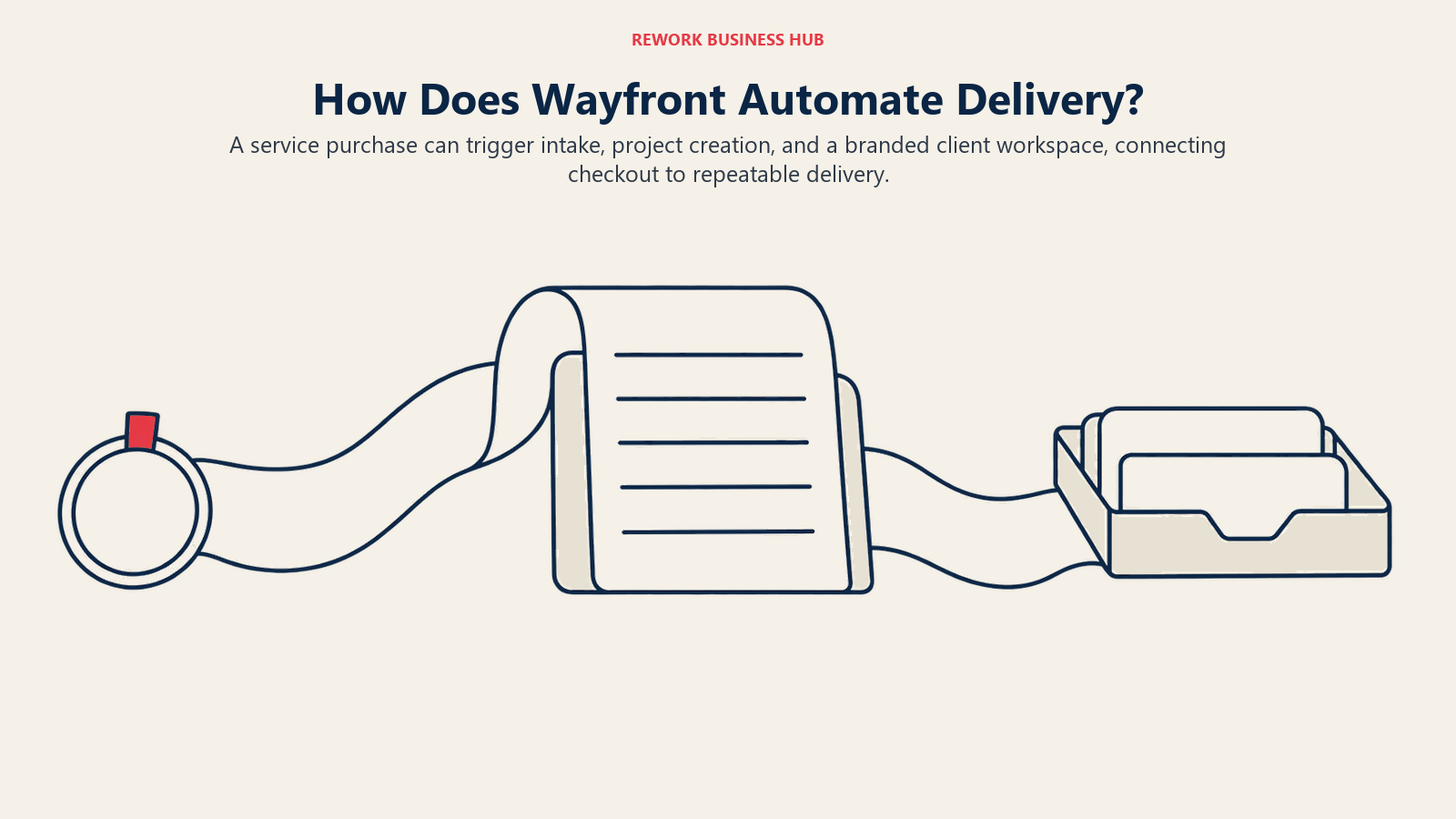
Wayfront, rebranded from Service Provider Pro (SPP) in February 2026, is built for a specific business model: agencies selling productized, repeatable services where a client clicking "buy" should trigger the whole chain automatically, intake forms, project creation, and a branded client portal for files, status, and payment history, without a human manually stitching those steps together across separate tools. That checkout-to-delivery workflow, not general file sharing or messaging, is the actual differentiator.
Pricing is flat per account with an included seat block rather than metered per user: Base includes 5 seats, Pro includes 10, and Plus is a custom quote starting around 50+ team members. Extra seats cost $20/month each ($18/month if paid annually), and the platform advertises no transaction fees on payments processed through it, worth comparing against tools that do charge a card-processing cut on top of the subscription. Two-factor authentication is supported through standard authenticator apps. The API add-on on Pro ($300/month, $240/month annual) is a real cost to budget for if custom integrations are part of your plan.
| What you get | What you don't |
|---|---|
| An automated checkout-to-delivery workflow built in | Per-seat pricing; it's a flat account price with a seat block |
| No transaction fees on processed payments | API access without an extra $300/month add-on (Pro) |
| CRM, helpdesk, and client reporting in one system | Published SOC 2 or HIPAA compliance documentation |
| A 14-day free trial | The lowest entry price for a very small solo operation |
Sizing fit: 1-10 and 10-50 person agencies selling repeatable, productized service packages. Pricing: Base $129/month ($99/month billed annually, 5 seats); Pro $299/month ($249/month billed annually, 10 seats); Plus custom (50+ team members). Extra seats $20/month ($18/month annual). Best for: Agencies selling productized services who want checkout, onboarding, and the client portal to trigger automatically off one purchase, not stitched together with separate tools.
Stage Fit: Where Each Platform Carries the Client Relationship
Run the platform you're evaluating against the full life of a client relationship, not just the moment you're solving for today.
| Tool | Onboarding & Intake | Active Delivery (files, tasks, messaging) | Invoicing & Payments | Long-Term Archive |
|---|---|---|---|---|
| SuiteDash | Strong | Strong | Strong | Some |
| Assembly | Strong | Strong | Strong | Some |
| Moxo | Strong | Strong | Light | Strong |
| Clinked | Some | Strong | Light | Some |
| FuseBase | Some | Strong | Light | Some |
| Onehub | Light | Some | Light | Strong |
| SmartVault | Some | Some | Light | Strong |
| Progress ShareFile | Some | Strong | Light | Strong |
| Ideagen Collaboration Portal | Light | Strong | Light | Strong |
| Accelo | Strong | Strong | Strong | Some |
| HoneyBook | Strong | Some | Strong | Light |
| Bonsai | Strong | Some | Strong | Light |
| Dubsado | Strong | Some | Strong | Light |
| Softr | Depends on build | Depends on build | Depends on build | Depends on build |
| Wayfront | Strong | Strong | Strong | Some |
Sizing and Persona Fit
| Tool | Team Size Fit | Best Persona |
|---|---|---|
| SuiteDash | 1-10, 10-50 | Agency owner or ops lead consolidating several point tools |
| Assembly | 1-10, 10-50 | Agency owner wanting a fast, no-code branded portal |
| Moxo | 50-200, 200+ | Compliance or ops lead at a regulated enterprise |
| Clinked | 10-50, 50-200 | IT or ops lead needing SSO and government-grade options |
| FuseBase | 1-10, 10-50 | Consultancy principal wanting an AI-assisted workspace |
| Onehub | 10-50, 50-200 | Legal or ops lead running due diligence, audits, or M&A document exchange |
| SmartVault | 1-10, 10-50 | Accounting or tax firm partner |
| Progress ShareFile | 10-50, 50-200 | COO or IT director at an accounting, legal, or consulting firm |
| Ideagen Collaboration Portal | 200+ | IT or security lead at a government agency or regulated enterprise |
| Accelo | 10-50, 50-200 | Professional services ops lead wanting one PSA platform |
| HoneyBook | 1-10 | Solo consultant or small creative studio owner |
| Bonsai | 1-10 | Freelancer or small team owner |
| Dubsado | 1-10 | Budget-conscious solo service provider |
| Softr | 1-10, 10-50 | Agency ops or technical lead willing to build a custom portal |
| Wayfront | 1-10, 10-50 | Agency owner selling productized, repeatable service packages |
Pricing Models: Flat, Per-Seat, or Metered
These 15 tools split into four real pricing shapes, and mixing them up when you budget is the fastest way to get a surprise invoice.
| Tool | Pricing Model | What You Pay For | Are Clients Charged? |
|---|---|---|---|
| SuiteDash | Flat per account | A flat monthly or annual fee per account | No, unlimited staff and CRM contacts |
| Assembly | Tiered, metered | Internal users, active contacts, and build credits | Yes, indirectly, active-contact caps rise by tier |
| Moxo | Flat per account, unlimited seats | Usage, metered by flows and AI credits | No seat charge; usage is metered instead |
| Clinked | Hybrid | Per user (Start Up tier) or a flat fee with a member allowance above it | Yes, members count toward the plan's allowance |
| FuseBase | Tiered | A flat monthly fee per tier, with capped members and clients | Yes, clients count toward the tier's cap |
| Onehub | Per-seat | Per user per month | Counted inside the plan's total user cap |
| SmartVault | Per-seat (staff only) | Per user per month, with plan minimums | No, portal clients aren't separately licensed |
| Progress ShareFile | Per-seat (employees only) | Per user per month, 3-user minimum | No, unlimited external client users included |
| Ideagen Collaboration Portal | Not published | Not published | Not published |
| Accelo | Not published, custom quote | Not published | Not published |
| HoneyBook | Flat per account | A flat monthly fee per account | No |
| Bonsai | Per-seat | Per user per month | No, but the portal itself requires Essentials or above |
| Dubsado | Flat per account | A flat monthly or annual fee, with banded pricing for extra users | No |
| Softr | Flat per workspace, metered users | Builders (who build) plus Team and Client app users (who log in) | Yes, "Client users" are a metered, billed category |
| Wayfront | Flat per account with a seat block | A flat fee including 5 or 10 seats, extra seats billed separately | No |
Security and Compliance
"Not published" below means the vendor's own security or trust materials don't state it, not that the feature definitely doesn't exist, ask directly if it's a dealbreaker.
| Tool | SOC 2 | HIPAA / BAA | FedRAMP | SSO | 2FA / MFA | Audit Log | White-Label |
|---|---|---|---|---|---|---|---|
| SuiteDash | Not published | Yes, BAA available | Not published | Not published | Yes | Support-access log only | Yes, included on every plan |
| Assembly | Yes, Type II | Yes, optional (Advanced+) | Not published | Yes (Enterprise) | Yes, enforced (Advanced+) | Yes (Advanced+) | Yes |
| Moxo | Yes, Type II + SOC 3 | Yes, active program | Not published | Yes, SAML/OIDC | Yes | Yes, detailed | Not confirmed |
| Clinked | Yes | HIPAA-ready | AWS host is FedRAMP-authorized; Clinked itself is not independently certified | Yes, SAML 2.0 (Enterprise) | Yes (Premium+) | Not confirmed | Yes (Enterprise) |
| FuseBase | Yes | Yes | Not published | Yes | Yes | Yes | Not confirmed |
| Onehub | Not published | HIPAA protocols, no BAA stated | Not published | Not published | Yes, enforceable | Yes, detailed | Yes, $100/month add-on (Advanced) |
| SmartVault | Yes, Type 2 | Yes | Not published | Not published | Yes, enforced platform-wide | Yes, Activity Log | Not confirmed |
| Progress ShareFile | Yes, Type II | Yes, BAA (select plans) | Not published | Yes, SAML 2.0 | Yes, admin-enforceable | Yes | Yes, confirmed on client portal |
| Ideagen Collaboration Portal | Not confirmed | Not confirmed | Yes, vendor-stated (scope not published) | Not confirmed | Not confirmed | Not confirmed | Not confirmed |
| Accelo | Yes, Type 2 | Not confirmed | Not published | Yes, SAML/OAuth/OIDC | Yes | Not confirmed | Not confirmed |
| HoneyBook | Not independently confirmed | Not confirmed | Not published | Not confirmed | Yes, SMS/email | Not confirmed | No |
| Bonsai | Yes, Type II (July 2025) | Not confirmed | Not published | Not confirmed | Yes, mandatory on every account | Not confirmed | Not confirmed |
| Dubsado | No | No, vendor states not enabled | Not published | Not confirmed | No, email device verification only | Not confirmed | No, multi-brand add-on only |
| Softr | Yes, Type II | Not confirmed | Not published | Yes, SAML/OIDC (Enterprise) | Yes (Business+) | Not confirmed | Yes, branding removed (Pro+) |
| Wayfront | Not confirmed | Not confirmed | Not published | Not confirmed | Yes | Not confirmed | Yes, core to the product |
How to Choose: Decision Framework
Run whichever pick survives this framework against a real trial with your own clients before you sign, not a vendor's demo data.
| If you need... | Best pick |
|---|---|
| A fully white-labeled, all-in-one portal with unlimited staff and CRM contacts | SuiteDash |
| A fast, no-code setup with SOC 2 and optional HIPAA compliance | Assembly |
| Structured, auditable client workflows for a regulated enterprise | Moxo |
| FedRAMP-authorized collaboration for a government agency or large regulated enterprise | Ideagen Collaboration Portal |
| A portal purpose-built for accounting or tax firm clients | SmartVault |
| Unlimited external client users licensed by employee headcount, not client count | Progress ShareFile |
| A dedicated virtual data room for due diligence or M&A | Onehub |
| Checkout-to-delivery automation for productized, repeatable service packages | Wayfront |
What to Do Next
Pick your top two matches from the decision framework above, then run a 2-week pilot with two or three real clients, not a demo account, and specifically test the parts that are hardest to undo later: the exact 2FA and HIPAA/BAA support you actually need, how the pricing model behaves once your active client count doubles, and whether the branding and white-label options make the portal look like your firm's product or the vendor's.

Principal Product Marketing Strategist
On this page
- Key Facts
- Quick Comparison Table
- 1. SuiteDash: The White-Label Hub That Bundles CRM, Portal, and Invoicing
- 2. Assembly (formerly Copilot): The No-Code Portal Rebuilt for Speed
- 3. Moxo: Unlimited Seats, Priced for Regulated Enterprise Workflows
- 4. Clinked: Member-Based Pricing With Real Enterprise Security
- 5. FuseBase: AI-Assisted Client Workspaces for Consultancies
- 6. Onehub: A Portal With a Dedicated Data Room Built In
- 7. SmartVault: Purpose-Built for Accounting and Tax Firm Clients
- 8. Progress ShareFile: Unlimited Client Users, Licensed by Employee
- 9. Ideagen Collaboration Portal (formerly Huddle): The Government-Grade Option
- 10. Accelo: A Portal Built Into a Full Professional Services Platform
- 11. HoneyBook: Flat Pricing for Solo Creatives and Small Studios
- 12. Bonsai: SOC 2 Certified, But the Portal Isn't on Every Tier
- 13. Dubsado: The Budget Option, With Real Security Tradeoffs
- 14. Softr: Build Your Own Portal Instead of Renting One
- 15. Wayfront (formerly Service Provider Pro): Checkout-to-Delivery for Productized Services
- Stage Fit: Where Each Platform Carries the Client Relationship
- Sizing and Persona Fit
- Pricing Models: Flat, Per-Seat, or Metered
- Security and Compliance
- How to Choose: Decision Framework
- What to Do Next