Best Looker Alternatives in 2026: 14 Tools With a Real Semantic Layer
Turn this article into takeaways for your work.


Each assistant summarizes the article only for you and suggests best practices for your work.
Microsoft Power BI is the best Looker alternative for teams already standardized on Microsoft 365 or Azure who want a governed semantic layer without hiring a dedicated LookML developer, Lightdash is the closest match if you want to keep that same git-based, code-defined modeling discipline but built around dbt instead of a proprietary language, and Sigma Computing is the best pick for finance and revenue teams who'd rather work in a spreadsheet than learn a modeling language at all. Every tool below is evaluated on whether it has a real, governed modeling layer, not just chart types, and every price comes from the vendor's own pricing page as of August 2026.
Most Looker shopping starts with a mix-up worth clearing up first: "Looker" and "Looker Studio" are different Google products with different owners, different pricing models, and different audiences, and a lot of "I want to leave Looker" searches are actually about the free one. This guide covers both, plus 12 more tools for CTOs, VPs of Data, analytics engineers, and BI leads deciding whether to keep a git-based semantic layer, move to a GUI-first governed model, or hand modeling over to the warehouse entirely. Start with the BI tools roundup if you haven't narrowed the category yet, or keep reading if Looker specifically is the incumbent you're evaluating against.
Key Facts
- Google's Looker was named a Leader in the Gartner Magic Quadrant for Analytics and Business Intelligence Platforms for the third consecutive year in the 2026 report (Google Cloud Blog).
- Microsoft Power BI has been named a Leader in that same Magic Quadrant for 18 consecutive years as of the 2025 report, the longest active streak of any vendor in the category (Microsoft Power BI Blog).
- Just 27% of data teams planned to increase investment in semantic layer tooling over the next 12 months, per a survey of 459 data practitioners and leaders (dbt Labs, 2025 State of Analytics Engineering Report).
- Nearly two-thirds of BI leaders say AI has either accelerated or refocused their analytics roadmap, according to Dresner Advisory's flagship market study (Dresner Advisory Services, 17th Edition Business Intelligence Market Study, 2026).
- The global BI software market is projected to reach $43.7 billion in 2026, growing at a 9.3% CAGR through 2033 (Grand View Research).
Quick Comparison Table
| Tool | Best For | Starting Price | Key Strength | Key Limitation |
|---|---|---|---|---|
| Microsoft Power BI | Microsoft-standardized teams wanting a governed model without LookML | $14.00/user/month (Pro, billed yearly) | Deepest Microsoft-stack tie, git-integrated Fabric semantic models | Costs and complexity climb once you're deep into Fabric capacity pricing |
| Tableau | Best-in-class visual exploration and dashboards | Creator $75, Explorer $42, Viewer $15/user/mo, billed annually (Standard edition) | Unmatched visual analytics and chart depth | No centralized governed semantic layer like LookML |
| Sigma Computing | Finance and ops teams who want a spreadsheet UI on the warehouse | No published price (demo only) | Zero-copy spreadsheet interface with warehouse write-back | No published pricing and no dedicated modeling layer |
| Metabase | Small teams wanting a free, self-hosted starting point | Free (self-hosted, open source) | Free open-source edition, unlimited users | Cloud pricing kicks in once you need managed hosting |
| Lightdash | Teams that want to KEEP LookML-style discipline, built on dbt | Free (self-hosted); Cloud Pro $3,000/month (unlimited users) | The only tool here that's fully dbt-native and git-based like LookML | Smaller company, thinner enterprise track record than Looker |
| Preset (Managed Apache Superset) | Teams wanting the open-source Superset engine without running it | Free up to 5 users (Starter); $20/user/month annual (Professional) | Open-source core, zero vendor lock-in risk | Semantic layer is thinner than LookML or a dbt-native tool |
| ThoughtSpot | Search and AI-driven analytics for business users | $25/user/month (Essentials, billed annually) | Search-first UX plus native dbt and Looker semantic layer integrations | Real governance still requires setting up Models/Worksheets |
| Qlik Cloud Analytics | Associative (non-linear) exploration at capacity pricing | $300/month (Starter, 10 users, billed annually) | Associative engine surfaces relationships without pre-built joins | Capacity pricing needs a different budgeting mindset than per-seat |
| Hex | Data teams wanting notebooks plus governed metrics from dbt or Cube | Free (Community); $36/editor/month (Professional) | Combines notebooks, apps, and dbt Semantic Layer sync | Not a traditional dashboard tool for business users |
| Holistics | The closest thing to LookML's philosophy, without Google | Entry $960/month, or $800/month billed annually (10 users) | AML modeling language with native two-way git sync | Smaller vendor, thinner brand recognition than Looker |
| Looker Studio | Free reporting on Google/marketing data, not a Looker replacement | Free; Looker Studio Pro $9 per user per project per month | Free, huge connector library for marketing and Google data | No governed semantic layer of its own |
| Domo | All-in-one BI and app platform with free user seats | No published price (consumption credits, seats free) | Seats are free, mobile-first dashboards | Credit consumption is harder to forecast than a per-seat bill |
| Sisense | Embedding analytics inside your own product | No published price (Self-Serve trial or Enterprise) | Deep white-label embedding, ElastiCube in-memory engine | No published pricing, no git or dbt-native modeling layer |
| GoodData (GoodData.AI) | Embedded, multi-tenant analytics for SaaS products, code-first | No published price (per-workspace/custom) | Headless semantic layer (LDM) managed as code, via Git | Enterprise embedding focus is overkill for one internal BI team |
Looker vs. Looker Studio: Not the Same Product
This is worth stopping on before anything else, because it changes which half of this guide actually applies to you. Looker (the Google Cloud core platform) and Looker Studio (formerly Google Data Studio) share a name and a parent company and nothing else architecturally.
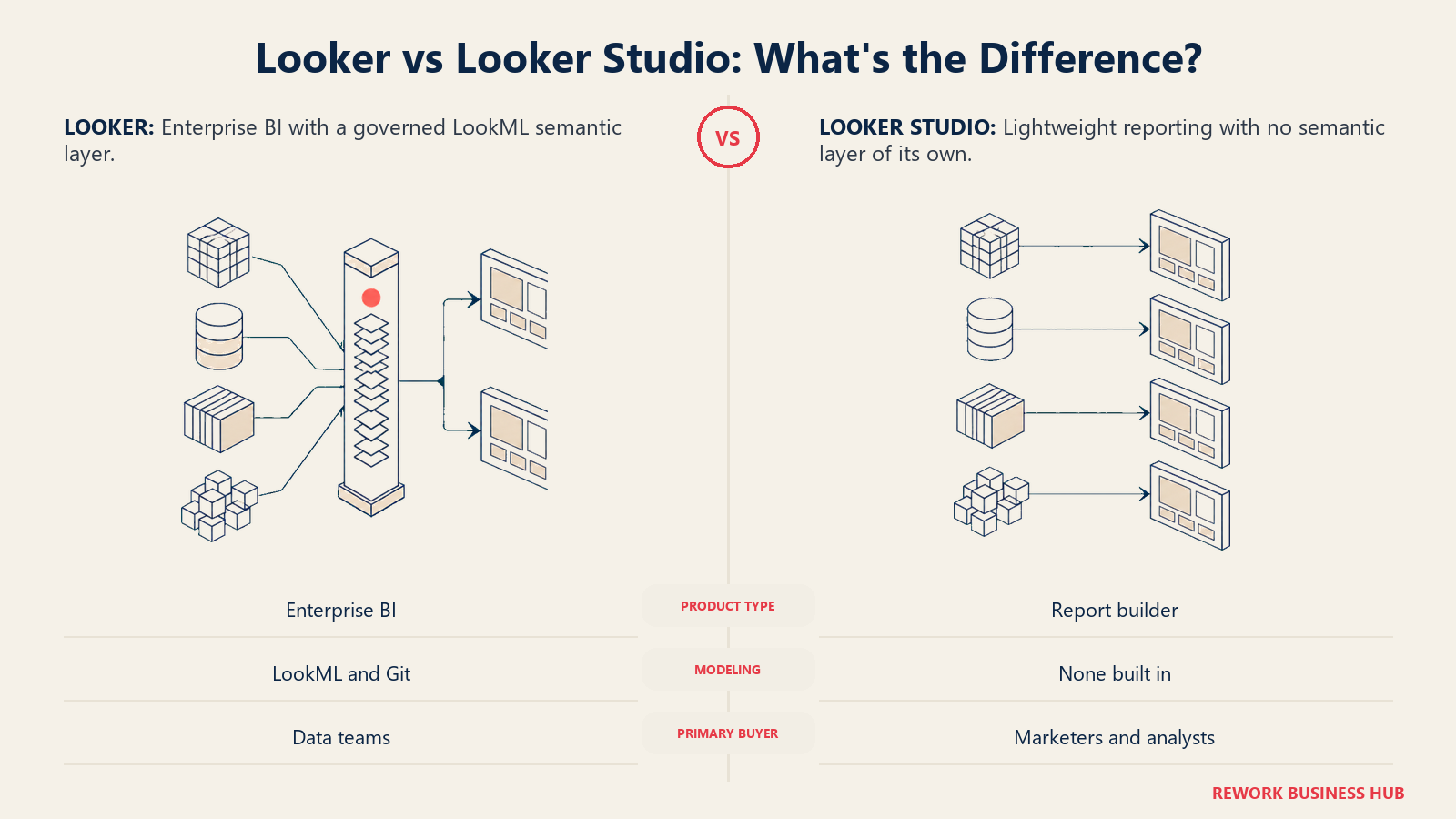
Looker is the enterprise BI platform built on LookML, a git-based modeling language that defines dimensions, measures, and joins as code. It's sold in Standard, Enterprise, and Embed editions, all quote-only on annual commitments of 1, 2, or 3 years, and each platform includes 10 Standard users and 2 Developer users. Google does publish one concrete number: Conversational Analytics data-token overages of $3.00 per 1M input tokens and $20.00 per 1M output tokens, effective October 1, 2026 (currently unlimited within fair-use limits through September 30, 2026, per Google's own pricing page).
Looker Studio is a free, point-and-click reporting tool with no modeling language and no semantic layer of its own. It connects to hundreds of data sources (Google Ads, Analytics, Sheets, BigQuery, and community connectors) and is built for fast report assembly, not governed enterprise metrics. Looker Studio Pro adds a paid licence tied to one Google Cloud project, billed per licence whether it's used or not, at $9 per user per project per month.
| Looker (Google Cloud core) | Looker Studio | |
|---|---|---|
| What it is | Enterprise BI platform | Free/lightweight reporting tool |
| Modeling layer | LookML: a governed, git-based semantic layer | None, no semantic layer of its own |
| Pricing | Quote-only, annual commitment; 10 Standard + 2 Developer users included per platform | Free; Looker Studio Pro adds a paid per-licence, per-project fee of $9 per user per project per month |
| Built for | Data teams standardizing metrics enterprise-wide | Marketers and analysts building quick reports on Google data |
| Governance | Strong: centralized definitions, developer/standard/viewer roles | Minimal: report-level sharing permissions only |
If your actual complaint is "I need free dashboards on my Google Ads and Analytics data," you don't need an alternative, Looker Studio already does that. The rest of this guide is for the harder question: what replaces LookML's governed model.
Why Teams Shop for a Looker Alternative
Five things come up over and over when teams evaluate a move away from Looker, and they're mostly the flip side of what makes LookML valuable in the first place.
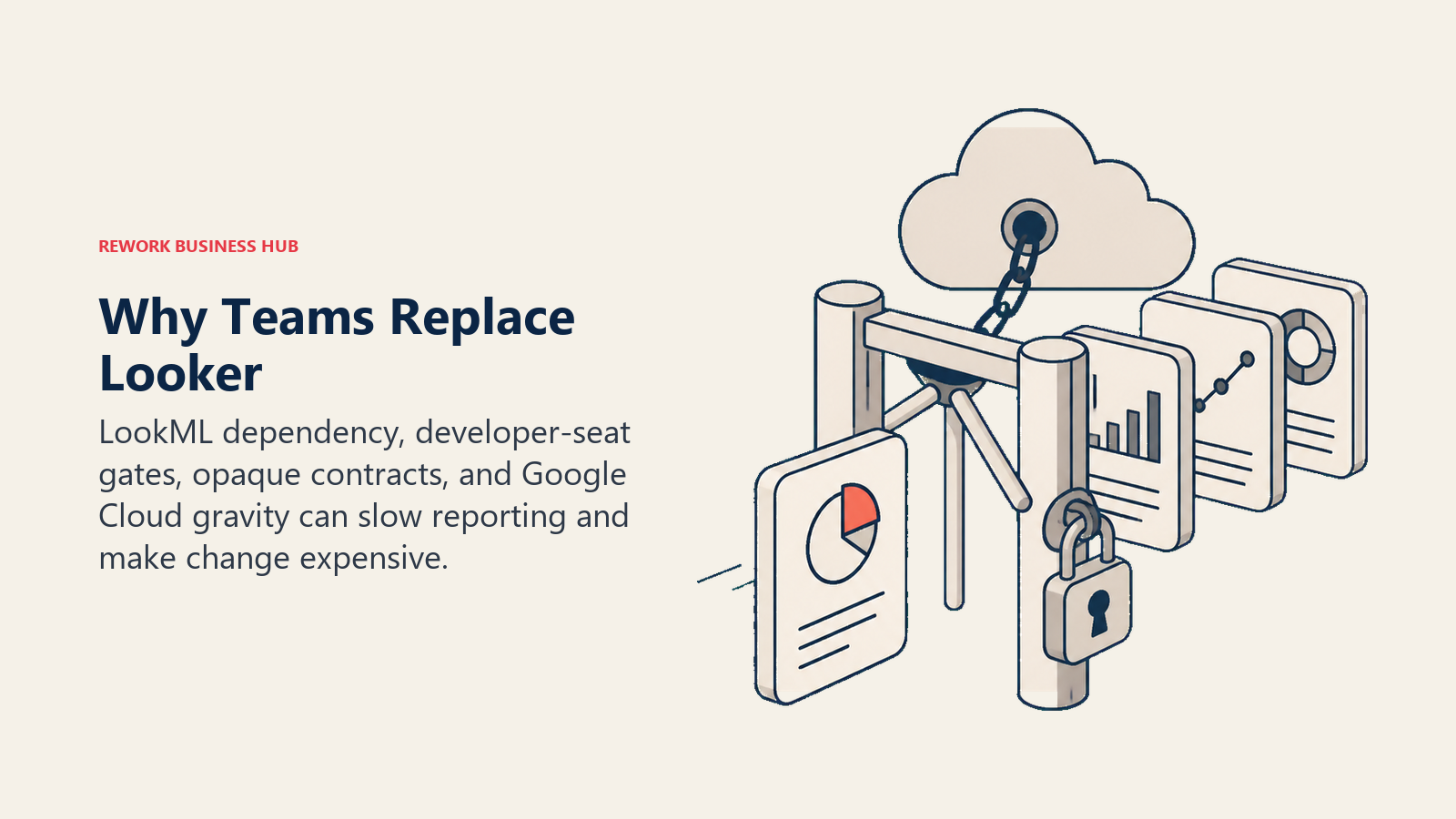
LookML's learning curve creates an engineering dependency. LookML is a dependency language, closer to make than to SQL, and it adds its own concepts (Explores, joins, dimensions, measures) on top of SQL rather than replacing it. Analysts unfamiliar with the required Git workflow face real resistance learning commits and branches, and the iteration loop itself is slow: write LookML, click Validate, click Save, explore the result, repeat. Any change to a metric definition needs someone fluent in LookML, which bottlenecks reporting behind a developer queue for teams without dedicated BI engineers.
Pricing is quote-only with an annual commitment attached. There's no dollar figure anywhere on Looker's pricing page, just three editions, all sold on 1, 2, or 3-year terms. That works fine once you're committed, but it makes it hard to budget or prototype before a sales conversation, and it locks you into a term length up front rather than letting usage grow month to month.
The platform-plus-user-license structure gates real work behind Developer seats. Only 10 Standard users and 2 Developer users come included per platform. Standard users get dashboards, Explores, and limited LookML, real model changes still funnel through one of those 2 Developer seats, so the moment a third person needs to edit the model, you're back in a licensing conversation.
Google Cloud ecosystem gravity is a feature for some teams and friction for others. Looker's deepest integration is BigQuery and the rest of Google Cloud; its newer Conversational Analytics features are Gemini-tied. If your warehouse is Snowflake, Databricks, or a multi-cloud mix, that gravity works against you rather than for you.
What teams look for instead falls into a few clear patterns: a git-based semantic layer minus the proprietary syntax (Lightdash on dbt, Holistics on its own AML language), a spreadsheet interface that skips modeling in favor of warehouse governance (Sigma), or full control via self-hosting (Metabase or Apache Superset). If the git workflow itself, not just the modeling language, is the part of your stack due for a look, our GitLab alternatives guide covers that adjacent decision.
Semantic Layer Comparison: Who Actually Has One
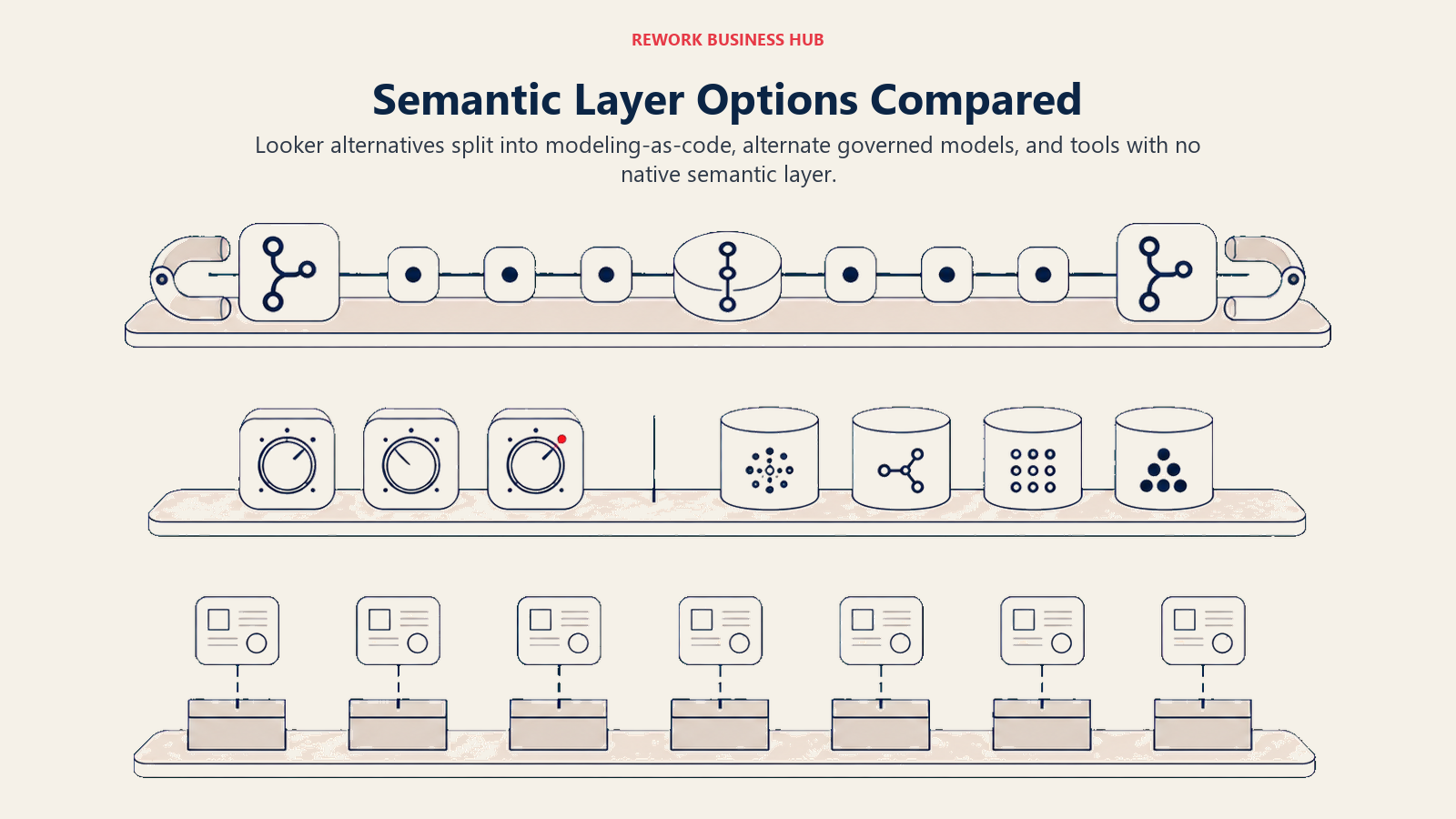
A roundup of Looker alternatives that skips this table is skipping the point. LookML's core value isn't the charts, it's a single, governed, version-controlled definition of every metric. Some tools on this list replace that discipline directly, some replace it with a different kind of governance, and a few don't really have an answer to it at all.
| Tool | Governed Semantic Layer | Git-Based | dbt-Native |
|---|---|---|---|
| Microsoft Power BI | Yes, Power BI/Fabric semantic models | Yes, via Fabric Git integration (TMDL format) | No, its own modeling format |
| Tableau | No dedicated one, workbook-level data sources | No | No |
| Sigma Computing | No dedicated modeling layer, queries the warehouse live | No | No |
| Metabase | Lightweight ("Models," curated SQL views) | No (Enterprise adds some governance) | No |
| Lightdash | Yes | Yes, via dbt Write-Back | Yes, dbt-native by design since launch |
| Preset (Apache Superset) | Dataset layer, defined in the UI | Partial, YAML asset export | No, has a dbt sync but isn't metrics-native |
| ThoughtSpot | Yes (Models/Worksheets, exportable as TML) | Partial, TML export/import | Connects to the dbt Semantic Layer via integration |
| Qlik Cloud Analytics | Yes, associative in-memory data model | No | No |
| Hex | No native layer of its own | No | Connects to dbt Semantic Layer/Cube (Semantic Model Sync, beta) |
| Holistics | Yes (AML, Analytics Modeling Language) | Yes, native two-way git sync | No, its own language rather than dbt metrics |
| Looker Studio | No | No | No |
| Domo | Yes (Beast Mode calculated fields, DataFlows) | No | No |
| Sisense | Yes (ElastiCube, proprietary in-memory model) | No | No |
| GoodData (GoodData.AI) | Yes, headless Logical Data Model (LDM) | Yes, via Analytics as Code CLI | No, its own declarative LDM format |
Only Lightdash and Holistics treat modeling-as-code the way LookML does, code-defined, git-versioned, and reviewable in a pull request, and GoodData's Logical Data Model gets there through its own Analytics as Code CLI rather than dbt or LookML syntax. Everyone else on this list trades that discipline for either faster time-to-dashboard or a different governance model entirely (the warehouse itself, in Sigma's case). Whichever you land on, the underlying governance question doesn't disappear, it just moves; our source of truth for revenue data framework is a useful reference for deciding what "governed" needs to mean at your company regardless of which tool enforces it.
1. Microsoft Power BI - The Governed Model Without LookML
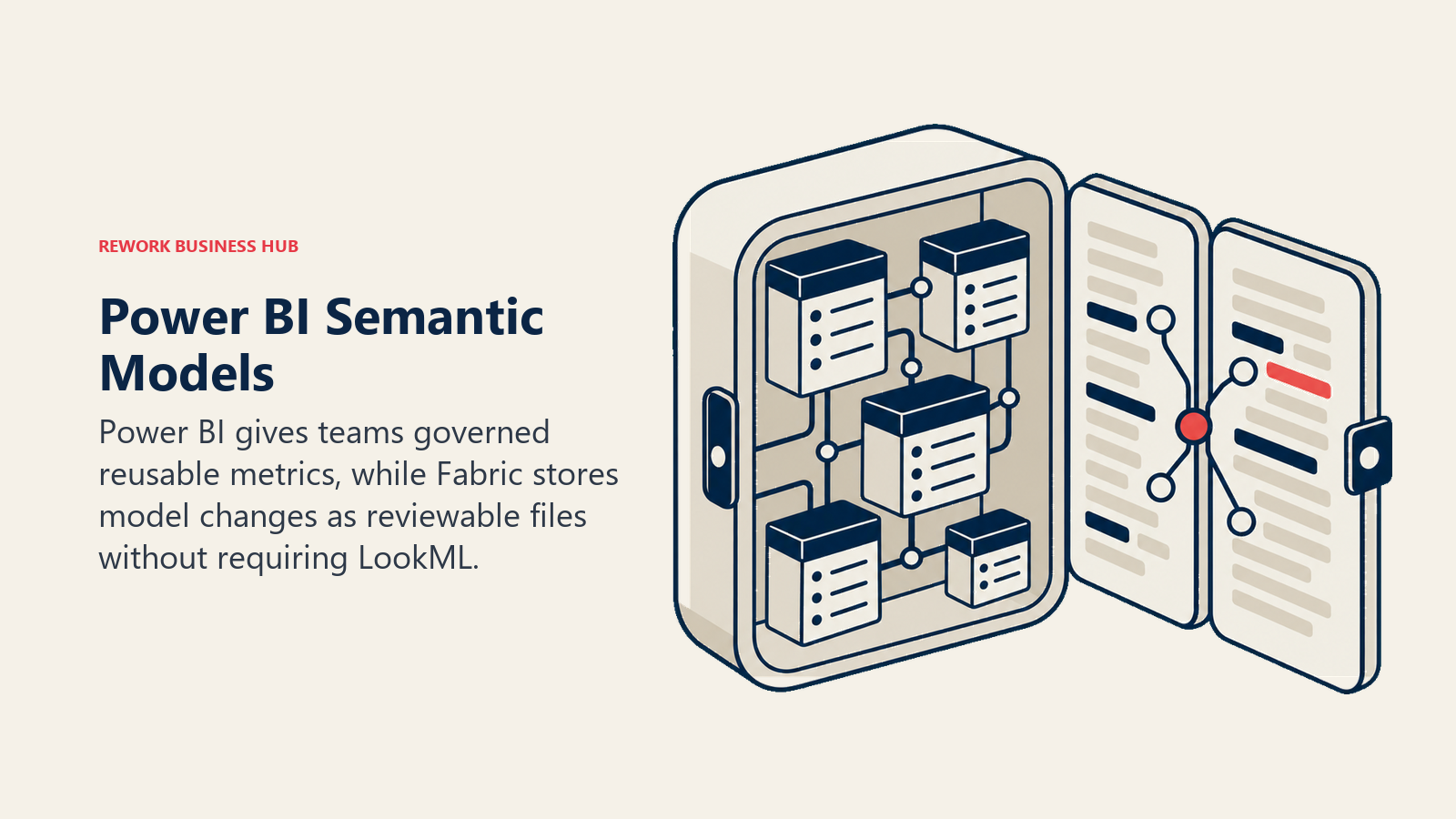
Power BI's semantic models (what used to be called datasets) give you a reusable, governed metric layer without hand-writing LookML, and Microsoft Fabric's Git integration stores those models in TMDL format, one file per table, measure, and relationship, so changes get real diffs and code review even though the authoring itself is GUI-first rather than code-first. Copilot adds AI-assisted DAX and report generation on top. Microsoft was named a Leader in Forrester's Q2 2025 Business Intelligence Platforms Wave with the highest score of any vendor on generative AI functionality, and it's been a Gartner Magic Quadrant Leader for 18 straight years, longer than any other vendor in the category. For any org already living in Microsoft 365, Teams, and Azure, that ecosystem depth is the real draw.
The tradeoff shows up once you're deep into Fabric. Capacity pricing (F-SKUs) is region-specific and rendered through a calculator rather than a flat price list, and costs scale with usage in ways that are harder to predict than a flat per-user fee.
| Pros | Cons |
|---|---|
| Git-integrated semantic models via Fabric (TMDL format) | Fabric capacity pricing is regional and calculator-based, not a flat number |
| 18 consecutive years as a Gartner Magic Quadrant Leader | Full governance requires understanding Fabric workspaces, not just Power BI Desktop |
| Deepest native tie to Excel, Teams, and Azure of any tool here | Premium Per User adds real cost once Fabric features are required |
Pricing: Free (personal, can't share); Pro $14.00/user/month paid yearly; Premium Per User $24.00/user/month paid yearly; Fabric capacity billed separately per region, reservations save about 41%.
Best for: Microsoft-standardized teams that want a governed, version-controlled semantic model without hiring someone fluent in LookML.
Sizing fit: Works from small teams up through enterprise; Fabric capacity costs are the real constraint at scale, not the per-user license.
Stage fit: A strong fit the moment a company standardizes its data stack on Microsoft, regardless of how mature its BI practice already is.
If Power BI itself is what you're evaluating alternatives to, see our dedicated Power BI alternatives guide, and if you're still deciding between the two biggest incumbents in this category, Power BI vs. Tableau covers that comparison directly.
2. Tableau - Best Visual Analytics, Still No Centralized Semantic Layer
For the head-to-head version of this section, Tableau vs Looker compares the two on cost at 25, 50 and 100 users and on what each one governs.
Tableau remains the reference point for visual exploration: drag-and-drop analysis, the deepest chart library in the category, and genuinely fast ad hoc discovery. Recent additions like the VizQL Data Model and Tableau Pulse are Tableau's own move toward a more centralized metrics layer, and Salesforce's Agentforce integration brings conversational querying on top of Tableau data. But historically, and still largely today, each workbook defines its own data source logic rather than inheriting from one governed model the way every Explore in Looker inherits from LookML, so the same metric can drift across workbooks without deliberate discipline to prevent it.
Pricing: Creator $75, Explorer $42, Viewer $15 per user/month, billed annually (Standard edition; Enterprise costs more, Creator runs $115).
| Pros | Cons |
|---|---|
| Best-in-class visual exploration and chart depth | No centralized governed semantic layer like LookML |
| VizQL Data Model and Pulse are real steps toward a metrics layer | That governance layer is newer and less mature than LookML's |
| Deep Salesforce and Agentforce integration | Workbook-level modeling means metric drift is a real risk without process |
Best for: Teams that prioritize visual analysis and ad hoc exploration over centralized metric governance.
Sizing fit: Scales from small analyst teams to large enterprises; licensing cost is the main lever, not modeling complexity.
Stage fit: A strong fit once visual storytelling and dashboard polish matter as much as the underlying metric consistency.
If Tableau is the tool you're actually replacing, our Tableau alternatives guide goes deeper on that specific shortlist.
3. Sigma Computing - Spreadsheet Interface, No Modeling Required
Sigma's whole pitch runs opposite to LookML's: instead of a governed model gatekeeping every new question, business users work directly in a spreadsheet interface on live warehouse data (Snowflake, Databricks, BigQuery), including write-back input tables for what-if scenarios. Governance lives in the warehouse's own access controls and views rather than a Looker-style model file, so there's no engineering queue standing between an analyst and a new pivot, at the cost of the centralized metric consistency LookML enforces.
Pricing: No published price. Free trial and demo request only.
| Pros | Cons |
|---|---|
| Zero-copy spreadsheet interface directly on the warehouse | No published pricing anywhere on the site |
| Write-back input tables support real what-if modeling | No dedicated semantic layer, governance depends on warehouse discipline |
| No LookML-style learning curve for business users | Less suited to teams that specifically want centralized metric enforcement |
Best for: Finance, revenue, and ops teams who want spreadsheet-native self-service without waiting on a data team.
Sizing fit: Best from roughly 50 to 2,000 employees, wherever warehouse-native governance is already trusted.
Stage fit: A fit once a company has a real cloud warehouse in place and wants business users querying it directly.
If Sigma's spreadsheet pitch appeals specifically because your finance team already lives in spreadsheets, it's worth comparing against dedicated planning platforms too; see our best FP&A software roundup.
4. Metabase - The Free Starting Point
Metabase is the obvious first stop for teams leaving Looker's licensing model behind entirely. The self-hosted, open-source edition is free with unlimited users, and its "Models" concept, curated SQL views marked as reusable building blocks, functions as a lightweight semantic layer. It's simpler and less rigorous than LookML by design: there's no equivalent to LookML's Explores or symmetric aggregates, just saved, reusable queries.
Pricing: Open source self-hosted free, unlimited users; Cloud Starter $90/month billed annually ($1,080/yr), 5 users included, +$6/user/month; Cloud Pro $517.50/month billed annually ($6,210/yr), 10 users included, +$12/user/month; Enterprise custom from about $20,000/year.
| Pros | Cons |
|---|---|
| Free, unlimited-user, self-hosted edition with no licensing risk | "Models" are a lighter modeling concept than LookML's Explores |
| Simple enough for a small team to run without a dedicated BI hire | Cloud pricing adds up quickly once you need managed hosting at scale |
| Fast to stand up, minimal onboarding curve | Less governance depth than a purpose-built semantic layer tool |
Best for: Small teams and startups that want a genuinely free starting point with no seat-count anxiety.
Sizing fit: Best under 200 employees; larger orgs typically outgrow its governance model.
Stage fit: A natural first BI tool, or a deliberate downgrade from Looker for a team that decided it never needed LookML's full weight.
5. Lightdash - The Literal Looker Alternative for dbt Shops
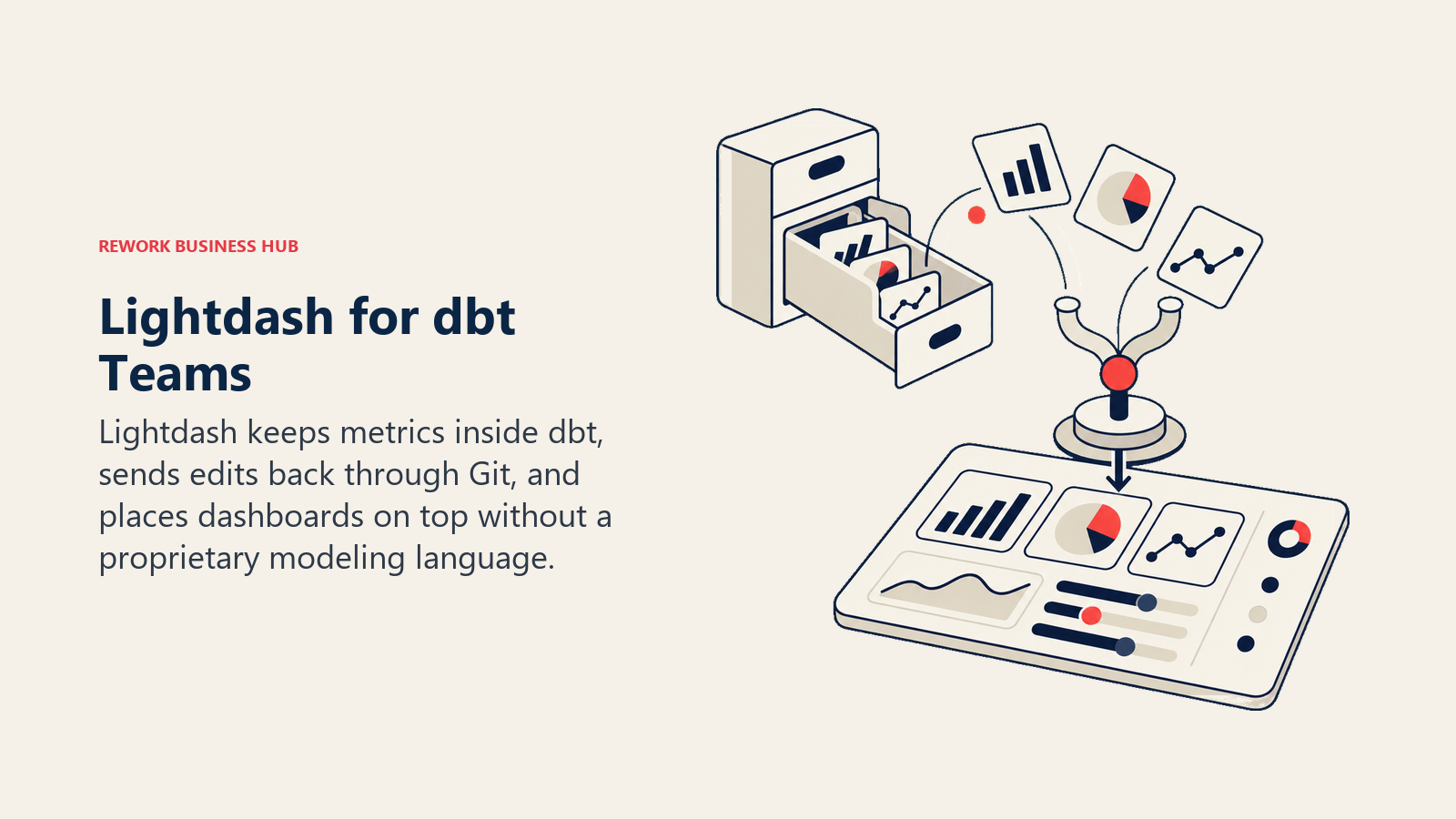
Lightdash is the most direct philosophical match to LookML on this list. You build metrics as YAML directly inside your existing dbt project, its meta.metrics spec has been the dbt-native path since launch, commit them to git, and get dashboards on top without leaving your dbt workflow. dbt Write-Back lets analysts create or edit metrics from the Lightdash UI and pushes those changes straight back into your dbt repo, so the governance model is genuinely git-native, the same discipline LookML enforces, just built around dbt instead of a proprietary language. Beta support for pulling metrics through dbt's own Semantic Layer (MetricFlow) is rolling out, currently limited to simple, ratio, and derived metric types.
Pricing: Free (self-hosted, open source); Cloud Pro $3,000/month with no per-seat pricing (unlimited users); Enterprise custom.
| Pros | Cons |
|---|---|
| Only tool here that's fully dbt-native and git-based like LookML | Smaller company, thinner enterprise track record than Looker |
| dbt Write-Back keeps metric changes version-controlled automatically | MetricFlow/dbt Semantic Layer support is still beta with real limits |
| Flat $3,000/month Cloud Pro pricing with unlimited users | Requires an existing dbt project; less of a fit if you're not already on dbt |
Best for: Teams that already run dbt and want to keep LookML's code-and-git discipline without Looker's price tag or Google dependency.
Sizing fit: Best from roughly 20 to 500 employees, anywhere a dbt project already exists.
Stage fit: Ideal for a team migrating off Looker that wants zero loss of modeling rigor during the move.
For the deeper mechanics of building a model that survives a migration like this, see our SQL data modeling that scales guide.
6. Preset (Managed Apache Superset) - Open Source, No Lock-In
Preset is managed Apache Superset, the open-source project originally built at Airbnb. If the real goal is escaping vendor lock-in entirely, self-hosted Superset is free forever, you just own the operations burden. Preset removes that hosting burden while keeping you on the same open engine, so there's no proprietary-format risk the way there is migrating off a fully closed tool. Superset's Datasets (virtual or physical) function as a lightweight modeling layer, and assets can be exported as YAML for version control, though it isn't a dbt-metrics-native system out of the box.
Pricing: Preset Starter free forever up to 5 users; Professional $20/user/month billed annually ($25 billed monthly), unlimited users; Enterprise custom. Self-hosted Apache Superset itself is open source and free.
| Pros | Cons |
|---|---|
| Open-source core means zero long-term vendor lock-in | Semantic layer is thinner than LookML or a dbt-native tool |
| Free self-hosted option removes licensing risk entirely | YAML asset export supports version control but isn't dbt-metric-aware |
| Preset's Professional tier is one of the cheaper per-user prices here | Smaller ecosystem of pre-built connectors than the larger commercial tools |
Best for: Engineering-led teams that want an open-source BI engine without owning the infrastructure.
Sizing fit: Starter fits teams under 5 users; Professional scales to mid-market comfortably.
Stage fit: A good fit anywhere open-source governance and avoiding lock-in outweigh needing LookML-grade modeling depth.
7. ThoughtSpot - Search-First, With a Bridge Back to dbt and Looker
ThoughtSpot's pitch is search, not dashboards: type or ask a natural-language question and it queries your model directly, powered by its own AI plus newer agentic features. Its Models (formerly called Worksheets) are ThoughtSpot's own semantic layer, exportable in a YAML-like format called TML. A 2022 partnership with dbt Labs, still active and extended through Analyst Studio, lets ThoughtSpot query metrics straight out of the dbt Semantic Layer or directly from an existing Looker/LookML instance, useful if you're migrating gradually rather than cutting Looker over in one move.
Pricing: Essentials from $25/user/month billed annually (5-50 users, up to 25M rows); Pro from $50/user/month billed annually (up to 1,000 users, 250M rows); Enterprise custom. Embedded: Developer free for 1 year (10 users), Enterprise custom.
| Pros | Cons |
|---|---|
| Native integration with both the dbt Semantic Layer and Looker/LookML | Real governance still requires deliberately building out Models/Worksheets |
| Search-first UX lowers the barrier for non-technical business users | Per-user pricing on Pro can add up fast for large user bases |
| Free 1-year embedded developer tier for evaluation | Full agentic feature set is newer and still maturing |
Best for: Business users who want to ask questions in natural language rather than navigate dashboards.
Sizing fit: Essentials fits 5-50 users; Pro scales to 1,000.
Stage fit: Works well as either a Looker replacement or a bridge tool that sits on top of an existing Looker/dbt model during a phased migration.
8. Qlik Cloud Analytics - Associative Exploration, Capacity Pricing
Qlik's associative engine is architecturally the biggest departure from Looker's philosophy on this list. Instead of pre-defining every join and relationship the way LookML requires, Qlik's in-memory engine indexes all of your data's relationships up front, so users can click through associations a rigid star schema would miss entirely. That flexibility trades off against LookML-style governance: there's no single canonical model file to review in a pull request. Pricing is capacity-based rather than per-user, so adding analysts doesn't add license cost the way Looker's Standard User model does. Qlik was named a Leader in Gartner's 2025 Magic Quadrant for Analytics and BI Platforms for the 15th consecutive year, per the company's own announcement.
Pricing: Starter $300/month (10 users, 10 GB, billed annually); Standard $825/month (25 GB, extra users free); Premium $2,750/month (50 GB); Enterprise quoted, 250 GB minimum. All capacity-based, billed annually.
| Pros | Cons |
|---|---|
| Associative engine surfaces relationships without pre-built joins | No canonical, git-reviewable model file the way LookML provides |
| Capacity pricing means extra users don't add license cost above Starter | Capacity-based budgeting is an unfamiliar mental model if you're used to per-seat |
| 15 consecutive years as a Gartner Magic Quadrant Leader | Data-volume growth, not headcount, is what drives your bill upward |
Best for: Teams that want exploratory, non-linear analysis and are comfortable budgeting on data volume instead of seats.
Sizing fit: Starter fits small teams at 10 GB; Premium and Enterprise scale to large data volumes regardless of headcount.
Stage fit: A fit once data volume, not user count, is the more predictable growth metric for your organization.
9. Hex - Notebooks Plus a Governed Metrics Layer
Hex isn't a dashboard tool first, it's a collaborative notebook: SQL, Python, and no-code cells in one document, aimed at analytics engineers and data scientists publishing polished apps rather than just charts. Where it intersects with Looker's core promise is its dbt Semantic Layer integration: Hex's Semantic Model Sync, in public beta as of March 2026, pulls governed measures and dimensions straight from dbt MetricFlow or Cube into a notebook. That means the "single source of truth" LookML provides can live in dbt while Hex handles exploration and app-building on top of it.
Pricing: Community free; Professional $36 per editor/month; Team $75 per editor/month; Enterprise custom.
| Pros | Cons |
|---|---|
| First-class dbt Semantic Layer and Cube integration via Semantic Model Sync | Not a traditional dashboard tool, less suited to business-user self-service |
| Free Community tier for individual use and evaluation | Semantic Model Sync is still in public beta |
| Combines notebooks, apps, and governed metrics in one workflow | Per-editor pricing on Team tier adds up for larger analytics teams |
Best for: Analytics engineers and data scientists who want notebooks with governed metrics underneath, not another dashboard tool.
Sizing fit: Free Community tier works for individuals; Team tier fits analytics teams of 5-50.
Stage fit: Best for teams with an existing dbt investment who want to build interactive apps on top of it, not replace their BI layer wholesale.
10. Holistics - The Closest LookML Analog, Without Google
If you liked LookML's core idea, code-defined, git-versioned metrics, but not Google's ecosystem, Holistics is the most direct match on this list. Its modeling language, AML (Analytics Modeling Language), plays a similar role to LookML: dimensions, measures, and relationships are written as code and checked into git with genuine two-way sync, branching, and code review, arguably a more complete git workflow than LookML's own relationship with version control. It's a smaller company than Google, so the hiring pool of people who already know AML is thinner than the LookML market, but for a team that wants to leave Looker without abandoning "modeling as code" as a principle, it's the closest philosophical fit.
Pricing: Entry $800/month billed annually ($960 monthly), first 10 users and 100 reports; Standard $1,000/month annually ($1,200 monthly), unlimited reports; Security Compliance Suite $2,000/month annually ($2,400 monthly). Extra users $12.50-$18/month.
| Pros | Cons |
|---|---|
| AML modeling language mirrors LookML's code-and-git philosophy directly | Smaller vendor, thinner brand recognition and hiring pool than Looker |
| Native two-way git sync with branching and code review | Migration still means rewriting every LookML measure in AML syntax |
| Fully published pricing, no quote-only guesswork | Fewer pre-built connectors than the larger incumbents |
Best for: Teams that specifically valued LookML's code-as-governance model and want the same philosophy elsewhere.
Sizing fit: Entry tier fits teams up to 10 users; Standard scales to unlimited reports for larger analytics teams.
Stage fit: Best for a team with an existing LookML discipline that wants to preserve it through a migration, not abandon it.
11. Looker Studio - Free, But Not a Real Looker Replacement
If the free tool is genuinely what you were shopping for, Power BI vs Looker Studio is the more useful comparison.
This is the "free Looker" a lot of people are actually thinking of when they say they want to leave Looker, and it's worth being direct: it isn't a lite version of the LookML-based platform, it's a genuinely different product (formerly Google Data Studio) that Google acquired and rebranded. It connects to hundreds of data sources, no semantic layer, no LookML, and it's built for fast report assembly rather than governed enterprise analytics. If your actual complaint about Looker is "I just need free dashboards on my Google Ads and Analytics data," Looker Studio isn't a competitor on this list, it's probably already sitting inside your Google account.
Pricing: Free. Looker Studio Pro adds a paid licence tied to one Google Cloud project, billed per licence whether it's used or not, at $9 per user per project per month.
| Pros | Cons |
|---|---|
| Free, with a huge library of connectors for marketing and Google data | No governed semantic layer of its own |
| Fast to build a first report, no modeling required | Looker Studio Pro pricing isn't published, budgeting requires a sales conversation |
| Genuinely different product from Looker, not a stripped-down version | Not built for enterprise-wide metric governance |
Best for: Marketers and analysts who need quick, free reports on Google and marketing data specifically.
Sizing fit: Fits any size team, since there's no seat cost on the free tier.
Stage fit: A fit at any stage where the need is report assembly, not governed enterprise BI.
12. Domo - No Per-Seat Cost, Consumption Credits Instead
Domo's pitch is one platform, mobile-first, no seat tax: it doesn't charge for user seats at all, instead metering by consumption credits spent on storage, table updates, workflows, and ML inference. That inverts Looker's per-user-plus-platform-fee model entirely, good for organizations that want dashboards in front of every employee without a per-seat bill scaling alongside headcount, riskier for teams with unpredictable or bursty workloads where credit consumption is hard to forecast in advance. Domo Everywhere handles embedding, and its mobile app is genuinely built mobile-first rather than a responsive web wrapper bolted onto a desktop product.
Pricing: No published price. Consumption-credit model; credits are consumed by storage, table updates, workflows, and ML inference, and refresh each billing cycle under an annual or multi-year subscription.
| Pros | Cons |
|---|---|
| Free user seats, cost doesn't scale with headcount the way Looker's does | No published pricing, credit consumption is hard to estimate up front |
| Genuinely mobile-first app, not a responsive web wrapper | Credit-based billing can spike unpredictably with heavy workflow use |
| Domo Everywhere covers embedding without a separate product | Beast Mode calculated fields are less rigorous than a full semantic layer |
Best for: Organizations that want to put dashboards in front of a large, non-technical headcount without per-seat licensing.
Sizing fit: Works at almost any size, since seats are free; credit consumption, not headcount, is the real budgeting variable.
Stage fit: A fit once broad, company-wide dashboard access matters more than deep, governed modeling.
If Domo is the tool you're actually comparing alternatives against, see our dedicated Domo alternatives guide.
13. Sisense - Built for Embedding, Not Internal BI
Sisense is built for teams embedding analytics into their own product rather than running BI for internal use. Its ElastiCube in-memory engine and white-label options are aimed at product and engineering teams shipping analytics as a feature of their own application, not a Looker-style internal reporting layer. 2025's Sisense Intelligence release added GenAI assistant features (natural-language "Explanation" and "Forecast" tools) on top of the existing embedding story. The company went through two rounds of layoffs in 2023 to 2024 but remains independently operated as of mid-2026, with no acquisition announced.
Pricing: No published price. Two named plans on the pricing page: Self-Serve (free trial) and Enterprise (contact sales).
| Pros | Cons |
|---|---|
| Deep white-label embedding built for product teams, not internal analysts | No published pricing at either named plan |
| ElastiCube in-memory engine handles large embedded workloads well | No git or dbt-native modeling layer |
| 2025's GenAI features add natural-language explanation and forecasting | Overbuilt for a team just wanting internal dashboards, not embedding |
Best for: Product and engineering teams embedding analytics directly into their own SaaS application.
Sizing fit: Best for companies with an existing product to embed into, regardless of internal headcount.
Stage fit: A fit once analytics becomes a feature of your product, not just an internal reporting tool.
14. GoodData (GoodData.AI) - Headless Semantic Layer for Embedded Analytics
GoodData rebranded to GoodData.AI in April 2026 and rebuilt its query engine around open-source components (Apache Arrow, DuckDB, Apache Iceberg), but its core proposition for a Looker shopper hasn't changed: a headless, governed Logical Data Model (LDM) that multiple applications and AI agents can query consistently, managed through an "Analytics as Code" workflow with a CLI and Git integration, philosophically close to LookML but expressed in its own declarative format rather than LookML's syntax. Gartner recognized GoodData.AI as a Visionary in the 2026 Magic Quadrant for Analytics and BI Platforms, up from Niche Player the prior year, reflecting that embedded, developer-centric focus.
Pricing: No published price. Professional priced per-workspace; Enterprise custom and use-case based.
| Pros | Cons |
|---|---|
| Headless LDM is genuinely git-managed via Analytics as Code CLI | No published pricing at either tier |
| Moved from Niche Player to Visionary in Gartner's 2026 Magic Quadrant | Own declarative format, not dbt or LookML syntax, still requires a rewrite |
| Purpose-built for embedding analytics and AI agents into a SaaS product | Overkill for a single company's internal BI needs |
Best for: SaaS companies embedding governed, multi-tenant analytics and AI agents into their own product.
Sizing fit: Best for companies with a real embedding use case, from startups building analytics-as-a-feature to enterprises with many downstream apps.
Stage fit: A fit once analytics needs to be consistent across multiple applications and agents, not just one internal dashboard.
Migrating Off LookML: What Doesn't Port
Whichever tool you land on, plan for what actually has to be rebuilt, because none of it migrates automatically.
Metric definitions don't export. Every measure, dimension, and derived table written in LookML has to be manually re-implemented in the target tool's own modeling language, whether that's DAX in Power BI, YAML in Lightdash, or AML in Holistics. There's no converter that fully preserves LookML logic across tools.
Explore-level join behavior has no direct equivalent. LookML's Explores define which fields are joinable and how symmetric aggregates behave across those joins; most other tools handle joins per-query or per-model differently, so this logic needs rethinking, not just translating.
Row-level security has to be rebuilt in the new tool's own model. Looker's user-attribute-based access filters don't transfer; every target tool implements row-level security its own way.
Actions, scheduled deliveries, and custom visualizations all need to be recreated in whatever the new platform's equivalent features are, since none of these integrations carry over as configuration you can export and import.
There's one genuine silver lining: if your organization already runs a dbt project independent of Looker, that underlying data modeling work is portable, and LookML was arguably duplicating logic that already lived in dbt. Moving to a dbt-native tool like Lightdash in that case isn't really a migration, it's consolidating onto the model you already had. Either way, keeping a clear reference for what each metric means and where it comes from matters more during a migration than at any other time; our revenue data dictionary framework is a useful pattern to borrow regardless of which tool ends up enforcing it. And if the bigger question is really about your whole analytics stack rather than just the BI layer on top of it, our data analyst tools and tech stack guide is a good next stop.
Sizing and Persona Fit
| Headcount | Best fit | Why | Watch out for |
|---|---|---|---|
| Under 50 | Metabase, Apache Superset (self-hosted) | Free, unlimited users, no license risk while the team is small | Self-hosting means your team owns the ops burden |
| 50 to 200 | Lightdash, Sigma, Preset | Sized for a first real semantic layer or self-serve layer without enterprise overhead | Lightdash needs an existing dbt project to be worth it |
| 200 to 1,000 | Power BI, Tableau, ThoughtSpot, Holistics | Where governance and per-seat cost both start to matter at once | Power BI's Fabric capacity cost can outpace the per-user license fast |
| 1,000 to 5,000 | Qlik, Domo, Hex | Capacity or credit-based pricing scales more predictably than per-seat at this size | Both require a real budgeting shift away from a flat per-user model |
| 5,000-plus, or embedding into a product | Sisense, GoodData (GoodData.AI) | Built for white-label embedding and multi-tenant governance, not just internal dashboards | Both are overbuilt if you just need internal BI |
| Persona | What they optimize for | Strongest picks |
|---|---|---|
| Analytics engineer who lives in dbt | Keep metrics as code, git-versioned, dbt-native | Lightdash, Hex |
| BI lead standardizing on Microsoft | Governed models with Git-integrated Fabric workflows | Power BI |
| Finance or revenue analyst | Spreadsheet-native self-service, no modeling language | Sigma Computing |
| Business user who wants answers, not dashboards | Search and natural-language querying | ThoughtSpot |
| Engineer embedding analytics into a product | Headless semantic layer, white-label UI | GoodData (GoodData.AI), Sisense |
| Marketer who just wants free reports | No modeling, fast report assembly | Looker Studio |
Stage Fit
| Company stage | What usually breaks | Best fit |
|---|---|---|
| Early stage, under 20 people | No formal BI yet, one person owns every dashboard | Metabase, Looker Studio |
| Growth stage, 20 to 100 | First dedicated analytics hire, dbt project starting to take shape | Lightdash, Preset |
| Scaling, 100 to 500 | LookML-style governance needed but Looker's per-seat and Developer-user limits start pinching | Power BI, Holistics, Tableau |
| Late growth, 500 to 2,000 | Data volume and headcount both growing, budgeting needs to shift off per-seat | Qlik, Domo, ThoughtSpot |
| Enterprise or product-embedding stage | Analytics needs to be consistent across multiple apps, teams, or customer-facing surfaces | GoodData (GoodData.AI), Sisense |
How to Choose: Decision Framework
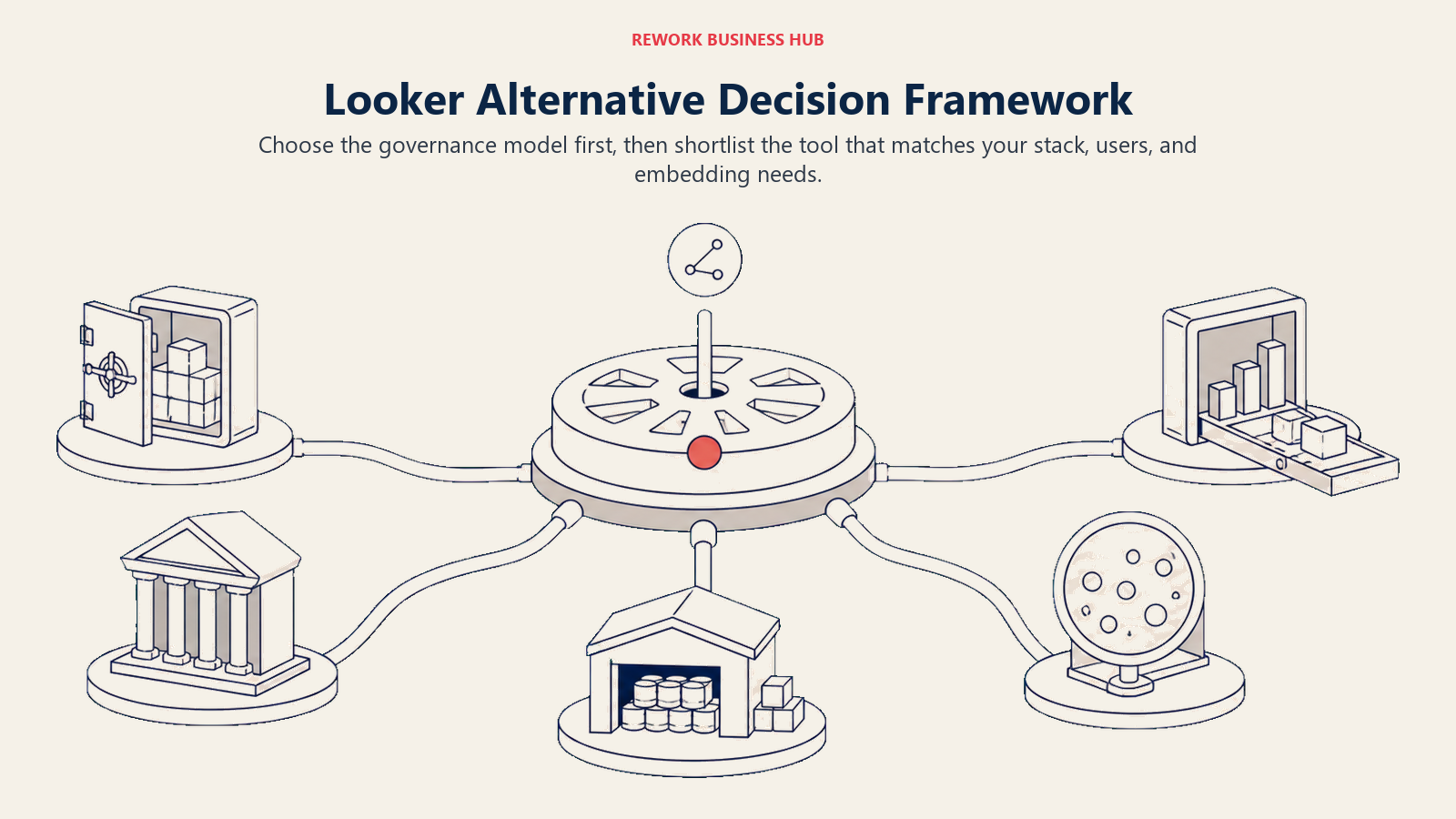
Choose by the governance model your team can maintain, then narrow the product shortlist.
| If you need... | Choose |
|---|---|
| To keep a git-based, code-defined semantic layer built on dbt | Lightdash |
| The closest LookML philosophy (code plus git), without Google's ecosystem | Holistics |
| To standardize on Microsoft 365/Azure with governed, Git-integrated models | Microsoft Power BI |
| The best visual exploration experience, governance handled separately | Tableau |
| A spreadsheet interface directly on your warehouse for business users | Sigma Computing |
| Free reporting on Google Ads, Analytics, or Sheets data, no migration needed | Looker Studio |
| To embed governed, headless analytics and AI agents into your own SaaS product | GoodData (GoodData.AI) |
| Search-driven, natural-language analytics for non-technical users | ThoughtSpot |
| No per-seat cost as headcount grows | Domo or Qlik Cloud Analytics |
| A free, self-hosted starting point with zero licensing risk | Metabase or Apache Superset (self-hosted) |
If the real gap you're solving for is product usage data rather than business reporting, that's a different category entirely; see our guide on how to choose product analytics software.
Frequently Asked Questions about Looker Alternatives
What's the actual difference between Looker and Looker Studio?
Looker is Google Cloud's enterprise BI platform, built on LookML, a git-based modeling language, and sold on quote-only annual commitments with 10 Standard and 2 Developer users included per platform. Looker Studio is a free, separate reporting tool with no modeling layer, built for fast report assembly on Google and marketing data. They share a name and a parent company, nothing else.
How much does Looker cost?
Looker publishes no price. Standard, Enterprise, and Embed editions are all quote-only on 1, 2, or 3-year annual commitments, each including 10 Standard users and 2 Developer users. The one published number is Conversational Analytics data-token overage pricing: $3.00 per 1M input tokens and $20.00 per 1M output tokens, effective October 1, 2026.
What's the cheapest Looker alternative with a fully published price?
Metabase's self-hosted, open-source edition is free with unlimited users. Among paid, published prices, Microsoft Power BI Pro at $14.00/user/month billed yearly is the lowest fully published per-seat rate on this list.
Which alternative keeps a git-based, code-defined semantic layer like LookML?
Lightdash (built dbt-native, with git-based dbt Write-Back) and Holistics (its own AML language, with native two-way git sync) are the two purpose-built matches. GoodData's Logical Data Model is also git-managed, through its Analytics as Code CLI, though in its own declarative format rather than dbt or LookML syntax.
Is Looker Studio a real Looker alternative?
Not really. It's a different, free product built for fast report-building on Google and marketing data, with no semantic layer and no LookML. If your complaint about Looker is really "I want free dashboards on my Google Ads data," Looker Studio is probably already the answer, not a separate migration.
What happens to my LookML models if I switch tools?
Nothing carries over automatically. Every measure, dimension, and join defined in LookML has to be manually rebuilt in the new tool's own modeling language, and row-level security, scheduled deliveries, and custom visualizations all need to be recreated separately. If your org already has an independent dbt project, that modeling work is portable and a dbt-native tool like Lightdash becomes more of a consolidation than a rebuild.
Which alternative is best for embedding analytics into my own product rather than running internal BI?
GoodData (GoodData.AI) and Sisense are the two purpose-built embedding and white-label plays on this list. ThoughtSpot also offers a free 1-year embedded developer tier worth evaluating if you're not ready to commit.
Do any of these alternatives avoid per-user pricing entirely?
Domo (consumption credits, free user seats) and Qlik Cloud Analytics (capacity-based pricing, extra users free above the Starter tier) both replace per-seat pricing with a different billing unit. That's worth considering if headcount is growing faster than budget.
What to Do Next
Pick your two strongest candidates from the decision framework above, one from each side of the git-based-versus-GUI-first fork, and rebuild one real thing from your current Looker instance in each: a dashboard your team actually checks weekly, or the metric definitions behind your most-used Explore. Don't sit through a sales demo for this part. Watch how long it takes your own analysts to reproduce something they already trust in LookML, and whether the new tool's governance model, whichever kind it is, actually holds up once someone else on the team starts editing it. That exercise will tell you more about the real migration cost than any feature comparison on this page.
Camellia writes about business intelligence and analytics tooling for B2B teams.

Principal Product Marketing Strategist
On this page
- Key Facts
- Quick Comparison Table
- Looker vs. Looker Studio: Not the Same Product
- Why Teams Shop for a Looker Alternative
- Semantic Layer Comparison: Who Actually Has One
- 1. Microsoft Power BI - The Governed Model Without LookML
- 2. Tableau - Best Visual Analytics, Still No Centralized Semantic Layer
- 3. Sigma Computing - Spreadsheet Interface, No Modeling Required
- 4. Metabase - The Free Starting Point
- 5. Lightdash - The Literal Looker Alternative for dbt Shops
- 6. Preset (Managed Apache Superset) - Open Source, No Lock-In
- 7. ThoughtSpot - Search-First, With a Bridge Back to dbt and Looker
- 8. Qlik Cloud Analytics - Associative Exploration, Capacity Pricing
- 9. Hex - Notebooks Plus a Governed Metrics Layer
- 10. Holistics - The Closest LookML Analog, Without Google
- 11. Looker Studio - Free, But Not a Real Looker Replacement
- 12. Domo - No Per-Seat Cost, Consumption Credits Instead
- 13. Sisense - Built for Embedding, Not Internal BI
- 14. GoodData (GoodData.AI) - Headless Semantic Layer for Embedded Analytics
- Migrating Off LookML: What Doesn't Port
- Sizing and Persona Fit
- Stage Fit
- How to Choose: Decision Framework
- What to Do Next