Best AI Tools for Academic Research in 2026: 13 Tools for Literature Review, Writing, and Discovery
Turn this article into takeaways for your work.


Each assistant summarizes the article only for you and suggests best practices for your work.
No single AI tool covers a research project end to end. Semantic Scholar and Consensus are best for finding and screening papers, Elicit and SciSpace do the heavy lifting on extraction and systematic review, Scite.ai tells you whether a citation actually supports the claim it's attached to, and Claude, ChatGPT, and Perplexity handle synthesis, drafting, and general-purpose reasoning once you already have your sources. This guide ranks 13 tools by where they sit in that workflow, not by hype, so you can build a stack instead of chasing one "best" app. If you want the master list across every category first, see our best AI tools in 2026 roundup.
Every tool below was evaluated on real research workflows, current pricing, and how it fits into a normal literature review or writing cycle, not a vendor demo.
What Changed in 2026
The 2026 shift is less about access to AI and more about choosing grounded tools, defensible citations, and usage tiers that match real research volume.
- Wiley's 2025 ExplanAItions survey found AI adoption among researchers jumped from 57% in 2024 to 84% in 2025, but confidence in AI output has not kept pace, pushing more researchers toward tools built specifically for citation accuracy rather than general chatbots.
- OpenAI added a new $100/month ChatGPT Pro tier on April 9, 2026, sitting between the $20 Plus plan and the original $200 Pro tier, giving heavy Deep Research users a mid-price option.
- Google split its AI Ultra subscription into a $99.99 entry tier and a $200 high-limit tier at I/O on May 19, 2026, which now gates NotebookLM's higher usage limits.
- Perplexity expanded its academic offering with Education Pro at $10/month for verified students, adding Study Mode and 10x more citations per answer on top of its existing Academic Focus mode.
Key Facts
- AI adoption among researchers rose from 57% in 2024 to 84% in 2025, with AI use for specific research and publication tasks growing from 45% to 62%, per Wiley's 2025 ExplanAItions survey of 2,430 researchers.
- Researchers reach for general-purpose chatbots far more than dedicated research tools: 80% use tools like ChatGPT for research tasks, versus just 25% who use a specialized AI research assistant, according to the same Wiley survey.
- Scientists who use AI in their research publish 3.02 times more papers, earn 4.84 times more citations, and become research leaders 1.37 years earlier than peers who don't, based on a Nature study analyzing 41.3 million papers published between 1980 and 2025.
- That same Nature study found a real tradeoff: collectively, AI adoption narrows the range of scientific topics studied by 4.63% and cuts researcher-to-researcher engagement by 22%, as AI-assisted work clusters around data-rich, benchmark-friendly fields.
- More than half of researchers now use AI while peer reviewing manuscripts, a jump of 24 percentage points from the prior year, per a Frontiers survey of 1,600 academics across 111 countries reported in Nature.
- 31.5% of researchers report using AI specifically for literature reviews during the early ideation and conceptual stage, according to a large-scale survey of German researchers.
Quick Comparison Table
| Tool | Best For | Starting Price | Key Strength | Key Limitation |
|---|---|---|---|---|
| Semantic Scholar | Free academic search across every discipline | Free | TLDR summaries, citation-quality classification, no paywall | No writing or synthesis features |
| Consensus | Fast, evidence-based answers to yes/no research questions | Free (Premium from ~$9/mo) | Consensus meter shows agreement across studies | Best for narrow, answerable questions, not full reviews |
| ResearchRabbit | Visual citation mapping and discovering related work | Free (RR+ $10/mo) | Spotify-style discovery across 280M+ papers | Not a summarization or writing tool |
| Undermind | Deep, adaptive search when keyword search fails | Free trial (Pro $16/mo) | Autonomous agent explores literature iteratively | Slower per search than keyword tools |
| Elicit | Systematic reviews and structured data extraction | Free (Pro $49/mo) | Screens up to 5,000 papers, exports to tables | Pro-tier features needed for real systematic reviews |
| SciSpace | Reading and chatting with individual papers | Free (Premium $12/mo, annual) | Paper-reading copilot with equation and figure explanations | Credit-based usage can run out on heavy weeks |
| NotebookLM | Source-grounded synthesis across your own uploaded material | Free (Plus $7.99/mo) | Answers only from your sources, low hallucination risk | Not a literature discovery tool, needs sources first |
| Scite.ai | Checking whether a citation supports or contradicts a claim | Free trial (Personal from $12 to $20/mo) | Smart Citations classify 1.6B+ citations as supporting or disputing | Coverage depends on publisher partnerships |
| Perplexity | Quick research answers with inline citations | Free (Pro $20/mo) | Academic Focus mode limits results to peer-reviewed sources | Deep Research drafts still need expert review |
| ChatGPT | General-purpose drafting, brainstorming, and Deep Research reports | Free (Plus $20/mo) | Widest adoption, strong for outlining and early drafts | Not citation-verified by default |
| Claude | Long-document synthesis and academic writing | Free (Pro $20/mo) | Large context window handles full papers and drafts at once | No built-in academic database search |
| Paperpal | Polishing manuscripts for journal submission | Free (Prime $25/mo) | 30+ submission readiness checks, journal-specific formatting | Focused on language and formatting, not discovery |
| Zotero (+ AI plugins) | Reference management with optional AI chat over your library | Free (storage from $20/yr) | Open source, no vendor lock-in, huge citation style library | No native AI; requires a third-party plugin for chat features |
How Researchers Actually Use These Tools: A Workflow
Most researchers don't pick one AI tool. They move through five stages, and the tool that wins at one stage is rarely the best fit for another.
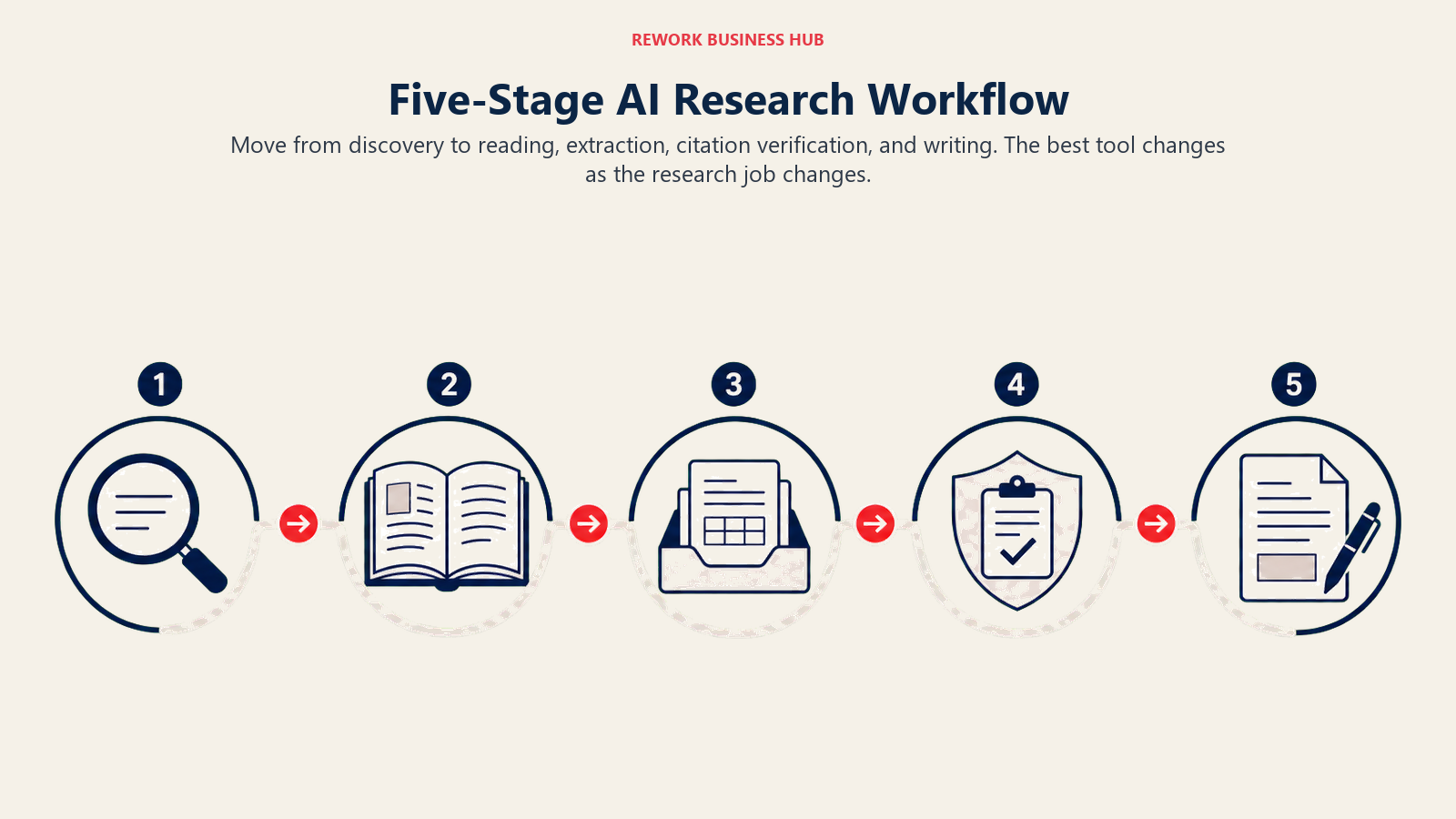
- Discovery. You're trying to find every paper relevant to your question, not just the ones that show up on page one of a keyword search.
- Reading and comprehension. You have a stack of PDFs and need to understand each one fast, including the math, figures, and methodology.
- Synthesis and extraction. You need to pull structured data out of dozens or hundreds of papers into a comparable format.
- Citation verification. Before you cite a claim, you need to know whether the literature actually supports it or is contested.
- Writing and submission. You're drafting, revising, and formatting for a specific journal's requirements.
The tools below are ordered to match that workflow, not alphabetically, so you can see where each one earns its place in your stack. If you're comparing general-purpose AI assistants for the drafting and reasoning stage specifically, our Claude vs ChatGPT vs Gemini breakdown and Perplexity vs ChatGPT Search vs Gemini comparison go deeper on those three specifically.
Workflow Fit Matrix
| Tool | Discovery | Reading | Synthesis | Citation Check | Writing |
|---|---|---|---|---|---|
| Semantic Scholar | Strong | Possible | - | Possible | - |
| Consensus | Strong | Possible | Possible | Possible | - |
| ResearchRabbit | Strong | - | - | - | - |
| Undermind | Strong | Possible | Possible | - | - |
| Elicit | Possible | Possible | Strong | Possible | - |
| SciSpace | Possible | Strong | Strong | Possible | Possible |
| NotebookLM | - | Strong | Strong | - | Possible |
| Scite.ai | Possible | - | - | Strong | - |
| Perplexity | Strong | Possible | Possible | Possible | Possible |
| ChatGPT | Possible | Possible | Strong | - | Strong |
| Claude | - | Strong | Strong | - | Strong |
| Paperpal | - | - | - | - | Strong |
| Zotero (+ AI plugins) | Possible | Possible | Possible | - | - |
Sizing and Persona Table
| Tool | Ideal User | Primary Use Case |
|---|---|---|
| Semantic Scholar | Any researcher, any discipline | Free literature search and citation graph exploration |
| Consensus | Researchers with a specific, answerable question | Evidence synthesis across peer-reviewed studies |
| ResearchRabbit | Graduate students starting a new literature review | Visual mapping of citation networks and related work |
| Undermind | Researchers stuck with keyword search failing them | Adaptive, agent-driven deep literature search |
| Elicit | Systematic reviewers, meta-analysts | Screening thousands of papers and extracting structured data |
| SciSpace | Anyone reading dense technical papers regularly | AI-assisted paper reading and explanation |
| NotebookLM | Researchers synthesizing their own source set | Source-grounded Q&A and note generation |
| Scite.ai | Researchers who need to verify claims before citing | Citation context and supporting/contrasting classification |
| Perplexity | Fast-moving researchers who need cited answers quickly | Academic-focused search with inline citations |
| ChatGPT | Researchers drafting outlines, summaries, and early text | General-purpose reasoning and Deep Research reports |
| Claude | Researchers synthesizing long documents or full drafts | Long-context reading, writing, and revision |
| Paperpal | Researchers preparing a manuscript for submission | Language polish, plagiarism check, journal formatting |
| Zotero (+ AI plugins) | Anyone managing a citation library across a career | Reference management, citation generation, optional AI chat |
1. Semantic Scholar: Free AI-Powered Search Across Every Discipline
Semantic Scholar is built by the Allen Institute for AI (AI2), a nonprofit, which is why it stays completely free with no premium tier. It indexes more than 214 million academic papers and ranks results using semantic relevance and citation influence rather than keyword frequency alone. TLDR summaries condense each paper into one sentence, and Highly Influential Citations classification flags which references actually shaped a paper's findings.
For a starting point in any literature search, Semantic Scholar is hard to beat: it's free, has no paywall, and its API gives labs and tools built on top of it programmatic access to the same graph.
| What you get | What you don't |
|---|---|
| 214M+ papers, completely free, no hidden tiers | No writing, drafting, or synthesis tools |
| TLDR one-sentence summaries on most papers | Semantic Reader's inline citation cards work best on well-indexed papers |
| Semantic Reader augmented PDF viewer | Not built for structured data extraction across many papers |
| Free public API with SPECTER2 embeddings | Less discovery-by-visualization than ResearchRabbit |
Pricing: Free, with no paid tier. Public API access is also free.
Best for: Any researcher starting a literature search in any field, especially where budget matters
2. Consensus: Evidence-Based Answers with a Consensus Meter
Consensus is built around a specific job: answering a research question with the actual balance of peer-reviewed evidence, not a single paper's opinion. Ask "does creatine improve cognitive performance" and Consensus returns a synthesized answer with a visual consensus meter showing how many studies agree, disagree, or are mixed, each linked to its source.
The Free tier includes 15 Pro messages and 3 Deep Searches per month, which covers casual use. The paid Premium tier (roughly $9/month) unlocks unlimited AI searches and advanced filtering by study type and journal quality, while the Deep tier (around $45/month) adds 200 Deep Searches a month for researchers running frequent literature reviews. Students and faculty get a discount through Consensus's academic pricing.
| What you get | What you don't |
|---|---|
| Consensus meter visualizes agreement across studies | Best for narrow, well-defined questions, not exploratory review |
| Deep Search synthesizes findings across up to 50-200 papers | Not designed for full systematic review workflows like Elicit |
| Filters by study type, sample size, and journal quality | Coverage skews toward biomedical and social science literature |
| Student and clinician discounts available | Free tier caps out fast for daily heavy use |
Pricing: Free tier; Premium from approximately $9/month; Deep from approximately $45/month, per Consensus's pricing page
Best for: Researchers who need a fast, evidence-weighted answer to a specific question
3. ResearchRabbit: Visual Citation Mapping for Literature Discovery
ResearchRabbit describes itself as "Spotify for papers," and the comparison holds up. Drop in a few seed papers and it builds an interactive citation network showing earlier foundational work, later citing papers, and thematically related research you'd never find through keyword search alone. It's genuinely free forever for the core product: unlimited searches across 280 million-plus articles with up to 50 seed papers.
The visualization is what sets it apart from list-based search tools. You can see which papers cluster together, trace a research thread backward to its origin, and every search iteration is saved so you can retrace your steps. Connect a Zotero library and it syncs automatically. The RR+ premium tier ($10/month) raises the seed limit to 300 and unlocks advanced search controls and multiple projects.
| What you get | What you don't |
|---|---|
| Free forever core product, 280M+ articles | No summarization, extraction, or writing features |
| Interactive citation network visualization | Best used alongside a reading or synthesis tool, not alone |
| Native Zotero library sync | RR+ needed for larger literature reviews (300 seed papers) |
| Saved search history to retrace earlier steps | Less useful once you've already narrowed to a small paper set |
Pricing: Free (core product); RR+ from $10/month, per ResearchRabbit's pricing page
Best for: Graduate students and researchers starting a new literature review from scratch
4. Undermind: An Autonomous Search Agent for When Keywords Fail
Undermind takes a different approach than every other search tool on this list. Instead of matching keywords or embeddings once, it deploys an AI agent, founded by quantum physics PhDs from MIT, that explores the literature iteratively, reading and reasoning about hundreds of papers to find work that's relevant even when it doesn't share vocabulary with your query. That matters most in interdisciplinary or emerging fields where the right paper uses different terminology than you'd guess.
The Free plan gives you capped searches with standard rate limits to test the approach. The Pro plan at $16/month (billed annually) unlocks unlimited searches, the latest AI models, and 10x higher usage limits, per Undermind's own pricing details.
| What you get | What you don't |
|---|---|
| Agent-driven search finds relevant work keyword search misses | Slower per query than a standard search engine |
| Strong for interdisciplinary or emerging-field research | Free tier is capped, meant for evaluation |
| Unlimited projects and shared libraries on Pro | Newer product with a smaller track record than Semantic Scholar |
| Team plans with centralized billing | Not built for reading or writing, search-only |
Pricing: Free (capped searches); Pro $16/month (billed annually); Team $15/person/month; Enterprise custom
Best for: Researchers in interdisciplinary fields where keyword search consistently misses relevant work
5. Elicit: Systematic Reviews and Structured Data Extraction at Scale
Elicit is purpose-built for the part of research that eats the most time: screening hundreds or thousands of papers and pulling comparable data out of each one. The Free Basic tier already includes unlimited search across 138 million-plus papers and unlimited chat with full text, which alone makes it worth trying. The real value shows up on the Pro plan ($49/month), which adds a dedicated systematic review workflow that can screen up to 5,000 papers, extract data into a table with up to 20 columns, and pull from 135 different data sources.
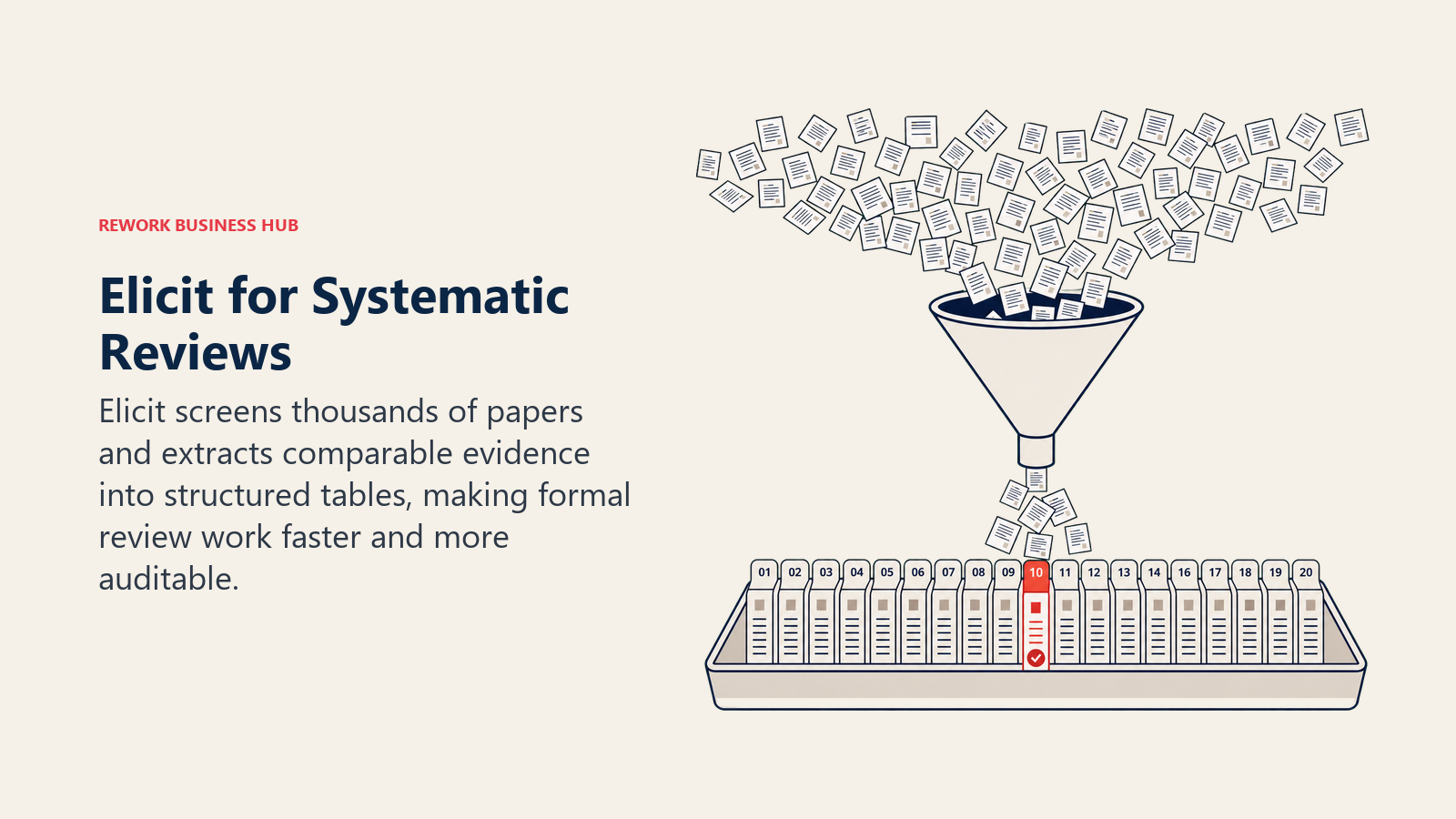
More than 2 million researchers across academia, pharma, policy, and tech reportedly use Elicit, and its PRISMA-grade accuracy claims on the Enterprise tier (custom pricing, screening up to 40,000 papers) target teams running formal systematic reviews and meta-analyses. If your extraction tables feed into heavier statistical work afterward, pair Elicit with a dedicated tool from our best AI tools for data analysis guide.
| What you get | What you don't |
|---|---|
| Free tier covers unlimited search and chat across 138M+ papers | Pro tier ($49/mo) needed for real systematic review workflows |
| Dedicated systematic review workflow, screens 5,000 papers | Reports and Research Agent usage capped even on Pro |
| Extraction tables with up to 20-30 columns | Not a citation graph or discovery tool like ResearchRabbit |
| API access on Pro and above | Team collaboration features require the Scale tier ($169/mo) |
Pricing: Free (Basic); Pro $49/month; Scale $169/month; Enterprise custom, per Elicit's pricing page
Best for: Researchers running formal systematic reviews, meta-analyses, or large-scale evidence screening
6. SciSpace: An AI Copilot for Reading Individual Papers
SciSpace (formerly Typeset) solves a narrower but constant problem: you have a dense, jargon-heavy PDF open and need to understand it fast. Highlight an equation, a figure, or a confusing paragraph, and SciSpace explains it in plain language, pulls related citations, and answers follow-up questions grounded in the paper's actual text.
The Free plan gives 100 credits a month, enough for occasional use. Premium ($12/month billed annually, $20/month otherwise) unlocks 1,200 monthly credits, unlimited literature review searches, and unlimited paper summaries and citation generation. Advanced and Max tiers ($70 and $160/month) scale credits up for heavier research or lab-wide use.
| What you get | What you don't |
|---|---|
| Explains equations, figures, and dense methodology sections | Credit-based usage; heavy weeks can burn through allowances fast |
| Unlimited literature review searches on Premium | Less useful for broad discovery than Semantic Scholar or ResearchRabbit |
| Biomedical Agent for domain-specific queries | Team plans needed for lab-wide rollout ($10-18/user/mo) |
| 100% money-back guarantee within 24 hours | Advanced/Max tiers get expensive for individual researchers |
Pricing: Free (100 credits/mo); Premium $12/month (annual); Advanced $70/month; Max $160/month, per SciSpace's pricing page
Best for: Researchers who spend a lot of time reading and need help parsing dense technical papers
7. NotebookLM: Source-Grounded Synthesis with Low Hallucination Risk
NotebookLM is Google's answer to a specific research fear: AI making things up. It only answers from the documents you upload, so if you feed it your 30 saved PDFs, your interview transcripts, and your own notes, it synthesizes across exactly those sources and cites which one it pulled from, rather than drawing on its general training data. That source-grounding is why researchers increasingly reach for it once they've already gathered their material, as a synthesis layer rather than a discovery tool.
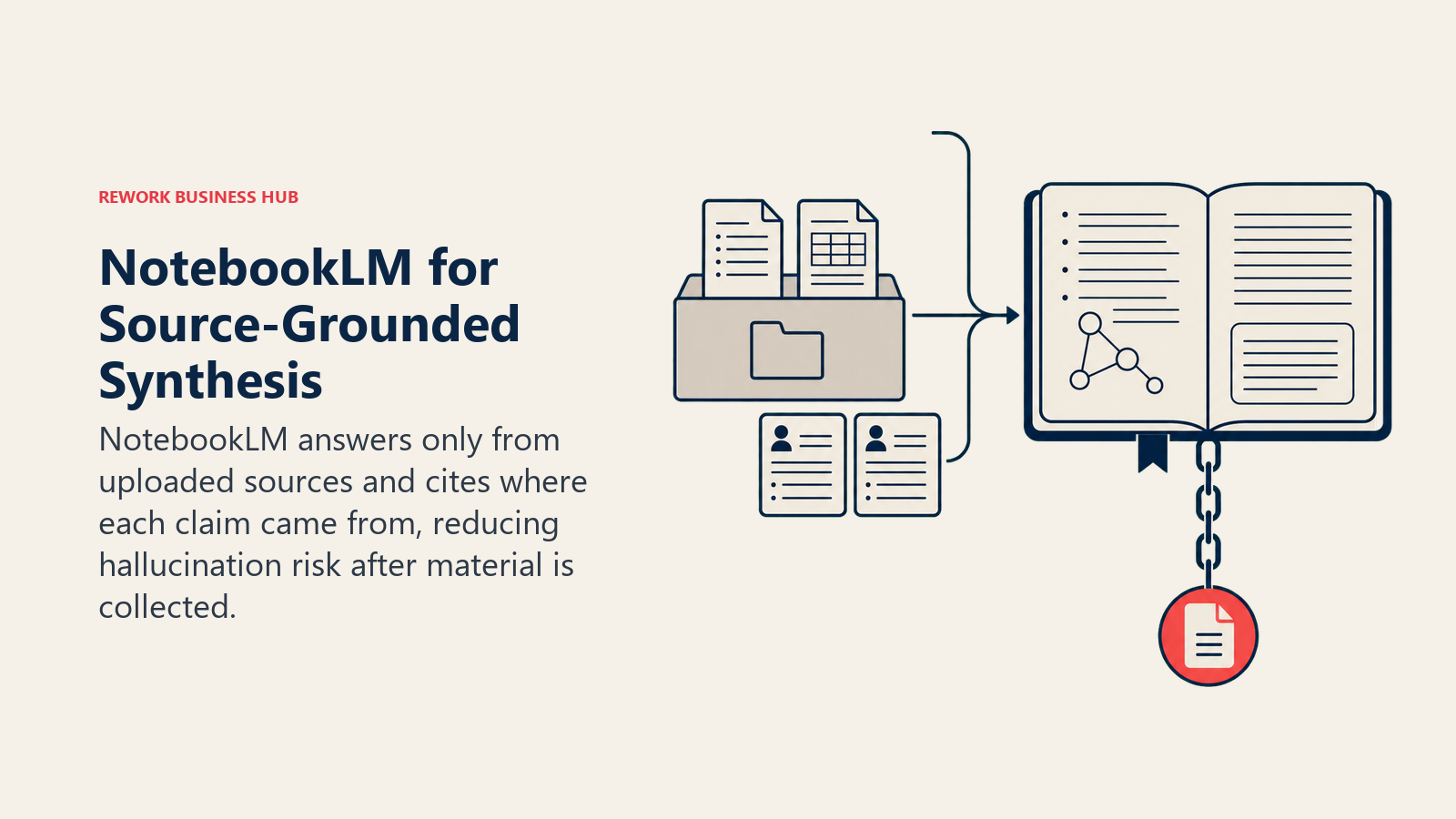
The Free plan gives you 100 notebooks, 50 sources per notebook, and 50 chat questions a day, along with audio and video overview generation. Paid tiers (Plus at $7.99/month, Pro at $19.99/month, Ultra at $99.99 or $200/month depending on the tier split Google introduced at I/O 2026) raise those limits and add features like mind maps and quizzes generated from your source set.
| What you get | What you don't |
|---|---|
| Source-grounded answers, low hallucination risk by design | Not a literature discovery tool; you need sources first |
| Free tier: 100 notebooks, 50 sources each, 50 questions/day | Bundled into Google AI subscriptions, not sold standalone |
| Audio and video overviews generated from your sources | Runs on Gemini 3, tied to the Google ecosystem |
| Mind maps, flashcards, and quizzes from uploaded material | Higher usage limits require a Google AI Pro/Ultra subscription |
Pricing: Free; Plus $7.99/month; Pro $19.99/month; Ultra $99.99 to $200/month, per NotebookLM's plans page
Best for: Researchers synthesizing their own already-collected source material into notes, summaries, or drafts
8. Scite.ai: Smart Citations Show Support or Contradiction
Scite answers a question that plain citation counts can't: does this paper actually support the claim it's cited for, or does later research contradict it? Its Smart Citations technology uses natural language processing to classify each of the 1.6 billion-plus citations it has indexed as supporting, contrasting, or simply mentioning the original research, across a network built with 30-plus publisher partners.
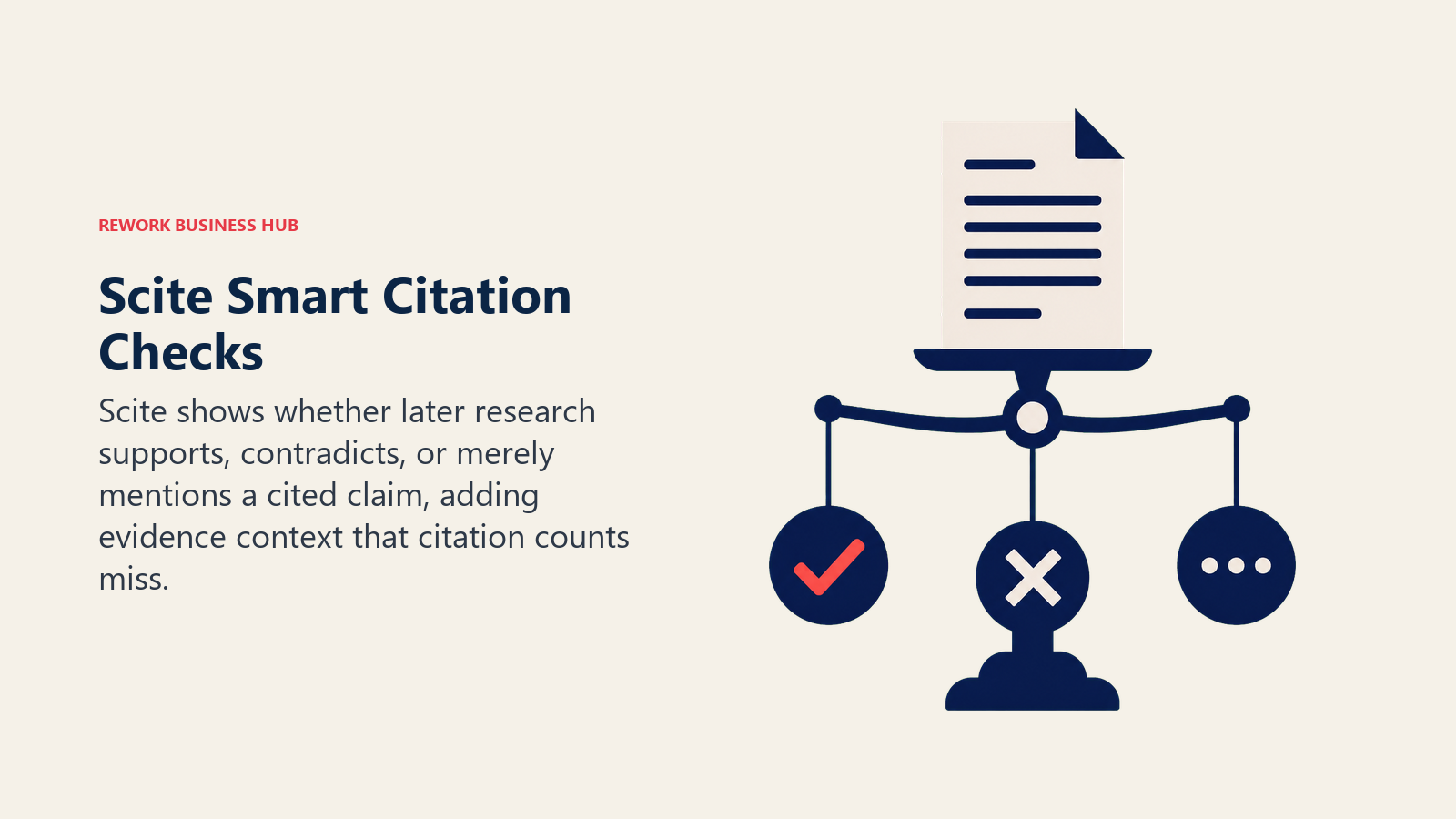
That distinction matters more than it sounds. A paper with 500 citations that are mostly disputing its findings tells a very different story than one with 500 citations that consistently support it, and traditional citation counts treat both the same. Scite serves roughly 2 million users worldwide and is one of the few tools on this list built specifically for citation-level credibility rather than discovery or writing.
| What you get | What you don't |
|---|---|
| Classifies citations as supporting, contrasting, or mentioning | Coverage depends on publisher partnerships (30+, not universal) |
| 1.6B+ citations indexed across the scholarly record | Not a discovery, summarization, or writing tool |
| 7-day free trial of premium features | Team pricing runs higher than individual plans |
| Institutional and student discount pathways | Best paired with a discovery tool like Semantic Scholar |
Pricing: Free trial; Personal from approximately $12 to $20/month depending on billing; Team and Enterprise custom, per Scite's pricing page
Best for: Researchers who need to verify a claim's actual evidentiary support before citing it
9. Perplexity: Cited Answers with an Academic Focus Mode
Perplexity's core bet is that search results should come with citations baked in, not as an afterthought. Its Academic Focus mode restricts results to peer-reviewed sources drawn from Semantic Scholar's database of 200 million-plus papers, reading a batch of relevant papers and returning a synthesized answer with inline citations in seconds. Deep Research goes further: ask for a structured literature review on a topic and Perplexity can return a multi-thousand-word draft with dozens of citations pulled from recent peer-reviewed work.
Perplexity Pro runs $20/month (or $200/year), and Education Pro at $10/month for verified students adds Study Mode, unlimited file uploads, and up to 10x more citations per answer. A Max tier at $200/month targets individual power users who lean on Deep Research constantly.
| What you get | What you don't |
|---|---|
| Academic Focus mode limits results to peer-reviewed sources | Deep Research drafts still need expert fact-checking |
| Deep Research generates structured literature reviews with citations | Citation quality varies more than a dedicated tool like Scite |
| Education Pro at $10/mo for verified students, plus Study Mode | Free tier is limited for heavy daily academic use |
| Fast, conversational interface for quick research questions | Not built for systematic review or structured extraction |
Pricing: Free; Pro $20/month; Education Pro $10/month (students); Max $200/month, per Perplexity's pricing page
Best for: Researchers who want fast, cited answers to specific questions without opening ten browser tabs
10. ChatGPT: The Default General-Purpose Research Assistant
Wiley's own 2025 survey found that 80% of researchers using AI reach for a general-purpose tool like ChatGPT, compared to just 25% using a dedicated research assistant, and ChatGPT is the tool most of that traffic goes to. It's genuinely useful for early-stage brainstorming, outlining a paper's structure, summarizing your own notes, and its Deep Research mode can compile a sourced report on a topic in minutes.
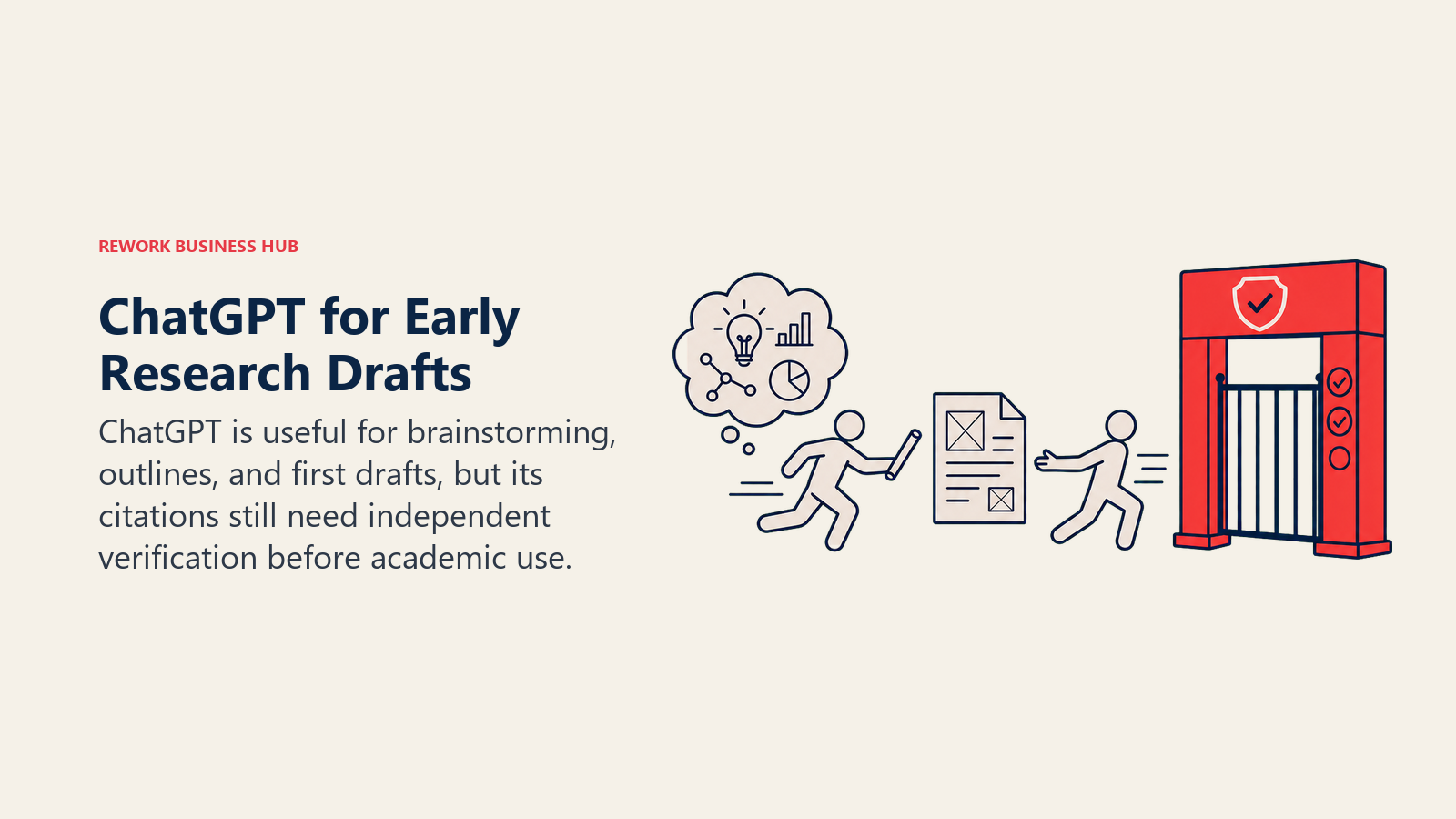
The tradeoff is that ChatGPT isn't citation-verified the way Scite or Semantic Scholar are. It's a strong starting point and a weak final source; treat its output as a draft to verify, not a citable reference. Pricing now spans a wider ladder than in past years: Free, Go at $8/month, Plus at $20/month, and two Pro tiers at $100 and $200/month for heavy Deep Research and advanced model access.
| What you get | What you don't |
|---|---|
| Widest adoption; strong for brainstorming and outlining | Not citation-verified; always confirm sources independently |
| Deep Research compiles sourced reports on a topic quickly | No native academic database, relies on general web search |
| Broad general-purpose reasoning across disciplines | Five-tier pricing ladder can be confusing to navigate |
| Fast iteration on drafts, abstracts, and cover letters | Best paired with a citation-checking tool, not used alone |
Pricing: Free; Go $8/month; Plus $20/month; Pro $100 or $200/month, per ChatGPT's pricing page
Best for: Early-stage brainstorming, outlining, and drafting where you'll verify sources separately
11. Claude: Long-Context Synthesis and Academic Writing
Claude's advantage for research work is its large context window: you can drop in a full paper, several papers, or a complete draft chapter and have it reason across the whole thing at once, rather than losing track partway through. That makes it well suited to synthesizing long documents, drafting literature review sections from your own notes, or getting detailed feedback on an already-written draft.
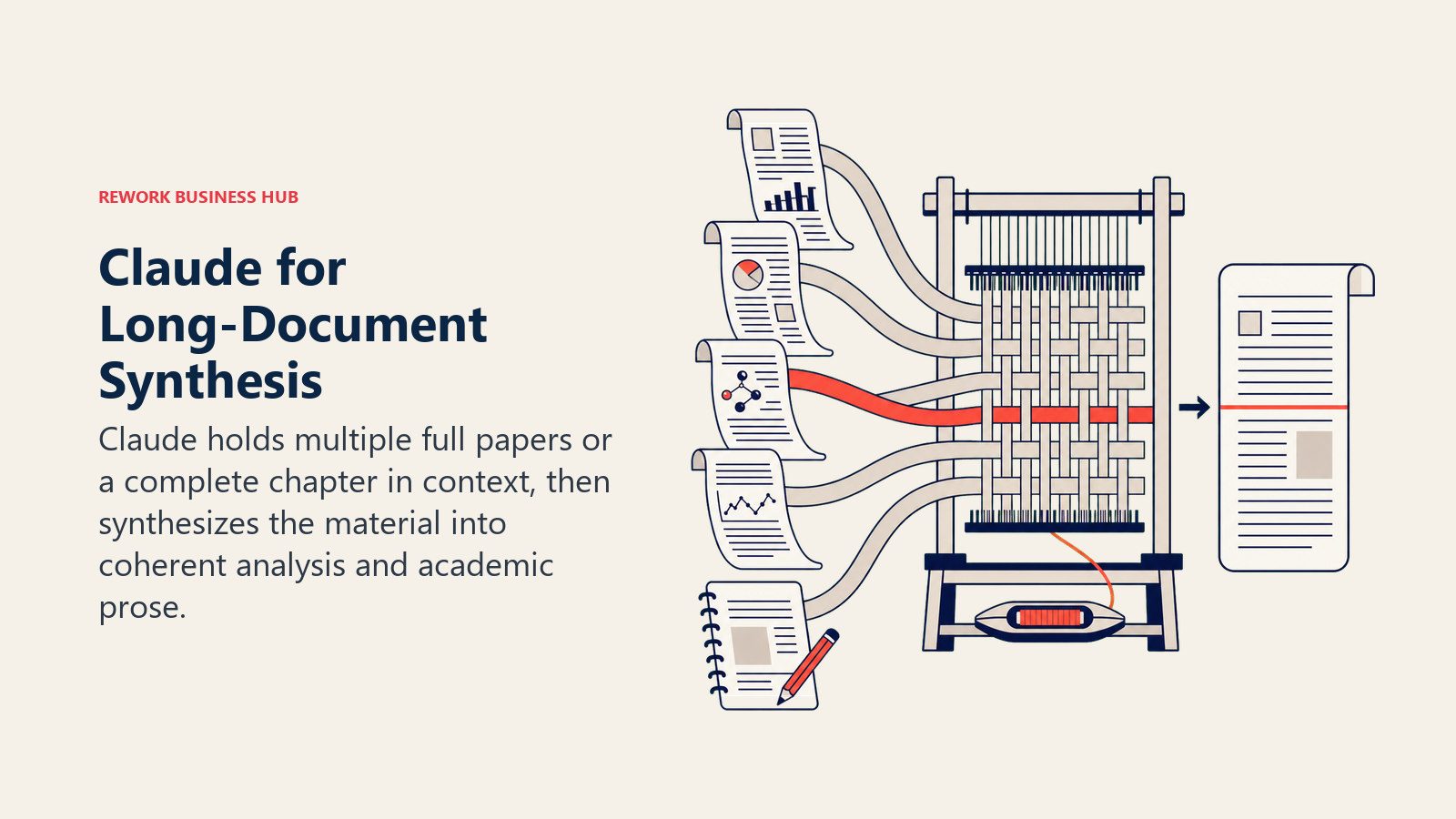
Claude Pro runs $20/month, the same price point as ChatGPT Plus, with Max tiers at $100/month (5x usage) and $200/month (20x usage) for people running longer sessions throughout the day. Unlike Perplexity or Consensus, Claude has no built-in academic database search, so it works best as the synthesis and writing layer once you've already gathered sources elsewhere. If your work involves reproducible code alongside a paper, our best AI coding tools guide covers Claude's coding-focused siblings and its direct competitors there.
| What you get | What you don't |
|---|---|
| Large context window handles full papers and drafts at once | No built-in academic search; needs sources fed to it |
| Strong academic writing and revision quality | Same $20/mo Pro price as ChatGPT Plus, no free-tier advantage |
| Good at holding nuance across long, technical documents | Max tiers ($100-200/mo) aimed at all-day power users |
| Handles multi-file synthesis (several papers at once) | Not citation-verified any more than ChatGPT is |
Pricing: Free; Pro $20/month; Max $100/month (5x) or $200/month (20x), per Claude's pricing page
Best for: Synthesizing long documents and drafting or revising academic writing from your own material
12. Paperpal: Manuscript Polish and Submission Readiness
Paperpal is built for the last mile of a paper's life: getting a manuscript ready for journal submission. It runs real-time language corrections tuned for academic English, checks plagiarism, flags AI-generated text, generates citations in over 10,000 styles, and runs more than 30 submission readiness checks that catch formatting issues specific to your target journal before a desk reject does.
The Free plan includes 200 real-time language suggestions a month, 5 AI uses a day, and a 7,000-word monthly plagiarism checker, enough for a light editing pass. Paperpal Prime unlocks unlimited corrections and AI features: $25/month, $55 for a quarter (about $18/month), or $139 a year (about $11.50/month), which is the best value if you have more than one manuscript in the pipeline this year.
| What you get | What you don't |
|---|---|
| 30+ submission readiness checks tuned to journal requirements | Focused on language and formatting, not literature discovery |
| Unlimited citations across 10,000+ styles on Prime | Free tier plagiarism checking capped at 7,000 words/month |
| AI-detection flagging alongside plagiarism checking | Not a synthesis or drafting-from-scratch tool |
| Annual plan drops effective cost to about $11.50/month | Team plans start at $107 for 2-5 members |
Pricing: Free; Prime Monthly $25/month; Quarterly $55; Annual $139/year, per Paperpal's pricing page
Best for: Researchers preparing a near-final manuscript for journal submission
13. Zotero (+ AI Plugins): Free Reference Management, AI Chat Optional
Zotero is the reference manager most researchers already trust, and the Zotero team has been explicit that they focus on citation management, not AI features. That's a deliberate choice, not a gap: Zotero stays free, open source, and vendor-neutral, with 300 MB of free file storage and paid storage tiers from $20/year for 2 GB up to $120/year for unlimited.
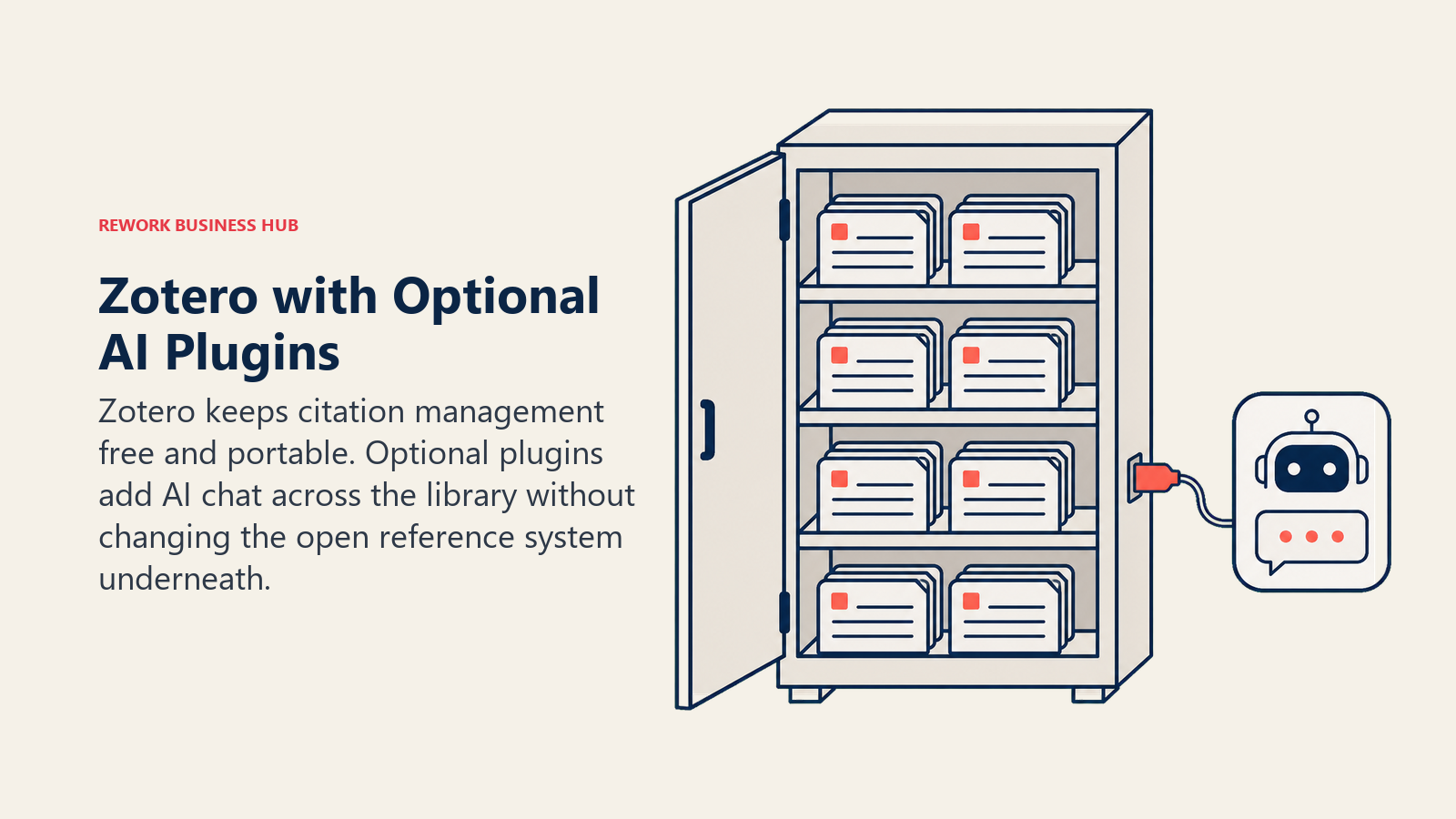
If you want AI features on top of Zotero, third-party plugins fill that gap without replacing the core tool. Plugins like Beaver and Aria add conversational search across your entire library, drawing on metadata, tags, and full-text PDF content to answer questions grounded in what you've actually saved, and PapersGPT adds multi-PDF chat across up to 300 papers at once with pricing starting from a $5 lifetime license. None of these are built or maintained by the Zotero team, so evaluate them independently before trusting them with your library.
| What you get | What you don't |
|---|---|
| Free, open source, no vendor lock-in on your citation data | No native AI features; requires a third-party plugin |
| Massive citation style library, works with any major journal | Third-party AI plugins vary in quality and aren't Zotero-maintained |
| 300 MB free storage; paid tiers from $20/year for 2 GB | Not a discovery, synthesis, or writing tool on its own |
| Deep integration with ResearchRabbit and most academic databases | Group/lab storage still draws from the group owner's quota |
Pricing: Free (300 MB storage); paid storage from $20/year (2 GB) to $120/year (unlimited), per Zotero's storage page
Best for: Anyone building a citation library across a research career who wants full control of their data
AI Research Buying Mistakes to Avoid
The biggest research-AI mistakes aren't about picking the wrong tool. They're about trusting the right tool for the wrong job.
| Mistake | What It Looks Like | What to Do Instead |
|---|---|---|
| Treating ChatGPT citations as verified | Citing a paper ChatGPT mentioned without checking it exists | Cross-check every AI-suggested citation in Semantic Scholar or Scite |
| Using a discovery tool for synthesis | Trying to extract structured data from ResearchRabbit's citation map | Move screened papers into Elicit or SciSpace for extraction |
| Paying for Pro tiers before hitting free limits | Subscribing to Elicit Pro before testing the free tier's 138M-paper search | Exhaust the free tier first; most casual research needs never hit the ceiling |
| Skipping citation verification under deadline pressure | Submitting a draft with AI-suggested sources you never opened | Budget verification time into your schedule, not just writing time |
| Assuming AI narrows your search accurately | Trusting a single AI summary instead of reading the primary source | Use AI to triage, not to replace reading the actual paper |
| Ignoring the collective-narrowing effect | Only exploring AI-friendly, data-rich topics because that's where tools work best | Deliberately sample outside AI's comfort zone if novelty matters to your field |
Decision Framework
The right choice starts with the job in front of you, because each stage rewards a different kind of tool.
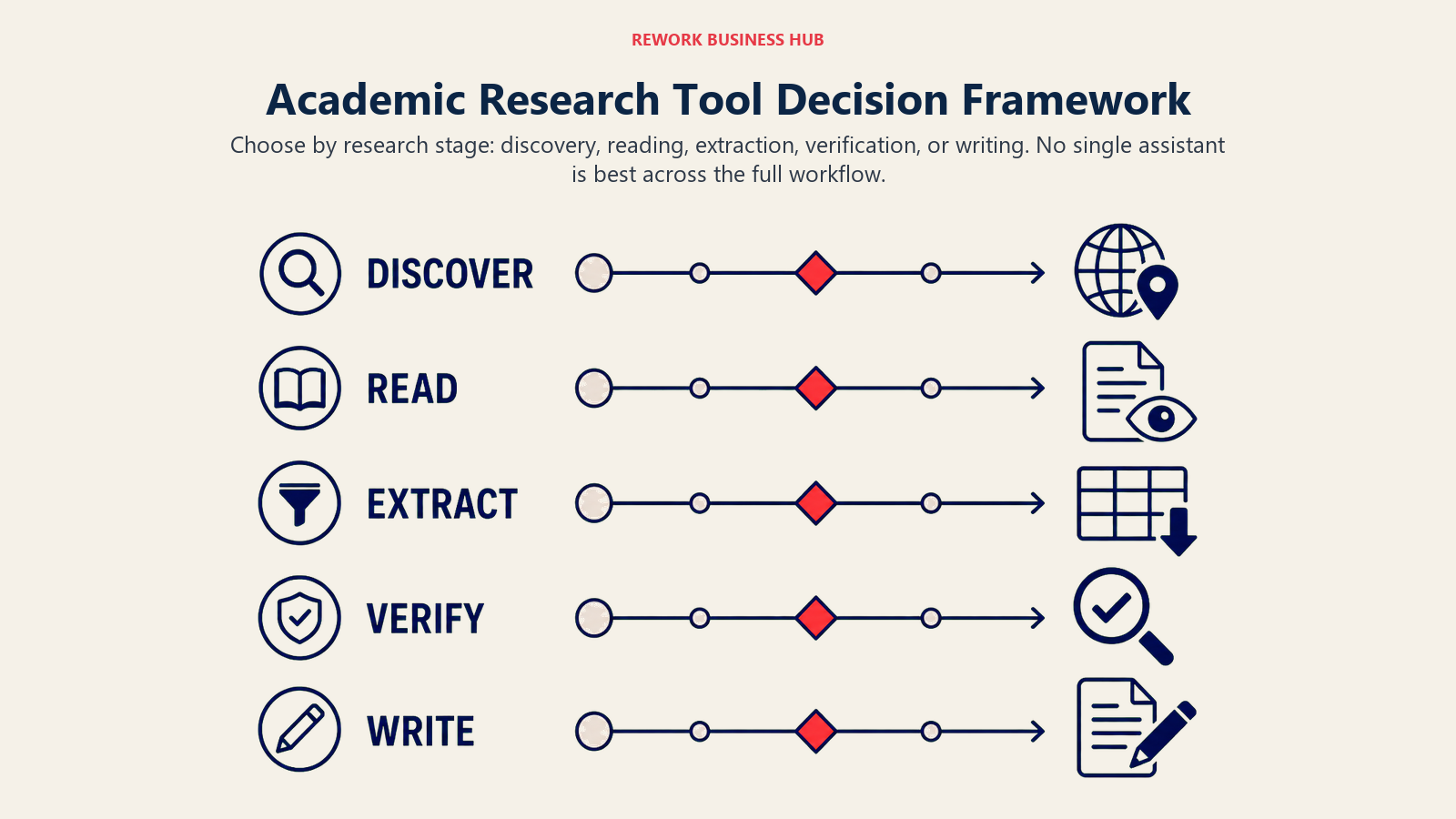
| If you need... | Pick... | Why |
|---|---|---|
| A free starting point for any literature search | Semantic Scholar | 214M+ papers, no paywall, no premium tier required |
| A fast, evidence-weighted answer to a specific question | Consensus | Consensus meter shows agreement across studies at a glance |
| To discover related work you wouldn't find by keyword | ResearchRabbit | Visual citation mapping across 280M+ articles, free forever |
| Deep search when keywords keep missing relevant papers | Undermind | Autonomous agent reasons across literature iteratively |
| A formal systematic review or meta-analysis | Elicit | Screens up to 5,000 papers, structured extraction tables |
| Help reading and understanding a dense technical paper | SciSpace | Explains equations, figures, and methodology in plain language |
| Source-grounded synthesis of your own collected material | NotebookLM | Answers only from what you upload, low hallucination risk |
| To verify whether a citation actually supports a claim | Scite.ai | Smart Citations classify support, contrast, or mention |
| Quick cited answers without ten open browser tabs | Perplexity | Academic Focus mode limits results to peer-reviewed sources |
| General brainstorming, outlining, and early drafting | ChatGPT | Widest adoption, strong Deep Research reports |
| Long-document synthesis or full draft writing | Claude | Large context window handles full papers and drafts at once |
| Manuscript polish before journal submission | Paperpal | 30+ submission readiness checks tuned to journal requirements |
| A free, portable citation library you control | Zotero | Open source, no lock-in, huge citation style library |
If you're weighing the general-purpose assistants against each other specifically, the Claude vs ChatGPT vs Gemini and Perplexity vs ChatGPT Search vs Gemini comparisons cover the head-to-head details this guide doesn't have room for. And if your research work overlaps with content production, like writing up findings for a broader audience, the best AI tools for content writers guide covers a different but related stack.
Frequently Asked Questions about AI Tools for Academic Research
What's the best AI tool for academic research in 2026?
There's no single best tool because research is a multi-stage workflow. Semantic Scholar and ResearchRabbit are best for discovery, Elicit and SciSpace for synthesis and extraction, Scite.ai for citation verification, and Claude or ChatGPT for drafting once you already have your sources. Most researchers end up using three or four of these together.
Is ChatGPT good enough for academic research?
ChatGPT is useful for brainstorming, outlining, and early drafts, and 80% of researchers using AI reach for a general-purpose tool like it, per Wiley's 2025 survey. But it isn't citation-verified, so treat any source it mentions as unverified until you confirm it exists in Semantic Scholar or a similar database.
What's the difference between Elicit and Consensus?
Elicit is built for systematic reviews: screening large numbers of papers and extracting structured, comparable data into tables. Consensus is built for fast, specific questions, returning a consensus meter showing how the evidence leans across studies. Use Consensus for a quick answer and Elicit when you need a defensible, comprehensive review.
Can AI tools hallucinate fake citations?
Yes, general-purpose chatbots like ChatGPT and Claude can generate citations that sound plausible but don't exist or don't say what they're credited with saying. Tools built specifically for academic search, like Semantic Scholar, Consensus, and Scite.ai, pull from real indexed databases and are far less prone to this, though verification is still worth the extra minute.
Is Semantic Scholar really free with no catch?
Yes. Semantic Scholar is built by the nonprofit Allen Institute for AI and has no premium tier, no paywall, and a free public API. It's one of the few tools on this list with zero pricing complexity.
What AI tool should I use for a systematic literature review?
Elicit is purpose-built for this, with a dedicated systematic review workflow on its Pro plan that can screen up to 5,000 papers and extract structured data across up to 20 columns. Pair it with Scite.ai to verify how cited papers actually relate to your claims before you write them up.
Can AI tools replace a reference manager like Zotero?
No. Zotero (or a similar reference manager) handles citation storage, formatting across thousands of journal styles, and long-term library organization that AI research tools don't attempt to replace. Several AI tools, including ResearchRabbit, integrate directly with Zotero rather than competing with it.
How do I check if an AI-suggested citation is real?
Search the exact title in Semantic Scholar or Google Scholar to confirm the paper exists, then check Scite.ai to see whether later research actually supports the specific claim it's cited for. This two-step check takes under a minute and catches most AI citation errors before they end up in your bibliography.
What's the best free AI tool for a student doing research?
Semantic Scholar and ResearchRabbit are both free with no meaningful caps and cover the discovery stage well. NotebookLM's free tier (100 notebooks, 50 sources each) is strong for synthesizing your own readings, and Perplexity's Education Pro at $10/month is worth it if you're doing this weekly.
What to Do Next
Pick one tool per stage of your workflow rather than trying to find one app that does everything. Start with Semantic Scholar or ResearchRabbit for discovery, add Elicit or SciSpace once you're screening and reading papers, and bring in Scite.ai before you finalize any citation you're not 100% sure about. Run this stack on your current project for two weeks before subscribing to anything beyond the free tiers; most researchers find the free versions cover 80% of what they need, and the paid upgrade only earns its keep once you know exactly which bottleneck it's solving. And once your findings are ready to present at a conference or committee meeting, our best AI presentation tools guide covers turning that research into a deck without starting from a blank slide.

Principal Product Marketing Strategist
On this page
- What Changed in 2026
- Key Facts
- Quick Comparison Table
- How Researchers Actually Use These Tools: A Workflow
- Workflow Fit Matrix
- Sizing and Persona Table
- 1. Semantic Scholar: Free AI-Powered Search Across Every Discipline
- 2. Consensus: Evidence-Based Answers with a Consensus Meter
- 3. ResearchRabbit: Visual Citation Mapping for Literature Discovery
- 4. Undermind: An Autonomous Search Agent for When Keywords Fail
- 5. Elicit: Systematic Reviews and Structured Data Extraction at Scale
- 6. SciSpace: An AI Copilot for Reading Individual Papers
- 7. NotebookLM: Source-Grounded Synthesis with Low Hallucination Risk
- 8. Scite.ai: Smart Citations Show Support or Contradiction
- 9. Perplexity: Cited Answers with an Academic Focus Mode
- 10. ChatGPT: The Default General-Purpose Research Assistant
- 11. Claude: Long-Context Synthesis and Academic Writing
- 12. Paperpal: Manuscript Polish and Submission Readiness
- 13. Zotero (+ AI Plugins): Free Reference Management, AI Chat Optional
- AI Research Buying Mistakes to Avoid
- Decision Framework
- What to Do Next