Best Ideogram Alternatives in 2026: 9 Tools for Text, Logos and Posters
Turn this article into takeaways for your work.


Each assistant summarizes the article only for you and suggests best practices for your work.
If you want Ideogram's text-in-image strengths with vector files and brand styles on top, Recraft is the first alternative to test. If you want one subscription that also writes, researches and edits images in chat, ChatGPT is the broader pick. Adobe Firefly and Canva suit teams that already live in those ecosystems, and Midjourney, Leonardo and Krea are the choices when look and feel matter more than lettering.
This guide is for owners, marketing leads and agency heads who buy image tools for posters, ads, social graphics and logo concepts. We compared nine alternatives on the things that decide a purchase: how each tool handles words inside an image, whether you can get a vector file, who can see your generations, what you may do commercially with the output, and what a month costs on a plan you would really buy. Every price comes from the vendor's own pricing page, with billing term stated, and every tool gets a real limitation.
One framing note before the list. Ideogram's reputation for legible text is a claim you should test, not a fact to inherit. Vendors rarely publish a text-accuracy score, so none of the tools below gets a ranking on that alone. The quickest honest test is to run the same ten prompts, each with a headline, a price and a tagline, through your top two picks and count the spelling errors yourself.
Key Facts
- Ideogram's paid plans run from $15 a month billed annually for Plus to $42 for Pro, and all three paid tiers include unlimited slow credits, with 2,400 priority credits on Plus and 7,500 on Pro.
- Ideogram states it does not claim ownership of generated images and that you may use them for any purpose, including commercial use, per its pricing FAQ.
- By default, images on Ideogram are published to its community; Plus and Pro subscribers can generate unpublished images and unpublish earlier ones.
- Midjourney charges 20% less on annual billing, and companies above $1 million in annual gross revenue must buy its Pro or Mega plan.
- Recraft's own FAQ says images made on its Free plan are owned by Recraft, public, and not licensed for commercial use, while paid plans grant full ownership and commercial rights.
- Freepik's design tools now sit under the Magnific brand, and its credits are yearly pools rather than monthly resets.
Quick Comparison Table
| Tool | Best For | Entry Paid Price | Key Strength | Key Limitation |
|---|---|---|---|---|
| Ideogram (subject) | Posters, covers and graphics with text | $15/mo billed annually (Plus) | Private generation, unlimited slow credits | No free plan; images public by default |
| Recraft | Logos, icons and vector output | $10/mo billed annually (Basic) | Vector generation, paid-plan ownership | Free plan is public and non-commercial |
| ChatGPT | Image plus writing in one chat | $8/mo (Go) | Edits images through conversation | Image limits vary by plan |
| Adobe Firefly | Teams that want commercial-safe positioning | $9.99/mo (Standard) | Unlimited standard image and vector generation on paid plans | Credits do not roll over |
| Midjourney | Distinctive, art-directed looks | $10/mo (Basic) | Stealth mode, strong visual style | No free plan; $1M revenue rule |
| Canva | Finished layouts, not raw images | $144/yr (Pro) | Image, text and layout in one editor | Metered AI uses |
| Leonardo | Controlled generation with team seats | $12/mo (Essential) | Free daily tokens, team plans | Free images are public |
| Krea | Fast iteration and experimentation | $9/mo (Basic) | Flat 50-member Business plan | Compute-unit metering |
| Magnific | Stock plus AI under one license | $20/mo (Premium) | Commercial AI license on every paid plan | No free AI plan |
| Kittl | Typography-led design and merch | $19/mo (Pro) | Text and layout tooling | Free plan is personal use only |
What Ideogram Does Well, and Where It Stops
Ideogram is a text-to-image generator that became known for putting words inside pictures. Its pricing page now lists all image and video models on every paid plan, and its site navigation shows models labelled Ideogram 4.5, 4.0 and 3.0, plus apps such as an ad resizer, background remover and colorways. In plain terms, the product has moved from a single image model to a small design platform.
That helps you decide whether to leave. If your work is mostly short headlines inside posters, book covers and social tiles, Ideogram is still a strong default and the paid plans are reasonably priced. People look elsewhere for four reasons.
First, you need a vector file. A logo that has to scale to a shopfront sign or a vehicle wrap needs clean paths, and that points to Recraft or Adobe Firefly. Second, you need a finished layout: an image that must become an ad, a deck cover or a menu is easier to build in Canva or Kittl, where the words stay editable. Third, images are public by default on Ideogram, which is a problem when a client project cannot sit in a community gallery; Midjourney's Stealth mode, Recraft's paid plans and Leonardo's paid plans all address that. Fourth, you may simply want one subscription for copy, research and images, which is ChatGPT's pitch.
Notice that none of these reasons is "Ideogram renders text badly." That is the point of testing rather than assuming: the gap is rarely the lettering itself, it is what happens to the file afterward.
Pricing Side by Side
Prices are the vendor's own published figures, in US dollars, with billing term stated.
| Tool | Entry plan | Monthly billing | Annual billing | Unit |
|---|---|---|---|---|
| Ideogram | Plus | $20/mo | $15/mo ($180/yr) | 2,400 priority credits/mo |
| Recraft | Basic | See vendor page | $10/mo ($120/yr) | 1,000 credits/mo |
| ChatGPT | Go | $8/mo | Not shown | Image creation allowance |
| Adobe Firefly | Standard | $9.99/mo | Not shown | 2,000 credits/mo |
| Midjourney | Basic | $10/mo | $8/mo ($96/yr) | 3.3 fast GPU hours |
| Canva | Pro | See vendor page | $144/yr, one person | AI use allowance |
| Leonardo | Essential | $12/mo | Up to 20% less | 8,500 fast tokens/mo |
| Krea | Basic | $9/mo | $5/mo | 5,000 compute units/mo |
| Magnific | Premium | $20/mo | $14.50/mo | Yearly credit pool |
| Kittl | Pro | $19/mo | $14/mo | 2,000 AI tokens |
Two cautions. First, credit units are not comparable across vendors. One Ideogram credit, one Firefly credit and one Krea compute unit buy different amounts of image, so compare a month of your real workload, not credit counts. Second, several vendors change what a credit means; Magnific's credits became yearly pools rather than monthly resets, which suits steady users and punishes lumpy ones.
Privacy and Commercial Rights Compared
This is the question most roundups skip, and in this category it is the one that creates legal and client risk.
| Tool | Free-tier output | Paid-tier output | Private generation |
|---|---|---|---|
| Ideogram | Published by default; weekly credits for eligible free accounts | No ownership claimed; any use allowed | Plus and Pro can unpublish; Plus includes private generation |
| Recraft | Owned by Recraft, public, no commercial use | Full ownership and commercial rights, survive cancellation | Paid images stay private |
| ChatGPT | Limited image creation | Confirm in OpenAI's terms | Read OpenAI's terms |
| Adobe Firefly | Free daily generations | Outputs from Firefly models described as safe for commercial use | Not stated |
| Midjourney | No free plan | General Commercial Terms on all plans | Stealth mode on Pro and Mega only |
| Canva | Up to 20 AI uses | Confirm in Canva's terms | Not stated |
| Leonardo | Public creations; non-exclusive commercial licence | Full ownership for paid users | Paid plans |
| Krea | 100 units a day | Licence covers marketing, products and client work | Not stated |
| Magnific | No free AI plan | Commercial AI license on all paid plans | Not stated |
| Kittl | Personal use only | Commercial licence up to 500,000 copies on Pro and Expert | Not stated |
Where a cell says "not stated," the vendor's pricing page does not answer the question, so ask before you commit a client project. And one clause to flag: Adobe says IP indemnification goes to eligible enterprise customers only, which means a small agency gets the "safe for commercial use" description but not the legal backstop.
1. Recraft: Vector output and a clear ownership rule
Recraft is the alternative to try first when the output is a logo, icon set or illustration that has to scale. Its API documentation describes image and vector generation, editing, background removal, inpainting and outpainting, so a vector file is a normal output rather than a workaround. Plans on the pricing page are Basic at $10 a month billed annually ($120, 1,000 credits a month), Pro at $16 ($192, 2,000 credits) and Teams at $18 per seat billed annually, with 2,000 credits per seat.
The ownership rules are the clearest in this list. Free-plan images are public, owned by Recraft and not licensed for commercial use. Paid-plan images stay private, belong to you, and keep those rights after cancellation.
| Strength | Limitation |
|---|---|
| Vector generation as a core output | Free plan unusable for client work |
| Paid images private and owned | Billed annually first; confirm the monthly rate at signup |
| Teams plan per seat | Credits cap at 2,000 per seat on Pro and Teams |
Best for: logos, icons and brand illustrations. Not ideal for: a team that needs a free tier for real work. For a wider logo comparison see the best AI logo generators.
2. ChatGPT: One subscription for words and images
ChatGPT is the broadest alternative because the image tool lives inside a chat that also writes your headline, rewrites your tagline and critiques the result. Its pricing page shows Free with limited image creation, Go at $8 a month with more, Plus at $20 a month with more complex and accurate image creation, and Pro from $100 a month with unlimited and faster image creation. All are monthly figures; no annual price is shown.
For text-heavy work the useful feature is conversation. You can say "change the second line to read Open late" and re-run, which beats re-prompting from scratch. The weak spots are file formats and rules: there is no vector output on the plans page, and image limits are described in words rather than numbers, so budgeting a month of ads is guesswork.
| Strength | Limitation |
|---|---|
| Edit images by describing the change | No numeric image allowance published |
| Same login for copy and research | No vector file on the plans page |
| Go tier at $8 a month | Ownership terms need a read of OpenAI's terms |
Best for: small teams who want one tool for copy and visuals. Not ideal for: print-ready vector artwork. See the wider field in the best AI image generators.
3. Adobe Firefly: Commercial positioning and a creative suite
Adobe Firefly suits teams already inside Creative Cloud. The US plans page lists Standard at $9.99 a month (2,000 credits), Pro at $19.99 (4,000), Pro Plus at $49.99 (10,000) and Premium at $199.99 (50,000 credits plus unlimited use of the Firefly video model), all labelled monthly. Team licenses of Pro are $19.99 per license, labelled annual, billed monthly. Credits reset monthly and do not roll over.
All paid plans include unlimited standard image and vector generation; credits pay for video, audio and partner models. That matters for you: if you mostly make stills and vector art, the credit pool is rarely the constraint. Adobe says Firefly outputs are safe for commercial use, but for partner-model outputs you decide whether they fit your use, and indemnification is limited to eligible enterprise customers.
| Strength | Limitation |
|---|---|
| Vector generation included on paid plans | Credits do not roll over |
| Clear commercial-use statement for Firefly models | Indemnification is enterprise only |
| Fits Photoshop and Illustrator workflows | Partner-model rights are your call |
Best for: teams standardised on Adobe. Not ideal for: a lone founder who wants the cheapest text-image tool. If Firefly is the tool you are weighing, our Adobe Firefly alternatives page covers the other direction.
4. Midjourney: The look, with a privacy catch
Midjourney is the pick when art direction matters more than typography. Its plan comparison shows four tiers.
| Plan | Monthly | Annual, paid upfront | Fast GPU time | Relax mode |
|---|---|---|---|---|
| Basic | $10 | $96 ($8/mo) | 3.3 hr | None |
| Standard | $30 | $288 ($24/mo) | 15 hr | Unlimited images |
| Pro | $60 | $576 ($48/mo) | 30 hr | Images and SD video |
| Mega | $120 | $1,152 ($96/mo) | 60 hr | Images and SD video |
Extra GPU time is $4 an hour. Stealth mode, which keeps generations private, is Pro and Mega only, so the cheapest private plan costs $60 a month, or $48 a month billed annually. There is no free plan. All plans carry General Commercial Terms, but a company with more than $1 million a year in gross revenue must be on Pro or Mega.
| Strength | Limitation |
|---|---|
| Distinctive, art-directed images | Privacy starts at $60/mo |
| Annual billing saves 20% | No free plan |
| Relax mode for steady volume | $1M revenue rule forces a higher tier |
Best for: brand imagery and mood boards. Not ideal for: copy-heavy posters. Treat its lettering as something to test with your own prompts.
5. Canva: The finished layout
Canva solves a different problem: you rarely need a raw image, you need a poster. Its pricing page shows Free at $0, Pro at $144 a year for one person and Business at $250 a year per person, with Enterprise on request. The plan once called Teams is now Business. Free includes up to 20 Standard or Premium AI uses; Pro gets ten times that and Business twenty times, and an AI Pass add-on costs extra.
Because Canva puts text, fonts, brand kits and export into one editor, the words are real editable text rather than pixels. That sidesteps the lettering question completely. The cost is that the AI is a feature inside a design tool, not a specialist image model, so unusual illustration is not its strength. For more on leaving or comparing Canva itself, see the best Canva alternatives.
| Strength | Limitation |
|---|---|
| Text stays editable | AI uses are metered |
| Layout, brand kit and export together | Commercial terms need a separate read |
| Business plan for teams | Annual-first pricing, confirm the monthly rate |
Best for: marketers who need finished assets weekly. Not ideal for: logo-grade illustration.
6. Leonardo AI: Controlled generation and team seats
Leonardo targets people who want knobs. Its pricing page lists Essential at $12, Premium at $30 and Ultimate at $60 per month, with yearly billing described as up to 20% cheaper. Fast tokens per month are 8,500, 25,000 and 60,000 respectively. Teams start at $24 per seat for Starter and $48 per seat for Growth. Free gives 150 fast tokens a day with public creations.
On rights, paid users keep full ownership. On Free, Leonardo holds rights to use, reproduce and distribute the images while giving you a non-exclusive, royalty-free licence for commercial use, an arrangement that is workable for experiments but awkward for a confidential launch. Our Leonardo AI alternatives guide covers the other direction.
| Strength | Limitation |
|---|---|
| Daily free tokens | Free images are public |
| Team plans with per-seat tokens | Free-tier rights favour Leonardo |
| Full ownership on paid plans | Yearly figure should be confirmed at checkout |
Best for: teams that want fine control and a free trial of the workflow. Not ideal for: confidential campaigns on the free tier.
7. Krea: Fast iteration and a flat team plan
Krea is built for experimenting quickly. Its pricing page shows Basic at $9 monthly or $5 a month billed annually (5,000 compute units), Pro at $35 or $21 (20,000), Max at $105 or $63 (60,000) and Business at $200 or $160 (80,000 units). Annual billing is described as 40% off. Business is a flat workspace price covering up to 50 members, which is unusual and makes it the cheapest per-head option here for a large team. Free gives 100 units a day.
Its licence row covers marketing, products and client work. Whether the free tier is included is not confirmed, so check before using free output commercially.
| Strength | Limitation |
|---|---|
| Flat Business price for up to 50 members | Compute units are hard to forecast |
| Large discount for annual billing | Free-tier commercial status unconfirmed |
| Free daily units | Not a layout or vector tool |
Best for: creative teams iterating on concepts. Not ideal for: finished typographic layouts.
8. Magnific (formerly Freepik): Stock and AI under one license
Freepik's pricing now sits at Magnific, described on the page as formerly Freepik. For US buyers the plans are Premium at $20 monthly or $14.50 a month billed annually, Premium+ at $45 or $33.75, and Pro at $110 or $82.50, so annual saves about 25%. Credits are now yearly pools valid for one year, with no monthly reset.
Every paid plan carries a Commercial AI license; Premium+ and Pro add music rights. There is no free AI plan on the pricing page. Because the platform also sells stock assets, it is useful when your design mixes generated images with licensed stock.
| Strength | Limitation |
|---|---|
| One license for AI and stock use | No free AI plan |
| Annual saves about 25% | Prices vary by region; US figures here |
| Yearly credit pool suits steady use | Credits no longer reset monthly |
Best for: content teams mixing stock and generated assets. Not ideal for: anyone who wants to try before paying.
9. Kittl: Typography first
Kittl is the closest fit to Ideogram's strongest use case, text as a design element, because the product is a design editor built around type, templates and print products. The pricing page shows Pro at $19 monthly or $14 a month annually (2,000 AI tokens), Expert at $49 or $39 (12,000), and Max at $85 or $65 (30,000). Free gives 100 AI tokens but is for personal use only. Pro and Expert carry a commercial licence up to 500,000 copies; the top tier moves to an enhanced licence.
That 500,000-copy cap is the detail to read. It is generous for posters and merchandise tests and irrelevant for most small businesses, but a mass-market print run should be priced on the enhanced tier.
| Strength | Limitation |
|---|---|
| Type-focused editor and templates | Free plan is personal use only |
| Commercial licence stated per tier | Copy cap on lower tiers |
| Useful for merch and print | Prices vary by region; US figures here |
Best for: logo lockups, posters and print-on-demand. Not ideal for: photorealistic images.
What Each Tool Costs at a Realistic Workload
Take one working month: a small marketing team producing 40 social graphics, 4 posters and one logo exploration round, with a few revisions of each. Here is the plan we would start on for each tool, as an estimate rather than a measured bill. Ideogram Plus costs $15 a month billed annually ($20 monthly) and covers the posters with 2,400 priority credits plus unlimited slow credits. Recraft Basic ($10 a month annual) or Pro ($16) handles the logo round, because vector output is the point. ChatGPT Plus at $20 a month keeps copy and images in one place. Adobe Firefly Standard at $9.99 a month covers stills, since standard image and vector generation is unlimited on paid plans and credits only pay for video, audio and partner models. Midjourney Standard at $30 a month ($24 billed annually) gives enough fast time but no privacy. Canva Pro at $144 a year gives finished layouts with editable text. Leonardo Essential at $12 a month suits light volume. Krea Pro at $35 a month ($21 annual) leaves room to iterate. Magnific Premium at $14.50 a month billed annually pairs licensed stock with AI. Kittl Pro at $14 a month billed annually adds typography and print tools.
The flip to notice: the cheapest-looking tool is not always the cheapest in practice. A $9.99 plan that pushes you into a second tool for layout costs more than a $15 plan that finishes the job. Firefly's unlimited standard generations and Ideogram's unlimited slow credits make heavy iterators cheaper than their sticker price suggests, while credit-metered plans punish a team that regenerates often.
Export Formats and Editing Depth
| Tool | Vector output | Editable text | Edit by prompt |
|---|---|---|---|
| Ideogram | Not stated | Site lists editable text layers | Yes, uses priority credits |
| Recraft | Yes, per its API description | Not stated | Editing, inpainting, outpainting |
| ChatGPT | Not stated | No | Yes, in chat |
| Adobe Firefly | Yes, vector generation on paid plans | Via Adobe apps | Yes |
| Midjourney | Not stated | No | Yes |
| Canva | Via design export | Yes, native | Via editor |
| Leonardo | Not stated | No | Yes |
| Krea | Not stated | No | Yes |
| Magnific | Not stated | No | Yes |
| Kittl | Via design export | Yes, native | Via editor |
Two rows matter most. Ideogram's own navigation lists editable text layers, which narrows the gap with Canva and Kittl for some jobs. And in the raster-only group, a vector version of a logo means a second step or a different tool.
Which Tool for Which Job
| If you need | Pick | Why |
|---|---|---|
| A logo that scales to any size | Recraft | Vector generation, paid ownership |
| Posters with short headlines, private output | Ideogram Plus or Pro | Private generation, no ownership claim |
| Copy and images from one subscription | ChatGPT | Edit by conversation |
| Brand safety inside an Adobe workflow | Adobe Firefly | Commercial-use statement, vector output |
| A distinctive visual style, private | Midjourney Pro | Stealth mode |
| A finished ad or menu with editable text | Canva Pro | Layout and brand kit |
| Team seats and daily free tokens | Leonardo | Seats from $24 each |
| A 50-person creative workspace on one price | Krea Business | Flat $160 a month billed annually |
| Stock plus AI under one licence | Magnific | Commercial AI license |
| Typography-led print products | Kittl | Type editor, tiered licences |
How to Read Text-in-Image Claims
Every vendor in this guide would like you to believe its model spells correctly. Few of them back that with a published number, so a useful buyer's habit is to separate three different things that get blurred together as "good text."
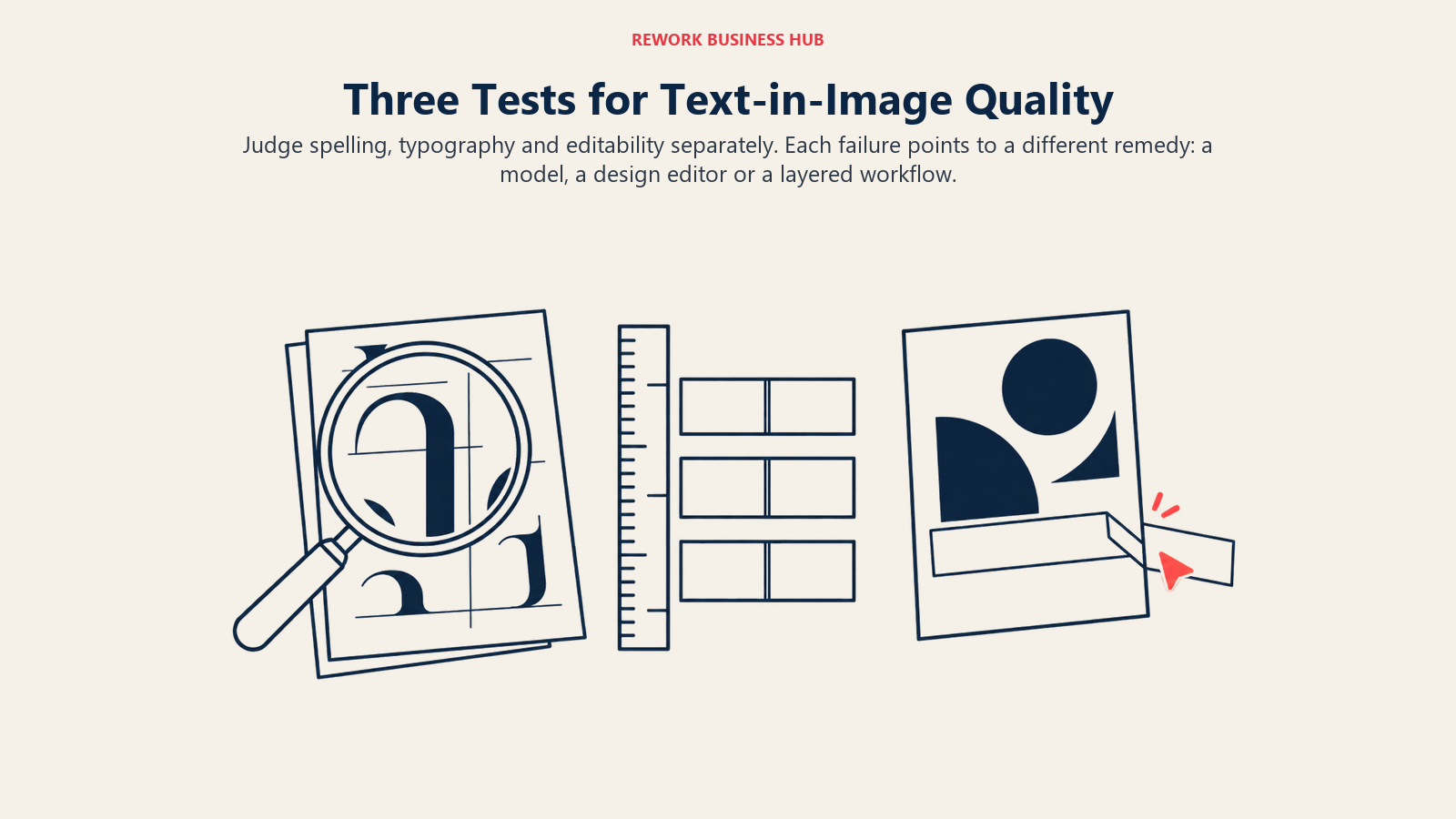
The first is spelling: does the model produce the exact words you typed? Short strings of one to four words are the easy case, and most current models manage them most of the time. Long sentences, small print and unusual names are where errors appear, so test those, not a one-word headline.
The second is typography: does the lettering look designed? Kerning, weight, alignment and hierarchy are what make a poster read as professional. A model can spell perfectly and still produce text that looks pasted on, which is why Canva and Kittl, where fonts are real fonts, remain strong for work that ships to print.
The third is editability. When a client changes "Open late" to "Open Sundays," a flattened image means regenerating and hoping the rest of the picture survives. A tool that keeps text as a separate layer, or a design editor that holds the words as live type, turns a client revision into a ten-second change. This is the quiet reason many teams outgrow a pure image generator, and it explains why Ideogram now lists editable text layers on its own site.
If you only remember one thing from this section, make it this: judge each tool on all three, with your own copy, and write down which one failed. The failure type tells you which alternative to pick. Spelling failures point to a different model, typography failures point to an editor, and editability failures point to a layer-based workflow.
Test Before You Switch
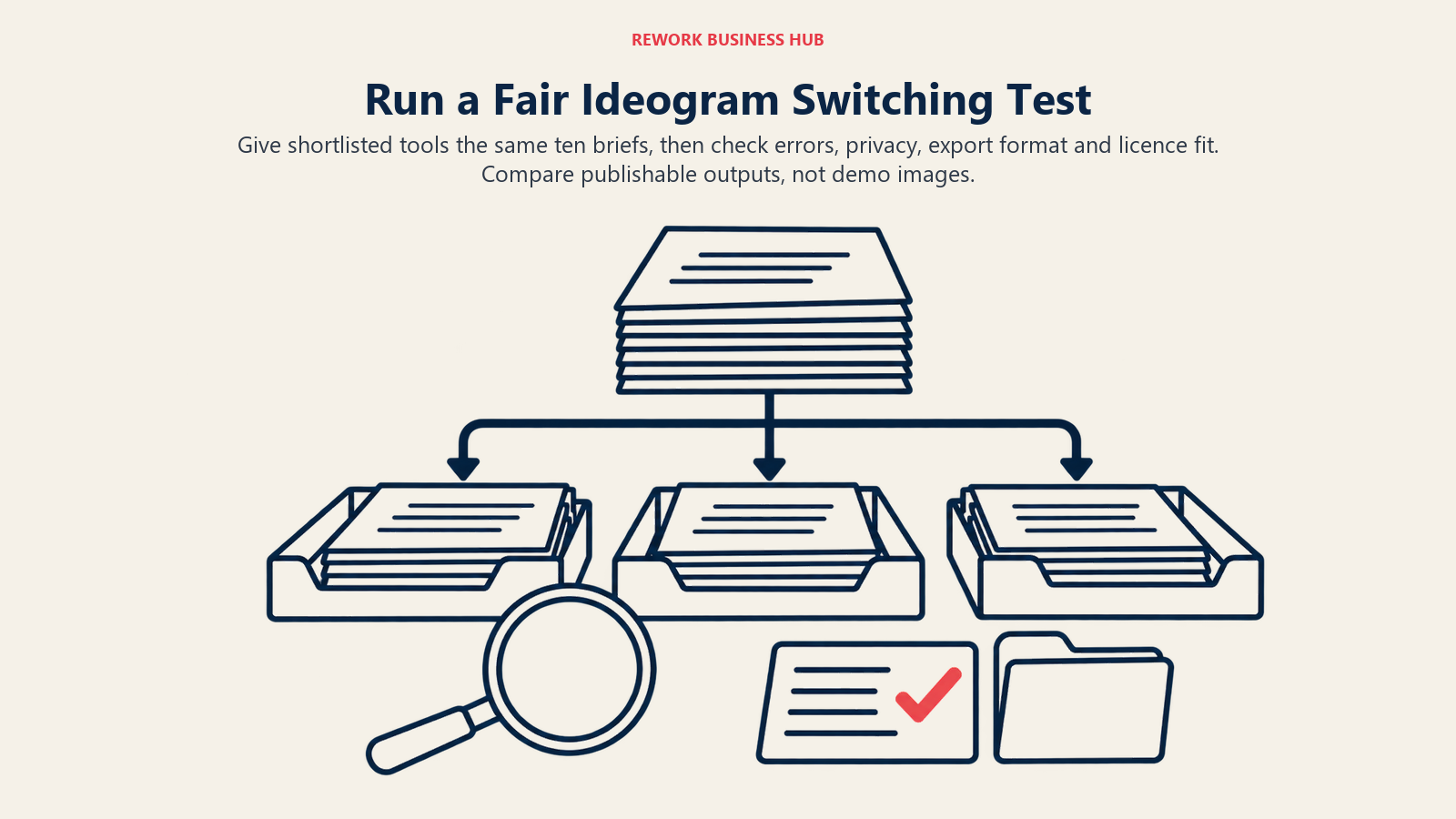
A fair comparison takes an afternoon. Write ten prompts that each need a headline, a number and a short tagline. Run them through Ideogram and your top two alternatives, and score each result on spelling, spacing and whether you would publish it unedited. Then check three things the demo hides: whether your output is private, whether you can export the format your printer wants, and what the license says about your revenue band.
For related decisions, the best AI graphic design tools compares full design platforms, and the best AI tools for photo generation covers photoreal output.
Frequently Asked Questions about Ideogram Alternatives
What is the best alternative to Ideogram for logos?
Recraft is the first to test, because vector generation is a core output and paid plans give you full ownership and commercial rights that survive cancellation. Adobe Firefly also lists unlimited vector generation on paid plans, which suits teams already using Illustrator.
Is Ideogram free?
Ideogram's pricing page shows no free plan in its table and says it offers no free trials on subscription plans. It does say eligible free accounts receive weekly credits when signing in with Google, Apple or Microsoft, with the amount varying. Paid plans start at $15 a month billed annually for Plus.
Can I use Ideogram images commercially?
Ideogram states it does not claim ownership of generated images and that you are free to use them for any purpose, including commercial use. Images are published to its community by default, so use Plus or Pro to generate unpublished images for client work.
Which Ideogram alternative keeps my images private?
Recraft paid plans keep images private, Midjourney offers Stealth mode on Pro and Mega only, and Leonardo's paid plans move you away from public creations. Always confirm the setting before uploading client material.
Do any alternatives guarantee better text in images?
None of the vendors publishes a text-accuracy figure on its pricing page, so no tool can be ranked on lettering alone. Run the same ten prompts through your shortlist and count errors yourself.
Which alternative is cheapest for a team?
Krea Business is a flat price covering up to 50 members, at $160 a month billed annually or $200 monthly. Per-seat options include Ideogram Team at $20 per user billed annually and Leonardo Teams from $24 per seat.
What to Do Next
Pick your two likeliest replacements from the table above, run the ten-prompt test, and check privacy and licence terms before spending a dollar. If vector files are the real gap, start with Recraft. If layouts are, start with Canva or Kittl. And if the text you need is a chart or a data story rather than a headline, the best AI infographic tools compares the structured editors built for that.

Principal Product Marketing Strategist
On this page
- Key Facts
- Quick Comparison Table
- What Ideogram Does Well, and Where It Stops
- Pricing Side by Side
- Privacy and Commercial Rights Compared
- 1. Recraft: Vector output and a clear ownership rule
- 2. ChatGPT: One subscription for words and images
- 3. Adobe Firefly: Commercial positioning and a creative suite
- 4. Midjourney: The look, with a privacy catch
- 5. Canva: The finished layout
- 6. Leonardo AI: Controlled generation and team seats
- 7. Krea: Fast iteration and a flat team plan
- 8. Magnific (formerly Freepik): Stock and AI under one license
- 9. Kittl: Typography first
- What Each Tool Costs at a Realistic Workload
- Export Formats and Editing Depth
- Which Tool for Which Job
- How to Read Text-in-Image Claims
- Test Before You Switch
- What to Do Next