ACE Formulaを使ったAIユースケースの読み方
Turn this article into takeaways for your work.


Each assistant summarizes the article only for you and suggests best practices for your work.
AIベンダーのピッチは、どれも同じに聞こえます。「AI搭載」「インテリジェントな自動化」「ワークフローを変革」。形容詞は入れ替え可能で、デモは洗練されています。そして1週間のうちに3社目を見る頃には、ほとんどの購入担当者が直感で判断しています。インターフェースがすっきりしていた、営業担当者が切れ者だった、ケーススタディに知っている企業が出ていた、といった具合です。
そのどれも、購買フレームワークではありません。
本当の問題はベンダーではありません。AIが実際に何をするのかを表す語彙を、ほとんどのチームが持っていないことです。2つのツールがどちらも「営業プロセスを自動化する」と謳っているとき、両者が同じことをしているのかを問うための構造的な方法がありません。一方は受信データを分類して要約するだけかもしれません。もう一方は確率をスコアリングしてリードを自動で割り当てるかもしれません。ピッチ資料の上では同じに見えても、本番では完全に異なる動きをします。
ACE Frameworkがこの問題を解決します。ビジネスAIが行うすべてを表す5つの動詞、Ingest、Analyze、Predict、Generate、Executeを提供します。この5つを理解すれば、あらゆるAI製品を5分以内にタグ付けでき、同じカテゴリのツールを公平に比較でき、パイロット開始から3週間も経たないうちにガバナンスリスクを見つけられます。この記事では、実際の製品を使った実例とともに5ステップのタグ付けプロトコルを順に解説します。チェックリストではなく、反射として身につけるためです。
ACEタグ付けプロトコル:順番に5つの質問
ACE FrameworkはビジネスAIをデータに対して動作する5つのCapabilityとして記述します:Ingest、Analyze、Predict、Generate、Execute。タグ付けプロトコルは、これらの5つの概念をあらゆるユースケースに順番に適用します。判断ではなく、レシートを構築します。
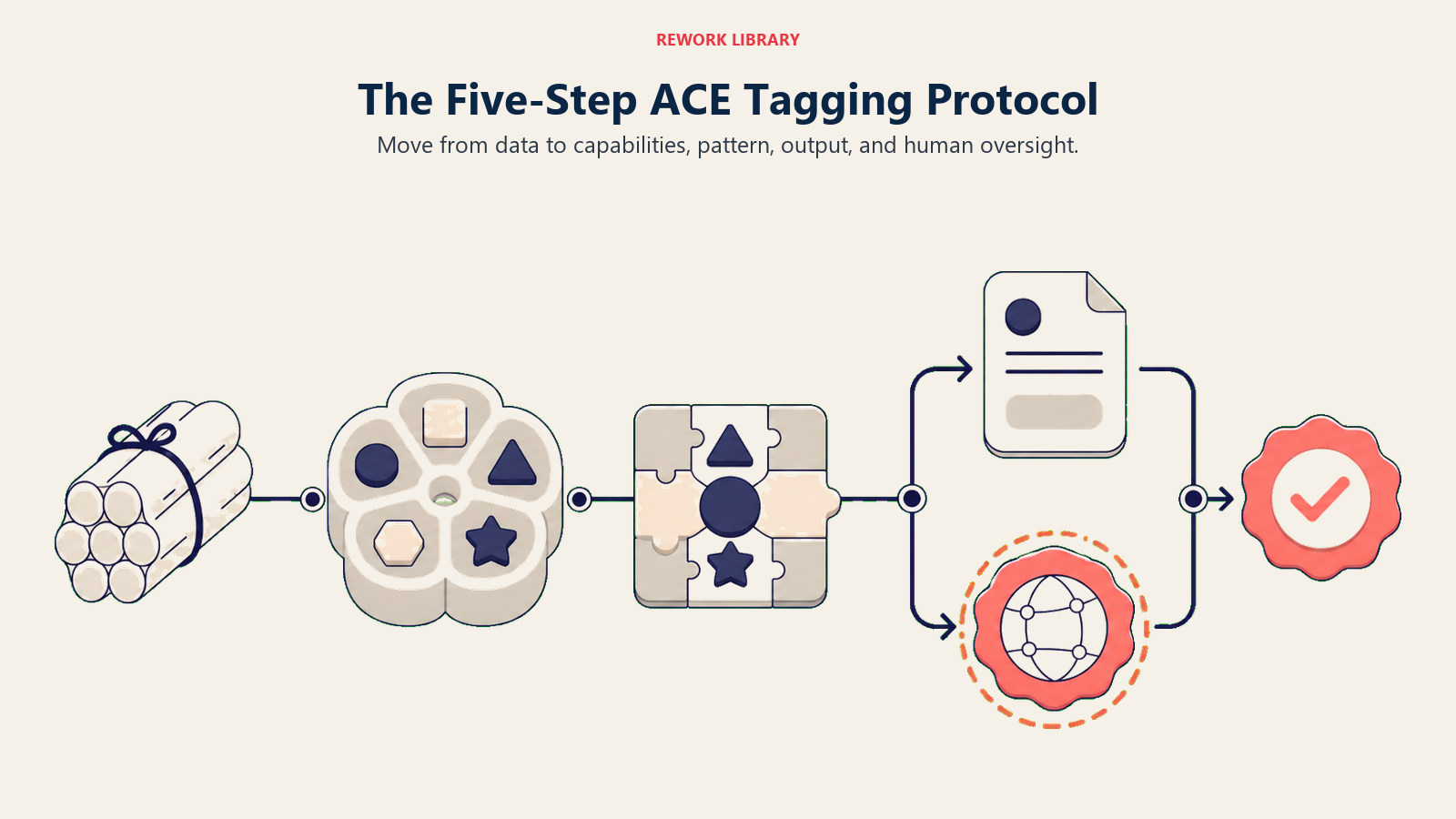
次の質問を順番に確認してください。
ステップ1:どのデータを消費するか?
Foundationから始めます。すべてのCapabilityはデータを必要とし、データタイプはその後のすべてを形作ります。テキスト?構造化レコード?画像?音声?コード?多くのツールは複数のタイプを消費しますが、通常は主要なものが1つあります。入力が特定できなければ、他の何もタグ付けできません。
ステップ2:どのCapabilityを使うか?
5つの動詞それぞれを確認します。Ingestするか(生の信号を使用可能な形式に変換する)?Analyzeするか(分類、抽出、要約)?Predictするか(確率をスコアリング、成果を予測)?Generateするか(テキスト、画像、コード、計画を生成)?Executeするか(外部システムの状態を変更)?ほとんどの実製品は2〜4つのCapabilityを順番に使います。すべて当てはまるものをリストアップしてください。
ステップ3:支配的なパターンは何か?
Capabilityの組み合わせは再利用可能なパターンにまとまります。入ってくるレコードに対するAnalyze + PredictはScoring and Routingです。AnalyzeとGenerateに流れ込む音声のIngestはMeeting Intelligenceです。Analyzeを経てレコード更新に至る画像からのIngestはVision Extractです。パターンは同じジョブをする隣接ツールと期待すべき失敗モードを教えてくれます。
ステップ4:アウトプットはアーティファクトか状態変化か?
これがGenerate vs. Executeの境界線です。Generateはドラフトを生成します:何かが次に起きるのを待つメール、スコア、サマリーです。Executeは外部の状態を変更します:メールを送り、CRMレコードを更新し、返金を発行します。その境界線はガバナンスに関わります。承認なしに自律的にExecuteするツールは、ドラフトのみを生成するツールとは異なるリスクプロファイルを持ちます。
ステップ5:ループの中で人間はどこに位置するか?
Executeのさいにレビューゲートはあるか?事後にモニタリングする?それとも完全に自律的なループか?完全に自律的なExecuteは最もリスクの高い設定です。時には適切ですが、明示的な設計上の意思決定であるべきで、見落としではいけません。
5つの実例
例1:Salesforce Einsteinリードスコアリング
主張すること: 「営業担当者がどのリードを優先すべきかを伝えるAI搭載のリードスコアリング。」
ACEタグ付け:
| 質問 | 回答 |
|---|---|
| 消費するデータ | 構造化データ(CRMレコード:企業情報、商談ステージ履歴、リードとのインタラクション、メール開封率) |
| 使用するCapability | Analyze(CRMレコードから関連する特徴を抽出)+ Predict(リードごとの確率スコアを出力) |
| 支配的なパターン | Scoring and Routing |
| アウトプット | スコア(Generate)、オプションとして自動割り当てをトリガー(Execute) |
| ループの中の人間 | 担当者がハイスコアのリードをレビュー。マネージャーは自動ルーティングルールを設定可能 |
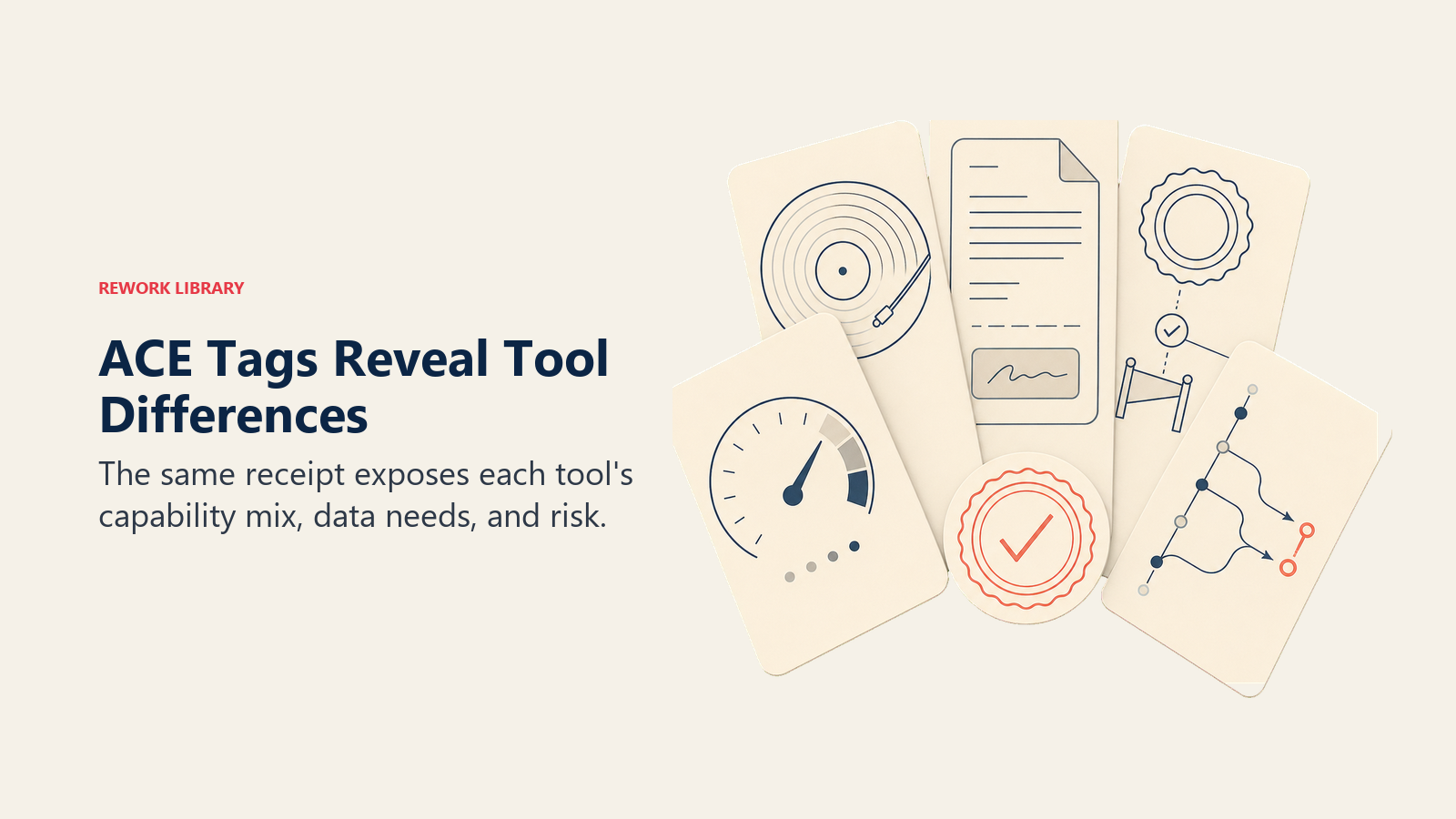
これが示すもの: EinsteinはPredictツールが主体で、Analyzeの前処理ステップを持っています。メールを書いたり、通話音声を分析したり、単独でCRMフィールドを更新したりはしません。もしチームがアウトリーチの自動化のために購入しようとしているなら、それはこのツールの機能ではありません。Execute Capability(自動ルーティング)は存在しますが、オプションです。多くのチームは、自動化のトリガーとしてではなく、人間の担当者へのシグナルとしてスコアを使い始めます。
よくある間違い: クリーンな履歴データなしにPredictが機能すると期待すること。CRMにラベル付きの成果(企業情報の特徴に結びついた受注・失注レコード)がなければ、スコアリングモデルには学ぶものがありません。クリーンな履歴データが前提条件です。ゴミを入れれば、ゴミなスコアが出ます。
例2:Gongの通話分析
主張すること: 「営業通話からの Revenue Intelligence。AIが何が機能しているか、なぜ商談がクローズするかを表面化します。」
ACEタグ付け:
| 質問 | 回答 |
|---|---|
| 消費するデータ | 音声(録音された通話)+ テキスト(文字起こし)+ 構造化データ(商談コンテキストのCRMレコード) |
| 使用するCapability | Ingest(音声書き起こしによる音声からテキストへ)+ Analyze(トピック、異議、センチメント、話す時間の比率)+ Generate(通話サマリー、コーチングの洞察、次のステップ提案)+ Execute(CRMメモを書き込み、Salesforceにプッシュ) |
| 支配的なパターン | Meeting Intelligence |
| アウトプット | 両方。サマリーとコーチングの洞察はGenerate(人間がレビューするためのアーティファクト)。CRMへのメモ更新はExecute(状態変化) |
| ループの中の人間 | 担当者がサマリーを読む。マネージャーがコーチングダッシュボードをレビュー。Gongは顧客に対してアクションを取らない |
これが示すもの: GongはACE Capabilityの5つのうち4つを使います。Ingestステップ(文字起こしの品質)が基盤です:ノイズの多い環境で録音された通話や文字起こしの精度が低い場合、すべての下流のCapabilityが劣化します。Executeステップ(CRMへの書き戻し)は現実のものですが、リスクは低いです:メモフィールドの更新であり、メールの送信や返金の発行ではありません。
よくある間違い: Gongの洞察を結論ではなくシグナルとして扱うこと。Analyzeは、タイムラインについて質問する担当者がより高い割合でクローズすることをフラグします。それは過去データからの相関です。調査するきっかけであり、証明されたPlaybookではありません。
例3:ChatGPTが営業メールを書く
主張すること: 特に何も主張しません。これは汎用AIアシスタントです。このシナリオでは、担当者がアウトリーチのドラフト作成に使っています。
ACEタグ付け:
| 質問 | 回答 |
|---|---|
| 消費するデータ | テキスト(担当者のプロンプト、貼り付けた商談コンテキスト、任意の指示) |
| 使用するCapability | Analyze(プロンプトとコンテキストを理解)+ Generate(メールのドラフトを生成) |
| 支配的なパターン | Workflow Copilot(ツールモード) |
| アウトプット | ドラフト(Generateのみ)。何も送信されていない |
| ループの中の人間 | 完全にコントロールしている。担当者がドラフトを使うか、編集するか、破棄するかを決める。Executeは別工程で手動 |
これが示すもの: このように使われるChatGPTは純粋なGenerateツールです。CRMへのアクセスがなく、何も送信できず、担当者が貼り付けた内容以上に実際の見込み客について何も知りません。リスクプロファイルは低いです:最悪のケースは破棄される低品質なドラフトです。しかし、そのため生産性の上限も限られています。すべてのアウトプットは人間が確認して送り出す必要があります。
これがACE Formulaの最もシンプルな実践例です。Analyze + Generate、Executeなし、人間がすべてを決定。このようにタグ付けすると、(Executeを追加し人間のゲートを取り除く)自律型SDRエージェントとの比較がはるかに明確になります。
例4:Bill.com AIの請求書自動化
主張すること: 「請求書のキャプチャとコーディングを自動化。AIが請求書からデータを抽出し、承認のためにルーティングします。」
ACEタグ付け:
| 質問 | 回答 |
|---|---|
| 消費するデータ | 画像(請求書のスキャン、PDF)+ 構造化データ(ベンダーマスタレコード、勘定科目コード) |
| 使用するCapability | Ingest(請求書画像に対するOCRとドキュメント解析)+ Analyze(ベンダー名、明細、金額、GLコードを抽出)+ Execute(請求書レコードを作成、支払いスケジュールを設定、承認のためにルーティング) |
| 支配的なパターン | Vision Extract |
| アウトプット | 抽出された構造化データ(Analyzeのアウトプット)が請求書レコードの実態(Execute)になる |
| ループの中の人間 | 承認ゲートが存在。設定可能なドルのしきい値を超える請求書は支払い前に人間の承認が必要 |
これが示すもの: Ingestステップがほとんどの精度問題の発生源です:手書きのフォーム、独自のレイアウト、低解像度のスキャンはすべてOCRの精度を下げます。Executeステップには現実の結果が伴います:支払いスケジュールと承認キューはシステム内のライブレコードです。人間の承認ゲートは正しい設計ですが、明示的に設定される必要があります。多くのチームはドルのしきい値の重要性を過小評価します。
よくある間違い: 承認しきい値を高く設定しすぎること(例えば5,000ドル)で、それ以下はリスクが低いと仮定すること。同じベンダーからの800ドルずつの小額の重複請求が大量に通り抜けることがあります。Analyze Capabilityは、そのロジックが明示的に組み込まれていない限り、重複を確認しません。
例5:CursorとClaude Code(自律型コーディングエージェント)
主張すること: 「コードベースを読み、仕様に基づいてコードを書き、テストを実行し、Pull Requestを開くAIコーディングエージェント。」
ACEタグ付け:
| 質問 | 回答 |
|---|---|
| 消費するデータ | コード(リポジトリ、既存ファイル、過去のPR)+ テキスト(仕様やIssueの説明、ユーザーの指示) |
| 使用するCapability | 5つすべて。Ingest(コードベースを読み解析)+ Analyze(既存の構造を理解し、関連ファイルを特定)+ Predict(最も可能性の高い正しい実装アプローチを決定)+ Generate(コードの変更を記述)+ Execute(テストを実行し、PRを作成し、オプションでマージ) |
| 支配的なパターン | Autonomous Agent |
| アウトプット | コードの変更はGenerate。PRの作成とテスト実行はExecute。マージ(設定されている場合)は重大な結果を持つExecute |
| ループの中の人間 | マージ前にPRをレビュー。これが重要なゲート。それがなければ、ExecuteはProductionに届く |
これが示すもの: 5つのACE Capabilityがすべてアクティブであり、これは5つの失敗モードがすべて同時にライブであることを意味します。Ingestはなじみのないコードベースを誤って読む可能性があります。Analyzeは関連するファイルを誤って識別するかもしれません。Predictは技術的には正しいが、アーキテクチャ的に間違っている実装を選択するかもしれません。Generateはテストをパスするが、微妙なロジックエラーを含むコードを書くかもしれません。Execute(マージ)はProductionで取り消せません。
マージ前のPRゲートは、人間が4つの前のCapabilityからの失敗を検知できる唯一のポイントです。デプロイメントパイプラインを「完全自動化」するためにそれを取り除くチームは、5つの失敗モードすべての安全弁を同時に取り除いています。
注目すべき点: CursorとClaude Codeはスコープが異なります。Cursorは主にWorkflow Copilot(Generate重視、IDEで人間がすべてのステップを操作)です。Claude Codeはより自律的に動作できます(Execute可能、マルチステップのタスク)。両方をタグ付けすることで、「AIコーディングツール」という表現が完全に隠している区別が強制的に浮かび上がります。
あなたの番:監査ワークシート
今チームが使っている3つのAIツールについて実行してください。ベンダーのドキュメントからではなく、ツールが実際にワークフローで何をするかから始め、それを逆算してマッピングしてください。
各ツールについて、このテーブルに記入してください:
| フィールド | あなたの回答 |
|---|---|
| ツール名 | |
| 何を消費するか?(データタイプ) | |
| どのACE Capabilityを使うか? | |
| どのパターンに一致するか? | |
| アウトプットはドラフト(Generate)か状態変化(Execute)か? | |
| ループの中で人間はどこにいるか? | |
| 各CapabilityでAIが間違えた場合、何が起きるか? |
その後、この3つの質問に答えてください:
- どのCapabilityが支配的か?(ツールのValue Propositionの大半を駆動するCapability。)
- Executeするか?する場合、Executeのガードレールは明示的に文書化されているか、それとも想定されているか?
- 同じカテゴリで使っている2つのツールを比較して:同じACE Formulaを使っているか、それとも異なるものか?
3つ目の質問が明らかにするものが最も多いです。2つの「CRM Intelligenceツール」はデモでは同じように見えても、まったく異なるCapabilityの組み合わせを使っているかもしれません。1つはAnalyze + Generate(商談メモを要約し、次のステップをドラフト)。もう1つはAnalyze + Predict + Execute(商談の健全性をスコアリングし、クローズを予測し、リスクのある商談を自動でマネージャーにルーティング)。ACEタグ付けは60分のデモではなく10分でその違いを浮かび上がらせます。
タグ付けでよくある間違い
間違い1:AnalyzeとPredictを混同する。
Analyzeは「これは何か?」と答えます。Predictは「次に何が起きそうか?」と答えます。サポートチケットをタイプ別に分類するツールはAnalyzeです。どのチケットがChurnにエスカレーションしそうかをスコアリングするツールはPredictです(入力としてAnalyzeを使って)。それらは失敗の仕方も異なります。Analyzeの失敗はすぐに現れます(誤った分類)。Predictの失敗は、確率推定値が現実から乖離するにつれて数週間後に現れます。
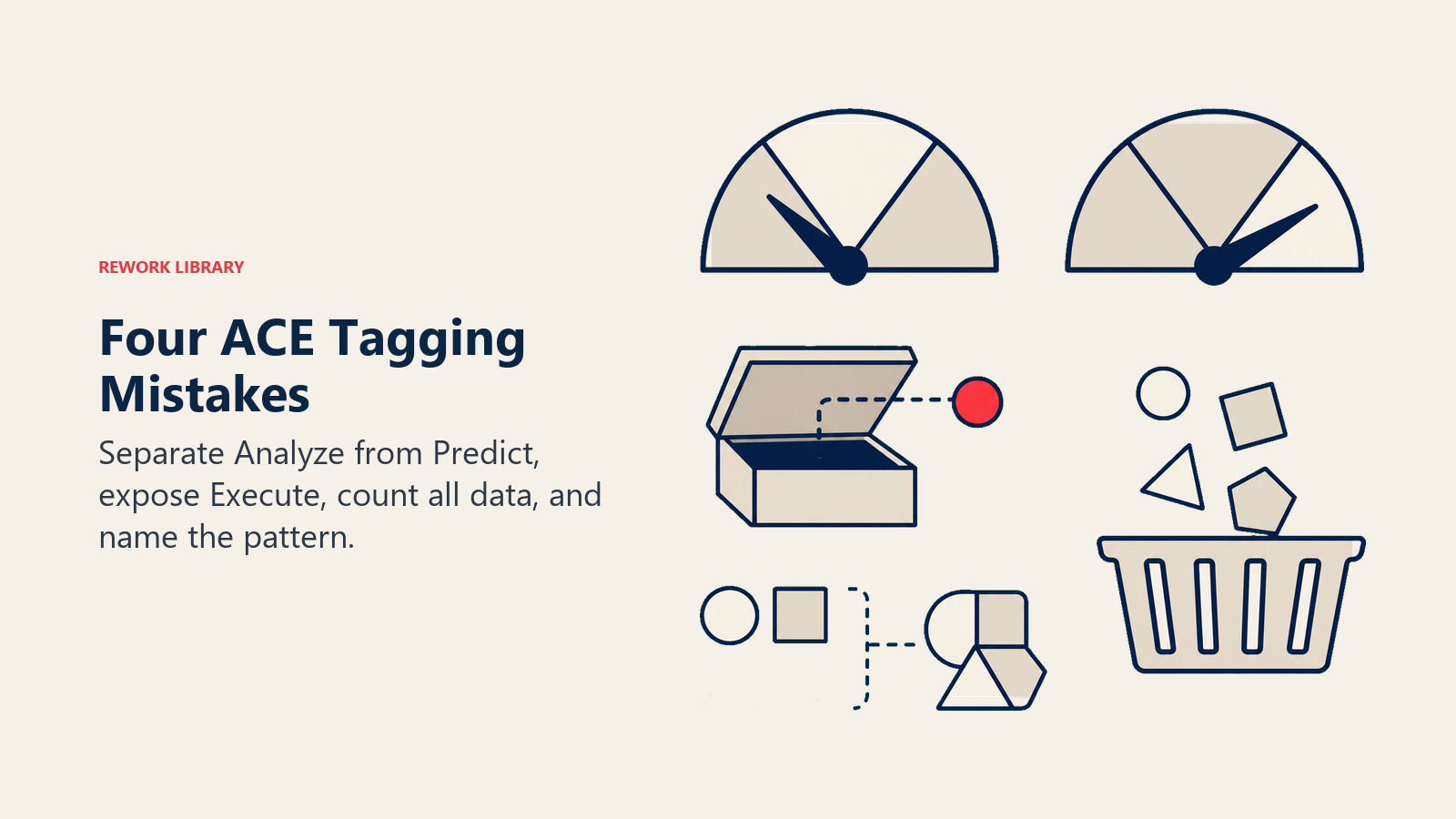
間違い2:Executeを見落とす。
チームはExecuteを過少にカウントします。それがバックグラウンドにあるからです。「通話後にCRMを更新する」ミーティングインテリジェンスツールはExecuteしています。「適切な担当者に自動割り当てする」リードスコアリングツールはExecuteしています。ダッシュボードしか見ていなければ、すでにシステム内のレコードを変更しているAPI呼び出しを見逃します。インターフェースだけでなく、統合設定を確認してください。書き込み権限、Webhook、自動化トリガー、それらがExecuteです。
間違い3:データタイプを過少に数える。
Gongは単に音声を処理しているのではありません。CRMレコード、通話音声、文字起こしを同時にIngestしています。音声がシグナルを運びますが、CRMコンテキスト(商談ステージ、企業規模、担当者)こそがAnalyzeとPredictを有用にするものです。主要チャネルだけをタグ付けすると、データの依存関係を見逃します。そして二次入力が乱雑なときに現れる失敗モードも見逃します。
間違い4:パターンに名前をつけずにCapabilityをリストアップする。
Capabilityのリストは部品リストです。パターンは組み立て方です。2つのツールがAnalyze + Generateを使っていても、1つはWorkflow Copilot(人間が操作し、単一アウトプット、反復的)で、もう1つはDocument Review Engine(バッチ処理、マルチドキュメント、構造化されたアウトプット)かもしれません。パターンはどの失敗モードが最も可能性が高いか、そのツールにどのようなワークフローの変更が必要かを教えてくれます。パターンなしのCapabilityはタグ付けの半分に過ぎません。
購買決定にACEタグを使う
スタックの冗長性を見つける。 現在のすべてのAIツールにタグを付けて、結果を並べてください。テキストのAnalyze + Generateをしている3つのツールは統合の機会です。「予測分析」に費用を払っているのに予測ツールがゼロなのはギャップです。タグはあなたの実際のAI投資の形を示します。それはあなたが思っているものと違うことが多いです。
ツールを正直に比較する。 2つの「AI営業ツール」はまったく異なるACE Formulaを使っている可能性があります。1つがAnalyze + Generateで、もう1つがAnalyze + Predict + Executeなら、異なる問題を解決しています。CopilotとAutomation Engineを比較しているのです。その区別は評価基準を駆動すべきで、デモの品質ではありません。
Formulaを実際のニーズに合わせる。 ほとんどの購買ミスは、「Xに対してAIが欲しい」と知っているが、Xに必要なCapabilityを特定していないチームが起こします。担当者の生産性(より速くドラフトを作る)?Generateが必要です。優先順位付け(どの商談に集中すべきか)?Predictが必要です。ドキュメントからの手動データ入力?Ingest + Analyze + Executeが必要です。カテゴリのラベルではなく、Capabilityのニーズから始めることで、より速く正しい候補リストにたどり着けます。
1つ注記:タグ付けプロトコルは診断であり、スコアではありません。5つのCapabilityを持つツールが2つのCapabilityを持つツールより優れているわけではありません。5つすべてを使う管理が不十分なAutonomous Agentは、シンプルなGenerate-only Copilotよりリスクが高いです。重要なのは、Capabilityのミックスが実際の問題を解決するかどうか、Executeのステップが適切に守られているかどうか、そしてシステムに入力するデータが信頼できるほどクリーンかどうかです。
反射を構築する
目標はすべてのツールを最初の試みで完璧にタグ付けすることではありません。目標は反射を構築することです。
デモ中の精神的なチェックリストとして5つのCapabilityから始めてください。ベンダーが「AIがデータを分析します」と言ったとき、聞いてください:それはAnalyze(現在の状態)かPredict(将来の確率)か?「ワークフローを自動化します」と言ったとき、聞いてください:ドラフトをGenerateするか、アクションをExecuteするか?「インテリジェントなルーティング」と言ったとき、Executeが存在するか、人間の承認メカニズムは何かを確認してください。
1ヶ月これを続ければ、ピッチの読み方が変わります。Priyaの3ベンダー問題は、60分の感覚に頼った確認ではなく、15分の比較になります。そしてイニシアチブのタグ付けは、後付けではなく、あらゆるプロジェクトブリーフの最初のステップになります。
5つの動詞。6つのデータタイプ。10のパターン。実践することで定着します。
この記事はACE Framework Foundationコレクションの一部です。関連記事:Generate vs. Executeの境界線、AIイニシアチブのタグ付け、そしてPredictとExecuteの詳細解説。