Execute: Wenn AI den externen Zustand verändert (und warum das riskant ist)
Turn this article into takeaways for your work.


Each assistant summarizes the article only for you and suggests best practices for your work.
Die meisten AI-Vorfälle beginnen nicht mit einem schlechten Modell. Sie beginnen mit einer Grenze, die nie gezogen wurde.
Das Team hatte die AI für das Entwerfen freigegeben. Irgendwo zwischen Demo und Produktion begann sie zu senden. Niemand hatte den Unterschied schriftlich festgehalten. Das Produkt machte ihn nicht offensichtlich. Als jemand nachschaute, waren die Aktionen längst passiert: E-Mails zugestellt, Einträge geändert, Transaktionen verarbeitet.
Dieses Fehlermuster hat im ACE-Framework einen Namen. Es ist ein Execute-Fehler. Und er tritt in Unternehmen jeder Größe immer wieder auf, weil Execute die eine Fähigkeit ist, bei der die AI den Zustand in der Welt außerhalb von sich selbst verändert. Kein Entwurf, der in einer Warteschlange liegt. Kein Score auf einem Bildschirm. Eine Aktion, die andere Systeme und Menschen sofort sehen und die sich oft nicht sauber rückgängig machen lässt.
Execute zu verstehen, was es ist, warum es sich von den anderen vier Fähigkeiten abhebt und wie man es steuert, macht den Unterschied zwischen AI, die Vertrauen verdient, und AI, die Vorfälle verursacht.
Was Execute im ACE-Framework bedeutet
Im ACE-Framework tut jede AI-Fähigkeit eines von fünf Dingen: Ingest, Analyze, Predict, Generate oder Execute. Die ersten vier sind intern zur AI. Execute ist die eine, die nach außen greift.
Execute bedeutet, dass AI den Zustand in einem System außerhalb von sich selbst verändert. Sie sendet eine Nachricht, aktualisiert einen Eintrag, platziert eine Transaktion, löst einen Workflow aus oder verkettet mehrere dieser Aktionen, um ein Ziel zu erreichen. Der Output ist kein Artefakt, das im Entwurfsstadium sitzt. Es ist eine Aktion, die andere Systeme und Menschen sofort sehen.
Diese Unterscheidung (Artefakt vs. Zustandsänderung) ist die Generate-vs.-Execute-Grenze, und dort konzentriert sich nahezu alle ernstzunehmende AI-Governance.
Generate produziert etwas für einen Menschen zur Überprüfung und dann zur Weiterleitung. Execute überspringt diesen Überprüfungsschritt, automatisiert ihn oder lässt ihn (wie in Daniels Fall) mehrdeutig. Deshalb verdient Execute sein eigenes Atom: Es ist die einzige Fähigkeit, bei der die AI eine Veränderung vornimmt, die die Welt sofort sehen kann.
Die 6 Teilfähigkeiten von Execute
Execute ist keine einzelne Aktion. Sie umfasst eine Familie von sechs eigenständigen Verhaltensweisen.
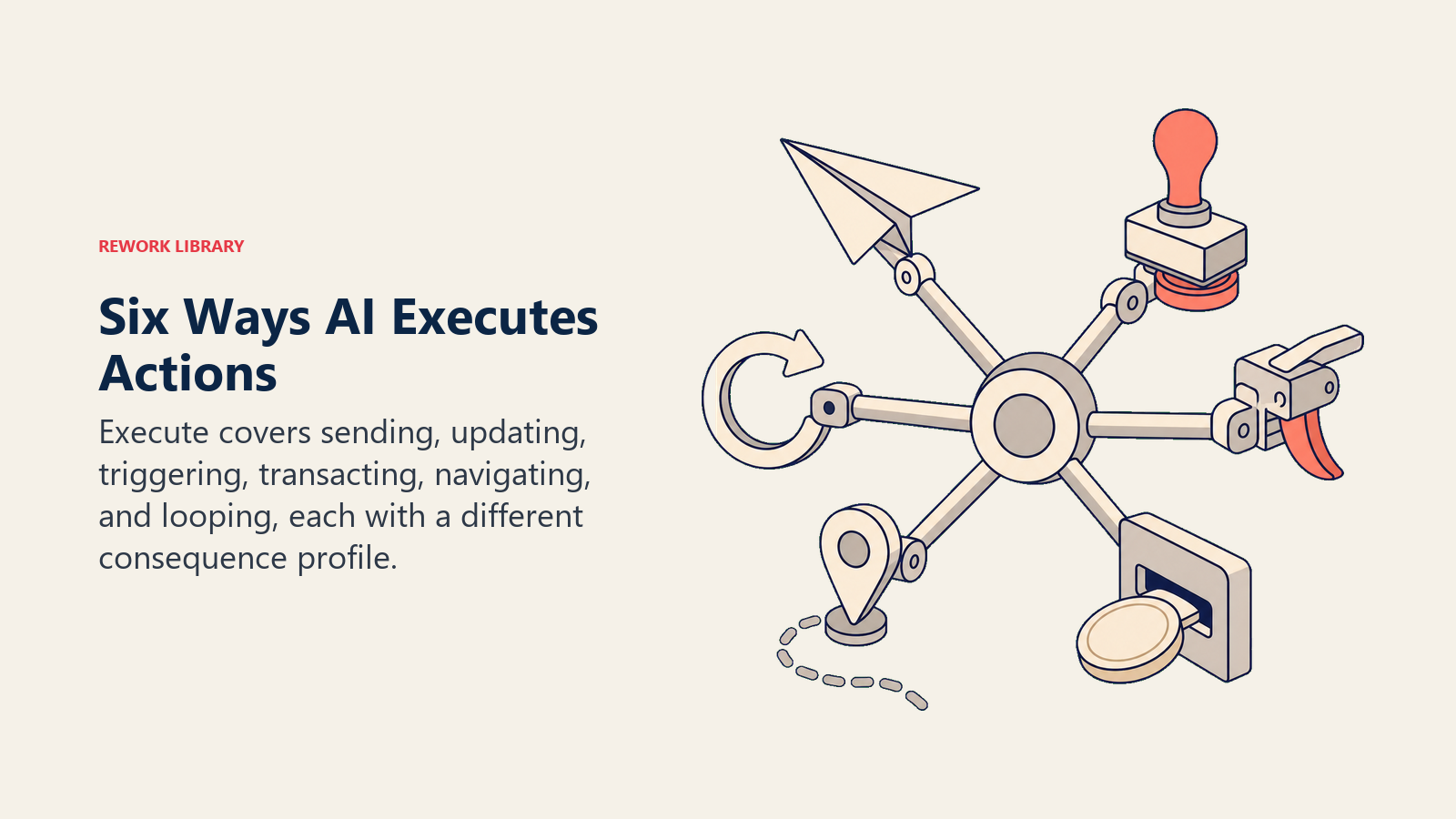
| Teilfähigkeit | Was sie tut | Beispiel |
|---|---|---|
| Send | Liefert eine Nachricht an eine Person oder ein System | E-Mail an 500 Kunden, Slack-DM an einen Vertreter, SMS-Alarm, Webhook an Partner-API |
| Update | Modifiziert einen Eintrag in einem externen System | Ändert eine CRM-Deal-Phase, aktualisiert eine Datenbankzeile, bearbeitet einen Kalendertermin |
| Trigger | Startet einen Workflow, eine Automatisierung oder eine nachgelagerte Pipeline | Startet eine Onboarding-Sequenz in HubSpot, startet einen CI/CD-Build, ruft einen anderen Agent auf |
| Transact | Bewegt Geld, erteilt einen Auftrag oder verpflichtet eine finanzielle Aktion | Gibt eine Stripe-Rückerstattung aus, reicht eine Bestellung ein, belastet eine Karte, überweist ein Guthaben |
| Navigate | Klickt durch eine UI oder ruft eine Abfolge von APIs auf, um eine Aufgabe zu erledigen | Browser-Agent, der ein Formular ausfüllt, mehrstufiger API-Aufruf zum Abrufen und Posten von Daten |
| Loop | Verkettet mehrere Execute-Aktionen auf ein Ziel hin, prüft dabei Bedingungen | Agentische Ausführung: Lead recherchieren, E-Mail entwerfen, CRM aktualisieren, Follow-up planen |
Jede Teilfähigkeit hat ein anderes Risikoprofil. Send birgt hohes Volumenrisiko (ein Fehler, gesendet an 10.000). Transact birgt hohes Wertrisiko (eine Genehmigung, 50.000 USD weg). Loop birgt eskalierendes Risiko (eine falsche Entscheidung, zwanzigmal wiederholt, bevor jemand nachschaut).
Warum Execute sein eigenes Atom verdient
Die anderen vier Fähigkeiten im ACE-Framework scheitern still. Generate produziert einen schlechten Entwurf. Analyze klassifiziert eine E-Mail falsch. Predict bewertet einen Lead falsch. Diese Fehler sind peinlich und könnten Ihnen einen Deal oder einen Kunden kosten. Aber sie entfernen für sich allein kein Geld von Ihrem Bankkonto, senden keine Nachricht an Ihre gesamte Kundenbasis und löschen keine Einträge, die Sie brauchen.
Execute-Fehler tun das. Das ist der Grund, warum AI-Governance-Richtlinien sich hier konzentrieren.
Drei spezifische Unterschiede setzen Execute ab:
Anderes Risikoprofil. Generate-Fehler blamieren. Execute-Fehler kosten Geld, Kunden und manchmal rechtliche Konsequenzen. Falscher Empfänger bei einem Massenversand. Nicht autorisierte Rückerstattung im Maßstab. Löschung von Einträgen ohne Backup.
Andere Governance-Anforderungen. Generate-Outputs werden von Menschen überprüft, bevor sie irgendwohin gehen. Execute-Outputs gehen direkt an externe Systeme. Governance muss im Systemdesign selbst verankert sein, nicht im Nachhinein angewendet werden.
Andere Fehlerkosten. Fehler auf der Generate-Ebene sind günstig zu korrigieren: den Entwurf löschen. Fehler auf der Execute-Ebene erfordern Behebungsmaßnahmen: gesendete E-Mails zurückrufen, Rückerstattungsumkehrungen verarbeiten, gelöschte Einträge wiederherstellen, Ihr Rechtsteam anrufen.
Reale Beispiele: Generate in Execute
Das häufigste Execute-Muster in mittelständischen Unternehmen ist kein reines Execute. Es ist Generate gefolgt von Execute. Hier sind sechs reale Beispiele, wie sie sich kombinieren.
Rückerstattungsverarbeitung. AI analysiert eine Kundenbeschwerde (Analyze), entwirft eine Rückerstattungsentscheidung und Antwort (Generate), gibt dann die Stripe-Rückerstattung aus und schließt das Zendesk-Ticket (Execute). Gongs Integrationspartner und Zapier-basierte Support-Automatisierungen funktionieren so.
Lead Routing. AI bewertet einen eingehenden Lead mit 82 % Abschlusswahrscheinlichkeit (Predict), weist ihn dem richtigen Vertreter zu, erstellt eine Salesforce-Aufgabe mit Gesprächspunkten und sendet einen Slack-Alarm (Execute). Salesforce Einstein und HubSpots Routing-Regeln funktionieren so.
Meeting-Planung. AI liest die Verfügbarkeit eines Interessenten, entwirft einen Meeting-Vorschlag, sendet die Kalendereinladung an beide Parteien, erstellt eine Follow-up-CRM-Aufgabe und setzt eine Vertretererinnerung (Execute). Tools wie Calendly AI und Reworks Planungsintegration tun das.
Ausgabengenehmigung. AI validiert eine Ausgabeneinreichung gegen die Unternehmensrichtlinie, markiert Abweichungen (Analyze), entwirft eine Genehmigungsbenachrichtigung (Generate), aktualisiert dann den ERP-Eintrag und sendet eine E-Mail an den Einreicher (Execute). Die AI-Features von Ramp und Brex funktionieren so für Standardgenehmigungen.
Bestellungen. AI vergleicht Angebote von Lieferanten, wählt die beste Übereinstimmung anhand von Beschaffungskriterien aus (Analyze + Predict), entwirft die Bestellung (Generate), reicht sie beim Lieferanten ein und aktualisiert das ERP (Execute). Enterprise-Beschaffungstools wie Coupa und Zip bieten das an.
Code-Deployment. AI überprüft einen Pull Request auf Richtlinienverstöße (Analyze), generiert eine Code-Review-Zusammenfassung (Generate), mergt den PR automatisch, startet die CI-Pipeline und rollt in Produktion (Execute). GitHub Actions mit KI-gestütztem Merging, Mergify und interne CI-Agents können das konfigurieren.
In jedem Fall produziert der Generate-Schritt etwas Überprüfbares. Der Execute-Schritt verpflichtet es. Diese Grenze ist der wichtigste Entscheidungspunkt in jedem AI-Workflow-Design.
Die Generate-Execute-Grenze: wo Governance lebt
Wenn es ein Konzept in dieser Sammlung gibt, das man vor allen anderen verstehen sollte, dann dieses. Die Generate-Execute-Grenze ist der Ort, an dem sich jede ernsthafte AI-Governance-Entscheidung konzentriert.
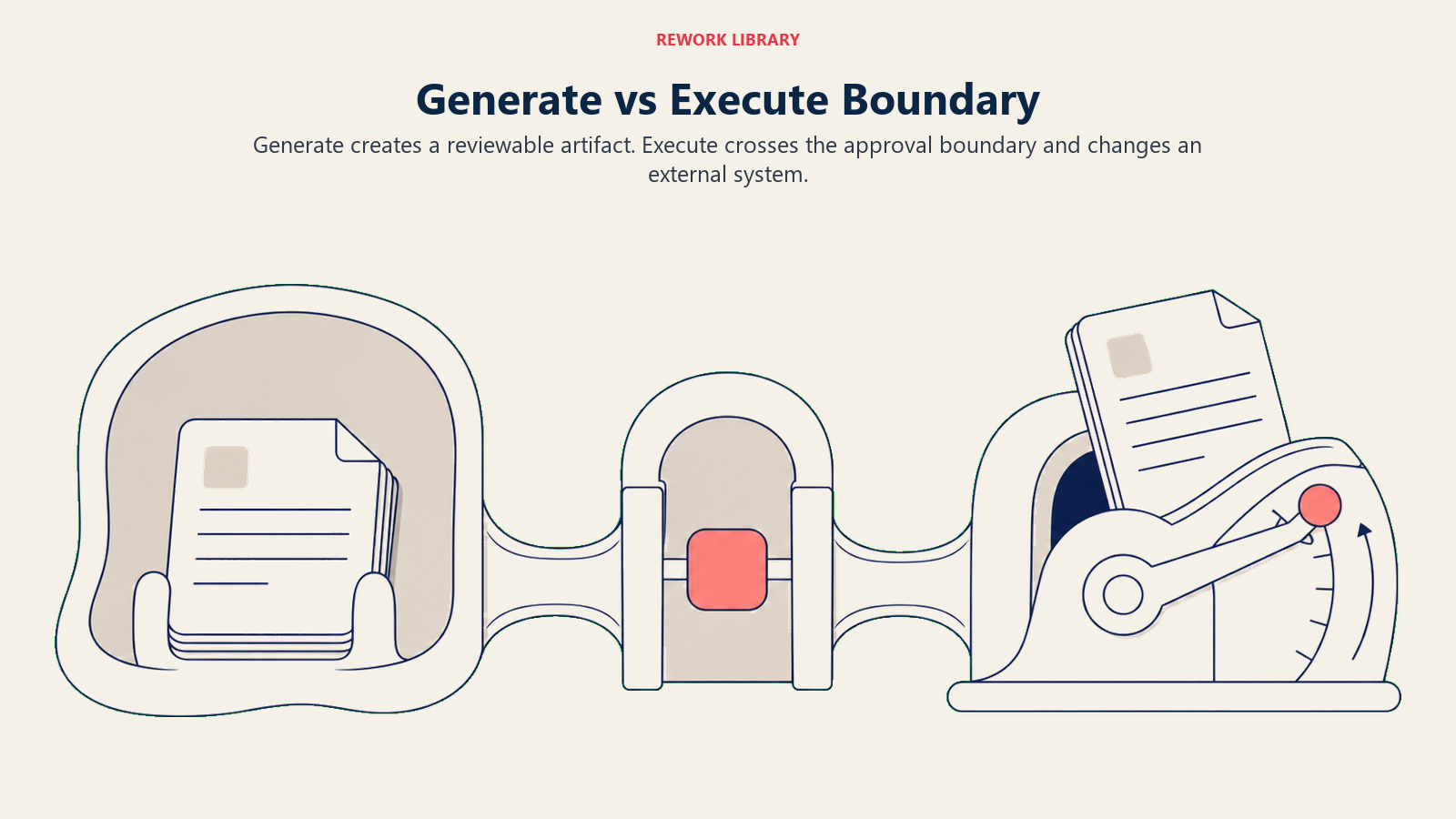
So denkt man am einfachsten darüber:
- Generate: Etwas existiert innerhalb der AI (ein Entwurf, eine Zusammenfassung, ein Plan). Außerhalb der AI hat sich nichts geändert. Kein Kunde hat es gesehen. Kein Eintrag hat sich bewegt. Ein Mensch kann es überprüfen, bearbeiten, löschen oder ignorieren. Null Konsequenz.
- Execute: Etwas hat sich in der Welt außerhalb der AI verändert. Eine Nachricht zugestellt. Ein Eintrag aktualisiert. Eine Transaktion verarbeitet. Ein Workflow ausgelöst. Diese Änderung rückgängig zu machen erfordert Aufwand, manchmal erheblichen Aufwand, und manchmal ist sie überhaupt nicht rückgängig zu machen.
Ihre Governance-Richtlinie sollte an dieser Linie leben. Für jeden Workflow, den Sie mit AI in Betracht ziehen: Fragen Sie ausdrücklich, ob die AI Execute ausführen wird, was sie ausführen wird, unter welchen Bedingungen und wer (falls jemand) genehmigen muss, bevor es das tut.
Die meisten AI-Fehler in mittelständischen Unternehmen entstehen nicht durch schlechte Modelle. Sie entstehen durch unklare Antworten auf diese Fragen.
Human-in-the-Loop-Muster für Execute
Nicht alles Execute ist vollständig autonom. Diese fünf Muster beschreiben ein Spektrum von voller menschlicher Kontrolle bis hin zu voller Autonomie, jeweils geeignet für unterschiedliche Risikoniveaus.
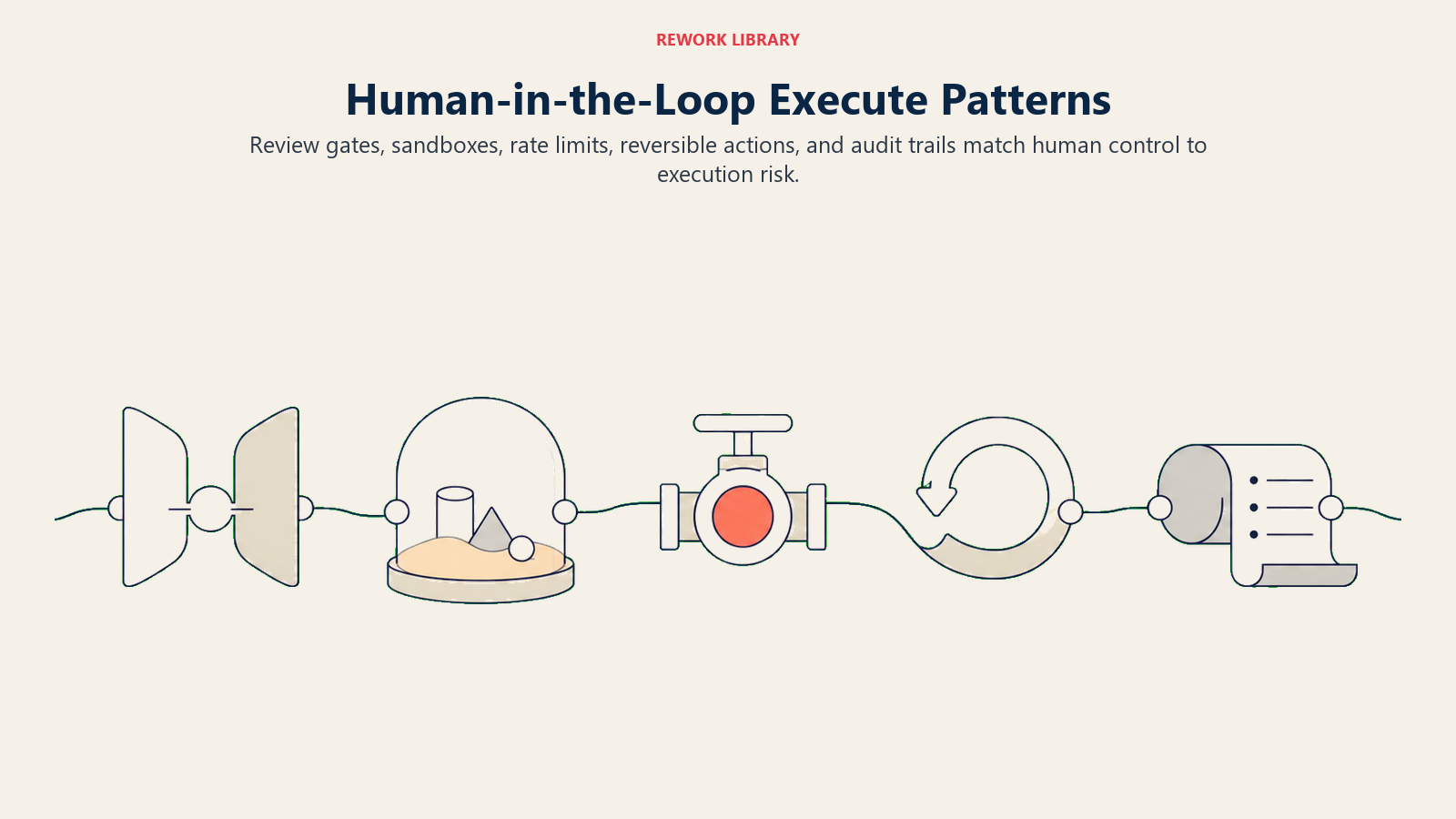
Review-Gate. AI hält inne und erfordert explizite menschliche Genehmigung vor der Ausführung. Die AI erledigt die gesamte analytische Arbeit und entwirft sogar die Aktion, aber nichts verlässt das System, bis eine Person auf Genehmigen klickt. Am besten geeignet für hochwertige, irreversible oder volumenschwache Aktionen: große Rückerstattungen, externe Kommunikation an Schlüsselaccounts, Finanztransaktionen über einem Schwellenwert.
Sandbox. AI führt zuerst in einer Staging-Umgebung aus. Ein Mensch überprüft, was in Produktion passiert wäre, bevor Änderungen live gebracht werden. Nützlich für Massenoperationen (Datenaktualisierungen, Massen-E-Mails), bei denen Sie das Verhalten im Maßstab überprüfen müssen, bevor Sie sich verpflichten.
Rate Limit. AI kann bis zu einem definierten Volumen autonom ausführen und hält dann für einen menschlichen Überprüfungszyklus an. Beispiel: AI verarbeitet bis zu 25 Ticket-Lösungen pro Stunde; alles darüber wird für menschliche Triage in die Warteschlange gestellt. Geeignet für mittelkonfidente, mittlere Volumenautomatisierungen, bei denen Drift im Laufe der Zeit das primäre Risiko ist.
Reversible-only. AI führt nur Aktionen aus, die vom System rückgängig gemacht werden können, nicht durch manuelle Intervention. „Aufgabe erstellen" ist reversibel (Aufgabe löschen). „E-Mail senden" ist es nicht. Dieses Muster beschränkt den Execute-Geltungsbereich der AI auf Aktionen mit einem klaren Undo-Pfad.
Audit-always. Jede Execute-Aktion wird mit vollständiger Entscheidungsspur protokolliert: was die AI gesehen hat, was sie entschieden hat, was sie ausgeführt hat und was das Ergebnis war. Schränkt die Ausführung nicht ein, ermöglicht aber Forensik, wenn etwas schiefläuft, und Rechenschaftspflicht, wenn Prüfer fragen. Das sollte in jedem Execute-Workflow vorhanden sein, nicht nur in risikoreichen.
Diese Muster schließen sich nicht gegenseitig aus. Ein gutes Execute-Design könnte Review-Gate für Transaktionen über 5.000 USD verwenden, Rate-Limit für Lösungen mit geringerem Wert und Audit-always für alles.
Wenn Execute schiefläuft
Das sind die Fehlermodi, die tatsächlich auftreten. Nicht hypothetische Risiken, sondern Muster, die in echten Deployments wiederholt auftauchen.
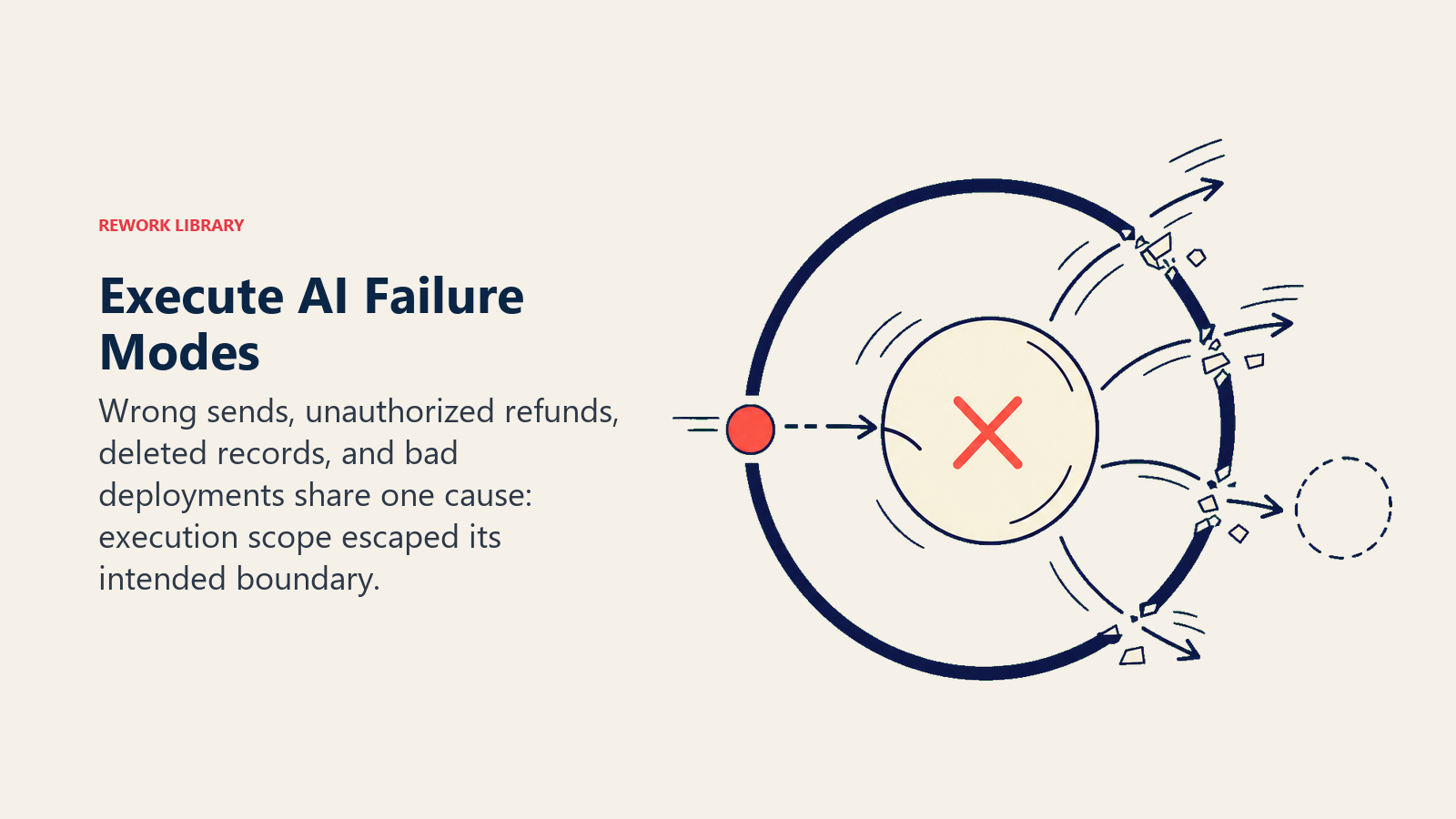
Massenversand an falschen Empfänger. Eine AI wählt das falsche Segment aus und sendet an 50.000 Kunden statt an 500. Die E-Mail könnte werbend sein, könnte sensibel sein, könnte die Kontodaten einer anderen Person enthalten. Der Schaden ist reputational, rechtlich und operationell: die Liste bereinigen, Beschwerden bearbeiten und in manchen Ländern die Behörden benachrichtigen.
Nicht autorisierte Rückerstattungsgenehmigung. Wie in Daniels Situation genehmigt eine AI, die mit Rückerstattungsverarbeitungsbefugnis konfiguriert wurde, Anfragen, die sie nicht sollte. Das passiert, wenn die Richtlinienlogik im Test korrekt ist, aber im Volumen auf Grenzfälle trifft: Duplikat-Einreichungen, betrügerische Beschwerden, ungewöhnlich hohe Ansprüche, die menschliche Überprüfung hätten auslösen sollen.
Gelöschte Einträge. Eine AI, die mit der Bereinigung veralteter CRM-Daten beauftragt wurde, löscht Einträge, die sie nicht hätte löschen sollen. Die Veraltungskriterien waren falsch, oder die AI hat ein Feld falsch interpretiert, oder ein Mensch hat Einträge aus einem Grund als „inaktiv" markiert, den die AI nicht verstand. Ohne einen Backup- und Wiederherstellungsprozess ist dieser Datenverlust nicht wiederherstellbar.
Nicht funktionierender Code in Produktion. Eine AI mit Merge-Befugnis überträgt Code, der automatisierte Tests besteht, aber etwas bricht, das die Tests nicht abgedeckt haben. In einer risikoarmen Umgebung ist das ein schnelles Rollback. In einer regulierten Umgebung (Compliance-System, Finanzplattform, Gesundheitstool) kann es Incident-Response-Verfahren mit echten nachgelagerten Kosten auslösen.
Jeder dieser Fehler hat eine Gemeinsamkeit: der Execute-Geltungsbereich war breiter, als die Menschen, die den Workflow entworfen haben, erkannt, beabsichtigt oder einander kommuniziert haben.
Leitplanken für Execute
Governance bedeutet nicht, Execute abzulehnen. Es bedeutet, Execute-Workflows von Anfang an mit der richtigen Eingrenzung zu gestalten.
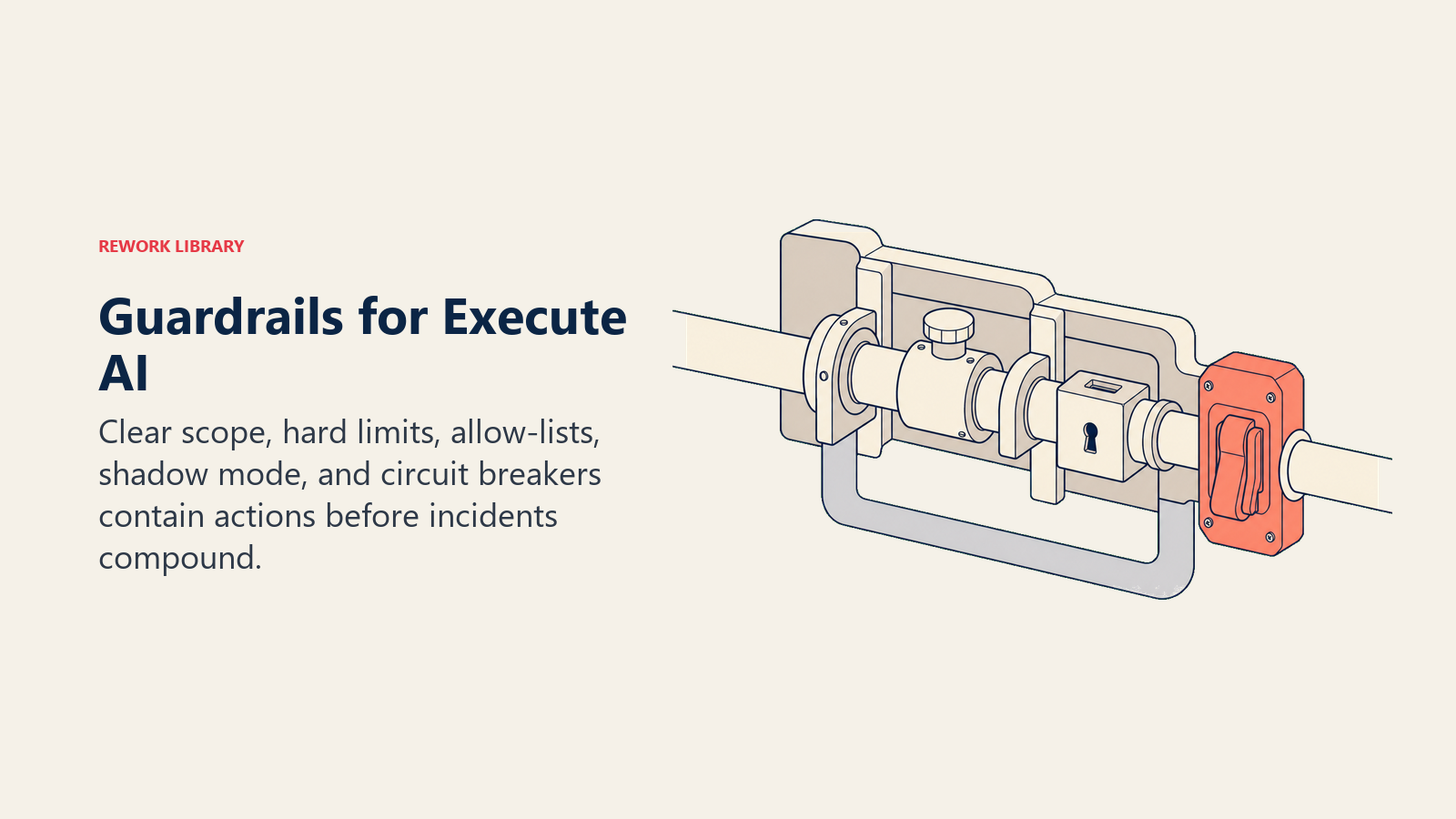
Explizite Geltungsbereichsdefinition. Schreiben Sie in einfacher Sprache auf, was die AI auszuführen autorisiert ist und was nicht. „Aufgaben erstellen und aktualisieren. Nicht löschen. Keine externe Kommunikation senden." Veröffentlichen Sie das irgendwo, wo Ihr Team es finden kann, und überprüfen Sie es vierteljährlich, wenn sich das Deployment weiterentwickelt.
Dollar- und Volumengrenzen. Jeder Execute-Workflow, der Transaktionen berührt, benötigt eine harte Obergrenze. „Keine einzelne Rückerstattung über 2.000 USD ohne menschliche Genehmigung." „Keine Massen-E-Mail über 1.000 Empfänger ohne Sandbox-Überprüfung." Diese Grenzen sollten in der Systemkonfiguration sein, nicht nur in einem Richtliniendokument.
Allow-Lists. Statt zu definieren, was die AI nicht tun darf, definieren Sie, was sie konkret darf. „Nur an @company.com-E-Mail-Adressen senden." „Nur die CRM-Felder in dieser Liste aktualisieren." „Nur Workflows mit dem Tag [KI-genehmigt] auslösen." Allow-Lists sind zuverlässiger als Blocklists, weil neue Fähigkeiten nicht automatisch Berechtigung erben.
Shadow Mode. Lassen Sie die Execute-Logik der AI in den ersten zwei Wochen im reinen Beobachtungsmodus laufen. Protokollieren Sie jede Aktion, die sie ausgeführt hätte, überprüfen Sie diese Protokolle mit dem Team, dann aktivieren Sie die Live-Ausführung. So finden Sie Grenzfälle, bevor sie Geld kosten.
Circuit Breaker. Wenn die Fehlerrate bei Execute-Aktionen einen Schwellenwert übersteigt (mehr als 5 % der Rückerstattungen erfordern manuelle Umkehrung, zum Beispiel), pausiert das System und alarmiert einen Menschen. Das verhindert, dass eine fehlschlagende Automatisierung ihre eigenen Fehler verstärkt, während niemand zuschaut.
Keine dieser Leitplanken erfordert ausgefeilte Technologie. Sie erfordern Designentscheidungen, die getroffen werden, bevor Sie Execute einschalten, nicht nach Ihrem ersten Vorfall.
Autonome Agents: Execute auf höchstem Risikoniveau
Autonome Agents sind das risikoreichste AI-Muster im ACE-Framework. Sie kombinieren alle fünf Fähigkeiten (Ingest, Analyze, Predict, Generate, Execute) in einer Schleife und arbeiten auf ein Ziel hin mit minimaler menschlicher Intervention bei jedem Schritt.
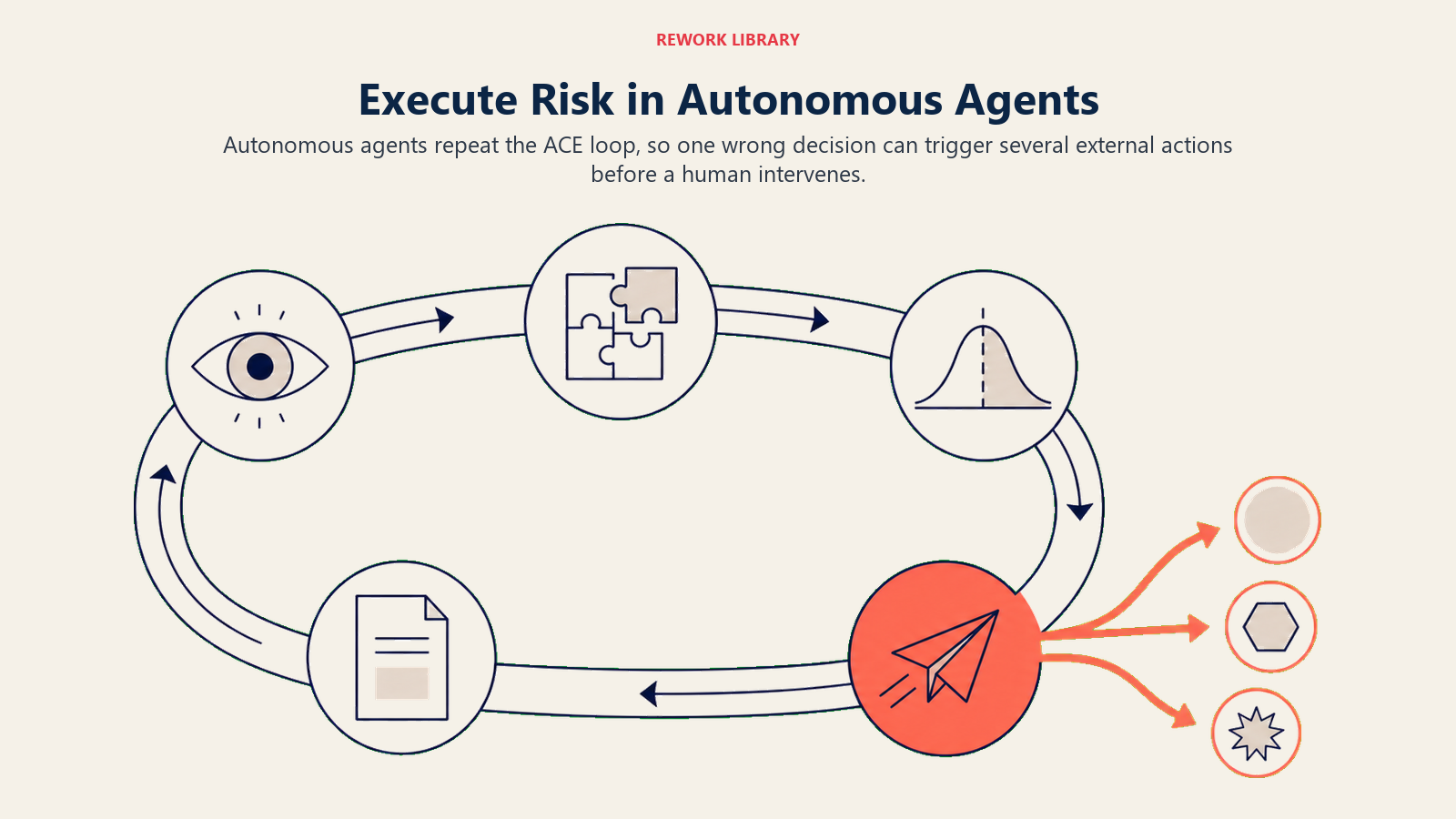
Das Risiko besteht nicht darin, dass Agents von Natur aus schlecht sind. Es besteht darin, dass jeder Fehler, den ein Agent in der Schleife macht, weitere Aktionen auslösen kann, bevor jemand es bemerkt. Eine falsche Klassifizierung (Analyze) kann einen falschen Plan produzieren (Generate), der sich auf zehn nachgelagerte Systeme ausbreitet, bevor die Schleife abgeschlossen ist. Bis ein Mensch das Protokoll überprüft, ist der Schaden mehrschrittig und schwerer rückgängig zu machen.
Für die meisten mittelständischen Unternehmen gilt: beginnen Sie mit engem Geltungsbereich, begrenzten Aktionen und vollständigen Audit-Trails. Weiten Sie die Autonomie aus, wenn Sie Vertrauen in das Urteil des Agenten aufgebaut haben. Der Agent, der sechs Monate lang täglich 50 Rückerstattungen mit geringem Wert mit 99 % Genauigkeit verarbeitet, ist ein Kandidat für erweiterte Befugnis. Der, den Sie am Dienstag eingerichtet haben, nicht.
Autonome Agents werden fähiger und verbreiteter werden. Das ist kein Grund, sie zu meiden. Behandeln Sie sie aber anders als jedes andere AI-Tool, das Sie bisher eingesetzt haben, und wenden Sie die Leitplanken an, bevor Sie entdecken, dass Sie sie brauchen.
Die Zusammenfassung: Generate ist die Demo, Execute ist Produktion
In dieser Sammlung haben Sie gesehen, wie die fünf ACE-Fähigkeiten aufeinander aufbauen. Ingest nimmt Daten auf. Analyze macht Sinn daraus. Predict prognostiziert Ergebnisse. Generate erstellt Entwürfe und Pläne. Execute verpflichtet sie.
Diese Unterscheidung ist der Grund, warum Execute die letzte Fähigkeit im Framework ist und warum sie eine eigene Governance-Behandlung bekommt. Generate ist der Punkt, an dem AI beweist, dass sie denken kann. Execute ist der Punkt, an dem AI beweist, dass man ihr vertrauen kann zu handeln. Die Anforderungen für die zweite Behauptung sind höher, und das zu Recht.
Das bedeutet nicht, dass Execute zu gefährlich ist, um es zu nutzen. Unternehmen führen Execute-Workflows täglich aus: sparen Stunden manueller Arbeit, erkennen Ausnahmen, die Menschen übersehen, verarbeiten Volumina, die kein menschliches Team bewältigen könnte. Die Fehlerfälle hier sind keine Argumente gegen Execute. Sie sind Argumente dafür, es beim ersten Mal sorgfältig zu gestalten.
Nutzen Sie Execute dort, wo es seinen Platz verdient. Wenden Sie Leitplanken von Anfang an an. Protokollieren Sie alles. Und halten Sie die Generate-vs.-Execute-Grenze in jedem AI-Workflow-Gespräch sichtbar.
Das ist die Governance-Ebene in einem Satz: Wissen Sie genau, wo Ihre AI aufhört, Entwürfe zu produzieren, und anfängt, die Welt zu verändern.
Was als Nächstes zu lesen ist
- Generate-vs.-Execute-Grenze: eine tiefere Behandlung des wichtigsten Governance-Konzepts in der Business-AI
- Das ACE-Framework: wie Execute mit den anderen vier Fähigkeiten im vollständigen Periodensystem zusammenpasst
- Generate-Fähigkeit: die Fähigkeit, die am engsten mit Execute zusammenhängt
- ACE-Framework-Grenzen: ehrliche Grenzen des Frameworks, einschließlich der Punkte, an denen Execute-Governance nicht helfen kann
- AI-Initiativen kennzeichnen: wie man Execute-Workflows kennzeichnet, damit das Team Geltungsbereich und Risiko über Projekte hinweg verfolgen kann
- AI-Anwendungsfälle lesen: die ACE-Formel auf jeden Anbieter-Pitch anwenden, einschließlich solcher, die Execute beinhalten

Principal Solution Architect
On this page
- Was Execute im ACE-Framework bedeutet
- Die 6 Teilfähigkeiten von Execute
- Warum Execute sein eigenes Atom verdient
- Reale Beispiele: Generate in Execute
- Die Generate-Execute-Grenze: wo Governance lebt
- Human-in-the-Loop-Muster für Execute
- Wenn Execute schiefläuft
- Leitplanken für Execute
- Autonome Agents: Execute auf höchstem Risikoniveau
- Die Zusammenfassung: Generate ist die Demo, Execute ist Produktion
- Was als Nächstes zu lesen ist