Best Gladly Alternatives in 2026: 13 Customer Support Platforms Compared

Turn this article into takeaways for your work.


Each assistant summarizes the article only for you and suggests best practices for your work.
Gladly is a genuinely different kind of customer service platform. No ticket numbers. No siloed channel queues. Instead, every customer gets a single lifelong conversation timeline across voice, chat, email, SMS, and social, all tied to a people record rather than a case ID. That philosophy has earned Gladly a devoted following in retail, e-commerce, travel, and hospitality, where brands like Crate and Barrel, Ulta Beauty, and Tumi run their contact centers on it.
But Gladly comes with a real price of entry. Hero plan pricing runs around $180 per agent per month, billed annually, with a 10-agent minimum. The Superhero plan sits at roughly $210 per agent per month with a 45-agent minimum. Add separate billing for voice usage and AI Sidekick conversations at $0.60 each, and a 50-agent contact center is looking at $100,000-plus per year before any add-ons. Implementation is similarly serious, typically months, not weeks. Teams leave Gladly for one of four reasons: the cost outpaces growth, the integration ecosystem is narrower than they need, they want AI deflection at a lower unit cost, or they want structured ticketing workflows rather than a pure conversation model. If you're in any of those camps, here are 13 platforms worth a serious look.
Quick Comparison Table
| Tool | Best For | Starting Price | Key Strength | Key Limitation |
|---|---|---|---|---|
| Zendesk | Mid-market to enterprise, any channel | $55/agent/month (Suite Team) | Deepest ecosystem, most integrations | Complex admin, expensive at scale |
| Kustomer | Enterprise contact centers wanting conversation-centric CX | $89/seat/month (8-seat minimum) | True omnichannel timeline, powerful automation | High implementation cost and Meta ownership uncertainty |
| Intercom | SaaS and product-led teams | $29/seat/month (Essential) | Proactive messaging plus reactive support in one tool | Per-resolution AI billing adds up fast |
| Front | Relationship-driven support and account teams | $25/seat/month (Starter) | Shared inbox with collaborative email feel | AI features significantly raise per-seat cost |
| Gorgias | E-commerce brands on Shopify or WooCommerce | From $10/month (ticket-based) | Deep order data integration, fast for DTC | E-commerce-only focus, weak for B2B |
| Help Scout | SMBs and growing teams wanting human-feeling support | Free; Standard $25/user/month | Clean UX, no ticket numbers, built-in docs | Limited enterprise depth, no native voice |
| Freshdesk | Budget-conscious teams of any size | Free; Growth $19/agent/month | Best value at entry level, strong automation | CRM requires separate Freshsales product |
| Salesforce Service Cloud | Large enterprises with complex service operations | $25/user/month (Starter Suite) | Deepest CRM integration, Einstein AI, CCaaS | Expensive at full scale, requires admin investment |
| HubSpot Service Hub | Teams already running HubSpot CRM | Free; Starter $15/seat/month | Native CRM integration, no sync needed | Weak as a stand-alone helpdesk |
| Zoho Desk | Cost-sensitive teams or Zoho ecosystem users | Free; Standard $14/user/month | Best price-per-feature at mid tier | UI lags behind competitors, limited AI |
| Dixa | Teams wanting all channels native with modern routing | $89/agent/month (Growth) | All channels in one plan, intelligent routing built in | No free tier, minimum seat requirements |
| Rework | Mid-size teams whose support runs on messaging apps | From $159/mo billed yearly (Revenue Engine) | Chat inbox, CRM, and lead management on one record | No voice, IVR, or SMS, and email sits outside the chat inbox |
| Sprinklr Service | Large enterprises managing digital and social at scale | Custom; $50,000+ annually | Broadest social and digital channel coverage | Priced out of reach for anyone under enterprise scale |
1. Zendesk: Best for Complex Multi-Channel Enterprise Support
Zendesk is the default enterprise choice for a reason. Its ecosystem is the deepest in the category: 1,500-plus integrations, native voice, workforce management, QA, and AI Agents billed per resolution. If you're leaving Gladly because you want more integration options and a larger partner ecosystem, Zendesk Suite is the most direct path.
Suite Team starts at $55/agent/month and Professional at $115/agent/month (annual billing). AI Copilot adds $50/agent/month. AI Agents shifted in 2026 to outcome-based pricing at $1-2 per resolved conversation, which keeps base costs predictable but adds a usage variable at scale. The Enterprise tier moved to a custom quote model bundled with Copilot.
The trade-off is complexity. Zendesk's admin experience rewards dedicated ops specialists. It can do almost anything, but getting it to do anything specific requires configuration time and usually a solutions partner. Smaller teams frequently find themselves paying for features they never touch. See best Zendesk alternatives if the scope feels like overkill.
| Pros | Cons |
|---|---|
| Broadest integration ecosystem in the category | Admin-heavy, steep learning curve |
| Native voice, omnichannel, and WFM built in | Per-resolution AI adds billing unpredictability |
| Workforce management and QA at every scale | Enterprise tier requires custom quote |
| Trusted by thousands of enterprise support teams | Can be overkill for under 50 agents |
Pricing: Suite Team $55/agent/month; Suite Professional $115/agent/month; AI Copilot $50/agent/month extra. Zendesk pricing
Best for: Mid-market to enterprise teams with complex routing, multi-channel volume, and a dedicated support ops function.
2. Kustomer: Best for Conversation-Centric Enterprise CX
Kustomer is the closest philosophical sibling to Gladly. The conversation-centric data model puts a unified customer timeline at the center of every interaction, much like Gladly's people record. The difference is that Kustomer layers on more powerful automation, a broader integration library, and a more developer-friendly API surface.
Enterprise starts at $89/seat/month with an 8-seat minimum. AI add-ons push the per-seat cost to $129-$139/seat/month before implementation. First-year implementation typically runs $18,000-$30,000. If you're leaving Gladly because its integration ecosystem is too narrow, Kustomer is worth the evaluation call. If you're leaving because cost is the issue, Kustomer is in the same price bracket.
The ongoing uncertainty is ownership: Kustomer moved from Meta's portfolio back to independent, and teams that remember that shift are watching the roadmap carefully. That said, the platform has invested heavily in AI automation in 2025-2026 with measurable deflection rates. See best Kustomer alternatives for a full breakdown.
| Pros | Cons |
|---|---|
| True omnichannel customer timeline, like Gladly | High implementation cost ($18k-$30k first year) |
| Broader integration ecosystem than Gladly | AI add-ons push cost to $129-$139/seat/month |
| Powerful automation and developer-friendly API | Ownership history adds roadmap uncertainty |
| Strong AI deflection with measurable outcomes | 8-seat minimum, enterprise budget required |
Pricing: Enterprise from $89/seat/month (8-seat minimum). AI add-ons $40-$50/seat/month extra. Contact sales for current rates. Kustomer
Best for: Enterprise contact centers that want Gladly's conversation model with a wider integration ecosystem and more automation depth.
3. Intercom: Best for SaaS and Product-Led Teams Blending Support and Engagement
Intercom blurs the line between support and marketing in a way few platforms match. The in-app messenger, product tours, outbound campaigns, and Fin AI Agent all live on the same platform. For a SaaS product team that wants to handle reactive support AND run proactive engagement from one tool, Intercom is the most complete option in this list.
Essential is $29/seat/month, Advanced $85/seat/month, Expert $132/seat/month. Fin AI Agent runs $0.99 per resolved outcome. Channel add-ons for WhatsApp, SMS, and phone run $29/month each. A 20-person team on Advanced with Fin handling 30% of volume can easily hit $2,500-$4,000/month. That's still well below Gladly's price point for the same headcount.
The challenge for Gladly users is that Intercom's support motion is strongest when your customers are inside your product. External-facing B2B support or high-volume voice-first retail isn't its sweet spot. And the per-outcome AI billing makes monthly forecasting harder as automation adoption grows. See best Intercom alternatives.
| Pros | Cons |
|---|---|
| Best proactive messaging plus reactive support combo | Per-resolution AI billing is hard to forecast |
| Strong Fin AI Agent for complex query handling | Channel add-ons raise costs quickly |
| In-app support and onboarding in one platform | Not ideal for voice-heavy or retail-first teams |
| Lower per-seat entry than Gladly | Enterprise plans average $55k/year |
Pricing: Essential $29/seat/month; Advanced $85/seat/month; Expert $132/seat/month. Fin AI $0.99/resolved outcome. Intercom pricing
Best for: SaaS and product-led companies needing proactive in-app engagement alongside reactive multi-channel support.
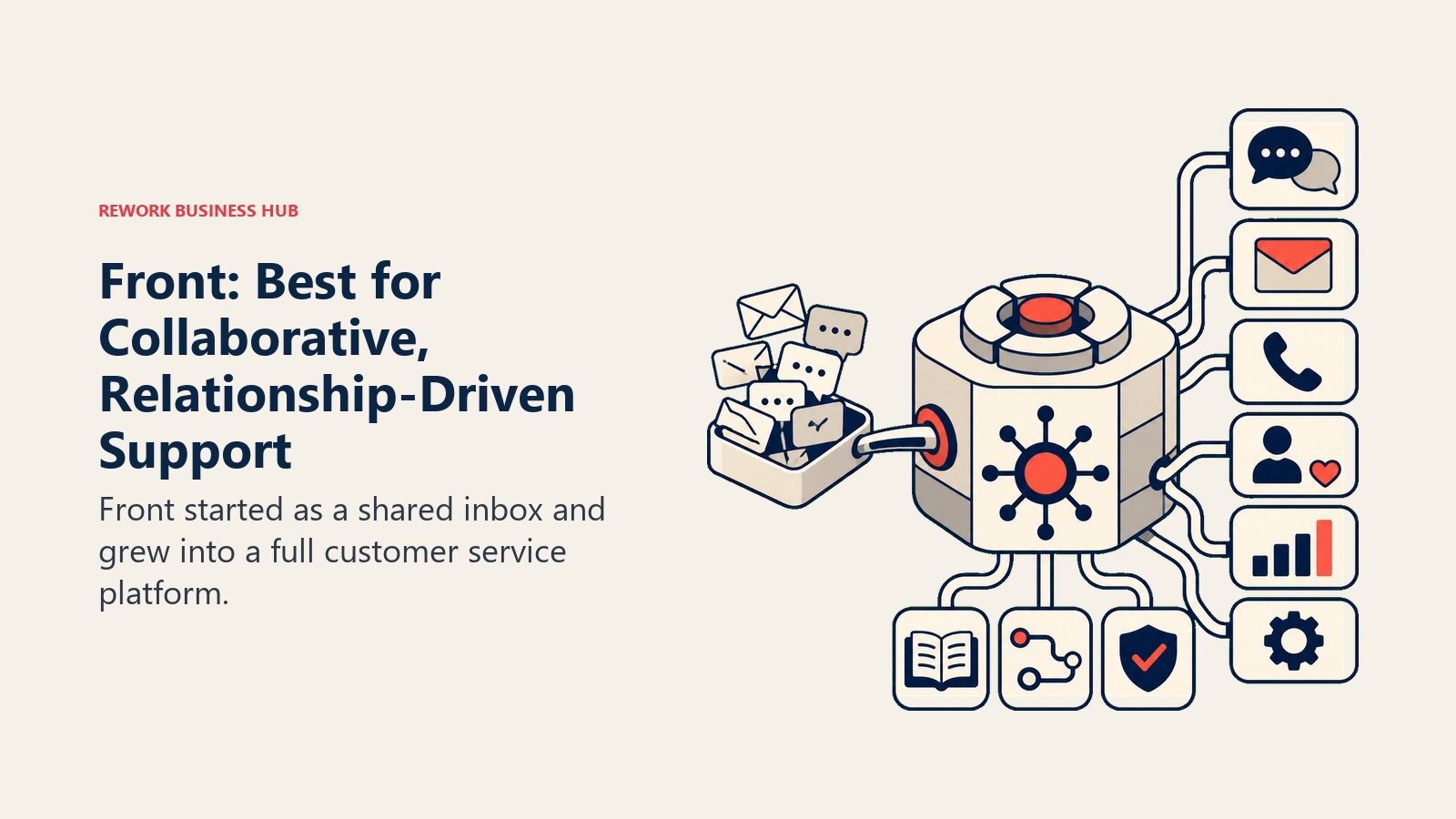
4. Front: Best for Collaborative, Relationship-Driven Support Teams
Front started as a shared inbox and grew into a full customer service platform. Its differentiator is the email-native experience: messages look and feel like email, agents collaborate with internal notes and @mentions inside threads, and external replies stay personal. For account-based teams where the support relationship is as commercially important as the resolution, this matters more than routing efficiency.
Starter is $25/seat/month (email-focused, no omnichannel). Professional at $65/seat/month adds SMS, social, and omnichannel routing. Enterprise is $105/seat/month. AI Copilot costs $20/seat extra, Smart QA another $20/seat, and AI Autopilot runs $0.89 per resolved conversation. For a 15-person team on Professional with Autopilot, you're looking at roughly $975/month before resolution fees.
Front is not a CRM. You'll need a separate CRM integration or HubSpot sync to see deal context inside conversations, which puts it a step behind Gladly's people record model for teams that care about lifetime customer history. See best Front alternatives for more.
| Pros | Cons |
|---|---|
| Best collaborative inbox experience in the category | AI features raise per-seat cost significantly |
| Personal email feel, strong for account-based teams | No built-in CRM, requires external integration |
| Clean, modern interface | Omnichannel requires Professional tier or above |
| Good fit for agencies and professional services | Limited custom reporting without Enterprise |
Pricing: Starter $25/seat/month; Professional $65/seat/month; Enterprise $105/seat/month. Front pricing
Best for: Relationship-driven support teams and agencies where agent collaboration inside email threads is a daily need.
5. Gorgias: Best for E-Commerce Brands on Shopify or WooCommerce
Gorgias is purpose-built for direct-to-consumer brands. Its core differentiator is deep Shopify integration: order data, return status, subscription state, and purchase history surface directly inside every conversation. An agent doesn't need to open Shopify to answer "where's my order?" It's right there, next to the reply field. For Gladly users in retail or e-commerce, Gorgias is the most common lateral move if budget is the primary driver.
Pricing runs by ticket volume, not agent seat, above the Starter tier. Basic is $60/month, Pro $300/month, Advanced $900/month, all with unlimited agents. AI Agent interactions cost $0.90-$1.00 per conversation. Overages run $0.36-$0.40 per ticket beyond plan limits. The economics are compelling for high-volume DTC brands that need unlimited agents without a per-seat invoice.
The hard constraint: Gorgias makes little sense outside e-commerce. If your support isn't centered on order management, Shopify data, and returns, you're paying for integrations you won't use. B2B support teams and mixed commerce/SaaS products typically end up frustrated. See best Gorgias alternatives for more.
| Pros | Cons |
|---|---|
| Best Shopify and WooCommerce integration available | E-commerce-only focus, no B2B fit |
| Unlimited agents on most plans | AI double-billing adds real cost |
| Ticket-volume pricing fits growing DTC brands | Overage fees can spike unexpectedly |
| Strong macro automation for repeat order questions | Limited CRM and customer history depth |
Pricing: Starter $10/month (3 agents, capped); Basic $60/month; Pro $300/month; Advanced $900/month. AI Agent $0.90/conversation. Gorgias pricing
Best for: E-commerce and DTC brands running Shopify or WooCommerce with high order-related inquiry volume and growing agent teams.
6. Help Scout: Best Simple, Human-Centric Support for SMBs
Help Scout built its entire brand around the idea that support should feel human. No ticket numbers in replies, clean shared inboxes, embedded help docs that surface answers before a customer hits send. It's the most direct competitor to Gladly's philosophy at the SMB end: personal, relationship-first, and deliberately anti-ticketing. The difference is price and scale. Help Scout is built for 5-30 person teams, not 50-agent contact centers.
Pricing is clean: Free plan for 5 users with limited features; Standard $25/user/month; Plus $45/user/month; Pro $75/user/month. AI Answers costs $0.75 per resolution. A 10-person team on Standard runs $250/month. That's a fraction of what the same headcount costs on Gladly.
The limitation is enterprise depth. No native voice, no CRM, and analytics stop well short of what Gladly-class teams rely on for workforce planning. But for a growing team that wants their support to feel like a warm conversation rather than a case queue, it's one of the best tools in the market. See best Help Scout alternatives.
| Pros | Cons |
|---|---|
| Clean, human-feeling inbox with no ticket numbers | No native voice or IVR |
| Built-in knowledge base (Docs) at all paid tiers | Limited reporting at Standard tier |
| Free plan for small teams | Not suitable for high-volume contact centers |
| Generous per-resolution AI pricing | Pro tier required for advanced security controls |
Pricing: Free (5 users); Standard $25/user/month; Plus $45/user/month; Pro $75/user/month. AI Answers $0.75/resolution. Help Scout pricing
Best for: SMBs and early-growth companies that prioritize a personal, non-ticketing experience and don't yet need voice or enterprise-level reporting.
7. Freshdesk: Best Budget-to-Mid Helpdesk with Strong Automation
Freshdesk is the go-to for teams that want a capable helpdesk without a Gladly-sized invoice. The free plan covers basic ticketing for small teams. Growth at $19/agent/month unlocks SLA management, automation, a knowledge base, and time tracking. The real jump is Freshdesk Omni: Growth $29, Pro $79, Enterprise $119 per agent per month, which adds live chat, messaging, and social channels on top of email.
Freddy AI Copilot is an additional $29/agent/month. The automation engine is one of the most capable at this price tier: canned responses, scenario automations, and observer rules cover most mid-market needs without requiring a dedicated ops person. Freshdesk doesn't have Gladly's people-centric conversation model, but most mid-size teams switching for cost reasons don't actually miss it within 90 days.
If you're already a Freshworks shop (Freshsales for CRM, Freshservice for IT), the cross-product context is a genuine strength. If you're evaluating Freshdesk as a stand-alone tool, the CRM dependency is a real consideration. See best Freshdesk alternatives.
| Pros | Cons |
|---|---|
| Free plan for small teams, strong value at mid tier | CRM requires separate Freshsales product |
| Best automation depth at this price point | Omnichannel requires Omni plans, not base plans |
| Large ecosystem of integrations | Customer timeline is fragmented without full Freshworks suite |
| Freddy AI available across multiple tiers | Support quality varies significantly by plan tier |
Pricing: Free plan; Growth $19/agent/month; Pro $55/agent/month; Enterprise $89/agent/month. Freshdesk Omni starts at $29/agent/month. Freshdesk pricing
Best for: Cost-conscious teams of any size who want a structured helpdesk with room to grow and strong automation without enterprise pricing.
8. Salesforce Service Cloud: Best for Large Enterprises with Complex Service Operations
Salesforce Service Cloud is the enterprise default for organizations that run Salesforce as their system of record. Every case, contact, and resolution ties natively into the full Salesforce data model: Sales Cloud, Marketing Cloud, Commerce Cloud, and the rest. For large retailers, travel companies, or hospitality brands coming off Gladly, this is often the destination if consolidation is the goal.
Starter Suite is $25/user/month. Professional is $100/user/month. Enterprise is $165/user/month. Unlimited is $330/user/month. Einstein AI Copilot and Agentforce add-ons are priced separately and can double the effective per-seat cost at scale. Real implementations at 100-plus agents typically land at $200-$500/user/month fully loaded. That's enterprise territory, but it includes everything: case management, CTI, knowledge, field service, and the full Einstein AI suite.
The trade-off is implementation weight. Salesforce Service Cloud is not a tool you stand up in two weeks. You need a Salesforce admin, often a certified consultant, and a realistic six-to-twelve month rollout. But if your organization is already a Salesforce shop, the consolidation argument is compelling.
| Pros | Cons |
|---|---|
| Deepest CRM integration for Salesforce-native orgs | Very expensive fully loaded, $200-$500/user/month realistic |
| Einstein AI and Agentforce for intelligent automation | Long implementation timeline, requires certified admin |
| Full CCaaS and field service options | Overkill for teams under 50 agents |
| Best-in-class reporting and analytics depth | Self-serve setup not realistic at enterprise scale |
Pricing: Starter Suite $25/user/month; Professional $100/user/month; Enterprise $165/user/month; Unlimited $330/user/month. Salesforce Service Cloud pricing
Best for: Large enterprises that run Salesforce as their system of record and want native CX integration without a separate platform to manage.
9. HubSpot Service Hub: Best for Teams Already Using HubSpot CRM
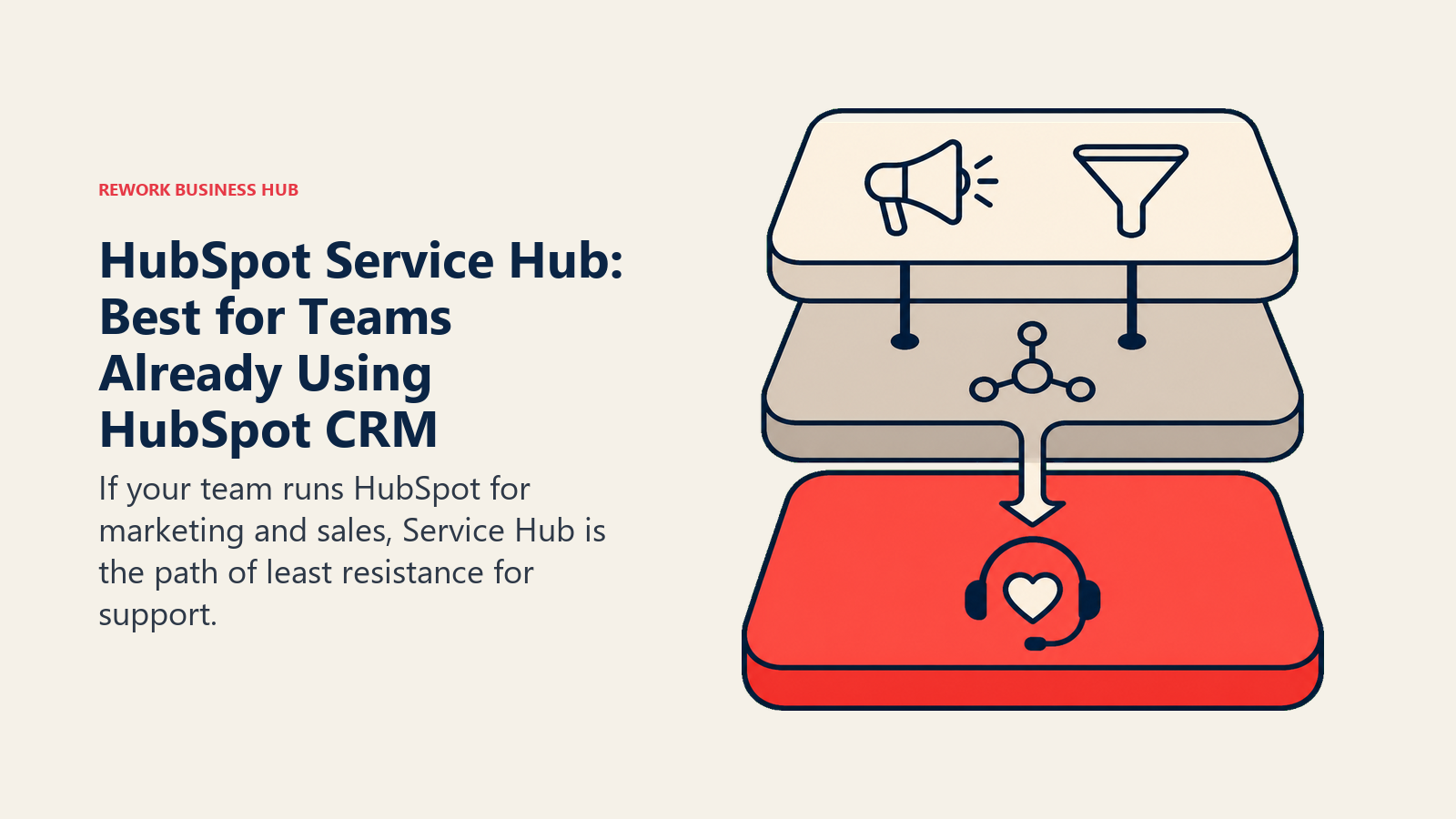
If your team runs HubSpot for marketing and sales, Service Hub is the path of least resistance for support. Tickets, live chat, shared inbox, knowledge base, and CSAT surveys all tie natively into the same contact and company records your sales team uses. No integration to maintain, no contact sync to debug.
Free plan covers basic ticketing. Starter is $15/seat/month. Professional is $90/seat/month with a $1,500 onboarding fee. Enterprise is $150/seat/month with a 10-seat minimum and a $3,500 onboarding fee. The Professional tier is where the platform earns its keep: custom ticket pipelines, playbooks, and SLA reporting all unlock there.
The honest limitation: Service Hub as a stand-alone helpdesk is mediocre. It was built as a CRM extension, not a dedicated support platform. Teams comparing it directly to Gladly's channel unification or Zendesk's routing depth usually come away underwhelmed. Its value comes from the HubSpot flywheel, not from the support features in isolation.
| Pros | Cons |
|---|---|
| Native CRM integration, no sync maintenance needed | Weak as a stand-alone helpdesk |
| Free plan available for basic needs | Professional onboarding fee ($1,500) |
| Familiar UI for HubSpot users | $90/seat/month is expensive for the support depth offered |
| Scales within the full HubSpot suite | Enterprise requires 10-seat minimum |
Pricing: Free; Starter $15/seat/month; Professional $90/seat/month; Enterprise $150/seat/month. HubSpot Service Hub pricing
Best for: Teams running HubSpot CRM that want a joined-up view of support cases alongside marketing and sales contacts in one familiar tool.
10. Zoho Desk: Best for Budget-Conscious Teams or Zoho Ecosystem Users
Zoho Desk is the best-value structured helpdesk in this list. Express plan at $7/user/month, Standard at $14/user/month, Professional at $23/user/month, Enterprise at $40/user/month. The feature-per-dollar ratio at Standard and Professional is hard to match anywhere. If you're running Zoho CRM, Zoho Books, or Zoho Analytics alongside it, the cross-app context is genuinely useful and genuinely connected.
Zoho's AI assistant, Zia, covers the basics but isn't competitive with Fin or Freddy at more complex query types. And the interface, while improved, still feels a step behind Zendesk, Front, or Help Scout in UX quality. Teams outside the Zoho ecosystem lose most of the CRM advantage and are essentially getting a low-cost structured helpdesk with good automation but limited modern polish.
For teams that need more than a free plan but can't justify $55/agent for Zendesk, Zoho Desk is a reasonable and durable choice. See best Zoho Desk alternatives if you want more modern tooling.
| Pros | Cons |
|---|---|
| Best price-per-feature ratio at mid tier | UI quality lags behind Zendesk, Front, Help Scout |
| Strong within the Zoho ecosystem | AI (Zia) limited vs. dedicated AI platforms |
| Free plan for up to 3 users | Less compelling outside the Zoho ecosystem |
| 15-day free trial, no credit card required | Reporting can feel clunky at higher tiers |
Pricing: Free (3 users); Express $7/user/month; Standard $14/user/month; Professional $23/user/month; Enterprise $40/user/month. Zoho Desk pricing
Best for: Cost-sensitive teams, Zoho ecosystem users, and teams that need a capable structured helpdesk without enterprise-level spend.
11. Dixa: Best for Teams Wanting All Channels Native with Modern Routing
Dixa occupies an interesting position: it's one of the few platforms that includes phone, email, chat, and social in every plan rather than gating channels behind higher tiers. The Growth plan at $89/agent/month includes all channels, intelligent routing, survey measurement, and language detection. Ultimate at $139/agent/month unlocks intent detection. Prime at $179/agent/month adds SSO and advanced insights.
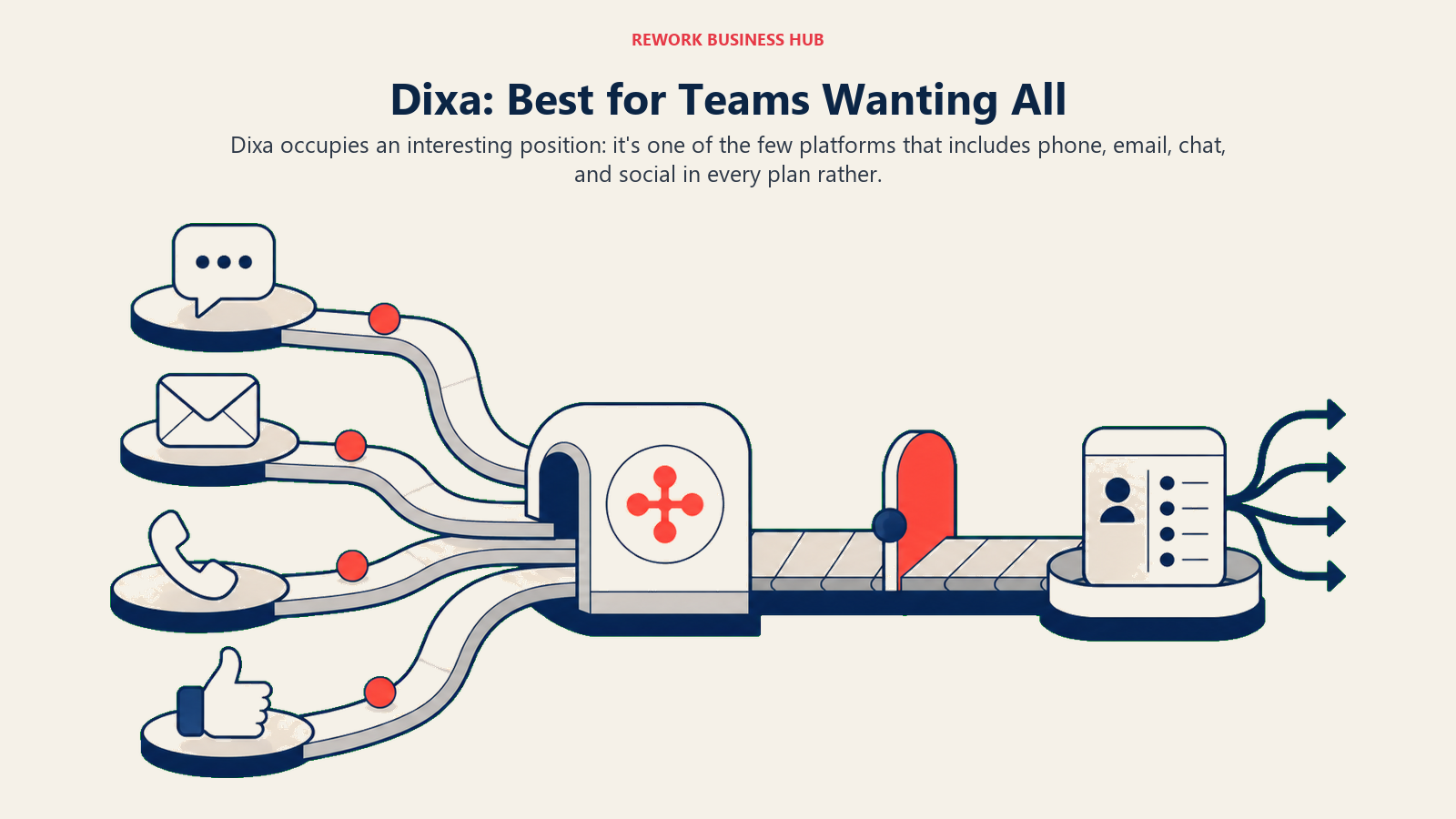
That makes Dixa a more direct philosophical competitor to Gladly than most tools on this list. Both are channel-unified, routing-first platforms. Dixa's differentiation is a more modern tech stack, stronger AI routing, and a growing e-commerce-friendly set of integrations. It's also deeply popular in Scandinavia and growing its North American footprint.
The limitation is scale and maturity. Dixa's enterprise controls, WFM integrations, and reporting depth are behind Zendesk and Gladly at the top end. And at $89-$179/agent/month, it's not a budget tool. But for a 20-60 agent team that wants Gladly-style channel unification at a slightly lower price point with a more modern routing engine, it's a serious contender.
| Pros | Cons |
|---|---|
| All channels included at every plan tier | No free trial available |
| Intelligent routing and language detection built in | $89/agent/month is still a significant investment |
| Modern interface, strong e-commerce integrations | Enterprise WFM and compliance depth behind Zendesk |
| Growing AI routing capabilities | Smaller partner ecosystem than Zendesk or Salesforce |
Pricing: Growth $89/agent/month; Ultimate $139/agent/month; Prime $179/agent/month. Dixa pricing
Best for: Mid-market teams of 20-60 agents wanting all-channel-native routing at a slightly lower price than Gladly with a more modern technical foundation.
12. Rework: Best for Mid-Size Teams Whose Support Runs on Chat, Not Voice
Rework is an operations platform that puts a chat inbox, CRM, sales pipeline, and lead management on one set of records. It is not a contact-center replacement for Gladly. It fits a narrow slice of Gladly leavers: smaller teams whose customers mostly message rather than call, and where the person answering a support chat also owns the commercial relationship.
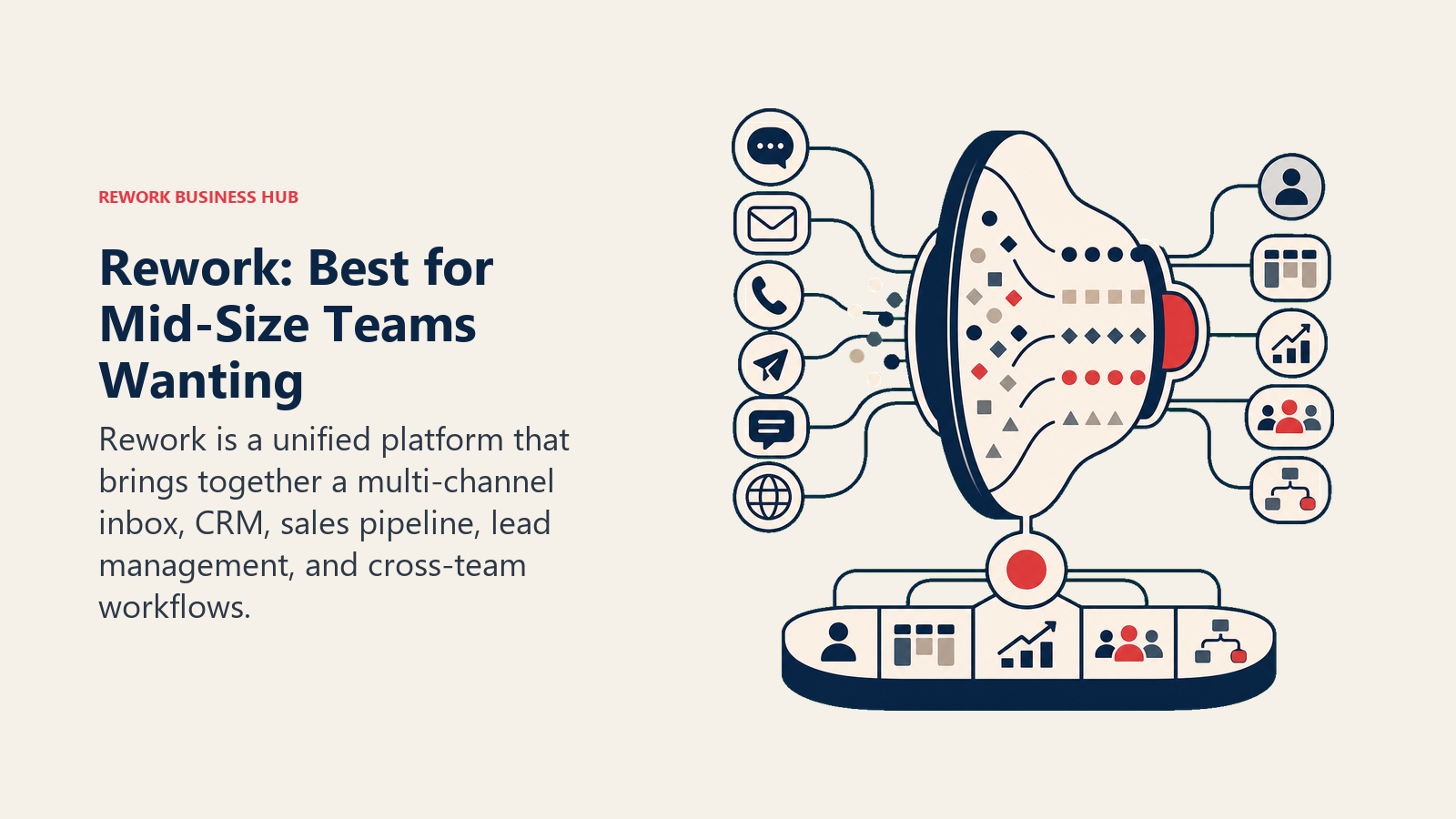
The inbox covers WhatsApp, Messenger, Instagram, TikTok, Telegram, LINE, Zalo, and web chat, with one profile per person across channels, routing with working-hour SLA clocks, and AI agents (in beta) that answer routine questions and hand off to a person. Agents see deal history and contact notes next to the conversation, which echoes Gladly's people-record idea at mid-size pricing.
Where it falls short for a Gladly reader: there is no voice channel, no SMS, and email is not part of the chat inbox (it lives in a separate Mail app), so the lifelong cross-channel timeline that defines Gladly is only partly there. There is also no workforce management or IVR. Voice-heavy retail and hospitality teams should look at Zendesk, Kustomer, or Dixa above.
| Pros | Cons |
|---|---|
| Chat support, CRM, and lead pipeline on one record | No voice, IVR, or SMS |
| Major messaging apps in one inbox, with SLA routing | Email sits outside the chat inbox |
| Published pricing with a 14-day trial | No workforce management |
| Small seat blocks suit teams of 5-50 | Not built for high-volume contact centers |
Pricing: Revenue Engine (CRM, omnichannel inbox and lead capture) is $159/month billed yearly ($1,908/year) or $190 month to month, with 5 marketing and 5 sales seats included. Extra seats come in blocks of 5 ($21/month per block on yearly billing). 14-day free trial. See rework.com/pricing.
Best for: Teams of 5-50 whose support happens mainly in messaging apps and who want those conversations tied to CRM records, without voice requirements.
13. Sprinklr Service: Best for Large Enterprises Managing Digital and Social at Scale
Sprinklr Service is in a category of its own. With the self-serve plans discontinued as of April 2026 and a minimum contract size around $50,000 per year, Sprinklr explicitly serves large enterprises managing customer service across 30-plus digital channels including social media, messaging apps, review sites, and community forums. No other platform in this list touches its channel breadth.
For enterprise retail, hospitality, or travel brands leaving Gladly because they need deeper social listening, brand monitoring, and social response at scale, Sprinklr is the natural next step. Average enterprise contracts run $500,000-plus annually. Budget an additional 15-30% of Year 1 licensing for add-ons, professional services, and implementation.
For anyone under 500 agents or without a social-at-scale mandate, Sprinklr is overkill. The self-serve discontinuation in 2026 removed the mid-market on-ramp entirely. But if you're a large enterprise where social channel management is as important as voice and email, no other platform comes close to its coverage.
| Pros | Cons |
|---|---|
| Broadest digital and social channel coverage available | Minimum $50,000/year, self-serve discontinued |
| Unified platform for service, social, and marketing | Average enterprise spend $500k-plus annually |
| Strong AI for social triage and routing | Not accessible to teams under enterprise scale |
| Best-in-class brand monitoring alongside service | Heavy implementation, requires dedicated admin team |
Pricing: Enterprise only; minimum $50,000/year. Contact sales for current rates. Sprinklr Service
Best for: Large enterprises, 500-plus agent teams, or brands with a major social and digital channel management mandate across dozens of channels.
Stage Fit Matrix
| Stage | Best Fits | Why |
|---|---|---|
| Startup (under 10 people) | Help Scout, Freshdesk (Free/Growth), Zoho Desk | Low cost, fast setup, no implementation overhead |
| Growth (10-50 people) | Front, Freshdesk Pro, Intercom, Dixa, Rework (chat-led teams) | Balance of channels, CRM context, and reasonable per-agent cost |
| Mid-market (50-200 people) | Zendesk Suite, Freshdesk Omni, Kustomer, Gorgias (e-commerce) | Routing depth, omnichannel, workforce tools start to matter |
| Enterprise (200+ people) | Zendesk Enterprise, Salesforce Service Cloud, Gladly, Sprinklr | CCaaS-grade routing, WFM, compliance, custom SLAs, enterprise SSO |
Sizing and Persona Table
| Team Size | Buyer Persona | Best Match | Why |
|---|---|---|---|
| 1-4 people | Founder or first support hire | Help Scout Standard, Freshdesk Growth | Fast to set up, human scale, low monthly commitment |
| 5-15 people | Support lead or customer success manager | Front, HubSpot Service Hub, Rework (chat-led teams) | Multi-channel, CRM context, team coordination in one tool |
| 15-50 people | Head of CX or director of support | Zendesk Suite Team, Intercom, Freshdesk Omni | Routing rules, reporting depth, automation at team scale |
| 50-150 people | VP of CX or COO | Zendesk Professional, Dixa, Kustomer, Gorgias (e-com) | Workforce tools, custom SLAs, enterprise compliance begins to matter |
| 150+ people | Head of operations or enterprise buyer | Salesforce Service Cloud, Zendesk Enterprise, Sprinklr | Full CCaaS feature set, contract pricing, WFM, and social scale |
How to Choose: Decision Framework
This option addresses a distinct buyer need within Best Gladly Alternatives in 2026: 13 Customer Support Platforms Compared.
| If you need this | Pick this |
|---|---|
| The widest channel coverage and integration ecosystem | Zendesk Suite |
| Gladly's conversation model with more integrations | Kustomer |
| Proactive in-app messaging plus reactive support for SaaS | Intercom |
| Collaborative shared inbox with a personal email feel | Front |
| Order-centric support for Shopify or WooCommerce | Gorgias |
| Simple, human-scale support for an SMB without a ticketing feel | Help Scout |
| The best structured helpdesk value at mid-market | Freshdesk Omni |
| Full Salesforce CRM integration at enterprise scale | Salesforce Service Cloud |
| Support tied natively to HubSpot CRM | HubSpot Service Hub |
| The cheapest capable helpdesk with strong automation | Zoho Desk |
| All channels native with modern routing at mid-market pricing | Dixa |
| Chat-led support tied to CRM and leads for a mid-size team without voice needs | Rework (Revenue Engine) |
| Social and digital channel management at enterprise scale | Sprinklr Service |
What to Do Next
Start with the sizing and persona table before you evaluate any demos. The most common mistake teams make when leaving Gladly is scoping to a platform that solves the cost problem but undershoots on channels, or overshoots on features they won't use for two years.
If you're currently on Gladly and weighing a switch, the most common moves are:
- To Zendesk: when you need all the same channel depth and want more integration options and a larger partner ecosystem to draw on.
- To Kustomer: when the conversation-centric model is non-negotiable and you need more automation and API flexibility than Gladly offers.
- To Dixa: when you want Gladly-style channel unification at a slightly lower price with a more modern routing engine.
- To Freshdesk or Zoho Desk: when the primary driver is cost reduction and you're willing to accept a structured ticketing model in exchange for dramatically lower per-agent spend.
- To Rework: when your support runs mostly in messaging apps, you have no voice requirement, and you want those conversations on the same record as your CRM and leads.
Most of these platforms offer a free trial or a pilot period. Run your two or three most common conversation types through the top contenders before committing. For voice-heavy retail teams, test the call routing specifically. That's where the Gladly advantage is hardest to replicate, and where most alternatives show their limits fastest.

On this page
- Quick Comparison Table
- 1. Zendesk: Best for Complex Multi-Channel Enterprise Support
- 2. Kustomer: Best for Conversation-Centric Enterprise CX
- 3. Intercom: Best for SaaS and Product-Led Teams Blending Support and Engagement
- 4. Front: Best for Collaborative, Relationship-Driven Support Teams
- 5. Gorgias: Best for E-Commerce Brands on Shopify or WooCommerce
- 6. Help Scout: Best Simple, Human-Centric Support for SMBs
- 7. Freshdesk: Best Budget-to-Mid Helpdesk with Strong Automation
- 8. Salesforce Service Cloud: Best for Large Enterprises with Complex Service Operations
- 9. HubSpot Service Hub: Best for Teams Already Using HubSpot CRM
- 10. Zoho Desk: Best for Budget-Conscious Teams or Zoho Ecosystem Users
- 11. Dixa: Best for Teams Wanting All Channels Native with Modern Routing
- 12. Rework: Best for Mid-Size Teams Whose Support Runs on Chat, Not Voice
- 13. Sprinklr Service: Best for Large Enterprises Managing Digital and Social at Scale
- Stage Fit Matrix
- Sizing and Persona Table
- How to Choose: Decision Framework
- What to Do Next