Pigment vs Workday Adaptive Planning: Challenger Speed or Incumbent Depth in 2026?
Turn this article into takeaways for your work.


Each assistant summarizes the article only for you and suggests best practices for your work.
Pigment and Workday Adaptive Planning don't split the way most software comparisons do, where one tool is just a leaner version of the other. Both are genuine connected-planning platforms: real dimensional models, real scenario logic, real multi-department ambition. Put them side by side on a features checklist and you'll mostly find two columns of checkmarks. That's exactly why the checklist is the wrong tool for this decision.
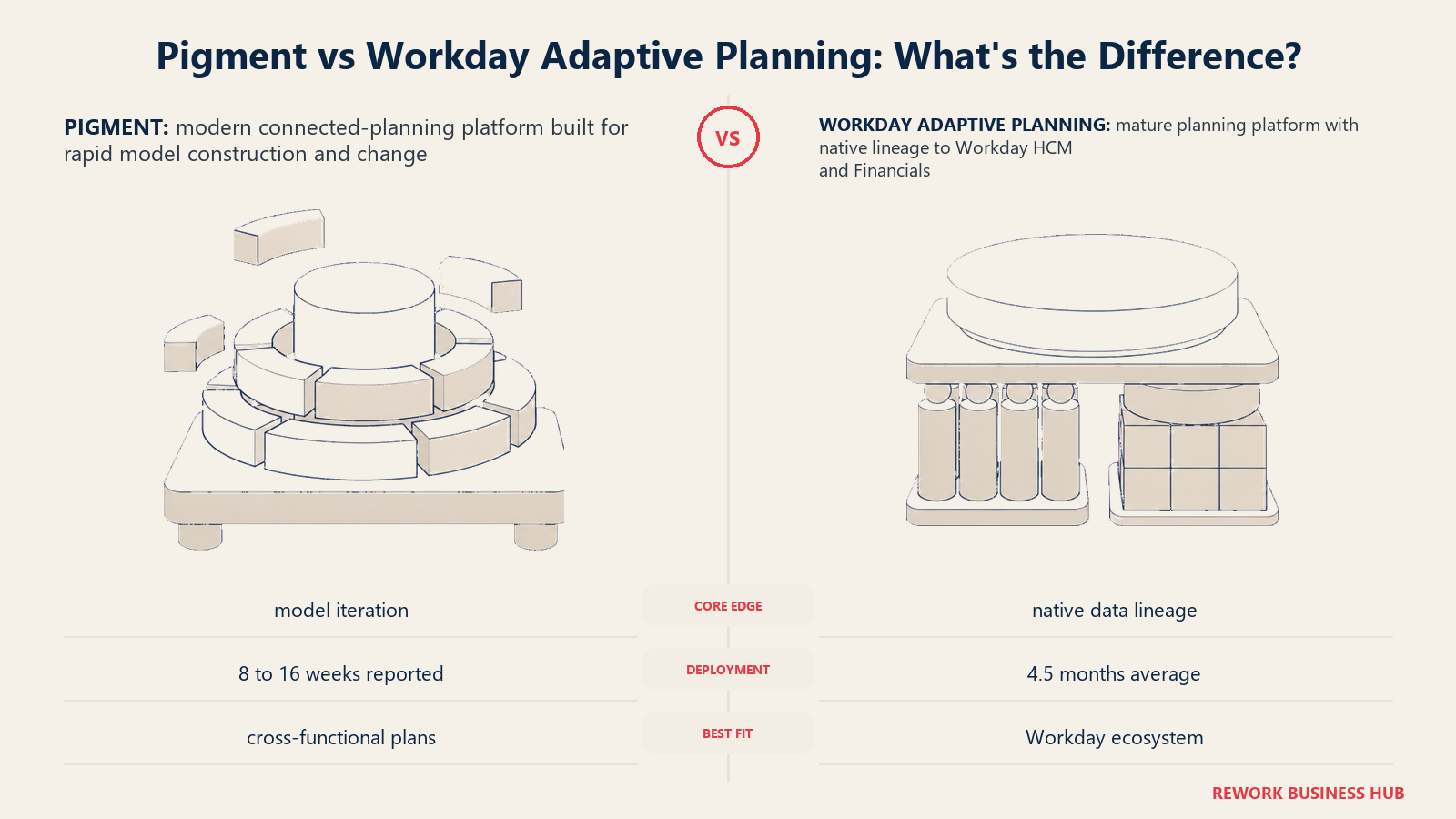
The real question is posture, not capability tier. Workday Adaptive Planning is the incumbent: a planning product built on what was Adaptive Insights, an independent CPM vendor Workday bought for roughly $1.55 billion in 2018, sold today with a structural advantage almost nothing else in the category can match, native data lineage to Workday HCM and Workday Financial Management, for the large share of buyers who already run one or both. Pigment is the newer platform, still growing fast (its own numbers describe annual recurring revenue and its enterprise customer count both roughly tripling year over year), betting that a modern interface and a genuinely fast AI Modeler win deals a slower, more established competitor can't close as quickly.
This comparison is for the CFOs, VPs of Finance, and FP&A leads who have both platforms on a real shortlist, not the buyer choosing between an enterprise suite and a spreadsheet plug-in. It works through where each one actually wins: modeling speed and interface against Workday-native depth, what each AI layer can do today versus what a slide deck promises, how long implementation actually runs and who has to carry it, and the part most comparisons skip entirely, what a year of models built inside either platform costs you if you ever have to leave. Neither vendor publishes a price, so we'll say that plainly throughout rather than dressing up a third-party guess as a quote.
TL;DR
| Pigment | Workday Adaptive Planning | |
|---|---|---|
| Posture in the category | Challenger: newer, AI-forward, chasing connected-planning ambition with less legacy weight | Incumbent: mature CPM product, strongest when your HR and financials already run on Workday |
| Started as | Founded in 2019; independent connected-planning platform from day one | Adaptive Insights, an independent CPM vendor, acquired by Workday for roughly $1.55 billion in 2018 |
| Core wedge | Modeling speed: an AI Modeler Agent that builds and edits models from plain language | Native data lineage: headcount and GL data flow from the same system of record as the plan |
| License structure | Three access tiers, Explorer, Contributor, Editor, plus a platform fee | Not tiered by build access; a core planning product plus a separately quoted Close and Consolidation add-on |
| AI agent status (August 2026) | Modeler Agent generally available since April 2026; Analyst Agent broadly available; Planner Agent not yet GA | Planning Agent embedded natively in the core product, generally available |
| Published pricing | None. Every deal routes through a Customer Success Manager | None. Workday's own page states "Pricing varies" |
| Free trial | Not offered publicly | 30 days, no cost, per Workday's own pricing page |
| Stated implementation time | Not published as a single figure; a certified implementation partner reports roughly 8 to 16 weeks depending on scope | 4.5 months average, per Workday's own product page |
| Analyst recognition | Visionary, 2025 Gartner Magic Quadrant for Financial Planning Software, second consecutive year | Leader, Gartner Magic Quadrant for Financial Planning Software, four consecutive years |
| Best buying trigger | You want connected-planning ambition and a model your own analysts can rebuild fast, without waiting on a specialist | You already run, or are committing to, Workday HCM or Workday Financial Management |
Key Facts
- Neither vendor publishes a price. Pigment's own knowledge base states plainly that pricing "contains a platform fee, number of licenses, and associated features," with exact figures available only "through your Customer Success Manager" (kb.pigment.com), and Workday's pricing page states "Pricing varies" for both Adaptive Planning and its Close and Consolidation add-on (workday.com).
- Pigment's Modeler Agent, which builds and edits planning models from a plain-language prompt, reached general availability on April 27, 2026. Pigment's own published case data shows Supercell cutting a recurring P&L actuals and forecasting update from 8 days to 4 minutes, and Carta reporting a 60% reduction in model build time (pigment.com).
- Workday states an average Adaptive Planning deployment time of 4.5 months, with more than 7,000 customer teams, on its own product overview page (workday.com).
- Workday has been named a Leader in Gartner's Magic Quadrant for Financial Planning Software for four consecutive years; Pigment was named a Visionary in the same report, published in December 2025, its second consecutive year in that position (blog.workday.com, pigment.com).
- Pigment closed a $145 million Series D in 2026, led by ICONIQ Growth, reporting annual recurring revenue and enterprise customer count both roughly tripling year over year (pigment.com); third-party tracking from Latka separately estimates Pigment's 2026 ARR near $100 million and a roughly $1 billion valuation (reported, Latka).
- 96% of FP&A professionals still use spreadsheets for planning at least weekly, even at organizations running a dedicated platform like either of these, per the AFP's 2025 FP&A Benchmarking Survey of 362 practitioners (AFP).
Who Each Platform Is Really For
Both vendors sell to the same size of company, and both show up on the same analyst shortlists and the same RFPs. But the buyer who actually gets full value from each one looks different, because the two products are optimized for a different question.
Pigment's natural buyer is an FP&A or planning leader who wants Anaplan-level ambition, finance, sales, workforce, and operations modeled together, without a two-decade-old architecture underneath it, and who's comfortable with the model itself evolving fast, sometimes rebuilt in an afternoon by the Modeler Agent instead of by a Model Builder over two weeks. Workday Adaptive Planning's natural buyer is a CFO or controller already running, or about to run, Workday HCM or Workday Financial Management, who wants the plan to sit on the same data core as payroll and the general ledger rather than becoming a fourth vendor relationship to reconcile.
| Pigment | Workday Adaptive Planning | |
|---|---|---|
| Primary buyer | FP&A or planning leader chasing connected-planning ambition without legacy weight | CFO or controller already inside, or committing to, the Workday ecosystem |
| The question they're solving | "How fast can my own team change the model once it's live?" | "How do we plan without adding a system that doesn't talk to our HR and GL data?" |
| Where the platform is strongest | Model iteration speed, modern interface, a genuinely fast AI Modeler | Data lineage to Workday HCM and Financial Management, mature CPM feature set |
| Where it disappoints | Buyers who specifically want Anaplan's certified-partner depth and two-decade track record | Buyers not on Workday get a capable platform with none of the native data-core payoff |
| Team maturity assumed | Comfortable letting AI do first-pass model construction, with Editor-tier staff reviewing it | Wants planning inside a workflow the finance team, not a specialist, can own day to day |
| Buying trigger | Outgrew a lighter FP&A tool's modeling ceiling, or got tired of Anaplan's implementation weight | A Workday HCM or Financials deployment already underway, or firmly planned |
The Core Difference: Modeling Speed Against Workday-Native Depth
This is the dimension that actually separates the two platforms, more than any single feature row does. Pigment is built around what the company calls a data hub, a shared metrics layer with more than 30 native connectors, ETLs, and APIs that keep plans, from finance to sales to workforce, working off the same synced numbers instead of separately refreshed models. The wedge on top of that architecture, and the thing every recent Pigment announcement leads with, is speed: how fast a finance analyst, not a certified specialist, can stand up or change a model.
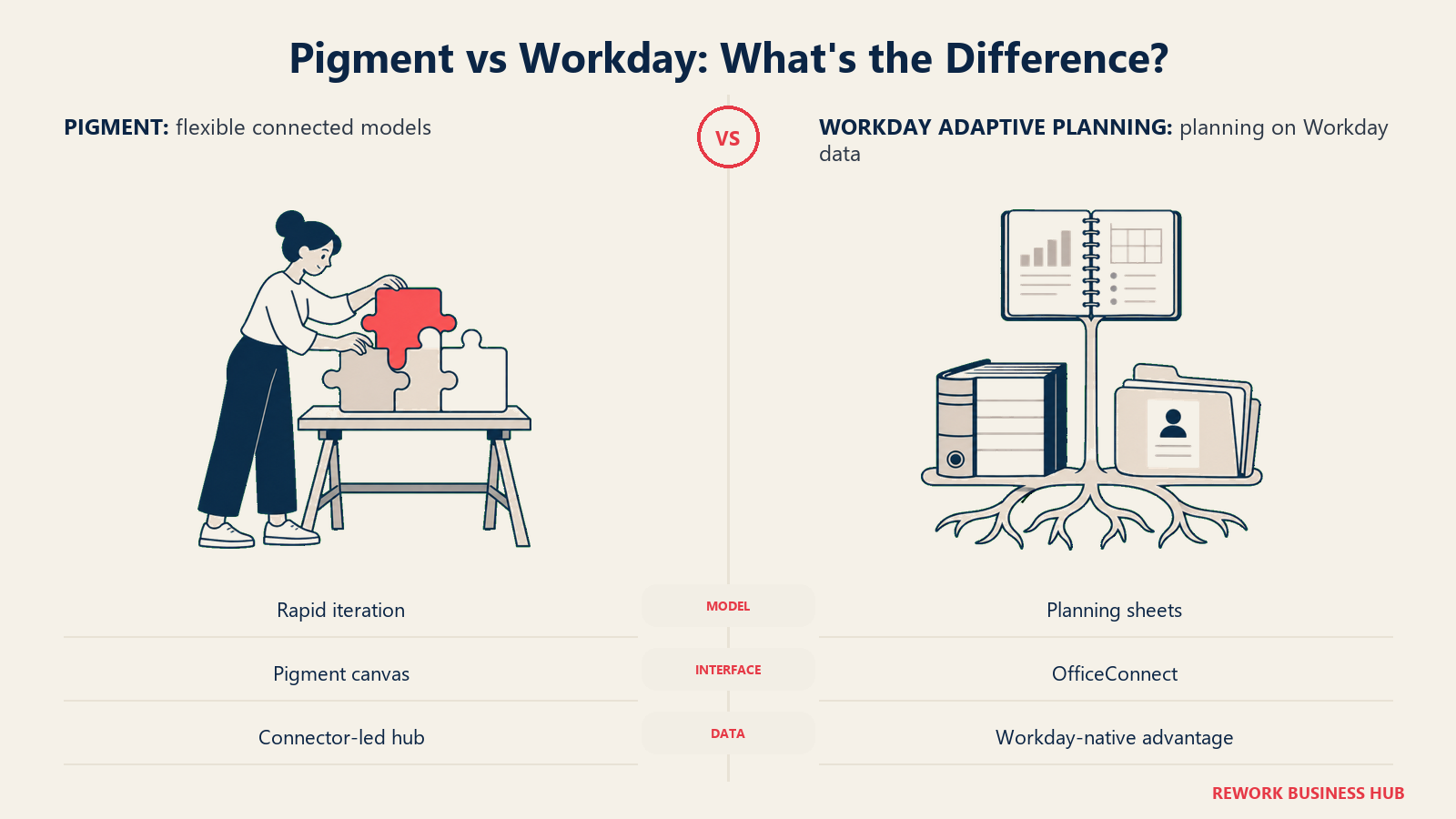
That speed claim isn't just marketing copy. Pigment's Modeler Agent, generally available since April 27, 2026, takes a plain-language description and builds the sections, drivers, and formulas of a working model, the same job a Model Builder or a consultant used to do by hand. The company's own published customer results are specific enough to check: Docker went from one to two days down to about an hour to implement a new version-dimension plan, Supercell cut a recurring P&L actuals and forecasting update from 8 days to 4 minutes, Carta reports a 60% reduction in overall model build time, Fivetran saves roughly 12 hours a month on executive reporting, and BrightPoint reports build times cut by up to half. Whatever discount you apply to vendor-published case studies, that's a repeated pattern across named customers, not one cherry-picked reference.
Workday Adaptive Planning wins a different way. It doesn't market a named calculation engine or a data-hub architecture at all. Its pitch is OfficeConnect, live Excel and PowerPoint integration that lets planners work in familiar spreadsheet tools while the underlying model stays centralized, paired with unlimited versions and unlimited what-if scenarios included on every deal. That's a real, deliberate trade: less of Pigment's from-scratch modeling ceiling, in exchange for a lower learning curve and, for the right buyer, something Pigment simply can't offer regardless of how fast its AI gets, headcount and financial data that are already the same system of record, not an integration.
| Modeling factor | Pigment | Workday Adaptive Planning |
|---|---|---|
| Core architecture | A data hub with 30-plus native connectors, ETLs, and APIs keeping shared metrics in sync | Planning sheets connected to any ERP or GL, with OfficeConnect as the interface layer |
| AI model-building | Modeler Agent builds sections, drivers, and formulas from a plain-language prompt, GA since April 2026 | Planning Agent reasons over live Workday data and surfaces scenarios, not framed as building model structure itself |
| Cited speed gains | 8 days to 4 minutes (Supercell), 1-2 days to 1 hour (Docker), 60% faster builds (Carta), per Pigment's own case data | 15-20% less time to complete a forecast cycle, per a named HubSpot customer testimonial on Workday's own site |
| Familiar interface | Pigment's own canvas, not a spreadsheet metaphor, though the Modeler Agent lowers the skill needed to use it | Excel and PowerPoint themselves, live, through OfficeConnect |
| Native data core | None; connects to your HRIS, ERP, and CRM through the data hub's connectors | Workday HCM and Workday Financial Management, when you already run them |
| Who typically builds and edits the model | An Editor-license holder, increasingly assisted by the Modeler Agent rather than working from scratch | A finance or FP&A admin working in planning sheets and OfficeConnect |
Where Each AI Layer Actually Stands Today
Every vendor in this category talks about AI. What's worth checking before you buy is which pieces are actually shipped, not just announced, since that gap is exactly where a demo can mislead a buyer who doesn't ask the follow-up question.
Pigment announced a coordinated network of three specialist agents across 2025 and 2026: an Analyst Agent that surfaces trends and anomalies, a Planner Agent meant to simulate strategies against goals and market conditions, and the Modeler Agent covered above., two of the three are real and buyable. The Analyst Agent moved from a private preview that started in March 2025 to being available to any customer who requests it, as of September 2025. The Modeler Agent reached general availability in April 2026. The Planner Agent is the one worth asking about directly in a demo: Pigment's own materials describe it as designed to work alongside the Analyst Agent once it ships, but it hadn't reached general availability as of August 2026. Don't let a roadmap slide stand in for a feature you can actually turn on this quarter.
Workday's approach is narrower and further along in one specific sense: the Planning Agent isn't a separate purchase or a preview feature, it's embedded in the core Adaptive Planning product you're already buying. It automates data exploration, surfaces root causes, and models scenarios with confidence metrics on which drivers matter most, framed by Workday as "AI-powered intelligence, backed by human-in-the-loop governance." The tradeoff is scope: Workday's AI story stays inside the finance planning cycle, where Pigment's three-agent network is explicitly built to reach across departments once all three pieces ship. For how these two AI layers stack up against the rest of the field, best AI agents for FP&A ranks 13 of them side by side.
| AI capability | Pigment | Workday Adaptive Planning |
|---|---|---|
| Named agents | Analyst, Planner, Modeler | Planning Agent (single, embedded) |
| What's generally available now | Modeler Agent (since April 2026) and Analyst Agent (broadly available since September 2025) | Planning Agent, included in the core product |
| What's still not GA | Planner Agent, still on the roadmap as of August 2026 | Not applicable; Workday doesn't market a second, unreleased agent |
| Primary job | Building and editing model structure from plain language | Exploring data, surfacing root causes, modeling scenarios inside an existing plan |
| Governance framing | Not detailed with the same specificity in public materials | Explicitly "human-in-the-loop governance," per Workday's own product page |
| Cited outcome | Customer-specific build-time reductions (see table above) | A named customer (HubSpot) reporting 15-20% less time to complete a forecast cycle |
| What to ask in a demo | Whether the Planner Agent is actually on your contract, not just the roadmap | Whether the cited time savings reflect your data quality and industry, not just Workday's best case |
Workforce and HR Data Lineage
If headcount and workforce cost planning matter to your model, this is the one place in this comparison where the gap has nothing to do with which AI agent is faster.
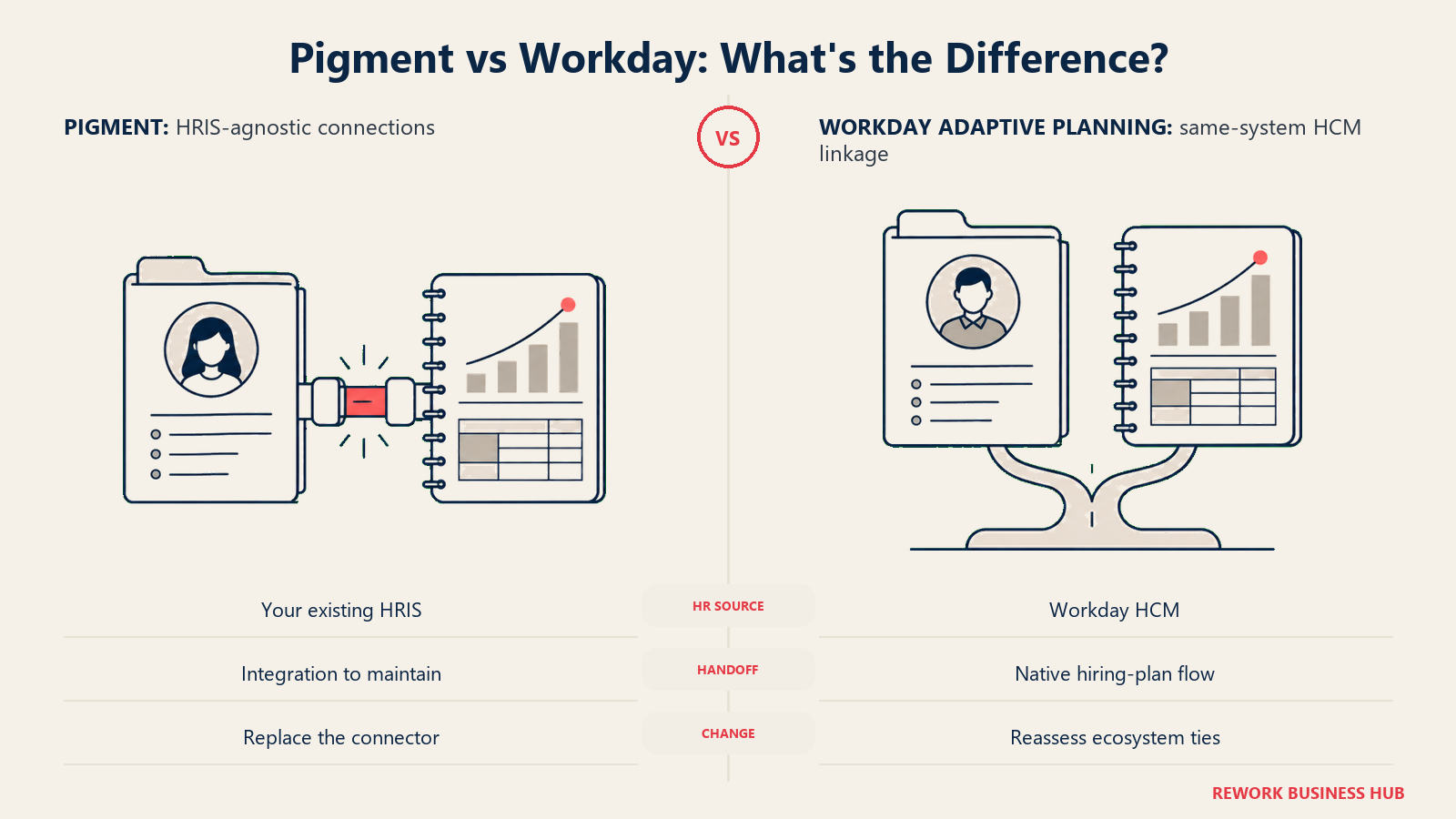
Workday Adaptive Planning's workforce planning draws from Workday HCM directly, because for a large share of its customers, it's the same underlying platform. Approved hiring plans can render automatically back into HCM for recruiting teams to act on, and headcount costs feed the financial model without a monthly CSV export and reconciliation step. That's a real structural advantage, but it's specific to staying on Workday HCM. It doesn't extend to an organization running a different HRIS.
Pigment has no native HR system underneath it. Workforce data comes in through the same connector layer as everything else in its data hub, whichever HRIS or HCM platform you actually run. That's consistent with Pigment's whole design as a platform that plugs into many source systems rather than owning one of them, and it cuts both ways: less integration risk if you ever change HR systems later, since Pigment isn't tied to any one of them, but also none of Workday's same-system advantage if headcount planning is the actual center of your project.
| Workforce data factor | Pigment | Workday Adaptive Planning |
|---|---|---|
| Native HR system underneath | None; connects to your existing HRIS through the data hub's connectors | Workday HCM, when you run it |
| Headcount-to-model linkage | Built through integration, like any other connected data source | Same system of record as the financial model, no separate sync step |
| Hiring plan to HCM handoff | Depends on the integration you build | Automated rendering back into HCM once a hiring plan is approved, per Workday's own materials |
| Best fit | Any HRIS, as long as the connector is built and maintained | Organizations already running or committing to Workday HCM |
| Risk if you switch HR systems later | Lower; Pigment's connector layer is HRIS-agnostic by design | Higher; the tightest lineage advantage is specific to staying on Workday HCM |
Implementation: Weeks or Months, and Who Actually Does the Work
Neither company publishes a figure you can drop straight into a project plan without a follow-up question, but the two point in genuinely different directions.
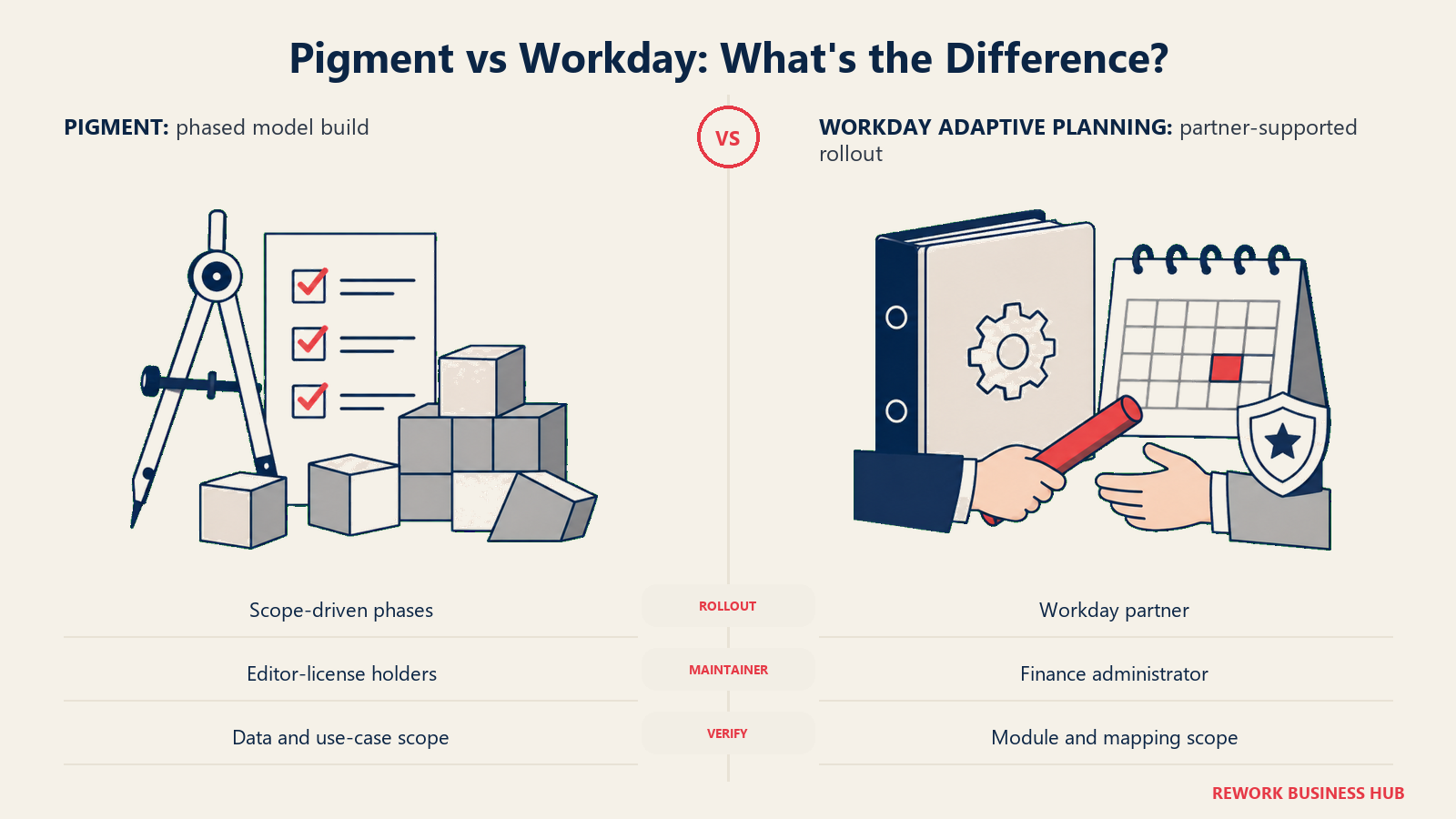
Workday is the more transparent of the two on this specific point: its own product overview page states an average deployment time of 4.5 months across more than 7,000 customer teams, "even for some of the world's largest companies." That figure covers the core planning product; Workday doesn't separately publish a deployment estimate for the Close and Consolidation add-on. Implementation typically runs through a Workday-certified partner, often the same systems integrator already running your HCM or Financials deployment, a real advantage if that relationship already exists and a real new vendor dependency if it doesn't.
Pigment doesn't publish an equivalent company-wide average. Implementation runs through Pigment's own phased "Frame" methodology, onboarding, training, build, testing, adoption, typically delivered jointly with a certified implementation partner. One such partner, Amvent Consulting, states directly that "most setups take about eight to sixteen weeks" depending on scope, data readiness, and integration count, with the cycle extending further when workforce planning gets added alongside sales planning (reported, not a figure Pigment itself publishes). Layered on top of whichever number you land on, the Modeler Agent changes what happens after go-live specifically: the ongoing cost of changing a model once it's live, a different question from the one-time cost of building it the first time.
Who does the actual work also differs. A Workday deployment is built to be maintained afterward by a finance or FP&A admin working inside OfficeConnect and planning sheets, without a dedicated technical certification. A Pigment deployment still depends on Editor-license holders for anything touching model logic or structure, though the Modeler Agent measurably narrows how much hand-built formula work that requires day to day.
| Implementation factor | Pigment | Workday Adaptive Planning |
|---|---|---|
| Published average deployment time | Not published as a single company-wide figure | 4.5 months, per Workday's own product overview page |
| Reported range for a focused deployment | Roughly 8-16 weeks, per certified partner Amvent Consulting (reported) | Not broken out separately from the 4.5-month average |
| What drives timeline the most | Number of use cases and entities designed into the model, and how much the Modeler Agent offsets manual build time | ERP/GL and HCM data-mapping work, plus how many planning sheets get built |
| Typical implementation partner | An external Pigment implementation partner for broader enterprise scope | A Workday-certified partner, often extending an existing HCM or Financials relationship |
| Who maintains it day to day | Editor-license holders, increasingly assisted by the Modeler Agent | A finance or FP&A admin working in OfficeConnect, no dedicated certification required |
| What to verify in a demo | Whether the quoted build-time reduction applies to your data complexity, not just a clean demo dataset | Whether 4.5 months reflects your module count, or just the core planning product |
The Switching Cost Once a Year of Models Lives Inside Either One
This is the question most comparisons skip, and it matters more than almost anything else on this page once you've actually signed with either vendor. A model isn't just a feature set, it's a year, then two, then five, of formulas, drivers, and assumptions that don't export cleanly anywhere else. The lock-in each platform creates looks different, and it's worth understanding both before you sign, not after you've decided to leave.
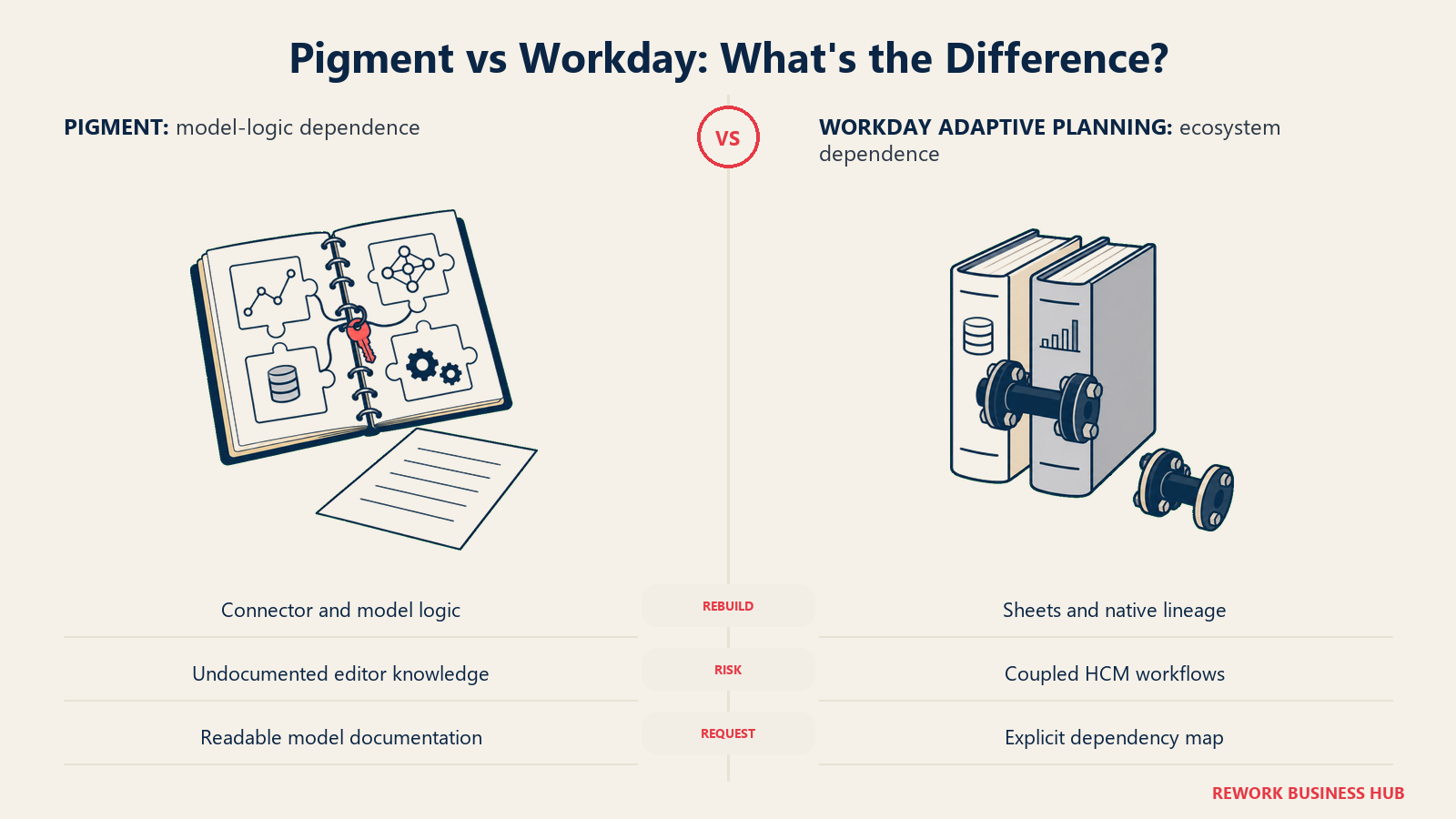
Pigment's model logic lives inside its data-hub structure, and increasingly some of it was generated, not hand-written, by the Modeler Agent from a plain-language prompt. That's a genuine advantage while you're a customer, since it's exactly what makes changing a model fast. It's a genuine cost the day you leave, since neither the data-hub connections nor anything the Modeler Agent generated exports into another platform's format. The practical risk concentrates in a specific place: Editor-license holders, the smallest and most expensive license tier by design, are the people who actually understand why a model is built the way it is. Lose one or two of them without documentation, and you're rebuilding from a description of what the model used to do, not the model itself.
Workday Adaptive Planning's lock-in runs through a different channel. If you're not deeply wired to Workday HCM or Financial Management, the switching cost is close to what you'd pay leaving any planning-sheet-based tool: real, but not compounded by anything else. If you are that native-integration buyer, the cost compounds. Leaving Adaptive Planning while staying on Workday HCM means giving up the one thing that made the platform worth its premium in the first place. Leaving Workday altogether means rebuilding the plan and the HCM or Financials integration at the same time, on two separate migration timelines that rarely line up.
Neither company makes this easy to compare in a sales conversation, because neither one is incentivized to talk about the day you leave. Ask for it anyway: request a written export of your model logic, in a format a competitor's implementation team could actually read, as a condition of signing. If the vendor hesitates, that hesitation is itself the answer to how locked in you'd really be.
| Switching cost factor | Pigment | Workday Adaptive Planning |
|---|---|---|
| What doesn't transfer | Data-hub connector logic and anything the Modeler Agent generated from a prompt | Planning-sheet structure and OfficeConnect-linked Excel workflows |
| Where the risk concentrates | Editor-license holders, the smallest, most expert group on the account | Deep native integration to Workday HCM or Financial Management, if you rely on it |
| Lowest-cost buyer to switch away | A team that never used the Modeler Agent to generate model logic in the first place | A team that never connected Adaptive Planning natively to Workday HCM or Financials |
| Highest-cost buyer to switch away | A team leaning hard on AI-generated model structure with thin internal documentation | A Workday HCM or Financials shop that built headcount and GL processes assuming native lineage |
| What to request before signing | A written export of model logic and formula documentation, not just data exports | Confirmation of what specifically breaks in HCM or Financials workflows if you leave |
Cross-Functional Reach Beyond Finance
The clearest structural difference between these two shows up once you ask who, outside finance, is expected to actually build inside the platform.
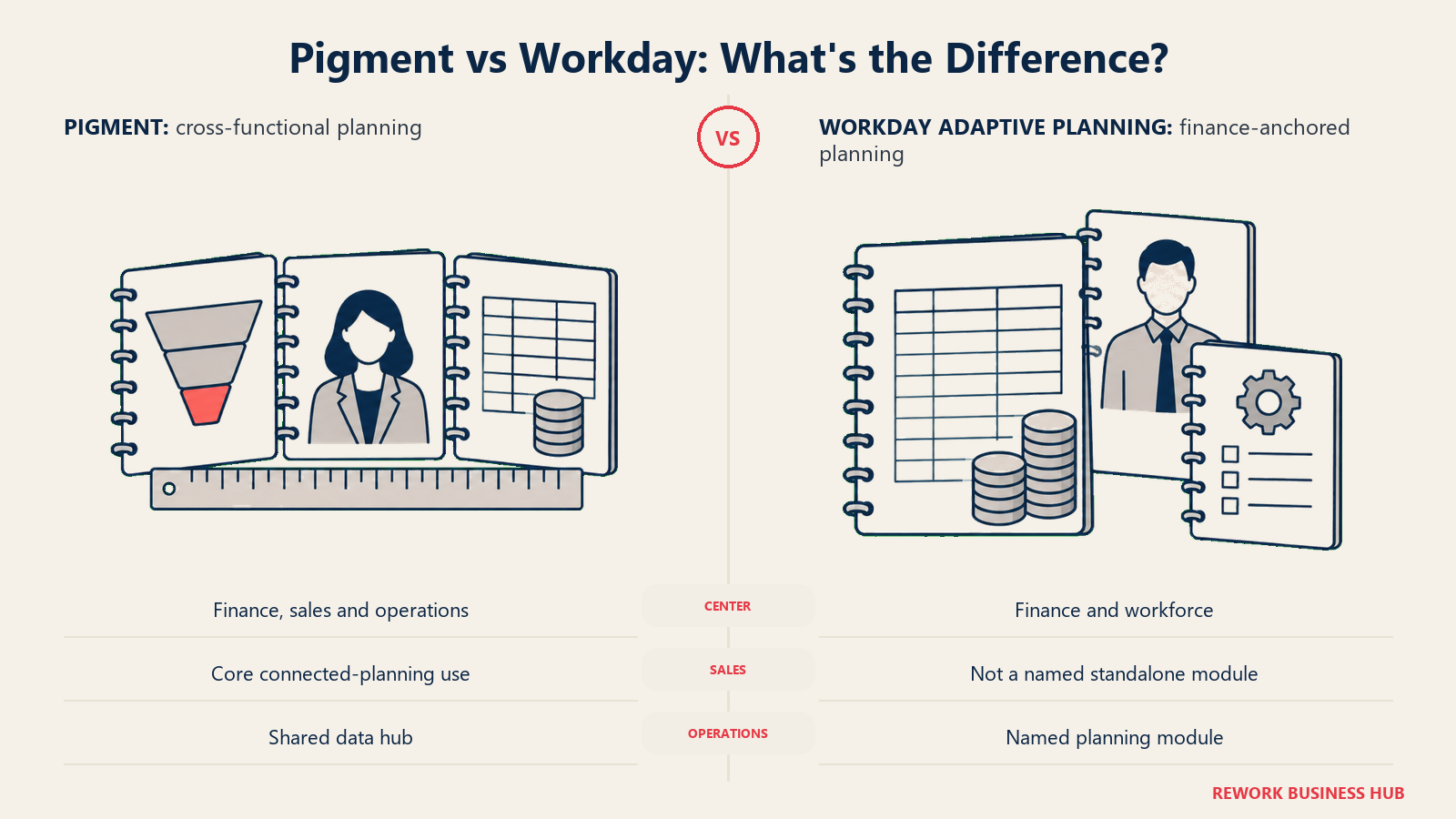
Pigment markets itself explicitly across finance, sales, and operations on one data hub, chasing the same connected-planning ambition Anaplan defined, just with a newer interface underneath it. A sales operations team building territory and quota models and a finance team building the budget can, in principle, work off the same synced numbers rather than exporting summaries between systems. If Anaplan is also on your shortlist for that same reason, the Anaplan vs Workday Adaptive Planning comparison works through the same incumbent logic from a different angle.
Workday Adaptive Planning names four modules on its own overview page: Financial Planning, Workforce Planning, Operational Planning, and Close and Consolidation. Operational Planning covers resource deployment and data analysis, but the center of gravity stays inside the finance-and-HR axis the Workday suite already owns. It's not that Workday can't touch broader operational planning at all, it's that its module list, and its Adaptive Insights acquisition history, both anchor it to finance first.
| Functional reach | Pigment | Workday Adaptive Planning |
|---|---|---|
| Finance planning | Yes, core use case | Yes, core use case |
| Workforce planning | Yes, through the same data hub as everything else | Yes, a named module, deepest when paired with Workday HCM |
| Sales and revenue planning | Yes, positioned as a core connected-planning use case | Not a named standalone module |
| Operational planning | Yes, part of the cross-functional pitch | A named module: resource deployment and operational data analysis |
| Design center of gravity | Cross-functional by design | Finance-anchored, with HR and operations extending outward from it |
Analyst Recognition and Market Position
Gartner's Magic Quadrant for Financial Planning Software puts both platforms in the same report, evaluated on completeness of vision and ability to execute, and the two results track the incumbent-versus-challenger framing throughout this comparison almost exactly. Workday has been named a Leader for four consecutive years, most recently in the report published in December 2025. Pigment was named a Visionary in the same December 2025 report, its second consecutive year in that position after first appearing in 2024.
Neither placement is a reason to skip your own evaluation. Magic Quadrant position measures a vendor's overall market execution and vision, not fit for your specific team. But it's a fair, independently assessed proxy for the track-record gap this whole comparison is really about: Workday has spent longer proving itself at scale, and Gartner's own placement says so plainly. Pigment is moving in the right direction on the same chart, just not yet at the same position.
| Recognition factor | Pigment | Workday Adaptive Planning |
|---|---|---|
| Gartner Magic Quadrant for Financial Planning Software | Visionary, second consecutive year (2024, 2025) | Leader, four consecutive years |
| What Gartner credits | Not broken out separately in public summaries | "Completeness of Vision and Ability to Execute," per Workday's own citation |
| Company scale signal | $145 million Series D in 2026; reported ARR near $100 million and roughly $1 billion valuation (Latka) | Part of Workday, a publicly traded company, with over 7,000 Adaptive Planning customer teams |
| Customer ratings cited by the vendor | 4.7/5 on Gartner Peer Insights, 4.6/5 on G2, per Pigment's own materials | Evaluated within Workday's broader financial management recognition |
| What this signals for a buyer | A fast-moving vendor with real momentum, not yet the longest track record | The safer, more proven choice for a board-level, multi-year platform bet |
What Actually Drives Each Quote
Here's the part most competing comparisons get wrong: neither Pigment nor Workday Adaptive Planning publishes a price, and any specific dollar figure attached to either one on a review aggregator or a rival's comparison blog is a third-party estimate, not a confirmed quote. Reprinting one of those numbers as a starting price would make this comparison less accurate, not more useful, so here's what each vendor actually documents about its own pricing structure instead.
Pigment's own knowledge base is direct about the shape of a quote, even without a dollar figure attached: pricing "contains a platform fee, number of licenses, and associated features," licensed across three tiers, Explorer (the default, lowest-permission tier), Contributor (can input data and update assumptions), and Editor (full access, including model logic and structure). There's no public pricing page, no self-serve signup, and no published free trial; every number comes from a Customer Success Manager. The closest thing to a real anchor point comes from Vendr, a SaaS-procurement platform that tracks anonymized transaction data: across 115 tracked Pigment purchases, Vendr reports a median annual contract of $74,000, with a range from $33,260 to $168,350, and negotiation patterns worth knowing before your own call, multi-year commitments paid annually reportedly land 25-40% below one-year pricing, and mid-market buyers who run a real competitive evaluation report landing 20-35% below initial list (reported, Vendr).
Workday's pricing page is shorter and blunter: "Pricing varies," for both the core Adaptive Planning product and the separately quoted Close and Consolidation add-on, with a Request a Quote form and nothing else. What it does publish clearly is everything included regardless of your eventual price: a production and non-production instance, unlimited audit trail, unlimited versions and what-if scenarios, SSO, OfficeConnect, 24/7 support, and, unusually for this category, a genuine 30-day free trial with no cost and no obligation. Worth flagging directly: unlike Pigment, Workday Adaptive Planning doesn't show up with isolated pricing data on Vendr's marketplace either. Vendr's Workday listing reports a median contract value across Workday deals broadly, spanning HCM, Financials, and module combinations together, not broken out for Adaptive Planning specifically, so even a legitimate third-party benchmarking source can't give you an apples-to-apples number the way it can for Pigment.
Because neither vendor's own page gives you a figure, and only one of the two has a usable third-party benchmark at all, the responsible move is the same one that applies to nearly every platform in this category: build your own estimate from your own inputs, how many Editor versus Contributor versus Explorer seats you actually need, whether Close and Consolidation is in scope for year one, and get the real number in writing before it goes into a budget request.
| What to ask about | Pigment | Workday Adaptive Planning |
|---|---|---|
| Published price | None; every quote routes through a Customer Success Manager | None; page states "Pricing varies" |
| What the vendor documents about structure | Platform fee, plus per-license cost across three tiers (Explorer, Contributor, Editor), plus use-case fees | Core planning product, plus a separately quoted Close and Consolidation add-on |
| Third-party benchmark available | Yes: Vendr reports a median annual contract of $74,000 (range $33,260-$168,350, 115 tracked purchases) | Not isolated for Adaptive Planning; Vendr's Workday data spans HCM, Financials, and modules together |
| Free trial | Not offered publicly | 30 days, no cost, per Workday's own pricing page |
| Reported negotiation levers | Multi-year prepay (25-40% off), competitive mid-market evaluation (20-35% off list), per Vendr | Bundling with an existing Workday HCM or Financials renewal (ask your account team to quantify this explicitly) |
| The real budget question to ask | How many Editor seats do you actually need, since that's the most expensive tier | Whether Close and Consolidation is in scope for year one, since it's priced separately |
When Pigment Is the Right Call
- Your finance team wants to change the model itself, often, without filing a ticket to a Model Builder or a consultant. The Modeler Agent is built for exactly that job, and the customer results are specific enough to verify in a pilot.
- You want connected-planning ambition, finance, sales, workforce, and operations, without Anaplan's two-decade architecture or Workday's HR-suite anchor underneath it.
- You're not deeply tied to Workday HCM or Financial Management, so Workday's sharpest advantage doesn't apply to you anyway.
- You're comfortable being a reference customer for a still-growing platform in exchange for a faster product cadence: two of three major AI agents went from private preview to shipped inside about 13 months, a pace most incumbents can't match.
If Pigment's own pricing model or implementation weight is still more than your team needs, the best Pigment alternatives guide covers lighter options built for a smaller build team.
When Workday Adaptive Planning Is the Right Call
- You already run, or are firmly committing to, Workday HCM or Workday Financial Management. The native data lineage is real, and it's specific to staying inside that ecosystem.
- You want a 30-day trial before any sales conversation starts, something Pigment doesn't offer at all.
- Consolidation should sit close to your general ledger, and you're fine paying for Close and Consolidation as a separate, clearly named package rather than folded into one number.
- You'd rather bet on a proven, four-time Gartner Leader with 7,000-plus customer teams than a faster-moving, less-tested one, even if that means accepting Pigment's modeling-speed advantage as a tradeoff, not a dealbreaker.
If Workday Adaptive Planning fits the finance-anchored shape of your problem but you're not on Workday HCM or Financials and have no plan to be, weigh whether you're paying for an ecosystem advantage you'll never actually collect. The Workday Adaptive Planning alternatives guide is a useful gut check before you commit, and if a lighter, spreadsheet-native tool turns out to be the real answer instead, Cube vs Workday Adaptive Planning runs that exact matchup, Cube vs Pigment prices that same lighter option directly against Pigment, and the Cube vs Datarails comparison covers that end of the category more broadly.
Decision Framework
The decision turns on four tests: how tied you already are to Workday, how much you value modeling speed against proven depth, who needs to be able to change the model, and what a future exit would cost you.
| If this is true for you | Pick |
|---|---|
| You already run Workday HCM or Workday Financial Management, or plan to | Workday Adaptive Planning |
| Your analysts need to change the model themselves, often, without waiting on a specialist | Pigment |
| You want the more proven, longer-track-record platform for a board-level, multi-year bet | Workday Adaptive Planning |
| You want the faster-moving product and are comfortable with a shorter enterprise history | Pigment |
| Cross-functional planning, sales, workforce, operations, matters as much as finance | Pigment, or Anaplan if you want even more modeling ceiling |
| A 30-day trial before any sales call matters to your evaluation process | Workday Adaptive Planning |
| Neither fits because you need a lighter, faster-to-deploy tool | See the best FP&A software guide for 2026 for the wider field |
What to Do Next
Name your actual dependency before the first demo. Write one sentence: are you shopping because you want your own team to move faster inside the model, or because Workday HCM or Financials already anchors your data and you want planning to sit on the same core? That sentence alone points most buyers toward one of these two platforms.
Then run the same test on both finalists: bring one real, moderately complex model, next quarter's forecast for a department with actual formula logic, not a demo dataset, and time how long it takes your own analyst, not the vendor's solutions engineer, to build it and then change it once. That single exercise tells you more about which platform fits your team than any feature comparison, including this one, and it's the fastest way to see whether Pigment's Modeler Agent lives up to its published case studies on your own data.
Finally, before you sign either contract, ask for a written export sample of your model logic as a condition of the deal. Neither vendor will bring it up unprompted, and how each one answers that specific question tells you as much about the switching cost you're accepting as anything else in this comparison. If your team is still deciding whether planning software is the actual gap, the best FP&A software guide for 2026 and the best budgeting and forecasting software guide both cover the wider category, and a documented forecast governance framework alongside a real scenario planning practice will make whichever platform you pick perform better than the tool alone ever could.
Frequently Asked Questions about Pigment vs Workday Adaptive Planning
Does Pigment publish pricing?
No. Pigment's own knowledge base states that pricing combines a platform fee, per-license costs across three tiers (Explorer, Contributor, Editor), and use-case fees, with exact figures available only through a Customer Success Manager. There's no public pricing page or self-serve signup.
How much does Workday Adaptive Planning cost?
Workday doesn't publish a number either. Its pricing page states "Pricing varies" for both the core product and the separately quoted Close and Consolidation add-on. It does offer a 30-day free trial with no cost, unusual for this category.
Is Pigment's Modeler Agent actually available, or still a preview feature?
It's generally available. Pigment shipped the Modeler Agent to general availability on April 27, 2026, and has published specific customer results, including Supercell cutting a forecasting update from 8 days to 4 minutes and Carta reporting a 60% reduction in model build time. Pigment's separate Planner Agent, part of the same three-agent network, had not reached general availability as of August 2026.
Does Workday Adaptive Planning have a comparable AI agent?
Yes, the Planning Agent, embedded natively in the core product rather than sold or previewed separately. It automates data exploration, surfaces root causes behind a variance, and models scenarios with confidence metrics, with Workday citing a named customer, HubSpot, completing forecast cycles 15-20% faster.
Which platform is actually faster to implement?
It depends what you're timing. Workday states a 4.5-month average deployment across the full platform. Pigment doesn't publish an equivalent company-wide figure, but certified implementation partner Amvent Consulting reports roughly 8 to 16 weeks depending on scope (reported). Where Pigment pulls further ahead is after go-live: the Modeler Agent measurably cuts the time to change a model that's already live, a different question from the one-time build.
What's the real difference between Pigment and Workday Adaptive Planning?
Both are genuine connected-planning platforms, so this isn't a capability gap, it's a posture difference. Pigment is the newer, faster-moving challenger, winning on modeling speed and interface. Workday Adaptive Planning is the proven incumbent, winning on native data lineage to Workday HCM and Financial Management and a four-time Gartner Leader track record.
What do I lose if I switch away from either platform later?
With Pigment, mainly the data-hub connector logic and anything the Modeler Agent generated from a prompt, concentrated in the risk that your Editor-license holders, the smallest and most expert group on the account, leave without documentation. With Workday Adaptive Planning, mainly the native Workday HCM and Financial Management lineage, which doesn't exist on any other platform regardless of how well you document it.
How does Gartner rate each platform?
In Gartner's Magic Quadrant for Financial Planning Software, published in December 2025, Workday was named a Leader for the fourth consecutive year. Pigment was named a Visionary for the second consecutive year, having first appeared in the 2024 report.
Is Pigment a good fit if my company isn't on Workday at all?
Often yes, and arguably a better fit than if you were. Workday Adaptive Planning's sharpest advantage, native HCM and Financials data lineage, only exists if you're already in that ecosystem. If you're not, Pigment's connected-planning ambition and faster model-iteration speed apply regardless of which ERP or HRIS you run.

Principal Product Marketing Strategist
On this page
- TL;DR
- Key Facts
- Who Each Platform Is Really For
- The Core Difference: Modeling Speed Against Workday-Native Depth
- Where Each AI Layer Actually Stands Today
- Workforce and HR Data Lineage
- Implementation: Weeks or Months, and Who Actually Does the Work
- The Switching Cost Once a Year of Models Lives Inside Either One
- Cross-Functional Reach Beyond Finance
- Analyst Recognition and Market Position
- What Actually Drives Each Quote
- When Pigment Is the Right Call
- When Workday Adaptive Planning Is the Right Call
- Decision Framework
- What to Do Next