Cube vs Workday Adaptive Planning: Which Fits Your Company's Actual Size in 2026?
Turn this article into takeaways for your work.


Each assistant summarizes the article only for you and suggests best practices for your work.
You're evaluating FP&A software for a finance team that already knows what it wants to stop doing: chasing down the current version of a workbook, rebuilding the same headcount tab every quarter, or waiting on IT to wire up a new data source. Cube and Workday Adaptive Planning both promise to fix that, and both land on the same shortlist often enough that review sites treat them as direct rivals. They aren't really peers, though. They're built for two different sizes of company, and a feature checklist is close to the least useful place to look for the answer.
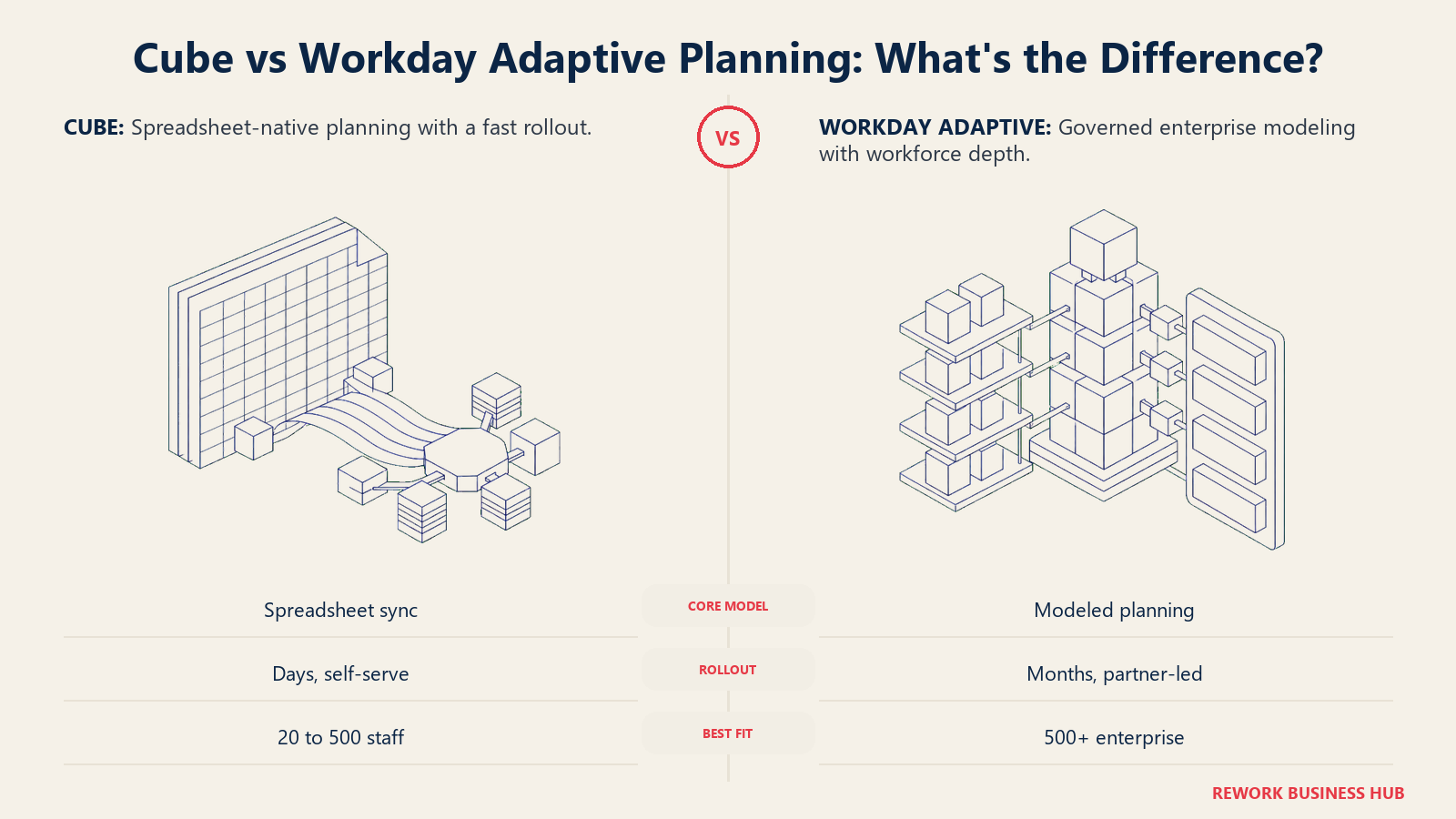
Cube is a lightweight layer that sits on top of the spreadsheets your team already builds in. It syncs into Excel and Google Sheets, pulls actuals in, pushes plans back out, and a first working model can go live in weeks, no consultant and no dedicated systems integrator required. Workday Adaptive Planning is enterprise planning software: a real implementation project, usually run through a certified partner, that trades a familiar spreadsheet feel for genuine modeling depth and, if your company already runs Workday HCM, native workforce data that most competitors have to bolt on through an integration. This comparison works through both platforms on that basis. Not which one wins more feature rows, but which one fits the size and shape of the finance team actually buying it, and where each one's power goes to waste.
TL;DR
| Cube | Workday Adaptive Planning | |
|---|---|---|
| What it actually is | A bi-directional sync layer over Excel and Google Sheets, plus an AI agent layer on top | A finance planning application built by Workday, deepest when paired with Workday HCM and Financial Management |
| Started as | Cube, built to keep FP&A inside the spreadsheet | Adaptive Insights, acquired by Workday in 2018 for roughly $1.55 billion |
| Where the model lives | Your own Excel or Google Sheets workbook, synced live | Workday's own planning application, with OfficeConnect as a live Excel/PowerPoint window into it |
| Published implementation claim | "Days, not months," no consultants, no IT project, per Cube's own site | 4.5 months average, per Workday's own product page, "even for some of the world's largest companies" |
| Who typically runs the build | A finance analyst, inside the spreadsheet they already use | A Workday-certified implementation partner, often the one already running your HCM or Financials rollout |
| Best-fit company size | Roughly 20 to 500 employees | Roughly 500 to 10,000-plus employees |
| Native HR/workforce data | None; connects to whatever HRIS you run, via integration | Native, when you already run Workday HCM |
| Published pricing | None. Bronze, Silver, Gold, every tier is "Get quote" | None. Workday's own page states "Pricing varies" |
| Free trial | Not published | 30 days, no obligation |
Key Facts
- Neither vendor publishes a price. Cube's pricing page is headed "Transparent and Upfront Pricing," and every tier routes to a "Get quote" button (verified at cubesoftware.com/pricing, August 2026). Workday's own pricing page states "Pricing varies" for both Workday Adaptive Planning and its Close and Consolidation add-on (verified at workday.com, August 2026).
- Workday states an average deployment time of 4.5 months for Adaptive Planning, with more than 7,000 customer teams, on its own product overview page (workday.com).
- Cube states its implementations "typically go live in days, not months," with "no consultants" and "no IT project," on its own FP&A product page (cubesoftware.com/cube-for-fpa).
- Vendr, a SaaS pricing intelligence firm, tracks Cube as its own line item: a median annual contract of $22,098 across 58 tracked purchases, ranging from $12,794 to $34,200, with buyers landing an average 22% discount off the initial quote (reported, vendr.com/marketplace/cube). Vendr does not track Workday Adaptive Planning as its own line; its Workday page aggregates every Workday product together, which is itself a clue to how differently these two purchases usually get structured.
- 96% of FP&A professionals still use spreadsheets for planning at least weekly, even at organizations already running a dedicated planning platform, per the AFP's 2025 FP&A Benchmarking Survey of 362 practitioners (AFP).
- Workday acquired Adaptive Insights, the company behind what's now Workday Adaptive Planning, for roughly $1.55 billion in a deal announced June 11, 2018 and completed that August (Workday newsroom).
What Each Tool Is Actually Built For
Cube's whole premise, straight from its own site, is to keep the spreadsheet. Excel and Google Sheets are both treated as first-class interfaces, with what Cube calls "patented bi-directional connectivity": pull actuals in, push plans back, at the cell level, without a separate upload step. Layered on top is the "Agentic Finance Layer," four named agent teams (Data Managers, Analysts, Planners, Business Partners) plus a Cube MCP Server that opens the model up to Claude, ChatGPT, and Copilot. Worth knowing before you assume that layer comes free: the MCP connector itself is listed on the Silver tier and above, not on Bronze, so the cheapest deployment gets the spreadsheet sync without the AI assistant layer.
Workday Adaptive Planning's premise runs close to the opposite direction. The planning logic lives inside Workday's own application, and finance gets a familiar window into it through OfficeConnect, live Excel and PowerPoint integration, rather than the spreadsheet itself being the system of record. That's a deliberate trade, and it comes with a real payoff: unlimited versions, unlimited what-if scenarios, unlimited audit trail, single sign-on, and, for a company already running Workday HCM or Workday Financial Management, headcount and general ledger data that's already native rather than something a connector has to keep in sync by hand. If forecasting and scenario work is the part of the job you want AI to actually touch, best AI agents for FP&A covers how deep Cube's and Workday's own AI layers go against everything else in the category.
| Cube | Workday Adaptive Planning | |
|---|---|---|
| Where the model actually lives | Inside your Excel or Google Sheets file, synced to Cube's data layer | Inside Workday's own planning application; Excel is a live window onto it via OfficeConnect |
| Spreadsheet coverage | Excel and Google Sheets, same bi-directional sync in both | Excel only, through OfficeConnect; no published Google Sheets support |
| AI/agent layer | "Agentic Finance Layer" (Data Managers, Analysts, Planners, Business Partners); MCP connector to outside AI tools starts on Silver | AI-powered forecasting built into the core workflow, plus a dedicated Planning Agent that reasons over live Workday data |
| Included on every published tier | Unlimited dimensions and users, custom roles, unlimited dashboards | Unlimited versions, unlimited what-if scenarios, unlimited audit trail, SSO, OfficeConnect, 24/7 support |
| Named modules beyond core planning | Gold tier adds "all integrations & workflows" and custom modules, not individually named | Workforce Planning, Operational Planning, and a separately quoted Close and Consolidation package |
| Consolidation | Not a distinct, named product in Cube's published tiers | Sold as Workday Adaptive Planning Close and Consolidation: "planning and consolidation, all in one unified package" |
The Company-Size Decision
Strip away the feature rows and this comes down to a question neither vendor's homepage asks you directly: how big is your company, and how many people actually need to touch the model? Workday Adaptive Planning's depth, unlimited scenarios, a dedicated Workforce Planning module, a Close and Consolidation package, a 4.5-month average deployment run through a certified partner, is real value once you're a few hundred employees or more with a controller's office and an existing Workday relationship to lean on. If Workday's certified-partner rollout is the sticking point rather than the ecosystem tie to HCM, Pigment vs Workday Adaptive Planning covers a faster-moving challenger built for roughly the same company size, and Cube vs Pigment puts that same challenger against the spreadsheet-native option if you have already ruled Workday out. Under that size, most of it sits unused. A 40-person finance team doesn't need unlimited what-if scenarios or a partner-led rollout to close next year's budget. It needs a working model by Friday.
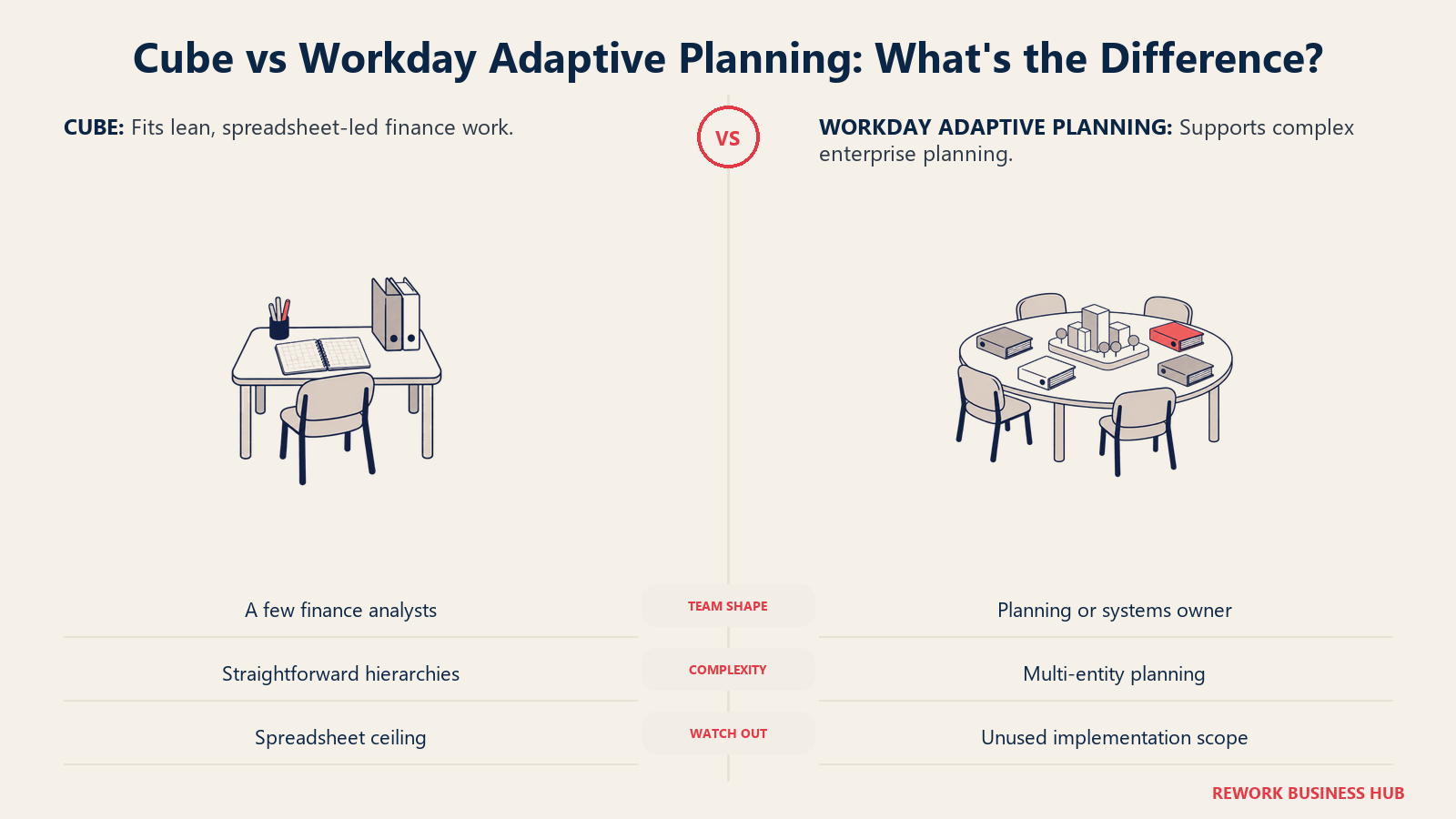
Cube's ceiling shows up on the other side of that same line. Because the model still lives inside a spreadsheet, however well it's synced, it inherits a spreadsheet's limits once planning needs get genuinely complex: multiple entities, multiple currencies, deep hierarchies that don't flatten cleanly into rows and columns. That ceiling tends to arrive sooner than buyers expect, often right around the point where a second or third business unit needs to plan against shared assumptions, or where headcount planning needs to trace cleanly back to an HRIS instead of a manually updated tab. And if the real answer turns out to be that even Workday's scope is too narrow, because sales and supply chain need to plan on the same numbers as finance, that's a different, heavier category still. See Anaplan vs Workday Adaptive Planning or the best Anaplan alternatives roundup for that comparison.
| Company profile | Cube fits | Workday Adaptive Planning fits |
|---|---|---|
| Headcount | Roughly 20 to 500 employees | Roughly 500 to 10,000-plus employees |
| Finance team shape | A handful of analysts, no dedicated systems owner | A controller's office, often with a finance-systems or FP&A-ops role |
| Existing stack | Spreadsheets are the actual planning tool today | Already running, or actively committing to, Workday HCM and/or Financial Management |
| Planning complexity | One or few entities, one currency, straightforward hierarchies | Multi-entity, multi-currency, workforce planning tied to real HR data |
| What breaks if you pick wrong | Cube at a 2,000-person, multi-entity company: the spreadsheet ceiling arrives fast | Workday at a 60-person company: most of the platform, and the partner-led rollout, goes unused |
If You Already Run Workday HCM
This is the question worth answering before any of the rest of this comparison, because it changes the calculus more than any single feature does. If your company already runs Workday HCM, or Workday Financial Management, this decision gets a lot easier, and it's honest to say so instead of pretending the two platforms start from a level field. Workday's own workforce planning materials describe approved hiring plans supporting "automated rendering in HCM by your recruiting teams," with headcount and financial models drawn from what Workday calls one unified data core. That's a structural advantage that has nothing to do with which platform models better in the abstract. It's about which one is already sitting next to your data.
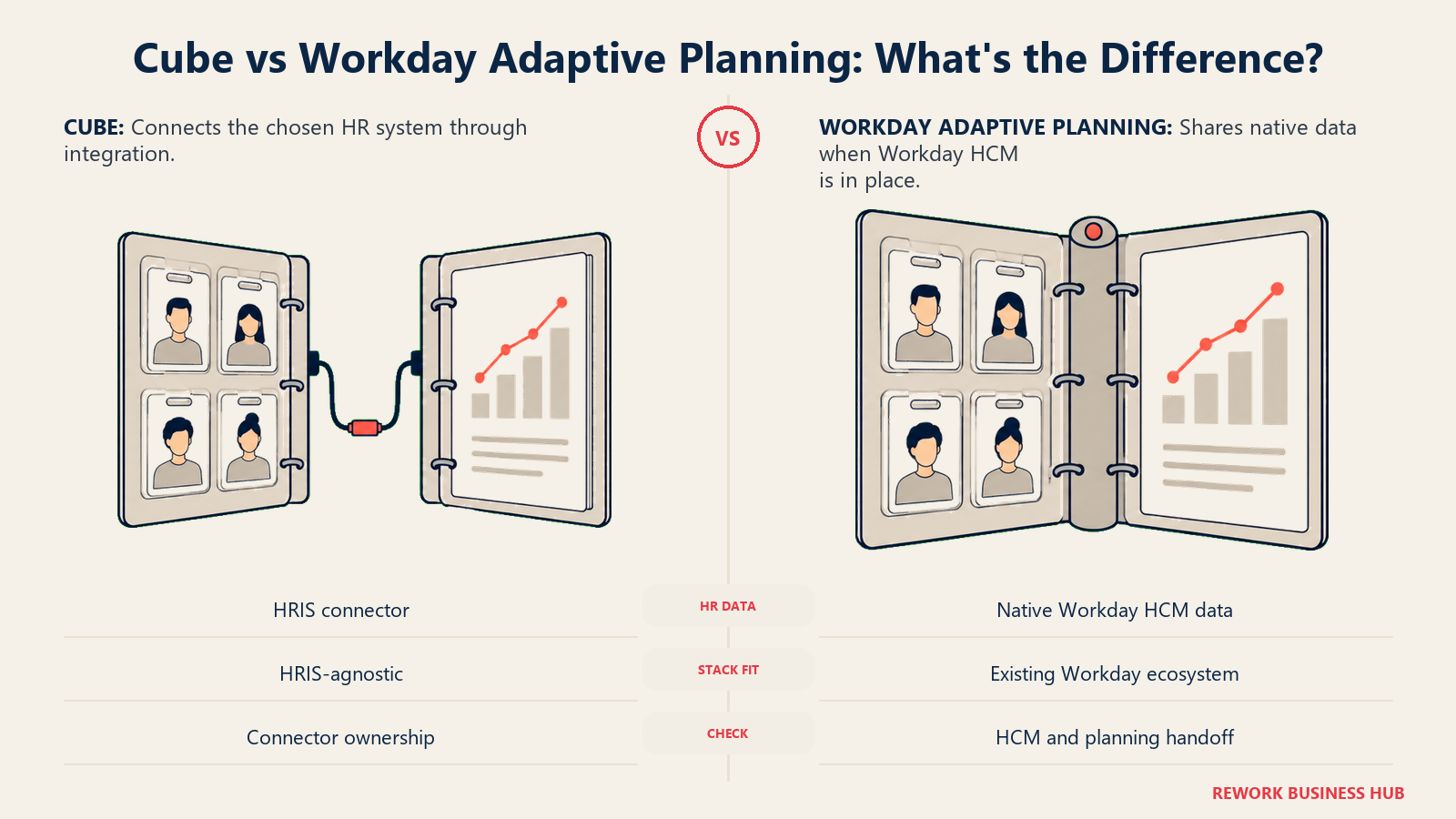
Cube has no equivalent answer here, and it isn't trying to build one. It connects to whatever HRIS you run through integration, the same way it connects to your accounting system or your CRM. That's a real strength if you're not on Workday, since nothing locks you into a particular HR stack to get workforce numbers into your model, and a real gap if you are, since you'd be maintaining a connector for data that Workday Adaptive Planning would already have natively.
| If you're evaluating this against Workday HCM/Financials | Cube | Workday Adaptive Planning |
|---|---|---|
| Headcount data source | Whatever HRIS you run, via integration | Native from Workday HCM, no separate connector |
| Hiring plan to HCM handoff | Depends on the integration you build | Automated rendering in HCM once a plan is approved, per Workday |
| GL/financials data source | Any connected accounting system | Native, when the GL is Workday Financial Management |
| Implementation partner needed | None for a first model | Often extends your existing Workday HCM/Financials implementation partner |
| The honest read | A fine, HRIS-agnostic choice if you're not on Workday | A much easier decision if you already are |
Decision by Business Goal
| Your actual goal | Pick | Why |
|---|---|---|
| A working budget model by Friday, not next quarter | Cube | "Days, not months," no consultant, no IT project, per Cube's own site |
| Board-ready payoff on a lean team inside two quarters | Cube | Lower implementation weight means the payoff shows up faster relative to the spend |
| Headcount planning that traces to your actual HR system of record | Workday Adaptive Planning, if you're on Workday HCM | Native data lineage instead of a monthly CSV reconciliation |
| Cut dependency on one specialist who understands the model | Cube | No dedicated modeling certification; a finance analyst owns it inside the spreadsheet already in use |
| Scale from 500 to 5,000 employees without re-platforming again | Workday Adaptive Planning | Built for the multi-entity, multi-department scale a spreadsheet ceiling isn't designed to reach |
| Consolidate statutory close and planning under one vendor | Workday Adaptive Planning | Close and Consolidation ships as a named, if separately quoted, package |
| Keep Excel and Google Sheets users on the same live numbers | Cube | The only one of the two with a native, bi-directional Google Sheets sync |
Whichever goal drives the decision, it only holds up if someone actually owns the forecast afterward. A documented forecast governance framework matters more to whether either platform sticks than any row in this table.
Team and Role Fit
| Team | Cube | Workday Adaptive Planning |
|---|---|---|
| FP&A / Finance | Builds and owns the model directly inside Excel or Sheets | Builds inside Workday's planning sheets, with OfficeConnect for an Excel-style view |
| Controller / Close | No named consolidation product in the published tiers | Close and Consolidation package, sold alongside core planning |
| HR / People | Manual export or a built integration to feed headcount data | Native, when HR already runs on Workday HCM |
| IT / Systems | Not required for a first deployment, per Cube's own claims | Typically involved through a certified implementation partner |
| Executive / Board | A working model fast, suited to an early-stage or lean company | A governed, auditable process with unlimited audit trail, suited to a board that expects enterprise controls |
Implementation and Change Management
Since neither vendor will hand you a number to plan around, implementation effort and partner dependency are the more honest way to compare these two, and it happens to be the dimension with the widest, best-documented gap between them.
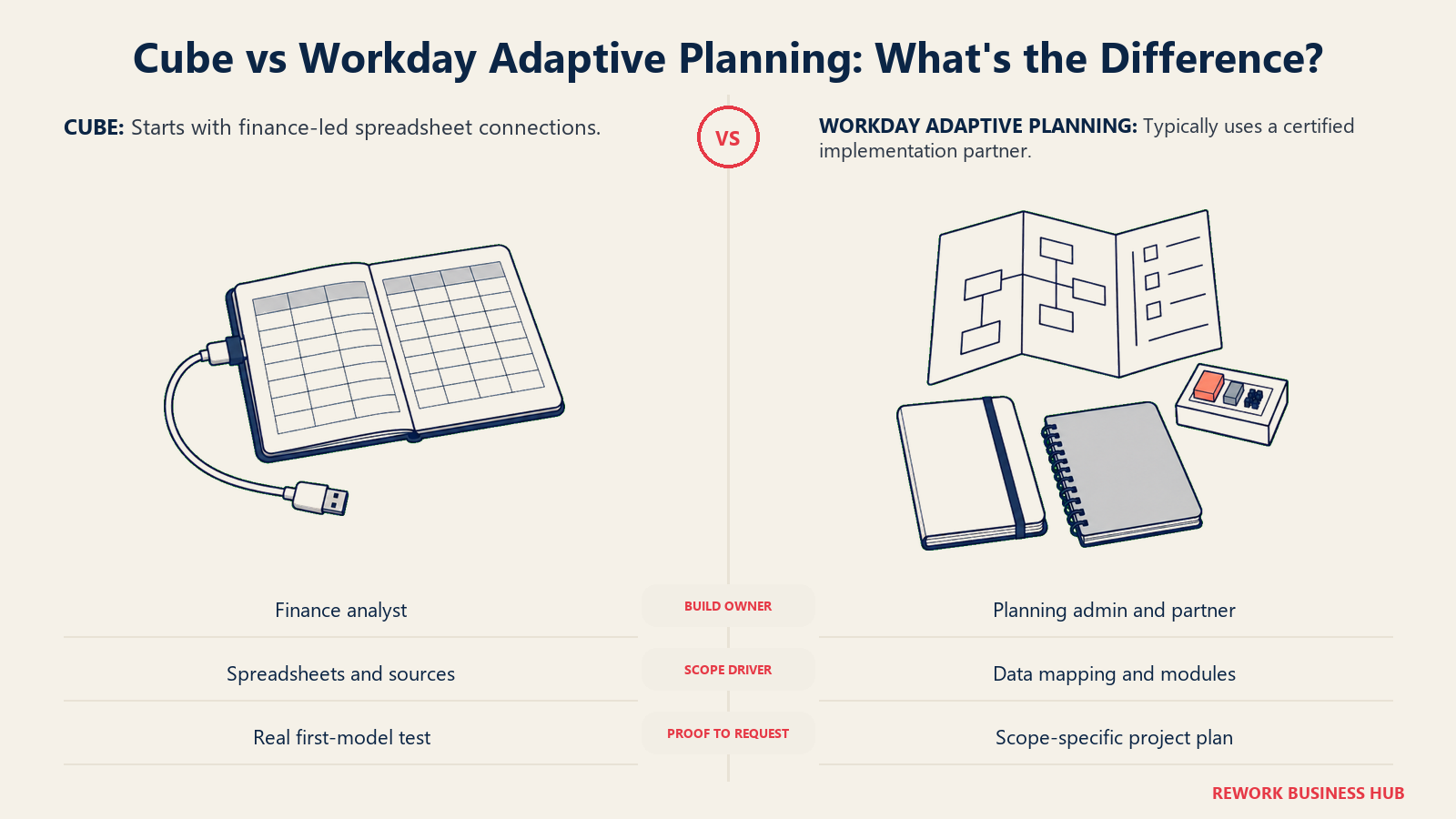
Cube's own language is direct: implementations "typically go live in days, not months," with "no consultants" and "no IT project," because data sources connect "through no-code integrations...without IT involvement." That claim is worth stress-testing in a real demo, since "days" for a first model in one department is a different commitment than "days" for a fully governed rollout across a multi-entity company. But the underlying design choice, no separate portal, no partner gate, is real and checkable.
Workday states an average deployment time of 4.5 months on its own product overview page, applied "even for some of the world's largest companies." That timeline typically runs through a Workday-certified implementation partner, often the same systems integrator already managing a broader Workday HCM or Financials rollout, which is a lower-friction path if that relationship already exists and a genuinely new vendor relationship to stand up if it doesn't.
| Implementation factor | Cube | Workday Adaptive Planning |
|---|---|---|
| Published time-to-value claim | "Days, not months" | 4.5 months average |
| Partner required | No, per Cube's own claims: "no consultants, no IT project" | Typically yes, a Workday-certified implementation partner |
| Where the claim is published | cubesoftware.com/cube-for-fpa | workday.com/adaptive-planning/overview |
| What drives the timeline | Number of spreadsheets and data sources to connect | Mapping data to your ERP/GL and HCM, plus how many planning sheets and modules are in scope |
| Who owns the build day to day | A finance analyst, inside the spreadsheet | A trained planning admin, often supported by the implementation partner early on |
| What to verify before signing | Whether "days" holds once your full data source list is in scope, not just a demo dataset | Whether the 4.5-month average reflects a single-module build or your actual multi-module scope |
Pricing at Real Team Sizes
Here's the part a lot of shortlist roundups fudge: neither Cube nor Workday Adaptive Planning publishes a rate card, so there's no verified dollar figure to hand you at 10, 25, or 100 seats, and any number attached to either one on a review aggregator is a third-party estimate dressed up as fact. Cube's pricing page, headed "Transparent and Upfront Pricing," lists Bronze, Silver, and Gold, and every tier is a "Get quote" button with nothing else attached. Workday's pricing page states "Pricing varies" for both the core planning product and the separately quoted Close and Consolidation add-on. Neither structure has changed.
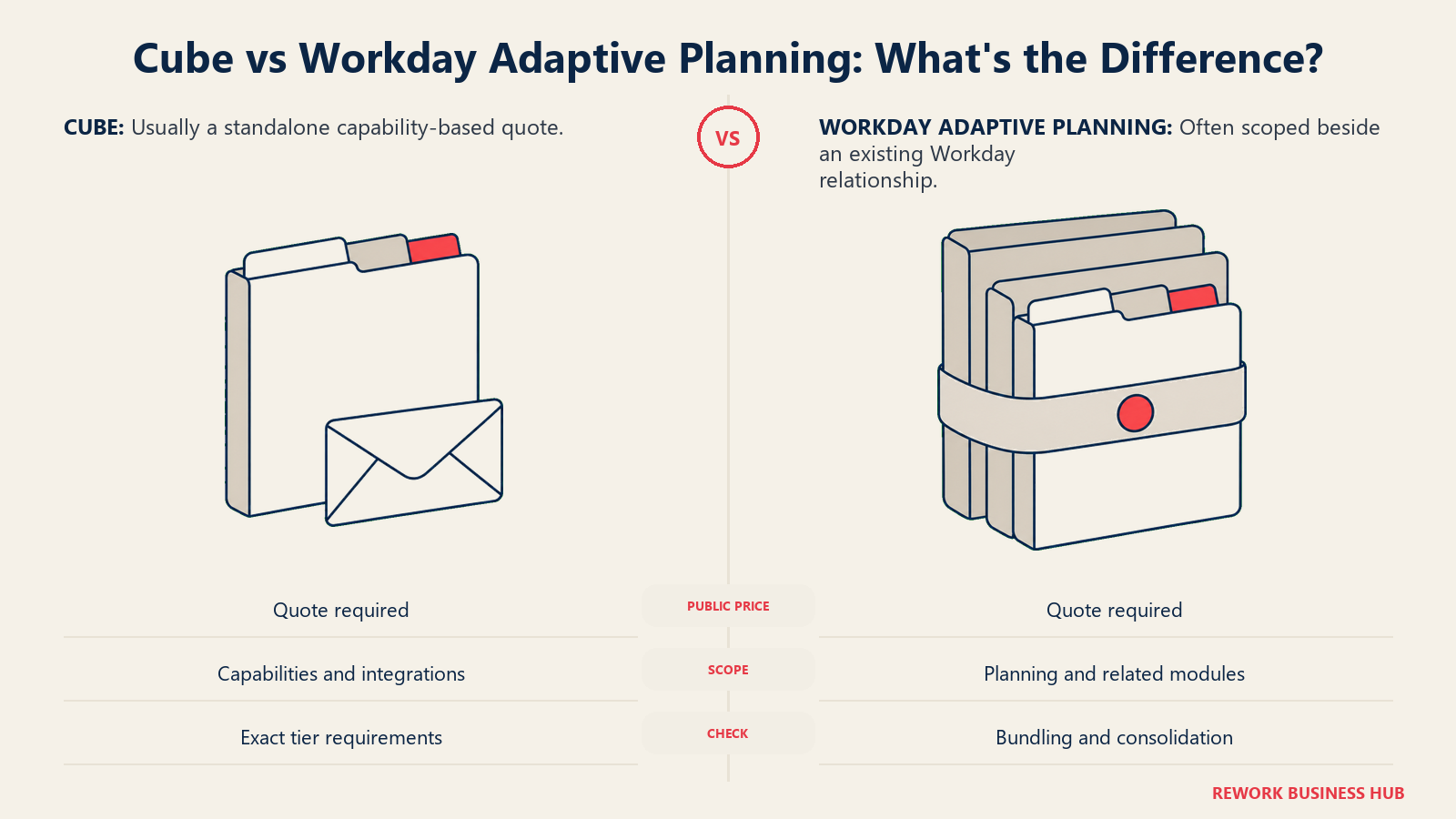
What differs is how cleanly a third party can even estimate the number. Vendr, a SaaS pricing intelligence firm, tracks Cube as its own line item: a median annual contract of $22,098 across 58 tracked purchases, ranging from $12,794 to $34,200, with buyers landing an average 22% discount off the initial quote (reported by Vendr, not confirmed by Cube). Workday Adaptive Planning doesn't get the same treatment. Vendr's only dedicated Workday page aggregates every Workday product into one figure, with nothing broken out for Adaptive Planning specifically, and that gap is itself informative: Cube tends to get bought as a standalone SaaS contract, while Workday Adaptive Planning tends to get negotiated as part of, or alongside, a broader Workday relationship, the same ecosystem dynamic covered above.
So build your own estimate instead of chasing a figure that doesn't exist. For Cube, the real variable is which Silver or Gold capabilities (Slack/Teams, workflow automation, MCP access, premium support) your team would actually use, since users and dimensions are unlimited on every published tier. For Workday, the real variable is whether you're buying planning alone or bundling it into an HCM or Financials renewal, and whether Close and Consolidation is in scope for year one.
| What to ask about | Cube | Workday Adaptive Planning |
|---|---|---|
| Published price | None; every tier is "Get quote" | None; page states "Pricing varies" |
| What sets the tier | Capability (Slack/Teams, MCP, workflow automation, support level), not seats | Not published; historically shaped by planner-user count plus a platform fee |
| Seats/users | Unlimited on every tier, including entry-level Bronze | Not published as a per-seat structure |
| Reported benchmark | Median $22,098/year, range $12,794 to $34,200, across 58 purchases (Vendr, reported) | Not tracked separately; Vendr's Workday figure spans every Workday product, not Adaptive Planning alone |
| Free trial | Not published | 30 days, no obligation |
| Bundling dynamic | Sold as a standalone contract | Often negotiated alongside an existing or planned Workday HCM/Financials relationship |
Risk and Governance
| Governance factor | Cube | Workday Adaptive Planning |
|---|---|---|
| Security certification | SOC 2 Type II certified, per Cube's platform overview | Inherits Workday's broader enterprise security and compliance program |
| Audit trail | Not marketed with the same "unlimited" framing | Unlimited audit trail, published as a standard, included feature |
| AI data access | MCP connector (Silver and Gold) opens model data to outside AI assistants | AI features are embedded in the core workflow rather than exposed through a separate external connector |
| Vendor lock-in | Low; the model itself lives in your own Excel or Sheets files | Higher; the model and its logic live inside Workday's own application |
| Single point of failure | Low; any finance analyst can open and edit the underlying spreadsheet | Moderate; the trained planning admin and the implementation partner relationship both matter more |
| Board/audit expectations | Fine for a private, founder-led or lean company | Built for a company that already expects enterprise-grade controls and reporting |
When Cube Is the Right Call
- Your finance team is small, roughly 20 to 500 employees, and Excel or Google Sheets is already where planning actually happens.
- You want a working model in weeks, not a multi-month project run through a certified partner.
- You're not on Workday HCM or Financial Management, so you'd get no structural benefit from Workday's native data lineage anyway.
- You'd rather negotiate on which capabilities you need (Slack/Teams, MCP, workflow automation) than on headcount, since Cube's seats are unlimited on every published tier.
- Some of your planning happens in Google Sheets, not just Excel. Workday has no native answer for that at all.
If Cube's spreadsheet ceiling is what worries you most, the best Cube alternatives roundup covers heavier, modeled platforms built for a size Cube isn't, and Cube vs Datarails is worth a look if a different spreadsheet-native tool, not a full platform jump, is the real question.
When Workday Adaptive Planning Is the Right Call
- You already run, or are actively committing to, Workday HCM or Workday Financial Management. This single fact does more work than any other row in this comparison.
- Your company is genuinely mid-market to enterprise, roughly 500 employees or more, with multiple entities, currencies, or a workforce plan that needs to trace to real HR data.
- You want consolidation and planning under one vendor relationship, even if it's billed as a separately quoted package.
- You have, or are prepared to bring in, a certified implementation partner, and a 4.5-month average deployment isn't a dealbreaker.
- Unlimited scenarios, unlimited audit trail, and single sign-on matter to a board or audit committee that already expects enterprise controls out of the box.
If Workday's ecosystem advantage doesn't apply to you, because you're not on Workday and have no plan to be, but you still need enterprise-scale modeling, weigh whether you're paying for a structural edge you won't actually get. The best Workday Adaptive Planning alternatives roundup and the Anaplan vs Workday Adaptive Planning comparison are both worth reading before you commit.
Decision Framework
| If this is true for you | Pick |
|---|---|
| Your company is 20 to 500 employees and spreadsheets are still the real planning tool | Cube |
| Your company is 500-plus employees, multi-entity, or already running Workday HCM/Financials | Workday Adaptive Planning |
| You need a working model in weeks with no implementation partner | Cube |
| You need headcount planning that traces natively to your HR system of record | Workday Adaptive Planning, if that system is Workday HCM |
| Any team outside finance plans in Google Sheets, not just Excel | Cube |
| Statutory close and consolidation should sit in the same vendor relationship as planning | Workday Adaptive Planning, via its Close and Consolidation package |
| You want to negotiate on capability, not headcount | Cube, since seats are unlimited on every published tier |
| Neither fits because finance, sales, and supply chain all need to plan on one shared model | See Anaplan vs Workday Adaptive Planning for a heavier class of platform |
What to Do Next
- Write down your actual headcount and whether you're on Workday HCM or Financial Management today, before the first demo. Those two facts alone eliminate one of these two vendors for most buyers.
- If Cube is still live, build one real model. Next quarter's budget for one department, at production-level detail. Time how long it takes a finance analyst, not a consultant, to get it working. Cube's own "days, not months" claim is easy to verify this way.
- If Workday Adaptive Planning is still live, ask specifically how your build will run. Internal team, or a certified partner, and get a realistic timeline tied to your actual module scope, planning alone or planning plus Close and Consolidation, not the vendor's best-case published figure.
- Get a written quote from Cube and sanity-check it against Vendr's reported range (roughly $12,800 to $34,200 a year) so you know whether your number is in line with what similar teams pay.
- If neither platform's ceiling or floor actually matches your company, the best FP&A software roundup and the best budgeting and forecasting software guide both cover the wider field before you commit to either one.
Frequently Asked Questions about Cube vs Workday Adaptive Planning
Does Cube publish pricing?
No. Cube's pricing page is headed "Transparent and Upfront Pricing," but all three tiers, Bronze, Silver, and Gold, route to a "Get quote" button with no dollar figures published as of August 2026.
Does Workday Adaptive Planning publish pricing?
No. Workday's own pricing page states "Pricing varies" for both the core Workday Adaptive Planning product and the separately quoted Close and Consolidation add-on. It does publish a 30-day free trial with no obligation.
What's the actual difference between Cube and Workday Adaptive Planning?
Cube is a lightweight sync layer over the Excel or Google Sheets workbook your team already uses, built to get a first model live in weeks. Workday Adaptive Planning is enterprise planning software with its own application, sold with a real implementation timeline, and its deepest advantage is reserved for companies already running Workday HCM or Financial Management.
Is this really a company-size decision rather than a features decision?
Mostly, yes. Workday's unlimited scenarios, Workforce Planning module, and Close and Consolidation package are real value at a few hundred employees and up, especially with an existing Workday relationship, but they go largely unused below that size. Cube's spreadsheet-based ceiling, in turn, tends to arrive quickly once modeling needs cross into genuinely complex, multi-entity territory.
Does Cube support Google Sheets, or just Excel?
Both, with the same bi-directional sync in either tool, per Cube's own integration documentation. Workday Adaptive Planning connects to Excel and PowerPoint through OfficeConnect; it has no published Google Sheets support.
How much faster is Cube to implement than Workday Adaptive Planning?
Cube states its implementations "typically go live in days, not months," with no consultants or IT project required. Workday states an average deployment time of 4.5 months on its own product overview page. Both figures come from vendor marketing, so ask what each one actually covers, a first working model or a fully configured rollout, before building a timeline around it.
Do I need a systems integrator or partner for either platform?
Cube markets itself as not requiring one for a first deployment: "no consultants, no IT project," with no-code data connections. Workday Adaptive Planning typically runs through a Workday-certified implementation partner, often the same one managing a broader Workday HCM or Financials rollout.
What happens to headcount planning if my company isn't on Workday HCM?
Cube connects to whatever HRIS you run through integration, so it works regardless of your HR stack, but you're maintaining that connector yourself. Workday Adaptive Planning's workforce planning is built around a native pull from Workday HCM; without it, you lose the platform's sharpest structural advantage and are left comparing it more like a general planning tool.
Is there a way to estimate what either platform actually costs, since neither publishes a price?
Vendr, a SaaS pricing intelligence firm, tracks Cube as its own line item: a median annual contract of $22,098 across 58 purchases, ranging from $12,794 to $34,200 (reported, not vendor-confirmed). Vendr does not track Workday Adaptive Planning separately from the rest of the Workday suite, which is itself a signal that Adaptive Planning tends to get bought and negotiated as part of a broader Workday relationship rather than as a standalone line.

Principal Product Marketing Strategist
On this page
- TL;DR
- Key Facts
- What Each Tool Is Actually Built For
- The Company-Size Decision
- If You Already Run Workday HCM
- Decision by Business Goal
- Team and Role Fit
- Implementation and Change Management
- Pricing at Real Team Sizes
- Risk and Governance
- When Cube Is the Right Call
- When Workday Adaptive Planning Is the Right Call
- Decision Framework
- What to Do Next