Best AI Data Pipeline Tools in 2026: 14 Tools for Parsing, Ingestion, and Orchestration
Turn this article into takeaways for your work.


Each assistant summarizes the article only for you and suggests best practices for your work.
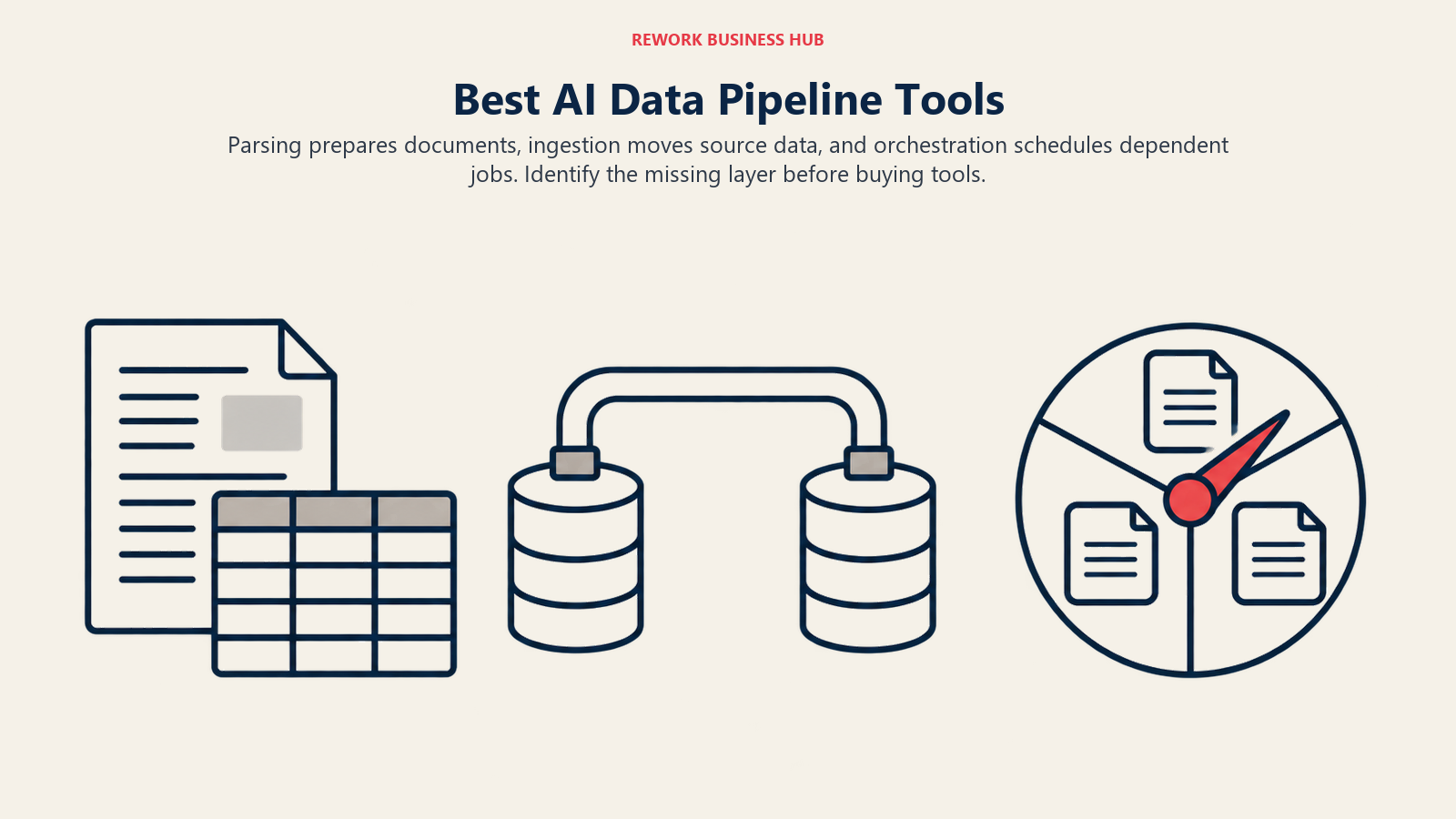
"AI data pipeline" searches quietly cover three different purchases. Document parsing and chunking turns a messy PDF, scan, or form into clean, retrieval-ready text. Ingestion and sync moves data from your databases, SaaS apps, and APIs into a warehouse or vector store on a schedule. Orchestration runs and schedules the jobs that connect all of it. Most buyers only need one of the three. This guide labels every tool below with its segment, evaluates 14 of them, and prices a real 10,000-page-a-month parsing job so you can see where the sticker price actually lands.
Pricing was fetched from each vendor's own pricing page on October 2, 2026, unless marked (reported), meaning the figure came from a secondary source because the vendor's own page wouldn't render a static number (common on usage calculators built in JavaScript). These categories re-price often. Confirm current rates before you commit budget.
Key Facts
- Roughly 90% of enterprise data is unstructured, meaning documents, PDFs, scans, and emails rather than rows in a database, per an IDC white paper commissioned by Box (August 2023).
- 57% of data leaders name data reliability the top barrier to moving AI projects from pilot to production, per Informatica's CDO Insights 2026 survey of 600 global data leaders.
- 29% of organizations running LLM or AI workloads already have a RAG pipeline in place or in progress, per a Unisphere Research survey of 382 executives, published by Database Trends and Applications.
- The retrieval-augmented generation software market is projected to grow from $1.94 billion in 2025 to $47.00 billion by 2035 (a 37.58% CAGR), per SNS Insider's September 2026 market report.
Those numbers point at the same problem: most of what a company owns is unstructured, most AI projects stall because that data was never made reliable, and the market is racing to sell a fix. Picking the right layer starts with knowing which of the three purchases you're actually making. The ACE Framework's Ingest capability is the vocabulary for that first layer, worth reading before you shortlist anything below.
Quick Comparison Table
| Tool | Segment | Best For | Starting Price | Key Strength | Key Limitation |
|---|---|---|---|---|---|
| Unstructured | Parsing | Full-pipeline parsing across 40+ connectors | Free (10K pages), then $0.015/page | One pipeline handles ingest, parse, chunk, embed-prep | Per-page PAYG gets expensive at very high volume without a custom deal |
| LlamaParse (LlamaCloud) | Parsing | Teams already building on LlamaIndex | $50/month (Starter, 40K credits) | Flat monthly tiers are predictable at low-to-mid volume | Complex table/premium modes burn credits per page much faster |
| Reducto | Parsing | Document-heavy RAG needing high table/form accuracy | Free ($150 usage), then $10-$60 per 1,000 pages by mode | Priced by task, not one blended rate | Accuracy-first modes like Deep Extract cost 4x the base parse rate |
| Azure AI Document Intelligence | Parsing | Teams on Azure wanting prebuilt invoice/form models | 500 free pages/month, then ~$1.50-$10 per 1,000 pages (reported) | Deepest catalog of prebuilt document-type models | Stacking Layout, a prebuilt model, and add-ons multiplies cost fast |
| AWS Textract | Parsing | AWS-native teams needing basic OCR at near-zero cost | Free tier (3 months), then $0.0015/page for basic text | Cheapest basic OCR of any tool here | Structured extraction (Forms) jumps to $0.05/page, 33x the basic rate |
| Airbyte | Ingestion | 600+ connectors, self-hosted or in your own cloud | Free (open source) or $20/month (Cloud Standard) | Open-core self-hosting avoids per-row vendor lock-in | Credit-to-dollar conversion varies by connector |
| Fivetran | Ingestion | Ingestion that stays a zero-maintenance utility | Free (500K MAR), then usage-based from a $5/connector minimum | Fully managed, broadest "it just works" reputation | Real per-MAR rate at volume isn't public |
| Firecrawl | Ingestion | Turning live websites into LLM-ready data for RAG | Free (1,000 credits/month), then $16-$599/month | Purpose-built for feeding web content to LLMs | Narrowly scoped to the web, not a database/API connector platform |
| Dagster | Orchestration | Teams that model pipelines as versioned data assets | Free (Apache 2.0) or $10-$100/month (Dagster+) | Asset-based DAGs give lineage/observability by default | Now owned by Prefect post-acquisition |
| Prefect | Orchestration | Dynamic, Python-native and agentic workflows | Free (Apache 2.0) or $100/month+ (Cloud) | Simplest Python-first authoring model | $100/user/month Team tier gets expensive past a handful of users |
| Databricks | Orchestration / processing | One platform for ETL, warehousing, and model training | Pay-as-you-go via DBU, no public flat rate | Avoids stitching three separate tools together | No public rate card; budgeting needs a POC or a sales call |
| Pathway | Orchestration / processing | Real-time streaming ETL feeding a live RAG index | Free (BSL 1.1, up to 8GB RAM / 4 cores) or licensed tiers | Built-in RAG and document-processing templates | BSL caps free use by compute size, not OSI-approved |
| Chalk | Orchestration / processing | Real-time ML/agent feature computation at serving time | Usage-based, $0.85/credit | One platform for batch and real-time feature compute | No free tier; you pay the underlying cloud compute too |
| Daft | Orchestration / processing | Multimodal (video, image, audio) training dataset pipelines | Free (Apache 2.0) or Daft Cloud (price not published) | Handles modalities a typical dataframe engine chokes on | Daft Cloud's commercial pricing isn't public yet |
What One Real Job Costs: 10,000 PDF Pages a Month
Headline rates don't tell you what you'll pay. Here's the same workload, basic text extraction versus structure-aware extraction (tables, forms, layout preserved for chunking), priced identically across the five parsing tools.
| Tool | Basic OCR / text only (10K pages) | Structured extraction (tables/forms, 10K pages) |
|---|---|---|
| AWS Textract | $15.00 (Detect Document Text, $0.0015/page) | $150 (Tables, $0.015/page) to $500 (Forms, $0.05/page) |
| Azure AI Document Intelligence | ~$15.00 (Read, ~$1.50/1,000 pages) (reported) | ~$100 (Layout, ~$10/1,000 pages) (reported) |
| Unstructured | $150 flat (full pipeline, same rate regardless of complexity) | $150 flat (same pipeline includes structure and chunking) |
| Reducto | $100 (r-1 Parse, $10/1,000 pages) | $200 (Extract) to $400 (Deep Extract) |
| LlamaParse | $50 flat (Starter plan, 40K credits covers 10K pages with room to spare) | $50 flat for most documents; dense tables can push into pay-as-you-go |
The ranking flips once you add structure. Basic OCR is nearly commoditized: Textract and Azure Read both land around $15/month for 10,000 pages. The moment you need tables, forms, or layout preserved well enough to chunk for RAG, the hyperscalers' per-feature pricing multiplies (Textract Forms is 33x its own basic rate), while the document-parsing specialists hold a flatter line. If your use case is "read a PDF," use the hyperscaler. If it's "feed this into a RAG pipeline reliably," budget for the specialist, and expect the final number to be 7 to 30 times the basic-OCR headline rate you probably saw first.
Document Parsing and Chunking
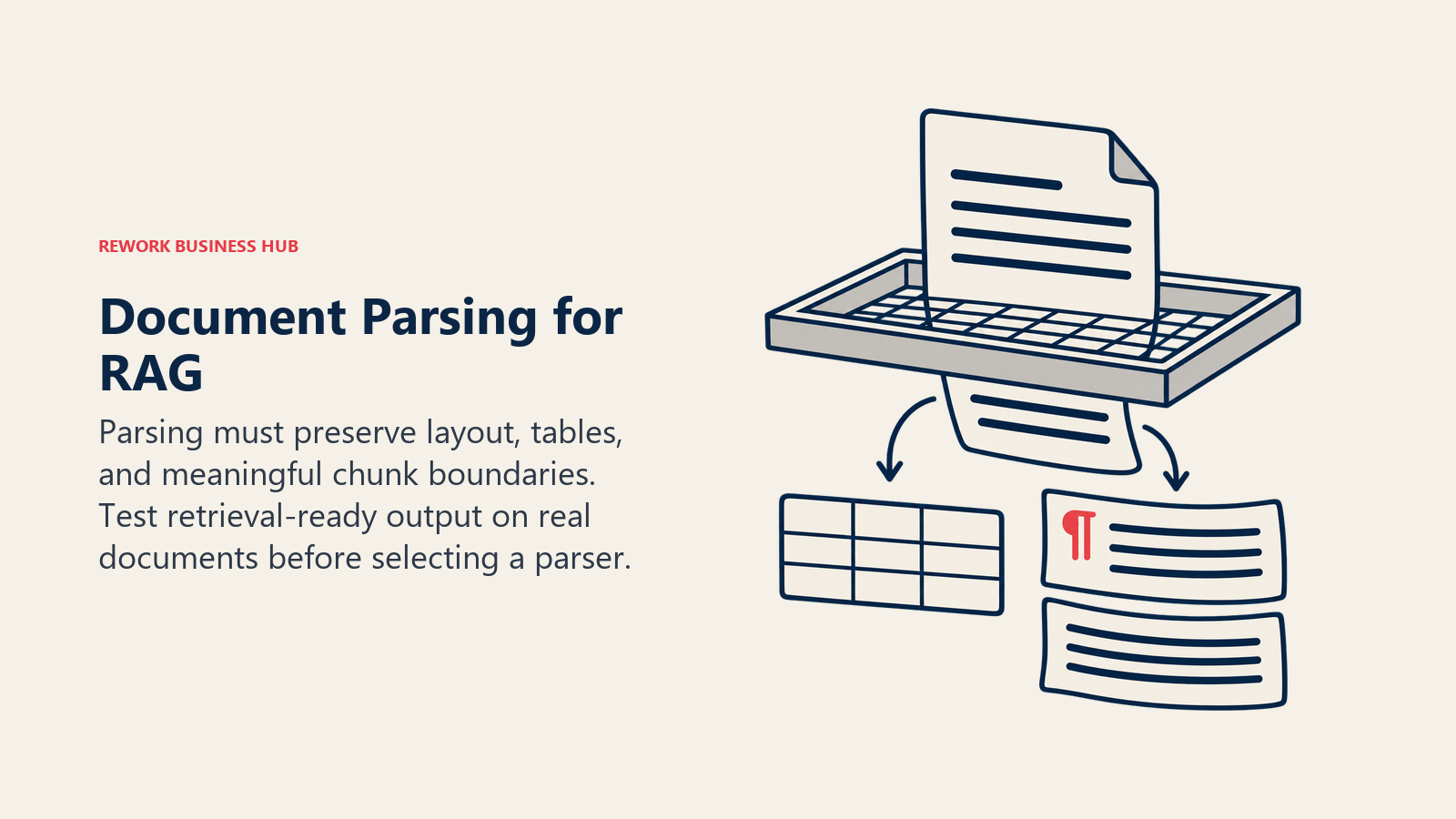
This segment turns raw files into text your retrieval system can actually use: layout detection, table and form extraction, and chunking boundaries that don't cut a sentence in half. It's the layer a knowledge-base buyer's guide usually underweights, because the retrieval tool gets evaluated on search quality when the real failure mode is upstream, in parsing. The RAG tools roundup covers the retrieval side.
1. Unstructured
Unstructured runs the full chain under one API: ingest from 40-plus connectors, detect structure, extract tables, chunk, and hand off to an embedding model. The free plan gives 10,000 pages to start (a starting allocation, not a confirmed renewing monthly quota); after that it's a flat $0.015 per page regardless of complexity. The Business plan swaps the per-page meter for a custom contract with VPC or dedicated-instance deployment, with HIPAA, SOC 2 Type 2, GDPR, and ISO 27001 coverage included. The embedding models roundup prices what comes after that handoff.
Best for: teams who want one vendor owning ingest-through-chunk instead of stitching a parser to a separate chunking library. Not ideal for: very high-volume teams who'd rather pay less for simple documents and more only for hard ones; the flat rate doesn't allow that.
2. LlamaParse (LlamaCloud)
LlamaParse is LlamaIndex's managed parsing service, priced on credits (1,000 credits equals $1.25). Free includes 10,000 credits. Starter ($50/month) includes 40,000 credits with pay-as-you-go overage capped at $500/month. Pro ($500/month) includes 400,000 credits. Basic text-mode parsing starts around 1 credit per page, but modes built for complex tables or scanned documents consume more credits per page. If you're pricing a move off it, the LlamaIndex alternatives guide covers the LlamaCloud and LlamaParse replacements.
Best for: teams already on LlamaIndex who want a flat, predictable monthly number instead of a running per-page meter. Not ideal for: teams running mostly dense, table-heavy scans at high volume, where premium-mode credit cost can outrun the flat-tier assumption.
3. Reducto
Reducto prices by task instead of one blended rate: Parse at $10 per 1,000 pages, Extract at $20, Deep Extract at $40, Split and Deep Split at $20 and $40, Classify at $7.50, Edit at $60 (or $15 pre-filled). New accounts get $150 in free usage. That modularity lets you route cheap Classify or Parse calls first and reserve Deep Extract for documents that actually need it. Growth and Enterprise move to custom pricing with a Zero Data Retention Agreement, a BAA, and EU/AU data residency.
Best for: teams that want to tier documents by difficulty and pay accordingly. Not ideal for: teams who prefer one flat rate over tracking five separate per-task prices.
4. Azure AI Document Intelligence
Azure's free tier (F0) covers 500 pages a month across all features, enough to prototype but not for production volume. Beyond that, pricing runs through an interactive calculator rather than a static table, so the figures here are marked (reported): multiple Microsoft Q&A threads converge on roughly $1.50 per 1,000 pages for basic Read (OCR only) and roughly $10 per 1,000 pages for Layout (structure and tables). Prebuilt models (invoice, receipt, ID, tax forms) and add-ons each add their own per-1,000-page charge, and they stack.
Best for: teams already on Azure needing a specific prebuilt document type and an existing compliance story. Not ideal for: teams who want to budget precisely before building; Azure won't give you a real number without running the calculator against your own document mix.
5. AWS Textract
Textract prices purely per API call, with the first 1 million pages at the lower rate. Detect Document Text (plain OCR) runs $0.0015/page, the cheapest basic extraction in this guide. Structured calls cost far more: Tables at $0.015/page, Forms at $0.05/page, Queries at $0.015/page, Analyze Expense at $0.01/page, Analyze ID at $0.025/page, Analyze Lending at $0.07/page. New AWS accounts get a 3-month free tier.
Best for: AWS-native teams needing high-volume basic OCR who'll call pricier structured APIs selectively. Not ideal for: teams needing forms extraction on everything; at $0.05/page, Forms on 10,000 pages a month runs $500, the most expensive structured option here.
| Parsing tool | Pros | Cons |
|---|---|---|
| Unstructured | Flat per-page rate regardless of complexity; 40+ connectors; compliance bundled into Business tier | No complexity-based discount; Business pricing is contact-sales only |
| LlamaParse | Flat monthly tiers smooth normal volume swings; native LlamaIndex integration | Per-page credit cost is mode-dependent, not transparent until tested |
| Reducto | Task-based pricing rewards routing easy documents to the cheap tier | Five different per-task rates to model; Growth/Enterprise need a sales call |
| Azure Document Intelligence | Deepest catalog of prebuilt document-type models here | No static rate card; cost stacks across Read, Layout, and add-ons |
| AWS Textract | Cheapest basic OCR here; granular per-API pricing | Forms extraction is the priciest structured option in this guide |
| Parsing tool | Output | Table/form extraction | Deployment |
|---|---|---|---|
| Unstructured | Chunked, embed-ready elements | Yes, included in every tier | SaaS, VPC, or dedicated instance (Business) |
| LlamaParse | Markdown or structured JSON | Yes, mode-dependent credit cost | SaaS only (LlamaCloud) |
| Reducto | Markdown, JSON, or bounding-box output | Yes, dedicated Extract/Deep Extract modes | SaaS, VPC, or on-prem (Enterprise) |
| Azure Document Intelligence | JSON with layout and fields | Yes, via Layout and prebuilt models | Azure cloud only |
| AWS Textract | JSON with layout and fields | Yes, via Analyze Document APIs | AWS cloud only |
Ingestion and Sync
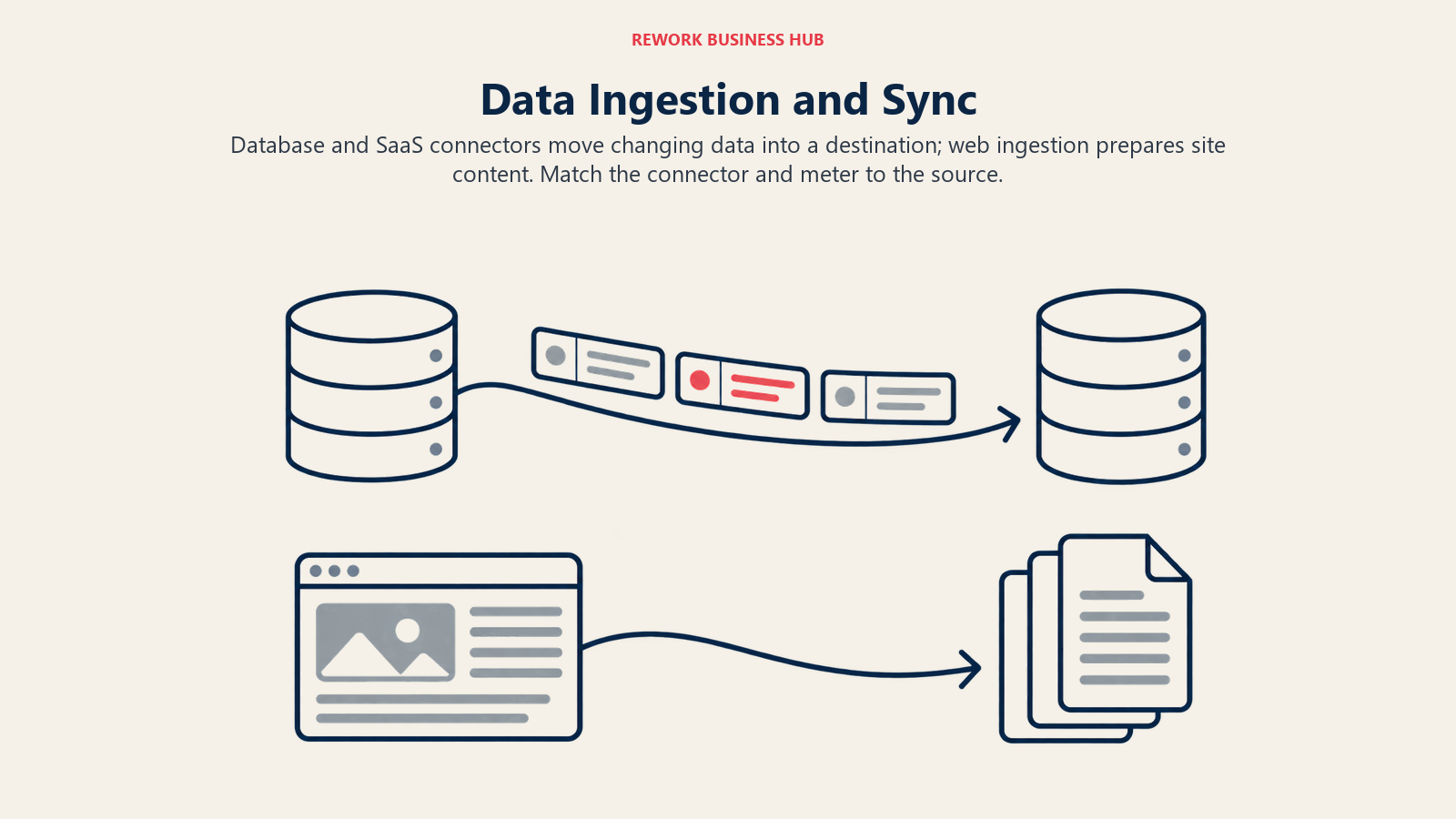
This segment moves data on a schedule, from Postgres, Salesforce, Stripe, or a REST API into a warehouse, lake, or vector store. It's adjacent to, but distinct from, customer data platform buying decisions, which usually assume the ingestion layer already exists. If the destination is a vector store, the vector database roundup prices 12 of them at one workload.
6. Airbyte
Airbyte ships three ways: Airbyte Core (open source, self-hosted, Elastic License 2.0), Airbyte Cloud (Standard from $20/month, Plus at $189/month for credit packages), and Enterprise Flex (hybrid, capacity-based "Data Workers" pricing). New users get a 30-day trial with 400 credits (roughly $2,000 of usage). Credits are the unifying unit across source types, an API row and a database row don't cost the same, which matters when estimating cost before you've built anything.
Best for: teams wanting 600-plus connectors without paying per row, especially those willing to self-host Core for free. Not ideal for: teams wanting one simple monthly number; the credit-to-dollar ratio genuinely varies by connector.
7. Fivetran
Fivetran meters by Monthly Active Rows (MAR): unique rows inserted, updated, or deleted in the destination that month. Re-syncing unchanged rows doesn't count. Free includes 500,000 MAR for connections, 3,500 for activations, and 5,000 Monthly Model Runs for transformations. Paid pricing starts at a $5/month minimum per connection in the 1-to-1,000,000-MAR band, per Fivetran's own page, with the rate declining at higher volume. The exact per-million-row rate at higher tiers comes from a contract-specific Service Consumption Table Fivetran doesn't publish flat, so confirm with a rep before committing.
Best for: teams who'd rather pay for managed, low-maintenance ingestion than run Airbyte themselves. Not ideal for: teams needing to model exact costs before signing; the real per-MAR rate at scale isn't public.
Fivetran vs. Airbyte: Why the Numbers Don't Compare Directly
| Fivetran | Airbyte | |
|---|---|---|
| Metering unit | Monthly Active Rows (MAR): unique rows changed in the destination | Credits: a normalized unit whose dollar value shifts by source type |
| What counts | Only net new or changed rows; unchanged re-syncs are free | API rows, database rows, or GB of file/DB data, each converted at a different rate |
| Predictability | One universal unit across every connector | Same credit spend can represent very different row counts by connector |
| Entry pricing (vendor-published) | $5/month minimum per connection, 1 to 1M MAR band | $20/month (Standard) or $189/month (Plus, 40-2,000 credits) |
A row-for-row comparison only works once you model your actual tables and connectors through each vendor's own calculator. Capacity-based pricing (Airbyte Pro, Enterprise Flex) and consumption-based pricing (Fivetran, Airbyte Standard/Plus) answer different budgeting questions: capacity gives a predictable ceiling, consumption gives a bill that moves with usage.
8. Firecrawl
Firecrawl is narrower than the other two ingestion tools: it turns live websites into markdown or structured data for LLM pipelines, rather than syncing databases or SaaS APIs. Free includes 1,000 credits a month (roughly 1,000 pages scraped). Hobby runs $16/month (annual) for 5,000 credits, Standard $83/month for 100,000, Growth $333/month for 500,000, Scale $599/month for 1,000,000 with unused credits rolling over. A scrape costs 1 credit per page; search costs 2 credits per 10 results.
Best for: RAG pipelines that need web content turned into clean markdown, not a general-purpose ELT replacement. Not ideal for: teams needing a database or SaaS-API connector; Firecrawl doesn't do that job.
| Ingestion tool | Pros | Cons |
|---|---|---|
| Airbyte | Free self-hosted core; 600+ connectors; capacity tiers avoid volume-spike bill shock | Credit metering varies by source type, harder to estimate upfront |
| Fivetran | Zero-maintenance reputation; 700+ connectors; free tier covers real small-scale use | Real per-MAR pricing at volume needs a sales conversation |
| Firecrawl | Purpose-built markdown output for LLM use; credits roll over on Scale tier | Scoped entirely to web content, not a connector-catalog replacement |
| Ingestion tool | Connector count | Deployment | Sync frequency |
|---|---|---|---|
| Airbyte | 600+ (vendor-claimed) | Self-hosted (Core), managed (Cloud), hybrid (Enterprise Flex) | Configurable, down to minutes on paid tiers |
| Fivetran | 700+ connectors, 200+ activation destinations | Fully managed (SaaS) | 15 minutes (Standard) to 1 minute (Enterprise) |
| Firecrawl | Web-only, not a traditional connector model | Managed (SaaS) | On-demand or scheduled crawl/monitor |
Orchestration and Large-Scale Processing
This segment runs and schedules the jobs connecting parsing and ingestion into a working pipeline, plus heavier compute layers (lakehouse, streaming, feature serving, multimodal processing) that sit next to orchestration rather than inside it, not every tool here substitutes for the others. A data engineering AI agent can help write and monitor these pipelines, but it still needs one of these platforms to run on.
9. Dagster
Dagster models pipelines as versioned data assets rather than bare tasks, giving lineage and observability without bolting on a separate tool. Dagster Core (the engine, scheduler, sensors, and local web UI) is Apache 2.0 and free to self-host with no seat cap. Dagster+ adds the managed layer: Solo at $10/month, Starter at $100/month (up to 3 users, 5 code locations), Pro at custom pricing. A Dagster credit is the sum of asset materializations and op executions.
Dagster's biggest 2026 development isn't a price change, it's ownership. See the vendor status table below for what Prefect's acquisition of Dagster Labs actually changes so far (nothing, in pricing or license).
Best for: teams wanting pipeline lineage and asset-level observability without a separate catalog tool. Not ideal for: teams who specifically wanted an orchestrator independent of Prefect; that independence ended at the company level in 2026.
10. Prefect
Prefect's engine is also Apache 2.0, free to self-host with no seat limit. Prefect Cloud layers on the hosted UI: Hobby is free (2 users, 500 serverless minutes/month), Starter runs $100/month, Team runs $100 per user per month (4 to 8 users), Enterprise is custom with SSO and a 99.9% uptime SLA. Prefect's traditional strength is dynamic, Python-native workflows, conditional branches and retries that change shape at runtime, which also fits agentic pipelines well.
Best for: teams building dynamic or agentic pipelines whose shape isn't fixed ahead of time. Not ideal for: teams with many users on the Team tier; $100/user/month adds up fast past 4 or 5 people.
Vendor Status Check: Two Acquisitions Worth Knowing About
A roundup that compares a corpse isn't useful to anyone. Two tools here changed ownership in 2026: Prefect's acquisition of Dagster Labs (announced July 13, 2026) and Featureform's acquisition by Redis.
| Tool | What happened | What changed for buyers | What didn't |
|---|---|---|---|
| Dagster / Dagster Labs | Acquired by Prefect; combined company operates under the Prefect name from August 2026 | Nothing yet: pricing, license, and roadmap confirmed unchanged by both companies | Dagster keeps its name, its roughly 40-person team, and Dagster+ as a separate product for now |
| Featureform | Acquired by Redis; relaunched as "Feature Form," an integration layer inside Redis's product line | No longer independently purchasable or priced; no dedicated pricing page | The open-source feature-store code still exists, now positioned as a Redis companion rather than a standalone buy |
11. Databricks
Databricks prices everything through Databricks Units (DBUs), a normalized compute metric billed per second, varying by workload type, cloud, and region. Storage and networking bill separately through your cloud provider. Databricks' own guidance is to run a proof of concept and compare the resulting bill rather than estimate from a rate card alone (see reported DBU rates below).
Best for: teams wanting pipelines, a warehouse, and model training in one lakehouse instead of stitching three tools together. Not ideal for: teams wanting a predictable number before they build; Databricks explicitly tells you to run a POC first.
| Compute type | Approx. DBU rate (reported, AWS Premium tier) | Typical use |
|---|---|---|
| Model Serving | ~$0.07/DBU | Hosting ML/AI model endpoints |
| Jobs Compute | ~$0.15/DBU | Scheduled batch ETL, production pipelines |
| SQL Classic | ~$0.22/DBU | BI queries on classic SQL warehouses |
| All-Purpose Compute | ~$0.40-$0.55/DBU | Interactive notebooks, ad hoc exploration |
| SQL Serverless | ~$0.70/DBU | On-demand BI queries, no warehouse to manage |
12. Pathway
Pathway is a Python framework for streaming data processing, built with RAG and live document pipelines as first-class use cases. The core library is free under the Business Source License 1.1 (BSL), source-available but not OSI-approved, capped at 8GB RAM / 4 cores on the Community tier. Scale raises that to 16GB/4 cores and adds 20-plus RAG and document-processing templates. Enterprise scales to 24TB RAM across 40 nodes with Kubernetes deployment, SharePoint and Delta Lake connectors, and paid licensing throughout.
Best for: teams building a continuously updating RAG index from streaming sources, not a nightly batch refresh. Not ideal for: teams needing a fully OSI-licensed tool for compliance reasons; BSL's restrictions aren't the same as Apache 2.0.
13. Chalk
Chalk is a feature platform: it computes and serves features for real-time ML and agent decisioning, running inside your own cloud. Pricing, confirmed through Chalk's AWS Marketplace listing, is a flat $0.85 per credit with no tiers or seats; idle, unprovisioned capacity doesn't draw credits. There's no published free tier. Featureform, a direct competitor, is no longer an independent option (see the vendor status table above).
Best for: teams whose bottleneck is serving ML or agent features at low latency in production. Not ideal for: teams without existing cloud infrastructure to run it in; Chalk's credit cost sits on top of your own compute bill.
14. Daft
Daft, built by Eventual, is a distributed dataframe engine purpose-built for turning raw multimodal data (video, images, audio, sensor streams) into training-ready datasets, a job general-purpose dataframe engines handle poorly. It's open source under Apache 2.0 (pip install daft), used in production at Amazon, Anthropic, Together AI, and ByteDance per the project's own site. Eventual's Daft Cloud offers a managed, serverless version with autoscaling, but has no public pricing page as of this writing.
Best for: teams building large-scale, multimodal training datasets where a Spark- or Pandas-style engine struggles. Not ideal for: teams wanting a managed, SaaS-priced product; the open-source library is self-run, and Daft Cloud's commercial terms aren't public yet.
| Orchestration / processing tool | Pros | Cons |
|---|---|---|
| Dagster | Apache 2.0 core, no seat cap; asset-based model gives free lineage | Now under the same parent company as Prefect |
| Prefect | Apache 2.0 core; Python-native; strong fit for dynamic and agentic workflows | Team tier's per-user pricing scales poorly for larger teams |
| Databricks | One platform for ETL, warehousing, and model training; per-second billing | No public rate card; budgeting needs a POC or a sales call |
| Pathway | Built-in RAG and document-processing templates; genuinely real-time | BSL, not OSI-approved; free tier capped tightly by RAM and cores |
| Chalk | Usage-based with no idle cost; runs in your own cloud | No free tier; flat per-credit rate adds up on heavy workloads |
| Daft | Free, Apache 2.0, proven at large-scale production users | Daft Cloud, the managed option, has no published pricing |
Licensing Reality Check
Licenses determine what "free" actually means here, and the terms genuinely differ, not just the marketing copy around them.
| Tool | Core license | What's free to self-host | What requires payment |
|---|---|---|---|
| Airbyte | Elastic License 2.0 (ELv2) on Airbyte Core; MIT on the CDK, protocol, and most connectors | The full self-hosted platform, unlimited connectors and syncs | Airbyte Cloud (managed), Enterprise Flex (hybrid); ELv2 blocks reselling a hosted version of Airbyte itself |
| Dagster | Apache 2.0 on Dagster Core | The entire orchestration engine, self-hosted, no pipeline or seat cap | Dagster+ (managed): RBAC, audit logs, SLAs, branch and hybrid deployments |
| Prefect | Apache 2.0 on Prefect's engine | The entire orchestration engine, self-hosted, no seat cap | Prefect Cloud: hosted UI, SSO, service accounts, Prefect Serverless compute |
| Pathway | Business Source License 1.1 (BSL), not OSI-approved | Community tier only: up to 8GB RAM / 4 cores, self-hosted | Scale and Enterprise tiers (larger RAM/core caps, Kubernetes, SharePoint/Delta Lake) need a license key |
Apache 2.0 (Dagster, Prefect) is a true permissive open-source license: fork it, run it, resell it if you want. ELv2 (Airbyte Core) and BSL 1.1 (Pathway) are source-available licenses with real restrictions, usually aimed at stopping someone from reselling the vendor's own product as a competing hosted service. That distinction matters if your legal team requires OSI-approved licenses specifically; Airbyte's and Pathway's cores wouldn't clear that bar even though both are free to run internally.
Sizing and Persona Fit
Data readiness tends to track team stage closely: a two-person startup and a 200-person data platform team are shopping in different aisles even when they're both searching "AI data pipeline tools."
| Team stage | Parsing | Ingestion | Orchestration |
|---|---|---|---|
| Solo builder or early prototype | LlamaParse free tier or Textract's free tier | Firecrawl free tier | Prefect or Dagster, self-hosted (both free) |
| Seed to Series A data team | Reducto or Unstructured, pay-as-you-go | Airbyte Cloud Standard | Dagster+ Starter or Prefect Starter |
| Scaling platform team | Unstructured Business or Reducto Growth | Fivetran Standard or Airbyte Plus | Dagster+ Pro or Prefect Team |
| Enterprise or regulated industry | Reducto Enterprise (BAA, EU/AU residency) or Azure/AWS native | Fivetran Business Critical or Airbyte Enterprise Flex | Databricks (unified) or Dagster+/Prefect Enterprise |
How to Choose: Decision Framework
| If you need... | Pick | Why |
|---|---|---|
| The cheapest possible OCR at huge scale | AWS Textract (Detect Document Text) or Azure Read | Sub-$2-per-1,000-page basic OCR, no structure extraction |
| RAG-ready chunks with table and layout structure preserved | Reducto or Unstructured | Purpose-built for retrieval quality, not just raw text |
| A flat, predictable monthly parsing bill | LlamaParse | Flat tiers absorb normal volume swings better than strict per-page metering |
| 600+ connectors, self-hosted, no row-based lock-in | Airbyte | Open-core, runs in your own infrastructure |
| Ingestion that "just works" with minimal engineering time | Fivetran | Fully managed, broadest reputation for low maintenance |
| To turn live websites into LLM-ready markdown | Firecrawl | Purpose-built web-to-markdown pipeline, not a database connector |
| Asset-based lineage and observability built into orchestration | Dagster | Models pipelines as versioned data assets, not bare tasks |
| Dynamic, Python-native, or agentic workflows | Prefect | Simplest authoring model for conditional, retry-heavy logic |
| One platform spanning ETL, warehousing, and model training | Databricks | Lakehouse architecture, no stitching three tools together |
| Real-time streaming data feeding a live vector index | Pathway | Built for continuous ingestion into RAG, not batch-only |
| Real-time ML or agent feature computation at serving time | Chalk | Purpose-built for low-latency feature serving, not batch features |
| Massive multimodal (video, image, audio) training datasets | Daft | Handles modalities a typical dataframe engine can't |
Teams pairing any of this with AI agents that run data analysis or that monitor agent memory over time should treat the pipeline layer as the foundation those agents sit on, not an afterthought bolted on once the agent is already built. And if observability across the whole chain matters more than any single tool, it's worth cross-referencing AI agent observability platforms against whichever orchestrator you land on, since Dagster and Prefect both expect you to wire up monitoring rather than assume it's included by default outside their paid tiers.
Frequently Asked Questions about AI Data Pipeline Tools
What's the real difference between a document parsing tool and a data ingestion tool?
Parsing tools (Unstructured, LlamaParse, Reducto, Azure Document Intelligence, AWS Textract) turn unstructured files like PDFs and scans into clean, structured text. Ingestion tools (Airbyte, Fivetran, Firecrawl) move already-structured or semi-structured data, database rows, API responses, web pages, from a source into a destination on a schedule. A RAG pipeline on PDFs usually needs parsing first; a pipeline syncing your CRM into a warehouse usually doesn't need parsing at all.
Do I need Dagster or Prefect if I'm already using Airbyte or Fivetran?
Often yes, for anything beyond a single sync job. Airbyte and Fivetran move data; they don't manage dependencies between that sync and whatever runs after it, like a parsing step or a model refresh. An orchestrator schedules and sequences all of that together, with retries and lineage. Simple single-source pipelines can sometimes skip a dedicated orchestrator entirely.
Is Databricks overkill for a small RAG project?
Usually yes. Databricks earns its cost running ETL, a warehouse, and model training on one platform at real scale. A small RAG project parsing a few thousand documents a month is better served by a parsing tool plus a lighter orchestrator, Dagster or Prefect, both free to self-host, than by standing up a lakehouse.
Why didn't Dagster's pricing change after Prefect acquired it?
Per the companies' own joint announcement on July 13, 2026, Dagster and Dagster+ keep their name, license, roadmap, and pricing unchanged for now, with the combined company operating under the Prefect name starting August 2026. It's a company-level change, not yet a product one, but worth watching over future release cycles.
What happened to Featureform?
Featureform was acquired by Redis and is no longer sold as an independent product. It's now positioned as "Feature Form," an integration layer inside Redis's platform, with no dedicated pricing page. Teams evaluating Featureform specifically should look at Chalk or an open-source feature store like Feast instead.
Is Pathway's BSL license actually free to use?
For most self-hosted use at moderate scale, yes, the Community tier (up to 8GB RAM / 4 cores) is free. But BSL 1.1 is a source-available license, not an OSI-approved open source one, and it carries usage restrictions Apache 2.0 or MIT don't. A policy requiring OSI-approved licenses specifically would rule Pathway's core out even though it costs nothing to run.
How much does it really cost to parse 10,000 PDFs a month?
It depends entirely on whether you need structure. Basic text extraction runs about $15/month on AWS Textract or Azure's Read tier. Structure-aware extraction that preserves tables and layout for RAG chunking runs $100 to $500/month depending on the tool, with Unstructured and LlamaParse landing near the middle at a flat $50 to $150, and AWS Textract's Forms API the most expensive option at $500.
What to Do Next
Don't buy the orchestration layer before confirming parsing actually works on your documents. The most common mistake here is signing an annual contract, then discovering months later that the parsing output feeding the pipeline was never clean enough to retrieve against reliably, exactly what that 57% data-reliability statistic above describes.
A better sequence: pick one parsing tool and run your actual documents, not a demo PDF, through its free tier, then measure how much manual cleanup the output still needs. Decide whether you need a dedicated ingestion tool at all; many teams don't if the only source is local files. Only after both are solid should you add orchestration, and even then, start with Dagster's or Prefect's free self-hosted tier before paying for a managed layer you may not need yet. Clean data earns its name for a reason: the pipeline tools in this guide only move and reshape data, they don't fix a project that skipped data readiness in the first place.

Principal Product Marketing Strategist
On this page
- Key Facts
- Quick Comparison Table
- What One Real Job Costs: 10,000 PDF Pages a Month
- Document Parsing and Chunking
- 1. Unstructured
- 2. LlamaParse (LlamaCloud)
- 3. Reducto
- 4. Azure AI Document Intelligence
- 5. AWS Textract
- Ingestion and Sync
- 6. Airbyte
- 7. Fivetran
- Fivetran vs. Airbyte: Why the Numbers Don't Compare Directly
- 8. Firecrawl
- Orchestration and Large-Scale Processing
- 9. Dagster
- 10. Prefect
- Vendor Status Check: Two Acquisitions Worth Knowing About
- 11. Databricks
- 12. Pathway
- 13. Chalk
- 14. Daft
- Licensing Reality Check
- Sizing and Persona Fit
- How to Choose: Decision Framework
- What to Do Next