Best v0 Alternatives in 2026: 12 AI App Builders for Teams Outside the Vercel Stack
Turn this article into takeaways for your work.


Each assistant summarizes the article only for you and suggests best practices for your work.
If your team already ships React on Next.js and wants component code that drops straight into a shadcn/ui design system, v0 by Vercel is still the best tool for that job. The twelve tools below exist because that isn't everyone's job: some readers want a complete app with a backend, not a component; some want to stay inside a design tool they already pay for; some want UI generated against a codebase they already run, not a new sandbox; and some want a different stack with no Vercel dependency at all.
This guide evaluates each tool on what it's actually built to do, not on how closely it copies v0's demo. Pricing in this category moves monthly, so treat every number here as a snapshot, not a promise.
Key Facts
- 84% of developers use or plan to use AI tools in their workflow, up from 76% a year earlier, per Stack Overflow's 2025 Developer Survey.
- Vercel raised a $300 million Series F at a $9.3 billion valuation to scale its AI Cloud platform and v0, per Vercel's own announcement.
- Next.js, the framework v0 generates for by default, topped 500 million downloads in the twelve months before that announcement, "exceeding the total downloads from 2016 to 2024," per the same Vercel post.
- Wix acquired Base44, one of this list's full-app builders, for roughly $80 million in initial consideration, announced 18 June 2025, per Wix's own press release.
- Google stopped new signups for Firebase Studio, its entrant here, on 22 June 2026, with a full sunset on 22 March 2027, per Google's own documentation.
Quick Comparison Table
| Tool | Category | Best For | Starting Price | Free Tier? |
|---|---|---|---|---|
| v0 by Vercel | Prompt-to-component | Next.js teams shipping shadcn/ui components | Free; Plus $30/user/mo | Yes ($5 credits/mo) |
| Lovable | Prompt-to-app | A complete working app, backend included | Free; Pro $25/mo | Yes (30 credits/mo) |
| Bolt.new | Prompt-to-app | Full-stack builds with an inspectable file tree | Free; Pro $25/mo | Yes (1M tokens/mo) |
| Replit | Prompt-to-app | Any language or framework, not just React | Free; Core $20/mo | Yes (limited) |
| Base44 | Prompt-to-app | Non-engineers who want Wix-scale backing | Free; Starter $16/mo (annual) | Yes (5 apps) |
| Anything (Create.xyz) | Prompt-to-app | Fast credit-metered app prototyping | Free; Pro $19/mo | Yes |
| Tempo | Prompt-to-UI, whole-team workflow | AI UI generation inside a full spec-to-PR pipeline | Free; Pro $50/mo | Yes (250 issues) |
| Firebase Studio | Dead, do not pick | Nobody starting new today | Not purchasable | N/A (signups closed) |
| Figma Make | Design-to-code | Teams already paying for Figma seats | Bundled in Figma Professional, $16/mo | Yes (Starter plan) |
| Anima | Design-to-code | Clean Figma-to-code handoff for engineering | Free; Starter $20/seat/mo | Yes (5/day) |
| Builder.io (Fusion) | Design-to-code, against your repo | AI edits that land as PRs on existing code | Free; Pro $24/user/mo | Yes (60 credits/mo) |
| Locofy | Design-to-code | Converting a high volume of Figma frames | Free (7-day trial); Hobby $40/mo | Trial only |
| Cursor | DIY general AI IDE | Full framework freedom, zero output lock-in | Free; Pro $20/mo | Yes |
Two Different Jobs: Prompt-to-App vs. Design-to-Code
The single most common mistake here is comparing a tool that builds a whole app against a tool that only hands you a component. They answer different questions, and ranking them on one scale is how a reader picks the wrong tool for the right reasons.
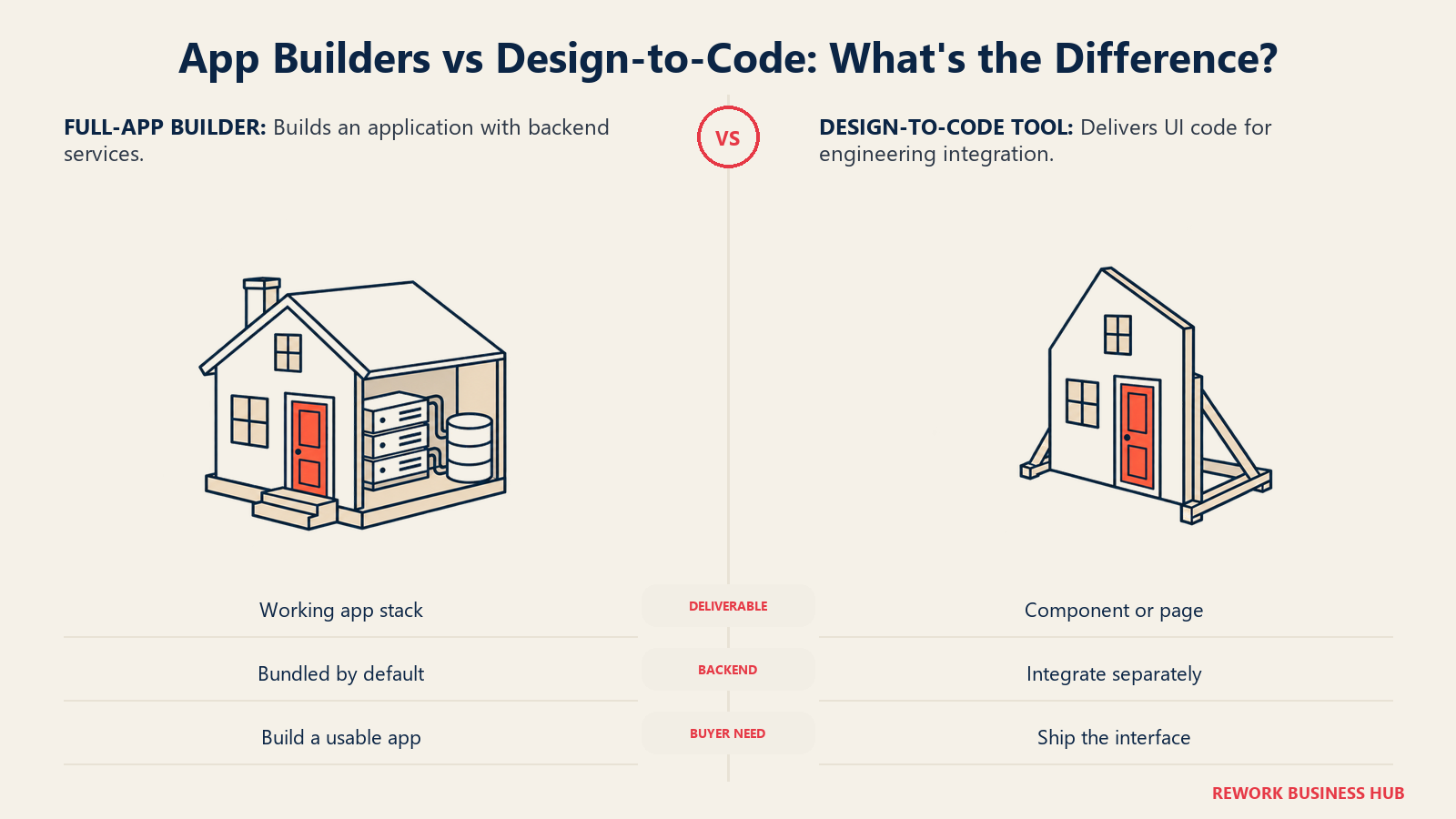
| Job | What You Actually Get | Tools in This List |
|---|---|---|
| Prompt-to-app | A working app: UI, backend, database, and hosting, from a text prompt | Lovable, Bolt.new, Replit, Base44, Anything, Tempo (partially, see below) |
| Design-to-code | UI code generated from a prompt or a design file, still needs integration and a deploy step | v0, Figma Make, Anima, Builder.io, Locofy |
| Neither, by design | A general-purpose AI coding environment with no narrow output shape at all | Cursor |
v0 sits in the design-to-code row on purpose. It deploys to Vercel in one click, which can feel like a full app builder, but what it generates is a component or a page, not a backend and a database the way Lovable or Bolt.new ship by default.
Stack Lock-in: What You Can Actually Take With You
This is the table most roundups skip, and it's the one that decides whether switching tools next year costs an afternoon or a rewrite.
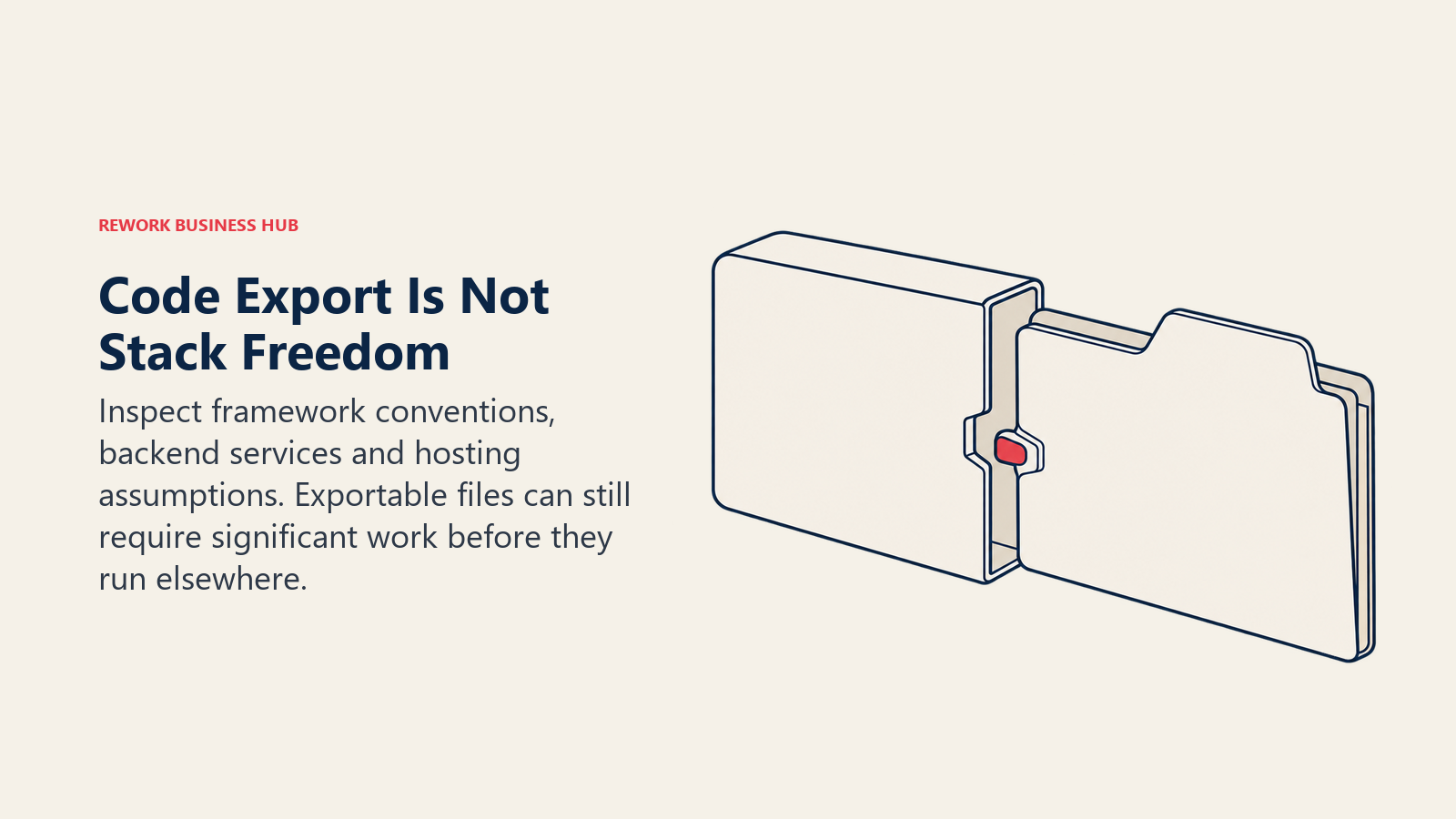
| Tool | Framework/Output | Can You Take the Code Elsewhere? | Hosting Tied to Vendor? |
|---|---|---|---|
| v0 by Vercel | React, Tailwind, shadcn/ui | Yes, exports to GitHub, but idiomatic to Vercel's stack | Default path is Vercel; not strictly required |
| Lovable | Full-stack app on Lovable Cloud | Partial; GitHub sync on paid plans, but the backend is Lovable's own | Yes, by default |
| Bolt.new | Your choice of stack, via StackBlitz WebContainers | Yes, real editable file tree, no black box | No, you choose the deploy target |
| Replit | Any language, general purpose | Yes, full file system access, push to GitHub | Replit hosting is default, not mandatory |
| Base44 | Full-stack app on the Wix/Base44 platform | Limited; in-app code edits, less emphasis on standalone export | Yes, part of the platform |
| Anything (Create.xyz) | Full-stack app | Code export available on paid plans | Yes, hosting is part of the platform |
| Tempo | Code in your own repository, shipped as a PR | Yes, it's a pull request against your real codebase | No, it runs against your infrastructure |
| Figma Make | React-style output tied to your Figma design system | Yes, exportable, but workflow is Figma-native | No hosting at all, you deploy separately |
| Anima | React, HTML, CSS exported from Figma | Yes, the most portable export in this group | No hosting, pure code export |
| Builder.io (Fusion) | Works against your existing frontend framework | Yes, by design, changes land as reviewable commits | No, integrates with infrastructure you already run |
| Locofy | Code exported from Figma frames | Yes, "developer friendly code" export | No hosting, pure export tool |
| Cursor | Whatever framework you ask for | Full portability, it's an editor, not a platform | No hosting tie at all |
v0 by Vercel: Where It's Still the Best Tool for the Job
v0 generates React components styled with Tailwind and shadcn/ui, and because it's a Vercel product, a generated interface can go from prompt to a live deployed URL in the same session. Design Mode lets you tweak output visually afterward instead of only editing through more prompts, and GitHub sync keeps code in your own repository rather than trapped in a proprietary editor.
That narrowness is the honest trade here. If your team runs Next.js and wants component-level output matching a shadcn/ui design system, nothing on this list does the job better. If you want a different framework, a backend v0 doesn't generate, or no Vercel dependency, you're in the right article.
| Tier | Price | What's Included |
|---|---|---|
| Free | $0/month | $5 of included monthly credits, Vercel deploys, Design Mode, GitHub sync, 7 messages/day |
| Plus | $30/user/month (listed at $90, currently discounted) | Access to all models, $30 included monthly credits/user, $2 free daily credits/user, team billing |
| Business | $100/user/month | Everything in Plus, plus training opt-out by default |
| Enterprise | Custom | Everything in Business, plus SAML SSO, role-based access, guaranteed SLAs |
v0 also meters model usage directly, from $0.20 per million input tokens on v0 Mini up to $50 per million output tokens on v0 Max Fast. Its pricing page carries an FAQ titled "What happened to the Ultra plan?", confirming the tier lineup has already been restructured once. See our Vercel alternatives roundup for the wider ecosystem.
Prompt-to-App Builders: A Complete App, Not Just a Component
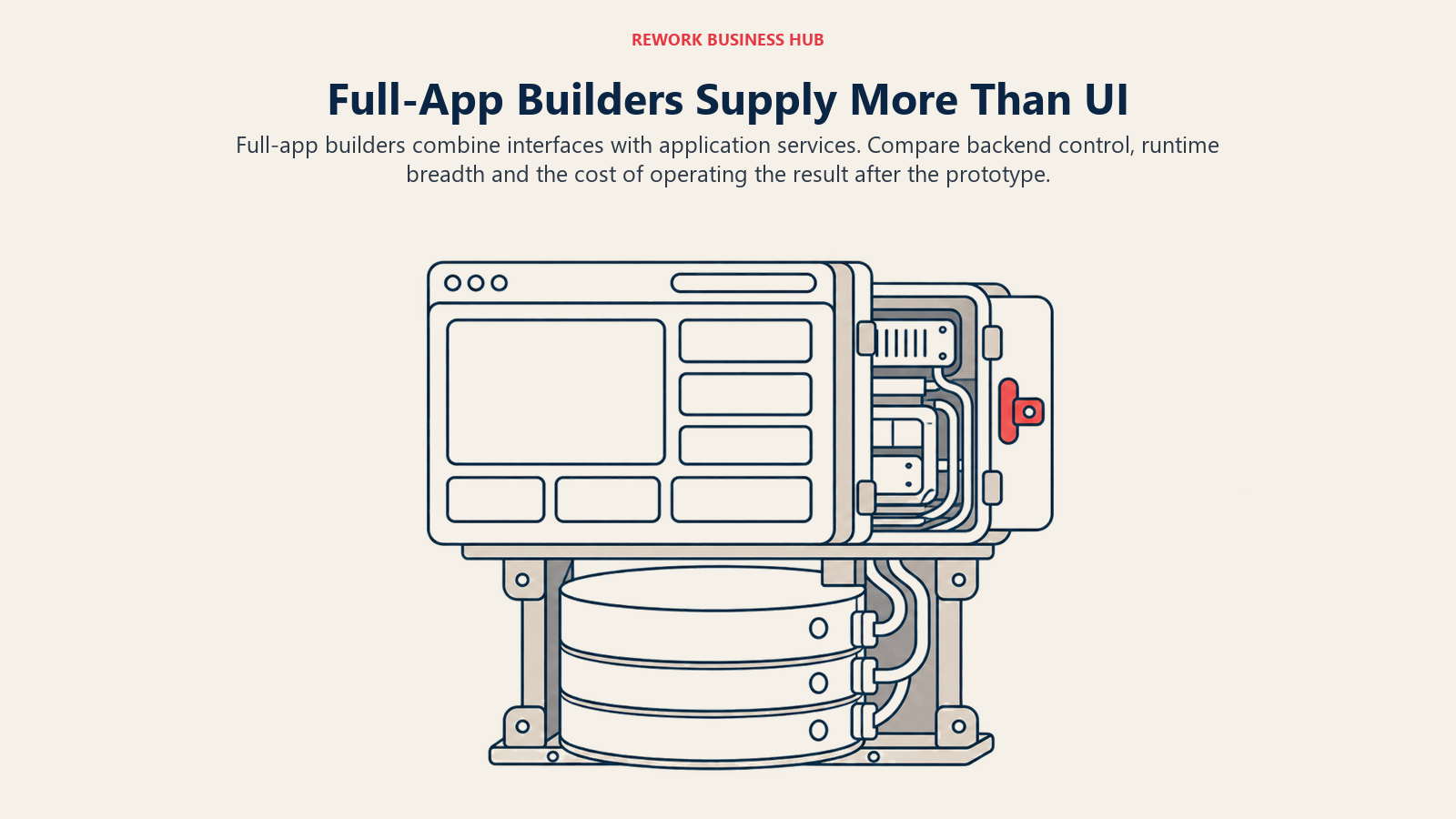
Full-app builders extend beyond interface components to include a backend and database.
Lovable: When the Deliverable Is a Working App
Lovable prompts straight into a working app, UI, backend, and database included, collapsing weeks of design-then-build into one session for a non-engineer validating an idea. The trade: generated interfaces are functional but rarely distinctive, and production apps add metered Cloud and AI charges once real traffic shows up.
| What You Get | What You Don't |
|---|---|
| Full working app: UI, backend, database, hosting | Generated UI is functional, rarely visually distinctive |
| Fastest path from idea to a usable product | Not a replacement for a dedicated design tool |
| Free tier includes real daily build credits | Production apps add metered usage on top of the base plan |
Pricing: Free $0; Pro $25/month or $21/month billed annually (100 monthly credits, credits roll over 1 month); Business $50/month or $42/month billed annually (100 monthly credits, adds SSO and internal publishing); Enterprise custom, platform fee plus volume pricing.
Best for: Founders and non-engineers who need a complete working app fast, not a set of design screens.
Bolt.new: A Full Dev Environment in the Browser
Bolt.new, built by StackBlitz, scaffolds a full-stack app and runs it live in a browser tab with no local setup, backed by a real, editable file tree rather than a black box. The free tier's token limits run out fast past a small prototype, and token-metered pricing takes getting used to if your team budgets per seat.
| What You Get | What You Don't |
|---|---|
| Full-stack scaffolding with a live in-browser preview | Free tier's token limits run out fast on real projects |
| Editable file tree you can inspect, not a black box | Token-metered pricing is less predictable than flat per-seat |
| No local dev environment setup required | Best suited to app-shaped builds, not marketing content |
Pricing: Free (300K daily / 1M monthly tokens); Pro $25/month (10M tokens/month, rolls over up to 2 months); Teams $30/month per member; Enterprise custom, up to 28% off on annual billing.
Best for: Technical founders and small engineering teams who want to inspect and edit the generated code directly, not trust a black box.
Replit: The Broadest Stack of Anything on This List
Replit's Agent generates and runs apps across far more languages and frameworks than v0's React-only scope, inside a complete hosted dev environment rather than a narrow UI sandbox. The tradeoff is polish: it isn't tuned for shadcn/ui-style output the way v0 is, and its pay-as-you-go overage rate isn't published on the pricing page.
| What You Get | What You Don't |
|---|---|
| Works across far more languages and frameworks than v0 | Less tuned specifically for polished UI component output |
| Full hosted dev environment, not just a prompt box | Effort-based overage rates aren't published upfront |
| Up to 10 parallel agents on the Pro tier | A narrower choice if your only job is UI generation |
Pricing: Core $20/month or $18/month billed annually (30 hours of Free Mode chat, up to 60 projects, $20 toward premium models); Pro $100/month or $90/month billed annually (10 parallel agents, $100 toward premium models, up to 15 collaborators, 28-day database rollback); Enterprise custom.
Best for: Teams that want one tool across the full build, not just the UI layer, and don't want to be limited to React. See Replit vs Lovable vs Bolt.new for how it compares with the other two generators here, or the best Replit alternatives if you're leaving it.
Base44: Wix-Backed Scale for Non-Engineers
Base44 prompts into a complete app, and since June 2025 it has done so as a wholly owned product of Wix, which paid roughly $80 million in initial consideration. It still ships under its own name and pricing, but its roadmap now answers to Wix's broader "Vibe Coding" strategy, worth weighing the same way you'd weigh any acquired vendor.
| What You Get | What You Don't |
|---|---|
| Full app builder backed by a public company's resources | Platform ownership means less roadmap independence |
| Five pricing tiers that scale cleanly with usage | Less emphasis on taking code to a different host |
| 20% discount across every paid tier when billed annually | Still a young integration inside Wix's broader product line |
Pricing: Free $0 (25 message credits/month, 100 integration credits/month, up to 5 apps); Starter $16/month billed annually (about $19/month monthly); Builder $40/month billed annually (about $48/month monthly, most popular tier); Pro $80/month billed annually (about $96/month monthly); Elite $160/month billed annually (about $192/month monthly); Enterprise custom.
Best for: Non-engineer founders who want a full app platform backed by a company with Wix's scale and resources.
Anything (formerly Create.xyz): Fast, Credit-Metered Prototyping
Create.xyz rebranded to Anything; the domain still hosts the product, but the name on the page is now Anything. It's a straightforward prompt-to-app builder, chat, generate, publish, with frontier models and database support included on the entry paid tier. Its free plan exists but the pricing page doesn't itemize its exact credit allotment, so budget-test it before trusting a third-party number.
Pricing: Free $0 (credits not itemized on the comparison table); Pro $19/month or less with 2 months free annually (20,000 monthly credits, private projects, custom domains); Max $199/month (220,000 monthly credits, parallel agents, visual QA with a computer-use agent, 1M extended context); Teams custom.
Best for: Teams who want fast, credit-metered app prototyping without committing to Vercel's or Lovable's specific workflow.
Tempo: Repositioned From App Generator to Whole-Team IDE
Tempo is a genuine trap for anyone working from an older roundup. It used to compete as a straightforward "prompt to React app" tool; today its own site pitches it as "the IDE for the whole team," spanning specs, designs, and pull requests tied to your real codebase, run by named agents (Triage, Spec and Design, Bug Fixer, Feature Builder) built on Claude Code and Codex. It still does this article's job, prompt an agent for a first UI pass, tune it by hand, ship it as a PR, which makes it the lowest-lock-in option in the prompt-to-app group, since there's no sandboxed app to migrate away from.
Pricing: Free $0 (250 issues, 100 docs, 500 local tests/month, 7-day history); Pro $50/month for 1 user plus $40/month per extra user (unlimited issues and docs, 5,000 tests/month, $4.50 per 1,000 additional tests, 90-day history); Team $200/month for 5 included users plus $40/month per extra user (35,000 tests/month, 365-day history); Enterprise custom.
Best for: Teams that want AI-generated UI tied into a full spec-to-pull-request workflow, not a one-shot app generator.
Firebase Studio: Dead, Do Not Rank It as a Current Pick
Google stopped accepting new workspace creation and user signups for Firebase Studio on 22 June 2026, and the tool fully sunsets on 22 March 2027. Existing workspaces keep working until then, and any app already deployed through Firebase's core services (Firestore, Authentication, App Hosting) is unaffected, but nobody evaluating a new tool today can actually start here. Google is directing existing users toward Google AI Studio or Google Antigravity, its newer, code-first agentic IDE, as the replacement. If an older article sent you looking for Firebase Studio, treat that as stale and evaluate Antigravity instead.
Best for: Nobody starting today. Existing workspace holders only, on a clock that ends March 2027.
Design-to-Code Tools: A Component or a Handoff, Not a Full App
Design-to-code tools focus on components and developer handoffs rather than supplying a complete app.
Figma Make: Built for Teams Already Living in Figma
Figma Make isn't sold on its own, it's bundled into every paid Full seat, so the real question is whether your team already pays for Figma. If it does, the bundling is close to free incremental value: 3,000 AI credits a month land on every Professional Full seat. If it doesn't, this isn't purchasable as a standalone product.
| What You Get | What You Don't |
|---|---|
| AI credits bundled into a seat you may already pay for | Not purchasable as a standalone product |
| Output tied to your existing Figma design system | Requires a paid Figma Full seat to get a useful credit allowance |
| Scales with Figma's own Organization and Enterprise tiers | Starter plan's 500 monthly credits run out fast |
Pricing: Starter free (150 AI credits/day, up to 500/month); Professional Full seat $16/month billed annually (plus 3,000 AI credits/month); Organization Full seat $55/month billed annually (plus 3,500 AI credits/month); Enterprise Full seat $90/month billed annually (plus 4,250 AI credits/month).
Best for: Design-led teams already paying for Figma seats who want prompt-to-UI without leaving that ecosystem.
Anima: The Cleanest Figma-to-Code Handoff
Anima exists for one job: turning a finished Figma screen into code an engineer will merge, the most export-focused tool here, with a dedicated API and SDK for automating the handoff. It needs a Figma file as the source, a real constraint if your team doesn't design in Figma first, and pricing scales by both seat and usage.
| What You Get | What You Don't |
|---|---|
| Clean React, HTML, and CSS export from real Figma files | Needs a Figma design as the source, no prompt-only path |
| A dedicated API/SDK for automating the handoff | Business tier's per-seat add-on cost adds up for larger teams |
| Generous free tier for testing the export quality first | Pricing scales by both seat count and usage volume |
Pricing: Free $0 (5 chat messages/day, 5 Figma imports, 5 code generations in the Figma plugin); Starter $20/seat/month (100 chat messages/month, 50 code generations); Pro $40/seat/month (1,000 chat messages/month on a limited-time offer, 200 code generations); Business from $150/month (2,000 chat messages/month, 600 code generations, $49/month per additional seat, SSO on annual billing only); Enterprise from $500/month billed annually.
Best for: Design teams with an existing Figma file who need the cleanest possible handoff to engineering.
Builder.io (Fusion): AI That Edits Your Real Codebase
Builder.io sells two products, Fusion (covered here) and Publish, a separate visual CMS; the two combine but are priced separately. Fusion generates and edits code against your existing frontend and framework, and changes land as reviewable commits rather than a new sandboxed app, making it the lowest-lock-in option in the design-to-code group: there's no separate hosted app to migrate off of later.
| What You Get | What You Don't |
|---|---|
| AI edits land as commits against your real repository | A separate product (Publish) if you also want a visual CMS |
| Works with your existing framework, no migration | Free tier caps at 60 monthly Agent Credits, 15/day |
| Built-in MCP servers for connecting your own tools | Overage runs $25 per additional 500 credits |
Pricing: Free $0/user/month (1 user, up to 5 max, 60 Agent Credits/month); Pro $24/user/month (500 Agent Credits/month); Team $40/user/month (500 Agent Credits/month, up to 20 users, training opt-out); Enterprise custom. See our Framer alternatives roundup for where Builder.io fits against other visual development tools.
Best for: Teams with an existing frontend codebase who want AI changes to land as reviewable pull requests, not a new app.
Locofy: Converting Figma Frames at Volume
Locofy turns Figma frames into "developer friendly code" faster than a manual handoff, priced on its own LDMtoken system, with both self-serve tiers capping how many frames a single project can hold. Its free plan is a 7-day trial, not an ongoing tier, auto-converting to paid Hobby afterward.
| What You Get | What You Don't |
|---|---|
| Purpose-built for converting a high volume of Figma frames | Free plan is a 7-day trial, not an ongoing tier |
| Developer-friendly code export, not a locked format | Self-serve tiers cap frames per project (10 on Hobby, 25 on Pro) |
| MCP support for AI-assisted coding copilots | Annual billing only available on the Enterprise tier |
Pricing: Free (7-day trial, 2,000 LDMtokens, then auto-converts to Hobby); Hobby $40/month (2,000 LDMtokens/month, 10 frames per project); Pro $80/month (4,000 LDMtokens/month, 25 frames per project, includes a free UI Pro account); Enterprise custom.
Best for: Teams converting a large volume of Figma frames to code on a predictable monthly budget.
The DIY Route: Cursor
Cursor: Full Framework Freedom, Zero Output Lock-in
Cursor isn't a narrow UI generator at all, and that's exactly why it belongs here. It's a general-purpose AI-native code editor, a VS Code fork with an agent (Composer) wired into the editing surface, with model access across OpenAI, Anthropic, Google, and xAI plus Cursor's own model. It won't hand you a deploy-ready component from one prompt the way v0 does, you write and review more yourself, but nothing it generates ties to a framework, design system, or host. v0 and the tools above trade framework freedom for scaffolding speed; Cursor trades speed for zero lock-in and the widest model choice on this list. See Cursor vs Windsurf, Claude Code vs Cursor vs GitHub Copilot, or our Cursor alternatives roundup if Cursor isn't the fit.
| What You Get | What You Don't |
|---|---|
| Zero output lock-in, works in any framework | No one-prompt, deploy-ready UI scaffold like v0 |
| Model choice across four external labs plus its own model | More manual review and editing than a narrow app builder |
| Free Privacy Mode (no training on your code) on every tier | Not designed for non-engineers; it's a developer tool |
Pricing: Hobby free; Pro $20/month (about $20 of included model usage); Pro+ $60/month (about $60 included, 3x Pro); Ultra $200/month (about $400 included, about 20x Pro); Teams $40/user/month flat; Enterprise custom.
Best for: Engineering teams that have outgrown narrow prompt-to-app tools and want full framework freedom with no vendor hosting tie.
How to Choose: Decision Framework
| If You Need | Pick | Why |
|---|---|---|
| A complete app with backend and database, fastest path | Lovable or Bolt.new | Both ship a full stack, not just a component |
| The broadest language and framework support | Replit | Not limited to React the way v0 and most of this list are |
| UI generation tied to your own repository, not a sandbox | Builder.io (Fusion) or Tempo | Changes land as commits/PRs against real code |
| The cheapest way to convert a large batch of Figma frames | Locofy | Token-metered specifically for frame volume |
| Zero vendor hosting lock-in and full framework freedom | Cursor | It's an editor, not a platform |
| Non-engineer founder wanting a backed, full-featured builder | Base44 | Wix-scale resources behind a still-independent product |
| Already paying for Figma, want prompt-to-UI without leaving it | Figma Make or Anima | Stays inside the design workflow you already run |
| Next.js plus Tailwind plus shadcn/ui, comfortable with Vercel | v0 by Vercel | The one job this article's subject still does best |
What to Do Next
Pick the job before you pick a tool. If the honest answer is "I need a working app, not a component," start with Lovable or Bolt.new and skip v0 entirely. Lovable vs Bolt.new vs v0 compares the three directly, and Best AI App Builders in 2026 adds the no-code platforms. If it's "I need UI code that matches my existing design system," trial v0 against Anima or Figma Make on the same real screen and compare what an engineer actually merges.
Run the stack lock-in table above as a checklist before you commit, not after. Our vendor evaluation framework for AI tools and vendor lock-in mitigation strategies cover the questions worth asking before a multi-year tooling bet, and our build vs. buy vs. integrate guide is worth a read if the real question is whether a narrow prompt-to-app tool is the right layer at all. For the wider category, see best AI coding tools in 2026 and how to choose an AI coding assistant. For prompt-to-app builders beside developer agents, see the best vibe coding tools in 2026.
Frequently Asked Questions about v0 Alternatives
What's the difference between v0 and a full app builder like Lovable or Bolt.new?
v0 generates React components styled with Tailwind and shadcn/ui, which you still wire into a backend and deploy. Lovable and Bolt.new generate a complete app, backend and database included, from the same kind of prompt. Pick v0 for a component; pick Lovable or Bolt.new for a whole app.
Is v0 actually cheaper now than earlier in 2026?
Its Plus tier shows $30 a month per user on v0's own pricing page, listed alongside a crossed-out $90 figure. The page also carries an FAQ titled "What happened to the Ultra plan?", confirming the tier lineup has been restructured since mid-2026. Verify the live price before budgeting.
Is Firebase Studio still a usable option?
Not for a new user. Google disabled new workspace creation and signups on 22 June 2026, and the product fully sunsets 22 March 2027. Anyone starting fresh should evaluate Google Antigravity instead.
What happened to Tempo? I remember it as a simpler app generator.
Tempo repositioned during 2026 from a straightforward prompt-to-app tool into "the IDE for the whole team," spanning specs, designs, issue tracking, and multi-agent code generation tied to pull requests against your real repository.
Who owns Base44, and does that matter?
Wix, since an acquisition announced 18 June 2025 for roughly $80 million in initial consideration. Base44 still ships under its own name and pricing, but its roadmap now sits inside Wix's broader "Vibe Coding" strategy.
Can I use Figma Make or Anima without already paying for Figma?
Figma Make, no, it ships bundled into a paid Figma seat. Anima's free and Starter tiers are independently priced, but real design-to-code work on either still requires a Figma file as the source.
Do most teams pick just one of these tools?
Often not. It's common to pair a prompt-to-app tool like Lovable or Bolt.new for early validation with a design-to-code tool like v0 or Anima once an engineer takes over, or to run Cursor alongside any of the above for the parts of the codebase none of these tools touch.

Principal Product Marketing Strategist
On this page
- Key Facts
- Quick Comparison Table
- Two Different Jobs: Prompt-to-App vs. Design-to-Code
- Stack Lock-in: What You Can Actually Take With You
- v0 by Vercel: Where It's Still the Best Tool for the Job
- Prompt-to-App Builders: A Complete App, Not Just a Component
- Lovable: When the Deliverable Is a Working App
- Bolt.new: A Full Dev Environment in the Browser
- Replit: The Broadest Stack of Anything on This List
- Base44: Wix-Backed Scale for Non-Engineers
- Anything (formerly Create.xyz): Fast, Credit-Metered Prototyping
- Tempo: Repositioned From App Generator to Whole-Team IDE
- Firebase Studio: Dead, Do Not Rank It as a Current Pick
- Design-to-Code Tools: A Component or a Handoff, Not a Full App
- Figma Make: Built for Teams Already Living in Figma
- Anima: The Cleanest Figma-to-Code Handoff
- Builder.io (Fusion): AI That Edits Your Real Codebase
- Locofy: Converting Figma Frames at Volume
- The DIY Route: Cursor
- Cursor: Full Framework Freedom, Zero Output Lock-in
- How to Choose: Decision Framework
- What to Do Next