Best AI Browser Agents in 2026: 11 Tools for Automating Sites With No API
Turn this article into takeaways for your work.


Each assistant summarizes the article only for you and suggests best practices for your work.
Browser Use and Skyvern are the best AI browser agents for engineering teams that need to log into a real website and finish a multi-step task with no API available, while Claude in Chrome and Google's Auto Browse are the better fit if you'd rather get a lighter version of the same capability bundled into a subscription you already pay for. This guide ranks 11 real agents and the infrastructure layer under them on how each one actually sees a page (DOM elements or a screenshot), who holds your login credentials while it works, and what a target site's own anti-bot defenses mean for your rollout.
This is a narrower category than "AI agent platform." A platform like the ones in our best AI agent platforms roundup might call a CRM API or trigger a webhook; a browser agent physically drives a Chromium window, the same one a person would use, because the target site has no API at all. That constraint is also why this category has churned harder than almost any other corner of AI over the past 18 months: OpenAI has shipped and retired two different browser products since January 2025, and Google shut down its own research prototype in May 2026 and folded the capability straight into Chrome. What's left is a mix of startups built for exactly this job and foundation-model vendors bundling a thinner version into a subscription. For the underlying definition both groups build on, see what is an AI agent; for single-purpose AI software that assists a human instead of acting on its own, see best AI agents in 2026.
Key Facts
- 47.9% of all AI bot traffic on Akamai's global network from July to December 2025 hit commerce sites, the single largest target category, with bot activity in the Asia-Pacific region alone surging 63% in the same window, per Akamai's 2026 research on agentic fraud.
- 57.3% of organizations surveyed now run AI agents in production, but "quality," meaning an agent's accuracy and consistency at finishing a task correctly, is the top-cited barrier to deploying more of them, ahead of latency and security, per LangChain's State of Agent Engineering survey of over 1,340 practitioners.
- Security concerns are cited by nearly a quarter (24.9%) of large enterprises as a top obstacle to agent deployment, well above the average across all company sizes, per the same LangChain survey, a gap that matters more for a browser agent than almost any other kind since it is the one holding your login session.
- Gartner predicts more than 40% of agentic AI projects will be canceled by the end of 2027, citing unclear business value and inadequate risk controls, the same two forces that make an unattended browser agent a harder sell than a chatbot.
- Enterprises buying ready-made AI solutions instead of building their own rose from 53% in 2024 to 76% in 2025, per Menlo Ventures' State of Generative AI in the Enterprise, a shift that runs directly through categories like this one where a purpose-built agent beats a custom script.
- On the WebArena benchmark, human testers complete web tasks correctly 78.24% of the time against frozen test sites; the original 2023 baseline for an early GPT-4-based agent was 14.41%, and even the best published research system in 2026 only reaches 71.2%, per a more recent WebArena-based study, which is the gap that step reliability compounding creates over a long task.
Quick Comparison Table
| Tool | Best For | Starting Price | Key Strength | Key Limitation |
|---|---|---|---|---|
| Browser Use | Engineering teams wanting an open-source, model-agnostic foundation | Free open source; Dev $29/mo | Self-host free or scale on managed cloud, works with any LLM | No polished no-code interface |
| Skyvern | Teams needing a built-in credential vault, 2FA, and CAPTCHA handling | Free (5,000 credits/mo); Hobby $29/mo | Vision-based, works without relying on DOM selectors | Real auth features need the $149/mo Pro tier |
| Browserbase + Stagehand | Developers wanting Playwright precision plus AI reasoning on managed infrastructure | Free; Developer $20/mo | Free open-source SDK (Stagehand) on managed session infrastructure | Proxy and browser-hour overages add up fast at scale |
| Steel.dev | Open-source-friendly infrastructure with a generous CAPTCHA allowance | Free ($30 one-time credit); Scale $250/mo | Large included CAPTCHA-solve allowance even on the free tier | $10 deposit required to unlock CAPTCHA solving and proxies |
| Hyperbrowser | Budget-conscious teams comparing infrastructure providers on price | About $30/mo (reported, unverified) | Transparent, published per-credit pricing model | Vendor pricing page would not render for direct verification |
| Axiom.ai | Non-technical teams who want to record a flow instead of writing code | Free trial; Starter $15/mo | No-code recorder, 2FA support, unlimited desktop concurrency | Fixed-sequence recorder, not an adaptive reasoning agent |
| Claude in Chrome | Knowledge workers already on Claude who want a cautious browser assistant | Included from Claude Pro, $17/mo annual | Explicit pause-and-confirm before purchases and one-way actions | Logged-in browser extension only, not a headless API product |
| Amazon Nova Act | AWS-native teams automating production UI workflows at scale | $4.75 per agent hour | Vertically integrated model built specifically for UI reliability | Hourly metering only, one AWS region at launch |
| Google (Gemini Auto Browse) | Consumers and Workspace users wanting task delegation inside Chrome | Included in Google AI Pro/Ultra | Runs in your real signed-in browser, asks for sign-off | Consumer feature only, no API access, US preview |
| OpenAI (ChatGPT, post-Atlas) | ChatGPT users wanting browser tasks bundled into a plan they already have | Included from ChatGPT Plus, $20/mo | Now folded into the main ChatGPT surface | Three product names in 18 months; verify current capability first |
| DIY: Playwright + your own loop | Engineering teams with a workflow no packaged agent fits | Free framework; pay for model calls plus hosting | Full control over reliability, security, and cost | You build and maintain the retry logic and guardrails yourself |
How to Choose an AI Browser Agent in 2026
Most teams evaluating this category shop the demo before they understand what they're actually buying. Before comparing vendors, work through four questions that are specific to a browser agent and don't come up the same way when you're buying a chatbot or an internal-tool agent.
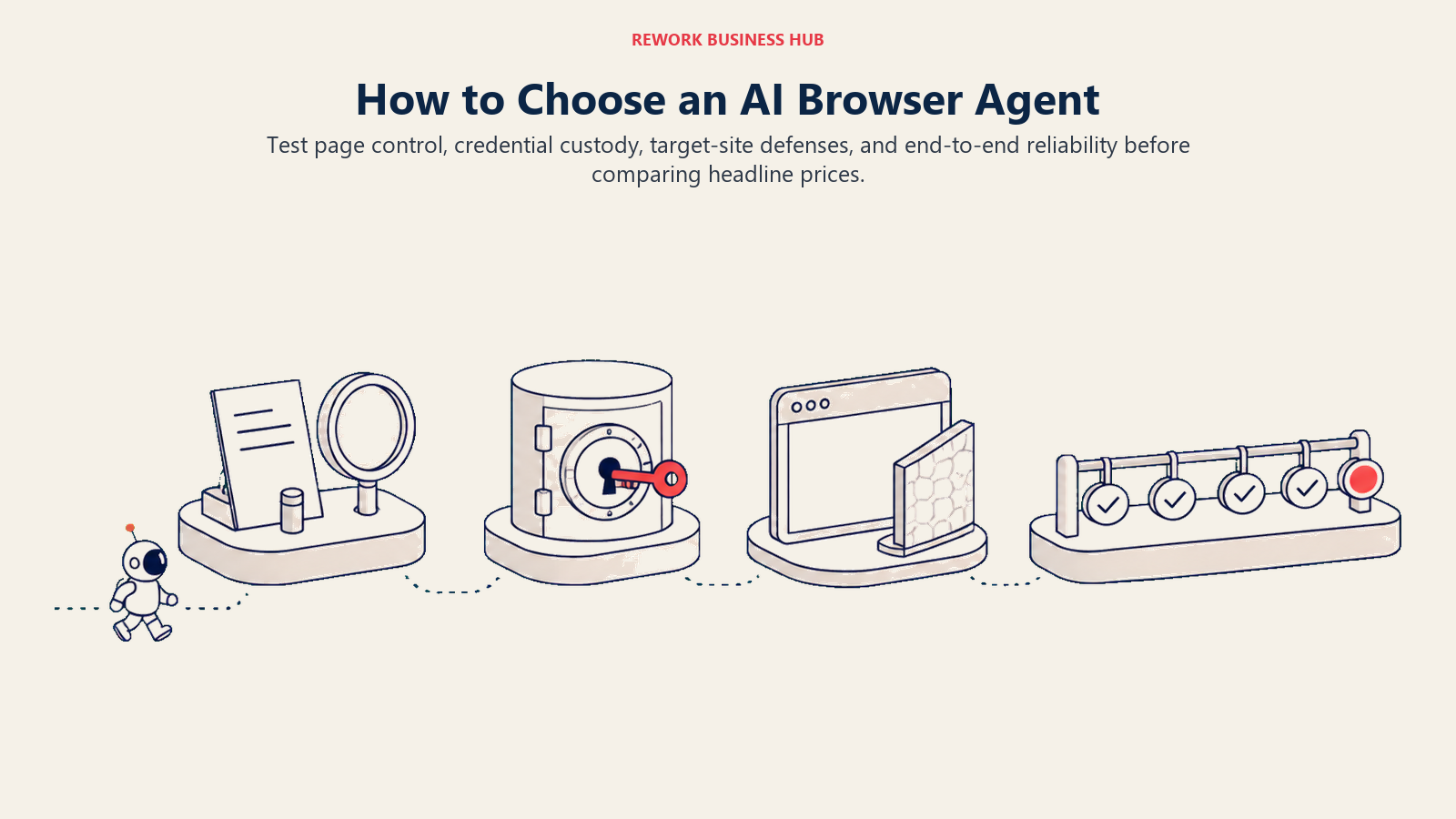
1. Does it see the DOM or does it see a screenshot?
A DOM-based agent reads the page's underlying structure, its HTML elements or accessibility tree, to decide what to click. That's fast and precise on a well-structured site, and it's why Browser Use and Stagehand default to it. It breaks in two predictable ways: on sites that hide real content behind a canvas or heavy client-side rendering, and on sites that deliberately obfuscate their markup to make automation harder.
A vision-based agent looks at a rendered screenshot the way a person does, then decides where to click based on what it sees. Skyvern's whole pitch rests on this: because it isn't parsing selectors, it can work on a site it has never seen before without breaking when a class name changes. The tradeoff is speed and precision. A vision model can misclick on two visually similar buttons in a way a DOM-based agent, reading the actual element, never would.
Most serious agents now do both. Stagehand's act, observe, and extract primitives run on the DOM by default but fall back to a vision model when the structure alone is ambiguous, and Amazon Nova Act describes its own approach as a vertically integrated model trained end to end across an orchestrator and browser actuator rather than a single technique. Ask any vendor which one is the default and which is the fallback, because that answer predicts what your failures will look like.
2. Who is actually holding your login credentials?
This is the question most teams skip until something goes wrong. A browser agent that logs into a real account is a credential-handling product whether or not it markets itself as one, and the vendors on this list take meaningfully different approaches.
| Tool | How Logins Work | Notable Detail |
|---|---|---|
| Browser Use | Session cookies persist inside your Browser Use Cloud project; self-host the open-source library to keep everything local | No vendor-side credential vault; you manage secrets in your own code |
| Skyvern | Stored credentials with 2FA/TOTP support; 1Password integration at Pro, Bitwarden and Azure Key Vault at Enterprise | The most explicit credential-management feature set on this list |
| Browserbase | Persistent auth state ("Contexts") reused across sessions so an agent doesn't re-authenticate every run | Session data retention is 7 days on Free and Developer, 30 days on Startup |
| Axiom.ai | 2FA/TOTP support included on every tier, including Starter | Built for a human to record the login once, then replay it |
| Claude in Chrome | Pauses before "purchases, financial actions, and other one-way doors"; Permissions Mode grants access one site at a time | Anthropic's own guidance is to avoid using it for banking, health records, or anything with credentials |
| Amazon Nova Act | Runs under your AWS account's IAM permissions and console access rather than a vendor-side credential store | Positioned for scoped service-account use in production workflows, not personal logins |
| Google Auto Browse | Requires signing in to Chrome with your own personal Google Account; asks for sign-off before completing a task | Age-gated to 18+, opt-in, US only |
The pattern worth noticing: the tools built for unattended, production use (Skyvern, Nova Act) treat credentials as infrastructure to be vaulted and scoped, while the tools built for an individual's own browsing session (Claude in Chrome, Auto Browse) lean on pausing for human sign-off instead. Neither approach is wrong, but using the second kind for the first kind's job, an unattended nightly job running on someone's personal SSO session, is exactly how a browser agent turns into a security incident. AI agent security covers threat modeling and least-privilege access for agents in more depth, and AI agent guardrails covers the hard limits that should hold regardless of what the agent is told to do.
3. What does the target site's own defense mean for you?
CAPTCHA and bot-detection systems exist because sites don't want to be automated by default, and several vendors on this list sell getting past those systems as a paid feature: Skyvern's advanced CAPTCHA solver sits behind its Pro tier, and both Steel and Hyperbrowser meter CAPTCHA solves by credit. That capability existing doesn't settle whether using it is acceptable. Most commercial sites' terms of service restrict automated access in some form, and a technically successful workflow that violates a target site's terms is still a business and legal decision your team owns, not one the agent's capability makes for you. Read the target site's terms before you automate anything beyond an account you control, and budget the CAPTCHA-solving line item separately since it's rarely included in a vendor's advertised starting price.
4. Why does a 95% reliable agent still fail half the time?
Because failure compounds. If an agent succeeds at each individual step (find the field, read the value, click the button) 95% of the time, its odds of finishing a 20-step task correctly, start to finish, are roughly 0.95 to the 20th power, about 36%. That's not a flaw in any specific vendor; it's arithmetic. It's also why the benchmark-to-production gap is so large in practice: WebArena's own published 2026 numbers put the strongest research system at 71.2% against a frozen, self-hosted test environment where the page never moves and the session never expires. A real target site adds rate limits, layout changes, popups, and session timeouts a benchmark doesn't have to deal with. Plan around this by checkpointing long workflows into shorter stages a human verifies between steps, rather than trusting one long unattended run to finish correctly on its own.
One more thing before the individual write-ups: almost none of the prices in the table above are the whole bill. Browser hours, proxy bandwidth, and CAPTCHA solves are metered and billed separately from the base subscription on nearly every infrastructure vendor here, so model your actual task volume against the usage rates in each write-up, not just the sticker price.
Sizing and Persona Table
| Tool | Best Fit | Primary Buyer |
|---|---|---|
| Browser Use | Any size engineering team wanting to self-host or scale gradually | Backend engineer, AI/ML engineer |
| Skyvern | Teams automating logins across many third-party accounts | Automation lead, RevOps engineer |
| Browserbase + Stagehand | Product and engineering teams shipping an agent feature | Full-stack developer, founding engineer |
| Steel.dev | Engineering teams wanting an open infrastructure alternative | Platform engineer, DevOps lead |
| Hyperbrowser | Cost-sensitive teams running high session volume | Growth engineer, data engineer |
| Axiom.ai | Small teams and solo operators with no engineering resource | Ops manager, marketer, founder |
| Claude in Chrome | Individual knowledge workers already paying for Claude | Analyst, researcher, operations generalist |
| Amazon Nova Act | AWS-native platform and automation teams | Cloud engineer, automation architect |
| Google Auto Browse | Consumers and Workspace users on Google AI Pro/Ultra | Individual consumer, Workspace power user |
| OpenAI (ChatGPT) | ChatGPT Plus/Pro users wanting bundled browser tasks | Individual knowledge worker |
| DIY: Playwright + your own loop | Engineering teams with a nonstandard or high-stakes workflow | Senior engineer, platform team |
1. Browser Use: The Open-Source Default for Engineering Teams
Browser Use's whole pitch is that the agent layer shouldn't lock you into one vendor's model or one vendor's infrastructure. The open-source Python library reads a simplified representation of a page's interactive elements (primarily DOM-based) and falls back to a vision model when that structure alone doesn't resolve the next action, and it works with whichever LLM you point it at: OpenAI, Anthropic, Gemini, or a self-hosted model.
That flexibility is why it shows up as the default starting point in most engineering teams' evaluations. You can run the core library for free against your own infrastructure with no subscription at all, then move to the managed cloud only once you need concurrency or session infrastructure you don't want to run yourself.
| What you get | What you don't |
|---|---|
| Free, open-source core library, self-hosted with any LLM | No polished no-code interface for non-engineers |
| Managed cloud tiers from $29/mo when you outgrow self-hosting | Proxy and session costs are billed separately from the plan price |
| Model-agnostic; not locked into one AI vendor's roadmap | Vision fallback is secondary, not the primary control method |
Pricing: Free (10 agent tasks/month, 3 concurrent sessions); Pay As You Go (credits from $5, no subscription); Dev $29/mo ($290/yr); Business $299/mo ($2,990/yr, 200 concurrent sessions); Scaleup $999/mo ($9,990/yr, 500 concurrent sessions); Enterprise custom. Usage: cloud browser sessions $0.02/hour, managed residential proxy $5/GB ($4/GB on Scaleup). Source: browser-use.com/pricing.
Best for: Engineering teams that want an open-source, model-agnostic foundation they can run for free or scale on managed cloud without vendor lock-in.
2. Skyvern: Vision-Based Control With a Real Credential Vault
Skyvern leads with vision-based control specifically to solve the problem DOM-based agents struggle with: working on a site it has never seen before, without a brittle selector breaking the moment a vendor redesigns a page. Paired with that is the most complete credential-handling feature set on this list, stored credentials, 2FA and TOTP support, and direct integrations with 1Password and Bitwarden, which matters if your actual use case is logging into a dozen different vendor portals rather than automating your own product.
The core engine is open source under AGPL-3.0, so you can self-host it and pay only for your own infrastructure and LLM usage if you don't need the managed platform's support or CAPTCHA solving.
| What you get | What you don't |
|---|---|
| Vision-based control that survives layout changes and unfamiliar sites | Advanced CAPTCHA solving and real auth integrations require Pro at $149/mo |
| Stored credentials with 2FA/TOTP, 1Password, and Bitwarden support | Free tier is capped at 1 concurrent run |
| Open-source core (AGPL-3.0) available to self-host | HIPAA and SOC-2 features are Enterprise-only, custom priced |
Pricing: Free ($0/mo, 5,000 credits, 1 concurrent run); Hobby $29/mo (30,000 credits, 10 concurrent runs, basic CAPTCHA solver, stored credentials); Pro $149/mo (150,000 credits, 25 concurrent runs, advanced CAPTCHA solver, 2FA/TOTP, 1Password integration, residential proxy); Enterprise custom (100 concurrent runs, HIPAA, SOC-2, Azure Key Vault, Bitwarden, human-in-the-loop). Source: skyvern.com/pricing.
Best for: Teams that need a credential vault, 2FA support, and CAPTCHA handling built in, especially for logging into third-party vendor or customer accounts rather than your own product.
3. Browserbase and Stagehand: Playwright Precision Plus an AI Reasoning Layer
Browserbase sells the infrastructure: managed headless Chromium sessions, persistent auth state across runs (its "Contexts" feature), proxy management, and CAPTCHA solving. Stagehand, the free open-source SDK Browserbase built and maintains, sells the control layer on top of it, giving developers Playwright-level deterministic commands (act, observe, extract) alongside AI primitives for the steps that need judgment rather than a fixed selector.
The combination is the closest thing on this list to "write real code, hand off the reasoning only where you actually need it." Stagehand itself is infrastructure-agnostic and plugs into LangChain, CrewAI, and other frameworks, but running it on Browserbase's managed sessions is the fastest path from zero to a working agent.
| What you get | What you don't |
|---|---|
| Free, open-source Stagehand SDK with Playwright-level precision | Non-technical teams get no built-in no-code interface |
| Persistent session Contexts so an agent doesn't re-authenticate every run | Browser-hour and proxy overages ($0.10-0.12/hour, $10-12/GB) add up at scale |
| Managed infrastructure so you don't run your own browser farm | 7-day data retention on Free and Developer tiers only |
Pricing: Free ($0, 3 concurrent browsers, 1 browser hour, 3 agent runs, no proxy included); Developer $20/mo (25 concurrent, 100 browser hours then $0.12/hour, 1GB proxy then $12/GB); Startup $99/mo (100 concurrent, 500 browser hours then $0.10/hour, 5GB proxy then $10/GB, 30-day retention); Scale custom (250+ concurrent, HIPAA/DPA, SSO). Source: browserbase.com/pricing.
Best for: Developer teams that want deterministic, Playwright-level control when they want it and AI reasoning when they don't, running on managed infrastructure they don't have to operate themselves.
4. Steel.dev: Open-Source-Friendly Infrastructure With CAPTCHA Built In
Steel plays the same infrastructure role as Browserbase: managed headless browser sessions, proxies, CAPTCHA solving, but leans harder into an open-source-friendly free tier. The Launch tier's one-time $30 credit stretches to roughly 300 browser hours, 3GB of proxy bandwidth, and about 10,000 CAPTCHA solves, a meaningfully larger free allowance for CAPTCHA-heavy workflows than most competitors offer before you pay anything.
The catch is a $10 deposit gate: CAPTCHA solving and Steel-provided proxies don't activate on the free tier until you add it, a detail that's easy to miss when comparing headline prices.
| What you get | What you don't |
|---|---|
| Roughly 10,000 CAPTCHA solves included in the one-time free credit | Requires a $10 deposit before CAPTCHA solving or proxies activate |
| Stealth browser and reserved session pools at the Enterprise tier | Session limits are short on Launch: 10 concurrent, 15 minutes each |
| Lower per-hour and per-GB overage rates on Scale than on Launch | Scale still costs $250/mo before any usage overage |
Pricing: Launch $0 + usage ($30 one-time credit, about 300 browser hours, 10 concurrent sessions max 15 minutes each); Scale $250/mo ($100/mo credit, about 1,250 browser hours, 100 concurrent sessions max 1 hour each, dedicated Slack, SSO, HIPAA-ready BAA); Enterprise custom (1,000+ concurrent sessions, up to 24-hour sessions, stealth browser). Overage: browser hours $0.10/hour (Launch) or $0.08/hour (Scale); proxy $10/GB or $6/GB. Source: steel.dev/pricing and docs.steel.dev.
Best for: Teams wanting an open-source-friendly infrastructure alternative to Browserbase with a genuinely usable CAPTCHA-solving allowance before they start paying.
5. Hyperbrowser: The Budget Infrastructure Option
Hyperbrowser competes on price in the same infrastructure category as Browserbase and Steel, with a credit-based model covering browser sessions, scraping, proxy data, and AI-driven features like its own HyperAgent or a Browser Use integration. Reporting across third-party review sites puts the Startup plan at roughly $30/month for 25 concurrent browsers and 30,000 monthly credits, with a free trial (one concurrent session, no card required) to test before committing.
We were not able to load Hyperbrowser's own pricing page for direct, automated verification, an increasingly common problem with JavaScript-heavy pricing pages. Confirm current tiers and rates directly at hyperbrowser.ai/pricing before you budget against the figures below.
| What you get | What you don't |
|---|---|
| Transparent per-credit pricing across sessions, scraping, and proxy | Pricing figures here are reported, not vendor-page-confirmed |
| A free trial with no credit card required | Startup tier concurrency (25 browsers) trails Browserbase's Developer tier |
| Works with Browser Use as an integration, not just its own agent | Smaller published track record than Browserbase or Steel |
Pricing (reported, verify directly): Startup about $30/mo (25 concurrent browsers, 30,000 credits/month, 30-day data retention). Credit consumption reported at 100 credits/hour for browser sessions, 20 credits/step for AI features, 10,000 credits/GB for proxy data, with 1 credit equal to $0.001. Source: vendor page at hyperbrowser.ai/pricing (did not render for automated verification); cross-referenced against third-party tracking at tooltrim.com and agenticindex.io.
Best for: Teams price-shopping infrastructure providers who want a transparent per-credit model and are willing to confirm current pricing directly before committing.
6. Axiom.ai: No-Code Recording for Non-Technical Teams
Axiom is the one tool on this list that isn't really an autonomous reasoning agent in the same sense as the others, and it's worth being direct about that. It's a no-code browser bot recorder: you click through a workflow once, Axiom captures the sequence, and it replays that sequence later, with GPT-powered blocks available for steps like parsing or extracting data along the way. That makes it closer to RPA with AI assistance bolted on than to an agent that replans when a page changes. AI agents versus chatbots and RPA covers that fuller distinction.
It earns its place here anyway because it's a genuine way to drive a real browser with zero code, and for a fixed, repeatable workflow (the kind that doesn't need to adapt to page changes) a recorder is often more reliable than a reasoning agent, not less. If your workflow is closer to fixed-sequence automation than adaptive reasoning, our best AI automation tools roundup covers that broader category.
| What you get | What you don't |
|---|---|
| No-code recorder; a non-engineer can build a working bot in an afternoon | Fixed-sequence playback, not adaptive reasoning when a page changes |
| 2FA/TOTP support included on every paid tier, including Starter | Concurrency is capped at 1 bot on Starter and Pro |
| Unlimited desktop-runner concurrency even on the cheapest tier | Cloud scheduling frequency is limited until Pro Max and Ultimate |
Pricing: Starter $15/mo (5 hours runtime, 1 bot); Pro $50/mo (30 hours, 1 bot); Pro Max $150/mo (100 hours, 2 concurrent bots); Ultimate $250/mo (250 hours, 20 concurrent bots). Free trial: 2 hours runtime, 30-minute single-run limit, no card required. Source: axiom.ai/pricing.
Best for: Non-technical ops, marketing, or support teams that want to record a browser workflow once and replay it without writing or maintaining code.
7. Claude in Chrome: The Cautious Assistant Inside a Subscription You Already Pay For
Claude in Chrome is a browser extension, not a headless infrastructure product, and Anthropic designed it that way on purpose. It reads pages, clicks, types, and fills forms inside your actual signed-in Chrome (or Chromium-based Edge, Brave, and Opera) session, with safety behavior built around exactly the credential-handling risk this whole category has to manage: it pauses before "purchases, financial actions, and other one-way doors," offers a Permissions Mode that grants access one site at a time instead of blanket approval, and Anthropic's own guidance is to keep it away from banking, health records, and anything requiring stored credentials.
Team and Enterprise admins get org-wide controls: turning the extension on or off, and setting site allowlists and blocklists, which matters if you're rolling this out past a single individual's browser.
| What you get | What you don't |
|---|---|
| Explicit pause-and-confirm before irreversible actions | Logged-in extension only, no API or headless infrastructure product |
| Permissions Mode for granular, site-by-site access control | Higher-capability models (Sonnet, Opus) need a Max plan, not just Pro |
| Org-wide allowlists and blocklists on Team and Enterprise | Not built for unattended, scheduled, or server-side automation |
Pricing: Included on all paid Claude plans. Pro $17/mo billed annually or $20/mo billed monthly; Max from $100/mo (5x usage) or $200/mo (20x usage). Not available on the free plan. Source: claude.com/claude-in-chrome and claude.com/pricing.
Best for: Individual knowledge workers already paying for Claude who want a cautious assistant for internal tools and research, not a production automation pipeline.
8. Amazon Nova Act: Per-Agent-Hour Automation for AWS-Native Teams
Nova Act is AWS's bet that browser agent reliability comes from vertical integration rather than stitching a general-purpose LLM onto a browser: a custom foundation model, orchestrator, and browser actuator trained together, purpose-built for tasks like data entry across CRM and ERP portals, checkout-flow testing, and structured data extraction from sites with no export option.
Billing is per agent hour, real elapsed working time, with parallel agents each billed independently and time spent waiting on a human-in-the-loop excluded from the meter. That's a genuinely different pricing shape from the credit and seat models everywhere else on this list, easier to reason about for a steady production workload, harder to estimate for spiky or exploratory use.
| What you get | What you don't |
|---|---|
| A model built end to end for browser UI tasks, not general-purpose | No published free tier for production use, beyond a web playground |
| Simple, predictable per-agent-hour billing at real usage volume | One AWS region (US East, N. Virginia) at launch |
| Native integration with AWS IAM, Bedrock AgentCore, and the console | Hourly metering can be harder to budget for bursty, exploratory work |
Pricing: $4.75 per agent hour (real elapsed working time; parallel agents billed independently; human-in-the-loop wait time excluded). Source: docs.aws.amazon.com/nova-act and aws.amazon.com/nova/pricing.
Best for: AWS-native platform and automation teams running production-scale, repetitive UI workflows who want AWS billing and infrastructure instead of a third-party SaaS vendor. If your evaluation is really about the broader managed-suite category AWS Bedrock AgentCore also competes in, our best enterprise AI agent platforms roundup covers that comparison.
9. Google (Gemini in Chrome, Auto Browse): What Replaced Project Mariner
Google's dedicated research prototype for this category, Project Mariner, is gone. Google shut it down on May 4, 2026, and folded its underlying technology into Gemini and into a consumer-facing feature called Auto Browse inside Gemini in Chrome. Auto Browse delegates routine tasks (shopping, scheduling, digital paperwork) inside your real, signed-in Chrome session rather than a sandboxed copy, and it's explicitly designed to check in with you before finishing: "It's designed to keep you in the loop and ask for your sign-off," per Google's own announcement.
It's bundled into a Google AI Pro or Google AI Ultra subscription rather than sold separately, so there's no standalone price to quote, and it's rolling out in preview to US-based subscribers on Windows, macOS, Chromebook Plus, and Android, gated to personal Google Accounts, age 18 and over.
| What you get | What you don't |
|---|---|
| Runs in your actual signed-in browser, not a sandboxed copy | Consumer feature only, no API or programmatic access |
| Asks for sign-off before completing a delegated task | US-only preview, not globally available |
| Bundled into a subscription you may already have | Project Mariner itself, the standalone research version, is discontinued |
Pricing: Bundled into Google AI Pro and Google AI Ultra subscriptions, no separate charge. Google's standard published US pricing for these plans is $19.99/month (Pro) and $249.99/month (Ultra); confirm current pricing directly, since Google's subscription page localizes by region. Source: support.google.com/chrome and gemini.google/subscriptions.
Best for: Consumers and Google Workspace users already inside the ecosystem who want task delegation without installing or configuring a separate tool.
10. OpenAI and ChatGPT: Three Names in Eighteen Months
OpenAI's path through this category is the clearest illustration of how unsettled it still is. Operator, a standalone screenshot-driven browser agent, launched in January 2025. It folded into ChatGPT Agent in July 2025. OpenAI then launched ChatGPT Atlas, a full Chromium-based browser with an opt-in agent mode gated to Plus, Pro, and Business subscribers, in October 2025. In March 2026, OpenAI announced it would consolidate Atlas, the ChatGPT desktop app, and Codex into a single application, and Atlas itself shut down on August 9, 2026. Browser-based agentic capability, including account login support, now lives inside ChatGPT directly, per OpenAI's own help center documentation of the change.
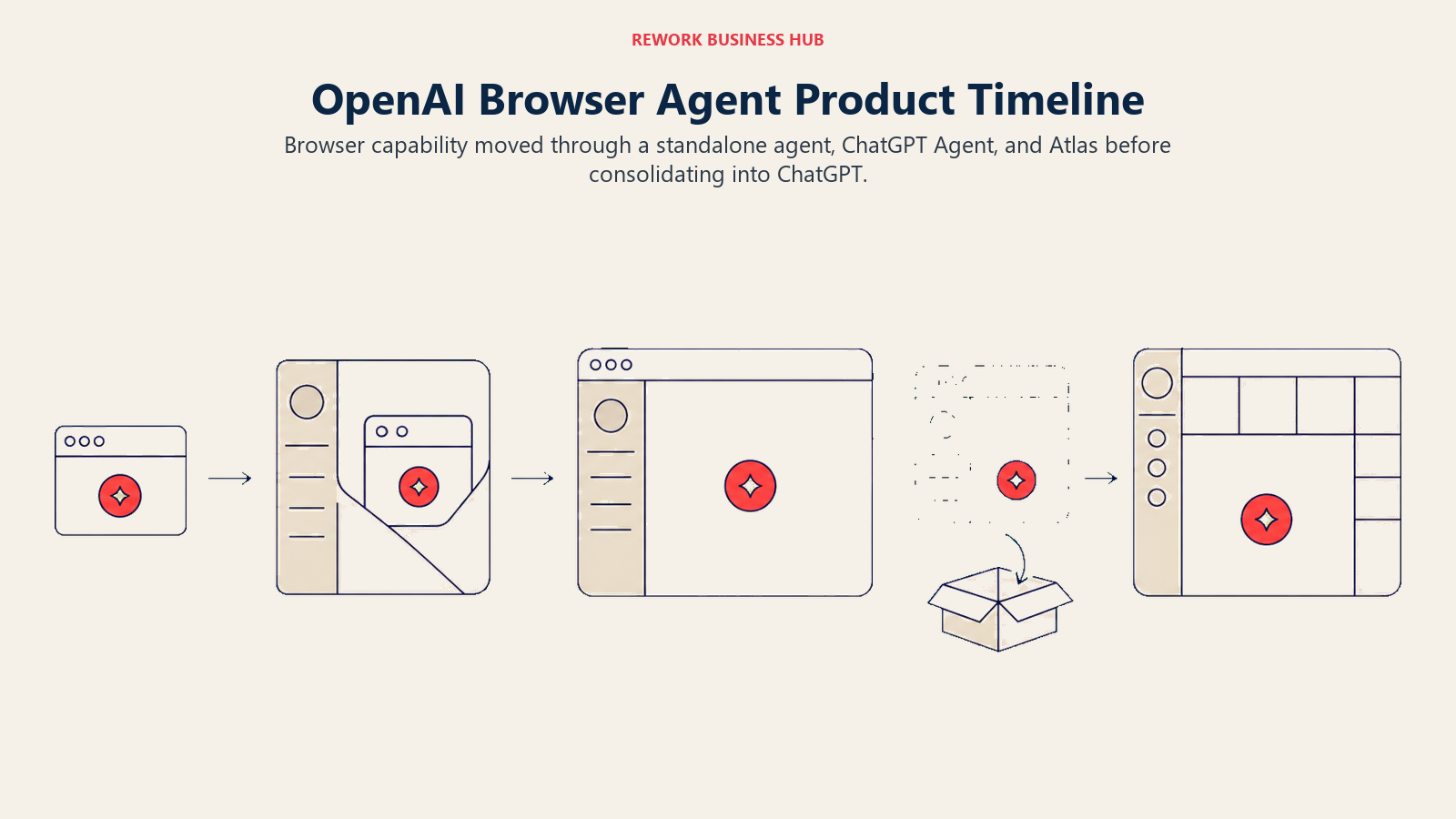
Given that pace of change, the responsible thing to tell you isn't a confident capability claim, it's to verify what ChatGPT's browser agent can and can't do against a logged-in workflow directly before you build a production process around it. A product that has changed its name and shipping vehicle three times in under two years is not yet a stable foundation to plan a year of automation on.
| What you get | What you don't |
|---|---|
| Browser task capability bundled into a plan you may already pay for | Product identity has changed three times since January 2025 |
| No separate infrastructure to run or maintain | Capability for logged-in, unattended workflows needs direct verification |
| Backed by the largest consumer AI subscriber base of any vendor here | Not a dedicated API/infrastructure product built for production automation |
Pricing: ChatGPT Plus $20/mo, Pro $200/mo; Business and Enterprise seat pricing available on request. Browser-based agentic features have historically required Plus or above. Source: Wikipedia's ChatGPT entry, cross-referenced against OpenAI's own Atlas-to-ChatGPT transition notice.
Best for: ChatGPT users who want browser-based task automation bundled into a subscription they already have, understanding this is the least stable product identity on this list.
11. DIY: Playwright Plus Your Own Agent Loop
Playwright, Microsoft's free, MIT-licensed browser automation framework, is the deterministic engine several vendors on this list are themselves built on top of: Stagehand wraps it directly, and Browser Use's DOM extraction is conceptually the same layer. Teams with a workflow that doesn't fit any packaged agent's assumptions, or with stakes high enough that they want to own the reliability and security tradeoffs directly, write their own loop: Playwright for exact, DOM-precise actions, and an LLM tool-calling loop (LangGraph and the other frameworks in our best open-source AI agent frameworks roundup are the common choices) for the planning layer on top.
There's no product cost here beyond model API usage and whatever headless hosting you choose, including self-hosting or any of the infrastructure vendors above. What you're buying instead is control: your own retry logic, your own guardrails, your own decision about when a step needs a human checkpoint.
| What you get | What you don't |
|---|---|
| Full control over reliability, security, and cost tradeoffs | You design and maintain retry logic, selectors, and guardrails yourself |
| No vendor lock-in; swap models or hosting independently | Real engineering time investment before anything ships |
| The same underlying engine several packaged vendors build on | No vendor support line when something breaks in production |
Pricing: Playwright itself is free and open source. Cost is model API usage plus whichever hosting option you choose (self-hosted, or a metered vendor from this list). Source: Playwright is maintained by Microsoft under the MIT license.
Best for: Engineering teams with a nonstandard, high-stakes, or unusually shaped workflow that a packaged agent's assumptions don't fit, and the engineering capacity to own it directly.
Browser Agent Buying Mistakes to Avoid
| Mistake | What It Looks Like | What to Do Instead |
|---|---|---|
| Assuming "browser agent" means unsupervised | Pointing an agent at a payment or account-settings flow with no human checkpoint | Require a confirm-before-commit step for anything irreversible |
| Ignoring the target site's terms of service | Automating a partner's or competitor's site because the agent technically can | Check the site's terms and robots.txt, or ask, before you build the workflow |
| Treating the headline price as the full cost | Budgeting for a $29/mo tier, then getting surprised by proxy and CAPTCHA overages | Model browser hours, proxy GB, and CAPTCHA solves at your real task volume first |
| Handing an agent a personal login instead of a scoped one | Running an unattended nightly job on a real employee's SSO session | Use a dedicated, least-privilege service account, not a human's session |
| Assuming DOM-based and vision-based agents fail the same way | Debugging a vision agent's misclick like it's a broken CSS selector | Match your debugging approach and fallback plan to the agent's actual control method |
| Buying on a benchmark score | Picking a vendor because it claims a high WebArena or Mind2Web result | Pilot against your own target sites; benchmarks rarely survive a live, moving page |
| Trusting one long unattended run | Letting an agent run 40-plus steps on a task where every step compounds risk | Checkpoint long workflows into shorter stages a human verifies between them |
How to Choose: Decision Framework
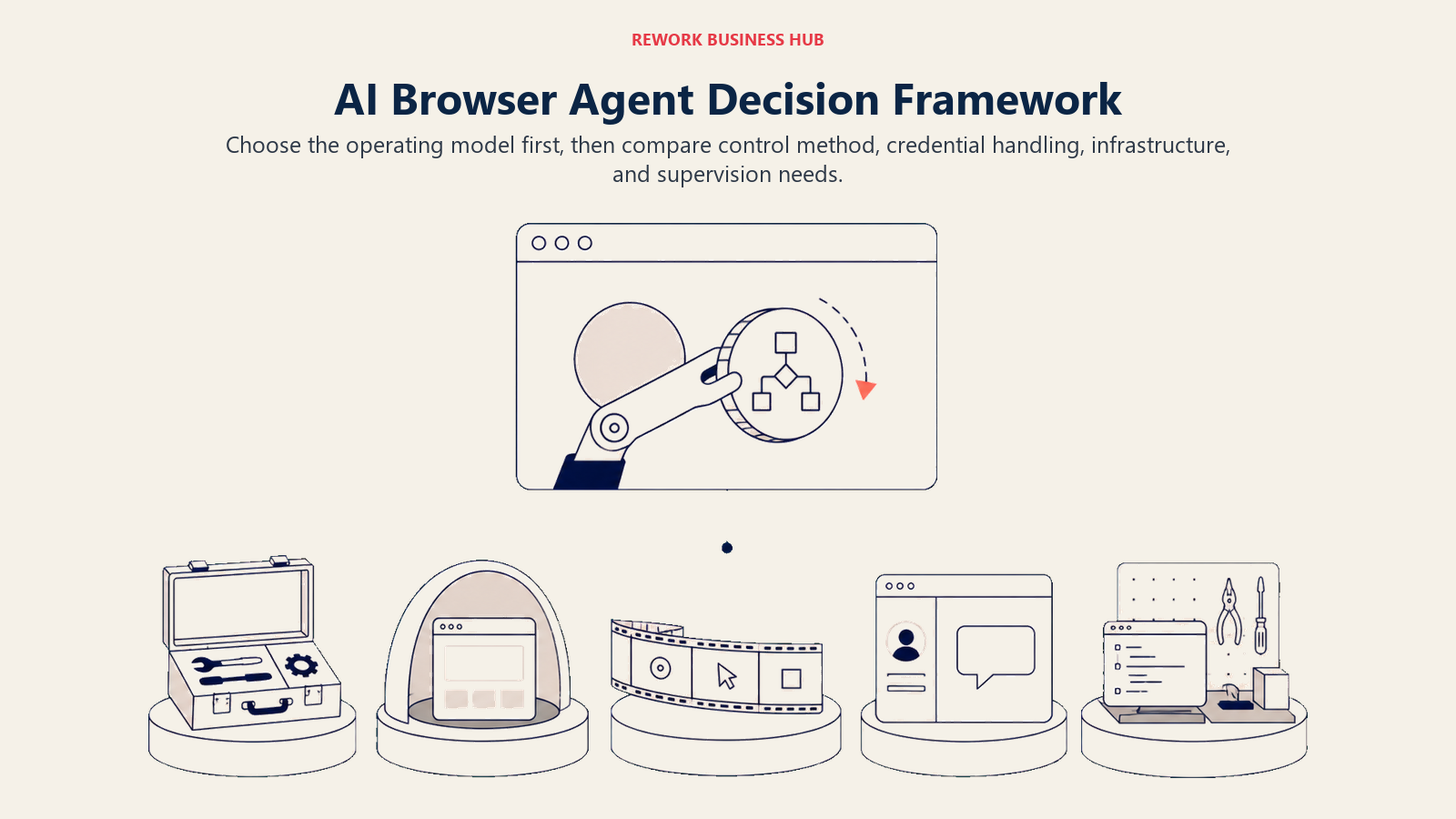
Choose the operating model first: self-hosted agent, managed browser infrastructure, no-code recorder, bundled assistant, or custom loop.
| If you need... | Pick... | Why |
|---|---|---|
| An open-source foundation you can self-host for free | Browser Use | Free core library, model-agnostic, managed cloud if you outgrow self-hosting |
| Built-in credential vault, 2FA, and CAPTCHA handling | Skyvern | Stored credentials, 1Password/Bitwarden integration, advanced CAPTCHA solver at Pro |
| Deterministic control when you want it, AI reasoning when you don't | Browserbase + Stagehand | Playwright-level precision plus AI primitives on managed infrastructure |
| An open infrastructure layer with real CAPTCHA capacity before you pay | Steel.dev | Roughly 10,000 CAPTCHA solves included in the free one-time credit |
| The lowest sticker price on infrastructure | Hyperbrowser | Transparent per-credit pricing; confirm current terms directly first |
| A no-code way to automate a browser without hiring an engineer | Axiom.ai | Point-and-click recorder, 2FA support, no code required |
| Production-scale UI automation on AWS infrastructure you already run | Amazon Nova Act | Per-agent-hour billing, vertically integrated model, native IAM and console |
| A cautious assistant bundled into a subscription you already pay for | Claude in Chrome or Google Auto Browse | Lighter capability, built-in pause-and-confirm, nothing extra to host |
| Full control over a workflow no packaged agent fits | Playwright + your own agent loop | You own the reliability, security, and cost tradeoffs directly |
What to Do Next
Pick one real workflow, the kind that currently costs someone an hour of copy-paste because the target site has no API, and run it through two agents before committing to either: one DOM-based (Browser Use or Stagehand) and one vision-based (Skyvern), on an infrastructure tier that matches your volume. Time how long it takes a person to verify the output, not just whether the agent technically finished, because that verification step is usually where a team discovers an agent is 80% reliable, not 99%. If you already pay for Claude or a Google AI subscription, test Claude in Chrome or Auto Browse on the same task first; the bundled option costs nothing at the margin and might be good enough before you add a dedicated vendor. And before you point any of these at a site you don't own, read that site's terms of service, not just its login page.

Principal Product Marketing Strategist
On this page
- Key Facts
- Quick Comparison Table
- How to Choose an AI Browser Agent in 2026
- 1. Does it see the DOM or does it see a screenshot?
- 2. Who is actually holding your login credentials?
- 3. What does the target site's own defense mean for you?
- 4. Why does a 95% reliable agent still fail half the time?
- Sizing and Persona Table
- 1. Browser Use: The Open-Source Default for Engineering Teams
- 2. Skyvern: Vision-Based Control With a Real Credential Vault
- 3. Browserbase and Stagehand: Playwright Precision Plus an AI Reasoning Layer
- 4. Steel.dev: Open-Source-Friendly Infrastructure With CAPTCHA Built In
- 5. Hyperbrowser: The Budget Infrastructure Option
- 6. Axiom.ai: No-Code Recording for Non-Technical Teams
- 7. Claude in Chrome: The Cautious Assistant Inside a Subscription You Already Pay For
- 8. Amazon Nova Act: Per-Agent-Hour Automation for AWS-Native Teams
- 9. Google (Gemini in Chrome, Auto Browse): What Replaced Project Mariner
- 10. OpenAI and ChatGPT: Three Names in Eighteen Months
- 11. DIY: Playwright Plus Your Own Agent Loop
- Browser Agent Buying Mistakes to Avoid
- How to Choose: Decision Framework
- What to Do Next