More in
Team Onboarding Guide
How to Run Sales Shadowing That Actually Develops Reps
Apr 18, 2026
Buddy Systems That Actually Last: A Sales Onboarding Guide
Apr 18, 2026
First-Deal Coaching: How to Guide New Reps Without Doing It for Them
Apr 18, 2026
Product Knowledge Onboarding: How Much Is Enough Before a Rep Sells?
Apr 18, 2026
Onboarding Remote Hires Into an Office-Heavy Team Without Leaving Them Behind
Apr 18, 2026
When Should New Reps Start Prospecting? A Manager's Decision Framework
Apr 18, 2026
Sales Certification Programs: Which Ones Are Worth It and How to Build Your Own
Apr 18, 2026
How to Measure Time-to-Productivity in Sales Onboarding Without Fooling Yourself
Apr 18, 2026
Onboarding a Hiring Wave: How to Scale Without Dropping Quality
Apr 18, 2026
Offboarding Sales Reps: How to Capture Knowledge Before It Walks Out the Door
Apr 18, 2026
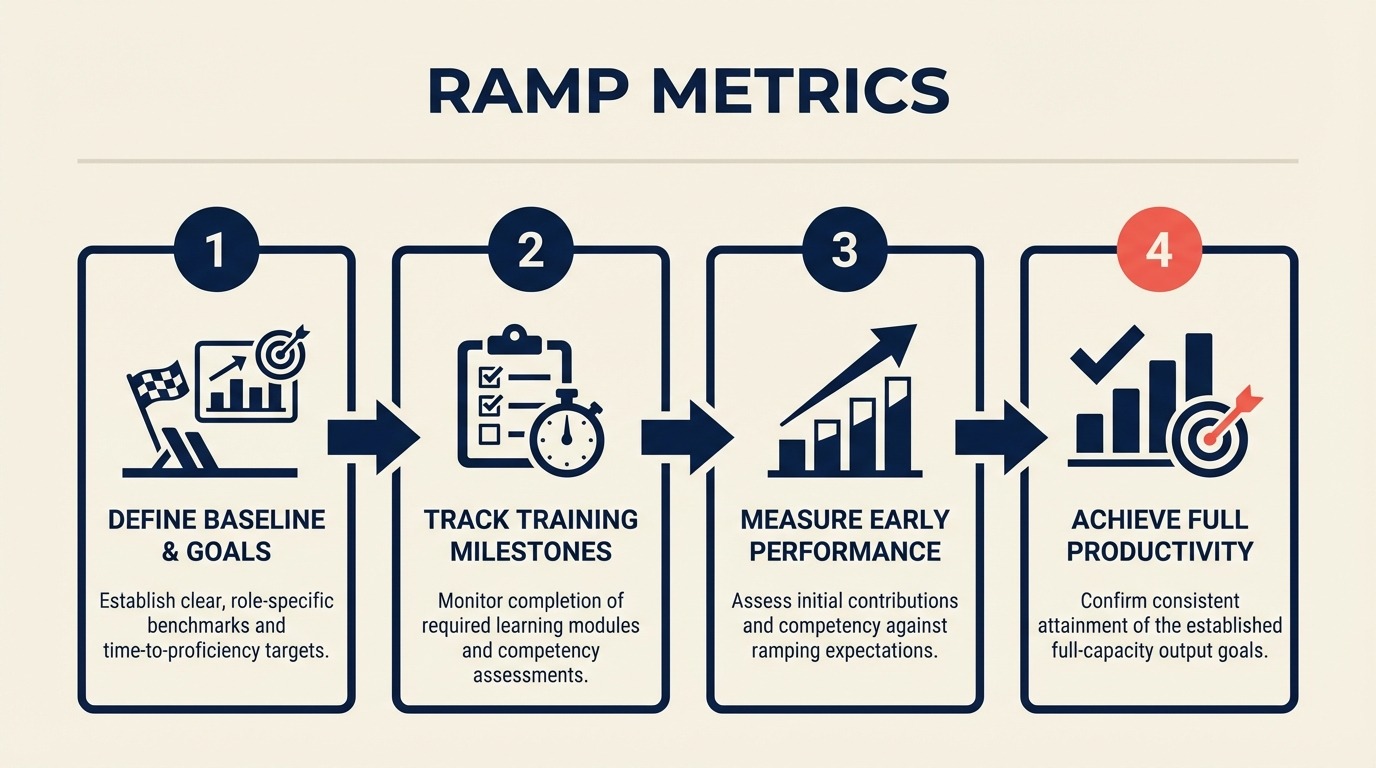
Ramp Metrics: What to Measure in a New Rep's First Quarter
Turn this article into takeaways for your work.


Each assistant summarizes the article only for you and suggests best practices for your work.
A manager at a SaaS company hired three reps in Q1. At day 75, she pulled the rep activity reports and realized one of them hadn't booked a single unassisted discovery call. She escalated, started daily coaching, and salvaged the quarter. Barely. The rep hit 40% of prorated quota.
What stings is that by day 30, that rep had already shown three clear signals: call booking rate below team median, CRM completion rate at 62%, and zero opportunities in qualification. Any one of those would have triggered a coaching conversation six weeks earlier. Together, they were a near-certain predictor of what happened at day 90.
Most sales managers measure ramp on quota attainment at 90 days. But that's a lagging indicator. By the time you know a rep is behind, you've lost a quarter and you're having a performance conversation instead of a coaching conversation. The teams that ramp new hires fastest track leading indicators at day 30 that tell you whether the 90-day outcome is on track. Salesforce's State of Sales report found that high-performing sales teams are 2.8x more likely to prioritize leading pipeline metrics over quota attainment alone.
This guide covers the five metrics that matter, how to set benchmarks from your own team data, and how to build the dashboard in your CRM so you don't need to chase the numbers manually.
Step 1: Leading vs. Lagging Ramp Indicators
Before setting up any dashboard, it helps to be explicit about which metrics are predictive vs. which are outcome measures.
| Indicator Type | Metric | When Visible | What It Tells You |
|---|---|---|---|
| Leading | Discovery calls booked per week | Day 14+ | Whether the rep is building pipeline habits |
| Leading | Talk time (outbound) | Day 14+ | Prospecting activity and call execution |
| Leading | CRM record completion rate | Day 7+ | Process discipline and data hygiene |
| Leading | Pipeline coverage ratio (at day 60) | Day 45-60 | Whether the rep will have enough to close |
| Leading | Deal progression rate (stage movement) | Day 45+ | Whether the rep can advance opportunities |
| Lagging | Quota attainment | Day 90 | Final outcome (too late to intervene) |
| Lagging | Win rate | Day 90+ | Requires closed opportunities to calculate |
| Lagging | Average deal size | Day 90+ | Requires closed opportunities to calculate |
The goal is to shift your attention left, toward the leading indicators in the first column, so coaching conversations happen while there's still time to change the trajectory. McKinsey's research on sales force productivity found that top-performing sales organizations are twice as likely to track leading indicators during rep onboarding versus focusing primarily on end-of-period quota attainment.
Step 2: The 5 Leading Indicators That Predict 90-Day Ramp
These five metrics, tracked weekly from day 14, give you enough signal to predict whether a rep will hit their 90-day milestone. You don't need all five to be green. But if three or more are red at day 30, the intervention window is closing.
1. Discovery calls booked per week (not just held) Book rate is a better early signal than call completion rate, because it tells you whether the rep is doing outbound work, not just accepting inbound assists. For inside sales in a mid-market motion, a rep booking 3-4 independent discovery calls per week by day 21 is on track. Below 2 per week at day 28 is a signal worth investigating.
2. Talk time (outbound) This isn't a measure of efficiency; it's a measure of whether the rep is calling enough to get good. A rep with 45+ minutes of outbound talk time per day in weeks two and three is building call confidence through volume. Under 20 minutes per day at day 21 usually indicates either an activity problem or an access problem (sequences not set up, lists not built).
3. CRM record completion rate Define your required fields (company, contact, lead source, opportunity stage, close date, deal value) and measure the percentage of the rep's records that have all required fields filled. The target is 90%+ by day 14. Getting those defaults right from the start is a function of day-one tool setup: specifically, which fields the admin pre-configures vs. which the rep sets up themselves. A rep at 60% or below at day 21 isn't just creating a data hygiene problem. They're signaling that the CRM isn't yet integrated into how they work, which will create bigger issues when you try to forecast their pipeline at day 60.
4. Pipeline coverage ratio at day 60 Your target will depend on your sales cycle. For a 60-day average cycle: 2x pipeline coverage at day 60. For a 90-day average cycle: 1.5x at day 60 (understanding that some of those deals won't close until after the 90-day mark). What you're looking for is whether the rep is building at the rate your motion requires, not whether they've already closed something.
5. Deal progression rate Once a rep has 5 or more open opportunities, track how many have advanced at least one stage in the past two weeks. A healthy rate is 40-60% for an early-stage rep (they're still learning qualification; some deals will stall because of their own process). Below 20% at day 60 usually means the rep is filling their pipeline with unqualified opportunities to hit a coverage target rather than advancing real deals.
Step 3: Setting Benchmarks from Your Existing Team
The numbers above are starting points. Your actual benchmarks should come from your own team's ramp history, not industry averages.
Here's how to calculate your median ramp benchmarks in about an hour:
- Pull the last 5 new hires from your CRM who successfully hit their 90-day quota milestone. If you don't have 5, use all successful ramps from the past two years.
- For each rep, export their week-by-week activity data for weeks 1-12: calls booked, talk time, CRM completion rate, pipeline value, stage movements.
- Calculate the median for each metric at weeks 2, 4, 8, and 12. Don't use the mean; one exceptional rep will skew it.
- These medians become your benchmarks. A new rep tracking at or above median on leading indicators at day 30 is on track. Tracking below median on 3+ leading indicators at day 30 means you need a focused coaching intervention.
One important note: don't set benchmarks from your top performer. Setting expectations at the 90th percentile creates a ramp plan that most reps will fail, which tells you nothing useful about who needs what kind of help. HBR's analysis of sales onboarding programs found that benchmarking from median performers rather than top performers improved ramp completion rates by more than 20% across the studied companies. For broader context on how these leading indicators connect to retention decisions, see why sales retention is the new sales hiring.
Step 4: Building the Ramp Dashboard in Your CRM
You shouldn't have to pull a manual report to check on a new rep's leading indicators. Here's how to set up the dashboard in the most common CRMs:
HubSpot: Use the "Rep Activity" report in Sales Analytics. Filter by rep and date range. The standard report includes calls logged, meetings booked, and emails sent. For CRM completion rate, build a custom property report filtered by record owner and required fields. Set the dashboard to refresh daily and pin it to the Sales Manager view.
Salesforce: Einstein Activity Capture gives you talk time and email activity out of the box if you're on Enterprise or above. For CRM completion rate, build a custom report type on Opportunities with conditional formatting on required field completion. Pipeline coverage is a standard report filtered by "Created Date = This Quarter" and "Owner = [new rep name]."
Close: Close's built-in Activity Overview gives you calls, emails, and SMS per rep broken down by day. Pipeline coverage requires a custom Smart View filtered by rep and status = "Active." Call recording is native, so you can review specific calls directly from the activity log without needing a separate tool.
Rework CRM: The Onboarding Metrics dashboard in Rework CRM is built for exactly this use case. Create a rep onboarding view filtered to your new hire, and the dashboard will surface the five leading indicators above with benchmark bands based on your team median. You can configure intervention alerts that notify you if any metric drops below threshold for two consecutive weeks.
Step 5: The Weekly 15-Minute Ramp Check
The dashboard is useful, but the conversation is where coaching happens. Keep the weekly ramp check short and focused on three numbers: call booking rate vs. target, CRM completion rate, and pipeline value vs. target for the week.
This is not a narrative status update. It's a data review. The format:
- Pull up the dashboard together (screen share or in person)
- Rep narrates each number: "I'm at 4 calls booked this week, target is 5. I think the gap is ."
- Manager asks one coaching question per metric that's off: "What would make it easier to book that fifth call?"
- Agree on one specific adjustment for next week
The goal is to keep the rep anchored to the data while making it clear that the data is there to help them, not judge them. Managers who skip this weekly touchpoint and rely on gut feel to identify ramp problems consistently catch issues later than those who don't.
Step 6: Intervention Thresholds
Not every metric miss requires the same response. Here's a simple decision table:
| Signal | Duration | Intervention |
|---|---|---|
| 1 metric below target | 1 week | Note it; ask about it at next check-in |
| 1 metric below target | 2 consecutive weeks | Focused coaching conversation; diagnose root cause |
| 2+ metrics below target | 1 week | Increase check-in frequency to 2x per week |
| 3+ metrics below target | 1 week | Daily check-in; loop in enablement or senior rep |
| 3+ metrics below target | 2 consecutive weeks | Formal ramp plan review; involve HR or VP Sales |
The most important threshold is the shift from weekly to daily check-in. When three or more leading indicators are red for a week, the rep is probably aware something is wrong and may be hiding it. Daily check-ins at that point aren't micromanagement. They're triage. Get there faster rather than slower.
Step 7: Measuring Time-to-Productivity Honestly
Time-to-productivity is the metric most companies use to evaluate their onboarding program, and most companies measure it wrong.
The common definition: "Days from hire date to first closed deal." This measure understates the real cost because a rep who closes a small inbound deal at day 45 but isn't independently productive until day 120 looks good on this metric.
A more useful definition: "Days from hire date to the point where the rep is consistently achieving 80% of quota month over month without manager co-piloting."
To calculate it accurately for your team: for each of your last five fully ramped reps, find the first month where they hit 80% of quota without a manager-assisted close, and that wasn't immediately followed by a sub-50% month. That's your true time-to-productivity. It's almost always longer than the "first deal" measure suggests. Deloitte's Human Capital Trends research notes that companies using precise, behavior-based definitions of productivity (rather than first deal closed) consistently identify 3-5 week improvement opportunities in their onboarding programs through better measurement alone.
Why does it matter? Because the ROI calculation for investing in better onboarding infrastructure (a ramp metrics dashboard, a structured feedback loop, a real 30-60-90 plan) scales with the delta between your current time-to-productivity and what a well-structured program can achieve. For most teams, that delta is 3-6 weeks per hire.
Common Pitfalls
Measuring only lagging indicators. If the first number you check is quota attainment at 90 days, you're reading a report on what happened, not running a coaching program.
Setting benchmarks from your top performer. Your star rep's ramp metrics will set an expectation that most new hires can't meet. Use median benchmarks from successful ramps.
No intervention protocol when metrics are red. Seeing that metrics are off and not knowing what to do next is almost as bad as not seeing it. Have the decision table ready before a new rep starts.
Tracking metrics but not reviewing them with the rep. Metrics without conversation are just data. The coaching happens when you look at the numbers together and ask the right questions.
What to Do Next
Pull the last three new hire ramp records from your CRM this week and calculate your current median benchmarks for discovery calls booked, talk time, and CRM completion rate at day 30. Those three numbers are enough to start setting meaningful onboarding targets for your next hire.
Learn More

On this page
- Step 1: Leading vs. Lagging Ramp Indicators
- Step 2: The 5 Leading Indicators That Predict 90-Day Ramp
- Step 3: Setting Benchmarks from Your Existing Team
- Step 4: Building the Ramp Dashboard in Your CRM
- Step 5: The Weekly 15-Minute Ramp Check
- Step 6: Intervention Thresholds
- Step 7: Measuring Time-to-Productivity Honestly
- Common Pitfalls
- What to Do Next
- Learn More