More in
AI Team Readiness Guide
Workforce Planning for AI Roles
Jun 12, 2026
Building an AI-First Culture
Jun 12, 2026
Building Collaborative AI Teams
Jun 12, 2026
How to Audit Your Sales Team's AI Readiness
Apr 14, 2026
Building an AI Skills Matrix for Your Department
Apr 14, 2026
90-Day Plan: From AI-Curious to AI-Fluent
Apr 14, 2026 · Currently reading
AI Tools Training Guide for Non-Technical Teams
Apr 14, 2026
Hiring vs Upskilling: Decision Framework for Directors
Apr 14, 2026
Setting Up an AI Champions Program in Your Department
Apr 14, 2026
Measuring AI Adoption ROI Across Your Team
Apr 14, 2026
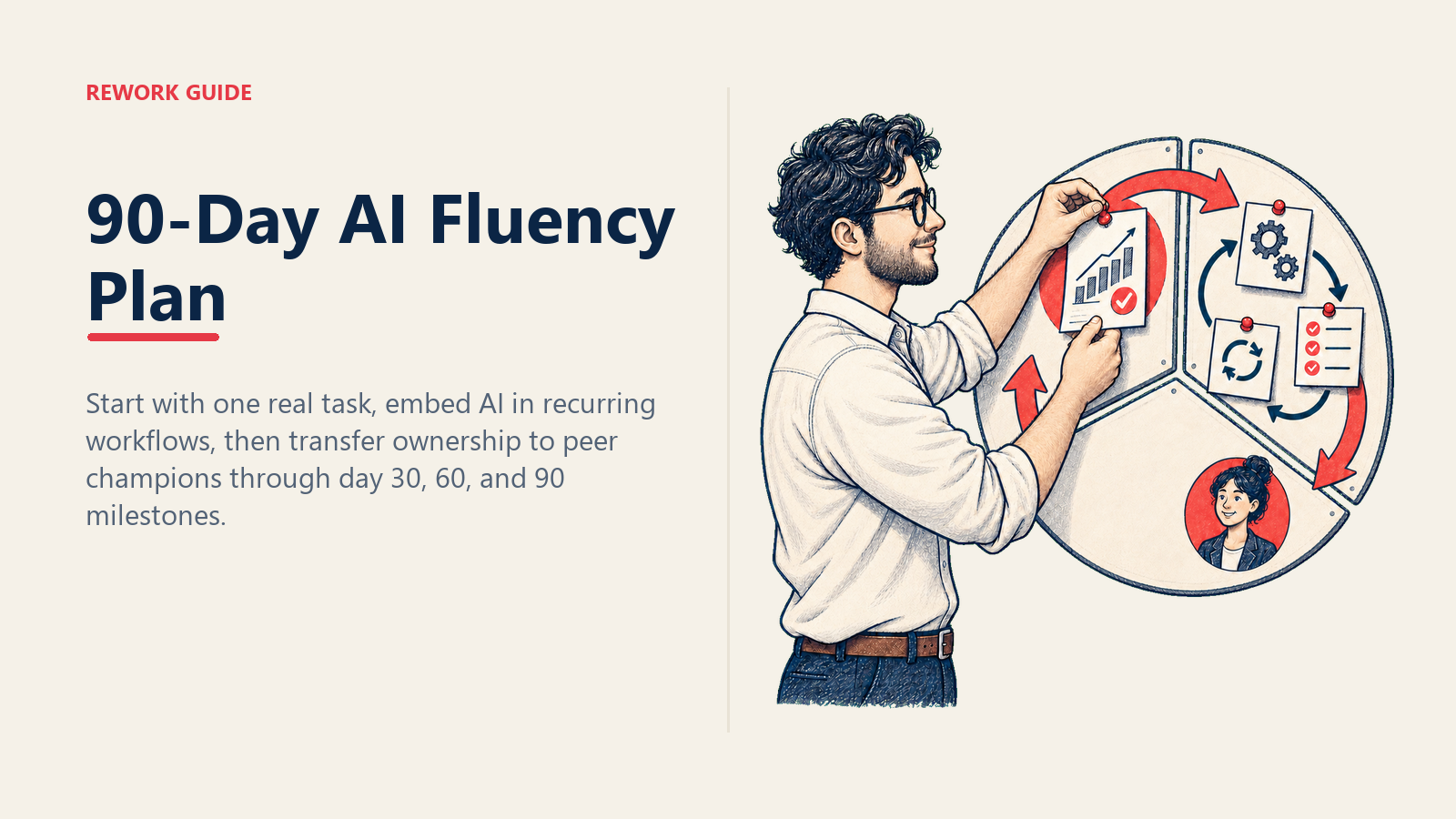
90-Day Plan: From AI-Curious to AI-Fluent (A Manager's Implementation Guide)
Turn this article into takeaways for your work.


Each assistant summarizes the article only for you and suggests best practices for your work.
Teams don't fail at AI because they lack access to tools. They fail because no one built a habit loop.
A typical AI rollout goes like this: leadership announces a new tool, reps get licenses and a 45-minute demo, and everyone goes back to their normal workflow. Two months later, active usage is hovering around 15% and the VP wants to know why the adoption numbers are so low. The answer is always the same: people were shown what the tool does, but nobody helped them build the habit of actually using it.
Habits take 66 days to form on average, according to research from University College London published in the European Journal of Social Psychology. 90 days gives you that window plus a buffer to catch the people who need a second pass. And the structure matters. Without phase milestones and accountability checkpoints, adoption stalls after the initial demo energy fades.
This guide gives you a week-by-week 90-day plan you can implement starting next Monday. It's designed for managers running teams of 5 to 20 people, and it works whether you're rolling out one specific AI tool or building general AI fluency across your team.
Before You Start: Baseline Assessment
Don't skip this. You need a starting point to measure against and to know which team members need the most support in the first 30 days. If you haven't already mapped skill gaps by role, building an AI skills matrix for your department before launching the 90-day plan will help you tailor Phase 3's advanced use cases to the specific gaps your matrix reveals.
Pre-program baseline (15 minutes per person):
Ask each team member three questions:
- What AI tools do you currently use, and how often?
- What's one task in your work that AI could probably help with but you're not using it for?
- On a scale of 1-10, how confident are you using AI tools today?
Record the answers. You'll repeat these questions at day 30, 60, and 90. The confidence score trajectory is often more informative than usage data. A team moving from 3 to 7 over 90 days is doing something right even if the tool usage stats are still climbing.
Also identify your skeptics early. Every team has one or two people who are resistant, skeptical, or anxious about AI. They're not problems to solve. They're signals about where your communication needs to be clearer. More on managing skeptics in the pitfalls section. The data on AI replacing vs. augmenting workers is useful context to share with anxious team members early in the program: it reframes the conversation from threat to opportunity.
Phase 1: Days 1-30 (Foundation)
The goal of Phase 1 is simple: every team member completes at least one real work task using AI before day 30. Not a practice prompt. Not a training module. A real task, with actual work output.
Week 1-2: Baseline and Tool Selection
Manager actions:
Run your baseline assessment (above) if you haven't already. Then do three things:
First, pick the right tool for Phase 1. Don't roll out your entire AI tool stack at once. Pick one tool that solves a specific, high-frequency pain point for most of your team. For many teams, this is an AI writing assistant for drafting communications or a meeting summarizer. The goal is a quick win that makes AI feel useful, not overwhelming.
Second, get yourself fluent first. Spend one week using the tool yourself before you introduce it to the team. You need to be able to demonstrate it, answer basic questions, and debug common issues. If you're uncertain about the tool, your team will feel it.
Third, frame the program clearly. Tell the team what the 90 days is about, what the milestones are, and what success looks like. Don't oversell it. Something like: "Over the next 90 days, we're building a habit of using AI as part of how we work. The goal isn't to become experts. It's to make AI part of your daily workflow so it saves you time."
Team actions:
- Complete baseline confidence survey
- Attend tool orientation session (45-60 minutes max)
- Complete one assigned "starter task" using the tool by end of week 2
Starter task examples by team type:
| Team | Starter Task |
|---|---|
| Sales | Use AI to draft a follow-up email after a real call |
| Marketing | Use AI to generate three headline variations for a live campaign asset |
| Operations | Use AI to summarize a meeting transcript |
| Customer Success | Use AI to draft a renewal outreach message for a real account |
| HR | Use AI to create a first draft of a job description |
The task should be specific enough that there's no ambiguity about whether they've done it. "Try the AI tool" is not a starter task.
Week 3-4: Core Skill Workshops
Manager actions:
Run two 30-minute sessions: one on prompting basics and one on the specific tool workflow most relevant to your team. Keep both sessions tight and focused on doing, not watching.
Session 1: Prompting Basics (30 minutes)
Cover three things only:
- Why context matters in prompts (give AI the who, what, and why)
- How to iterate: if the first output is wrong, how to fix the prompt, not just re-run it
- One bad prompt and one good prompt for a task they do regularly, side-by-side comparison
Session 2: Tool-Specific Workflow (30 minutes)
Walk through the exact workflow for one high-value task: step by step, live, with real work content. Not a demo account. Use an actual email, an actual account, an actual brief. Reps should follow along and complete the same task in the session.
Phase 1 Milestone Check (end of day 30):
- Every team member has used AI for at least one real work task
- Baseline confidence scores collected for all team members
- Starter task completion rate tracked (target: 100%)
- Two core skill sessions completed
If more than two people haven't hit the starter task milestone by day 30, don't move to Phase 2 without addressing it directly. Find out what's blocking them and fix it before proceeding.
Phase 2: Days 31-60 (Integration)
Phase 1 proved the tool works. Phase 2 builds the habit. The goal is to make AI visible in actual team outputs, not just something people use occasionally, but something that shows up in the quality and speed of what they produce.
Week 5-6: Embed AI Into Existing Workflows
The key shift in Phase 2 is moving from "use AI sometimes" to "AI is part of how we do this specific workflow."
Pick two or three workflows that happen regularly and map AI into them explicitly. Don't leave it open-ended. "Use AI more" is not a workflow. "Use AI to prep your discovery call brief before every meeting" is. For sales teams specifically, building AI-powered workflows for sales teams maps out exactly which workflows to target first and how to structure them, and it pairs directly with the Phase 2 embed step.
Workflow integration targets:
| Workflow | AI Integration |
|---|---|
| Email outreach | AI drafts first version; rep edits and sends |
| Meeting prep | AI generates agenda and background brief from CRM notes |
| Weekly reporting | AI summarizes activity data and generates draft narrative |
| Customer follow-up | AI drafts follow-up with next steps from meeting transcript |
| Proposal first draft | AI generates structure and placeholder content |
For each workflow, write a one-paragraph SOP covering what the AI step is, what prompt to use (or how to start the prompt), and what good output looks like. Paste it somewhere the team can reference it. A Slack channel, a shared doc, a pinned note in the project management tool, wherever your team actually looks.
Manager actions for Weeks 5-6:
In every 1:1, ask one AI question: "Show me the last thing you used AI for this week." This is not a performance evaluation. It's a coaching moment. If they can show you, give feedback on the output and the prompt. If they can't, find out why and solve the blocker. Usually it's one of three things: they forgot, they're not sure which tasks AI applies to, or they tried it and got a bad output and gave up.
Week 7-8: Peer Sharing Sessions
Run two 30-minute team sessions, one per week, focused entirely on what's working and what's not. The format is simple: three people share one specific AI use that saved them time or improved their output, and the group discusses it.
Why this works: Peer sharing does something training sessions can't. It shows skeptics that people they respect and work alongside are getting real value from AI. Social proof within the team is more persuasive than any demo from a vendor or a manager. Research on peer learning and behavior change from Harvard Business Review shows that peer-demonstrated behaviors drive adoption 3-4x more effectively than top-down mandates or external training.
Facilitation notes:
- Share should be specific: "I used AI to draft the cold email for this prospect account, and the first version needed two edits before it was ready. Here's what I changed."
- Not a success theater. Encourage sharing things that didn't work. "I tried to use AI for X and the output was bad. Here's what I learned" is more useful than a polished win.
- Capture the best prompts and workflows and add them to your shared reference doc.
Phase 2 Milestone Check (end of day 60):
- AI use is visible in team outputs (draft quality, prep materials, reports)
- Every team member can name at least 2 workflows where they use AI regularly
- Peer sharing sessions completed (at least 2)
- Confidence scores show upward movement from day 30 baseline
- No team member is at zero AI usage for two consecutive weeks
If there are still team members with near-zero usage at day 60, address it directly and individually. At this point it's a coaching conversation, not a process gap.
Phase 3: Days 61-90 (Fluency)
By day 60, most team members have AI habits forming. Phase 3 is about moving from "I use AI" to "I'm good at AI" and building the team's capacity to keep it going without the manager driving every week.
Week 9-10: Advanced Use Cases by Role
In Phase 1 and 2, everyone learned the same tool and the same workflows. In Phase 3, you differentiate. Each role gets one advanced use case tailored to their work.
Advanced use case examples:
| Role | Advanced Use Case |
|---|---|
| Account Executive | AI-assisted deal review: prompt AI with deal notes to surface risks and next steps |
| Content Writer | AI drafts long-form content with a structured prompt chain (outline → section → edit loop) |
| Operations | AI builds a process documentation template from a recorded workflow walkthrough |
| Customer Success | AI generates renewal risk summaries from usage and support ticket data |
| Manager | AI drafts performance review templates from notes and key metrics |
Advanced use cases should challenge people who are already comfortable. If your top performers are bored in Phase 3, you've picked the wrong advanced case.
Run one workshop per advanced use case (20 to 30 minutes, live demonstration, immediate practice). Your highest-confidence team members from Phase 2 should lead or co-facilitate these where possible. This is the beginning of the champions model.
Week 11-12: AI Champions Take Ownership
The end state of a successful 90-day program is a team that doesn't need the manager to drive AI adoption. The manager stops being the enforcer and becomes the enabler.
Identify 1-3 AI champions: These are the team members who are most fluent, most enthusiastic, and most willing to help colleagues. They don't have to be the highest performers. They have to be the most approachable. The end of the 90-day plan is the natural moment to formalize this into a structured AI champions program, which gives champions a real role, defined responsibilities, and recognition that makes the peer-led model sustainable past month three.
Champion responsibilities:
- Answer basic AI questions from teammates (takes 5-10 minutes a week)
- Facilitate one peer sharing session per month going forward
- Maintain the shared prompts and workflows reference doc
- Flag adoption blockers to the manager when they see them
Manager handoff actions:
- Formally introduce the champions to the team
- Step back from requiring AI in 1:1s (the habit is built, trust it)
- Shift to monthly check-ins on AI usage instead of weekly
- Schedule the 90-day recap session
Phase 3 Milestone Check (end of day 90):
- Team self-directs AI use without daily manager prompting
- 1-3 AI champions identified and active
- Every team member has at least 3 regular AI workflows
- Team-reported confidence score up by at least 3 points from baseline
- 90-day recap session completed
Common Pitfalls
Over-training in week 1. The instinct is to front-load information (demos, workshops, readings, videos) so people feel "prepared." But information isn't habit. More training in week 1 means more cognitive load and less actual use. Keep Phase 1 lean. One tool, one starter task, two sessions.
No accountability checkpoints. Without milestone checkpoints, teams drift. People mean to use the tool and don't. The checkpoints in this plan are not optional. They're the mechanism that catches drift early, before it becomes a pattern. If you skip the day 30 check, you'll find out at day 90 that half the team never moved past the starter task. Pairing checkpoints with a team AI adoption ROI measurement framework means you'll have defensible numbers when leadership asks what changed, not just anecdotes.
Ignoring skeptics. Skeptics are not obstacles to route around. They're people with concerns that deserve a real answer. The most common concerns are: "AI will replace my job," "I don't trust AI outputs," and "I don't have time to learn something new right now." Address these directly and early. A skeptic who gets a real answer often becomes an advocate. A skeptic who gets dismissed becomes a passive resister who quietly drags down adoption numbers. Stanford research on technology change management finds that organizations addressing employee AI concerns explicitly in communications see 40% fewer adoption barriers than those that rely solely on mandated rollouts.
Making it about the tool, not the habit. The goal is not "everyone uses Tool X." The goal is "everyone has a daily AI workflow that saves them time and improves their output." If Tool X turns out to be the wrong choice at week 6, switch tools. The habit-building process is more important than any specific platform.
Manager not modeling AI use. If you're not visibly using AI in your own work (sharing prompts you've tried, showing up to peer sessions with your own examples, demonstrating AI in team meetings), you're asking your team to do something you won't do yourself. This is the most common reason Phase 2 stalls.
Common Objections and Responses
"I tried it and the output was terrible." "That's actually the most common experience. AI outputs usually need editing. The value is in the speed, not the perfection. Let me show you how to fix a bad output with one prompt change."
"I don't have time to learn another tool right now." "The goal is to save you time within 30 days. The learning cost is about 20 minutes in week 1. Can we carve that out?"
"I'm worried about putting client data into an AI tool." "That's a legitimate concern. Here are the tools approved for client data use, and here are the ones that are not. Let's make sure you know the line." (If you don't have this policy yet, get it before you launch the program.)
"AI will make my job disappear." "The roles that are disappearing are the ones that don't adapt. The ones that learn to use AI well are fine. Being fluent at AI is job security, not a threat to it."
Templates
90-Day Calendar Template
| Week | Phase | Focus | Manager Action | Team Milestone |
|---|---|---|---|---|
| 1 | Foundation | Baseline + Tool Selection | Run baseline survey; pick tool | Complete baseline confidence survey |
| 2 | Foundation | Tool Orientation | Run orientation session | Complete starter task |
| 3 | Foundation | Prompting Basics | Run Session 1 workshop | Practice prompting with real work task |
| 4 | Foundation | Tool Workflow | Run Session 2 workshop | Phase 1 milestone check |
| 5 | Integration | Workflow Embed | Map AI into 2-3 core workflows; write SOPs | Demonstrate AI in at least 1 regular workflow |
| 6 | Integration | Workflow Embed | Ask "show me last AI use" in all 1:1s | AI visible in at least 1 team output |
| 7 | Integration | Peer Sharing | Facilitate Peer Sharing Session 1 | Share one AI use with team |
| 8 | Integration | Peer Sharing | Facilitate Peer Sharing Session 2; phase 2 check | Phase 2 milestone check |
| 9 | Fluency | Advanced Use Cases | Run advanced use case workshops | Complete one advanced use case |
| 10 | Fluency | Advanced Use Cases | Continue workshops; identify champion candidates | Name 3 regular AI workflows |
| 11 | Fluency | Champions | Introduce champions; begin handoff | AI use self-directed |
| 12 | Fluency | Wrap-Up | 90-day recap session | Phase 3 milestone check + confidence rescore |
Weekly Check-In Agenda (15 minutes)
Use this in your regular 1:1s during Phase 1 and 2.
- AI update (5 min): "Show me the last thing you used AI for this week." Give feedback on output and prompt.
- Blocker check (5 min): "What's getting in the way of using AI more?" Address the blocker directly.
- Next task (5 min): "What's one task this week where you'll use AI?" Get a specific commitment.
Milestone Scorecard
| Milestone | Target Date | Status | Notes |
|---|---|---|---|
| Baseline complete | Day 7 | ||
| 100% starter task completion | Day 14 | ||
| Session 1 complete | Day 21 | ||
| Session 2 complete | Day 28 | ||
| Phase 1 check | Day 30 | ||
| Workflow SOPs written | Day 35 | ||
| Peer sharing × 2 | Days 49, 56 | ||
| Phase 2 check | Day 60 | ||
| Advanced use case workshops | Days 63-70 | ||
| Champions identified | Day 77 | ||
| Phase 3 check | Day 90 |
Measuring Success
Weekly active AI usage rate: Track the percentage of team members who used AI at least once in a given week. Target: 80% by day 30, 90%+ by day 60, 95%+ by day 90.
Time saved per task: Ask reps to estimate time saved on a specific task compared to pre-AI. Directional data is fine. You're not running a controlled study. But if no one can point to a specific task where AI saved them time, adoption is happening for compliance reasons, not value reasons. That's a warning sign.
Team-reported confidence score: Rerun your baseline survey at days 30, 60, and 90. Track average score per person and per team. Target: at least 3-point improvement from baseline by day 90. The confidence score is often a leading indicator. Confidence rises before usage stats do.
Qualitative signals: In your Phase 3 recap session, ask: "What's the best AI habit you've built over the past 90 days?" If people can answer this with specifics, the program worked. If the answers are vague or uncertain, you have work still to do. But now you have a team with 90 days of AI context to build on.
Learn More
Once your team reaches fluency, these resources help you sustain and deepen it:
- How to Audit Your Sales Team's AI Readiness: Run a readiness audit before your next AI tool rollout
- Building an AI Skills Matrix for Your Department: Map skill gaps by role to target Phase 3 development
- Setting Up an AI Champions Program in Your Department: Formalize the champion model after day 90
- AI Tools Training Playbook for Non-Technical Teams: Extend fluency to teams with lower technical starting points
- AI Fluency Salary Premium in 2026: The business case for investing in fluency programs, and what teams gain in compensation competitiveness
- Middle Management as AI Obstacle or Opportunity: Why manager modeling in Phase 1 is more critical than most plans assume

Co-Founder, Rework.com
On this page
- Before You Start: Baseline Assessment
- Phase 1: Days 1-30 (Foundation)
- Week 1-2: Baseline and Tool Selection
- Week 3-4: Core Skill Workshops
- Phase 2: Days 31-60 (Integration)
- Week 5-6: Embed AI Into Existing Workflows
- Week 7-8: Peer Sharing Sessions
- Phase 3: Days 61-90 (Fluency)
- Week 9-10: Advanced Use Cases by Role
- Week 11-12: AI Champions Take Ownership
- Common Pitfalls
- Common Objections and Responses
- Templates
- 90-Day Calendar Template
- Weekly Check-In Agenda (15 minutes)
- Milestone Scorecard
- Measuring Success
- Learn More