KI-Copilots in der SaaS-Produkt-UI
Turn this article into takeaways for your work.


Each assistant summarizes the article only for you and suggests best practices for your work.
GitHub Copilot wird von den Entwicklern, die Zugang haben, täglich genutzt.
Notion AI wird von Nutzern, die es in ihren Schreibprozess integriert haben, in nahezu jeder Dokumentensitzung geöffnet.
Das sind keine KI-Funktionen, an die sich Nutzer erinnern müssen. Das ist KI, die in den Workflow eingewoben ist. Der Nutzer schreibt Code, und der Code vervollständigt sich selbst. Der Nutzer schreibt ein Dokument, und der Absatz setzt sich fort. Es gibt keine bewusste Entscheidung, mit der KI zu interagieren. Sie ist bereits da.
Das ist das Embedded-Copilot-Muster. Und es ist die KI-Funktionskategorie mit dem höchsten Auswirkung auf die Nutzerbindung im SaaS.
Die Copilot Trigger Matrix
Die Copilot Trigger Matrix ist ein Design-Framework, das festlegt, wann ein eingebetteter KI-Copilot aktiviert wird. Die Matrix bildet zwei Dimensionen ab: Auslösertyp (explizit: Nutzer ruft KI absichtlich auf, versus implizit: KI zeigt Vorschläge kontinuierlich auf Basis des Kontexts) und Konfidenzniveau (hoch: KI hat starkes Signal über Nutzerabsicht, versus moderat: KI hat teilweises Signal). Implizite Auslöser mit hoher Konfidenz (GitHub Copilot Zeilenvervollständigung) sind der Zielzustand: null Reibung, immer präsent. Explizite Auslöser mit hoher Konfidenz (Notion Slash-Befehle) funktionieren gut für reichhaltigere Funktionen, bei denen Kontrolle angemessen ist. Implizite Auslöser mit moderater Konfidenz erzeugen Rauschen und trainieren Nutzer, Vorschläge zu ignorieren. Explizite Auslöser mit moderater Konfidenz sind der sichere Ausgangspunkt für neue KI-Features, bevor die Qualität validiert ist.
Was eingebettete Copilots sind
Ein eingebetteter KI-Copilot lebt im primären Workflow-Bereich des Produkts. Nicht in einer Seitenleiste, die Nutzer öffnen müssen. Nicht in einem separaten KI-Panel, das über der Hauptoberfläche schwebt. Nicht in einem Hilfe-Widget, in das Nutzer gehen, um Fragen zu stellen.
Das Workflow Copilot Pattern aus dem ACE Framework beschreibt dies präzise: Den aktuellen Kontext des Nutzers Ingest, seine Absicht Analyze, einen Vorschlag Generate, ihn mit menschlicher Zustimmung Execute und wiederholen. Die Interaktion findet in der Geschwindigkeit des Workflows statt, weil die KI bereits im Workflow ist.
Ein Chatbot in einem Hilfe-Widget ist kein Copilot. Ein Modal, das sich öffnet, wenn Sie in der Navigation auf „KI" klicken, ist kein Copilot. Ein Copilot sitzt direkt in der Oberfläche, auf der die Arbeit stattfindet, und fügt Vorschläge im Kontext hinzu, ohne dass der Nutzer den aktuellen Bereich verlassen muss.
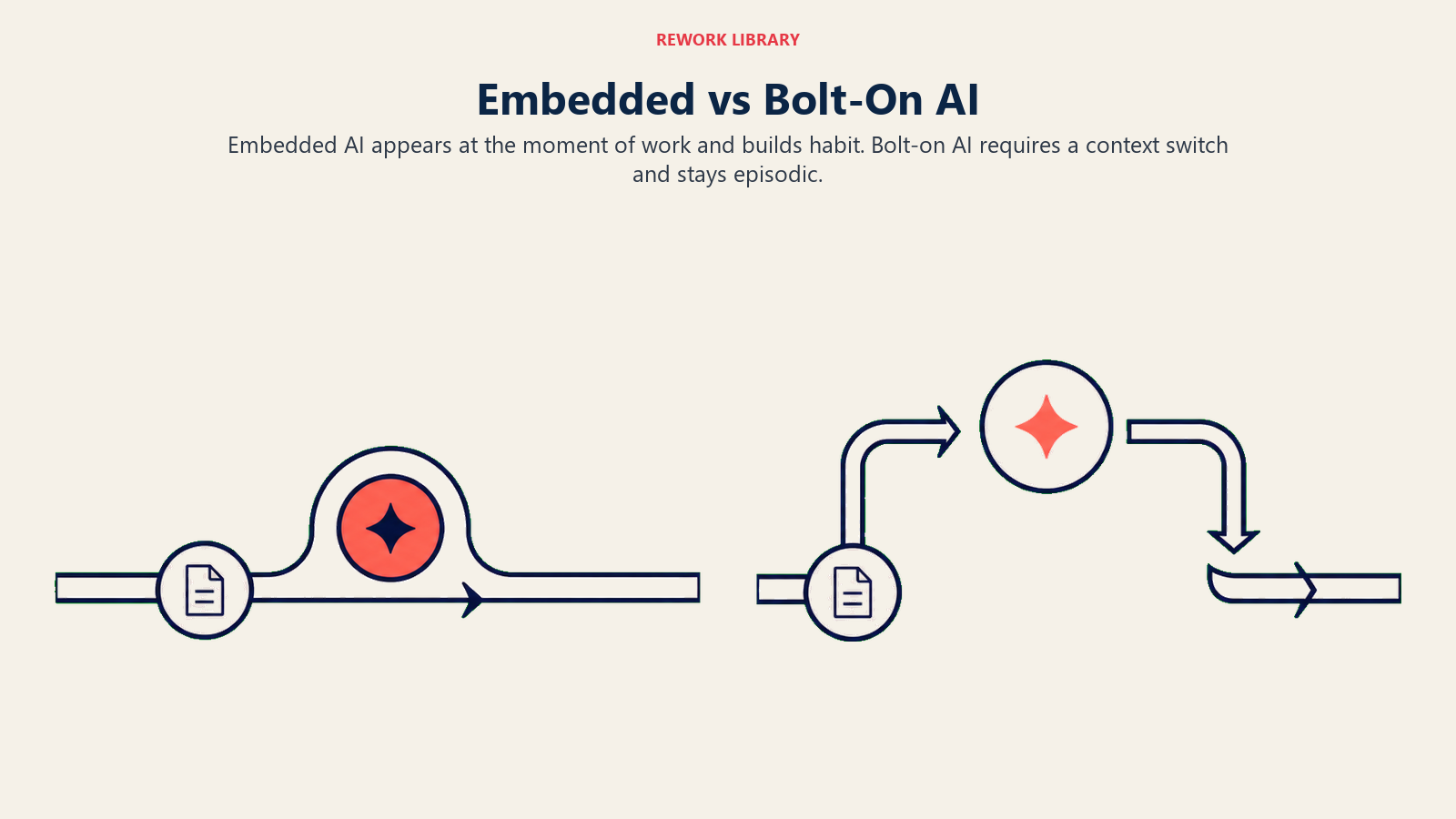
Der Unterschied liegt in der Reibung. Eingebettete Copilots haben keine. Bolt-on-KI-Tools erfordern einen Kontextwechsel, und genau an diesem Punkt hören die meisten Nutzer auf, sie zu verwenden.
Key Facts: Eingebettete KI-Copilot-Adoption
- GitHub Copilot erreichte Anfang 2025 über 15 Millionen Nutzer und wird von 90 % der Fortune-100-Unternehmen eingesetzt; Entwickler, die Copilot verwenden, erledigen Aufgaben in kontrollierten Tests 55 % schneller (Second Talent, 2025)
- Die Microsoft 365 Copilot Workplace-Adoptionsrate liegt bei 35,8 %, wobei weniger als 4 von 10 Mitarbeitern mit Zugang es tatsächlich nutzen, was die Lücke zwischen Bolt-on-KI und eingebetteter KI verdeutlicht, die im Workflow läuft, ohne einen Kontextwechsel zu erfordern (ALM Corp, 2026)
- Anekdotische Belege aus mehreren Produktteams setzen die Akzeptanzrate-Schwelle für „fühlt sich nützlich an" bei 70 %; darunter berichten Nutzer, dass der Copilot „im Weg ist", darüber berichten Nutzer, dass er „weiß, was ich denke"
Warum Einbettung für die Nutzerbindung wichtig ist
Gewohnheitsbildung in Softwareprodukten folgt einer einfachen Regel: Je einfacher ein Verhalten zu wiederholen ist, desto schneller wird es zur Gewohnheit.
Eingebettete Copilots reduzieren die Reibung beim Einsatz von KI auf nahezu null. Der Nutzer muss nicht entscheiden, die KI zu öffnen. Er muss nicht zu einer anderen Oberfläche navigieren. Er muss nicht darüber nachdenken, ob dies ein guter Moment ist, um die KI um Hilfe zu bitten. Die KI ist bereits da und bietet Vorschläge an, während er arbeitet.
Das verändert das Nutzungsmuster vollständig. Bei einem Bolt-on-KI-Tool ist die Nutzung intentional und episodisch. Nutzer gehen zur KI, wenn sie entscheiden, dass sie Hilfe brauchen. Das erzeugt ein Muster mit geringer Häufigkeit, das sich nie zur Gewohnheit entwickelt.
Bei einem eingebetteten Copilot ist die Nutzung ambient und kontinuierlich. Die KI läuft immer im Hintergrund. Nutzer nehmen Vorschläge an, wenn sie nützlich sind, und ignorieren sie, wenn nicht. Mit der Zeit werden die Vorschläge zu einem normalen Teil des Workflows, und das Arbeiten ohne sie beginnt sich langsam anzufühlen.
Das ist der Grund, warum der Nutzungsbindungs-Effekt von eingebetteten Copilots sich kategorisch von Seitenleisten-KI oder Modal-KI unterscheidet. Es liegt nicht daran, dass die KI besser ist. Es liegt daran, dass die Einbettung die Reibungsschwelle für die Gewohnheitsbildung senkt. Der Stanford HAI AI Index 2025 stellt fest, dass KI die Produktivität konsistent steigert und tendenziell die Lücke zwischen gering- und hochqualifizierten Arbeitnehmern schließt, was genau das Wertversprechen ist, das eingebettete Copilots für Enterprise-Käufer, die diverse Teams managen, verteidigungsfähig macht.
Beispiele mit starker Adoption
GitHub Copilot ist der Maßstab für eingebettete Copilots. Er sitzt direkt im Code-Editor, genau dort, wo Entwickler ihre konzentrierteste Arbeitszeit verbringen. Während ein Entwickler tippt, generiert Copilot Vervollständigungen in grauem, transluzentem Text, der sofort vor dem Cursor erscheint. Akzeptieren mit Tab, ablehnen durch einfaches Weiterschreiben.
Das Design ist nahezu reibungslos. Kein Modal. Kein Panel. Keine Unterbrechung des Schreibflusses. Entwickler nehmen Vorschläge entweder an oder nicht, und in jedem Fall schreiben sie weiter. Die Gewohnheit entsteht, weil die Interaktionskosten nahezu null sind und der Mehrwert sofort geliefert wird.
Notion AI wendet dieselbe Logik auf das Schreiben an. Es lebt im Dokument, an dem der Nutzer bereits arbeitet. Der „/"-Befehl zeigt KI-Optionen an, ohne das Dokument zu verlassen. Direktes Generieren, direktes Umschreiben, direkte Zusammenfassung. Nutzer, die Notion AI in ihren Dokument-Workflow integriert haben, berichten, dass Schreiben ohne es anstrengend wird, was das Zeichen dafür ist, dass sich eine Gewohnheit gebildet hat.
Linear's KI ist in die Issue-Erstellung und -Verwaltung eingebettet. Wenn ein Entwickler ein Issue erstellt, kann Linear AI aus einer Freitextbeschreibung ein strukturiertes Issue generieren, relevante Labels und Verantwortliche basierend auf dem Projektkontext vorschlagen und spärlichen Issue-Text mit zusätzlichen Details anreichern.
Stripe Sigmas KI-Unterstützung wendet das Copilot-Muster auf die Datenanalyse an. Sigmas primärer Workflow ist das Ausführen von SQL-Abfragen gegen Stripe-Transaktionsdaten. Die KI erlaubt es Nutzern, auf Englisch zu beschreiben, was sie möchten, und generiert die SQL-Abfrage direkt in der Abfrageoberfläche. Nichttechnische Nutzer, die zuvor kein SQL schreiben konnten, können nun ihre eigenen Daten erkunden.
Figma AI lebt auf der Design-Canvas, auf der Designer ihre gesamte Arbeitssitzung verbringen. Design-Variationen, Auto-Layout-Vorschläge, Komponenten-Benennung und Alt-Text-Generierung erfolgen alle direkt, ohne dass Designer ihre Canvas verlassen müssen.
Das Muster über alle fünf Beispiele hinweg: Die KI befindet sich in der Workflow-Oberfläche, nicht daneben. Der Einfügepunkt ist dort, wo die primäre Arbeit stattfindet. Die Interaktion ist reibungsarm, mit einfachen Annehmen/Ablehnen- oder Aufruf-Befehlen.
Warum Copilots scheitern
Die Misserfolgsmuster für eingebettete Copilots sind konsistent.
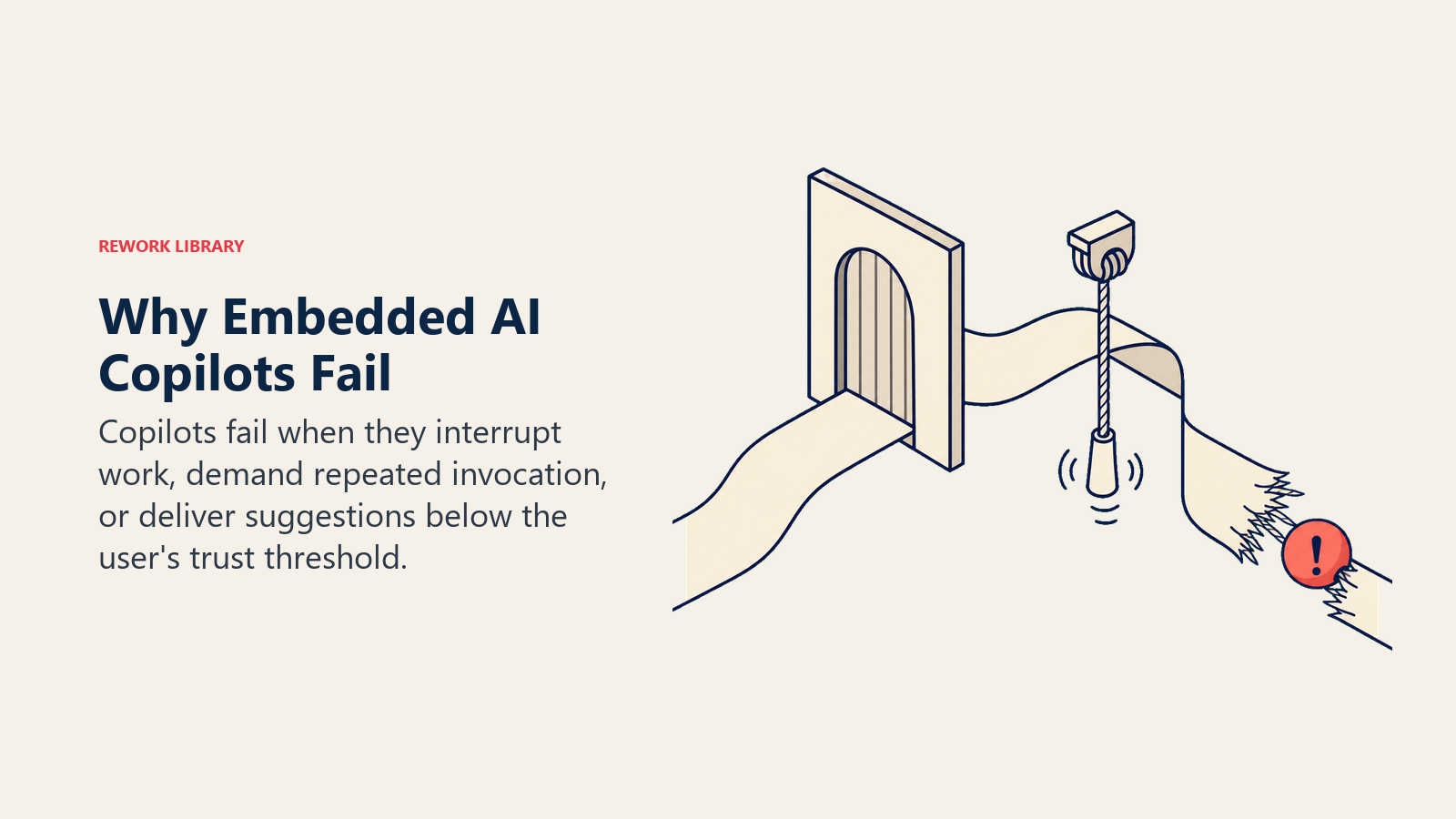
Modal-basierte KI, die den Workflow unterbricht. Eine Schaltfläche mit der Aufschrift „KI-Assistent", die ein Vollbild-Modal öffnet, den Nutzer auffordert, eine Eingabeaufforderung auszufüllen, und ein Ergebnis zurückgibt, das dann zurück in die primäre Oberfläche kopiert werden muss. Das ist ein Bolt-on-KI-Tool mit irreführendem Namen. Es erfordert drei Kontextwechsel pro Nutzung und wird schnell ermüdend.
KI, die für jede Aktion explizite Aufforderungen erfordert. Wenn Nutzer die KI für jeden Vorschlag aufrufen müssen, anstatt Vorschläge kontextuell zu erhalten, ist die Reibung hoch genug, dass die Nutzung episodisch wird. Der Copilot wird zu einem Tool, das Menschen gelegentlich öffnen, nicht zu einem dauerhaften Teil des Workflows.
Vorschläge, die konsistent von schlechter Qualität sind. Das ist das wichtigste Misserfolgsmuster. Wenn die Vorschläge der KI öfter falsch oder unhilfreich als nützlich sind, trainiert der Copilot die Nutzer, ihn zu ignorieren. Und sobald Nutzer die Gewohnheit entwickelt haben, Vorschläge zu ignorieren, ist es selbst nach Qualitätsverbesserungen extrem schwer, das umzukehren. SaaS AI failure modes dokumentiert das vollständige Muster der Vertrauenserosion, das entsteht, wenn eingebettete KI konsistent unterdurchschnittlich abschneidet.
Die Qualitätsschwelle ist wichtig. Anekdotische Belege aus mehreren Produktteams setzen die Akzeptanzrate-Schwelle für „fühlt sich nützlich an" bei etwa 70 Prozent. Darunter berichten Nutzer, dass der Copilot „im Weg ist". Über 70 Prozent Akzeptanz berichten Nutzer typischerweise, dass der Copilot „weiß, was ich denke". Der Unterschied zwischen 60 und 75 Prozent Akzeptanzrate ist der Unterschied zwischen einem Feature, das abgeschaltet wird, und einem, das zur Gewohnheit wird.
„GitHub Copilot, Notion AI, Linear AI und Figma AI teilen eine strukturelle Eigenschaft: Die KI lebt in der Oberfläche, auf der die primäre Arbeit stattfindet. Nicht in einer Seitenleiste. Nicht in einem Modal. Nicht in einem Hilfe-Widget. Der Unterschied zwischen 'mein Team nutzt KI täglich' und 'mein Team hat KI einmal ausprobiert' liegt fast vollständig darin, ob die KI einen Kontextwechsel erforderte." (Rework Analysis, 2025)
„Sobald Nutzer die Gewohnheit entwickelt haben, KI-Vorschläge zu ignorieren, weil die Qualität beim Launch unter dem Schwellenwert lag, ist es selbst nach Qualitätsverbesserungen extrem schwer, diese Gewohnheit umzukehren. Der Vertrauensschwellenwert muss vor der Einbettung in die primäre Workflow-Oberfläche überschritten werden, nicht danach. Führen Sie eine begrenzte Beta durch und messen Sie die Akzeptanzrate vor der breiten Einbettung." (Rework Analysis, 2025)
Embedded vs. Bolt-On KI: Vergleich der Adoptionsmuster
Eingebettete Copilots gewinnen Adoption, weil sie im Moment der Arbeit des Nutzers erscheinen, statt ein separates KI-Ziel zu verlangen.
| Copilot-Typ | Reibungslevel | Typische 90-Tage-WAU (wöchentlich aktive Nutzer) | Akzeptanzrate (bei Nutzung) | Gewohnheitsbildung |
|---|---|---|---|---|
| Inline (GitHub Copilot Muster) | Nahezu null | 70-85 % der aktiven Nutzer | 55-75 % | Bildet sich innerhalb von 2-3 Wochen |
| Slash-Befehl (Notion Muster) | Gering | 45-65 % der aktiven Nutzer | 50-70 % | Bildet sich innerhalb von 4-6 Wochen |
| Kontextbewusste Seitenleiste | Moderat | 25-40 % der aktiven Nutzer | 40-60 % | Episodisch, nicht gewohnheitsmäßig |
| Modal (separates KI-Panel) | Hoch | 5-15 % der aktiven Nutzer | Stark variierend | Bildet sich selten |
Quellen: McKinsey AI Software Development Research 2025, Stanford HAI AI Index 2025, GitHub Copilot Adoption Data 2025
Rework Analysis: Die Microsoft 365 Copilot Adoptionsrate (35,8 %) versus die GitHub Copilot Adoptionsrate (80 %+ tägliche Nutzung unter aktiven Lizenzinhabern) zeigt dasselbe Muster in umgekehrter Form. M365 Copilot wird über eine separate Oberfläche aufgerufen und erfordert in den meisten Workflows einen Kontextwechsel. GitHub Copilot ist direkt im Code-Editor. Beide sind erstklassige KI-Produkte von gut ausgestatteten Teams. Die Adoptionslücke liegt in der Platzierung, nicht in der Qualität. Teams, die Embedded-Copilot-Designs evaluieren, sollten diesen Vergleich als Adoptionsziel-Benchmark verwenden, bevor sie sich auf ihre Auslöser- und Platzierungsstrategie festlegen.
Die Trigger-Design-Frage
Das Trigger-Design entscheidet, ob sich der Copilot wie rechtzeitige Hilfe oder wie eine weitere Unterbrechung im Wettbewerb um Aufmerksamkeit anfühlt.
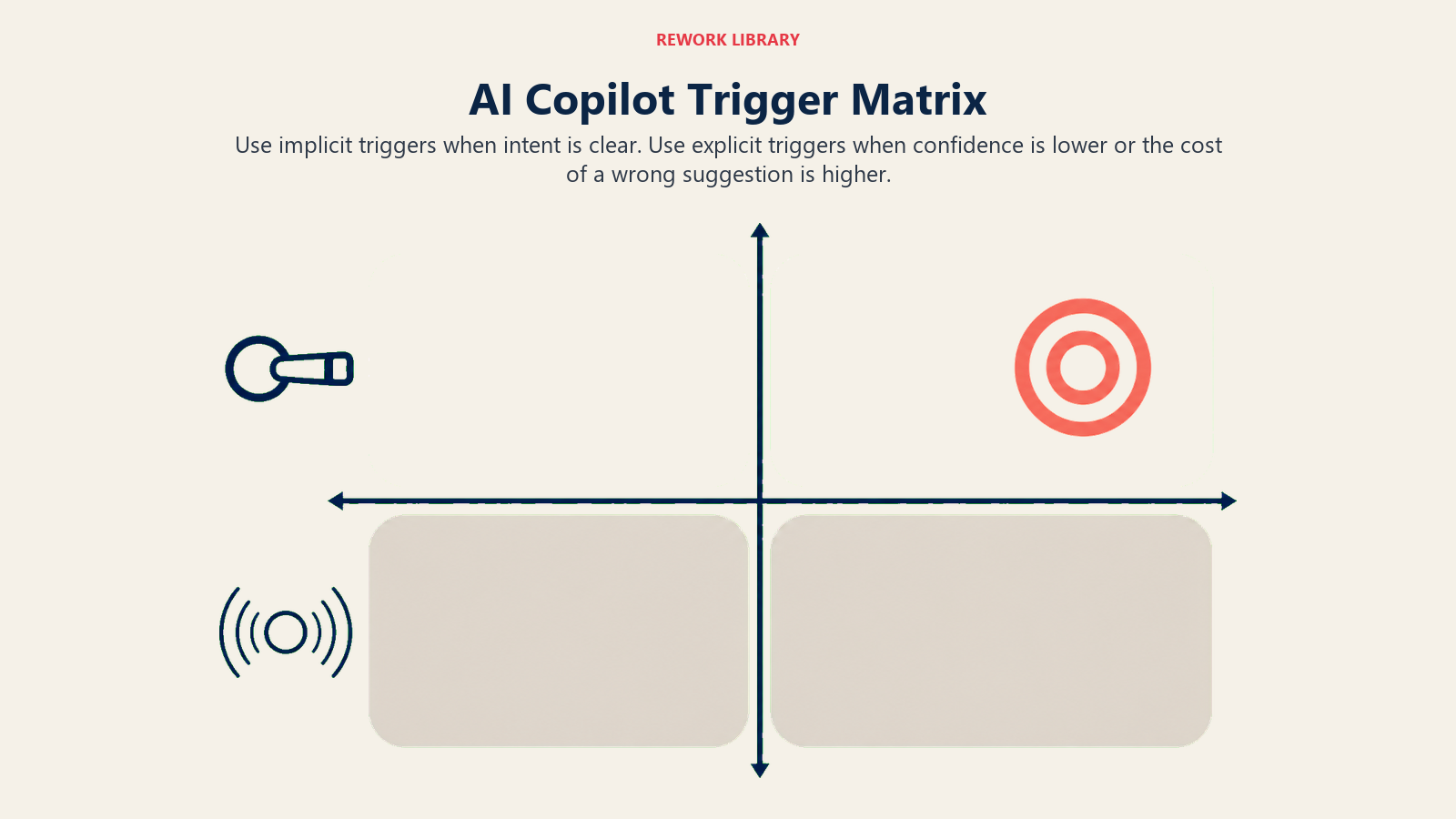
Eine der zentralen Designentscheidungen für eingebettete Copilots ist, wann die KI aktiviert wird. Es gibt zwei Ansätze: explizit und implizit.
Explizite Auslöser erfordern, dass der Nutzer die KI absichtlich aufruft. Ein „/"-Befehl in einem Dokument, ein Tastaturkürzel in einem Code-Editor, eine Rechtsklick-Kontextmenüoption. Der Nutzer fragt; die KI antwortet.
Explizite Auslöser sind sicherer für das Vertrauen. Nutzer wissen genau, wann die KI involviert ist. Es läuft keine ambient KI im Hintergrund, die Ausgaben generiert, die sie nicht angefordert haben. Für Produkte, bei denen das Nutzervertrauen in die KI-Qualität noch aufgebaut wird, ermöglichen explizite Auslöser den Nutzern, die Interaktion zu kontrollieren und schrittweise Vertrauen aufzubauen.
Implizite Auslöser lassen die KI Vorschläge kontinuierlich basierend auf dem Kontext anzeigen, ohne dass der Nutzer explizit fragt. GitHub Copilot ist implizit: Während Sie tippen, erscheinen Vorschläge. Sie haben keinen Vorschlag angefordert; die KI hat entschieden, dass dies ein guter Moment ist, einen anzubieten.
Implizite Auslöser haben einen höheren Mehrwert, wenn sie vertrauenswürdig sind, weil die KI kontinuierlich im Namen des Nutzers arbeitet, nicht nur wenn der Nutzer daran denkt zu fragen. Aber implizite Auslöser, die an den falschen Momenten Vorschläge schlechter Qualität erzeugen, fühlen sich aufdringlich an und trainieren Nutzer, dem System zu misstrauen.
Die Wahl hängt vom Workflow und dem KI-Qualitätsniveau ab. Für hochfrequente, gut definierte Workflows, bei denen die KI starke Signale über die Nutzerabsicht hat, funktionieren implizite Auslöser. Für weniger strukturierte Workflows oder KI-Funktionen in früheren Entwicklungsstadien sind explizite Auslöser sicherer, während die Qualität verbessert wird.
Viele Produkte verwenden einen Hybrid: implizite Vorschläge für Momente mit hoher Konfidenz, expliziter Aufruf für komplexere oder mehrdeutige Anfragen. Linear macht dies: KI schlägt automatisch Labels und Verantwortliche vor (implizit, hohe Konfidenz, geringe Fehlerkosten), während für Issue-Anreicherung ein expliziter Aufruf erforderlich ist (geringere Konfidenz, höhere Fehlerkosten).
Der Genauigkeitsschwellenwert für die Einbettung
Bevor KI als dauerhafter Teil der primären Workflow-Oberfläche eingebettet wird, sollten Teams ehrlich einschätzen, ob ihre KI-Qualität an dem Schwellenwert ist, bei dem die Einbettung hilft statt schadet.
Die Schlüsselmetrik ist die Vorschlag-Akzeptanzrate: Welchen Prozentsatz der KI-Vorschläge akzeptiert der Nutzer ohne Modifikation?
Über 70 Prozent: Der Copilot fühlt sich wie ein Mitarbeiter an. Nutzer akzeptieren Vorschläge als nützlich und beginnen, sie zu erwarten.
50 bis 70 Prozent: Der Copilot ist ein Tool, mit dem Nutzer selektiv interagieren. Nicht gewohnheitsmäßig, aber nützlich genug, um zu bleiben.
Unter 50 Prozent: Der Copilot erzeugt mehr Rauschen als Signal. Nutzer entwickeln ein Muster des Ignorierens von Vorschlägen, das selbst nach Qualitätsverbesserungen schwer umzukehren ist.
Führen Sie den Copilot in einer begrenzten Beta durch, bevor Sie ihn breit einbetten. Die Akzeptanzrate-Daten verraten Ihnen, ob Sie skalieren oder zuerst verbessern sollten.
Das Daten-Flywheel
Eingebettete Copilots generieren ein Signal, das andere KI-Features nicht erzeugen: direktes Nutzer-Feedback zu jedem Vorschlag.
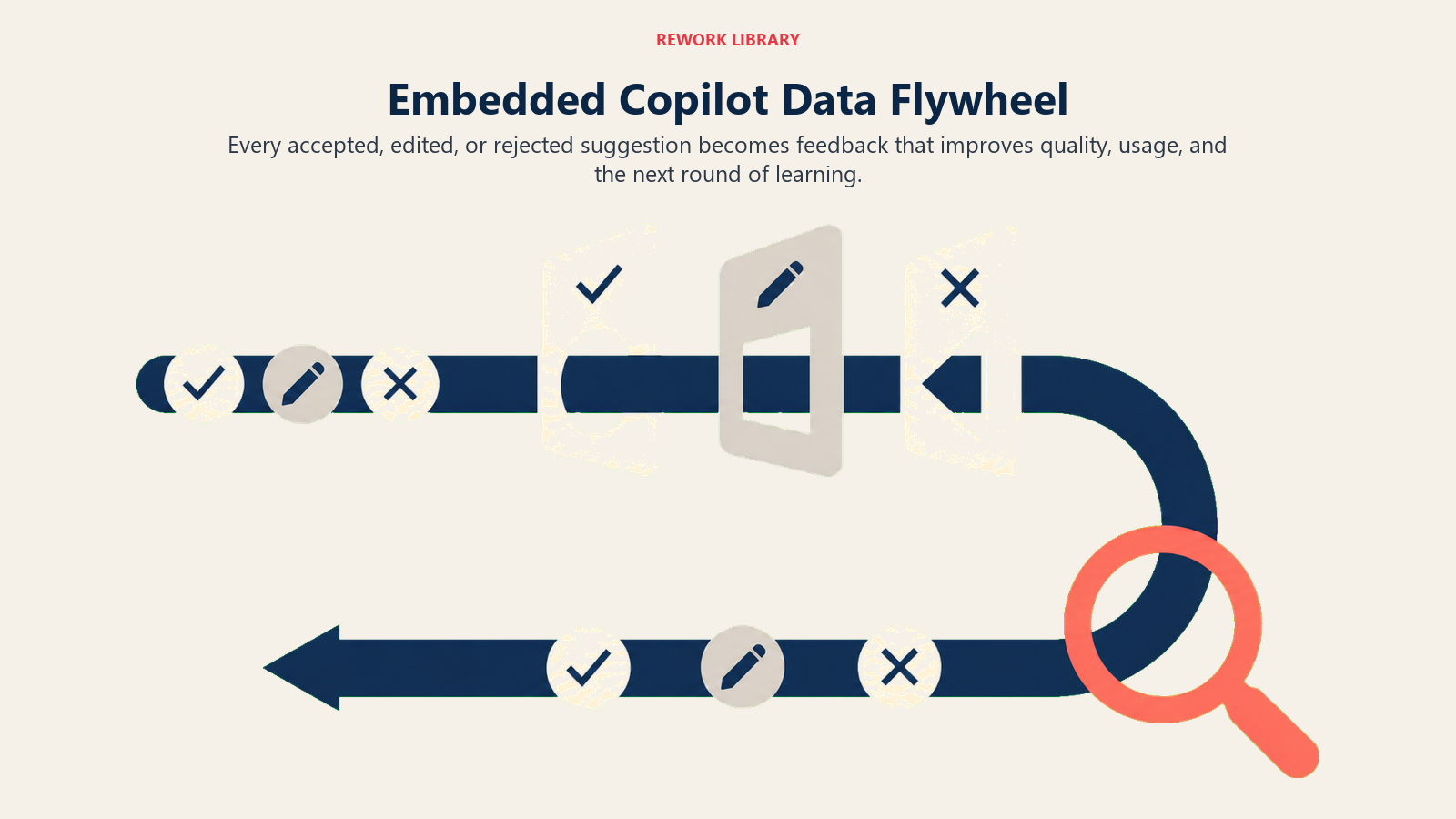
Wenn ein Nutzer einen Vorschlag annimmt, ist das ein positives Signal. Wenn er einen Vorschlag vor der Annahme modifiziert, ist das ein teilweises Signal mit den Modifikationsdaten, die zeigen, was er bevorzugt hat. Wenn er einen Vorschlag ablehnt, ist das ein negatives Signal über diese spezifische Ausgabe in diesem spezifischen Kontext.
Diese Feedback-Schleife, die kontinuierlich über Tausende von Nutzern und Millionen von Vorschlägen läuft, ist Trainingsdaten. Das Produktteam kann sie nutzen, um das Modell zu fine-tunen, den Retrieval-Kontext zu verbessern oder spezifische Misserfolgsmuster zu identifizieren. McKinseys Forschung zur KI-Softwareentwicklung beschreibt diesen kontinuierlichen Feedback-Zyklus als einen der zentralen Unterschiede zwischen KI-eingebetteten Produkten und Feature-Bolt-on-Ansätzen.
Das ist das Daten-Flywheel, das eingebettete Copilots im Laufe der Zeit kumuliert verbessert. Jede Nutzerinteraktion erzeugt Feedback. Das Feedback verbessert das Modell. Bessere Modelle erzeugen höhere Akzeptanzraten. Höhere Akzeptanzraten treiben mehr Nutzung und mehr Feedback. Der Zyklus läuft kontinuierlich, solange Nutzer im Produkt sind.
Bolt-on-KI-Tools generieren dieses Signal nicht mit derselben Rate oder Qualität. Nutzer, die einmal pro Woche ein KI-Panel öffnen und eine Ausgabe generieren, verwenden es entweder oder nicht, aber die sitzungsbasierten Daten sind spärlich. Eingebettete Copilots, die in jeder aktiven Sitzung laufen, generieren um Größenordnungen mehr Feedback, weshalb ihre Qualität so viel schneller verbessert werden kann.
Die Telemetrie-Infrastruktur zum Erfassen dieser Daten muss von Anfang an in die Einbettungsarchitektur eingebaut werden. Telemetry loops for in-product AI behandelt genau, wie diese Feedback-Architektur in der Praxis instrumentiert wird.
Design-Muster für die Einbettung
Einbettungsmuster unterscheiden sich darin, wie sichtbar die KI ist, wie viel Kontrolle der Nutzer behält und wie nah der Vorschlag an der aktiven Aufgabe liegt.
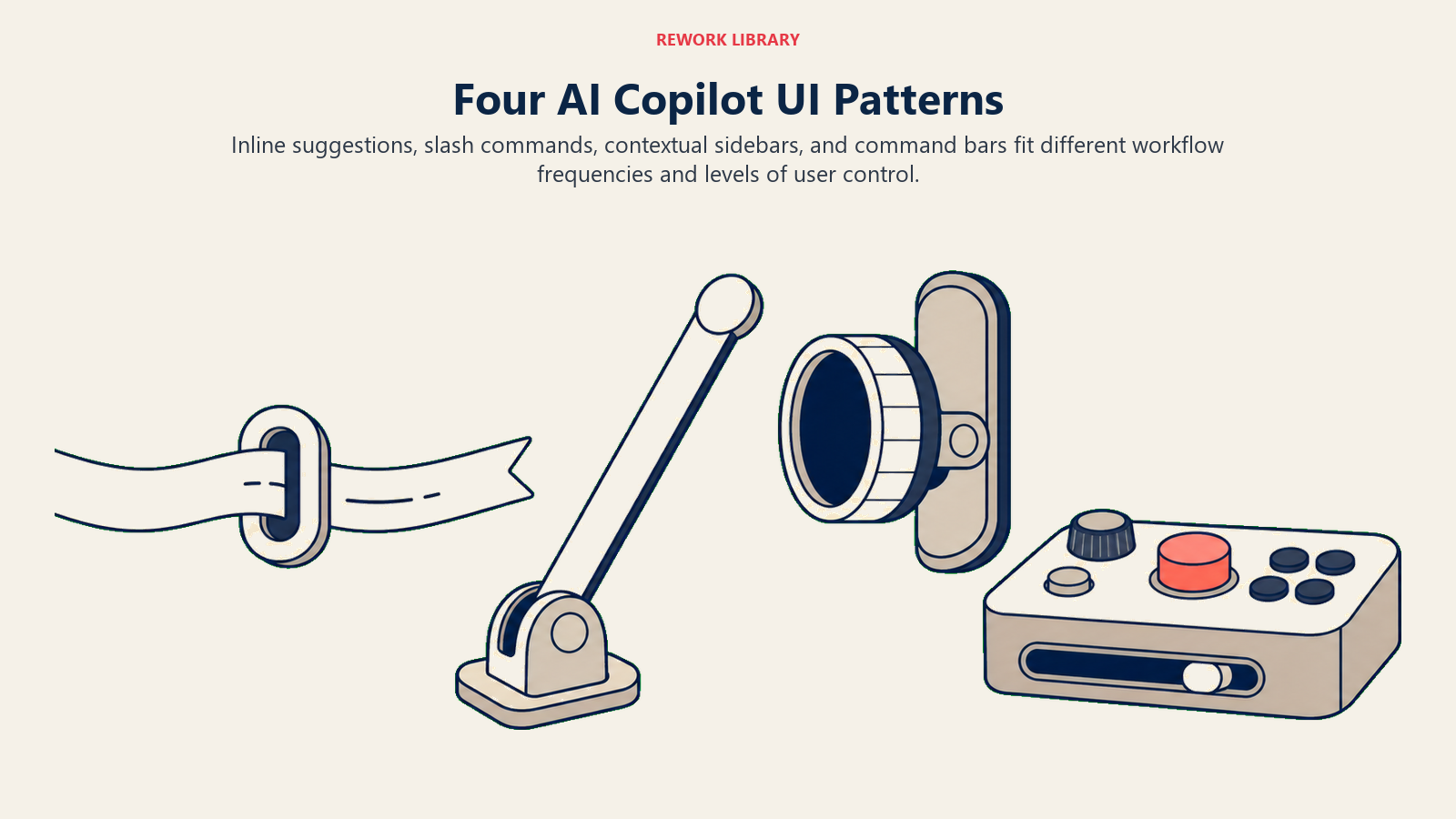
Es gibt vier etablierte Design-Muster für die Einbettung von KI-Copilots in die SaaS-Produkt-UI:
Inline-Vorschlag mit Ghost Text. Die KI generiert eine Vervollständigung, die als grauer, transluzenter Text vor dem Cursor erscheint. Akzeptieren mit Tab, ablehnen durch Weiterschreiben. Das ist das GitHub Copilot Muster, optimiert für Text- und Code-Kompositions-Workflows. Sehr geringe Reibung. Funktioniert am besten, wenn Vorschläge kurz und kontextuell offensichtlich sind.
Slash-Befehl-Panel. Das Tippen von „/" in einer Inhalts-Oberfläche öffnet eine Befehls-Palette mit KI-Optionen neben regulären Befehlen. Notion verwendet dies. Der Nutzer ruft die KI im Kontext auf, ohne das Dokument zu verlassen, aber der Aufruf ist explizit. Gut für reichhaltigere KI-Funktionen (generieren, umschreiben, zusammenfassen), bei denen explizite Kontrolle angemessen ist.
Kontextbewusste Seitenleiste. Eine Seitenleiste, die auf die aktuelle Auswahl oder den aktuellen Standort im Dokument mit relevanten KI-Vorschlägen reagiert. Die Seitenleiste ist dauerhaft, aber unaufdringlich. Funktioniert gut für komplexere KI-Funktionen (Dokumentenanalyse, Querverweise), die von einer etwas größeren UI-Oberfläche profitieren.
Natural Language Command Bar. Eine Befehls-Palette, die einfache Englisch-Anweisungen akzeptiert und sie an die entsprechende KI-Funktion weiterleitet. „Erstelle ein Issue für den Login-Bug, den ich gerade beschrieben habe" oder „Fasse die letzten drei Meeting-Notizen in Aktionspunkte zusammen." Linear und Notion verwenden beide dieses Muster als zweistufige Interaktion für komplexere Anfragen.
Das richtige Muster hängt von der Häufigkeit des Workflows, der Komplexität der KI-Ausgabe und dem Nutzervertrauen in die KI-Qualität beim Launch ab.
Copilots erfordern Workflow-Denken
Die Produktteams, die erfolgreiche eingebettete Copilots bauen, teilen eine Eigenschaft: Sie denken zuerst an den Workflow und entscheiden dann, wie KI hineinpasst.
Die Frage ist nicht „welche KI-Funktion sollten wir hinzufügen". Sie lautet: „Wo im Workflow des Nutzers ist die Reibung am höchsten und häufigsten, und welche KI-Intervention würde diese Reibung am direktesten reduzieren?"
Mit der Funktion beginnen und nach einem Platz dafür suchen, erzeugt Modal-KI, Seitenleisten-KI und Features, die Kontextwechsel erfordern. Mit dem Workflow beginnen und fragen, wo KI einen Platz darin verdient, erzeugt eingebettete Copilots, zu denen Nutzer täglich zurückkehren.
Der Nutzungsbindungs-Unterschied zwischen diesen beiden Ansätzen ist messbar und bedeutend. KI-Features, die Nutzer daran erinnern müssen, dass sie existieren, erzeugen bestenfalls episodische Nutzung. In der primären Workflow-Oberfläche eingebettete KI erzeugt die tägliche Gewohnheit, die Ihr Produkt stärker bindet als die Alternativen.
Häufig gestellte Fragen
Was ist ein eingebetteter KI-Copilot?
Ein eingebetteter KI-Copilot lebt im primären Workflow-Bereich des Produkts, nicht in einer Seitenleiste, einem Modal oder einem separaten Hilfe-Panel. Er aktiviert sich im Kontext, ohne dass der Nutzer woanders navigieren muss. GitHub Copilot, der Code-Vervollständigungen direkt einblendet, während ein Entwickler tippt, ist der Maßstab. Das definierende Merkmal ist null Reibung: Der Nutzer entscheidet sich nicht dafür, die KI zu nutzen, sie ist bereits da, während er arbeitet.
Warum haben eingebettete Copilots eine höhere Wirkung auf die Nutzerbindung als Seitenleisten-KI-Tools?
Gewohnheitsbildung in Software folgt einer einfachen Regel: Je einfacher ein Verhalten zu wiederholen ist, desto schneller wird es zur Gewohnheit. Eingebettete Copilots reduzieren die Reibung beim Einsatz von KI auf nahezu null. Nutzer navigieren nicht zur KI. Sie nehmen Vorschläge an oder ignorieren sie, während sie arbeiten. Mit der Zeit werden die Vorschläge zu einem normalen Teil des Workflows, und das Arbeiten ohne sie beginnt sich langsam anzufühlen. Seitenleisten-KI erfordert eine bewusste Entscheidung zur Interaktion, die die Nutzung episodisch hält und die Gewohnheitsbildung verhindert.
Welche Akzeptanzrate sollten Sie anstreben, bevor Sie einen Copilot in den primären Workflow einbetten?
70 % Vorschlag-Akzeptanz ohne Modifikation ist der Schwellenwert, der „fühlt sich wie ein Mitarbeiter an" von „erzeugt Rauschen" trennt. Unter 50 % Akzeptanz entwickeln Nutzer ein Muster des Ignorierens von Vorschlägen, das selbst nach Qualitätsverbesserungen schwer umzukehren ist. Führen Sie eine begrenzte Beta durch und messen Sie die Akzeptanzrate vor der breiten Einbettung. Wenn die Akzeptanz unter 50 % liegt, beheben Sie zuerst die KI-Qualität, den Kontext oder die Auslöser-Platzierung.
Was sind die vier Design-Muster für eingebettete Copilots?
Inline-Vorschlag mit Ghost Text (GitHub Copilot Muster, am besten für Text- und Code-Komposition), Slash-Befehl-Panel (Notion Muster, am besten für reichhaltigere KI-Funktionen mit expliziter Kontrolle), kontextbewusste Seitenleiste (am besten für komplexe Funktionen, die von einer größeren UI-Oberfläche profitieren) und Natural Language Command Bar (am besten für mehrstufige Anfragen). Das richtige Muster hängt von Workflow-Häufigkeit, Ausgabe-Komplexität und Nutzervertrauen beim Launch ab.
Was verursacht das Scheitern eingebetteter Copilots?
Drei konsistente Misserfolgsmuster. Modal-basierte KI, die den Workflow unterbricht, erfordert 3+ Kontextwechsel pro Nutzung. KI, die für jede Aktion explizite Eingabeaufforderungen erfordert, hält die Nutzung episodisch. Vorschläge, die konsistent unter dem Qualitätsschwellenwert liegen, trainieren Nutzer, den Copilot zu ignorieren, was selbst nach Qualitätsverbesserungen schwer umzukehren ist. Das letzte Muster ist das gefährlichste, weil es still das Vertrauen in eine Produktoberfläche erodiert, die das Team als fertig und stabil betrachtet.
Wie funktioniert das Daten-Flywheel für eingebettete Copilots?
Jede Nutzerinteraktion mit einem eingebetteten Copilot generiert ein Signal: angenommener Vorschlag, modifizierter Vorschlag, abgelehnter Vorschlag, manuelle Vervollständigung ohne Nutzung des Vorschlags. Diese Signale, die über Tausende von Nutzern und Millionen von Interaktionen laufen, sind Trainingsdaten, die das Modell verbessern. Eingebettete Copilots generieren 50x mehr Feedback-Volumen als Bolt-on-KI-Tools, weshalb ihre Qualität so viel schneller kumuliert. Die Telemetrie-Infrastruktur zum Erfassen dieser Daten muss von Anfang an eingebaut werden.
Mehr erfahren:
- Workflow Copilot Pattern: das ACE Framework Muster, das das Interaktionsmodell des eingebetteten Copilots definiert
- KI-Features als Produkt: Wo man sie hinzufügt: wie man die richtigen Workflow-Oberflächen für die Copilot-Einbettung identifiziert
- Telemetry Loops for In-Product AI: das Daten-Flywheel instrumentieren, das Copilots verbessert
- KI-Onboarding-Flows in SaaS-Produkten: wie Copilot-Features mit Onboarding und Aktivierung verbunden sind
- SaaS AI Failure Modes: Vertrauenserosionsmuster, wenn eingebettete KI konsistent unterdurchschnittlich abschneidet

Co-Founder, Rework.com
On this page
- Die Copilot Trigger Matrix
- Was eingebettete Copilots sind
- Warum Einbettung für die Nutzerbindung wichtig ist
- Beispiele mit starker Adoption
- Warum Copilots scheitern
- Embedded vs. Bolt-On KI: Vergleich der Adoptionsmuster
- Die Trigger-Design-Frage
- Der Genauigkeitsschwellenwert für die Einbettung
- Das Daten-Flywheel
- Design-Muster für die Einbettung
- Copilots erfordern Workflow-Denken