KI-Onboarding-Flows in SaaS-Produkten
Turn this article into takeaways for your work.


Each assistant summarizes the article only for you and suggests best practices for your work.
Generische Onboarding-Checklisten konvertieren etwa 20 bis 30 Prozent der neuen Benutzer zur Aktivierung.
KI-personalisiertes Onboarding erreicht konsistent 40 bis 60 Prozent.
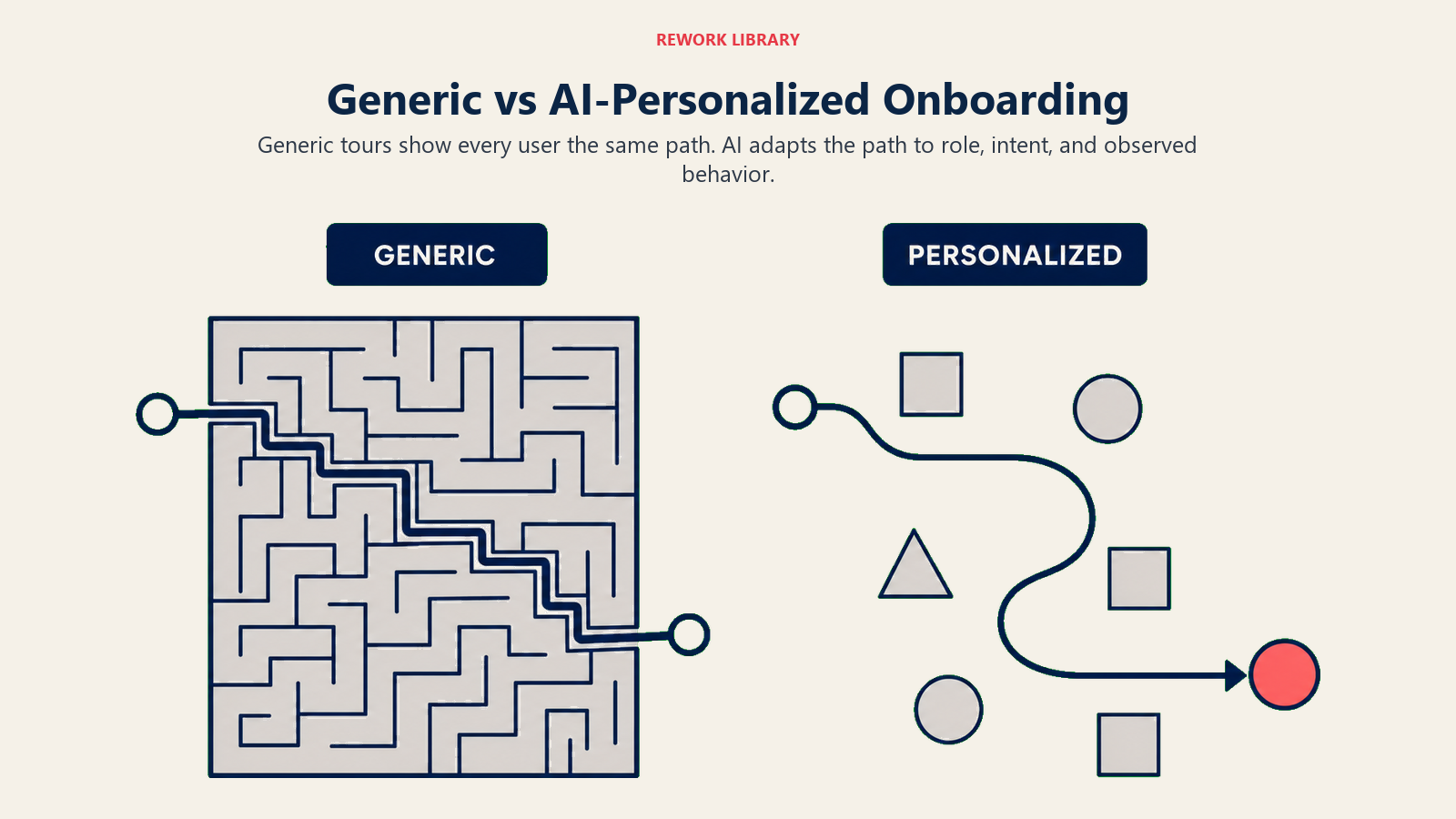
Diese Lücke wird vollständig durch Relevanz erklärt. Generische Checklisten zeigen jedem neuen Benutzer dieselben zehn Schritte in derselben Reihenfolge, unabhängig davon, ob sie sich angemeldet haben, um eine Sales-Pipeline zu verwalten, ein CS-Team zu leiten oder Projektarbeit zu koordinieren. Die meisten Benutzer brechen vor Schritt fünf ab, weil das Produkt ihnen nichts zeigt, das für ihren Job gerade wichtig ist.
KI-personalisiertes Onboarding zeigt jedem Benutzer die Version des Produkts, die zu seiner Rolle, seinem Use Case und seinem wahrscheinlichsten Weg zum Wert passt. Dasselbe Produkt, unterschiedliche Darstellung, bedeutend unterschiedliches Ergebnis.
Warum Standard-Onboarding scheitert
Der Standard-SaaS-Onboarding-Flow wurde für eine einfachere Produktära aufgebaut. Sie hatten einen Haupt-Workflow, eine Käufer-Persona und eine relativ kurze Feature-Liste. Eine 10-Schritte-Tour machte Sinn.
Moderne SaaS-Produkte bedienen mehrere Käufer-Personas über mehrere Use Cases. Ein Projektmanagement-Tool könnte Engineering-Teams, Marketing-Teams, Executive Assistants und Operations Manager bedienen, jeder mit unterschiedlichen primären Workflows und unterschiedlichen Definitionen von "Ich habe Wert aus diesem Produkt gezogen."
Aber das Onboarding zeigt ihnen immer noch dieselbe Tour.
Das Ergebnis: Benutzer sehen Features, die nichts mit ihrem Job zu tun haben, in einer Reihenfolge, die das mentale Modell des Produktteams widerspiegelt, nicht die Prioritäten eines einzelnen Benutzers. Sie schließen Schritt eins ab (Profilbild setzen), Schritt zwei (Teammitglied einladen), Schritt drei (Projekt erstellen), und dann sehen sie "Slack-Integration verbinden" und hören auf, weil sie nicht sicher sind, warum Slack noch wichtig ist und sie keinen Kontext mehr haben, was dieses Produkt eigentlich für sie tun soll.
Das häufigste Onboarding-Fehlermuster ist keine schlechte Benutzeroberfläche. Es ist ein Mismatch zwischen dem, was der Benutzer sucht (Beweis, dass dieses Produkt sein spezifisches Problem löst) und was ihm gezeigt wird (Beweis, dass dieses Produkt viele Features hat).
Key Facts: KI-Onboarding und Aktivierung
- Rollenorientiertes Onboarding-Messaging erhöht die Aktivierungsraten um 30-50 %, und personalisierte Onboarding-Flows haben 65 % höhere Abschlussraten als generische (Agile Growth Labs, 2025)
- Unternehmen, die KI-gesteuerte Personalisierung implementieren, berichten von 15-30 % zusätzlichen Aktivierungsverbesserungen über manuelle Segmentierung hinaus (SaaS Factor, 2025)
- Eine Steigerung der Aktivierungsraten um 25 % kann den Umsatz um 34 % erhöhen, und Time-to-First-Value ist jetzt ein Leading Indicator, den CS-Leader mit Kunden zu Vertragsbeginn abstimmen (McKinsey, 2025)
Der Role-Aware Activation Path
Der Role-Aware Activation Path ist ein KI-personalisiertes Onboarding-System, das jeden neuen Benutzer anhand von drei qualifizierenden Signalen einer bestimmten First-Run-Erfahrung zuordnet: angegebene Rolle, angegebener Use Case und Teamgröße, die bei der Anmeldung erfasst wurden. Das System nutzt Personalization-Engine-Muster-Logik, um den Benutzer einem Cohort ähnlicher Benutzer zuzuordnen, und leitet sie dann zum Onboarding-Pfad mit der historisch höchsten First-Value-Milestone-Abschlussrate für diesen Cohort weiter. Im Gegensatz zu statischen rollenbasierten Verzweigungen lernt der Role-Aware Activation Path aus dem Verhalten jedes neuen Benutzers und aktualisiert Cohort-Empfehlungen kontinuierlich. Der Pfad endet, wenn der Benutzer den für seine Rolle definierten First-Value-Milestone erreicht, nicht wenn er eine feste Checkliste abschließt.
Was KI-Onboarding tatsächlich tut
KI-Onboarding nutzt Rollen-, Unternehmenskontext- und Use-Case-Eingaben aus dem Anmeldeflow, um eine personalisierte First-Run-Erfahrung zu liefern.
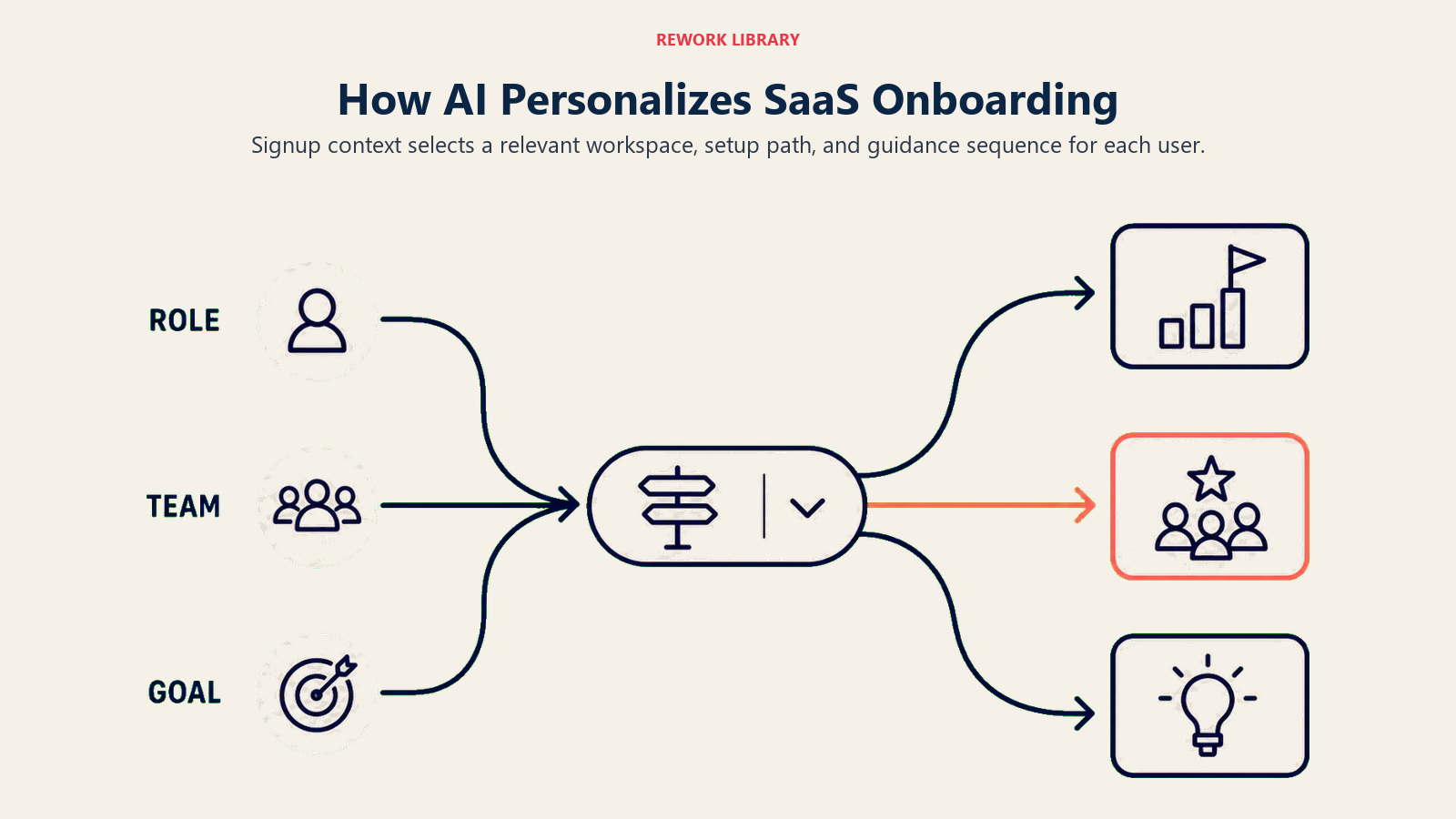
Die ACE-Framework-Muster, die hier im Einsatz sind, sind Personalization Engine und Workflow Copilot, die zusammenarbeiten. Personalization Engine übernimmt die Profil- und Vorhersageseite: Wer ist dieser Benutzer, welchem Cohort gehört er an, welcher Pfad hat bei ähnlichen Benutzern funktioniert. Workflow Copilot übernimmt die In-Produkt-Anleitungsseite: nächste Aktionen vorschlagen, relevante Vorlagen aufzeigen und die Checkliste anpassen, wenn das Verhalten des Benutzers mehr Signal liefert.
Konkret funktioniert das in der Praxis so:
Bei der Anmeldung beantwortet der Benutzer zwei oder drei qualifizierende Fragen. "Was ist Ihre Rolle?" "Wofür möchten Sie dieses Produkt nutzen?" "Wie groß ist Ihr Team?" Diese Antworten dauern 30 Sekunden und geben dem Onboarding-KI genug Signal, um zu verzweigen.
Die KI ordnet die Antworten einem Onboarding-Pfad zu. Dasselbe Produkt, unterschiedlicher Einstiegspunkt. Unterschiedliche First-Run-Vorlage. Unterschiedliche Abfolge von Setup-Schritten. Unterschiedlicher In-Produkt-Anleitungstext.
Ein Chief Revenue Officer (CRO), der sich in ein CRM-Tool einarbeitet, sieht zuerst die Pipeline-Übersicht und das Sequence-Setup. Das ist der hochfrequente Workflow, der seinen Job beweisen wird. Ein CS-Lead, der dasselbe Produkt onboardet, sieht zuerst das Account-Health-Dashboard und die Kundenzeitansicht. Das Produkt ist dasselbe. Die Tour ist unterschiedlich.
Traditionelles rollenbasiertes Onboarding wurde mit festen Verzweigungen aufgebaut: "wenn Rolle = Vertrieb, zeige Pfad A; wenn Rolle = Support, zeige Pfad B." Es erforderte Produkt- und Engineering-Aufwand zur Pflege, hatte begrenzte Verzweigungen und brach, wenn Rollen nicht in die vordefinierten Kategorien passten.
KI-personalisiertes Onboarding nutzt dieselben Signale, gibt aber probabilistische Empfehlungen aus Cohort-Daten statt festen Regeln. Das System lernt, welche Onboarding-Pfade zur Aktivierung für Benutzer mit ähnlichen Profilen geführt haben, und verbessert die Empfehlungen kontinuierlich, wenn mehr Benutzer durch den Flow gehen.
KI-generierte Setup-Empfehlungen
Über das Routing hinaus machen KI-Onboarding-Systeme aktive Setup-Empfehlungen.
Statt zu warten, bis der Benutzer Integrationen erkundet, sagt das Onboarding-KI: "Basierend auf Ihrer Rolle und Unternehmensgröße verbinden Teams wie Ihres typischerweise [Integration] in der ersten Session. Möchten Sie das jetzt einrichten?"
Das ist wichtig, weil Integrationen der zuverlässigste Prädiktor für langfristige Bindung in den meisten SaaS-Produkten sind. Ein Benutzer, der in der ersten Session sein CRM, sein Slack und seinen Kalender verbindet, hat eine deutlich höhere 30-Tage-Bindungsrate als einer, der nur sein Profil eingerichtet hat.
Aber Benutzer wissen nicht, welche Integrationen für ihren Workflow wichtig sind. Das generische Onboarding zeigt alle Integrationen gleich. Das KI-personalisierte Onboarding zeigt die zwei oder drei, die am wahrscheinlichsten relevant sind, basierend auf dem Benutzerprofil, und präsentiert sie in dem Moment im Flow, wo der Benutzer den meisten Kontext hat, um darauf zu reagieren.
Dieselbe Logik gilt für Vorlagen, Workflow-Konfigurationen und Team-Einladungen. KI empfiehlt die spezifischen Vorlagen, mit denen ähnliche Benutzer gestartet haben. Es schlägt vor, die Teammates einzuladen, die am wahrscheinlichsten Mitarbeiter sind, basierend auf den Unternehmensgrößen- und Rollensignalen bei der Anmeldung.
Der First-Value-Milestone
Der First-Value-Milestone ist der Verhaltensmoment, der belegt, dass das Onboarding einen Benutzer vom Setup in die sinnvolle Produktnutzung geführt hat.
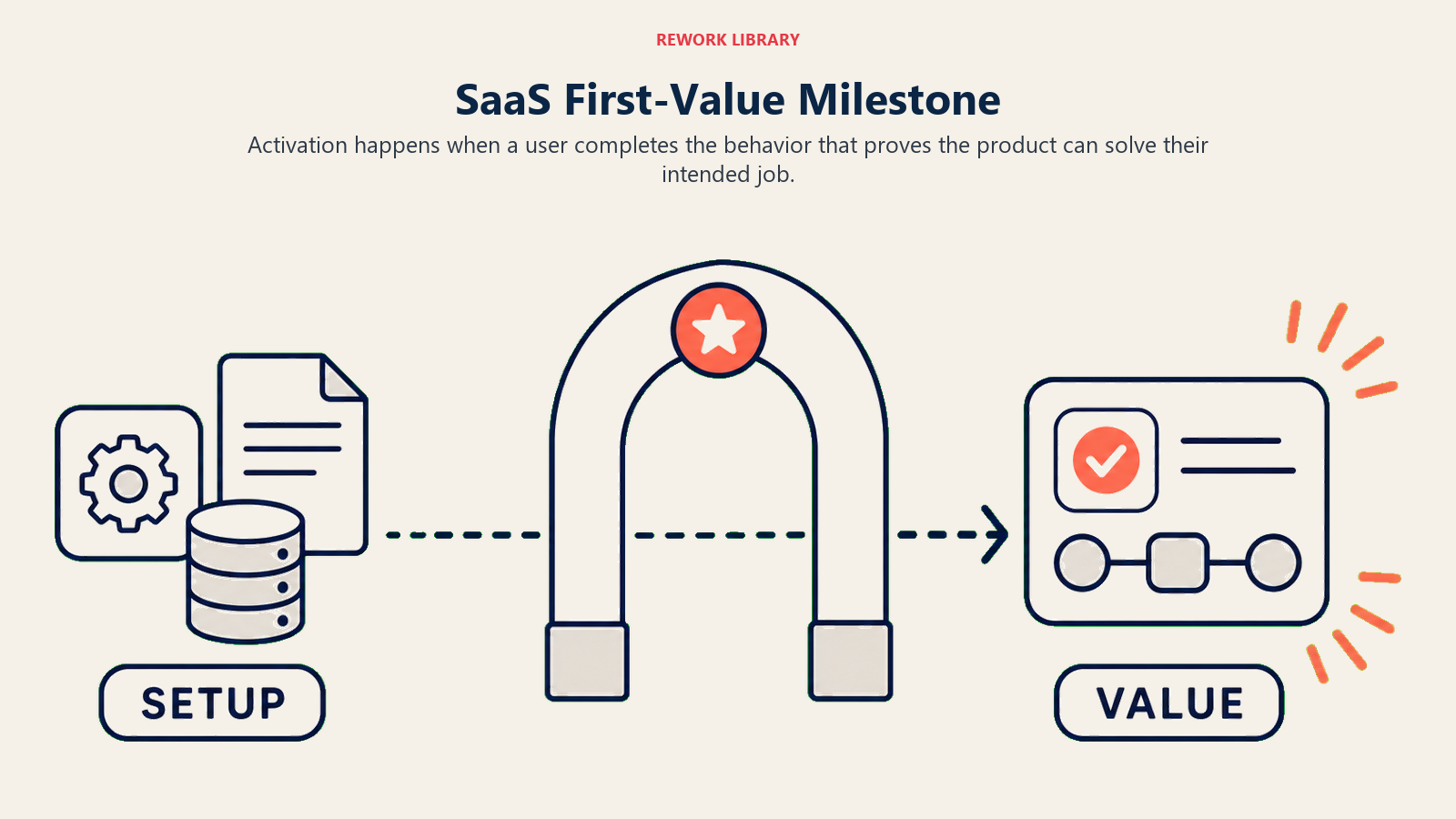
Nicht alle Aktionen in einem Produkt sind gleich. Für jedes SaaS-Produkt gibt es in der Regel eine Aktion, die, wenn sie von einem Benutzer in seiner ersten Session oder ersten Woche abgeschlossen wird, die 30-Tage-Bindung bei einer bedeutend höheren Rate als jede andere Aktion vorhersagt.
Produkt-Growth-Teams nennen das den First-Value-Milestone oder den "Aha-Moment." Es ist der Punkt, an dem sich der innere Monolog des Benutzers von "Ich frage mich, ob das nützlich ist" zu "Das löst mein Problem" verschiebt.
Den First-Value-Milestone zu identifizieren ist eine Datenübung. Cohort-Analyse über Aktivierungsereignisse findet die einzelne Aktion, die am stärksten mit der 30-Tage-Bindung korreliert. Für ein Projektmanagement-Tool könnte es "hat eine Aufgabe erstellt und sie einem anderen Teammitglied zugewiesen" sein. Für ein CRM könnte es "hat einen Verkaufsanruf mit einer angehängten Notiz abgeschlossen" sein. Für ein Content-Tool könnte es "hat einen Entwurf veröffentlicht" sein.
Sobald Sie den Milestone kennen, hat das KI-Onboarding-Design einen klaren Job: Jeden neuen Benutzer so schnell wie möglich zu dieser Aktion zu führen. Telemetry loops for in-product AI erklärt, wie Produktereignisdaten diese Cohort-Analyse speisen und die Milestone-Definition kontinuierlich verfeinern.
Das ändert, wie Sie den Onboarding-Flow gestalten. Statt Benutzern alle Features zu zeigen und sie wandern zu lassen, zeigt jeder Onboarding-Pfad auf den Milestone. Die KI-generierten Setup-Empfehlungen dienen alle dem Pfad zu dieser Aktion. Die In-Produkt-Prompts bauen alle auf diesen Moment hin. Der Milestone ist kein Nice-to-have. Er ist die Ziellinie.
Beispiele in der Praxis
Intercom nutzt einen Qualifikations-Bot beim Onboarding, der nach Use Case (Marketing, Support oder Vertrieb), Teamgröße und Produkttyp fragt, bevor er ein Feature zeigt. Das Gespräch ist natürlich und konversationell, kein Formular. Die Antworten leiten Benutzer zu einer First-Session-Erfahrung, die zuerst relevante Workflows zeigt.
Notion nutzt rollenbasierte Vorlagenempfehlungen im Onboarding. Nach der Anmeldung bietet die Schnittstelle personalisierte Startpunkte an: "Als Product Manager möchten Sie vielleicht mit einer Produktspezifikationsvorlage oder einer Roadmap beginnen" versus "Als Designer sind hier Design-Brief- und Projektvorlagen." Die KI-Empfehlung verbessert sich mit jedem Cohort, da Notion lernt, welche Vorlagen zur Aktivierung für welche Rollensignale führen.
Linear passt seine Onboarding-Erfahrung an die Teamgröße an. Ein Solo-Entwickler bei der Anmeldung sieht ein anderes Standard-Setup als ein 10-köpfiges Engineering-Team. Größere Teams werden früher zum Setup gemeinsamer Workspaces und Team-Einladungsflows geführt, weil Peer-Adoption innerhalb eines Teams die entscheidende Variable für Linears Bindung ist.
Appcues und Userflow sind die primären Plattformen, die SaaS-Unternehmen nutzen, um KI-personalisiertes Onboarding aufzubauen, ohne von Grund auf zu entwickeln. Beide unterstützen bedingte Logik für Onboarding-Pfade basierend auf Benutzerattributen, Verhaltensauslöser für In-Produkt-Nudges und Analysen zur Verfolgung von Abschlussraten nach Pfad.
Der Unterschied zwischen dem Aufbau von Onboarding-KI auf einer Plattform versus dem nativen Aufbau im Produktcode ist es wert zu beachten. Plattform-Tools wie Appcues bringen Sie schneller live und machen Iterationen einfacher ohne Engineering-Beteiligung. Native Implementierungen geben mehr Kontrolle und engere Integration mit Produkt-Telemetrie. Die meisten Teams starten mit einer Plattform und migrieren nativ, sobald das Pfaddesign bewiesen ist.
„Generische Onboarding-Checklisten konvertieren 20-30 % der neuen Benutzer zur Aktivierung. KI-personalisiertes Onboarding erreicht konsistent 40-60 %. Die Lücke wird vollständig durch Relevanz erklärt. Benutzer, die Features sehen, die nichts mit ihrem Job zu tun haben, in einer Reihenfolge, die das mentale Modell des Produktteams statt ihrer eigenen Prioritäten widerspiegelt, brechen vor Schritt fünf ab." (Rework Analysis, basierend auf SaaS-Aktivierungs-Benchmarks, 2025)
„Der Widerstand gegen das Sammeln von qualifizierenden Fragen bei der Anmeldung ist fast immer falsch. Benutzer, die qualifizierende Fragen beantworten, konvertieren zur Aktivierung zu höheren Raten, weil sie Absicht bezüglich des Setups signalisieren. Die Reibungskosten sind minimal; der Signalwert ist hoch." (Rework Analysis, basierend auf McKinsey SaaS-Onboarding-Forschung, 2025)
Onboarding-Performance: Generisch vs. KI-personalisiert
Generisches Onboarding optimiert für den Durchschnittsnutzer, während KI-personalisiertes Onboarding sich an Rolle, Absicht und beobachtetes Verhalten anpasst.
| Kennzahl | Generische Checkliste | KI-personalisierter Pfad | Quelle |
|---|---|---|---|
| Aktivierungsrate (First-Value-Milestone) | 20-30 % | 40-60 % | Agile Growth Labs, 2025 |
| Onboarding-Abschlussrate | Ausgangswert | 65 % höher | SaaS Factor, 2025 |
| Time-to-First-Value | Ausgangswert | 30-50 % Reduzierung | McKinsey, 2025 |
| 30-Tage-Bindung von aktivierten Benutzern | Ausgangswert | 25-35 % höher | Intercom Growth Research, 2024 |
Rework Analysis: Der schnellste Weg zur Verbesserung der Aktivierungsrate ist nicht eine neue UI oder eine kürzere Checkliste. Es ist, jedem Benutzer die Version des Produkts zu zeigen, die für seine spezifische Rolle relevant ist, in der Reihenfolge, die ihn zu seinem First-Value-Milestone bringt. Die Daten, die das ermöglichen, existieren bei der Anmeldung: Rolle, Use Case, Teamgröße. Die KI-Ebene leitet Benutzer zum Onboarding-Pfad, der historisch am besten für ihren Cohort funktioniert hat. Teams, die dieses Routing implementieren, bevor sie einzelne Checklistenschritte optimieren, sehen 2-3-mal größere Aktivierungsverbesserungen als Teams, die Schritte ohne Routing optimieren.
Die KI-zu-Mensch-Übergabe
KI-Onboarding ist kein Ersatz für menschliches Onboarding. Es ist der obere Teil eines Funnels, der zu menschlichem Touch eskaliert, wenn KI die Aufgabe nicht erledigt.
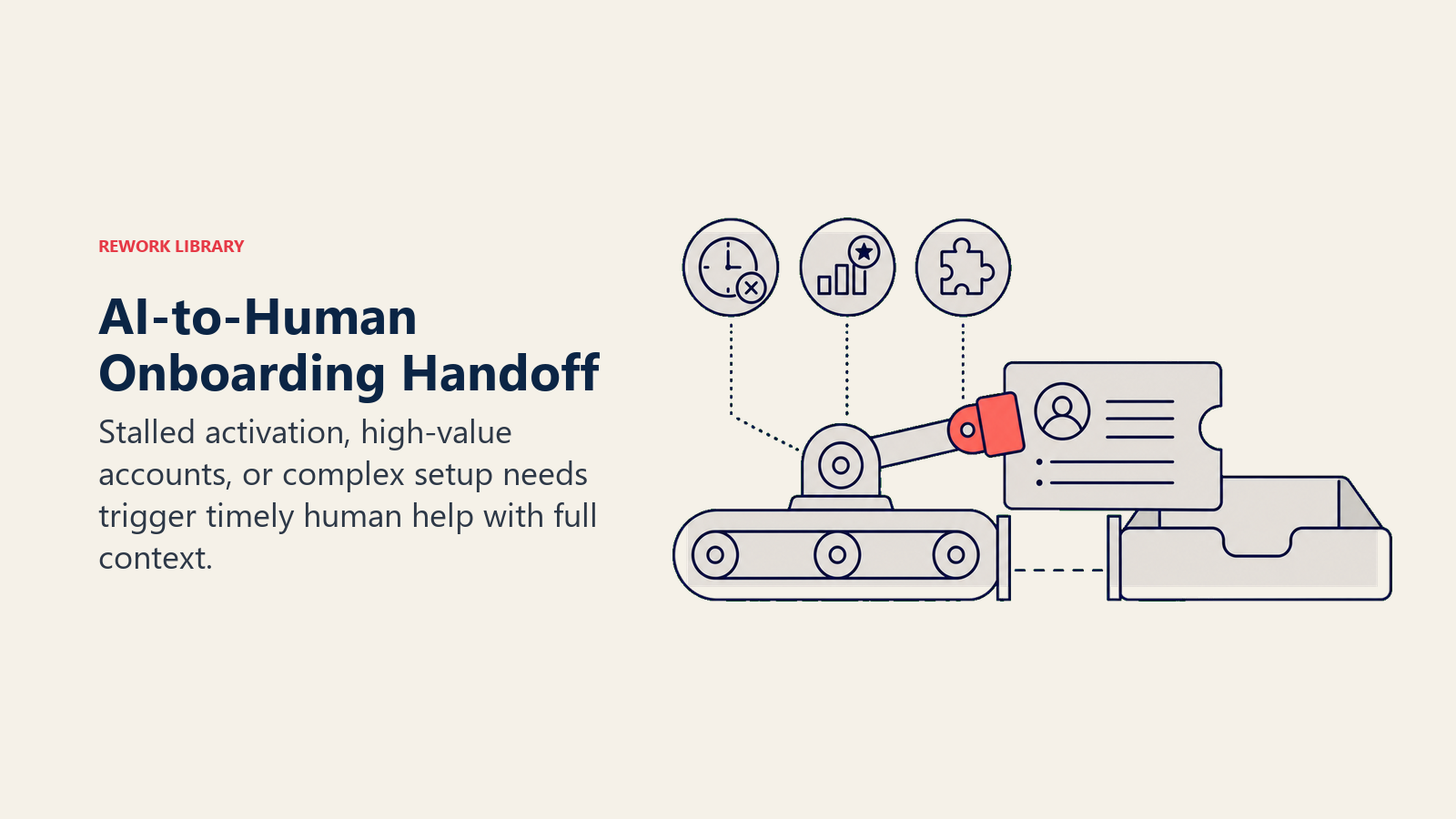
Der Übergabe-Trigger ist verhaltensbasiert: Wenn ein Benutzer bis Tag 3 den First-Value-Milestone nicht abgeschlossen hat (oder welcher Schwellenwert auch immer Ihre Cohort-Daten unterstützen), hat das KI-Onboarding es nicht geschafft, ihn dorthin zu bringen, und die Wahrscheinlichkeit, ohne Intervention eine 30-Tage-Bindung zu erreichen, sinkt erheblich.
Bei diesem Trigger ist die richtige Maßnahme menschliche Kontaktaufnahme. Eine personalisierte E-Mail vom CS- oder Growth-Team. Eine In-App-Nachricht von einer echten Person. Ein kurzes Onboarding-Call-Angebot.
Das KI-System generiert den Kontext für diese menschliche Kontaktaufnahme: Was der Benutzer in seiner ersten Session getan hat, welche Setup-Schritte er abgeschlossen hat, wo er abgebrochen ist und auf welchem Onboarding-Pfad er war. Der CS-Rep muss den Kontext des Benutzers nicht von Grund auf rekonstruieren. Er kann genau sehen, wo der Benutzer steckengeblieben ist, und das Gespräch damit beginnen. AI customer success manager for SaaS behandelt, wie diese Art von KI-generiertem Kontext den gesamten CS-Workflow über das anfängliche Onboarding hinaus unterstützt.
Diese KI-zu-Mensch-Übergabe ist genauso wichtig wie das KI-Onboarding selbst. KI bearbeitet das hohe Volumen, skaliert unendlich und kann auf einem Niveau personalisieren, das kein menschliches Team für jeden neuen Benutzer erreichen könnte. Aber sie verpasst die Benutzer, die ein Gespräch brauchen, um das Wertversprechen zu verstehen. Menschliche Kontaktaufnahme gewinnt diese Benutzer zurück, und sie ist effektiver, wenn der Mensch KI-generierten Kontext hat statt kalt zu starten.
Die relevanten Kennzahlen
Für KI-Onboarding-Investitionen erzählen vier Kennzahlen die Geschichte:
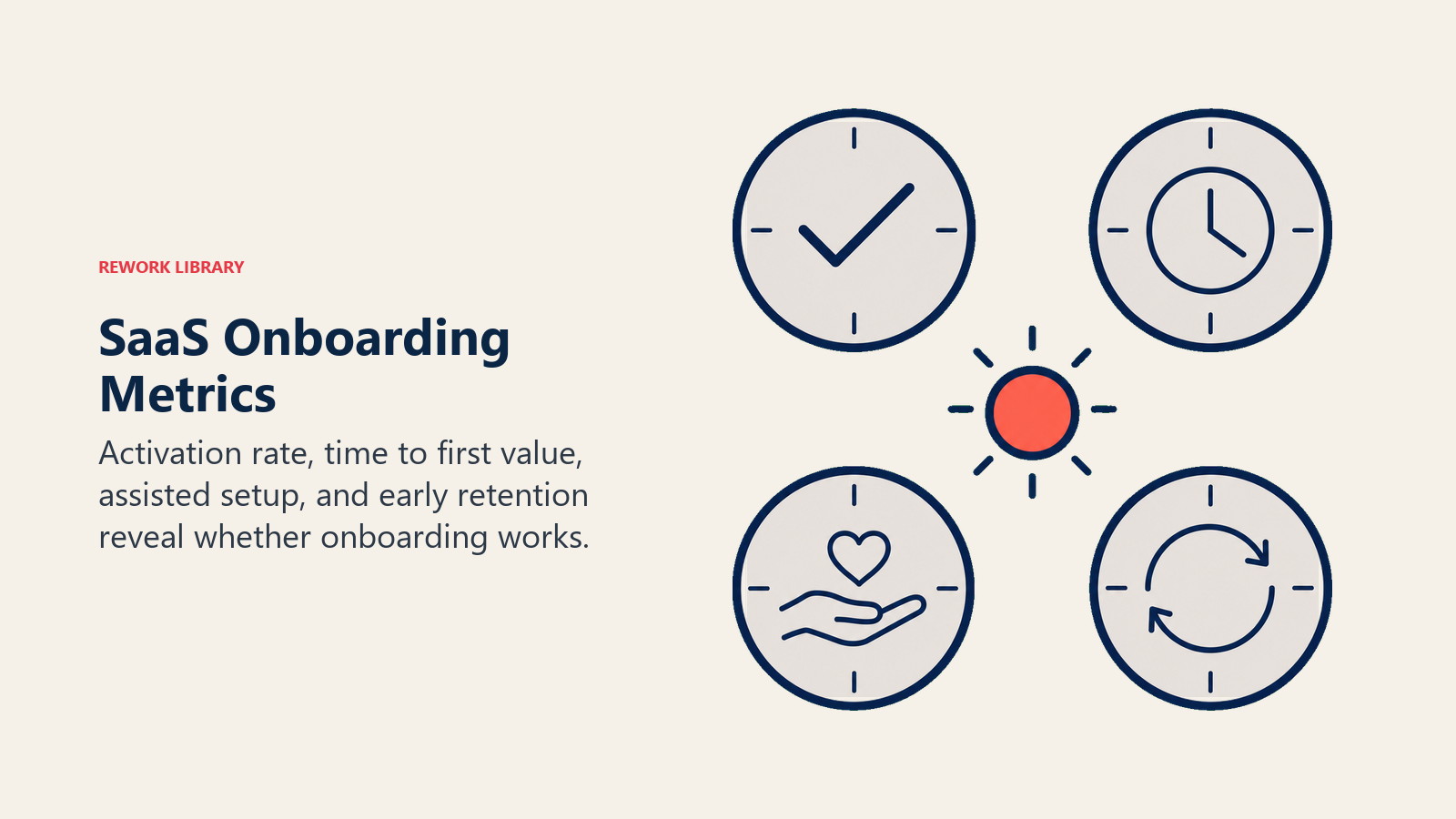
Aktivierungsrate misst den Prozentsatz neuer Anmeldungen, die den First-Value-Milestone innerhalb der ersten Session oder ersten Woche erreichen. Das ist die primäre Output-Kennzahl für Onboarding-Qualität. Generisches Onboarding sieht typischerweise 20 bis 30 Prozent. KI-personalisiertes Onboarding zielt auf 40 bis 60 Prozent.
Time-to-Value misst, wie schnell neue Benutzer ihren ersten Milestone erreichen. Das kann in Minuten für sitzungsbasierte Milestones oder Tagen für wöchentliche gemessen werden. KI-Onboarding reduziert Time-to-Value typischerweise um 30 bis 50 Prozent durch Beseitigung der Setup- und Erkundungsreibung.
7-Tage-Bindung nach Onboarding-Pfad lässt Sie vergleichen, welche KI-personalisierten Pfade funktionieren und welche nicht. Ein Pfad mit hohen Abschlussraten, aber niedriger 7-Tage-Bindung zeigt Benutzern die falschen Milestones. Ein Pfad mit niedriger Abschlussrate, aber hoher 7-Tage-Bindung für Abschließende ist ein Onboarding-Designproblem.
Abschlussrate bei personalisierten vs. generischen Checklisten ist der Leading Indicator, der Ihnen sagt, ob die Personalisierung Anklang findet. Benutzer, die mehr von einem personalisierten Onboarding abschließen, demonstrieren Engagement mit dem Inhalt, was typischerweise die Aktivierung vorhersagt.
Verfolgen Sie diese vier Kennzahlen nach Cohort, nach Onboarding-Pfad und nach Rollensignal. Das Ziel ist keine einzelne globale Aktivierungsrate. Es ist eine Verteilung von Aktivierungsraten über Personas und eine klare Sicht, welche Personalisierungsinterventionen welche Personas zum Milestone bewegen. McKinseys Forschung zur Personalisierung im großen Maßstab ergab, dass Organisationen, die Personalisierung vollständig implementieren, eine 10- bis 30-prozentige Verbesserung bei Umsatz und Bindung erzielen können, was mit der Lücke zwischen generischen und KI-personalisierten Onboarding-Konversionsraten übereinstimmt.
Die erforderliche Investition
KI-Onboarding erfordert keine komplexe KI-Infrastruktur. Die Investition liegt primär in Datensammlung und Pfaddesign.
Datensammlung: Der Anmeldeflow muss Rolle, Use Case und Teamgröße erfassen. Diese können mit zwei oder drei Fragen bei der Anmeldung gesammelt werden. Der Widerstand gegen das Sammeln dieser Daten bei der Anmeldung (Angst vor Reibung) ist fast immer falsch. Benutzer, die qualifizierende Fragen beantworten, konvertieren zur Aktivierung zu höheren Raten, weil sie signalisieren, dass sie absichtlich beim Setup vorgehen. Die Reibungskosten sind minimal; der Signalwert ist hoch. McKinseys Analyse von SaaS-Customer-Success und Onboarding identifiziert Time-to-Activate-First-Users als Leading Indicator, den CS-Leader zu Beginn mit Kunden abstimmen, was darauf hindeutet, dass der Aktivierungs-Milestone zunehmend eine Verpflichtung auf Vertragsebene ist, nicht nur eine interne Kennzahl.
Pfaddesign: Das Produkt- und Growth-Team muss definieren, welche Onboarding-Pfade welchen Benutzerprofilen zugeordnet werden und welche Milestones für jeden Pfad die Aktivierung definieren. Das ist eine Workshop-Übung, kein Engineering-Projekt.
Die KI-Ebene führt dann Personalization-Engine-Logik auf diesen Pfaden aus und nutzt Cohort-Daten, um Empfehlungen über die Zeit zu verbessern.
Das meiste kann auf bestehenden Plattformen laufen. Appcues und Userflow übernehmen die In-Produkt-Anleitungsebene. Segment oder Amplitude übernehmen die Cohort-Daten. Die KI sitzt in der Routing-Logik zwischen ihnen.
Das Fazit
KI-Onboarding ist der schnellste Weg, Aktivierungsraten zu verbessern, ohne Änderungen am Produkt selbst vorzunehmen.
Das Produkt ist dasselbe. Die Features sind dieselben. Aber Benutzer, die die Version des Produkts sehen, die für ihren Job relevant ist, in der Reihenfolge, die ihrer Rolle entspricht, wie sie Wert erhalten, erreichen den First-Value-Milestone schneller und bleiben länger.
Die Investition liegt im Verstehen Ihrer Nutzer-Personas, im Identifizieren des First-Value-Milestones für jeden und im Gestalten von Pfaden, die jede Persona dorthin bringen. Die KI macht diese Pfade adaptiv und verbessert sie über die Zeit.
Das ist es. Kein komplexes KI-Infrastrukturprojekt. Ein Produktdesignproblem mit einer KI-Ebene, die die Lösung skalierbar macht.
Häufig gestellte Fragen
Welche Aktivierungsraten-Verbesserung kann KI-personalisiertes Onboarding erzielen?
KI-personalisiertes Onboarding bewegt Aktivierungsraten typischerweise von 20-30 % für generische Checklisten auf 40-60 %. Die Verbesserung kommt von Relevanz: Benutzer sehen die Features, die für ihre Rolle wichtig sind, in der Reihenfolge, die sie zu ihrem First-Value-Milestone bringt, statt des mentalen Modells des Produktteams von "was jeder Benutzer sehen sollte."
Was ist der First-Value-Milestone und warum ist er wichtig?
Der First-Value-Milestone ist die einzelne Aktion, die am stärksten mit der 30-Tage-Bindung korreliert. Jedes SaaS-Produkt hat einen: für ein CRM könnte es "hat einen Anruf mit einer angehängten Notiz abgeschlossen" sein; für ein Projekttool könnte es "hat eine Aufgabe einem anderen Teammitglied zugewiesen" sein. Diese Aktion durch Cohort-Analyse zu identifizieren und das Onboarding so zu gestalten, dass Benutzer so schnell wie möglich dorthin geleitet werden, ist die Kernaufgabe von KI-personalisiertem Onboarding.
Welche Signale braucht KI-Onboarding vom Anmeldeflow?
Drei qualifizierende Fragen bei der Anmeldung: Rolle, angegebener Use Case und Teamgröße. Diese Antworten dauern 30 Sekunden und liefern genug Signal, um Benutzer zu einem hochkonvertierenden Onboarding-Pfad zu leiten. Der Einwand gegen das Sammeln dieser Daten (Angst vor Reibung) ist konsistent falsch. Benutzer, die qualifizierende Fragen beantworten, konvertieren zu höheren Raten, weil sie Absicht beim Setup demonstrieren.
Was ist der KI-zu-Mensch-Übergabe-Trigger beim Onboarding?
Wenn ein neuer Benutzer den First-Value-Milestone seiner Rolle bis Tag 3 nicht abgeschlossen hat, hat das KI-Onboarding es nicht geschafft, ihn dorthin zu bringen, und die Wahrscheinlichkeit der 30-Tage-Bindung sinkt erheblich. Zu diesem Zeitpunkt ist die richtige Aktion menschliche Kontaktaufnahme: eine personalisierte E-Mail oder In-App-Nachricht von CS oder Growth, mit KI-generiertem Kontext darüber, was der Benutzer in seiner ersten Session getan hat, wo er abgebrochen ist und auf welchem Onboarding-Pfad er war. Der Mensch rekonstruiert keinen Kontext von Grund auf.
Wie weiß man, welcher Onboarding-Pfad funktioniert?
Vier Kennzahlen nach Cohort und Pfad: Aktivierungsrate, Time-to-Value, 7-Tage-Bindung für Abschließende und Abschlussrate für personalisierte vs. generische Checklisten. Das Ziel ist keine einzelne globale Aktivierungsrate. Es ist eine Verteilung von Aktivierungsraten nach Persona mit einer klaren Sicht, welche Personalisierungsinterventionen welche Personas zu ihrem First-Value-Milestone bewegen.
Welche Technologie ist für KI-personalisiertes Onboarding erforderlich?
Die meisten Teams bauen auf Plattformen statt auf nativen Implementierungen. Appcues und Userflow übernehmen In-Produkt-Anleitungen mit bedingter Logik für Pfadverzweigungen. Segment oder Amplitude übernehmen Cohort-Daten. Die KI-Routing-Logik sitzt zwischen ihnen und ordnet Anmeldesignale Onboarding-Pfaden zu. Native Implementierungen geben mehr Kontrolle, aber Plattform-Tools bringen Sie schneller live und ermöglichen Iterationen ohne Engineering-Beteiligung. Starten Sie mit einer Plattform, migrieren Sie nativ, sobald das Pfaddesign bewiesen ist.
Weiterführende Links:
- Personalization Engine Pattern: das ACE-Muster, das rollenbasiertes Onboarding-Routing antreibt
- Workflow Copilot Pattern: die In-Produkt-Anleitungsebene von KI-Onboarding-Flows
- AI Features as Product: Where to Add Them: die richtigen In-Produkt-KI-Einfügepunkte auswählen
- AI for SaaS Trial to Paid Conversion: wie bessere Aktivierung in bezahlte Konversion umgewandelt wird
- Telemetry Loops for In-Product AI: wie Produkt-Telemetrie Milestone-Analyse und Onboarding-Verbesserung speist
- AI Customer Success Manager for SaaS: KI-Kontext vom Onboarding in den vollständigen CS-Workflow erweitern

Co-Founder, Rework.com
On this page
- Warum Standard-Onboarding scheitert
- Der Role-Aware Activation Path
- Was KI-Onboarding tatsächlich tut
- KI-generierte Setup-Empfehlungen
- Der First-Value-Milestone
- Beispiele in der Praxis
- Onboarding-Performance: Generisch vs. KI-personalisiert
- Die KI-zu-Mensch-Übergabe
- Die relevanten Kennzahlen
- Die erforderliche Investition
- Das Fazit