Front vs Missive in 2026: Which Shared Inbox Fits Your Team Better?
Turn this article into takeaways for your work.


Each assistant summarizes the article only for you and suggests best practices for your work.
Front and Missive solve the same starting problem: a support@, sales@ or ops@ address that used to live in one person's personal inbox now needs to belong to a team. Both replace that inbox with a standalone client built for shared visibility, and both do it without forcing anyone to stay inside Gmail or Outlook. Past that shared starting point, they diverge on what a "shared inbox" is actually for, and that divergence is bigger than either vendor's marketing page makes it look.
This comparison is for a support, sales or ops lead choosing between the two for a team of roughly 3 to 50 people. It covers how each tool handles assignment and ownership, Missive's signature collaborative drafting, the channels each one natively supports beyond email, automation and rules, AI features and what they actually cost, integrations, how far each one now reaches into ticketing and knowledge base territory, admin and security gates, both pricing pages in full, and a true-cost table at 5, 15 and 50 seats using each vendor's own published rates. If you haven't narrowed the field to these two specifically, the wider roundup in best shared inbox software places both against Hiver, Help Scout, Zendesk and eleven other tools first.
TL;DR
| Front | Missive | |
|---|---|---|
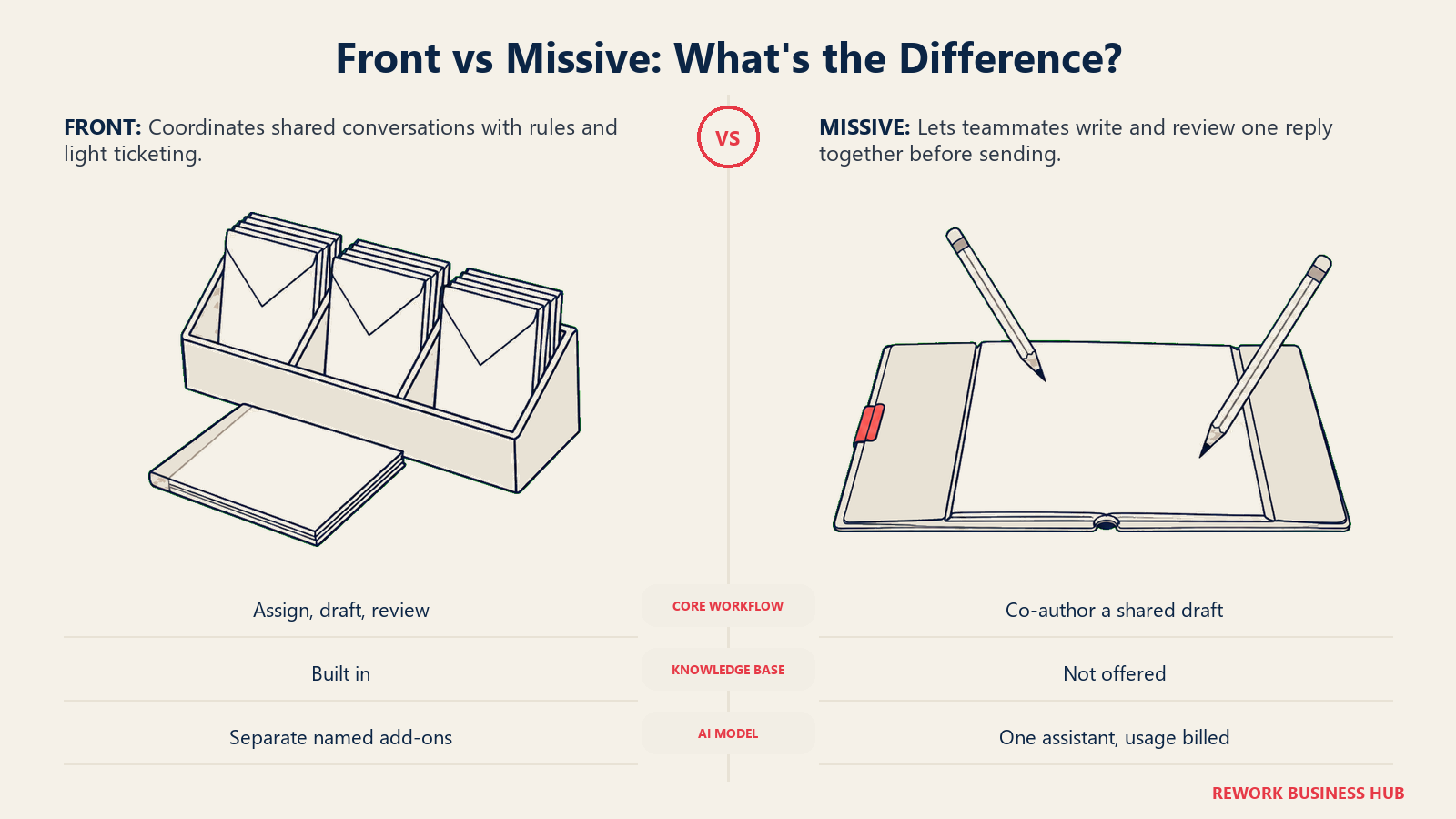
| What it is | A standalone collaborative email client with a rules engine and a paid AI add-on line | A standalone collaborative email client built around drafting replies together before they send |
| Core strength | Automation depth plus a modular AI stack: Copilot, Smart QA, Smart CSAT, Autopilot | Collaborative drafting: multiple people write, comment and edit the same reply before it goes out |
| Free plan | None. 14-day trial with Professional features, no card required | None permanent. 30-day trial with Productive features, no card required |
| Cheapest paid tier | Starter: $25/seat/month billed annually ($35 monthly), up to 10 seats | Starter: $14/user/month billed yearly ($18 monthly), up to 5 users |
| Mid tier | Professional: $65/seat/month billed annually ($85 monthly), up to 50 seats | Productive: $24/user/month billed yearly ($30 monthly), up to 50 users |
| Top tier | Enterprise: $105/seat/month, annual only, no stated seat ceiling | Business: $36/user/month billed yearly ($45 monthly), unlimited users |
| Channels beyond email | SMS, WhatsApp, Instagram DM and Facebook Messenger, all native | SMS, WhatsApp, Instagram, Messenger and live chat, all native |
| AI pricing | Copilot is a paid add-on below Enterprise; Enterprise includes Copilot, Smart QA and Smart CSAT | One AI assistant across Anthropic, OpenAI or Gemini, billed through credits or your own API key |
| Best for | Teams that want ticketing-adjacent structure and are fine paying per AI feature | Teams where a reply needs a second set of eyes before it sends |
Who Each Tool Is Built For
Both tools sell to teams rather than individuals, but they're built for teams doing different work.
| Front | Missive | |
|---|---|---|
| Sweet spot | Ops, sales and support teams sharing addresses across more than one function, scaling from a handful of people toward the low hundreds | Small, tight teams of roughly 2 to 40 where a reply, quote or proposal genuinely needs more than one author |
| Buying trigger | Outgrew a lightweight Gmail layer and need real automation rules, an AI product line, and something closer to ticketing structure | Tired of a reply going out that nobody else reviewed first, or of drafting replies in a shared doc before pasting them into email |
| Who it frustrates | Very small teams that don't want to pay $25 to $65 per seat for automation depth they won't touch yet | Teams past roughly 50 people that need formal SLA policies, deep reporting, or a real ticket object |
| Philosophy | A collaborative inbox with a rules engine, a growing set of AI add-ons, and ticketing-style structure layered on top | The reply itself is the collaboration surface, and everything else (rules, channels, an AI assistant) supports that |
| Ceiling | Enterprise carries no stated seat cap | Business is unlimited on seats, but there's still no formal ticket or SLA object at any tier |
If you're early enough in the search that you want the wider field rather than a head-to-head, best Missive alternatives and best Superhuman alternatives both widen the shortlist, and neither locks you into these two specifically.
The Shared Inbox Model: Assignment and Ownership
Both tools solve the basic shared-inbox problem the same way at a high level: a conversation gets assigned to a person or a team, everyone can see who owns it, and internal comments stay separate from what the customer sees. Where they differ is what sits around that core loop.
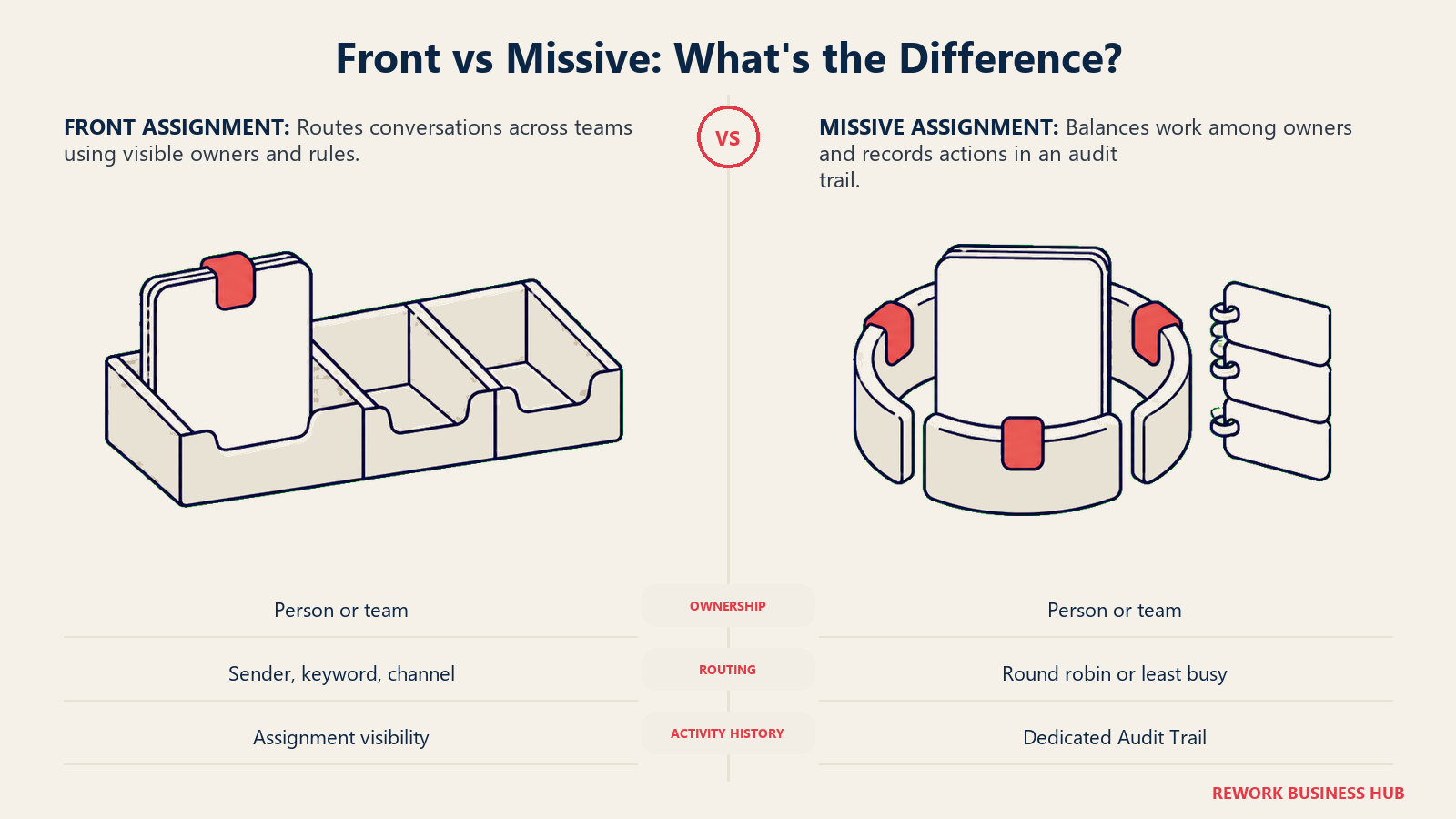
Front frames assignment as part of a broader coordination layer. Conversations, handoffs and internal notes span multiple teams and tools in one collaborative inbox, and Front's own product messaging leans on customer language like losing "our ability to collaborate behind the scenes" without Front, which is a fair description of what the assignment layer is actually for: making handoffs visible rather than buried in a forwarded email chain. Automation rules can auto-assign by sender, keyword or channel, and the rule ceiling itself is tiered: 10 rules on Starter, 20 on Professional, and unlimited on Enterprise.
Missive assigns conversations "to a team or specific person, while maintaining visibility," and backs every action with an Audit Trail that logs who did what and when, which is a genuinely useful detail for a team that needs to reconstruct who touched a conversation after the fact. Missive's automation rules are capped at up to 1,000 on Productive and Business; the Starter plan's rules feature isn't quantified on Missive's own comparison table, so treat it as unconfirmed at that tier rather than unlimited.
Neither tool replaces internal team chat, and it's worth being clear about that distinction: a shared inbox manages external, customer-facing conversations, while a tool like Slack handles internal coordination about those conversations. Best Slack alternatives is worth a look separately if that side of the stack is also under review.
| Assignment capability | Front | Missive |
|---|---|---|
| Conversation assignment | Assign to a person or team, visible across the shared inbox | Assign to a team or specific person, with visibility maintained |
| Internal notes | Internal comments separate from customer-facing replies | Internal comments plus collaborative drafts (see next section) |
| Automation-driven assignment | Rules route by sender, keyword or channel | Workload balancing: round robin, least-busy-first, all-at-once, or random |
| Audit history | Not named as a distinct feature on Front's product page | Dedicated Audit Trail logging every action in the workspace |
| Automation rule ceiling | 10 (Starter), 20 (Professional), unlimited (Enterprise) | Up to 1,000 (Productive and Business); not quantified on Starter |
Collaborative Drafting and Internal Threads
This is the section that actually separates the two products, and it's the reason Missive shows up on shortlists that already include Front.
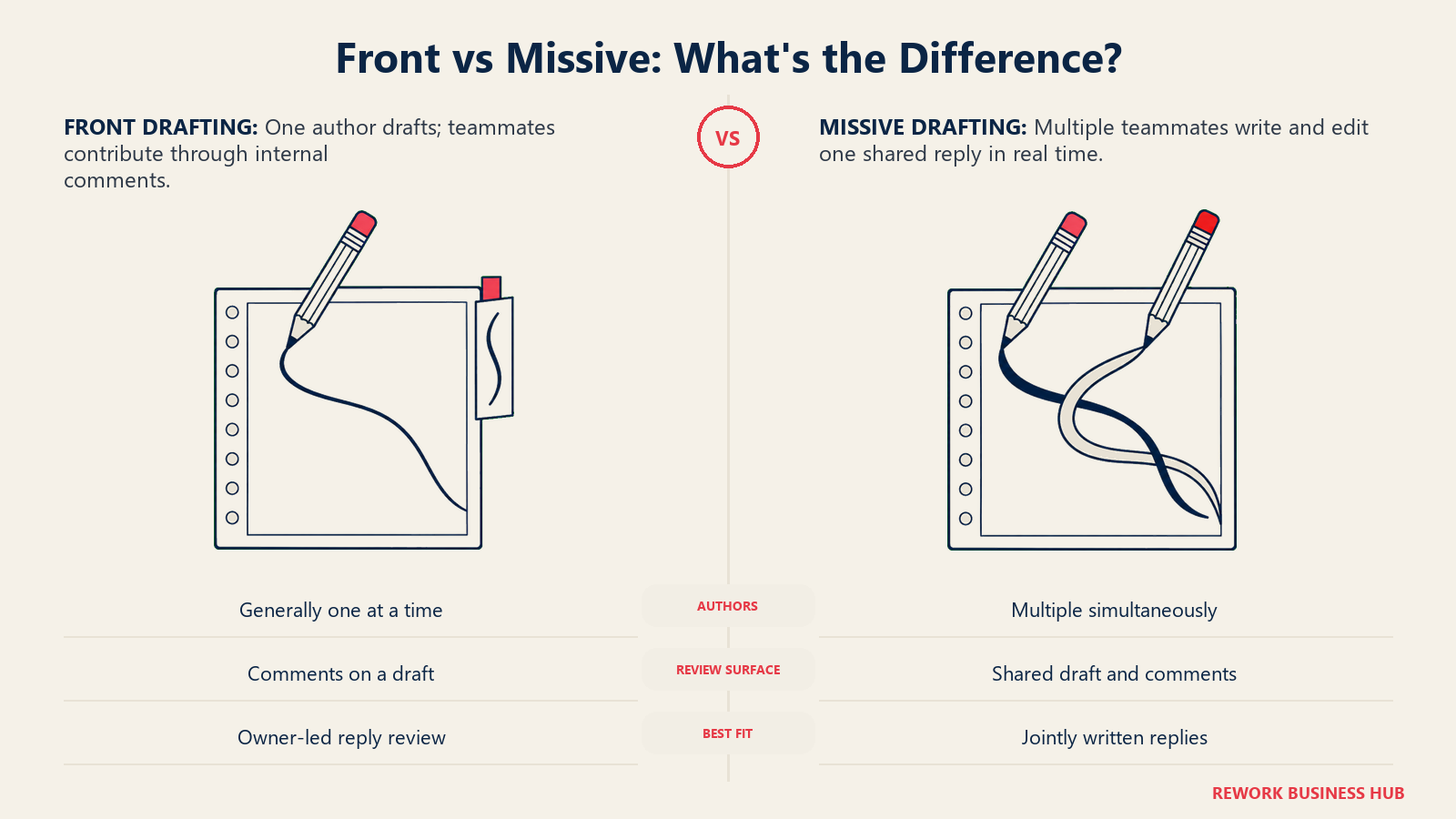
Front's model is assign-then-reply: a conversation goes to an owner, that person drafts a response, and teammates can comment on it before it sends. That's a real review step, but the draft itself generally has one author at a time.
Missive's shared drafts let a team "compose emails together, get reviewed in real time, and share attachments" on the same message, with multiple people editing and commenting on one draft simultaneously rather than passing a single draft back and forth. For a support team where a technical answer needs an engineer's input before it goes out, or a sales team where a proposal reply needs a manager's sign-off on pricing language, that's a different workflow than "draft, then comment." It's the same idea behind why two people reviewing a customer-facing message beats one, just built into the compose window instead of living in a separate document or Slack thread.
| Drafting capability | Front | Missive |
|---|---|---|
| Draft ownership | Generally one author per draft, with internal comments layered on top | Multiple people can write and edit the same draft together in real time |
| Review before send | Internal comments on a drafted reply | Simultaneous co-authoring plus comments, before the reply goes out |
| Attachment sharing while drafting | Standard attachment support | Explicitly built into the shared-draft workflow |
| Best fit | A single owner drafts, others weigh in | A reply that structurally needs more than one author |
If the reason you're evaluating either tool is that a support or sales reply keeps needing sign-off from someone outside the ticket system entirely, that's the workflow Missive was built around first.
Channels Beyond Email
Neither tool is an email-only client anymore, and on paper the channel lists look close to identical. Front natively connects SMS, WhatsApp, Instagram direct messages and Facebook Messenger, treating each as a first-class channel that lands in the same collaborative inbox as email, taggable and assignable by the same rules. Missive covers the same ground: SMS, WhatsApp, Instagram, Messenger and a live one-to-one chat widget for visitors on your own website, which Front's public product pages don't call out as a named equivalent.
That parity matters more than it looks. Businesses aren't waiting for customers to email them anymore: more than a billion active daily threads run between businesses and customers across WhatsApp, Messenger and Instagram combined, according to Meta's own June 2026 announcement of its Business Agent tool (see Key Facts below). A shared inbox that only unifies email is solving a shrinking share of the actual conversation volume.
| Channel | Front | Missive |
|---|---|---|
| Native | Native | |
| SMS | Native | Native |
| Native | Native | |
| Instagram DM | Native | Native |
| Facebook Messenger | Native | Native |
| Live web chat | Not named as a distinct product on Front's overview page | Native, one-to-one chat with site visitors |
The honest read: if your channel list is email, SMS, WhatsApp and Instagram, either tool covers it. Missive's edge is the added live-chat widget for your own site; Front's edge shows up later, in automation depth and the AI layer sitting on top of the same channels.
Automation and Rules
Both tools automate the routing and tagging work a team would otherwise do by hand, but they cap that automation differently. Front's rules scale with the plan: 10 on Starter, 20 on Professional, and unlimited on Enterprise, which pushes a team that wants heavy automation toward the top of the ladder specifically to remove that ceiling. Missive takes the opposite approach and gives Productive and Business the same generous cap, up to 1,000 rules each, so a mid-size team doesn't need to buy the most expensive tier just to stop hitting a rule limit.
Missive also names its automation more specifically than a generic rules engine: auto-reply for out-of-office coverage, auto-forward (routing a receipt to an accountant, for example), auto-follow-up against a non-responsive prospect, and a set of AI Rules that can detect a deadline mentioned in a message and turn it into a task, or escalate a conversation based on detected sentiment. Front's equivalent is framed more generally as rule-based routing plus Autopilot, its AI layer for handling requests that don't need a human at all, described on Front's own product page as automation that goes "beyond happy-path automation" by letting a team choose which inquiry types AI handles and preview the responses before anything sends.
Analytics and Reporting
Neither tool is going to replace a dedicated help desk's reporting stack, and it's worth setting that expectation before comparing numbers. Front's deeper analytics and custom reports are gated to Enterprise, which means a Starter or Professional team gets basic activity visibility but not the kind of report a support director would build a QBR deck around. Missive's built-in analytics track reply time, handle time and messages received, useful day-to-day metrics for a small team, but there's no equivalent to a formal reporting builder or a scheduled report export on either plan.
If reporting depth is actually the deciding factor for your team, that's usually a sign you're really shopping for an AI-driven email or support layer rather than a shared inbox on its own; best AI email tools covers that adjacent category directly.
AI Features and What Each Charges For Them
This is the section where the two products stop looking alike, because they've made opposite bets on how to sell AI.
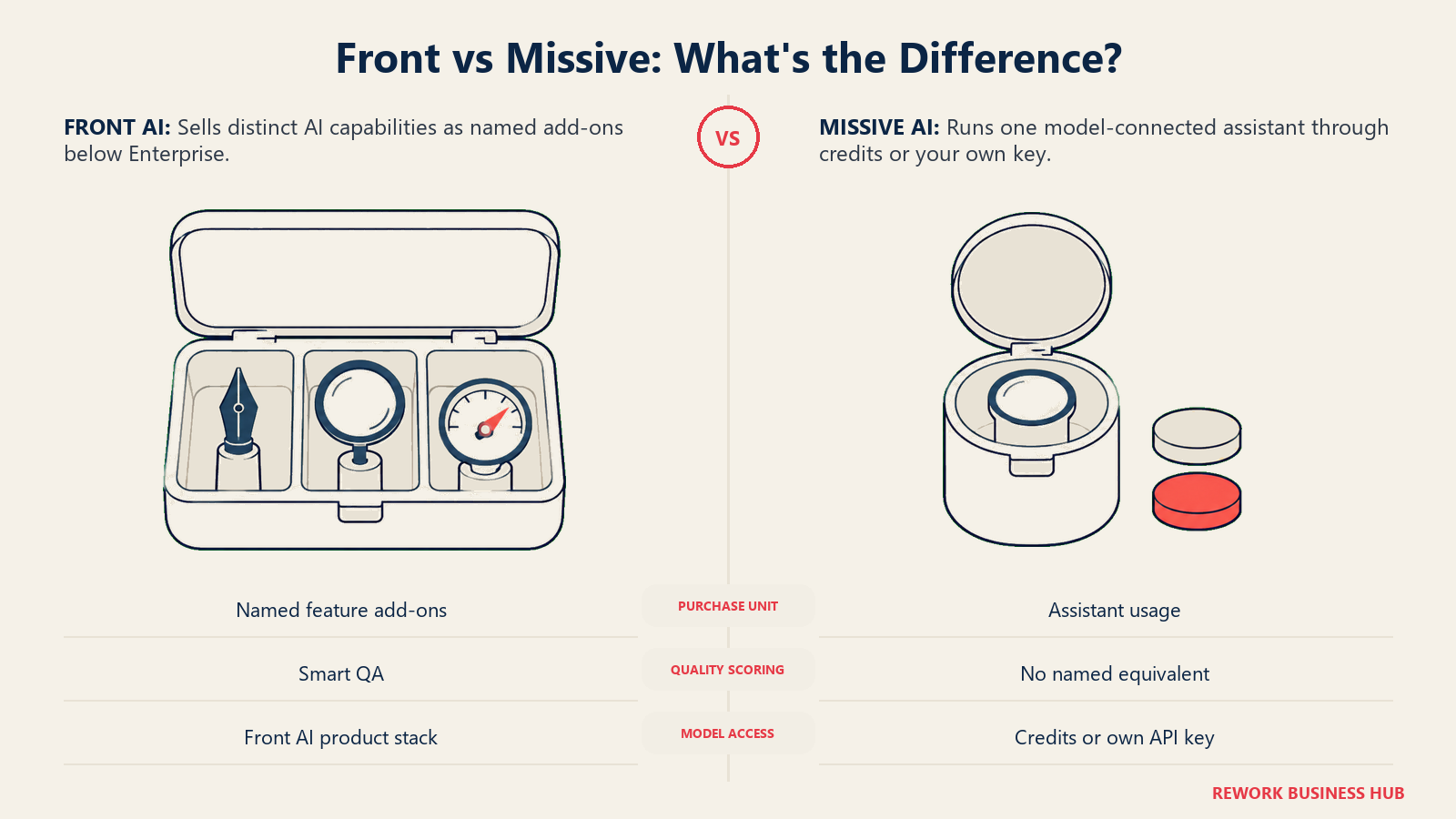
Front sells AI as a menu. Compose, Translate and Summarize ship on every plan with daily usage caps, and beyond that come named AI products. Copilot, for AI-assisted reply drafting, is a $20 per seat per month add-on on Starter and Professional. Smart QA, for automated quality review, and Smart CSAT, for AI-driven satisfaction scoring, are included on Enterprise, and Front's pricing page lists no separate price for either on the lower tiers. Autopilot, the AI agent that can resolve a request without a human touching it, is metered from $0.05 per conversation on every tier, Enterprise included.
Missive sells one AI assistant instead of a menu. It connects to Anthropic, OpenAI or Google's Gemini models, and a team runs it either on Missive's own AI credits or by bringing its own API key, rather than paying a separate flat per-seat fee for each AI capability the way Front's add-on structure works. That's a simpler bill, but it also means Missive doesn't offer the equivalent of Smart QA's automated quality scoring or Smart CSAT's satisfaction analysis as named, purpose-built features; its AI Rules (covered above) handle task creation and sentiment-based escalation instead.
| AI capability | Front | Missive |
|---|---|---|
| Included on every plan | Compose, Translate, Summarize, with daily caps | AI assistant access via Missive AI credits or your own API key |
| AI reply drafting | Copilot add-on, $20/seat/month | Included through the AI assistant, model of your choice |
| Automated quality review | Smart QA, included on Enterprise; no published price below it | Not offered as a named feature |
| AI satisfaction scoring | Smart CSAT, included on Enterprise; no published price below it | Not offered as a named feature |
| AI on the top tier | Enterprise includes Copilot, Smart QA and Smart CSAT | Not applicable, one AI product rather than a menu |
| Autonomous resolution | Autopilot, from $0.05 per conversation | AI Rules: task creation and sentiment-based escalation |
| Included free on top tier | All add-ons included on Enterprise | No separate add-on tier to include, since there's only one AI product |
Do the math before you assume Front's headline seat price is the real number. A team that wants Copilot on every seat is paying $20 per seat per month on top of whatever tier it's already on, which is real money at 15 or 50 seats (see the true-cost table below).
Integrations
Front lists 160-plus native integrations on its own product page, spanning CRMs, help desks, and productivity tools, with its Zapier listing alone opening roughly 9,000 more app connections indirectly. Missive doesn't publish an equivalent integration count; its features page names integration categories rather than a running total, covering CRMs, order-tracking systems, custom webhooks, and an API and iFrame layer for building your own connections, without naming specific big-name integrations like Salesforce or HubSpot the way Front's marketing does.
Front also runs a metered API for teams building custom integrations on top of it: API overage is billed at $200 per 100 requests per minute per month, available on every plan. If your team already knows it wants to build custom tooling against a shared inbox rather than rely on off-the-shelf connectors, that's the more relevant number than either integration count.
Both tools sit on top of your existing email platform rather than replacing it, and if the real open question is Gmail versus Outlook itself rather than the inbox layer on top, best Google Workspace alternatives and best Microsoft 365 alternatives cover that broader decision separately.
Knowledge Base and Ticketing Depth
Neither product started life as a help desk, but Front has pushed further into that territory than Missive has, and it's worth being precise about how far.
Front's own product page now markets "flexible ticketing" to "track, manage, and resolve inquiries," alongside a built-in Knowledge Base for documenting answers teammates can pull from for faster, more accurate replies. That's newer, more ticketing-adjacent positioning than a pure shared inbox, though Front doesn't publish a formal SLA policy engine or an escalation-policy object the way a dedicated help desk does, so treat "flexible ticketing" as conversation and inquiry tracking layered on the inbox rather than a full ticketing system with SLA clocks.
Missive has neither. There's no knowledge base product and no ticket object with a status or SLA field anywhere in its feature set; conversations stay conversations, organized by assignment, tags and shared drafts rather than by ticket lifecycle.
| Capability | Front | Missive |
|---|---|---|
| Ticketing structure | "Flexible ticketing" to track and resolve inquiries, no confirmed SLA policy engine | None |
| Knowledge base | Built-in, for documenting answers used in replies | None |
| Formal SLA policies | Time-goal rules tag overdue replies; no escalation-policy object | Not offered |
| Best fit | A team that wants light ticketing structure without buying a separate help desk yet | A team that's certain it doesn't want ticket-style overhead |
If SLA clocks and escalation policies are the actual requirement while you're still committed to staying inside Gmail, that's closer to what Hiver's Omni line is built for; see best Hiver alternatives if Hiver's own Gmail-only ceiling later becomes the next problem.
Admin and Security
Both vendors hold SOC 2 Type II attestation, Front adds ISO 27001 on top, and Missive is also GDPR-compliant with TLS encryption in transit and encryption at rest for stored data. Where they genuinely differ is which plan you have to buy to turn on single sign-on and IP restriction, and the two vendors don't gate them at the same point in their own ladders.
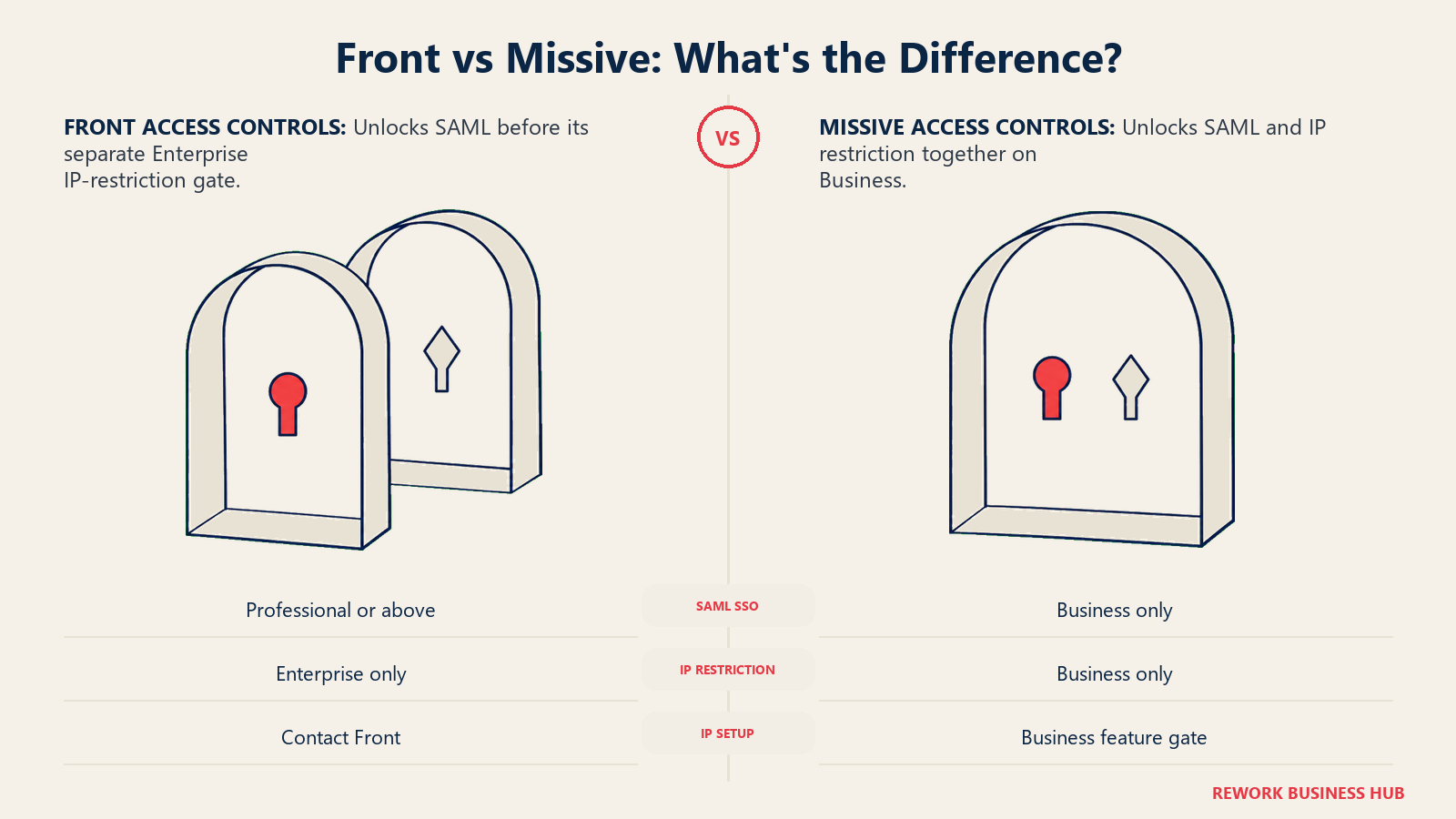
Front puts SAML SSO behind its Professional plan or above, per its own help documentation, which is the middle of its three tiers. IP restriction is gated further, to Enterprise only, and even then it isn't self-serve: an admin has to contact Front directly to configure the allowed IP ranges.
Missive gates both features at once, one tier higher relative to its own ladder: SAML SSO and IP restriction ("secure access by location") are both Business-only, the top of Missive's three plans, with neither available on Starter or Productive.
| Security capability | Front | Missive |
|---|---|---|
| SAML SSO | Professional plan or above (2nd of 3 tiers) | Business only (3rd of 3 tiers) |
| IP restriction | Enterprise only, contact required to configure | Business only (3rd of 3 tiers) |
| Compliance | SOC 2 Type II, ISO 27001 | SOC 2 Type II, GDPR-compliant |
| Encryption | Not detailed to the same degree on public pages | TLS in transit, encrypted at rest |
| Audit logging | Team activity visible through assignment history | Dedicated Audit Trail on every action |
The practical difference: a 15-person team on Front's Professional tier already has SSO. The same team on Missive has to move all the way to Business, at a higher per-seat price than Productive, to get the same login control.
Key Facts
- Nearly half of customers, 46%, expect a reply to a support email within four hours, while the average business takes more than 12 hours to send that first response, and some take over a week. (SuperOffice)
- 76% of customers say they'd choose a company that lets them continue a conversation, images and video included, in the same thread instead of restarting it somewhere else. (Zendesk CX Trends 2026)
- More than a billion active daily threads run between businesses and customers across WhatsApp, Messenger and Instagram combined, per Meta's own June 2026 announcement introducing its Business Agent tool for those channels. (Meta)
Front Pricing in Detail
| Plan | Billed annually | Billed monthly | Seat cap |
|---|---|---|---|
| Starter | $25/seat/month | $35/seat/month | Up to 10 seats |
| Professional | $65/seat/month | $85/seat/month | Up to 50 seats |
| Enterprise | $105/seat/month | Annual only, no monthly option | No stated cap |
Source: front.com/pricing. There's no free plan; new teams get a 14-day trial with Professional features and no card required. Below Enterprise, AI is added on top of the seat price: Copilot at $20/seat/month and Autopilot starting at $0.05 per conversation. Front's pricing page lists no separate price for Smart QA or Smart CSAT on those tiers. Copilot, Smart QA and Smart CSAT are included on Enterprise; Autopilot is metered on every tier. API overage runs $200 per 100 requests per minute per month on every plan.
The jump from Starter to Professional is $40 per seat per month billed annually, and it's not just about the 10-to-50 seat ceiling. Professional is also where SAML SSO, more automation rules (20 versus 10), and deeper analytics become available, so a team hitting Starter's seat cap is usually hitting its feature ceiling at the same time.
Missive Pricing in Detail
| Plan | Billed yearly | Billed monthly | User cap |
|---|---|---|---|
| Starter | $14/user/month | $18/user/month | Up to 5 users |
| Productive | $24/user/month | $30/user/month | Up to 50 users |
| Business | $36/user/month | $45/user/month | Unlimited |
Source: missiveapp.com/pricing. Missive doesn't carry a permanent free plan; every new team instead gets a 30-day trial of Productive-tier features with no card required. Rules are capped at up to 1,000 on both Productive and Business; Starter's rules limit isn't quantified on Missive's own comparison table. The AI assistant (Anthropic, OpenAI or Gemini) is available on every paid plan, billed through Missive AI credits or your own API key rather than a separate per-seat fee. SAML SSO and IP restriction are Business-only.
Missive's Starter tier caps out at 5 users, which is worth flagging clearly: a team of 6 cannot stay on Starter at all, and has to jump straight to Productive at $24/user/month, a 71% per-seat increase, just to add a sixth person.
The True Cost at 5, 15 and 50 Seats
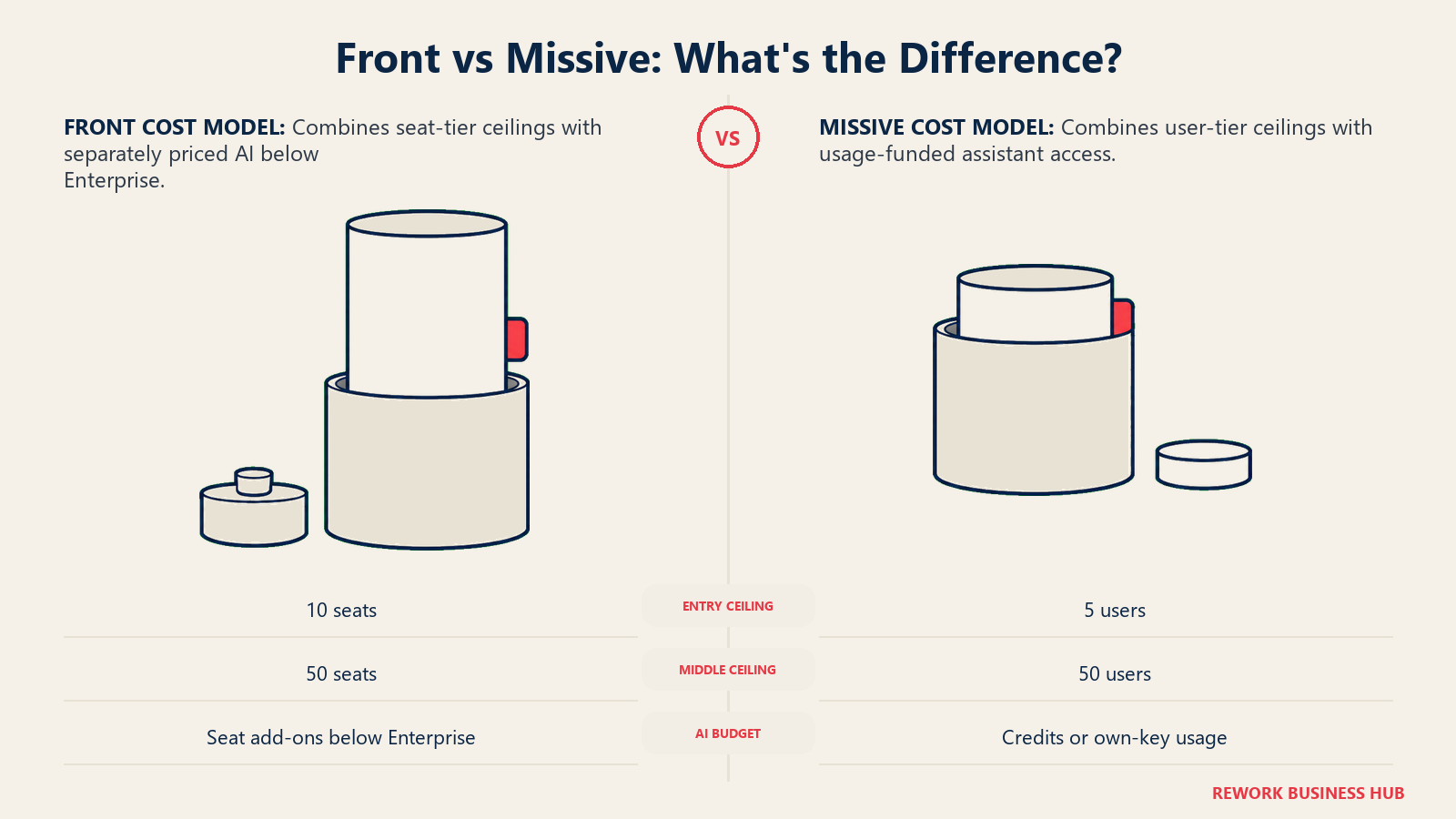
Sticker price alone hides two things that change the real number: which tier a given headcount actually fits into, and whether AI is part of the deal. All figures below use each vendor's own annual-billed rate, and the tier named in each cell is the cheapest one that actually covers that headcount.
| Team size | Front (seats only) | Front (seats + Copilot AI) | Missive |
|---|---|---|---|
| 5 people | Starter: $1,500/year (5 x $25/mo x 12) | Starter + Copilot: $2,700/year (5 x $45/mo x 12) | Starter: $840/year (5 x $14/mo x 12) |
| 15 people | Professional: $11,700/year (15 x $65/mo x 12), Starter's 10-seat cap is too small | Professional + Copilot: $15,300/year (15 x $85/mo x 12) | Productive: $4,320/year (15 x $24/mo x 12), Starter's 5-user cap is too small |
| 50 people | Professional: $39,000/year (50 x $65/mo x 12), exactly at Professional's seat ceiling | Professional + Copilot: $51,000/year (50 x $85/mo x 12) | Productive: $14,400/year (50 x $24/mo x 12), exactly at Productive's seat ceiling |
Three things worth reading past the totals. First, at every headcount here Missive's seat-only price is meaningfully cheaper than Front's, whether or not Front's AI add-on is in play; that gap is the actual price of Front's deeper automation ceiling, ticketing-style features and modular AI stack, not a rounding difference. Second, both vendors land you exactly at a tier's seat ceiling at 50 people: Front's Professional plan caps at 50 seats and Missive's Productive plan caps at 50 users, so a team of 50 that expects to hire a 51st person should budget for Front Enterprise or Missive Business before that happens, not after. Third, Copilot alone adds $12,000 a year to Front's bill at 50 seats, which is the number to run before assuming Front's base seat price is what you'll actually pay. Smart QA and Smart CSAT carry no published price below Enterprise, so a team that wants them on Professional should price them with Front before comparing totals.
Migration Effort Between the Two
Missive publishes its own migration guide specifically for teams coming from Front, which tells you something about how common that direction is. The recommended path runs both tools in parallel: set up Missive, connect every email account with full history sync, recreate rules and labels by hand, and only request a data export from Front once the team is fully operational in Missive. That export needs to be requested from Front's support team directly and explicitly include attachments and EML files, then emailed to Missive's support for import.
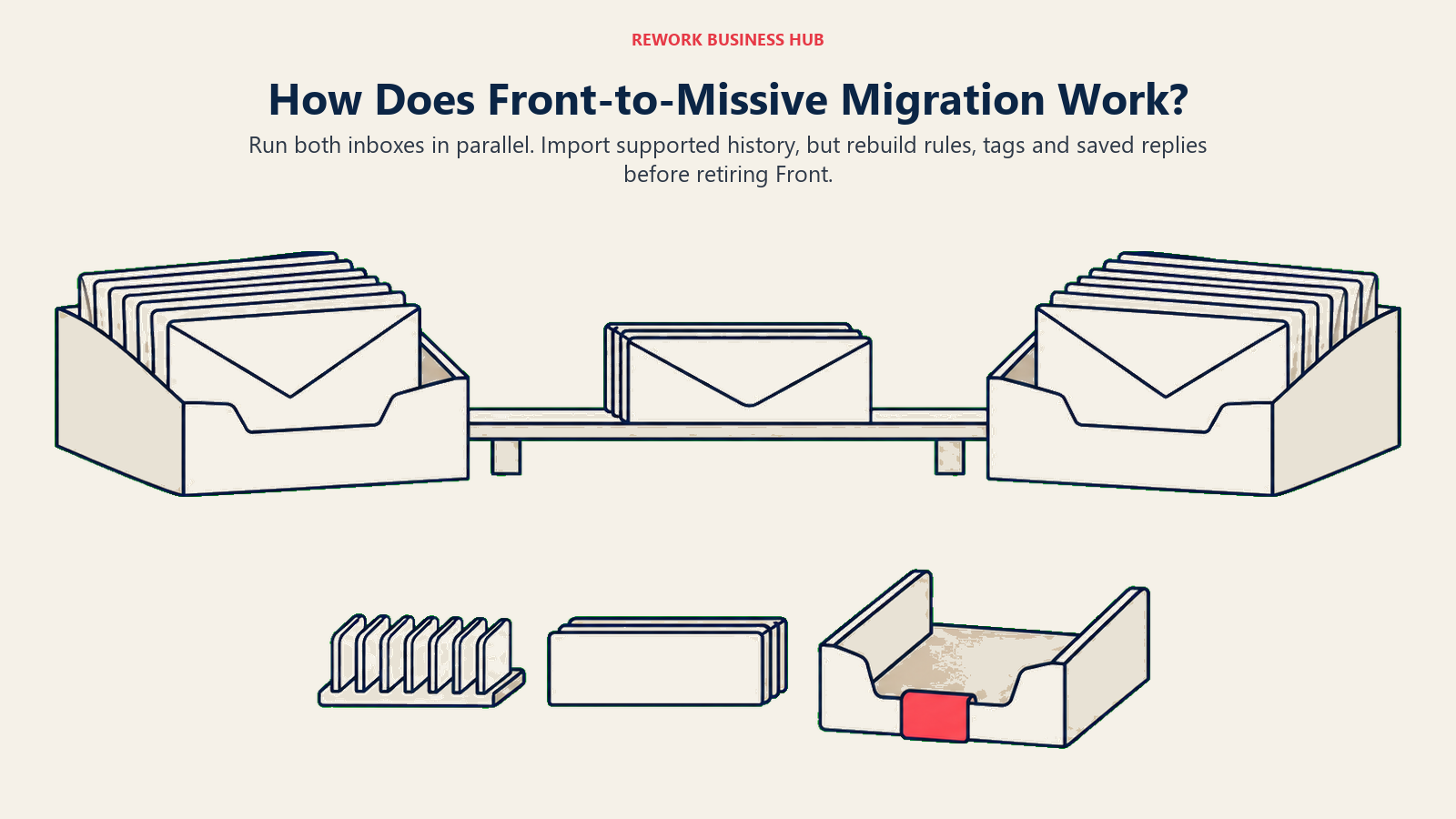
What actually carries over cleanly: SMS messages, chat comments tied to an email or SMS thread, Front-only emails (ones that never synced through a two-way connection like Gmail or Microsoft 365), and shared inbox access rights. What doesn't migrate automatically: users, contacts, tags, rules, canned responses, and snoozed conversation states, all of which need to be rebuilt by hand in Missive. There's one sharp edge worth knowing in advance: private conversations that were shared via an @mention in Front come across as private again after migration, and someone has to manually re-share each one.
Going the other direction, Front doesn't publish an equivalent named guide for importing from Missive. Its own help center documents direct imports from Zendesk and Freshdesk specifically, plus a general CSV path for contacts, and points teams migrating from less common sources toward third-party migration partners instead of a first-party Missive-specific tool. That asymmetry is itself a data point: if there's a real chance you migrate again later, moving from Front toward Missive has a paved path, and moving the other way doesn't yet.
When Front Is the Right Call
- You want ticketing-style structure without buying a separate help desk yet. Every Front plan includes shared-inbox ticketing and a knowledge base (basic on Starter), neither of which Missive offers, and Front's rules can tag a conversation overdue when a reply-time goal is missed.
- Your team is heading well past 50 people. Enterprise has no stated seat ceiling, includes Copilot, Smart QA and Smart CSAT, and unlocks unlimited rules, though Autopilot stays metered even there. Missive's Business tier is also unlimited on seats but stays a messaging tool.
- You want to add AI drafting without changing tier. Below Enterprise, Copilot is a $20-per-seat monthly add-on and Autopilot, Front's AI agent, is metered from $0.05 per conversation, so a team can buy just those pieces.
- You're building custom integrations against the inbox itself. Front's API is on every plan, with rate-limit increases at $200 per 100 requests per minute per month, and outside AI agents built on tools such as Claude can work inside the inbox.
When Missive Is the Right Call
- A reply genuinely needs two authors before it sends. Missive's shared drafts let a support lead and an engineer, or a founder and an account manager, write and edit the same message together in real time. Front's model is closer to draft-then-comment.
- Team size is under 50 and budget matters. At every headcount from 5 to 50, Missive's seat-only price runs well below Front's equivalent tier, and that gap holds even before Front's AI add-ons enter the picture.
- You want SSO and IP restriction without an Enterprise-only price tag. Missive gates both behind Business at $36/user/month billed yearly; Front pushes IP restriction specifically to Enterprise at $105/seat/month, with setup requiring a support request rather than self-serve configuration.
- You'd rather not grow into a lightweight help desk. If your team deliberately doesn't want ticket statuses, SLA-adjacent language or a knowledge base creeping into a shared inbox, Missive stays a messaging tool on purpose.
If Neither Fits
Both of these are shared inboxes first, not ticketing systems, and that's true even with Front's newer ticketing-adjacent features layered on. If what your team actually needs is SLA-backed routing, formal escalation policies, and a knowledge base built for a support organization measured on resolution time rather than message volume, both Front and Missive will feel like they're missing a floor underneath them within a few months of scaling support headcount.
That's a different category with different tools built around a ticket object from the start. Best shared inbox software covers the full field, including Zendesk, Freshdesk, Help Scout and Intercom, alongside where Front and Missive sit relative to them.
Decision Framework
| If you are... | Pick |
|---|---|
| Choosing on price alone for a team under 50 | Missive |
| Building serious custom integrations or an API-heavy workflow | Front |
| Needing a reply drafted by more than one person before it sends | Missive |
| Wanting AI features you can turn on individually rather than as one bundle | Front |
| Wanting SSO without paying for the top-of-ladder tier | Missive |
| Planning to grow well past 50 seats with no ceiling in sight | Front |
| Wanting a knowledge base and lightweight ticketing without a second tool | Front |
| Needing SLA policies, escalation rules and a real ticket object | Neither, see "If Neither Fits" above |
What to Do Next
Start with the one question that actually splits these two: does a reply in your queue regularly need a second person's input before it goes out, or does it just need to be assigned and answered. If it's the first, trial Missive for two weeks with the exact team that would use shared drafts daily, not a demo account, and watch whether the collaborative-draft habit actually sticks. If it's the second, and you're already thinking about ticketing structure, a knowledge base, or SSO for a growing team, run the same two-week trial on Front's Professional tier instead, since that's the plan where the features that matter at scale start turning on. Either way, price the seat count you'll actually be at in six months, not today, since both vendors put a tier ceiling at exactly 50 seats and the wrong side of that line costs more than the per-seat difference alone suggests.
Frequently Asked Questions about Front vs Missive
Is Front or Missive cheaper?
Missive, at every team size from 5 to 50 seats. Its Starter plan runs $14/user/month billed yearly against Front Starter's $25/seat/month, and the gap holds through the middle tiers too: Missive Productive at $24/user/month versus Front Professional at $65/seat/month. Front's price also climbs further once AI add-ons like Copilot ($20/seat/month) are added.
Does Front or Missive have a free plan?
Neither has a permanent free plan. Front offers a 14-day trial with Professional features and no card required. Missive offers a 30-day trial with Productive-tier features, also with no card required, which is a longer runway than Front's trial gives.
What is Missive's shared draft feature, and does Front have an equivalent?
Missive lets multiple people compose, edit and comment on the same email draft simultaneously before it sends. Front's closest equivalent is a single-author draft with internal comments layered on top, which is a real review step but not the same as two people writing the same message together in real time.
Which tool is better for SMS, WhatsApp, Instagram and Messenger?
They're close to a tie. Both natively support SMS, WhatsApp, Instagram and Messenger inside the same collaborative inbox as email. Missive adds a native live web-chat widget for your own site that Front doesn't call out as a distinct product feature.
How much do Front's AI features actually cost?
Front sells AI as separate pieces rather than one bundle. Copilot (AI-assisted drafting) is a $20/seat/month add-on on Starter and Professional. Smart QA (automated quality review) and Smart CSAT (AI satisfaction scoring) are included on Enterprise, with no published price on the lower tiers. Autopilot, which can resolve conversations without a human, starts at $0.05 per conversation on every tier, Enterprise included. Missive instead sells one AI assistant across Anthropic, OpenAI or Gemini, billed through credits or your own API key.
Do Front and Missive have ticketing systems?
Not in the formal sense a dedicated help desk does. Front's product page now markets "flexible ticketing" and a built-in knowledge base, but doesn't publish a formal SLA policy engine on any tier. Missive has neither a ticketing object nor a knowledge base at all; it stays organized around conversations, assignment, tags and shared drafts.
Which tier do I need for SSO on each tool?
Front unlocks SAML SSO on its Professional plan ($65/seat/month billed annually), the middle of its three tiers. Missive gates SSO behind Business ($36/user/month billed yearly), the top of its three tiers. IP restriction is more restrictive on both: Front requires Enterprise and a support request to configure it, while Missive includes it on Business alongside SSO.
How hard is it to migrate between Front and Missive?
Easier from Front to Missive than the reverse. Missive publishes its own migration guide for teams coming from Front, covering what carries over automatically (SMS, linked comments, Front-only emails, shared inbox access) and what has to be rebuilt by hand (rules, tags, canned responses, contacts). Front doesn't publish an equivalent guide for importing specifically from Missive, leaning instead on general CSV import or third-party migration partners.

Principal Product Marketing Strategist
On this page
- TL;DR
- Who Each Tool Is Built For
- The Shared Inbox Model: Assignment and Ownership
- Collaborative Drafting and Internal Threads
- Channels Beyond Email
- Automation and Rules
- Analytics and Reporting
- AI Features and What Each Charges For Them
- Integrations
- Knowledge Base and Ticketing Depth
- Admin and Security
- Key Facts
- Front Pricing in Detail
- Missive Pricing in Detail
- The True Cost at 5, 15 and 50 Seats
- Migration Effort Between the Two
- When Front Is the Right Call
- When Missive Is the Right Call
- If Neither Fits
- Decision Framework
- What to Do Next