Best Trainual Alternatives in 2026: 15 Tools for SOPs, Onboarding, and Training
Turn this article into takeaways for your work.


Each assistant summarizes the article only for you and suggests best practices for your work.
Trainual isn't really an LMS, and that's the reason so many shopping guides for it get the comparison wrong. It's a process-documentation tool with training assigned on top: you write the SOP once, then hand it to a new hire as something to read and check off. If your actual need is one of those two jobs separately, one of these 15 tools will do it better than Trainual does both. SweetProcess and Process Street match Trainual's SOP-and-checklist model directly. TalentLMS, 360Learning, iSpring Learn, and Tovuti cover real training delivery, completion tracking, quizzes, and reporting that Trainual was never built to do. Connecteam, Trainn, and eloomi cover deskless and frontline onboarding, the one job Trainual genuinely struggles with because its whole model assumes a desk and a browser. This guide evaluates all 15 on actual fit, not just feature lists.
Start with the fact that changes how you should read every price in this article: Trainual itself stopped publishing prices. Its pricing page still names four tiers, Core, Pro, Premium, and Enterprise, but shows no dollar figures next to any of them, and every visitor gets routed to book a demo instead. The one number it does publish is a one-time implementation fee of $1,000, and the Courses library, the part of Trainual that actually delivers training rather than documenting process, is a paid add-on on all four tiers. Any $199, $249, or $299 you've seen quoted for Trainual elsewhere is stale. That's exactly why this guide leads with a table of who still publishes a real number and who doesn't, before it ranks anything else. If you haven't narrowed the category yet, the best LMS software roundup is the wider starting point.
Key Facts
- US knowledge workers waste 5.3 hours every week either waiting on colleagues for information or recreating knowledge that already exists somewhere in the company, per a Panopto-commissioned YouGov survey of over 1,000 US employees (Panopto, via PR Newswire).
- 42% of institutional knowledge is unique to the individual who holds it, meaning if that person leaves, colleagues can't perform roughly four in ten of the tasks that made up their job (Panopto).
- Organizations with a high-development culture report 11% greater profitability and are twice as likely to retain employees compared with those that don't invest strategically in development (Gallup).
- 88% of organizations say they're concerned about employee retention, and providing learning opportunities is the single most-cited retention strategy among them (LinkedIn, 2025 Workplace Learning Report).
- US organizations spent an average of $846 per employee on direct learning in 2025, while formal learning hours used per employee rose to 16.7 hours, up from 13.7 the year before (ATD, 2026 State of the Industry Report).
Which Lane Are You In?
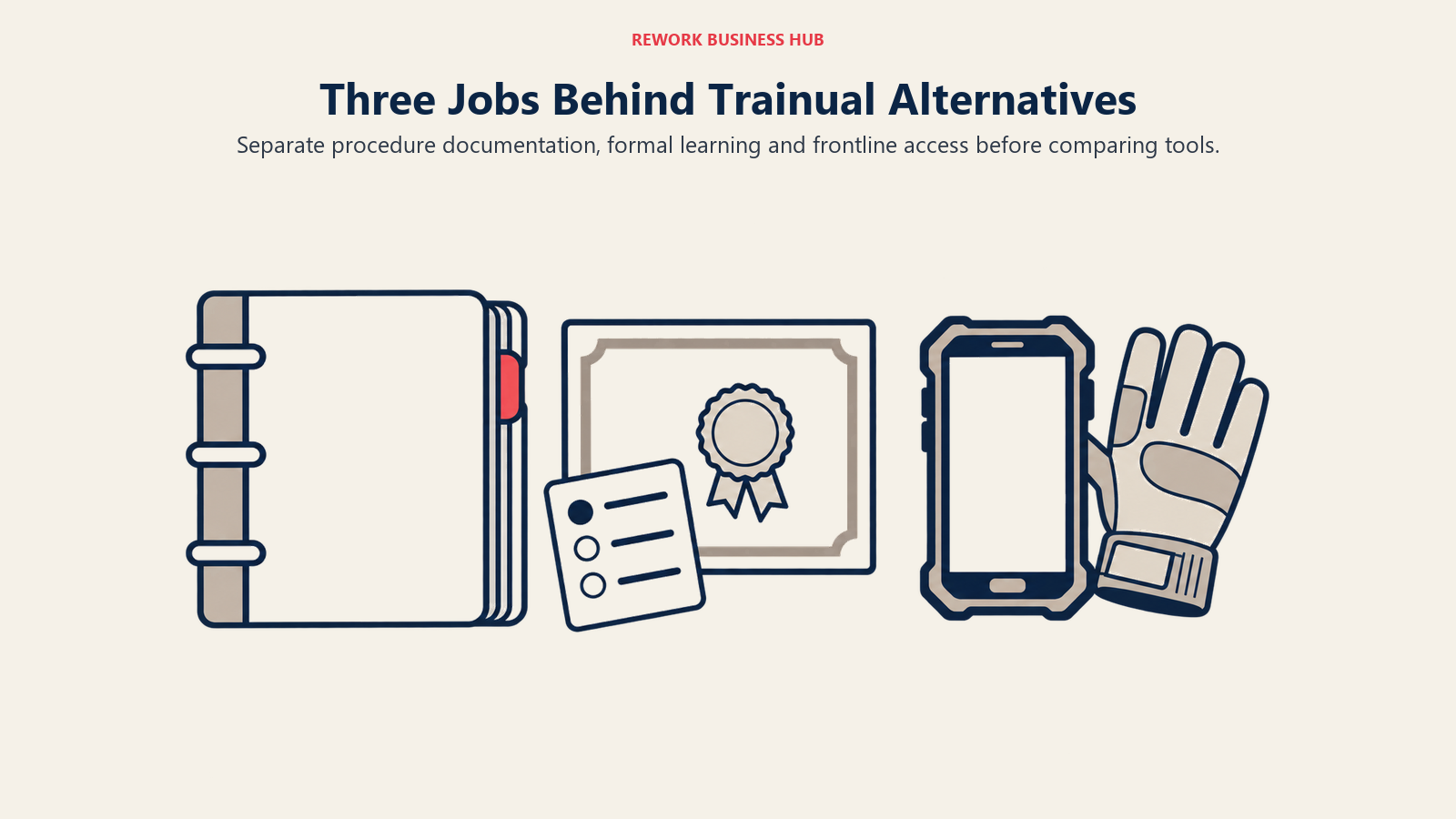
Before any tool comparison matters, sort your own need into one of three lanes. Buyers who skip this step end up comparing a documentation tool against a compliance LMS and conclude neither one works, when the real problem was picking from the wrong lane.
| Lane | The actual job | Tools covered here | Wrong fit if... |
|---|---|---|---|
| SOP and process documentation | Turn "how we do things" into a written, findable reference | SweetProcess, Process Street, Scribe, Tango, Notion, Guru, Waybook, Coda (Superhuman Docs) | You need quiz scores, completion percentages, or certificates for an audit |
| Real training delivery | Assign courses, track completion, grade quizzes, issue certificates | TalentLMS, 360Learning, iSpring Learn, Tovuti | Nobody outside HR will ever open a course; a checklist would do |
| Deskless and frontline onboarding | Train and document for people who don't sit at a desk with a browser open | Connecteam, Trainn, eloomi | Your whole team already works inside a laptop-based tool stack |
Trainual sits closest to the first lane and stretches into the second with its Courses add-on. It doesn't meaningfully compete in the third, which is precisely where a lot of small operations teams outgrow it once they hire warehouse, retail, or field staff. Our what is process documentation primer covers the underlying discipline if you're still defining what "done" looks like for an SOP.
Quick Comparison Table
| Tool | Best For | Starting Price | Key Strength | Key Limitation |
|---|---|---|---|---|
| SweetProcess | Direct, checklist-style SOP replacement for Trainual | $99/month (up to 10 users) | Every tier's price is published | Per-user add-on cost climbs past 10 team members |
| Process Street | Recurring, checklist-driven workflows | Contact Sales, all 3 tiers | Conditional logic inside checklists | Zero published pricing anywhere |
| Scribe | Auto-captured, step-by-step process guides | Free (web only); Pro Team from $13/seat/mo annual | Real free tier, fastest way to document a click-through process | Desktop capture and AI steps require a paid seat |
| Tango | Same auto-capture job as Scribe, small-team pricing | Free (5 workflows, 10 users); Pro from $15/user/mo annual | Generous free tier for small teams | Unlimited workflows require a paid seat |
| Notion | Teams already living in a general workspace | Free; Plus $10/member/mo | One tool for docs, SOPs, and everything else | Not purpose-built for training or completion tracking |
| Guru | AI-verified knowledge base with a browser extension | Contact Sales, no tiers published | Answers pop up inside the tools people already use | No prices, no plan names, no free tier |
| Waybook | Trainual-style SOP and onboarding wiki | $99/mo monthly (20 users); annual runs higher per month | Org chart, flowcharts, and SOPs in one place | Annual billing costs more per month than paying monthly |
| Coda (Superhuman Docs) | Docs plus databases for process and project tracking | Free; Pro $12/Doc Maker/mo annual | Databases and automations inside the same doc | Rebranded mid-2026, which confuses anyone searching "Coda pricing" |
| TalentLMS | Budget-predictable formal training | Free (5 users); Core $119/mo | Every tier's price is published | Per-user overage past 100 users on Pro |
| 360Learning | Peer-authored courses, the same "everyone writes it" ethos as Trainual | $8/user/mo, capped at 100 users | Subject-matter experts write and review courses together | Published rate stops at 100 users |
| iSpring Learn | Formal courses with real quizzes and certificates | $6.91/active user/mo at 100 users, annual | Pay-per-active-user, idle seats are free | Per-user rate is steep below 100 active users |
| Tovuti | One flat annual price, no feature gating | $7,500/year for the first 100 learners | Virtual classrooms, gamification, e-commerce included | Per-extra-learner rate above 100 isn't published |
| Connecteam | Deskless teams, free at small scale | Free up to 10 employees; hubs from $29/mo (30 users) | Genuinely free for life below 10 employees | Priced per hub, not one all-in-one number |
| Trainn | Deskless SaaS onboarding via video and in-app guides | $19/mo (1 user); Launch $2,400/year (3 users) | AI-generated videos and guides, then an LMS layered on top | Enterprise pricing jumps sharply at the top tier |
| eloomi | Learning tied to performance management | Not published | Learning and performance reviews in one system | No vendor pricing at all to evaluate against |
Trainual's Missing Price Tag Isn't Unique, But It Is Rare
Of the 15 alternatives in this guide, 12 publish a real number you can check today without a sales call. Only Process Street, Guru, and eloomi don't, and Trainual itself makes four vendors in this comparison that keep pricing behind a demo. That's the honest way to read this category: most of it wants to earn your trust with a number, and a handful want a conversation first.
| Vendor | Pricing status | What's actually published |
|---|---|---|
| Trainual (incumbent) | Quote only | Four tier names, zero dollar figures, one $1,000 one-time implementation fee |
| SweetProcess | Published | Monthly and annual rates, per-user add-on cost |
| Process Street | Quote only | Three tier names, all route to Contact Sales |
| Scribe | Published | Free tier plus two paid tiers, monthly and annual |
| Tango | Published | Free tier plus Personal and Team paid rates |
| Notion | Published | Free tier plus per-member paid rates |
| Guru | Quote only | No tier names, no numbers, no free tier |
| Waybook | Published | Monthly and annual rates for two named tiers |
| Coda (Superhuman Docs) | Published | Free tier plus per-Doc-Maker paid rates |
| TalentLMS | Published | Full band structure from free through 500 users |
| 360Learning | Published (to 100 users) | Team plan rate, then custom above 100 |
| iSpring Learn | Published | Per-active-user rate at three volume points |
| Tovuti | Published | Single flat annual rate for the first 100 learners |
| Connecteam | Published | Free tier plus per-hub, per-tier rates |
| Trainn | Published | All four tiers with real dollar figures |
| eloomi | Not published | Nothing; third-party estimates disagree with each other |
Three smaller naming changes are worth flagging while you're researching this cluster, because search results still point to the old names. Scribe's marketing site moved from scribehow.com to scribe.com (scribehow.com now redirects there; the app itself still lives at scribehow.com). Tango's marketing URL moved the same way, from tango.us to tango.ai. And Coda relaunched as Superhuman Docs on July 8, 2026, after Grammarly acquired Coda and then rebranded the combined company as Superhuman; coda.io now redirects to Superhuman's own pricing page, though Superhuman's help center confirms existing Coda workspace pricing carried over unchanged.
SOP and Process Documentation: Trainual's Closest Match
These eight tools do the job Trainual was originally built for: getting "how we do things here" out of one person's head and into something a colleague can find and follow. None of them layer on quiz scores or certificates the way a real LMS does, and that's the point if documentation, not formal training, is your actual problem. Our standard operating procedure explainer is worth a read if you're still deciding what belongs in an SOP versus a full course.
1. SweetProcess: The Most Direct, Checklist-Style Replacement
SweetProcess is built around the same core loop as Trainual: write a procedure once, turn it into a checklist, assign it, and track who's completed it. If what pulled you toward Trainual in the first place was turning tribal knowledge into repeatable checklists rather than formal courses, SweetProcess does that same job without the quote-only pricing.
ICP. Small operations teams (10 to 50 people) documenting procedures for the first time.
Sizing fit. Clean at up to 10 team members on the base plan; scales with a flat per-user add-on beyond that.
Stage fit. Ideal for a company writing its first real procedure library, not one that already has a mature training program.
| Pros | Cons |
|---|---|
| Every tier's price is published, including the add-on user rate | No course-authoring or quiz layer, this is checklists and procedures only |
| 14-day free trial with no card required | Add-on user pricing adds up fast for teams well past 10 |
| Simple enough to launch without a dedicated admin | Less structure for external or customer-facing documentation |
Pricing: Monthly plan $99/month covers up to 10 team members, plus $5 per additional user per month. Annual plan $990/year, same 10-user base, plus $50 per additional user per year. A Small Team annual-only plan runs $495/year for up to 5 team members, also at $50 per additional user per year. 14-day free trial, no card required.
Best for: A small operations team replacing Trainual for straightforward SOP documentation and checklist-based training, without paying for a course engine they won't use.
2. Process Street: Conditional Checklists for Recurring Work
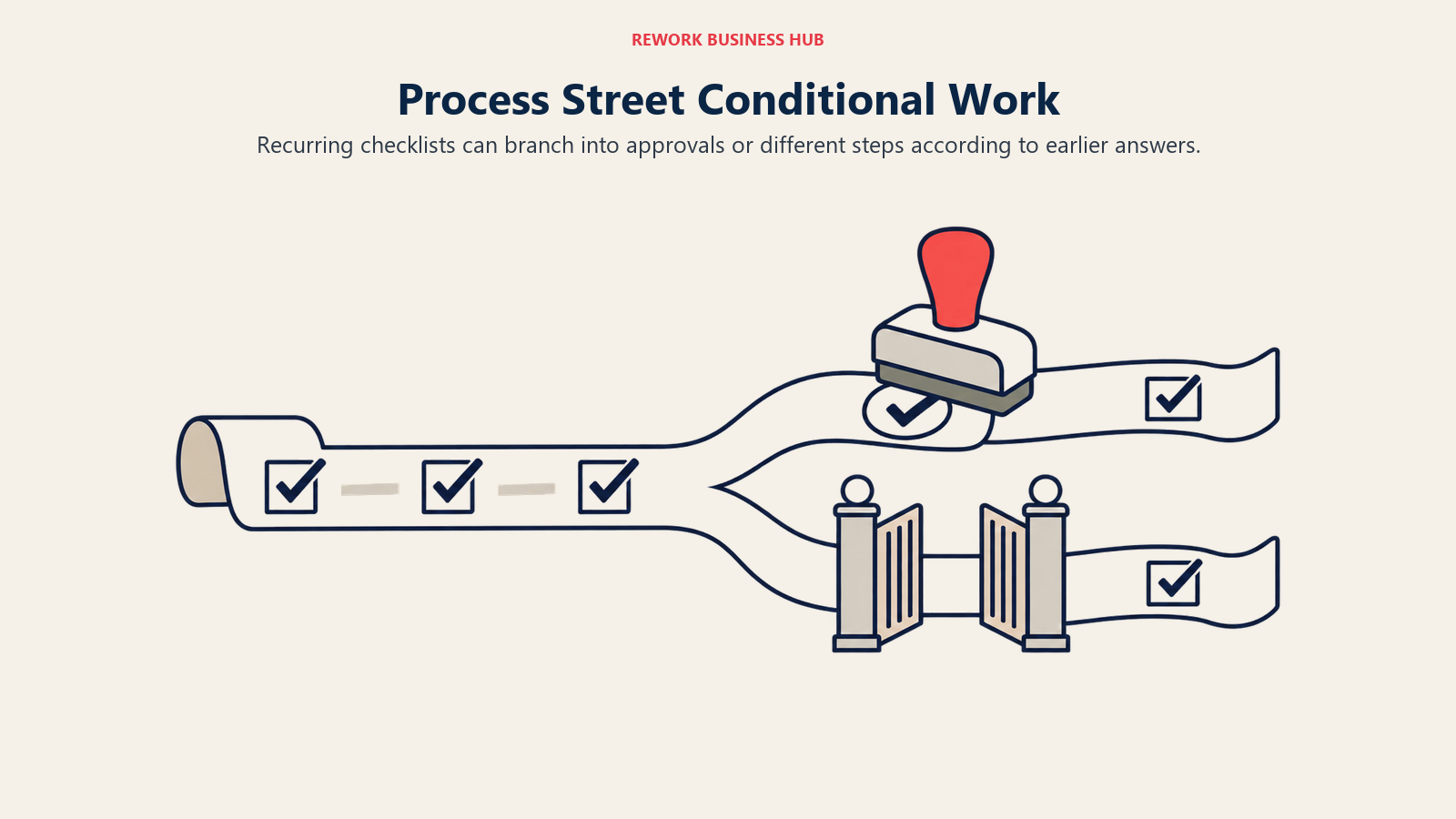
Process Street's differentiator is conditional logic inside a checklist: a step can branch, trigger an approval, or kick off an integration depending on how the previous step was answered. That makes it a stronger fit than a static SOP doc for work that repeats constantly and varies slightly each time, onboarding a new client, running a monthly close, opening a new store location.
ICP. Operations teams running the same multi-step workflow repeatedly, where the steps sometimes branch.
Sizing fit. Startup tier is capped at 5 users; Pro and Enterprise scale further but both require a quote.
Stage fit. Best once a company has identified 3 to 5 workflows that repeat often enough to justify conditional automation.
| Pros | Cons |
|---|---|
| Conditional logic and approvals inside a checklist, not just a static list | No prices published on any of the three tiers |
| 14-day free trial of Pro, no card required | No free plan at all |
| Strong for recurring, branching operational workflows | Startup tier's 5-user cap rules out most teams past a founding crew |
Pricing: Not published. Three tiers: Startup (capped at 5 users), Pro (custom user count), Enterprise (custom user count), all three routed to Contact Sales. 14-day free trial of Pro requires no credit card.
Best for: Teams whose real pain is a recurring, multi-step workflow that needs branching logic, not a static procedure library.
3. Scribe: Auto-Captured Guides You Build by Doing the Task Once
Scribe's pitch is speed: click through a process once with the browser extension running, and it auto-generates a step-by-step guide with screenshots and annotations, no manual writing required. For software-heavy processes, onboarding a new hire into your CRM, walking someone through an approval workflow, that's a faster path to a usable SOP than typing one out by hand the way Trainual expects you to.
ICP. Teams documenting software-based processes who want speed over depth of formatting.
Sizing fit. Works from a single founder up through mid-size teams; Pro Team's 5-seat minimum sets the real floor for the paid tier.
Stage fit. Best for capturing existing processes fast, less suited to building a structured, browsable knowledge base from scratch.
| Pros | Cons |
|---|---|
| Real free tier, not just a trial | Free tier is web app only, no desktop capture |
| Guides generate automatically from doing the task once | Pro Personal costs more per seat than Pro Team because Pro Team needs 5 seats minimum |
| scribehow.com now redirects to scribe.com, so the marketing site is easy to find again | AI-assisted steps and desktop capture require a paid seat |
Pricing: Basic is free (web app only). Pro Personal runs $35/seat/month, or $25/seat/month billed annually, with a 1-seat minimum. Pro Team runs $17/seat/month, or $13/seat/month billed annually, but requires a 5-seat minimum, which is why it costs less per seat than Pro Personal. Enterprise is custom.
Best for: A team that wants to document a software workflow today, in minutes, without hiring anyone to write it up. See the wider knowledge management software roundup if Scribe alone doesn't cover your documentation stack.
4. Tango: The Same Auto-Capture Job, Different Free-Tier Math
Tango competes in the exact same category as Scribe, auto-captured step-by-step guides from a browser extension, and the two are worth comparing directly if this lane is your real need. Tango's free tier is the more generous of the two on paper: 5 shared workflows and up to 10 users per workspace, versus Scribe's single-user free plan.
ICP. Small teams documenting software workflows who want more than one person on the free tier.
Sizing fit. Free tier fits a small team outright; Pro's per-user pricing scales from there.
Stage fit. Good for capturing a handful of core workflows before committing budget to a paid plan.
Note the site move: Tango's marketing pages now live at tango.ai (tango.us redirects there), a rebrand worth knowing if older bookmarks or search results still point to the old domain.
| Pros | Cons |
|---|---|
| Free tier supports up to 10 users, not just one | Free tier is capped at 5 shared workflows |
| Team pricing (3+ users) is cheaper per seat than solo Personal pricing | Unlimited workflows require the Pro tier |
| Desktop and browser capture both included on Pro | Enterprise pricing is a custom platform fee, no self-serve number |
Pricing: Free plan: $0, up to 10 users per workspace, 5 shared workflows. Pro Team (3 or more users): $15/user/month billed annually, or $20/user/month billed monthly. Pro Personal (1 to 2 users): $22/user/month billed annually, or $26/user/month billed monthly. Enterprise: custom platform fee based on user count.
Best for: A small team that wants more than one person building guides on a free plan before paying for anything.
5. Notion: If You'd Rather Not Add Another Tool
Notion's argument against a dedicated SOP tool is simple: your team is probably already living in it for docs, projects, or wikis, so adding procedures there costs nothing new to learn. It's not purpose-built for training the way SweetProcess is, but for a small team that wants one workspace instead of five, that's often the more realistic outcome.
ICP. Teams that already run their internal documentation and project work in Notion.
Sizing fit. Works at any size; the per-member pricing on Business becomes the real cost driver as headcount grows.
Stage fit. Best as a consolidation move, not a first choice if training tracking (completion, quizzes) is the actual requirement.
| Pros | Cons |
|---|---|
| One workspace for SOPs, projects, and general documentation | No native completion tracking or quiz layer for training |
| Real free plan for individuals and small teams | Structure depends entirely on how disciplined your team is about maintaining pages |
| Business tier adds AI search and SSO for growing teams | Easy for procedures to go stale without a dedicated review workflow |
Pricing: Free: $0 per member. Plus: $10/member/month. Business: $20/member/month (Notion's recommended tier). Enterprise: custom. Annual billing saves up to 20% versus monthly across paid tiers.
Best for: A team that already lives in Notion and wants procedures living next to everything else, not a dedicated training system.
6. Guru: AI-Verified Answers Inside the Tools People Already Use
Guru's model is different from a static SOP library: its browser extension surfaces verified answers inside Slack, your CRM, or your inbox, and a "verification" workflow flags content that's gone stale so someone has to confirm it's still accurate. That verification loop is the real differentiator against a wiki that quietly rots.
ICP. Teams where the real problem is outdated tribal knowledge scattered across other tools, not a lack of a place to write things down.
Sizing fit. Scales from small teams to enterprise; pricing is opaque at every size, so budgeting requires a call regardless of headcount.
Stage fit. Best once you already have documentation somewhere and the problem is trust and freshness, not creation from zero.
| Pros | Cons |
|---|---|
| Verification workflow flags stale content automatically | No prices, plan names, or free tier published anywhere |
| Answers surface inside Slack and other tools, not a separate destination | Guru retired its old published per-user rates and its free tier |
| Discounted "Guru for Good" pricing for eligible 501(c)(3) nonprofits | Budgeting requires a sales call at any team size |
Pricing: Not published. Guru's page says the investment is tailored to organization scale, knowledge complexity, and AI maturity, and routes every visitor to a call. There is no free tier and no published per-user rate; treat any number you've seen elsewhere as outdated. If Guru itself is the incumbent you're evaluating away from, the Guru alternatives guide covers that comparison directly.
Best for: Teams whose documentation already exists somewhere but goes stale silently, and who want a verification loop rather than a bigger wiki.
7. Waybook: The Closest Thing to a Direct Trainual Clone
Waybook markets itself explicitly against Trainual and SweetProcess: an org chart, SOPs, flowcharts, and onboarding checklists in one product, aimed at the same small-business buyer. Unlike Trainual, it still publishes real numbers, with one genuine quirk worth flagging before you sign up.
ICP. Small businesses that want Trainual's exact feature mix (org chart plus SOPs plus onboarding) with published pricing.
Sizing fit. Both named tiers include 20 team members; per-additional-member pricing carries you beyond that up to a 500-user custom threshold.
Stage fit. Good for a company standardizing SOPs and onboarding together for the first time.
| Pros | Cons |
|---|---|
| Org chart, flowcharts, and SOPs bundled in one product | Unusually, the annual rate runs higher per month than paying monthly, per Waybook's own pricing page |
| Real, published pricing for both named tiers | Per-additional-member rate is also higher under annual billing |
| 7-day free trial, cancel anytime | Enterprise pricing above 500 users is custom |
Pricing: Core: $99/month billed monthly (20 team members included, plus $5/month per additional member), or $119/month if billed annually (plus $6/month per additional member). Pro: $198/month billed monthly (20 members included, plus $10/month per additional member), or $238/month billed annually (plus $12/month per additional member). Enterprise is custom, and teams above 500 members get a custom quote regardless of tier. Double-check this at signup, since a monthly-costs-less-than-annual structure is the reverse of how most SaaS pricing works.
Best for: A small business that wants Trainual's exact SOP-plus-org-chart bundle, with a real number to budget against instead of a demo request.
8. Coda (Now Superhuman Docs): Databases Inside Your Documents
Coda's pitch was always docs with database power built in: tables, views, and automations living inside the same page as your written procedures. As of July 8, 2026, the product is called Superhuman Docs, part of the same company that also owns Grammarly and the Superhuman email client, after Grammarly acquired Coda and rebranded the combined business.
ICP. Teams that want structured data (a status tracker, an SOP index, an equipment log) living next to written procedures in the same doc.
Sizing fit. Free tier works for a small team; per-Doc-Maker pricing on Pro and Business scales with how many people actually build docs, not how many read them.
Stage fit. Best for a team that has outgrown static pages and wants tables, formulas, and automations doing real work inside their documentation.
| Pros | Cons |
|---|---|
| Databases and automations live inside the same doc as the writing | Rebrand to Superhuman Docs makes "Coda pricing" searches land on a confusing new domain |
| Existing Coda workspace pricing carried over unchanged through the rebrand, per Superhuman's own help center | Pricing is per Doc Maker (editor), which needs mapping to your actual team before you can compare it to a flat per-seat tool |
| Real free tier for individuals and small teams | Steeper learning curve than a plain SOP checklist tool |
Pricing: Free: $0. Pro: $12/month per Doc Maker billed annually, or $15/month billed monthly. Business: $33/month per Doc Maker billed annually, or $40/month billed monthly (Superhuman's "best value" tier). Enterprise: custom, requires SAML SSO and SCIM for provisioning.
Best for: A team that wants structured data and written SOPs in the same place, and doesn't mind that the product changed its name mid-2026.
Real Training Delivery: Tracking, Quizzes, and Certificates
This is the lane where Trainual genuinely falls short, even with its Courses add-on. These four platforms track completion, grade quizzes, and issue certificates the way an auditor or a compliance officer actually needs to see, not just a checklist marked done.
9. TalentLMS: The Budget-Predictable Default
TalentLMS built its reputation on being the LMS you can set up before lunch, with every tier's price published and a free plan that needs no card. If your real need has shifted from "document the process" to "prove people actually learned it," this is the lowest-friction upgrade path from Trainual.
ICP. Small and mid-market companies without a dedicated L&D team that need real completion tracking.
Sizing fit. Strong from 1 to 200 employees; the Pro tier's per-user overage keeps it usable up to 500.
Stage fit. Ideal for a first formal training or compliance program that a checklist tool can't prove was completed.
| Pros | Cons |
|---|---|
| Every tier's price is published, including the free plan | Per-user fee past 100 users on Pro adds up at scale |
| Quizzes, gamification, and completion tracking that Trainual's Courses add-on doesn't match | Course authoring is templated, not collaborative |
| Annual billing cuts 20% off every paid tier | Enterprise pricing is custom, starting at 1,000 users |
Pricing: Free forever for up to 5 users and 10 courses. Core $119/month (1 to 40 users). Grow $229/month (1 to 70 users). Pro $449/month (1 to 100 users, then $6 per additional user, scaling to 500). Annual billing takes 20% off any paid tier. Enterprise is custom, starting at 1,000 users, with a Flexible option from 500. If TalentLMS itself is the incumbent you're shopping away from, the TalentLMS alternatives guide covers that field.
Best for: A team that has outgrown checklist-only tracking and wants a real quiz and completion record at a published price.
10. 360Learning: Peer-Authored Courses, the Same Ethos as Trainual
360Learning's model rhymes with Trainual's core idea: the people who do the work should be the ones documenting and teaching it, rather than a central L&D team writing courses in isolation. Where Trainual stops at a checklist, 360Learning adds peer review and co-authoring, so subject-matter experts build and refine real courses together.
ICP. Companies where engineers, salespeople, or ops leads are already willing to write and review training content.
Sizing fit. The published Team plan caps at 100 users; past that, pricing moves to a custom quote.
Stage fit. Best once a company has more than one person per department capable of authoring training, not just one owner writing everything.
| Pros | Cons |
|---|---|
| Peer-authored courses match Trainual's "everyone documents" philosophy, with real quiz and completion tracking added | Published rate stops at 100 users, then becomes a custom quote |
| $8/user/month, billed monthly, no annual commitment required | Needs willing internal authors beyond just one admin |
| Peer review keeps crowd-authored content consistent | Adds process overhead versus a single person exporting a checklist |
Pricing: Team plan: $8 per user per month, billed monthly, capped at 100 users, no annual commitment or minimum volume required. Above 100 users, Business and Enterprise move to custom, generally annual pricing based on a mix of registered and active users. See the 360Learning alternatives guide for the wider field if 360Learning is what you're evaluating against.
Best for: A team that liked Trainual's "the person doing the work documents it" philosophy but needs real training delivery, not just a checklist, on top of that idea.
11. iSpring Learn: Real Quizzes and Certificates for Compliance-Minded Teams
iSpring Learn is the strongest fit in this guide for teams whose real need is defensible proof of training: quiz scores, pass thresholds, and certificates an auditor can review. That's a materially different bar than Trainual's completion checkbox, and it's why teams moving from process documentation into compliance training often land here.
ICP. Mid-market companies that need graded assessments and certificates, not just a completed checklist.
Sizing fit. Workable from roughly 100 users up; the per-user economics improve meaningfully by 300 to 500 active users.
Stage fit. Good fit once training has a compliance or certification requirement attached to it.
| Pros | Cons |
|---|---|
| Pay-per-active-user model means idle seats cost nothing | Per-user rate is steep at lower user counts |
| Real quiz scoring and certificate issuance, not a checklist | No peer-authoring workflow like 360Learning's |
| Published, transparent pricing bands | Enterprise tier is custom with no published ceiling |
Pricing: Business plan, billed annually, pay-per-active-user: 100 users at $6.91/user/month ($8,286/year), 300 users at $4.46/user/month ($16,050/year), 500 users at $3.97/user/month ($23,790/year). Enterprise is custom.
Best for: A team whose training now needs a graded, certificate-backed record, not just a "read and acknowledged" checkbox.
12. Tovuti: One Flat Price, Every Feature Included
Tovuti's pitch is unusual for the category: one all-inclusive plan instead of a tiered ladder that gates features behind higher prices. Course authoring, virtual classrooms, gamification, and e-commerce for selling courses all ship on the same plan, priced by learner count rather than by which capabilities you've unlocked.
ICP. Mid-market organizations that want every LMS feature available from day one without tier-gating.
Sizing fit. Clean at exactly 100 learners or under; growth past that requires a direct quote for the per-extra-learner rate.
Stage fit. Good for a company that knows it wants the full feature set now rather than growing into it tier by tier.
| Pros | Cons |
|---|---|
| No feature gating, every customer gets the same capabilities | Per-extra-learner pricing above 100 isn't published |
| Simple, published starting price for the first 100 learners | Annual-only billing, no monthly option |
| E-commerce and virtual classroom included by default | No peer-authoring or collaborative course workflow |
Pricing: One all-inclusive plan at $7,500 per year for the first 100 learners, billed annually. The per-extra-learner rate above 100 isn't published.
Best for: A team that wants the full LMS feature set unlocked from the first invoice, without upgrading tiers to unlock capability later.
Deskless and Frontline Onboarding: Where Trainual Struggles
This is the lane Trainual genuinely doesn't cover well. Its interface assumes a browser and a desk, which breaks down fast once you're onboarding warehouse staff, retail associates, drivers, or field technicians who may never open a laptop at work. These three tools are built for exactly that population.
13. Connecteam: The Most Generous Free Tier in This Entire Guide
Connecteam's free-for-life Small Business plan, up to 10 employees with every hub and feature included, is the single most generous offer anywhere in this comparison, Trainual included. Past that free ceiling, pricing turns modular: you buy Operations, Communications, or HR & Skills hubs separately rather than one bundled price, which matters for anyone trying to estimate total cost.
ICP. Deskless and frontline teams (retail, field service, hospitality, logistics) that need mobile-first training and communication.
Sizing fit. Genuinely free through 10 employees; paid hubs scale from there in bands of 30 users per tier.
Stage fit. Best once a company has frontline staff who don't have a company laptop, the exact population Trainual's browser-first design leaves out.
| Pros | Cons |
|---|---|
| Free for life up to 10 employees, all hubs and features included | Priced per hub, not one flat number, so the total depends on which hubs you need |
| Mobile-first design built for people without a desk | Per-additional-user rate differs by hub (Operations Basic runs higher than Communications or HR & Skills) |
| Annual billing is meaningfully cheaper than monthly on every hub | Full feature parity with a dedicated LMS's quiz depth isn't the focus |
Pricing: Free Small Business plan: $0 for up to 10 employees, all hubs included. Paid tiers are modular by hub (Operations, Communications, HR & Skills), each running Basic, Advanced, Expert, or Enterprise, with the first 30 users included per hub. Operations Basic runs $29/month for the first 30 users billed annually, or $35/month billed monthly, with the same $29/$35, $49/$59, $99/$119 shape repeating across the other tiers and hubs. Per-additional-user rates differ by hub: Operations Basic runs $0.80/month per extra user annually, while Communications and HR & Skills Basic run $0.50/month per extra user annually. Always name the hub when quoting Connecteam, since the number is meaningless without it.
Best for: A small deskless team that wants a genuinely free starting point, and a mid-size one that's willing to buy hubs separately rather than one bundle.
14. Trainn: AI-Generated Video Guides for Deskless SaaS Onboarding
Trainn's angle is video and in-app guidance generated by AI rather than written checklists: point it at your product, and it produces walkthroughs, voiceovers, and embeddable guides without a videographer. Layered on top of that is a lightweight LMS for tracking who's actually completed onboarding, which is closer to Trainual's original "document once, assign it" model than a heavyweight enterprise LMS is.
ICP. SaaS and product-led companies onboarding customers or distributed employees through video rather than text.
Sizing fit. Creator tier fits a single-person effort; Scale and Enterprise assume a small dedicated onboarding or enablement team.
Stage fit. Best for a company whose onboarding problem is explaining a product visually, not documenting an internal SOP in writing.
| Pros | Cons |
|---|---|
| AI-generated videos and guides, no filming or editing required | Video-first model is a poor fit for teams that just need written SOPs |
| Multilingual AI voiceovers with one-click translation on higher tiers | Enterprise pricing jumps sharply from Scale, $10,000 to $39,900 per year |
| LMS with MAU tracking layered on top of the video guides at Scale and up | Creator tier's 3-day trial is short next to competitors' 14-day trials |
Pricing: Creator: $19/month for 1 user and 15 videos and guides, 3-day free trial. Launch: $2,400/year (reduced from $3,600/year) for 3 users and 120 videos and guides, 14-day free trial. Scale: $10,000/year (reduced from $14,000/year) for 5 users, 250 videos and guides, in-app tutorials, and an LMS covering 100 monthly active users. Enterprise: $39,900/year (reduced from $55,000/year) for 25 users, 1,000 videos and guides, and an LMS covering 250 monthly active users, plus SSO and SAML.
Best for: A product-led company that needs video-based onboarding for customers or distributed staff, with a lightweight LMS layered on afterward.
15. eloomi: Learning Tied to Performance Management
eloomi's differentiator is folding learning into performance management rather than treating them as separate systems, so a skill gap identified in a review can turn directly into an assigned course. That's a genuinely different pitch than Trainual's documentation-first model, aimed at companies that already run structured performance reviews.
ICP. Mid-market companies that want learning and performance management in one connected system.
Sizing fit. Custom pricing for organizations above 1,000 users, per third-party reporting; smaller teams should confirm fit directly with sales.
Stage fit. Best once a company has a performance review process already in place and wants learning plans to come out of it automatically.
| Pros | Cons |
|---|---|
| Learning and performance reviews connected in one system | No pricing published anywhere on eloomi's own site |
| Skill gaps from reviews can convert directly into assigned training | Third-party pricing estimates for eloomi vary wildly ($2.50 to $20 per user per month depending on the source), which is itself a reason to treat none of them as reliable |
| Fits companies that already run structured performance cycles | Deskless training isn't the core focus; performance management is |
Pricing: Not published anywhere on eloomi's own pricing page, confirmed by checking it directly. Third-party estimates disagree sharply with each other, which means none of them should be treated as a real number. Get a direct quote before budgeting.
Best for: A company that wants learning plans to come directly out of performance reviews, and is comfortable requesting a quote to find out the real number.
Sizing and Persona Fit
| Tool | Company Size Sweet Spot | Typical Buyer |
|---|---|---|
| SweetProcess | 10 to 50 employees | Operations manager, first SOP library |
| Process Street | 10 to 200 employees | Ops lead running recurring, branching workflows |
| Scribe | 1 to 200 employees | Anyone documenting a software process solo |
| Tango | 1 to 50 employees | Small team wanting more than one free-tier author |
| Notion | Any size | Team already using Notion for docs or projects |
| Guru | 20 to 1,000+ employees | Ops or enablement lead fighting stale tribal knowledge |
| Waybook | 10 to 500 employees | Small business replicating Trainual's exact feature set |
| Coda (Superhuman Docs) | 5 to 200 employees | Team that wants databases inside its documentation |
| TalentLMS | 1 to 500 employees | HR or ops lead launching first formal training program |
| 360Learning | Under 100 employees | Company with willing internal course authors |
| iSpring Learn | 100 to 500+ active users | L&D or compliance lead needing graded certificates |
| Tovuti | Up to 100 learners cleanly | Team wanting every feature unlocked from day one |
| Connecteam | 1 to 500+ employees | Deskless workforce (retail, field service, logistics) |
| Trainn | 1 to 250+ MAU | Product-led company onboarding via video |
| eloomi | 1,000+ employees (per third-party reports) | Company connecting performance reviews to learning |
Stage Fit: Where Each Tool Earns Its Keep
| Tool | Best Stage | Not Ideal For |
|---|---|---|
| SweetProcess | Writing your first real SOP library | Formal, graded training programs |
| Process Street | Standardizing 3 to 5 recurring workflows | One-off, rarely repeated processes |
| Scribe | Capturing a software workflow fast, today | Building a structured, browsable knowledge base |
| Tango | Documenting a handful of core workflows on a budget | Teams needing unlimited workflows without paying |
| Notion | Consolidating docs and SOPs into one workspace | Teams that need completion tracking or quizzes |
| Guru | Fixing tribal knowledge that's already scattered and stale | Teams with no documentation yet to verify |
| Waybook | Standardizing SOPs and onboarding together, Trainual-style | Teams needing training beyond checklist completion |
| Coda (Superhuman Docs) | Pairing structured data with written procedures | Teams that just want a plain SOP checklist |
| TalentLMS | Launching a first formal, gradeable training program | Companies past 500 users without an Enterprise quote |
| 360Learning | Scaling peer-authored courses under 100 users | Teams with no willing internal authors |
| iSpring Learn | Standing up compliance training with real certificates | Small teams under 100 users, where the per-user rate is steep |
| Tovuti | Wanting every feature unlocked at a flat rate, under 100 learners | Teams growing fast past the 100-learner mark |
| Connecteam | Onboarding a deskless or frontline workforce | Fully desk-based teams already using a laptop-first stack |
| Trainn | Explaining a product visually to customers or new hires | Teams that need written SOPs, not video |
| eloomi | Connecting performance reviews to assigned learning | Companies without a performance review process yet |
How to Choose: Decision Framework
| If you need... | Choose |
|---|---|
| The most direct, checklist-style Trainual replacement | SweetProcess |
| Conditional logic and approvals inside recurring workflows | Process Street |
| To document a software process in minutes, for free | Scribe |
| A free tier that supports more than one author | Tango |
| One workspace instead of a new dedicated tool | Notion |
| To fix stale tribal knowledge scattered across other tools | Guru |
| Trainual's exact org-chart-plus-SOP bundle, with published pricing | Waybook |
| Databases and procedures living in the same document | Coda (Superhuman Docs) |
| Real quizzes and completion tracking at a published price | TalentLMS |
| Peer-authored courses that match Trainual's documentation ethos | 360Learning |
| Graded, certificate-backed compliance training | iSpring Learn |
| Every feature unlocked at one flat annual rate | Tovuti |
| To onboard a deskless or frontline workforce, starting free | Connecteam |
| AI-generated video guides for product-led onboarding | Trainn |
| Learning plans generated from performance reviews | eloomi |
What to Do Next
Sort your real need into one of the three lanes before you request a single demo: SOP documentation, real training delivery, or deskless onboarding. If it's the first, trial SweetProcess or Waybook against your three most-referenced procedures and see which one your team actually opens without being reminded. If it's the second, run a two-week pilot of TalentLMS or 360Learning with one real course and check the completion data, not just whether the course looks good. If your team is mostly deskless, start with Connecteam's free tier before paying for anything. Whichever lane you land in, ask for a number in writing before you sign: this cluster has more published prices than not, and a vendor who won't give you one is telling you something about the sales process you're about to enter. Building a continuous learning habit around whatever you pick matters more than the tool itself.

Principal Product Marketing Strategist
On this page
- Key Facts
- Which Lane Are You In?
- Quick Comparison Table
- Trainual's Missing Price Tag Isn't Unique, But It Is Rare
- SOP and Process Documentation: Trainual's Closest Match
- 1. SweetProcess: The Most Direct, Checklist-Style Replacement
- 2. Process Street: Conditional Checklists for Recurring Work
- 3. Scribe: Auto-Captured Guides You Build by Doing the Task Once
- 4. Tango: The Same Auto-Capture Job, Different Free-Tier Math
- 5. Notion: If You'd Rather Not Add Another Tool
- 6. Guru: AI-Verified Answers Inside the Tools People Already Use
- 7. Waybook: The Closest Thing to a Direct Trainual Clone
- 8. Coda (Now Superhuman Docs): Databases Inside Your Documents
- Real Training Delivery: Tracking, Quizzes, and Certificates
- 9. TalentLMS: The Budget-Predictable Default
- 10. 360Learning: Peer-Authored Courses, the Same Ethos as Trainual
- 11. iSpring Learn: Real Quizzes and Certificates for Compliance-Minded Teams
- 12. Tovuti: One Flat Price, Every Feature Included
- Deskless and Frontline Onboarding: Where Trainual Struggles
- 13. Connecteam: The Most Generous Free Tier in This Entire Guide
- 14. Trainn: AI-Generated Video Guides for Deskless SaaS Onboarding
- 15. eloomi: Learning Tied to Performance Management
- Sizing and Persona Fit
- Stage Fit: Where Each Tool Earns Its Keep
- How to Choose: Decision Framework
- What to Do Next