Best Jobber Alternatives in 2026: 13 Field Service Tools for Growing Trades Teams
Turn this article into takeaways for your work.


Each assistant summarizes the article only for you and suggests best practices for your work.
Jobber is still one of the easiest field service tools to set up: create an account in the morning, schedule your first job by lunch. For a 3 to 8-person home service crew running a simple quote-to-invoice cycle, that's genuinely hard to beat, and it's a big reason Jobber holds a 4.6 out of 5 rating across more than 500 G2 reviews. If you're reading this, you've probably hit the point where that simplicity works against you.
The most common trigger is growth. Add a sixth, tenth, or fifteenth technician and Jobber's per-user pricing starts eating into the margin the new hire was supposed to create. Dispatching stays a manual drag-and-drop exercise with no AI assist. Reporting tops out at the built-in dashboards, and truck-level parts or inventory tracking isn't really there. None of this makes Jobber a bad product; it's the expected ceiling of a tool built for a small crew, not a growing trades business. This guide covers 13 alternatives, evaluated on pricing structure, automation depth, and trade-specific fit, including Rework for teams that also want field jobs and staff HR on one platform.
Figures marked "reported" or "custom quote" come from third-party pricing analyses, since the vendor itself doesn't publish rates.*
Key Facts
Field Service Software and the Trades Labor Market
- The global field service management software market is valued at $5.88 billion in 2026 and is projected to reach $10.09 billion by 2030, a 14.4% compound annual growth rate. (Research and Markets, 2026)
- The U.S. needs roughly 349,000 more construction workers in 2026 alone, per the Associated Builders and Contractors, on top of 649,300 average annual job openings across construction and extraction occupations tracked by the Bureau of Labor Statistics. (via Trade Colleges, 2026)
- 95% of field service organizations have deployed some form of AI, and 85% plan to increase that investment over the next one to two years. (Salesforce)
- Mobile field workers estimate that 18% of their working hours, more than 7 hours in a standard week, are lost to admin tasks like filling out forms instead of billable field work. (Salesforce)
- Jobber holds a 4.6 out of 5 rating across more than 500 G2 reviews, with reporting flexibility and mobile routing among the most common complaint categories.
Quick Comparison Table
| Tool | Best For | Starting Price | Key Strength | Key Limitation |
|---|---|---|---|---|
| Housecall Pro | Teams wanting Jobber's simplicity with more built-in marketing | $59/mo (1 user, billed annually) | Closest like-for-like swap; strong financing/marketing add-ons | Per-user add-on ($35/mo) costs more than Jobber's ($29/mo) |
| ServiceTitan | Large multi-crew trades operations (50+ techs) | Custom quote (reported $245+/tech/mo) | Deepest reporting, marketing, and dispatch suite in the category | $5K-$50K implementation, long contracts, demo-gated pricing |
| Workiz | AI-assisted dispatch without ServiceTitan pricing | Free (2 users) or $187/mo (Kickstart) | Built-in AI dispatch and call tracking | Paid tiers jump straight from free to $187+/mo |
| Simpro | Commercial contractors needing project + WIP accounting | Custom quote (reported from ~$70/user/mo) | Deep project and job-costing depth for commercial trades | Overkill and overpriced for small residential-only teams |
| FieldPulse | Teams wanting cheaper field-only seats | Custom quote (reported ~$99/user/mo) | Mixed seat pricing (office vs. field-only) controls cost | No published pricing, no free trial |
| Rework | Field jobs + CRM + staff time/HR in one platform | From $142/mo billed yearly (Process Engine + Field Work, 5 seats); People quoted separately (rework.com/pricing) | Jobs, customer records, and People (HR/attendance) share one system | Not built for deep trade-specific price books or complex multi-day dispatch |
| Service Fusion | Large office/dispatch staff | $208/mo (Starter, unlimited users) | Unlimited users on every plan | Flat monthly fee costs more than per-user rivals below about five users |
| ServiceM8 | Growing headcount without per-user fees | $29/mo (Starter, unlimited users) | Pricing scales by job volume, not headcount, ever | High-volume shops can outgrow the monthly job-credit cap |
| Kickserv | Small teams (2-10 people) wanting a cheaper Jobber | Free (2 users) or $60/mo (START, annual) | QuickBooks sync, genuinely usable free tier | Tiers cap out around 20 users |
| FieldEdge | HVAC-heavy trades wanting flat-rate pricebooks | Custom quote (reported ~$100/office user + $125/tech) | Coolfront flat-rate pricebook, service agreements built in | Mandatory ~5-week onboarding, no free trial |
| Zuper | Multi-industry field service beyond home trades | Custom quote (reported $50-$150/user/mo) | Strong scheduling AI and an open API | No self-serve pricing, annual contracts standard |
| BuildOps | Commercial mechanical contractors | Custom quote (reported $150-$300+/user/mo) | Built for commercial service, project, and construction billing | Wrong tool for residential-style single-visit jobs |
| Salesforce Field Service | Companies already running Salesforce elsewhere | Add-on to Service Cloud (reported $50-$380/user/mo) | Extends an existing Salesforce CRM into dispatch | Most expensive, most complex option for a standalone trades business |
1. Housecall Pro: The Closest Like-for-Like Swap
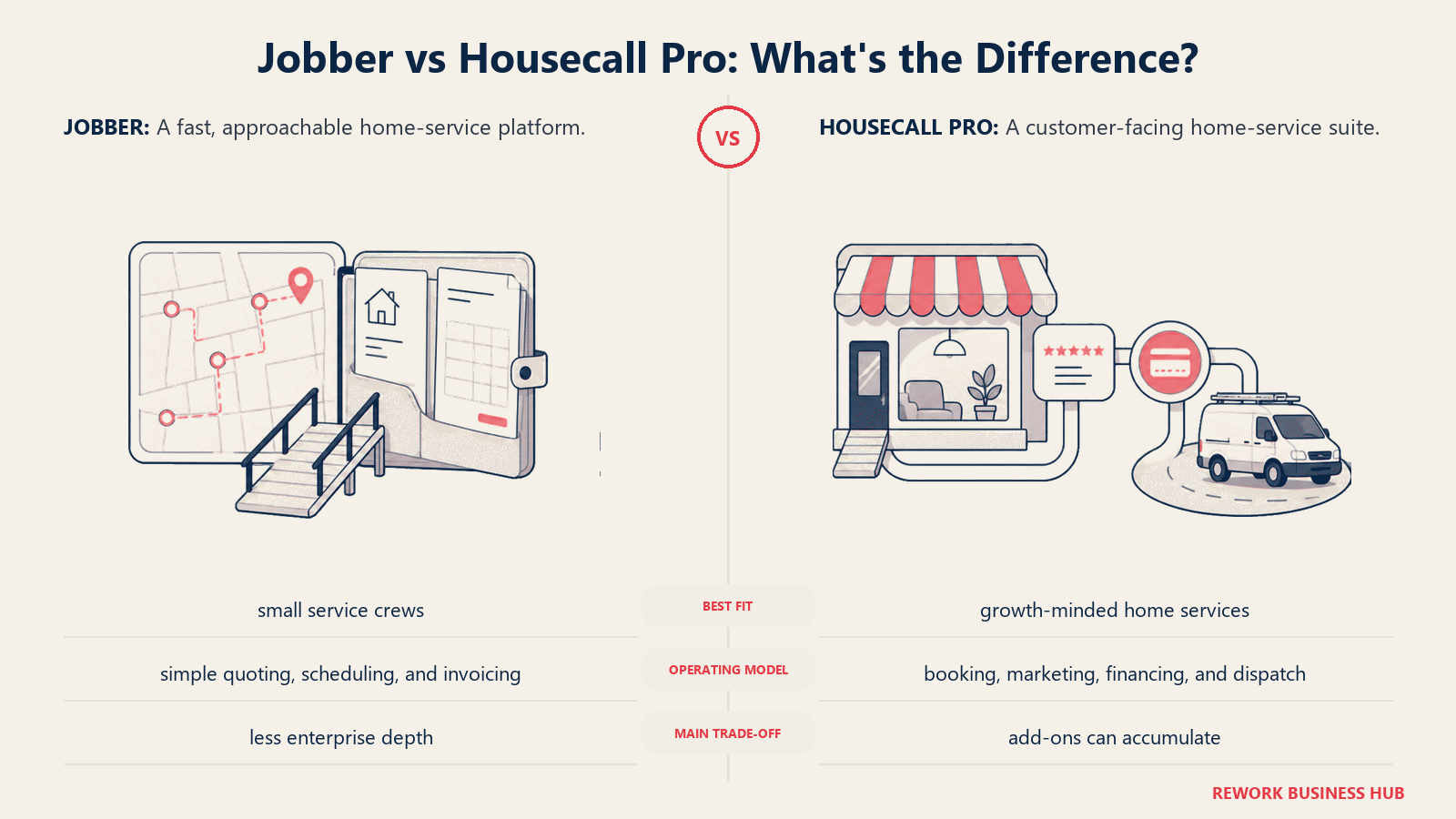
Housecall Pro competes in almost the exact same segment as Jobber: home service businesses, similar job sizes, similar quote-to-invoice flow. It's the first stop for teams who like Jobber's simplicity but want stronger built-in financing and marketing tools.
| What you get | What you don't |
|---|---|
| Built-in consumer financing and review/marketing tools | Cheaper per-user math than Jobber at scale |
| Clean mobile app, fast onboarding | Deep custom reporting or job costing |
| Online booking widget included on base plans | Native inventory or parts tracking |
| Similar automation depth to Jobber | AI-assisted dispatch |
Pricing: Basic $59/mo (1 user, billed annually); Essentials $149/mo annually (5 users); Max $299/mo annually (8 users, plus $35/mo per additional user). (housecallpro.com/pricing)
Best for: Home service businesses in Jobber's size range who want similar simplicity plus stronger financing and marketing add-ons out of the box. Read Jobber vs Housecall Pro for the full head to head. Not ideal for: Teams switching because Jobber's per-user pricing hurt; Housecall Pro's $35/mo add-on rate is higher than Jobber's $29/mo. See the best Housecall Pro alternatives guide if Housecall Pro isn't the fix either.
2. ServiceTitan: Enterprise Depth for Large Trades Operations
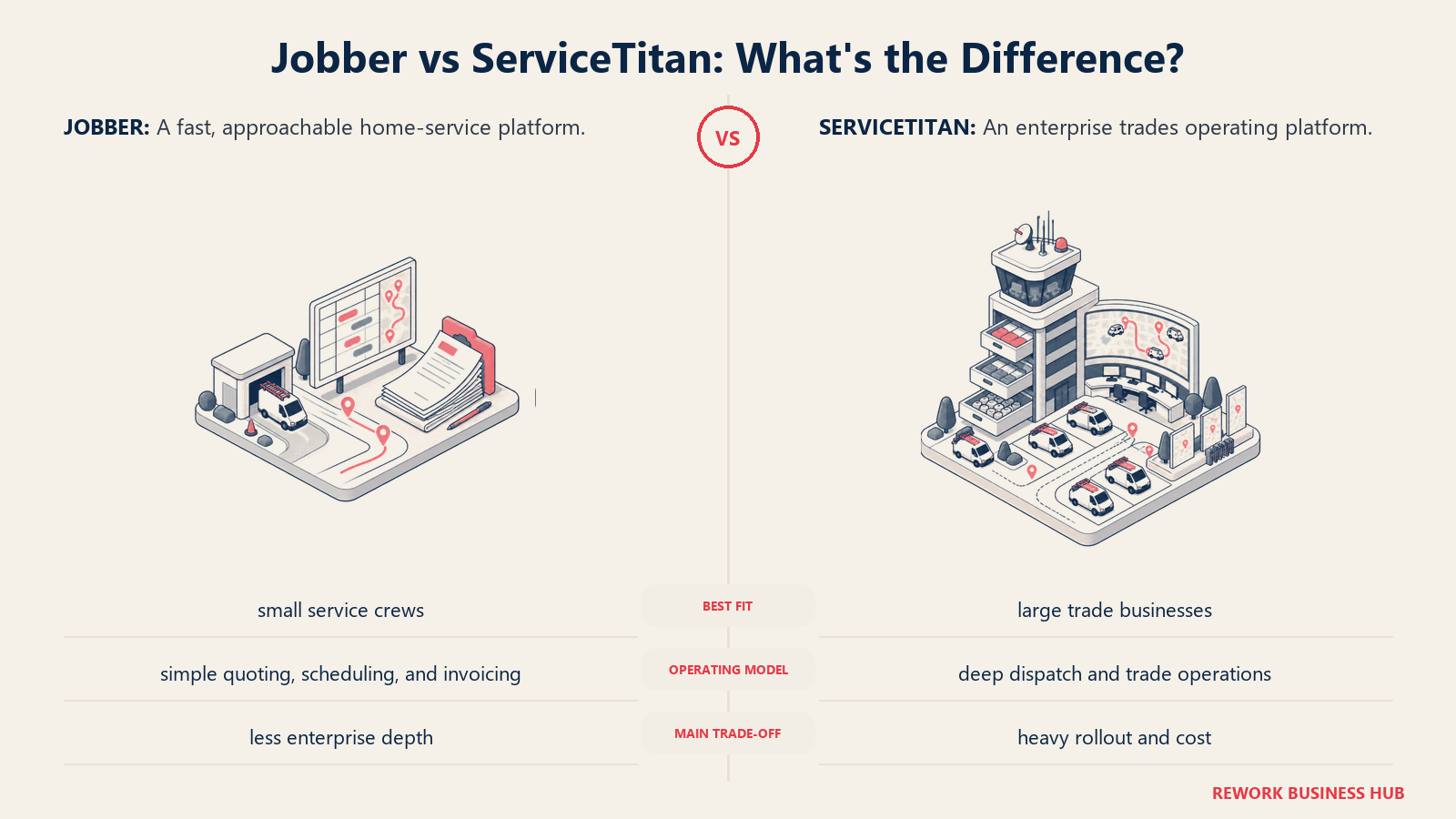
ServiceTitan is the name most residential trades companies eventually hear once they're running 50 or more technicians. It bundles call booking, dispatch, marketing, and reporting into one enterprise-grade suite, genuinely the deepest tool on this list.
| What you get | What you don't |
|---|---|
| Deepest reporting and marketing attribution in the category | Public pricing; every quote is custom and sales-gated |
| Enterprise dispatch and call-booking tools | A fast, self-serve setup |
| Strong franchise and multi-location support | A small implementation bill |
| Mature integration ecosystem | Month-to-month flexibility |
Pricing: No public pricing. Third-party pricing analyses report $245 to $500+ per technician per month across Starter, Essentials, and Works tiers, plus $5,000 to $50,000 in implementation fees and typically a 12-month or longer contract. (serviceagent.ai)
Best for: Large multi-crew HVAC, plumbing, or electrical operations (50+ technicians) that need enterprise-grade dispatch, marketing, and reporting. ServiceTitan vs Jobber works out the crew size where that upgrade actually pays for itself. Not ideal for: Teams under 20 to 30 technicians; the implementation cost rarely pays back at that size. See the best ServiceTitan alternatives guide, and ServiceTitan vs Housecall Pro for the direct comparison.
3. Workiz: AI Dispatch Without the Enterprise Price Tag
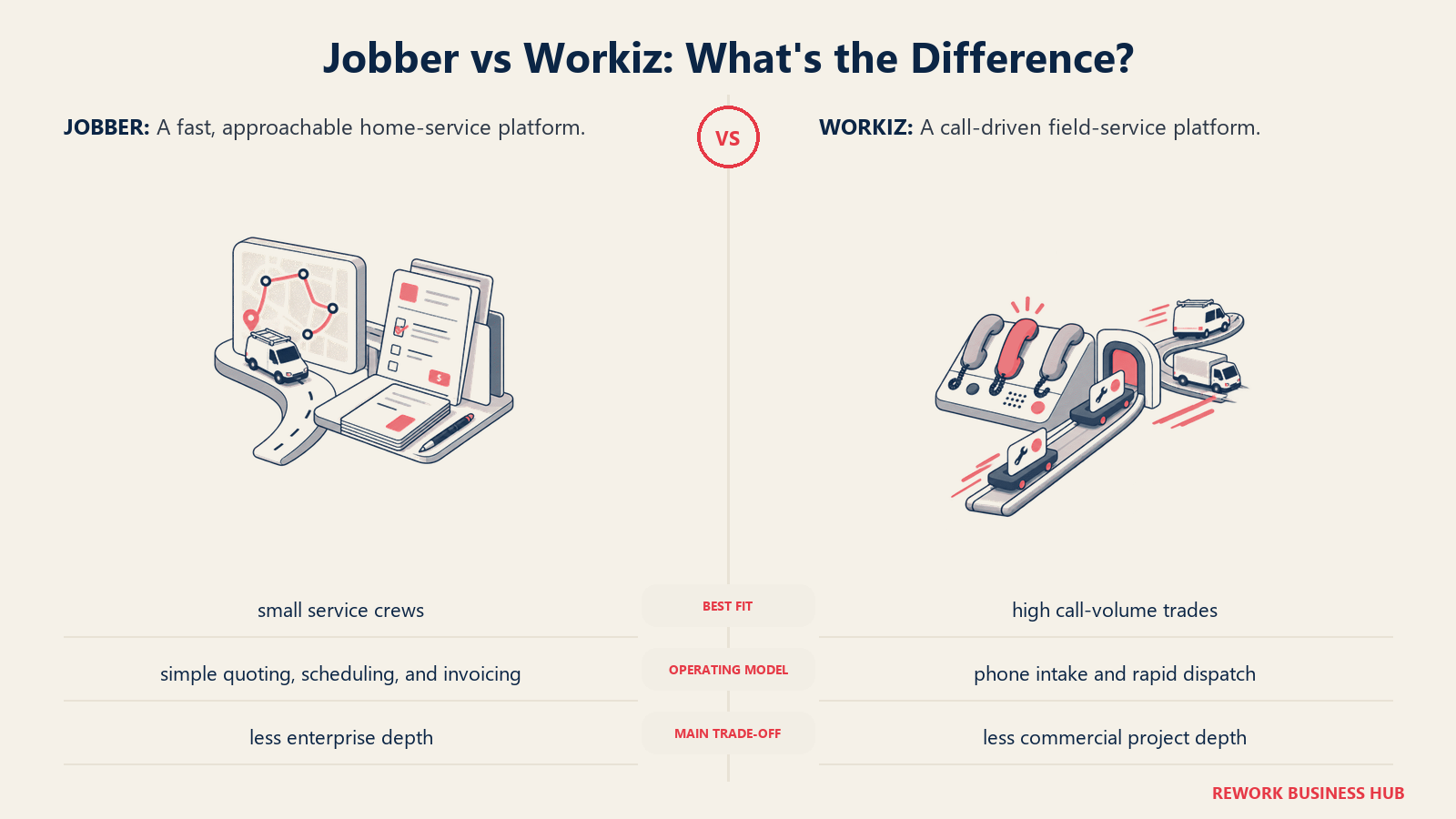
Workiz leans hardest into AI-assisted scheduling and call tracking among the mid-market tools here. If the gap driving you away from Jobber is manual dispatch, not price or trade depth, Workiz is worth a look before jumping to ServiceTitan.
| What you get | What you don't |
|---|---|
| AI-assisted dispatch and scheduling suggestions | A mid-priced middle tier; jumps from free to $187/mo |
| Built-in call tracking and recording | Deep project/job-costing tools |
| Free tier for very small teams (2 users) | Unlimited users on any tier |
| Add-on AI tools for lead capture | Transparent per-user add-on pricing everywhere |
Pricing: Lite is free for up to 2 users. Paid tiers: Kickstart $187/mo, Standard $229/mo, Pro $270/mo, Ultimate custom, plus $30/mo per additional user (17% discount on annual billing). (checkthat.ai)
Best for: HVAC, plumbing, locksmith, and appliance repair teams that want AI-assisted dispatch and call tracking without ServiceTitan-level cost. Not ideal for: Very small teams; the free tier caps at 2 users and paid tiers jump straight to $187/mo.
4. Simpro: Project and Job-Costing Depth for Commercial Trades
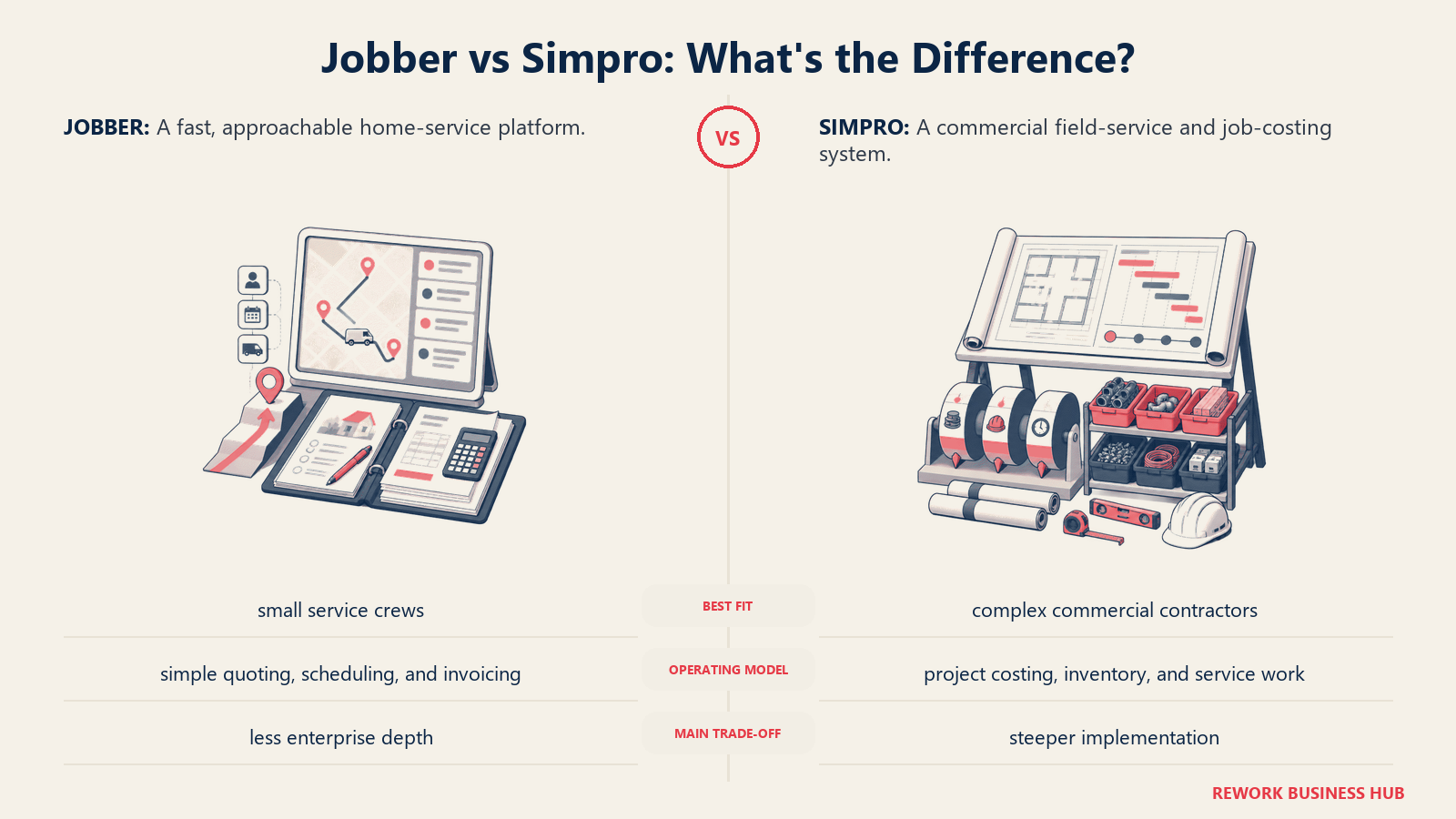
Simpro is built less for "schedule a job, send an invoice" and more for commercial contractors running multi-phase projects, with WIP tracking and multi-stage billing that Jobber was never designed to handle.
| What you get | What you don't |
|---|---|
| Deep project accounting and WIP tracking | A price that makes sense for small residential teams |
| Multi-stage billing for commercial projects | Fast, self-serve onboarding |
| Strong fit for electrical, HVAC, plumbing, security contractors | A transparent, published price list |
| Scales to 500+ technicians | Simplicity; there's a real learning curve |
Pricing: Custom quote. Reported pricing starts around $70/user/month, with higher commercial tiers reaching $150 to $300/user/month. (selecthub.com)
Best for: Commercial contractors (roughly 10-500 technicians) that need project accounting depth alongside field service scheduling. Not ideal for: Small residential-only teams; the project-management depth is overkill and the price reflects it.
5. FieldPulse: Flexible Seat Types to Control Cost
FieldPulse's structure is different: instead of one flat per-user rate, it splits pricing between full-access office seats and cheaper field-only seats for technicians, which changes the math for teams with more field staff than office staff.
| What you get | What you don't |
|---|---|
| Cheaper field-only seats for technicians | Published pricing you can check before a sales call |
| Built-in VoIP add-on (Engage) and AI dispatch (Operator AI) | A free trial |
| Base plus per-seat pricing that scales with mixed teams | Deep enterprise reporting |
| Reasonable onboarding support | Transparent year-two pricing (users report increases) |
Pricing: Custom quote. Contractor-reported pricing runs roughly $99/user/month on the base plan, with full-access and field-only seats priced differently. (serviceagent.ai)
Best for: Teams wanting to control cost by mixing office and field-only seat types rather than paying the same per-user rate for every login. Not ideal for: Teams that want transparent, published pricing before talking to sales.
6. Rework: Field Jobs, CRM, and Staff HR in One Platform
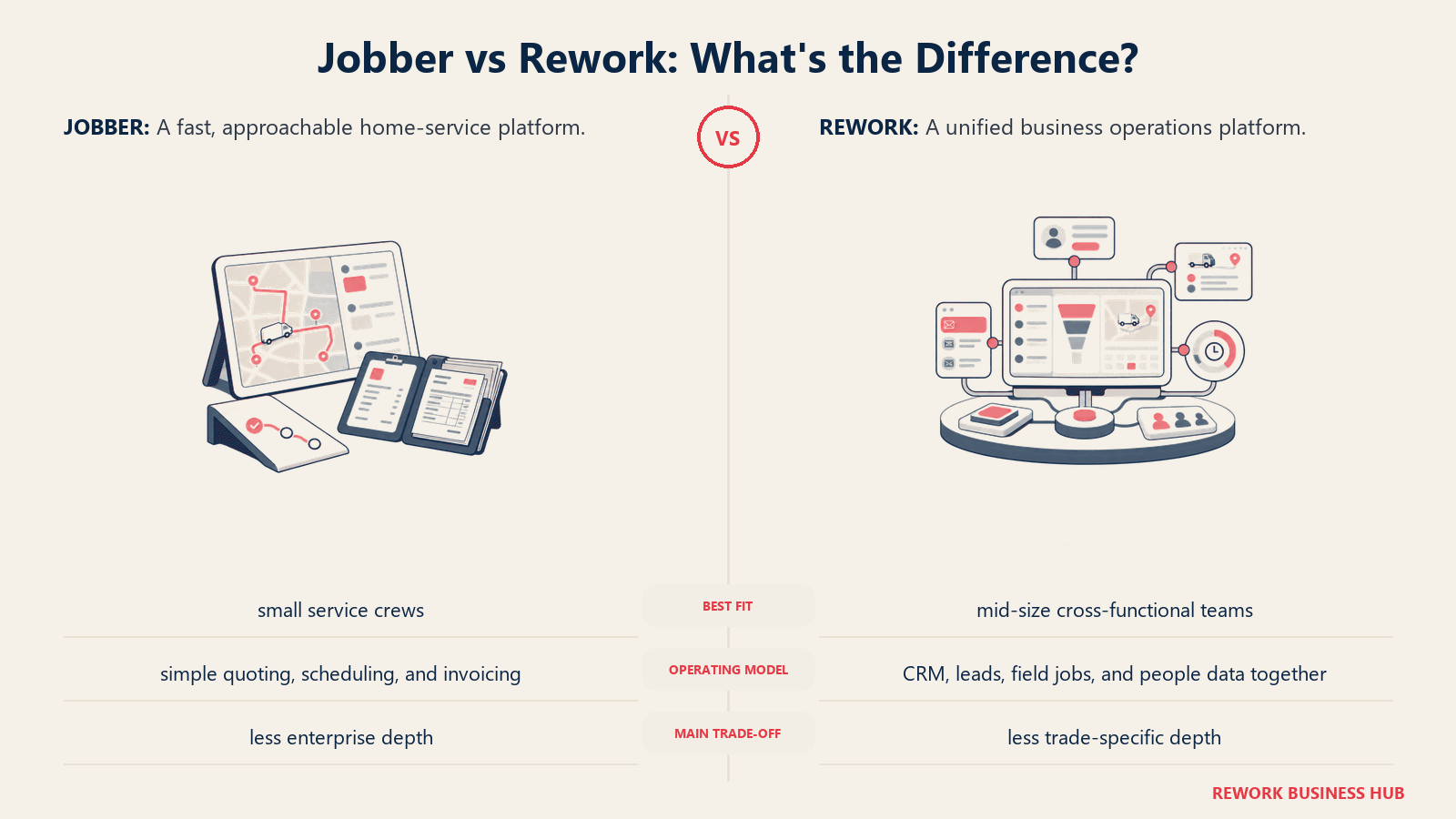
Rework is the relevant comparison when the problem isn't Jobber's scheduling screen, it's that jobs, customer history, and staff time all live in separate places. Rework's Field Work top-up handles field jobs and scheduling inside the same platform as CRM/Sales, Lead Management, Work Ops, and the People app (HRIS plus time & attendance and timesheets), so a business running technicians in the field and an office team clocking hours gets one login instead of two systems.
| What you get | What you don't |
|---|---|
| Field jobs, CRM, and customer records in one contact timeline | Deep flat-rate price books built for a single trade |
| Work Ops scheduling and service workflows | Multi-day route optimization or dispatch AI |
| People app: time & attendance and timesheets, same platform | Trade-specific parts and inventory catalogs |
| Multi-channel inbox (WhatsApp, Messenger, live chat) on the job record | Decades-deep HVAC/plumbing-specific integrations |
| Published pricing; extra work seats come in blocks of 5 ($13/month per block, billed yearly) | A free solo tier |
Pricing: Rework sells field visits as the Field Work top-up ("field visits and service jobs"), from $43/month billed yearly for 1,000 visits a month. It's added to a Process or Project Engine, from $99/month billed yearly with 5 work seats included, so field jobs start at about $142/month billed yearly; extra work seats come in blocks of 5. The CRM is the Sales Engine, from $69/month billed yearly. People (HR, attendance, and timesheets) is not publicly priced; it's quoted per organization. See rework.com/pricing for current plans.
Best for: Mid-size home or commercial service businesses (roughly 10-200 people) that want field jobs, customer records, scheduling, and staff time/HR on one platform. See the How to Choose HR Software guide and the best HR software roundup if HR is the deciding factor. Not ideal for: Trade-specific contractors needing deep flat-rate price books, complex multi-day route optimization, or heavy parts/inventory catalogs. ServiceTitan, Simpro, and FieldEdge go deeper there.
7. Service Fusion: Unlimited Users, No Per-User Math
Service Fusion's headline feature is simple: unlimited users on every plan, which flips Jobber's per-user pricing problem on its head for a team with a large office and dispatch staff.
| What you get | What you don't |
|---|---|
| Unlimited users on every tier, including Starter | Currently published pricing (stopped publishing July 2026) |
| QuickBooks integration and job costing on higher tiers | Native AI dispatch |
| GPS fleet tracking add-on | A free trial |
| eSignatures and customer web portal on the Pro tier | The lowest price on this list |
Pricing: Starter $208/mo, Plus $325/mo, Pro $533/mo billed annually, or $245/$382/$627 billed monthly. Unlimited users on every plan. (servicefusion.com/pricing)
Best for: Teams with a large office or dispatch staff (10+ non-technician logins) where per-user fees at Jobber or Housecall Pro would add up fast. Not ideal for: Teams that want current published pricing; you'll need a sales call to confirm today's rate.
8. ServiceM8: Pricing That Scales by Job Volume, Not Headcount
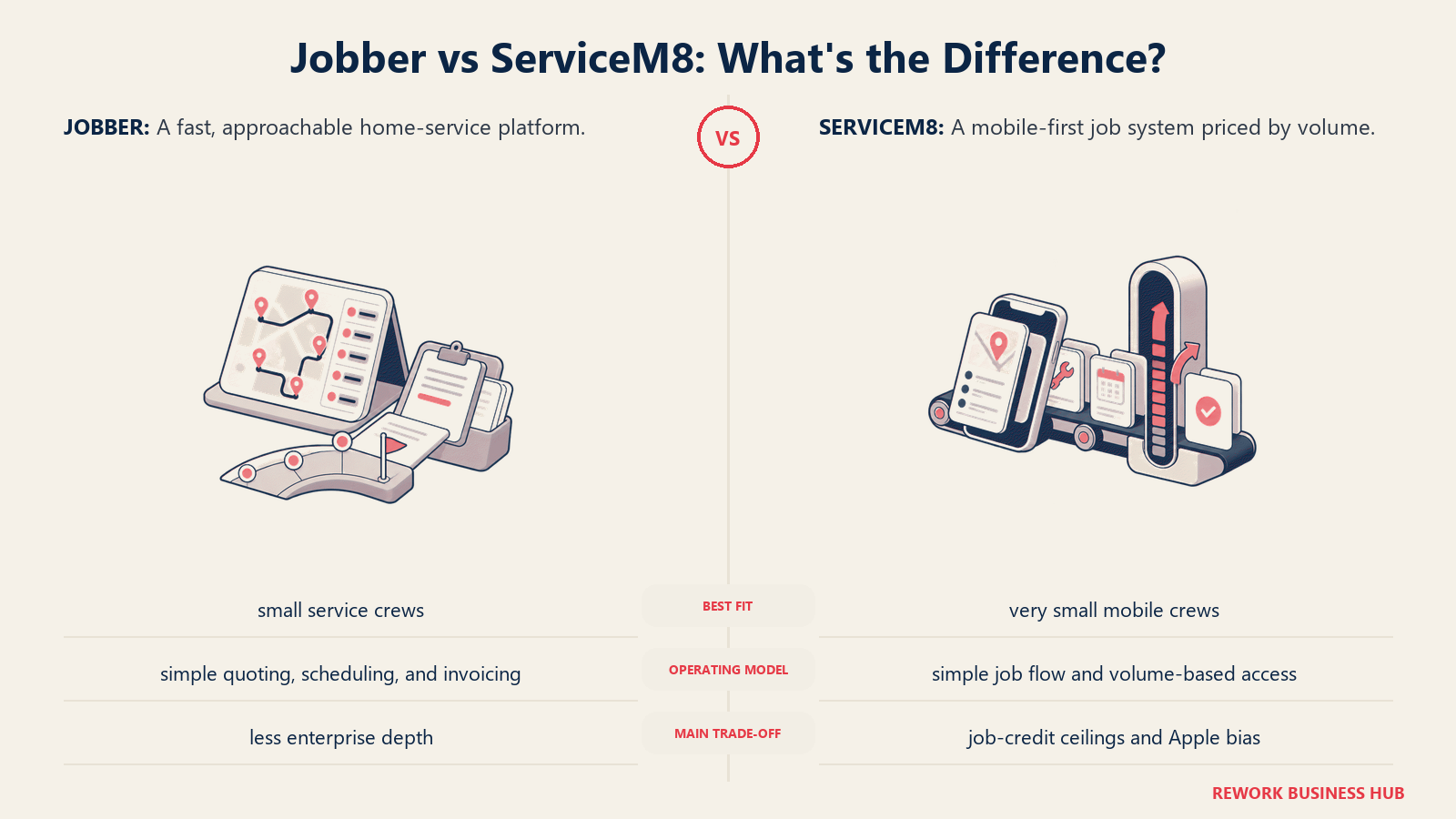
ServiceM8 is the most direct fix for Jobber's per-user pricing problem. Every paid plan includes unlimited users; price scales by monthly job volume instead, via a job-credit system.
| What you get | What you don't |
|---|---|
| Unlimited users on every paid plan, no exceptions | Unlimited job volume; plans cap by job credits |
| Transparent, published pricing (no sales call needed) | Deep commercial project accounting |
| No contracts, upgrade or downgrade anytime | Native trade-specific pricebooks |
| A genuinely usable free tier for testing | Advanced marketing attribution |
Pricing: Free (1 user, 30 jobs/mo). Starter $29/mo (unlimited users, 50 jobs/mo); Growing $79/mo (150 jobs/mo); Premium $149/mo (500 jobs/mo); Premium Plus $349/mo (1,500+ jobs/mo). (servicem8.com/pricing)
Best for: Growing trades teams that add people (apprentices, office staff, seasonal crews) faster than job volume grows, and want a flat monthly bill regardless of headcount. Not ideal for: High-volume operations that would blow through the job-credit cap monthly; upgrading tiers for volume can offset the user savings.
9. Kickserv: A Cheaper Jobber for Very Small Teams
Kickserv targets the same small-crew segment as Jobber's entry tier at a lower price, with a genuinely usable free tier and built-in QuickBooks sync for teams that don't need Jobber's marketing suite.
| What you get | What you don't |
|---|---|
| Lower entry price than Jobber for similar core features | Jobber's marketing suite or AI receptionist add-on |
| Free tier for 2 users | Depth past roughly 20 users |
| Built-in QuickBooks sync | Advanced dispatch automation |
| Simple, fast onboarding | Deep reporting or forecasting |
Pricing: START (5 users) $60/mo billed annually; RUN (10 users) $119/mo annually; SCALE (20 users) $199/mo annually; free tier available for 2 users. (softwareconnect.com)
Best for: Small teams (2-10 people) that want Jobber-like scheduling and invoicing at a lower price and don't need Jobber's marketing or payments depth. Not ideal for: Teams past 20 people; Kickserv's tiers cap out there, and larger operations outgrow it about as fast as they outgrew Jobber.
10. FieldEdge: Built by and for HVAC Dealers
FieldEdge is purpose-built for HVAC, plumbing, and electrical dealers, with a flat-rate pricebook (Coolfront) and service agreement management baked in, features a generalist tool like Jobber doesn't attempt.
| What you get | What you don't |
|---|---|
| Coolfront flat-rate pricebook integration | A fast, self-serve setup |
| Built-in service agreement and membership management | A free trial |
| Trade-specific workflows for HVAC/plumbing/electrical dealers | Published pricing before a sales call |
| Strong QuickBooks and equipment history tracking | A short onboarding process |
Pricing: Quote-only. Reported pricing runs around $100 per office user plus $125 per technician per month, with $500 to $2,000 in setup costs and a roughly 5-week mandatory onboarding. (hvacsoftwarehub.com)
Best for: HVAC-heavy residential trades businesses that want flat-rate pricebook tooling and don't mind a structured onboarding process. Not ideal for: Teams wanting a quick, self-serve setup; the mandatory onboarding is the opposite of Jobber's fast start.
11. Zuper: Multi-Industry Field Service With a Real API
Zuper doesn't limit itself to home trades; it's used across HVAC, telecom, and field IT/security, and leans on a genuinely open API for teams that want to build custom integrations.
| What you get | What you don't |
|---|---|
| Strong scheduling and dispatch AI | Self-serve, published pricing |
| An open API built for custom integrations | A free tier |
| Multi-industry flexibility beyond home trades | Simplicity; more configuration up front than Jobber |
| Flexible billing (monthly or annual) | A short sales cycle |
Pricing: Custom quote. Reported pricing runs $50 to $150 per user per month depending on feature tier, with annual contracts standard. (selecthub.com)
Best for: Multi-industry field service operations that need heavier API and integration work than Jobber supports. Not ideal for: Teams wanting simple, transparent, self-serve pricing.
12. BuildOps: For Commercial Mechanical Contractors, Not Residential
BuildOps is the outlier here: not really a Jobber competitor for residential home services. It's built for commercial mechanical contractors (HVAC, plumbing, electrical, multi-trade shops) running service work alongside full construction billing.
| What you get | What you don't |
|---|---|
| Built for commercial service plus construction project billing | A fit for residential, single-visit jobs |
| Multi-trade shop support (HVAC, plumbing, electrical) | Budget pricing |
| Deep project management alongside dispatch | A short implementation timeline |
| Commercial-grade reporting | Simplicity for a small crew |
Pricing: Custom quote. Reported pricing runs $150 to $300+ per user per month depending on modules. (selecthub.com)
Best for: Commercial (not residential) trades businesses running multi-phase projects alongside service calls. Not ideal for: Residential/home-service teams like most Jobber users; BuildOps is built for a different job type entirely.
13. Salesforce Field Service: For Companies Already Running Salesforce
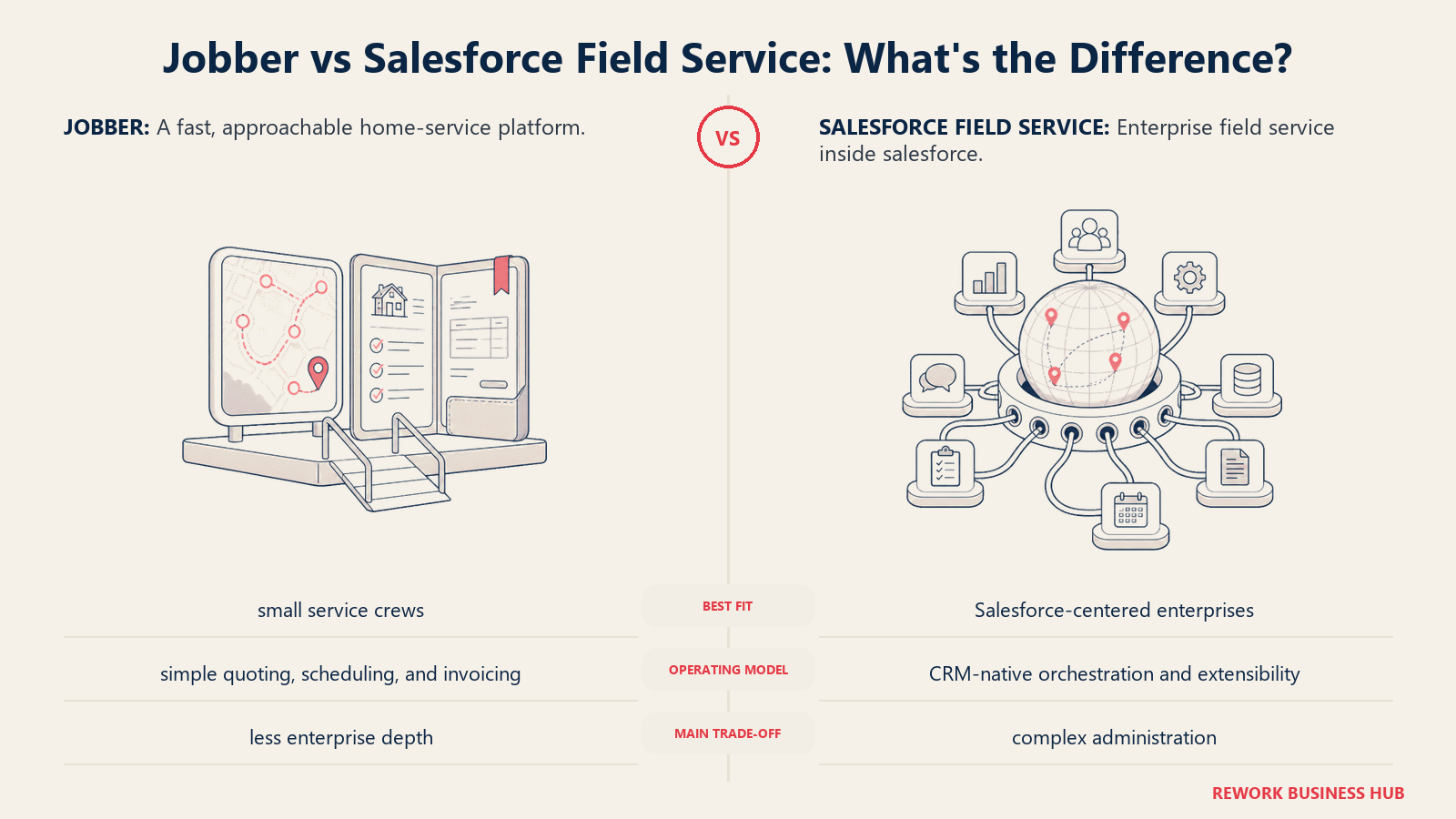
Salesforce Field Service only makes sense as an add-on, not a starting point. If your company already runs Sales Cloud or Service Cloud elsewhere in the business, extending that same CRM into dispatch and scheduling can make sense. Starting from zero with Jobber, it rarely does.
| What you get | What you don't |
|---|---|
| Field service inside your existing Salesforce CRM | A standalone, affordable starting price |
| Enterprise-grade customization and permissioning | Simplicity for a small trades business |
| Deep integration with Sales/Service Cloud data | A single license price; it's base CRM plus add-on |
| Strong fit for utilities, telecom, large multi-site operations | A quick setup |
Pricing: Add-on to Service Cloud, not sold standalone. Reported per-user licensing runs from roughly $50-$75/month for entry Contractor tiers up to $330-$380/month for Unlimited and Field Service Plus editions, on top of a required Sales or Service Cloud license. (g2.com)
Best for: Larger, multi-department companies already running Salesforce (utilities, telecom, multi-site trades) that want field service inside the same CRM as sales and support. See the How to Choose a CRM guide if you're weighing that decision. Not ideal for: Standalone trades businesses; the licensing stack (base CRM plus add-on) makes this the priciest, most complex option here for a business that just needs to schedule jobs.
Why Teams Outgrow Jobber
Jobber earns its reputation honestly: fast to set up, clean mobile app, and for a small crew running a simple quote-to-invoice cycle, it does the job without getting in the way. Most teams that leave don't leave because Jobber is broken. They leave because the business changed shape and the tool didn't.
Per-user pricing that stings as the crew grows. Jobber's Core plan is $49/mo for one user, with each additional login costing $29/mo on every plan. On the Grow plan, a 5-user team runs about $299/mo; a 10-user team runs about $399/mo. Add an office coordinator and a couple of apprentices, and the per-user math starts competing with payroll for budget. ServiceM8 and Service Fusion remove that math entirely with unlimited users on every paid plan.
Dispatch and scheduling stay manual. Jobber's scheduling is a drag-and-drop calendar with no AI-assisted routing, which becomes a real bottleneck once a dispatcher is juggling 15 or more jobs a day. The category is moving the other direction: 95% of field service organizations have deployed some form of AI, and 85% plan to increase that investment, per Salesforce. Mobile workers report losing 18% of their working hours, more than 7 hours a week, to admin tasks instead of billable field work, exactly the drag AI-assisted dispatch is built to cut. The How to Choose Scheduling Software guide covers what to evaluate.
Reporting and job costing hit a ceiling. There are no custom dashboards in Jobber, limited KPI tracking, and no way to track parts loaded on a truck. That gap shows up right when a growing team needs the numbers most.
The trades are short on people, not on work. The U.S. needs roughly 349,000 more construction workers in 2026 alone, on top of nearly 650,000 average annual openings across construction and extraction occupations tracked by the Bureau of Labor Statistics. When headcount is hard to add, the tool running your existing crew has to make each person more productive.
How to Choose: Decision Framework
| If you need... | Best pick |
|---|---|
| Field jobs, CRM, and staff time/HR in one platform | Rework |
| The closest like-for-like swap to Jobber's simplicity | Housecall Pro |
| Enterprise-scale operations (50+ techs) with deep reporting and marketing | ServiceTitan |
| AI-assisted dispatch without ServiceTitan-level pricing | Workiz |
| Commercial project accounting alongside service calls | Simpro |
| Cheaper field-only seats for a team with more techs than office staff | FieldPulse |
| Unlimited users and a large office/dispatch staff | Service Fusion or ServiceM8 |
| A cheaper, simpler tool for a very small team (2-10 people) | Kickserv |
| Flat-rate HVAC pricebook tooling and service agreements | FieldEdge |
| Multi-industry field service with a real API | Zuper |
| Commercial mechanical contracting, not residential service | BuildOps |
| Field service inside a CRM you already run company-wide | Salesforce Field Service |
What to Do Next
Pick two tools based on which limitation is actually costing you money today, not which one has the flashiest demo. If per-user pricing is the pain, put ServiceM8 and Service Fusion head-to-head. If manual dispatch is the pain, trial Workiz's or ServiceTitan's scheduling against your real job volume for two weeks with real customers, not sample data; that's the only way to know if the mobile app holds up on a job site with weak signal.
If your primary reason for leaving Jobber is that field jobs, customer records, and staff scheduling live in different systems, start with Rework. Field Work starts at $43/month billed yearly, added to a Process or Project Engine from $99/month billed yearly; see rework.com/pricing. For the wider field service landscape beyond this list, the Best Field Service Management Software in 2026 roundup covers additional categories.

Business Consultant
On this page
- Key Facts
- Quick Comparison Table
- 1. Housecall Pro: The Closest Like-for-Like Swap
- 2. ServiceTitan: Enterprise Depth for Large Trades Operations
- 3. Workiz: AI Dispatch Without the Enterprise Price Tag
- 4. Simpro: Project and Job-Costing Depth for Commercial Trades
- 5. FieldPulse: Flexible Seat Types to Control Cost
- 6. Rework: Field Jobs, CRM, and Staff HR in One Platform
- 7. Service Fusion: Unlimited Users, No Per-User Math
- 8. ServiceM8: Pricing That Scales by Job Volume, Not Headcount
- 9. Kickserv: A Cheaper Jobber for Very Small Teams
- 10. FieldEdge: Built by and for HVAC Dealers
- 11. Zuper: Multi-Industry Field Service With a Real API
- 12. BuildOps: For Commercial Mechanical Contractors, Not Residential
- 13. Salesforce Field Service: For Companies Already Running Salesforce
- Why Teams Outgrow Jobber
- How to Choose: Decision Framework
- What to Do Next