Die besten Jobber Alternativen 2026: 13 Field-Service-Tools für wachsende Handwerksteams
Turn this article into takeaways for your work.


Each assistant summarizes the article only for you and suggests best practices for your work.
Jobber gehört weiterhin zu den am leichtesten einzurichtenden Field-Service-Tools: morgens ein Konto anlegen, bis zur Mittagspause den ersten Auftrag planen. Für eine Hausdienstleistungs-Crew mit 3 bis 8 Personen und einem einfachen Zyklus vom Angebot bis zur Rechnung ist das tatsächlich schwer zu schlagen, und es ist ein wichtiger Grund dafür, dass Jobber bei mehr als 500 G2-Bewertungen eine Wertung von 4,6 von 5 hält. Wenn Sie das hier lesen, haben Sie wahrscheinlich den Punkt erreicht, an dem diese Einfachheit gegen Sie arbeitet.
Der häufigste Auslöser ist Wachstum. Mit dem sechsten, zehnten oder fünfzehnten Techniker frisst Jobbers Preismodell pro Nutzer die Marge auf, die der Neuzugang eigentlich schaffen sollte. Die Disposition bleibt eine manuelle Drag-and-drop-Übung ohne AI-Unterstützung. Das Reporting endet bei den integrierten Dashboards, und eine Verfolgung von Teilen oder Beständen auf Fahrzeugebene gibt es praktisch nicht. Nichts davon macht Jobber zu einem schlechten Produkt; es ist die zu erwartende Grenze eines Tools, das für eine kleine Crew gebaut wurde, nicht für ein wachsendes Handwerksunternehmen. Dieser Leitfaden behandelt 13 Alternativen, bewertet nach Preisstruktur, Automatisierungstiefe und gewerkespezifischer Passung, darunter Rework für Teams, die Außendienstaufträge und Mitarbeiter-HR ebenfalls auf einer Plattform wollen.
Zahlen mit dem Vermerk „gemeldet“ oder „individuelles Angebot“ stammen aus Preisanalysen Dritter, da der Anbieter selbst keine Preise veröffentlicht.
Wichtige Fakten
Field-Service-Software und der Arbeitsmarkt im Handwerk
- Der weltweite Markt für Field-Service-Management-Software hat 2026 einen Wert von 5,88 Milliarden \(und soll bis 2030 auf 10,09 Milliarden\) wachsen, eine durchschnittliche jährliche Wachstumsrate von 14,4 %. (Research and Markets, 2026)
- Die USA brauchen allein 2026 laut Associated Builders and Contractors rund 349.000 zusätzliche Bauarbeiter, zusätzlich zu durchschnittlich 649.300 offenen Stellen pro Jahr in Bau- und Abbauberufen, die das Bureau of Labor Statistics erfasst. (via Trade Colleges, 2026)
- 95 % der Field-Service-Organisationen haben bereits eine Form von AI im Einsatz, und 85 % planen, diese Investitionen in den nächsten ein bis zwei Jahren zu erhöhen. (Salesforce)
- Mobile Außendienstmitarbeitende schätzen, dass 18 % ihrer Arbeitszeit, mehr als 7 Stunden in einer üblichen Woche, durch Verwaltungsaufgaben wie das Ausfüllen von Formularen statt abrechenbarer Außendienstarbeit verloren gehen. (Salesforce)
- Jobber hält bei mehr als 500 G2-Bewertungen eine Wertung von 4,6 von 5, wobei Flexibilität beim Reporting und mobile Routenplanung zu den häufigsten Beschwerdekategorien gehören.
Schnellvergleichstabelle
| Tool | Am besten geeignet für | Einstiegspreis | Wichtigste Stärke | Wichtigste Einschränkung |
|---|---|---|---|---|
| Housecall Pro | Teams, die Jobbers Einfachheit mit mehr integriertem Marketing wollen | $59/Monat (1 Nutzer, jährliche Abrechnung) | Direktester Wechsel; starke Add-ons für Finanzierung und Marketing | Der Aufpreis pro Nutzer ($35/Monat) liegt über dem von Jobber ($29/Monat) |
| ServiceTitan | Große Handwerksbetriebe mit mehreren Crews (50+ Techniker) | Individuelles Angebot (gemeldet 245+ $/Techniker/Monat) | Tiefste Reporting-, Marketing- und Dispositions-Suite der Kategorie | 5 bis 50 Tsd. $ Implementierung, lange Verträge, Preise nur nach Demo |
| Workiz | AI-gestützte Disposition ohne ServiceTitan-Preise | Kostenlos (2 Nutzer) oder $187/Monat (Kickstart) | Integrierte AI-Disposition und Anrufverfolgung | Kostenpflichtige Tarife springen direkt von kostenlos auf 187+ $/Monat |
| Simpro | Gewerbliche Betriebe, die Projekt- und WIP-Buchhaltung brauchen | Individuelles Angebot (gemeldet ab ca. 70 $/Nutzer/Monat) | Tiefe bei Projekt- und Auftragskalkulation für gewerbliche Gewerke | Überdimensioniert und zu teuer für kleine reine Wohnbereichs-Teams |
| FieldPulse | Teams, die günstigere reine Außendienstplätze wollen | Individuelles Angebot (gemeldet ca. 99 $/Nutzer/Monat) | Gemischte Plätze (Büro vs. nur Außendienst) halten die Kosten im Griff | Keine veröffentlichten Preise, keine kostenlose Testphase |
| Rework | Außendienstaufträge + CRM + Mitarbeiterzeit/HR in einer Plattform | Ab $142/Monat bei jährlicher Abrechnung (Process Engine + Field Work, 5 Seats); People auf Anfrage (rework.com/pricing) | Aufträge, Kundendaten und People (HR/Anwesenheit) teilen sich ein System | Nicht gebaut für tiefe gewerkespezifische Preisbücher oder komplexe mehrtägige Disposition |
| Service Fusion | Große Büro- und Dispositionsteams | $208/Monat (Starter, unbegrenzte Nutzer) | Unbegrenzte Nutzer in jedem Tarif | Die monatliche Pauschale kostet unter etwa fünf Nutzern mehr als nutzerbasierte Wettbewerber |
| ServiceM8 | Wachsende Mitarbeiterzahl ohne Gebühren pro Nutzer | $29/Monat (Starter, unbegrenzte Nutzer) | Preis skaliert nach Auftragsvolumen, nie nach Mitarbeiterzahl | Betriebe mit hohem Volumen können das monatliche Auftragslimit überschreiten |
| Kickserv | Kleine Teams (2 bis 10 Personen), die einen günstigeren Jobber wollen | Kostenlos (2 Nutzer) oder $60/Monat (START, jährlich) | QuickBooks-Sync, wirklich nutzbarer kostenloser Tarif | Die Tarife enden bei etwa 20 Nutzern |
| FieldEdge | HVAC-lastige Gewerke, die Flat-Rate-Preisbücher wollen | Individuelles Angebot (gemeldet ca. 100 $/Büronutzer + 125 $/Techniker) | Coolfront-Flat-Rate-Preisbuch, Wartungsverträge integriert | Verpflichtendes Onboarding von ca. 5 Wochen, keine kostenlose Testphase |
| Zuper | Branchenübergreifender Field Service jenseits der Hausgewerke | Individuelles Angebot (gemeldet 50 bis 150 $/Nutzer/Monat) | Starke AI-Terminplanung und eine offene API | Keine Self-Serve-Preise, Jahresverträge sind Standard |
| BuildOps | Gewerbliche Mechanikbetriebe | Individuelles Angebot (gemeldet 150 bis 300+ $/Nutzer/Monat) | Gebaut für gewerblichen Service, Projekte und Bauabrechnung | Falsches Tool für Einsätze im Wohnbereich mit nur einem Besuch |
| Salesforce Field Service | Unternehmen, die anderswo bereits Salesforce nutzen | Add-on zu Service Cloud (gemeldet 50 bis 380 $/Nutzer/Monat) | Erweitert ein vorhandenes Salesforce-CRM um Disposition | Teuerste und komplexeste Option für einen eigenständigen Handwerksbetrieb |
1. Housecall Pro: Der direkteste Wechsel
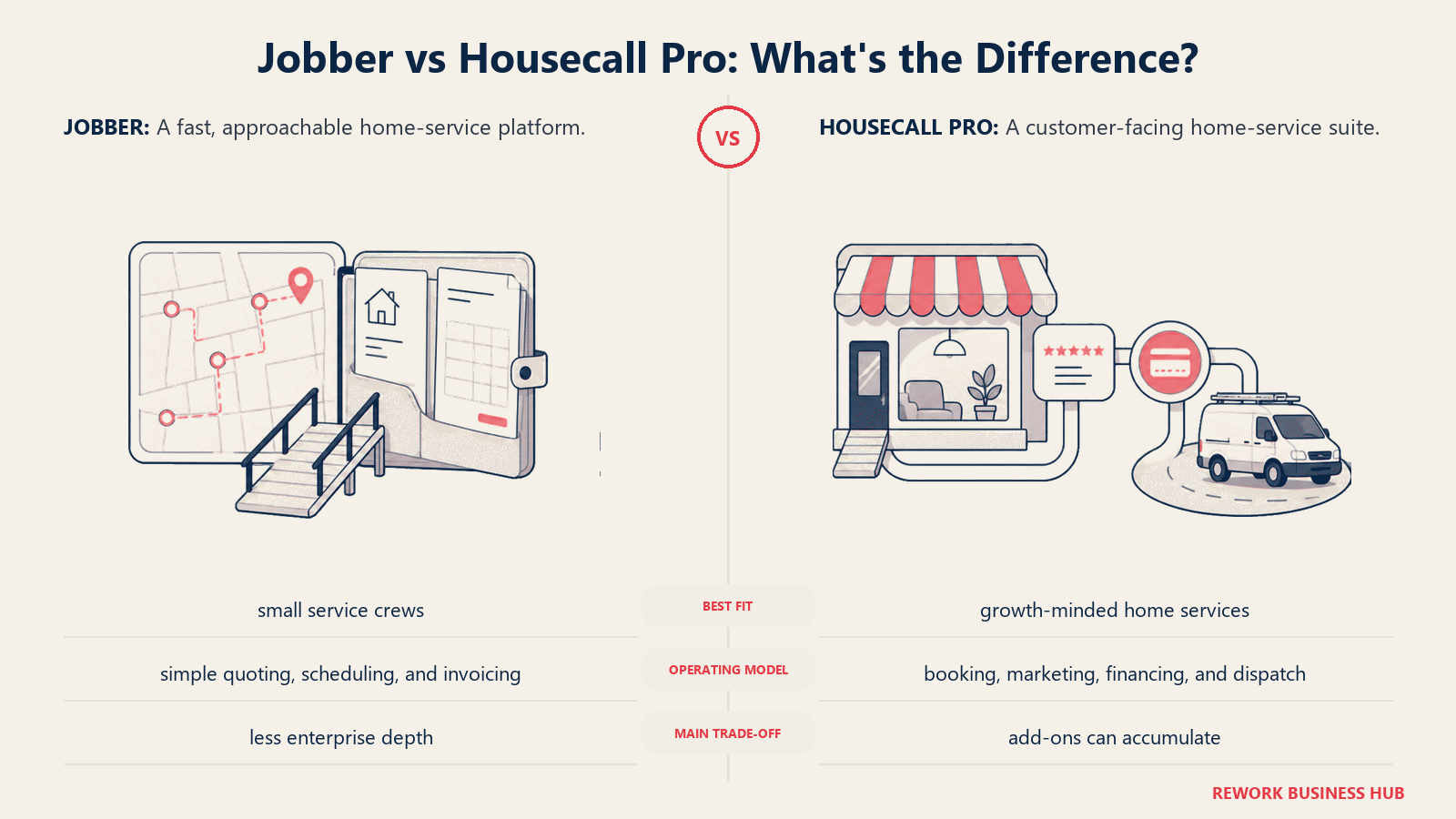
Housecall Pro konkurriert in fast genau demselben Segment wie Jobber: Hausdienstleistungs-Unternehmen, ähnliche Auftragsgrößen, ähnlicher Ablauf vom Angebot bis zur Rechnung. Es ist die erste Anlaufstelle für Teams, die Jobbers Einfachheit mögen, aber stärkere integrierte Finanzierungs- und Marketing-Tools wollen.
| Was Sie bekommen | Was Sie nicht bekommen |
|---|---|
| Integrierte Verbraucherfinanzierung und Bewertungs-/Marketing-Tools | Günstigere Rechnung pro Nutzer als bei Jobber im größeren Maßstab |
| Saubere mobile App, schnelles Onboarding | Tiefes individuelles Reporting oder Auftragskalkulation |
| Online-Buchungs-Widget in den Basistarifen enthalten | Native Bestands- oder Teileverfolgung |
| Ähnliche Automatisierungstiefe wie Jobber | AI-gestützte Disposition |
Preise: Basic $59/Monat (1 Nutzer, jährliche Abrechnung); Essentials $149/Monat jährlich (5 Nutzer); Max $299/Monat jährlich (8 Nutzer, zuzüglich $35/Monat pro zusätzlichem Nutzer). (housecallpro.com/pricing)
Am besten geeignet für: Hausdienstleistungs-Unternehmen in Jobbers Größenordnung, die ähnliche Einfachheit plus stärkere Finanzierungs- und Marketing-Add-ons gleich ab Werk wollen. Den ausführlichen direkten Vergleich finden Sie unter Jobber vs Housecall Pro. Weniger geeignet für: Teams, die wechseln, weil Jobbers Preise pro Nutzer wehtun; Housecall Pros Aufpreis von $35/Monat liegt höher als Jobbers $29/Monat. Lesen Sie den Leitfaden Die besten Housecall Pro Alternativen, falls auch Housecall Pro nicht die Lösung ist.
2. ServiceTitan: Enterprise-Tiefe für große Handwerksbetriebe
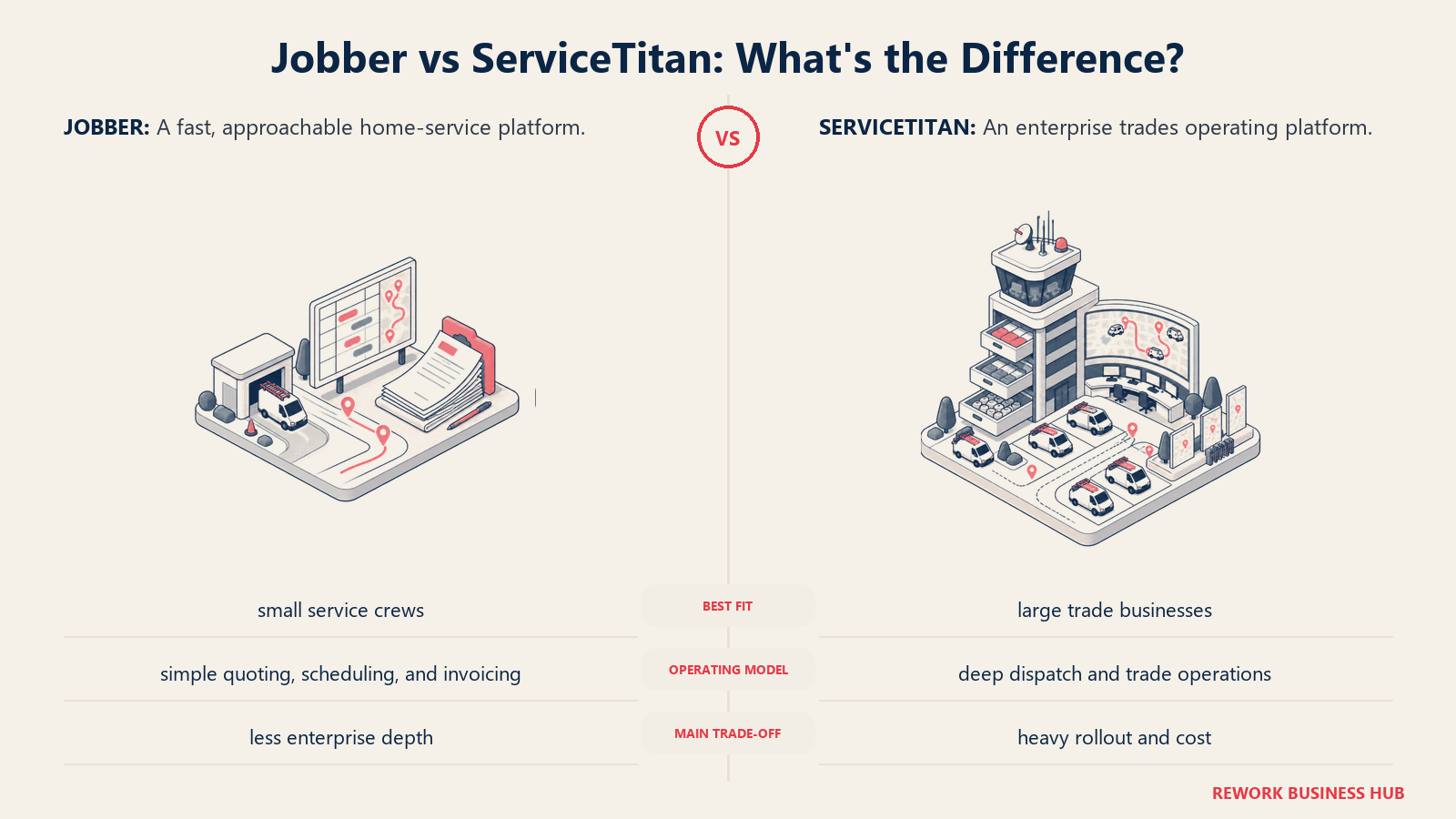
ServiceTitan ist der Name, den die meisten Wohnbereichs-Handwerksunternehmen irgendwann hören, wenn sie 50 oder mehr Techniker beschäftigen. Es bündelt Anrufannahme, Disposition, Marketing und Reporting in einer Suite auf Enterprise-Niveau, tatsächlich das tiefste Tool auf dieser Liste.
| Was Sie bekommen | Was Sie nicht bekommen |
|---|---|
| Das tiefste Reporting und die tiefste Marketing-Attribution der Kategorie | Öffentliche Preise; jedes Angebot ist individuell und an den Vertrieb gebunden |
| Dispositions- und Anrufbuchungs-Tools auf Enterprise-Niveau | Ein schnelles Self-Serve-Setup |
| Starke Unterstützung für Franchise und mehrere Standorte | Eine kleine Implementierungsrechnung |
| Ausgereiftes Integrations-Ökosystem | Flexibilität von Monat zu Monat |
Preise: Keine öffentlichen Preise. Preisanalysen Dritter nennen 245 bis 500+ \(pro Techniker und Monat über die Tarife Starter, Essentials und Works, zuzüglich 5.000 bis 50.000\) Implementierungsgebühren und in der Regel einem Vertrag von 12 Monaten oder länger. (serviceagent.ai)
Am besten geeignet für: Große HVAC-, Sanitär- oder Elektrobetriebe mit mehreren Crews (50+ Techniker), die Disposition, Marketing und Reporting auf Enterprise-Niveau brauchen. ServiceTitan vs Jobber rechnet durch, ab welcher Crew-Größe sich dieser Umstieg tatsächlich lohnt. Weniger geeignet für: Teams mit weniger als 20 bis 30 Technikern; die Implementierungskosten amortisieren sich in dieser Größe selten. Lesen Sie den Leitfaden Die besten ServiceTitan Alternativen und für den direkten Vergleich ServiceTitan vs Housecall Pro.
3. Workiz: AI-Disposition ohne Enterprise-Preisschild
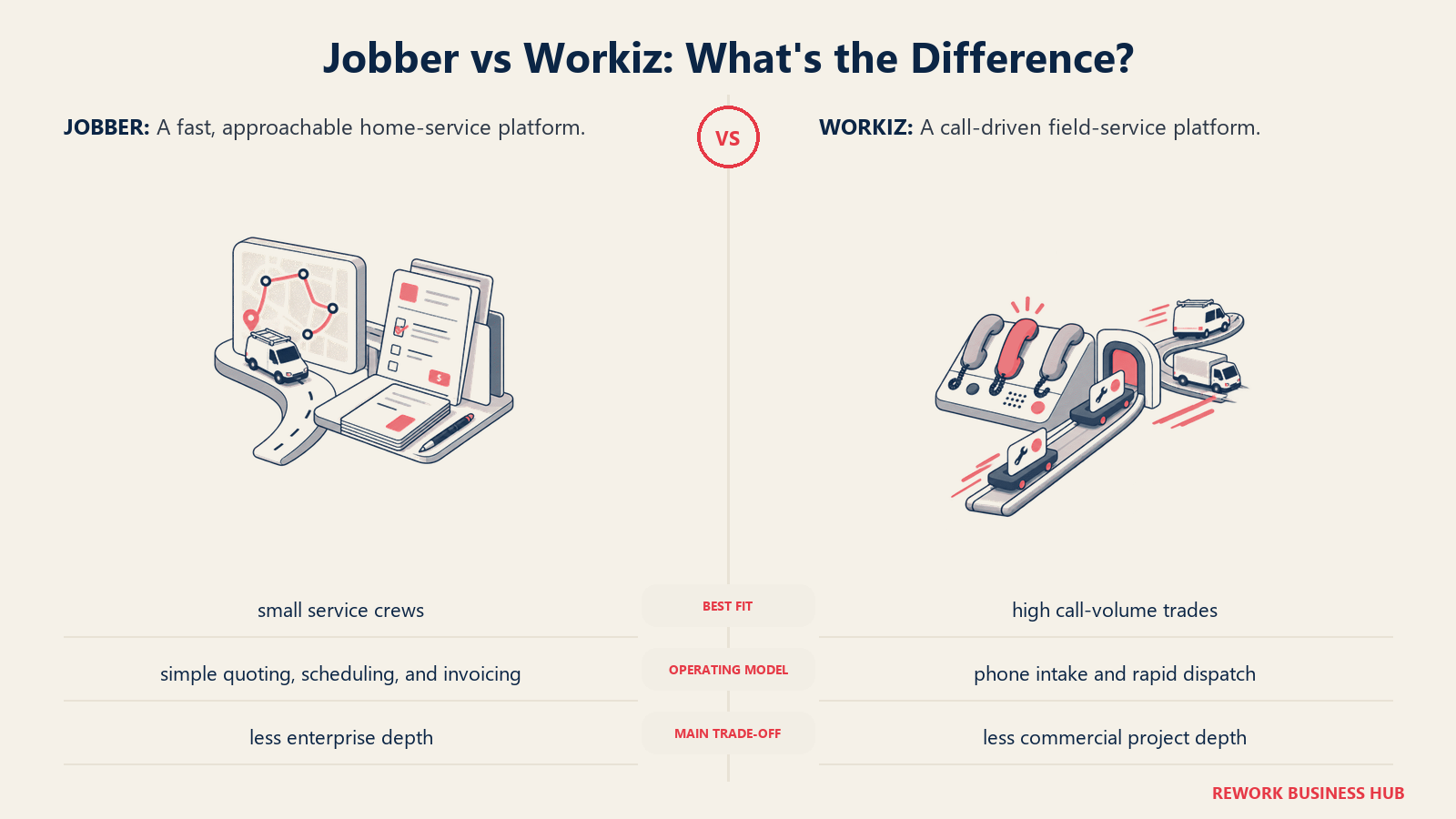
Workiz setzt unter den Tools des mittleren Marktsegments hier am stärksten auf AI-gestützte Terminplanung und Anrufverfolgung. Wenn die Lücke, die Sie von Jobber wegtreibt, die manuelle Disposition ist und nicht Preis oder gewerkespezifische Tiefe, lohnt sich ein Blick auf Workiz, bevor Sie zu ServiceTitan springen.
| Was Sie bekommen | Was Sie nicht bekommen |
|---|---|
| AI-gestützte Disposition und Vorschläge zur Terminplanung | Eine mittlere Preisstufe; der Sprung von kostenlos auf $187/Monat |
| Integrierte Anrufverfolgung und -aufzeichnung | Tiefe Tools für Projekt- und Auftragskalkulation |
| Kostenloser Tarif für sehr kleine Teams (2 Nutzer) | Unbegrenzte Nutzer in irgendeinem Tarif |
| Add-on-AI-Tools zur Lead-Erfassung | Überall transparente Preise für zusätzliche Nutzer |
Preise: Lite ist für bis zu 2 Nutzer kostenlos. Kostenpflichtige Tarife: Kickstart $187/Monat, Standard $229/Monat, Pro $270/Monat, Ultimate individuell, zuzüglich $30/Monat pro zusätzlichem Nutzer (17 % Rabatt bei jährlicher Abrechnung). (checkthat.ai)
Am besten geeignet für: HVAC-, Sanitär-, Schlüsseldienst- und Haushaltsgeräte-Reparaturteams, die AI-gestützte Disposition und Anrufverfolgung ohne ServiceTitan-Kosten wollen. Weniger geeignet für: Sehr kleine Teams; der kostenlose Tarif endet bei 2 Nutzern, und die kostenpflichtigen Tarife springen direkt auf $187/Monat.
4. Simpro: Tiefe bei Projekt- und Auftragskalkulation für gewerbliche Gewerke
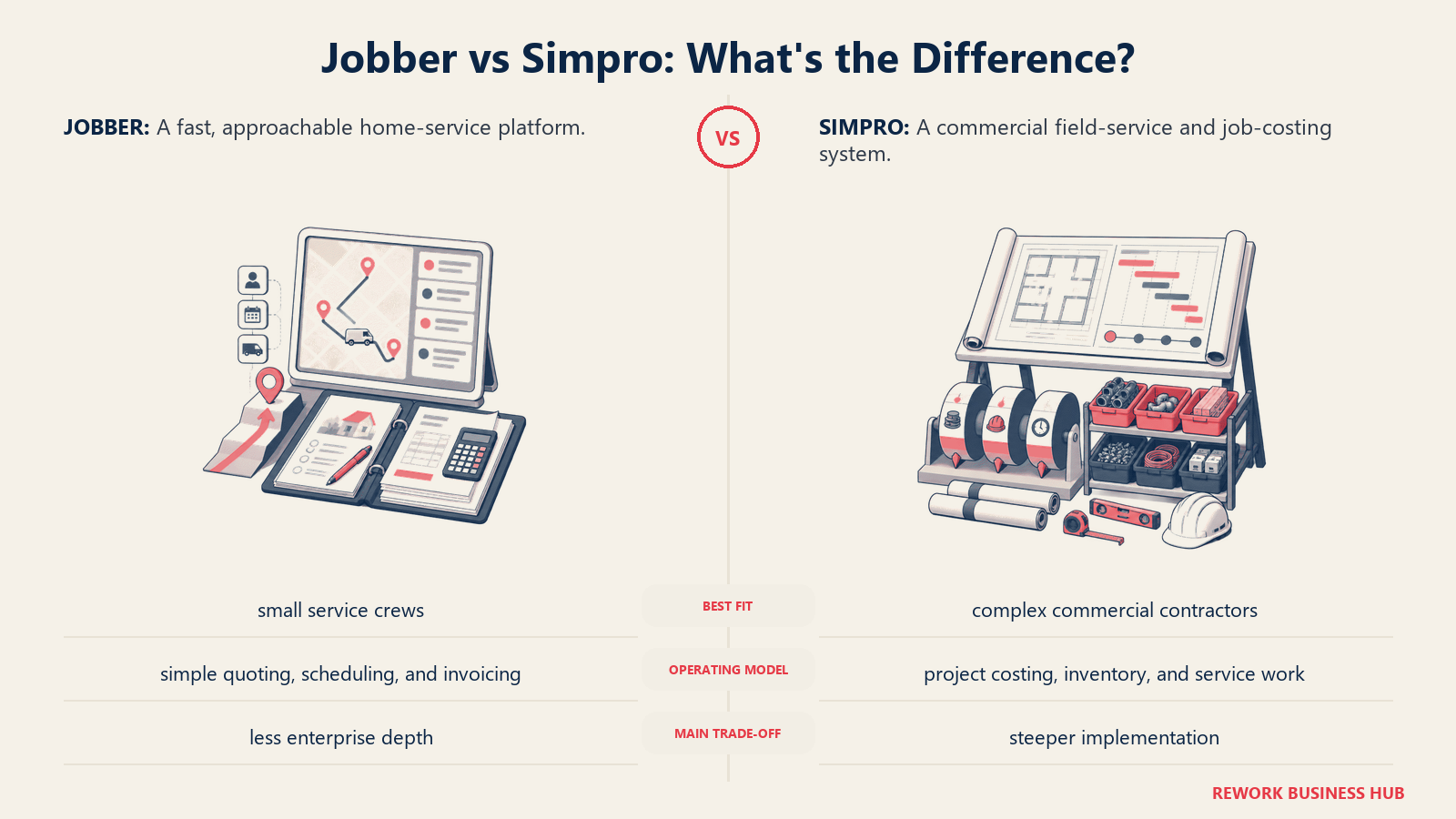
Simpro ist weniger auf „Auftrag planen, Rechnung senden“ ausgelegt und mehr auf gewerbliche Betriebe mit mehrphasigen Projekten, mit WIP-Verfolgung und mehrstufiger Abrechnung, für die Jobber nie gebaut wurde.
| Was Sie bekommen | Was Sie nicht bekommen |
|---|---|
| Tiefe Projektbuchhaltung und WIP-Verfolgung | Einen Preis, der für kleine Wohnbereichs-Teams sinnvoll ist |
| Mehrstufige Abrechnung für gewerbliche Projekte | Schnelles Self-Serve-Onboarding |
| Starke Passung für Elektro-, HVAC-, Sanitär- und Sicherheitsbetriebe | Eine transparente, veröffentlichte Preisliste |
| Skaliert auf 500+ Techniker | Einfachheit; es gibt eine echte Lernkurve |
Preise: Individuelles Angebot. Gemeldete Preise beginnen bei etwa $70/Nutzer/Monat, höhere gewerbliche Tarife erreichen 150 bis 300 $/Nutzer/Monat. (selecthub.com)
Am besten geeignet für: Gewerbliche Betriebe (etwa 10 bis 500 Techniker), die neben der Field-Service-Terminplanung Tiefe bei der Projektbuchhaltung brauchen. Weniger geeignet für: Kleine reine Wohnbereichs-Teams; die Tiefe beim Projektmanagement ist überdimensioniert, und der Preis spiegelt das wider.
5. FieldPulse: Flexible Nutzertypen zur Kostenkontrolle
FieldPulses Struktur ist anders: Statt eines einheitlichen Satzes pro Nutzer unterscheidet es zwischen Büroplätzen mit vollem Zugriff und günstigeren reinen Außendienstplätzen für Techniker, was die Rechnung für Teams mit mehr Außendienst- als Büromitarbeitenden verändert.
| Was Sie bekommen | Was Sie nicht bekommen |
|---|---|
| Günstigere reine Außendienstplätze für Techniker | Veröffentlichte Preise, die Sie vor einem Vertriebsgespräch prüfen können |
| Integriertes VoIP-Add-on (Engage) und AI-Disposition (Operator AI) | Eine kostenlose Testphase |
| Grundpreis plus Preis pro Platz, der mit gemischten Teams skaliert | Tiefes Reporting auf Enterprise-Niveau |
| Angemessene Unterstützung beim Onboarding | Transparente Preise im zweiten Jahr (Nutzer berichten von Erhöhungen) |
Preise: Individuelles Angebot. Von Betrieben gemeldete Preise liegen im Basistarif bei etwa $99/Nutzer/Monat, wobei Plätze mit vollem Zugriff und reine Außendienstplätze unterschiedlich berechnet werden. (serviceagent.ai)
Am besten geeignet für: Teams, die ihre Kosten durch eine Mischung aus Büro- und reinen Außendienstplätzen steuern wollen, statt für jeden Login denselben Preis pro Nutzer zu zahlen. Weniger geeignet für: Teams, die transparente, veröffentlichte Preise wollen, bevor sie mit dem Vertrieb sprechen.
6. Rework: Außendienstaufträge, CRM und Mitarbeiter-HR in einer Plattform
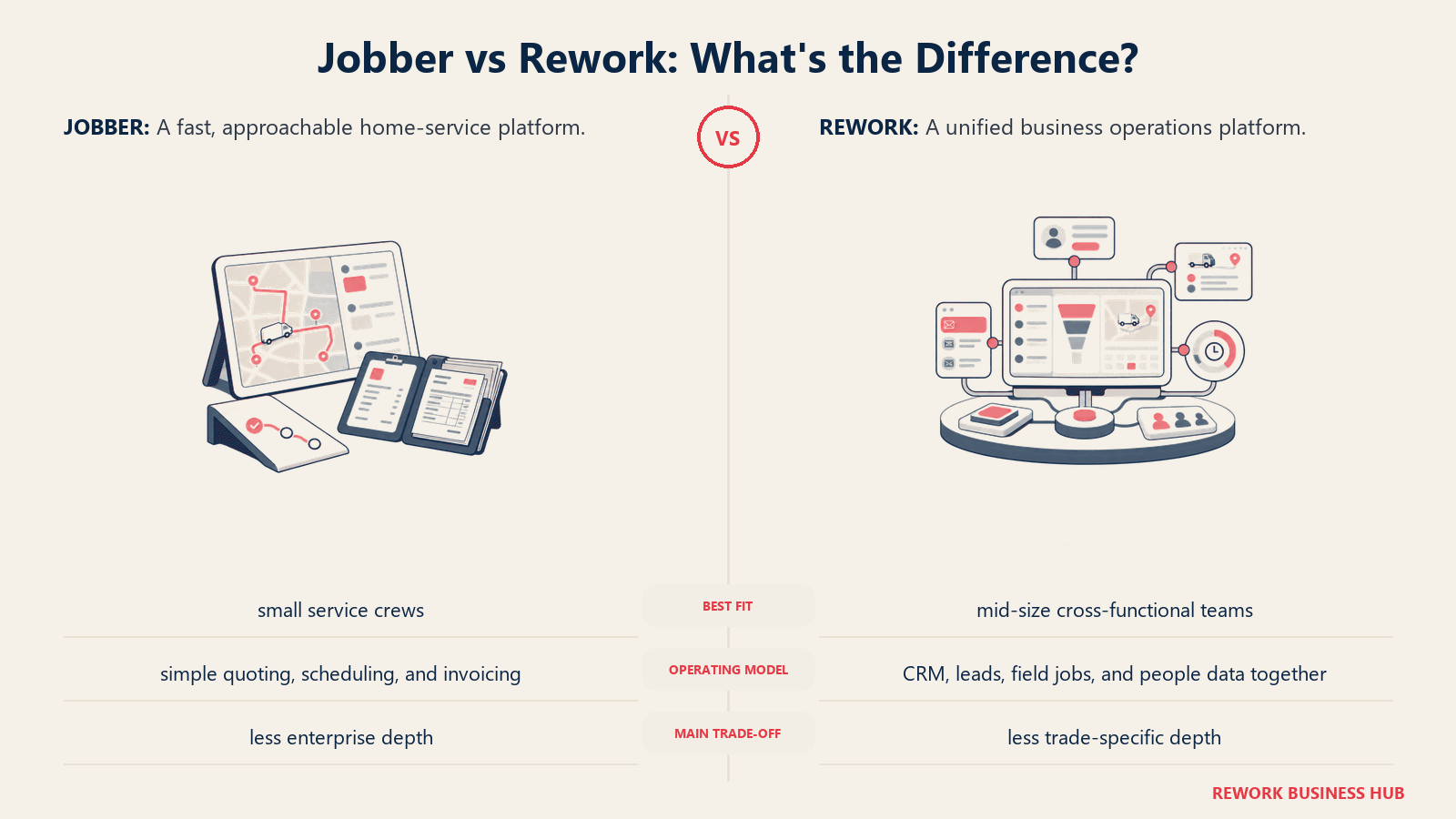
Rework ist der relevante Vergleich, wenn das Problem nicht Jobbers Terminplanungsansicht ist, sondern dass Aufträge, Kundenhistorie und Mitarbeiterzeit an getrennten Orten liegen. Reworks Field-Work-Top-up verwaltet Außendienstaufträge und Terminplanung in derselben Plattform wie CRM/Sales, Lead-Management, Work Ops und die People-App (HRIS plus Arbeitszeit und Anwesenheit sowie Timesheets), sodass ein Unternehmen mit Technikern im Außendienst und einem Büroteam, das Stunden erfasst, einen Login statt zweier Systeme bekommt.
| Was Sie bekommen | Was Sie nicht bekommen |
|---|---|
| Außendienstaufträge, CRM und Kundendaten in einer Kontakt-Timeline | Tiefe Flat-Rate-Preisbücher für ein einzelnes Gewerk |
| Work-Ops-Terminplanung und Service-Workflows | Mehrtägige Routenoptimierung oder Dispositions-AI |
| People-App: Arbeitszeit und Anwesenheit sowie Timesheets, gleiche Plattform | Gewerkespezifische Teile- und Bestandskataloge |
| Multi-Channel-Posteingang (WhatsApp, Messenger, Live-Chat) am Auftragsdatensatz | Jahrzehntelang gewachsene HVAC-/Sanitär-spezifische Integrationen |
| Veröffentlichte Preise; zusätzliche Seats gibt es in Blöcken zu je 5 Seats ($13/Monat pro Block bei jährlicher Abrechnung) | Ein kostenloser Tarif für Einzelnutzer |
Preise: Rework verkauft Außendiensteinsätze als Field-Work-Top-up („field visits and service jobs“), ab $43/Monat bei jährlicher Abrechnung für 1.000 Einsätze pro Monat. Es wird zu einer Process Engine oder Project Engine hinzugebucht, ab $99/Monat bei jährlicher Abrechnung mit 5 Seats inklusive, sodass Außendienstaufträge bei etwa $142/Monat bei jährlicher Abrechnung beginnen; zusätzliche Seats gibt es in Blöcken zu je 5 Seats. Das CRM ist die Sales Engine, ab $69/Monat bei jährlicher Abrechnung. People (HR, Anwesenheit und Timesheets) hat keinen öffentlichen Preis und wird pro Organisation angeboten. Aktuelle Tarife finden Sie unter rework.com/pricing.
Am besten geeignet für: Mittelgroße Hausdienstleistungs- oder Gewerbeservice-Unternehmen (etwa 10 bis 200 Personen), die Außendienstaufträge, Kundendaten, Terminplanung und Mitarbeiterzeit/HR auf einer Plattform wollen. Lesen Sie den Leitfaden Wie Sie HR-Software auswählen und die Übersicht Die beste HR-Software im Überblick, falls HR den Ausschlag gibt. Weniger geeignet für: Gewerkespezifische Betriebe, die tiefe Flat-Rate-Preisbücher, komplexe mehrtägige Routenoptimierung oder umfangreiche Teile-/Bestandskataloge brauchen. ServiceTitan, Simpro und FieldEdge gehen hier tiefer.
7. Service Fusion: Unbegrenzte Nutzer, keine Rechnerei pro Nutzer
Service Fusions Hauptmerkmal ist einfach: unbegrenzte Nutzer in jedem Tarif, was Jobbers Problem mit Preisen pro Nutzer für ein Team mit großem Büro- und Dispositionspersonal auf den Kopf stellt.
| Was Sie bekommen | Was Sie nicht bekommen |
|---|---|
| Unbegrenzte Nutzer in jedem Tarif, auch in Starter | Aktuell veröffentlichte Preise (Veröffentlichung im Juli 2026 eingestellt) |
| QuickBooks-Integration und Auftragskalkulation in höheren Tarifen | Native AI-Disposition |
| GPS-Flottenverfolgung als Add-on | Eine kostenlose Testphase |
| eSignaturen und Kundenportal im Pro-Tarif | Den niedrigsten Preis auf dieser Liste |
Preise: Starter $208/Monat, Plus $325/Monat, Pro $533/Monat bei jährlicher Abrechnung, oder $245/$382/$627 bei monatlicher Abrechnung. Unbegrenzte Nutzer in jedem Tarif. (servicefusion.com/pricing)
Am besten geeignet für: Teams mit großem Büro- oder Dispositionspersonal (10+ Logins von Nicht-Technikern), bei denen Gebühren pro Nutzer bei Jobber oder Housecall Pro schnell ins Gewicht fallen würden. Weniger geeignet für: Teams, die aktuell veröffentlichte Preise wollen; für den heutigen Preis brauchen Sie ein Vertriebsgespräch.
8. ServiceM8: Preise, die nach Auftragsvolumen statt nach Mitarbeiterzahl skalieren
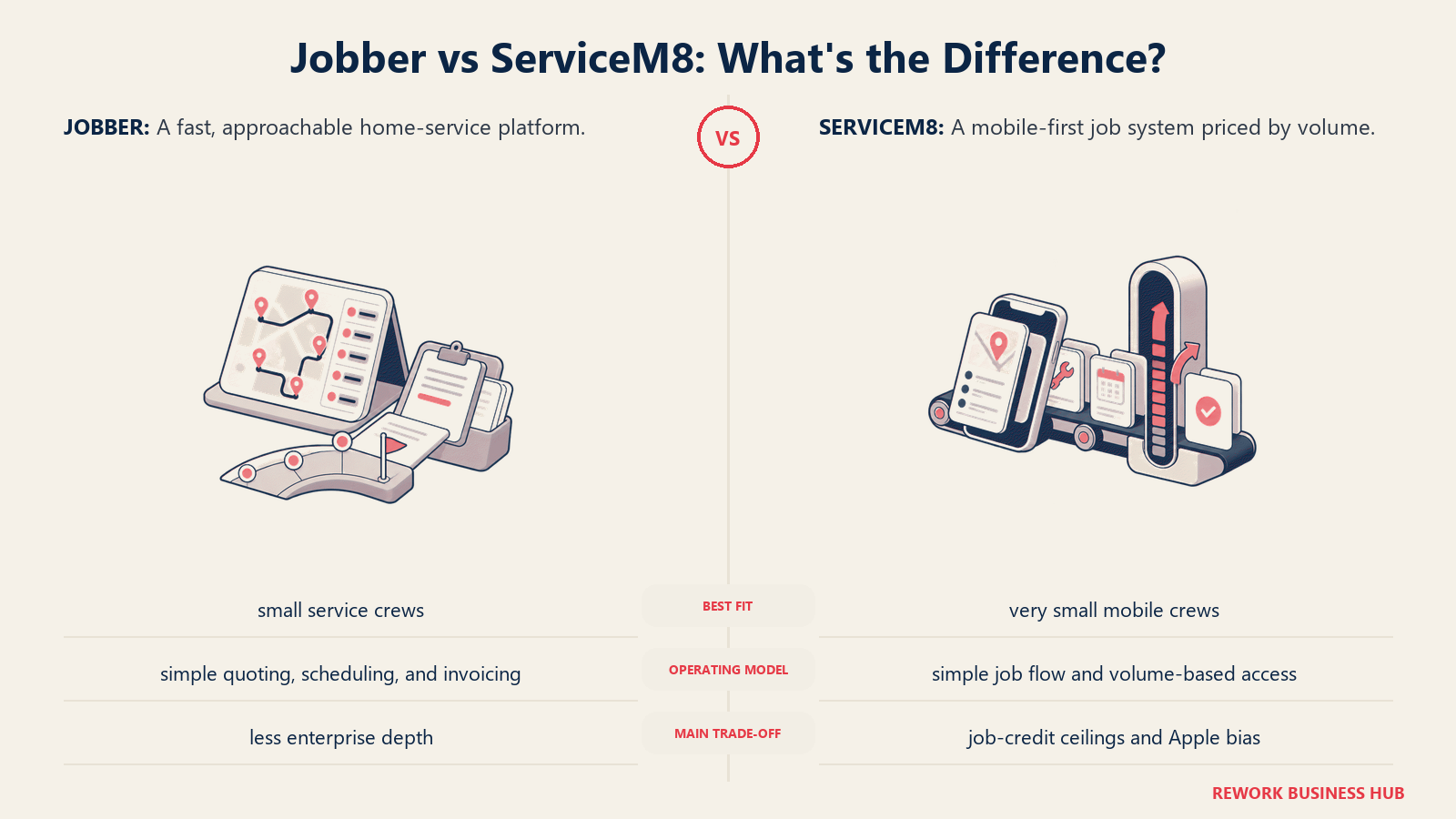
ServiceM8 ist die direkteste Lösung für Jobbers Problem mit Preisen pro Nutzer. Jeder kostenpflichtige Tarif enthält unbegrenzte Nutzer; der Preis skaliert stattdessen über ein Auftragsguthaben-System mit dem monatlichen Auftragsvolumen.
| Was Sie bekommen | Was Sie nicht bekommen |
|---|---|
| Unbegrenzte Nutzer in jedem kostenpflichtigen Tarif, ohne Ausnahme | Unbegrenztes Auftragsvolumen; die Tarife sind durch Auftragsguthaben begrenzt |
| Transparente, veröffentlichte Preise (kein Vertriebsgespräch nötig) | Tiefe gewerbliche Projektbuchhaltung |
| Keine Verträge, jederzeit Upgrade oder Downgrade | Native gewerkespezifische Preisbücher |
| Ein wirklich nutzbarer kostenloser Tarif zum Testen | Erweiterte Marketing-Attribution |
Preise: Kostenlos (1 Nutzer, 30 Aufträge/Monat). Starter $29/Monat (unbegrenzte Nutzer, 50 Aufträge/Monat); Growing $79/Monat (150 Aufträge/Monat); Premium $149/Monat (500 Aufträge/Monat); Premium Plus $349/Monat (1.500+ Aufträge/Monat). (servicem8.com/pricing)
Am besten geeignet für: Wachsende Handwerksteams, die schneller Personal hinzufügen (Auszubildende, Büromitarbeitende, Saisonkräfte), als das Auftragsvolumen wächst, und unabhängig von der Mitarbeiterzahl eine feste Monatsrechnung wollen. Weniger geeignet für: Betriebe mit hohem Volumen, die das Auftragslimit jeden Monat sprengen würden; höhere Tarife für mehr Volumen können die Ersparnis bei den Nutzern aufzehren.
9. Kickserv: Ein günstigerer Jobber für sehr kleine Teams
Kickserv zielt auf dasselbe Segment kleiner Crews wie Jobbers Einstiegstarif, zu einem niedrigeren Preis, mit einem wirklich nutzbaren kostenlosen Tarif und integriertem QuickBooks-Sync für Teams, die Jobbers Marketing Suite nicht brauchen.
| Was Sie bekommen | Was Sie nicht bekommen |
|---|---|
| Niedrigerer Einstiegspreis als Jobber bei ähnlichen Kernfunktionen | Jobbers Marketing Suite oder das Add-on mit AI-Rezeption |
| Kostenloser Tarif für 2 Nutzer | Tiefe jenseits von etwa 20 Nutzern |
| Integrierter QuickBooks-Sync | Erweiterte Dispositionsautomatisierung |
| Einfaches, schnelles Onboarding | Tiefes Reporting oder Prognosen |
Preise: START (5 Nutzer) $60/Monat bei jährlicher Abrechnung; RUN (10 Nutzer) $119/Monat jährlich; SCALE (20 Nutzer) $199/Monat jährlich; kostenloser Tarif für 2 Nutzer verfügbar. (softwareconnect.com)
Am besten geeignet für: Kleine Teams (2 bis 10 Personen), die Jobber-ähnliche Terminplanung und Rechnungsstellung zu einem niedrigeren Preis wollen und Jobbers Tiefe bei Marketing oder Zahlungen nicht brauchen. Weniger geeignet für: Teams mit mehr als 20 Personen; Kickservs Tarife enden dort, und größere Betriebe wachsen ihm ungefähr so schnell heraus, wie sie Jobber entwachsen sind.
10. FieldEdge: Von und für HVAC-Händler gebaut
FieldEdge ist gezielt für HVAC-, Sanitär- und Elektrohändler gebaut, mit einem Flat-Rate-Preisbuch (Coolfront) und Verwaltung von Wartungsverträgen als festem Bestandteil, Funktionen, die ein Generalisten-Tool wie Jobber gar nicht erst versucht.
| Was Sie bekommen | Was Sie nicht bekommen |
|---|---|
| Integration des Coolfront-Flat-Rate-Preisbuchs | Ein schnelles Self-Serve-Setup |
| Integrierte Verwaltung von Wartungsverträgen und Mitgliedschaften | Eine kostenlose Testphase |
| Gewerkespezifische Workflows für HVAC-/Sanitär-/Elektrohändler | Veröffentlichte Preise vor einem Vertriebsgespräch |
| Starke QuickBooks-Anbindung und Verfolgung der Geräte-Historie | Einen kurzen Onboarding-Prozess |
Preise: Nur auf Anfrage. Gemeldete Preise liegen bei etwa 100 \(pro Büronutzer plus 125\) pro Techniker und Monat, mit 500 bis 2.000 $ Einrichtungskosten und einem verpflichtenden Onboarding von rund 5 Wochen. (hvacsoftwarehub.com)
Am besten geeignet für: HVAC-lastige Handwerksbetriebe im Wohnbereich, die Flat-Rate-Preisbuch-Tools wollen und einen strukturierten Onboarding-Prozess nicht scheuen. Weniger geeignet für: Teams, die ein schnelles Self-Serve-Setup wollen; das verpflichtende Onboarding ist das Gegenteil von Jobbers schnellem Start.
11. Zuper: Branchenübergreifender Field Service mit echter API
Zuper beschränkt sich nicht auf Hausgewerke; es wird in HVAC, Telekom sowie im Außendienst für IT und Sicherheit eingesetzt und setzt auf eine wirklich offene API für Teams, die eigene Integrationen bauen wollen.
| Was Sie bekommen | Was Sie nicht bekommen |
|---|---|
| Starke Terminplanungs- und Dispositions-AI | Self-Serve-Preise, die veröffentlicht sind |
| Eine offene API für eigene Integrationen | Einen kostenlosen Tarif |
| Branchenübergreifende Flexibilität jenseits der Hausgewerke | Einfachheit; mehr Konfiguration vorab als bei Jobber |
| Flexible Abrechnung (monatlich oder jährlich) | Einen kurzen Vertriebszyklus |
Preise: Individuelles Angebot. Gemeldete Preise liegen je nach Funktionsstufe bei 50 bis 150 $ pro Nutzer und Monat, Jahresverträge sind Standard. (selecthub.com)
Am besten geeignet für: Branchenübergreifende Field-Service-Betriebe, die mehr API- und Integrationsarbeit brauchen, als Jobber unterstützt. Weniger geeignet für: Teams, die einfache, transparente Self-Serve-Preise wollen.
12. BuildOps: Für gewerbliche Mechanikbetriebe, nicht für den Wohnbereich
BuildOps ist hier der Ausreißer: kein echter Jobber-Konkurrent für Hausdienstleistungen im Wohnbereich. Es ist für gewerbliche Mechanikbetriebe (HVAC, Sanitär, Elektro, Betriebe mit mehreren Gewerken) gebaut, die Servicearbeiten neben einer vollständigen Bauabrechnung führen.
| Was Sie bekommen | Was Sie nicht bekommen |
|---|---|
| Gebaut für gewerblichen Service plus Abrechnung von Bauprojekten | Eine Eignung für Einsätze im Wohnbereich mit nur einem Besuch |
| Unterstützung für Betriebe mit mehreren Gewerken (HVAC, Sanitär, Elektro) | Günstige Preise |
| Tiefes Projektmanagement neben der Disposition | Einen kurzen Implementierungszeitraum |
| Reporting auf gewerblichem Niveau | Einfachheit für eine kleine Crew |
Preise: Individuelles Angebot. Gemeldete Preise liegen je nach Modulen bei 150 bis 300+ $ pro Nutzer und Monat. (selecthub.com)
Am besten geeignet für: Gewerbliche (nicht Wohnbereichs-)Handwerksbetriebe, die neben Serviceeinsätzen mehrphasige Projekte führen. Weniger geeignet für: Teams für Wohn- und Hausdienstleistungen wie die meisten Jobber-Nutzer; BuildOps ist für eine völlig andere Auftragsart gebaut.
13. Salesforce Field Service: Für Unternehmen, die bereits Salesforce nutzen
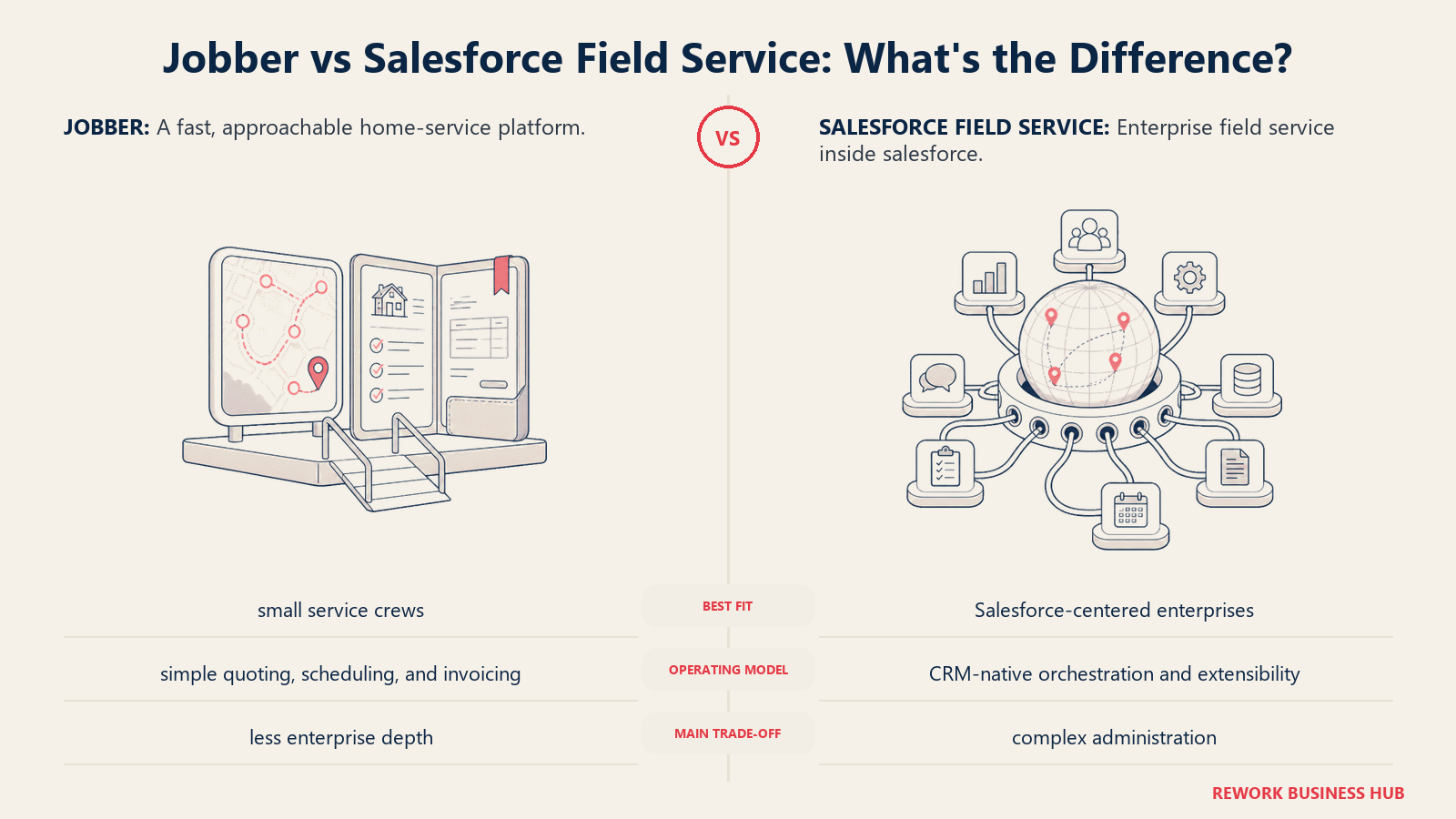
Salesforce Field Service ergibt nur als Add-on Sinn, nicht als Ausgangspunkt. Wenn Ihr Unternehmen anderswo bereits Sales Cloud oder Service Cloud betreibt, kann es sinnvoll sein, dasselbe CRM um Disposition und Terminplanung zu erweitern. Wer bei null mit Jobber startet, für den lohnt es sich selten.
| Was Sie bekommen | Was Sie nicht bekommen |
|---|---|
| Field Service innerhalb Ihres vorhandenen Salesforce-CRM | Einen eigenständigen, erschwinglichen Einstiegspreis |
| Anpassbarkeit und Berechtigungen auf Enterprise-Niveau | Einfachheit für einen kleinen Handwerksbetrieb |
| Tiefe Integration mit Sales-/Service-Cloud-Daten | Einen einzelnen Lizenzpreis; es sind Basis-CRM plus Add-on |
| Starke Passung für Versorger, Telekom und große Betriebe mit mehreren Standorten | Ein schnelles Setup |
Preise: Add-on zu Service Cloud, nicht eigenständig erhältlich. Gemeldete Lizenzpreise pro Nutzer reichen von etwa 50 bis 75 $/Monat für die Contractor-Einstiegsstufen bis zu 330 bis 380 $/Monat für die Editionen Unlimited und Field Service Plus, zusätzlich zu einer erforderlichen Sales- oder Service-Cloud-Lizenz. (g2.com)
Am besten geeignet für: Größere Unternehmen mit mehreren Abteilungen, die bereits Salesforce nutzen (Versorger, Telekom, Handwerksbetriebe mit mehreren Standorten) und Field Service im selben CRM wie Vertrieb und Support wollen. Lesen Sie den Leitfaden Wie Sie ein CRM auswählen, wenn Sie diese Entscheidung abwägen. Weniger geeignet für: Eigenständige Handwerksbetriebe; der Lizenzstapel (Basis-CRM plus Add-on) macht dies zur teuersten und komplexesten Option hier für ein Unternehmen, das lediglich Aufträge planen will.
Warum Teams Jobber entwachsen
Jobber hat sich seinen Ruf ehrlich verdient: schnell eingerichtet, saubere mobile App, und für eine kleine Crew mit einfachem Zyklus vom Angebot bis zur Rechnung erledigt es seine Aufgabe, ohne im Weg zu stehen. Die meisten Teams, die gehen, gehen nicht, weil Jobber kaputt wäre. Sie gehen, weil sich das Unternehmen verändert hat und das Tool nicht.
Preise pro Nutzer, die mit wachsender Crew schmerzen. Jobbers Core-Tarif kostet $49/Monat für einen Nutzer, jeder weitere Login kostet in jedem Tarif $29/Monat. Im Grow-Tarif kostet ein Team mit 5 Nutzern etwa $299/Monat, ein Team mit 10 Nutzern etwa $399/Monat. Kommen eine Bürokoordination und ein paar Auszubildende hinzu, konkurriert die Rechnung pro Nutzer mit den Gehältern um das Budget. ServiceM8 und Service Fusion lassen diese Rechnerei mit unbegrenzten Nutzern in jedem kostenpflichtigen Tarif komplett entfallen.
Disposition und Terminplanung bleiben manuell. Jobbers Terminplanung ist ein Drag-and-drop-Kalender ohne AI-gestützte Routenplanung, was zum echten Engpass wird, sobald ein Disponent 15 oder mehr Aufträge am Tag jongliert. Die Kategorie entwickelt sich in die andere Richtung: 95 % der Field-Service-Organisationen haben eine Form von AI im Einsatz, und 85 % planen, diese Investitionen zu erhöhen, laut Salesforce. Mobile Mitarbeitende berichten, 18 % ihrer Arbeitszeit, mehr als 7 Stunden pro Woche, an Verwaltungsaufgaben statt an abrechenbare Außendienstarbeit zu verlieren, genau die Bremse, die AI-gestützte Disposition abbauen soll. Der Leitfaden Wie Sie Terminplanungssoftware auswählen behandelt, was Sie prüfen sollten.
Reporting und Auftragskalkulation stoßen an eine Grenze. Jobber bietet keine individuellen Dashboards, nur begrenzte KPI-Verfolgung und keine Möglichkeit, im Fahrzeug geladene Teile zu verfolgen. Diese Lücke zeigt sich genau dann, wenn ein wachsendes Team die Zahlen am dringendsten braucht.
Dem Handwerk fehlen Menschen, nicht Arbeit. Die USA brauchen allein 2026 rund 349.000 zusätzliche Bauarbeiter, zusätzlich zu fast 650.000 durchschnittlichen offenen Stellen pro Jahr in Bau- und Abbauberufen, die das Bureau of Labor Statistics erfasst. Wenn sich Personal schwer aufstocken lässt, muss das Tool, das Ihre bestehende Crew steuert, jede Person produktiver machen.
Wie Sie wählen: Entscheidungsrahmen
| Wenn Sie brauchen... | Beste Wahl |
|---|---|
| Außendienstaufträge, CRM und Mitarbeiterzeit/HR in einer Plattform | Rework |
| Den direktesten Wechsel zu Jobbers Einfachheit | Housecall Pro |
| Betriebe im Enterprise-Maßstab (50+ Techniker) mit tiefem Reporting und Marketing | ServiceTitan |
| AI-gestützte Disposition ohne ServiceTitan-Preise | Workiz |
| Gewerbliche Projektbuchhaltung neben Serviceeinsätzen | Simpro |
| Günstigere reine Außendienstplätze für ein Team mit mehr Technikern als Büropersonal | FieldPulse |
| Unbegrenzte Nutzer und ein großes Büro- und Dispositionsteam | Service Fusion oder ServiceM8 |
| Ein günstigeres, einfacheres Tool für ein sehr kleines Team (2 bis 10 Personen) | Kickserv |
| Flat-Rate-HVAC-Preisbuch-Tools und Wartungsverträge | FieldEdge |
| Branchenübergreifender Field Service mit echter API | Zuper |
| Gewerbliche Mechanikbetriebe, kein Service im Wohnbereich | BuildOps |
| Field Service in einem CRM, das Sie bereits unternehmensweit nutzen | Salesforce Field Service |
Die nächsten Schritte
Wählen Sie zwei Tools danach aus, welche Einschränkung Sie heute tatsächlich Geld kostet, nicht danach, welches die auffälligste Demo hat. Wenn die Preise pro Nutzer der Schmerzpunkt sind, stellen Sie ServiceM8 und Service Fusion direkt gegeneinander. Wenn die manuelle Disposition der Schmerzpunkt ist, testen Sie die Terminplanung von Workiz oder ServiceTitan zwei Wochen lang mit Ihrem echten Auftragsvolumen und echten Kunden, nicht mit Beispieldaten; nur so erfahren Sie, ob die mobile App auf einer Baustelle mit schwachem Signal durchhält.
Wenn Ihr Hauptgrund für den Abschied von Jobber ist, dass Außendienstaufträge, Kundendaten und Personaleinsatz in verschiedenen Systemen liegen, beginnen Sie mit Rework. Field Work beginnt bei $43/Monat bei jährlicher Abrechnung, zugebucht zu einer Process Engine oder Project Engine ab $99/Monat bei jährlicher Abrechnung; siehe rework.com/pricing. Für die breitere Field-Service-Landschaft jenseits dieser Liste deckt das Ranking Die beste Field-Service-Management-Software 2026 weitere Kategorien ab.

Business Consultant
On this page
- Wichtige Fakten
- Schnellvergleichstabelle
- 1. Housecall Pro: Der direkteste Wechsel
- 2. ServiceTitan: Enterprise-Tiefe für große Handwerksbetriebe
- 3. Workiz: AI-Disposition ohne Enterprise-Preisschild
- 4. Simpro: Tiefe bei Projekt- und Auftragskalkulation für gewerbliche Gewerke
- 5. FieldPulse: Flexible Nutzertypen zur Kostenkontrolle
- 6. Rework: Außendienstaufträge, CRM und Mitarbeiter-HR in einer Plattform
- 7. Service Fusion: Unbegrenzte Nutzer, keine Rechnerei pro Nutzer
- 8. ServiceM8: Preise, die nach Auftragsvolumen statt nach Mitarbeiterzahl skalieren
- 9. Kickserv: Ein günstigerer Jobber für sehr kleine Teams
- 10. FieldEdge: Von und für HVAC-Händler gebaut
- 11. Zuper: Branchenübergreifender Field Service mit echter API
- 12. BuildOps: Für gewerbliche Mechanikbetriebe, nicht für den Wohnbereich
- 13. Salesforce Field Service: Für Unternehmen, die bereits Salesforce nutzen
- Warum Teams Jobber entwachsen
- Wie Sie wählen: Entscheidungsrahmen
- Die nächsten Schritte