Turn this article into takeaways for your work.


Each assistant summarizes the article only for you and suggests best practices for your work.
You're not a developer trying to win a hackathon. You're the person deciding whether to spend $50,000 to $300,000 per year on an AI layer across your engineering org. That decision looks different when you're the one accountable for developer productivity metrics, code quality trends, security posture, and the board-level question of whether the investment produced anything measurable.
This comparison is for CTOs, VPs of Engineering, and Heads of Engineering at companies with 10 to 500 engineers. The three tools here, Cursor (Anysphere), GitHub Copilot (Microsoft), and Windsurf (Codeium), cover 80% of the enterprise AI coding assistant market in 2026. Each has a different bet on where the value is. This article helps you figure out which bet aligns with your team's actual goals.
TL;DR
| Cursor | GitHub Copilot | Windsurf | |
|---|---|---|---|
| Made by | Anysphere | Microsoft / GitHub | Codeium |
| Core model | Claude 3.5 Sonnet / GPT-4o (user-selectable) | GPT-4o (Copilot), Claude, Gemini (enterprise) | Codeium's proprietary + GPT-4o |
| Primary strength | Multi-file editing, codebase-aware agent | Deep GitHub + VS Code integration, breadth | Fast autocomplete, competitive pricing |
| IDE model | Cursor is its own IDE (VS Code fork) | Plugin for VS Code, JetBrains, Vim, Neovim, Eclipse | Plugin + own IDE (Windsurf IDE) |
| Agent mode | Yes — Composer agent (strong) | Yes — Copilot Workspace (still maturing) | Yes — Cascade agent |
| Best for | Orgs prioritizing multi-file AI edits, greenfield velocity | Orgs already in Microsoft/GitHub ecosystem | Orgs wanting autocomplete + agent at lower cost |
| Business tier | Cursor Business ($40/user/month) | Copilot Business ($19/user/month), Enterprise ($39/user/month) | Windsurf Teams ($30/user/month) |
| Enterprise controls | Audit logs, SSO, policy controls (Business/Enterprise) | Audit logs, SSO, IP filtering, content exclusions (Enterprise) | SSO, usage controls, code privacy (Enterprise) |
| Self-hosted option | No | No (GitHub Enterprise Cloud) | Yes (Enterprise tier) |
What Each Tool Is Actually Built For
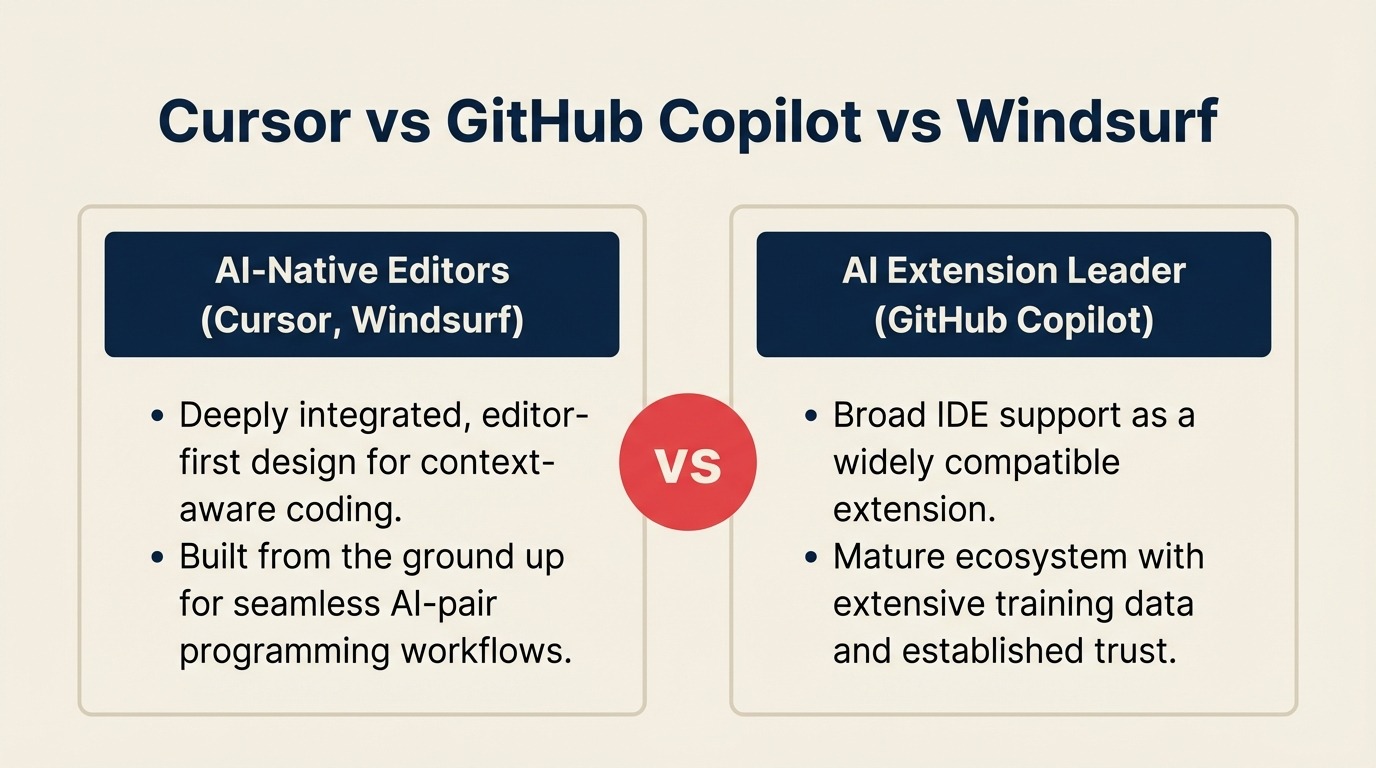
These tools made different foundational bets, and those bets matter at scale.
Cursor was built by Anysphere on the premise that the IDE itself needed to change, not just get a plugin. It's a hard fork of VS Code with AI deeply embedded in the editing experience. Both Cursor and Copilot draw on the same underlying LLMs covered in Claude vs ChatGPT vs Gemini — that comparison is worth reading if your organization is choosing both an LLM platform and an AI coding assistant at the same time. The core differentiator is codebase understanding: Cursor indexes your entire repo and uses that context in every suggestion, edit, and agent action. The Composer feature lets you describe a multi-file change in plain English and Cursor executes it across the codebase. For complex refactors, new feature scaffolding, and debugging across interconnected files, Cursor is the strongest of the three as of mid-2026.
GitHub Copilot was built on the premise that AI should live where developers already work. It ships as a plugin for VS Code, JetBrains IDEs, Vim, Neovim, Eclipse, and more. It has the widest IDE support by far, and because it's made by GitHub/Microsoft, it integrates naturally with GitHub Actions, pull request review, code scanning, and the broader DevSecOps stack. Copilot's autocomplete has been the industry benchmark since 2022. Its Copilot Workspace agent (launched late 2024) is improving but still plays catch-up to Cursor's Composer on complex tasks.
Windsurf (by Codeium) was built on the premise that AI coding shouldn't require a new IDE or a premium price. Codeium originally made its name with a free-tier autocomplete tool. Windsurf is their full-IDE-and-agent answer to Cursor, while also maintaining VS Code and JetBrains plugin support. The Cascade agent is capable and the pricing is meaningfully lower than Cursor or Copilot Enterprise. For teams with tighter budgets or for whom autocomplete quality is the primary metric (vs. complex agent tasks), Windsurf is the strongest cost-per-value option.
| Cursor | GitHub Copilot | Windsurf | |
|---|---|---|---|
| Primary use case | Multi-file AI editing, agentic development | Inline autocomplete + PR review + IDE breadth | Fast autocomplete + agent at competitive price |
| Core product form | Standalone IDE (VS Code fork) | Plugin + web (Copilot Workspace) | Plugin + standalone IDE |
| Codebase indexing | Yes — first-class | Limited (workspace-level) | Yes — Windsurf IDE |
| Best team profile | Product engineers on complex codebases | Enterprise teams in GitHub ecosystem | Teams wanting autocomplete + agent without premium |
| Maturity | High for editing/agent; growing enterprise features | High for autocomplete; agent still maturing | Growing fast; agent competitive but newer |
Decision by Engineering Goal
| Your goal | Best fit | Why |
|---|---|---|
| Maximize multi-file edit velocity (new features, refactors) | Cursor | Composer agent + codebase indexing purpose-built for this |
| Reduce time-to-merge on PRs at scale | GitHub Copilot | PR review summaries, code review suggestions native in GitHub UI |
| Get ROI at 100+ developers on a controlled budget | Windsurf | ~$30–35/user/month with capable agent; strong cost-per-seat math |
| Minimize IT change management (keep existing IDEs) | GitHub Copilot | Plugin model; developers don't change their environment |
| Support mixed IDEs (JetBrains + VS Code + Vim shops) | GitHub Copilot | Widest IDE coverage |
| Governance-first rollout (SSO, audit, code privacy) | GitHub Copilot Enterprise or Windsurf Enterprise | Most mature enterprise controls |
| Reduce dependency on senior engineers for context | Cursor | Codebase context in every interaction reduces need to explain architecture |
| Self-hosted / air-gapped deployment | Windsurf Enterprise | Only option with on-premise support among the three |
Core Capability Comparison
Autocomplete Quality
All three tools offer real-time inline autocomplete. The gap here is smaller than it was in 2023 and 2024.
GitHub Copilot remains excellent for line-by-line and block-level completion in common languages and frameworks. It was trained on the broadest dataset (GitHub's public code corpus), which still gives it an edge on popular framework idioms and boilerplate.
Cursor's autocomplete is strong and benefits from being able to draw on the indexed repo. It's more likely to suggest completions consistent with your existing conventions because it knows the rest of your codebase. The experience in the Cursor IDE is cohesive.
Windsurf's autocomplete is genuinely competitive. Codeium's original product was a free autocomplete tool used by hundreds of thousands of developers, and the quality carries into Windsurf. It's fast, low-latency, and doesn't require switching IDEs for teams on JetBrains.
| Cursor | GitHub Copilot | Windsurf | |
|---|---|---|---|
| Inline autocomplete quality | Excellent | Excellent (benchmark) | Excellent |
| Multi-line block suggestion | Strong | Strong | Strong |
| Codebase-aware completions | Yes (indexed) | Partial (open file context) | Yes (Windsurf IDE) |
| Latency | Low | Low | Very low |
| Language breadth | Broad | Broadest | Broad |
Chat and Inline Q&A
All three tools include a chat interface for asking questions about code, generating snippets, explaining errors, and reviewing logic. The quality differences are driven by context window and codebase awareness.
Cursor's chat is codebase-aware. You can ask "why does the payment service retry logic fail on timeout?" and Cursor will search the indexed repo for the relevant files before answering. This is a significant productivity gain for senior engineers onboarding to legacy codebases and for juniors who would otherwise interrupt a senior to ask questions.
Copilot Chat (built into VS Code and GitHub) is useful but more context-dependent. It knows what's in your open files and the workspace, but doesn't have the same deep indexing capability. The GitHub.com Copilot interface does allow asking questions about a repository, which is useful for code review and PR context.
Windsurf's chat in the Cascade IDE is comparable to Cursor's in breadth of features. The plugin-based chat (for JetBrains users) is more limited than the IDE-native experience.
Multi-File Editing and Agent Mode
This is where the tools diverge most clearly, and where the business case for Cursor is strongest.
Cursor Composer is the most mature multi-file agent as of Q1 2026. You can describe a task in natural language ("add rate limiting to the API layer with configurable limits per tenant, write the tests, update the README"), and Composer will propose a plan across affected files, execute it, and show a diff for review. For product teams shipping features quickly, this compresses a 2-4 hour task to 20-40 minutes for experienced Cursor users.
Copilot Workspace (GitHub's agent interface) improves with each release but is still better suited to well-scoped tasks on existing issues than to complex architectural changes. Its integration with GitHub Issues is a genuine strength: you can open an issue and Copilot Workspace proposes an implementation plan with diffs, which is useful for managing contribution scope across larger teams.
Windsurf Cascade is Codeium's agent and it's capable for standard feature additions, bug fixes, and refactors. It lags behind Cursor Composer on very complex multi-file architectural changes, but for the 80% of agent tasks a typical engineering team runs (CRUD features, test generation, documentation, refactors), it performs well.
| Cursor | GitHub Copilot | Windsurf | |
|---|---|---|---|
| Agent / multi-file editing | Cursor Composer — best in class | Copilot Workspace — improving, not parity yet | Windsurf Cascade — capable, behind Cursor on complex tasks |
| Codebase understanding | Deep indexing — strong context | Workspace-level — decent context | Deep indexing in Windsurf IDE |
| Plan-then-execute workflow | Yes | Yes (Workspace) | Yes (Cascade) |
| Best for agents | Complex refactors, new feature scaffolding | Issue-driven changes tied to GitHub workflow | Standard feature work, budget-sensitive teams |
IDE Support
This is a frequently underweighted factor when making team-wide rollout decisions. Developers have strong IDE preferences. Requiring a tool that forces a full IDE switch creates adoption friction, especially in JetBrains-heavy shops.
| IDE | Cursor | GitHub Copilot | Windsurf |
|---|---|---|---|
| VS Code | Yes (IS the IDE, VS Code-based) | Yes — native plugin | Yes — plugin + Windsurf IDE |
| JetBrains (IntelliJ, PyCharm, WebStorm, etc.) | No | Yes | Yes — plugin |
| Vim / Neovim | No | Yes | Partial |
| Eclipse | No | Yes | No |
| Emacs | No | Limited | No |
| Windsurf IDE (own) | N/A | No | Yes |
| GitHub.com web | No | Yes (PR review, Workspace) | No |
If your engineering team is split between VS Code and JetBrains, Copilot is the only tool that covers both without asking half the team to change their environment. That's a real operational advantage when you're rolling out to 50+ developers.
Enterprise Features
For an engineering leader making a team-wide decision, governance features are not optional. You need to answer questions from IT security, legal, and finance before you deploy.
| Feature | Cursor Business | Copilot Business | Copilot Enterprise | Windsurf Enterprise |
|---|---|---|---|---|
| SSO (SAML/OIDC) | Yes | Yes | Yes | Yes |
| Audit logs | Yes | Yes | Yes | Yes |
| Usage analytics per user | Limited | Yes | Yes | Yes |
| Code privacy (no training on your code) | Yes | Yes | Yes | Yes |
| IP indemnification | No | Yes (Enterprise) | Yes | Check with vendor |
| Content exclusion (block specific files/repos) | Partial | Yes | Yes | Yes |
| Model selection / policy controls | Yes (user selects model) | Limited (Business), Yes (Enterprise) | Yes | Yes |
| Self-hosted / air-gapped | No | No (Enterprise Cloud only) | No | Yes |
| GitHub Actions integration | No | Yes — native | Yes — native | No |
| SOC 2 Type II | Yes | Yes | Yes | Yes |
| HIPAA / GDPR compliance docs | Contact sales | Yes | Yes | Contact sales |
A few notes worth flagging:
Code privacy is now standard across all three tools at paid tiers: your code is not used for training. This was the most common security objection in 2023 and is largely resolved in 2026.
IP indemnification (the vendor taking legal liability if generated code infringes on copyrighted material) is currently strongest in Copilot Enterprise. This matters more in industries with significant IP exposure (fintech, life sciences, government contractors). Cursor's stance is evolving, so verify directly before committing.
Self-hosted deployment is only available from Windsurf Enterprise among the three. If your security posture requires code to never leave your infrastructure, Windsurf is the only option here.
Pricing at 10, 25, and 100 Developers
Pricing below is based on published rates as of April 2026. Annual billing assumed. Always verify against current vendor pricing pages before finalizing a budget.
Per-seat monthly rates (annual billing):
| Tier | Cursor | GitHub Copilot | Windsurf |
|---|---|---|---|
| Individual / Pro | $20/user/month | $10/user/month | $15/user/month |
| Team / Business | $40/user/month | $19/user/month | $30/user/month |
| Enterprise | Contact sales | $39/user/month | Contact sales |
Annual cost by team size:
| Team size | Cursor Business | Copilot Business | Copilot Enterprise | Windsurf Teams |
|---|---|---|---|---|
| 10 developers | $4,800/yr | $2,280/yr | $4,680/yr | $3,600/yr |
| 25 developers | $12,000/yr | $5,700/yr | $11,700/yr | $9,000/yr |
| 100 developers | $48,000/yr | $22,800/yr | $46,800/yr | $36,000/yr |
The cost differential is substantial. At 100 developers, Copilot Business is roughly half the annual cost of Cursor Business. If the primary use case is autocomplete and basic chat (not complex agent tasks), that price gap is hard to justify to a CFO.
At 25 developers, the absolute dollar difference between Cursor Business and Windsurf Teams is $3,000/year. That's a relatively small number relative to developer salaries, but it's the right number to put in front of finance when you're making the case.
Note: Cursor Enterprise pricing is not publicly listed. Windsurf Enterprise pricing is also unlisted; contact sales for orgs needing self-hosted deployment, custom compliance terms, or volume discounts above ~50 seats.
Implementation and Developer Adoption
Getting developers to actually use these tools, and use them well, is where most rollouts succeed or fail.
| Factor | Cursor | GitHub Copilot | Windsurf |
|---|---|---|---|
| Setup time per developer | ~30 min (IDE install + config) | ~15 min (plugin install) | ~15–30 min (plugin or IDE) |
| IDE disruption | High (requires switching IDEs for non-VS Code users) | Low (plugin in existing IDE) | Low-Medium (plugin available, IDE optional) |
| Learning curve for autocomplete | Low | Low | Low |
| Learning curve for agent (Composer / Workspace / Cascade) | Medium (Composer needs prompt discipline) | Medium (Workspace is still learning UX) | Medium |
| Admin console for rollout | Yes | Yes | Yes |
| Developer sentiment | High (Cursor has strong developer enthusiasm) | High (most established, developers trust it) | Positive (growing community) |
| Time to measurable productivity gain | 2–4 weeks for autocomplete; 4–8 weeks for agent workflows | 1–2 weeks for autocomplete | 2–4 weeks for autocomplete; 4–8 weeks for agent |
One thing that matters at scale: developer enthusiasm for the tool. Cursor has unusually high developer satisfaction scores in 2025 and 2026; developers who use it tend to advocate for it internally. That organic adoption energy reduces the management overhead of a rollout. Copilot has the advantage of being the established incumbent: developers expect it, IT knows how to provision it, and the GitHub integration doesn't require any new behavior.
Windsurf's adoption story is still maturing. The Codeium community is real and engaged, but the enterprise rollout playbook is less proven than Copilot's. For larger orgs (100+ developers), factor in that Copilot has more reference cases for enterprise deployment.
Risk and Governance
| Risk factor | Cursor | GitHub Copilot | Windsurf |
|---|---|---|---|
| Vendor maturity | Newer (founded 2022, fast-growing VC-backed) | Mature (Microsoft / GitHub) | Maturing (Codeium founded 2021, well-funded) |
| Vendor lock-in | Medium (Cursor-specific workflows in own IDE) | Medium (GitHub ecosystem lock-in) | Low-Medium (plugin works with standard IDEs) |
| Data residency | US-based cloud; check for regional requirements | US + EU options available | US-based; check for regional requirements |
| Model dependency | Claude / GPT-4o (model can change) | GPT-4o primary; multi-model in Enterprise | Proprietary + GPT-4o |
| IP indemnification | Limited (verify before signing) | Yes (Enterprise tier) | Verify with vendor |
| Self-hosted available | No | No | Yes (Enterprise) |
| Security certifications | SOC 2 Type II | SOC 2, ISO 27001, FedRAMP (Copilot Enterprise) | SOC 2 Type II |
| M&A / acquisition risk | Moderate (startup, well-funded but acquisition possible) | Low (Microsoft) | Moderate (startup, well-funded) |
For regulated industries or orgs with strict data residency requirements, Copilot Enterprise has the most mature compliance documentation. Codeium's self-hosted option is the only choice if you need code to never leave your own infrastructure.
The acquisition risk factor is real for both Cursor and Windsurf. Both are well-funded startups. If your organization is making a 3-year platform bet, the stability of a Microsoft-backed product is a legitimate governance consideration. For context on how OpenAI's GPT architecture decisions affect your tooling choices at the CTO level, see OpenAI GPT-5.4: CTO architecture decision. That doesn't mean Cursor or Windsurf will be acquired or shut down, but it's a question your CISO will ask.
When Cursor Is the Right Call
Your team does a lot of complex, multi-file feature work. If your engineers are regularly working on tasks that touch 5, 10, or 20 files in a single change, Cursor Composer's codebase-aware agent produces meaningfully faster output than Copilot Workspace or Windsurf Cascade in these scenarios. The productivity delta is most pronounced on architectural changes, large refactors, and new module scaffolding.
Developer experience and enthusiasm is a priority. Cursor has the strongest developer word-of-mouth in 2026. If you're in a competitive hiring market and developer tooling is part of your employer brand story, Cursor's reputation helps. Developers who use it tend to stay on it.
Your team is already VS Code-dominant. Cursor being a VS Code fork means the transition is low-friction for VS Code users. Extensions, keybindings, themes: most things carry over. For a VS Code-native team, the switch cost is genuinely low.
When GitHub Copilot Is the Right Call
You're in the GitHub ecosystem. If your team uses GitHub for version control, GitHub Actions for CI/CD, and GitHub for PR review, Copilot integrates with all of it in ways Cursor and Windsurf don't. PR review assistance, code scanning, issue-to-code workflows, and GitHub Actions integration are native. For an org where the GitHub platform is the center of the developer workflow, Copilot's integrations compound.
You have a mixed IDE environment. If some teams use IntelliJ for Java, others use WebStorm for TypeScript, some developers are on Vim, and you're not interested in standardizing IDEs, Copilot is the only tool that meets developers where they are. This is often the deciding factor in large orgs with diverse tech stacks.
Governance, compliance, and enterprise procurement are critical path. Copilot Enterprise has the most mature enterprise compliance documentation, the longest procurement track record, and the Microsoft sales and support infrastructure behind it. For orgs in regulated industries or those that require IP indemnification, Copilot Enterprise is currently the most defensible choice.
When Windsurf Is the Right Call
Cost per developer matters and you want agent capability. At $30/user/month (Teams tier), Windsurf is significantly cheaper than Cursor Business and meaningfully cheaper than Copilot Enterprise. If your primary use case is autocomplete plus standard agent tasks (new features, bug fixes, test generation), the capability gap versus Cursor doesn't justify the cost difference for most teams.
You need a self-hosted or air-gapped deployment. Windsurf Enterprise is the only option among the three that offers on-premise deployment. If your security posture, regulatory environment, or client contracts require code to stay within your own infrastructure, Windsurf is the path.
You're cost-optimizing a large dev team and autocomplete quality is the key metric. At 100 developers, Windsurf Teams saves $12,000/year versus Cursor Business. If the Cursor agent's capability on complex multi-file tasks isn't a workflow your team has adopted (many haven't by year one), you're paying a premium you're not extracting value from.
Decision Framework
| Scenario | Best fit | Why |
|---|---|---|
| Complex multi-file agent work is primary use case | Cursor | Composer + codebase indexing leads the field here |
| GitHub-native org, need PR review and Actions integration | GitHub Copilot | Deep ecosystem integration not available elsewhere |
| Mixed IDEs (JetBrains + VS Code + others) | GitHub Copilot | Only tool with full coverage across all major IDEs |
| Budget-sensitive rollout at 50+ developers | Windsurf | Best cost-per-seat with capable agent and autocomplete |
| Self-hosted / air-gapped required | Windsurf Enterprise | Only option with on-premise deployment |
| Regulated industry, IP indemnification required | GitHub Copilot Enterprise | Strongest compliance posture and legal coverage |
| Developer enthusiasm is part of the value prop | Cursor | Highest developer satisfaction scores in 2026 |
| Large enterprise with complex procurement needs | GitHub Copilot Enterprise | Most mature enterprise sales and compliance track record |
What to Do Next
Run a structured 3-week pilot before committing to a team-wide rollout.
Week 1: Give 5-10 developers on a representative workstream access to your shortlisted tool. Pick developers who work on the kind of tasks that match your primary use case: complex feature work if you're evaluating Cursor's agent, PR volume if you're evaluating Copilot's review features, cost-sensitive teams if you're evaluating Windsurf.
Week 2: Measure what's actually changing. Track time-to-PR for the pilot group vs. a control group. Ask developers to log where the tool helped and where it didn't. Don't rely on anecdotes. Get data.
Week 3: Review the governance and procurement requirements with IT and legal before expanding. Confirm data residency, code privacy settings, SSO configuration, and audit log access. Getting this done at the pilot stage saves a 6-week delay when you try to expand to 100 developers.
One honest note on the agent tools: the productivity gains from agent mode (Composer, Workspace, Cascade) take longer to materialize than the gains from autocomplete. Developers need 4-8 weeks to build the prompt discipline and workflow habits that make agents useful. Don't evaluate agent ROI in week one. For a framework on measuring AI productivity investments more broadly, see measuring AI ROI.

Senior Customer Retention Strategist
On this page
- TL;DR
- What Each Tool Is Actually Built For
- Decision by Engineering Goal
- Core Capability Comparison
- Autocomplete Quality
- Chat and Inline Q&A
- Multi-File Editing and Agent Mode
- IDE Support
- Enterprise Features
- Pricing at 10, 25, and 100 Developers
- Implementation and Developer Adoption
- Risk and Governance
- When Cursor Is the Right Call
- When GitHub Copilot Is the Right Call
- When Windsurf Is the Right Call
- Decision Framework
- What to Do Next