HubSpot vs Copper: Growth Platform vs Google Workspace CRM in 2026
Turn this article into takeaways for your work.


Each assistant summarizes the article only for you and suggests best practices for your work.
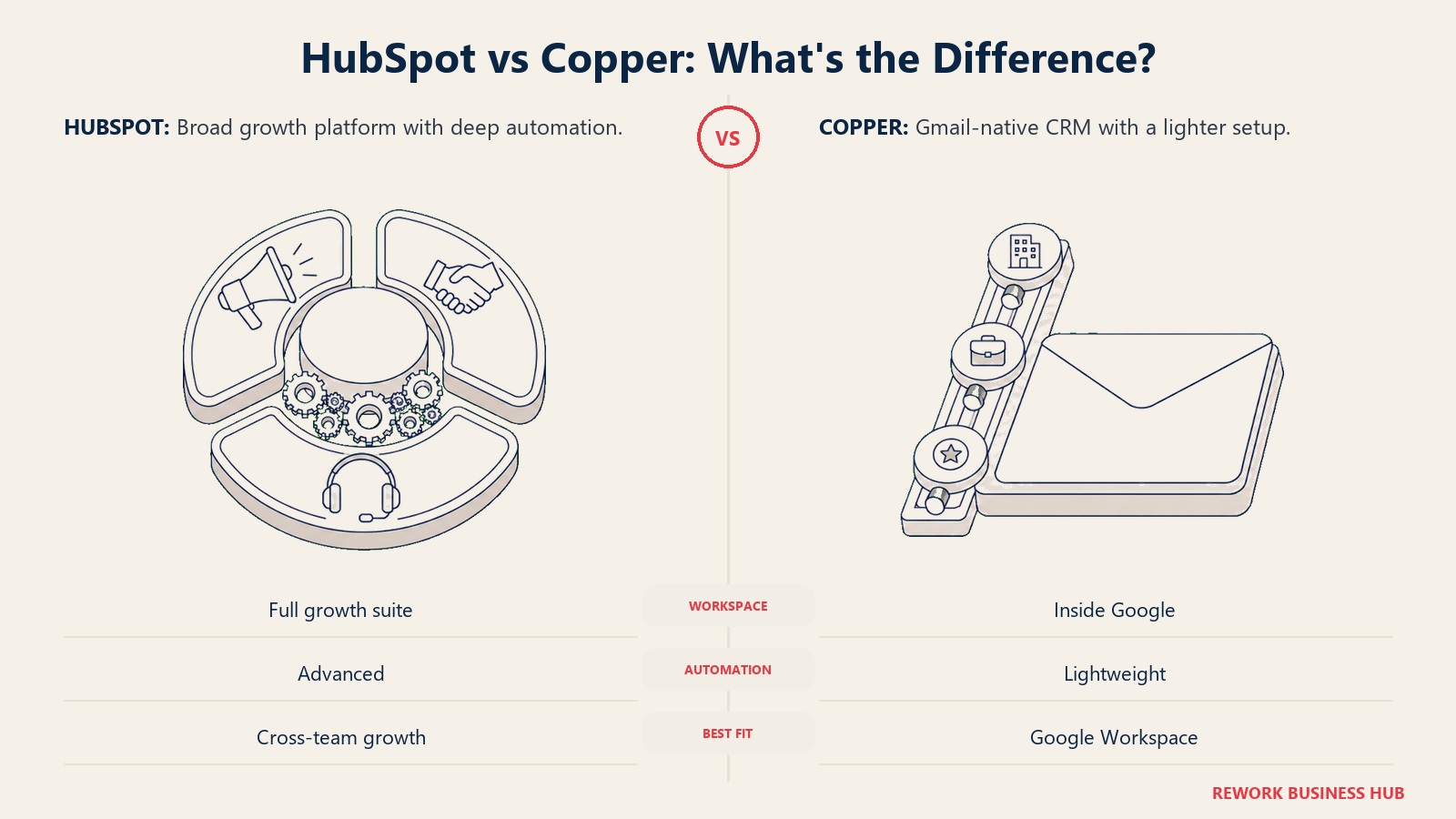
HubSpot vs Copper doesn't get the search volume of HubSpot vs Salesforce, but it's a real decision for a specific kind of team: a 10 to 100 person sales operation that already lives inside Google Workspace and has to choose between going deep on HubSpot's growth suite or staying light with a CRM built to disappear into Gmail. Both pitches are legitimate. HubSpot's free CRM is a genuine on-ramp into Marketing, Sales, Service, and CMS Hubs that all share one contact record. Copper's entire premise is that the best CRM is the one your reps never have to open, because it already lives in the inbox they sit in all day.
Most comparisons flatten this into "HubSpot is more powerful, Copper is simpler," which is true but not useful for a budget conversation. What actually decides it is two things this article prices out directly: how steep HubSpot's real cost curve gets once you're past the free tier and Marketing Hub's contact count starts working against you, and how fast Copper's contact and company caps force an upgrade regardless of how many seats you're paying for. If you want the wider field before narrowing to these two, our guide to the best CRM software of 2026 covers more of the category.
Key Facts
- HubSpot Sales Hub Starter runs $7/seat/month billed annually, and Professional and Enterprise both carry a mandatory one-time onboarding fee on top of the seat price: $1,500 and $3,500 (HubSpot pricing).
- HubSpot's Free Tools tier is genuinely free, not a trial, but it caps at 2 users (HubSpot pricing).
- HubSpot Marketing Hub, a separate purchase from Sales Hub, lists Professional at $800/month billed annually for 3 seats and 2,000 marketing contacts (HubSpot Marketing Hub pricing). HubSpot doesn't publish what additional contacts cost beyond that; Avidly Agency's pricing analysis estimates roughly €225/month per extra 5,000 contacts on euro pricing, not a vendor-confirmed figure.
- Copper's three tiers, Basic, Professional, and Business, cap contacts and companies as well as seats: Basic tops out at 2,500 contacts and 25 companies, Professional at 15,000 contacts and 50 companies, and only Business is unlimited (Copper pricing).
- Copper charges no mandatory onboarding fee at any tier and has no permanent free tier, only a free trial (Copper pricing).
HubSpot vs Copper at a Glance
| Factor | HubSpot | Copper |
|---|---|---|
| Best known for | Marketing-to-sales handoff across a full growth suite | A CRM that disappears into the Gmail sidebar |
| Entry price | Free tools for up to 2 users, then $7/seat/mo (Starter, billed annually) | No free tier; Basic from $23/seat/mo (billed annually) |
| Mandatory onboarding fee | $1,500 (Professional), $3,500 (Enterprise) | None at any tier |
| Data caps by tier | No contact cap on Sales Hub; Marketing Hub bills separately by contact count | Basic caps at 2,500 contacts / 25 companies; Professional at 15,000 / 50; Business is unlimited |
| Google Workspace integration | A connector that syncs Gmail, Calendar, and Drive into a separate app | A native Gmail sidebar; the CRM lives in the inbox itself |
| Lead scoring and distribution | Scoring and round-robin rotation from Professional up | No native scoring, round-robin, territory, or SLA routing |
| Time to first value | Days for Starter; 1 to 3 weeks for Professional with real setup | Under a day, install the extension and go |
| Where it tends to lose | Budget at the automation tier, and Marketing Hub's contact bill | Everything outside Gmail: scoring, routing, multi-channel, marketing |
Who Each Tool Is Actually Built For
HubSpot was built marketing-first (inbound marketing, founded 2006), with the CRM layered in later and expanded into a full suite: Marketing, Sales, Service, CMS, and Operations Hubs, all sharing the same contact record. The pitch is one system that grows with you, as long as you keep buying the next hub.
Copper's founding pitch was narrower and hasn't changed: your CRM should live where you already work. For a team that runs almost entirely through Gmail, Google Calendar, and Google Drive, Copper removes the second-job feeling that kills CRM adoption everywhere else. Contacts populate themselves. Deals update from a sidebar. Nobody has to open a separate app to log an email. That same pitch runs into a very different kind of rival in our Copper vs Pipedrive comparison, where the challenger is nearly as fast to set up but carries no Gmail lock-in at all.
| Dimension | HubSpot | Copper |
|---|---|---|
| Sweet-spot company size | 10 to 1,000+ employees | 5 to 200 employees |
| Team maturity | Any stage; scope grows with hub purchases | Early to mid-stage, relationship-driven selling |
| Primary use case | Marketing-to-sales handoff inside a full GTM stack | Pipeline and relationship tracking without leaving Gmail |
| Ideal buyer | CMO, Head of Sales, or RevOps building a shared funnel | Founder, sales manager, or account manager at a Google-native shop |
| Where the CRM actually lives | Its own app, connected to Google Workspace | Inside the Gmail sidebar itself |
Team fit matrix:
| Team | HubSpot | Copper |
|---|---|---|
| Sales | Full pipeline, sequences, forecasting from Professional up | Pipeline plus auto-logged email and calendar activity |
| Marketing | Marketing Hub shares the same contact record, real automation | Not built for this; no dedicated marketing module |
| RevOps | Custom reporting, workflow automation, a shared data model across hubs | Basic reporting only; nothing RevOps-specific |
| Customer Success | Service Hub shares the record, ticketing and SLAs | Contact history only, no CS-specific workflows |
Neither company is chasing the other's buyer. HubSpot wants the team that will eventually need marketing, service, and sales talking to each other. Copper wants the team that never wants to leave Gmail in the first place.
What HubSpot Actually Costs
Start with what's published, since that's the part most comparisons get lazy about. HubSpot puts every Sales Hub tier's price on its own page, onboarding fee included, which is more transparent than most CRM vendors manage.
| HubSpot Sales Hub tier | Price (billed annually) | Monthly billing | Required onboarding | What you're buying |
|---|---|---|---|---|
| Free Tools | $0, up to 2 users | $0 | None | Basic contact and deal tracking, email tracking |
| Starter | $7/seat/mo | $20/seat/mo | None | Sequences, up to 50 simple workflows, basic reporting |
| Professional | $90/seat/mo | $100/seat/mo | $1,500 one-time | Workflow automation, forecasting, custom reporting, lead scoring |
| Enterprise | $150/seat/mo | Not published as a separate rate | $3,500 one-time | Custom objects, advanced permissions, predictive scoring |
Source: HubSpot Sales Hub pricing
The free tier is the part worth being precise about, because it's genuinely free, not a 14-day countdown. Two people can run real deals through it indefinitely at no cost. Starter is cheap too, $7/seat/month is less than a coffee subscription. The step that actually matters is Starter to Professional: a roughly 13x jump in seat price, plus a $1,500 fee that isn't optional and is easy to leave out of a per-seat budget when you're comparing sticker prices across vendors. If that jump is the dealbreaker, our HubSpot alternatives roundup covers cheaper self-serve options that still automate.
The Marketing Hub Contact Trap
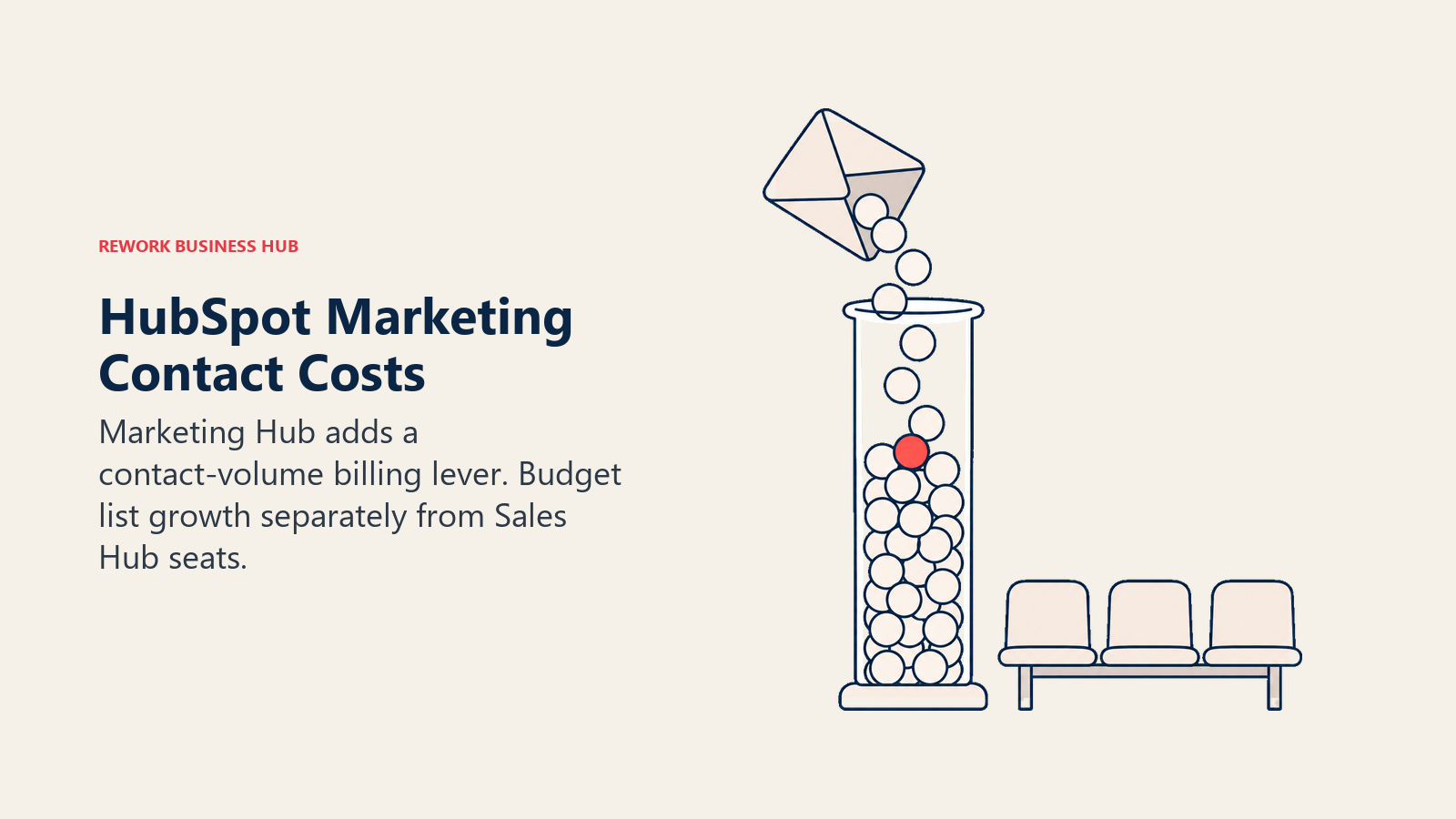
Here's the part of HubSpot's pricing that catches buyers who only price out Sales Hub. HubSpot's CRM is a doorway, not a destination. The company wants you to add Marketing Hub, Service Hub, or both, and Marketing Hub uses a completely different billing model from Sales Hub's flat per-seat rate: it bills by seats and by how many marketing contacts sit in your database.
| HubSpot Marketing Hub tier | Price (billed annually) | Seats included | Marketing contacts included | Additional seats |
|---|---|---|---|---|
| Starter | $7/seat/mo (shared Starter rate across hubs) | Per seat | 1,000 | Same per-seat rate |
| Professional | $800/mo ($890/mo billed monthly) | 3 | 2,000 | $45/mo each |
| Enterprise | $3,600/mo (starting), billed annually | 5 | 10,000 | $75/mo each |
Source: HubSpot Marketing Hub pricing
Marketing Hub carries its own mandatory onboarding fee too, separate from Sales Hub's: $3,000 one-time for Professional and $7,000 for Enterprise.
Notice what's missing: the rate for contacts beyond the included tier. HubSpot's own page doesn't publish it, only that contacts "can be purchased with any edition at any time." Avidly Agency's pricing analysis puts the overage at roughly €225/month for every additional 5,000 contacts, an estimate based on euro pricing. Whatever the exact number, the mechanism is the one to watch: your contact database grows every time you run an ad campaign or a webinar, whether or not you hire anyone, and that growth shows up on the invoice with zero seats added.
Copper has no equivalent trap, for a simple reason: it doesn't sell a marketing product at all. That means no contact-tier surprise, but also no landing pages, no nurture sequences, and no way to run the kind of campaign that grows your list in the first place.
What Copper Actually Costs
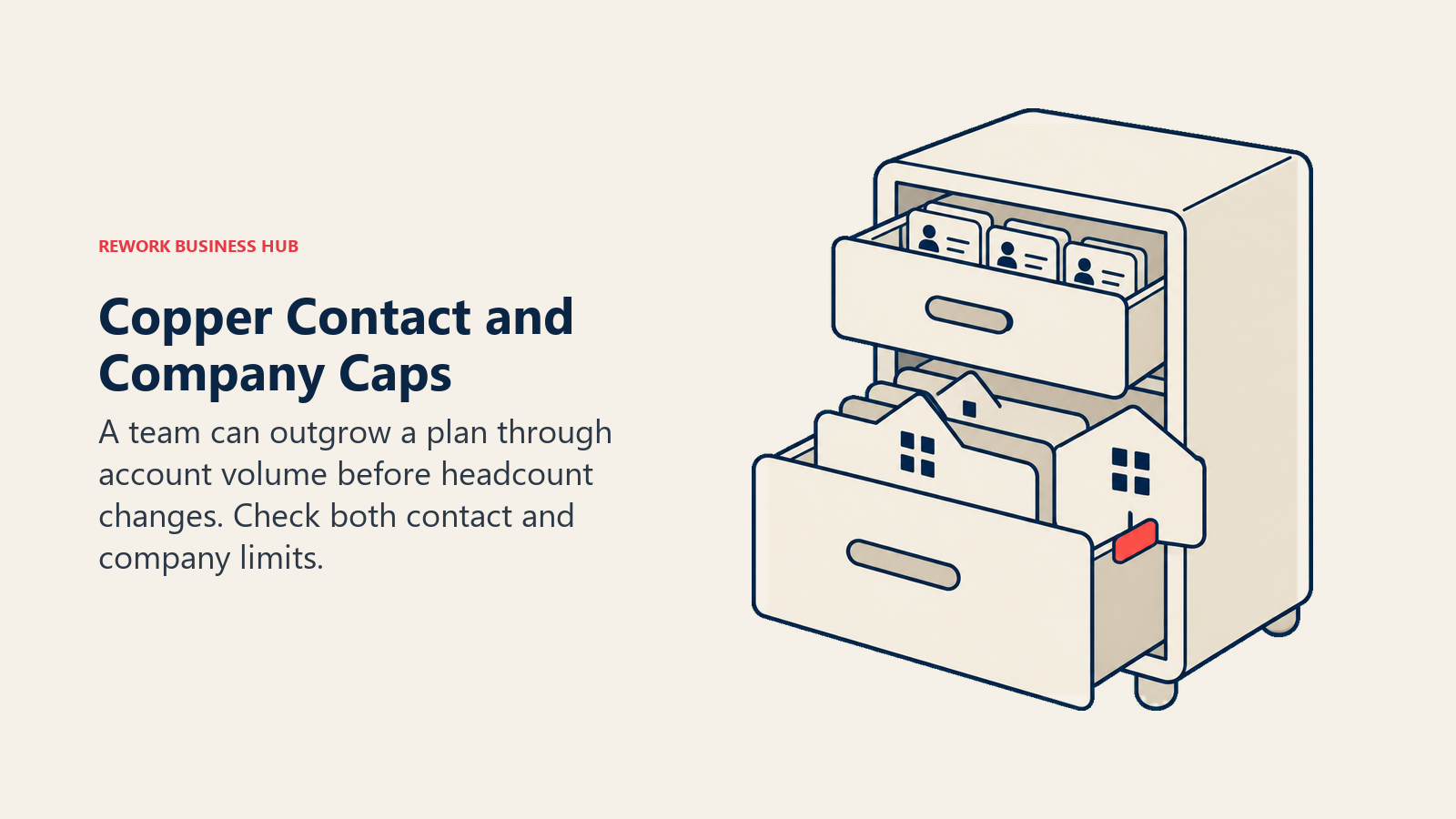
Copper publishes three tiers, no onboarding fee, and no permanent free tier, only a trial. What most comparisons of Copper miss is that its tiers cap contacts and companies, not just seats, a structure HubSpot's Sales Hub doesn't use at all.
| Copper tier | Price (billed annually) | Monthly billing | Contacts included | Companies included | What you're buying |
|---|---|---|---|---|---|
| Basic | $23/seat/mo | $29/seat/mo | 2,500 | 25 | Pipelines, task automation, project management, contact enrichment |
| Professional | $59/seat/mo | $69/seat/mo | 15,000 | 50 | Everything in Basic, plus workflow automation, bulk email, reporting, integrations |
| Business | $99/seat/mo | $134/seat/mo | Unlimited | Unlimited | Everything in Professional, plus email series, custom reports, multi-currency, premium support |
Source: Copper pricing
The company cap is the one buyers underestimate. Twenty-five target companies sounds like a lot until you're a 10-person B2B team selling into named accounts, at which point you can blow past it in a single prospecting sprint, long before you need an 11th seat. That's the ceiling that forces the jump to Professional, not headcount. If Copper's tiers feel too thin once you map your real contact and company counts against them, our Copper alternatives roundup covers other Google Workspace-friendly options. Our Copper vs Zoho CRM comparison is worth a look too, since Zoho's cheapest tier already clears Copper's contact ceiling many times over.
The Real Cost at 10, 25, and 100 Seats
Seat price times headcount is the calculation most people run first, and it's a reasonable starting point at the entry tier. It stops being the whole picture the moment either vendor's real constraint (HubSpot's onboarding fee, Copper's contact caps) enters the math.
Entry tier: HubSpot Starter vs Copper Basic
| Seats | HubSpot Starter | Copper Basic |
|---|---|---|
| 10 | $840/yr | $2,760/yr |
| 25 | $2,100/yr | $6,900/yr |
| 100 | $8,400/yr | $27,600/yr* |
*Copper Basic caps at 2,500 contacts and 25 companies, a ceiling most 100-seat sales teams hit long before their 100th hire. Treat this row as illustrative math, not a realistic plan at that size.
HubSpot's entry tier is the honest surprise here: Starter runs $7/seat/month against Copper Basic's $23, meaning HubSpot is the cheaper CRM at every seat count shown, before you ever touch Professional or the Marketing Hub. If your team's process fits Starter's limited workflows without lead scoring or rotation, that's real money left on the table by defaulting to Copper on reputation alone.
Growth tier: HubSpot Professional vs Copper Professional
| Seats | HubSpot Professional (Year 1, onboarding included) | HubSpot Professional (Year 2+) | Copper Professional |
|---|---|---|---|
| 10 | $12,300 ($10,800 + $1,500) | $10,800/yr | $7,080/yr |
| 25 | $28,500 ($27,000 + $1,500) | $27,000/yr | $17,700/yr |
| 100 | $109,500 ($108,000 + $1,500) | $108,000/yr | $70,800/yr |
The picture flips once automation and lead scoring are the requirement. Copper Professional runs well under HubSpot Professional's Year 1 total, and stays cheaper even against HubSpot's Year 2 recurring price, at every seat count here. The trade-off is the 15,000-contact, 50-company ceiling that comes with it.
At the top tier the gap holds the same shape: HubSpot Enterprise runs $150/seat/month plus a $3,500 onboarding fee, or $183,500 in Year 1 at 100 seats, while Copper Business, its only unlimited-data tier, runs $99/seat/month with no onboarding fee, or $118,800/year at the same seat count. Year 2 onward, subtract HubSpot's one-time onboarding fee from the totals above since it doesn't recur.
Google Workspace Integration Depth
This is Copper's real differentiator, and it's worth being specific about what "native" actually means here rather than taking the marketing claim at face value.
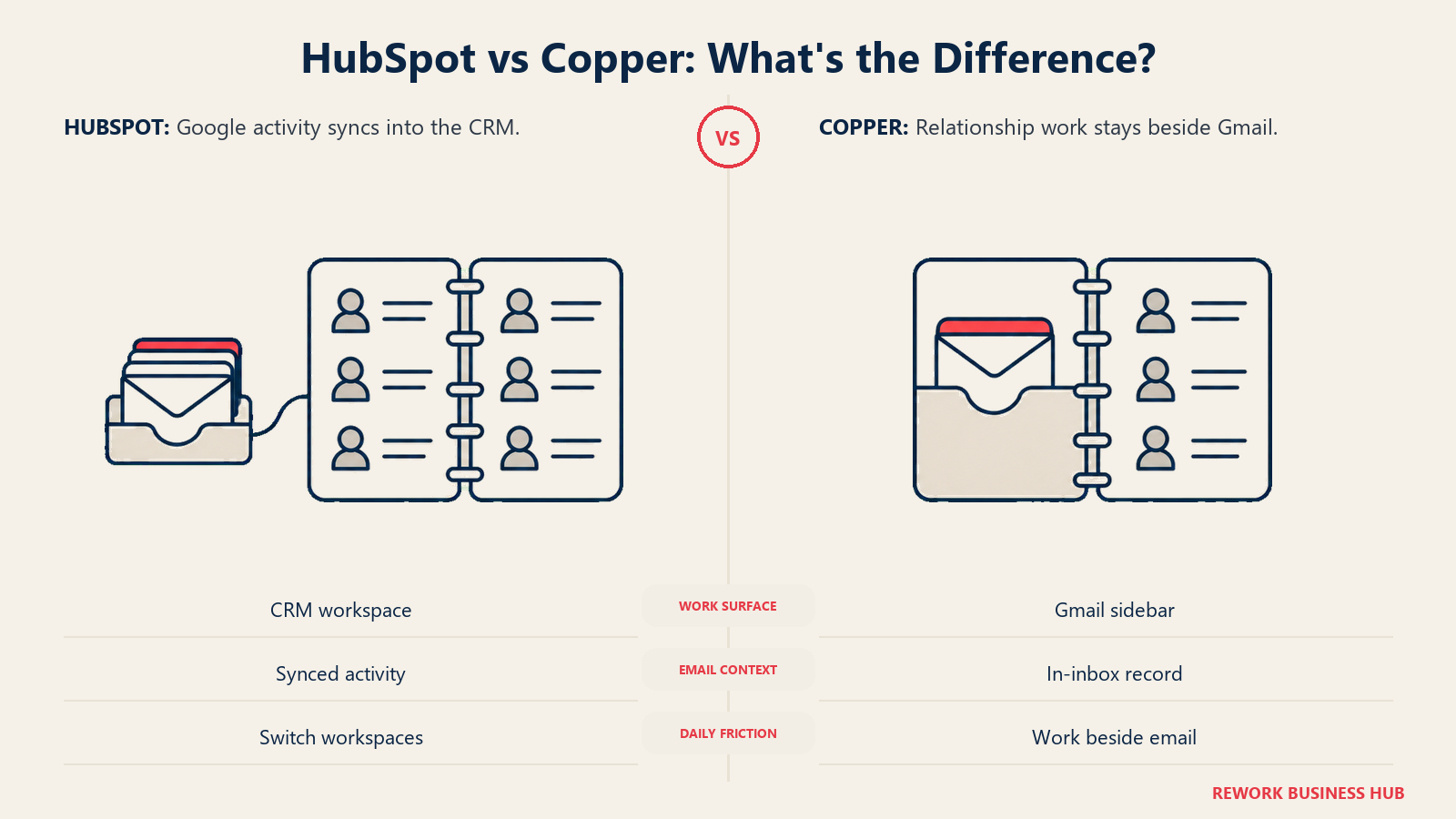
Copper's Chrome extension adds a sidebar directly inside Gmail: contact history, deal stage, and open tasks show up next to the email you're reading, and you can log an email or move a deal stage without leaving your inbox. Calendar events sync to contact and deal records automatically. Drive files attach directly to a record. A rep whose entire workflow is email and calls can go days without opening Copper's own app.
HubSpot's Google Workspace connector is solid but structurally different: it's a sync, not an embed. Gmail activity, Calendar events, and Google Contacts flow into HubSpot's own contact record, but you're working inside the HubSpot app, with the Gmail data feeding it, not the other way around.
| Integration feature | HubSpot | Copper |
|---|---|---|
| Gmail sidebar (native, in-inbox CRM) | No | Yes |
| Gmail email logging | Yes, via connector sync | Yes, native and automatic |
| Google Calendar sync to records | Yes | Yes, native, two-way |
| Google Contacts sync | Yes, via connector | Yes, bidirectional |
| Google Drive file attachment | Limited, via integration | Yes, native |
| Where you actually work day to day | The HubSpot app | Your Gmail inbox |
If your team's CRM workflow is almost entirely email and calendar, Copper's friction advantage is real and not marketing spin. Whether that's the single most important thing for your team, or one of several things you need, is the actual question this article is trying to help answer. Our Copper vs Freshsales comparison runs that same friction-versus-features question against a rival that bundles phone and chat instead of a marketing suite.
Lead Management and Automation Depth
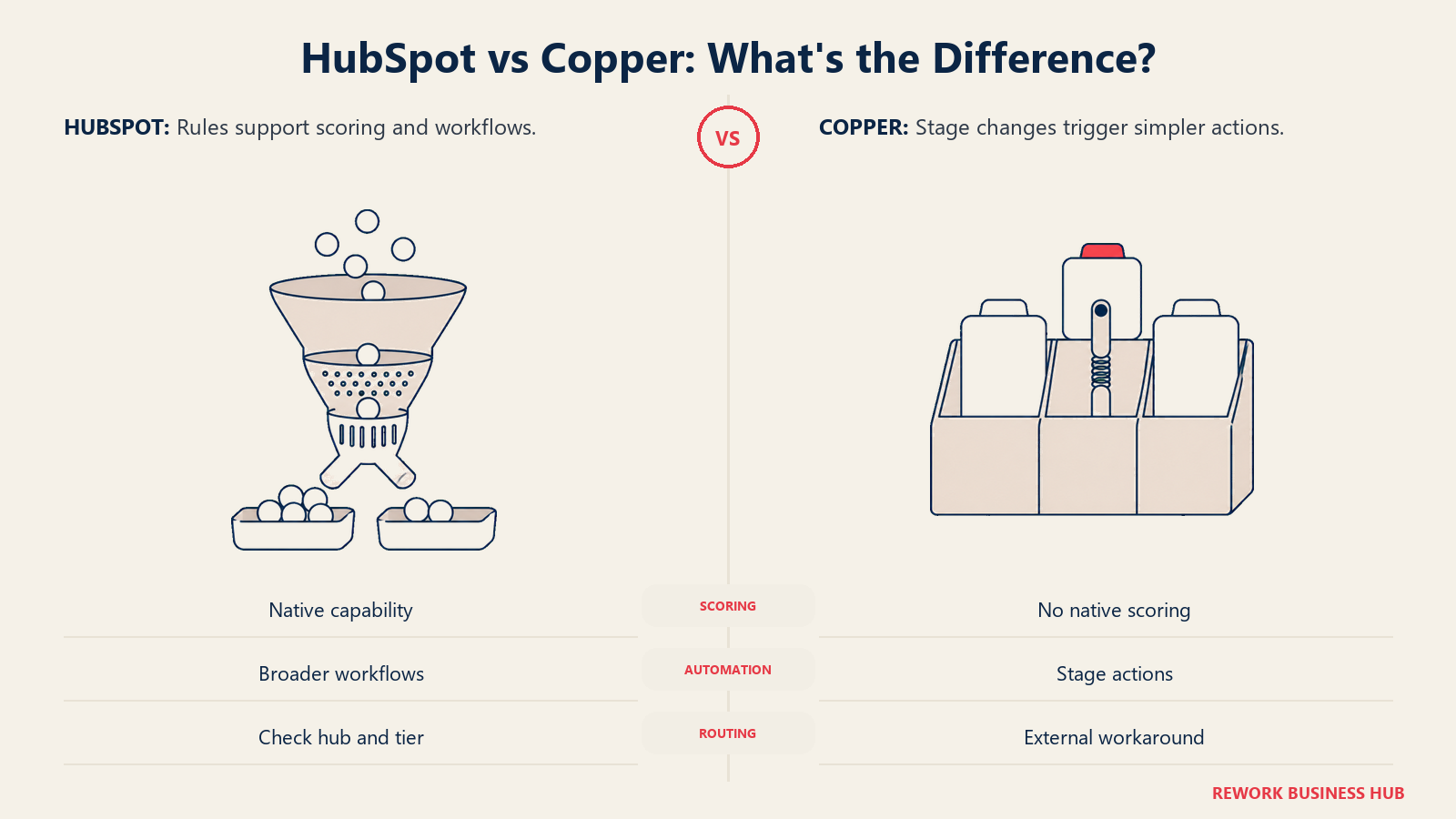
This is where the comparison turns firmly in HubSpot's favor, and it's worth naming plainly rather than hedging. Lead scoring, workflow automation, and distribution rules are a first-class part of HubSpot's product past Starter. In Copper, they mostly don't exist.
| Capability | HubSpot | Copper |
|---|---|---|
| Lead scoring | Native from Professional (up to 5 scores), up to 10 at Enterprise | Not available |
| Workflow automation | Up to 50 simple workflows (Starter), 300 (Professional), 1,000 (Enterprise) | Pipeline-stage automations only |
| Round-robin distribution | Included from Sales Hub Professional, via a rotate-owner workflow action (HubSpot Knowledge Base) | Not available natively |
| Territory or SLA-based routing | Enterprise tier | Not available |
| Email sequences | Yes, all paid tiers | Bulk email from Professional; automated email series on Business only |
If lead distribution is part of your workflow (multiple reps, territories, or response-time requirements), Copper requires a Zapier workaround at best. HubSpot treats it as a real feature, though round-robin rotation only arrives with Sales Hub Professional, not Starter. Our library piece on lead routing automation covers what a real distribution setup actually needs to enforce, useful reading before you assume either tool covers it out of the box.
Native Marketing Capability
For teams where marketing and sales overlap, this section usually decides the whole comparison, and it's the one place Copper isn't really competing.
| Dimension | HubSpot | Copper |
|---|---|---|
| Landing pages and forms | Yes, Marketing Hub | No |
| Email campaigns and nurture | Yes, Marketing Hub shares Sales Hub's contact record | Email series only (Business tier), sales-focused rather than nurture-focused |
| Lead scoring visible to sales | Yes, native | No |
| Handoff friction | Low, one contact record across hubs | Not applicable, no separate marketing motion to hand off |
| Buying motion | Marketing Hub is a separate purchase from Sales Hub | Not sold at any tier |
If your funnel is small enough that one or two people already own both ends of it, Copper's absence here doesn't cost you anything. If marketing needs to run campaigns that hand qualified leads to sales automatically, HubSpot's shared contact record removes an integration project you'd otherwise have to build yourself, assuming you're willing to buy and configure a second hub to get it.
Implementation and Time to Value
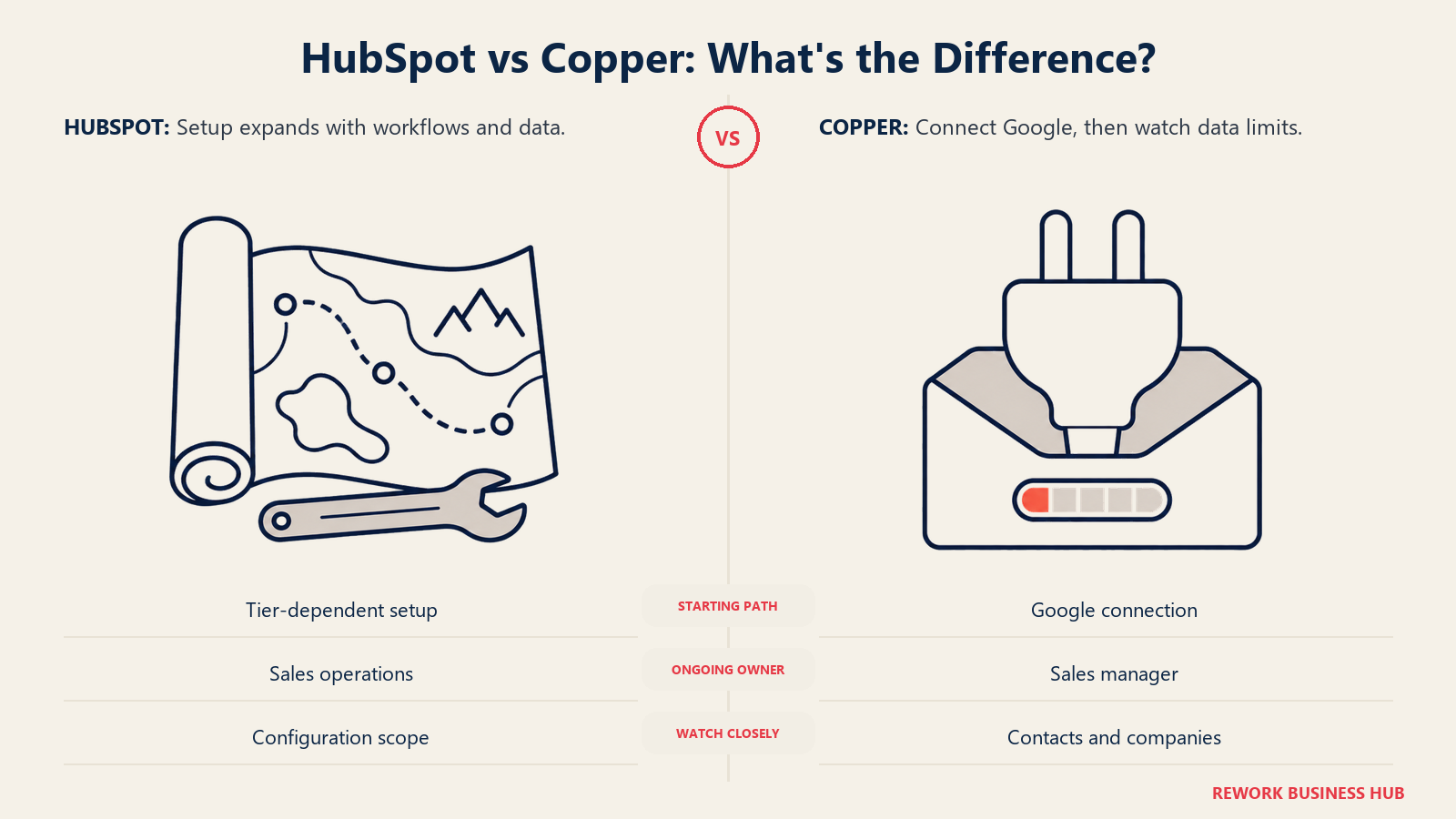
Copper's whole pitch is speed. HubSpot's is closer to "fast at the bottom, structured at the top," and the structure is where the mandatory fee earns its keep, or doesn't, depending on how much your team actually needs it.
| Dimension | HubSpot | Copper |
|---|---|---|
| Typical setup path | Self-serve for Starter; onboarding-led for Professional and up | Self-serve at every tier |
| Time to first value | Days for Starter; 1 to 3 weeks for Professional with real data migration | Under a day, install the extension and connect Google |
| Who configures it long-term | A sales ops generalist maintains workflows and properties | A sales manager can usually own pipeline stages and fields directly |
| Where the hidden cost hides | The mandatory onboarding fee, easy to leave out of a seat-only budget | The contact and company caps, which force an upgrade regardless of seat count |
Neither platform runs itself forever, but the two failure modes are different. HubSpot's maintenance cost shows up as a line item you can see coming. Copper's shows up later, as a tier upgrade you didn't budget for because nobody was tracking the company count against the plan limit. If you're migrating off a legacy CRM into either one, our CRM migration guide covers the data cleanup work both vendors' own onboarding docs tend to underestimate.
Strengths and Trade-offs, Side by Side
HubSpot
| Strengths | Trade-offs |
|---|---|
| Genuinely free tier, not a trial, for up to 2 users | Professional's mandatory onboarding fee and a steep per-seat jump from Starter |
| Real lead scoring and workflow automation | Lead scoring and round-robin rotation start at Professional, not Starter |
| Marketing Hub shares Sales Hub's contact record | Marketing Hub's contact-tier billing grows independent of headcount |
| Larger third-party ecosystem (over 2,000 App Marketplace integrations, per HubSpot's Q1 2026 earnings release) | The Gmail experience is a sync into a separate app, not a native embed |
Copper
| Strengths | Trade-offs |
|---|---|
| Native Gmail sidebar, zero context switching for reps | No native lead scoring, round-robin, or territory routing |
| No mandatory onboarding fee at any tier | No permanent free tier, only a trial |
| Same-day setup for a functional pipeline | Contact and company caps force an upgrade regardless of seat count |
| Cheaper than HubSpot Professional at every seat count above Starter | No marketing module; nothing outside sales and light relationship tracking |
When Copper Is the Right Call
- Your team is fully inside Google Workspace and the sales process is almost entirely email and calendar, not a multi-channel pipeline.
- You want a functional CRM today, not after a data migration call or a structured onboarding schedule.
- Your real contact and company counts are genuinely small, well under Basic's 2,500 contacts and 25 companies, and likely to stay that way for a while.
- You have no near-term need for marketing automation, lead scoring, or distribution rules, because one or two people already own the whole relationship.
- You'd rather pay a flat per-seat rate with zero mandatory fees than budget around HubSpot's onboarding charge.
If you're a small team unsure whether you need a full CRM at all yet, our guide on how to choose a CRM for a small business is worth reading before committing to either vendor's paid tier.
When HubSpot Is the Right Call
- Marketing and sales need to share one contact record, and you don't want to build or maintain an integration between two separate tools to get there.
- You need real lead scoring and workflow automation, not just a pipeline-stage trigger, and you're willing to configure it.
- Your contact or company count is going to outgrow Copper's tier caps well before your headcount does.
- You can budget the onboarding fee as a known, published number rather than discovering a workaround cost later.
- You expect to need Service Hub or CMS Hub eventually and would rather buy into one platform now than migrate later.
Decision Framework
| If you are... | Pick |
|---|---|
| A Google Workspace team under 20 people, email-first sales process | Copper |
| Budget-sensitive and want to avoid any mandatory onboarding fee | Copper |
| Approaching 2,500 contacts or 25 target companies soon | HubSpot, or Copper Professional/Business with the caps in mind |
| Marketing and sales need to share one system of record | HubSpot |
| You need native lead scoring or real workflow automation | HubSpot |
| Considering a switch mainly because of price, not a real capability gap | Stay put and revisit in 12 months |
| Comparing every option in the category, not just these two | See our full CRM software roundup |
What to Do Next
If you're leaning Copper: install the Chrome extension, connect two or three reps for a real week of deals, and map your actual contact and company counts against Basic's limits before you commit past a trial. The setup speed is real, but so is the ceiling. If you're leaning HubSpot: get the Professional quote with the $1,500 onboarding fee itemized separately from the seat price, and ask specifically whether your team needs Marketing Hub, since that's where the real budget risk lives, not the Sales Hub seat price. Our CRM buyer's checklist is a useful gut check before either call.
Neither of these might be the right shape of tool if the gap you're actually hitting isn't speed or budget, it's that leads arrive through channels neither one handles well and nobody owns the handoff between marketing and sales once they do. If what you need is CRM, lead management, and a multi-channel chat inbox in one product, without HubSpot's hub-and-contact-tier billing on one side or Copper's thin lead management and Gmail-only reach on the other, that's a smaller, less enterprise-shaped category than either vendor here. Rework packages that combination as its Revenue Engine, from $159/month billed yearly with 5 marketing and 5 sales seats (rework.com/pricing). It's a smaller player than HubSpot, with a thinner marketplace and none of Marketing Hub's campaign depth, and it doesn't live inside Gmail the way Copper does, so it's not the answer if either of those specific strengths is the whole point of your search. But if the real blocker is choosing between "broad and expensive to automate" and "fast but thin outside Gmail," it's worth a look. See Rework vs HubSpot CRM and Rework vs Copper for the direct breakdowns.
Frequently Asked Questions about HubSpot vs Copper
Is HubSpot or Copper cheaper?
At the entry tier, HubSpot is cheaper: Starter runs $7/seat/month billed annually versus Copper Basic at $23/seat/month. Once you need real automation, Copper Professional at $59/seat/month costs less than HubSpot Professional's $90/seat/month plus its mandatory $1,500 onboarding fee. Which one wins depends on which tier your team actually needs, not the number on either homepage.
Does HubSpot charge extra for marketing contacts?
Yes, but only on Marketing Hub, a separate purchase from Sales Hub. Marketing Hub Professional includes 2,000 marketing contacts at $800/month billed annually. HubSpot doesn't publish the exact overage rate on its own pricing page, though Avidly Agency's analysis estimates roughly €225/month per additional 5,000 contacts on euro pricing, rather than a vendor-confirmed figure. Sales Hub itself has no contact-based billing.
What happens when I outgrow Copper's contact or company limits?
You upgrade tiers regardless of your seat count. Copper Basic caps out at 2,500 contacts and 25 companies, Professional raises that to 15,000 contacts and 50 companies, and only Business is unlimited. A 10-person team selling to 60 target accounts would need Business even though Basic's per-seat price would otherwise cover the headcount easily.
Can Copper do lead scoring or round-robin distribution?
No, not natively, at any tier. HubSpot adds both lead scoring and round-robin rotation at Sales Hub Professional; Starter includes neither.
Is HubSpot's free CRM actually free?
Yes. The Free Tools tier costs nothing and doesn't require a credit card, and it isn't a time-limited trial. The catch is the 2-user cap, which works for a very small team but isn't a long-term plan for anyone scaling past that.
Does Copper have a free trial?
Yes, though there's no permanent free tier the way HubSpot has one. Every Copper plan, Basic, Professional, and Business, is paid from day one once the trial period ends.
Which one sets up faster?
Copper, by a wide margin. Installing the Chrome extension and connecting a Google account takes minutes, and a rep can be logging deals the same day. HubSpot Starter is also fast, days rather than weeks, but Professional's structured setup with real data migration commonly runs 1 to 3 weeks.
Do either of these charge a mandatory onboarding fee?
HubSpot does, on Professional ($1,500) and Enterprise ($3,500), on top of the seat price. Copper doesn't charge a setup fee at any tier, part of why its total cost of ownership stays lower at smaller seat counts even when the per-seat price looks higher than HubSpot's entry tier.

Head of Enterprise Solutions
On this page
- Key Facts
- HubSpot vs Copper at a Glance
- Who Each Tool Is Actually Built For
- What HubSpot Actually Costs
- The Marketing Hub Contact Trap
- What Copper Actually Costs
- The Real Cost at 10, 25, and 100 Seats
- Entry tier: HubSpot Starter vs Copper Basic
- Growth tier: HubSpot Professional vs Copper Professional
- Google Workspace Integration Depth
- Lead Management and Automation Depth
- Native Marketing Capability
- Implementation and Time to Value
- Strengths and Trade-offs, Side by Side
- HubSpot
- Copper
- When Copper Is the Right Call
- When HubSpot Is the Right Call
- Decision Framework
- What to Do Next