Zoom Phone vs GoTo Connect vs Dialpad Connect: Which Business Phone System Fits Your Team in 2026?
Turn this article into takeaways for your work.


Each assistant summarizes the article only for you and suggests best practices for your work.
If you're an IT director, operations manager, or head of sales or support putting Zoom Phone, GoTo Connect, and Dialpad Connect on the same shortlist, you've probably noticed they read like variations on the same pitch: cloud calling, video meetings, team messaging, an AI layer somewhere in the mix. Strip out the marketing copy and the list prices land close enough to each other that comparing them on price alone tells you almost nothing. A lazy version of this comparison would just repeat that they're all "unified communications platforms" and leave it there. That's not useful to you.
The real question isn't which one has more features. It's what each platform is actually an extension of, because that's what decides how much friction you'll feel getting it running and what you'll end up paying once the trial period ends. Zoom Phone is an extension of Zoom Meetings: it rides your existing Zoom contract, your existing admin console, and the calling habits your team already has from living in the Zoom client all day. GoTo Connect is built as a single small-business bundle: phone, meetings, and messaging sold as one product from day one, with customer experience and contact-center tiers stacked on top for teams that outgrow the basics. Dialpad Connect's whole case rests on its AI layer: real-time transcription, live coaching prompts, and call analytics shipped as part of the core product instead of sold back to you as a separate line item. That matters most when the phone isn't just a utility, it's a channel your revenue or support numbers actually depend on.
There's a second split running underneath all of this that shapes everything else in this guide: only one of these three vendors publishes a price you can see without a sales call. Dialpad Connect shows you a rate. Zoom Phone and GoTo Connect don't. That single fact changes how you should run this evaluation, and it's worth understanding before you get to any feature table. For the wider field, see our best business phone system roundup for 2026.
TL;DR
| Zoom Phone | GoTo Connect | Dialpad Connect | |
|---|---|---|---|
| Published per-user price | None. Rate renders only inside checkout, localized by country | None. All four packages say "Contact Sales" | Yes. Standard is $15/user/mo annual, $27 monthly |
| Sold as | An add-on to Zoom Workplace (Basic, Pro, Business tiers) | A bundled phone, meetings, and messaging package, with CX and Contact Center tiers above it | A standalone phone system built around Dialpad's AI engine |
| AI at the entry tier | Post-call summaries, voicemail prioritization, task extraction | AI meeting summaries on every package | Real-time transcription, live coaching prompts, AI call summaries |
| Unlimited domestic calling | Yes on the Unlimited tiers, governed by an Acceptable Use Policy with no published numeric cap | Yes, unlimited dial plan on every package, fair-use terms apply | Marketed unlimited, fair-use capped at 3,000 minutes per license per month |
| International calling | Metered add-on, historically priced near $10/user/month for a limited country list (reported) | Free calling to 50+ countries built into every package, fair use applies | Add-on with a fair-use minute pool, reported anywhere from 1,500 to 8,000 minutes per license monthly depending on the quote |
| Toll-free minutes | Not itemized on the public pricing page | 1,000 shared toll-free minutes on every package | None included; toll-free is a paid add-on on any plan |
| Marketed uptime | Up to 99.999% | 99.999% (as marketed across GoTo's own materials) | 99.9%, stated explicitly on the Enterprise tier only |
| Best for | Teams already paying for Zoom Workplace that want calling in the same login | Small businesses buying phone, meetings, and messaging as one purchase | Teams that want AI coaching and transcription built in, not sold separately |
Key Facts
- Metrigy's Workplace Collaboration MetriCast 2025 study found that almost 59% of the 797 organizations surveyed now name UCaaS their primary platform for calling, meetings, and messaging, with AI-driven collaboration features cited as the top reason companies adopt it (Metrigy).
- Gartner's 2026 Magic Quadrant for Unified Communications as a Service named Zoom a Leader for the seventh consecutive year, while GoTo and Dialpad were both rated Visionaries, a tier reflecting strong product vision without yet matching the Leaders' execution scale (UC Today's coverage of the report).
- That same 2026 Magic Quadrant cycle saw Gartner cut its 2028 forecast for organizations running enterprise calling through existing cloud collaboration tools down to 70%, a twenty-point retreat from the 90% it predicted a year earlier, per the same UC Today analysis, a reminder that the "ride an existing suite" model Zoom Phone depends on isn't a guaranteed bet.
- Firms that contacted a sales lead within an hour of a query were nearly 7 times more likely to qualify it than those that waited even one hour longer, and more than 60 times more likely than firms that waited 24 hours or more, according to Harvard Business Review's research on online sales leads, the underlying reason a real-time AI layer on a phone system has commercial value beyond convenience.
- Gartner projects that more than half of customer service organizations will double their technology spend by 2028 without a matching cut in headcount, because AI tools still need people to run and supervise them (Gartner), which is worth keeping in mind before you assume an AI-forward platform is automatically the cheaper long-run choice.
What Each Tool Is Actually Built For
Zoom Phone doesn't exist as a product you evaluate on its own merits so much as a checkbox you tick inside Zoom Workplace. Zoom's own pricing page structures it that way explicitly: the US & CA Unlimited plan attaches to Workplace Basic, Pro Plus attaches to Workplace Pro, and Business Plus attaches to Workplace Business. There's no separate "just the phone" price shown anywhere on the page. What ships at each level is really the underlying Workplace tier's meeting capacity (100 participants and a 40-minute cap on the entry tier, 100 participants and 30 hours on Pro Plus, 300 participants on Business Plus) with a phone number and calling minutes layered on top. If your company already administers Zoom Workplace, adding Phone is closer to flipping a switch than buying a new system.
GoTo Connect takes the opposite approach: it's positioned from the ground up as one purchase covering phone, meetings, and messaging, not a phone number bolted onto a meetings product. The current lineup is four packages: Phone System (the base voice, video, and messaging bundle), Customer Experience or CX (adds live chat and lighter support tooling), CX Complete (a fuller customer-engagement bundle), and Contact Center (full queue and routing depth for a dedicated support or sales floor). Every one of those four packages routes to "Contact Sales" on GoTo's own site, with no dollar figure published at any tier, a genuine change from the roughly $27-per-user rate some older comparison articles still cite. What the package names tell you, even without a price, is that GoTo expects a buyer to grow from a simple phone system into a CX platform without switching vendors.
Dialpad Connect is different again: it's not the calling half of a bigger suite, it's the phone product built around Dialpad's AI engine, the same engine that powers Dialpad's separate Support and Sell products. Standard, the entry tier, already includes unlimited calling, AI meeting notes, built-in messaging, real-time transcripts, and automatic call summaries at $15 per user a month billed annually or $27 monthly, no separate AI purchase required. Pro, at $25 annual or $35 monthly, adds CRM integrations, 24/7 support, and multi-office management. Enterprise is a custom quote, adding SSO, granular access controls, unlimited office locations, and a stated 99.9% uptime commitment. Dialpad's own pricing page doesn't state a seat minimum, so a two-person team can buy in at the published Standard rate the same as a 200-person one.
| Zoom Phone | GoTo Connect | Dialpad Connect | |
|---|---|---|---|
| Built as an extension of | Zoom Meetings and the Zoom Workplace suite | A single small-business bundle (phone, meetings, messaging) with CX tiers above it | Dialpad's shared AI engine, also used by Dialpad Support and Sell |
| Sweet-spot buyer | A company already paying for Zoom Workplace that wants calling in the same login | A small business standing up phone, meetings, and messaging in one purchase | A team where the phone is a revenue or support channel, not just a utility |
| Who champions the purchase | IT admin consolidating vendors around a suite the company already runs | An office manager or owner who wants one bill and one setup, not three | A head of sales or support who wants every call analyzed, not just logged |
| Published starting price | None; rendered only in checkout, localized by country | None; every package says "Contact Sales" | $15/user/month annual (Standard), the only published rate of the three |
The Fine Print on "Unlimited" Calling
Every vendor in this category uses the word "unlimited." Almost none of them mean it without a catch, and the catch is exactly what a buyer needs to see before signing, not after the first month's bill.
Zoom Phone's Unlimited, Pro Plus, and Business Plus tiers all include unlimited domestic calling, but that word is governed by Zoom's Acceptable Use Policy, not by a published minute cap. The policy states plainly that the service is "for ordinary and reasonable business use" and prohibits "continual, uninterrupted, or consistently excessive use." Zoom says it monitors for abnormal call length, frequency, duration, and calling patterns that look like an attempt to get around the policy, and it can suspend or terminate service or numbers for violations. There's no number to hit here, which cuts both ways: a normal sales or support team will never notice it, but there's also no hard ceiling you can point to and confirm you're safely under.
GoTo Connect's unlimited dial plan works the same way structurally: it's included on every package, and international calling to landlines in more than 50 countries is free, but both are explicitly "subject to fair usage" language in GoTo's service terms rather than a stated minute figure. Free calling under that policy excludes mobile numbers, satellite numbers, and information services in at least some markets, so a team that calls mobile numbers internationally at real volume should confirm that detail before assuming the free-country list covers their actual usage.
Dialpad Connect is the one vendor here that puts an actual number on its fair-use policy, and it's worth knowing before you budget: the Unlimited Domestic Calling add-on caps out at 3,000 minutes per license per month. That's roughly 100 minutes a day per seat, generous for most roles but a real ceiling a high-volume outbound or support seat could hit. International calling runs through a separate Global add-on with its own fair-use minute pool; the reported pool size varies (anywhere from 1,500 to 8,000 minutes per license monthly depending on the plan and when it was quoted), and calling credits must be pre-purchased rather than billed after the fact. Confirm the current pool with a Dialpad rep before you assume a number either way.
| Zoom Phone | GoTo Connect | Dialpad Connect | |
|---|---|---|---|
| Domestic "unlimited" calling | Unlimited, governed by an Acceptable Use Policy with no published numeric cap | Unlimited dial plan on every package, fair-use terms apply, no published cap | Marketed unlimited, fair-use capped at 3,000 minutes per license per month |
| Consequence of exceeding it | Zoom can suspend or terminate the service or the number for policy violations | Not numerically defined in public materials | Dialpad reserves the right to limit usage or terminate service for non-reasonable use |
| International coverage | Metered; a limited-country add-on has historically run near $10/user/month (reported) | Free calling to 50+ countries, fair use applies, mobile/satellite/info-service calls may be excluded | Global add-on, fair-use minute pool (reported 1,500 to 8,000 minutes/license/month), credits pre-purchased |
The AI Layer: Included Feature or the Whole Pitch
All three of these platforms now ship some form of AI, which makes it easy to assume they're roughly equivalent. They aren't, and the difference is really about what each vendor considers the product to be for.
On Zoom Phone, AI shows up as a feature of the Workplace product the phone rides on top of. Post-call summaries, voicemail prioritization, and task extraction are included on the entry US & CA Unlimited tier. But "unlimited in-meeting use" of Zoom's broader AI Companion features is gated to the Pro Plus and Business Plus tiers (meaning the Workplace Pro or Business subscription underneath them), and a Team SMS summary thread requires a separate add-on called the Zoom Phone Customer Engagement Pack. The AI is real, but it's assembled from the same AI Companion capability Zoom sells across its whole Workplace suite, not something built specifically around the phone.
GoTo Connect includes AI video meeting summaries on every package, including the base Phone System tier, which is a genuine inclusion rather than an upsell. Where GoTo's AI story turns into an add-on is the AI receptionist, sold as a separate subscription on top of whichever base package you're on. That's the same pattern RingCentral and Aircall use elsewhere in this category: core AI features included, the more advanced ones metered separately.
Dialpad Connect's AI isn't an add-on conversation at all, it's the reason the product exists. Real-time call transcription, live coaching prompts a rep or manager sees while the call is still happening, and automatic AI call summaries all ship on the entry Standard tier at $15 per user a month annual. That's a meaningfully different design than "summarize the call afterward": a support lead using Dialpad sees a transcript and coaching cues live, not a report the next morning. The tradeoff is that CRM-synced context, the piece that ties those AI insights back to a specific deal or ticket, waits for the Pro tier. If your evaluation is really about AI voice tooling as its own category rather than a phone system with AI attached, our best AI voice agents and best AI phone agents roundups cover the dedicated field.
| Zoom Phone | GoTo Connect | Dialpad Connect | |
|---|---|---|---|
| AI included at entry tier | Post-call summaries, voicemail prioritization, task extraction | AI meeting summaries on every package, including Phone System | Real-time transcription, live coaching prompts, AI call summaries |
| What AI is attached to | Zoom's broader AI Companion feature set, shared across Workplace | The phone, meetings, and messaging bundle | The core reason to buy the product |
| AI that costs extra | Unlimited in-meeting AI Companion use needs Pro Plus/Business Plus; Team SMS summaries need the Customer Engagement Pack add-on | An AI receptionist is a separate subscription on top of any base package | CRM-synced coaching context requires the Pro tier; transcription and summaries themselves are not gated |
| Where it shows up | Meeting and call summaries inside the Zoom client teams already use | Call and meeting summaries inside GoTo's admin and desktop apps | Live coaching prompts visible during the call itself, not just after |
Toll-Free Minutes, International Calling, and Number Porting
These are the line items vendors tend to leave out of the headline pitch, and they're exactly the ones that turn into a surprise invoice or a delayed go-live date.
Toll-free minutes are where GoTo Connect and Dialpad Connect land on opposite ends. GoTo includes 1,000 shared toll-free minutes on every one of its four packages at no extra charge. Dialpad includes none: a toll-free number is available on any Dialpad plan, but it costs $15 a month on an annual plan (or $17 monthly) per number, plus $0.02 a minute for incoming calls. Zoom doesn't itemize toll-free minutes on its public pricing page at all, which means you should ask directly rather than assume either inclusion or a specific rate.
Number porting timelines matter more than they get credit for, since a slow port can delay your entire go-live. Dialpad publishes real numbers here: local US number ports typically take 3 to 5 business days if there are no issues, averaging closer to 7 days in practice, and toll-free ports take 5 to 10 business days. Porting is free for US and Canadian local and toll-free numbers, but international number ports carry a per-number fee (Dialpad's own documentation cites $58 for a Peru number as an example). Zoom's published guidance puts a simple domestic port in the same 5-to-10-business-day range once documentation is validated, with no stated porting fee. GoTo doesn't publish a porting timeline, but it does publish a real cost for getting the paperwork wrong: a $15 charge for each failed porting attempt, which makes double-checking your carrier's Customer Service Record before you submit a port request worth the extra hour.
| Zoom Phone | GoTo Connect | Dialpad Connect | |
|---|---|---|---|
| Toll-free minutes included | Not itemized on the public pricing page | 1,000 shared toll-free minutes on every package | None included; $15/mo annual ($17 monthly) per number plus $0.02/minute incoming, available on any plan |
| Porting timeline | Typically 5 to 10 business days for a simple domestic port | Not published | 3 to 5 business days for local numbers (about 7 on average), 5 to 10 for toll-free |
| Porting fee | Not stated | $15 per failed porting attempt | Free for US/Canada local and toll-free; international ports carry a per-number fee (for example, $58 for Peru) |
Decision by Business Goal
| Your goal | Best fit | Why |
|---|---|---|
| Consolidate meetings and phone into a vendor you already pay | Zoom Phone | Rides the Zoom Workplace tier and login your company already administers |
| Get phone, meetings, and messaging live under one purchase for a small team | GoTo Connect | Built from the ground up as a bundled small-business system, with CX tiers to grow into |
| See a real number before you talk to a salesperson | Dialpad Connect | The only one of the three that publishes a per-user rate |
| Put AI coaching and transcription on every call without a separate purchase | Dialpad Connect | Real-time transcription and live coaching ship on the entry Standard tier |
| Route inbound support through a dedicated queue or contact-center product | GoTo Connect | Customer Experience, CX Complete, and Contact Center packages exist specifically for that job |
| Keep international calling simple across many countries without per-country math | GoTo Connect | Free calling to 50+ countries is built into every package, not a metered or fair-use-capped add-on |
| Minimize downtime risk on a line the business depends on | Zoom Phone or GoTo Connect | Both market 99.999% uptime; Dialpad's published figure (99.9%, Enterprise only) allows roughly 100 times more downtime a year |
Team and Role Fit
| Team | Zoom Phone | GoTo Connect | Dialpad Connect |
|---|---|---|---|
| Sales | Fine for call logging inside the Zoom client; no CRM sync named in Zoom's own Phone materials | CX and Contact Center packages add routing and outbound tooling higher up the range | Live coaching prompts and call summaries on every Standard-tier call; CRM sync arrives at Pro |
| Support | Voicemail prioritization and task extraction help triage volume, but there's no dedicated queue product | Purpose-built: CX and Contact Center packages exist specifically for support queues and routing | AI summaries speed up review, but dedicated contact-center depth isn't the product's focus |
| Ops and IT | Lowest admin lift if the company already manages Zoom Workplace | One vendor relationship for phone, meetings, and messaging | Multi-office management arrives at Pro; SSO and access controls wait for Enterprise |
| Leadership and cross-team | Meetings-first framing fits a company where leadership already lives in Zoom calls | All-in-one billing appeals to a COO tracking fewer vendor contracts | AI call analytics give leadership visibility into call quality without a separate reporting project |
If your team already runs outbound sequences through a dedicated platform, cross-check whichever of these three you shortlist against our best sales engagement platforms roundup, since none of the three is trying to replace that layer, only to feed it call data.
Pricing at 10, 50, and 250 Seats
This is where the pricing-transparency gap from the intro stops being an abstract complaint and starts being a real budgeting problem. Dialpad Connect is the only one of the three where this section can show you real numbers.
| Seats | Dialpad Standard, annual ($15/user/mo) | Dialpad Standard, monthly ($27/user/mo) | Dialpad Pro, annual ($25/user/mo) | Dialpad Pro, monthly ($35/user/mo) |
|---|---|---|---|---|
| 10 | $1,800/yr | $3,240/yr | $3,000/yr | $4,200/yr |
| 50 | $9,000/yr | $16,200/yr | $15,000/yr | $21,000/yr |
| 250 | $45,000/yr | $81,000/yr | $75,000/yr | $105,000/yr |
Layer on the add-ons a real deployment tends to need and the Dialpad number moves further. A 50-seat team adding 5 toll-free numbers ($15/mo each annual, so $75/mo, $900/yr) and a modest international allowance still lands well under six figures at Standard, but a 250-seat team on Pro with CRM sync, multi-office management, and a handful of toll-free numbers should budget for meaningfully more than the base $75,000/yr shown above before signing anything.
Zoom Phone and GoTo Connect can't be priced this precisely, because neither publishes a rate at any seat count. That's not a gap in this article, it's a fact about how both vendors sell. For Zoom Phone, the honest way to think about the cost is that it rides whichever Workplace tier your team is already on (or would need to buy): the US & CA Unlimited plan attaches to Workplace Basic, Pro Plus to Workplace Pro, and Business Plus to Workplace Business, with the per-user rate for Phone itself appearing only inside Zoom's checkout flow and varying by country. Third-party pricing trackers have reported Zoom Workplace Pro near $14.16 per user a month on annual billing (reported, CostBench), but that figure is for the underlying meetings subscription, not a confirmed Zoom Phone add-on price, and it isn't something Zoom's own Phone pricing page states directly.
GoTo Connect is similarly opaque, and older comparison content that quotes a specific number for it should be treated as stale. Multiple third-party trackers report a Phone System starting rate in the high-$20s per user per month (reported, for example GetVOIP's GoTo Connect pricing guide), but GoTo's own pricing page shows no dollar figure on any of its four packages, every one routes to "Contact Sales," and the reported figure predates GoTo's shift to a fully quote-gated model. Treat any number you see for GoTo Connect, including the reported one above, as a starting point for negotiation rather than a rate you can budget against with confidence.
| Zoom Phone | GoTo Connect | |
|---|---|---|
| What determines your real price | Which Zoom Workplace tier (Basic, Pro, Business) you're already on or buying into | Which of the four packages (Phone System, CX, CX Complete, Contact Center) your quote covers |
| Where the number appears | Inside Zoom's checkout flow only, localized by country | Nowhere published; every package says "Contact Sales" |
| A reported reference point | Workplace Pro near $14.16/user/mo annual (reported, third-party tracker, not Zoom Phone's own confirmed add-on price) | Phone System in the high-$20s/user/mo (reported, third-party trackers; GoTo's own page shows no figure) |
| What to do instead | Request a quote for the exact Workplace tier plus Phone bundle you need, and confirm the country-specific rate | Request quotes for at least two packages (typically Phone System and CX) since the jump between tiers is where the real cost lives |
Implementation and Change Management
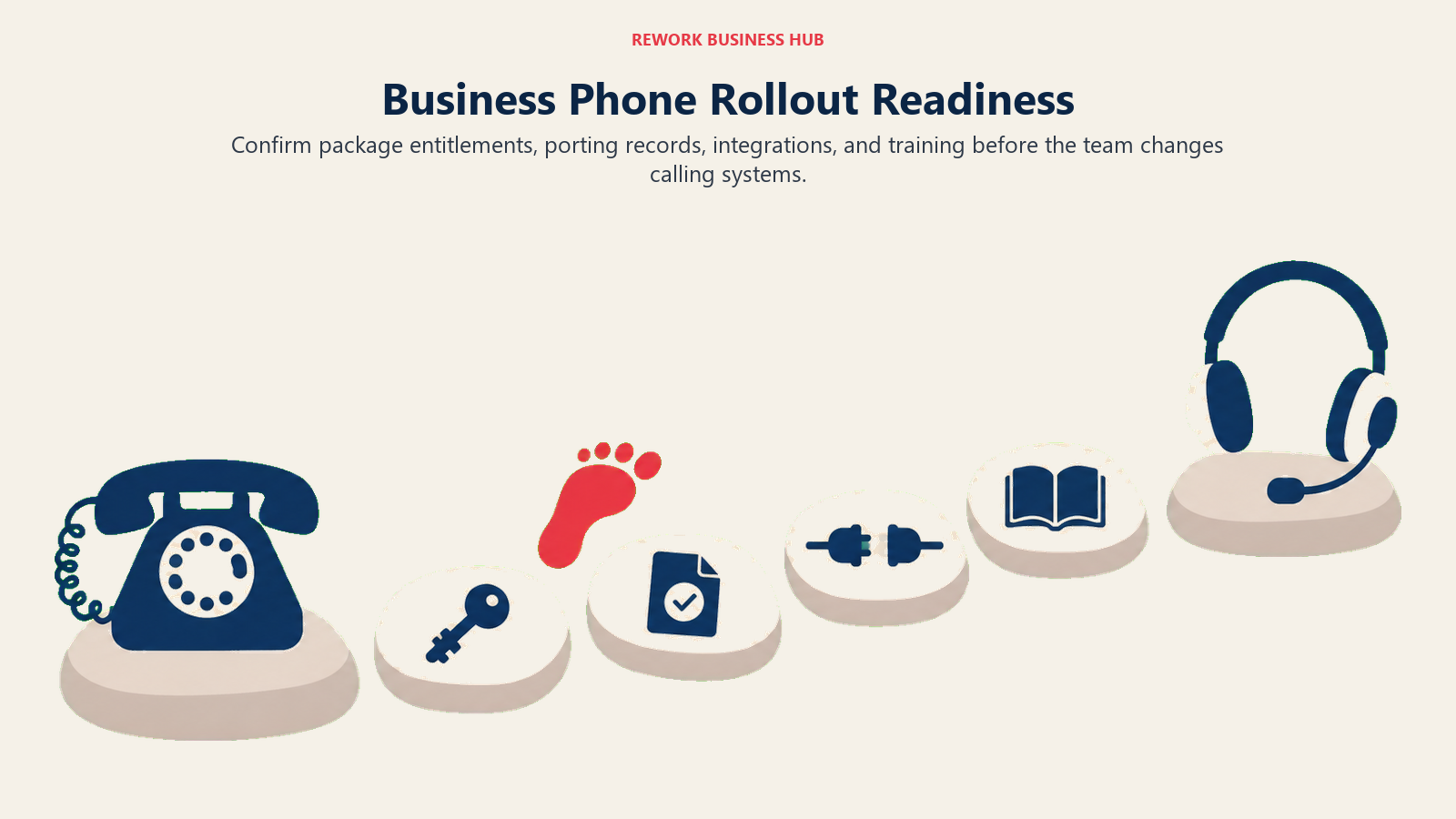
Confirm package entitlements, porting records, integrations, and training before the team changes calling systems.
| Zoom Phone | GoTo Connect | Dialpad Connect | |
|---|---|---|---|
| Setup complexity | Lowest if the company already administers Zoom Workplace; higher if Zoom is new to the org | Moderate; one vendor to onboard, but phone, meetings, and messaging roll out together | Low to moderate; Standard tier setup is straightforward, multi-office management waits for Pro |
| Where complexity concentrates | Confirming every user's Workplace tier actually includes the Phone features you budgeted for | Confirming which of the four packages your quote is actually for, since features move between tiers | CRM integration and multi-office rollout, both gated to Pro or above |
| Training load | Minimal for teams already living in the Zoom client daily | Moderate; a new admin console even if the interface is built for simplicity | Minimal for calling itself; more for reps expected to act on live AI coaching prompts in real time |
| What to confirm before signing | Whether your Workplace tier's AI Companion terms cover the "unlimited in-meeting use" your team expects | Get porting requirements in writing, since a failed attempt costs $15, and confirm which exact package your quote covers | Confirm the current international fair-use pool and whether you need Pro on day one for CRM sync |
Risk and Governance
Reliability and emergency-calling compliance rarely make the front page of a vendor's pitch deck, but they're the two areas most likely to create real operational or legal exposure if you don't check them before rollout, especially for a distributed or remote-first team.
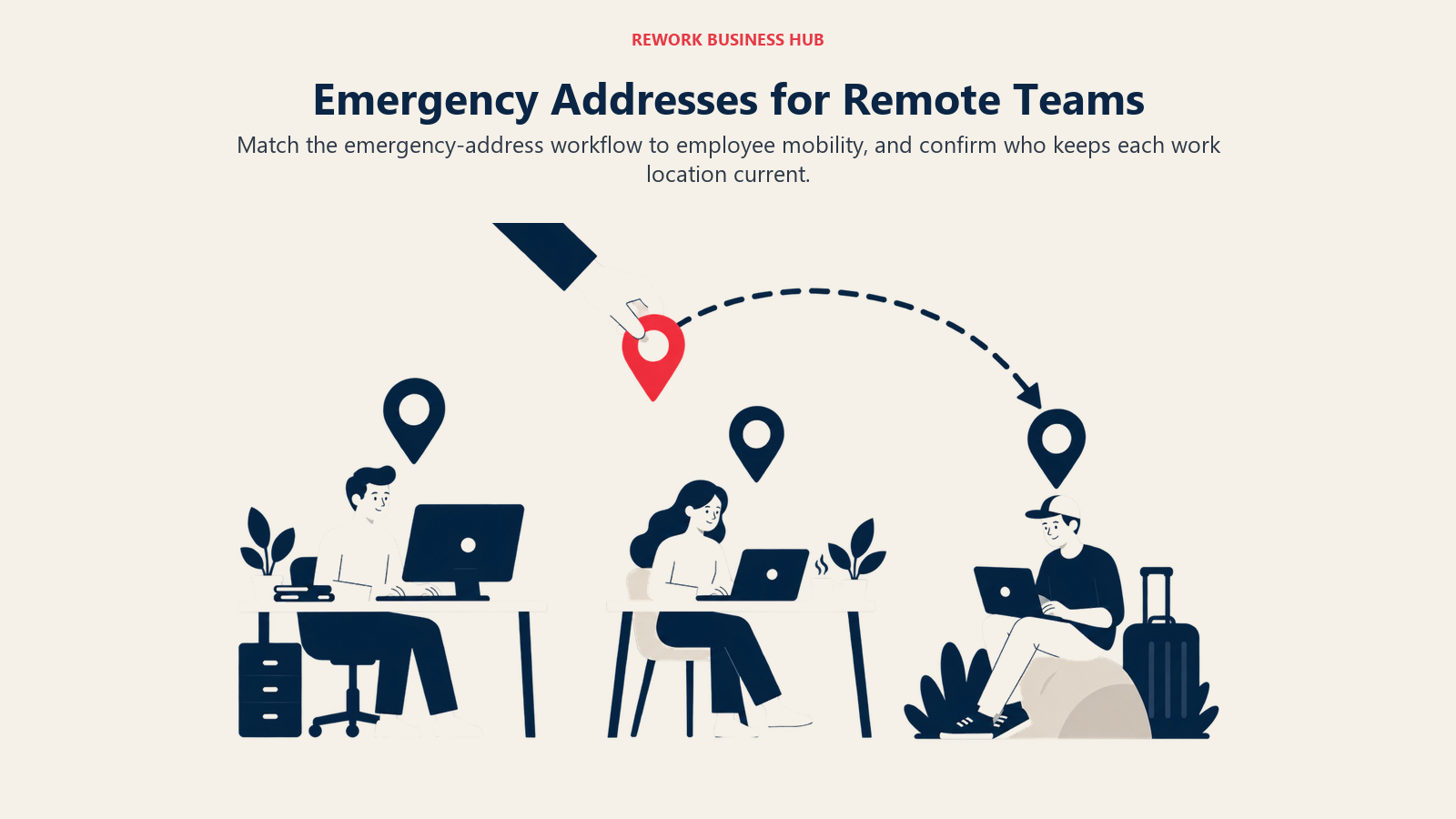
Each vendor handles E911 emergency addressing differently, and the differences matter most for remote employees who aren't sitting at a fixed office desk. Zoom Phone uses what it calls "Nomadic E911": it tries to detect a caller's location automatically, first from the wireless access point ID, then IP subnet, then GPS if the device has it, and only falls back to a saved static address if none of that resolves. Remote workers still need to keep a Personal Emergency Address on file as the fallback. GoTo Connect ties Enhanced 911 to a registered physical address per site, with location-based E911 that lets admins define IP ranges per device and get an alert if a device leaves its assigned area, useful for a company with fixed remote-office locations it wants to monitor. Dialpad requires a physical E911 address at signup (no PO boxes accepted) and lets each user save multiple work locations, switching which one is active as they move, which puts the responsibility more directly on the individual employee than Zoom's automatic detection does.
| Zoom Phone | GoTo Connect | Dialpad Connect | |
|---|---|---|---|
| Emergency address model | "Nomadic" E911: automatic detection via network signal, then GPS, then a saved Personal Emergency Address | Enhanced 911 tied to a registered physical address per site; IP-range-based device tracking with admin alerts | Physical E911 address required at signup; users manage and switch their own saved work locations |
| Best fit | Distributed teams that want automatic detection as the primary method | Teams with fixed remote-office locations an admin wants to monitor | Teams comfortable putting address accuracy in each employee's hands |
On reliability, Zoom Phone and GoTo Connect both market the same headline figure: up to 99.999% uptime, the "five nines" standard. At that level, the math works out to roughly 5 minutes of allowed downtime across an entire year. Zoom backs its claim with a specific mechanism, Zoom Node with Zoom Phone Local Survivability, designed to keep IVR, auto-attendant, and other core functions running locally even if the connection to Zoom's cloud drops. Dialpad's published figure is more conservative and narrower in scope: a 99.9% uptime commitment, stated explicitly only on the Enterprise tier, not Standard or Pro. That's roughly 8 hours 45 minutes of allowed downtime a year, about 100 times more than the two five-nines claims. None of the three vendors detail the specific service-credit remedy (what you actually get back if they miss the number) in their public marketing materials, so get that written into the contract rather than assuming it matches the headline percentage.
| Zoom Phone | GoTo Connect | Dialpad Connect | |
|---|---|---|---|
| Marketed uptime | Up to 99.999%, backed by Zoom Node/Local Survivability for continuity during an outage | 99.999%, the figure marketed consistently across GoTo's own materials | 99.9%, stated on the Enterprise tier only |
| Allowed downtime per year at that figure | About 5 minutes | About 5 minutes, if GoTo's marketed figure holds | About 8 hours 45 minutes |
| Service-credit detail | Not itemized in Zoom's public reliability materials; request the formal SLA document | Not itemized in GoTo's public materials; request the formal SLA document | Not itemized in public materials; confirm remedy terms directly with Dialpad |
When Zoom Phone Is the Right Call
- Your company already pays for Zoom Workplace Pro or Business. Adding Phone is closer to a configuration change than a new vendor onboarding, and you're not paying for a meetings platform you don't already use.
- Meetings, not just calls, are how your team actually communicates. A 300-participant meeting cap on Business Plus and unlimited meeting hours on Pro Plus mean the same client handles both without a second tool.
- You're comfortable requesting a quote instead of seeing a price up front. If pricing transparency before a sales call is a hard requirement, Zoom Phone won't clear that bar, the rate only appears in checkout.
- A published "five nines" reliability claim and local survivability during outages matter more to you than a self-serve rate card. Zoom backs its uptime marketing with a named mechanism (Zoom Node), not just a percentage.
When GoTo Connect Is the Right Call
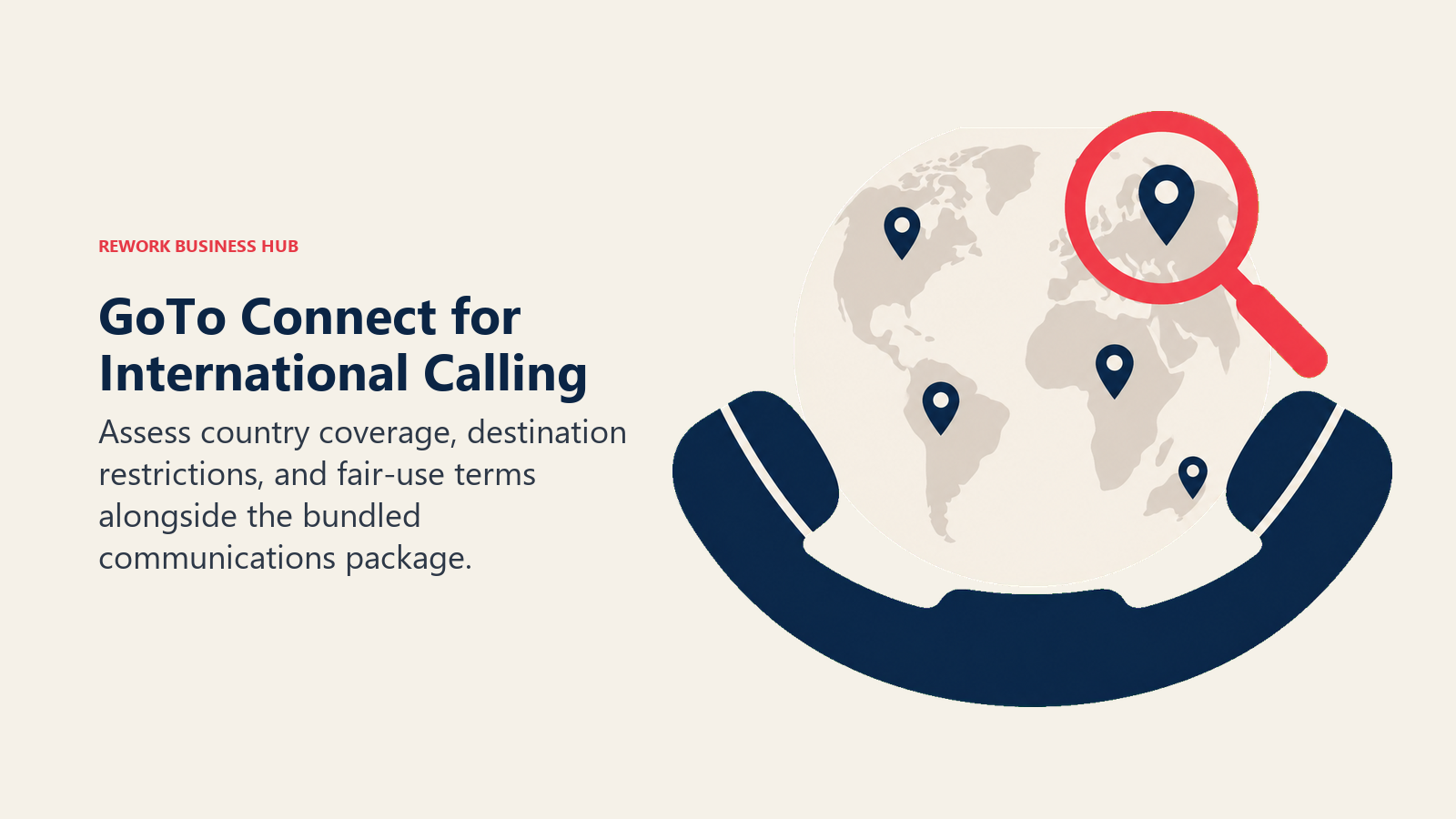
Assess country coverage, destination restrictions, and fair-use terms alongside the bundled communications package.
- You're standing up phone, meetings, and messaging for the first time and want one purchase, not three. GoTo's four-package structure is built around that exact buying motion.
- International calling needs to stay simple. Free calls to more than 50 countries, built into every package rather than sold as a metered add-on, is a real differentiator if your team dials internationally at any regularity.
- You expect to need a real contact center eventually, not just a phone line. The CX, CX Complete, and Contact Center packages give you a path to grow into that without changing vendors.
- You're fine with quote-gated pricing in exchange for a bundled system. If a self-serve rate card is a dealbreaker, GoTo Connect won't offer one; every package routes to "Contact Sales."
When Dialpad Connect Is the Right Call
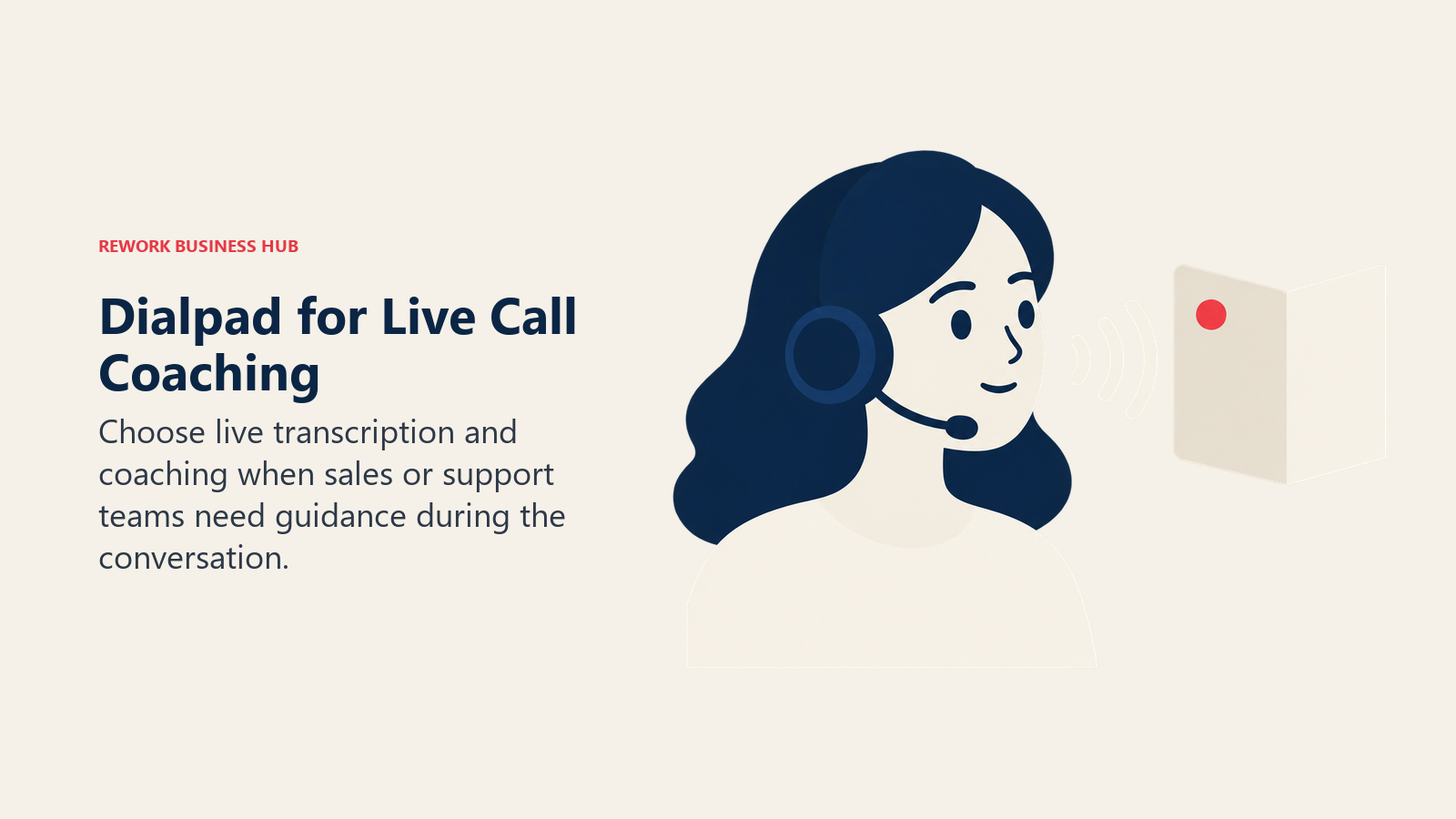
Choose live transcription and coaching when sales or support teams need guidance during the conversation.
- You want to see a real number before you ever talk to a salesperson. Dialpad is the only one of the three vendors here with a published, self-serve rate.
- The phone is a revenue or support channel, not just a utility line. Real-time transcription and live coaching prompts on every Standard-tier call give a sales or support lead visibility that neither Zoom Phone nor GoTo Connect builds into their entry tier the same way.
- You're a small team and don't want to clear a seat minimum to get started. Dialpad's published pricing doesn't state a minimum, unlike some sales-focused competitors in this category.
- You want AI baked into the base plan, not metered separately. If your evaluation criterion is "AI included, not upsold," Dialpad's Standard tier is built around that exact answer.
Decision Framework
| If you need... | Pick... |
|---|---|
| Calling added to a Zoom-first company you already administer | Zoom Phone |
| One purchase covering phone, meetings, and messaging for a small business | GoTo Connect |
| A published rate you can budget against before a sales call | Dialpad Connect |
| Live AI coaching and transcription on every call, included at the entry tier | Dialpad Connect |
| Free international calling across 50+ countries without per-country math | GoTo Connect |
| A dedicated path into a real contact center without switching vendors | GoTo Connect |
| The highest-profile published uptime claim with a named survivability mechanism | Zoom Phone |
| Neither of the two biggest published-price players (RingCentral, Nextiva) fits and you want that comparison instead | RingCentral vs Nextiva |
What to Do Next
- Decide what you're actually buying before you request a quote. If your company already runs Zoom Workplace, get a quote for exactly the Phone add-on on top of your current tier, not a fresh Workplace-plus-Phone bundle priced from zero. If you're evaluating GoTo Connect, request quotes for at least two of its four packages (typically Phone System and CX) since the real cost lives in the jump between tiers, not a single rate.
- Run your team's actual call volume against Dialpad's 3,000-minute fair-use cap before assuming "unlimited" covers you. That's roughly 100 minutes a day per seat; a high-volume outbound or support role can hit it.
- Get the E911 setup right before go-live, not after an incident. Confirm whether your remote employees' addresses are detected automatically (Zoom), tied to a registered site (GoTo), or self-managed per user (Dialpad), and make sure whichever model you pick actually matches how your team works.
- Ask for the SLA document, not just the marketing percentage. All three publish an uptime figure, but none spells out the service credit in public materials. Get that in writing before you sign an annual term.
- If none of these three is the right shape, widen the search. Our best RingCentral alternatives, best Nextiva alternatives, and best 8x8 alternatives guides cover the rest of the category, including the other two vendors (8x8 and GoTo Connect) that share Zoom Phone's quote-only pricing model. If your real gap is CRM-native calling for a sales or support floor, best Aircall alternatives and the conversation intelligence software guide go deeper on that specific angle.

Principal Product Marketing Strategist
On this page
- TL;DR
- Key Facts
- What Each Tool Is Actually Built For
- The Fine Print on "Unlimited" Calling
- The AI Layer: Included Feature or the Whole Pitch
- Toll-Free Minutes, International Calling, and Number Porting
- Decision by Business Goal
- Team and Role Fit
- Pricing at 10, 50, and 250 Seats
- Implementation and Change Management
- Risk and Governance
- When Zoom Phone Is the Right Call
- When GoTo Connect Is the Right Call
- When Dialpad Connect Is the Right Call
- Decision Framework
- What to Do Next