Best AI Tools for Operations in 2026: 12 Tools Ranked by Use Case
Turn this article into takeaways for your work.


Each assistant summarizes the article only for you and suggests best practices for your work.
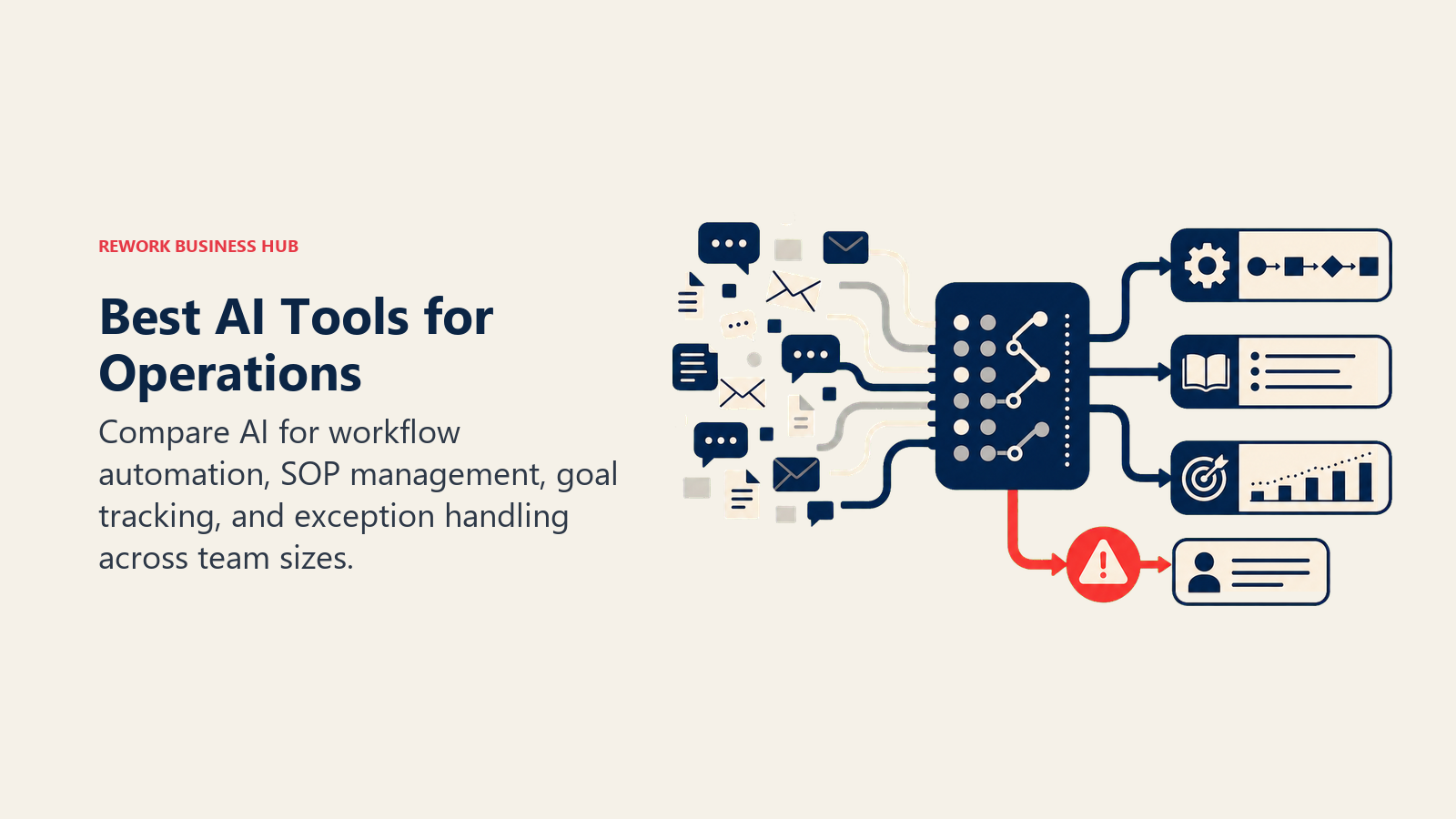
If you're building an AI-assisted operations stack in 2026, ChatGPT covers general drafting and research, Notion AI and Airtable AI turn scattered docs and trackers into AI-searchable systems of record, Rework brings opinionated cross-team workflows and service flows to mid-size ops teams, Zapier, Make, and Gumloop connect and automate the tools you already run, monday AI and ClickUp Brain add AI directly into your task boards, and Process Street and Tability handle the narrower jobs of SOP compliance and OKR tracking. This guide ranks 12 tools by the operations job they actually do, not by how many AI features fit on a pricing page.
Most "AI tools for ops" lists just bolt an AI label onto a generic software roundup. That's not useful when the real question is narrower: does this tool remove a specific bottleneck, whether that's a manual handoff between departments, a spreadsheet nobody trusts, or a process that only lives in one person's head. Each tool below is evaluated on what it does, who it's built for, and what it costs.
What Changed in 2026
- OpenAI cut ChatGPT Business pricing by $5 on April 2, 2026, bringing it to $20/user/month billed annually ($25/month monthly), with a 2-seat minimum.
- Zapier moved AI-step billing to model tiers on June 15, 2026. AI by Zapier steps now consume 1x, 3x, or 5x your task quota depending on whether you use a Standard, Advanced, or Premium model.
- Notion fully moved AI behind the Business tier. The Notion Agent, AI Meeting Notes, and Enterprise Search require the $20/member/month Business plan; Free and Plus only get a limited trial.
- ClickUp shipped Brain 2 in June 2026, adding persistent memory, automatic model routing, and agents, but it's still billed per workspace member regardless of who actually uses AI.
- monday.com started requiring AI credits to be purchased alongside seats for new signups as of May 6, 2026. Credits are no longer bundled in free by default on new accounts.
Key Facts
- More than 90% of RevOps teams use automation, and nearly 7 in 10 use AI and automation together, per Zapier's business automation research.
- 90% of knowledge workers say automation improved their jobs by removing tedious tasks, and about two-thirds report feeling significantly more productive, per Zapier.
- 88% of organizations report using AI in at least one business function, but only about 7% say AI has been fully scaled across the organization, a gap McKinsey calls "AI at work but not at scale," per McKinsey's State of AI research.
- Gartner predicts 40% of enterprise applications will include task-specific AI agents by the end of 2026, up from less than 5% in 2025, per Gartner's newsroom.
- Knowledge workers spend roughly 60% of their time on "work about work" (chasing status updates, hunting for information, switching between apps) instead of their actual job, per Asana's Anatomy of Work research.
- Knowledge workers already delegate about 27% of their workload to AI today, a figure Asana projects will climb to 43% within three years as AI agents take on more workflow management, per Asana's State of AI at Work report.
Quick Comparison Table
| Tool | Best For | Starting Price | Key Strength | Key Limitation |
|---|---|---|---|---|
| ChatGPT | General AI drafting, research, and SOP writing | Free; Business $20/user/mo | Broadest general capability, fastest first drafts | No native workflow, task, or database structure |
| Notion AI | Docs, wikis, and SOPs with AI native to the workspace | Business $20/user/mo | Notion Agent acts across your whole connected workspace | Full AI locked behind the $20/user/mo Business tier |
| Rework | Cross-team ops workflows and service flows for mid-size teams | Process Engine from $99/mo billed yearly (5 seats) | Opinionated processes out of the box, not a blank canvas | Not an AI-agent automation platform for wiring outside apps |
| Zapier AI | Connecting AI steps across your existing app stack | Free; Professional $19.99/mo | 7,000+ app connections, no code required | Model-tier billing can burn task quota fast |
| Make | Visual, credit-based automation scenarios | Free; Core $9/mo | Best price-to-credit ratio of the automation tools here | Steeper learning curve than Zapier for non-technical users |
| monday AI | Visual ops boards with AI built into every tier | Basic $9/seat/mo | Familiar visual boards; AI credits scale with plan | AI credits now sold separately from seats for new signups |
| ClickUp Brain | Task, doc, and roadmap management with AI in one workspace | Business $12/user/mo + Brain $9/user/mo | Unified AI across docs, tasks, and chat | Brain billed per member, not per active AI user |
| Airtable AI | Turning spreadsheets into AI-powered ops databases | Team $20/user/mo | Real relational database with AI credits built in | AI credits run out fast on lower tiers |
| Process Street AI | SOP execution with built-in compliance monitoring | Startup $100/mo (5 users) | Cora AI agent flags incomplete or delayed work | Custom pricing above Startup; no published per-seat rate |
| Tability | Lightweight OKR and goal tracking with AI drafting | Basic $6/user/mo | No seat minimums; AI included on every tier | Narrow scope, not a general ops or task tool |
| Coupler.io | Syncing data from ops tools into reporting dashboards | Starter $24/mo | AI data analysis on every paid plan | Priced per data connection, not per user |
| Gumloop | Building AI-native automations and agents from scratch | Free; Solo $37/mo | Full no-code AI agent builder, not just trigger-action | Credit-based cost scales fast with heavy usage |
Framework: By Job to Be Done
| Job | What Matters Most | Best Fits |
|---|---|---|
| Cross-team workflows, approvals, and service delivery | Opinionated structure out of the box, not a blank canvas | Rework, ClickUp Brain, monday AI |
| General drafting, SOP writing, and research | Fast iteration, broad general capability | ChatGPT, Notion AI |
| Connecting and automating your existing app stack | Breadth of integrations, reliability at scale | Zapier AI, Make, Gumloop |
| Turning spreadsheets into structured ops systems | Real relational data model, not just rows and columns | Airtable AI |
| SOP compliance and checklist execution | Built-in oversight that flags missed or delayed steps | Process Street AI |
| Goal, OKR, and initiative tracking | Lightweight rollout, no per-seat minimums | Tability |
| Reporting and dashboarding across disconnected tools | Native connectors to the ops tools you already run | Coupler.io |
Framework: By Team Size
| Team Size | What You Need | Best Fits |
|---|---|---|
| 1-5 people | Free or low-cost AI drafting and light automation | ChatGPT, Zapier AI free tier, Tability |
| 6-20 people | Structured workflows plus AI-assisted docs | Notion AI, monday AI, ClickUp Brain |
| 10-200 people | Cross-functional ops workflows, service flows, approvals | Rework, ClickUp Brain, Airtable AI |
| 50-500 people | Governed automation and compliance tracking | Process Street AI, Coupler.io, Make Teams |
| 200+ people | Enterprise-grade AI agents and governance | Gumloop Enterprise, Zapier Enterprise, ChatGPT Enterprise |
1. ChatGPT: The Default AI Assistant for Ops Drafting and Research
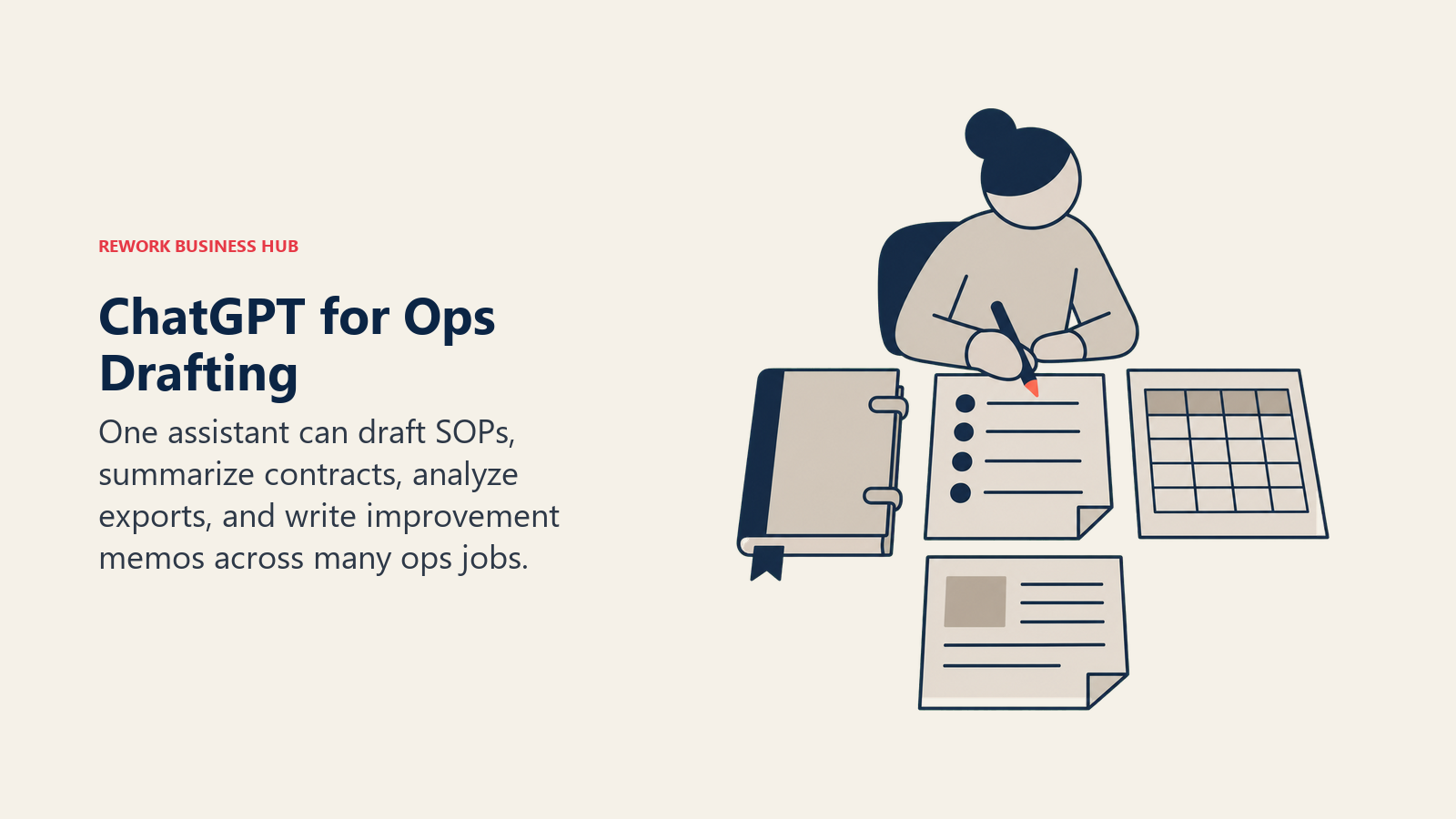
ChatGPT's bet in operations is breadth: one assistant that drafts a standard operating procedure, summarizes a vendor contract, analyzes a CSV export of ticket data, and writes a process improvement memo, all in the same conversation. For ops teams that don't want to buy a specialized tool for every discrete writing or analysis task, that generality is the appeal, and custom GPTs let you build a reusable "SOP writer" or "incident summary" assistant tuned to your team's format.
The tradeoff is structure. ChatGPT has no native workflow engine, task board, or approval chain, so it works best paired with a dedicated ops platform rather than replacing one.
| What you get | What you don't |
|---|---|
| Fastest, most flexible AI drafting and analysis assistant | No native workflow, task, or approval structure |
| Custom GPTs for repeatable ops documentation | Enterprise pricing requires a sales conversation |
| Broadest plugin and connector ecosystem of any assistant here | Long, messy source documents need more careful prompting |
Pricing: Free tier available. Plus is $20/month. Pro is $200/month. Business (renamed from Team in 2025, price cut in April 2026) is $20/user/month billed annually ($25/month monthly), with a 2-seat minimum. Enterprise pricing isn't published, and contracts reportedly run $45-75/user/month. Self-serve plans per OpenAI's pricing page.
Best for: Ops teams that want one general-purpose AI for SOP drafting, data summarization, and process documentation without buying a specialized tool for every task. For a head-to-head against the other leading assistants, see Claude vs ChatGPT vs Gemini.
2. Notion AI: SOPs and Wikis With AI Built Into Every Doc
Notion's pitch for operations teams is the single workspace: SOPs, onboarding docs, the process wiki, and project trackers all live in one connected system instead of scattered across Google Docs, Confluence, and a shared drive nobody fully trusts. Since Notion folded full AI into the Business plan, that workspace now has an AI agent that can search across every connected doc, summarize a stale process page, or draft a new SOP from a template without leaving the page.
The catch is the pricing structure. Full AI access, including Ask Notion and AI Agents, requires the $20/member/month Business plan; the cheaper Plus tier gets no AI at all.
| What you get | What you don't |
|---|---|
| AI native to the SOPs and wikis your team already writes in | Full AI access locked behind the $20/user/mo Business tier |
| Ask Notion searches your entire connected workspace | Custom Agents billed separately on a metered credit system |
| One workspace instead of three disconnected doc tools | Not purpose-built for workflow automation or approvals |
Pricing: Free and Plus ($10/user/month annually, $12 monthly) exist, but neither includes AI. Business is $20/user/month annually ($24 monthly) and includes full AI, AI Agents, and Ask Notion. Enterprise is custom. Custom Agents cost an additional $10 per 1,000 monthly credits, per Notion's pricing page.
Best for: Ops teams that already run process documentation in Notion and want AI that can search and act across all of it, not just draft inside one page.
3. Rework: Opinionated Cross-Team Workflows for Mid-Size Ops
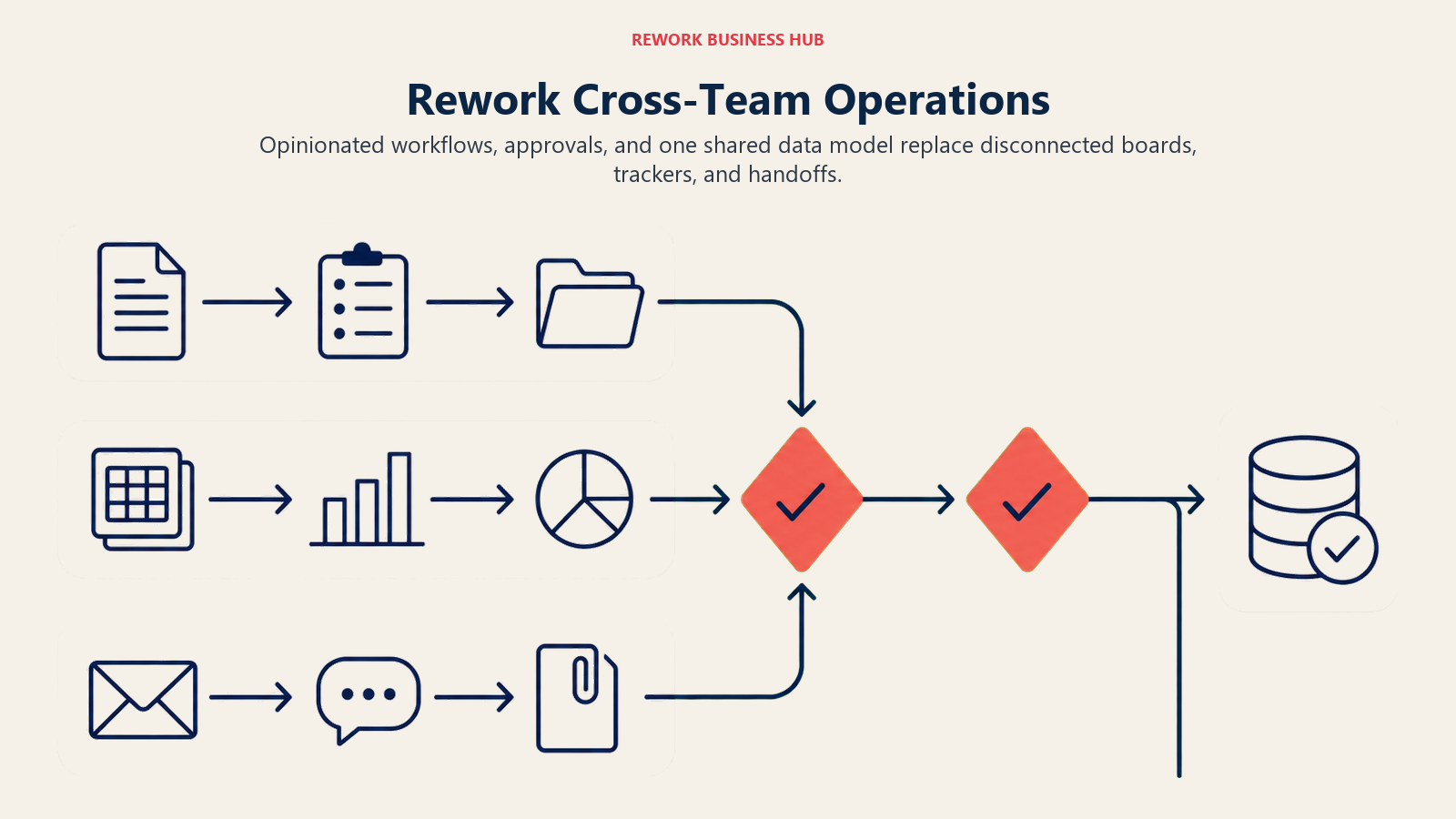
Rework's bet in operations is that most process pain isn't an AI problem first, it's a workflow and data model problem. Instead of handing teams a blank canvas to wire up themselves, Work Ops ships opinionated service flows, approval chains, and cross-team workflow templates out of the box, on the same unified data model as Rework's CRM and Lead Ops products. For operations teams that have outgrown a stack of Monday.com boards, Excel trackers, and WhatsApp handoffs but don't want to build automation from scratch, that structure is the appeal.
The honest caveat: Rework isn't an AI-agent automation platform built to wire together dozens of outside apps the way Zapier, Make, or Gumloop are. Its AI support (copilots that summarize requests, flag missing information, and draft flows or task changes for a person to confirm, plus an AI Agent step that can read and fill in fields inside a BPM process) is layered onto structured processes rather than being the whole product, and where a team needs a general-purpose AI agent builder connecting arbitrary external tools, one of the automation-first entries further down this list is a better fit.
| What you get | What you don't |
|---|---|
| Opinionated cross-team workflows and service flows out of the box | Not an AI-agent platform for wiring together dozens of outside apps |
| Unified data model across CRM, Lead Ops, and Work Ops | Smaller AI-specific feature set than automation-first tools |
| Approval chains and structured processes without a blank-canvas setup | Not ideal for solo operators or teams under 10 people |
| Published pricing through the Advanced edition (only Enterprise is quoted) | Less customizable than a general-purpose no-code platform |
Pricing: the Process Engine (workflows, BPM, approvals and requests) is $99/month billed yearly or $120 month to month, with 5 work seats included. Extra seats come in blocks of 5 at $13/month per block on yearly billing, so 10 seats run $112/month and 25 seats $151/month, billed yearly. See rework.com/pricing.
Best for: 10-200 person operations teams running shared workflows, approvals, and service delivery across departments, replacing tool sprawl with one system rather than stitching together automation themselves.
4. Zapier AI: Connecting AI Steps Across Your Existing App Stack
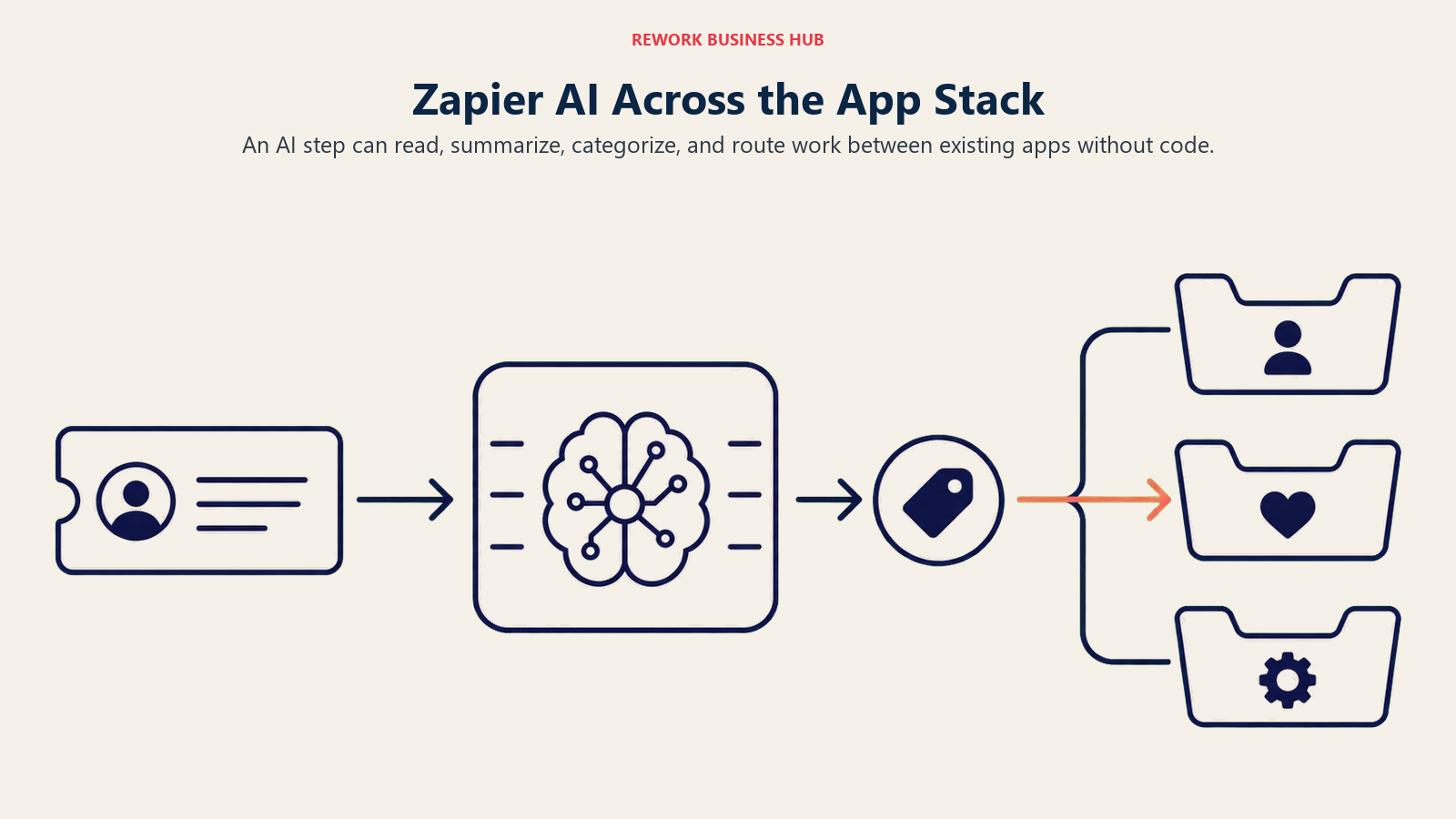
Zapier's job in operations hasn't changed since it started: connect the apps that don't talk to each other natively. What's changed is that AI steps are now a first-class part of that automation. You can build a Zap that reads an inbound support ticket, has an AI step summarize and categorize it, and routes it into the right system, without writing code.
The pricing model shifted meaningfully in mid-2026: AI by Zapier steps are now billed by model tier (Standard consumes 1x your task quota, Advanced 3x, Premium 5x), which means a workflow using a frontier model burns through your monthly allowance far faster than one using a lighter model.
| What you get | What you don't |
|---|---|
| Connects AI steps into 7,000+ app workflows, no code needed | Premium-model AI steps burn 5x the task quota |
| Free tier covers 100 tasks/month for light automation | Task-based pricing gets expensive at real automation volume |
| Team plan adds shared workflows and SAML SSO | Building complex multi-step Zaps has a learning curve |
Pricing: Free (100 tasks/month). Professional is $19.99/month billed annually ($29.99 monthly), 750 tasks. Team is $69/month billed annually ($103.50 monthly), 2,000 tasks, up to 25 users. Enterprise is custom, per Zapier's pricing page.
Best for: Ops teams that need AI to act as connective tissue between the other tools on this list, rather than living inside any single app. If your team needs classic trigger-and-action automation more than agent reasoning, the broader best workflow automation software guide covers Zapier, Make, and n8n on their core automation merits.
5. Make: Visual, Credit-Based Automation Scenarios
Make's product philosophy is visual clarity: every automation is a scenario you can see as a flowchart, with modules connected by lines you can trace step by step. For ops teams that want to understand exactly what an automation does before trusting it with production data, that visual layer is worth the slightly steeper learning curve compared to Zapier's linear Zap builder.
Make switched from "operations" to a credit-based system in 2025, and AI-related modules can consume credits differently from standard runs, so heavy AI use inside a scenario is worth watching closely against your monthly allowance.
| What you get | What you don't |
|---|---|
| Best price-to-credit ratio of the automation tools on this list | Steeper learning curve than Zapier for non-technical users |
| Visual scenario builder makes complex automations easier to audit | AI modules can consume credits faster than standard modules |
| Pro tier adds priority execution and full-text log search | Fewer native app integrations than Zapier's 7,000+ |
Pricing: Free (1,000 credits/month). Core is $9/month, 10,000 credits. Pro is $16/month billed annually, same 10,000 credits plus priority execution. Teams is $29/month billed annually, adds multi-user access and shared scenario templates. Enterprise is custom, per Make's pricing page.
Best for: Ops teams that want to see and audit exactly what an automation does step by step, not just trust a black box.
6. monday AI: Visual Ops Boards With AI Built Into Every Tier
monday.com's bet for operations is the visual board as the operating system: every task, project, and process is a board item you can view as a kanban, table, timeline, or Gantt chart. monday AI layers an AI Notetaker, AI blocks (per-action AI steps inside a board), and monday agents on top, with AI credits included at every paid tier rather than sold as an isolated add-on.
The shift to watch: as of May 6, 2026, new signups must purchase AI credits alongside seats rather than getting a bundled free allowance, which changes the real cost of adopting AI features from day one.
| What you get | What you don't |
|---|---|
| Familiar visual boards; AI credits scale with plan tier | AI credits now sold separately from seats for new signups |
| AI blocks let you add AI steps directly inside a board | Deeper AI features (workflow builder) require the Pro tier |
| Good integration with monday's existing project tools | Shallower native automation depth than Zapier or Make |
Pricing: Basic is $9/seat/month billed annually, 1,000 AI credits/month. Standard is $12/seat/month, 2,000 AI credits. Pro is $19/seat/month, 3,000 AI credits and the AI workflow builder. Enterprise is custom, with AI credits matched to usage, per monday.com's pricing page.
Best for: Ops teams already running project and process boards on monday.com who want AI added to that existing visual workflow instead of a separate tool.
7. ClickUp Brain: Task and Process Management With AI Built In
ClickUp's pitch for operations is consolidation: docs, tasks, roadmaps, and chat all in one workspace instead of stitched together across four tools. ClickUp Brain layers AI across all of it, so an ops manager can ask a question about a task, summarize a process doc, or generate a status update without switching context.
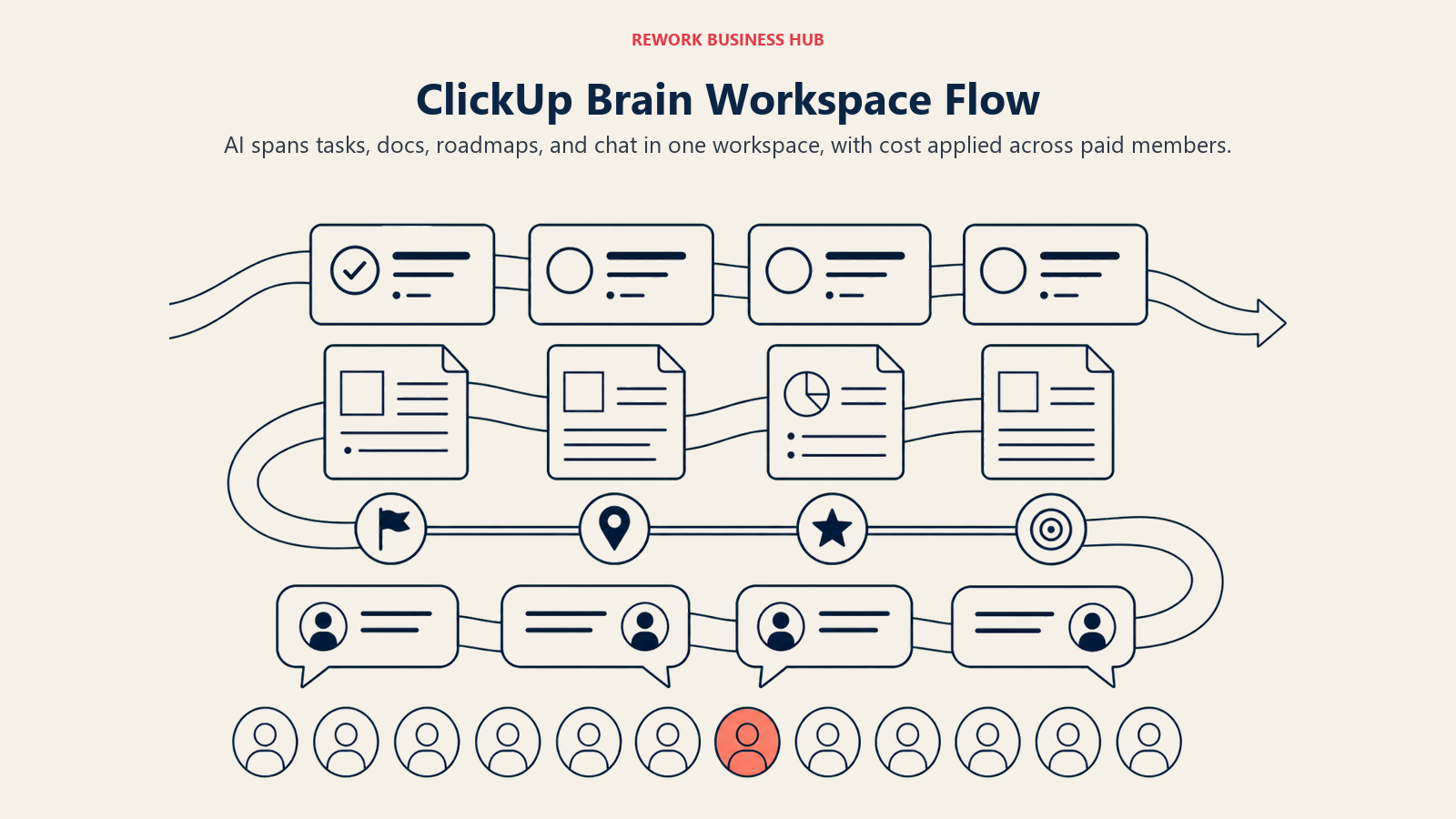
The billing model is the thing to watch: Brain is charged on every paid workspace member, not just the people actually using AI, which can inflate real cost fast on a larger team.
| What you get | What you don't |
|---|---|
| Unified AI across docs, tasks, and chat in one workspace | Brain billed per workspace member, not per active AI user |
| Two AI tiers (Brain and Everything AI) match usage intensity | Everything AI at $28/user/mo pushes cost close to dedicated tools |
| Cheaper base plans than many dedicated ops platforms | More setup time needed to match a purpose-built tool's polish |
Pricing: Free Forever plan available. Unlimited is $7/user/month annually. Business is $12/user/month annually. Enterprise is custom. ClickUp Brain adds $9/user/month on top of any paid plan. Everything AI is $28/user/month and adds a notetaker, image generation, and a larger credit pool, per ClickUp's Brain pricing page.
Best for: Ops teams that want tasks, docs, and AI consolidated into one workspace instead of separate specialized tools. See Rework vs ClickUp for a direct comparison if you're weighing a more opinionated alternative.
8. Airtable AI: Turning Spreadsheets Into AI-Powered Ops Databases
Airtable's bet is that most ops teams are running critical processes (vendor tracking, asset inventories, approval logs) in tools that look like spreadsheets but need to behave like databases. Airtable AI adds auto-summaries, sentiment analysis, and AI-powered automations directly on top of that relational data model, so a table of intake requests can be scored, tagged, or routed without a separate automation tool.
AI credits are the constraint to plan around. They're generous on paper but tied to tier, and once they run out, AI features stop working until the next billing cycle.
| What you get | What you don't |
|---|---|
| Real relational database with AI credits built into every paid plan | AI credits stop working entirely once exhausted for the cycle |
| Auto-summaries and AI automations work directly on your data | Business tier jumps to $45/user/mo for the larger credit pool |
| Strong fit for structured ops data: intake, inventory, approvals | Additional credit packs cost roughly $40/mo for 20,000 credits |
Pricing: Free (5 editors, 1,000 records/base, 500 AI credits/month). Team is $20/user/month billed annually, 15,000 AI credits. Business is $45/user/month, 20,000 AI credits. Enterprise Scale is custom, per Airtable's pricing page.
Best for: Ops teams tracking structured data (vendors, assets, intake requests, approvals) who need AI applied directly to that data instead of exported to a separate tool.
9. Process Street AI: SOP Execution With Built-In Compliance Monitoring
Process Street solves a specific operations problem: SOPs that exist as documents nobody actually follows step by step. Its workflows turn a procedure into a checklist with conditional logic, approvals, and dynamic due dates, and Cora, its embedded AI compliance agent, watches every run for incomplete work, flags delays, and surfaces issues before they become real risks. A newer AI feature can generate an entire workflow, with due dates and assignments, from an uploaded document in a few minutes.
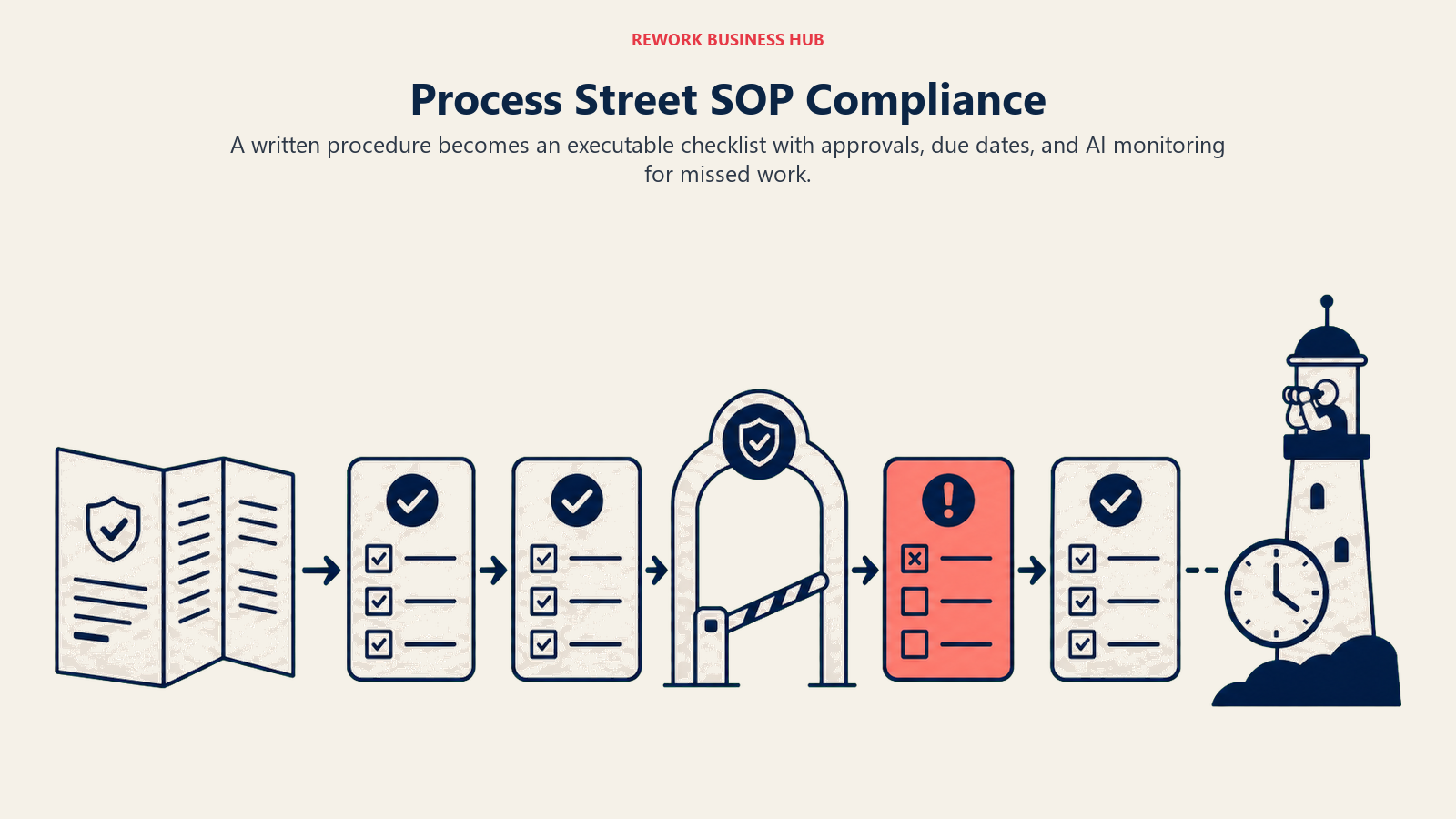
Pricing is the honest limitation: the entry Startup plan is capped by employee count and revenue, and the Pro tier's real per-seat cost isn't published, so budgeting requires a sales conversation earlier than with most tools on this list.
| What you get | What you don't |
|---|---|
| Cora AI agent actively flags incomplete or delayed work | No published per-seat pricing above the Startup tier |
| AI can generate a full workflow from an uploaded document | Startup plan capped at under 15 employees and $2M revenue |
| Conditional logic and dynamic due dates built into every workflow | Smaller integration ecosystem than Zapier or Make |
Pricing: Startup is $100/month (or $1,000/year), capped at businesses with fewer than 15 employees and under $2 million in revenue. Pro starts around $1,500/month billed annually for a custom number of members. Enterprise is custom, per Process Street's pricing page.
Best for: Ops teams running recurring, compliance-sensitive workflows (onboarding, audits, quality checks) who need built-in oversight, not just a static checklist template.
10. Tability: Lightweight OKR and Goal Tracking With AI Built In
Tability solves a narrower problem than the rest of this list: keeping operational goals and OKRs from becoming a quarterly spreadsheet exercise nobody revisits. Its AI goal editor drafts objectives, key results, and action plans from a prompt, and there's no required licensing or user minimum, so a single ops team can pilot it before rolling it out company-wide.
Because it's narrowly scoped to goal tracking, it's a complement to a broader ops or task platform, not a replacement for one.
| What you get | What you don't |
|---|---|
| AI included on every tier, including the entry Basic plan | Narrow scope; not a general ops, task, or workflow tool |
| No seat minimums, so a single team can pilot before rollout | Smaller integration ecosystem than dedicated ops platforms |
| AI drafts specific, measurable key results from a prompt | Less useful without a broader task or workflow tool alongside it |
Pricing: Basic is $6/user/month billed annually ($7 monthly). Premium is $10/user/month billed annually ($12 monthly). Enterprise is custom. New pricing took effect January 19, 2026 for new customers, per Tability's pricing page.
Best for: Ops and RevOps teams that want AI-assisted OKR tracking without adopting an enterprise-heavy strategy suite.
11. Coupler.io: Syncing Ops Data Into Reporting Dashboards
Coupler.io solves the unglamorous but constant ops problem of getting data out of the tools you run (CRM, support desk, ad platforms, spreadsheets) and into a dashboard someone will actually look at. It connects to 400+ data sources and includes AI data analysis on every paid plan, which can summarize trends and flag anomalies in synced data without a separate BI tool.
The pricing model is the thing to understand before buying: Coupler.io charges per data connection and destination, not per user, which can make cost scale unpredictably for ops teams syncing many small data sources.
| What you get | What you don't |
|---|---|
| AI data analysis included on every paid plan | Priced per data connection, not per user or seat |
| Connects to 400+ data sources across ops, sales, and marketing | Unlimited users and data volume only unlock at the Active tier |
| Team and Business tiers add shared workspaces and automations | Additional accounts cost $4.49-$5.99/month each beyond your cap |
Pricing: Free (1 account, 1 destination, manual refresh). Starter is $24/month billed annually ($32 monthly), 3 accounts, daily refresh. Active is $99/month billed annually ($132 monthly), 15 accounts, unlimited users and data volume. Pro is $199/month billed annually ($259 monthly), 50 accounts, hourly refresh. Agency and Enterprise are custom, per Coupler.io's pricing page.
Best for: Ops and RevOps teams that need a reliable, AI-assisted reporting layer across many small data sources without building custom integrations.
12. Gumloop: Building AI-Native Automations and Agents From Scratch
Gumloop takes a different approach than Zapier or Make: instead of a fixed trigger-and-action model, it's a no-code canvas for building actual AI agents, workflows where an AI step can read unstructured input, reason about what to do next, and take multiple actions rather than following a rigid predetermined path. For ops teams whose bottleneck is genuinely unstructured (triaging inbound requests, researching vendors, processing documents that vary in format), that flexibility matters more than connector count.
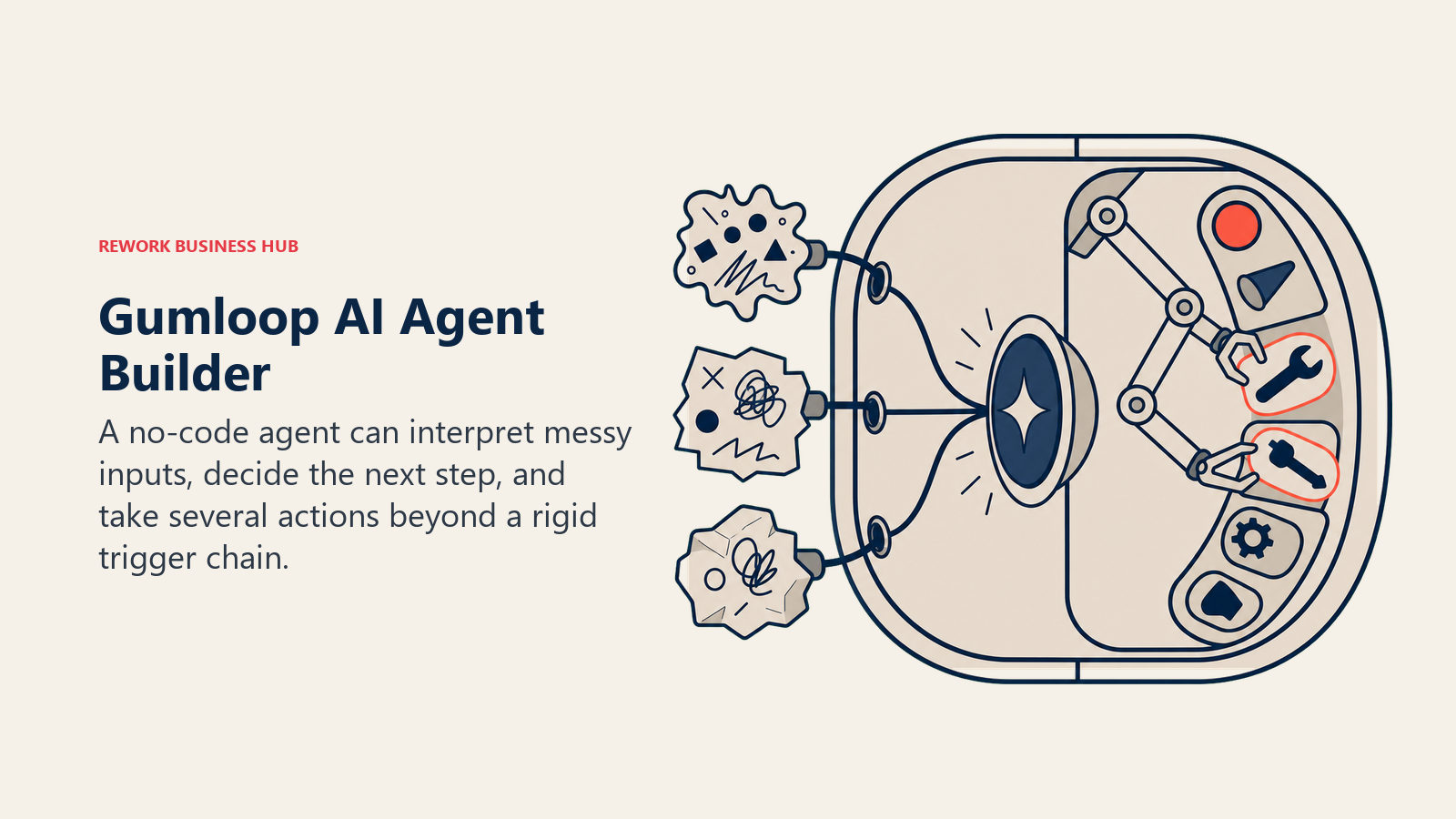
The credit-based pricing is usage-driven by design, which means costs can climb fast once a workflow moves from pilot to company-wide use, especially with advanced AI model calls that cost significantly more credits than standard ones.
| What you get | What you don't |
|---|---|
| Full no-code AI agent builder, not just fixed trigger-action logic | Credit-based cost scales fast with heavy or advanced-model usage |
| Handles genuinely unstructured input better than rigid automation tools | Seat-limited even on the Team tier (up to 10 seats) |
| Solo tier removes the seat bottleneck for individual power users | Smaller third-party integration library than Zapier |
Pricing: Free (2,000 credits, 2 concurrent flow runs). Solo is $37/month, 10,000 credits, 1 seat, API access. Team is $244/month, 60,000 credits, up to 10 seats. Enterprise is custom, per Gumloop's pricing page.
Best for: Ops teams automating genuinely unstructured work (document processing, research, triage) where a rigid trigger-and-action tool falls short. For AI-native automation tools built specifically around agent reasoning rather than classic workflows, best AI automation tools covers the wider field, including Lindy, n8n, and Workato.
Pricing at a Glance
| Tool | Entry Price | Pricing Model | Free Tier? |
|---|---|---|---|
| ChatGPT | Free; Business $20/user/mo | Flat monthly tiers | Yes |
| Notion AI | Business $20/user/mo | Per-user; AI requires Business tier | Yes (no AI) |
| Rework | Process Engine $99/mo billed yearly (5 seats) | Engine plus seat blocks of 5, not per-seat licenses | No (14-day trial) |
| Zapier AI | Free; Professional $19.99/mo | Task-based + AI model-tier billing | Yes |
| Make | Free; Core $9/mo | Credit-based | Yes |
| monday AI | Basic $9/seat/mo | Per-seat + separate AI credits | No (free plan capped at 2 seats) |
| ClickUp Brain | Business $12/user/mo + Brain $9/user/mo | Per-user base + AI add-on | Yes (no Brain) |
| Airtable AI | Team $20/user/mo | Per-user + AI credit pool | Yes |
| Process Street AI | Startup $100/mo (5 users) | Flat tier, then custom | No |
| Tability | Basic $6/user/mo | Per-user, no minimums | No (free trial) |
| Coupler.io | Starter $24/mo | Per data connection | Yes |
| Gumloop | Free; Solo $37/mo | Credit-based | Yes |
How to Choose: Decision Framework
| If you need... | Pick... | Why |
|---|---|---|
| The fastest way to draft an SOP, memo, or process doc | ChatGPT | Broadest general capability; fastest iteration on written drafts |
| AI native to the docs and wikis your team already lives in | Notion AI | Notion Agent searches and acts across your whole workspace |
| Opinionated cross-team workflows without building automation yourself | Rework | Structured service flows and approvals out of the box on one data model |
| Connecting AI steps across dozens of existing apps | Zapier AI | 7,000+ integrations; no code required |
| A visual, auditable automation builder | Make | See exactly what each automation does step by step |
| AI added directly to boards your team already runs | monday AI | Familiar visual workflow with AI credits at every tier |
| Tasks, docs, and AI consolidated in one workspace | ClickUp Brain | Unified AI instead of three separate tools |
| Turning a spreadsheet-style tracker into a real AI-powered database | Airtable AI | Relational data model with AI credits built in |
| Built-in compliance oversight on recurring SOPs | Process Street AI | Cora flags incomplete or delayed work automatically |
| Lightweight AI-assisted OKR and goal tracking | Tability | No seat minimums; AI on every tier |
| A reporting layer across many small, disconnected data sources | Coupler.io | 400+ connectors with AI analysis on every paid plan |
| Automating genuinely unstructured work, not fixed workflows | Gumloop | Full no-code AI agent builder, not rigid trigger-action logic |
AI Ops Tools by Category
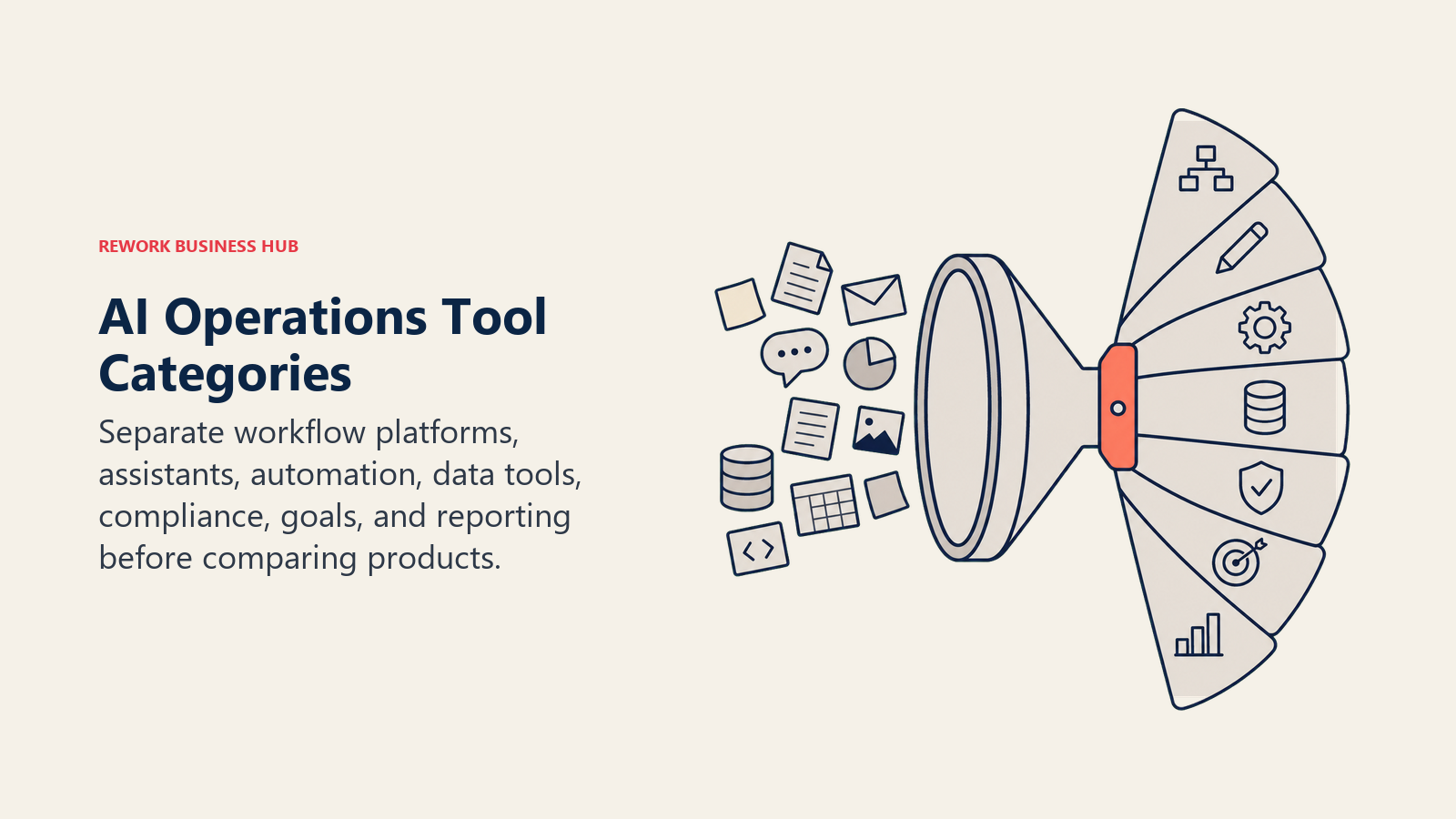
The operations category splits into distinct jobs. Workflow, drafting, automation, data, compliance, goals, and reporting tools solve different bottlenecks, so group the shortlist by job before comparing vendors.
| Category | Tools | What They Solve |
|---|---|---|
| Cross-team workflows and service flows | Rework, ClickUp Brain, monday AI | Structured, opinionated processes across departments |
| General drafting and research | ChatGPT, Notion AI | The layer you draft in before a dedicated tool takes over |
| App-to-app automation and AI agents | Zapier AI, Make, Gumloop | Connects and automates the tools already in your stack |
| Structured ops data and databases | Airtable AI | Applies AI directly to vendor, asset, and intake tracking |
| SOP compliance and execution | Process Street AI | Turns a written procedure into a monitored, run checklist |
| Goals and OKR tracking | Tability | Keeps operational goals reviewed instead of forgotten |
| Reporting and dashboarding | Coupler.io | Syncs data from ops tools into dashboards people check |
If you're shopping the broader category before narrowing to AI features specifically, Best PM Software in 2026 and Best AI Tools for Product Managers both cover adjacent ground for teams whose "operations" work overlaps with product and project delivery. And before you buy anything, it's worth checking your team against the RevOps maturity model, since the AI tools that make sense change a lot depending on how mature your current process actually is.
Frequently Asked Questions about AI Tools for Operations
What are the best AI tools for operations in 2026?
There's no single best tool because "operations" covers several different jobs. ChatGPT and Notion AI lead general drafting and documentation, Rework and ClickUp Brain lead structured cross-team workflows, Zapier, Make, and Gumloop lead app-to-app automation, and Process Street and Tability handle the narrower jobs of SOP compliance and goal tracking. Match the tool to the bottleneck you actually have.
What's the difference between AI automation tools and AI ops platforms?
Automation tools like Zapier, Make, and Gumloop connect and automate steps across apps you already use, usually on a task or credit-based pricing model. Ops platforms like Rework, monday AI, and ClickUp Brain give you a structured workspace (boards, workflows, approvals) with AI layered inside it, usually priced per seat (Rework sells seats in blocks of 5). Most ops teams end up running one of each rather than picking only one.
Is Rework a good fit for AI-driven operations?
Rework fits well for mid-size teams (roughly 10-200 people) that want structured cross-team workflows, approvals, and service flows out of the box instead of building automation from scratch. It's not built as a general-purpose AI-agent platform for wiring together dozens of outside apps, so teams whose primary need is exactly that (like unstructured document processing or broad app-to-app automation) are better served by Zapier, Make, or Gumloop.
What's the best free AI tool for operations teams?
ChatGPT's free tier covers general drafting and research. Zapier's free plan covers 100 tasks/month of light automation. Make's free tier includes 1,000 credits/month. None of the free tiers here support a full ops workflow at team scale, but they're real enough to validate whether a tool fits before you pay.
How much do AI tools for operations cost in 2026?
Entry AI-enabled tiers range from about $6/user/month (Tability) to $20/user/month (ChatGPT Business, Notion AI Business, Airtable Team) for individual or small-team use. Dedicated ops platforms like Rework are priced as engines with seats in blocks of 5 rather than per seat, starting at $99/month billed yearly. Automation tools like Zapier and Make are usually priced by task or credit volume rather than seats.
Can ChatGPT or Claude replace a dedicated ops platform?
No. General assistants like ChatGPT are strong for drafting SOPs, summarizing data, and answering process questions, but they have no native workflow engine, task board, or approval chain. Most operations teams pair a general assistant with at least one dedicated platform (a workflow tool like Rework or monday AI, or an automation tool like Zapier) rather than relying on a chatbot for the whole job.
What AI tool is best for turning a manual SOP into an automated workflow?
Process Street AI is purpose-built for this: its Cora agent can generate a full workflow, complete with due dates and assignments, from an uploaded document, and then monitors every run for compliance. Rework and ClickUp Brain are the better fit when the process spans multiple departments rather than living inside a single checklist.
Do small operations teams need all of these tools?
No. Most teams start with one general assistant (ChatGPT or Claude) plus one dedicated tool for their single biggest bottleneck, whether that's a workflow platform, an automation connector, or a reporting sync. Adding tools before you've named the actual bottleneck is how "AI ops" turns into more tool sprawl, not less.
What to Do Next
Don't adopt all 12 of these at once. Name the single bottleneck costing your ops team the most time right now, whether that's a manual handoff between departments, a spreadsheet nobody trusts, or a process that only lives in one person's head, and pilot one tool against it for two weeks with real work. If the bottleneck is cross-team workflow structure specifically, and your team is running 10 to 200 people across sales, marketing, CS, or general operations on shared processes, Rework is the one to pilot.

Principal Product Marketing Strategist
On this page
- What Changed in 2026
- Key Facts
- Quick Comparison Table
- Framework: By Job to Be Done
- Framework: By Team Size
- 1. ChatGPT: The Default AI Assistant for Ops Drafting and Research
- 2. Notion AI: SOPs and Wikis With AI Built Into Every Doc
- 3. Rework: Opinionated Cross-Team Workflows for Mid-Size Ops
- 4. Zapier AI: Connecting AI Steps Across Your Existing App Stack
- 5. Make: Visual, Credit-Based Automation Scenarios
- 6. monday AI: Visual Ops Boards With AI Built Into Every Tier
- 7. ClickUp Brain: Task and Process Management With AI Built In
- 8. Airtable AI: Turning Spreadsheets Into AI-Powered Ops Databases
- 9. Process Street AI: SOP Execution With Built-In Compliance Monitoring
- 10. Tability: Lightweight OKR and Goal Tracking With AI Built In
- 11. Coupler.io: Syncing Ops Data Into Reporting Dashboards
- 12. Gumloop: Building AI-Native Automations and Agents From Scratch
- Pricing at a Glance
- How to Choose: Decision Framework
- AI Ops Tools by Category
- What to Do Next