Handoff Documentation Checklist: Everything Sales Needs to Know Before Touching a Lead
Turn this article into takeaways for your work.


Each assistant summarizes the article only for you and suggests best practices for your work.
The lead arrives in the rep's queue: a name, a company, and an email address. That's it. The rep opens the record, sees no context, and does what most reps do: spends 15-20 minutes researching the company on LinkedIn and Google before making a call.
Except the 5-minute response window closed at minute six.
This is the warm handoff that isn't warm. Marketing spent three weeks building a behavioral profile on this contact: pages visited, content downloaded, emails opened, events attended. Sales has the information needed to open a genuinely relevant conversation. But none of that context traveled with the lead at handoff. It stayed in the MAP (marketing automation platform) while the rep worked from scratch.
The fix isn't a new tool or a new meeting. It's documentation discipline: a defined set of data fields that marketing ops populates at handoff time, every time, as a non-negotiable part of the MQL process.
The Principle: Marketing Has the Context, Sales Needs to Act on It
There's a fundamental information asymmetry at the handoff boundary. Marketing has been watching this contact for weeks or months. They know what content the contact consumed, how they navigated the site, what emails they engaged with, and roughly what problem they're trying to solve. The behavioral trail is rich.
Sales has five minutes before intent decays and the prospect's attention moves to the next thing in their inbox. That window is why the five-minute response SLA is so unforgiving.
Handoff documentation bridges the asymmetry. It's not a courtesy. It's a conversion mechanism. When a rep opens a lead record and sees the last three pages visited, the content downloaded, the score breakdown, and a routing note explaining why this rep got this lead, they can open with: "I saw you were looking at our integration documentation. Are you evaluating a specific workflow, or is this more of a general architecture question?" That's a relevant conversation. A cold "I noticed you downloaded our report" is not.
Marketing owns the documentation at handoff. This isn't a sales ask. It's a marketing ops deliverable, shipped with the lead. What that deliverable actually contains is what the five-category checklist defines.
Key Facts: Handoff Quality and Conversion
- The probability of qualifying a lead drops 10x in the first hour after form submission, according to Harvard Business Review analysis of 2,241 US firms.
- Sales reps spend an average of 21% of their time on research and data entry that marketing could provide at handoff (Salesforce State of Sales).
- MQLs with complete contact data (direct email + phone + LinkedIn) have a 35% higher contact rate than leads with partial data, per TOPO research.
The Complete Handoff Documentation Checklist: The 5-Category Handoff Checklist
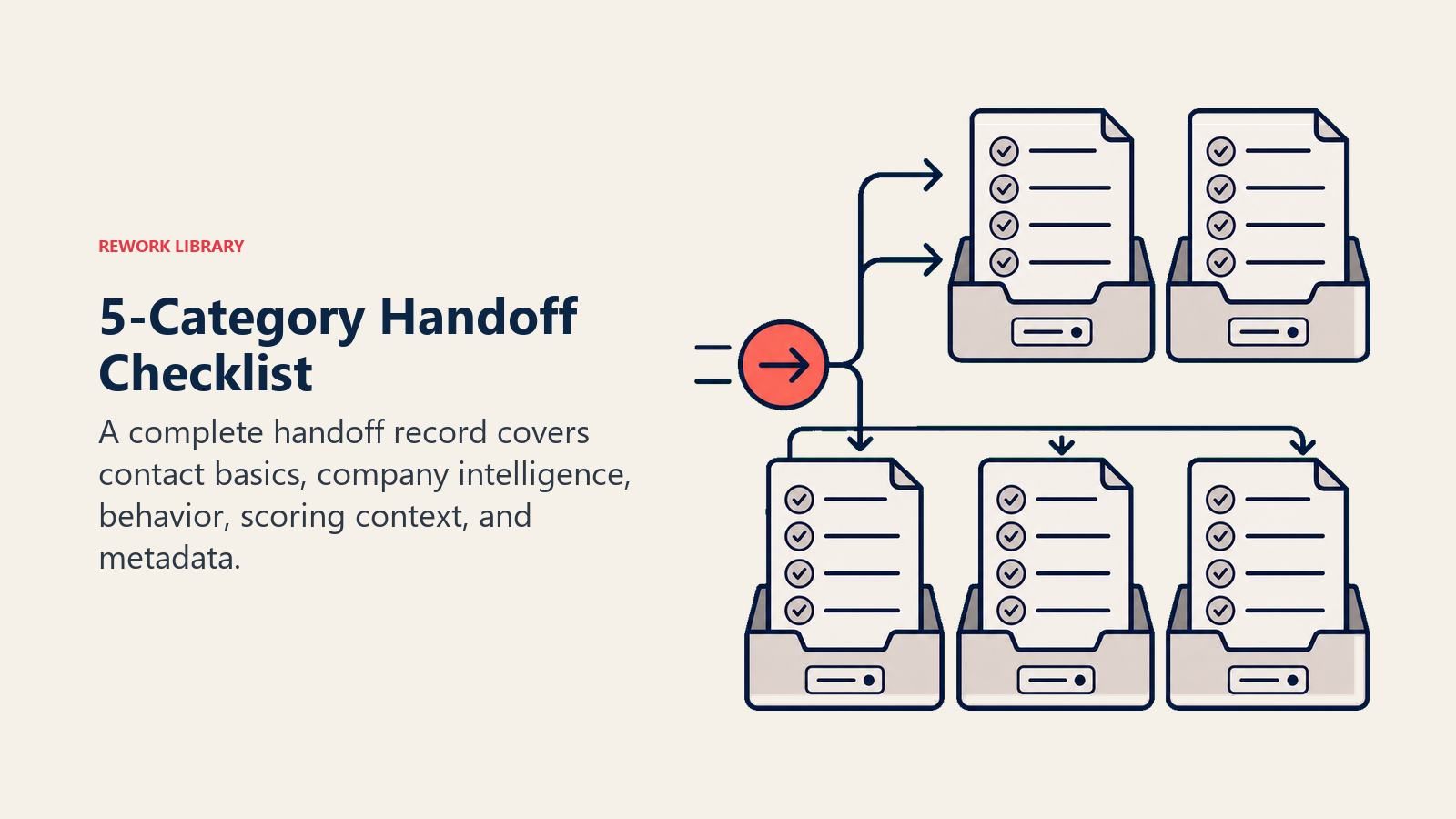
The 5-Category Handoff Checklist is a structured documentation standard that organizes everything a sales rep needs at first contact into five distinct data categories: Contact Basics, Company Intelligence, Behavioral Trail, Scoring Context, and Handoff Metadata. Each category addresses a different dimension of the information asymmetry at the handoff boundary. Completing all five categories transforms a name-and-email handoff into a warm, context-rich assignment that a rep can act on immediately without independent research.
Category 1: Contact Basics (Verified, Not Just Captured)
The basic contact record needs to pass a verification bar before handoff. Captured ≠ verified.
- Full legal name (not just first name from form)
- Job title (enrichment-verified if self-reported)
- Company name (normalized: "Acme Corp" not "ACME CORPORATION INC.")
- Direct email (validated: not a catch-all domain or role address like info@ or sales@)
- Direct phone (mobile or direct line preferred over main company switchboard)
- LinkedIn profile URL (allows rep to research without a separate search)
- Preferred language or region if relevant (for multilingual or international teams)
What "verified" means: At minimum, email syntax validation and domain check. Ideally, an email deliverability check (bounce prediction). A 30-second enrichment lookup for phone number and LinkedIn profile. This doesn't require expensive tooling. It requires making enrichment a mandatory step before MQL status is assigned, not an afterthought.
Category 2: Company Intelligence
Contact-level data is necessary but not sufficient. The rep needs to understand the company context before the first call.
- Company employee count (enrichment-sourced, not self-reported if possible)
- Revenue estimate or ARR band (if available from enrichment or intent signals)
- Industry vertical (with second-order vertical if relevant, e.g., "SaaS - HR Tech")
- Tech stack signals (key tools in use, sourced from enrichment or intent data)
- Existing CRM match? (Is this an existing account, active opportunity, or former customer?)
- ICP fit tier (Tier 1 / Tier 2 / Tier 3, per your scoring criteria)
- ICP fit sub-score (what fit criteria did this lead meet or miss?)
The CRM match check is especially important. If this company is already in your CRM as an existing customer or active opportunity, the rep needs to know before calling, not after. A call to an existing customer who isn't expecting it looks like poor internal coordination. Your ICP fit tier definition should feed directly into this sub-score field.
Category 3: Behavioral Trail
This is the data marketing has and sales needs most. It's also the data most often missing at handoff.
- All pages visited in last 30 days (with timestamps; recency matters)
- Content downloaded (title and date; "Downloaded ROI Calculator" is more actionable than a URL)
- Emails opened and clicked (in the last 30 days; older activity is noise)
- Events attended or registered for (webinars, demos, live events)
- Chat or form interactions (any in-session chat transcripts or chatbot conversations)
- Competitor content engaged (if detectable via intent data; powerful context for the rep)
- Time-on-site for high-intent pages (pricing, integrations, security/compliance)
The goal isn't a raw data dump. It's a curated behavioral summary. Three to five high-signal touchpoints are more actionable than a 40-row activity log. Marketing ops should summarize the trail, not just export it.
Category 4: Scoring Context
Passing a score number alone is not enough. The rep needs to understand what drove the score.
- Total lead score (at handoff time)
- Fit sub-score (how well does this contact match ICP criteria)
- Intent sub-score (how actively are they researching a solution)
- Behavior sub-score (how engaged are they with your specific content)
- Score trend (rising, stable, or decaying; a rising score is more urgent than a stable one)
- What triggered the MQL threshold (the specific action or threshold crossing that escalated this lead)
The trigger explanation is the most useful single piece of scoring context you can give a rep. "This lead crossed the MQL threshold because they visited the pricing page twice in 72 hours after downloading the implementation guide" gives the rep an opening. "Score: 84" does not. Understanding the fit vs. intent scoring breakdown is what makes a score number meaningful.
Category 5: Handoff Metadata
The final category is documentation about the handoff itself: who, why, and when.
- Handoff timestamp (the exact date and time routing was triggered)
- Routing reason (why this rep received this lead: territory, account ownership, skill match, etc.)
- Campaign or source attribution (which campaign, channel, or asset generated this lead)
- Any marketing notes or flags (e.g., "Attended competitor webinar last week," "Previous closed-lost 18 months ago," "Company just announced Series B funding")
The marketing notes field is low-effort, high-value. A one-sentence observation from the campaign manager or marketing ops analyst, written in 30 seconds, can save a rep 10 minutes of research and immediately improve their first call relevance.
What to Exclude
More data isn't always better. Including stale or irrelevant data in the handoff record adds noise and increases the time the rep spends parsing the record before calling.
Exclude:
- Activity older than 90 days (unless it's a re-engaged dormant lead; flag that separately)
- Form fills from unrelated products or business units the lead isn't evaluating
- Bot traffic or known test submissions
- Internal sales activity (prior call notes from the rep's own previous engagement with this contact)
The principle: include only what changes how the rep opens the conversation. Everything else is filing. Once the five categories are defined, the next question is where each field actually lives in your tech stack.
CRM vs. MAP: Where Does Each Field Live?
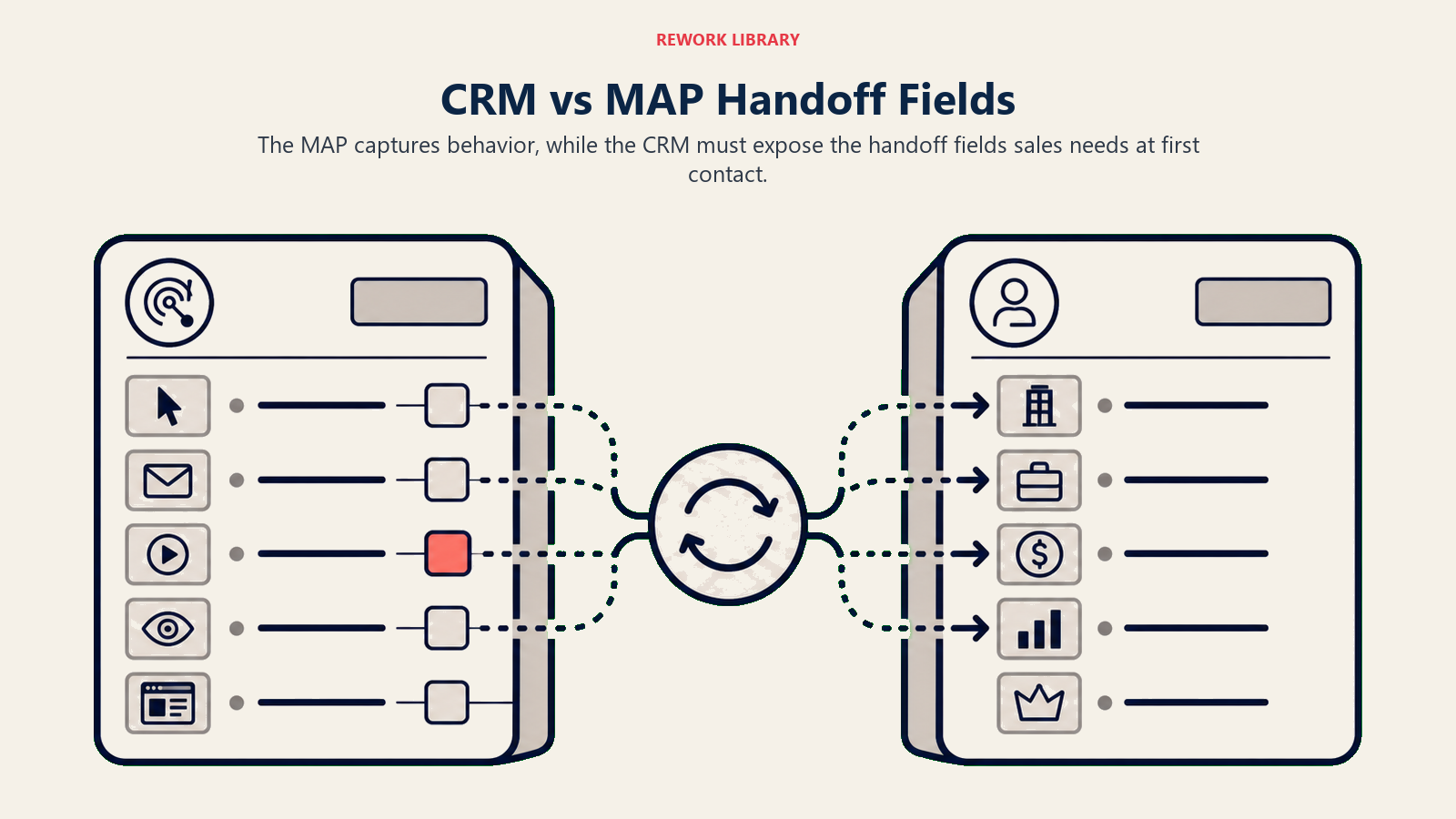
One of the most common handoff documentation failures is a data architecture problem. The behavioral data lives in the MAP (HubSpot, Marketo, Pardot) and the rep works out of the CRM (Salesforce, Pipedrive, HubSpot CRM). If those two aren't synced, the handoff documentation exists but the rep just can't see it.
| Data Category | Source | Should Appear In CRM? | How |
|---|---|---|---|
| Contact basics | Form + enrichment | Yes (lead/contact record) | Native sync or enrichment tool |
| Company intelligence | Enrichment tool | Yes (account record) | Enrichment app (e.g., Clearbit, ZoomInfo) |
| Behavioral trail | MAP | Yes (activity timeline or summary field) | MAP-CRM sync (native or Zapier/integration) |
| Scoring context | MAP / scoring engine | Yes (score fields + score breakdown field) | MAP-CRM sync; custom score field for explanation |
| Handoff metadata | Routing automation | Yes (lead record) | Routing tool (LeanData, Salesforce Flow) writes to fields |
The goal is a single CRM record where a rep can see all five categories without switching to a second tool. That requires deliberate integration setup, but it's a one-time configuration, not a recurring effort. According to Forrester's lead-to-revenue research, a managed lead-to-revenue process (one that includes this kind of contextual handoff) is a primary catalyst for sustainable marketing-sales collaboration. Your CRM as single source of truth architecture directly enables this.
"Organizations where marketing provides behavioral context at handoff report 23% shorter sales cycles and 18% higher win rates on MQLs. The documentation itself is a conversion mechanism, not an administrative task." (Aberdeen Group)
Rework Analysis: The behavioral trail category (Category 3) is consistently the biggest handoff gap across B2B revenue teams. It's not that the data doesn't exist: MAP-to-CRM sync is treated as a nice-to-have rather than a prerequisite for routing. Teams that configure behavioral activity sync before rolling out their MQL process see reps contact new leads within the five-minute window at 3-4x the rate of teams where reps have to switch to a second tool. The configuration cost is a one-time two-hour integration setup. The revenue impact is a permanent improvement in first-contact quality on every MQL from that point forward.
How to Audit Your Current Handoff Quality
Run this self-assessment with your marketing ops team to identify gaps before they persist another quarter.
Step 1: Pull 20 recently routed MQLs. Not the best ones. Random sample.
Step 2: Open each lead record and score it. For each of the five categories, mark it complete (all required fields present), partial (some fields present), or absent (category missing entirely).
Step 3: Calculate completeness rate per category. Category 1 (Contact Basics) and Category 2 (Company Intelligence) should be above 90%. Category 3 (Behavioral Trail) and Category 4 (Scoring Context) are where most teams see gaps.
Step 4: Interview three reps. Ask them: "When you receive a new SQL, what's the first thing you do before contacting the lead?" If the answer involves research time, the documentation isn't complete enough. If the answer is "read the handoff notes and call," you're in good shape.
Step 5: Identify the structural fix. Is the gap a process gap (marketing ops isn't populating the fields) or a technical gap (fields exist but MAP-CRM sync isn't working)? The solution is different for each.
Most teams discover the behavioral trail category is the gap. It exists in the MAP, but nothing surfaces it in the CRM lead record. That's a two-hour integration fix with a standard MAP-CRM connector, not a project. And closing that gap is one of the highest-leverage fixes for improving your lead-to-opportunity conversion rate.
The Handoff Documentation Standard
Set a written standard in your MQL/SQL agreement that defines exactly which fields must be populated at handoff. Make it a shared commitment, not an informal expectation.
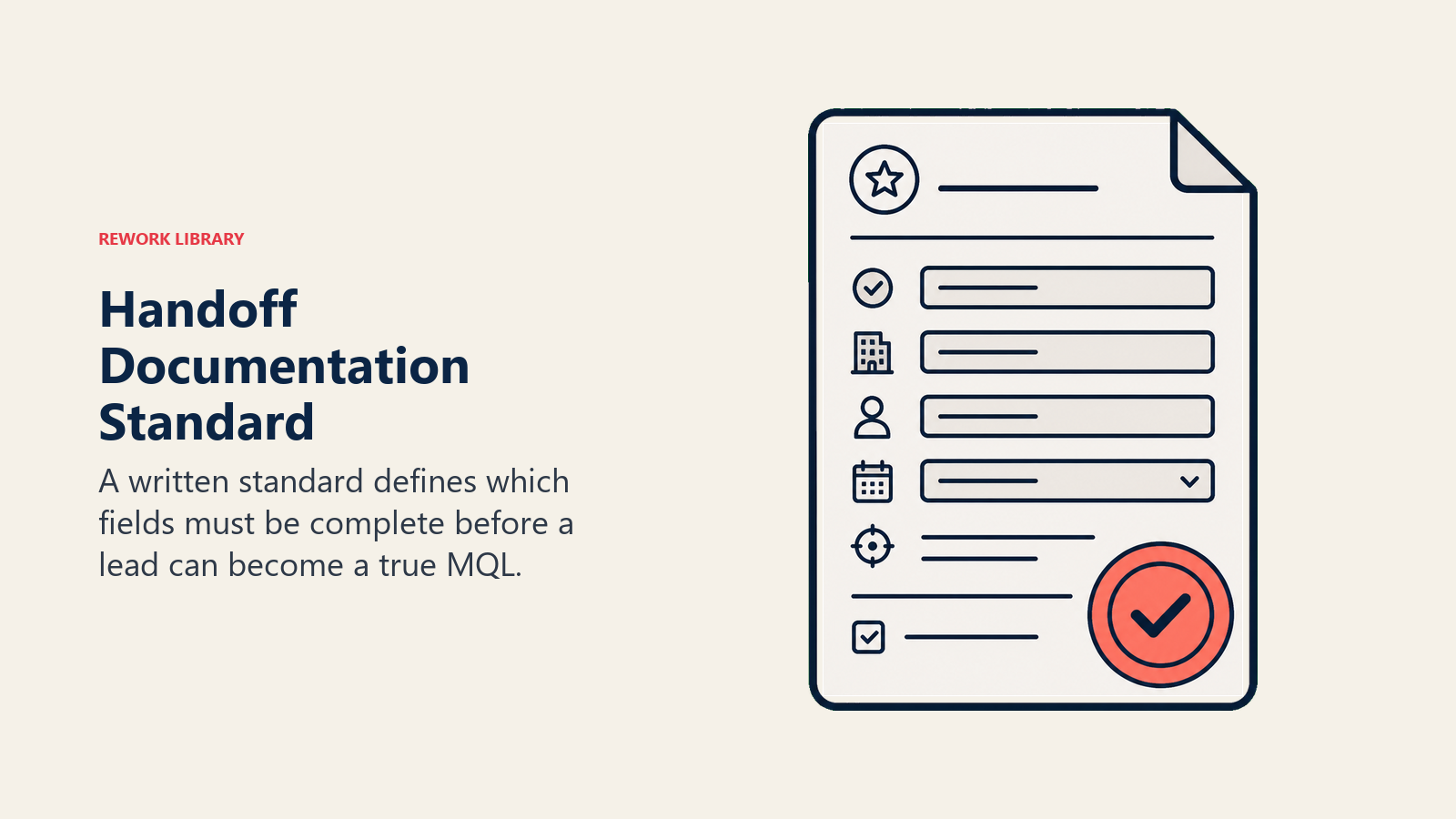
A lead that arrives without Category 1 and Category 2 complete is not an MQL. It's a form fill. A lead with all five categories documented is a warm handoff. The difference, at scale, is whether your reps are doing outbound research or doing revenue work.
Marketing owns this documentation. Ship it with the lead, every time.
Frequently Asked Questions about Handoff Documentation Checklist
What does sales need at MQL handoff to contact a lead without prior research?
Sales needs five categories of information to act immediately: verified contact basics (name, title, direct email, phone, LinkedIn), company intelligence (size, industry, ICP fit tier), a behavioral trail (last 3-5 high-signal touchpoints from the last 30 days), scoring context (total score, fit/intent breakdown, and the specific trigger that escalated the lead), and handoff metadata (routing reason, campaign source, any marketing notes). Missing any of Category 1 or Category 2 means the rep has to do research before calling. Missing Category 3 means the first conversation is cold instead of contextualized.
What if key handoff data is missing when the lead is routed?
Don't route an MQL without Category 1 and Category 2 complete. A lead missing verified contact basics is a form fill, not an MQL. Build a pre-routing enrichment step into your MQL workflow that runs a 30-second enrichment lookup before routing fires. Most enrichment tools (Clearbit, ZoomInfo, Apollo) can be triggered automatically at lead creation. If enrichment fails and data can't be sourced, flag the lead as "Pending Enrichment" rather than routing it incomplete. A rep who receives a record with a bouncing email and no phone number will reject it anyway, which costs both teams time.
Which handoff data category has the most impact on first-call quality?
The behavioral trail (Category 3) has the highest impact on first-call relevance. Contact basics and company intelligence are table stakes. Reps expect them. But the behavioral trail is what gives a rep the conversational opening that makes cold outreach feel warm: "I saw you reviewed our integration documentation twice this week" is a genuinely relevant observation that shortens the discovery conversation. HBR research finds that leads contacted with context-specific messaging convert at significantly higher rates than those reached with generic outreach. Handoff documentation is the mechanism that makes context-specific outreach possible at scale.
How should the behavioral trail be formatted in the CRM handoff record?
Don't dump a raw activity log into the CRM. Summarize the three to five most significant touchpoints with timestamps and plain-language descriptions: "Visited /integrations page 3 times (May 2-3), downloaded ROI Calculator (May 4), opened pricing email twice (May 4)" is more actionable than 40 rows of activity data. Marketing ops should write a 2-3 sentence behavioral summary as a note on the lead record at routing time. That's 60 seconds of writing that saves the rep 15 minutes of context-building.
Who is responsible for handoff documentation quality?
Marketing ops owns the documentation. This is a marketing ops deliverable, not a sales request. The handoff documentation standard should be defined in the MQL/SQL agreement and enforced as a prerequisite for MQL status. If the five categories aren't populated, the lead doesn't get routed. Treating documentation as an optional courtesy rather than a routing gate is what produces the information asymmetry that forces reps to research before calling.
How do you get the behavioral trail from the MAP into the CRM?
Most MAP-CRM integrations (HubSpot native, Salesforce-Pardot, Marketo-Salesforce) support activity sync with configuration. Enable the sync for high-signal activity types: page visits to pricing, integrations, and documentation pages; content downloads; email click-throughs; webinar registrations. Exclude noise: every blog visit, every general newsletter open. The goal is a curated activity timeline in the CRM that surfaces intent signals, not a raw firehose. If you're on HubSpot, the activity timeline syncs natively. If you're bridging separate systems, a Zapier or native integration connector can push summary notes to the lead record at routing time.
Learn More

Principal Solution Architect
On this page
- The Principle: Marketing Has the Context, Sales Needs to Act on It
- The Complete Handoff Documentation Checklist: The 5-Category Handoff Checklist
- Category 1: Contact Basics (Verified, Not Just Captured)
- Category 2: Company Intelligence
- Category 3: Behavioral Trail
- Category 4: Scoring Context
- Category 5: Handoff Metadata
- What to Exclude
- CRM vs. MAP: Where Does Each Field Live?
- How to Audit Your Current Handoff Quality
- The Handoff Documentation Standard
- Learn More