CSM Tools and Tech Stack: CS Platform, CRM, Health Scoring, Ticket Integration
Turn this article into takeaways for your work.


Each assistant summarizes the article only for you and suggests best practices for your work.
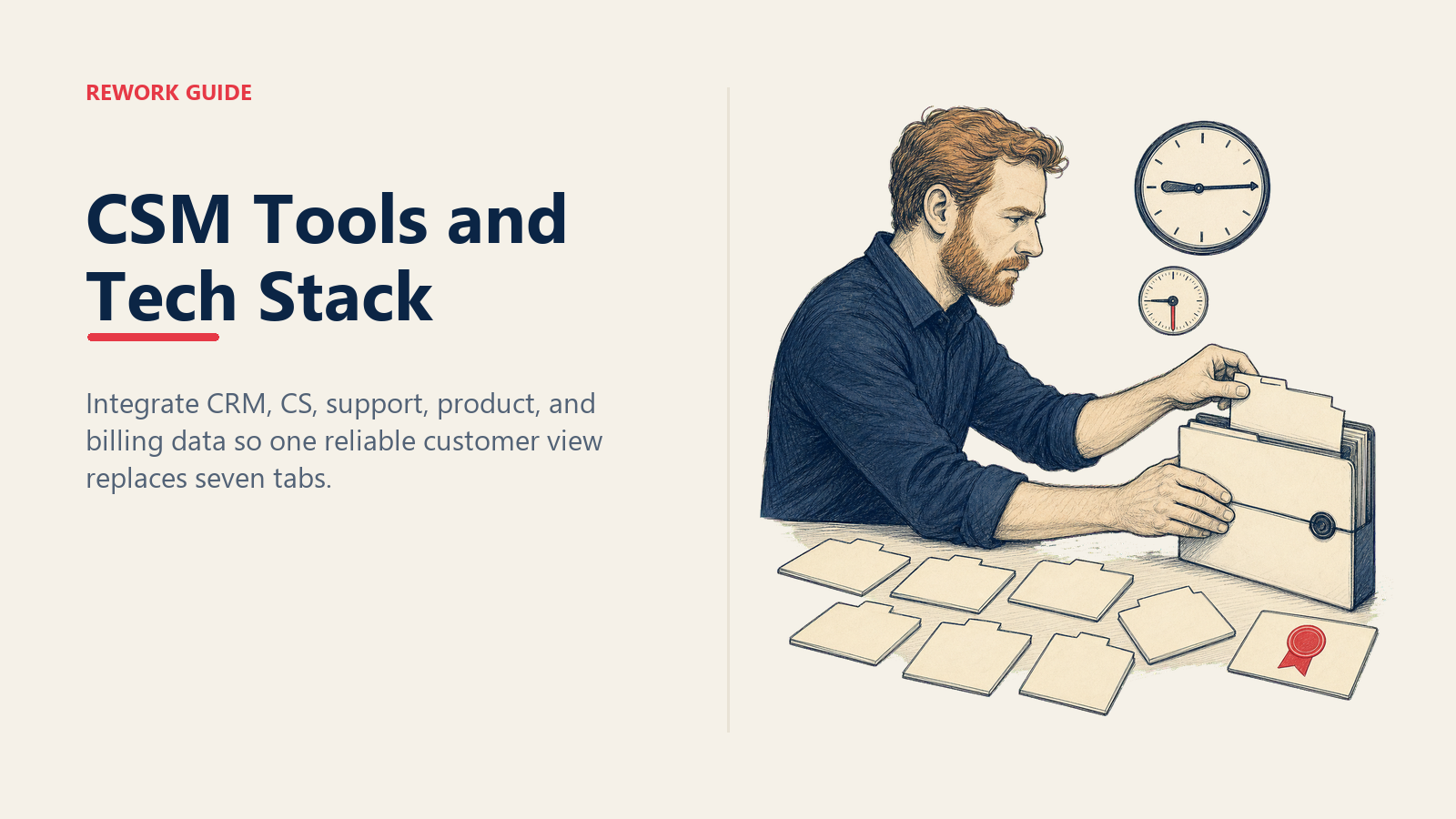
It's 9:14am. Maya, a CSM at a mid-market SaaS company, has a 9:30 call with one of her larger accounts. The renewal is six weeks out. The exec sponsor changed three weeks ago. There were two escalations last month. In front of her: seven tabs.
Tab one is the CRM, with ARR and contract end date. Tab two is the CS platform, where health is "yellow" but the score hasn't refreshed since Friday. Tab three is the support tool, with nine open tickets. Tab four is product analytics, which won't load. Tab five is Slack, where the customer's shared channel has 47 unread messages. Tabs six and seven are email and billing. Twenty minutes later she has a partial picture and three minutes until the call.
This is the difference between a CS team that runs proactively and one that runs reactively, and it has almost nothing to do with which tools you bought. It has everything to do with whether those tools share data.
Why This Matters
The honest reason most CS teams underperform their tooling spend isn't feature gaps. It's that every tool was bought to solve one department's problem, and nobody owned the integration story. So the CRM has the renewal date but not the ticket count. The CS platform has the health score but not the ARR. And the CSM, who is supposed to deliver one coherent experience to the customer, ends up as the integration layer, manually reconciling four systems with their own working memory.
A best-in-class stack with no integration is worse than a mediocre stack that's wired together. That's the bet you're making when you design a CS tech stack: integration over feature richness. The CSM's job is the customer, not the toolchain.
The Spine: CRM as Source of Truth
Start here. Every customer-facing team in your company either reads from or writes to the CRM, and your CS stack should be no exception. The CRM owns:
- Account hierarchy (parent / child / region)
- Contacts and roles (decision-maker, champion, exec sponsor, day-to-day user)
- Renewal date, ARR, contract terms
- Ownership (CSM, AE, AM)
- Stage transitions (onboarding → adopting → expanding → at-risk → churned)
If any of those data points lives somewhere else as the primary record, you're going to spend the next two years arguing about which system is right. Pick the CRM and commit.
The market here is well-mapped. Salesforce dominates enterprise. HubSpot owns mid-market. Zoho, Pipedrive, and Close serve smaller revenue teams. Rework CRM is one option in this category, sold as the Sales Engine from $69/month billed yearly with 5 seats included, designed for teams that want CRM, lead management, and CS operations on the same surface rather than stitched together. Whichever you pick, the question isn't "which CRM has the best features." It's "which CRM will every other tool in our stack write back to without a six-figure integration project."
Two practical rules:
- The CSM should never have to leave the CRM to know an account exists. Every customer record, every contact, every renewal date is in there. If your CSMs default to "let me check the spreadsheet" or "let me ask Ops," your CRM is failing as the spine.
- The CS platform reads from the CRM, not the other way around. When account ownership changes, it changes in the CRM first and propagates everywhere else. Bidirectional sync is fine; bidirectional ownership is chaos.
The Heart: CS Platform for Health and Cadence
Above a certain scale (typically 50+ paying accounts per CSM, or anywhere with formal renewal motions), the CRM stops being enough. CSMs need playbooks, health scoring, automated alerts, and structured cadences. That's what a CS platform is for.
The category leaders are Gainsight, Catalyst, Vitally, ChurnZero, and Planhat. They differ in price, depth, and ideal customer size, but they all do roughly the same four things:
- Health scoring: aggregate signals from product, support, and engagement into a single composite score per account.
- Playbooks: trigger a sequence of CSM actions when an account hits a state (onboarded → first value, exec sponsor changed → re-pitch, renewal in 90 days → renewal motion).
- Alerts: tell the CSM when something has changed without making them go look.
- Workflow surface: a daily view of "what does each of my accounts need from me today" instead of a tab-and-toggle reconstruction.
The trap here is treating the CS platform as a separate system from the CRM. CSMs end up updating both. Neither stays current. Within six months you have two systems that disagree on basic facts about your customers, and the team trusts whichever one was last opened. The fix is an integration architecture where the CRM is the system of record for relationship facts (who owns the account, what's the ARR, when does it renew) and the CS platform is the system of record for engagement facts (what's the health score, what playbook is running, what's the next outreach).
The Voice of the Product: Usage Analytics
Product analytics is the strongest churn signal you have, and the most underused one in most CS teams. If a customer has been logging in three times a week for a year and suddenly stops for two weeks, that's a churn signal that arrives 60 to 90 days before the customer themselves can articulate why they're considering leaving.
Pendo, Mixpanel, Amplitude, and Heap all play in this space. They differ on instrumentation model and analytical depth, but for CS purposes you need three things from whichever you pick:
- Account-level usage rollups, not just user-level events. The CSM cares about "is this customer's team adopting," not "did Jane log in yesterday."
- Feature adoption breadth and depth, especially for features that correlate with renewal in your historical data.
- A feed into the health score. Product signals must reach the CS platform automatically. If a CSM has to log into Mixpanel to check usage, they will check it once a quarter, which is not often enough.
A useful exercise: pull your last twelve months of churned accounts and look at their product analytics for the 90 days before they churned. You'll almost always find a pattern: a specific drop in a specific feature, a specific drop in user count. Encode that pattern into your health score. Now your CS platform alerts you before the customer alerts you. This is the difference between a CSM running on the calendar and a CSM running on signals.
The Listening Post: Ticket and Support Integration
CSMs need to see open tickets, escalation status, and CSAT trends without leaving their workspace. Otherwise the support team is having one conversation with the customer while the CSM is having a different one, and neither of them knows. The customer notices.
Zendesk, Intercom, and Freshdesk are the dominant options. Whichever you use, surface the following back into the CRM and CS platform as account-level signals:
- Open ticket count and severity
- Time-to-first-response and time-to-resolution trends
- CSAT and NPS responses tied to specific tickets
- Escalation flags (a ticket has been re-opened, a P1 has been open longer than SLA)
The integration pattern that works: tickets stay in the support tool as the system of record, but the count, severity, and CSAT roll up to the account record in the CRM, and feed the health score in the CS platform. The CSM doesn't need to triage tickets (that's not their job), but they do need to know "this account had three escalations in the last 30 days" before they walk into a QBR.
The pitfall: thinking ticket integration is about volume. It's about pattern. One ticket from a healthy account is noise. Three tickets from an at-risk account in 30 days is a churn signal. Your job is to make the second one impossible to miss.
Conversation Capture: Communication Tooling
Most of what a CSM knows about an account is locked in conversations: calls, emails, Slack threads, a comment from three months ago on a feature request. If those conversations aren't searchable from the account record, they live only in the CSM's memory, and the day that CSM leaves you lose half of what you know about the customer.
The categories you need:
- Call recording and transcription: Gong, Chorus, or comparable tools that capture customer calls and tie transcripts to the account.
- Shared customer channels: Slack Connect or equivalent, with discipline that important conversations happen in the channel, not in DMs.
- Email sync: every customer-facing email logged automatically against the account record. If your CSMs are BCC'ing the CRM, you've lost.
- Calendar integration: meetings appear on the account timeline without manual logging.
The signal that this layer is working: a new CSM can take over an account on Monday and, by reading the account record alone, know what's been discussed in the last quarter. If they need a handover call, your capture is incomplete.
The Integration Architecture
The model: CRM sits at the center. The CS platform syncs bidirectionally with it. CRM owns relationship facts; CS platform owns engagement facts. The support tool feeds ticket counts and CSAT into both (as CRM account fields and CS platform health inputs). Product analytics feeds usage rollups into the CS platform's health score and the CRM's adoption fields. The communication layer (calls, email, calendar, shared channels) writes activity records to the CRM, which surfaces in both the CRM account view and the CS platform workflow.
What this means for the CSM: their primary daily surface is one tool (usually the CS platform, sometimes the CRM at smaller scale). Everything else either pushes notifications in or sits one click away with full context. They aren't reconstructing the customer from seven tabs. They're reading a single record and deciding what to do.
The CS Stack Evaluation Rubric
Before you buy anything, score it on five axes that matter more than feature count.
1. Integrations (40%). Does it have native, bidirectional integration with your CRM, support tool, and product analytics? Native means "officially supported connector," not "we can build it with Zapier." If the answer to any is no, the score collapses to zero. No amount of feature richness compensates for an isolated tool.
2. Total cost of ownership (15%). License cost is a fraction of the real number. Add implementation, admin headcount, data warehouse fees, and integration maintenance. A "free" tool that needs a half-time admin is more expensive than a paid tool that runs itself.
3. Admin overhead (15%). Hours per week the system requires from CS Ops to stay healthy. Tools that need constant tending will not be tended.
4. Time to value (15%). Time from purchase to "CSMs are using it daily and it's changing their behavior." Twelve months is too long. Three months is realistic. Three weeks is selling a demo, not a deployment.
5. CSM adoption likelihood (15%). Get three CSMs on the demo. Ask them: would you actually open this every morning? If the answer is "I guess so," the answer is no. The most-featured tool with 30% adoption loses to a simpler tool with 90% adoption every time.
Notice what's missing: a "features" axis. Features are necessary to be in the conversation. They don't decide the winner.
The Daily-Tool Checklist
A well-designed stack changes which tools the CSM opens and which ones push notifications. The opinionated split:
Open every morning (3 tools max):
- The CS platform (or CRM, depending on maturity), to see today's account list, alerts, and playbook actions.
- Email, for direct customer communication.
- Slack or your shared customer channels, for live conversations.
Should push notifications, not pull attention (4+ tools):
- Support tool (push when an open ticket on a CSM's account hits a threshold).
- Product analytics (push when an account's usage drops below a threshold).
- Billing (push when an invoice is overdue or expansion happens).
- Call recording (push the post-call summary into the account record).
If a CSM is opening seven tools every morning, your stack is broken. Not because the tools are bad, but because they aren't delivering signal. They're forcing search.
Common Pitfalls
Treating the CS platform as a separate system from the CRM. Two sources of truth means no source of truth. Pick one for ownership of each data type and enforce it.
Buying tools without an integration plan. "We'll figure it out later" means never. Before you sign a CS platform contract, the integration architecture should be on a single page, with a named owner and a deadline.
Ignoring product analytics. The most reliable churn signal is sitting in a tool half your CS team doesn't have access to. Fix that first, before buying anything else.
Letting each CSM customize their own workflow until nothing is comparable. Personal productivity hacks are fine. Personal definitions of "healthy" are not. Standardize health scoring, playbook triggers, and account stage definitions across the team. Without that, you can't tell whether a CSM is underperforming or just running a different system. (More on the metrics layer in CSM Metrics: NRR, GRR, and Health Scores.)
Optimizing for feature richness over fit. A stack that does 60% of what you need with 90% adoption beats a stack that does 95% of what you need with 30% adoption. Buy for the team you have, not the team in the marketing case study.
Measuring the Stack Itself
Your stack has KPIs, just like your team does. Track them quarterly:
- Admin hours per CSM per week. Target: under 8. More than a day a week on data entry and reconciliation means the stack is failing.
- Time from churn signal to first proactive outreach. Target: under 24 hours. Days mean alerts aren't reaching the CSM, or the CSM isn't trusting them.
- CSM-to-account ratio. Roughly 1:25 enterprise, 1:80 mid-market, 1:200+ for SMB tech-touch. Tighter ratios usually point to admin overhead, not a hiring need.
- Percent of interactions logged automatically vs. manually. Target: above 70% automatic. Manual logging is where institutional knowledge goes to die.
- CSM tool adoption rate. If CSMs aren't using a tool weekly, it's shelfware. Cancel it.
These metrics tell you whether your stack is making CSMs more effective or just more expensive.
How Stack Quality Compounds
A wired stack changes what's possible. With clean data flows, you can run QBRs that customers actually look forward to because the prep takes 30 minutes instead of three hours. You can layer AI into the CSM workflow on accurate data. AI on broken data just produces confident, broken summaries. A new CSM ramps in three weeks instead of three months, because the system tells them what they need to know.
Stack debt compounds. Every quarter you postpone the integration work, the cost of fixing it goes up, because the manual workarounds calcify into "how we do things." Teams that get this right treat their stack like product: owned, measured, iterated on, and pruned aggressively.
The CSM's job is the customer. Your job, if you run CS or CS Ops, is to make sure nothing else competes for that attention.
Learn More

Principal Product Marketing Strategist
On this page
- Why This Matters
- The Spine: CRM as Source of Truth
- The Heart: CS Platform for Health and Cadence
- The Voice of the Product: Usage Analytics
- The Listening Post: Ticket and Support Integration
- Conversation Capture: Communication Tooling
- The Integration Architecture
- The CS Stack Evaluation Rubric
- The Daily-Tool Checklist
- Common Pitfalls
- Measuring the Stack Itself
- How Stack Quality Compounds
- Learn More