Die besten Housecall Pro Alternativen 2026: 13 Tools für wachsende Field-Service-Teams
Turn this article into takeaways for your work.


Each assistant summarizes the article only for you and suggests best practices for your work.
Housecall Pro hat sich seinen Ruf mit einem wirklich guten Erlebnis für kleine Crews aufgebaut: Buchung, Rechnungsstellung und Zahlungen, die einen Zwei-Personen-Sanitärbetrieb so professionell wirken lassen wie ein landesweites Franchise. Wenn Sie eine Handvoll Techniker beschäftigen und an einem Tag live gehen wollen, ist es weiterhin eines der leichtesten Tools zum Empfehlen. Die Probleme beginnen, sobald Sie den sechsten oder siebten Techniker einstellen, einen zweiten Standort eröffnen oder Reporting und Bestandsverwaltung brauchen, die tiefer gehen als Basic.
Diese Liste umfasst 13 Alternativen für Teams, die der Tarifstruktur von Housecall Pro entwachsen sind oder an die Grenzen bei Reporting, Anpassung oder Bestandsverwaltung stoßen. Die Tools werden nach Preistransparenz, nach der Teamgröße, ab der jedes Tool ins Straucheln gerät, nach Tiefe von Reporting und Bestandsverwaltung sowie nach gewerkespezifischer Passung bewertet. Es steht einiges auf dem Spiel: Die Bauwirtschaft braucht 2026 rund 349.000 zusätzliche Arbeitskräfte netto, um mit der Nachfrage Schritt zu halten, und der Markt für Field-Service-Software wächst selbst mit einer CAGR von 9,54 %, weil Betriebe nach Tools suchen, mit denen sie auf einem angespannten Arbeitsmarkt mehr erreichen (Associated Builders and Contractors, via Construction Dive; Mordor Intelligence, 2026).
Wichtige Fakten
Wichtige Fakten: Field-Service-Software und der Markt für Hausdienstleistungen
- Der weltweite Markt für Field-Service-Management-Software hat 2026 einen Wert von 6,26 Milliarden \(und soll bis 2031 auf 9,87 Milliarden\) wachsen, eine CAGR von 9,54 %. (Mordor Intelligence, 2026)
- Untersuchungen der Aberdeen Group beziffern die durchschnittliche Erstlösungsquote der Branche auf 75 %, wobei jede wiederholte Fahrt eines Servicefahrzeugs 200 bis 300 $ kostet. (Fieldpoint, citing Aberdeen Group)
- Die Beschäftigung von HVAC- und Kältetechnik-Mechanikern und -Installateuren soll von 2024 bis 2034 um 8 % wachsen, deutlich schneller als der Durchschnitt aller Berufe. (U.S. Bureau of Labor Statistics)
- Die US-Bauwirtschaft muss 2026 rund 349.000 zusätzliche Arbeitskräfte netto gewinnen, wobei Elektriker und mechanische Gewerke als bindender Engpass bei der Projektumsetzung genannt werden. (Associated Builders and Contractors, via Construction Dive)
- 77 % der Hausbesitzer geben an, dass versteckte Kosten und unklare Preise sie bei der Beauftragung eines Dienstleisters frustrieren, und 80 % beziehen die Online-Buchung in ihre Entscheidung ein. (Housecall Pro's own 2025 homeowner survey)
Schnellvergleichstabelle
| Tool | Am besten geeignet für | Einstiegspreis | Wichtigste Stärke | Wichtigste Einschränkung |
|---|---|---|---|---|
| Jobber | Der direkteste Wechsel von Housecall Pro | $49/Monat für Einzelnutzer ($29 jährlich); $139/Monat (5 Nutzer) | Fein abgestufte Tarife, starkes Angebotswesen und Kundenportal | Marketing Suite ist ein Add-on für $79/Monat |
| ServiceTitan | Größere Handwerksbetriebe mit mehreren Crews (20+ Techniker) | ca. 245 bis 400 $/Techniker/Monat, nur auf Anfrage | Tiefstes Reporting, Finanzierung, Marketing-Auswertungen | Hohe Einrichtungsgebühren, Preise nur nach Demo |
| Workiz | Gewerke mit vielen Anrufen (Schlüsseldienst, Haushaltsgeräte, Pannenhilfe) | Kostenlos (2 Nutzer) bis $270/Monat | Native Anrufverfolgung und AI-Anrufannahme | Minuten, SMS und Nutzer summieren sich schnell |
| Service Fusion | Wachsende Crews, die unbegrenzte Nutzer wollen | 208 bis 533 $/Monat, unbegrenzte Nutzer | Pauschalpreis unabhängig von der Mitarbeiterzahl | Oberfläche und AI-Funktionen hinken neueren Tools hinterher |
| FieldPulse | Multi-Gewerke-KMU, die flexible Nutzertypen wollen | ca. 99 bis 399+ $/Monat, individuelles Angebot | Preisgestaltung nach Büro- und Außendienst-Nutzern | Keine veröffentlichte Preisliste, Demo erforderlich |
| Rework | Außendienstaufträge + CRM + Mitarbeiterzeit in einer Plattform | Ab $142/Monat bei jährlicher Abrechnung (Process Engine + Field Work, 5 Seats); People auf Anfrage | Außendienst, Vertrieb und HR teilen sich einen Datensatz | Kein integriertes gewerkespezifisches Preisbuch |
| ServiceM8 | Kleine Crews, die eine Preisgestaltung nach Auftragsvolumen wollen | Kostenlos bis ca. A$349/Monat, unbegrenzte Nutzer | Preis nach Auftragsvolumen, nicht nach Mitarbeiterzahl | Auftragslimits können mit wachsendem Volumen bremsen |
| Kickserv | Kleine Teams mit knappem Budget | Kostenlos (2 Nutzer) bis $249/Monat | Einfach, günstig, lange Erfolgsbilanz | Wenig AI-Disposition und wenig tiefes Reporting |
| Simpro | Handwerksbetriebe mit komplexen, großen Aufträgen | ca. 700 bis 1.200 $/Monat für 10 Nutzer | Tiefe Auftragskalkulation und Bestandskontrolle | Überdimensioniert für Serviceeinsätze mit nur einem Besuch |
| FieldEdge | Etablierte HVAC- und Sanitärbetriebe | ca. $100/Büronutzer + $125/Techniker/Monat | Integriertes Flat-Rate-Preisbuch | Verpflichtendes 5-wöchiges Onboarding |
| Zuper | Branchenübergreifende oder Facility-Außendienstteams | ca. 50 bis 150 $/Nutzer/Monat, nur auf Anfrage | API-first, flexibel über Branchen hinweg | Teurer, als eine Crew mit nur einem Gewerk braucht |
| BuildOps | Gewerbliche MEP-Betriebe | ca. 150 bis 300 $/Nutzer/Monat, nur auf Anfrage | Gebaut für die Komplexität gewerblicher Projekte | Ungeeignet für Wohn- und Hausdienstleistungen |
| Salesforce Field Service | Großunternehmen, die bereits Salesforce nutzen | ca. 50 bis 165 $/Nutzer/Monat als Add-on + Service Cloud | Setzt auf vorhandenen Salesforce-CRM-Daten auf | Teuerster Weg, wenn Sie Salesforce noch nicht nutzen |
Tabelle zu Größe und Segment-Passung
| Segment | Teamgröße | Passende Tools |
|---|---|---|
| Einzelunternehmer am Anfang | 1 Techniker | ServiceM8 Gratis-Tarif, Kickserv Gratis-Tarif |
| Kleine Crew für Hausdienstleistungen | 2 bis 10 Techniker | Jobber, Workiz, Service Fusion, Kickserv |
| Multi-Gewerke-KMU, das auch HR vereinheitlichen will | 5 bis 50 Personen, Außendienst und Büro | Rework, FieldPulse |
| Etablierter Betrieb mit einem Gewerk (HVAC/Sanitär) | 10 bis 50 Techniker | FieldEdge, Simpro |
| Wachsender Betrieb mit mehreren Crews | 20 bis 100 Techniker | ServiceTitan, Simpro |
| Außendienst außerhalb der Hausgewerke (Facility, Telekom, Solar) | Beliebige Größe | Zuper |
| Gewerblicher MEP-Betrieb | Beliebige Größe, nur Gewerbe | BuildOps |
| Großunternehmen, das bereits auf Salesforce standardisiert hat | 100+ | Salesforce Field Service |
1. Jobber: Der direkteste Wechsel von Housecall Pro
Jobber konkurriert fast in derselben Spur wie Housecall Pro: Hausdienstleistungs-KMU (Rasenpflege, Reinigung, HVAC, Sanitär, Elektro), die Terminplanung, Angebote, Rechnungsstellung und Zahlungen in einer App wollen. Für Rezensenten von Housecall Pro ist es eine der häufigsten Antworten auf die Frage „Wohin soll ich wechseln?“, vor allem weil sich der Kern-Workflow vertraut anfühlt und die Tarifstruktur feiner abgestuft ist.
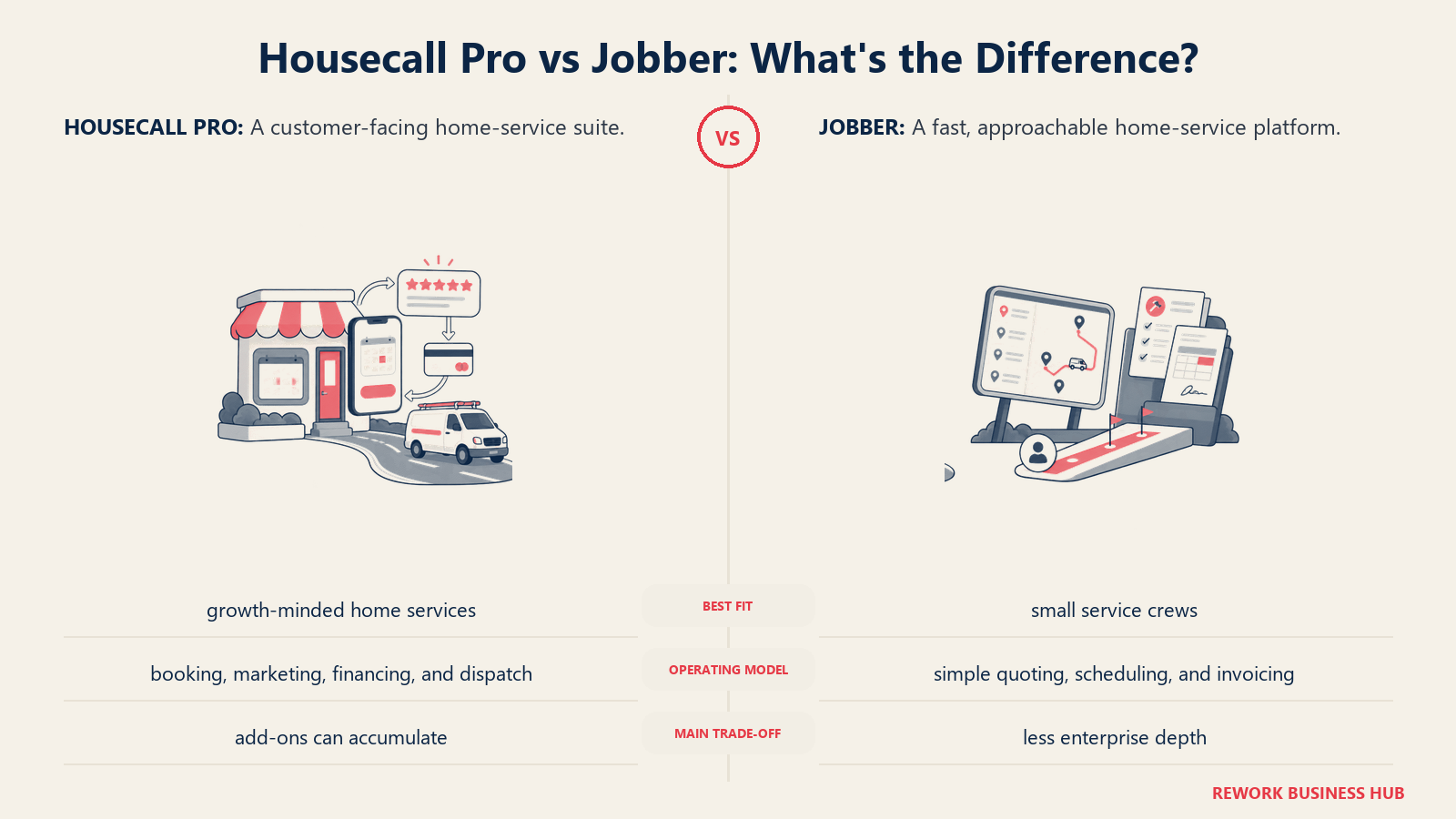
Punkten kann Jobber gegenüber Housecall Pro bei der Flexibilität der Tarife. Einzelunternehmer starten bei $49/Monat mit Core oder $29/Monat bei jährlicher Abrechnung, und Team-Tarife reichen von $139/Monat für 5 Nutzer bis $499/Monat für 15 Nutzer mit Plus, wobei jeder zusätzliche Nutzer über die im Tarif enthaltene Anzahl hinaus $29/Monat kostet. Der ehrliche Haken ähnelt dem von Housecall Pro: Echte Funktionen (Bewertungen, Empfehlungen, Kampagnen) stecken in einem Marketing-Suite-Add-on für $79/Monat, und Jobber Payments berechnet pro Kartenzahlung eine Gebühr von 2,9 % + 30 Cent. (Jobber pricing, G2)
| Was Sie bekommen | Was Sie nicht bekommen |
|---|---|
| Feiner abgestufte Tarife nach Teamgröße als bei Housecall Pro | Eine im Grundpreis enthaltene Marketing Suite |
| Starkes Angebotswesen, starke Terminplanung und ein gutes Kundenportal | Tiefes gewerkespezifisches Reporting oder Bestandsverwaltung |
| 14-tägige kostenlose Testphase, keine Kreditkarte erforderlich | AI-Disposition oder vorausschauende Terminplanung |
| Vertrauter Workflow für Teams, die von Housecall Pro migrieren | Ein integriertes Flat-Rate-Preisbuch |
Preise: Core $49/Monat (1 Nutzer), Connect $139/Monat (5 Nutzer), Grow $299/Monat (10 Nutzer), Plus $499/Monat (15 Nutzer), zuzüglich $29/Monat pro zusätzlichem Nutzer. Jährliche Abrechnung spart bis zu 25 % auf diese Preise.
Am besten geeignet für: Hausdienstleistungs-Teams im KMU-Bereich (2 bis 15 Nutzer), die den direktesten Wechsel von Housecall Pro mit feiner abgestuften Tarifen wollen. Den direkten Vergleich finden Sie unter Jobber vs Housecall Pro. Weniger geeignet für: Teams, die tiefe gewerbliche Disposition oder gewerkespezifisches Reporting brauchen. Lesen Sie Die besten Jobber Alternativen, falls auch Jobber selbst nicht ganz passt.
2. ServiceTitan: Enterprise-Tiefe für größere Handwerksbetriebe
ServiceTitan ist die Plattform, zu der Teams von Housecall Pro aufsteigen, sobald sie 20 oder mehr Techniker in HVAC, Sanitär, Elektro oder Dachdeckerei beschäftigen und echte Umsatzeinblicke brauchen: Marketing-Attribution, Finanzierungsoptionen direkt am Verkaufsort und eine Disposition, die auf Tage mit mehreren Crews ausgelegt ist. Es ist mit großem Abstand die tiefste Reporting-Ebene auf dieser Liste.
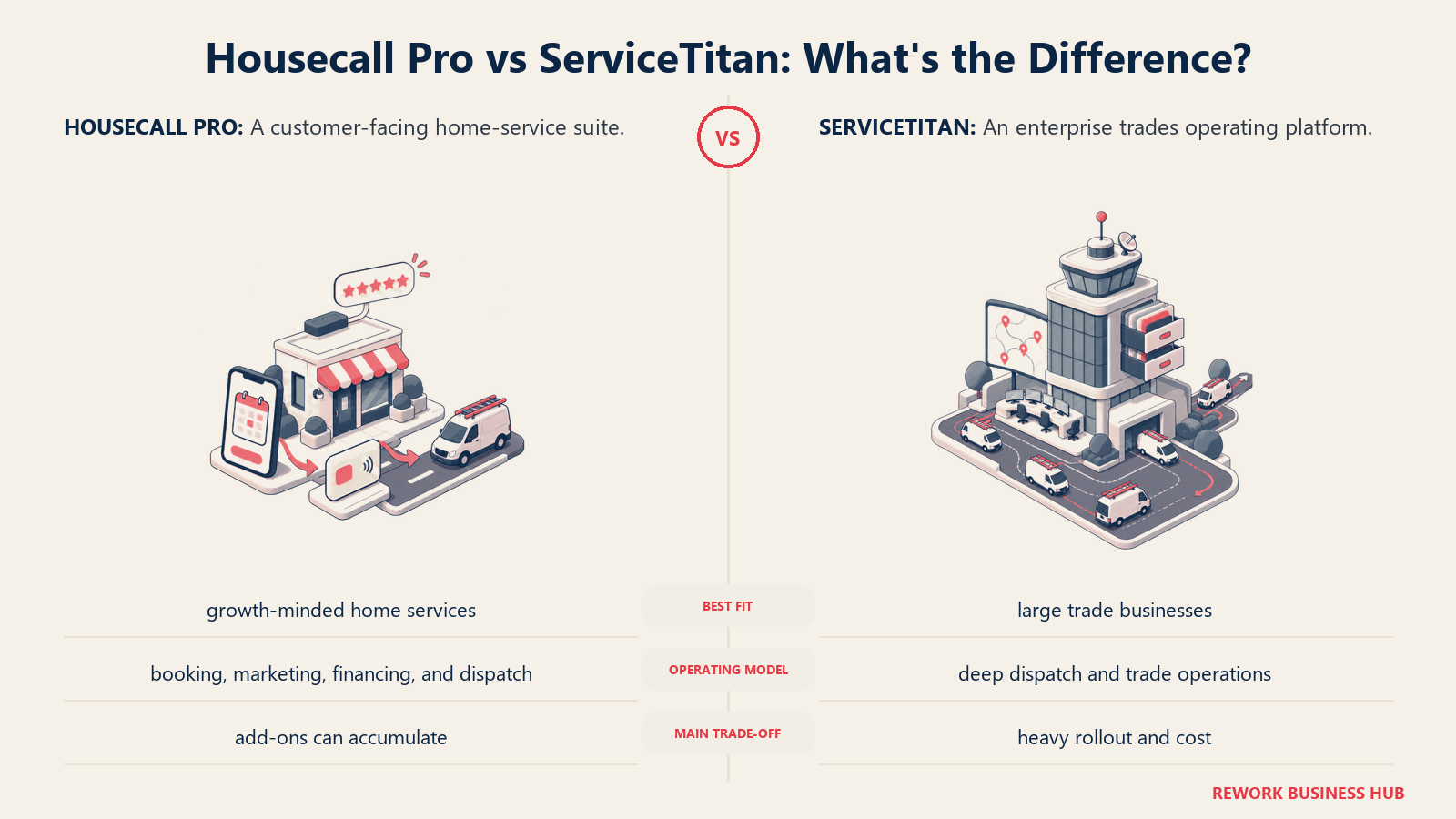
Der Preis dafür sind Kosten und Verbindlichkeit. ServiceTitan veröffentlicht keine Preise; Analysen Dritter beziffern sie je nach Tarifstufe auf 245 bis 400 \(pro Techniker und Monat, mit Einrichtungsgebühren, die je nach Komplexität der Datenmigration häufig zwischen 5.000 und 50.000\) liegen. Für ein Team mit 10 Personen können die Gesamtkosten im ersten Jahr einschließlich Implementierung und Schulung über 63.000 $ liegen. (ServiceTitan pricing analysis, ServiceAgent.ai)
| Was Sie bekommen | Was Sie nicht bekommen |
|---|---|
| Das tiefste Reporting, die tiefste Prognose und Marketing-Attribution auf dieser Liste | Veröffentlichte Self-Serve-Preise |
| Integrierte Finanzierungsoptionen am Verkaufsort | Einen Onboarding-Pfad mit geringer Verbindlichkeit |
| Gebaut für die Disposition mehrerer Crews im Gewerbe- und Wohnbereich | Erschwinglichkeit für Teams mit weniger als 15 bis 20 Technikern |
| Großes Partner- und Integrations-Ökosystem | Schnelles Time-to-Value ohne eigenes Onboarding-Team |
Preise: Etwa 245 bis 400 $ pro Techniker und Monat je nach Tarifstufe (Starter, Essentials, The Works), nur auf Anfrage, zuzüglich Einrichtungsgebühren.
Am besten geeignet für: Handwerksbetriebe mit mehreren Crews (20+ Techniker), die Reporting und Finanzierung auf Enterprise-Niveau brauchen und den Preis und den Onboarding-Aufwand verkraften können. Weniger geeignet für: Kleine oder junge Crews; die Preise pro Techniker und die Einrichtungskosten stehen bei weniger als 15 bis 20 Technikern in keinem Verhältnis. Mehr zu dieser konkreten Abwägung finden Sie unter Die besten ServiceTitan Alternativen und im direkten Vergleich ServiceTitan vs Housecall Pro.
3. Workiz: Gebaut für Gewerke mit vielen Anrufen
Workiz setzt auf ein bestimmtes Muster: Gewerke, bei denen die meisten Aufträge mit einem eingehenden Anruf beginnen, etwa Haushaltsgeräte-Reparatur, Schlüsseldienste, Garagentore, Entrümpelung und Pannenhilfe. Native Anrufverfolgung und eine AI-Anrufannahme leiten Anrufe direkt auf das Dispositions-Board, eine Lücke, die Housecall Pro nativ nicht schließt.
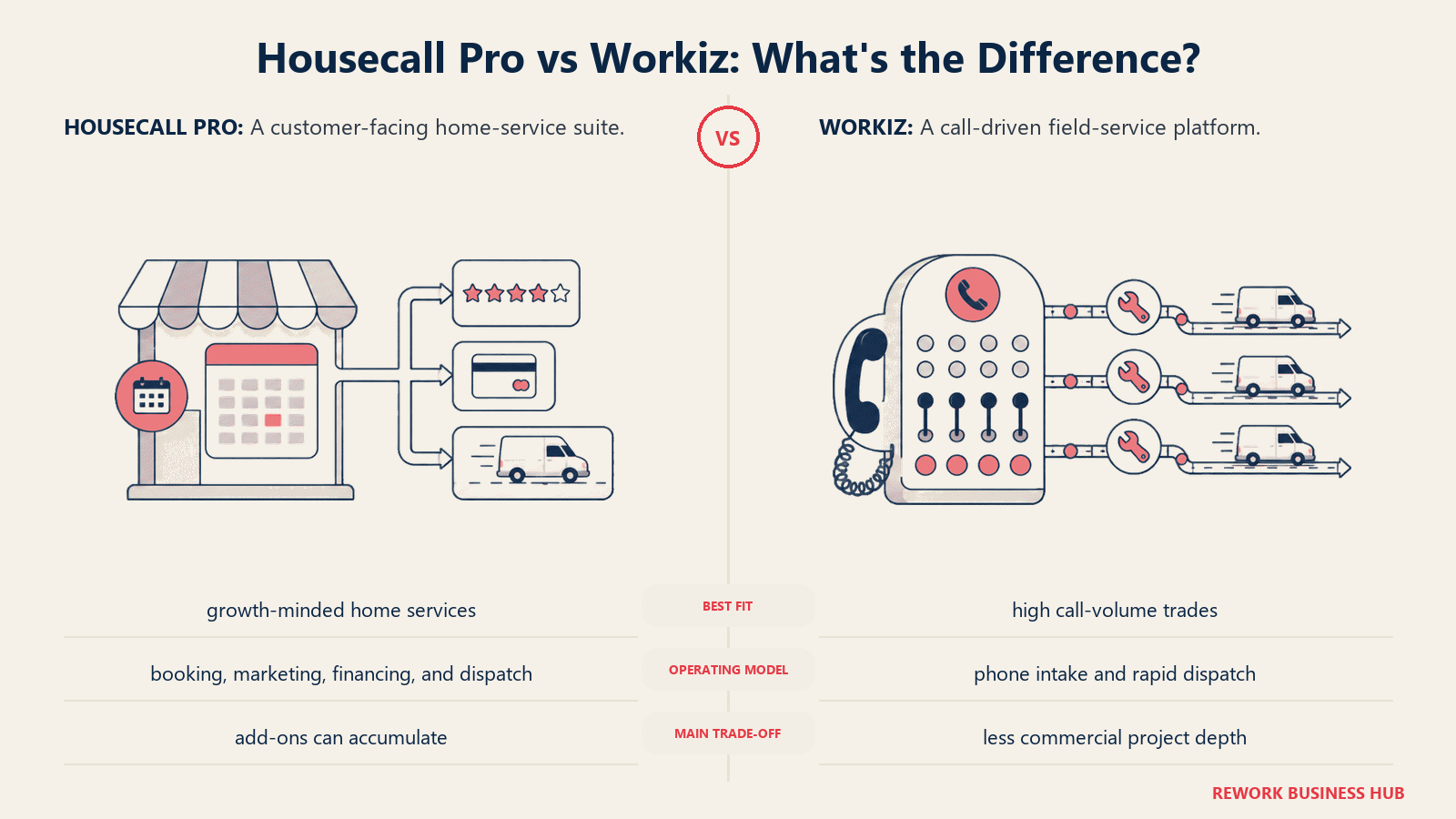
Die Preise beginnen mit einem kostenlosen Lite-Tarif für bis zu 2 Nutzer, danach folgen kostenpflichtige Stufen für $187, $229 und $270 pro Monat (Kickstart, Standard, Pro) mit unterschiedlichen Nutzerlimits, zuzüglich $30 pro zusätzlichem Nutzer. Reale Monatsrechnungen liegen häufig zwischen 150 und 400 $, sobald Telefonminuten, SMS-Guthaben und Add-ons eingerechnet sind. (Workiz pricing, ITQlick)
| Was Sie bekommen | Was Sie nicht bekommen |
|---|---|
| Native Anrufverfolgung und AI-Anrufannahme, verknüpft mit der Disposition | Pauschale, planbare Preise (Minuten und SMS kommen obendrauf) |
| Kostenloser Tarif für sehr kleine Teams (bis zu 2 Nutzer) | Tiefe gewerkespezifische Preisbücher |
| Starke Passung für Haushaltsgeräte-, Schlüsseldienst- und Pannenhilfe-Gewerke | Tiefes Marketing oder Kampagnen-Tools |
Preise: Kostenlos (Lite, 2 Nutzer) bis $270/Monat (Pro), zuzüglich $30/Monat pro zusätzlichem Nutzer. Der Ultimate-Tarif wird individuell angeboten.
Am besten geeignet für: Anrufgetriebene Hausdienstleistungs-Gewerke, die Telefon und Disposition eng verzahnen wollen. Weniger geeignet für: Teams, deren Lead-Fluss überwiegend aus Online-Buchungen oder wiederkehrenden Verträgen statt aus eingehenden Anrufen besteht.
4. Service Fusion: Unbegrenzte Nutzer, feste Monatsgebühr
Service Fusions Argument ist unkompliziert: drei Tarife, jeweils mit unbegrenzten Nutzern, sodass eine wachsende Crew nicht pro Platz bestraft wird, wie es bei den Tarifen Essentials und MAX von Housecall Pro vorkommen kann. Starter kostet $208/Monat, Plus $324/Monat und Pro $533/Monat bei jährlicher Abrechnung, wobei QuickBooks-Integration und Auftragskalkulation ab dem Plus-Tarif enthalten sind.
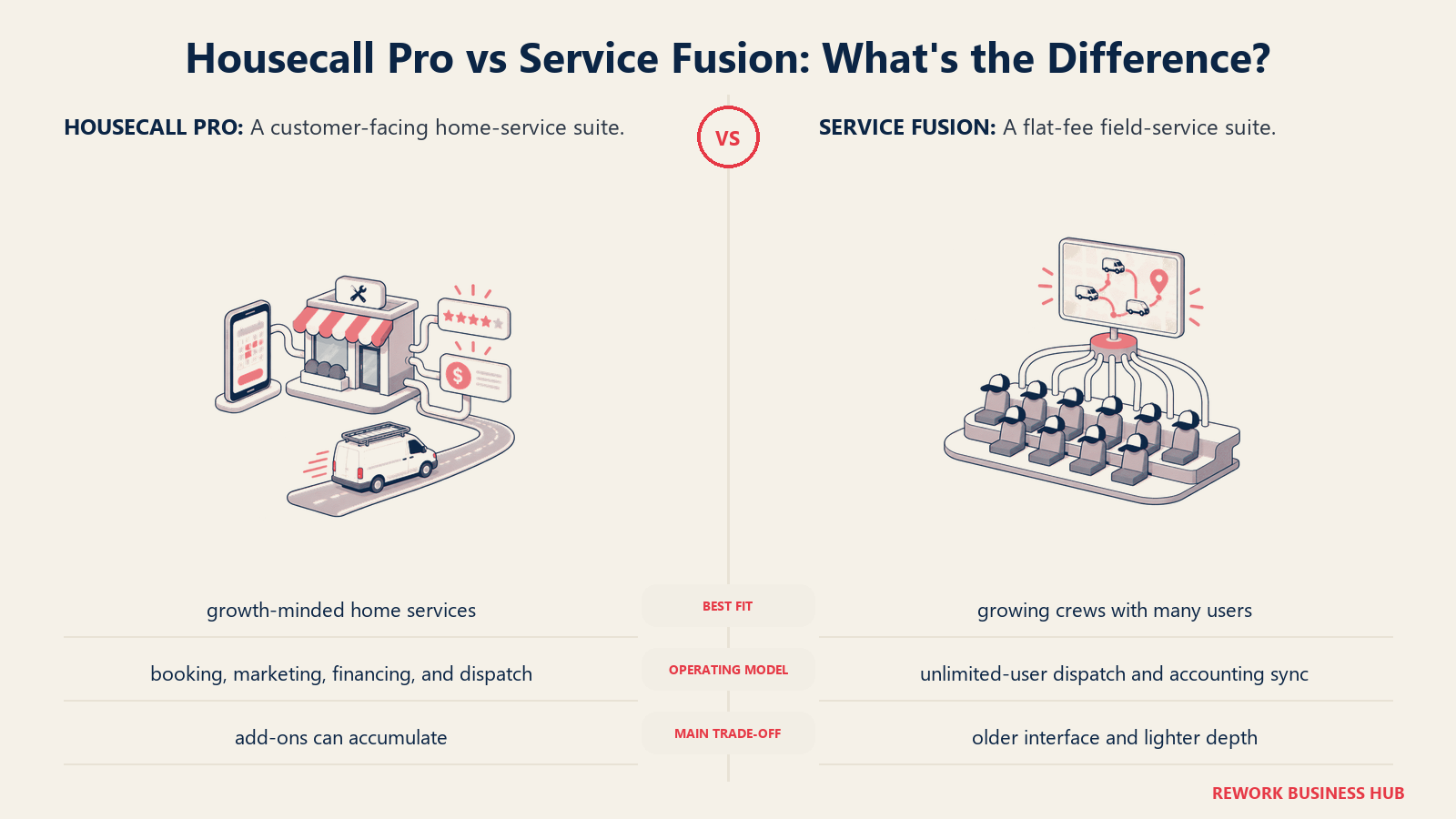
Der Preis dafür sind Feinschliff und das Tempo neuer Funktionen; mehrere Rezensenten beschreiben Oberfläche und AI-Werkzeuge als weniger fortgeschritten als bei neueren Anbietern. Add-ons liegen außerhalb des Grundpreises: GPS-Tracking kostet 25 bis 40 $ pro Fahrzeug und Monat, und die Zahlungsabwicklung kostet etwa 2,9 % + 30 Cent pro Transaktion. (Service Fusion pricing, HVAC Software Hub)
| Was Sie bekommen | Was Sie nicht bekommen |
|---|---|
| Unbegrenzte Nutzer in jedem Tarif | Die neuesten AI- oder Automatisierungsfunktionen |
| Auftragskalkulation und Bestandsverwaltung ab dem Plus-Tarif | Eine kostenlose Testphase (Demo erforderlich) |
| Planbare monatliche Pauschalpreise | Tiefgehendes Marketing oder ein ausgefeiltes Buchungserlebnis für Kunden |
Preise: $208/Monat (Starter) bis $533/Monat (Pro), jährlich abgerechnet, unbegrenzte Nutzer in allen Tarifen.
Am besten geeignet für: Wachsende Crews, die Techniker hinzufügen wollen, ohne pro Platz zu zahlen. Weniger geeignet für: Teams, die die neueste Oberfläche oder AI-Disposition höher gewichten als Flexibilität bei der Mitarbeiterzahl.
5. FieldPulse: Flexible Nutzerplätze für Multi-Gewerke-KMU
FieldPulse zielt auf dasselbe Multi-Gewerke-KMU-Segment wie Housecall Pro, strukturiert die Preise aber nach Nutzertyp: Büroplätze mit vollem Zugriff und reine Außendienstplätze für Techniker kosten unterschiedlich viel, was bei Teams mit schlanker Büroebene und größerer Außendienst-Crew Geld sparen kann. Berichtete Kosten reichen von etwa $99/Monat für ein kleines Team bis $399 oder mehr für größere Crews, noch vor Add-ons.
Es gibt keine öffentliche Preisliste und keine kostenlose Testphase, nur eine persönliche Demo, was den Preisvergleich vorab schwieriger macht als bei Jobber oder Kickserv. VoIP, AI-Disposition und Flottenverfolgung (rund 30 $ pro Fahrzeug und Monat) sind separate Add-ons. (FieldPulse pricing, ServiceAgent.ai)
| Was Sie bekommen | Was Sie nicht bekommen |
|---|---|
| Preisgestaltung nach Büro- und Außendienstplätzen, die für schlanke Teams die Kosten senken kann | Veröffentlichte Self-Serve-Preise |
| Add-on-Module für VoIP, AI-Disposition und Flottenverfolgung | Eine kostenlose Testphase |
| Multi-Gewerke-Flexibilität ähnlich wie bei Housecall Pro | Die Reporting-Tiefe von ServiceTitan oder Simpro |
Preise: Etwa $99/Monat (kleines Team) bis $399+/Monat (größere Crews), individuelles Angebot je nach Mix der Nutzerplätze.
Am besten geeignet für: Multi-Gewerke-KMU mit schlankem Büroteam, die für Verwaltungsplätze weniger zahlen wollen als für Außendienstplätze. Weniger geeignet für: Teams, die transparente Preise ohne Vertriebsgespräch wollen.
6. Rework: Außendienstaufträge, CRM und Mitarbeiterzeit in einer Plattform
Rework verfolgt einen anderen Ansatz als die übrigen Tools auf dieser Liste. Es ist in erster Linie kein spezialisiertes Field-Service-Einzelprodukt: Rework ist eine einheitliche Operations-Plattform rund um Sales Ops (CRM), Lead Ops und Work Ops, und das Field-Work-Top-up erweitert dasselbe System um Field Service. So liegen Terminplanung, Disposition und Kundendaten in derselben Plattform wie die Sales-Pipeline und, über die People-App, die Arbeitszeit und Anwesenheit der Mitarbeitenden.
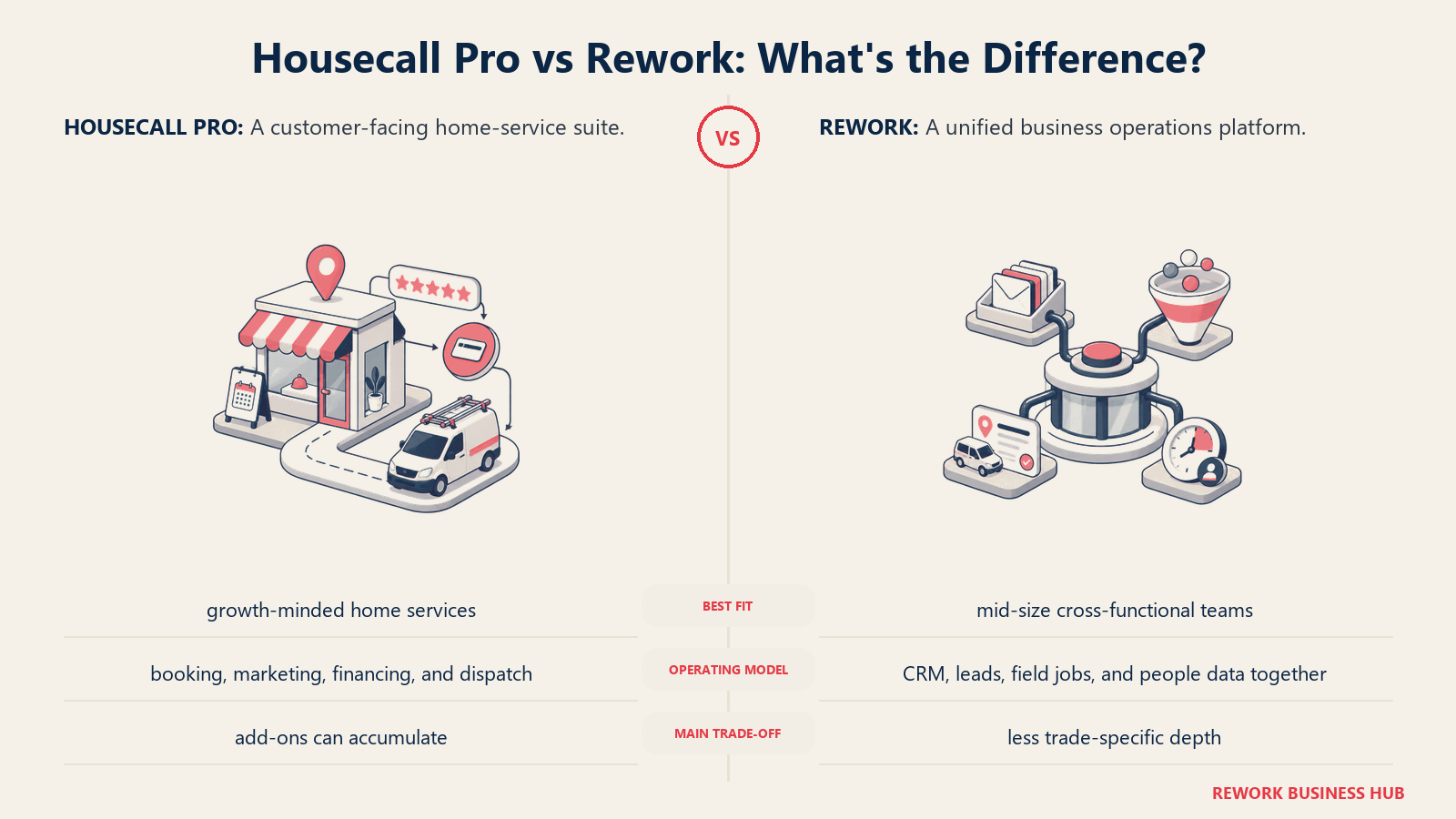
Für einen Owner-Operator, der es leid ist, Housecall Pro für Aufträge, ein separates CRM für Vertriebs-Leads und eine Tabelle für Arbeitsstunden zu betreiben, ist diese Konsolidierung das eigentliche Argument: ein Kundendatensatz, ein Login, eine Rechnung statt dreier zusammengeflickter Anbieter.
Reworks Field-Work-Top-up ist kein jahrzehntelang gewachsenes, gewerkespezifisches FSM-Tool. Es liefert kein integriertes Flat-Rate-Preisbuch wie FieldEdge und wird ServiceTitan oder Simpro bei der Disposition auf komplexen gewerblichen Boards mit mehreren Crews nicht übertreffen. Wenn Ihr Hauptbedarf eine tiefe Preisbibliothek für Gewerke oder umfangreiche gewerbliche Dispositionslogik ist, gewinnt weiterhin eine spezialisierte Plattform bei der Tiefe.
| Was Sie bekommen | Was Sie nicht bekommen |
|---|---|
| Außendienstaufträge, Terminplanung und Kundendaten in derselben Plattform wie CRM und Lead-Management | Ein integriertes gewerkespezifisches Flat-Rate-Preisbuch (HVAC-/Sanitär-/Elektro-Bibliotheken) |
| Arbeitszeit, Anwesenheit und Timesheets (People-App) neben dem Außendienst | Tiefe, mehrtägige Dispositions-Boards für mehrere Crews für große MEP-Betriebe |
| Ein Mitarbeitenden- und Kundendatensatz, den Vertrieb, Außendienstaufträge und HR gemeinsam nutzen | Teile- und Bestandsverwaltung, die speziell für Handwerksbetriebe gebaut ist |
| Veröffentlichte Preise; zusätzliche Seats gibt es in Blöcken zu je 5 Seats ($13/Monat pro Block bei jährlicher Abrechnung) | Ein großer Marktplatz mit Apps pro Branche wie bei ServiceTitan |
Preise: Rework verkauft Außendiensteinsätze als Field-Work-Top-up („field visits and service jobs“), ab $43/Monat bei jährlicher Abrechnung für 1.000 Einsätze pro Monat. Es wird zu einer Process Engine oder Project Engine hinzugebucht, ab $99/Monat bei jährlicher Abrechnung mit 5 Seats inklusive, sodass Außendienstaufträge bei etwa $142/Monat bei jährlicher Abrechnung beginnen; zusätzliche Seats gibt es in Blöcken zu je 5 Seats. Das CRM ist die Sales Engine, ab $69/Monat bei jährlicher Abrechnung. People (HR, Anwesenheit und Timesheets) hat keinen öffentlichen Preis und wird pro Organisation angeboten. Aktuelle Tarife finden Sie unter rework.com/pricing.
Am besten geeignet für: Owner-Operatoren und kleine bis mittlere Field-Service-Unternehmen (etwa 5 bis 50 Personen), die CRM und Zeiterfassung ebenfalls in derselben Plattform wollen statt in drei getrennten Tools. Weniger geeignet für: Handwerksbetriebe, die ein tiefes Flat-Rate-Preisbuch, komplexe Disposition mehrerer gewerblicher Crews oder eine speziell für HVAC-, Sanitär- oder Elektroarbeiten gebaute Teile- und Bestandsverwaltung brauchen. Das vollständige Ranking Die beste Field-Service-Management-Software 2026 zeigt Tools, die in diesen Bereichen tiefer gehen.
7. ServiceM8: Preis nach Auftragsvolumen, nicht nach Mitarbeiterzahl
ServiceM8 dreht das übliche SaaS-Modell um: Statt pro Nutzer zu berechnen, wird nach Auftragsvolumen abgerechnet, mit unbegrenzten Nutzern in jedem kostenpflichtigen Tarif. Das ist für kleine Crews interessant, bei denen ein zusätzlicher Techniker keine zusätzliche Position auf der Rechnung bedeuten sollte.
Der kostenlose Tarif umfasst 1 Nutzer und 30 Aufträge im Monat mit 10 AI-Nutzungen pro Tag. Die kostenpflichtigen Stufen reichen von etwa A$29/Monat (Starter, 50 Aufträge) bis A$349/Monat (Premium Plus, höheres Auftrags- und SMS-Volumen), alle mit unbegrenzten Nutzern, ohne Verträge und ohne Einrichtungsgebühren. (ServiceM8 pricing)
| Was Sie bekommen | Was Sie nicht bekommen |
|---|---|
| Unbegrenzte Nutzer in jedem kostenpflichtigen Tarif | Eine Preisgestaltung, die sauber skaliert, wenn das Auftragsvolumen und nicht die Mitarbeiterzahl Ihr Engpass ist |
| Keine Verträge, keine Einrichtungsgebühren | Tiefe gewerbliche Disposition oder Preisbuch-Tiefe |
| Einfache, mobile-first Oberfläche | US-native Abrechnung (die Preise werden in AUD angegeben) |
Preise: Kostenlos (1 Nutzer, 30 Aufträge/Monat) bis etwa A$349/Monat (Premium Plus), unbegrenzte Nutzer in den kostenpflichtigen Tarifen.
Am besten geeignet für: Kleine Handwerks-Crews, die eine einfache, mobile-first Software mit Preis nach Auftragsvolumen statt nach Technikerzahl wollen. Weniger geeignet für: Größere Teams, deren Auftragsvolumen die Tariflimits regelmäßig überschreiten wird; die Kostenkurve folgt den Aufträgen, nicht nur den Köpfen.
8. Kickserv: Die Budget-Option
Kickserv ist länger in der Field-Service-Kategorie als die meisten Tools auf dieser Liste und konkurriert weiterhin fast ausschließlich über den Preis. Beim Funktionsumfang schlägt es Housecall Pro nicht, ist aber für ein kleines Team, das nur Terminplanung, Kostenvoranschläge und Rechnungsstellung ohne wuchernde Add-ons braucht, einer der günstigeren Wege auf dieser Liste.
Ein kostenloser Tarif deckt 2 Nutzer ab. Die kostenpflichtigen Stufen reichen von etwa $75/Monat (5 Nutzer) bis $249/Monat (20 Nutzer), mit einem Rabatt bei jährlicher Abrechnung. (Kickserv pricing overview, PricingSaaS)
| Was Sie bekommen | Was Sie nicht bekommen |
|---|---|
| Niedriger Einstiegspreis, kostenloser Tarif für 2 Nutzer | AI-Disposition oder vorausschauende Terminplanung |
| Unkomplizierte Terminplanung, Kostenvoranschläge und Rechnungsstellung | Tiefes Reporting oder gewerkespezifische Preisbücher |
| Lange Erfolgsbilanz in der Kategorie | Moderne Oberfläche im Vergleich zu neueren Anbietern |
Preise: Kostenlos (2 Nutzer) bis $249/Monat (20 Nutzer), darüber individuelle Preise.
Am besten geeignet für: Kleine Teams, die eine günstige, schnörkellose Alternative ohne die wuchernden Add-ons von Housecall Pro wollen. Weniger geeignet für: Teams, die AI-gestützte Disposition oder tiefes Reporting wollen, wenn sie wachsen.
9. Simpro: Tiefe Auftragskalkulation für komplexe Gewerkearbeiten
Simpro ist für Handwerksbetriebe mit komplexen, mehrstufigen Aufträgen gebaut, nicht nur für Serviceeinsätze mit einem Besuch: Elektrobetriebe bei großen gewerblichen Ausbauten, Sanitärunternehmen bei mehrwöchigen Projekten oder Sicherheitsintegratoren, die Ausrüstung über mehrere Standorte hinweg verfolgen. Auftragskalkulation und Bestandsverwaltung gehen tiefer als alles andere auf dieser Liste, mit Ausnahme von BuildOps.
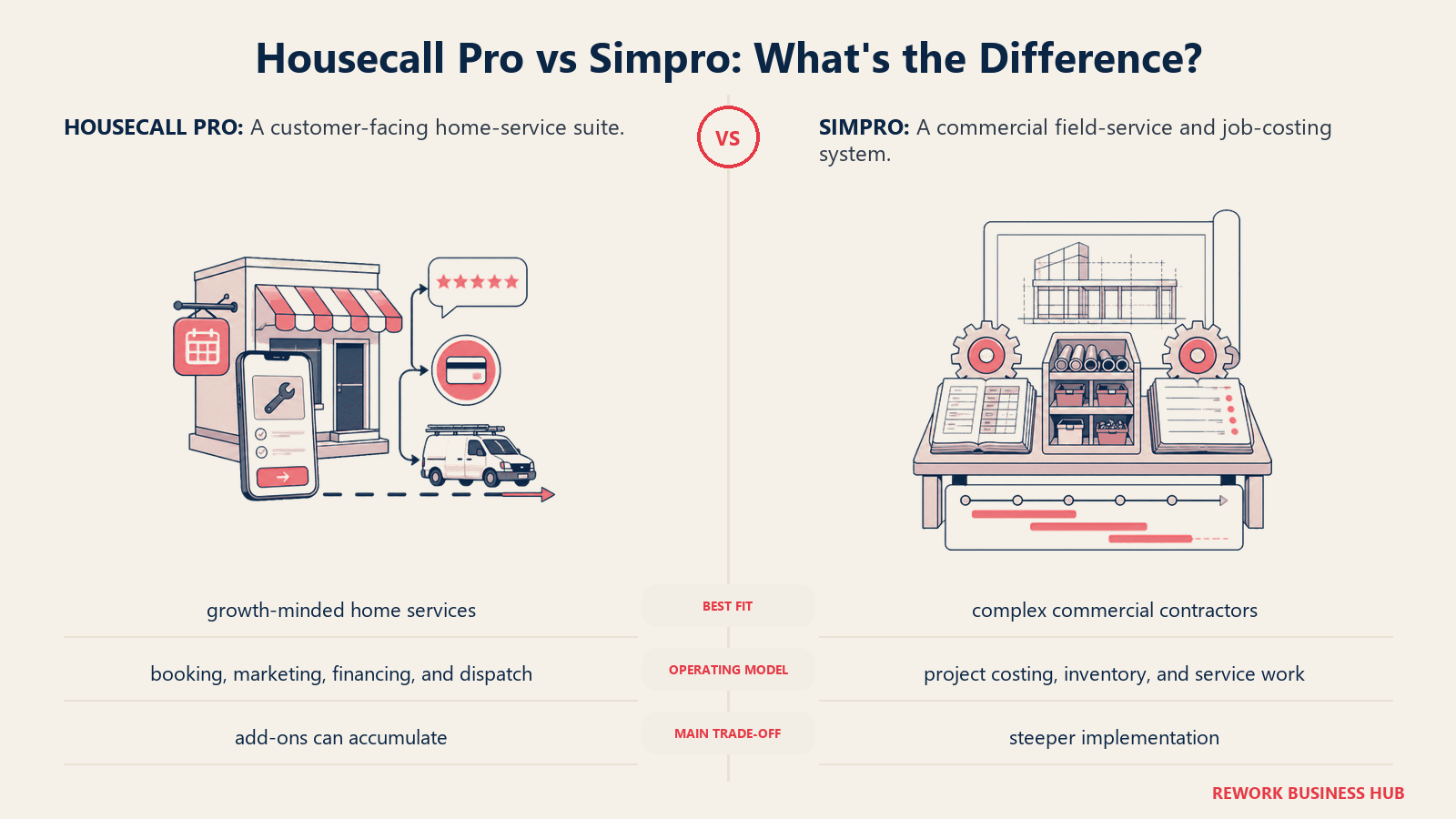
Die Preise sind nicht öffentlich. Schätzungen Dritter beziffern die Kosten pro Nutzer je nach Tarif und ausgehandelten Konditionen auf 30 bis 150+ \(pro Monat, wobei ein Team mit 10 Nutzern häufig bei 700 bis 1.200\) im Monat landet. Rechnet man Implementierung und Schulung hinzu, belaufen sich die Gesamtkosten im ersten Jahr oft auf 10.000 bis 15.000 $. (Simpro pricing estimates, SelectHub)
| Was Sie bekommen | Was Sie nicht bekommen |
|---|---|
| Tiefe Auftragskalkulation und Bestandskontrolle für komplexe Projekte | Transparente Self-Serve-Preise |
| Starke Passung für Elektro-, Sanitär-, HVAC- und Sicherheitsgewerke | Erschwinglichkeit für einfache Serviceeinsätze mit nur einem Besuch |
| Add-on-Module für Wartungsplanung und GPS | Ein schnelles, reibungsarmes Setup |
Preise: Nur auf Anfrage; Schätzungen Dritter nennen 700 bis 1.200 $/Monat für ein Team mit 10 Nutzern, zuzüglich Implementierungskosten.
Am besten geeignet für: Handwerksbetriebe mit komplexen, mehrstufigen Projekten, die tiefe Auftragskalkulation und Bestandskontrolle brauchen. Weniger geeignet für: Kleine Teams mit schnellen Serviceeinsätzen mit nur einem Besuch, bei denen die Projekt- und Bestandstiefe mehr ist, als der Auftrag verlangt.
10. FieldEdge: Integriertes Preisbuch für etablierte HVAC- und Sanitärbetriebe
FieldEdge richtet sich klar an etablierte HVAC-, Sanitär- und Elektrobetriebe, die bereits aus einem Flat-Rate-Preisbuch verkaufen und Wartungsverträge als Kern ihres Geschäfts verfolgen, beides Dinge, die Housecall Pro als Add-on oder einfache Funktion statt als gezielt gebauten Kern behandelt.
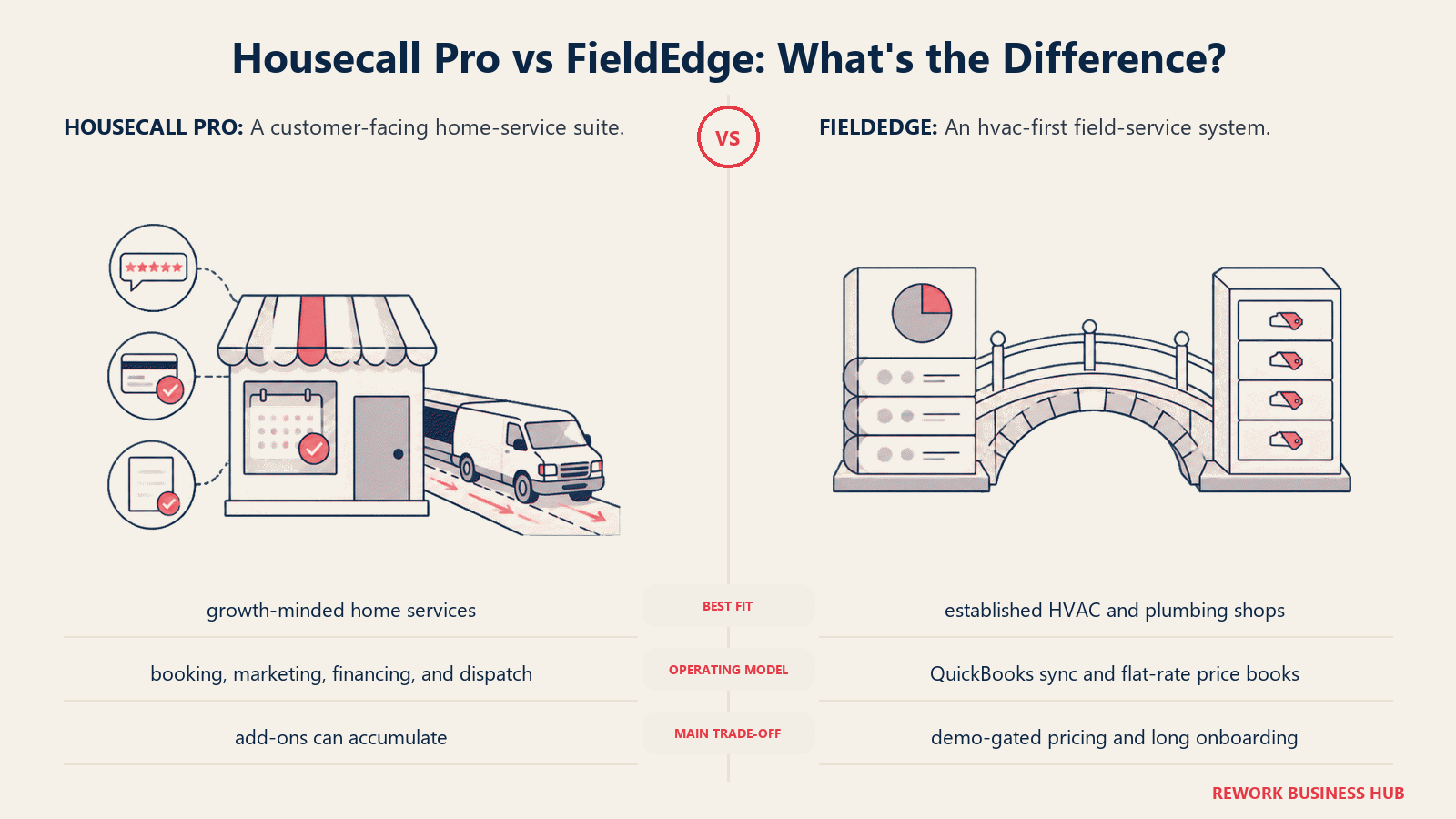
Die Preise gibt es nur auf Anfrage, etwa 100 \(pro Büronutzer plus 125\) pro Techniker und Monat. Die Einrichtung kostet 500 bis 2.000 $ bei einem verpflichtenden 5-wöchigen Onboarding, und Funktionen wie Bestandsverwaltung ($39/Monat) und erweitertes Reporting ($49/Monat) liegen außerhalb des Grundpreises und treiben die realen Kosten 60 bis 80 % über den beworbenen Preis. (FieldEdge pricing, ServiceAgent.ai)
| Was Sie bekommen | Was Sie nicht bekommen |
|---|---|
| Integriertes Flat-Rate-Preisbuch und Verfolgung von Wartungsverträgen | Ein schnelles Self-Serve-Setup (das 5-wöchige Onboarding ist verpflichtend) |
| Tiefe Passung für etablierte HVAC-, Sanitär- und Elektrobetriebe | Eine kostenlose Testphase |
| Jahrzehntelange gewerkespezifische Produktentwicklung | Transparente Self-Serve-Preise |
Preise: Etwa $100/Büronutzer + $125/Techniker/Monat, nur auf Anfrage, zuzüglich Einrichtungsgebühren.
Am besten geeignet für: Etablierte HVAC-, Sanitär- oder Elektrobetriebe, die ein bewährtes Flat-Rate-Preisbuch und die Verfolgung von Wartungsverträgen sofort einsatzbereit wollen. Weniger geeignet für: Teams, die ein schnelles Setup mit geringer Verbindlichkeit wollen; das verpflichtende Onboarding ist ein echter Zeitaufwand.
11. Zuper: API-First-Plattform für branchenübergreifende Außendienstteams
Zuper ist einen Blick wert, wenn Ihr Außendienst überhaupt kein klassisches Hausdienstleistungs-Gewerk ist: Facility Management, Telekom-Installationen, Solar oder die Wartung medizinischer Geräte, Branchen, zu denen das auf Hausdienstleistungen ausgerichtete Design von Housecall Pro nicht ganz passt. Es ist API-first gebaut und lässt sich dadurch leichter in einen bestehenden Tech-Stack einbinden als die meisten Tools auf dieser Liste.
Die Preise werden individuell angeboten, wobei Berichte Dritter die Kosten pro Nutzer über die Tarife Starter, Growth und Enterprise hinweg auf 50 bis 150 $ pro Monat beziffern, typischerweise mit Jahresverträgen. (Zuper pricing, SelectHub)
| Was Sie bekommen | Was Sie nicht bekommen |
|---|---|
| API-first-Architektur, flexibel über Branchen außerhalb der Hausgewerke | Erschwinglichkeit für eine kleine Crew mit nur einem Gewerk |
| Starke Passung für Außendienst in Facility, Telekom, Solar und medizinischer Gerätewartung | Veröffentlichte Self-Serve-Preise |
| Konfigurierbare Workflows jenseits der Standards für Hausdienstleistungen | Den auf Endkunden ausgerichteten Buchungskomfort von Housecall Pro |
Preise: Individuelles Angebot; Schätzungen Dritter nennen 50 bis 150 $ pro Nutzer und Monat, Jahresverträge sind Standard.
Am besten geeignet für: Branchenübergreifende oder Facility-artige Außendienstbetriebe außerhalb der klassischen Hausdienstleistungs-Gewerke. Weniger geeignet für: Eine kleine Hausdienstleistungs-Crew mit nur einem Gewerk; Zupers Flexibilität und Preisgestaltung sind für diesen Einsatzfall überdimensioniert.
12. BuildOps: MEP im Gewerbe, nicht im Wohnbereich
BuildOps ist das einzige Tool auf dieser Liste, das ausdrücklich nicht um die Kernzielgruppe von Housecall Pro im Wohnbereich konkurriert. Es ist für gewerbliche Betriebe der Mechanik, Elektrik und Sanitärtechnik (MEP) gebaut, die Großprojekte, detaillierte Disposition mehrerer Crews und eine Projektbuchhaltung steuern, mit der Serviceeinsätze im Wohnbereich nie in Berührung kommen.
Dieser Fokus bringt echte Kosten und Onboarding-Last mit sich. Die Preise gibt es nur auf Anfrage, wobei Berichte je nach Modulen von etwa 150 bis 300 $ pro Nutzer und Monat reichen, und Nutzer beschreiben häufig einen Implementierungsprozess, der sich über Monate hinzieht. (BuildOps review, SelectHub)
| Was Sie bekommen | Was Sie nicht bekommen |
|---|---|
| Gebaut für die Komplexität gewerblicher MEP-Projekte | Irgendeine Eignung für Wohn- oder Hausdienstleistungen |
| Tiefe Projektbuchhaltung und Disposition mehrerer Crews | Einen schnellen oder einfachen Onboarding-Prozess |
| Umsatzeinblicke für Betriebe in großem Maßstab | Günstigen Einstiegspreis |
Preise: Nur auf Anfrage; Schätzungen Dritter reichen je nach Modulen von 150 bis 300 $ pro Nutzer und Monat.
Am besten geeignet für: Gewerbliche MEP-Betriebe, die Großprojekte mit komplexer Abrechnung und Koordination mehrerer Crews steuern. Weniger geeignet für: Betriebe im Wohnbereich und für Hausdienstleistungen; BuildOps ist bewusst nur für das Gewerbe gebaut.
13. Salesforce Field Service: Für Teams, die bereits Salesforce nutzen
Salesforce Field Service ist kein eigenständiges Produkt. Es ist ein Add-on-Modul, das auf Salesforce Service Cloud aufsetzt und nur für Organisationen Sinn ergibt, die bereits für Kundendaten auf Salesforce standardisiert haben. Wenn Ihr CRM, Ihre Fälle und Ihre Kundenhistorie schon in Salesforce liegen, vermeidet das Aufsetzen von Außendienst-Disposition und Terminplanung ein zweites führendes System.
Die veröffentlichten G2-Preise nennen Field-Service-Lizenzen von $50/Monat (Contractor) bis $165/Monat (Dispatcher/Technician), und das noch vor der erforderlichen Service-Cloud-Lizenz, die separat berechnet wird und in höheren Tarifen Hunderte Dollar pro Nutzer und Monat zusätzlich kosten kann. (Salesforce Field Service pricing, G2)
| Was Sie bekommen | Was Sie nicht bekommen |
|---|---|
| Außendienst-Disposition direkt auf vorhandenen Salesforce-CRM-Daten | Ein eigenständiges Produkt; zuerst ist eine Service-Cloud-Lizenz erforderlich |
| Terminoptimierung auf Enterprise-Niveau und Offline-Mobile-Tools | Erschwinglichkeit für alle, die nicht bereits auf Salesforce sind |
| Tiefe Anpassbarkeit innerhalb des breiteren Salesforce-Ökosystems | Ein schnelles oder einfaches Setup |
Preise: Etwa 50 bis 165 $ pro Nutzer und Monat für das Field-Service-Add-on, zusätzlich zu einer erforderlichen Service-Cloud-Lizenz.
Am besten geeignet für: Großunternehmen, die bereits auf Salesforce Service Cloud standardisiert haben und die Außendienst-Disposition auf vorhandene CRM-Daten aufsetzen wollen. Weniger geeignet für: Jedes Team, das nicht bereits Salesforce nutzt; Service Cloud plus das Field-Service-Add-on nur für die Disposition zu kaufen ist für ein wachsendes Hausdienstleistungs-Unternehmen der teuerste Weg auf dieser Liste.
Warum Teams Housecall Pro verlassen
Die meisten Wechsel weg von Housecall Pro haben einen von drei Gründen, und sie treten meist in dieser Reihenfolge auf, wenn ein Unternehmen wächst.
Preisstufen sperren die wichtigsten Funktionen. Der Basic-Tarif ($59/Monat jährlich) deckt genau 1 Nutzer ab. Essentials ($149/Monat jährlich) deckt 5 ab. Darüber hinaus fügt MAX ($299/Monat jährlich) Nutzer für je $35/Monat hinzu, und Funktionen, die viele wachsende Betriebe tatsächlich wollen, ein echtes Flat-Rate-Preisbuch ($149/Monat als Add-on) oder GPS-Tracking für Fahrzeuge ($20/Fahrzeug/Monat), liegen komplett außerhalb des Grundpreises. Eine Crew, die über die im Tarif enthaltenen Nutzer hinauswächst, landet mit Zusatznutzern und Add-ons häufig mehrere Hundert Dollar im Monat über dem Einstiegspreis von $59/Monat. Rezensenten auf G2 und Capterra bemängeln durchweg diese Lücke zwischen beworbenem und tatsächlich gezahltem Preis. (Capterra: Housecall Pro reviews)
Reporting, Anpassung und Berechtigungen bleiben einfach. Rezensenten auf G2 beschreiben das Reporting als dünn, die Anpassung als begrenzt und Rollen- und Berechtigungskontrollen als gebündelt statt fein abgestuft, eine echte Einschränkung, sobald ein Unternehmen eine Büroleitung, einen Disponenten und einen Inhaber hat, die jeweils eine andere Sicht auf dieselben Daten brauchen. Bessere Informationen bei der Disposition sind genau das, was die Erstlösungsquote bewegt; Untersuchungen der Aberdeen Group beziffern den Branchendurchschnitt auf 75 %, wobei jede wiederholte Anfahrt 200 bis 300 $ kostet und durchschnittlich 1,6 zusätzliche Besuche bis zur vollständigen Lösung erfordert. (Fieldpoint, citing Aberdeen Group) Teams, die dem „einfachen“ Reporting entwachsen, jagen meist dieser Lücke hinterher.
Gewerkespezifische Tiefe fehlt. Housecall Pro ist darauf ausgelegt, HVAC, Sanitär, Elektro, Reinigung und ein Dutzend weitere Gewerke mit ungefähr demselben Funktionsumfang zu bedienen. Für einen kleinen Multi-Gewerke-Betrieb funktioniert das gut, doch da allein die Beschäftigung im Bereich HVAC-R bis 2034 um 8 % wachsen soll, deutlich über dem Durchschnitt aller Berufe, wünschen sich etablierte Betriebe mit nur einem Gewerk zunehmend Software, die um ihr Gewerk herum gebaut ist: ein Flat-Rate-Preisbuch (FieldEdge), tiefe Auftragskalkulation (Simpro) oder gewerbliche Projektbuchhaltung (BuildOps), nichts davon war für Housecall Pro vorgesehen. (U.S. Bureau of Labor Statistics)
Nichts davon schmälert, was Housecall Pro gut macht. Der kundenseitige Buchungs- und Zahlungsablauf ist ein echtes Alleinstellungsmerkmal, und 80 % der Hausbesitzer beziehen die Online-Buchung inzwischen in ihre Wahl des Dienstleisters ein, genau das Erlebnis, um das Housecall Pro herum gebaut wurde. (Housecall Pro's own 2025 homeowner survey) Beim Wechsel geht es meist nicht darum, dass die Kundenseite versagt. Es geht darum, dass die operative Seite mit der Crew nicht Schritt hält.
Wie Sie wählen: Entscheidungsrahmen
| Wenn Ihr Team braucht... | Beste Wahl |
|---|---|
| Außendienstaufträge, CRM und Mitarbeiterzeit/HR in einer Plattform | Rework |
| Den direktesten Wechsel von Housecall Pro, mit feiner abgestuften Tarifen | Jobber |
| Reporting und Finanzierung auf Enterprise-Niveau für 20+ Techniker | ServiceTitan |
| Enge Anrufverfolgung und AI-Anrufannahme für telefongetriebene Gewerke | Workiz |
| Unbegrenzte Nutzer ohne Preise pro Platz | Service Fusion |
| Flexible Preise nach Büro- und Außendienstplätzen für ein Multi-Gewerke-KMU | FieldPulse |
| Preise nach Auftragsvolumen statt nach Mitarbeiterzahl | ServiceM8 |
| Die günstigste, schnörkellose Option | Kickserv |
| Tiefe Auftragskalkulation für komplexe, mehrstufige Gewerkearbeiten | Simpro |
| Ein integriertes Flat-Rate-Preisbuch für einen etablierten HVAC-/Sanitärbetrieb | FieldEdge |
| Eine API-first-Plattform für Außendienstbranchen außerhalb der Hausgewerke | Zuper |
| Projektmanagement für gewerbliche MEP, nicht für den Wohnbereich | BuildOps |
| Außendienst-Disposition auf einem vorhandenen Salesforce-CRM | Salesforce Field Service |
Die nächsten Schritte
Richten Sie den Wechsel an der tatsächlichen Einschränkung aus, nicht an der Marke, die Sie am häufigsten gehört haben. Wenn Sie durch die Nutzerstufen von Housecall Pro ausgebremst werden, starten Sie eine Testphase mit Jobber oder Service Fusion. Wenn Reporting und Dispositionstiefe die eigentliche Lücke sind, buchen Sie eine Demo von ServiceTitan oder Simpro und vergleichen Sie den angebotenen Preis mit Ihren aktuellen Gesamtausgaben für Housecall Pro (Basistarif plus Add-ons plus Aufpreise pro Nutzer), damit Sie echte Zahlen vergleichen und keine Einstiegspreise. Wenn Außendienstaufträge, Vertrieb und Mitarbeiterzeit auf einer Plattform liegen sollen, sollten Sie sich Rework ansehen; aktuelle Tarife finden Sie unter rework.com/pricing. Das umfassendere Bild der Kategorie jenseits dieser Housecall-Pro-spezifischen Liste liefert das Ranking Die beste Field-Service-Management-Software 2026, das alle 13 Tools hier und weitere enthält, sortiert nach Passung statt danach, welches Tool Sie gerade nutzen.
Was auch immer Sie wählen: Migrieren Sie zuerst eine einzelne Crew oder Route. Field-Service-Daten, Kundenhistorie, Wartungsverträge und Geräteunterlagen lassen sich nur mühsam zweimal verschieben, daher lohnt sich ein Pilot von zwei bis vier Wochen mit echten Aufträgen, nicht mit einem Sandbox-Konto, bevor Sie das ganze Team umstellen.

Business Consultant
On this page
- Wichtige Fakten
- Schnellvergleichstabelle
- Tabelle zu Größe und Segment-Passung
- 1. Jobber: Der direkteste Wechsel von Housecall Pro
- 2. ServiceTitan: Enterprise-Tiefe für größere Handwerksbetriebe
- 3. Workiz: Gebaut für Gewerke mit vielen Anrufen
- 4. Service Fusion: Unbegrenzte Nutzer, feste Monatsgebühr
- 5. FieldPulse: Flexible Nutzerplätze für Multi-Gewerke-KMU
- 6. Rework: Außendienstaufträge, CRM und Mitarbeiterzeit in einer Plattform
- 7. ServiceM8: Preis nach Auftragsvolumen, nicht nach Mitarbeiterzahl
- 8. Kickserv: Die Budget-Option
- 9. Simpro: Tiefe Auftragskalkulation für komplexe Gewerkearbeiten
- 10. FieldEdge: Integriertes Preisbuch für etablierte HVAC- und Sanitärbetriebe
- 11. Zuper: API-First-Plattform für branchenübergreifende Außendienstteams
- 12. BuildOps: MEP im Gewerbe, nicht im Wohnbereich
- 13. Salesforce Field Service: Für Teams, die bereits Salesforce nutzen
- Warum Teams Housecall Pro verlassen
- Wie Sie wählen: Entscheidungsrahmen
- Die nächsten Schritte