Lead-Weiterleitung: Regeln, Methoden und Best Practices
Turn this article into takeaways for your work.


Each assistant summarizes the article only for you and suggests best practices for your work.
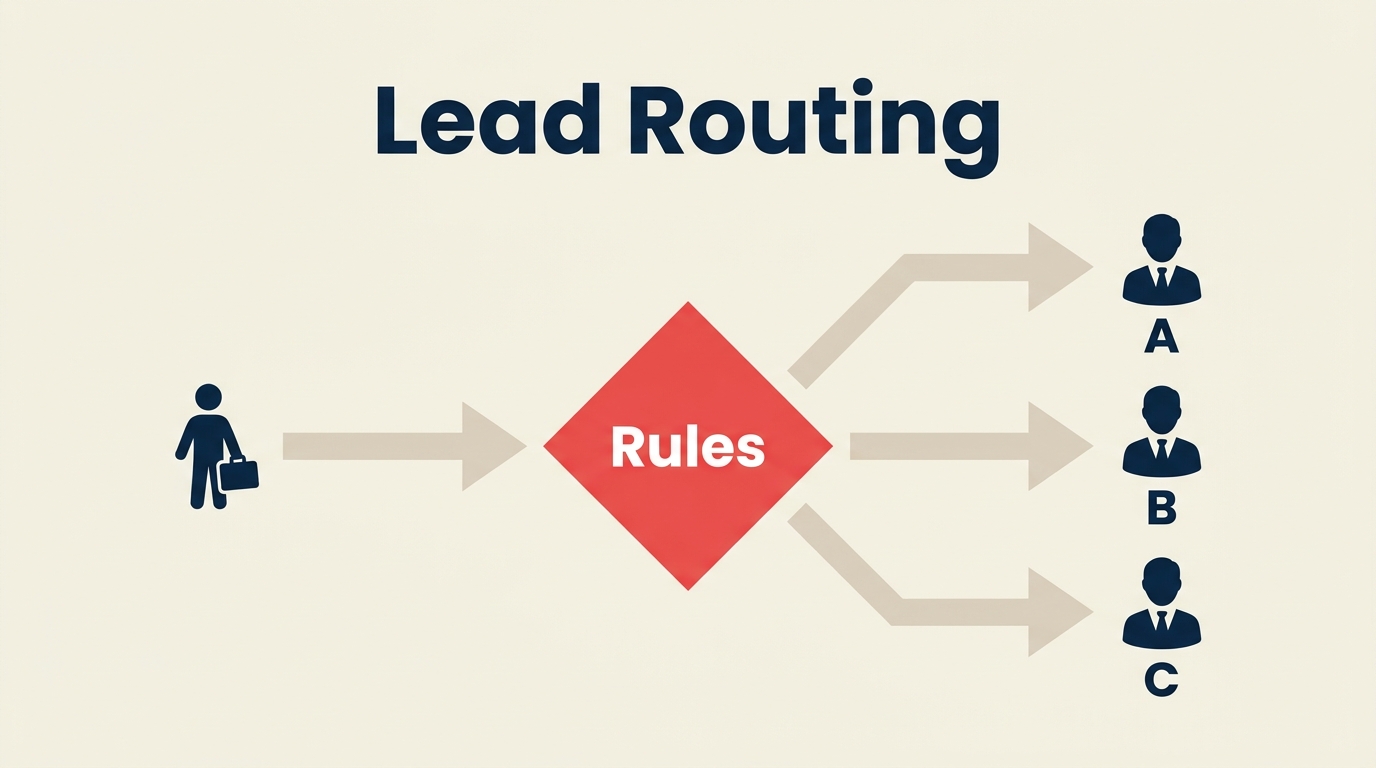
Lead-Weiterleitung ist der Prozess, der bestimmt, welcher Vertriebsmitarbeiter welchen Lead erhält und wie schnell. Jede Minute, die ein Lead in einer nicht zugewiesenen Warteschlange verbringt, ist eine Minute, in der Ihr Wettbewerber ihn anrufen könnte.
Wichtige Fakten
- Die klassische InsideSales/Harvard Business Review-Studie ergab, dass die Kontaktaufnahme mit einem Lead innerhalb von 5 Minuten die Wahrscheinlichkeit der Qualifizierung 100-mal höher macht als das Warten von 30 Minuten (HBR, 2011).
- 78 % der Käufer kaufen beim ersten Anbieter, der antwortet, was die Weiterleitungsgeschwindigkeit zu einem direkten Umsatzhebel macht (Lead Connect, 2024).
- Die durchschnittliche Lead-Reaktionszeit im B2B SaaS beträgt 42 Stunden, weit über dem optimalen 5-Minuten-Fenster, was zeigt, wie viel Verbesserungspotenzial Weiterleitungssysteme haben (Drift State of Conversational Marketing, 2024).
Was ist Lead-Weiterleitung?
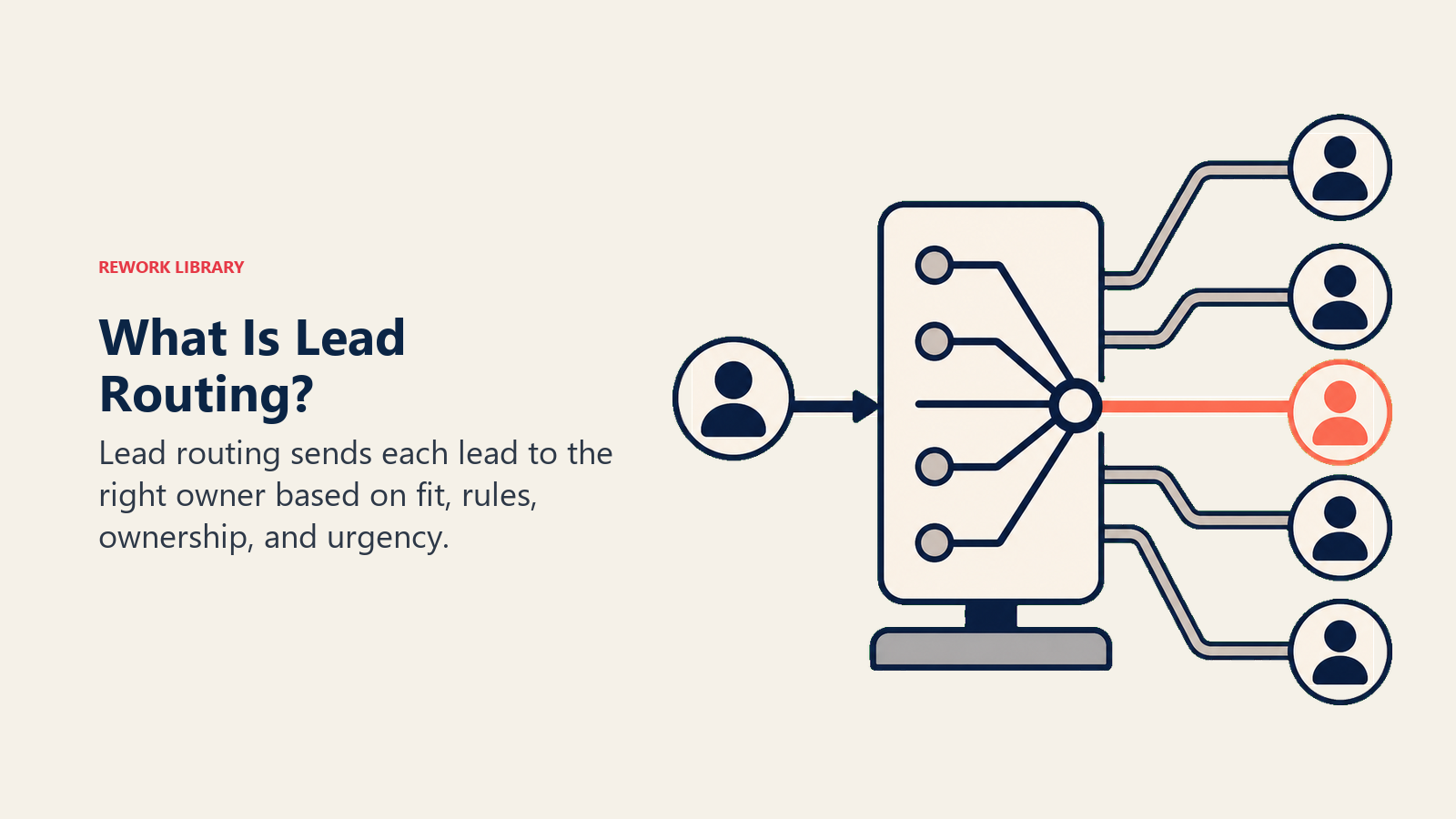
Lead-Weiterleitung ist die Gesamtheit der Regeln und Workflows, die eingehende Leads automatisch dem richtigen Vertriebsmitarbeiter oder Team zuweisen, basierend auf definierten Kriterien. Wenn ein Interessent ein Demo-Anfrage-Formular ausfüllt, ein Kontaktformular einsendet oder als verkaufsbereit bewertet wurde, bestimmt die Lead-Weiterleitung, wer diesen Lead als nächstes übernimmt und innerhalb welchen Zeitrahmens.
Es lohnt sich, dies von einem verwandten Konzept zu trennen. Lead-Scoring entscheidet, ob ein Lead vertriebsbereit ist. Lead-Weiterleitung entscheidet, wer ihn dann bearbeitet. Beide arbeiten in Reihenfolge: Scoring qualifiziert, Weiterleitung weist zu. Beide sind Teil des Lead-Managements als operative Disziplin.
Ein gut aufgebautes Weiterleitungssystem beantwortet jedes Mal drei Fragen, wenn ein Lead eingeht:
- Wer ist der richtige Mitarbeiter, basierend auf Vertriebsgebiet, Fachkompetenz oder Account-Eigentümerschaft?
- Wie schnell muss dieser Mitarbeiter reagieren, bevor der Lead auskühlt?
- Was passiert, wenn der erste Mitarbeiter ihn nicht rechtzeitig übernimmt?
Ohne Antworten auf diese drei Fragen werden Leads fallengelassen, dupliziert oder von den Besten herausgepickt. Mit ihnen haben Sie eine Lead-Verteilungsstrategie, die skaliert.
Warum Lead-Weiterleitung wichtig ist
Geschwindigkeit ist der offensichtlichste Grund. Das 5-Minuten-Fenster aus der HBR-Studie ist nicht theoretisch: Käufer füllen Ihr Formular aus, während sie aktiv Optionen evaluieren. Warten Sie 42 Stunden, sind Sie nicht der erste Anruf, den sie entgegennehmen. Sie sind ein Nachfass-Versuch, wenn sie Ihren Anruf überhaupt annehmen.
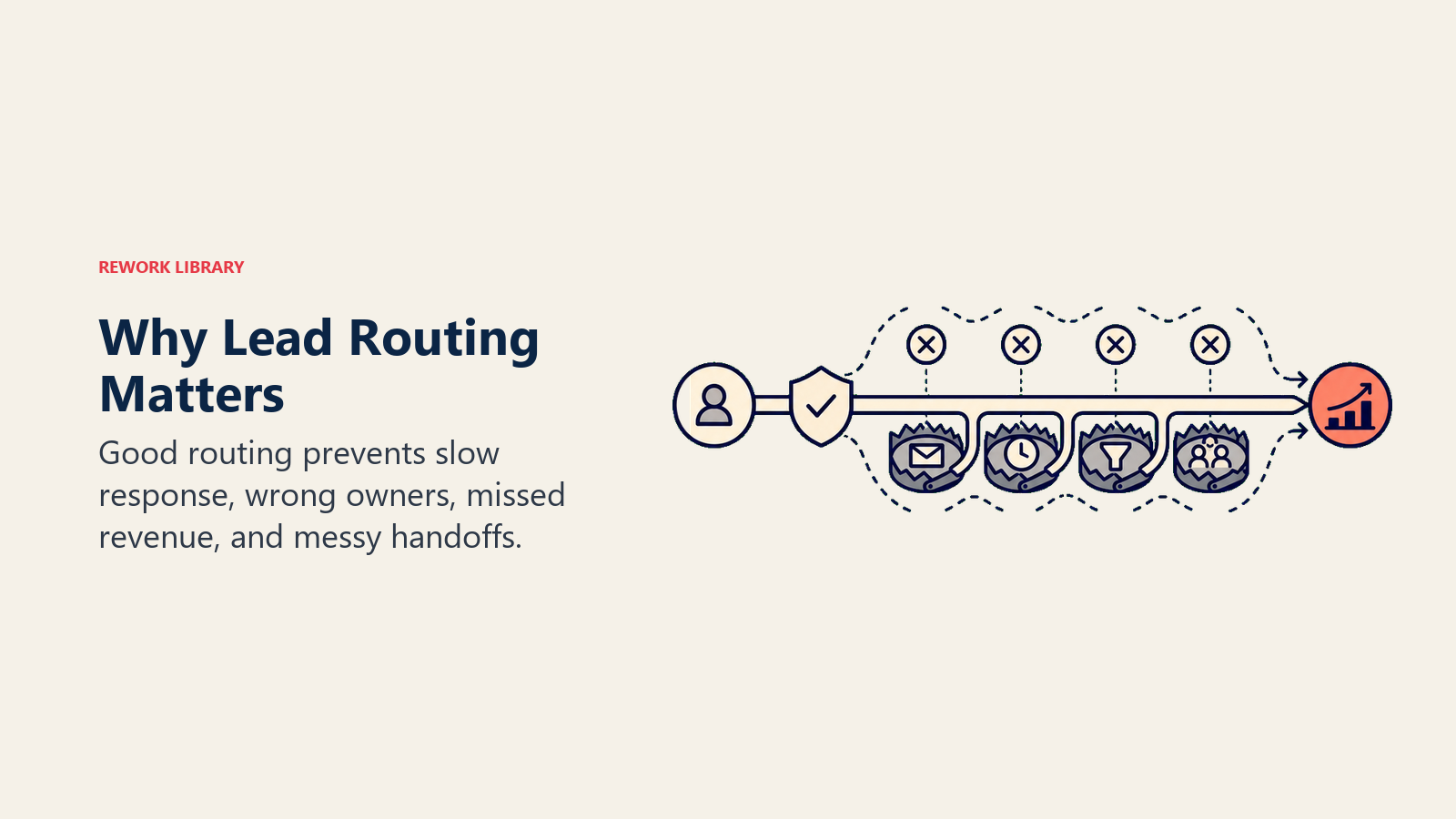
Aber Weiterleitung dreht sich nicht nur um Geschwindigkeit. Es gibt drei Dinge, die sie gleichzeitig bewirkt.
Reaktionsgeschwindigkeit auf Leads. Automatisierte Weiterleitung eliminiert den menschlichen Engpass. Ein Lead, der um 23 Uhr freitags eingereicht wird, wird sofort zugewiesen, anstatt bis Montagmorgen in jemandes Posteingang zu liegen. Weitere Forschungsergebnisse dazu, wie stark die Konversion pro Stunde Verzögerung sinkt, finden Sie unter Lead-Reaktionszeit.
Fairness und Konsistenz. Ohne Regeln wird die Lead-Zuweisung politisch. Erfahrene Mitarbeiter greifen nach den besten Leads. Neue Mitarbeiter bekommen die Reste. Weiterleitungsregeln beseitigen diese Dynamik vollständig: Das System weist basierend auf Kriterien zu, nicht nach Dienstalter oder wer am lautesten ist.
Spezialisierung. Nicht jeder Mitarbeiter sollte jeden Lead bearbeiten. Ein Enterprise-AE, der ein 10-Mitarbeiter-Startup betreut, ist ein Missverhältnis in beide Richtungen. Weiterleitung bringt SMB-Leads zu SMB-Mitarbeitern, Enterprise-Leads zu Enterprise-AEs und Anfragen bestehender Kunden zum Account-Manager, der die Beziehung bereits kennt.
Zusammen machen diese Faktoren die Weiterleitung zu einem direkten Umsatzhebel und nicht nur zu einer operativen Annehmlichkeit.
Die 5 Methoden der Lead-Weiterleitung
Weiterleitungsmethoden unterscheiden sich darin, ob sie auf Fairness, Gebietszuordnung, Account-Zuständigkeit, Spezialisierung oder Geschwindigkeit optimieren.
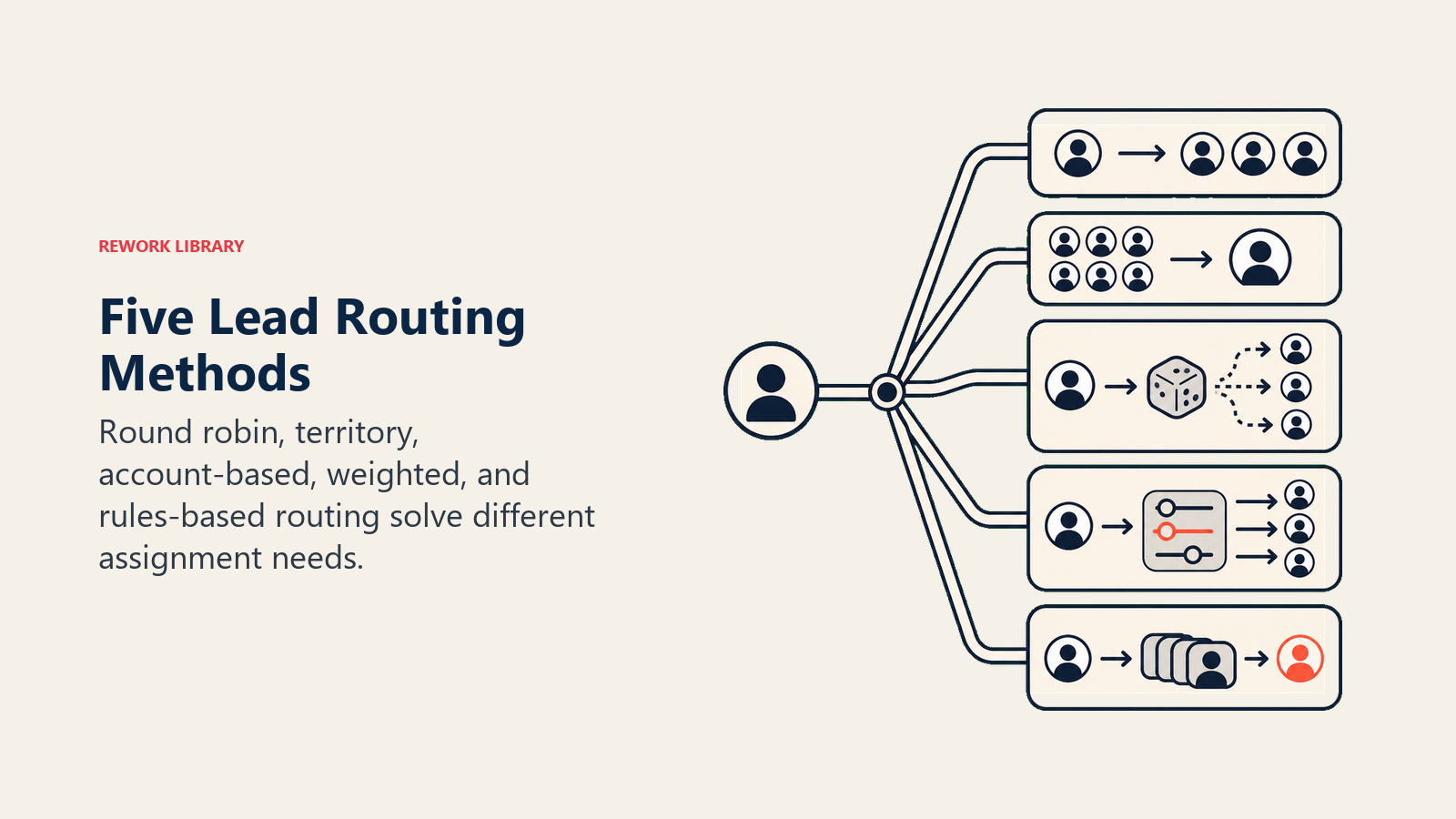
Keine einzelne Methode passt zu jedem Team. Die meisten reifen Vertriebsorganisationen verwenden eine Kombination und wenden unterschiedliche Methoden auf unterschiedliche Lead-Typen an. So funktioniert jede davon.
Round-Robin-Weiterleitung
Funktionsweise: Leads werden gleichmäßig und nacheinander auf alle berechtigten Mitarbeiter verteilt. Mitarbeiter A erhält Lead 1, Mitarbeiter B erhält Lead 2, Mitarbeiter C erhält Lead 3, dann wieder zurück zu Mitarbeiter A.
Wann zu verwenden: Teams mit ungefähr gleichwertigen Mitarbeitern, ähnlicher Lead-Qualität und ohne geografische oder account-spezifische Anforderungen. Am häufigsten bei frühen Startups mit kleinen, generalistischen SDR-Teams zu finden.
Vorteile: Einfach einzurichten, bei der Verteilungsanzahl vollkommen fair, leicht nachvollziehbar.
Nachteile: Ignoriert die Kapazität der Mitarbeiter. Ein Mitarbeiter im Urlaub oder mit 40 offenen Deals erhält dieselbe Anzahl neuer Leads wie einer mit einer leeren Warteschlange. Und es ignoriert die Spezialisierung: Ein Mitarbeiter, der Enterprise-Deals gut abschließt, kann einen Zyklus an einem 5-Personen-Unternehmen verschwenden. Einen tieferen Einblick in die Round-Robin-Zuweisung in der Praxis finden Sie unter Round-Robin-Zuweisung.
Beispiel: Ein 5-köpfiges SDR-Team bearbeitet 200 Inbound-Leads pro Monat. Kein Vertriebsgebiet, keine Segmentierung. Jeder Mitarbeiter erhält 40 Leads nacheinander.
Gebietsbasierte Weiterleitung
Funktionsweise: Leads werden basierend auf der geografischen Region zugewiesen. West-Coast-Leads gehen an den West-Mitarbeiter, EMEA-Leads an das EMEA-Team und so weiter.
Wann zu verwenden: Teams mit regionaler Spezialisierung, Compliance-Anforderungen (GDPR, Datenlokalisierung) oder Kundenstämmen, die lokale Expertise und Zeitzonenabstimmung erwarten.
Vorteile: Mitarbeiter bauen tiefe Beziehungen in ihrer Region auf. Die Reiseeffizienz verbessert sich. Zeitzonen-Abdeckung wird natürlich statt erzwungen.
Nachteile: Leads sind nicht gleichmäßig über Vertriebsgebiete verteilt. Ein Unternehmen in New York erzeugt immer mehr Leads als eines in Montana, sodass Gebiets-Mitarbeiter unausgewogene Arbeitslasten haben, wenn die Gebiete nicht regelmäßig neu kalibriert werden. Wie man Gebiete gestaltet, die langfristig ausgewogen bleiben, ist unter Gebietsbasierte Weiterleitung beschrieben.
Beispiel: Ein Außendienstteam für Nordamerika wird in drei Gebiete aufgeteilt: West, Mitte und Ost. Leads werden anhand der Postleitzahl des Unternehmens weitergeleitet.
Account-basierte Weiterleitung
Funktionsweise: Leads von Unternehmen, die bereits in Ihrem CRM existieren, werden direkt an den Mitarbeiter oder Account-Manager weitergeleitet, dem dieser Account gehört. Neue Logos durchlaufen die normale Weiterleitung; bekannte Accounts umgehen die Warteschlange und landen beim zuständigen Eigentümer.
Wann zu verwenden: Jedes Team, das eine Account-basierte Vertriebs- oder Marketingbewegung durchführt, oder jedes Team mit nennenswertem Stammkunden- oder Expansionsumsatz. Ohne diese Weiterleitung füllt der VP of Marketing eines Schlüsselaccounts Ihr Demo-Formular aus und wird von einem SDR kalt angerufen, der die Beziehung nicht kennt.
Vorteile: Bewahrt den Beziehungskontext. Verhindert peinliche Fehlleitungen. Verbessert die Upsell- und Expansions-Konversion erheblich, weil die richtige Person den Account bereits kennt. Implementierungsdetails finden Sie unter Account-basierte Weiterleitung.
Nachteile: Erfordert saubere CRM-Daten. Wenn Unternehmensnamen nicht standardisiert sind, erscheinen "Acme GmbH" und "Acme Gesellschaft mit beschränkter Haftung" als zwei verschiedene Accounts, und die Suche schlägt fehl.
Beispiel: Ein SaaS-Unternehmen mit 500 benannten Accounts. Jede Formulareinreichung von einer E-Mail-Domain, die einem benannten Account entspricht, umgeht die SDR-Warteschlange und geht innerhalb von 15 Minuten direkt an den benannten AE.
Gewichtete (kapazitätsbasierte) Weiterleitung
Funktionsweise: Leads werden proportional nach Gewichtungen verteilt, die Sie jedem Mitarbeiter zuweisen. Ein erfahrener Mitarbeiter erhält möglicherweise 30 % der Leads. Ein neuer Mitarbeiter in einem Einarbeitungsplan erhält 10 %. Gewichtungen spiegeln Kapazität, Leistung oder strategische Absicht wider.
Wann zu verwenden: Teams, in denen Mitarbeiter deutlich unterschiedliche Kapazitäten haben, in verschiedenen Einarbeitungsphasen sind, oder wenn Sie leistungsstarken Mitarbeitern mit mehr Volumen belohnen möchten. Auch nützlich, wenn ein Mitarbeiter einen Kanal mit hohem Volumen betreut und einen größeren Anteil benötigt. Die Mathematik hinter der Gewichtungseinstellung finden Sie unter Gewichtete Lead-Verteilung.
Vorteile: Flexibel. Sie können das System so einstellen, dass es der tatsächlichen Kapazität entspricht, anstatt alle Mitarbeiter als identisch zu behandeln.
Nachteile: Erfordert aktives Management. Gewichtungen werden veraltet, wenn Mitarbeiter befördert werden, das Unternehmen verlassen oder die Rolle wechseln. Nicht überprüfte Gewichtungen können versehentlich einen Top-Performer von Leads aushungern oder einen Neueinsteiger überfordern.
Beispiel: Ein Team von 4 AEs. Die beiden besten erhalten je 30 %. Ein mittelmäßig leistender Mitarbeiter erhält 25 %. Ein Mitarbeiter in den ersten 60 Tagen erhält 15 %.
Attributbasierte (Fähigkeiten-/Segment-)Weiterleitung
Funktionsweise: Leads werden Mitarbeitern basierend auf spezifischen Attributen des Leads selbst zugeordnet: Branchenvertical, Unternehmensgröße, Produktinteresse, Sprache oder beliebige benutzerdefinierte Felder in Ihrem CRM. Ein Healthcare-Lead geht an den Mitarbeiter mit Healthcare-Expertise. Ein deutschsprachiger Lead geht an den Mitarbeiter mit den entsprechenden Sprachkenntnissen.
Wann zu verwenden: Spezialisierte Vertriebsteams, Multi-Produkt-Unternehmen oder jedes Unternehmen, bei dem der Käuferkontext das Verkaufsgespräch stark beeinflusst.
Vorteile: Höchste Konversionsraten, wenn gut implementiert, weil die Mitarbeiter-Lead-Zuordnung bedeutsam ist. Käufer erhalten Mitarbeiter, die ihre Welt verstehen.
Nachteile: Am komplexesten zu erstellen und zu pflegen. Erfordert saubere Daten auf beiden Seiten (Lead-Attribute und Mitarbeiter-Fähigkeitsprofile). Funktioniert nicht, wenn Lead-Daten fehlen oder ungenau sind.
Beispiel: Eine Fintech-Plattform mit Verticals in Healthcare, Logistik und Einzelhandel. Jedes Vertical hat ein dediziertes Team. Leads werden anhand des im Formular erfassten Branchenfelds weitergeleitet.
Regeln für die Lead-Weiterleitung: Die Grundbausteine
Jede Weiterleitungsmethode basiert auf Regeln. Eine Regel ist eine bedingte Aussage: "Wenn X, dann weise Y innerhalb von Z Minuten zu." Hier sind die zentralen Regeltypen, die jedes Weiterleitungssystem benötigt.
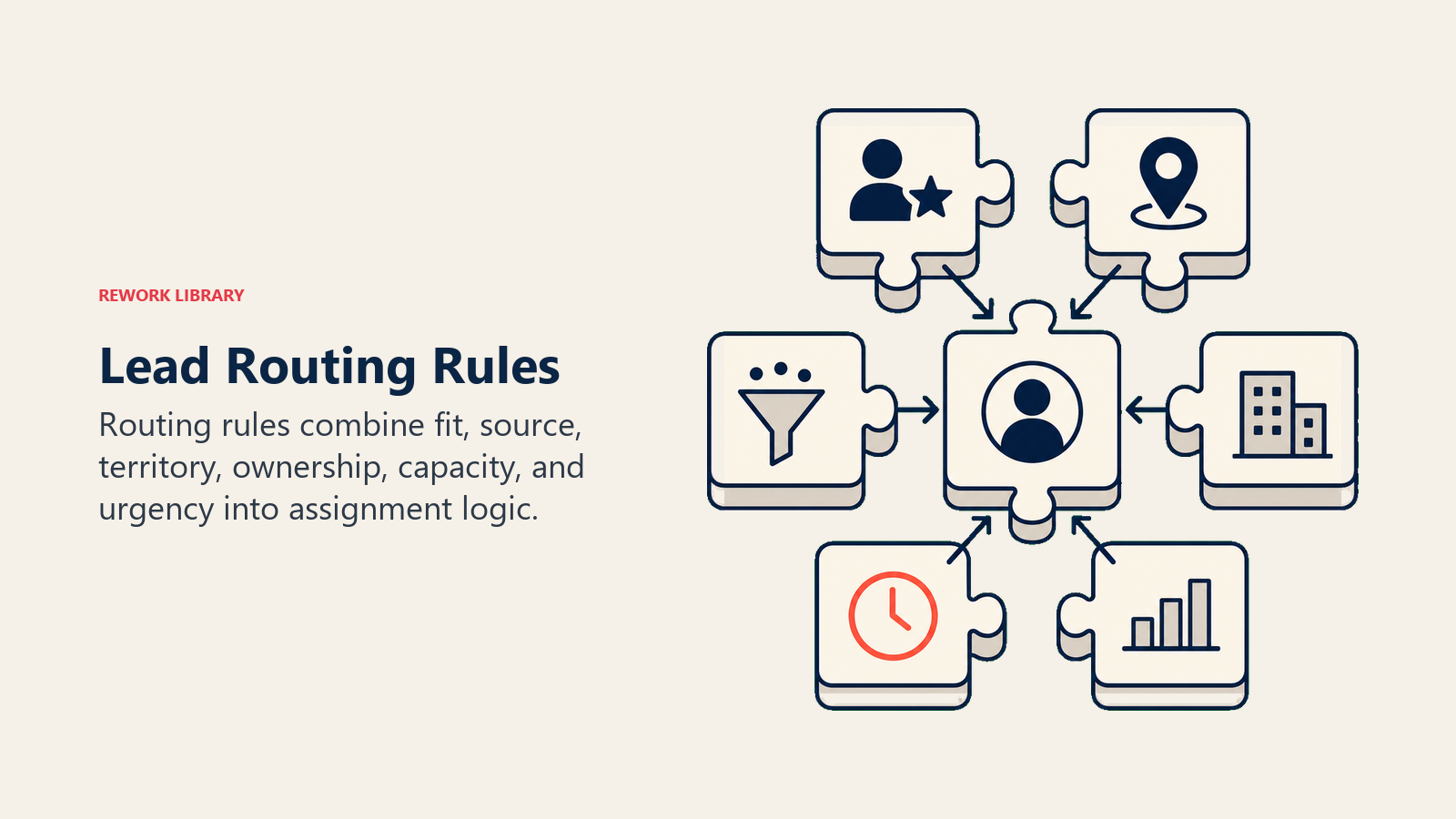
| Regeltyp | Auslöser | Aktion | Beispiel |
|---|---|---|---|
| Firmografisch | Unternehmensgröße, Branche, Umsatz | Weiterleitung an passenden Segment-Mitarbeiter | 500+ Mitarbeiter: Enterprise AE |
| Demografisch | Lead-Titel, Dienstalter, Funktion | Weiterleitung an Produkt- oder Persona-Spezialisten | VP-Titel: Senior AE, kein SDR |
| Verhaltensbasiert | Besuchte Seiten, heruntergeladene Inhalte, Formulartyp | Priorität oder Warteschlange anpassen | Preisseite + Demo-Anfrage: Hochprioritätswarteschlange |
| Eigentümerschaft/Duplikat | Lead-Domain stimmt mit bestehendem CRM-Account überein | Weiterleitung an Account-Eigentümer, normale Warteschlange überspringen | acme.com: Account-Eigentümerin Sarah |
| SLA-Durchsetzung | Lead wird X Minuten nicht beantwortet | Eskalieren oder neu zuweisen | Keine Antwort in 15 Min.: Manager-Alert + Backup-Mitarbeiter |
| Fallback | Kein Mitarbeiter erfüllt die Kriterien oder ist nicht verfügbar | Weiterleitung an Pool oder Warteschlange | Kein Gebiets-Mitarbeiter online: SDR-Pool |
Regeln stapeln sich. Ein einzelner Lead kann 3 bis 4 Regeln nacheinander auslösen: zuerst die Duplikat-Prüfung, dann die firmografische Weiterleitung, dann beginnt die SLA-Uhr, dann der Fallback, wenn keine Antwort erfolgt. Lead-Zuweisung-SLAs definiert die Reaktionszeitvorgaben, die im Zentrum dieses Stapels stehen.
So gestalten Sie ein Lead-Weiterleitungssystem: Schritt für Schritt
Schritt 1: Auditieren Sie Ihren Trichter und Ihre Mitarbeiter
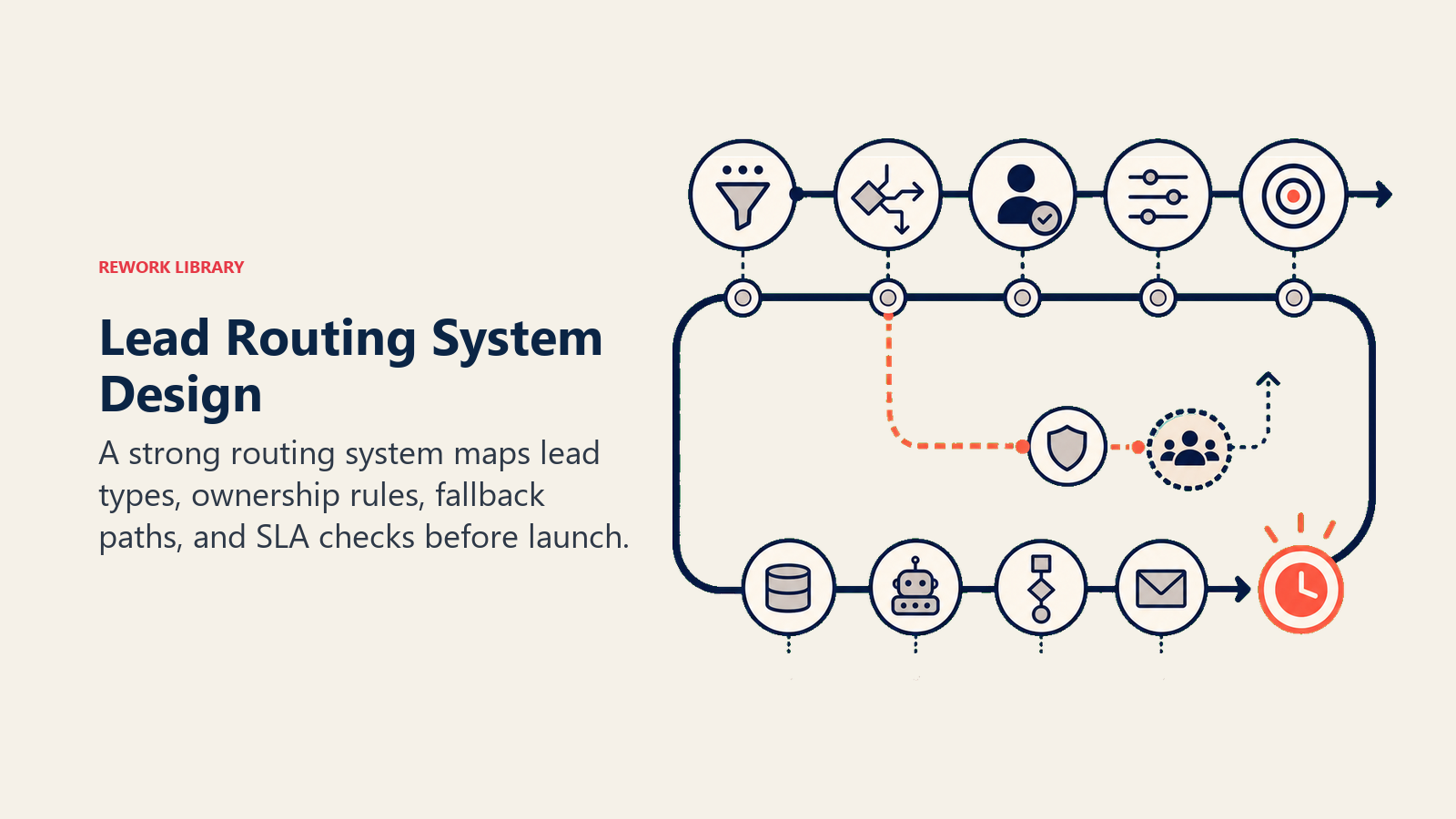
Bevor Sie Regeln erstellen, müssen Sie wissen, womit Sie arbeiten. Erstellen Sie einen Bericht über Ihre letzten 90 Tage an Leads: Woher kamen sie? Welche Unternehmensgrößen? Welche Geografien? Wie schnell haben Mitarbeiter reagiert? Welche Mitarbeiter haben die höchste Abschlussrate?
Führen Sie dasselbe für Ihren Mitarbeiterbestand durch: Wer deckt welches Vertriebsgebiet ab? Wer ist auf welche Branche spezialisiert? Wer befindet sich in einem Einarbeitungsplan? Wer trägt eine volle Quote?
Dieses Audit zeigt Ihnen, ob Ihre aktuelle Weiterleitung (oder deren Fehlen) der Realität entspricht.
Schritt 2: Wählen Sie eine primäre Weiterleitungsmethode
Wählen Sie anhand Ihres Audits die Methode, die zu Ihrer aktuellen Teamstruktur passt. Die meisten Teams mit weniger als 10 Mitarbeitern beginnen mit Round-Robin oder gewichteter Weiterleitung, weil sie einfach ist. Teams mit geografischer Abdeckung oder benannten Accounts benötigen früher gebietsbasierte oder account-basierte Weiterleitung.
Versuchen Sie nicht, alle fünf Methoden gleichzeitig zu implementieren. Beginnen Sie mit der Methode, die Ihr größtes Problem löst.
Schritt 3: Definieren Sie Ihre Regeln explizit
Wandeln Sie Ihre Weiterleitungslogik in Wenn-Dann-Aussagen um, bevor Sie eine Software anfassen. Schreiben Sie es auf eine Whiteboard. Definieren Sie für jede Regel den Auslöser, das Zuweisungsziel und den Fallback, wenn die Zuweisung nicht vorgenommen werden kann.
Explizite Regeln erkennen Grenzfälle, bevor sie zu Live-Fehlern werden. "Was passiert, wenn ein Lead zwei Vertriebsgebieten entspricht?" "Was passiert, wenn der zugewiesene Mitarbeiter abwesend ist?" Diese Fragen decken Probleme auf, bevor sie echte Leads an die falsche Person weiterleiten.
Schritt 4: Legen Sie Reaktionszeit-SLAs für jeden Lead-Typ fest
Nicht alle Leads benötigen eine 5-Minuten-Antwort. Eine Demo-Anfrage von einem qualifizierten Enterprise-Lead schon. Ein Content-Download von einem frühen Interessenten nicht. Definieren Sie SLA-Stufen nach Lead-Typ und Weiterleitungsmethode, damit Ihr Team weiß, was erwartet wird.
SLAs ohne Durchsetzung sind Wünsche. Bauen Sie Eskalationsregeln in Ihr System ein: Wenn ein Lead nicht innerhalb von X Minuten akzeptiert wird, wird er automatisch neu zugewiesen oder löst eine Warnung aus.
Schritt 5: Bauen Sie den Workflow in Ihrem CRM oder Weiterleitungstool
Mit auf Papier definierten Regeln sind Sie bereit, Ihr CRM oder ein dediziertes Weiterleitungstool zu konfigurieren. Die Konfiguration sollte genau das widerspiegeln, was Sie in Schritt 3 definiert haben. Zu den gängigen Plattformen gehören Salesforce-Zuweisungsregeln, HubSpot-Workflows, LeanData, Chili Piper und Reworks natives Weiterleitungs-Engine.
Für Teams, die mit der Automatisierung weiter gehen möchten, finden Sie unter Lead-Routing-Automatisierung Informationen zur Erstellung einer intelligenten, mehrschichtigen Weiterleitung, die Tausende von Leads pro Tag ohne manuellen Eingriff verarbeitet.
Schritt 6: Überwachen, messen und anpassen
Weiterleitung ist kein "einrichten und vergessen"-System. Überprüfen Sie Ihre Weiterleitungslogik in den ersten sechs Monaten monatlich. Verfolgen Sie: Zuweisungsgenauigkeit (haben Leads den richtigen Mitarbeiter erreicht?), Reaktionszeit nach Regel (werden SLAs eingehalten?) und Konversionsrate nach Weiterleitungsmethode (welche Methode erzeugt die besten Ergebnisse?).
Wenn Daten von den Erwartungen abweichen, aktualisieren Sie die Regeln. Die Weiterleitungslogik sollte sich weiterentwickeln, wenn Ihr Team, Ihr Produkt und Ihr Markt reifen.
Beispiele zur Lead-Weiterleitung
Beispiele erleichtern die Bewertung von Weiterleitungsregeln, weil sie zeigen, wie sich das Modell bei realen Segmenten und Ausnahmen verhält.
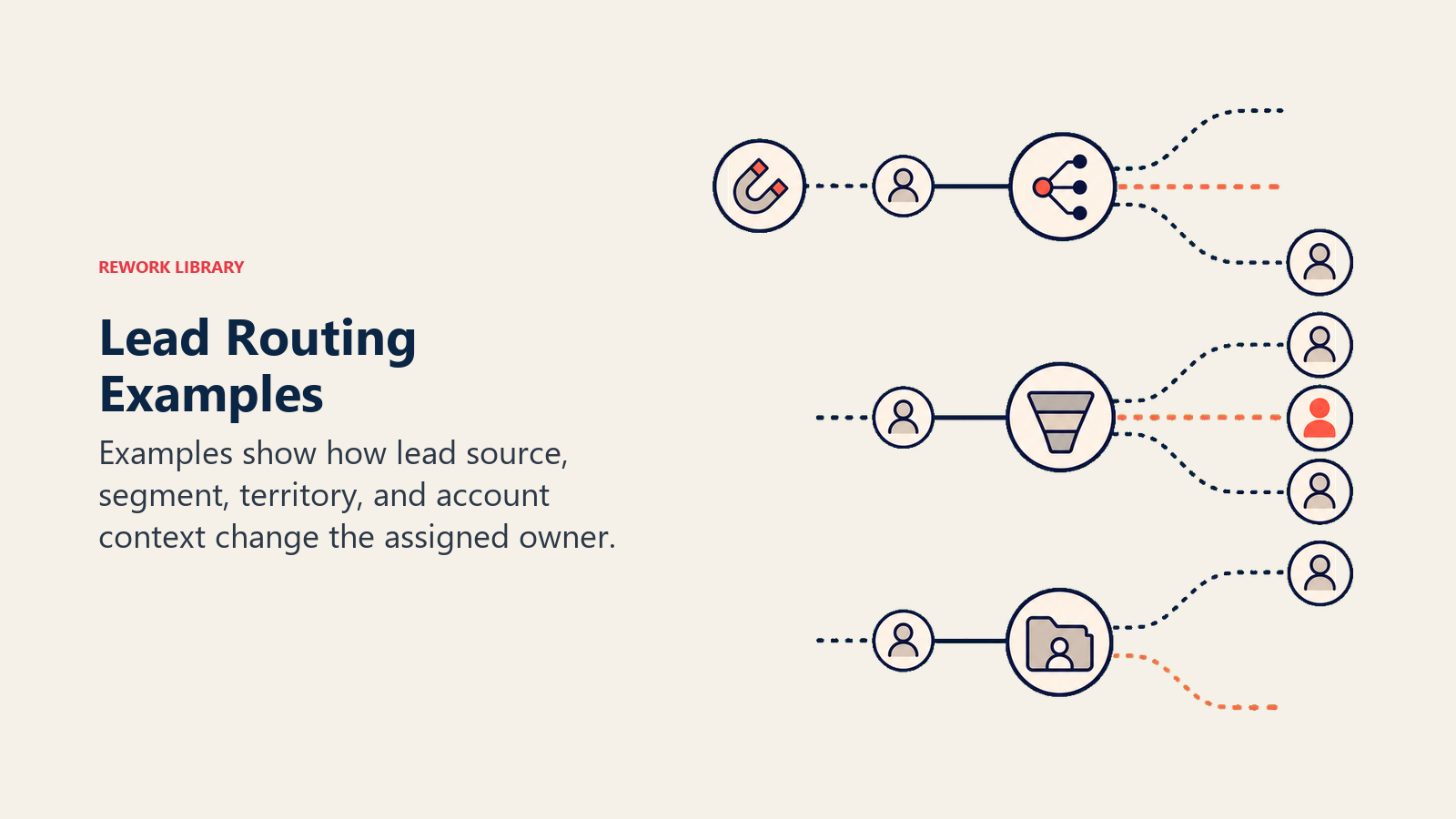
Verschiedene Unternehmensphasen erfordern unterschiedliche Weiterleitungsdesigns. So entwickelt sich die Weiterleitung typischerweise mit dem Wachstum von Unternehmen.
| Unternehmensphase | Weiterleitungsmethode | SLA | Warum es funktioniert |
|---|---|---|---|
| Frühes Startup (1-3 Mitarbeiter) | Round-Robin oder manuell | 30 Min. | Einfach, keine Gebiets-Komplexität, alle bearbeiten alle Leads |
| SMB SaaS (5-15 Mitarbeiter) | Gewichtet + account-basiert | 10 Min. | Kapazitätsunterschiede entstehen; bestehende Accounts benötigen direkte Weiterleitung |
| Mid-Market (15-50 Mitarbeiter) | Gebiet + attributbasiert | 5 Min. | Geografische Abdeckung und vertikale Spezialisierung sind beide wichtig |
| Enterprise (50+ Mitarbeiter) | Account-basiert + gewichtet + attributbasiert | 15 Min. für benannte Accounts, 5 Min. für Inbound | Benannte Account-Beziehungen treiben Umsatz; Inbound braucht weiterhin Geschwindigkeit |
Das Muster: Mit dem Wachstum wird die Weiterleitung spezifischer. Aber das Kernziel bleibt dasselbe: Den richtigen Lead vor dem richtigen Mitarbeiter platzieren, bevor das Gesprächsfenster schließt.
SLAs, die die Weiterleitung wirksam machen
Die Weiterleitung weist den Lead zu. SLAs halten den Mitarbeiter für die Reaktion verantwortlich. Ohne SLA-Durchsetzung schiebt die Weiterleitung Leads lediglich von einer Warteschlange in einen Posteingang, wo sie weiterhin liegen.
| Lead-Quelle | Ziel-Reaktionszeit | Warum |
|---|---|---|
| Demo-Anfrage / Preisseite | 5 Minuten | Höchste Kaufabsicht; Käufer evaluiert gerade aktiv |
| Kontaktformular | 15 Minuten | Hohe Kaufabsicht; vor dem Anruf ist etwas Kontext nötig |
| Content-Download (MQL) | 4 Stunden | Geringere Kaufabsicht; Qualifizierung vor Outreach erforderlich |
| Event-Lead | Am selben Tag (8 Stunden) | Kontextabhängig; Treffen bei der Veranstaltung verringert die Dringlichkeit leicht |
| Inbound-Empfehlung | 1 Stunde | Vertrauen ist bereits aufgebaut; Geschwindigkeit stärkt die Empfehlungsbeziehung |
Diese Vorgaben gelten für die meisten Lead-Typen während der Geschäftszeiten. Für Demo-Anfragen außerhalb der Geschäftszeiten ist Automatisierung besonders wichtig: Chatbots oder automatische Terminplanung können das Gespräch am Leben erhalten, bis ein Mitarbeiter verfügbar ist.
Häufige Fehler bei der Weiterleitung
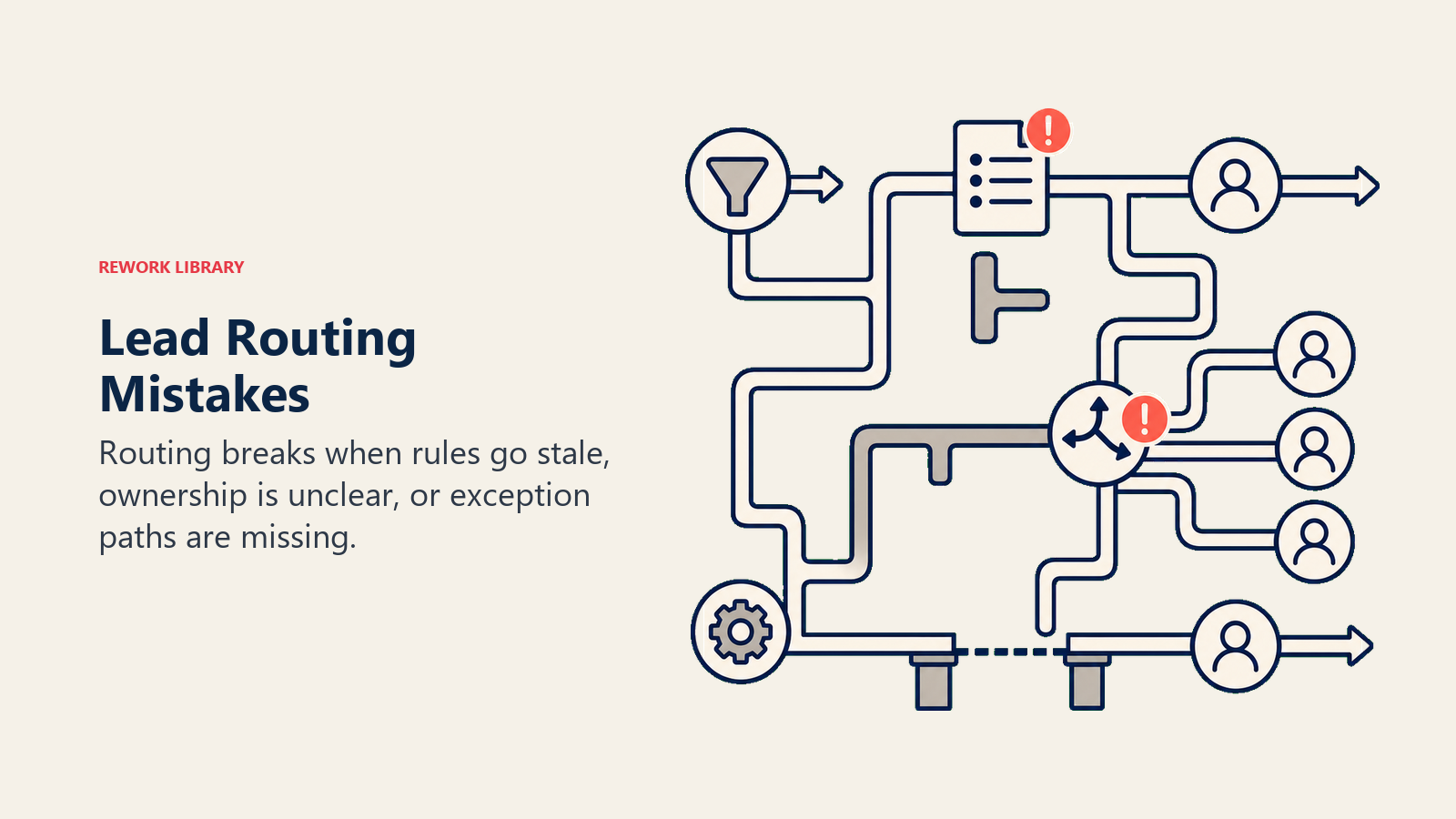
Vermeiden Sie Folgendes:
- Weiterleitung basierend auf "wer gerade verfügbar ist" ohne Definition von Verfügbarkeitsregeln. Das erzeugt Inkonsistenz und Bevorzugung.
- Die Fallback-Regel überspringen. Jeder Weiterleitungspfad benötigt einen Fallback für den Fall, dass die primäre Zuweisung fehlschlägt.
- Gebietsregeln auf statischen Postleitzahlen aufbauen und sie nie aktualisieren. Vertriebsgebiete verschieben sich, wenn sich Ihr Markt verändert.
- Duplizierte Leads ignorieren. Dieselbe Person kann mit der Arbeits-E-Mail und der privaten E-Mail einreichen. Ohne Deduplizierung erhalten sie zwei anrufende Mitarbeiter.
- SLAs ohne Durchsetzung festlegen. Nicht überwachte SLAs erzeugen falsches Vertrauen.
- Weiterleitungsregeln über Ihren Mitarbeiterbestand hinauswachsen lassen. Wenn Sie eine Regel haben, die Enterprise-Leads an "das Enterprise-Team" sendet und dieses Team nur einen Mitarbeiter hat, ist es kein Team, es ist eine Warteschlange.
Machen Sie stattdessen Folgendes:
- Verfügbarkeit explizit definieren (Abwesenheitsregeln, Kapazitätsgrenzen, Arbeitszeiten je Zeitzone).
- Fallback-Pfade aufbauen und testen, bevor Sie live gehen.
- Gebietsdefinitionen vierteljährlich überprüfen.
- Deduplizierung vor der Weiterleitung durchführen, nicht danach.
- Eskalationswarnungen an jede SLA-Regel anhängen.
Best Practices
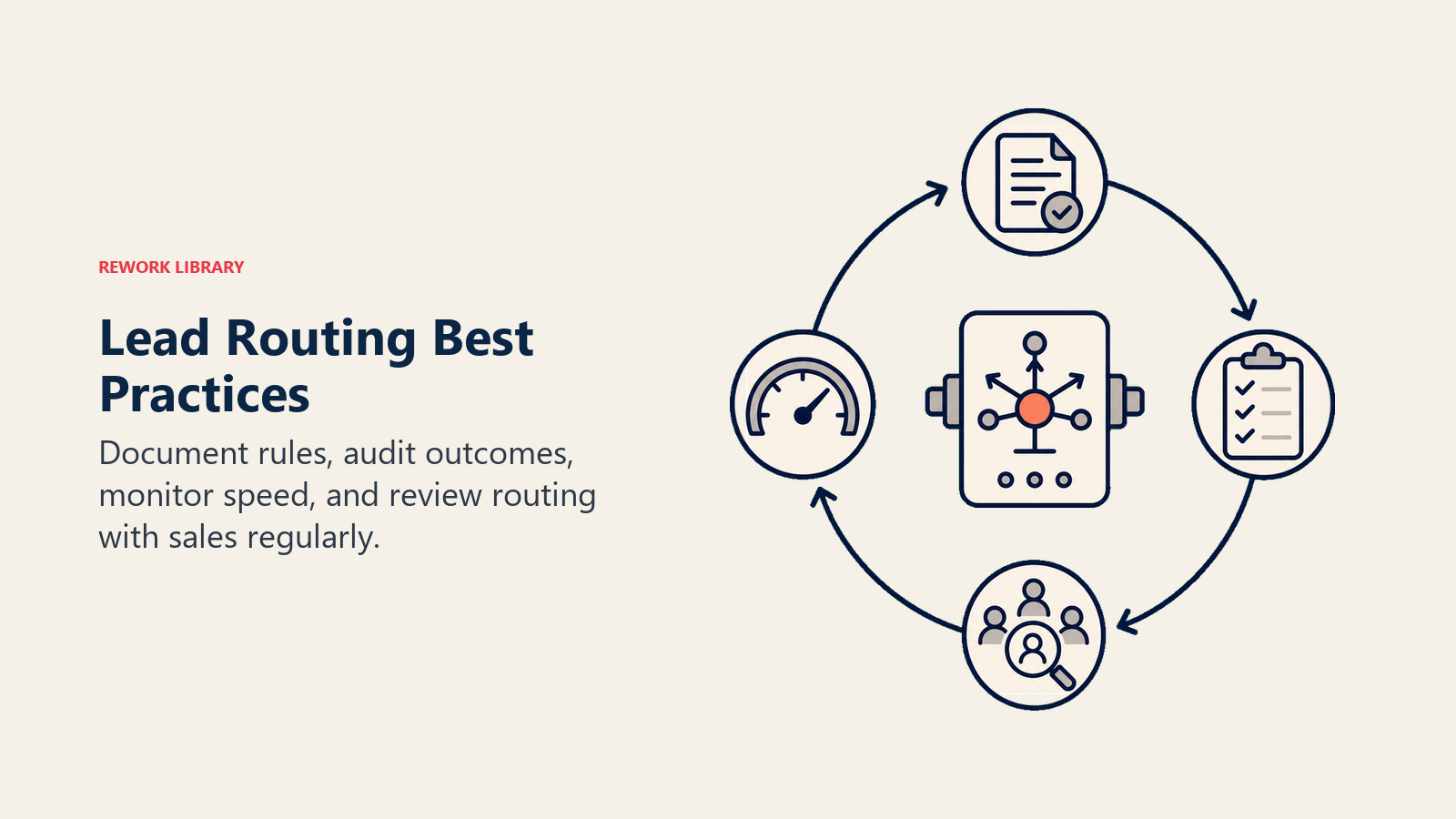
- Mit weniger Regeln beginnen, nicht mehr. Ein System mit 5 gut getesteten Regeln übertrifft eines mit 50 nicht getesteten Regeln. Komplexität verstärkt Grenzfälle.
- Datenhygiene vorgelagert sicherstellen. Die Weiterleitungsgenauigkeit hängt vollständig von der Qualität der eingespeisten Lead-Daten ab. Ein Lead ohne Unternehmensgrößenfeld kann keine firmografischen Regeln auslösen.
- Immer nach Lead-Lebenszyklusphase weiterleiten. Ein Framework für Lead-Lebenszyklusstadien stellt sicher, dass MQLs, SQLs und wieder engagierte Leads nicht alle in derselben Warteschlange mit demselben SLA landen.
- Mit synthetischen Leads testen, bevor Sie live gehen. Erstellen Sie Test-Leads, die jedes Weiterleitungsszenario repräsentieren, und verifizieren Sie die Zuweisung, bevor Sie den Schalter für echten Traffic umlegen.
- Weiterleitungsgenauigkeit als KPI verfolgen. Definieren Sie "genaue Zuweisung" konkret (z. B. Enterprise-Lead innerhalb von 15 Minuten an Enterprise-Mitarbeiter weitergeleitet) und berichten Sie wöchentlich darüber.
- Mitarbeitern Einblick in die Weiterleitungslogik geben. Wenn Mitarbeiter verstehen, warum sie einen Lead erhalten haben, reagieren sie schneller und mit besserem Kontext. Intransparenz schürt Zynismus.
- Weiterleitung von Qualifizierung entkoppeln. Lead-Qualifizierungs-Frameworks bestimmen die Eignung. Weiterleitung bestimmt die Zuweisung. Halten Sie sie als separate Systeme, die miteinander kommunizieren, nicht als einen verworrenen Workflow.
- Auf Mitarbeiterfluktuation planen. Wenn ein Mitarbeiter das Unternehmen verlässt, benötigen seine offenen Leads eine automatische Neuzuweisungsregel. Lassen Sie Leads nicht zu Waisen werden, weil ein Mitarbeiterkonto deaktiviert wurde.
Lead-Weiterleitung ist dort, wo Strategie auf Ausführung trifft. Sie können großartiges Marketing, starkes Lead-Scoring und ein talentiertes Vertriebsteam haben und dennoch Deals verlieren, weil Leads beim falschen Mitarbeiter zu spät ankamen. Das richtige Routing einzurichten ist keine einmalige Aufgabe. Es ist ein Betriebsrhythmus: Regeln definieren, SLAs festlegen, Fallbacks aufbauen und anpassen, wenn Ihr Team wächst. Die Unternehmen, die bei der Reaktionsgeschwindigkeit auf Leads gewinnen, haben kein Glück. Sie haben Systeme dafür gebaut.

Principal CRM Strategist
On this page
- Was ist Lead-Weiterleitung?
- Warum Lead-Weiterleitung wichtig ist
- Die 5 Methoden der Lead-Weiterleitung
- Round-Robin-Weiterleitung
- Gebietsbasierte Weiterleitung
- Account-basierte Weiterleitung
- Gewichtete (kapazitätsbasierte) Weiterleitung
- Attributbasierte (Fähigkeiten-/Segment-)Weiterleitung
- Regeln für die Lead-Weiterleitung: Die Grundbausteine
- So gestalten Sie ein Lead-Weiterleitungssystem: Schritt für Schritt
- Schritt 1: Auditieren Sie Ihren Trichter und Ihre Mitarbeiter
- Schritt 2: Wählen Sie eine primäre Weiterleitungsmethode
- Schritt 3: Definieren Sie Ihre Regeln explizit
- Schritt 4: Legen Sie Reaktionszeit-SLAs für jeden Lead-Typ fest
- Schritt 5: Bauen Sie den Workflow in Ihrem CRM oder Weiterleitungstool
- Schritt 6: Überwachen, messen und anpassen
- Beispiele zur Lead-Weiterleitung
- SLAs, die die Weiterleitung wirksam machen
- Häufige Fehler bei der Weiterleitung
- Best Practices