More in
Productivity Tool Comparisons
Rework vs Asana: Which Scales Better with Your Team in 2026
Apr 6, 2026
Rework vs ClickUp: The Everything-App vs the Dedicated Ops Platform in 2026
Apr 3, 2026
Rework vs Smartsheet: Spreadsheets vs Work Systems for Mid-Size Operations in 2026
Mar 30, 2026
Rework vs Monday.com: Flexibility vs. Opinionation for Growing Teams
Mar 9, 2026
Rework vs Notion: Docs and Databases vs Dedicated Workflows in 2026
Mar 2, 2026
Rework vs Wrike: Enterprise Project Management vs Dedicated Ops Platform in 2026
Feb 23, 2026 · Currently reading
Rework vs Wrike: Enterprise Project Management vs Dedicated Ops Platform in 2026
You're evaluating tools for a team that does more than track tasks. Maybe you have a marketing team managing creative reviews alongside a sales ops team running deal workflows, and you need both to live somewhere coherent. Or you're at 50 people, your spreadsheets are collapsing, and you want a platform that enforces process rather than leaving it to individual judgment.
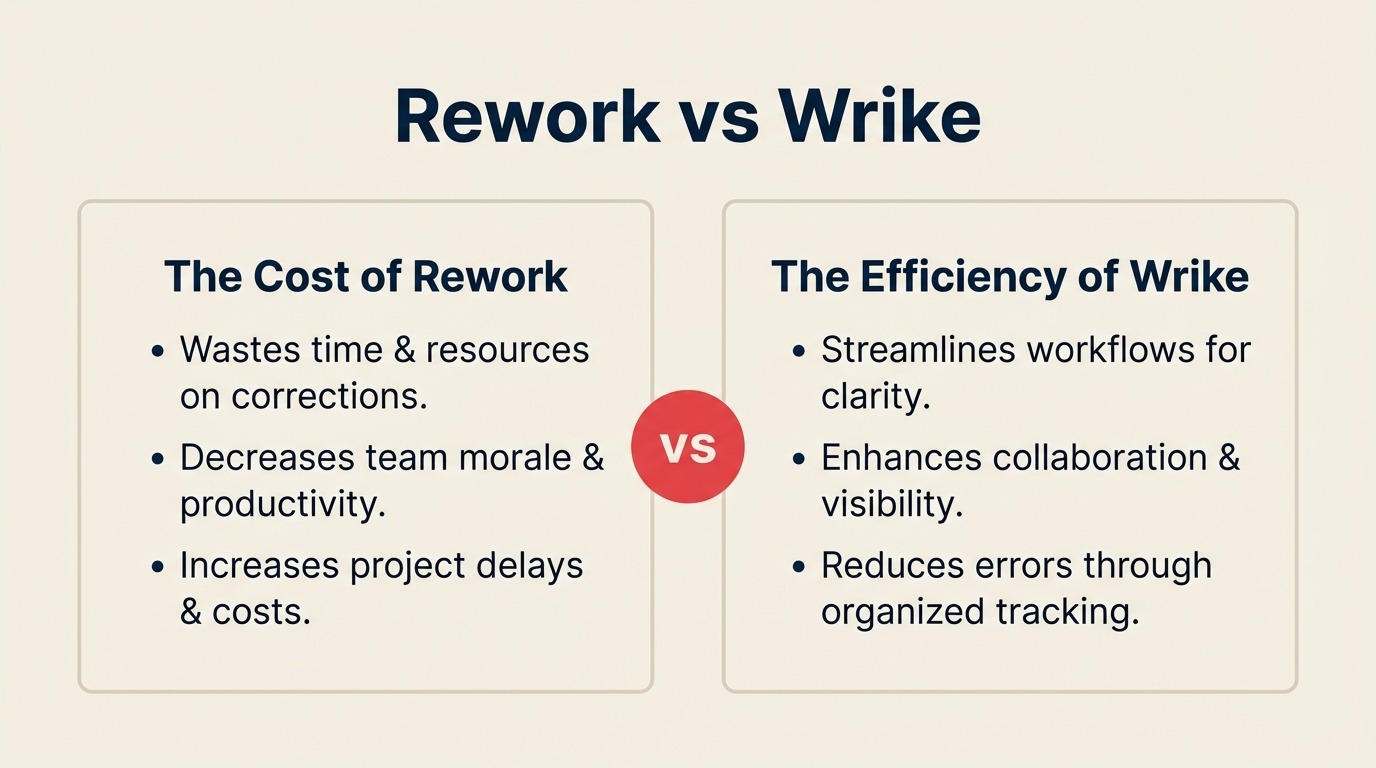
Wrike and Rework both claim to solve this. But they approach it from very different angles. Wrike is an enterprise-grade project management platform with deep resource management, Gantt-driven planning, and purpose-built creative proofing. Rework is a dedicated cross-team ops platform where process templates, sales CRM, and workflow automation ship as one assembled product. This comparison is for the ops lead, head of revenue, or COO deciding which one fits a 20-to-500-person team running shared workflows across departments.
For related comparisons in this category, see Rework vs Monday.com (flexible canvas vs. dedicated ops) and Rework vs Asana (project management vs. operations management).
TL;DR
| Dimension | Wrike | Rework |
|---|---|---|
| Primary positioning | Enterprise project management | Dedicated cross-team ops platform |
| Ideal company size | 50-5,000 employees | 20-500 employees |
| Core strength | Resource management, Gantt, creative proofing | Cross-functional ops workflows, CRM, unified inbox |
| Workflow approach | Flexible build-it-yourself canvas | Opinionated templates, assembled out of the box |
| Resource management | Deep, workload charts, capacity planning, allocations | Basic, task assignments and workload views |
| Creative proofing | Native digital asset proofing with markup | Not applicable |
| Automation | Rule-based, 400+ triggers | Core automations, simpler editor |
| Starting price | $9.80/user/mo (Team, billed annually) | $999/yr Starter (10 users) or $1,999/yr Standard (20 users) + $6/user/mo above |
| Mid-tier price | $24.80/user/mo (Business, billed annually) | $999/yr Starter (10 users) or $1,999/yr Standard (20 users) + $6/user/mo above |
| Support | Email + chat; dedicated CSM on Enterprise | Email + chat + phone on all plans |
| Best for | Marketing ops, PMOs, agencies doing creative delivery | Sales ops, RevOps, mid-size teams running end-to-end processes |
Who Each Tool Is Built For
Target Customer Profile
| Dimension | Wrike | Rework |
|---|---|---|
| Company size | 50-5,000 employees | 20-500 employees |
| Revenue range | $5M-$500M ARR | $2M-$100M ARR |
| Team maturity | Has a PMO or dedicated project managers | Past spreadsheets, not yet on Salesforce-level complexity |
| Primary pain | Resource overallocation, project visibility, creative review cycles | Disconnected tools, dropped handoffs, no single source of truth for processes |
| Decision maker | PMO director, VP Marketing, IT/Ops leader | COO, Head of Ops, RevOps lead, founder-operator |
| Governance needs | High, audit trails, role hierarchy, enterprise SSO | Moderate, team-level controls, standard SSO |
Team Fit Matrix
| Team | Wrike | Rework |
|---|---|---|
| Project Managers / PMO | Strong, full Gantt, dependencies, baselines, milestones | Moderate, Gantt available but not the primary workflow |
| Marketing / Creative | Strong, proofing, asset review, campaign timelines | Moderate, task and approval workflows without proofing |
| Sales | Weak, no CRM, pipeline, or lead routing | Strong, full CRM, pipeline, quota tracking, territory routing |
| Marketing Ops / RevOps | Moderate, campaign management side only | Strong, unified marketing-to-sales workflow |
| Customer Success | Moderate, project-style CS workflows | Strong, contact timeline, handoff from sales, health hooks |
| Operations / Process | Moderate, templates available but require assembly | Strong, opinionated process templates ship ready |
| Finance / Resource Planning | Strong, capacity planning, budget tracking, time logs | Weak, not a resource planning tool |
Core PM vs Ops Capability Comparison
Wrike is fundamentally a project management tool that scaled into enterprise. Its structure is built around projects, tasks, and the people assigned to them. You get hierarchical folders, cross-project dependencies, multiple views (Gantt, board, table, calendar, workload), and a rule engine that can trigger automations based on status changes, date conditions, or custom field values. The enterprise tier adds blueprints (reusable project templates), AI task suggestions, and advanced reporting.
Rework ships differently. Rather than a canvas you configure, Rework gives you workflows already assembled for how ops teams actually run. Sales pipeline, lead distribution, onboarding approvals, client delivery workflows, and cross-team handoffs come built in. You're not building the process model from scratch; you're adopting one that's pre-opinionated for mid-size ops.
| Feature | Wrike | Rework |
|---|---|---|
| Task and subtask management | Full hierarchy, unlimited depth | Full task hierarchy with dependencies |
| Gantt chart | Native, full-featured, dependencies, baselines, critical path | Available, timeline view with dependencies |
| Board / Kanban view | Yes | Yes |
| Calendar view | Yes | Yes |
| Workload view | Yes, capacity visualization per person | Basic, task load per assignee |
| Custom fields | Extensive, up to hundreds, typed | Available, key field types covered |
| Project templates | Blueprints (Enterprise) | Pre-built process templates |
| Cross-project dependencies | Yes | Limited |
| Request forms / intake | Yes, native dynamic forms | Yes, native forms included |
| Status workflows | Customizable per project | Customizable |
| Guest / external access | Yes (paid seats) | Yes |
| Mobile app | Full-featured, iOS + Android | Functional, iOS + Android |
Resource Management (Wrike's Strength)
This is the section where Wrike wins clearly. If your team's primary problem is resource overallocation, capacity planning, or time tracking against project budgets, Wrike is the more purpose-built answer.
Wrike's resource management module lets managers see individual workloads across all active projects, set capacity limits per person, log time against tasks, and track budget vs. actual hours. At the Business and Enterprise tiers, you get effort allocation (% of time per task), time-blocking visibility, and the ability to rebalance workloads by dragging tasks between team members on a visual planner.
Rework doesn't position itself as a resource management tool. Task assignments and workload visibility are present but not the depth of what you'd use for capacity planning across a 50-person delivery team.
| Resource Management Feature | Wrike | Rework |
|---|---|---|
| Per-person workload visualization | Yes, full workload chart | Basic, task count per assignee |
| Capacity planning and limits | Yes, set capacity per role or person | No |
| Time tracking (built in) | Yes | No (needs integration) |
| Budget vs. actual hours | Yes (Business+) | No |
| Effort allocation per task | Yes (Business+) | No |
| Resource leveling / rebalancing | Yes, drag-to-rebalance planner | No |
| Cross-project resource view | Yes | No |
| Reporting on utilization | Yes | No |
If you're running a professional services firm, an agency billing by hours, or a PMO managing shared engineering or creative resources across projects, this capability gap matters.
Proofing and Creative Workflows
Wrike includes a digital proofing module for creative teams. Reviewers can annotate directly on images, PDFs, videos, and other assets without leaving Wrike. Comments attach to specific regions of a document, version history is tracked, and approval chains can be configured so assets don't move forward until required stakeholders sign off.
This is purpose-built for marketing and creative teams running review cycles on ads, landing pages, brand materials, or campaign deliverables. It removes the email chain of "see attached v3_final_FINAL.pdf" that kills creative velocity.
Rework doesn't offer a comparable proofing module. Approval workflows exist (task-based approvals, stage gates in process templates), but there's no asset annotation or version-controlled document proofing. If creative proofing is a primary workflow, Wrike wins this section without contest.
Automation
Both tools offer rule-based automation, but Wrike's engine is deeper and more configurable.
| Automation Feature | Wrike | Rework |
|---|---|---|
| Rule triggers | 400+ trigger types (status, date, field change, form submission) | Core triggers (status, assignment, date, form) |
| Condition logic | Multi-condition, nested logic | Standard conditions |
| Actions per rule | Multiple chained actions | Single to multi-step |
| Cross-project automations | Yes | Limited |
| Custom request routing | Yes, dynamic assignee based on form fields | Yes, round-robin, territory, skill-based |
| Integration triggers | Zapier, native webhooks, API | Zapier, native webhooks, core stack integrations |
| AI-assisted automation | Yes (Wrike AI on higher tiers) | No |
| Pre-built automation templates | Yes | Yes, ops-focused templates |
Wrike's automation breadth reflects its enterprise PM heritage. Rework's automation is more narrowly focused on the cross-team handoffs that matter most for ops workflows: lead routing, approval gates, SLA triggers, and stage transitions.
Pricing at 25, 50, and 100 Seats
Wrike's pricing tiers as of early 2026:
- Free: Up to 5 users, limited features
- Team: $9.80/seat/mo (annual), up to 25 users, unlimited projects, basic automations
- Business: $24.80/seat/mo (annual), unlimited users, custom fields, resource management, proofing, 200 automations/mo
- Enterprise: Custom pricing, advanced security, admin controls, Salesforce integration, full API, dedicated CSM
- Pinnacle: Custom pricing, advanced resource management, full capacity planning, BI integration
The jump from Team to Business at $24.80/seat is significant. Resource management, proofing, and meaningful automation live in Business tier and above.
Rework pricing
Rework Work Ops has two packages:
- Starter, $999/year for up to 10 users
- Standard, $1,999/year with 20 users included, plus $6/user/month for each additional user
See rework.com/pricing for current details. The starting tier includes dedicated ops workflow templates, a full CRM, lead management, and cross-team automation, tools that Wrike users typically buy separately alongside Wrike.
| Team Size | Wrike Team | Wrike Business | Rework Work Ops |
|---|---|---|---|
| 10 seats | ~$1,176/yr | ~$2,976/yr | $999/yr (Starter) |
| 25 seats | ~$2,940/yr | ~$7,440/yr | $2,359/yr |
| 50 seats | ~$5,880/yr | ~$14,880/yr | $4,159/yr |
| 100 seats | Team tier caps at 25 users | ~$29,760/yr | $7,759/yr |
Note: Wrike's Team tier caps at 25 users. Teams of 26+ must use Business or Enterprise, triggering the price jump to $24.80/seat. At 50 seats, Business runs roughly $14,880/year. At 100 seats, you're near $30K/year before any enterprise add-ons.
Rework Work Ops Standard at $2,359/year (25 seats) comes in well below Wrike at every seat count. When you factor in the CRM and ops workflow consolidation, the cost gap is wider than the package price suggests. If Wrike wins for your team, it's the resource management, creative proofing, or Gantt depth, not the price.
When Wrike Is the Right Call
Be honest with yourself about your primary use case before committing either way. Wrike is the stronger choice in these four scenarios:
1. You're running a PMO or managing resource-constrained delivery teams. If you have 10+ project managers coordinating shared engineering, creative, or consulting resources across simultaneous projects, Wrike's capacity planning and cross-project workload views are genuinely purpose-built for that problem. Rework won't solve this well.
2. Your marketing team runs high-volume creative review cycles. Ad agencies, in-house creative teams producing brand assets, and marketing teams with external client approvals will find Wrike's proofing module eliminates an entire category of email and miscommunication. There's no equivalent in Rework.
3. You need enterprise-grade Gantt-driven project planning. Critical path analysis, project baselines, earned value tracking, and cross-project dependencies are Wrike's home turf. If your delivery model lives and dies on Gantt accuracy, Wrike's project management depth is harder to match.
4. You're 200+ employees and need enterprise governance. Advanced role hierarchy, custom permission sets, enterprise SSO, advanced audit trails, and dedicated CSM support are mature in Wrike at scale. Mid-market Rework customers who grow past 500 people may hit governance ceilings that Wrike handles natively.
When Rework Is the Right Call
1. Your primary problem is cross-team process, not project delivery. Sales ops, RevOps, onboarding workflows, procurement approvals, client delivery handoffs: these are cross-functional processes that cut across teams rather than living inside a single project. Rework ships process templates for these use cases assembled out of the box. You're not configuring from scratch.
2. You need CRM and ops in the same product. Wrike has no CRM. If your team needs pipeline management, lead routing, contact timelines, and sales ops workflow alongside project management, you'd need to pay for a separate CRM and integrate it. Rework's full CRM, lead distribution (round-robin, territory, skill-based), and unified chat inbox (WhatsApp, Messenger, Instagram DM, web chat, email, SMS) are native to the same product. If CRM consolidation is part of your evaluation, the CRM buyer's checklist for mid-size teams and the comparison of Rework vs HubSpot CRM are useful references.
3. You're a mid-size team that wants fast time-to-value. Wrike is configurable, which means setup takes real investment. Rework's opinionated defaults mean a mid-size ops team can run core workflows inside a week without a PMO to manage the rollout. If your decision-maker is a COO or Head of Ops (not a PM team), the adoption curve matters.
4. You want one product to replace two or three. Teams paying for a project management tool, a separate CRM, and an inbox aggregator can often consolidate on Rework. The ops pitch is consolidation: one data model, one source of truth, one product to train your team on.
Decision Framework
| Pick Wrike if... | Pick Rework if... |
|---|---|
| You run a PMO with 10+ project managers | Your team is ops-led with cross-functional workflows |
| Resource management and capacity planning are critical | CRM + sales ops are part of the same workflow |
| Creative proofing is a primary use case | You want fast adoption without a long configuration phase |
| You need enterprise Gantt with critical path | You need lead routing, pipeline, and process in one product |
| You're 200-5,000 employees with complex governance | You're 20-500 people outgrowing spreadsheets |
| You have a dedicated IT team to manage the rollout | The ops lead needs to own the tool, not IT |
| Your primary teams are delivery and creative | Your primary teams are sales, marketing, and revenue ops |
What to Do Next
If you're still unsure, run both tools against a single real workflow from your team. Pick the most complex one you need to solve. Give Wrike's Business tier trial to your PM team and Rework's trial to your ops or revenue team. Judge them on how much setup time it takes before the team is running the actual workflow, not the demo version. That gap in time-to-running is usually where the decision becomes clear.
For Wrike, start at wrike.com/pricing. For Rework, start at rework.com.

Principal Product Marketing Strategist
On this page
- TL;DR
- Who Each Tool Is Built For
- Target Customer Profile
- Team Fit Matrix
- Core PM vs Ops Capability Comparison
- Resource Management (Wrike's Strength)
- Proofing and Creative Workflows
- Automation
- Pricing at 25, 50, and 100 Seats
- Rework pricing
- When Wrike Is the Right Call
- When Rework Is the Right Call
- Decision Framework
- What to Do Next