More in
Productivity Tool Comparisons
Rework vs Asana: Which Scales Better with Your Team in 2026
Apr 6, 2026
Rework vs ClickUp: The Everything-App vs the Dedicated Ops Platform in 2026
Apr 3, 2026
Rework vs Smartsheet: Spreadsheets vs Work Systems for Mid-Size Operations in 2026
Mar 30, 2026 · Currently reading
Rework vs Monday.com: Flexibility vs. Opinionation for Growing Teams
Mar 9, 2026
Rework vs Notion: Docs and Databases vs Dedicated Workflows in 2026
Mar 2, 2026
Rework vs Wrike: Enterprise Project Management vs Dedicated Ops Platform in 2026
Feb 23, 2026
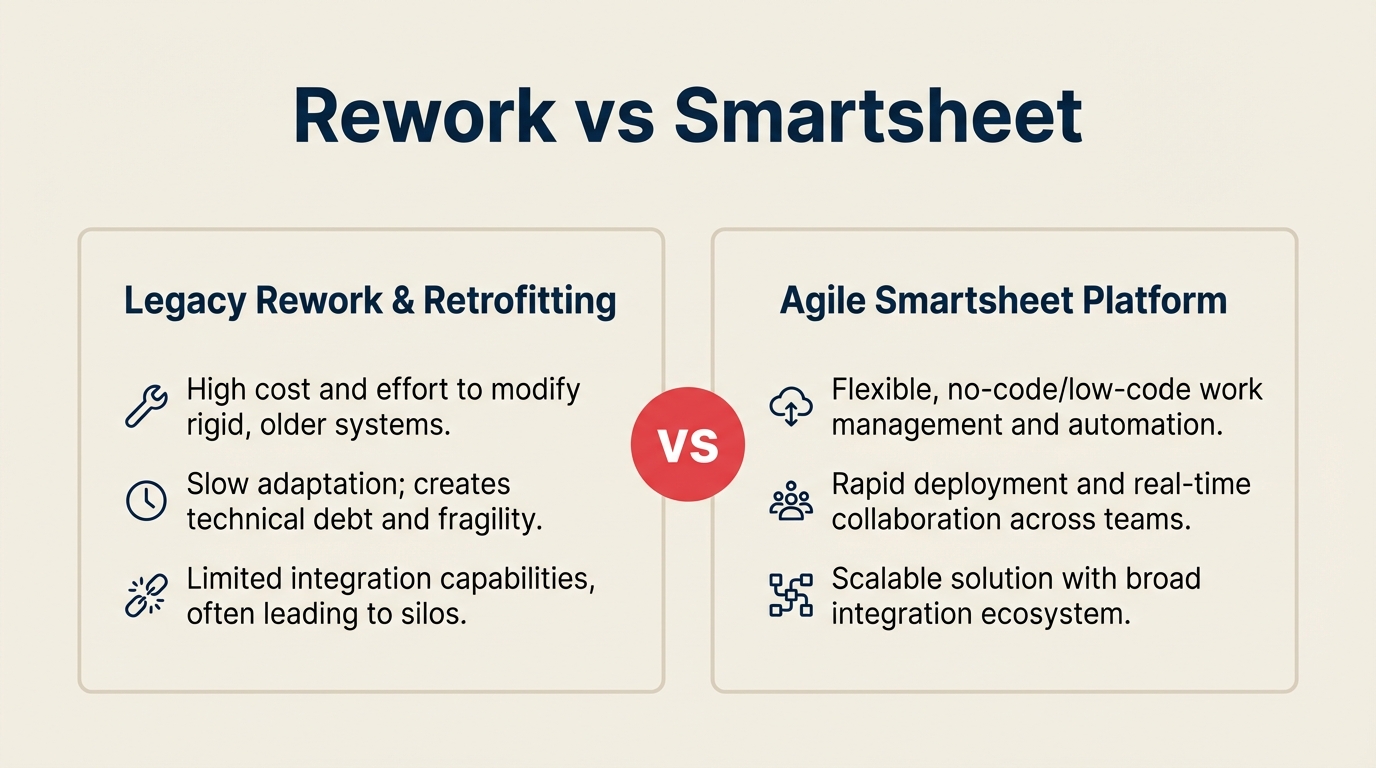
Your ops team probably started on spreadsheets. Then the spreadsheets multiplied. Someone added a Gantt chart, someone else built a pivot table to track project status, and suddenly half your Tuesday morning is spent reconciling three versions of the same tracker.
Smartsheet's pitch makes sense in that context: keep the familiar grid, add collaboration on top, and let teams work the way they already know. And for a lot of mid-size organizations, especially those with strong PMO discipline, multiple projects running in parallel, or resource allocation across portfolios, it works well.
Rework's pitch is different. Instead of wrapping your existing habits in better software, it replaces the habit itself with dedicated ops workflows designed for cross-functional teams of 20 to 500 people. The bet is that your team doesn't actually need a better spreadsheet. It needs a system where handoffs don't drop and processes don't require a manual to follow.
If you're evaluating both for a mid-size team, this is the honest version of what each does well, where each falls short, and how to make the call.
For other comparisons in this space, see Rework vs Monday.com (flexible canvas vs. dedicated ops workflows) and Rework vs Wrike (enterprise PM depth vs. ops platform).
TL;DR
| Dimension | Smartsheet | Rework |
|---|---|---|
| Core paradigm | Spreadsheet-native work management | Dedicated ops workflow system |
| Best for | Portfolio management, resource planning, PMO governance | Cross-functional process ops, CRM + workflows in one system |
| Company size | 50-5,000 employees | 20-500 employees |
| Pricing model | Per seat, tiered plans | Per seat, tiered plans |
| Starting price | $9/user/mo (Pro, billed annually) | $999/yr Starter (10 users) or $1,999/yr Standard (20 users) + $6/user/mo above |
| Mid-tier price | $19/user/mo (Business, billed annually) | $999/yr Starter (10 users) or $1,999/yr Standard (20 users) + $6/user/mo above |
| Support | Email + chat; dedicated CSM on Enterprise | Email + chat + phone on all plans |
| Enterprise governance | Strong, audit logs, admin controls, SAML | Moderate, suitable for mid-market |
| Setup time | Moderate, familiar grid, templates available | Fast, guided processes, less config |
| CRM capability | None | Full CRM + Lead Management built in |
| Automations | Rule-based, plus premium AI features | Core automation + workflow triggers |
| Integration depth | 100+ connectors, Salesforce, ServiceNow, Jira | Core stack integrations |
Who Each Tool Is Built For
These two products have meaningful overlap in the "mid-size team that needs more than a spreadsheet" space. But the person buying each tool is different.
| Dimension | Smartsheet | Rework |
|---|---|---|
| Primary buyer | PMO lead, IT Director, Enterprise Ops | COO, Head of Ops, RevOps lead, founder-operator |
| Company size | 50-5,000 employees | 20-500 employees |
| Team maturity | Has formal project management practices | Past spreadsheets, not yet on enterprise tooling |
| Primary pain point | Portfolio visibility, resource allocation across projects | Handoffs dropping, no single process source of truth |
| Technical appetite | Moderate, willing to configure sheets and formulas | Low-to-moderate, wants opinionated defaults |
| CRM / sales ops need | None (pure project/work management) | Yes, sales + ops in one system |
| Governance requirements | High, audit trails, SSO, admin controls | Moderate |
Smartsheet fits organizations where project portfolio management is a standing discipline, where a PMO team is actively managing capacity, tracking program health, and reporting status to leadership. It also fits teams where a significant number of people are already comfortable with Excel-style grids and would resist a paradigm shift.
Rework fits organizations where the problem is operational fragmentation. Sales, marketing, customer success, and operations are all touching the same customer or project but using disconnected tools. The core need is a shared workflow system, not a better reporting layer over existing spreadsheets.
The Spreadsheet Paradigm vs the Workflow Paradigm
This is the core tension between the two products, and it shapes everything else.
Smartsheet is spreadsheet-native. The primary object is a sheet: a grid of rows and columns, augmented with hierarchy (parent/child rows), formulas, conditional formatting, and collaboration features. You can view that sheet as a Gantt, a card, a calendar, or a report. But the underlying model is still the sheet. If you know Excel, you know how to build in Smartsheet. That familiarity is genuinely valuable: it lowers adoption friction and lets teams migrate existing trackers without rebuilding from scratch.
Rework's primary object is a process or workflow. You're not building a tracker; you're configuring a repeatable system. When a new employee joins, an onboarding workflow starts. When a lead comes in, a qualification process triggers. When a client reaches a milestone, an approval chain moves. The tool enforces the process rather than modeling it in a grid you maintain manually.
| Capability | Smartsheet | Rework |
|---|---|---|
| Primary data model | Sheet (grid with hierarchy) | Workflow / process record |
| Formula support | Yes, cell formulas, column formulas | No, logic lives in automation rules |
| View types | Grid, Gantt, Card, Calendar, Timeline, Report | Board, Timeline, Gantt, Calendar, List |
| Cross-sheet references | Yes, VLOOKUP-style across sheets | N/A, data linked via workflow |
| Process enforcement | Weak, sheets are descriptive, not prescriptive | Strong, workflows trigger automatically |
| Template library | Yes, project templates, PMO templates | Yes, ops process templates |
| Familiarity curve | Low for Excel users | Moderate, new paradigm, guided setup |
Neither approach is wrong. The question is whether your team needs better spreadsheet infrastructure or a fundamentally different operating model.
Portfolio and Resource Management
This is where Smartsheet has a real, durable advantage over Rework, and it's worth being direct about it.
Smartsheet was built for portfolio management. Its Control Center feature lets PMO teams create standardized project workspaces from templates at scale, roll up status across dozens of active projects, track resource utilization against capacity, and generate executive-facing portfolio reports. Resource Management (formerly 10,000ft, now a Smartsheet add-on) provides dedicated headcount planning, availability tracking, and utilization dashboards.
Rework doesn't have a portfolio management layer. It handles cross-functional process workflows well, but if your primary need is "I need to track 40 active projects, allocate 15 people across them, and report program health to the board," Smartsheet is the better tool.
| Portfolio Capability | Smartsheet | Rework |
|---|---|---|
| Program/portfolio rollup | Yes, Control Center, summary reports | No dedicated feature |
| Resource capacity planning | Yes, Resource Management add-on | No |
| Utilization dashboards | Yes | No |
| Budget tracking across projects | Yes, formula-based, integrated with reports | Basic |
| Standardized project provisioning | Yes, Control Center templates | No |
| Executive status reports | Yes, automated rollup dashboards | Manual reporting |
| Workload view per person | Yes (with Resource Management) | No |
If your ops team is running a PMO function with structured project intake, resource allocation decisions, and program governance, Smartsheet's portfolio tooling is purpose-built for that work.
Automation
Both products offer automation, but the architecture and intent differ.
Smartsheet's automations are rule-based triggers: when a row's status changes to "Complete," send an alert; when a date is reached, move to a different sheet; when a form is submitted, create a row and notify the owner. These are genuinely useful and cover most project management automation needs. Smartsheet also has a premium AI layer (Smartsheet Advance) that adds predictive risk flagging and natural language reporting, though these features come at higher price tiers.
Rework's automations are process-oriented. Instead of triggering actions on cell changes, you're triggering workflow steps: when a lead score exceeds a threshold, route to a sales rep; when a task is approved, move the record to the next process stage; when an SLA is at risk, escalate to the manager. The automation model is tightly coupled to the workflow paradigm: it's orchestrating a process, not reacting to a spreadsheet value.
| Automation Capability | Smartsheet | Rework |
|---|---|---|
| Trigger types | Row change, date, form submission, approval | Workflow stage, score threshold, SLA, form submission |
| Actions | Alert, update row, copy row, move row, lock row | Assign task, route record, trigger notification, escalate |
| Automation editor | Visual rule builder | Visual workflow builder |
| Cross-object automation | Limited, mainly within sheets | Yes, across process stages |
| AI-assisted automation | Yes (Advance tier) | Roadmap-dependent, check product page |
| Automation limits | Plan-dependent (Pro: 250 actions/mo) | Plan-dependent |
| No-code setup | Yes | Yes |
Pricing at 25, 50, and 100 Seats
Smartsheet publishes pricing at smartsheet.com/pricing. As of early 2026, Smartsheet's main tiers are:
- Pro: $9/seat/month (annual), sheets, reports, dashboards, basic automations, 250 automation actions/month
- Business: $19/seat/month (annual), unlimited automations, resource management view, activity log, admin controls
- Enterprise: Custom pricing, Control Center, advanced admin, SAML SSO, DLP, premium support
- Advance: Add-on tier (Enterprise base required), AI features, Risk Prediction, Brandfolder integration
Note: Resource Management is a separate add-on, not included in standard tiers.
Rework pricing
Rework Work Ops has two packages:
- Starter, $999/year for up to 10 users
- Standard, $1,999/year with 20 users included, plus $6/user/month for each additional user
See rework.com/pricing for current details. The starting tier includes dedicated ops workflow templates, a full CRM, lead management, and workflow automation, consolidating what most Smartsheet teams also pay for separately (CRM, routing tools, process templates).
| Team Size | Smartsheet Pro (annual) | Smartsheet Business (annual) | Rework Work Ops |
|---|---|---|---|
| 10 seats | ~$1,080/yr | ~$2,280/yr | $999/yr (Starter) |
| 25 seats | ~$2,700/yr | ~$5,700/yr | $2,359/yr |
| 50 seats | ~$5,400/yr | ~$11,400/yr | $4,159/yr |
| 100 seats | ~$10,800/yr | ~$22,800/yr | $7,759/yr |
Smartsheet Pro is accessible in absolute terms, but the 250 automation actions per month limit means most active teams hit the ceiling quickly and end up on Business. The jump from Pro to Business is roughly 2x the cost, which is a meaningful budget decision for a 50-person team.
For portfolio management (Control Center) or AI features (Advance), you're looking at Enterprise pricing that requires a sales conversation.
Rework Work Ops Standard at $2,359/year (25 seats) comes in well below Smartsheet Pro. The value gap is wider when you factor in CRM and ops workflow consolidation. If Smartsheet wins for your team, it's the portfolio management, resource planning, or spreadsheet familiarity, not the cost.
When Smartsheet Is the Right Call
Be honest with yourself about these scenarios. Smartsheet is genuinely the better choice when:
You have an established PMO function. If your organization has a dedicated project management office, structured project intake processes, and a need to report portfolio health to senior leadership, Smartsheet's Control Center and portfolio reporting tools are purpose-built for that work. Rework doesn't have an equivalent.
Your team lives in spreadsheets. If your team is deeply fluent in Excel or Google Sheets, Smartsheet's learning curve is minimal. You're extending existing habits rather than replacing them. For organizations where change management is a constraint, where getting 80 people to adopt a new paradigm is a 6-month project, Smartsheet's familiarity advantage is real.
You need resource management at scale. Tracking utilization, availability, and capacity across 10+ people running on multiple projects simultaneously is Smartsheet's specialty. If your ops leader's Monday morning starts with "who's available for this next sprint," Smartsheet's resource management tooling is ahead of Rework.
You're in an enterprise with governance requirements. Smartsheet's Enterprise tier has audit logs, DLP controls, SAML SSO, admin center, and an enterprise security track record. For organizations in regulated industries or with IT security requirements that need to approve every SaaS tool, Smartsheet has more governance surface area to point to.
When Rework Is the Right Call
Rework wins when the problem is operational fragmentation across functions, not portfolio visibility within a PMO.
Your team is running cross-functional workflows that keep breaking. When the handoff from marketing to sales drops leads. When the client onboarding process exists in someone's head and a shared doc. When approvals happen over Slack threads that nobody can find two months later. Rework's process workflow system is designed to close these gaps with repeatable, enforced steps, not a better spreadsheet to track them.
You need CRM and ops in one system. Smartsheet has no CRM capability. If your team is managing a sales pipeline alongside operational workflows, you're buying Smartsheet plus a CRM separately. Rework ships CRM, Lead Management, and ops workflows as one product. For a 30-person B2B team with a small sales function and an ops function that needs to coordinate, consolidating into Rework reduces tool count and eliminates the integration layer between sales data and operational tasks. The CRM buyer's checklist for mid-size teams is a useful framework when you're factoring CRM into a work management decision.
Your team is 20-100 people past the spreadsheet stage but not ready for enterprise complexity. Rework's guided setup and opinionated defaults are designed for this exact size. You get structure without needing to hire a Smartsheet administrator to build it.
You want automation that orchestrates process, not just reacts to cell changes. If the goal is to automate a repeatable operation (not just send an alert when a row changes), Rework's process-native automation model fits better.
Decision Framework
| Your situation | Pick this |
|---|---|
| You have a PMO function managing a portfolio of 10+ active projects | Smartsheet |
| You need resource utilization tracking across team members | Smartsheet |
| Your team is Excel-fluent and adoption friction is a top concern | Smartsheet |
| You need enterprise governance: DLP, SAML, audit logs | Smartsheet |
| Your primary pain is cross-functional handoffs dropping | Rework |
| You need CRM + ops workflows without buying two separate products | Rework |
| You're 20-100 people, past spreadsheets, not ready for enterprise tooling | Rework |
| Your team is in B2B SaaS, professional services, or agency work | Rework |
| You want process enforcement rather than process documentation | Rework |
| Budget is tight and you're replacing two tools (CRM + work management) | Rework |
What to Do Next
The clearest signal for which tool to choose is the answer to this question: is your core problem portfolio visibility or process execution? For ops teams that find they need faster internal decision-making alongside better tooling, the insight on decision-making velocity in growing organizations is worth reading before you commit.
If you're a PMO lead trying to get better reporting across a portfolio of projects with allocated resources, book a Smartsheet Enterprise demo and ask specifically about Control Center and Resource Management. Those are the features that differentiate it.
If you're a COO or ops lead trying to eliminate the friction between functions, where things fall through because no one owns the handoff, request a Rework demo with your actual workflow in mind. Ask them to walk through one cross-functional process your team runs today and show you how it would work in the system.
Both products offer trials. Running a real workflow through each, with your actual team, will tell you more than any comparison table.

Principal Product Marketing Strategist