More in
Productivity Tool Comparisons
Rework vs Asana: Which Scales Better with Your Team in 2026
Apr 6, 2026
Rework vs ClickUp: The Everything-App vs the Dedicated Ops Platform in 2026
Apr 3, 2026
Rework vs Smartsheet: Spreadsheets vs Work Systems for Mid-Size Operations in 2026
Mar 30, 2026
Rework vs Monday.com: Flexibility vs. Opinionation for Growing Teams
Mar 9, 2026
Rework vs Notion: Docs and Databases vs Dedicated Workflows in 2026
Mar 2, 2026 · Currently reading
Rework vs Wrike: Enterprise Project Management vs Dedicated Ops Platform in 2026
Feb 23, 2026
Rework vs Notion: Docs and Databases vs Dedicated Workflows for Mid-Size Teams in 2026
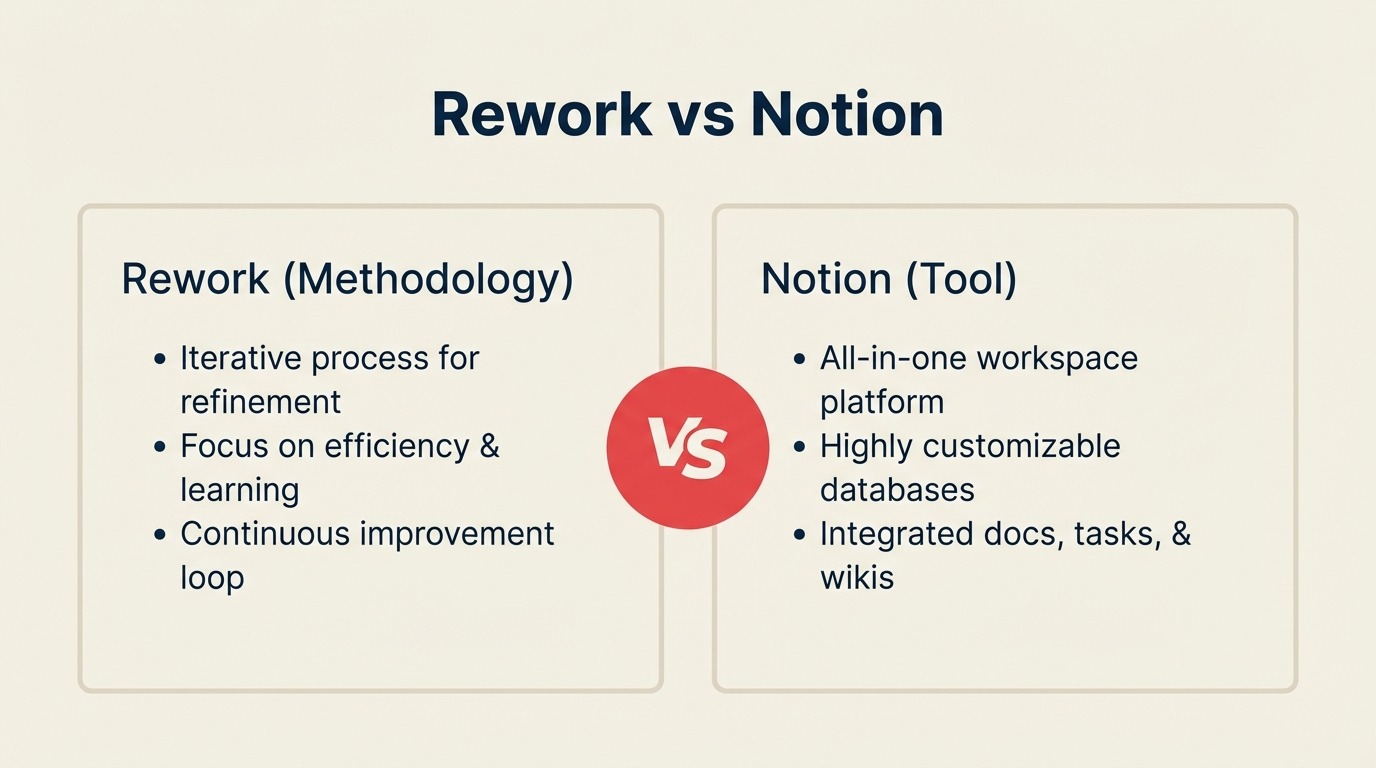
Your team is somewhere between "we live in Notion" and "Notion isn't actually running our operations." The docs are great. The wikis are beautiful. But the project database hasn't been updated in three weeks, the sales pipeline is a glorified table with no automation, and onboarding a new hire still requires someone to manually walk through six different pages.
That gap has a name: Notion is a knowledge and content tool. It's not an operations platform. For a lot of mid-size teams (20 to 200 people running cross-functional workflows across sales, ops, customer success, and marketing), that distinction starts to matter a lot by the time headcount hits 30.
This comparison is for the COO, Head of Ops, or RevOps lead who needs to decide: do we push Notion further, or do we bring in something built for process? We'll give you the honest version of both sides.
If you're also evaluating tools with stronger task and workflow features alongside Notion, see Rework vs Asana and Rework vs ClickUp. Both cover similar trade-offs from a project management angle.
TL;DR
| Dimension | Notion | Rework |
|---|---|---|
| Core identity | Flexible workspace: docs + databases + wikis | Dedicated ops platform: workflows + CRM + cross-team processes |
| Best for | Content, documentation, knowledge management, personal productivity | Cross-functional ops, lead management, process enforcement, sales + ops alignment |
| Sweet spot team size | 1-100 (free/Plus), unlimited with Enterprise | 20-500 mid-size companies |
| Setup experience | Blank canvas, you build everything | Opinionated templates, you configure, not construct |
| AI integration | Strong (Notion AI built-in) | Core automations, less AI writing focus |
| Free plan | Yes, generous, good for individuals and small teams | Limited free tier |
| Starting price | $12/user/mo (Plus, billed annually) | $999/yr Starter (10 users) or $1,999/yr Standard (20 users) + $6/user/mo above |
| Mid-tier price | $18/user/mo (Business, billed annually) | $999/yr Starter (10 users) or $1,999/yr Standard (20 users) + $6/user/mo above |
| Support | Email + chat; priority on Enterprise | Email + chat + phone on all plans |
| Honest verdict | Best-in-class docs and databases. Not built to enforce process | Purpose-built for ops workflows. Not a knowledge base |
Who Each Tool Is Built For
Notion's core customer
Notion's bread and butter is anyone who thinks in pages: content teams, design orgs, solo operators, startups building their company wiki, engineering teams writing runbooks, and knowledge-heavy organizations that want one place for docs and lightweight project tracking. It's genuinely excellent at that.
| Dimension | Notion |
|---|---|
| Company size | 1 to large enterprise (breadth of plans) |
| Team type | Content-heavy, knowledge-first, documentation-driven |
| Primary use case | Wiki, internal docs, flexible databases, project notes |
| Buyer | Team lead, individual contributor, IT, knowledge manager |
| Maturity stage | Startup through growth, scales well with the right admin |
Rework's core customer
Rework targets mid-size ops teams that have cleared the spreadsheet stage but aren't ready for Salesforce-level complexity. The typical buyer is a COO or Head of Ops who needs workflow enforcement, not flexibility. Their problem isn't documenting processes. It's actually running them across departments.
| Dimension | Rework |
|---|---|
| Company size | 20-500 employees, $2M-$100M ARR |
| Team type | Cross-functional, sales, marketing, CS, ops sharing workflows |
| Primary use case | Cross-team process orchestration, CRM, lead management, approval chains |
| Buyer | COO, Head of Revenue, RevOps lead, founder-operator |
| Maturity stage | Past spreadsheets, not yet enterprise-scale customization needs |
Team fit matrix
| Team | Notion serves them | Rework serves them |
|---|---|---|
| Sales | Light pipeline tracking via database views | Full CRM, pipeline stages, quota tracking, forecasting |
| Marketing | Content calendar, campaign docs, asset wikis | Lead capture, nurture workflows, marketing-to-sales handoff |
| Operations | Process documentation, SOPs, light project tracking | Process enforcement, approval chains, cross-team workflows |
| Customer Success | Customer notes, lightweight CRM databases | Unified contact timeline, handoff from sales, health tracking |
| RevOps | Manual database setups, limited native reporting | Unified data model, SLA tracking, automation rules |
| HR / People Ops | Onboarding wikis, job description databases | Onboarding workflow templates, approval flows |
The Core Trade-Off: Docs vs Workflows
This is the decision that actually matters.
Notion is a blank canvas. You can build a CRM in Notion. You can build a project tracker, a hiring pipeline, a client database, a sprint board. The problem isn't capability. It's that you're building, not operating. Every database is a custom structure your team designed. Every relation is something someone wired up. Every automation is a rule your admin configured. When the admin leaves, the whole system becomes a mystery.
Rework ships with dedicated workflows and process templates for the operations scenarios mid-size companies actually run: sales pipelines, onboarding, approvals, client delivery, procurement, lead distribution. You configure, not construct. The process logic is already there. You adapt it to your context.
| Capability | Notion | Rework |
|---|---|---|
| Docs and rich text editing | Best-in-class | Basic (not a doc editor) |
| Wiki and knowledge base | Excellent | Not designed for this |
| Database views (table, board, calendar, gallery) | Strong, flexible | Structured, opinionated |
| Cross-database relations and rollups | Powerful | Simpler, purpose-fit |
| Process templates (ready-to-run) | Template gallery, you still configure | Dedicated workflow templates, operational out of box |
| Workflow enforcement (must complete step A before B) | Manual gates only | Built-in step logic |
| CRM | DIY database setup | Full native CRM |
| Lead distribution and routing | Not available | Round-robin, territory, SLA rules |
| Approval chains | Workaround via pages and comments | Native approval workflows |
| Notification routing | Basic page mentions | Role-based workflow notifications |
The honest summary: if your team's primary output is knowledge, Notion wins. If your team's primary need is process execution, Rework wins.
Cross-Team Operations
Here's where mid-size teams run into the ceiling with Notion. When marketing needs to hand off a qualified lead to sales, and sales needs to hand off a closed deal to customer success, and CS needs to escalate to ops. That's a cross-team workflow with dependencies, owners, SLAs, and status tracking.
In Notion, you simulate this with linked databases and manual status fields. Someone changes a database record, someone else has to notice and act. There's no native SLA enforcement. There's no automated escalation. There's no audit trail showing whether the right person was assigned at each stage. Teams looking to close these gaps without starting from scratch often begin by defining ownership and handoff rules in a team operating agreement before committing to a tool.
Rework treats cross-team workflows as a first-class feature. A lead comes in from the marketing form, gets scored, routed to the right sales rep based on territory rules, and, when closed, triggers the CS onboarding workflow automatically. No one has to manually copy fields between databases.
| Cross-team capability | Notion | Rework |
|---|---|---|
| SLA enforcement on handoffs | Manual only | Built-in |
| Automated task creation on status change | Requires integration or manual work | Native |
| Role-based access per workflow step | Page-level permissions | Step-level ownership |
| Cross-team visibility dashboard | Custom build | Ready-made |
| Audit trail on process execution | Page history only | Full activity log per workflow instance |
Automation
Notion's automation is improving. You can now trigger actions within a database (change a property, create a page, send a notification) when certain conditions are met. But it stays within a single database. Cross-database automations require Zapier, Make, or a developer.
Rework's automation is built around the workflow lifecycle: task creation, status transitions, assignments, escalations, and notifications that span departments. It's not as visually rich as Monday.com's 250+ automation recipes, but the logic it executes maps to actual operational scenarios rather than ad-hoc database events.
| Automation capability | Notion | Rework |
|---|---|---|
| Single-database property triggers | Yes (2024+) | Yes |
| Cross-database automations | Requires Zapier/Make | Native |
| SLA-based escalation triggers | Not available | Available |
| Workflow stage transition logic | Manual only | Built-in |
| Assignment routing rules | Not available | Round-robin, territory, manual override |
| External integrations (Zapier/Make) | Yes | Yes |
| Native integrations | Slack, GitHub, Jira, Figma, Google Drive | Slack, Google Workspace, Microsoft 365, HubSpot, Salesforce |
Pricing at 25, 50, and 100 Seats
Notion publishes its pricing at notion.so/pricing. Here's the math at real seat counts for 2026.
Notion plans (per seat/month, annual billing):
- Free: Unlimited pages and blocks, limited collaborative features
- Plus: $12/seat/mo, unlimited blocks, unlimited file uploads, 30-day history
- Business: $18/seat/mo, private teamspaces, bulk PDF export, 90-day history, SAML SSO
- Enterprise: Custom pricing, unlimited history, advanced security, dedicated CSM
Rework pricing
Rework Work Ops has two packages:
- Starter, $999/year for up to 10 users
- Standard, $1,999/year with 20 users included, plus $6/user/month for each additional user
See rework.com/pricing for current details. The starting tier includes dedicated ops workflow templates, a full CRM, lead management, and workflow automation, capabilities that don't exist in Notion at any tier.
Annual cost at real seat counts:
| Team size | Notion Plus | Notion Business | Rework Work Ops |
|---|---|---|---|
| 10 seats | $1,440/yr | $2,160/yr | $999/yr (Starter) |
| 25 seats | $3,600/yr | $5,400/yr | $2,359/yr |
| 50 seats | $7,200/yr | $10,800/yr | $4,159/yr |
| 100 seats | $14,400/yr | $21,600/yr | $7,759/yr |
A few things worth noting about Notion's pricing:
Notion's free plan is genuinely useful for individuals and very small teams. That's a real advantage. If you're a 5-person startup building your first wiki, Notion Plus at $12/seat is a reasonable choice.
For mid-size teams evaluating Notion Business, the jump from Plus to Business is partly about SAML SSO and security controls, not features most non-IT buyers notice until IT flags it as a requirement. Check whether your infosec team requires SSO before budgeting Plus.
At 25 seats, Rework Work Ops Standard runs $2,359/year versus Notion Plus at $3,600/year, while including the CRM and workflow enforcement layer that Notion doesn't provide. If Notion wins for your team, it's because docs and knowledge management are the primary need, not cost.
When Notion Is the Right Call
This section exists because Notion genuinely wins in several scenarios, and any honest comparison has to say so.
Your team lives in docs. If you're a content studio, design agency, engineering org, or knowledge-heavy team, Notion is best-in-class. The editor is excellent, the AI writing integration is seamless, and the wiki structure scales well. No other tool in this category matches Notion's document experience.
You need a flexible database platform. Notion's databases with relations, rollups, filters, and multiple views are powerful for teams that want to build custom data structures without code. If you're tracking complex inventory, running a content calendar with linked assets, or managing a research repository, Notion's database flexibility is genuinely hard to beat.
You want AI writing built in. Notion AI is well-integrated and genuinely useful for content creation, summarization, and knowledge work. Teams that use AI for writing, editing, and summarizing meeting notes will get more immediate value here than in a workflow platform. For a broader look at where AI is creating the most operational leverage, see the guide to AI task management tools for business teams.
You need a free or near-free starting point. Notion's free plan for individuals is generous. The Plus plan at $12/seat is a reasonable entry point for small teams. If budget is the primary constraint, Notion wins.
Your team is under 20 people. The cross-team workflow coordination problems that Rework solves get smaller the smaller the team is. A 10-person company can coordinate manually. At that scale, Notion's flexibility is an asset, not a limitation.
When Rework Is the Right Call
Your team is running cross-functional workflows that keep breaking down at handoffs. When lead-to-close, client onboarding, or procurement approvals drop because no one knew they were next in the queue, that's a workflow enforcement problem, not a documentation problem. Notion can document the process; Rework can run it.
You need a CRM and ops platform in one product. If your sales team is managing contacts, pipeline stages, and follow-ups alongside your ops team running approvals and onboarding, and you want that in one place with a shared contact record, Rework's CRM + workflow combination is the direct answer. Notion's CRM is a database you built yourself.
Your ops lead is spending too much time maintaining the tool. Notion's flexibility is also its maintenance cost. Every new workflow someone wants requires a new database structure, new relations, new views. Rework's opinionated templates cut that setup time significantly.
You want process enforcement, not process documentation. Notion documents how things should work. Rework ensures they do, with step logic, SLA triggers, assignment routing, and automated escalations.
Your team is in the 20-200 seat range and growing. This is Rework's core market. The tool is built for teams at that inflection point where spreadsheets aren't enough and Salesforce is overkill.
Decision Framework
| Pick Notion if... | Pick Rework if... |
|---|---|
| Your primary need is docs, wikis, and knowledge management | Your primary need is process execution and workflow enforcement |
| You want the best AI writing integration in a workspace tool | You need CRM + ops workflows in a single platform |
| Budget is tight and free/Plus tier covers your needs | You're losing work at cross-team handoffs and need SLA enforcement |
| Your team is under 20 people or heavily doc-centric | You're 20-200 people with sales, ops, and CS sharing workflows |
| You want maximum flexibility to build any structure | You want opinionated templates that run out of the box |
| You already have a CRM and just need a knowledge layer | You want to consolidate CRM + process into one product |
What to Do Next
The clearest signal: log how your team currently handles a repeating cross-team process: a new client handoff, a lead that needs routing, a purchase approval. If you trace it and find more than two manual steps where someone has to remember to act, you've found a workflow gap.
Notion won't close that gap on its own. It'll document it beautifully.
Book a Rework demo with that specific workflow in hand. Ask them to show you how their process templates handle it out of the box. If they cover it without significant custom configuration, that's your answer.
If what you traced is mostly documentation and knowledge (meeting notes, how-to pages, project briefs), open a Notion trial instead. The Plus plan at $12/seat is worth testing for 30 days against your actual content workflows.
Both tools are good at what they're designed for. The mistake is using a doc tool to run operations, or an ops tool to manage knowledge. Match the tool to the actual problem.

Principal Product Marketing Strategist