Zoho Inventory vs inFlow: Order Caps, Seat Limits and What Each Really Costs
Turn this article into takeaways for your work.


Each assistant summarizes the article only for you and suggests best practices for your work.
On the sticker, Zoho Inventory Standard is $29 a month and inFlow Entrepreneur is $129 a month. Four times the price for what looks like a similar product, and most comparison pages stop right there and call it a landslide for Zoho. It isn't, or at least it isn't for the reason that gap suggests, because these two vendors meter completely different things, and the cheap one runs out first in exactly the situations most buyers arrive with.
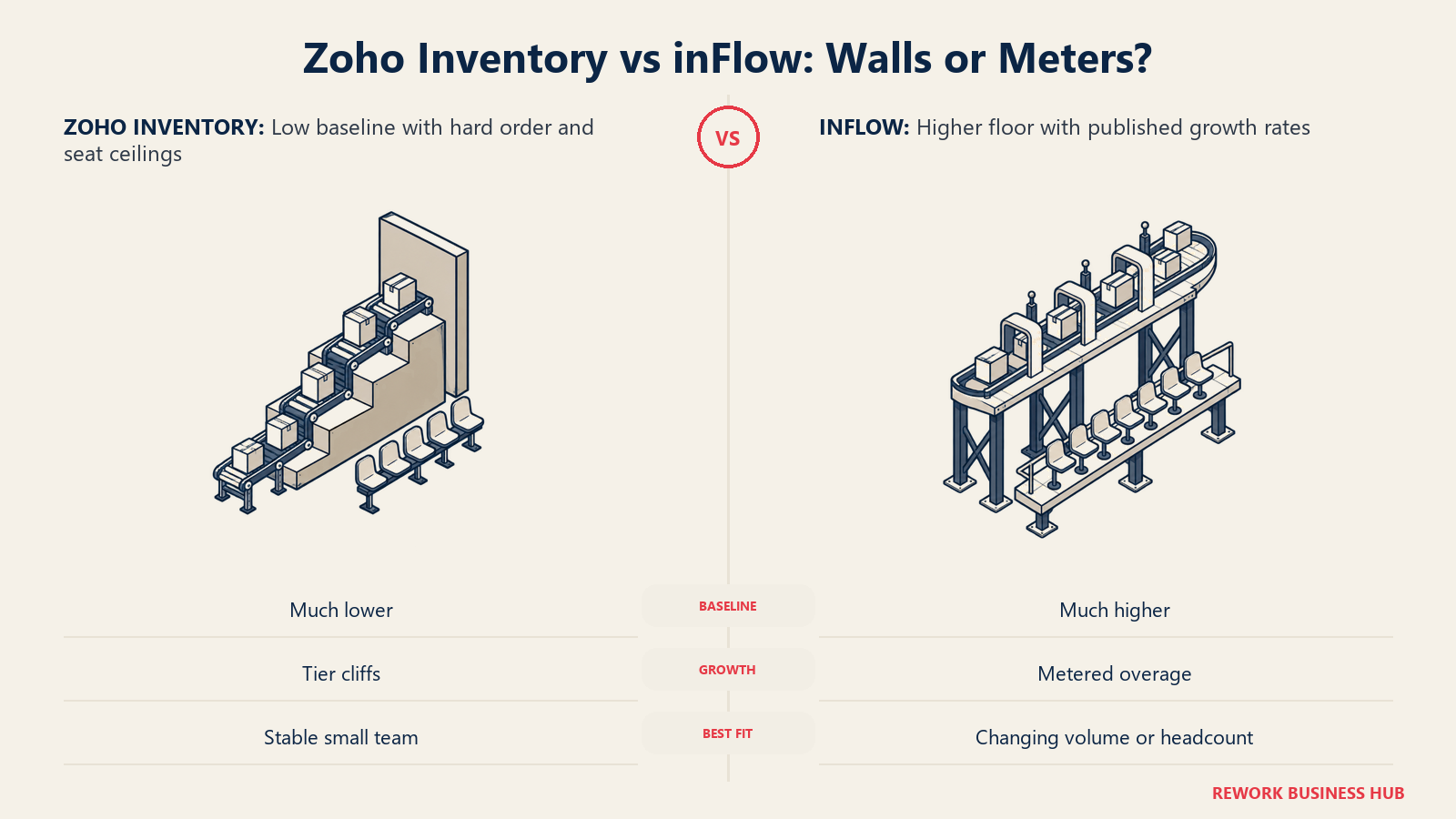
The two numbers that actually decide this are the order allowance and the included seats, not the headline price. Zoho gates you with a monthly order cap that resets every month and a fixed seat count with no published way to add one more head. inFlow gates you with an annual order allowance and a fixed seat count too, but it publishes the exact cost of crossing either line. One vendor's ceiling is a wall you hit and then have to buy a bigger room. The other's is a meter that keeps running at a rate you already know.
This page is for the small-business owner or ops lead who has these two on the shortlist because both sit at the affordable end of inventory software, and who is trying to figure out which one actually survives contact with a real, growing order book. Maybe you're running the business out of a shared spreadsheet right now, and the breaking point was a stockout nobody caught until a customer emailed asking where their order was. Maybe you already tried the free tier of one of these and hit a wall faster than the marketing page implied. Either way, the question that actually matters isn't which logo looks more established. It's which pricing model matches how your specific order volume and headcount are likely to move over the next year, and that's a harder question than either vendor's homepage is built to answer honestly.
Every dollar figure below states its billing basis, and anything modeled from published rates rather than quoted outright is labeled as modeled.
TL;DR
| Zoho Inventory | inFlow Inventory | |
|---|---|---|
| What it is | Inventory and order management module inside the wider Zoho ecosystem (Books, CRM, Commerce) | Standalone inventory and order management app, one of three product lines from the same vendor |
| Billing basis | By tier. Five fixed monthly prices, each bundling a user count, a location count and a monthly order allowance | By tier. Four plans, each bundling a user count and an annual order allowance, plus published per-user and per-order overage |
| Published entry price | Free at $0 (1 user, 1 location, 50 orders/month); first paid tier Standard $29/month billed annually | Entrepreneur $129/month billed annually, or $161/month billed monthly |
| Free tier | Yes, but capped at 50 orders a month, about 1.6 orders a day | None. Free trial only |
| Highest published seat count | 10 users, on both Plus and Enterprise, with no seat count published above that | 25 users on Enterprise (contact sales); 10 users on the highest self-serve tier, Mid-Size |
| Order allowance at the top published tier | 15,000 orders per month on Enterprise, a hard ceiling | Unlimited on Mid-Size and Enterprise |
| What happens past the cap | Not published. Exceeding a cap generally means moving up a full tier | Published. Extra users cost $59, $49 or $39 a month by plan; extra orders cost $0.20 each |
| Native accounting | Zoho Books, same account and login | None built in. Integrates with QuickBooks Online and Xero |
| Other product lines from the same vendor | Zoho Books, Zoho CRM, Zoho Commerce (separate apps, one ecosystem) | inFlow Manufacturing (from $179/month) and inFlow Stockroom ($99/month) |
| Best for | Small teams already on or open to Zoho apps, watching every dollar, comfortable planning around hard tier jumps | Teams that want every unit of growth priced in advance and are willing to pay more upfront for that certainty |
| Worst for | A business deep in QuickBooks or Xero with no interest in an accounting switch | A 1 or 2-person shop doing under 50 orders a month, where Zoho's free plan is simply cheaper |
Key Facts
- Zoho Inventory's free plan caps at 50 orders a month, 1 user and 1 location; the $29-a-month Standard tier, billed annually, raises that to 500 orders a month, 3 users and 2 locations. zoho.com/us/inventory/pricing
- Zoho Inventory's two highest published tiers both cap at 10 users. Plus at $129/month and Enterprise at $249/month include exactly the same seat count, and the pricing page publishes no tier above 10 seats and no per-additional-user rate anywhere. zoho.com/us/inventory/pricing
- inFlow's Entrepreneur plan is $129/month billed annually or $161/month billed monthly, and includes 2 users and 1,200 sales orders a year, about 100 a month. Crossing that allowance costs $0.20 per extra order, and a third user costs $59 a month. inflowinventory.com/software-pricing-inflow
- inFlow sells three separate product lines at three separate price floors: inFlow Stockroom for lighter stock tracking at $99/month billed annually, inFlow Inventory for full order management from $129/month, and inFlow Manufacturing for production work from $179/month. inflowinventory.com/software-pricing-inflow
- inFlow's onboarding package is a $499 one-time fee, listed on the pricing page as optional rather than required. inflowinventory.com/software-pricing-inflow
Two Companies, Two Very Different Bets
The pricing structures make more sense once you know who builds each product and what business each company is actually running, because neither company's pricing ladder is an accident.
Zoho Inventory comes from Zoho Corporation, a privately held company founded in 1996 as AdventNet Inc. by Sridhar Vembu and Tony Thomas, renamed Zoho Corporation in 2009. It's headquartered in Chennai, India, with a US headquarters in Austin, Texas, and it has never raised venture capital, funding growth entirely from its own profits since day one. Wikipedia That matters here because Zoho's actual business isn't Zoho Inventory. It's dozens of connected apps, spanning CRM, accounting, email, HR, help desk, commerce and more, sold as one ecosystem where a customer who signs up for one app is a lead for the next twenty. Zoho Inventory's aggressive entry pricing, including a permanently free plan, makes sense as a wedge into that wider suite rather than as a standalone product that has to cover its own cost on day one.
inFlow Inventory comes from Archon Systems Inc., a Toronto, Canada company founded by Stephen Fung and Louis Leung, who met during internships in Silicon Valley and partnered after university on consulting projects before building inFlow. inFlow launched in 2007, built specifically because the founders couldn't find anything both simple and affordable for small-business inventory at the time. The product passed 100,000 installs by 2010 and 1,000,000 installs by 2016, and Archon now says inFlow serves more than 40,000 small and mid-sized businesses across more than 90 countries, spanning retail, wholesale, manufacturing, ecommerce and field service. archonsystems.com Unlike Zoho, Archon has stayed a focused inventory specialist rather than building outward into a wider suite, which is the direct explanation for both inFlow's deeper warehouse and barcode focus and its total absence of a bundled accounting or CRM product.
| Zoho Corporation (makes Zoho Inventory) | Archon Systems Inc. (makes inFlow) | |
|---|---|---|
| Founded | 1996, as AdventNet Inc., by Sridhar Vembu and Tony Thomas | 2005, by Stephen Fung and Louis Leung |
| Product launched | Zoho brand adopted 2009, inventory module added later as part of the wider suite | inFlow Inventory launched 2007 |
| Headquarters | Chennai, India, with a US headquarters in Austin, Texas | Toronto, Canada |
| Funding | Bootstrapped. No venture capital raised, ever | Privately held |
| Core strategy | Dozens of connected apps across CRM, accounting, HR, commerce and more, sold as one ecosystem | A single-purpose inventory and order management specialist |
| Scale, as published | One of the larger bootstrapped SaaS companies globally | Over 40,000 businesses across 90-plus countries; passed 1,000,000 installs in 2016 |
That difference in strategy is worth carrying into every section below. Zoho's low entry price and its free plan exist to get you into the ecosystem, where the real business happens once you add Books, CRM or Commerce. inFlow's higher entry price and metered overage exist because the inventory app has to be the whole business, with no wider suite subsidizing the acquisition cost of a new customer.
What Zoho Inventory Actually Sells You: Cheap Until the Order Cap Bites
Zoho Inventory's pricing page is a straightforward ladder. Five tiers, five prices, and the resource that actually throttles you is orders per month, not seats.
| Zoho Inventory tier | Billed annually | Users | Locations | Orders per month | Orders per year, equivalent |
|---|---|---|---|---|---|
| Free | $0 | 1 | 1 | 50 | 600 |
| Standard | $29/month | 3 | 2 | 500 | 6,000 |
| Premium | $79/month | 5 | 4 | 3,000 | 36,000 |
| Plus | $129/month | 10 | 6 | 7,500 | 90,000 |
| Enterprise | $249/month | 10 | 10 | 15,000 | 180,000 |
Two gaps are worth naming rather than glossing over. Zoho does not disclose a monthly-billed price on the pricing page, only the annual-billed figure, so if you want to pay month to month, you'll need to ask sales what that costs. And no tier publishes an extra-user rate. Every seat count above the tier's included number is simply not for sale on the public page. Notice too that Plus and Enterprise, the two most expensive tiers, include the exact same 10 seats. The extra $120 a month you pay for Enterprise buys more locations and a much larger order allowance, not a bigger team.
The free plan deserves its own line, because it's the reason Zoho gets called "the cheap one" by default. It's a real, permanently free product, not a time-limited trial, and for a single person doing very light volume it's genuinely usable. But 50 orders a month is about 1.6 orders a day, and a second team member instantly disqualifies it regardless of order volume, since Free caps at 1 user. The order cap and the seat cap, not the price, are what push a working small business off Zoho's free plan almost immediately. Anyone building a decision around "Zoho starts at $0" should read that as a floor for a true side project, not a floor for a business with a second employee or a normal week of orders.
What inFlow Actually Sells You: A Higher Floor With Metered Growth
inFlow's page reads differently. You aren't picking a walled room, you're picking a floor and then paying a published rate for anything past it.
| inFlow Inventory plan | Billed annually | Billed monthly | Users included | Sales orders included | Extra user | Extra order |
|---|---|---|---|---|---|---|
| Entrepreneur | $129/month | $161/month | 2 | 1,200/year (100/month) | $59/month | $0.20 each |
| Small Business | $349/month | $436/month | 5 | 12,000/year (1,000/month) | $49/month | $0.20 each |
| Mid-Size | $699/month | $874/month | 10 | Unlimited | $39/month | n/a |
| Enterprise | Contact sales | Contact sales | 25 | Unlimited | n/a | n/a |
That per-user and per-order overage is the real structural difference from Zoho. Cross your plan's order allowance on inFlow and you pay $0.20 per extra order, a small, predictable number you can put in a spreadsheet. Hire one more person than your plan includes and you pay a flat monthly add-on that gets cheaper as you move up plans, $59 on Entrepreneur, $49 on Small Business, $39 on Mid-Size. Nothing about growing past the included amount is a surprise, because inFlow put the rate on the page.
Onboarding is a $499 one-time fee, and the pricing page states it's optional. That's worth noting because Zoho publishes no equivalent figure at all, paid or free, for guided setup.
One detail almost every reader of this page misses: inFlow is not one product, it's three.
| inFlow product line | Entry price | Billing | Built for |
|---|---|---|---|
| inFlow Stockroom | $99/month billed annually, $129/month billed monthly | Single plan, no tiers | Lighter stock and asset tracking, not full sales order management |
| inFlow Inventory | $129/month billed annually (Entrepreneur) up to $699/month (Mid-Size) | Four tiers, see table above | Full order management: sales orders, purchasing, barcode scanning, warehouse operations |
| inFlow Manufacturing | $179/month billed annually (Start Up) up to $899/month (Scale), Expansion by quote | Four tiers, annual or monthly | Inventory plus work orders, bills of materials and production tracking |
If your actual need is closer to "track what I have and where it is" than "manage full sales orders end to end," inFlow Stockroom at $99 a month undercuts inFlow Inventory's Entrepreneur tier by $30 a month and is a completely different product, not a stripped-down version of the same one. A lot of readers comparing "inFlow" against Zoho are really only comparing Zoho against one of inFlow's three lines without realizing the other two exist.
The Headline Claim Each Vendor Is Famous For
Every vendor in this category has a reputation, and reputations are exactly the thing nobody double-checks before publishing.
inFlow is famous for "flat-rate, not per-seat" pricing. That's only half true, and the honest version is more useful than the marketing line. Each inFlow plan bundles a fixed number of team members, 2, 5, 10 or 25 depending on tier, and a fixed order allowance. So the bill does not scale linearly per seat the way a pure per-user CRM does, but it isn't immune to headcount either: a 6th person on Entrepreneur or Small Business costs a real, published monthly add-on. The accurate description is tier-based pricing with included seats and published overage rates, not a flat rate that ignores who's logging in.
Zoho Inventory is famous for its free plan and its $29 entry point, and both are real. But in this category, the number that decides whether a business can actually run on a given tier is the order cap, not the sticker price. The free plan's 50-orders-a-month ceiling, not its $0 price, is what pushes a working shop up to Standard within the first real month of trading. Any buyer evaluating Zoho purely on the headline price is looking at the wrong variable.
What Three Real Teams Actually Pay
Headline prices tell you almost nothing until you attach them to an actual team size and an actual order volume. Here's the arithmetic for three realistic small-business profiles. Every annual figure below is the published monthly price multiplied by twelve; none of it is a quoted annual contract, and that's stated explicitly wherever it applies.
Scenario A: a 2-person operation doing 100 orders a month
| Vendor | Tier required | Fit | Modeled annual cost |
|---|---|---|---|
| Zoho Inventory | Standard | 2 of 3 seats used, 1 spare. 100 of 500 monthly orders used, comfortable headroom | $29 x 12 = $348 |
| inFlow | Entrepreneur | 2 of 2 seats used, 0 spare. 100 of 100 monthly orders used, right at the edge | $129 x 12 = $1,548 |
Zoho's Free plan doesn't fit here at all: 100 orders a month blows through the 50-order cap, and a 2-person team blows through the 1-user cap. So the real Zoho floor for this team isn't $0, it's Standard's $348 a year. Even so, that's $1,200 a year cheaper than inFlow Entrepreneur for the same headcount, mostly because Zoho hands this team 400 orders a month of headroom it doesn't need yet, while inFlow's plan is metered almost exactly to the requirement.
Scenario B: a 5-person operation doing 1,000 orders a month
| Vendor | Tier required | Fit | Modeled annual cost |
|---|---|---|---|
| Zoho Inventory | Premium | 5 of 5 seats used, 0 spare. 1,000 of 3,000 monthly orders used, healthy headroom | $79 x 12 = $948 |
| inFlow | Small Business | 5 of 5 seats used, 0 spare. 1,000 of 1,000 monthly orders used, right at the edge | $349 x 12 = $4,188 |
Both vendors put this team exactly at their seat ceiling, so the next hire is where the real story starts (more on that below). On pure sticker cost, Zoho Premium is $3,240 a year cheaper than inFlow Small Business for an identical team.
Scenario C: a 10-person operation doing 5,000 orders a month
| Vendor | Tier required | Fit | Modeled annual cost |
|---|---|---|---|
| Zoho Inventory | Plus | 10 of 10 seats used, 0 spare, and no published tier past this seat count | $129 x 12 = $1,548 |
| inFlow | Mid-Size | 10 of 10 seats used, 0 spare, but orders are unlimited | $699 x 12 = $8,388 |
Zoho Plus wins by $6,840 a year here, and it's worth pausing on the coincidence: Zoho Plus at $1,548 a year costs exactly the same as inFlow Entrepreneur did back in Scenario A, for a team five times the size and fifty times the order volume. That's the clearest illustration on this page of how differently these two vendors price growth.
Across all three profiles, Zoho wins on raw dollars, and not narrowly. That's a genuinely surprising result given inFlow's reputation as the "predictable, not per-seat" option, and it's worth sitting with before assuming the more expensive product is somehow the safer buy. It isn't, not on price alone. But price alone isn't the whole story, which is what the next section is for.
What Happens When You Grow
A snapshot at one moment tells you what you'd pay today. It doesn't tell you what happens the month you hire someone or the quarter your order volume jumps. That's where the shape of each vendor's pricing, not the level of it, starts to matter.
| Scenario | Zoho: hire one more person | Zoho: orders grow 20% | inFlow: hire one more person | inFlow: orders grow 20% |
|---|---|---|---|---|
| A: 2 people, 100 orders/month | $0 more. Standard already includes 3 seats | $0 more. Still far under the 500/month cap | +$708/year ($59/month for a 3rd seat) | +$48/year (240 extra orders/year at $0.20 each) |
| B: 5 people, 1,000 orders/month | +$600/year. Premium's 5-seat cap forces a full jump to Plus at $129/month | $0 more. Still under the 3,000/month cap | +$588/year ($49/month for a 6th seat) | +$480/year (2,400 extra orders/year at $0.20 each) |
| C: 10 people, 5,000 orders/month | No published path. Plus and Enterprise both cap at 10 seats; an 11th means calling Zoho sales | $0 more. Still under the 7,500/month cap | +$468/year ($39/month for an 11th seat) | $0 more. Mid-Size orders are unlimited |
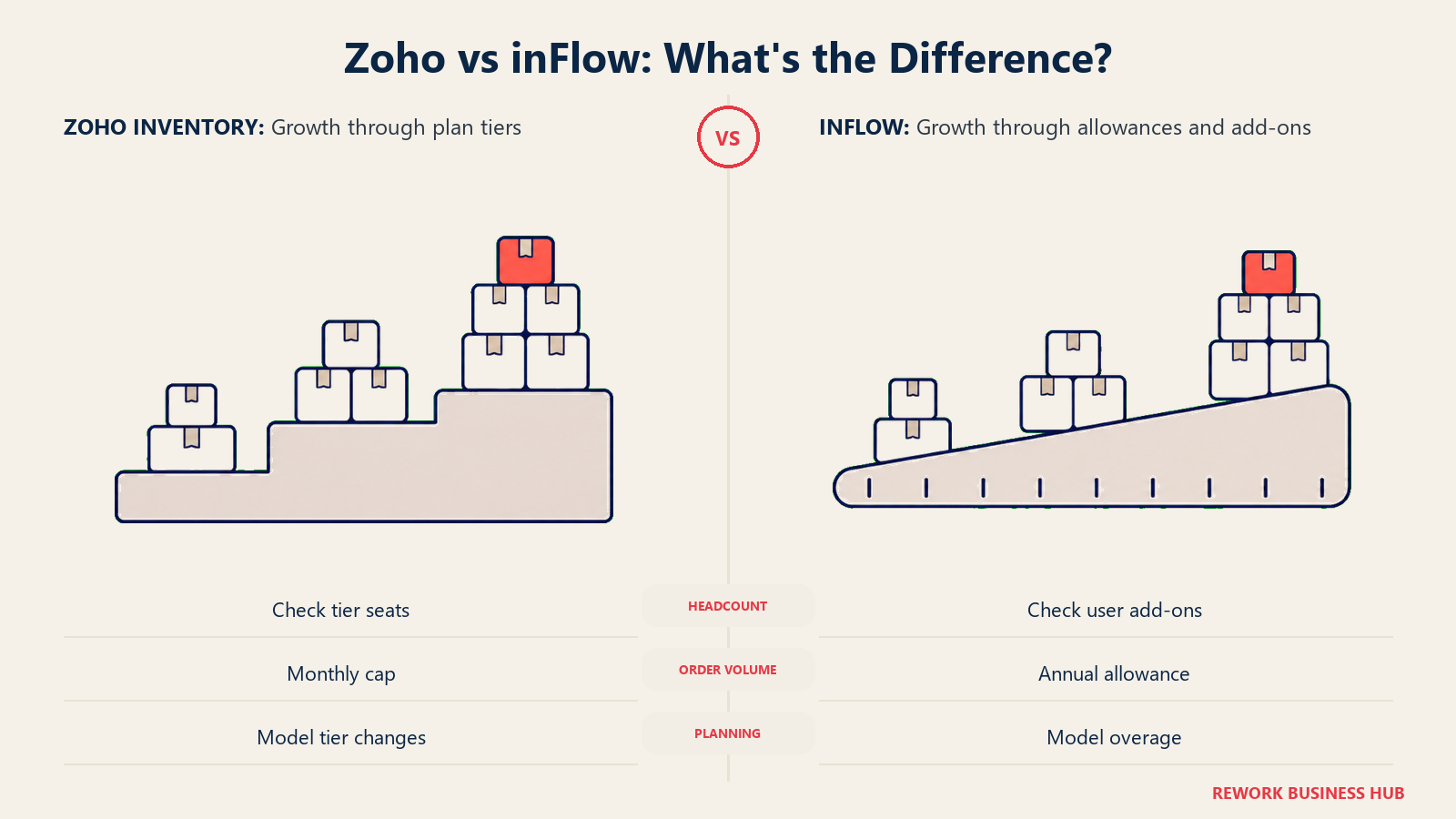
Read across that table and the real difference between these two vendors comes into focus. Zoho's cost is flat right up until it hits a wall, and then it jumps in a large, sometimes undefined increment. In Scenario B, one extra hire costs $600 a year in the form of five spare seats you didn't ask for, because Zoho sells the next tier as a bundle, not a single add-on. In Scenario C, there's no dollar figure to even put in this table, because the published tiers simply stop at 10 seats.
inFlow's cost rises in small, exact, published steps no matter which direction you grow. An extra seat is never more than $59 a month, an extra order is never more than $0.20, and the top tier removes order-volume risk from the equation entirely. That predictability is the real substance behind inFlow's "not per-seat" reputation, even though it isn't free.
Neither shape is wrong. A finance team that wants a fixed number for the year will tolerate Zoho's occasional cliff in exchange for a lower baseline. A team that's actively hiring or has a spiky order calendar may prefer knowing the exact cost of the next person or the next spike, even at a higher starting price. Know which one you're signing up for before the wall or the meter surprises you.
This is also the point where the two companies' underlying strategies show up in the numbers again. Zoho can afford to make its tier jumps large and its overage rates unpublished because Inventory isn't carrying its own acquisition cost, the wider ecosystem is. inFlow has to publish a fair, exact overage rate because it's the whole relationship with the customer, and a nasty surprise in the pricing is the fastest way to lose that customer entirely. Neither approach is more honest than the other, but they are answering to different incentives, and it's worth remembering that the next time either vendor's sales page describes its pricing as simple.
Ecosystem Lock-In: Zoho's Real Advantage and Real Cost
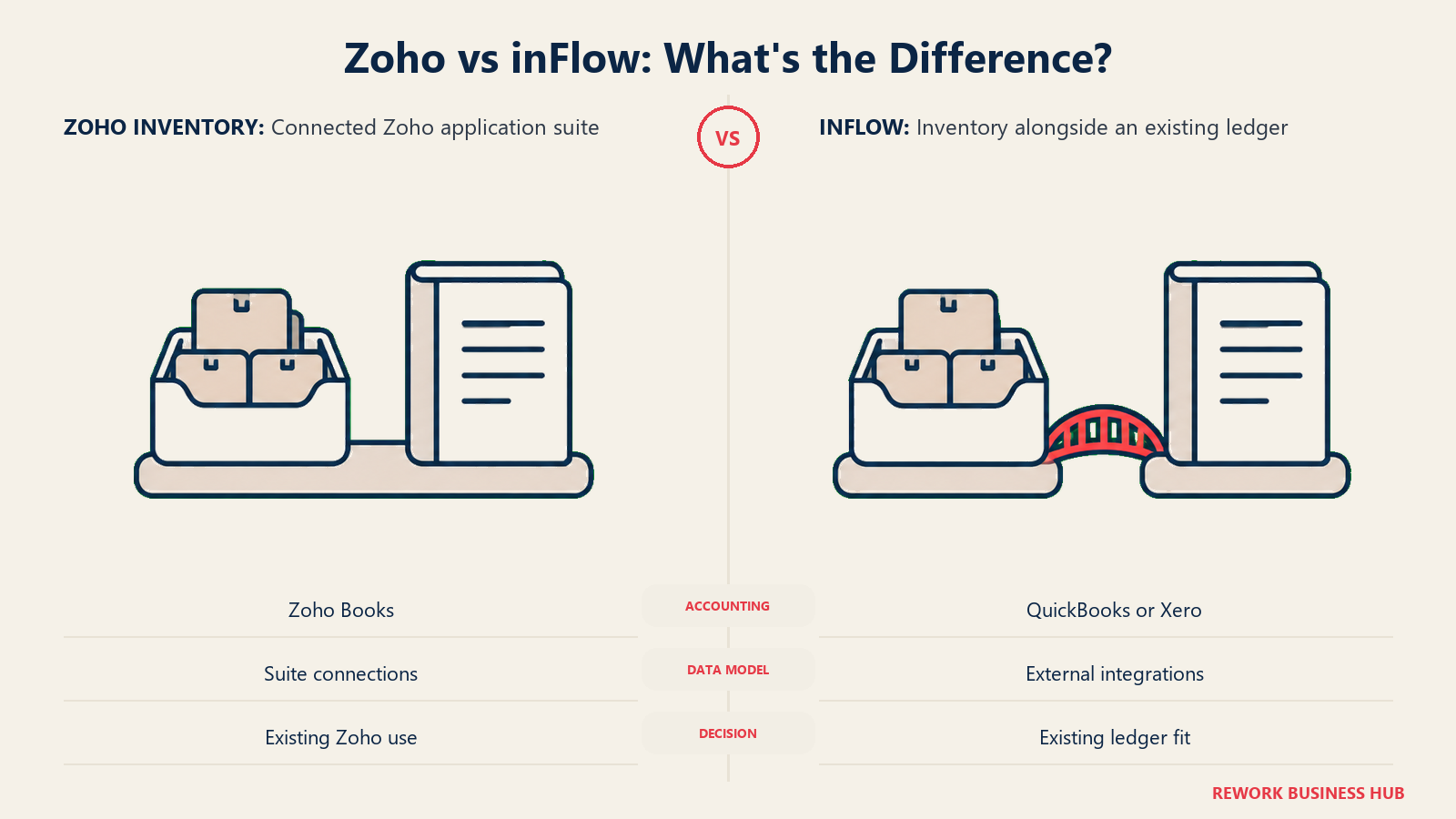
Zoho Inventory doesn't exist in isolation. It's one module inside a much larger suite that includes Zoho Books for accounting, Zoho CRM for sales and Zoho Commerce for storefronts, all sharing a login and, largely, a data model. inFlow has no equivalent suite; it's a single-purpose inventory and order app that connects out to whatever accounting tool you already run.
| Zoho Inventory | inFlow | |
|---|---|---|
| Native accounting | Zoho Books, same account | None built in. Integrates with QuickBooks Online, Xero |
| Native CRM | Zoho CRM, same ecosystem | None built in |
| Native storefront builder | Zoho Commerce | None built in. Connects to existing storefronts via integration |
| If you're already on Zoho apps | Real time saved: shared contacts, shared item records, one login, often bundled pricing through Zoho One | Not applicable |
| If you're not on Zoho apps | Little synergy gained; Inventory works standalone, but the multi-app pitch doesn't apply to you | No lock-in cost either way; inFlow is built to sit alongside whatever you already use |
| If you're already committed to QuickBooks or Xero | Adding Zoho Inventory means either running a second accounting-adjacent system or migrating your books | inFlow integrates rather than competes, so nothing about your ledger has to change |
This is a genuine either-or, not a feature gap. A business that's already running Zoho Books for its accounting gets real, compounding value from adding Zoho Inventory: contacts, items and reporting all sit in one account instead of syncing between two. A business that has years of history in QuickBooks Online or Xero and no appetite to move it is generally better served by a tool that treats its accounting system as a partner, which is exactly how inFlow is built.
Barcode Scanning and Warehouse Operations
Both products offer barcode scanning and basic warehouse tools, but they don't lead with it the same way. inFlow markets barcode scanning and warehouse operations as a core part of its identity, with a mobile scanning app built for picking, receiving and cycle counts on the floor, which shows up in how the product is positioned toward small manufacturers and warehouse teams from the Entrepreneur tier up. Zoho Inventory includes barcode generation and scanning as well, tied into its own warehouse management features, but it reads more as one capability among many inside a broader order-management product rather than the headline feature.
For a business where warehouse staff are scanning constantly, picking, packing and doing cycle counts by hand for hours a day, that difference in emphasis is worth a hands-on trial of both mobile apps before deciding, since day-to-day usability on a warehouse floor is hard to judge from a features page alone.
It's also worth connecting this back to the two companies behind each product. Archon Systems has spent nearly two decades building one thing, and the barcode and warehouse workflow is one of the places that focus shows up most clearly, since it's the part of the job Archon's founders built the company around solving in the first place. Zoho's warehouse tools are competent, but they're one feature set among dozens of apps the company maintains, and it shows in how the two products are positioned to their respective audiences: inFlow's marketing leads with the warehouse floor, Zoho's leads with the ecosystem.
Multi-Channel and Marketplace Connections
Both vendors connect to the major sales channels a small business is likely to run: Shopify, Amazon, eBay, Etsy and the usual shopping-cart platforms show up in both integration catalogs. Neither is the clear leader here in the way Zoho's integration count or inFlow's flat pricing are clear leaders in their own categories. The practical move is to check each vendor's current, specific integration list for the exact channels you sell on, especially if you rely on a regional marketplace or a niche platform, since integration catalogs change faster than pricing pages and neither vendor publishes a locked-in list.
There's a second-order version of this question worth asking too: how many channels does your plan actually let you connect at once, not just which channels exist in the catalog. Zoho gates integrations indirectly, through the same monthly order cap that governs everything else, since every order synced in from Shopify or Amazon counts against the same allowance as an order entered by hand. inFlow doesn't publish a separate integration limit either, so in practice both vendors treat "how many channels" as a non-issue and "how many orders across all of them combined" as the real constraint, which loops back to the order-cap math in the scenarios above.
Accounting, Multi-Currency and Multi-Location Handling
Three operational questions tend to decide this comparison as much as price does: where does the accounting sync go, do you sell or buy in more than one currency, and how many physical locations are you actually running.
| Zoho Inventory | inFlow | |
|---|---|---|
| Accounting sync | Native to Zoho Books | Integrates with QuickBooks Online and Xero |
| Multi-currency | Available; confirm the current tier gate on Zoho's plan comparison page before assuming it's included at your tier | Available; confirm the current tier gate directly with inFlow before signing |
| Locations, as published | Explicitly gated by tier: 1 on Free, 2 on Standard, 4 on Premium, 6 on Plus, 10 on Enterprise | Not listed as a plan differentiator on the published pricing comparison |
The locations row is worth calling out on its own, because it's the one place Zoho's pricing structure is more restrictive on paper than inFlow's. If you run more than a couple of pickup points, a second warehouse or a stockroom behind a retail counter, count your actual locations against Zoho's tier table before assuming Standard or Premium covers you, the same way you'd count orders. inFlow's published comparison simply doesn't gate on this dimension the way Zoho does, so verify the current handling with inFlow directly if multi-location operation is central to how you run the business.
Implementation Effort and Support
Neither vendor publishes a required onboarding fee, but they get you to a working system in different ways, and the difference traces straight back to which company is a suite and which one is a specialist.
| Zoho Inventory | inFlow | |
|---|---|---|
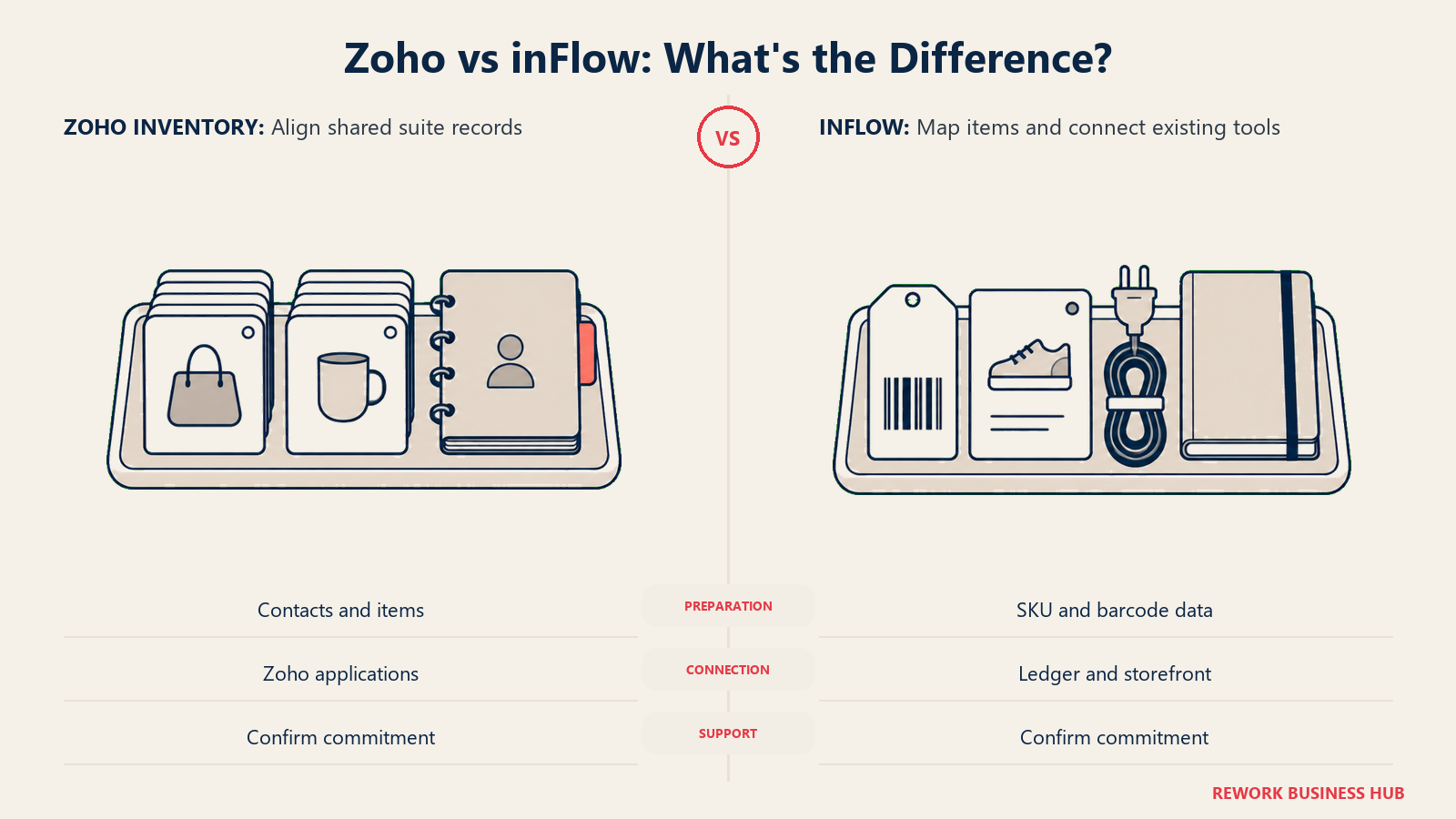
| Typical setup path | Fast if you're already on Zoho Books or Zoho CRM, since contacts, items and the chart of accounts are shared | Standalone setup: import your item list, connect one accounting tool, connect one storefront |
| Learning curve | Lower if you already know a Zoho app's navigation; higher if Zoho Inventory is your first Zoho product, since the interface assumes the wider Zoho design language | Generally straightforward for a single-purpose inventory app, since there's no wider suite to learn around it |
| Paid onboarding option | Not published on the pricing page | $499 one-time, explicitly listed as optional |
| Free entry path | Free plan (permanent, capped at 50 orders/month) plus a free trial on paid tiers | Free trial only, no permanent free tier |
| Where setup time actually goes | Getting the shared Zoho data model, contacts, items, chart of accounts, right across every connected Zoho app | Mapping SKU and barcode data, then connecting the one accounting and one storefront integration you actually use |
The practical takeaway is that Zoho's setup cost is mostly paid once, when you first commit to the ecosystem, and drops sharply for every additional Zoho app after that. inFlow's setup cost is roughly the same whether it's your first business app or your fifth, because it was never designed to plug into a sibling suite in the first place.
On support, both vendors offer the standard small-business tier of help: email and chat support are the norm, with the depth and response commitment typically improving on higher tiers. Neither company publishes a specific service-level agreement on its pricing page for these plans, so if guaranteed response time matters to your operation, especially during a busy season when a stuck order queue costs real money, ask each vendor directly what their support commitment looks like at the tier you're actually buying, rather than assuming it matches whatever the sales page implies. inFlow's optional $499 onboarding fee is the more concrete signal here: it buys guided setup time from a company whose whole business is this one product, which is a different kind of support than a general Zoho account manager who may be fielding questions about five different apps in the same call.
If You Pick Wrong: What Switching Actually Costs
Neither vendor publishes a migration fee, but it's worth thinking through before you commit, because the two products fail differently if you outgrow them.
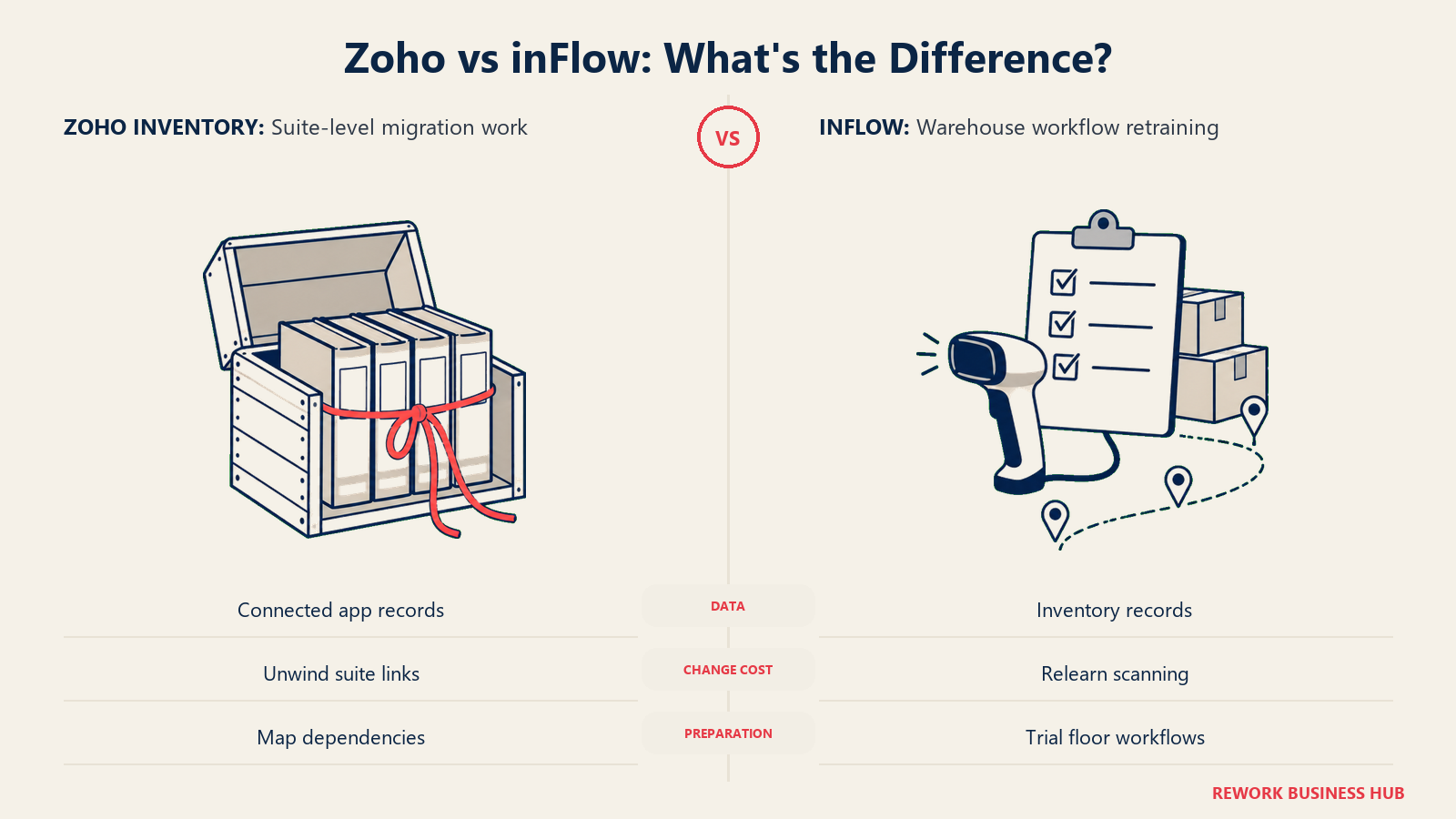
If you outgrow Zoho Inventory's seat ceiling at 10 users with no published tier above it, your options are contacting Zoho directly for a custom arrangement or migrating your item catalog, order history and contacts to a different platform entirely. If you're deep in the Zoho ecosystem by then, with Books, CRM and Commerce all sharing the same account, that migration gets more expensive with every additional connected app, since you're not just moving inventory data, you're unwinding an integrated suite.
If you outgrow inFlow's order or seat allowance, the fix is simpler and cheaper in the near term: pay the published overage rate, or move up to the next tier, which was designed from the start to absorb growth rather than force a platform change. Where inFlow gets expensive to leave is if you've built substantial custom barcode workflows or warehouse processes around its mobile app specifically, since retraining warehouse staff on a new scanning workflow has a real cost in lost productivity during the transition, even though it isn't a line item either vendor puts a number on.
The general rule: Zoho's switching risk is concentrated at the ecosystem level, and it grows the longer you stay. inFlow's switching risk is concentrated at the operational level, in the muscle memory of whoever's doing the scanning, and it's largely independent of how long you've been a customer. Neither risk shows up on a pricing page, which is exactly why it belongs in your decision before you sign rather than after.
When Zoho Inventory Is the Right Call
- You're doing well under 500 orders a month with 3 people or fewer. Standard at $348 a year modeled is the cheapest real system on this page by a wide margin.
- You already run Zoho Books, Zoho CRM or Zoho Commerce. The shared login and shared data model is a genuine efficiency, not a marketing line.
- You run more than one physical location. Locations are gated explicitly by tier here, and Zoho's structure names the number plainly instead of leaving it unpublished.
- Your team is stable and your order volume is the variable. Zoho's monthly order caps carry real headroom at Premium and Plus, and a predictable headcount avoids the seat-ceiling cliff.
- You're comfortable planning around occasional hard tier jumps in exchange for a lower baseline price at every stage this page modeled.
When inFlow Is the Right Call
- You want every unit of growth priced in advance. $59, $49 or $39 for an extra seat and $0.20 for an extra order are numbers you can put in a hiring plan or a sales forecast today.
- You're already committed to QuickBooks Online or Xero and have no interest in adding a second accounting-adjacent system to your stack.
- Your order volume is genuinely unpredictable or seasonal. Mid-Size and Enterprise remove the order-cap risk entirely, which a hard monthly ceiling cannot offer at any price.
- Warehouse and barcode operations are a daily, hands-on part of the job, and you want a product built around that workflow first.
- You expect to cross 10 users within a year or two. inFlow has a published, if pricier, path to 25 seats. Zoho's public pricing page simply stops at 10.
- You're evaluating inFlow Stockroom instead of full inFlow Inventory, because your real need is lighter stock tracking, not full sales-order management, and $99 a month covers that without paying for order management you won't use.
If Neither One Fits
Some readers land on this page mid-way through comparing two inventory tools. Others land here mid-way through replacing a stack of five apps that don't talk to each other, and inventory just happens to be the most painful one right now. If that's closer to your situation, neither Zoho Inventory nor inFlow is actually the fix, because both are built to be one good tool inside that stack rather than to collapse it. If you need more manufacturing or warehouse depth than either offers, our best inventory management software roundup and best Zoho Inventory alternatives cover the wider field.
Rework's Inventory module sits on the same platform as its Sales CRM, Lead, Commerce, Invoice, Product and Work Ops modules, with a unified multi-channel inbox (WhatsApp, Messenger, Instagram DM, TikTok, Zalo and web chat) landing on the same contact timeline as the order and the stock count. That fits a specific shape of business well: social-commerce sellers taking as many orders through a WhatsApp or Instagram DM thread as through a cart, and B2B teams where the sales conversation, the order and the invoice need to live in one record instead of three that sync.
Be clear about what that isn't. Rework is not an MRP and it is not a WMS. It doesn't reach the manufacturing or warehouse depth that a fully loaded Zoho Inventory Plus setup or inFlow Small Business plan can, so if bin-level slotting, wave picking or production routings are the actual requirement, keep shopping in this category instead. Rework is also built for mid-size operators, roughly 10 to 200 people, not for the solo seller who makes up a real share of this page's readers. If Zoho's free plan or inFlow's Entrepreneur tier comfortably covers you today, you are not the Rework buyer, and pretending otherwise would cost more trust than the mention is worth.
Pricing for Rework Inventory is quoted per organization; see rework.com/pricing.
Decision Framework
| If you are... | Pick |
|---|---|
| A 1 or 2-person operation doing under 50 orders a month | Zoho Inventory Free, it's a genuinely usable $0 product at that volume |
| Doing more than 50 orders a month with 2 or 3 people | Zoho Inventory Standard, modeled at $348/year it undercuts inFlow Entrepreneur by roughly $1,200/year for the same headcount |
| Already running Zoho Books, Zoho CRM or Zoho Commerce | Zoho Inventory, the shared login and data model is real time saved |
| Already committed to QuickBooks Online or Xero and not switching | inFlow, it integrates with your accounting tool instead of competing with it |
| Growing headcount faster than order volume, wanting every seat's cost published in advance | inFlow, at $39 to $59 a month per extra seat depending on plan |
| Expecting to cross 10 users | inFlow Mid-Size or Enterprise, Zoho's published tiers stop at 10 seats with no listed path past it |
| Running unpredictable order spikes and wanting zero risk of a hard cap | inFlow Mid-Size, unlimited orders removes the variable entirely |
| Watching every dollar and comfortable planning around occasional tier jumps | Zoho Inventory, cheaper at every one of the three profiles modeled on this page |
| Fighting five disconnected tools rather than an inventory feature gap | Neither. See "If Neither One Fits" above |
The verdict. On raw dollars, Zoho Inventory wins at every team size this page modeled, and not narrowly; the gap runs from about $1,200 a year at 2 people to nearly $6,900 a year at 10. That's a real result, and it should put to rest any assumption that inFlow's "not per-seat" reputation makes it the budget-friendly pick. What it buys instead is a published, predictable cost for every unit of growth, seats and orders alike, where Zoho's equivalent cost is a wall you don't see the size of until you hit it. Answer two questions before you commit: how close is your order volume to a monthly cap right now, and how confident are you in your headcount for the next year? If both are comfortably stable, Zoho's lower price is the rational choice. If either is likely to move, price in the cost of hitting Zoho's wall before assuming its sticker is the final number.
Frequently Asked Questions about Zoho Inventory vs inFlow
Is Zoho Inventory cheaper than inFlow?
On paper, yes, and by a wide margin at almost any team size. A 2-person team doing 100 orders a month lands near $348 a year on Zoho Inventory Standard versus roughly $1,548 a year on inFlow Entrepreneur, because inFlow's base price is metered to a fixed user count and a fixed order allowance while Zoho's tiers include far more headroom for the same money. The gap holds at 5 and 10 seats too, so inFlow is not the budget option here despite its flat-rate reputation.
What happens if I go over Zoho Inventory's order cap?
Zoho does not publish a per-order overage rate, so exceeding a tier's monthly order allowance generally means upgrading to the next full tier rather than paying a small metered fee. Standard's cap is 500 orders a month; the next tier up, Premium at $79 a month, is the published option, but there's no way on the public pricing page to simply buy 50 extra orders while staying on Standard.
Does inFlow really have a flat rate with no per-seat pricing?
Only within a plan's included user count. Each inFlow plan bundles a fixed number of team members, 2, 5, 10 or 25 depending on tier, and a fixed order allowance, with both billed as clear overage past that point: extra users cost a published $59, $49 or $39 a month depending on plan, and extra orders cost $0.20 each. That's tier-based pricing with included seats and published overage rates, not a flat rate that ignores headcount.
How many users does Zoho Inventory's most expensive plan include?
Ten. Both Plus at $129 a month and Enterprise at $249 a month, Zoho Inventory's two highest published tiers, include exactly 10 users, and the pricing page doesn't publish a way to add an 11th seat. A team that outgrows 10 users has to contact Zoho directly, since nothing past that headcount appears on the public pricing page.
Is Zoho Inventory's free plan usable for a real small business?
For one person doing very light volume, yes. The free plan is capped at 1 user, 1 location and 50 orders a month, roughly 1.6 orders a day. A second team member or a single month over 50 orders makes the free plan a hard no, and it's the order cap and seat cap, not the price, that push most working businesses off it almost immediately.
Which one handles multiple stock locations better?
Zoho Inventory gates locations explicitly by tier: 1 on Free, 2 on Standard, 4 on Premium, 6 on Plus and 10 on Enterprise. inFlow's published plan comparison doesn't list a location cap the same way, so confirm the current location handling directly with inFlow if you run more than one warehouse or pickup point.
Does either tool include accounting software?
Zoho Inventory doesn't bundle accounting itself, but it shares a login and a data model with Zoho Books, Zoho's own accounting product, plus Zoho CRM and Zoho Commerce if you're already on or open to those apps. inFlow has no bundled accounting product; it integrates with QuickBooks Online and Xero instead, so you keep whatever ledger you already run.
What is inFlow Stockroom, and is it cheaper than inFlow Inventory?
inFlow Stockroom is a separate, lighter product line from the same vendor, priced at $99 a month billed annually or $129 a month billed monthly, built for simpler stock and asset tracking rather than full sales-order management. It's cheaper than inFlow Inventory's $129-a-month Entrepreneur plan, but it's not a like-for-like substitute; if you need sales orders, purchase orders and multi-channel order sync, that's the Inventory line, not Stockroom.
Which tool is better for a business just moving off spreadsheets?
For the smallest teams and the lightest order volume, Zoho Inventory Standard at $29 a month is the cheaper way to get a real system in place, and it includes real headroom, 3 users and 500 orders a month, to grow into before the next tier matters. inFlow Entrepreneur costs a lot more for roughly the same starting team size, and it earns that price back mainly if you value inFlow's published, predictable overage math over Zoho's larger but less flexible tier jumps.
Who makes Zoho Inventory and who makes inFlow?
Zoho Inventory is one of dozens of connected apps from Zoho Corporation, a privately held, bootstrapped company founded in 1996 as AdventNet and renamed Zoho in 2009, headquartered in Chennai with a US headquarters in Austin. inFlow Inventory is made by Archon Systems Inc., a Toronto-based company founded by Stephen Fung and Louis Leung that launched inFlow in 2007 as a focused inventory specialist and now says it serves more than 40,000 businesses across over 90 countries.
What to Do Next
- Count your actual monthly order volume for the last 3 months, not your best month. Zoho's caps reset monthly, so a single spike above 500 or 3,000 orders forces a real tier jump even if most months are quiet.
- Check whether you're already on Zoho Books, Zoho CRM, QuickBooks or Xero. That answer alone should decide which of these two you demo first, since neither product wants to replace your existing accounting tool.
- Run the free options in parallel. Zoho Inventory's Free plan and inFlow's free trial cost nothing; load your real item list and real order volume into both before you pay for either.
- Ask inFlow sales for the Enterprise number if you expect to cross 10 users within a year, since Zoho's public pricing page has no answer at all for that headcount.
- Model 24 months, not one. Zoho's cost curve is flat with cliffs; inFlow's is a steady slope. Which one your finance team prefers is a real input into this decision, and our guide to choosing inventory management software is a reasonable template for running that comparison against a wider shortlist.
Related Resources:

Business Consultant
On this page
- TL;DR
- Key Facts
- Two Companies, Two Very Different Bets
- What Zoho Inventory Actually Sells You: Cheap Until the Order Cap Bites
- What inFlow Actually Sells You: A Higher Floor With Metered Growth
- The Headline Claim Each Vendor Is Famous For
- What Three Real Teams Actually Pay
- Scenario A: a 2-person operation doing 100 orders a month
- Scenario B: a 5-person operation doing 1,000 orders a month
- Scenario C: a 10-person operation doing 5,000 orders a month
- What Happens When You Grow
- Ecosystem Lock-In: Zoho's Real Advantage and Real Cost
- Barcode Scanning and Warehouse Operations
- Multi-Channel and Marketplace Connections
- Accounting, Multi-Currency and Multi-Location Handling
- Implementation Effort and Support
- If You Pick Wrong: What Switching Actually Costs
- When Zoho Inventory Is the Right Call
- When inFlow Is the Right Call
- If Neither One Fits
- Decision Framework
- What to Do Next