Best Ecommerce Platforms in 2026: 15 Platforms for Every Stage of Online Selling
Turn this article into takeaways for your work.


Each assistant summarizes the article only for you and suggests best practices for your work.
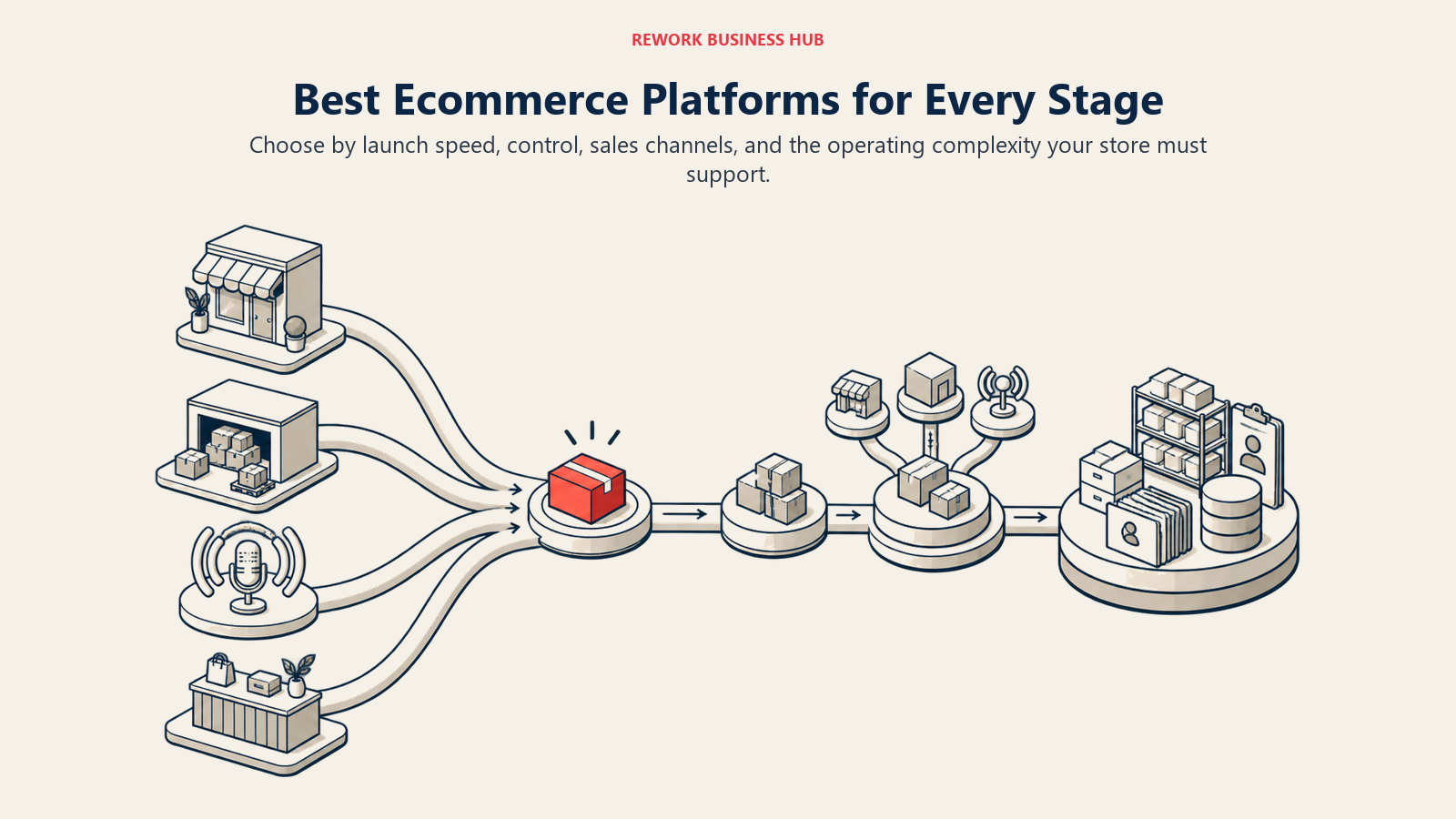
The best ecommerce platform in 2026 depends on what you're actually building, not which name shows up first in a search result. Shopify still wins for the fastest path from an idea to a live, hosted storefront with the largest app ecosystem in the category. BigCommerce and Adobe Commerce lead when you need open architecture without a Shopify-level per-transaction fee. WooCommerce and PrestaShop lead when you want the code and the data on your own server. Wix, Squarespace, and Webflow Ecommerce lead when the store is secondary to a design-first marketing site. And Salesforce Commerce Cloud sits at the top for retailers who already live inside the Salesforce ecosystem and need commerce sized for a nine-figure catalog.
This guide ranks 15 platforms for founders, ecommerce managers, COOs, and operators choosing or replatforming a store, whether that's a first shop going live this month or a mid-size operation selling across a website, marketplaces, and social channels at once: setup speed, transaction and processing fees, multi-channel reach, customization depth, and total cost once hosting, apps, and payment processing are all counted. If you've already narrowed the field to a specific incumbent, the sibling BigCommerce alternatives, Magento alternatives, Squarespace alternatives, and Wix alternatives guides go deeper on that single switch, and Shopify vs BigCommerce covers the most-searched head-to-head in the category directly.
Key Facts
- The global ecommerce market is on track to reach $6.88 trillion by the end of 2026, per eMarketer's forecast.
- The average documented online shopping cart abandonment rate is 70.22%, calculated across 50 separate studies, per the Baymard Institute.
- The majority of US online holiday transactions (56.4%) happened on a smartphone in the 2025 season, up from 54.5% the year before, per Adobe's Digital Economy Index.
- A 0.1-second improvement in mobile site speed lifted retail conversion rates 8.4% and average order value 9.2%, per a Google-commissioned study run with Deloitte across 37 retail brands and more than 30 million user sessions.
- Omnichannel shoppers spend 4% more in-store and 10% more online than single-channel shoppers, per a Harvard Business Review study of 46,000 shoppers.
Quick Comparison Table
| Tool | Best For | Starting Price | Key Strength | Key Limitation |
|---|---|---|---|---|
| Shopify | Fastest path from idea to a live hosted storefront | Basic $39/mo, US monthly list (billed monthly) | Largest app ecosystem and theme marketplace in the category | Third-party gateway fees stack on top of the plan unless you use Shopify Payments |
| BigCommerce | Multi-channel and B2B sellers wanting no built-in transaction fee | Core $39/mo, or $29/mo billed annually | Native multi-channel listings (Amazon, eBay, Walmart) and a headless API | Online sales limit per tier can force an upgrade even with light usage |
| WooCommerce | Content-driven brands already running WordPress | Free plugin; hosting runs roughly $25 to $350/month | Total control via open source code and the WordPress plugin ecosystem | No flat platform price; hosting, extensions, and processing are the buyer's job |
| Wix | Small catalogs bundled with a marketing-first website | $17 to $159/mo, billed annually | Fastest drag-and-drop setup with the store built into the same site | Entry Light plan cannot accept online payments at all |
| Squarespace | Design-forward direct-to-consumer brands | Basic $16/mo billed annually (reported) | Cleanest storefront design templates in the category | Transaction fees (2%) still apply on the entry Basic plan |
| Rework | Mid-size operators wanting orders, inventory, and invoicing on one platform with the CRM | Quote on request | Unified multi-channel inbox plus orders, inventory, and invoices on one contact timeline | Not a storefront builder; no themed web storefront or checkout of its own |
| Adobe Commerce / Magento Open Source | Enterprise catalogs needing deep, code-level customization | No published price (Adobe Commerce); free to self-host (Magento Open Source) | Open-source core with an enterprise-grade cloud tier above it | License (Adobe) or true hosting cost (Magento OS) stays hidden until a quote or dev estimate |
| Shopware | European merchants and B2B sellers wanting an open, API-first core | Community Edition free; Rise from EUR 600/mo excl. VAT | Headless-ready architecture with a genuinely free self-hosted edition | Paid tiers are priced in euros and quoted mainly to EU-based merchants |
| Ecwid by Lightspeed | Adding a store to a site that already exists, or selling on many channels at once | Starter $5/mo (10 products) | Native multi-channel selling (Instagram, TikTok, Amazon, Google) on every paid tier | No longer has a free plan; entry is a paid $5/month tier |
| Square Online | Retailers already running Square POS in a physical location | Free tier plus paid upgrades; exact tier prices not vendor-confirmed | Unified inventory and reporting between in-person and online sales | Per-transaction processing rate needs to be budgeted directly with Square |
| Webflow Ecommerce | Design-led brands wanting full visual and code control over the storefront | 0% Webflow transaction fee; no vendor-confirmed Ecommerce plan figure | No Webflow-side transaction fee on Ecommerce site plans | Webflow's May 2026 pricing overhaul retired the CMS and Business site plans; re-verify any quote |
| Big Cartel | Independent artists and makers with a small, hand-managed catalog | Free Gold plan; Platinum $15/mo | Free plan and the simplest setup on this list | Product-count caps make it a poor fit past a small catalog |
| Shift4Shop | Merchants willing to process through Shift4 Payments for a lower software bill | End-to-End plan $41/mo | Feature-rich plan with most tools bundled in rather than sold as add-ons | Platform availability is regional and the plan is not flatly free everywhere |
| PrestaShop | European and Latin American merchants wanting open-source ownership | Free Classic download; Hosted offer price not published | Free download with a large native modules marketplace | Hosted offer pricing is not published anywhere |
| Salesforce Commerce Cloud | Large multi-brand or multi-region retailers already on Salesforce | No published price, quoted per merchant | Deep native tie-in with Marketing Cloud, Service Cloud, and Einstein AI | No published price; quoted per merchant with a long enterprise sales cycle |
Platform Type at a Glance
Fifteen platforms in one list is a wide range because the category itself is wide. Before comparing features line by line, it helps to know which shape of platform you're actually looking at.
| Platform | Type | Why it fits this range |
|---|---|---|
| Shopify | Hosted SaaS | Fully managed, no server to run, app-driven extensibility |
| BigCommerce | Hosted SaaS (open architecture) | Managed hosting with no core transaction fee and a headless option |
| WooCommerce | Open source | Free plugin, self-hosted, full code access |
| Wix | Website builder with a store | Store is a feature of the wider site builder, not a standalone product |
| Squarespace | Website builder with a store | Same shape as Wix, design-first entry point |
| Rework | Operations platform, not a storefront | Orders, inventory, and invoices live beside the CRM, not in a themed storefront |
| Adobe Commerce / Magento Open Source | Enterprise (Adobe) and open source (Magento) | One product line spanning both ends of that spectrum |
| Shopware | Open source and enterprise cloud | Free Community edition plus paid cloud tiers for scale |
| Ecwid by Lightspeed | Hosted SaaS, embeddable | Widget-based, drops into a site you already run |
| Square Online | Hosted SaaS, budget and omnichannel | Free entry tied to Square's point-of-sale hardware |
| Webflow Ecommerce | Website builder with a store | Design-and-code-first site builder with an ecommerce layer |
| Big Cartel | Hosted SaaS, budget | Purpose-built for small, hand-managed catalogs |
| Shift4Shop | Hosted SaaS, budget | Feature-bundled plan tied to a specific payment processor |
| PrestaShop | Open source | Free download, self-hosted, large module marketplace |
| Salesforce Commerce Cloud | Enterprise | Quote-only, built for large multi-brand retailers |
1. Shopify: The Default Hosted Storefront
Shopify remains the platform most founders reach for first, and the reason isn't a single feature so much as the ecosystem around it: thousands of apps in the Shopify App Store, a theme marketplace that covers nearly every visual style, and Shopify Payments built in so a first-time seller can go from signup to a live checkout in an afternoon. Shopify POS extends the same product and order data into a physical register, which matters the moment a purely online seller opens a pop-up or a permanent retail spot.
Shopify's own pricing page lists the US list as Basic $39/mo, Grow $105/mo, Advanced $399/mo, and Plus from $2,300/mo billed monthly, and it publishes the annual rates too: Basic $29/mo, Grow $89/mo, and Advanced $359/mo billed yearly. The $5/mo Starter plan still exists for merchants already on it, but per Shopify's Help Center it is not available to new stores, so it is not an entry option today. Shopify also localizes pricing by country, so the same plan can show a lower USD-equivalent figure depending on where a business is based. Third-party payment gateway fees run 2% on Basic, 1% on Grow, and 0.6% on Advanced, dropping to zero when a merchant uses Shopify Payments directly. Staff accounts are capped at 5 on Grow, 15 on Advanced, and unlimited on Plus.
The honest limitation: the headline plan price is only part of the bill once a store adds a handful of paid apps and isn't using Shopify Payments for whatever reason. Most Shopify stores also end up pairing the platform with a dedicated tool for abandoned-cart recovery and lifecycle email rather than relying on Shopify's native email features alone; see the Klaviyo alternatives guide if that's the app doing the heavy lifting. For the direct comparison against the other platform most often cross-shopped with Shopify, see Shopify vs BigCommerce.
| Pros | Cons |
|---|---|
| Largest app and theme ecosystem in ecommerce | Third-party gateway fees add up fast without Shopify Payments |
| Shopify POS unifies online and in-person selling | Staff account caps on lower tiers can force an upgrade |
| Fastest setup for a first-time seller | Regional price localization makes cross-market budgeting inconsistent |
| Deep checkout customization at the Plus tier | Enterprise-scale needs (Plus) start at $2,300/month |
Best for: Founders and teams wanting the fastest, most supported path from an idea to a live hosted store. Not ideal for: Merchants who need a zero-transaction-fee platform without adopting Shopify's own payment processor.
2. BigCommerce: Open Architecture Without a Core Transaction Fee
BigCommerce's pitch has stayed consistent for years: an open, headless-capable platform that doesn't charge its own transaction fee on top of your payment processor, paired with native multi-channel listing tools for Amazon, eBay, Walmart, and social storefronts that most competitors leave to a third-party app. That combination makes it a common landing spot for B2B sellers and stores that outgrow Shopify's app-dependent approach to wholesale pricing and multi-storefront catalogs.
BigCommerce's own pricing page lists Core at $39/mo ($29/mo billed annually, saving 25%), Growth at $105/mo ($79/mo annually), and Scale at $399/mo ($299/mo annually), with a custom Performance tier from $1,499/mo billed annually. Each tier carries an online sales limit measured on a trailing-twelve-month basis (up to $30K for Core, $100K for Growth, $33,333/month with overage above that on Scale), and an Open Payment Provider fee that runs 2.0% on Core down to 0.0% on Performance with a contract. It's worth naming plainly: BigCommerce retired its old Standard, Plus, and Pro tier names in favor of Core, Growth, Scale, and Performance, so a quote or review using the old names is out of date even if the dollar figures look familiar.
If BigCommerce itself is the platform you're moving away from rather than moving toward, the dedicated BigCommerce alternatives guide goes deeper on that specific switch.
| Pros | Cons |
|---|---|
| No BigCommerce-side transaction fee at any tier | Online sales limit per tier can trigger a forced upgrade |
| Native Amazon, eBay, Walmart, and social channel listings | Fewer third-party apps than Shopify's marketplace |
| Headless API for a fully custom front end | Theme customization asks more technical skill than Shopify |
| Strong native B2B pricing and catalog tools | Tier names changed recently; old reviews may be stale |
Best for: Multi-channel and B2B sellers who want to avoid a platform-side transaction fee as volume grows. Not ideal for: A seller who wants the largest possible app marketplace on day one.
3. WooCommerce: Full Ownership on WordPress
WooCommerce isn't a hosted platform at all: it's a free, open-source plugin that turns a WordPress site into a store, which is exactly why it remains the top choice for content-driven brands, blogs-turned-shops, and anyone who wants total control over code, data, and hosting rather than a vendor's roadmap. Because WordPress already powers a large share of the web, WooCommerce inherits an enormous plugin and theme ecosystem well beyond commerce alone.
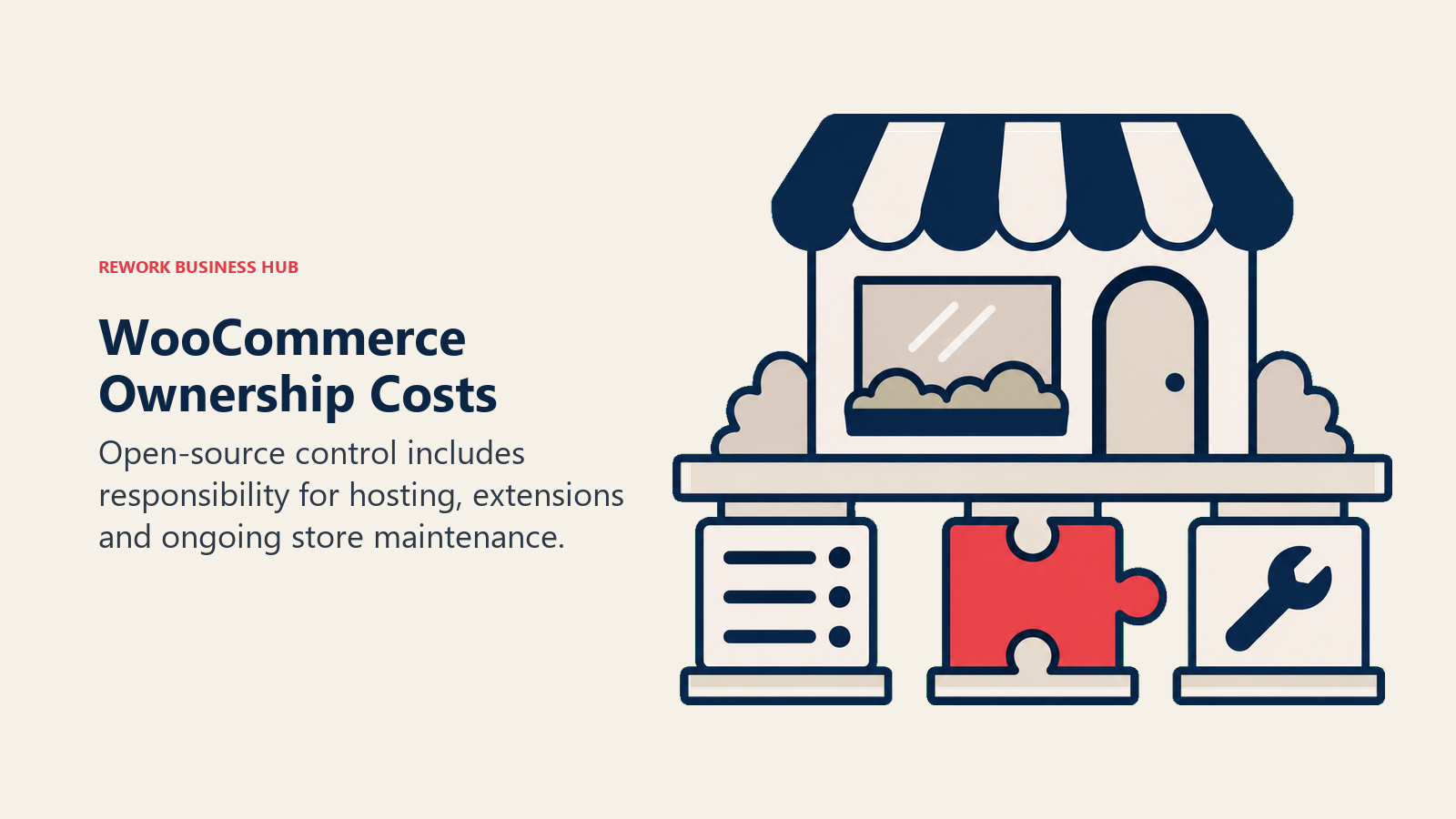
WooCommerce itself carries no license fee and no revenue share; the real cost lives in the pieces around it. WooCommerce's own guidance estimates hosting at $25 to $350 a month for most stores, extensions at $29 to $299 a year apiece, and WooPayments card processing at roughly 2.5% to 2.9% plus 30 cents per transaction. That's the honest way to describe it: a free plugin, with hosting, extensions, and processing as the real recurring cost, never a genuinely $0 platform once a store is actually live.
The tradeoff is clear: WooCommerce rewards a team with WordPress familiarity or developer access, and punishes a team that wants a single vendor to call when something breaks. For a business that wants that ownership without WordPress itself, PrestaShop later in this list solves a similar problem from a different starting point. And since abandoned-cart recovery matters more on a self-built stack than a fully managed one, most WooCommerce stores pair the plugin with a dedicated lifecycle-email tool; see best email marketing software for that category in full.
| Pros | Cons |
|---|---|
| No platform license fee, genuinely open source | Hosting, extensions, and maintenance are entirely the buyer's responsibility |
| Massive WordPress plugin and theme ecosystem | No single vendor support line when something breaks |
| Full code-level control over the store | Extension costs add up fast for a feature-rich catalog |
| Strong fit for content-first, blog-driven brands | Security and uptime are the store owner's job, not a vendor's |
Best for: Content-driven brands already comfortable running and maintaining a WordPress site. Not ideal for: A team that wants a single managed vendor handling hosting, uptime, and security.
4. Wix: A Store Built Into a Marketing-First Website
Wix's ecommerce tools exist inside a much bigger product: a drag-and-drop website builder most small businesses reach for to get a marketing site live fast, with a store as one feature among many rather than the whole point. That makes Wix a strong fit for a business whose real need is a polished website that also happens to sell a modest catalog, not a dedicated commerce operation.

Wix's plans page renders pricing dynamically and geo-varies by location, which the vendor states directly. The reliable figure to budget against is that Wix's paid plans run $17 to $159 per month billed annually, with the entry Light plan at the bottom and Business Elite at $159 at the top, Core and Business sitting between them. The Light plan is worth flagging specifically: it does not support accepting online payments at all, so a seller has to move up at least one tier before checkout works.
The honest limitation is depth: Wix's store tools cover a small-to-medium catalog well but don't reach BigCommerce or Adobe Commerce-level customization for a large or complex product line. If Wix is the platform you're evaluating alternatives to rather than shopping toward, see Wix alternatives for a deeper look at that specific move.
| Pros | Cons |
|---|---|
| Store and marketing site live in one drag-and-drop editor | Entry Light plan can't accept online payments |
| Fastest setup for a small catalog paired with a content site | Pricing renders dynamically and varies by region |
| Huge template library across industries | Less depth for a large or complex catalog |
| Built-in Wix Payments alongside third-party options | Scaling past a modest catalog usually means migrating platforms |
Best for: Small businesses wanting a polished marketing website with a modest store attached. Not ideal for: A catalog large or complex enough to need dedicated commerce tooling.
5. Squarespace: Design-First Storefronts for DTC Brands
Squarespace built its reputation on template quality before it built out serious commerce features, and that design DNA still shows: it remains the platform brand-forward direct-to-consumer sellers reach for when the storefront itself needs to look like a design portfolio, not a generic template. Squarespace Payments now handles processing natively across tiers, alongside third-party options.
Squarespace's plan names changed in late 2025: the old Personal, Business, Commerce Basic, and Commerce Advanced tiers were retired in favor of Basic, Core, Plus, and Advanced, and any review still using the old names is describing a product that no longer exists. What actually differentiates the tiers now is the fee structure: Basic carries a 2% commerce transaction fee and a 7% fee on digital content and memberships, Core drops the commerce fee to 0% but keeps 5% on digital content, Plus cuts digital content fees to 1%, and Advanced removes both. Squarespace Payments processing itself runs 2.5% to 2.9% plus $0.30 depending on tier. Reported monthly prices billed annually are Basic $16, Core $23, Plus $39, and Advanced $99, though Squarespace's own page renders these figures in JavaScript rather than publishing them as static text.
If Squarespace is the platform you're moving off of, Squarespace alternatives covers that specific decision in more depth.
| Pros | Cons |
|---|---|
| Best-in-class design templates for a DTC storefront | Commerce transaction fee still applies on the entry Basic plan |
| Digital content and membership fees drop sharply on higher tiers | Old plan names (Personal, Business, Commerce) are now retired and confusing |
| Native Squarespace Payments processing | Less multi-channel and B2B depth than BigCommerce or Shopify |
| Clean, unified site and store editor | Pricing page renders dollar figures dynamically, harder to verify |
Best for: Design-forward direct-to-consumer brands prioritizing storefront aesthetics. Not ideal for: Sellers needing deep multi-channel listing or B2B catalog tools.
6. Rework: Commerce Operations on the Same Platform as the CRM
Rework's Commerce module handles order and commerce operations inside the wider Rework platform, which also carries Sales CRM, Lead, Inventory, Invoice, Product, Work Ops, and People. The pitch isn't a themed storefront; it's that orders, inventory, invoices, and the customer record all sit on one platform instead of a storefront synced separately to a CRM, an inventory tool, and an accounting tool through three different integrations. Rework also runs a unified multi-channel inbox, WhatsApp, Messenger, Instagram DM, TikTok, Zalo, and web chat all on the same contact timeline, which is part of why it fits social-commerce sellers and B2B teams that close deals over chat as often as through a cart.
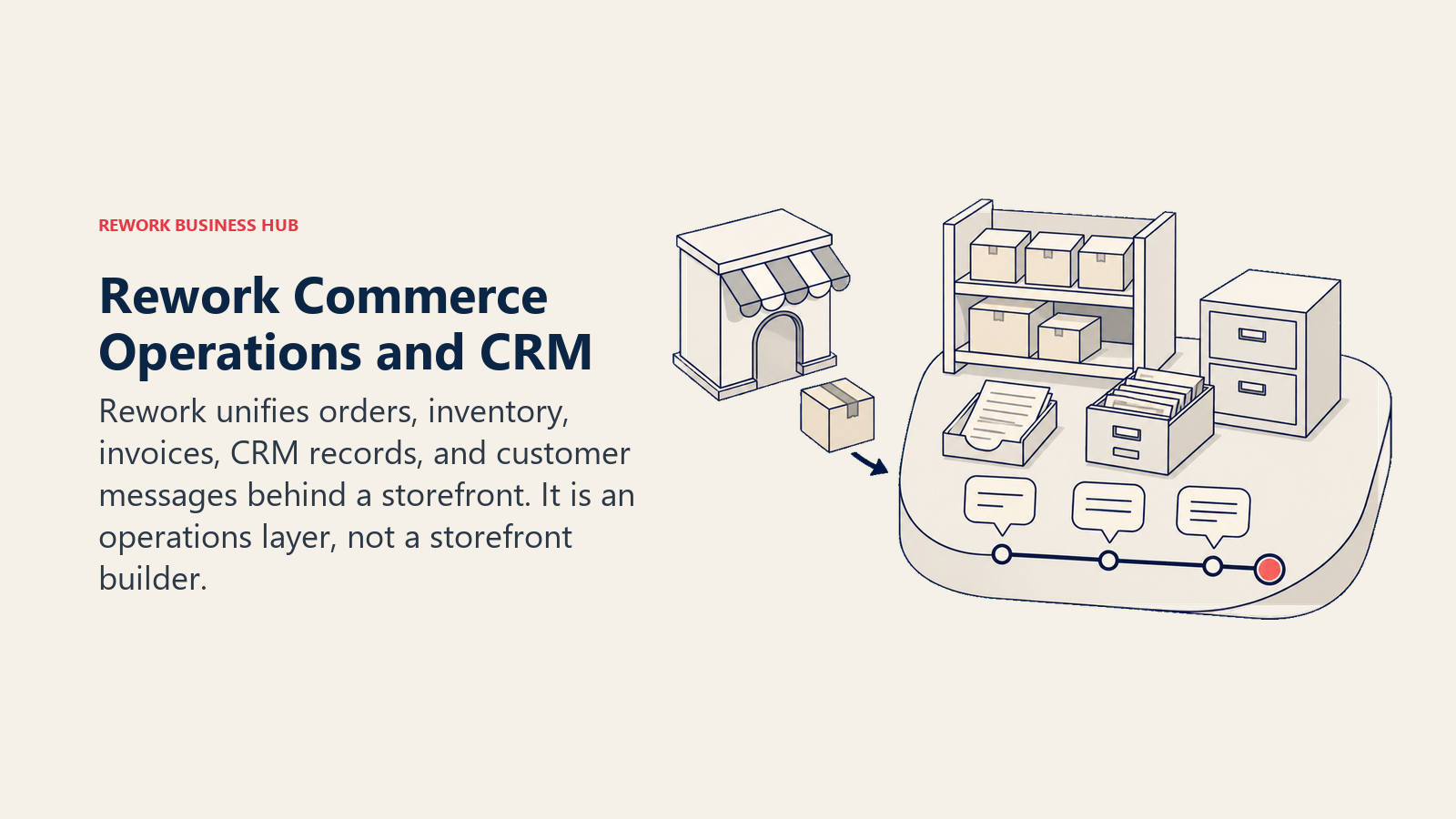
Said plainly, because it matters more here than almost anywhere else on this list: Rework is not a storefront builder. It doesn't host a themed web storefront, it doesn't ship a template gallery, and it isn't a checkout platform for a D2C web shop. In a list of storefront platforms, it's the operations layer behind or beside one, not a replacement for Shopify's or BigCommerce's actual storefront.
Rework does not publish a price for Commerce. Rework sells packaged plans, not per-user document-management-style licenses, and Commerce is quoted per organization. See rework.com/pricing for the published product lines, or ask the team directly for a Commerce quote. If the CRM side of Rework is the more relevant evaluation than Commerce specifically, the broader best CRM software roundup covers that category in full, and back-office teams tracking invoicing alongside commerce operations may also want best expense management software.
| Pros | Cons |
|---|---|
| Orders, inventory, invoices, and the CRM record on one platform | No themed storefront, template gallery, or checkout page of its own |
| Unified multi-channel inbox across WhatsApp, Messenger, Instagram, TikTok, and web chat | Not a fit for a pure D2C web shop needing a public storefront |
| No separate integration syncing commerce data to the CRM | Pricing is quoted per organization, not published as a flat rate |
| Fits social-commerce and B2B sellers closing deals over chat | Not built for solo or single-user sellers |
Pricing: Quote on request. Best for: Mid-size operators (roughly 10 to 200 people) who want orders, inventory, and invoicing living on the same record as the CRM and the deal, instead of a storefront synced to three separate tools. Not ideal for: Rework is not a storefront builder. A team needing a themed public storefront, a template gallery, or a standalone D2C checkout page should look at Shopify, BigCommerce, or one of the website-builder platforms in this list instead.
7. Adobe Commerce and Magento Open Source: Enterprise Depth, Two Ways to Pay for It
Adobe Commerce and Magento Open Source are really one architectural lineage split into two very different cost models, and understanding which one you're evaluating matters more than any individual feature comparison. Magento Open Source is the free, self-hosted core: no license fee, full code access, and the same extensibility that made Magento the default enterprise choice for over a decade, at the cost of the buyer owning hosting, development, extensions, and maintenance entirely. Adobe Commerce is the licensed, enterprise-grade layer on top, sized and quoted against annual gross merchandise value rather than published as a price list, and its cloud-hosted SaaS version, Adobe Commerce as a Cloud Service, launched in June 2025 as a third deployment option.
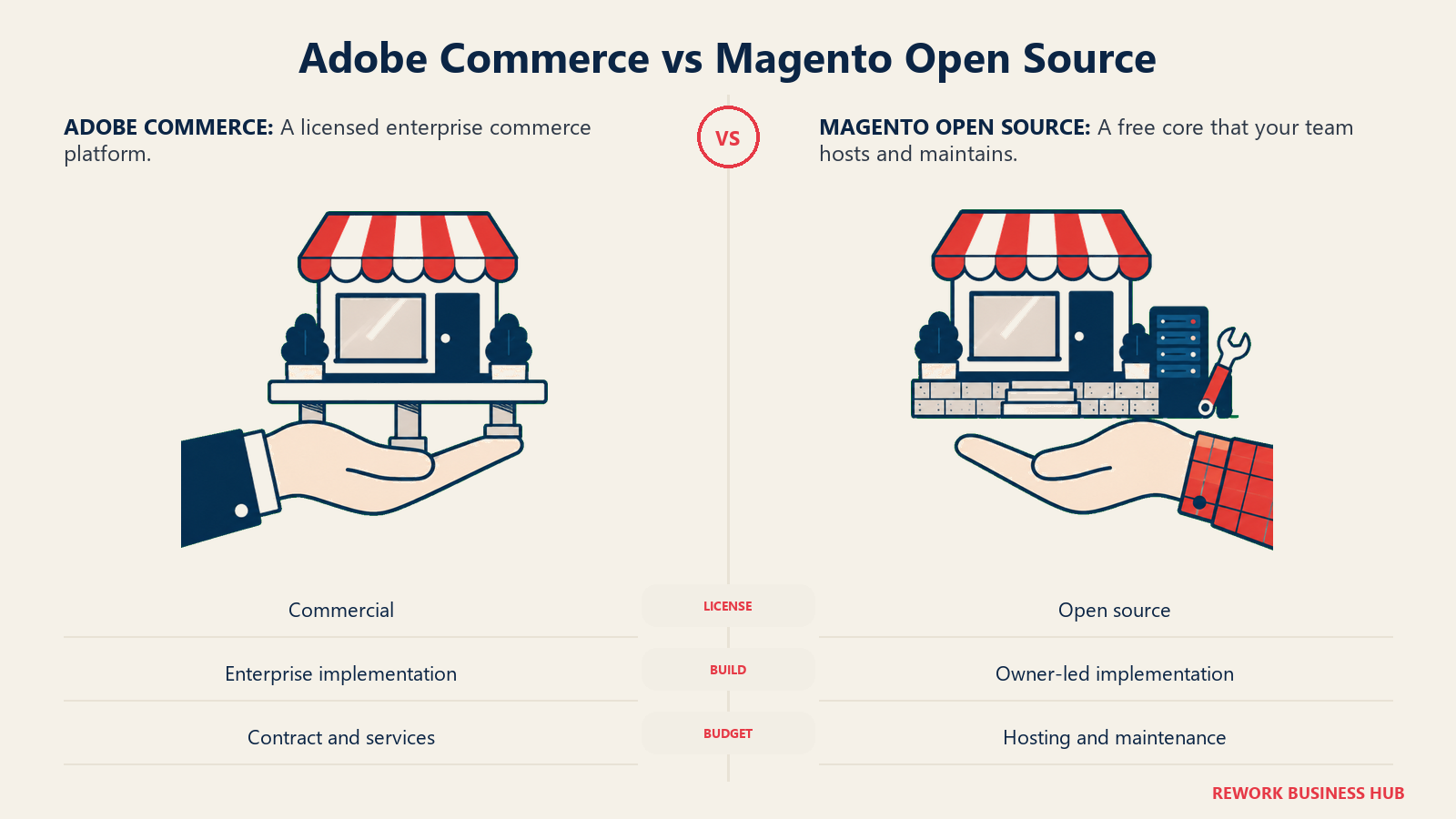
Neither half of this pairing publishes a number you can drop into a budget spreadsheet without a conversation. Adobe Commerce is quote-only by design; Magento Open Source is free to download, but the real cost shows up entirely in hosting, developer time, and the extensions a serious catalog will need. Any specific dollar figure you've seen attached to Adobe Commerce online is a third-party estimate, not an Adobe-confirmed number.
The honest fit: this pairing rewards a team with a real development budget and a catalog complex enough to justify it. For a narrower, more specific comparison against the field replacing Magento specifically, see Magento alternatives.
| Pros | Cons |
|---|---|
| Magento Open Source carries no license fee at all | Adobe Commerce publishes no price; every deal needs a quote |
| Deep, code-level customization for complex catalogs | Magento Open Source's real cost lives entirely in hosting and dev time |
| Strong native B2B feature set at the Adobe Commerce tier | Implementation commonly needs a dedicated developer or agency |
| New Adobe Commerce as a Cloud Service SaaS option (2025) | Still quote-only pricing even in the newer SaaS deployment |
Best for: Enterprise catalogs that need deep, code-level customization and have the development budget to support it. Not ideal for: A team without in-house or agency development capacity to run either half of this platform.
8. Shopware: Open-Source, API-First Commerce for Europe and B2B
Shopware built its name in Germany and has kept a strong European and B2B footprint since, betting on an API-first, headless-ready architecture rather than a template-locked storefront. Shopware 6's core is genuinely open source through the Community Edition, which gives a technical team the same self-hosted ownership story as WooCommerce or PrestaShop but built specifically for commerce rather than adapted from a general CMS.
Shopware's own pricing page lists Community Edition as free, Rise starting from EUR 600 per month excluding VAT, Evolve from EUR 2,400 per month excluding VAT, and Beyond priced custom. Its Intelligence+ AI add-on runs EUR 29 a month on Community and EUR 19 a month on the paid editions. It's worth flagging directly: Shopware's older "Professional" tier at EUR 199 a month has been retired, so a quote using that name is out of date, and every figure here is priced in euros, not dollars, which matters for a US-based buyer budgeting in local currency.
The honest limitation is geography and audience: Shopware's commercial tiers and support are built primarily around EU-based merchants, and a US buyer evaluating it will be pricing in a foreign currency against a smaller local support bench than Adobe Commerce or BigCommerce offer.
| Pros | Cons |
|---|---|
| Genuinely free, open-source Community Edition | Paid tiers are priced in euros, aimed at EU-based merchants |
| Headless, API-first architecture built for commerce specifically | Smaller US support and partner ecosystem than the larger platforms |
| Strong native B2B catalog and pricing features | Retired "Professional" tier name still floats around old reviews |
| Clear published pricing on every paid tier | Custom AI add-on is priced separately from the base plan |
Best for: European merchants and B2B sellers wanting open, API-first commerce without a US-centric platform. Not ideal for: A US-based seller who wants dollar-denominated pricing and a large local support bench.
9. Ecwid by Lightspeed: A Store That Drops Into an Existing Site
Ecwid solves a specific problem none of the storefront-first platforms on this list solve as cleanly: adding a real store to a website that already exists, whether that's a WordPress blog, a Wix or Squarespace site, or a standalone page, without rebuilding the whole site around commerce. Its multi-channel selling is native rather than bolted on through apps: Instagram, Facebook, TikTok, Amazon, and Google Shopping all connect from the same dashboard, which suits a seller whose actual sales come from a mix of channels rather than one storefront URL.
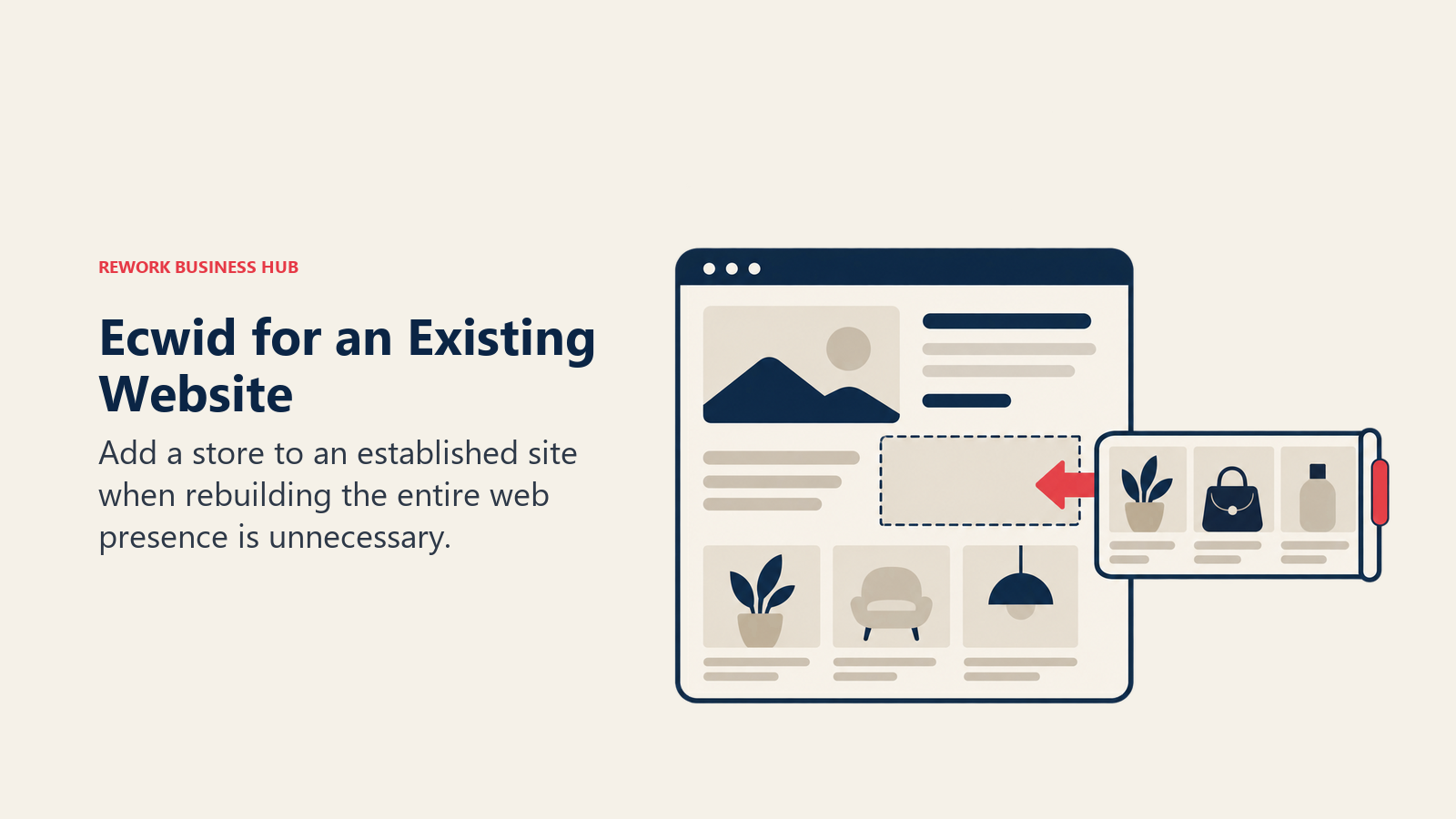
Ecwid's pricing runs Starter at $5/mo (up to 10 products), Venture at $35/mo or $29/mo billed annually (up to 100 products), Business at $65/mo or $49/mo annually (up to 2,500 products), and Unlimited at $149/mo or $119/mo annually, with no setup or transaction fees at any tier. It's worth stating plainly because it's one of the most repeated stale facts in this category: Ecwid's free-forever plan is gone. Entry today starts at the $5/month Starter tier, not a $0 plan.
The tradeoff is straightforward: Ecwid is the right tool when the store is meant to embed into something else or sell across many channels at once, and the wrong tool when the goal is a dedicated, fully custom storefront experience. Sellers running inventory across that many channels at once often add a dedicated automation layer to keep stock levels and order data in sync rather than checking each channel manually; see best Make alternatives for that category.
| Pros | Cons |
|---|---|
| Embeds into an existing website instead of replacing it | No longer has a free plan; entry is a paid tier |
| Native multi-channel selling across Instagram, TikTok, Amazon, and Google | Product-count caps on lower tiers limit catalog size |
| No setup or transaction fees at any paid tier | Less storefront design depth than a dedicated builder |
| Straightforward, published per-tier pricing | Higher tiers needed fast for a catalog past 100 products |
Best for: Adding real commerce to an existing website, or selling across many channels from one dashboard. Not ideal for: A seller who wants a fully custom, standalone storefront design.
10. Square Online: Free Storefront Tied to In-Person POS
Square Online exists mainly to extend Square's point-of-sale system into online sales, and that's exactly why it fits a specific buyer well: a retailer or restaurant already running Square hardware in a physical location that wants inventory, orders, and reporting unified between the counter and the website instead of reconciling two separate systems. For a business built around in-person sales that's adding online as a secondary channel, that unification is worth more than deep storefront customization.

Square's own pages block clean automated extraction, so this article won't assert specific Square Online plan dollar figures the way it can for platforms with a fetchable pricing page. What can be said reliably: Square publishes a free tier for a basic online store, paid upgrades above that for more advanced features, and card processing charged per transaction rather than bundled into a flat monthly fee, the same processing-first pricing logic Square uses across its point-of-sale products.
The honest limitation: Square Online's real strength is the in-person-plus-online combination, and a purely online seller with no physical location gets less unique value from it than a retailer already invested in Square's hardware ecosystem.
| Pros | Cons |
|---|---|
| Free basic online store tier | Vendor pricing pages block clean, verifiable extraction |
| Unified inventory and reporting with in-person Square POS | Less unique value for a purely online-only seller |
| Per-transaction processing familiar to existing Square merchants | Design and app depth trail dedicated ecommerce platforms |
| Fast setup for a retailer already on Square hardware | Advanced features push toward paid tiers with unconfirmed pricing |
Best for: Retailers and restaurants already running Square point-of-sale hardware in a physical location. Not ideal for: A purely online seller with no in-person sales to unify.
11. Webflow Ecommerce: Full Design Control With a Store Layered On
Webflow's core appeal has always been design and code control without needing a developer for every change: a visual canvas that outputs real, clean markup, paired with a CMS for structured content. Webflow Ecommerce layers a store on top of that same visual builder, which is why design-led brands and agencies that already build marketing sites in Webflow often extend into commerce there rather than standing up a second platform.
Webflow made a significant pricing change on 13 May 2026: the old CMS and Business site plans were retired entirely and replaced by a single Premium site plan at $25/mo billed yearly or $39/mo billed monthly, alongside a new $2,500/mo Team platform plan and a custom Enterprise tier. That change did not touch the Ecommerce site plans specifically, and Webflow's Ecommerce plans carry a 0% Webflow-side transaction fee. Existing customers keep their current pricing until their first renewal on or after 29 June 2026 (16 November 2026 for Freelancer and Agency workspaces and legacy sites). Confirm current Ecommerce plan pricing with Webflow; the CMS and Business plan names no longer exist as current products.
The honest limitation: Webflow rewards a team that wants design and code control and can absorb a fast-changing pricing structure, and it's a heavier tool than necessary for a seller who just wants a template and a checkout.
| Pros | Cons |
|---|---|
| Full visual and code control over the storefront | 0% Webflow transaction fee, but exact plan pricing needs direct verification |
| CMS-driven content alongside the store | May 2026 pricing overhaul retired the CMS and Business plan names |
| No separate developer needed for most design changes | Heavier learning curve than a template-first builder |
| Ecommerce plans unaffected by the site-plan pricing change | Smaller commerce-specific app ecosystem than Shopify or BigCommerce |
Best for: Design-led brands and agencies wanting full visual and code control over a store built on an existing Webflow site. Not ideal for: A seller who wants a fast, template-driven setup without a design-and-code learning curve.
12. Big Cartel: Built for Independent Makers, Not Scale
Big Cartel has stayed deliberately small in scope for its entire existence, built specifically for independent artists, musicians, and makers running a hand-managed catalog rather than a growth-stage retailer. That narrow focus is the whole value proposition: a genuinely free tier and the simplest setup on this list, with none of the multi-channel or enterprise features a bigger platform carries (and charges for).
Big Cartel's pricing runs a free Gold plan with limited features, a Platinum plan at $15/mo, and a Diamond plan at $30/mo, with annual billing reportedly bringing those down to roughly $12/mo and $24/mo respectively. The Gold plan's reported five-product cap is one of the details worth confirming directly before committing, since Big Cartel doesn't publish it as prominently as the paid tier prices. It's also worth flagging that Big Cartel's older $9.99 and $19.99 tier pricing has been retired in favor of the current Platinum and Diamond figures.
The tradeoff is the whole point: Big Cartel intentionally doesn't try to be BigCommerce or Shopify, and a seller who outgrows a small, hand-managed catalog will outgrow this platform specifically because it wasn't built to scale past that.
| Pros | Cons |
|---|---|
| Genuinely free Gold plan, not a time-limited trial | Product-count caps make it unworkable past a small catalog |
| Simplest setup and interface on this list | No native multi-channel or wholesale/B2B tooling |
| Low-cost paid tiers for a growing but still small shop | Old $9.99/$19.99 tier names are retired and confusing in old reviews |
| Purpose-built for artists and makers, not generic retail | Limited app ecosystem compared to Shopify or BigCommerce |
Best for: Independent artists and makers running a small, hand-managed product catalog. Not ideal for: Any seller expecting to grow past a small catalog within a year or two.
13. Shift4Shop: Feature-Bundled Commerce Tied to One Processor
Shift4Shop's pitch is that most of what other platforms sell as paid add-ons comes bundled into its End-to-End plan instead: inventory, marketing tools, and storefront features included rather than metered app by app. That bundling appeals to a seller who'd rather budget one plan price than track a growing list of monthly app subscriptions.
Shift4Shop's own End-to-End eCommerce plan page prices the plan at $41 per month, and the page itself carries a notice that the platform isn't yet available in every country or region, so availability should be confirmed for a specific market before committing. Third-party sources still describe an older $0-per-month US plan conditional on processing exclusively through Shift4 Payments; if that option is part of your evaluation, treat it as reported and confirm the exact processing-volume conditions directly with Shift4, since it isn't accurate to describe the platform as flatly free.
The honest limitation: the value of Shift4Shop's bundled pricing depends heavily on accepting Shift4 as the payment processor, which is a real lock-in tradeoff a merchant should weigh against processor flexibility elsewhere on this list.
| Pros | Cons |
|---|---|
| Most features bundled into one plan rather than sold as apps | Regional availability is limited in some countries |
| $41/month End-to-End plan is straightforward to budget | Reported $0 plan requires processing through Shift4 Payments specifically |
| No per-app subscription creep | Smaller app ecosystem than Shopify or BigCommerce |
| Reasonable entry price for a feature-complete plan | Processor lock-in is the real cost of the bundled pricing |
Best for: Merchants comfortable processing through Shift4 Payments in exchange for a bundled, feature-complete plan. Not ideal for: A seller who wants full freedom to choose their own payment processor.
14. PrestaShop: Open-Source Ownership for Europe and Latin America
PrestaShop occupies a similar niche to WooCommerce and Magento Open Source but with its strongest adoption in Europe and Latin America: a free, open-source Classic download that a merchant self-hosts, paired with a large native modules marketplace for extending checkout, shipping, and catalog features without custom development for every add-on.
PrestaShop publishes the Classic edition as a free open-source download and offers a separate Hosted option, but does not publish a price for that hosted offer on any of its public pages. That's worth stating exactly as the vendor presents it rather than guessing: no invented figure, just the fact that Hosted pricing requires a direct conversation.
The tradeoff mirrors WooCommerce's: real ownership and no license fee in exchange for the buyer taking on hosting and maintenance directly for the self-hosted Classic edition, or accepting an unpublished quote for the Hosted alternative.
| Pros | Cons |
|---|---|
| Free, open-source Classic download | Hosted offer publishes no price at all |
| Large native modules marketplace | Self-hosting requires real technical capacity |
| Strong adoption and support in Europe and Latin America | Smaller English-language support bench than US-centric platforms |
| Full code ownership, no vendor lock-in on Classic | Less name recognition among US buyers than WooCommerce or Magento |
Best for: European and Latin American merchants wanting open-source commerce ownership. Not ideal for: A buyer who wants a single published price before evaluating.
15. Salesforce Commerce Cloud: Enterprise Scale Inside the Salesforce Ecosystem
Salesforce Commerce Cloud sits at the top of this list by design: it's built for large, multi-brand, multi-region retailers that already run Marketing Cloud, Service Cloud, or Sales Cloud and want commerce data flowing through the same customer record and the same Einstein AI layer as the rest of their Salesforce stack, rather than stitching a separate commerce platform in through integrations.
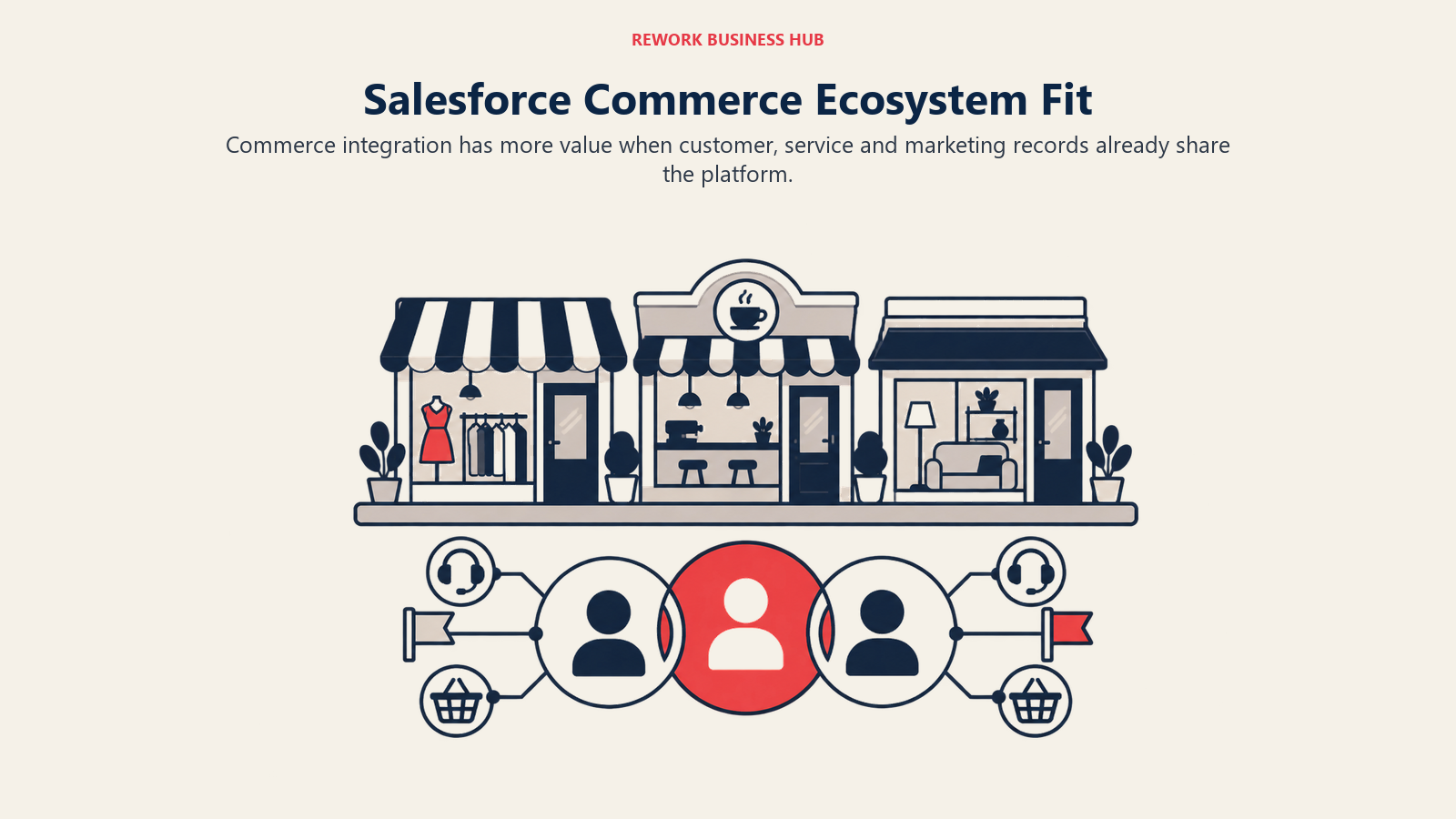
Salesforce does not publish a simple price list for Commerce Cloud. Commerce Cloud has historically been sold against a percentage of gross merchandise value rather than a flat license fee, so confirm the specific terms with Salesforce. The honest answer for a buyer evaluating it: expect a quoted, GMV-influenced enterprise contract and a sales cycle measured in months, not a self-serve signup.
The fit here is narrow but real: a retailer already deep in the Salesforce ecosystem gets integration value nothing else on this list matches, and a retailer without that existing investment is very unlikely to choose Commerce Cloud as a standalone platform.
| Pros | Cons |
|---|---|
| Deep native tie-in with Salesforce Marketing, Service, and Sales Cloud | No published price; every deal needs a quote |
| Built for large, multi-brand, multi-region catalogs | Long enterprise sales cycle, not a self-serve platform |
| Einstein AI layered across the same customer data | Overkill and overpriced for a mid-size or smaller retailer |
| Proven track record at the largest enterprise scale | Historically GMV-linked pricing makes budgeting unpredictable |
Best for: Large multi-brand or multi-region retailers already invested in the Salesforce ecosystem. Not ideal for: Any retailer outside enterprise scale, or without an existing Salesforce relationship.
How to Choose: Decision Framework
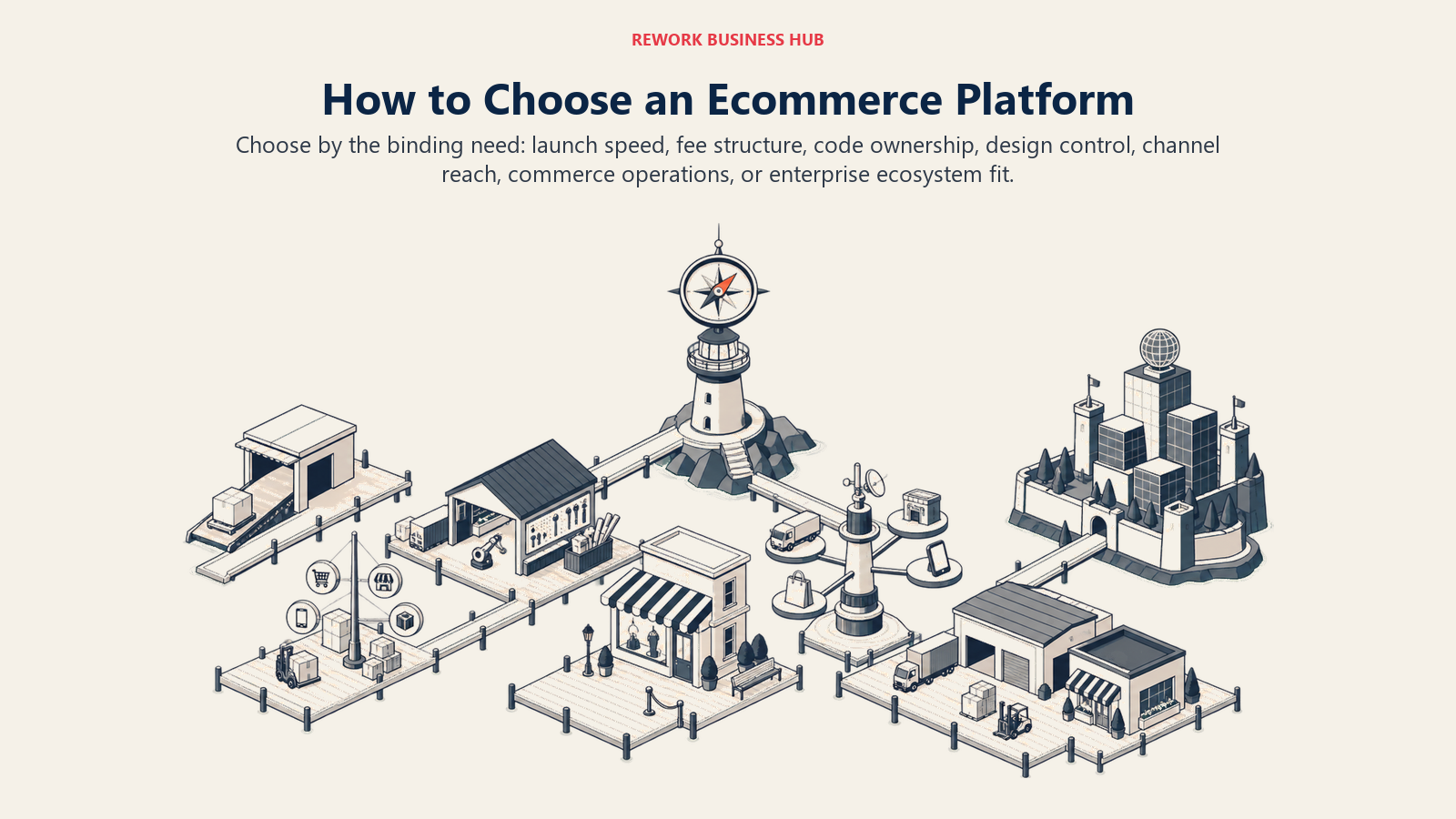
Start with the constraint that will shape the store for the next two years. Launch speed, fees, ownership, design control, channel reach, operations, and ecosystem fit produce different winners.
| If you need... | Pick... | Why |
|---|---|---|
| The fastest path from idea to a live store, with the biggest app ecosystem | Shopify | Largest app and theme marketplace, Shopify Payments and POS built in |
| No platform-side transaction fee plus strong multi-channel and B2B tools | BigCommerce | Native Amazon, eBay, Walmart listings, no core transaction fee |
| Full code and data ownership on infrastructure you already run | WooCommerce or PrestaShop | Free, open-source cores; WooCommerce for WordPress, PrestaShop standalone |
| A store bundled into a marketing-first website | Wix or Squarespace | Store is a feature of a wider site builder, not a standalone product |
| Orders, inventory, and invoicing on the same platform as your CRM | Rework | Unified multi-channel inbox and commerce ops beside the CRM, not a storefront |
| Enterprise-grade customization with an open-source option underneath | Adobe Commerce / Magento Open Source | One product line spanning free self-hosted to licensed enterprise cloud |
| European, API-first, headless-ready commerce | Shopware | Genuinely open-source core with an EU-focused paid cloud tier |
| To add a real store to a site you already run, or sell across many channels at once | Ecwid by Lightspeed | Embeds into an existing site with native multi-channel selling |
| Unified in-person and online sales on hardware you already own | Square Online | Shares inventory and reporting with Square POS |
| Full visual and code control paired with CMS content | Webflow Ecommerce | Design-first builder with a 0%-transaction-fee store layered on |
| The simplest, cheapest setup for a small, hand-managed catalog | Big Cartel | Free Gold plan, purpose-built for independent makers |
| A feature-bundled plan without app-by-app subscription creep | Shift4Shop | Most tools included in one plan tied to Shift4 Payments |
| Enterprise scale already inside the Salesforce ecosystem | Salesforce Commerce Cloud | Native tie-in with Marketing Cloud, Service Cloud, and Einstein AI |
What to Do Next
Pick two platforms that sit on opposite ends of what you actually need: one that fits your catalog and technical comfort today, and one built for the scale you'd grow into over the next two years. Then run the same test on both before committing. Load your real product catalog, not a demo dataset, set up an actual test order end to end including tax and shipping, and add up every real cost, plan price, payment processing, apps, and hosting if it's open source, before comparing a final number.
If the shortlist still feels wide, decide first whether the real gap is setup speed, transaction-fee avoidance, multi-channel reach, or design control, since that's what actually separates these fifteen platforms more than any single feature checklist. And if the honest answer is that your bigger problem is orders, inventory, and customer records living in three disconnected tools rather than the storefront itself, that's a different conversation than a platform migration, and worth having before you sign a new ecommerce contract at all.

Principal Product Marketing Strategist
On this page
- Key Facts
- Quick Comparison Table
- Platform Type at a Glance
- 1. Shopify: The Default Hosted Storefront
- 2. BigCommerce: Open Architecture Without a Core Transaction Fee
- 3. WooCommerce: Full Ownership on WordPress
- 4. Wix: A Store Built Into a Marketing-First Website
- 5. Squarespace: Design-First Storefronts for DTC Brands
- 6. Rework: Commerce Operations on the Same Platform as the CRM
- 7. Adobe Commerce and Magento Open Source: Enterprise Depth, Two Ways to Pay for It
- 8. Shopware: Open-Source, API-First Commerce for Europe and B2B
- 9. Ecwid by Lightspeed: A Store That Drops Into an Existing Site
- 10. Square Online: Free Storefront Tied to In-Person POS
- 11. Webflow Ecommerce: Full Design Control With a Store Layered On
- 12. Big Cartel: Built for Independent Makers, Not Scale
- 13. Shift4Shop: Feature-Bundled Commerce Tied to One Processor
- 14. PrestaShop: Open-Source Ownership for Europe and Latin America
- 15. Salesforce Commerce Cloud: Enterprise Scale Inside the Salesforce Ecosystem
- How to Choose: Decision Framework
- What to Do Next