Best FieldEdge Alternatives in 2026: 13 Tools for Field Service Teams Outgrowing Quote-Only Pricing
Turn this article into takeaways for your work.


Each assistant summarizes the article only for you and suggests best practices for your work.
FieldEdge earned its reputation the hard way: real, near-instant two-way QuickBooks sync, a continuously updated flat-rate price book (FieldEdge Flat Rate, built on what used to be Coolfront), and service agreement tracking that handles the accounting correctly instead of as an afterthought. For an established HVAC, plumbing, or electrical shop whose books already run on QuickBooks Desktop, that combination is genuinely hard to match.
This list covers 13 alternatives for teams evaluating FieldEdge against tools that publish pricing upfront, get you live faster, or were built cloud-first. Tools are evaluated on pricing transparency, onboarding cost, interface modernity, and trade-specific depth. The stakes are real: the field service management software market is growing at a 9.54% CAGR as shops look for tools that get more out of a tight skilled-trades labor market, and HVAC-R employment alone is projected to grow 8% through 2034 (Mordor Intelligence, 2026; U.S. Bureau of Labor Statistics).
Key Facts
Key Facts: FieldEdge, QuickBooks Desktop, and the Field Service Software Market
- The global field service management software market is valued at $6.26 billion in 2026 and is projected to reach $9.87 billion by 2031, a 9.54% CAGR. (Mordor Intelligence, 2026)
- FieldEdge implementation runs about five weeks, and the subscription clock starts at setup, not at go-live, on top of a $500 to $2,000 one-time setup fee. (ServiceAgent.ai, FieldEdge pricing analysis)
- Only 4% of G2 software profiles explicitly list pricing, out of more than 9,300 profiles, a category-wide pattern FieldEdge's demo-only pricing fits squarely into. (G2, Software Pricing Transparency)
- Intuit stopped selling new QuickBooks Desktop Pro Plus and Premier Plus subscriptions on September 30, 2024; Desktop 2024 is the last version ever released, with support ending September 30, 2027, and only QuickBooks Desktop Enterprise still sold and supported going forward. (Method, QuickBooks Desktop Discontinued)
- Aberdeen Group research puts the industry average first-time fix rate at 75%, with each repeat truck dispatch costing $200 to $300. (Fieldpoint, citing Aberdeen Group)
Quick Comparison Table
| Tool | Best For | Starting Price | Key Strength | Key Limitation |
|---|---|---|---|---|
| ServiceTitan | Larger multi-crew trade businesses (20+ techs) needing enterprise reporting | ~$245 to $400/tech/mo, quote-only | Deepest reporting, financing, marketing intel | High setup fees, demo-gated pricing |
| Jobber | A modern, self-serve setup without FieldEdge's onboarding lift | $49/mo solo ($29 annual); $139/mo (5 users) | Fast self-serve setup, granular tiers | Marketing Suite is a $79/mo add-on |
| Housecall Pro | Small crews wanting the strongest consumer booking experience | $59/mo (1 user) to $299/mo + $35/user | Best-in-class online booking and payments | Thinner reporting depth than FieldEdge |
| Service Fusion | Growing crews wanting unlimited users and QuickBooks sync | $208 to $533/mo, unlimited users | Flat fee regardless of headcount | UI and AI features trail newer tools |
| Simpro | Trade contractors running complex, large jobs | ~$700 to $1,200/mo for 10 users | Deep job costing and inventory control | Overkill for single-visit service calls |
| Rework | Field jobs + CRM + staff time in one platform | From $142/mo billed yearly (Process Engine + Field Work, 5 seats); People quoted separately | Field ops, sales, and HR share one record | No built-in trade-specific price book |
| FieldPulse | Multi-trade SMBs wanting flexible seat types | ~$99 to $399+/mo, custom quote | Office vs field seat pricing | No published price list, demo required |
| Workiz | Call-driven trades (locksmith, appliance, roadside) | Free (2 users) to $270/mo | Native call tracking and AI answering | Minutes, SMS, and users stack fast |
| ServiceM8 | Small crews wanting job-volume pricing, not per-tech | Free to ~A$349/mo, unlimited users | Priced by job volume, not headcount | Job caps can bind as volume grows |
| Kickserv | Budget-conscious small teams | Free (2 users) to $249/mo | Simple, affordable, long track record | Thin on AI dispatch and deep reporting |
| Zuper | Multi-industry or facilities field teams | ~$50 to $150/user/mo, quote-only | API-first, flexible across verticals | Pricier than a single-trade crew needs |
| BuildOps | Commercial MEP contractors | ~$150 to $300/user/mo, quote-only | Built for commercial project complexity | No fit for residential/home-service work |
| Salesforce Field Service | Enterprises already on Salesforce | ~$50 to $165/user/mo add-on + Service Cloud | Layers onto existing Salesforce CRM data | Most expensive path if not already on Salesforce |
Sizing and Segment Fit Table
| Segment | Team Size | Best-Fit Tools |
|---|---|---|
| Solo operator, just starting out | 1 technician | ServiceM8 free plan, Kickserv free plan |
| Small home service crew | 2 to 10 technicians | Jobber, Housecall Pro, Workiz, Kickserv |
| Multi-trade SMB that also wants HR unified | 5 to 50 people, field and office | Rework, FieldPulse |
| Established single-trade shop staying QuickBooks-first | 5 to 50 technicians | Service Fusion, Simpro |
| Growing multi-crew operation | 20 to 100 technicians | ServiceTitan, Simpro |
| Non-home-trade field operation (facilities, telecom, solar) | Any size | Zuper |
| Commercial MEP contractor | Any size, commercial only | BuildOps |
| Enterprise already standardized on Salesforce | 100+ | Salesforce Field Service |
1. ServiceTitan: Enterprise Depth for Larger Trade Businesses
ServiceTitan is where FieldEdge shops graduate once they're running 20 or more technicians and need revenue intelligence FieldEdge wasn't built for: marketing attribution, point-of-sale financing, and dispatch logic tuned for multi-crew days. It's the deepest reporting layer on this list.
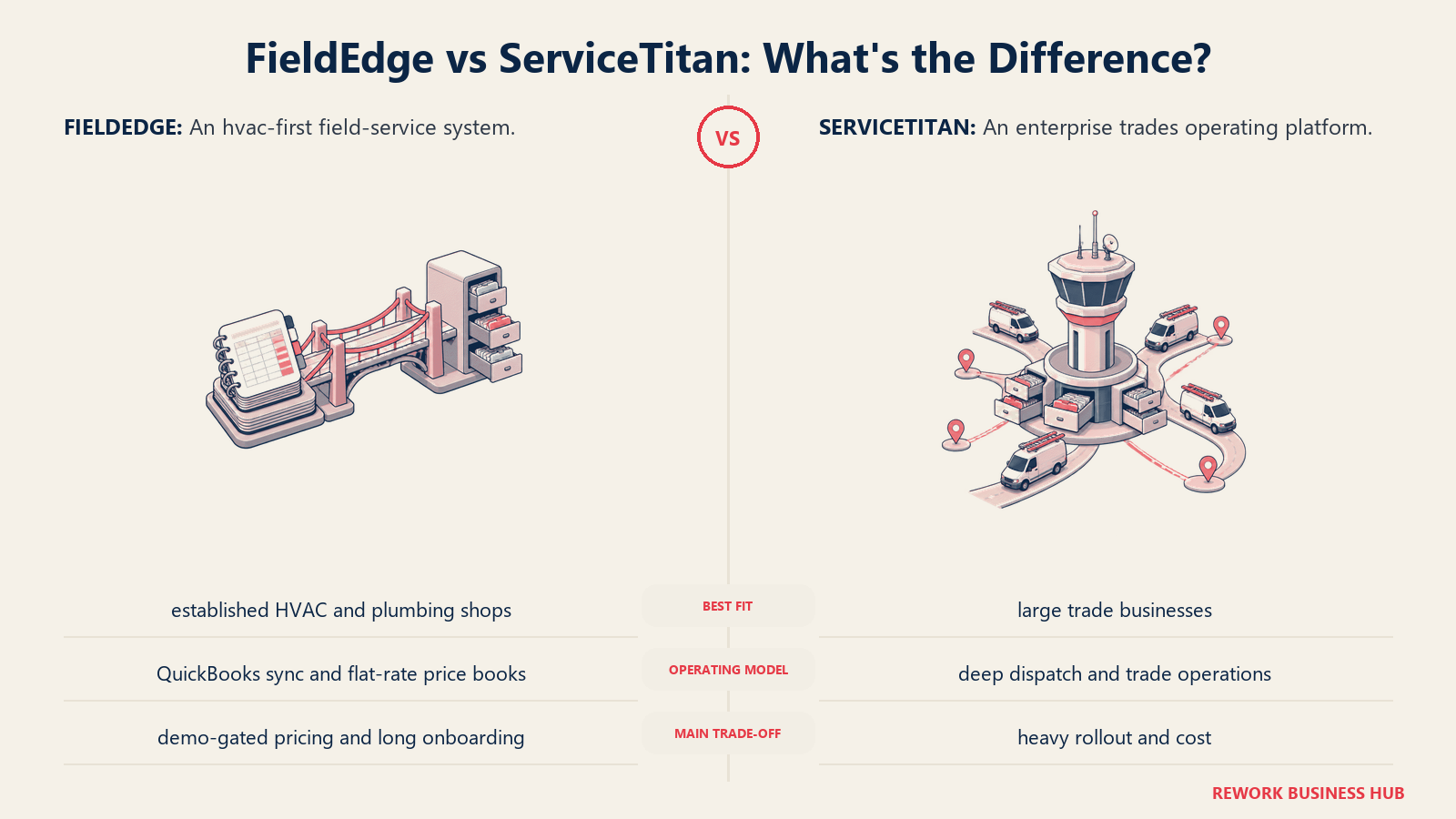
The trade-off is cost and commitment, the same complaint many FieldEdge buyers already have. ServiceTitan doesn't publish pricing either; third-party analysis puts it between $245 and $400 per technician per month depending on tier, with setup fees commonly running $5,000 to $50,000. (ServiceTitan pricing analysis, ServiceAgent.ai)
| What you get | What you don't |
|---|---|
| Deepest reporting, forecasting, and marketing attribution on this list | Published, self-serve pricing (same demo-gated pattern as FieldEdge) |
| Built-in financing options at point of sale | A low-commitment onboarding path |
| Purpose-built for multi-crew commercial and residential dispatch | Affordability for teams under 15 to 20 technicians |
| Large partner and integration ecosystem | Fast time-to-value without a dedicated onboarding team |
Pricing: Roughly $245 to $400 per technician per month depending on plan tier, quote-only, plus setup fees.
Best for: Multi-crew trade businesses (20+ technicians) that need enterprise-grade reporting and can absorb an onboarding cost bigger than FieldEdge's. See Best ServiceTitan Alternatives if its price tag is the blocker, or the direct ServiceTitan vs Housecall Pro breakdown for a lighter-weight comparison. Not ideal for: Small or early-stage crews; the per-technician pricing and setup costs are disproportionate under 15 to 20 techs, the same ceiling that makes FieldEdge feel heavy for a two-truck shop.
2. Jobber: The Fastest Path Off Demo-Gated Pricing
Jobber solves the loudest FieldEdge complaint directly: it publishes real, self-serve pricing and gets a small crew live in a day, no five-week onboarding required. It covers scheduling, quoting, invoicing, and payments in one modern app for home service SMBs across lawn care, HVAC, plumbing, and electrical.
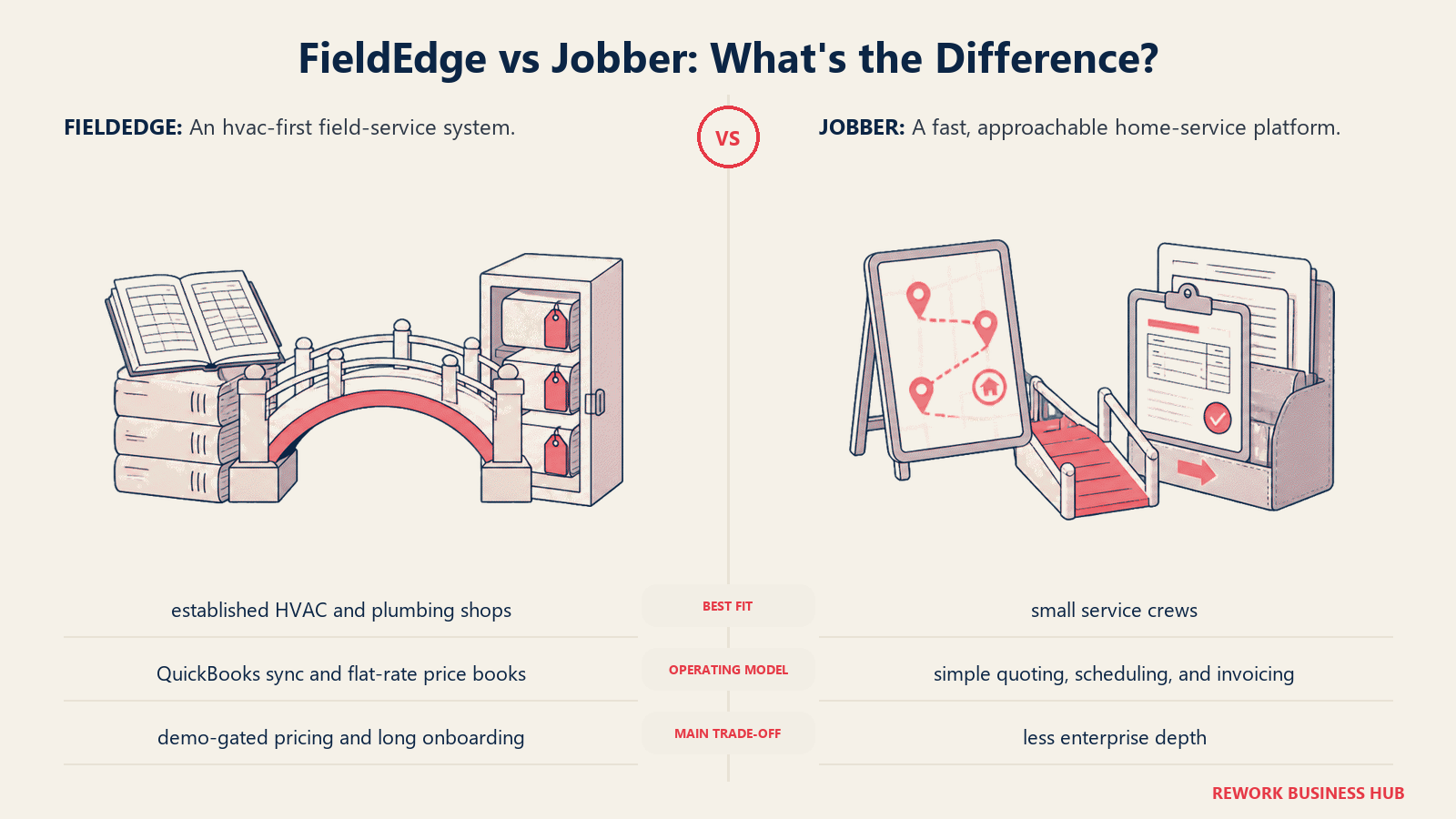
Solo operators start at $49/month on Core, or $29/month billed annually, and team plans run $139/month for 5 users up to $499/month for 15 users on Plus, with each additional user beyond a plan's included count at $29/month. The honest catch: real functionality (reviews, referrals, campaigns) sits inside a $79/month Marketing Suite add-on, and Jobber Payments carries a 2.9% + 30 cent fee per card transaction. (Jobber pricing, G2)
| What you get | What you don't |
|---|---|
| Published, self-serve pricing and a 14-day free trial | FieldEdge's tight, real-time QuickBooks Desktop Live Sync |
| Live in a day, not five weeks | A built-in flat-rate price book as deep as FieldEdge Flat Rate |
| Modern, frequently updated interface | Marketing Suite bundled into the base price |
| Familiar workflow for HVAC, plumbing, and electrical crews | Deep trade-specific reporting or inventory |
Pricing: Core $49/month (1 user), Connect $139/month (5 users), Grow $299/month (10 users), Plus $499/month (15 users), plus $29/month per additional user. Annual billing saves up to 25% off those rates.
Best for: SMB home service teams (2 to 15 users) who want out of quote-only pricing and a multi-week onboarding, and are willing to trade some QuickBooks Desktop depth for speed and transparency. See Best Jobber Alternatives if Jobber itself isn't quite the fit either. Not ideal for: Shops whose accounting workflow depends on FieldEdge's Live Sync to QuickBooks Desktop Enterprise; Jobber's QuickBooks integration is solid but not built around Desktop the way FieldEdge's is.
3. Housecall Pro: The Booking Experience FieldEdge Doesn't Prioritize
Housecall Pro leans hard into the consumer-facing side of the business that FieldEdge treats as secondary: online booking, a branded customer app, and payments that make a small crew look polished. It's a frequent answer on G2's own "FieldEdge alternatives" list, alongside Jobber. (G2, FieldEdge Alternatives)
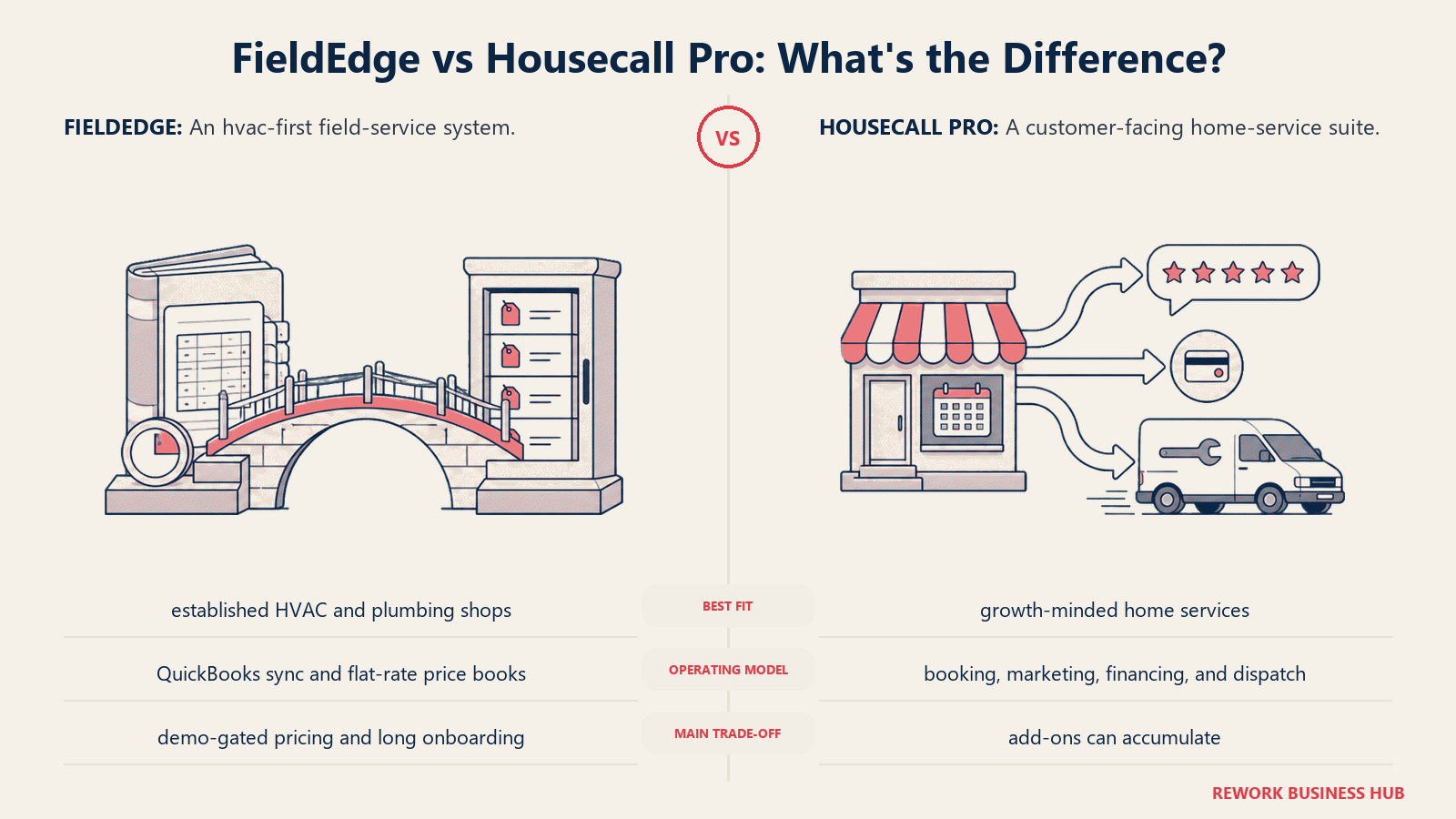
Pricing runs from Basic ($59/month annual, 1 user) to Essentials ($149/month annual, 5 users) to MAX ($299/month annual, plus $35/month per additional user). A flat-rate price book is available, but as a $149/month add-on rather than built in the way FieldEdge Flat Rate ships standard. See the full Best Housecall Pro Alternatives list if Housecall Pro itself is the one you're replacing.
| What you get | What you don't |
|---|---|
| Best-in-class online booking and customer-facing payments | FieldEdge's built-in flat-rate price book (it's a paid add-on here) |
| Faster, more affordable onboarding than FieldEdge | Deep multi-week service agreement accounting |
| Broad small-crew adoption and support content | Reporting depth for a 15+ technician shop |
Pricing: $59/month (Basic, 1 user) to $299/month (MAX) plus $35/month per additional user, annual billing.
Best for: Small crews (1 to 10 technicians) that want the strongest customer booking experience and are willing to add the price book as an extra rather than get it built in. Not ideal for: Established shops that lean on FieldEdge's deeper reporting and service agreement tracking day to day; Housecall Pro's reporting stays comparatively basic even on MAX.
4. Service Fusion: Unlimited Users With Comparable QuickBooks Sync
Service Fusion is one of the closer feature matches to FieldEdge here: solid QuickBooks integration, job costing, and a flat monthly fee with unlimited users on every tier, so a growing crew isn't penalized per seat the way FieldEdge's per-technician pricing works.
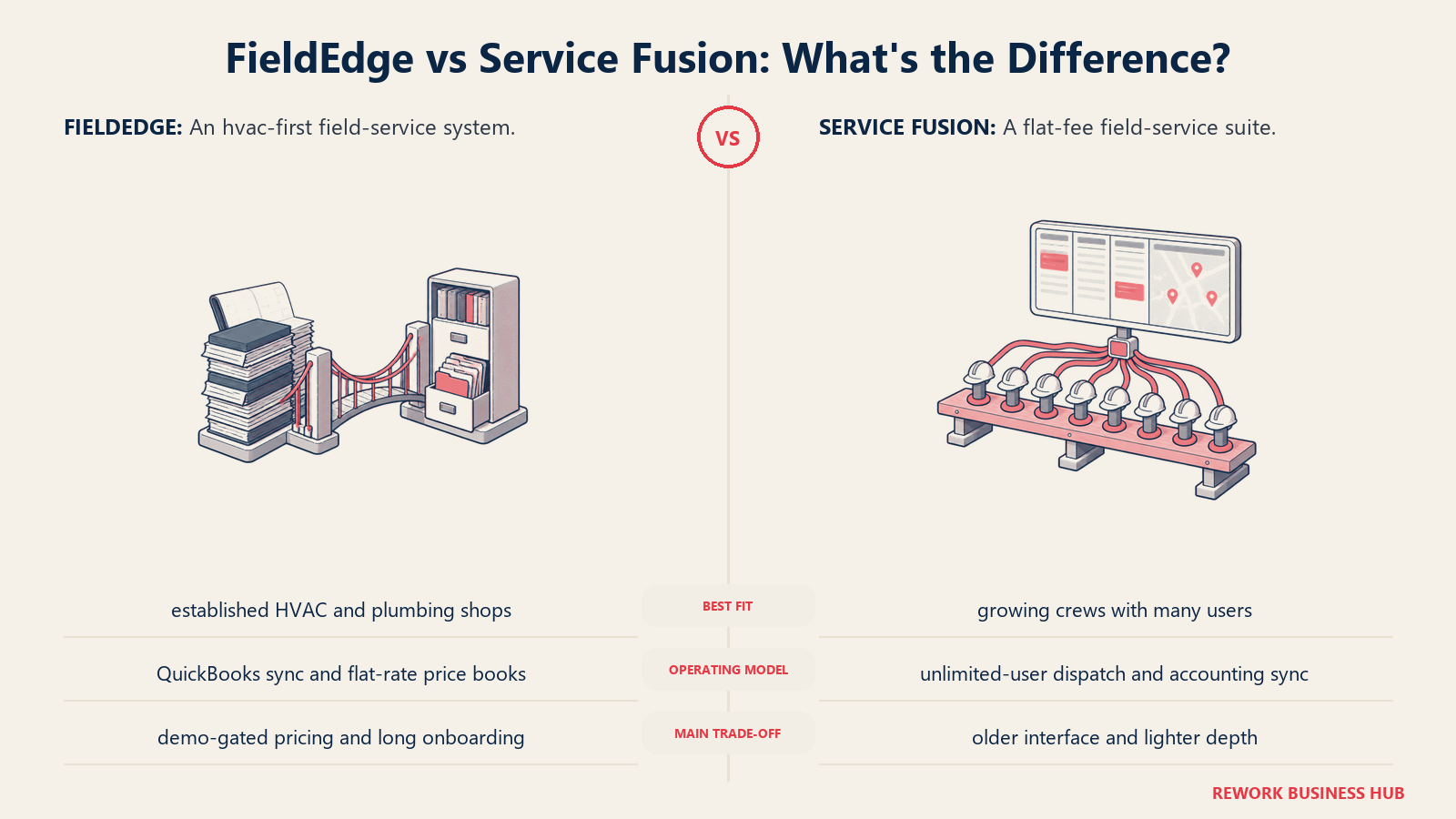
Starter runs $208/month, Plus $324/month, and Pro $533/month annually, with QuickBooks integration and job costing from Plus up. GPS tracking runs $25 to $40 per vehicle per month as an add-on. (Service Fusion pricing, HVAC Software Hub)
| What you get | What you don't |
|---|---|
| Unlimited users on every tier, no per-technician math | The newest AI or automation features |
| Job costing and QuickBooks sync from the Plus tier up | FieldEdge's real-time Live Sync (batch sync instead) |
| Predictable flat monthly pricing | Deep marketing or customer-facing booking polish |
Pricing: $208/month (Starter) to $533/month (Pro), billed annually, unlimited users on all tiers.
Best for: Growing crews that want QuickBooks integration similar to FieldEdge's, without paying per technician as headcount climbs. Not ideal for: Teams that specifically need FieldEdge's near-instant, invoice-on-close QuickBooks Live Sync; Service Fusion's sync runs on a batch cycle instead.
5. Simpro: Deeper Job Costing Than FieldEdge for Complex Work
Simpro goes further than FieldEdge on job costing and inventory for contractors running complex, multi-stage jobs rather than single-visit calls: electrical contractors on large commercial fit-outs, plumbing companies on multi-week projects, or security integrators tracking equipment across sites.
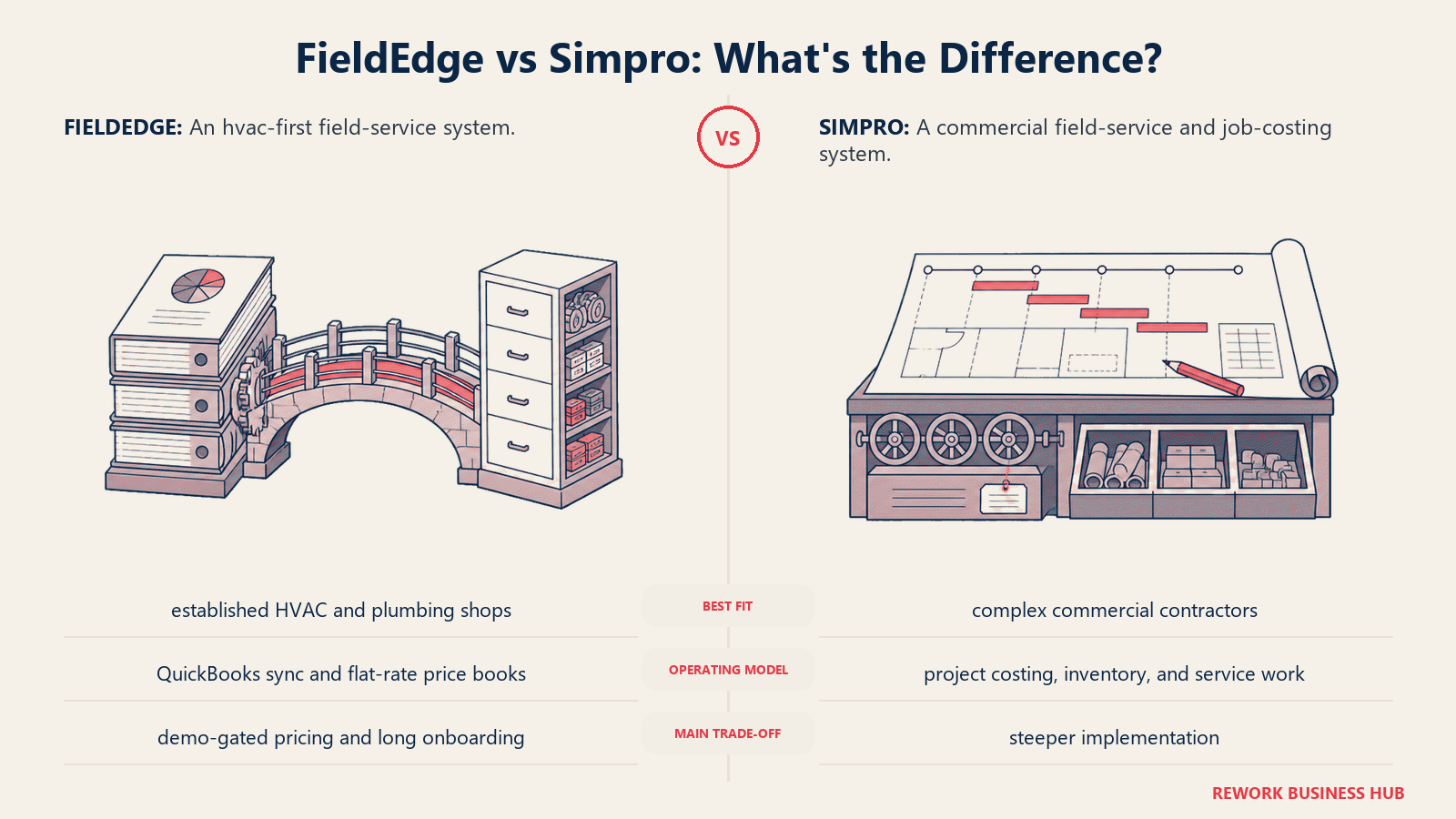
Pricing isn't public, matching FieldEdge's demo-only model. Third-party estimates place per-user costs at $30 to $150+ per month, with a 10-user team commonly landing between $700 and $1,200 a month, plus $10,000 to $15,000 in first-year implementation. (Simpro pricing estimates, SelectHub)
| What you get | What you don't |
|---|---|
| Deeper job costing and inventory control than FieldEdge | Transparent, self-serve pricing (same demo-gated pattern) |
| Strong fit for electrical, plumbing, HVAC, and security trades | Affordability for simple, single-visit service calls |
| Add-on modules for maintenance planning and GPS | A quick, low-friction setup; onboarding runs longer than FieldEdge's |
Pricing: Quote-only; third-party estimates suggest $700 to $1,200/month for a 10-user team, plus implementation costs.
Best for: Trade contractors running complex, multi-stage projects that need job costing and inventory control deeper than FieldEdge offers. Not ideal for: Small teams doing quick, single-visit service calls, and teams hoping to avoid FieldEdge's onboarding weight; Simpro's implementation is a bigger lift, not a smaller one.
6. Rework: Field Jobs, CRM, and Staff Time in One Platform
Rework takes a different angle than the rest of this list. It isn't a dedicated field service point product competing on price-book depth: Rework is a unified operations platform built around Sales Ops (CRM), Lead Ops, and Work Ops, and its Field Work top-up extends that same system into field service, so scheduling, dispatch, and customer records live inside the same platform as the sales pipeline and, through the People app, staff time and attendance.
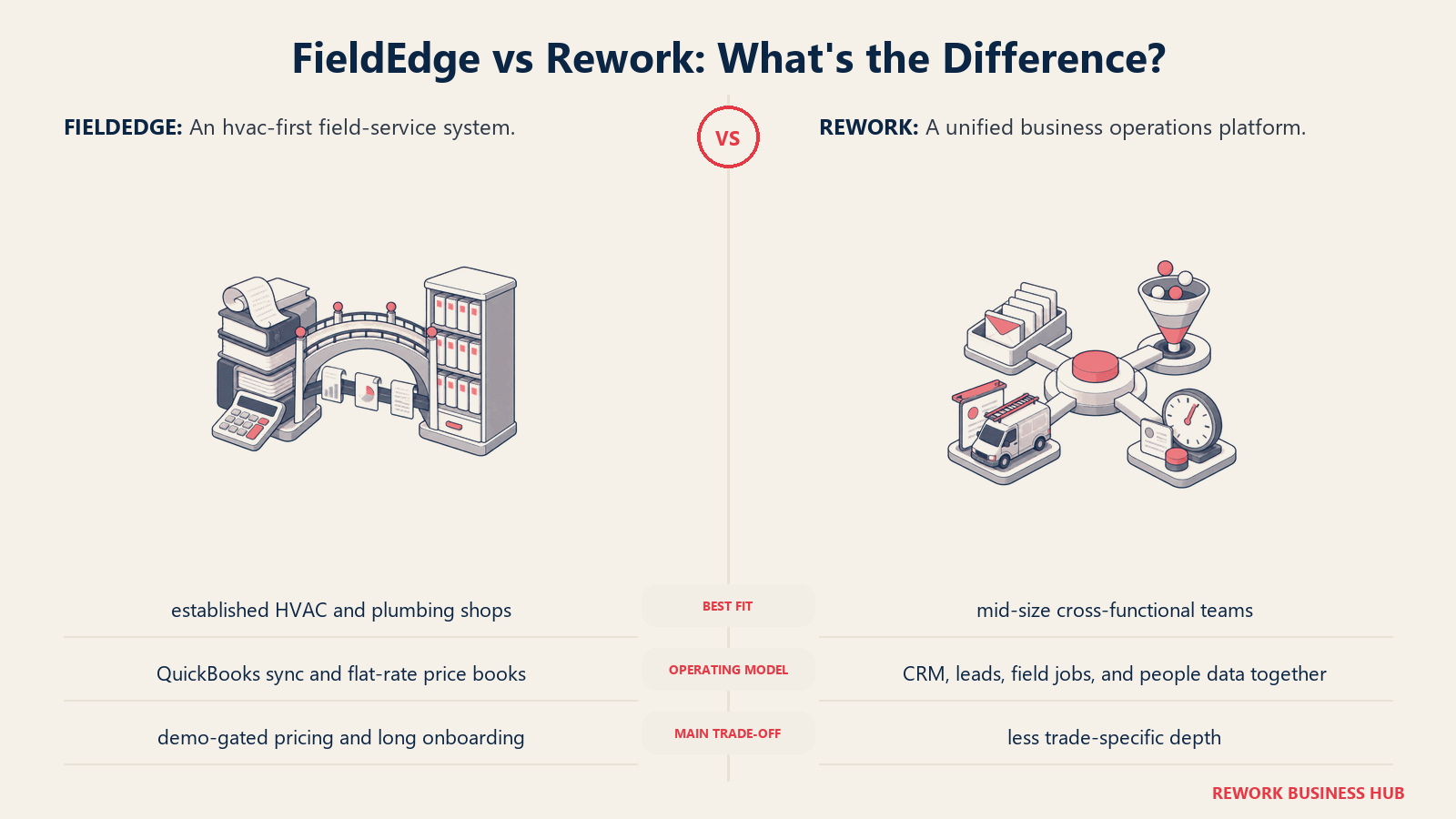
For an owner-operator running FieldEdge for jobs, a separate CRM for sales leads, and a spreadsheet for staff hours, the consolidation is the actual pitch: one customer record, one login, one bill, instead of three vendors that don't sync with each other the way FieldEdge and QuickBooks do.
The honest Rework's Field Work top-up doesn't ship a decades-deep, trade-specific flat-rate price book the way FieldEdge Flat Rate does, and it won't out-dispatch ServiceTitan or Simpro on complex, multi-crew commercial boards. If price-book depth or heavy commercial dispatch is the priority, a specialized platform still wins there.
| What you get | What you don't |
|---|---|
| Field jobs, scheduling, and customer records in the same platform as CRM and lead management | A built-in trade-specific flat-rate price book like FieldEdge Flat Rate |
| Staff time & attendance and timesheets (People app) alongside field ops | Real-time, invoice-on-close QuickBooks Desktop Live Sync |
| One employee and customer record shared across sales, field jobs, and HR | Deep multi-day, multi-crew commercial dispatch boards for large MEP contractors |
| Published pricing; extra work seats come in blocks of 5 ($13/month per block, billed yearly) | Parts and inventory management purpose-built for trade contractors |
Pricing: Rework sells field visits as the Field Work top-up ("field visits and service jobs"), from $43/month billed yearly for 1,000 visits a month. It's added to a Process or Project Engine, from $99/month billed yearly with 5 work seats included, so field jobs start at about $142/month billed yearly; extra work seats come in blocks of 5. The CRM is the Sales Engine, from $69/month billed yearly. People (HR, attendance, and timesheets) is not publicly priced; it's quoted per organization. See rework.com/pricing for current plans.
Best for: Owner-operators and small-to-mid field service businesses (roughly 5 to 50 people) who also want CRM and staff time tracking on the same platform instead of three separate tools that don't talk to each other. If you need dedicated, deep HR software instead of a bundled People app, Best BambooHR Alternatives covers that category on its own. Not ideal for: Trade contractors who need FieldEdge's built-in flat-rate price book, complex multi-crew commercial dispatch, or parts and inventory management purpose-built for HVAC, plumbing, or electrical work. See the full Best Field Service Management Software in 2026 roundup for tools that go deeper on those fronts.
7. FieldPulse: Flexible Seats for Multi-Trade SMBs
FieldPulse targets the same multi-trade SMB segment as FieldEdge but prices by seat type: full-access office seats and field-only technician seats cost differently, which can save money for a lean office staff running a larger field crew. Reported costs run from roughly $99/month for a small team to $399 or more for larger crews before add-ons.
There's no public price list and no free trial, only a demo, so upfront comparison stays about as hard as with FieldEdge. VoIP, AI dispatching, and fleet tracking (around $30/vehicle/month) are separate add-ons. (FieldPulse pricing, ServiceAgent.ai)
| What you get | What you don't |
|---|---|
| Office vs field seat pricing that can lower cost for lean teams | Published, self-serve pricing |
| Add-on modules for VoIP, AI dispatch, fleet tracking | A free trial |
| Multi-trade flexibility similar to FieldEdge | FieldEdge's built-in flat-rate price book and Live Sync |
Pricing: Roughly $99/month (small team) to $399+/month (larger crews), custom quote based on seat mix.
Best for: Multi-trade SMBs with a lean office staff that want to pay less for admin seats than field seats. Not ideal for: Teams that want transparent pricing without a sales conversation; FieldPulse keeps the same demo-gated model FieldEdge does.
8. Workiz: Built for Call-Driven Trades
Workiz leans into a pattern FieldEdge doesn't natively serve: trades where most jobs start with an inbound phone call, appliance repair, locksmiths, garage door, junk removal, roadside assistance. Native call tracking and an AI answering feature route calls straight into the dispatch board.
Pricing starts with a free Lite plan for up to 2 users, then paid tiers at $187, $229, and $270 per month (Kickstart, Standard, Pro) with different user caps, plus $30 per additional user. Real-world monthly bills commonly land between $150 and $400 once phone minutes, SMS credits, and add-ons are factored in. (Workiz pricing, ITQlick)
| What you get | What you don't |
|---|---|
| Native call tracking and AI answering tied to dispatch | Flat, predictable pricing (minutes and SMS stack on top) |
| Free tier for very small teams (up to 2 users) | FieldEdge's flat-rate price book or QuickBooks Live Sync |
| Strong fit for appliance, locksmith, and roadside trades | Deep marketing or campaign tooling |
Pricing: Free (Lite, 2 users) up to $270/month (Pro), plus $30/month per additional user. Ultimate tier is custom-quoted.
Best for: Call-driven home service trades that want phone and dispatch tightly integrated. Not ideal for: Teams whose lead flow is mostly repeat service agreements rather than inbound calls, the exact strength FieldEdge's service agreement tracking was built around.
9. ServiceM8: Priced by Job Volume, Not Headcount
ServiceM8 flips the model FieldEdge uses: instead of charging per technician, it charges by job volume, with unlimited users on every paid tier. That's worth considering for small crews where adding a technician shouldn't mean adding a line item.
The free plan covers 1 user and 30 jobs a month. Paid tiers run from roughly A$29/month (Starter, 50 jobs) up to A$349/month (Premium Plus), all with unlimited users, no contracts, and no setup fees, a sharp contrast to FieldEdge's $500 to $2,000 setup charge. (ServiceM8 pricing)
| What you get | What you don't |
|---|---|
| Unlimited users on every paid tier | Pricing that scales cleanly if job volume, not headcount, is your bottleneck |
| No contracts, no setup fees | FieldEdge's price-book and service agreement depth |
| Simple, mobile-first interface | US-native billing (pricing is quoted in AUD) |
Pricing: Free (1 user, 30 jobs/month) up to roughly A$349/month (Premium Plus), unlimited users on paid tiers.
Best for: Small trade crews that want simple, mobile-first software priced by job volume rather than technician count, with none of FieldEdge's setup fee. Not ideal for: Larger teams whose job volume will regularly exceed tier caps, or shops that need FieldEdge-level QuickBooks Desktop integration.
10. Kickserv: The Budget Option
Kickserv has been in the field service category longer than most tools on this list, and it competes almost entirely on price. It won't match FieldEdge's price-book depth, but for a small team that just needs scheduling, estimates, and invoicing without a five-week onboarding, it's one of the cheaper, faster paths available.
A free plan covers 2 users. Paid tiers run from roughly $75/month (5 users) to $249/month (20 users), with a discount for annual billing. (Kickserv pricing overview, PricingSaaS)
| What you get | What you don't |
|---|---|
| Low starting price, free tier for 2 users | AI dispatch or predictive scheduling |
| Straightforward scheduling, estimates, invoicing | FieldEdge's flat-rate price book or service agreement depth |
| Fast setup, no multi-week onboarding | Modern UI polish compared to newer entrants |
Pricing: Free (2 users) up to $249/month (20 users), custom pricing above that.
Best for: Small teams wanting an affordable, no-frills alternative that skips FieldEdge's setup fee and onboarding timeline entirely. Not ideal for: Teams that want AI-assisted dispatch or the reporting depth FieldEdge offers as they grow.
11. Zuper: API-First Platform for Multi-Industry Field Teams
Zuper is worth a look if your field operation isn't a classic home-service trade: facilities management, telecom installs, solar, or medical equipment servicing, industries where FieldEdge's HVAC-and-plumbing-first design doesn't fit. It's built API-first, easier to wire into an existing tech stack than most tools here.
Pricing is custom-quoted, with third-party reports placing per-user costs anywhere from $50 to $150 per month across Starter, Growth, and Enterprise tiers, typically on annual contracts. (Zuper pricing, SelectHub)
| What you get | What you don't |
|---|---|
| API-first architecture, flexible across non-home-trade verticals | Affordability for a small single-trade crew |
| Strong fit for facilities, telecom, solar, and medical equipment field ops | Published, self-serve pricing |
| Configurable workflows beyond home-service defaults | FieldEdge's trade-specific flat-rate price book |
Pricing: Custom quote; third-party estimates of $50 to $150 per user per month, annual contracts standard.
Best for: Multi-industry or facilities-style field operations outside the classic home-service trades FieldEdge was built for. Not ideal for: A small single-trade home service crew; Zuper's flexibility and pricing outscale that use case.
12. BuildOps: Commercial MEP, Not Residential
BuildOps is the one tool on this list that explicitly doesn't compete for FieldEdge's core residential and light-commercial audience. It's built for commercial mechanical, electrical, and plumbing (MEP) contractors managing large-scale projects, detailed multi-crew dispatch, and project accounting that residential service calls never touch.
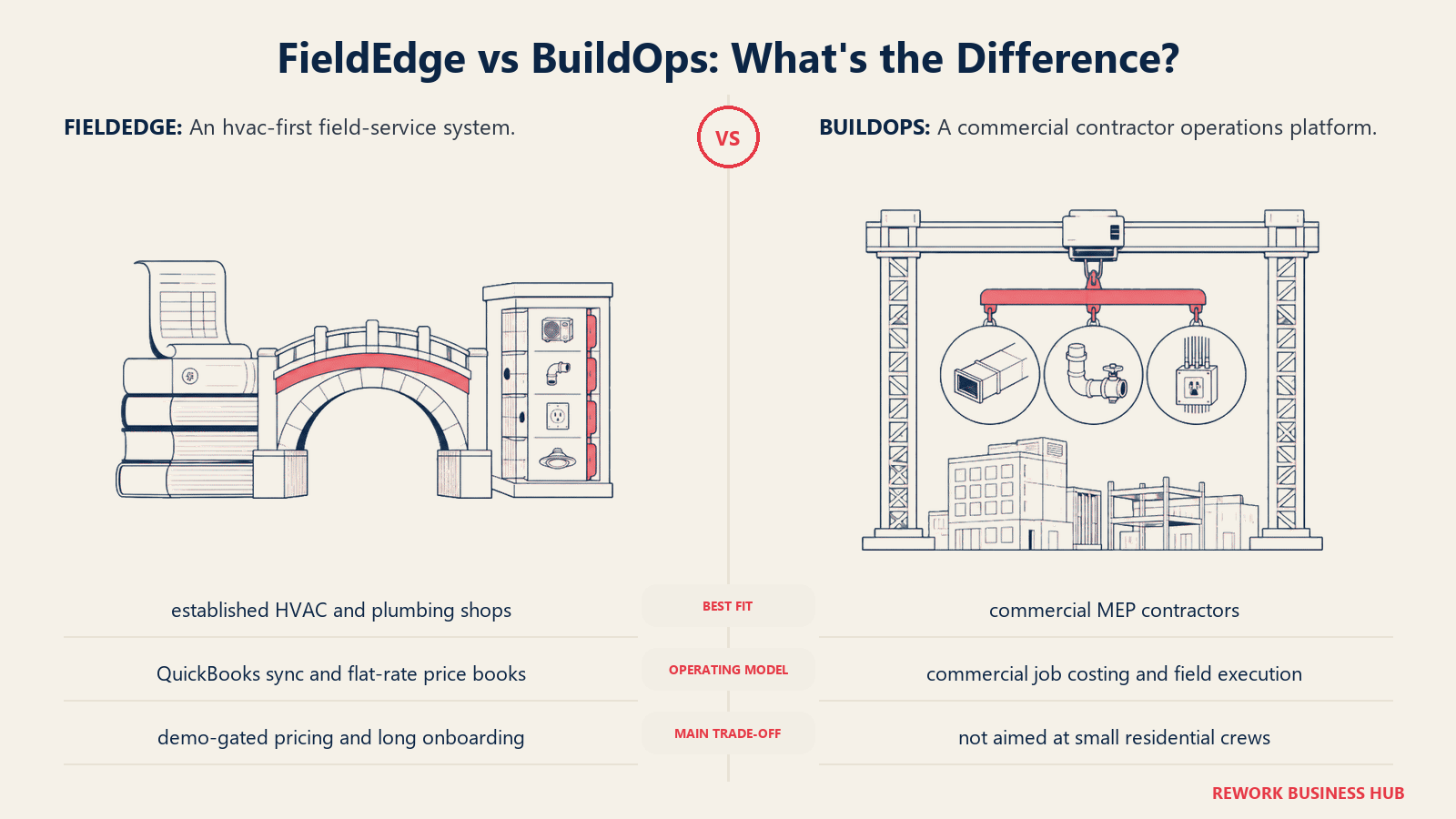
That focus comes with real cost and onboarding weight, more than FieldEdge's. Pricing is quote-only, with reports ranging from roughly $150 to $300 per user per month depending on modules, and users commonly describe an implementation process that stretches over months. (BuildOps review, SelectHub)
| What you get | What you don't |
|---|---|
| Purpose-built for commercial MEP project complexity | Any fit for residential or home-service work |
| Deep project accounting and multi-crew dispatch | A fast or simple onboarding process; it's longer than FieldEdge's |
| Revenue insights built for large-scale operations | Affordable entry pricing |
Pricing: Quote-only; third-party estimates range $150 to $300 per user per month depending on modules.
Best for: Commercial MEP contractors managing large-scale projects with complex billing and multi-crew coordination. Not ideal for: Residential or home-service businesses; BuildOps is commercial-only by design, unlike FieldEdge.
13. Salesforce Field Service: For Teams Already Running Salesforce
Salesforce Field Service isn't a standalone product. It's an add-on layered onto Salesforce Service Cloud, and it only makes sense for organizations already standardized on Salesforce for customer data. Adding field dispatch on top of an existing Salesforce CRM avoids a second system of record, a different consolidation argument than FieldEdge's QuickBooks-centric one.
Published G2 pricing lists Field Service licenses from $50/month (Contractor) to $165/month (Dispatcher/Technician), before the required Service Cloud license, priced separately and often adding hundreds of dollars per user per month at higher tiers. (Salesforce Field Service pricing, G2)
| What you get | What you don't |
|---|---|
| Field dispatch layered directly onto existing Salesforce CRM data | A standalone product; requires a Service Cloud license first |
| Enterprise-grade scheduling optimization and offline mobile tools | Affordability for anyone not already on Salesforce |
| Deep customization within the broader Salesforce ecosystem | FieldEdge's QuickBooks-native accounting workflow |
Pricing: Roughly $50 to $165 per user per month for the Field Service add-on, on top of a required Service Cloud license.
Best for: Enterprises already standardized on Salesforce Service Cloud that want field dispatch layered onto existing CRM data. Not ideal for: Any team not already on Salesforce; buying Service Cloud plus the Field Service add-on just to get dispatch is the most expensive path on this list, more than even FieldEdge's demo-only pricing tends to land at.
Why Teams Leave FieldEdge
FieldEdge's core strengths are real, and worth naming before the complaints. Its QuickBooks integration is the tightest in the category: Live Sync posts invoices to QuickBooks Desktop the moment a technician closes a job, instead of on a 15-to-30-minute batch delay like most competitors. Pair that with FieldEdge Flat Rate (the price book formerly known as Coolfront), a continuously updated database covering HVAC, plumbing, electrical, and appliance repair, plus service agreement tracking that tracks the liability in QuickBooks until the work is actually performed, and it's easy to see why established shops built around QuickBooks Desktop have stuck with FieldEdge for years.
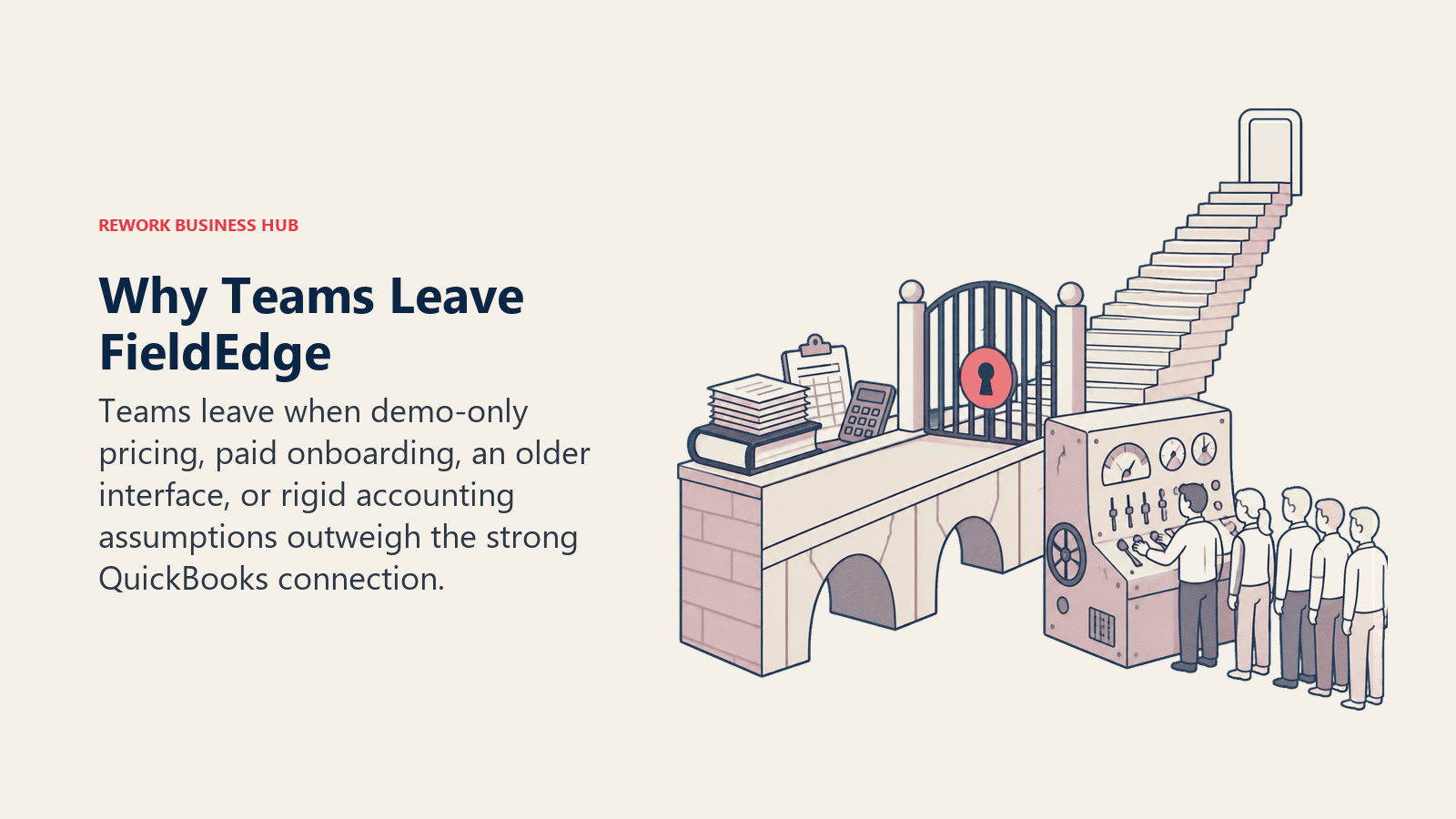
The switches away tend to come down to four things.
No published pricing, ever. FieldEdge publishes no prices on its site. There's no free trial; evaluation is a sales demo only, and a quote depends on your mix of office and field seats, tier, and negotiated terms. (ServiceAgent.ai, FieldEdge pricing analysis) That's not unusual for the category, only 4% of G2 software profiles list explicit pricing as of March 2025, but it's exactly the friction growing teams push back on once they start shortlisting alternatives that publish real numbers. (G2, Software Pricing Transparency)
A mandatory, paid onboarding period. Base pricing runs roughly $100 per office user and $125 per technician per month, plus a $500 to $2,000 one-time setup fee. Implementation takes about five weeks, and the subscription clock starts at setup, not go-live, so you're paying before the tool does any work. Training runs about $150 an hour, four to eight hours typical ($600 to $1,200), and data migration adds $150 to $400. Add-on modules like inventory management ($39/month) and advanced reporting ($49/month) sit outside the base price too, pushing real costs 60 to 80% above the advertised rate. (ServiceAgent.ai, FieldEdge pricing analysis)
An interface that feels dated next to newer tools. Reviewers describe FieldEdge's mobile app as text-heavy and looking like it belongs in 2016, with lag and a spinning wheel when syncing large customer history files; the desktop dispatch board uses a classic, color-coded block design that reads older than SaaS-native competitors. (FieldServiceTools.com, FieldEdge review) Capterra reviewers separately flag frustration with the map feature and system downtime that locks out office staff and technicians at once. (Capterra, FieldEdge reviews)
QuickBooks Desktop-era assumptions, in a product Intuit itself is winding down. FieldEdge's Elite tier includes warehouse inventory, but only if you're running QuickBooks Desktop Enterprise with Advanced Inventory, a separate and pricier accounting product. (ServiceAgent.ai, FieldEdge pricing analysis) That dependency matters more than it used to: Intuit stopped selling new QuickBooks Desktop Pro Plus and Premier Plus subscriptions on September 30, 2024, and Desktop 2024 is the last version that will ever ship, with support ending September 30, 2027. Only QuickBooks Desktop Enterprise remains on sale and supported after that. (Method, QuickBooks Desktop Discontinued) A tool whose headline feature is built around Desktop-native sync is asking a shop to plan its next several years around an accounting product line its own maker is phasing out.
None of this erases what FieldEdge does well. G2 still lists it as a serious platform, with Jobber and ServiceTitan named as the most common alternatives reviewers evaluate against it. (G2, FieldEdge Alternatives) For a multi-truck HVAC or plumbing shop already running QuickBooks Desktop Enterprise, and comfortable paying for depth and a longer setup, FieldEdge remains defensible. The switch usually isn't about the price book or the QuickBooks sync failing to deliver. It's about the cost of getting there, and the bet on where QuickBooks Desktop itself is headed.
How to Choose: Decision Framework
| If your team needs... | Best pick |
|---|---|
| Field jobs, CRM, and staff time/HR in one platform | Rework |
| The fastest, most transparent switch off demo-gated pricing | Jobber |
| Enterprise-grade reporting and financing for 20+ technicians | ServiceTitan |
| The strongest consumer-facing booking and payments experience | Housecall Pro |
| QuickBooks sync and unlimited users without per-technician pricing | Service Fusion |
| Deeper job costing than FieldEdge for complex, multi-stage work | Simpro |
| Flexible office vs field seat pricing for a multi-trade SMB | FieldPulse |
| Tight call tracking and AI answering for phone-driven trades | Workiz |
| Pricing based on job volume, not headcount, with no setup fee | ServiceM8 |
| The lowest-cost, no-frills option | Kickserv |
| An API-first platform for non-home-trade field industries | Zuper |
| Commercial MEP project management, not residential | BuildOps |
| Field dispatch layered onto an existing Salesforce CRM | Salesforce Field Service |
What to Do Next
Match the switch to your actual constraint, not the tool with the most name recognition. If quote-only pricing is the problem, start a trial with Jobber or ServiceM8 and compare published prices against a real FieldEdge quote, setup fee and onboarding included. If you need more reporting or job-costing depth than FieldEdge offers, ServiceTitan or Simpro are worth a demo. If field jobs, sales, and staff time all need to live on one platform, Rework is worth a look; see rework.com/pricing for current plans. For the fuller category picture, the Best Field Service Management Software in 2026 roundup covers all 13 tools here plus more, ranked by fit rather than by which one you're currently using.
Whatever you pick, migrate one crew or route first. Customer history, service agreements, and equipment records are painful to move twice, so a two-to-four-week pilot with real jobs, not a sandbox account, is worth the patience before you commit the whole team.

Business Consultant
On this page
- Key Facts
- Quick Comparison Table
- Sizing and Segment Fit Table
- 1. ServiceTitan: Enterprise Depth for Larger Trade Businesses
- 2. Jobber: The Fastest Path Off Demo-Gated Pricing
- 3. Housecall Pro: The Booking Experience FieldEdge Doesn't Prioritize
- 4. Service Fusion: Unlimited Users With Comparable QuickBooks Sync
- 5. Simpro: Deeper Job Costing Than FieldEdge for Complex Work
- 6. Rework: Field Jobs, CRM, and Staff Time in One Platform
- 7. FieldPulse: Flexible Seats for Multi-Trade SMBs
- 8. Workiz: Built for Call-Driven Trades
- 9. ServiceM8: Priced by Job Volume, Not Headcount
- 10. Kickserv: The Budget Option
- 11. Zuper: API-First Platform for Multi-Industry Field Teams
- 12. BuildOps: Commercial MEP, Not Residential
- 13. Salesforce Field Service: For Teams Already Running Salesforce
- Why Teams Leave FieldEdge
- How to Choose: Decision Framework
- What to Do Next