Best Order Management Software in 2026: 15 Platforms for Multi-Channel Order Operations
Turn this article into takeaways for your work.


Each assistant summarizes the article only for you and suggests best practices for your work.
The best order management software in 2026 depends on where your orders break, not on which vendor spends the most on category ads. Brightpearl leads for retail and wholesale operators who want a genuine retail operating system with accounting built in. Linnworks leads when the problem is listings and orders spread across a dozen marketplaces. Cin7 and Extensiv Order Manager lead when inventory accuracy across multiple warehouses and 3PLs is the actual constraint. ShipStation and Veeqo lead when the bottleneck is labels, rates, and carrier rules rather than stock. Sellercloud and NetSuite sit at the high end for high-volume sellers and finance-led enterprises. And Rework fits mid-size operators who want orders, inventory, invoices, and the customer record on one platform instead of four tools stitched together.
This guide ranks 15 platforms for ecommerce managers, ops managers, COOs, and founders running orders across a website, marketplaces, wholesale, and retail at once. Each one is judged on channel coverage, inventory sync behaviour, purchasing and replenishment, routing to warehouses and 3PLs, shipping, returns, and what the bill actually looks like once add-on modules and onboarding are counted.
Key Facts
- Inventory distortion, the combined cost of out-of-stocks and overstocks, ran to $1.73 trillion globally in 2025, roughly 6.5% of global retail sales, per IHL Group's inventory research.
- US shoppers were expected to return $849.9 billion of merchandise in 2025, 15.8% of annual sales, with an estimated 19.3% of online sales coming back, per the NRF and Happy Returns 2025 Retail Returns Landscape.
- Marketplace seller teams spend 36% of their working week, close to two full days, on manual updates such as fixing listings, updating inventory, and handling returns, per ChannelEngine's Marketplace Seller Trends Report 2025.
- Sellers now run an average of six marketplaces each, 34% are on seven or more, and 91% call automation business-critical, per the same ChannelEngine 2025 report.
- Without EPC-enabled RFID, 69% of orders shipped from brands to their retail partners contained data errors, against 99.9% order accuracy for those using it, per the Auburn University RFID Lab and GS1 US study of more than a million items.
What Order Management Software Actually Is (and What It Isn't)
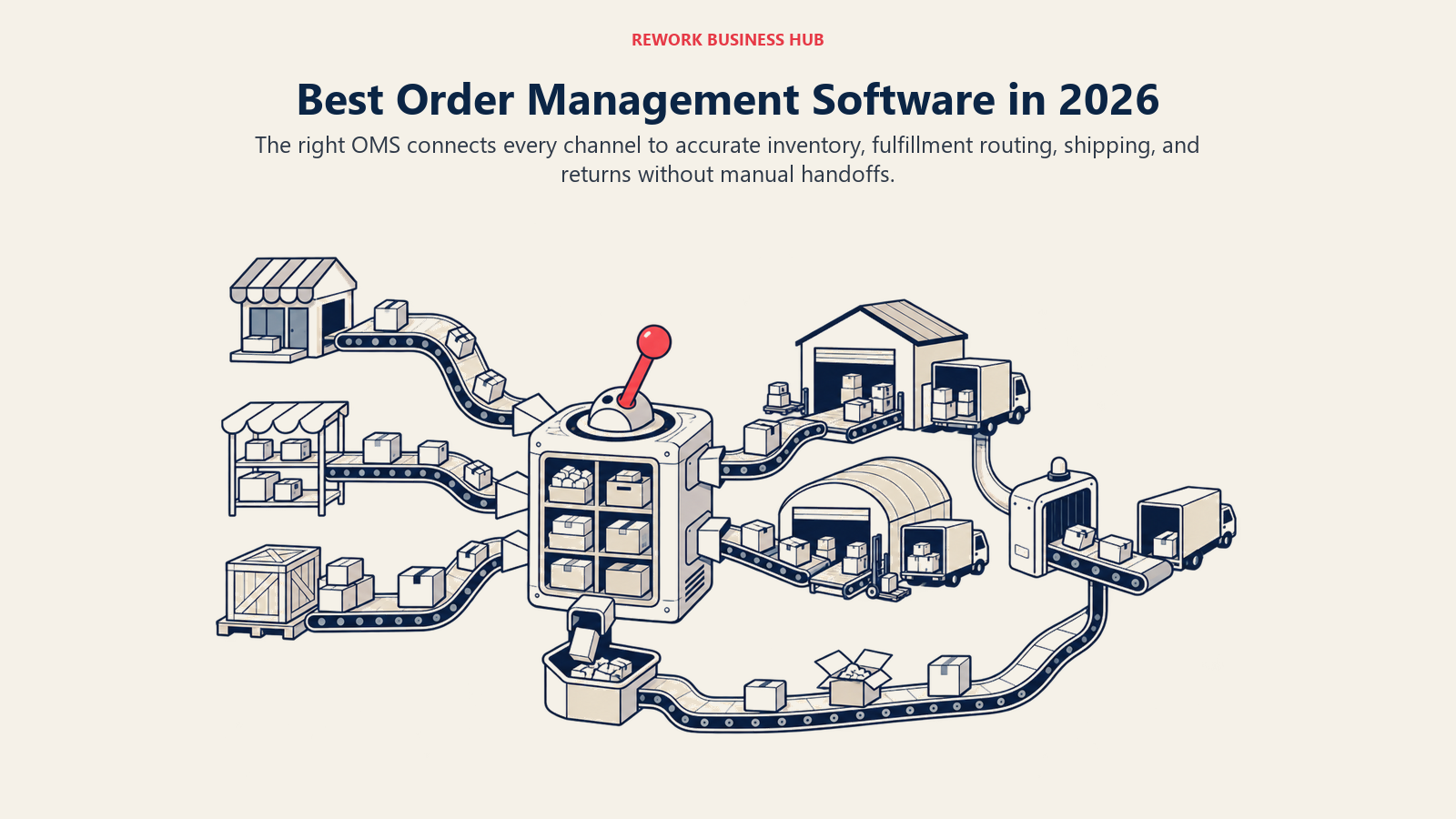
Most people shopping this category are shopping three categories at once, which is why the shortlists get messy. An order management system sits between your sales channels and your fulfilment: it takes orders in from every channel, decides what stock can serve them and where they ship from, pushes them to a warehouse or 3PL, and closes the loop when they ship or come back as a return.
That is not the same job as a storefront platform, and it is not the same job as an inventory tool. If you are still choosing the storefront itself, the best ecommerce platforms roundup covers that decision, and the two most-searched storefront head-to-heads live at Shopify vs WooCommerce and BigCommerce vs Adobe Commerce. If your real gap is stock counts, reorder points, and multi-warehouse accuracy rather than order flow, the best inventory management software roundup is the closer fit.
| Job to be done | Storefront platform | Inventory management | Order management (OMS) |
|---|---|---|---|
| Public catalog, themes, checkout | Yes | No | No |
| Payment capture and fraud rules | Yes | No | Sometimes, via the channel |
| Stock levels by location | Basic, per channel | Yes, the core job | Yes, synced across channels |
| Purchase orders and replenishment | Rarely | Yes | Usually |
| Order aggregation from many channels | No | Rarely | Yes, the core job |
| Order routing to warehouse or 3PL | No | Sometimes | Yes, the core job |
| Shipping labels and carrier rates | Via apps | Rarely | Usually, natively or via an app |
| Returns and refunds workflow | Partly | No | Yes |
| Wholesale and B2B order entry | Via apps | Sometimes | Usually |
| Accounting sync | Via apps | Yes | Yes |
The practical test is simple. If a customer cannot buy, that is a storefront problem. If you do not know how many units you have, that is an inventory problem. If an order landed in Shopify, the stock was actually at a 3PL, the marketplace listing did not decrement, and someone re-keyed the whole thing into a spreadsheet, that is an order management problem, and it is the one this list solves.
Quick Comparison Table
| Tool | Best For | Starting Price | Key Strength | Key Limitation |
|---|---|---|---|---|
| Brightpearl | Retail and wholesale operators wanting a full retail operating system | No published price, quoted per customer | Order, inventory, purchasing, and accounting in one retail OS, with unlimited users included | No published price at all, so budgeting needs a demo call first |
| Linnworks | Sellers running listings and orders across many marketplaces | No published price, tiered on monthly order volume | Deep marketplace listing plus order control, priced on orders rather than a revenue percentage | Add-on modules and a one-off onboarding fee sit on top of the base quote |
| Cin7 | Inventory-led operators who need order ops on top of accurate stock | Cin7 Core Standard $349/mo (billing cycle not stated on the page) | Mature inventory core with a large integration library and a separate enterprise Omni tier | Order and user allowances are capped per tier, so growth forces a tier jump |
| Extensiv Order Manager | DTC and multi-channel brands fulfilling through several 3PLs | No published price, sales-quoted only | Purpose-built multi-node order routing and replenishment analytics | No published price, and the widely quoted $39/mo figure belongs to a different Extensiv product |
| ShipStation | Teams whose bottleneck is labels, rates, and carrier rules | Starter from $14.99/mo (50 shipments), billed monthly | Deepest carrier and rate coverage in the list, with a genuinely low entry price | Shipping-led, so inventory and purchasing depth is limited |
| Rework | Mid-size operators wanting orders, inventory, and invoices on one platform with the CRM | From $69/mo billed yearly (5 seats) | Commerce ops, CRM, invoicing, and a unified multi-channel inbox on one contact timeline | Not a storefront builder, and not a warehouse execution system |
| Zoho Inventory | Small and mid-size sellers wanting order management on a published budget | Free tier; Standard $29/mo billed annually | Clearest published price ladder in the category, tied to the wider Zoho suite | Monthly order caps per tier are low, and overage add-ons stack up |
| Veeqo | Sellers who want free multi-channel shipping and will pay separately for inventory | Shipping plan free; Inventory from $19/month | Free shipping plan with unlimited orders, users, SKUs, and warehouses | Only the shipping half is free; the inventory plans are paid, priced on order volume |
| Ordoro | Operators who want to buy shipping, inventory, or dropshipping separately | Shipping free to start; Inventory from $349/mo | Modular pricing, so you pay only for the apps you actually use | Bundled pricing for all three apps is quote-only |
| Katana | Makers and light manufacturers running make-to-order alongside sales | Free up to 30 SKUs; Core from $299/mo | Live production planning tied directly to sales-order commitments | Core carries usage-based order pricing plus paid modules and a $2,000 onboarding package |
| inFlow | SMB wholesalers and distributors wanting orders, B2B ordering, and stock together | Entrepreneur $161/mo, or $129/mo billed yearly | Built-in B2B showroom and barcode-driven picking at an SMB price | Sales-order allowances are annual and low on the entry tier |
| Unleashed | Wholesale and distribution teams needing landed cost and batch control | Core $399/mo billed monthly, or $4,389/year billed annually | Strong costing, batch and serial tracking, and B2B ordering for distributors | Extra users, order upgrades, and modules are all separately priced |
| Descartes Finale | High-SKU, multi-warehouse sellers running barcode operations | Essentials starting at $499/month | Handles very large SKU counts and barcode workflows without slowing down | The old low entry price is gone, and the page does not state monthly versus annual |
| Sellercloud | High-volume multi-channel sellers who want the system built around them | Starting at $1,349/month, annual subscription | Highly configurable for complex catalogs and channel-specific rules | Highest published entry price here, with no per-tier price list |
| Oracle NetSuite | Finance-led enterprises wanting ERP and order management in one ledger | No published price, licence plus modules plus users | One ledger for orders, inventory, and financials at enterprise scale | No published price, a separate implementation fee, and the longest deployment on this list |
1. Brightpearl: A Retail Operating System, Not Just an Order Tool
Brightpearl is the closest thing this category has to a true retail operating system. Rather than bolting order management onto an inventory database, it runs orders, inventory, purchasing, supplier management, CRM, warehouse operations, and double-entry accounting as one product, with an automation engine firing rules on order events (fraud screening, order splitting, back-order handling, shipping-method assignment). For a retailer tired of reconciling a storefront, a stock tool, and an accounting package that never agree, that consolidation is the whole pitch.
The typical buyer is an established multi-channel retailer or wholesaler running a website plus marketplaces plus wholesale, already past the ceiling of spreadsheet reconciliation. Long-term users cite the Automation Engine and the accounting layer most often, since the latter removes an integration everyone else depends on.
Brightpearl does not publish a price. No plan names, no order thresholds, no minimums, no onboarding figure. The page states that pricing is bespoke and built per customer, and that unlimited users are always included at no extra cost, which is unusual in a category where per-seat fees are how most vendors scale a bill. Quoting happens through a demo request, so budgeting starts with a sales conversation. If Brightpearl is the incumbent you are moving away from rather than the one you are moving toward, the dedicated Brightpearl alternatives guide goes deeper on that specific switch.
| Pros | Cons |
|---|---|
| Orders, inventory, purchasing, CRM, and accounting in one system | No published price, so every evaluation starts with a sales call |
| Unlimited users included, per Brightpearl's pricing page | Built for established merchants, not first-year stores |
| Automation engine handles order routing and exception rules natively | Implementation is a project, not a weekend setup |
| Removes the accounting integration most competitors depend on | Heavier than a shipping-led or inventory-only tool for simple needs |
Best for: Multi-channel retailers and wholesalers who want one system of record for orders, stock, purchasing, and the books. Not ideal for: Small sellers who need a published price to budget against before talking to anyone.
2. Linnworks: Channel Control for Sellers Living on Marketplaces
Linnworks solves the pain that sends most sellers looking for an OMS in the first place: too many channels, each with its own listing rules, each decrementing stock on its own schedule, none of them talking to the others. It aggregates orders from marketplaces, webstores, and social channels into one queue, keeps inventory synced back out, and manages the listings themselves rather than only the orders they generate. That listing depth is what separates it from the shipping-led tools further down this list.
The company sells two products. Linnworks Advanced is the end-to-end ecommerce operations platform, and SkuVault Core is the warehouse-focused product from the SkuVault acquisition. On top of the base platform, Listing, WMS, Enhanced Warehouse, and Forecasting are sold as add-on modules at extra monthly cost, which matters when you are comparing a Linnworks quote against a competitor's all-in tier.
Pricing is not published. Linnworks prices on monthly order volume rather than revenue, and states plainly that there are no percentage fees, ever, with tiered overages once you exceed your plan's order count. A one-off onboarding fee is calculated on your best-fit package and is not published either. You cannot budget Linnworks from the website, but the order-volume model is more predictable than a revenue percentage once the quote lands. Sellers weighing this against the rest of the field will want the Linnworks alternatives breakdown, which compares it tool by tool.
| Pros | Cons |
|---|---|
| Manages marketplace listings, not just the orders they generate | No published price, and add-on modules are quoted separately |
| Priced on order volume with no percentage-of-revenue fee | One-off onboarding fee is required and not published |
| SkuVault Core adds real warehouse depth under the same brand | Two-product structure takes some untangling during evaluation |
| Broad marketplace and channel coverage out of the box | Overage charges apply once you exceed your plan's order count |
Best for: Multi-marketplace sellers who need listing control and order aggregation in the same tool. Not ideal for: A single-channel DTC brand that would pay for channel breadth it never uses.
3. Cin7: Inventory Accuracy First, Order Operations on Top
Cin7 comes at order management from the inventory side, which for many operators is the right entry point, because most order chaos is really stock chaos wearing a different hat. Cin7 Core (formerly DEAR) handles inventory, purchasing, manufacturing, B2B ordering, and multi-channel order sync, with one of the larger integration libraries in the category. Cin7 Omni sits above it for operations needing EDI, heavier channel management, and deeper warehouse workflows.
The tiering is where buyers need to read carefully, because Cin7 caps three things at once: users, annual sales orders, and integrations. Cin7 Core lists Standard at $349/mo for 5 users, 6,000 sales orders a year, and 2 integrations; Pro at $599/mo for 10 users, 24,000 sales orders a year, and 4 integrations; and Advanced at $1,199/mo for 15 users, 120,000 sales orders a year, and 6 integrations. All figures are USD and exclude taxes. Cin7's pricing page does not state whether those rates are billed monthly or annually, so treat them as list prices and confirm the billing cycle in writing before signing.
Cin7 Omni is quote-only, listed as contact us for pricing with 8 users and flexible order volume. The practical warning: a fast-growing business hits the order ceiling long before the user ceiling, so model the next twelve months of order count, not headcount. For a side-by-side against the field, see Cin7 alternatives, and for the head-to-head buyers ask about most, Cin7 vs Katana.
| Pros | Cons |
|---|---|
| Mature inventory core with genuinely broad integration coverage | Three separate caps (users, orders, integrations) per tier |
| Published price ladder for Cin7 Core, unusual at this feature depth | Pricing page does not state monthly versus annual billing |
| Cin7 Omni provides an enterprise path without changing vendor | Omni pricing is quote-only with no published starting figure |
| Handles B2B, manufacturing, and retail flows in one product | Entry price is well above the SMB tools on this list |
Best for: Growing operators whose order problems start with inventory accuracy across channels and warehouses. Not ideal for: Low-order-count sellers who would pay a $349/mo floor for capacity they will not use.
4. Extensiv Order Manager: Multi-Node Routing for DTC and 3PL Stacks
Extensiv Order Manager, which most operators still know by its original name Skubana, is the specialist pick for brands whose orders have to be routed intelligently across more than one fulfilment node. Where a simpler OMS assumes one warehouse, Extensiv assumes several: your own facility, two or three 3PLs, and Amazon FBA, all live at once, with routing rules deciding which node serves which order based on stock, geography, and cost. It also carries genuinely useful replenishment and profitability analytics, so buying decisions and channel-level margin sit in the same tool as the orders.
Extensiv fits established DTC and multi-channel brands, usually past a few thousand orders a month, that have outgrown a single-warehouse assumption and are juggling 3PL partners. It sits alongside 3PL Warehouse Manager and Integration Manager in Extensiv's wider platform, which is why it shows up on shortlists for brands whose fulfilment partners already run Extensiv.
Extensiv does not publish a price for Order Manager. It is sales-quoted only. And here is the trap worth naming explicitly: a $39 per month figure circulates widely for Extensiv, but it belongs to Extensiv Integration Manager, a different product entirely. Attaching it to Order Manager will give you a budget that is wrong by an order of magnitude. Ask for the Order Manager quote specifically, and confirm which modules are inside it.
| Pros | Cons |
|---|---|
| Order routing across multiple warehouses, 3PLs, and FBA | No published price for Order Manager |
| Replenishment and channel-level profitability analytics built in | A widely circulated $39/mo figure belongs to a different product |
| Fits neatly when a 3PL partner already runs Extensiv | Overkill for a single-warehouse brand |
| Strong Amazon and marketplace handling for DTC brands | Evaluation requires untangling which Extensiv product you are buying |
Best for: DTC and multi-channel brands routing orders across several fulfilment nodes at once. Not ideal for: Single-warehouse sellers who do not need multi-node routing logic.
5. ShipStation: The Shipping Layer That Doubles as Order Triage
ShipStation is not a full OMS and does not claim to be, but it belongs high on this list because for a lot of sellers the thing actually breaking is shipping, not stock. It pulls orders in from storefronts and marketplaces, applies automation rules to assign services and packaging, buys discounted labels across a deep carrier roster, and pushes tracking back to the channel. For a team drowning in rate shopping, it fixes the visible problem in a week rather than a quarter.
Pricing is tiered by monthly shipment count, so a single starting price tells you almost nothing on its own. ShipStation's pricing page lists Starter from $14.99/mo at 50 shipments, rising to $174.99/mo at 5,000 shipments, with 3 users. Standard runs from $29.99/mo at 50 shipments up to $3,599.99/mo at 100,000 shipments, with 10 users. Premium runs from $349.99/mo at 50 shipments up to $7,499.99/mo at 100,000 shipments, with 15 users. Annual billing saves 20%, and there is a 30-day free trial. Always quote the tier and the shipment band together, because the same plan name spans a hundred-fold price range.
The honest limitation: ShipStation manages orders on their way out the door, not the inventory behind them, the purchase orders that replenish it, or wholesale order entry. Plenty of operators run it alongside an inventory platform from this list rather than instead of one.
| Pros | Cons |
|---|---|
| Deepest carrier, rate, and label coverage in this list | Not a full OMS; inventory and purchasing depth is limited |
| Genuinely low entry price for small shipment volumes | Cost scales steeply with shipment count inside the same plan |
| Automation rules cut manual work on repetitive order types | User counts are capped per tier |
| 30-day free trial and 20% saving on annual billing | Often needs a second tool alongside it for stock and purchasing |
Best for: Sellers whose bottleneck is buying and printing labels across many channels and carriers. Not ideal for: Operators who need inventory, purchasing, and wholesale order entry in the same product.
6. Rework: Commerce Operations on the Same Platform as the CRM
Rework's Commerce module runs order and commerce operations inside the wider Rework platform, which also carries Sales CRM, Lead, Inventory, Invoice, Product, Work Ops, and People. The argument is not that Rework has a better order screen than a dedicated OMS. It is that the order, the stock behind it, the invoice, and the customer who placed it all live on one platform, instead of a storefront synced to a CRM, an inventory tool, and an accounting package through three integrations that each break on their own schedule. Rework also runs a unified multi-channel inbox (WhatsApp, Messenger, Instagram DM, TikTok, Zalo, and web chat) on the same contact timeline, which suits social-commerce sellers and B2B teams who take as many orders over chat as through a cart.
Two honest limits, stated plainly because they matter more here than anywhere else on this list. Rework is not a storefront builder: no themed web storefront, no template gallery, no D2C checkout page of its own. It sits behind or beside a storefront, never in place of one. And it is not a warehouse execution system: no wave picking, no directed putaway, no scanner-driven bin logic of the kind Descartes Finale or a dedicated WMS provides. If your bottleneck is inside the four walls of the warehouse, a specialist belongs on the shortlist instead.
Commerce comes with the Sales Engine, from $69/month billed yearly with 5 sales seats, or the Revenue Engine, from $159/month billed yearly. See rework.com/pricing. If the CRM side is the more relevant evaluation, the best CRM software roundup covers that category in full.
| Pros | Cons |
|---|---|
| Orders, inventory, invoices, and the customer record on one platform | No storefront, template gallery, or checkout page of its own |
| Unified multi-channel inbox across WhatsApp, Messenger, Instagram, TikTok, and web chat | No warehouse execution layer (no wave picking or directed putaway) |
| No integration syncing commerce data into the CRM | Seats come in blocks of 5, so there is no single-seat price |
| Fits social-commerce and B2B teams closing orders over chat | Not built for solo or single-user sellers |
Pricing: From $69/month billed yearly with the Sales Engine (5 sales seats). Best for: Mid-size operators (roughly 10 to 200 people) who want orders, inventory, and invoicing on the same record as the customer and the deal, rather than a storefront synced to three separate tools. Not ideal for: Rework is not a storefront builder and it is not a warehouse execution system. Teams needing a themed public storefront should pair it with one of the platforms in the ecommerce platforms roundup, and teams whose real constraint is scanner-driven warehouse work should look at a dedicated WMS.
7. Zoho Inventory: The Clearest Published Price Ladder in the Category
Zoho Inventory is the tool most often shortlisted by operators who want to know what something costs before booking a call. It covers multi-channel order management, stock across multiple locations, purchase orders, drop-shipping and back-orders, shipping integrations, and packing workflows, and plugs straight into Zoho Books and Zoho CRM, where most of its buyers already are.
The price ladder is published and specific. All paid tiers are billed annually: Standard at $29/mo for 500 orders a month, 3 users, and 2 locations; Premium at $79/mo for 3,000 orders, 5 users, and 4 locations; Plus at $129/mo for 7,500 orders, 10 users, and 6 locations; and Enterprise at $249/mo for 15,000 orders, 10 users, and 10 locations. There is a genuinely free tier capped at 50 orders, 1 user, and 1 location, useful for testing rather than for running a business. Add-ons are priced separately: extra users at $7.50/mo, an extra 500 orders at $7.50/mo, extra locations at $10/mo, and Advanced Warehousing at $124.17/mo.
The catch is the order ceiling. Five hundred orders a month sounds generous until a good campaign month blows through it and the overage add-ons stack. Model your peak month, not your average. For the wider field, see Zoho Inventory alternatives.
| Pros | Cons |
|---|---|
| Fully published, tier-by-tier pricing with clear order limits | Monthly order caps are low relative to the price ladder |
| Free tier available for genuine testing | Add-ons for users, orders, and locations stack quickly |
| Tight integration with Zoho Books, CRM, and the wider suite | Best value only if you are already inside the Zoho ecosystem |
| Multi-location stock, purchase orders, and packing workflows included | Less channel-listing depth than Linnworks or Sellercloud |
Best for: Small and mid-size sellers who want published pricing and are already using Zoho products. Not ideal for: High-order-volume sellers whose peak months would blow past the tier caps every quarter.
8. Veeqo: Free Shipping, Paid Inventory, and a Reputation Worth Correcting
Veeqo is the most misdescribed product in this category, so it is worth getting right. Amazon acquired Veeqo and made the shipping side free, and that has been flattened into a widely repeated claim that Veeqo is completely free. Half of that is true. The Shipping plan is genuinely free, with unlimited orders, users, products and SKUs, and warehouses, and Veeqo earns commission on the labels bought through it. That is a real offer, not a trial.
The inventory side is not free. Veeqo's pricing page lists an Inventory plan from $19/month and a High Volume plan from $350/month, both priced on monthly order volume. Orders fulfilled by Amazon through FBA or MCF are excluded from chargeable order volume, which materially changes the maths for Amazon-heavy sellers. So the accurate summary in any comparison is two-part: free to ship, paid to manage inventory, with the inventory rate depending on how many orders you push through it.
For a seller who is mostly on Amazon with light inventory needs, Veeqo is close to unbeatable on cost. For anyone needing deep purchasing, landed cost, or manufacturing logic, it is a shipping tool with an inventory add-on, and other tools here do that work properly.
| Pros | Cons |
|---|---|
| Shipping plan is genuinely free with unlimited orders and users | Inventory plans are paid; only the shipping half is free |
| Amazon FBA and MCF orders excluded from chargeable order volume | Inventory pricing is a starting figure, tied to order volume |
| Unlimited SKUs, users, and warehouses on the free shipping plan | Purchasing and costing depth is thin next to wholesale tools |
| Natural fit for Amazon-heavy multi-channel sellers | Amazon ownership is a consideration for sellers competing with Amazon |
Best for: Amazon-heavy multi-channel sellers who want free shipping software and light inventory control. Not ideal for: Distributors and manufacturers who need landed cost, batch tracking, or production logic.
9. Ordoro: Buy Only the Order Operations You Actually Need
Ordoro takes an unusual and useful approach: instead of one product with feature-gated tiers, it sells three separate apps and you subscribe to whichever match your problem. Shipping covers label buying, rate comparison, batch printing, and returns. Inventory covers multi-warehouse stock, purchase orders, kitting, and bill of materials. Dropshipping covers vendor routing, supplier notifications, and vendor portals, which almost nobody else here does as a first-class feature.
That modularity is why Ordoro shows up on shortlists with nothing else in common. A seller drowning in labels buys Shipping. A brand routing half its catalog through suppliers buys Dropshipping and skips the rest, then adds Inventory later without changing vendor.
Ordoro's pricing page reflects that structure. Shipping is free to start. Inventory is listed as starting at $349/mo. Dropshipping is listed as starting at $299/mo. Bundled pricing across all three apps is quote-only, so a business that wants the full stack needs a conversation rather than a checkout. There is a 15-day free trial with no card required. The honest read: the free shipping entry point is excellent, and the inventory and dropshipping floors put Ordoro in the same price band as Cin7 Core once you are buying more than one app.
| Pros | Cons |
|---|---|
| Three separate apps, so you pay only for what you use | Bundled pricing for all three apps is quote-only |
| Best-in-list dropshipping and vendor routing as a first-class feature | Inventory and Dropshipping floors are high for smaller sellers |
| Free shipping entry point with a 15-day trial, no card required | Published prices are starting-at figures, not full ladders |
| Multi-warehouse stock, kitting, and BOM support in the Inventory app | Less marketplace-listing depth than the channel specialists |
Best for: Operators who want to solve one order-operations problem now and add the next app later. Not ideal for: Teams wanting one flat, fully published price for the complete platform.
10. Katana: When Sales Orders Have to Drive Production
Katana belongs on an OMS shortlist for one shape of business: you make what you sell, so the order problem is really a commitment problem. When an order lands, Katana allocates materials, schedules production, and shows in real time whether the promise you just made is achievable given current stock and shop-floor capacity. Most order tools treat production as a black box. Katana treats it as the thing the order depends on.
The buyer is a small to mid-size manufacturer, a made-to-order brand, or a batch producer in food, beverage, or cosmetics, usually selling through a Shopify or WooCommerce store plus wholesale, with sales orders, production orders, and purchase orders in one flow.
Katana's pricing page lists a Free plan at $0 covering up to 30 SKUs with unlimited users and unlimited sales orders, which is a real starting point for a very small maker. Core starts from $299/mo with unlimited users and SKUs, usage-based order pricing, and 1 location included. Three add-on modules are priced separately: Manufacturing Management at $199/mo, Traceability at $249/mo, and Warehouse Management at $149/mo. Advantage is custom, on an annual contract. An onboarding package costs $2,000, optional on Core and included on Advantage. Budget honestly: Core plus two modules plus onboarding is a very different number from the $299 headline. See Katana alternatives for how it compares against the rest.
| Pros | Cons |
|---|---|
| Sales orders drive live production scheduling and material allocation | Core carries usage-based order pricing on top of the base rate |
| Genuinely free plan up to 30 SKUs with unlimited users | Key capabilities sit in separately priced add-on modules |
| Clean integrations with Shopify, WooCommerce, and accounting | $2,000 onboarding package is a real line item for most buyers |
| Strong fit for batch producers needing traceability | Not the right tool for a pure reseller with no production |
Best for: Makers and light manufacturers whose order promises depend on production capacity. Not ideal for: Pure resellers and dropshippers with no manufacturing step at all.
11. inFlow: SMB Order Management With B2B Ordering Built In
inFlow is the pick for smaller wholesalers, distributors, and light manufacturers who need real order operations without an enterprise price tag. It covers sales orders, purchase orders, multi-location stock, barcode picking and receiving via a mobile app, and a B2B Showroom that lets trade customers order against agreed pricing. That last piece is the differentiator here, because most SMB tools leave wholesale ordering as someone's inbox problem.
inFlow publishes both billing cycles, which makes budgeting straightforward. inFlow Inventory lists Entrepreneur at $161/mo billed monthly or $129/mo billed yearly, covering 2 users, 1,200 sales orders a year, and 1 integration. Small Business is $436/mo monthly or $349/mo yearly, covering 5 users, 12,000 orders a year, and 3 integrations. Mid-Size is $874/mo monthly or $699/mo yearly, covering 10 users, unlimited orders, and 5 integrations. Enterprise is custom with 25 users and a required one-time onboarding fee of $499. Extra orders cost $0.20 each, and training or professional services run $199 an hour. There are also separate products: inFlow Manufacturing at $224, $561, or $1,124 a month billed monthly, or $179, $449, or $899 billed yearly; and inFlow Stockroom at $129/mo billed monthly or $99/mo billed yearly.
Read the order allowance carefully: inFlow counts sales orders per year, not per month, so the entry tier's 1,200 works out to roughly a hundred a month.
| Pros | Cons |
|---|---|
| B2B Showroom for customer self-service ordering at an SMB price | Entry-tier order allowance is low and counted annually |
| Both monthly and yearly rates published for every tier | Extra orders billed at $0.20 each once you exceed the allowance |
| Barcode picking and receiving via a mobile app | Manufacturing and Stockroom are separately priced products |
| Clear upgrade path to unlimited orders on Mid-Size | Enterprise tier requires a $499 one-time onboarding fee |
Best for: Small wholesalers and distributors who want sales orders, purchasing, and B2B ordering in one affordable tool. Not ideal for: High-volume ecommerce sellers whose order counts would trigger constant overage charges.
12. Unleashed: Costing and Traceability for Wholesale Distribution
Unleashed is built for businesses where the order is only half the story and the cost behind it is the other half. It covers landed cost calculation, batch and serial tracking, multi-warehouse stock, assembly, supplier management, and a B2B ordering portal, with reporting aimed at margin rather than channel analytics. For a distributor absorbing freight and duty into unit cost and tracing batches back to suppliers, that focus is exactly right.
Unleashed publishes both billing options separately, which is worth quoting carefully. Core is $399/mo billed monthly, or $4,389 per year billed annually, covering 3 users, 100 sales orders a month, 3 integrations, and 250,000 API calls a month. Pro is $729/mo billed monthly, or $8,019 per year billed annually, covering 5 users and 5 integrations. Note that the annual figures are yearly totals as Unleashed publishes them, not a discounted monthly rate.
The add-ons matter more here than almost anywhere else. Extra users cost $69/mo on Core and $89/mo on Pro. Sales-order upgrades are separate: $70/mo for 500 orders, $200/mo for 1,500, $320/mo for 3,000, $490/mo for unlimited. Modules sit on top: Advanced Inventory Manager $149/mo, WMS $149/mo, B2B eCommerce $129/mo, CRM $450/mo. Onboarding is a one-time $449 self-service, $799 standard, or $5,549 full. A realistic quote is the base tier plus at least one order upgrade plus onboarding.
| Pros | Cons |
|---|---|
| Landed cost, batch, and serial tracking done properly | Base tier includes only 100 sales orders a month |
| Both monthly and annual figures published for each tier | Users, order upgrades, and modules are all priced separately |
| Strong B2B ordering and supplier management for distributors | Onboarding runs from $449 to $5,549 depending on scope |
| Generous API allowance for custom integrations | Total cost climbs well past the headline once add-ons are counted |
Best for: Importers, wholesalers, and distributors who need landed cost and traceability alongside order management. Not ideal for: High-order-volume ecommerce sellers, where the order upgrades dominate the bill.
13. Descartes Finale: Barcode Operations at Serious SKU Counts
Descartes Finale, known for years as Finale Inventory before the Descartes acquisition, is the specialist for very large SKU counts and real barcode workflows across multiple warehouses. Where lighter tools get unwieldy past a few thousand SKUs, Finale stays responsive with tens of thousands, adding lot and serial tracking, mobile scanning for receiving, picking, and cycle counting, and multi-channel order sync feeding it all. It is what operators reach for when the warehouse floor, not the sales channel, is where errors happen.
Pricing has moved significantly, and this is worth stating clearly because outdated figures circulate widely. Descartes Finale's pricing page lists Essentials starting at $499/month, Growth starting at $799/month, and a custom Enterprise tier. Standard onboarding is included in the subscription, which offsets some of that entry price against competitors who charge implementation separately. The page does not state whether those are monthly or annual billing rates, so confirm the cycle before comparing. The old "from $99 a month" Finale entry price you may still see quoted in older reviews and listicles no longer exists.
The trade-off is scope. Finale is deep on warehouse and inventory operations and light on the commercial side: no CRM, no marketing, no ledger of its own. It is a strong component in a stack rather than the single system of record.
| Pros | Cons |
|---|---|
| Handles very large SKU counts without performance problems | Entry price has risen sharply from its historical starting point |
| Mobile barcode scanning for receiving, picking, and counting | Pricing page does not state monthly versus annual billing |
| Standard onboarding included in the subscription | No CRM, marketing, or accounting layer of its own |
| Lot and serial traceability across multiple warehouses | Narrower commercial feature set than a full retail OS |
Best for: High-SKU, multi-warehouse operators whose accuracy problems live on the warehouse floor. Not ideal for: Small catalogs that would pay a $499 floor for scale they will never reach.
14. Sellercloud: Configurable Order Operations for High-Volume Sellers
Sellercloud aims at the top end of the multi-channel seller market: large catalogs across many marketplaces, with channel-specific pricing rules, kitting and bundling, shipping logic, and warehouse workflows too idiosyncratic for an off-the-shelf tier. Its reputation is configurability, and almost every part of the order lifecycle can be shaped to how a business actually works, including custom fields, custom workflows, and a companion warehouse app.
That flexibility is also the caveat. Configurable systems reward teams with the maturity to define what they want and the resources to build it. A small team without an operations lead can spend months configuring what a simpler tool would have handled on day one.
Sellercloud publishes a single figure and no tier ladder: starting at $1,349 per month, footnoted as an annual subscription based on order volume and add-ons. That is the highest published entry price in this roundup, and the footnote is the important part, because the actual quote moves with your order volume and which modules you take. Treat $1,349 as a floor rather than a price.
| Pros | Cons |
|---|---|
| Deep configurability across catalog, pricing, and order workflows | Highest published entry price on this list |
| Built for large catalogs and complex channel-specific rules | No per-tier price list; the quote depends on volume and add-ons |
| Companion warehouse app for scanning and fulfilment | Configuration effort is real and needs an internal owner |
| Handles kitting, bundling, and multi-warehouse logic natively | Too much system for a small or simple catalog |
Best for: High-volume multi-channel sellers with rules that off-the-shelf tiers cannot express. Not ideal for: Smaller sellers without the operational capacity to configure and maintain it.
15. Oracle NetSuite: Order Management Inside a Full ERP Ledger
NetSuite is where this list ends, because past a certain size the order management question becomes a financial systems question. NetSuite runs orders, inventory, procurement, warehouse management, and demand planning as modules inside a full cloud ERP, sharing one ledger with financials, revenue recognition, and multi-subsidiary consolidation. For a company across several entities, currencies, and regions, that single ledger is the reason to buy, and no dedicated OMS here replaces it.
The buyer is finance-led as often as operations-led. NetSuite is usually chosen by a CFO who needs consolidated reporting across entities, with order management arriving as part of the platform rather than as the driving requirement.
NetSuite publishes no price. Per NetSuite's own material, the annual licence is built from the core platform, plus whichever optional modules you take, plus the number of users, with a separate one-time implementation fee on top. Implementation is a project measured in months, not weeks. Any specific dollar figure you find attached to NetSuite online is a third-party estimate, not an Oracle-confirmed number, and the range is wide enough to be useless for planning.
| Pros | Cons |
|---|---|
| One ledger for orders, inventory, and financials at enterprise scale | No published price, and a separate one-time implementation fee |
| Multi-entity, multi-currency, multi-subsidiary consolidation | Longest deployment timeline of anything on this list |
| Modules cover procurement, WMS, and demand planning natively | Requires internal or partner expertise to run well |
| Mature and widely supported by implementation partners | Far more system than a single-entity seller needs |
Best for: Multi-entity enterprises that need order management sitting inside a consolidated financial system. Not ideal for: Single-entity operators who need orders fixed this quarter, not next year.
Also Worth Knowing
Four more tools come up often in OMS shortlists without quite belonging in the numbered list above, plus one that should stop coming up at all.
| Tool | What it actually is | Published price |
|---|---|---|
| Fishbowl | QuickBooks-anchored inventory and manufacturing, strong for shops already living in QuickBooks | Fishbowl Inventory cloud, all billed annually: Essentials $229/mo (2 users), Growth $429/mo (5 users), Scale $729/mo (10 users). Fishbowl Advanced: Warehouse from $595/mo, Manufacturing from $675/mo. An implementation package is required on every purchase and its cost is not published |
| Pipe17 | Integration and order-routing middleware that connects channels, OMS, ERP, and 3PLs rather than replacing them | No published price. Pipe17 states pricing is based on order volume, connections, flows, and sub-accounts |
| Rithum | Enterprise channel and marketplace management, the parent brand of ChannelAdvisor | No published price anywhere on the site |
| Odoo | Open-source business suite where inventory, sales, and purchasing are apps you switch on | One App Free at $0 for a single app with unlimited users. Standard $8.95/user/mo, or $7.25/user/mo billed yearly. Custom $13.60/user/mo, or $10.90/user/mo billed yearly |
| QuickBooks Commerce (TradeGecko) | Retired. Closed to new customers on 9 June 2021 and sunset on 31 August 2023 | Not applicable; it is no longer sold |
If you are still seeing QuickBooks Commerce on a shortlist, that shortlist is at least three years stale. Most of its users moved to Cin7, Katana, or Fishbowl depending on whether their problem was channels, production, or QuickBooks proximity, and the Fishbowl alternatives guide covers that last group in detail.
Stage Fit: What to Buy at Each Point of Growth
The right OMS changes as the operation changes. This is the shape most sellers actually move through.
| Stage | Typical monthly orders | What breaks first | Best fits |
|---|---|---|---|
| First channel, one warehouse | Under 300 | Labels and manual data entry | ShipStation, Veeqo Shipping, Zoho Inventory Free |
| Two or three channels | 300 to 1,500 | Stock oversell across channels | Zoho Inventory, Veeqo, Ordoro, inFlow |
| Multi-channel plus wholesale | 1,500 to 8,000 | Purchasing, B2B orders, costing | Cin7 Core, Unleashed, inFlow, Rework |
| Multi-warehouse or 3PL network | 5,000 to 30,000 | Routing and node-level stock | Extensiv Order Manager, Brightpearl, Linnworks |
| High-volume marketplace operation | 20,000 plus | Channel rules and catalog complexity | Sellercloud, Linnworks, Rithum |
| Multi-entity enterprise | Any, with consolidation needs | One ledger across entities | Oracle NetSuite |
Sizing and Persona Fit
Who signs the contract usually tells you which tool wins, because each of these is built around a different job title's daily pain.
| Team size | Primary buyer | Daily pain | Strongest matches |
|---|---|---|---|
| 1 to 10 | Founder or ops generalist | Everything is manual and personal | ShipStation, Veeqo, Zoho Inventory, Katana Free |
| 10 to 50 | Operations manager | Channels disagree about stock | Cin7 Core, inFlow, Ordoro, Rework |
| 50 to 200 | Head of ops or supply chain | Routing, purchasing, and margin visibility | Brightpearl, Unleashed, Extensiv, Rework |
| 200 plus, single entity | COO or VP supply chain | Warehouse accuracy and channel complexity | Sellercloud, Descartes Finale, Linnworks |
| 200 plus, multi-entity | CFO or finance director | Consolidated reporting across entities | Oracle NetSuite |
Pricing at a Glance
Half the confusion in this category comes from comparing a monthly rate against an annual one. This table restates each vendor's published entry price with the billing basis they publish it on, so nothing here is derived.
| Tool | Published entry price | Billing basis as published |
|---|---|---|
| Brightpearl | None published | Bespoke, quoted per customer |
| Linnworks | None published | Tiered on monthly order volume, plus one-off onboarding |
| Cin7 Core | $349/mo (Standard) | Billing cycle not stated on the pricing page |
| Extensiv Order Manager | None published | Sales-quoted only |
| ShipStation | $14.99/mo (Starter, 50 shipments) | Monthly; 20% saving on annual billing |
| Rework | $69/mo billed yearly (Sales Engine, 5 seats) | Yearly, or $80/mo month to month |
| Zoho Inventory | Free tier; $29/mo (Standard) | Paid tiers billed annually |
| Veeqo | Free (Shipping); from $19/month (Inventory) | Inventory priced on monthly order volume |
| Ordoro | Free to start (Shipping); from $349/mo (Inventory) | Per app; bundle is quote-only |
| Katana | Free (30 SKUs); from $299/mo (Core) | Core adds usage-based order pricing |
| inFlow | $161/mo, or $129/mo billed yearly | Both cycles published |
| Unleashed | $399/mo billed monthly, or $4,389/year billed annually | Both cycles published as separate figures |
| Descartes Finale | Starting at $499/month (Essentials) | Billing cycle not stated on the pricing page |
| Sellercloud | Starting at $1,349/month | Annual subscription, based on order volume and add-ons |
| Oracle NetSuite | None published | Licence plus modules plus users, plus one-time implementation |
How to Choose: Decision Framework
Start from the constraint that will still be true in two years, not the feature that annoys you this week.
| If you need... | Pick... | Why |
|---|---|---|
| One system of record for orders, stock, purchasing, and the books | Brightpearl | Retail OS with accounting built in and unlimited users included |
| Listing control across a dozen marketplaces, not just order intake | Linnworks | Manages the listings themselves, priced on orders not revenue |
| Order operations built on a serious inventory core | Cin7 | Deep inventory with a published Core ladder and an enterprise Omni path |
| Routing across several warehouses and 3PLs at once | Extensiv Order Manager | Purpose-built multi-node routing and replenishment analytics |
| To fix labels and carrier rates this month | ShipStation or Veeqo | Lowest-friction shipping layers; Veeqo's shipping plan is free |
| Orders, inventory, and invoices on the same platform as the CRM | Rework | Commerce ops beside the CRM and unified inbox, not a storefront |
| Published pricing you can budget without a sales call | Zoho Inventory or inFlow | Full tier ladders with order and user limits stated openly |
| To buy shipping now and inventory later | Ordoro | Three separate apps, subscribed to independently |
| Production capacity to drive what you can promise | Katana | Sales orders allocate materials and schedule the shop floor |
| Landed cost, batch, and serial traceability | Unleashed | Costing and traceability depth aimed at distributors |
| Barcode accuracy across tens of thousands of SKUs | Descartes Finale | Built for large SKU counts and mobile scanning workflows |
| Rules that no off-the-shelf tier can express | Sellercloud | Configurable catalog, pricing, and order workflows |
| One ledger across multiple entities and currencies | Oracle NetSuite | Order management inside a full cloud ERP |
| To connect the tools you already run rather than replace them | Pipe17 | Middleware routing orders between channels, OMS, ERP, and 3PLs |
Frequently Asked Questions about Order Management Software
What is order management software?
Order management software sits between your sales channels and your fulfilment. It aggregates orders from every channel into one queue, keeps inventory synced back out to those channels, decides where each order should ship from, pushes it to a warehouse or 3PL, and handles returns when they come back. It is not a storefront and it is not purely an inventory tool.
What is the difference between an OMS and an inventory management system?
An inventory system answers "how many do we have and where". An OMS answers "what did customers order, what can we promise, and where should it ship from". Most modern tools blur the line, which is why Cin7, Zoho Inventory, and inFlow appear on both kinds of shortlist. Pick based on which question you cannot answer today.
What is the cheapest order management software?
Veeqo's Shipping plan is free with unlimited orders, users, SKUs, and warehouses, though its Inventory plans start from $19/month on top. Zoho Inventory has a free tier capped at 50 orders, one user, and one location, with Standard at $29/mo billed annually. Katana offers a free plan up to 30 SKUs, and ShipStation's Starter tier begins at $14.99/mo for 50 shipments.
Is Veeqo really free?
Only the shipping half. Veeqo's Shipping plan is genuinely free with unlimited orders, users, products, and warehouses, and Amazon-owned Veeqo earns a commission on labels bought through it. The Inventory plan starts from $19/month and the High Volume plan from $350/month, both priced on monthly order volume, with Amazon FBA and MCF orders excluded from chargeable volume.
Does Rework replace an order management system like Brightpearl or Linnworks?
For some operators, yes. Rework's Commerce module runs order and commerce operations on the same platform as the CRM, Inventory, Invoice, and a unified multi-channel inbox, which suits mid-size teams tired of syncing four tools. But Rework is not a storefront builder and not a warehouse execution system, so businesses whose constraint is scanner-driven warehouse work or deep marketplace listing management should shortlist a specialist instead.
What happened to QuickBooks Commerce and TradeGecko?
TradeGecko was acquired by Intuit and rebranded as QuickBooks Commerce, then closed to new customers on 9 June 2021 and sunset entirely on 31 August 2023. It is no longer an option. Former users generally moved to Cin7, Katana, or Fishbowl depending on whether their priority was channel coverage, production, or staying close to QuickBooks.
How much does order management software actually cost?
Published entry prices here run from free (Veeqo Shipping, Zoho Inventory's capped tier) to $1,349 a month for Sellercloud, and several vendors publish nothing. The plan price is rarely the whole bill: budget onboarding fees, per-user charges, order-volume overages, and separately priced modules, which on Unleashed and Katana can exceed the base subscription.
Do I need an OMS if I only sell on one channel?
Usually not yet. A single-channel seller with one warehouse is better served by their storefront's native tools plus a shipping app. The case for an OMS starts when stock has to stay accurate across two or more channels, when orders ship from more than one location, or when purchasing and wholesale orders stop fitting in a spreadsheet.
What to Do Next
Pick two tools of different shapes rather than two versions of the same thing: one matching where your orders break today, one built for the operation you expect in two years. Then run the same test on both. Import a real week of orders across every channel you actually sell on, not a demo set. Push one order end to end including a split shipment, a back-order, and a return. Then add up the true annual cost: subscription, onboarding, per-user fees, order overages, and any module the demo quietly assumed you would buy.
If the shortlist still feels wide, name your constraint out loud. Labels and carrier rates point to ShipStation or Veeqo. Channel and listing sprawl points to Linnworks or Sellercloud. Stock accuracy points to Cin7, Descartes Finale, or Unleashed. Routing across nodes points to Extensiv or Brightpearl. And if the honest answer is that orders, stock, invoices, and customer conversations live in four disconnected systems, that is a consolidation problem rather than an OMS feature gap, and worth settling before you sign anything.

Principal Product Marketing Strategist
On this page
- Key Facts
- What Order Management Software Actually Is (and What It Isn't)
- Quick Comparison Table
- 1. Brightpearl: A Retail Operating System, Not Just an Order Tool
- 2. Linnworks: Channel Control for Sellers Living on Marketplaces
- 3. Cin7: Inventory Accuracy First, Order Operations on Top
- 4. Extensiv Order Manager: Multi-Node Routing for DTC and 3PL Stacks
- 5. ShipStation: The Shipping Layer That Doubles as Order Triage
- 6. Rework: Commerce Operations on the Same Platform as the CRM
- 7. Zoho Inventory: The Clearest Published Price Ladder in the Category
- 8. Veeqo: Free Shipping, Paid Inventory, and a Reputation Worth Correcting
- 9. Ordoro: Buy Only the Order Operations You Actually Need
- 10. Katana: When Sales Orders Have to Drive Production
- 11. inFlow: SMB Order Management With B2B Ordering Built In
- 12. Unleashed: Costing and Traceability for Wholesale Distribution
- 13. Descartes Finale: Barcode Operations at Serious SKU Counts
- 14. Sellercloud: Configurable Order Operations for High-Volume Sellers
- 15. Oracle NetSuite: Order Management Inside a Full ERP Ledger
- Also Worth Knowing
- Stage Fit: What to Buy at Each Point of Growth
- Sizing and Persona Fit
- Pricing at a Glance
- How to Choose: Decision Framework
- What to Do Next