Best Asset Panda Alternatives in 2026: 12 Asset Tracking Tools Compared
Turn this article into takeaways for your work.


Each assistant summarizes the article only for you and suggests best practices for your work.
If you're comparing Asset Panda against tools that publish a number, EZOfficeInventory is the closest configurable swap, Snipe-IT is the free self-hosted route, UpKeep and Limble are where you land once the real problem is preventive maintenance rather than check-in and check-out, and Rework (at #6) fits the reader whose asset problem is really that the register, the invoice, and the customer record live in four different tools. Asset Panda itself is a genuinely capable, configurable mobile barcode and QR scanning app that flexes to almost any asset type, and plenty of teams should stay on it for exactly that reason.
But request a quote and you'll notice something none of the 12 tools below do: no number on the page, only a form and a phone line, a real obstacle for a buyer who needs a budget range before they can even start an approval conversation. Every price below came from the vendor's own pricing page this month, with the billing basis stated wherever the vendor states it, and any third-party estimate is labeled (reported). For the wider category view, see Best Asset Management Software in 2026.
Key Facts
- Unplanned downtime costs the world's 500 biggest companies a combined $1.4 trillion a year, 11% of revenue, up from 8% in 2019 and 2020. (Siemens, The True Cost of Downtime 2024)
- Organizations without asset tracking technology lose an average of $13.2 million a year to missing or stolen equipment, and 71% see theft every quarter. (Samsara, 2026 State of Connected Operations)
- The median Asset Location Certainty score across industries is 78%, meaning 22% of a typical fixed asset register can't be verified when someone actually looks. (CPCON, Asset Location Certainty)
- A working predictive or preventive maintenance program cuts downtime by 35 to 45% versus reactive-only. (U.S. Department of Energy, O&M Best Practices Guide)
- 57% of facilities still run primarily reactive maintenance, despite knowing what it costs them. (Plant Engineering Maintenance Study, via Mobil)
What Asset Panda Does Well, and Who Should Stay On It
Asset Panda earned its following honestly. The core idea, a fully configurable mobile app for scanning barcodes and QR codes to check assets in and out, is genuinely good, and the configurability is real, not marketing language. Where most asset tools ship a fixed schema built for laptops and monitors, Asset Panda lets you shape fields, workflows, and asset types to whatever you actually track, tools, vehicles, medical equipment, rental gear, furniture, across departments that don't share a data model anywhere else. Its mobile scanning depth is strong and its integrations (Zendesk, ServiceNow, Azure AD) are solid.
If your team already fits that shape, plenty of asset types, mobile-first scanning, and the capacity to configure it, staying put is reasonable. The rest of this guide is for the reader with a tighter budget that needs a number before a demo, a narrower asset type a purpose-built tool handles out of the box, or a maintenance problem a register was never built to solve.
Why Buyers Look for an Alternative
The honest answer starts with the price page, or the absence of one. Asset Panda's pricing page carries no floor, no basis, no ladder, only "Get a Quote," a request form, and a phone number, with the wording "You'll receive a clear, custom quote based on exactly what you need." Third-party trackers report a wide (reported) spread, roughly $10 to $75 per user per month, with one describing a Starter tier at $50 per user per month on a 5-user minimum billed annually.
| What's publicly known about Asset Panda | Detail |
|---|---|
| Vendor-published price | None, "Get a Quote" and a phone number only |
| Free trial length | 7 days, full-featured account |
Third-party reported range (reported) |
$10 to $75 per user per month, varies by tracker |
Third-party reported Starter (reported) |
$50/user/mo, 5-user minimum, billed annually |
Configurability is also work: a system shaped to any asset type has to be shaped by someone, and a small team without a dedicated admin underestimates the setup time. Asset Panda is a register, not a CMMS, built to answer "where is this and who has it," not "when does it need service" (see Best IT Asset Management Software in 2026 if your asset type is IT hardware specifically). And the 7-day trial is short for a product whose value depends on configuration; most tools below give 14 days or a real free tier.
Quick Comparison Table
| Tool | Best For | Starting Price | Key Strength | Key Limitation |
|---|---|---|---|---|
| EZOfficeInventory | Closest configurable, published-price swap | $40/mo (Essentials, 250 items) | Unlimited users under fair use, meters on items | Basis not stated as monthly or annual |
| Snipe-IT | Teams that can self-host for free | Free (self-hosted); Cloud from $39.99/mo | Genuinely free, open source, unlimited assets | Register only, no CMMS or discovery |
| UpKeep | Preventive maintenance and work orders | $24/user/mo (Essential, basis not stated) | Mobile-first CMMS for field technicians | No free plan of any kind |
| Limble | Configurable CMMS, strong automation | $28/user/mo (Standard) | Deep PM scheduling and asset hierarchy | No free plan of any kind |
| Sortly | Simple visual inventory counting | Free; $24/mo billed yearly (promo rate) | Photo-based tracking, fast to learn | Yearly rate is a first-year promo |
| Rework | Consolidating the register with CRM and ops | Quote on request | One record for asset, invoice, and customer | Not a CMMS, no PM scheduling |
| MaintainX | Frontline teams wanting a real free tier | Free; $20/user/mo billed annually (Essential) | Chat-style mobile UX for shop floor | Free tier caps at 2 work orders |
| AssetTiger | Small teams on a tight budget | $20/mo up to 500 assets ($18/mo billed annually) | Cheapest credible option, unlimited users on every paid plan | No ongoing free tier; the 250-asset offer is a 30-day trial |
| Reftab | IT and hardware tracking with software add-on | Free up to 50 assets; $31.25/mo (Starter) | Unlimited users, real free-forever tier | Paid plans start at a 250-asset cap |
| Fiix | CMMS depth for free at small scale | Free (25 PM schedules); $45/user/mo (Basic) | Backed by Rockwell, real free CMMS tier | Free tier caps schedules at 25 |
| Cheqroom | Equipment booking and reservation | $184/admin/mo billed annually (Core) | Unlimited items and non-admin users | Priced per admin, not per seat |
| GoCodes | QR tags bundled into one annual price | $500/yr (Standard, 200 assets, 3 users) | Tags and support included in the fee | Annual billing only, no monthly option |
Who Publishes a Price, and Who Doesn't
Some tools meter on users, some on items, some on admins, and getting the meter wrong is as costly as getting the number wrong.
| Tool | Price published? | Meters on | Free tier? |
|---|---|---|---|
| Asset Panda | No, quote only | Unpublished (reported per user) | No, 7-day trial only |
| EZOfficeInventory | Yes | Tracked items, unlimited users | No published free tier |
| Snipe-IT | Yes | Self-hosted unmetered; cloud meters support/API | Yes, self-hosted core is free forever |
| UpKeep | Yes | Per user | No |
| Limble | Yes | Per user | No |
| Sortly | Yes | Items, users, active jobs | Yes, 100 items, 1 user |
| Rework | No, quote on request | Per organization | No, not for solo buyers |
| MaintainX | Yes | Per user | Yes, capped at 2 work orders |
| AssetTiger | Yes, full ladder published | Asset count, unlimited users | No, 30-day trial only |
| Reftab | Yes | Per plan tier, unlimited users included | Yes, Free Forever at 50 assets |
| Fiix | Yes | Per user | Yes, capped at 25 PM schedules |
| Cheqroom | Yes | Per admin, unlimited non-admin users | No |
| GoCodes | Yes | Asset count and user bundles | No |
1. EZOfficeInventory (EZO): The Closest Configurable, Published-Price Swap
EZOfficeInventory targets Asset Panda's own buyer: custom fields, flexible categories, mobile check-in and check-out across a mixed fleet. Essentials runs $40/mo for up to 250 items with unlimited users under fair use, Advanced $55, Premium $65, Custom Enterprise quote-based. It meters on tracked items rather than seats, so a team with many light-touch users comes out ahead of Asset Panda's reported per-user model. EZO also sells a separate CMMS product whose rates aren't confirmed on a reliably-rendering page, so this guide won't quote one. If EZO against a wider field is your question, Best EZOfficeInventory Alternatives covers that shortlist, and Asset Panda vs EZOfficeInventory runs the direct head-to-head.
| What you get | What you don't |
|---|---|
| A published price ladder instead of a quote form | A stated monthly versus annual billing basis |
| Unlimited users under fair use, every paid tier | A confirmed CMMS price from the same vendor |
Pricing: Essentials $40/mo up to Premium $65/mo, unlimited users under fair use, priced by items from 250. Custom Enterprise quote-based. Best for: Teams wanting Asset Panda's configurability with an actual number on the page, item-metered instead of a reported per-user rate.
2. Snipe-IT: Free, Open Source, and Self-Hosted
Snipe-IT fits a team with the technical capacity to self-host and no interest in a subscription for a register. The self-hosted version is "and always will be free," with unlimited users, unlimited assets, and 120 API calls a minute, a claim that held up against the current pricing page. Cloud tiers exist for teams that don't want to host: Basic $39.99/mo or $399.99/yr, Small Business $99.99/mo or $999.99/yr, Dedicated from $249.99/mo up to $7,500/yr. Every cloud tier keeps unlimited users and assets; tiers differ on support and API rate, not tracking limits.
| What you get | What you don't |
|---|---|
| A genuinely free, unlimited self-hosted option | Preventive maintenance scheduling or work orders |
| Open source code, unlimited assets on every cloud tier | A vendor-run implementation team included |
Pricing: Free, self-hosted, unlimited users and assets. Cloud from $39.99/mo up to Dedicated Large at $7,500/yr. Best for: Budget-constrained teams with in-house hosting skill. A real zero-cost path, but it's a register, not a configurable field tool.
3. UpKeep: Preventive Maintenance for Mobile Teams
UpKeep suits a reader whose real problem was never check-in and check-out, it was preventive maintenance. It tells you when an asset needs service, assigns the work order, and tracks history, built for the field rather than an office admin. Essential runs $24/user/mo, Premium $55, with Professional and Enterprise gated behind "Request a Quote," and the page doesn't state whether the two published numbers are monthly or annual. UpKeep has no free plan of any kind, only a trial. Parts costing and PM scheduling sit on Premium, not Essential.
| What you get | What you don't |
|---|---|
| Real preventive maintenance scheduling and work orders | A free plan of any kind |
| A mobile UX built for technicians, not office staff | A stated monthly versus annual billing basis |
Pricing: Essential $24/user/mo, Premium $55/user/mo, both basis unstated. Professional and Enterprise are quote-only. Best for: Facilities teams whose bottleneck is scheduling service, not scanning items. It answers "what needs fixing," not "where is it."
4. Limble: Configurable CMMS With Strong Automation
Limble sits next to UpKeep, with a reputation for cleaner setup and stronger automation once past onboarding. Standard runs $28/user/mo, Premium+ $69, Enterprise custom. Limble's /pricing page hides these behind a "Calculate my price" tool, but the same figures are published on the vendor's own learn/cost page, so they count as vendor-published. Like UpKeep, Limble has no free plan; older listicles describing a free "Basic" tier are out of date. The company now operates as limble.com.
| What you get | What you don't |
|---|---|
| Strong PM scheduling and automation rules | A free plan, despite what older reviews claim |
| A cleaner initial setup than most CMMS peers | Pricing on the vendor's main /pricing URL |
Pricing: Standard $28/user/mo, Premium+ $69/user/mo, vendor-published on limble.com. Enterprise custom quote. Best for: Maintenance-first teams past a spreadsheet, wanting a CMMS with less setup friction than most, built around workflows and automation rather than a check-in/check-out register.
5. Sortly: Simple Visual Inventory for Small Teams
Sortly fits a small team that finds Asset Panda's configurability more than it needs: a photo-based, mobile-first app, snap a picture, tag it, track quantity and location. There's a real free plan (100 items, 1 user, 2 jobs). One caveat: Advanced lists at $24/mo billed yearly, but the vendor states "a 50% discount applies only to first year of new customer subscriptions. After the first year, a 20% discount applies." So $24 is a first-year promo, not a permanent price, and Ultra ($74/mo yearly), Premium ($149/mo yearly) carry the same structure. Monthly billing is also published, at $49 and $149.
| What you get | What you don't |
|---|---|
| A real free tier and a low, if promotional, entry price | A permanent price at the advertised yearly rate |
| Photo-based tracking that's genuinely fast to learn | A CMMS, or anything resembling work orders |
Pricing: Free ($0, 100 items, 1 user). Advanced $24/mo billed yearly (first-year promo, renews at a 20% discount) or $49/mo monthly. Not ideal for: Anyone needing Asset Panda-level custom fields or a fleet large enough to outgrow photo tagging.
6. Rework: One Record for the Asset, the Invoice, and the Customer
Rework's Assets module is live, classed by the product catalog as fixed asset management. Its argument in this category is consolidation, not depth: the asset register, the work against the asset, the invoice, the vendor, and the person holding it live on one platform instead of four tools joined by integrations that break quietly on a Friday. On the same platform sit Inventory, Invoice, Incomes, and Bankfeeds on the finance side, Task, Project, Workflow, and BPM on the work side, Sales CRM and Lead, the People app (HRIS, timesheets, payroll, ATS), and a unified multi-channel inbox spanning WhatsApp, Messenger, Instagram DM, Zalo, and web chat, with email in its own Mail app.
The limit first: Rework's Assets module is a fixed asset register, not a CMMS. Teams whose core job is preventive maintenance scheduling, technician work orders, and mobile maintenance execution should look at UpKeep, Limble, MaintainX, or Fiix instead. Teams needing barcode-and-QR field scanning at Asset Panda's depth, or agent-based IT discovery, should use the purpose-built tools here. Rework is also not for solo or single-user buyers. It does not publish a price for Assets; pricing is quoted per organization, and Rework sells packaged annual plans rather than per-user licenses, but no Sales Ops, Lead Ops, or Work Ops figure applies to Assets specifically.
| What you get | What you don't |
|---|---|
| The asset register, invoice, vendor, and customer record on one platform | A CMMS: no preventive maintenance scheduling or work orders |
| A unified inbox across WhatsApp, Messenger, Instagram, Zalo, and web chat | Asset Panda's mobile barcode and QR scanning depth |
Pricing: Quote on request. Not published for Assets; quoted per organization at rework.com/pricing. Best for: Mid-size operators who need the asset record on the same platform as the CRM pipeline, the invoice, and the vendor relationship, consolidating a stack rather than buying a CMMS. Not ideal for: Anyone who genuinely needs preventive maintenance scheduling or Asset Panda-depth field scanning. Shortlist UpKeep, Limble, MaintainX, or Fiix for maintenance instead.
7. MaintainX: Frontline Maintenance With a Real Free Tier
MaintainX is a real CMMS with a real, current free tier, which none of UpKeep, Limble, or Asset Panda offer. Basic is $0/user/mo, tightly capped at 2 work orders with attached procedures, 2 active repeating work orders, and 1 month of Advanced Analytics, enough to trial the workflow, not to run a team indefinitely. Essential runs $20/user/mo billed annually or $25 monthly, Premium $65/user/mo annually or $75 monthly, Enterprise custom. MaintainX is one of the few vendors here that states its billing basis clearly on both numbers.
| What you get | What you don't |
|---|---|
| A real free tier, not just a trial | More than 2 work orders on the free plan |
| A mobile UX built for shop-floor and frontline workers | Deep custom-field configurability across asset types |
Pricing: Free ($0, capped at 2 work orders, 1 month of Advanced Analytics). Essential $20/user/mo annually or $25 monthly. Premium $65/user/mo annually or $75 monthly. Best for: Teams wanting to trial real CMMS workflows for free, built around work orders and safety procedures rather than a configurable asset register.
8. AssetTiger: The Cheapest Credible Option
AssetTiger is the budget answer, cheap for a real reason: it's run by MyAssetTag.com, which sells the physical asset tags, and the software moves volume there. Paid tiers scale by asset count with unlimited users on every plan: $20/mo up to 500 assets ($18 billed annually), $40 up to 2,500 ($37), $75 up to 10,000 ($69), $140 up to 50,000 ($128) and $275 up to 250,000 ($252). What AssetTiger does not have is a free tier, whatever the roundups say. New accounts get a 30-day trial capped at 250 assets and 2 users, and an account that hasn't upgraded by day 31 drops to view-only: the data stays readable, but nothing can be added or edited.
| What you get | What you don't |
|---|---|
| The lowest paid entry price in this entire list | A clearly documented free-tier user cap |
| Unlimited users on every paid tier | Preventive maintenance or work orders |
Pricing: Free for the first 250 assets. Paid tiers $20/mo (500 assets) up to $275/mo (250,000 assets), unlimited users on every paid tier. Best for: Budget-first teams wanting the lowest credible entry price who don't need Asset Panda's configurability.
9. Reftab: IT and Hardware Tracking With a Real Free-Forever Tier
Reftab leans toward IT and hardware asset tracking specifically, narrower than Asset Panda's any-asset-type flexibility, but does that job with a generous free tier. Free Forever covers 50 assets, unlimited accessories, licenses, locations, categories, and custom fields, at zero cost with no time limit. Paid hardware plans start at a 250-asset cap and scale to 3,000-plus: Starter $31.25/mo billed annually, Pro $62.50, Business (marked "Most Popular") $125, every plan including Starter with unlimited platform users. A Software Management add-on runs $0.75/mo per tracked user billed annually.
| What you get | What you don't |
|---|---|
| A real free-forever tier, not a time-limited trial | Broad mixed-asset-type flexibility beyond IT and hardware |
| Unlimited users on every plan, free tier included | Preventive maintenance scheduling or work orders |
Pricing: Free Forever ($0, 50 assets, unlimited users). Starter $31.25/mo billed annually up to Business $125/mo. Software Management add-on $0.75/mo per user. Best for: IT teams wanting a real free tier plus unlimited seats and software license tracking alongside hardware, a narrower focus than Asset Panda for that free-forever tier.
10. Fiix: A Real Free CMMS Tier, Backed by Rockwell
Fiix, owned by Rockwell Automation, is the other genuine free-tier CMMS here alongside MaintainX, and it's not discontinued: Rockwell was still publishing Fiix customer stories through 2026. The free plan caps at 25 active preventive maintenance schedules, with unlimited work orders, assets, service requests, and mobile app access, no credit card required. Basic runs $45/user/mo, Professional $75/user/mo, Enterprise custom. Add-ons (a Lite operator license and Fiix MAX, which needs a Professional or Enterprise base) are priced on request.
| What you get | What you don't |
|---|---|
| A real free CMMS tier with unlimited work orders and assets | More than 25 active PM schedules without upgrading |
| Enterprise-grade backing from Rockwell Automation | Published add-on pricing for Lite or Fiix MAX |
Pricing: Free ($0, capped at 25 active PM schedules, unlimited work orders and assets). Basic $45/user/mo, Professional $75/user/mo, Enterprise custom. Best for: Maintenance-first teams wanting real CMMS depth free at small scale, backed by an established industrial vendor rather than a configurable register.
11. Cheqroom: Equipment Booking and Reservation
Cheqroom takes a different shape: booking and reserving shared equipment, cameras, AV gear, tools, laptops, rather than a general fixed-asset register. If your pain is "who has the good camera this week," not "where is every asset," its calendar-first checkout model fits better than Asset Panda's general-purpose scanning. Core runs $184/mo, Business $275, Enterprise $367, all billed annually, and critically, all priced per admin, not per user. Every plan includes unlimited items and unlimited non-admin users, so only the admins running the system count toward the bill. Tiers differ on locations (1, up to 3, up to 10, or unlimited).
| What you get | What you don't |
|---|---|
| Unlimited items and unlimited non-admin users on every plan | A per-seat price, since only admins are metered |
| A calendar-first booking and reservation workflow | A published free plan |
Pricing: Core $184/admin/mo, Business $275/admin/mo, Enterprise $367/admin/mo, all billed annually. Not ideal for: General fixed-asset tracking across a mixed fleet, where per-admin pricing doesn't map to the real cost driver.
12. GoCodes: QR Tags Bundled Into the Price
GoCodes closes the list with a different pricing shape: annual billing only, no monthly option published, but the physical QR tags and support are bundled into the base fee rather than sold separately, worth factoring into a total-cost comparison. Standard runs $500/yr for 200 assets and 3 users, Premium $1,000/yr for 500 assets and 5 users, Premium Elite $1,750/yr for 1,000 assets and 10 users, Professional $2,500/yr for 2,000 assets and 20 users, Enterprise custom. Extra users come in batches of 5 for $400/yr.
| What you get | What you don't |
|---|---|
| QR tags and support bundled into one annual price | A monthly billing option, or a free tier |
| A clear, published tier ladder by asset count | Preventive maintenance scheduling or work orders |
Pricing: Standard $500/yr (200 assets) up to Professional $2,500/yr (2,000 assets), annual only. Extra users $400/yr per batch of 5. Best for: Teams wanting the true all-in cost, tags included, visible up front instead of discovered after signing.
Stage Fit Matrix
| Tool | Best stage | Not yet ready for |
|---|---|---|
| EZOfficeInventory | First real system past spreadsheets | Deep preventive maintenance scheduling |
| Snipe-IT | Any stage, if IT can self-host | Teams with zero technical hosting capacity |
| UpKeep | Maintenance program established, needs software | A team still deciding it needs a CMMS |
| Limble | Past a first CMMS, wants stronger automation | A team with no maintenance program yet |
| Sortly | First inventory system, small footprint | Teams tracking a large, complex mixed fleet |
| Rework | Consolidating a fragmented stack across ops and finance | A single-department, maintenance-only need |
| MaintainX | Piloting CMMS workflows before a full rollout | A team past the free tier's 2 work orders |
| AssetTiger | Small physical asset count on a tight budget | An operation past a few hundred assets |
| Reftab | IT and hardware tracking, first real system | Mixed physical asset types beyond IT |
| Fiix | Proving out CMMS value before a paid commitment | A team past 25 active PM schedules |
| Cheqroom | Shared equipment booking is the actual workflow | General fixed-asset tracking, not booking |
| GoCodes | Wants tags and support in one annual number | A team that needs monthly billing |
Sizing and Persona Fit
| Tool | Org size | Persona | Primary job |
|---|---|---|---|
| EZOfficeInventory | 5 to 150 | Operations or facilities coordinator | Mixed fleet with configurable fields |
| Snipe-IT | 1 to 200+ | IT admin comfortable self-hosting | Free, unlimited asset and license register |
| UpKeep | 10 to 250 | Maintenance manager | Preventive maintenance and work orders |
| Limble | 10 to 300 | Maintenance or reliability lead | Automate PM scheduling with less friction |
| Sortly | 1 to 20 | Small business owner or ops generalist | Visual inventory and equipment counting |
| Rework | 10 to 200 | COO or head of ops consolidating tools | Asset record on the same platform as CRM |
| MaintainX | 5 to 200 | Frontline maintenance supervisor | Trial CMMS workflows on a real free tier |
| AssetTiger | 1 to 50 | Budget-constrained small business owner | Lowest-cost credible asset register |
| Reftab | 5 to 150 | IT manager | Hardware and software license tracking |
| Fiix | 5 to 250 | Maintenance manager at an industrial site | Free CMMS with an enterprise upgrade path |
| Cheqroom | 10 to 200 | AV, creative, or IT loaner pool manager | Booking and reservation for shared gear |
| GoCodes | 5 to 100 | Operations manager wanting an all-in price | QR tags and support in one annual fee |
Migrating Off Asset Panda: What Actually Moves
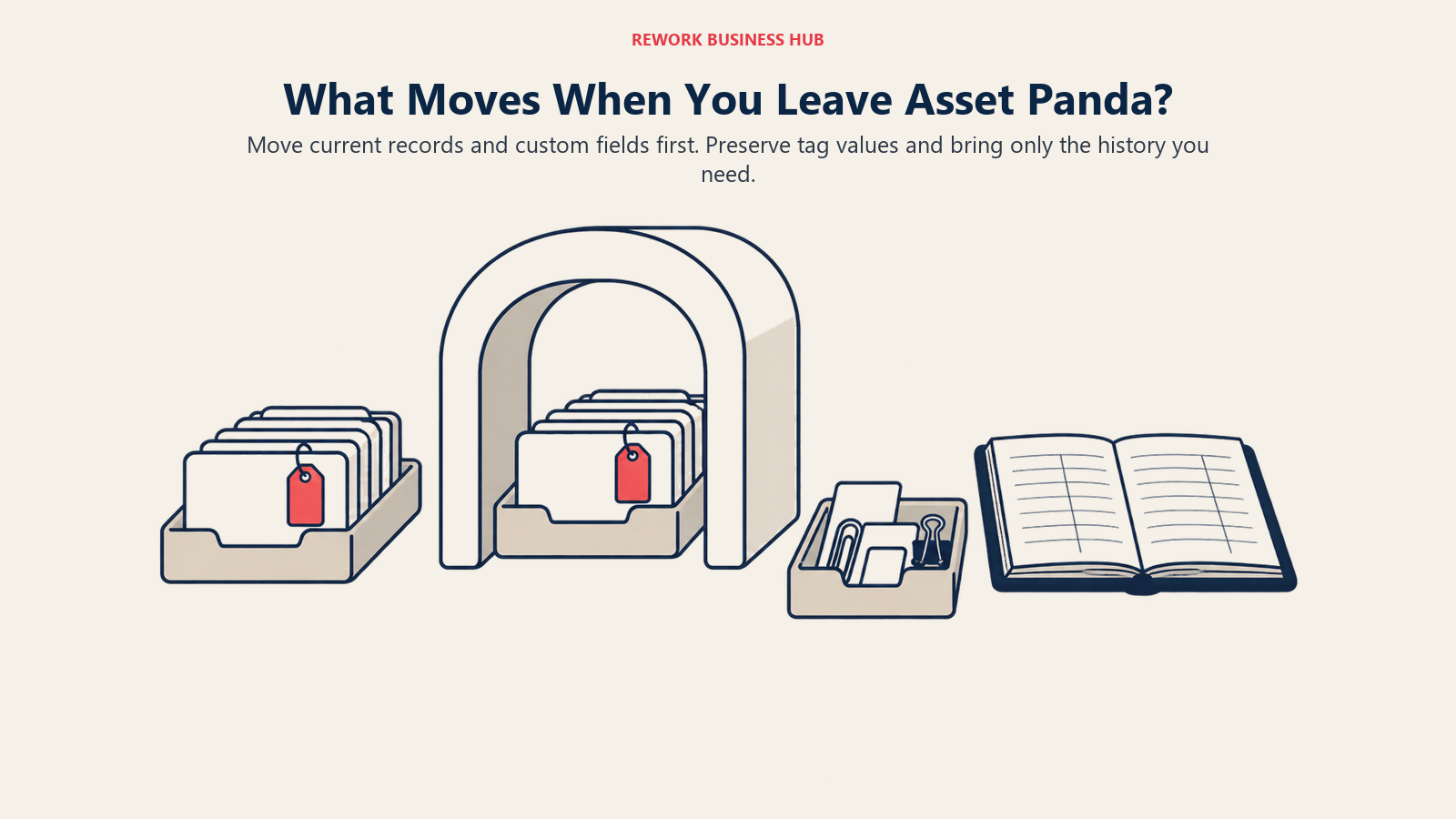
Every asset tool exports a CSV, and every switch feels simpler on the sales call than during the actual migration weekend.
| What you're moving | Usually moves cleanly | Usually needs rework |
|---|---|---|
| Current asset records and custom field values | Yes, via CSV export and import mapping | Field names and types rarely map one to one |
| Current location and assignment (who has what) | Yes | Confirm the location hierarchy matches yours |
| Barcode or QR code IDs already printed on assets | Yes, most tools import existing codes | Confirm the target tool accepts your code format |
| Full asset history (every check-in/check-out) | Rarely | Exports usually capture current state, not the log |
| Attachments (photos, receipts, warranty documents) | Rarely | Usually needs a manual re-upload per asset |
| Custom workflows and automation rules | No | Rebuilt from scratch in the new tool |
Export everything first, confirm your barcode or QR format imports as-is so you're not paying to re-tag a working fleet, migrate current state and custom fields before worrying about history, and pull forward only the attachments and history you'd actually need for an audit or warranty claim. For the parts of switching that aren't specific to asset tools, see Switching SaaS Vendors and Vendor Diligence Checklist.
How to Choose: Decision Framework
| If you need... | Best pick |
|---|---|
| A configurable, published-price swap closest to Asset Panda | EZOfficeInventory |
| A free, self-hosted register and server capacity in-house | Snipe-IT |
| Preventive maintenance scheduling and technician work orders | UpKeep or Limble |
| A real free CMMS tier to prove value before paying | MaintainX or Fiix |
| Simple photo-based inventory counting for a small team | Sortly |
| The asset record on the same platform as CRM, invoices, vendors | Rework |
| The cheapest credible entry price on a tight budget | AssetTiger |
| IT and hardware tracking plus software license management | Reftab |
| Booking and reservation for shared equipment, not a register | Cheqroom |
| QR tags and support bundled into one predictable annual price | GoCodes |
Before signing anything, run the budgeting math this guide exists to help with. TCO Modeling for SaaS walks through pricing a shortlist properly, including tag, onboarding, and add-on costs a headline number tends to hide.
Frequently Asked Questions about Asset Panda Alternatives
Why doesn't Asset Panda publish a price?
Its pricing page offers only a quote form and a phone number, with no floor, tier, or basis listed. Third-party trackers report a wide (reported) spread of roughly $10 to $75 per user per month rather than a confirmed number.
Is Asset Panda's 7-day free trial long enough to evaluate it?
For most teams, it's tight, since its value depends on configuring custom fields to your asset types. Most competitors here, including EZOfficeInventory, Reftab, and MaintainX, give you 14 days or a genuinely free tier instead.
What's the cheapest way to replace Asset Panda?
Snipe-IT if you can self-host, since the core product is free and unlimited on users and assets. AssetTiger is the cheapest hosted option at $20/mo for up to 500 assets with unlimited users, though its 250-asset offer is a 30-day trial rather than a free tier.
Which alternative is closest to Asset Panda's own configurability?
EZOfficeInventory. It supports custom fields and flexible categories similarly to Asset Panda, but publishes real pricing (from $40/mo for 250 items, unlimited users) instead of a quote form.
I actually need preventive maintenance, not just check-in and check-out. Which should I pick?
UpKeep or Limble for established programs, MaintainX or Fiix to prove CMMS value on a real free tier first. All four schedule work against assets and assign it to technicians, which Asset Panda's register model was never built to do.
Does Rework replace Asset Panda?
No. Rework's Assets module is a fixed asset register, not a configurable scanning tool and not a CMMS. It fits a mid-size operator who needs the asset record on the same platform as the CRM pipeline and the invoice, consolidating a fragmented stack rather than replacing Asset Panda's scanning depth.
What actually transfers when I migrate off Asset Panda?
Current asset records, custom field values, and current location or assignment data usually export and import cleanly via CSV, and most tools let you keep your existing barcode or QR codes. Historical check-in and check-out logs and attachments usually don't move automatically.
Can I keep my existing Asset Panda barcode or QR tags when I switch?
In most cases, yes. Most tools here let you import your existing code as the asset ID rather than forcing new tags, so confirm the target tool's supported format before you commit.
What to Do Next
Write down your actual configuration first: how many assets, how many users, whether the real job is location tracking or preventive maintenance, and whether tag and onboarding costs belong in the number. Then run a two-week trial on your top two picks with real data, twenty real assets, your actual barcode or QR format, and a full check-in and check-out cycle, and see whether the record that comes out the other end is one your team, your auditor, and your budget would sign off on.

Principal Product Marketing Strategist
On this page
- Key Facts
- What Asset Panda Does Well, and Who Should Stay On It
- Why Buyers Look for an Alternative
- Quick Comparison Table
- Who Publishes a Price, and Who Doesn't
- 1. EZOfficeInventory (EZO): The Closest Configurable, Published-Price Swap
- 2. Snipe-IT: Free, Open Source, and Self-Hosted
- 3. UpKeep: Preventive Maintenance for Mobile Teams
- 4. Limble: Configurable CMMS With Strong Automation
- 5. Sortly: Simple Visual Inventory for Small Teams
- 6. Rework: One Record for the Asset, the Invoice, and the Customer
- 7. MaintainX: Frontline Maintenance With a Real Free Tier
- 8. AssetTiger: The Cheapest Credible Option
- 9. Reftab: IT and Hardware Tracking With a Real Free-Forever Tier
- 10. Fiix: A Real Free CMMS Tier, Backed by Rockwell
- 11. Cheqroom: Equipment Booking and Reservation
- 12. GoCodes: QR Tags Bundled Into the Price
- Stage Fit Matrix
- Sizing and Persona Fit
- Migrating Off Asset Panda: What Actually Moves
- How to Choose: Decision Framework
- What to Do Next