Healthcare Technology Stack: Building an Integrated Practice Technology System
Turn this article into takeaways for your work.


Each assistant summarizes the article only for you and suggests best practices for your work.
Your practice technology stack isn't just software. It's the operational backbone that determines how efficiently you deliver care, how effectively you communicate with patients, and ultimately how profitably you grow your practice.
The right technology stack creates seamless workflows where information flows automatically between systems. The wrong stack creates data silos, duplicate entry, and frustrated staff who spend more time fighting technology than caring for patients.
Building an effective healthcare technology stack requires strategic thinking about how systems work together, not just individual feature comparisons.
The Technology Foundation
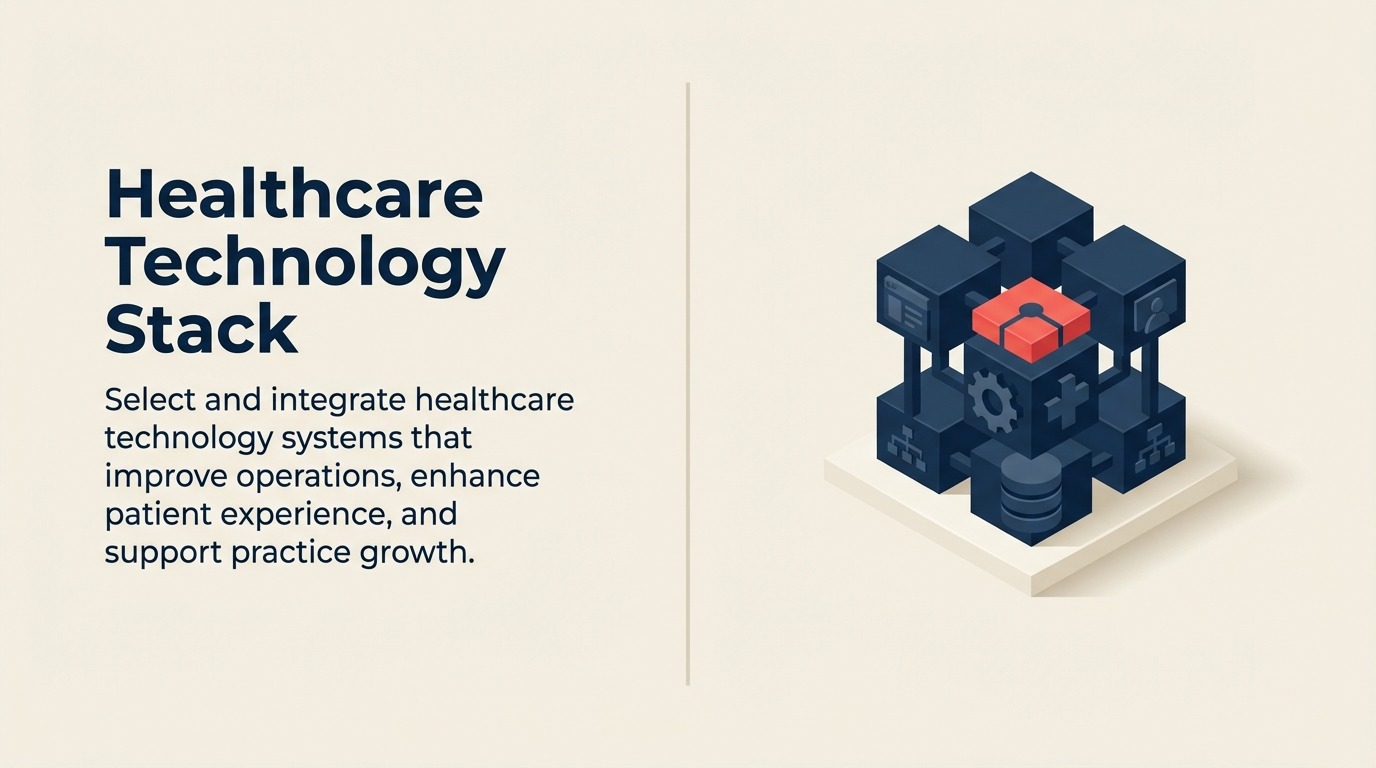
Think of your technology stack as layers that build on each other. Your foundational systems, EHR and practice management, support everything else. Communication platforms, patient portals, and specialized tools connect to this foundation.
When these layers integrate well, you create multiplier effects. Patient appointment requests flow automatically into your schedule. Clinical notes populate billing codes. Patient communications trigger based on appointment status. Everything connects.
When layers don't integrate, you create friction. Staff manually transfer information between systems. Patients enter the same information multiple times. Reports require exporting data from three systems and manually reconciling it in spreadsheets.
Your goal is connected, not just computerized.
Core Technology Components
Five core systems form the foundation of most healthcare practices. Understanding what each does and how they connect guides your entire technology strategy.
Electronic Health Records (EHR/EMR)
Your EHR system stores clinical information, patient history, exam findings, diagnoses, treatment plans, and clinical notes.
The EHR is where clinical care happens digitally. Providers document encounters, prescribe medications, order tests, and review results. Quality measures, clinical protocols, and decision support live in your EHR.
Most practices consider their EHR the most critical technology investment. It touches every patient encounter and directly impacts both care quality and provider efficiency.
Practice Management System
Your practice management system handles the business side of healthcare, scheduling, registration, billing, claims, and collections.
Some EHR vendors offer integrated practice management. Others connect to separate practice management systems. The key question isn't whether they're one product or two, but whether they share data seamlessly.
Your practice management system should communicate bidirectionally with your EHR. Scheduling information should flow to the EHR. Clinical information should flow to billing. Neither system should require duplicate data entry. This integration supports effective appointment scheduling optimization across your practice.
Patient Communication Platform
Modern practices need automated patient communication for appointment reminders, recalls, follow-up messaging, and marketing campaigns.
Your communication platform should integrate with your practice management system to trigger messages based on appointment status, patient type, or visit history. Manual campaign creation for every communication is too time-consuming to maintain.
Look for platforms offering multiple channels, text, email, voice, and allowing patients to respond through their preferred method.
Revenue Cycle Management
While your practice management system handles basic billing, many practices add specialized revenue cycle tools for:
- Claims scrubbing before submission
- Electronic remittance posting
- Denial management and tracking
- Patient payment processing
- Financial reporting and analytics
These tools layer on top of your practice management system, adding capabilities that improve revenue capture through better claims management and collections processes without replacing core systems.
Patient Portal
Your patient portal gives patients 24/7 access to their health information, appointment scheduling, messaging, bill payment, and form completion.
Portal adoption requires integration with both your EHR (for clinical information) and practice management system (for scheduling and billing). Standalone portals that don't connect to your core systems create more work rather than reducing it.
Integration Requirements
The most important technology question isn't "What can this system do?" It's "How does this system connect to our other systems?"
Data Flow Between Systems
Map how information should flow through your technology stack:
- Patient schedules appointment → appears in EHR and communication platform
- Provider documents visit → codes flow to practice management for billing
- Claim is paid → payment posts to patient account and financial reports
- Patient completes portal registration → sends welcome message and education materials
When you buy technology that breaks these flows, you create manual work and error opportunities.
API and Interface Considerations
Integration happens through two main methods:
APIs (Application Programming Interfaces) allow real-time, bidirectional data exchange. When a patient schedules online, an API immediately updates your practice management schedule. When you document a visit, an API sends codes to billing instantly.
Interfaces batch-transfer data at scheduled intervals, often nightly. Information isn't instant but still automates data exchange. A nightly interface might send the previous day's appointments to your communication platform for reminder delivery.
Ask vendors specifically:
- "Does your system offer real-time API integration with [our core system]?"
- "What data exchanges via API vs batch interface?"
- "Are there any manual export/import requirements?"
Avoid systems requiring manual data export/import for routine operations.
Single Sign-On Benefits
Single sign-on (SSO) lets staff log in once and access all integrated systems without separate passwords.
Beyond convenience, SSO improves:
- Security (fewer password resets, stronger password compliance)
- Productivity (less time logging in and out)
- User adoption (easier access means higher usage)
Not all integration includes SSO, but it's worth prioritizing when available.
Reporting Consolidation
Fragmented reporting is one of integration's biggest failures. When you need three different systems to understand practice performance, you waste time and miss insights.
Strong integration enables consolidated reporting:
- Financial dashboards pulling from practice management and RCM tools
- Operational reports combining scheduling, clinical productivity, and patient satisfaction
- Patient engagement metrics merging portal usage, communication response rates, and appointment adherence
Ask vendors: "Can your reporting combine data from [integrated system] or do we need to export and merge manually?"
Selection Criteria
Choosing technology for a healthcare practice requires balancing clinical needs, operational efficiency, patient experience, and financial reality.
Specialty-Specific Requirements
General-purpose systems may technically serve any specialty but often lack workflows optimized for your practice type.
Specialty-specific considerations include:
- Procedure documentation templates
- Specialty-specific order sets
- Required reporting (PQRS, MIPS, specialty registries)
- Common diagnosis and procedure codes
- Typical patient workflows
A system designed for your specialty will require far less customization and adaptation than retrofitting a general system.
Scalability Considerations
Technology that works at one location may break at three locations. Systems supporting two providers may not handle twenty.
Evaluate scalability:
- Does pricing scale linearly or exponentially with growth?
- Do additional locations require separate instances or work within one system?
- Can the system handle your projected patient volume in 3-5 years?
- Does the vendor support practices significantly larger than yours?
Don't just buy for today. Buy for where you'll be in three years.
Vendor Stability
Healthcare technology is a long-term commitment. You can't switch EHRs annually.
Assess vendor stability:
- How long have they been in business?
- What's their financial condition?
- Are they being acquired or merged?
- What's their development roadmap?
- How many clients do they have? Are they growing or shrinking?
Small vendors may offer better service and customization. Large vendors may offer better stability and resources. Neither is inherently better, but understand the tradeoffs.
Implementation Support
Technology quality matters less than implementation quality. The best system poorly implemented underperforms a mediocre system well implemented.
Evaluate implementation support:
- What's included in implementation vs additional services?
- Who leads implementation, their staff, third party, or you?
- What's the typical implementation timeline?
- What training is provided and in what format?
- What support is available during and after go-live?
Request references specifically about implementation experience, not just system features.
Total Cost of Ownership
Understand all costs over 3-5 years, not just initial purchase price:
- Software licensing (monthly or annual fees)
- Implementation and training
- Hardware requirements
- Interface/integration fees
- Annual support and maintenance
- Upgrade costs
- Staff time for implementation and ongoing management
A system with low licensing fees but expensive implementation and limited included support may cost more than a comprehensive solution with higher licensing fees but inclusive implementation and support.
Implementation Planning
Successful implementation requires disciplined planning and change management.
Phased Approach
Few practices can implement an entire technology stack simultaneously. Plan phases that minimize disruption while delivering value incrementally.
Common phasing:
- Phase 1: Core EHR/practice management (3-6 months)
- Phase 2: Patient communication and portal (1-2 months)
- Phase 3: Online scheduling and additional patient-facing tools (1-2 months)
- Phase 4: Advanced analytics and optimization (ongoing)
Each phase should deliver complete functionality before moving to the next. Resources like HIMSS (Healthcare Information and Management Systems Society) provide implementation best practices and technology selection guidance.
Staff Training
Budget significant time for training. Inadequate training guarantees poor adoption and staff frustration.
Effective training includes:
- Role-based training (providers, nurses, front desk, billing)
- Multiple learning formats (live sessions, recorded videos, written guides, hands-on practice)
- Ongoing education beyond go-live
- Super-user development for peer support
Plan for productivity dips during implementation. Staff learning new systems work more slowly temporarily. Build this training into your comprehensive staff training development framework.
Data Migration
Moving data from old to new systems is complex and risky. Plan carefully.
Decide what to migrate:
- Active patient demographics and insurance (essential)
- Historical clinical records (highly valuable but complex)
- Appointment history (useful for scheduling patterns)
- Financial data (helpful for reporting continuity)
Not everything is worth migrating. The cost and risk of migrating 10-year-old data may exceed its value.
Test migrations thoroughly before go-live. Verify data accuracy, completeness, and proper placement in the new system.
Workflow Redesign
New technology enables new workflows. Don't just replicate old processes in new systems.
Document current workflows, identify inefficiencies, and design improved workflows leveraging new capabilities.
Example: If your old system required front desk to print encounter forms for providers, your new system might enable tablet-based documentation eliminating printing entirely.
Redesigning workflows around new capabilities delivers far better results than digitizing old workflows.
Emerging Technologies
The healthcare technology landscape continues evolving. Stay aware of emerging capabilities that may benefit your practice.
AI and Machine Learning
Artificial intelligence is moving from theoretical to practical healthcare applications:
- Clinical decision support suggesting diagnoses or treatment options
- Predictive analytics identifying patients at risk
- Automated coding suggesting codes based on documentation
- Chatbots handling routine patient questions
- Voice recognition improving documentation efficiency
Early-stage AI requires careful evaluation, some tools deliver significant value while others overpromise and underdeliver. But AI's role will expand significantly over coming years.
Telehealth Platforms
Telemedicine has moved from specialty use to mainstream healthcare delivery.
Modern telehealth platforms offer:
- Video visits integrated with EHR documentation
- Asynchronous messaging for follow-up care
- Remote monitoring integration
- Billing and coding for telehealth services
Consider whether standalone telehealth platforms or EHR-integrated telehealth better fits your needs.
Patient Engagement Tools
Beyond basic portals and communication platforms, emerging patient engagement tools include:
- Symptom checkers and pre-visit questionnaires
- Educational content personalized to patient conditions
- Medication adherence monitoring and reminders
- Care plan tracking and goal setting
- Social determinants of health screening
These tools shift healthcare from episodic office visits to continuous engagement.
Analytics and Business Intelligence
Advanced analytics tools increasingly help practices:
- Identify patients overdue for preventive care
- Predict appointment no-shows for proactive outreach
- Optimize schedules based on historical patterns
- Analyze referral patterns and opportunities
- Project revenue based on scheduling patterns
As data accumulates in integrated systems, analytics capability becomes increasingly valuable. The ONC (Office of the National Coordinator for Health IT) provides resources on health IT adoption and optimization.
Vendor Management
Your relationship with technology vendors doesn't end at purchase. Effective ongoing vendor management ensures you maximize value.
Contract Negotiation
Negotiate everything before signing:
- Licensing fees and annual increases
- Implementation timeline and deliverables
- Training included vs additional cost
- Support response times and availability
- Interface fees (many vendors charge separately)
- Data ownership and export rights
- Contract length and termination provisions
Everything is negotiable. Vendors expect negotiation and build flexibility into proposals.
Relationship Maintenance
Maintain active relationships with key vendors:
- Participate in user groups and advisory boards
- Attend annual conferences and training sessions
- Provide feedback on features and issues
- Build relationships with account managers and support teams
Strong vendor relationships lead to better support, early access to new features, and input into product roadmaps.
Upgrade Planning
Technology vendors regularly release updates and new versions. Plan upgrades strategically.
Evaluate each upgrade:
- What new features benefit our practice?
- What customizations might break?
- What training will staff need?
- What's the implementation effort?
Don't upgrade simply because a new version exists, but don't fall multiple versions behind either. Generally, upgrade when meaningful new functionality justifies the effort.
Building Your Technology Future
Your technology stack should evolve with your practice. What works for a two-provider practice may not work at five providers. What serves a single-specialty practice may not support multi-specialty expansion.
Plan technology selection with growth in mind. Choose systems and vendors capable of supporting your long-term vision, not just current needs.
Invest in integration even when it's more expensive than standalone tools. The efficiency and insight gained from integrated systems far exceed the integration cost.
Prioritize user experience, for staff and patients. Technology that's difficult to use won't be used well, regardless of features. Simple, intuitive systems drive adoption and value.
Remember that technology exists to serve your practice, not the reverse. When technology creates more work than it eliminates, something is wrong. Good technology makes everything easier, clinical care, business operations, patient communication. Consider how your technology choices support your overall healthcare services growth model.
Focus your next technology decision on integration and workflow improvement, not just features. The right connected technology stack becomes a competitive advantage that drives practice growth for years.

Senior Operations & Growth Strategist