SCORM and xAPI Explained
Turn this article into takeaways for your work.


Each assistant summarizes the article only for you and suggests best practices for your work.
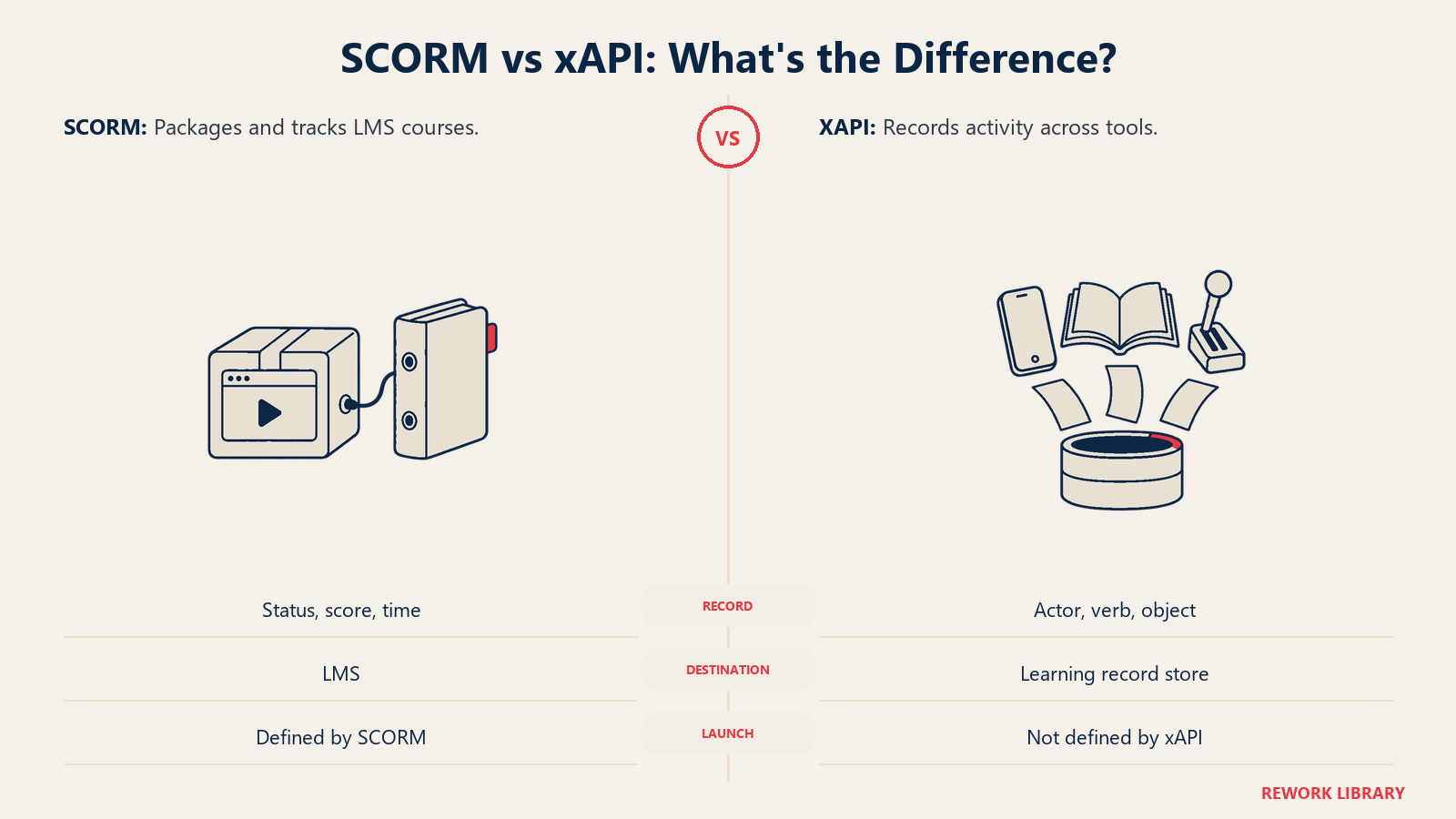
SCORM and xAPI are technical standards that let learning content and learning software exchange data. SCORM packages a course so it can run inside any compliant learning management system (LMS) and report back a completion status and score. xAPI is a newer specification that records learning activity as short statements and sends them to a database called a Learning Record Store (LRS), whether or not an LMS is involved.
If you sell courses, buy training software, or build an EdTech product, you'll meet both acronyms in the first week. They show up in sales calls, RFPs and export menus in authoring tools. This article explains what each one is, where they came from, what each can and can't track, how a third standard called cmi5 connects them, and how to decide which one to require. It also covers LTI, which looks similar but solves a different problem.
Why Learning Standards Exist
Imagine you buy a safety course from a content vendor and your LMS comes from a different company. Without a shared standard, the course has no way to tell the LMS "this learner finished and scored 85%." You'd need custom integration work for every course and every platform.
Standards fix that by agreeing in advance on three things:
- How content is packaged, so any system can unpack and launch it.
- How content and platform talk, so results flow back.
- What the results look like, so a "completed" status means the same thing everywhere.
Standards don't make a course good. They make parts from different suppliers work together, which underpins the LMS market and training content licensing.
What Is SCORM?
SCORM stands for Sharable Content Object Reference Model. Scorm.com, the long-running reference site run by Rustici Software, explains that ADL (Advanced Distributed Learning) didn't write SCORM from scratch. Instead, ADL noticed that the industry already had many standards that each solved part of the problem and combined them into one reference model.
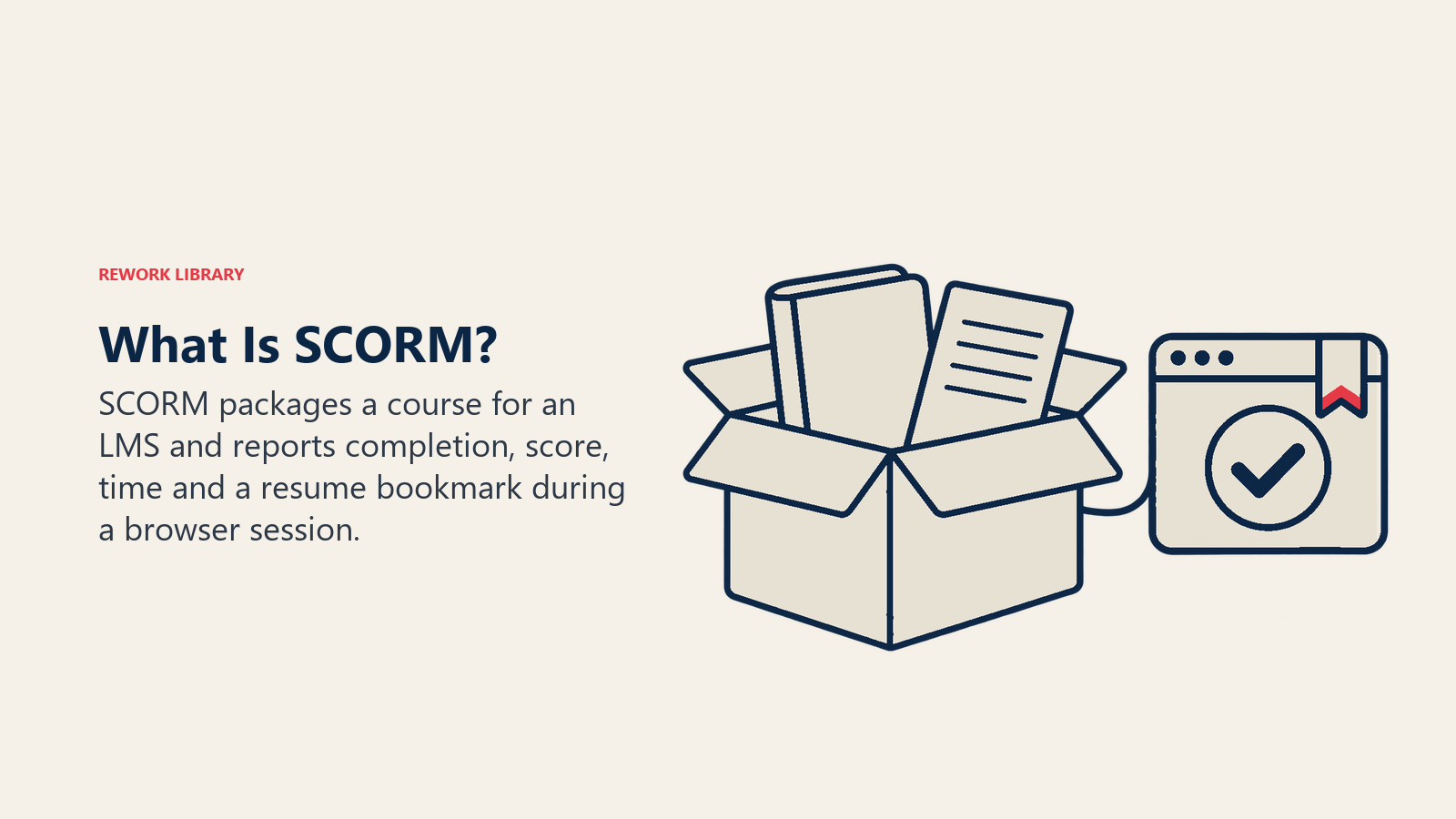
SCORM covers two areas:
- Content packaging. A course is bundled as a single zip file with a manifest describing its pages, modules and structure. Upload the zip to a compliant LMS and it knows how to launch it.
- Run-time communication. While a learner takes the course, the content calls a set of functions the LMS exposes in the browser, passing back things like completion, pass or fail, a score, time spent and a bookmark so the learner can resume.
SCORM Versions
You'll mostly see two names, and the second has several editions. According to Scorm.com's version history:
| Version | Released | What to know |
|---|---|---|
| SCORM 1.2 | October 2001 | The most widely adopted version and still widely deployed |
| SCORM 2004, 2nd Edition | July 2004 | Fixed defects in the first 2004 release |
| SCORM 2004, 3rd Edition | October 2006 | Clarified the sequencing rules; the most widely adopted 2004 edition |
| SCORM 2004, 4th Edition | March 2009 | Made building sequenced content simpler |
The headline feature of the 2004 line is sequencing and navigation: rules that say which part of a course a learner may open next, for example "unlock module 3 only after passing the module 2 quiz." SCORM 1.2 has no equivalent, so a vendor who says "SCORM" without a version hasn't told you much. Ask which one.
How SCORM Works in Practice
SCORM's run-time model is simple and a bit old-fashioned. The LMS puts a JavaScript object in the browser, and the course has to find it. Per the run-time documentation, that object is named API in SCORM 1.2 and API_1484_11 in SCORM 2004, and it must sit in a window that is a parent of the course or of the window that opened it. The course must call Initialize before anything else and Terminate when it finishes. The same source notes that all SCORM content must be web-deliverable and that communication happens inside a browser session, with only the course able to start a conversation. The LMS just answers.
That design explains both SCORM's strengths and its limits.
What SCORM Can Track
- Whether a learner completed the course, and whether they passed or failed
- A score
- Time spent in a session
- A bookmark for resuming
What SCORM Cannot (Easily) Track
- Learning outside the LMS. If it doesn't happen in a browser window launched from the LMS, SCORM doesn't see it.
- Learning on mobile apps, simulators or offline. Anything that can't sit in a browser frame beside the LMS has no natural place to report.
- Many learners and many activities as one story. SCORM stores a record per learner per course. It isn't built to record "this person watched a video, then joined a webinar, then coached a colleague."
- Detailed behavior. You get a status and a score, not a rich trail of what the learner did.
None of that makes SCORM bad. For the thing most organizations actually need to prove, which is that a person finished a mandatory course, it works and nearly every LMS and authoring tool supports it. Its age is also a feature: almost every content vendor and authoring tool knows how to produce it.
What Is xAPI?
xAPI, short for Experience API, was designed to record learning wherever it happens. The ADL specification on GitHub says its aim is to facilitate the documentation and communication of learning experiences that are "scattered across a wide variety of sources." It was formerly known as the Tin Can API.
According to the xAPI project's own overview, it grew out of Project Tin Can, which Rustici Software began after ADL asked for research into next-generation eLearning specifications, and the community ultimately wrote the standard.
How xAPI Works: Statements and the LRS
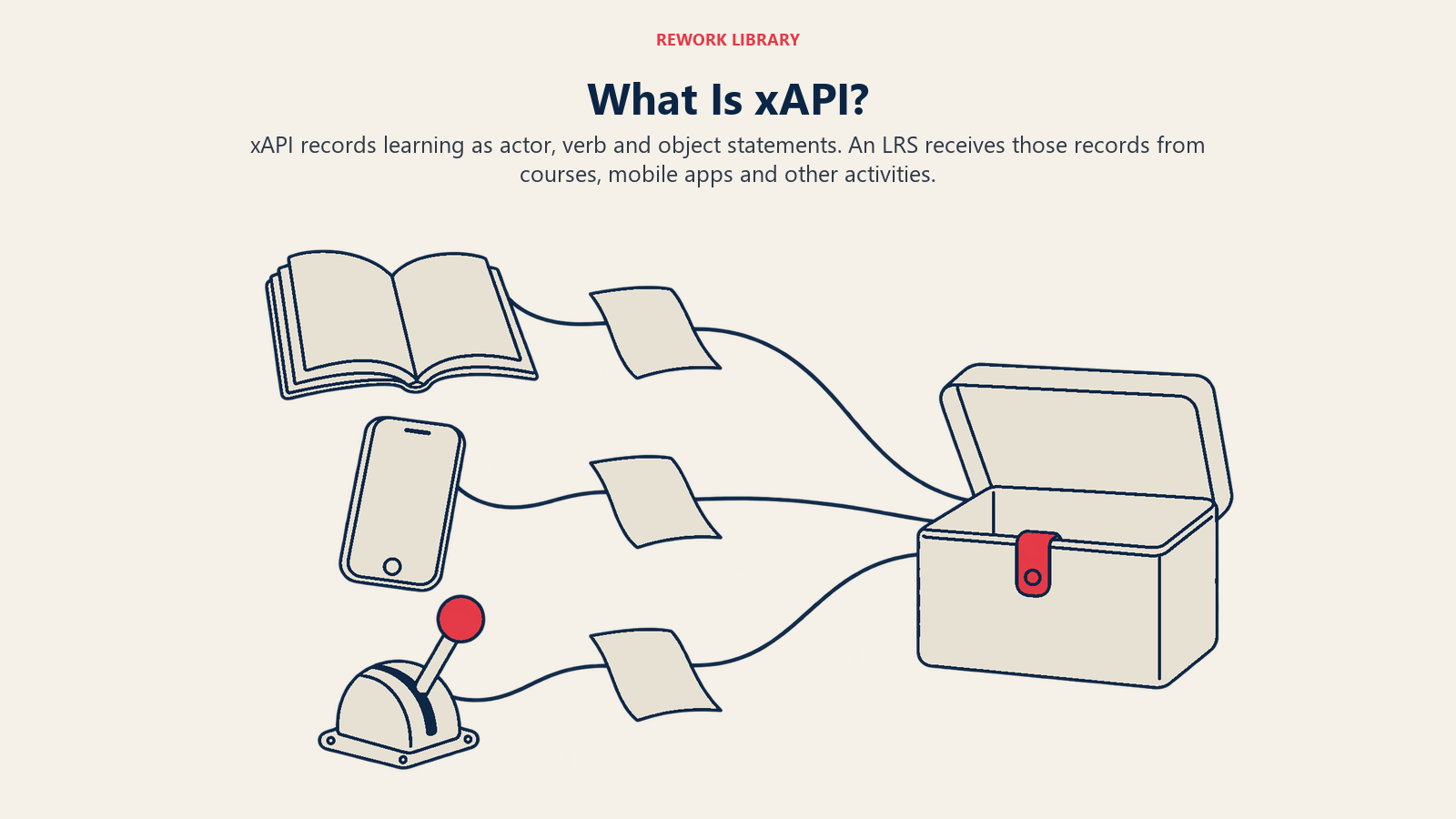
Everything in xAPI is a statement with three core parts:
- Actor: who did it (the learner)
- Verb: what they did (completed, attempted, answered, watched, commented)
- Object: what they did it to (a course, a video, a quiz, a scenario)
The specification's own example is "Anna tried a cake recipe," with Anna as actor, "tried" as verb and the recipe as object. A business version might be "Mai completed the pricing workshop" or "Tuan answered question 4 on the compliance quiz."
Statements go to a Learning Record Store (LRS). The specification defines it as a server responsible for receiving, storing and providing access to learning records. Think of it as a database built to hold these statements, which any xAPI-aware tool can send to or read from. An LRS can sit inside an LMS or run on its own, and several tools can write to the same one.
What xAPI Can Track
The specification says what it tracks is highly diverse, with examples including reading a book, taking an online course, going on a field trip, self-directed research, or receiving a certificate. The project overview lists mobile learning, simulations, virtual worlds, serious games, real-world activities, social learning and offline learning. Data can also be collected offline and sent to the LRS later.
So a single learner's LRS history might include a course completion, a video watched in a mobile app, a simulator session, a manager sign-off on a skill and a peer coaching event, all in one format.
What xAPI Cannot Do by Itself
Flexibility has a cost, and buyers get caught by it.
- xAPI doesn't define what a good statement looks like. Two vendors can both say "xAPI-enabled" and record the same activity with different verbs, so the data doesn't line up. Teams usually need an agreed profile (a set of verbs and conventions) before reporting works.
- It doesn't launch content. SCORM includes packaging and launch. Plain xAPI doesn't say how an LMS starts a course or hands over the learner's identity.
- It doesn't give you reports. An LRS stores statements. Dashboards, completion tables and compliance reports are a separate layer of the learning tech stack that someone has to build or buy.
Is xAPI an Official Standard?
Yes. xAPI began as an ADL specification, and the xAPI project describes it as an IEEE approved standard (IEEE 9274.1.1-2023). The IEEE standards page lists IEEE 9274.1.1-2023 as an active standard, titled as a JSON data model format and RESTful web service for learner experience data tracking and access, with board approval on March 30, 2023.
cmi5: The Bridge
If SCORM gives you launch and xAPI gives you rich data, can you have both? That's what cmi5 does.
cmi5 is a specification profile for xAPI. Its text describes it as covering interoperable runtime communication between LMSs and Assignable Units (AUs), which are individual pieces of learning content. It uses xAPI as the data transport and fills in what plain xAPI leaves open:
- Launch. The LMS launches an AU with a URL carrying an endpoint, an authorization fetch URL, the learner's identity, a registration ID and an activity ID.
- A fixed set of verbs. cmi5 specifies statements such as launched, initialized, completed, passed, failed and terminated, plus LMS-issued ones such as abandoned, waived and satisfied.
- An LRS behind the LMS. The LMS works with an LRS to track progress and produce reports.
In plain terms, cmi5 gives you SCORM-style "launch this course and tell me whether the learner passed" using xAPI's modern plumbing. Content doesn't need to live in the same browser frame as the LMS, and the data lands in an LRS.
The catch is adoption. cmi5 is far less common than SCORM. Many authoring tools and platforms support SCORM and xAPI but not cmi5, so check that both your content tool and your platform handle it before you make it a requirement.
SCORM vs xAPI vs cmi5: Side-by-Side
| Question | SCORM | xAPI | cmi5 |
|---|---|---|---|
| What is it? | Packaging and run-time reporting for content in an LMS | Statement format and LRS web service for any learning activity | An xAPI profile that adds launch and rules for LMS-delivered content |
| Data format | Fixed data model (status, score, time, bookmark) | Flexible actor, verb, object statements | xAPI statements with a defined set of verbs |
| Where data goes | Back to the LMS | To an LRS | To an LRS, managed alongside the LMS |
| Works outside a browser window? | No, runs in a browser launched from the LMS | Yes, any tool that can send statements | Yes, content is launched by URL |
| Defines packaging and launch? | Yes | No | Yes (launch and course structure) |
| Tracks informal learning? | Not really | Yes | Mostly for LMS-assigned content |
| Adoption | Near-universal in LMSs and authoring tools | Broad, but implementations vary | Narrower |
| Best for | Compliance courses and plain completion records | Rich analytics, simulations, mobile, blended journeys | Teams that want xAPI data with a clear launch model |
Read the table by row. If your need is "prove everyone finished," the SCORM column answers it. If it's "understand how people learn across tools," only xAPI does.
LTI: A Different Kind of Standard
LTI (Learning Tools Interoperability) often gets lumped in with SCORM and xAPI, but it does a different job. It's maintained by 1EdTech and, in its own description, lets institutions connect learning tools to their learning environment without learners logging in to each tool separately. According to 1EdTech's page, it supports secure passing of information about users, their enrollment and roles, and lets tools send assignments and grades back to the central gradebook. The current version is LTI 1.3.
The simplest way to remember it:
- SCORM and cmi5 deal with content that gets launched and reports results.
- xAPI deals with records of learning activity.
- LTI deals with connecting whole tools to a platform, with single sign-on and grade return.
How to Decide What to Require
Here's a practical way through, whether you're buying or building.
If You're an L&D Buyer
- Start from the record you need. If an auditor or customer asks for proof of completion, you need SCORM or cmi5 support as a minimum. Check course completion rates and what counts as "complete" before you lock it in.
- Ask for the SCORM version. "SCORM 1.2" and "SCORM 2004 4th Edition" aren't the same promise. 1.2 has the widest support. 2004 is needed for sequencing rules.
- Ask what "xAPI support" means. Can the platform send statements, receive them, or both? Does it include an LRS or connect to an outside one? Which verbs and profile does it follow? A vague "yes" isn't an answer.
- Decide whether you'll use the data. xAPI only pays off if somebody will analyze it. If you only report completion, don't pay for a feature you won't touch. If you want to connect activity to outcomes, see learner engagement metrics.
- Test with a real course. Upload one of your own courses and check completion, score and bookmarking before you sign. Compatibility is the most common thing that breaks in procurement. The enterprise learning procurement process is the place to build that test in.
If You're a Course Creator or EdTech Builder
- Export SCORM first. It's the lowest common denominator, and most corporate buyers' systems accept it. Offering both 1.2 and 2004 covers most requests.
- Add xAPI when a customer wants data beyond completion, such as scenario choices, simulation results or activity outside the LMS.
- Consider cmi5 if you sell to buyers who already use it, or if you want a cleaner launch model than SCORM without giving up an LMS.
- Choose LTI when you're building a tool, not a course. If learners will use your product alongside the LMS, with grades flowing back, LTI is the integration to build. Good instructional design decides what is worth recording in the first place.
Key Facts
- SCORM 1.2 was released in October 2001 and remains widely deployed; the SCORM 2004 editions followed in July 2004, October 2006 and March 2009 (Scorm.com).
- SCORM communication happens inside a browser session, and only the content can initiate it (Scorm.com).
- xAPI records learning as actor, verb and object statements sent to a Learning Record Store, including formal and informal learning (ADL xAPI specification).
- xAPI is an IEEE standard, IEEE 9274.1.1-2023, approved by the IEEE board on March 30, 2023 (IEEE).
- cmi5 is an xAPI profile that defines how an LMS launches content and which statements it must produce (cmi5 specification).
- LTI is a separate 1EdTech standard for connecting tools to a learning platform; the current version is 1.3 (1EdTech).
Common Mistakes
Treating "SCORM-compliant" as one thing. Version 1.2 and the 2004 editions behave differently, and individual LMSs interpret them differently. Always test.
Treating "xAPI-enabled" as a feature checklist item. Without an agreed verb set and a place to analyze the data, you get a pile of statements nobody can use.
Requiring xAPI when you only need a completion record. It adds cost and complexity for no gain if your question is "who finished?"
Mixing up LTI and SCORM. If a vendor asks "SCORM or LTI?" they're asking whether you're delivering content or connecting a tool.
For the wider context, see what is EdTech.

Co-Founder & COO
On this page
- Why Learning Standards Exist
- What Is SCORM?
- SCORM Versions
- How SCORM Works in Practice
- What SCORM Can Track
- What SCORM Cannot (Easily) Track
- What Is xAPI?
- How xAPI Works: Statements and the LRS
- What xAPI Can Track
- What xAPI Cannot Do by Itself
- Is xAPI an Official Standard?
- cmi5: The Bridge
- SCORM vs xAPI vs cmi5: Side-by-Side
- LTI: A Different Kind of Standard
- How to Decide What to Require
- If You're an L&D Buyer
- If You're a Course Creator or EdTech Builder
- Key Facts
- Common Mistakes