Ingest: Bagaimana AI Menyerap Data Bisnis Anda
Turn this article into takeaways for your work.


Each assistant summarizes the article only for you and suggests best practices for your work.
AI hanya sebaik apa yang bisa dilihatnya. Itu bukan sekadar catatan kaki. Itu kendala utama setiap proyek AI, dan yang paling sering baru disadari terlalu terlambat.
Sebelum AI dapat mengklasifikasi, memprediksi, merangkum, atau bertindak, ia membutuhkan data dalam bentuk yang bisa diolah. Sebagian besar data bisnis tidak datang dalam bentuk itu. Data datang sebagai PDF hasil scan, rekaman panggilan, gambar, halaman web, dan lampiran fax-to-email dari pemasok yang belum memperbarui sistemnya sejak 2009. Kesenjangan antara dunia berantakan tempat bisnis Anda beroperasi dan input bersih yang dibutuhkan model AI itulah yang dijembatani Ingest.
Ketika pilot AI gagal tanpa masalah model yang jelas, kegagalannya biasanya ada di lapisan Ingest. Akurasi yang tampak baik pada benchmark vendor ambruk pada distribusi dokumen Anda yang sebenarnya. Skor kepercayaan yang lolos begitu saja mengalirkan data buruk ke hilir selama berminggu-minggu sebelum ada yang menyadarinya. Modelnya tidak salah. Ia bekerja dengan input yang belum diaudit secara cermat.
ACE Framework menempatkan Ingest di urutan pertama dengan alasan kuat: ia adalah prasyarat bagi segalanya. Jika benar, Analyze, Predict, Generate, dan Execute menjadi mungkin. Jika dilewati, Anda membangun di atas input yang tidak bisa dipercaya.
Artikel ini membahas Ingest secara mendalam: apa itu, bagaimana lima sub-kemampuannya bekerja, apa yang membuatnya sulit, dan alat mana yang benar-benar melakukannya dengan baik.
Apa yang dilakukan Ingest
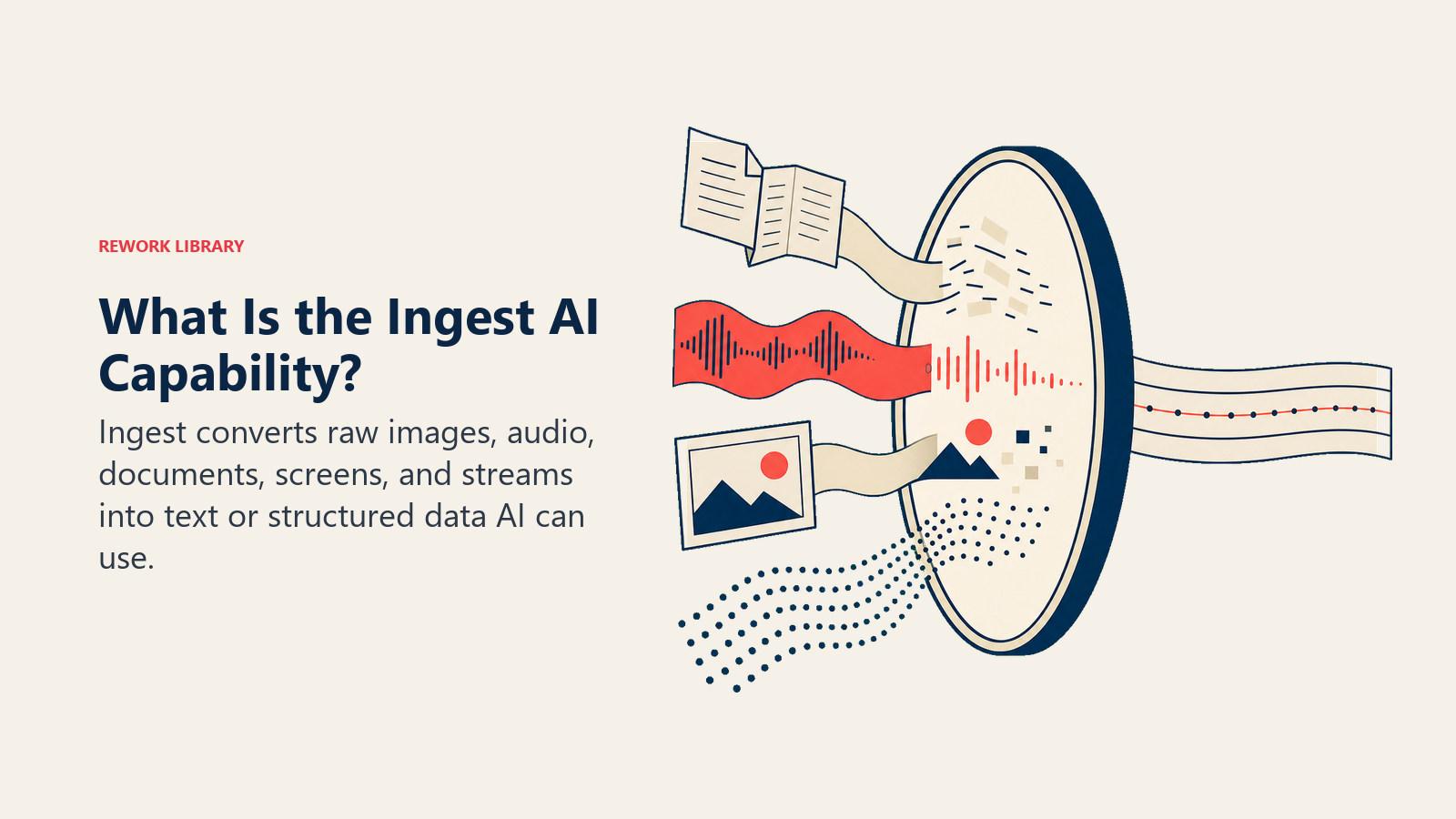
Ingest mengonversi sinyal mentah menjadi sesuatu yang bisa diproses AI. Sinyal tersebut bisa berupa gambar, file audio, PDF, data stream, atau screenshot. Outputnya hampir selalu berupa teks atau data terstruktur.
Sebagian besar sistem AI pada dasarnya beroperasi dengan teks sebagai input dan teks sebagai output. Dunia nyata tempat bisnis Anda beroperasi (faktur cetak, rekaman rapat, formulir yang diisi tangan, halaman web) bukan teks. Ingest adalah lapisan penerjemah. Tanpanya, Anda hanya bisa menerapkan AI pada data yang sudah terstruktur: catatan CRM, baris database, kolom spreadsheet. Dengannya, Anda bisa menjangkau 80% informasi lainnya yang tersimpan dalam dokumen, audio, dan gambar.
Lima sub-kemampuan Ingest
Ingest bukan satu hal tunggal. Ini adalah keluarga teknik yang saling berkaitan, masing-masing sesuai untuk jenis input mentah yang berbeda.
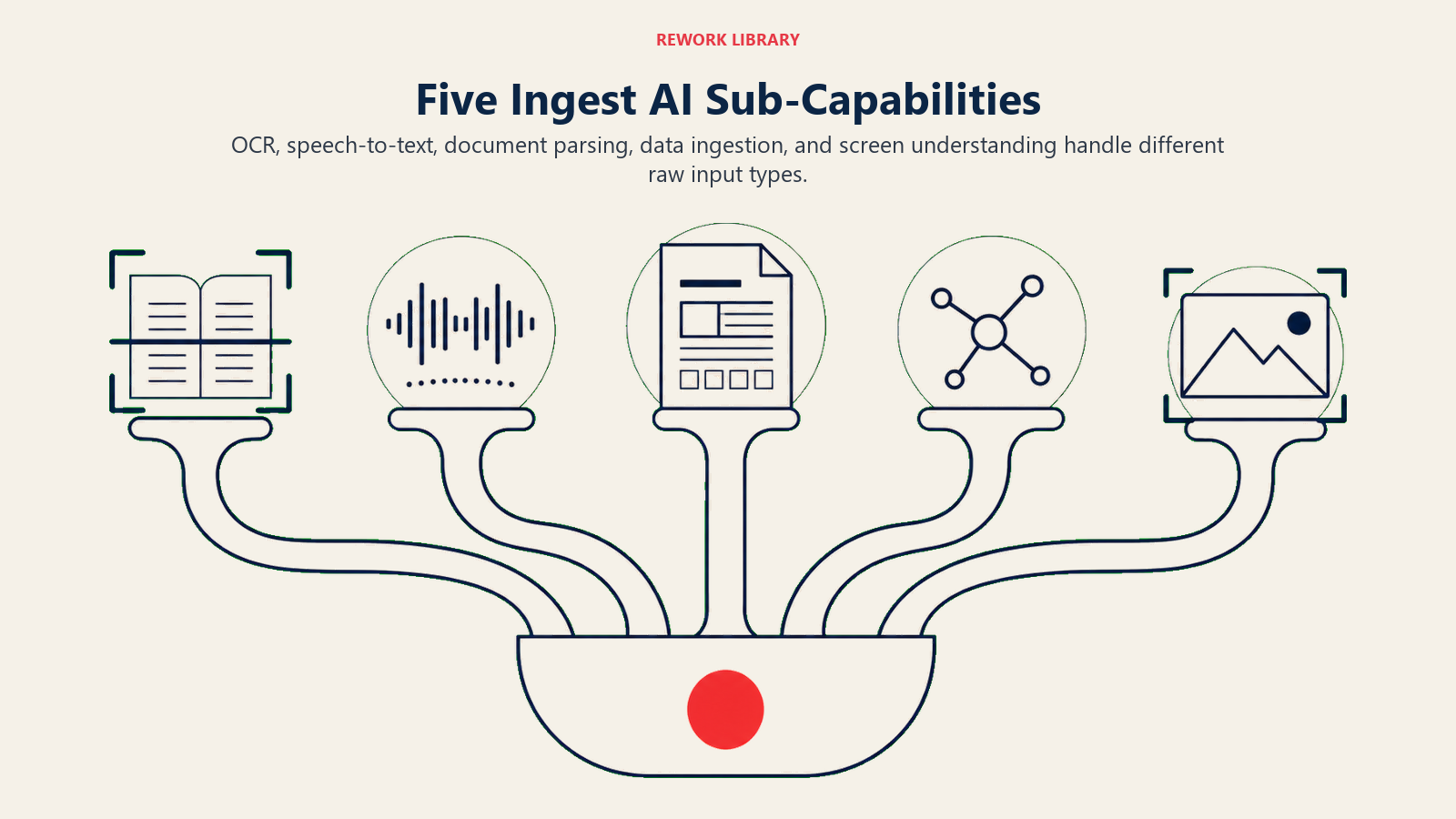
OCR (Optical Character Recognition)
OCR mengonversi gambar yang mengandung teks menjadi teks yang bisa dibaca mesin. Gambar tersebut bisa berupa dokumen hasil scan, foto struk, atau kartu nama. OCR modern dari alat seperti AWS Textract, Google Vision API, dan Azure AI Document Intelligence menangani dokumen yang rapi dan tercetak jelas dengan baik, dengan akurasi mencapai angka 90-an tinggi. Kegagalan muncul di tepi: teks tulisan tangan, font tidak biasa, kualitas scan buruk, dan tata letak multi-kolom yang kompleks.
Speech-to-text (transkripsi)
Speech-to-text mengonversi audio menjadi teks dengan label pembicara dan timestamp. Outputnya bukan sekadar transkrip: sistem transkripsi yang baik menghasilkan output dengan identifikasi pembicara, skor kepercayaan pada kata-kata yang tidak pasti, dan timestamp yang bisa dinavigasi. Struktur itulah yang memungkinkan AI bekerja pada audio. Alat seperti OpenAI Whisper (open-source), Deepgram, dan AssemblyAI memimpin kategori ini untuk Pipeline produksi. Whisper sangat powerful tetapi memerlukan infrastruktur untuk digunakan dalam skala besar; Deepgram dan AssemblyAI berbasis API dan siap digunakan langsung.
Document parsing
Document parsing mengekstrak field terstruktur dari dokumen dengan skema yang dapat dikenali: faktur, kontrak, purchase order, formulir pajak. OCR membaca teks dari halaman. Document parsing melangkah lebih jauh: memahami bahwa item baris memiliki kuantitas, harga satuan, dan total, lalu menempatkannya di field yang tepat. Ia bisa menemukan klausul "Payment Terms: Net 30" yang tersembunyi di dalam kontrak 22 halaman. AWS Textract, Azure AI Document Intelligence, dan LlamaParse dirancang khusus untuk ini. Itulah mengapa alur kerja faktur Emma layak secara prinsip. Yang membuat vendor pertamanya gagal adalah masalah confidence threshold, dibahas di bagian mode kegagalan.
Data ingestion
Data ingestion menarik data terstruktur atau semi-terstruktur dari sumber eksternal: API, ekspor CRM, database, webhook. Ini adalah sub-kemampuan yang paling tidak glamor tetapi terus berjalan di produksi. Setiap kali sistem AI membaca CRM Anda untuk menilai Lead, itulah data ingestion. Firecrawl dan Jina Reader menangani segmen khusus: mengonversi halaman web menjadi teks bersih untuk dikonsumsi AI, berguna saat Anda perlu AI membaca halaman harga pesaing atau dokumen regulasi yang hanya ada dalam format HTML.
Pemahaman layar dan UX
Screen understanding mengonversi screenshot atau tampilan layar langsung menjadi makna semantik. AI bisa melihat screenshot formulir dan memahami apa isi setiap field, apa yang sudah diisi, dan tindakan apa yang harus diambil. Produk seperti GPT-4V bisa menginterpretasikan screenshot seperti manusia: membaca label, memahami tata letak, menyimpulkan konteks dari struktur visual. Inilah yang membuat browser agent menjadi mungkin dan yang menggerakkan alat RPA yang bekerja dengan sistem lama tanpa API.
Input dan output: tabel referensi
| Input mentah | Sub-kemampuan Ingest | Output tipikal |
|---|---|---|
| Gambar faktur hasil scan | OCR + document parsing | Field terstruktur: vendor, jumlah, tanggal jatuh tempo, item baris |
| Rekaman audio rapat | Speech-to-text | Transkrip dengan timestamp dan label pembicara |
| Kontrak PDF | Document parsing | Klausul yang diekstrak, pihak yang disebutkan, tanggal penting |
| Foto kartu nama | OCR | Catatan terstruktur: nama, perusahaan, email, telepon |
| Ekspor atau API CRM | Data ingestion | Catatan yang dinormalisasi ke skema internal |
| Halaman web | Data ingestion (scraping) | Teks bersih, bebas dari navigasi dan iklan |
| Screenshot UI | Screen understanding | Label field semantik, tata letak, elemen yang bisa ditindaklanjuti |
| Rangkaian email | OCR/text parsing | Entitas, komitmen, tenggat waktu, nada |
Empat alur kerja bisnis nyata yang dimulai dengan Ingest
Ini bukan hipotetis. Ini adalah alur kerja yang telah diterapkan atau sedang dipilot oleh operator mid-market.
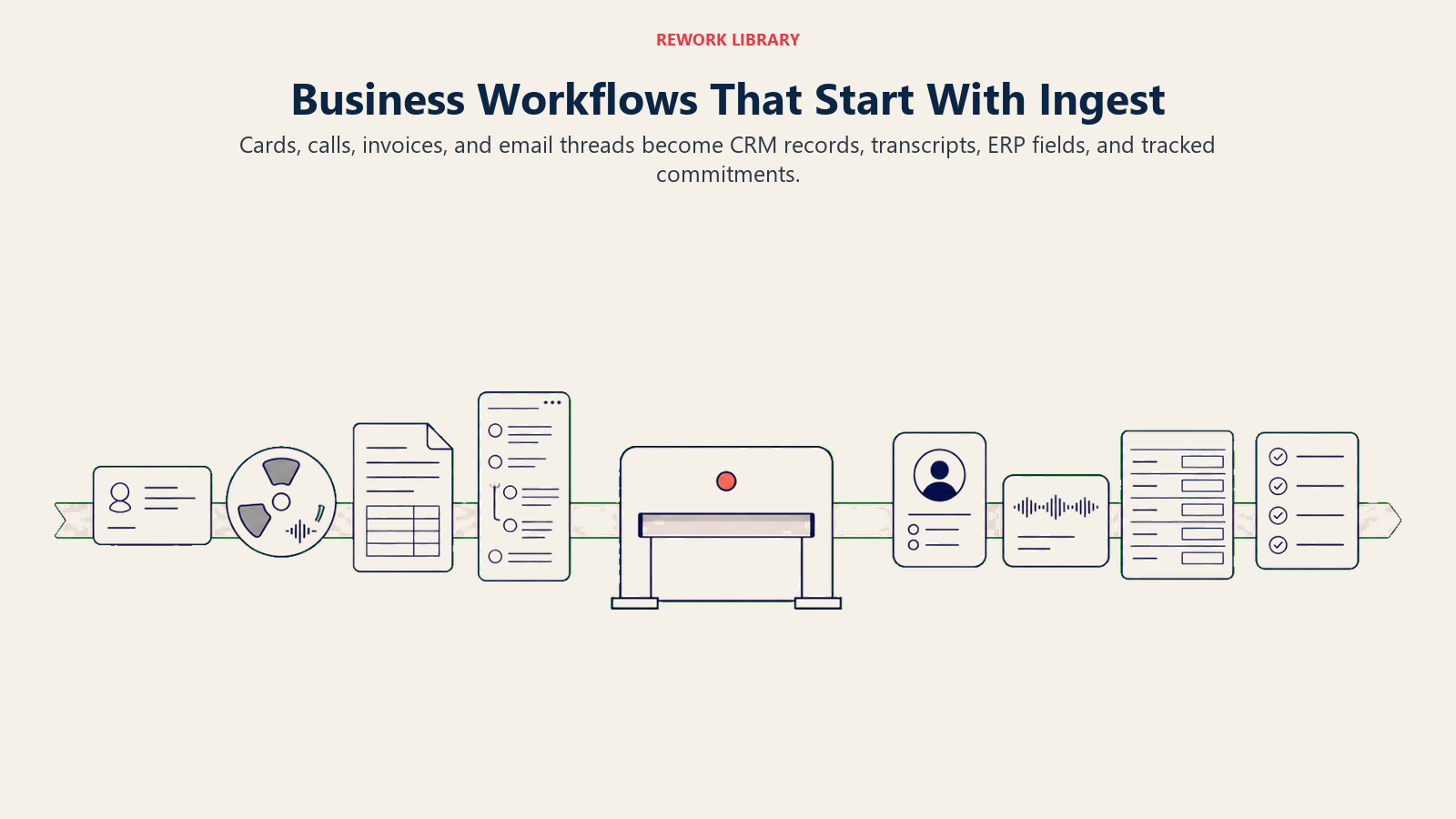
Kartu nama ke CRM dalam dua detik. Seorang tenaga penjual memotret kartu nama di sebuah konferensi dan mengunggahnya melalui ponsel. OCR mengekstrak nama, jabatan, perusahaan, email, dan telepon. Lapisan parsing memetakannya ke skema field CRM. Kemampuan Execute (jika terhubung) membuat catatan kontak secara otomatis. Yang dulu memakan 90 detik entri manual kini terjadi sebelum rep berjalan ke booth berikutnya. Batasannya: akurasi OCR menurun pada kartu dua sisi, font kecil, atau latar belakang gelap. Confidence threshold sangat penting.
Rekaman rapat ke transkrip yang bisa dicari. Discovery call direkam melalui Zoom dan dikirim ke Deepgram atau AssemblyAI. Dalam beberapa menit, tim mendapatkan transkrip dengan timestamp dan identifikasi pembicara. Analyze di hilir dapat mengekstrak keberatan, komitmen, dan tindak lanjut. Yang sering terlewat: kualitas transkrip sangat bergantung pada kualitas audio. Panggilan dengan pembicara yang saling bertumpang dan seseorang menggunakan speakerphone di dalam mobil menghasilkan transkrip yang tidak bisa diandalkan AI secara konsisten.
Scan faktur ke ERP. Kasus penggunaan Emma. Faktur pemasok datang sebagai PDF atau gambar. Document parsing mengekstrak field terstruktur: nomor faktur, vendor, nomor PO, item baris, total, syarat pembayaran. Field-field itu mengisi ERP, dan dokumen aslinya dilampirkan untuk audit. Tim keuangan yang memproses 400 faktur per bulan dengan akurasi 97% masih akan memiliki 12 faktur per bulan dengan kesalahan ekstraksi. Lapisan Ingest perlu menampilkan confidence score dan mengarahkan ekstraksi dengan kepercayaan rendah ke antrian tinjauan manusia, bukan meloloskannya secara diam-diam.
Rangkaian email ke komitmen. Account manager menempelkan rangkaian email panjang ke alat workflow. Document parsing membaca rantai tersebut, mengidentifikasi setiap pembicara, dan mengekstrak komitmen beserta tenggat waktunya: siapa setuju apa, kapan. Yang dulu memerlukan pembacaan ulang yang cermat kini menjadi daftar terstruktur dalam waktu kurang dari 30 detik. Kasus tepi: rangkaian dengan banyak kutipan atau email yang diteruskan (di mana blok teks yang sama muncul tiga kali) membingungkan sebagian besar alat parsing. Logika de-duplikasi sangat penting.
Apa yang membuat Ingest sulit
Ingest terlihat sederhana dari luar. "Tinggal baca dokumennya." Namun realitas operasionalnya lebih rumit.
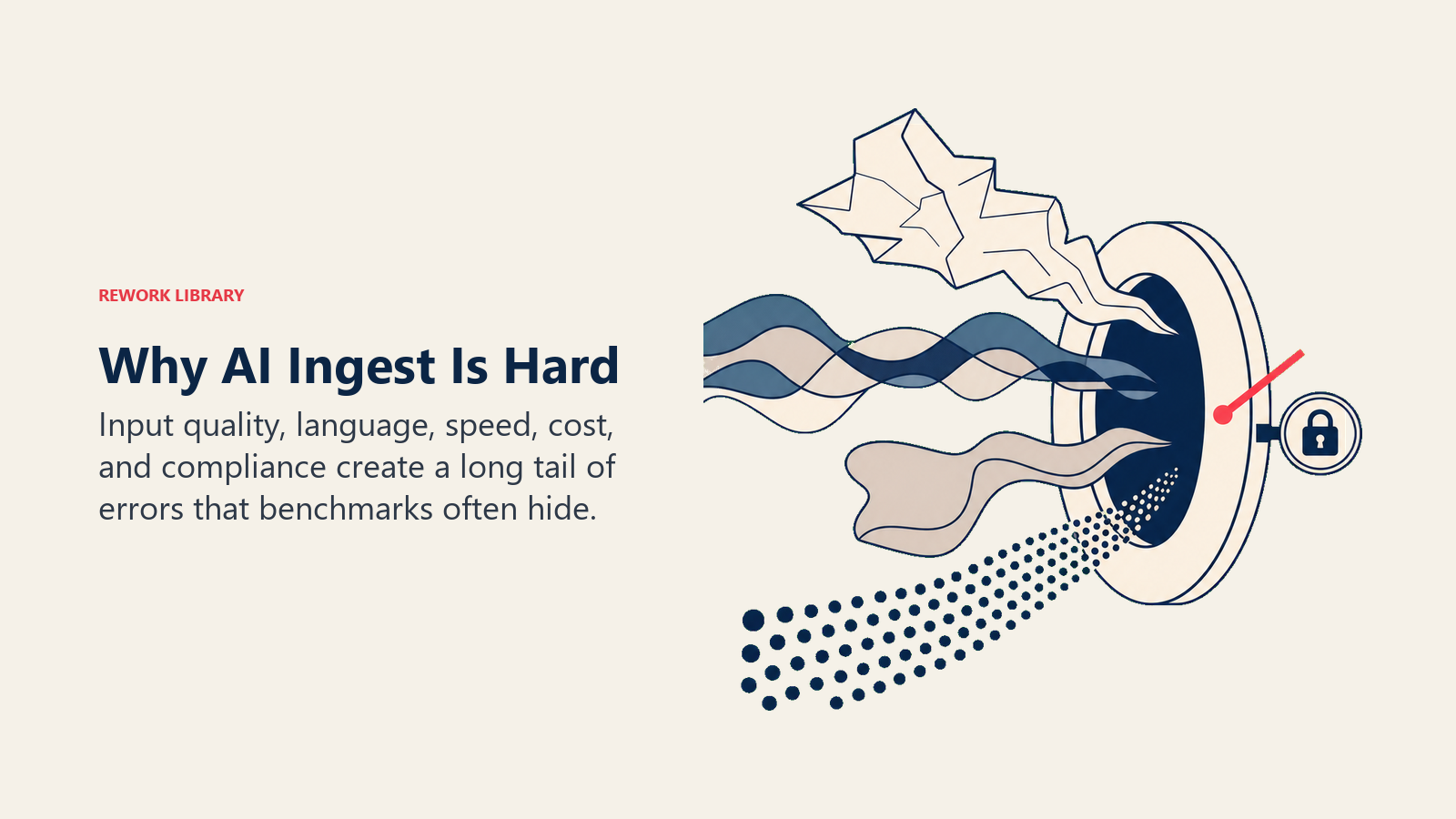
Variasi kualitas. OCR menurun pada scan resolusi rendah, font tidak biasa, dan konten tulisan tangan. Speech-to-text menurun pada pembicaraan yang tumpang tindih, aksen kuat, dan kosakata spesifik domain. Sebagian besar Pipeline Ingest produksi menghadapi ekor panjang kasus tepi yang merusak jalur normal. Tulisan tangan, khususnya, adalah masalah yang sebagian besar belum terpecahkan per 2026, jika alur kerja Anda melibatkan formulir tulisan tangan, rencanakan kapasitas tinjauan manusia, bukan otomatisasi AI.
Dokumen multi-bahasa dan kasus tepi. Sebagian besar alat OCR menangani aksara Latin dengan baik. Dukungan untuk aksara kanan ke kiri, bahasa berbasis karakter, atau tata letak dokumen non-standar bervariasi secara signifikan. Uji pada distribusi dokumen aktual Anda, bukan sampel bahasa Inggris dalam demo vendor.
Tradeoff kecepatan vs. akurasi. Pipeline yang lebih cepat sering menjalankan model yang lebih kecil dan kurang akurat. Biaya kesalahan Ingest sepenuhnya bergantung pada apa yang terjadi di hilir. Faktur dengan jumlah salah yang langsung masuk ke ERP lebih mahal untuk diperbaiki dibandingkan transkrip dengan beberapa kata yang tidak jelas yang ditinjau manusia. Sesuaikan persyaratan akurasi Anda dengan biaya kesalahan, bukan dengan benchmark vendor.
Biaya dalam skala besar. Transkripsi audio berjalan sekitar $0,01–$0,02 per menit dengan API komersial. Tim penjualan yang merekam 500 jam panggilan per bulan menghabiskan $300–$600/bulan hanya untuk transkripsi, belum termasuk pemrosesan di hilir. Bangun model biaya sebelum berasumsi bahwa Ingest hanyalah "panggilan API."
PII dan kepatuhan. Ingest mengirimkan dokumen aktual Anda ke layanan eksternal. Verifikasi penanganan data vendor sebelum pilot, bukan setelahnya. SOC 2 adalah standar minimum. HIPAA Business Associate Agreement penting untuk layanan kesehatan. Residensi data penting untuk GDPR. Ini sering menjadi alasan mengapa pilot yang berhasil secara teknis dihentikan oleh tim hukum tiga bulan kemudian.
Mode kegagalan umum: degradasi akurasi yang diam-diam
Alat Ingest sering melaporkan akurasi pada dataset benchmark saat proses penjualan. Benchmark tersebut mungkin tidak mencerminkan distribusi dokumen aktual Anda. Ketika Anda memperkenalkan pemasok baru dengan format yang tidak biasa, akurasi turun secara diam-diam. Tidak ada alarm yang berbunyi. Field yang salah mengisi ERP, dan kesalahan baru muncul saat rekonsiliasi tiga minggu kemudian.
Solusinya: perlakukan akurasi Ingest sebagai metrik operasional yang berkelanjutan, bukan evaluasi vendor satu kali. Lacak akurasi ekstraksi per jenis dokumen. Bangun antrian tinjauan manusia untuk ekstraksi di bawah confidence threshold Anda. Audit sampel dokumen yang diproses otomatis setiap bulan.
Bagaimana Ingest terhubung ke kemampuan lainnya
Ingest adalah kemampuan pertama dalam ACE Framework karena merupakan prasyarat untuk segalanya. Namun hampir tidak pernah digunakan sendirian.
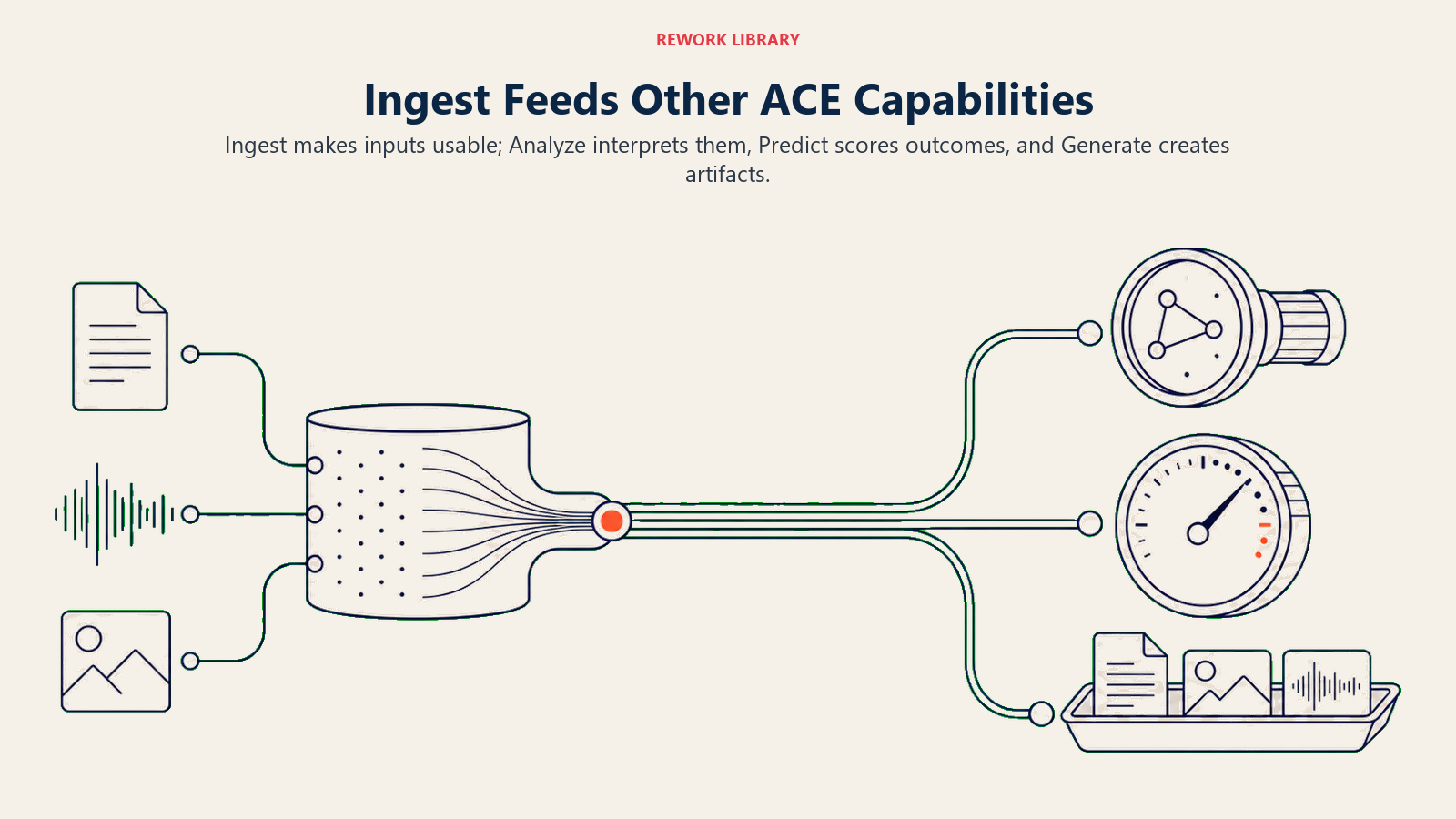
Ingest + Analyze. Pasangan yang paling umum. Ingest membawa dokumen, rekaman audio, atau respons API. Analyze kemudian mengekstrak makna: mengklasifikasikan jenis dokumen, menarik field spesifik, mendeteksi sentimen, mengidentifikasi entitas. Pola Vision Extract (faktur ke ERP, kartu nama ke CRM) adalah kombinasi Ingest + Analyze.
Ingest + Analyze + Generate. Tambahkan langkah Generate dan Anda bisa menghasilkan output yang bisa dibaca manusia dari input mentah. Rekaman rapat melalui Ingest (transkrip), Analyze (topik, item tindakan, atribusi pembicara), dan Generate (email ringkasan, catatan CRM, draf tindak lanjut). Ini adalah pola Meeting Intelligence yang diimplementasikan oleh alat seperti Gong dan Fireflies.
Ingest + Analyze + Predict. Tiket dukungan baru datang sebagai teks (Ingest), diklasifikasikan berdasarkan jenis dan sentimen (Analyze), lalu diberi skor prioritas (Predict). Alur kerja routing dan triase mengikuti pola ini. Begitu juga cara Pipeline lead scoring bekerja ketika input penilaian berbasis teks (percakapan email, respons formulir web) bukan catatan CRM yang bersih.
Memilih alat Ingest untuk kasus penggunaan Anda
Tidak ada satu alat pun yang menangani kelima sub-kemampuan dengan sama baiknya. Cocokkan alat dengan jenis input utama Anda.
| Kasus penggunaan | Alat yang direkomendasikan | Hindari jika |
|---|---|---|
| Faktur, formulir, PDF terstruktur | AWS Textract, Azure AI Document Intelligence | Anda memiliki tata letak yang kompleks dan non-standar |
| PDF kompleks (multi-kolom, tabel, struktur bersarang) | LlamaParse | Anda memerlukan pemrosesan real-time dengan kecepatan produksi |
| Transkripsi rapat dan panggilan | Deepgram, AssemblyAI | Kualitas audio buruk atau pembicara banyak yang tumpang tindih |
| Transkripsi open-source/self-hosted | OpenAI Whisper | Anda memerlukan latensi rendah dalam skala besar tanpa investasi infrastruktur |
| Halaman web ke teks bersih | Firecrawl, Jina Reader | Halaman memerlukan rendering JavaScript atau login |
| Pemahaman gambar dan screenshot | GPT-4V | Biaya adalah kendala utama (model vision lebih mahal per panggilan) |
Tidak ada dari ini yang merupakan endorsement. Akurasi aktual Anda pada dokumen aktual Anda, dengan volume aktual Anda, itulah yang penting. Jalankan batch pilot dengan 500–1.000 dokumen representatif sebelum berkomitmen pada suatu arsitektur.
Pola integrasi
Tiga pola mencakup sebagian besar deployment Ingest di produksi. Event-driven: file baru mendarat di folder atau memicu webhook, API Ingest langsung berjalan. Baik untuk pemrosesan faktur atau pengambilan struk ketika Anda memerlukan hasil mendekati real-time. Batch: pekerjaan malam mengumpulkan semua dari 24 jam terakhir dan memprosesnya secara massal. Baik untuk transkripsi panggilan, di mana hasil pada hari yang sama tidak diperlukan. Biaya per unit lebih rendah. On-demand: pengguna mengklik "analisis ini" di antarmuka produk Anda dan menunggu hasilnya. Baik untuk alur kerja yang dimulai oleh pengguna. Sebagian besar tim mulai dengan on-demand, beralih ke event-driven seiring bertambahnya volume, dan menambahkan batch untuk backfill historis.
Ketika Ingest gagal: tiga hal yang harus diperiksa terlebih dahulu
Sebelum berasumsi model AI-nya yang salah, audit inputnya. Tarik 20 dokumen atau file audio terbaru yang menghasilkan kesalahan. Apakah ada pola? Format pemasok tertentu? Sering kali kegagalan ada pada input, bukan model.
Kedua: periksa confidence threshold Anda. Sebagian besar alat Ingest produksi mengekspos confidence score per field yang diekstrak. Tetapkan threshold dan arahkan ekstraksi dengan kepercayaan rendah ke antrian tinjauan manusia, bukan meloloskannya ke hilir secara diam-diam.
Ketiga: pertimbangkan apakah kegagalannya bersifat fundamental. Konten tulisan tangan dalam skala besar mungkin memang memerlukan tinjauan manusia. Kesiapan data memengaruhi Ingest sama seperti kemampuan hilir lainnya: input berkualitas rendah yang konsisten menghasilkan output berkualitas rendah yang konsisten, terlepas dari model yang digunakan.
Fondasi yang tidak glamor
Ingest tidak menghasilkan slide deck. Ia tidak muncul dalam demo vendor sebagai fitur utama. Namun bicaralah dengan tim mana pun yang telah mengimplementasikan AI ke produksi, dan lapisan Ingest adalah tempat mereka akan ceritakan bahwa mereka menghabiskan 40% waktu teknik: memasukkan dokumen, menangani kasus tepi, membangun antrian confidence-scoring dan tinjauan, mengelola PII, memantau drift kualitas.
Jika lapisan ini benar, Analyze, Predict, Generate, dan Execute menjadi mungkin. Lewatkan, dan Anda membangun di atas input yang tidak bisa dipercaya.
Tidak glamor. Kritis. Pertama.
Baca selanjutnya
- ACE Framework: tabel periodik lengkap, dengan semua lima kemampuan dan enam lapisan stack
- Analyze: kemampuan yang berjalan setelah Ingest: mengklasifikasi, mengekstrak, dan memahami apa yang telah Anda kumpulkan
- 7 jenis data yang akan dikonsumsi alur kerja AI Anda, dan bagaimana Ingest diterapkan pada masing-masing
- Kesiapan data: pekerjaan prasyarat yang membuat Ingest (dan setiap kemampuan di hilir) benar-benar berfungsi
- Baca kasus penggunaan AI apa pun dalam lima menit menggunakan ACE Formula

Principal Solution Architect
On this page
- Apa yang dilakukan Ingest
- Lima sub-kemampuan Ingest
- OCR (Optical Character Recognition)
- Speech-to-text (transkripsi)
- Document parsing
- Data ingestion
- Pemahaman layar dan UX
- Input dan output: tabel referensi
- Empat alur kerja bisnis nyata yang dimulai dengan Ingest
- Apa yang membuat Ingest sulit
- Mode kegagalan umum: degradasi akurasi yang diam-diam
- Bagaimana Ingest terhubung ke kemampuan lainnya
- Memilih alat Ingest untuk kasus penggunaan Anda
- Pola integrasi
- Ketika Ingest gagal: tiga hal yang harus diperiksa terlebih dahulu
- Fondasi yang tidak glamor
- Baca selanjutnya