Generate: Lo que la IA Puede Crear para su Empresa
Turn this article into takeaways for your work.


Each assistant summarizes the article only for you and suggests best practices for your work.
Desde finales de 2022, todos los equipos han estado generando. Correos redactados por IA, resúmenes escritos por IA, respuestas a clientes que parten de una plantilla producida por IA. La adopción ocurrió más rápido que la gobernanza.
Lo que la mayoría de los equipos todavía no ha acordado es qué significa realmente "revisar". ¿Quién lo lee antes de que salga? ¿Leerlo equivale a aprobarlo, o solo a echarle un vistazo? ¿Quién es responsable del resultado si algo está mal? Esas preguntas eran fáciles de aplazar cuando la IA era una curiosidad. Son más difíciles de aplazar ahora que la IA forma parte del flujo de trabajo a diario.
Generate es la capacidad ACE que produce artefactos: texto, código, imágenes, planes, documentos estructurados. Es la capacidad de IA más visible porque el resultado se puede leer de inmediato, un borrador sobre el que puede reaccionar. Esa visibilidad impulsó una adopción más rápida que la de cualquier otra capacidad del framework. También produce un punto ciego específico: el borrador parece terminado, así que se omite el paso de revisión.
Este artículo explica qué hace realmente Generate, qué producen sus seis sub-capacidades, dónde falla y, sobre todo, el límite entre generar algo y comprometerlo con el mundo. En ese límite es donde corresponde la conversación sobre gobernanza.
Generate en el ACE Framework
En el ACE Framework, Generate es una de las cinco capacidades principales de IA de negocios: Ingest, Analyze, Predict, Generate, Execute. Es la capacidad que puso a la IA en la agenda de todos los ejecutivos después de 2022.
Generate produce nuevos artefactos a partir de prompts y contexto. El resultado es algo que no existía antes: un borrador de correo, un bloque de código, una imagen de marketing, un plan de proyecto. Y aquí está la parte que la mayoría de los equipos pasan por alto: ese artefacto permanece en borrador hasta que algo más lo envía al mundo.
Ese "algo más" es Execute, una capacidad completamente separada. Redactar un correo de reactivación de pacientes no es lo mismo que enviarlo a 2.200 personas. El equipo de la Dra. Chen tenía Generate sin gobernanza de Execute, y ahí es exactamente donde ocurrió el error.
Antes de llegar a ese límite, entendamos qué cubre realmente Generate.
Las 6 sub-capacidades de Generate
Generate no es una sola cosa. Cubre seis tipos distintos de artefactos que la IA puede producir:
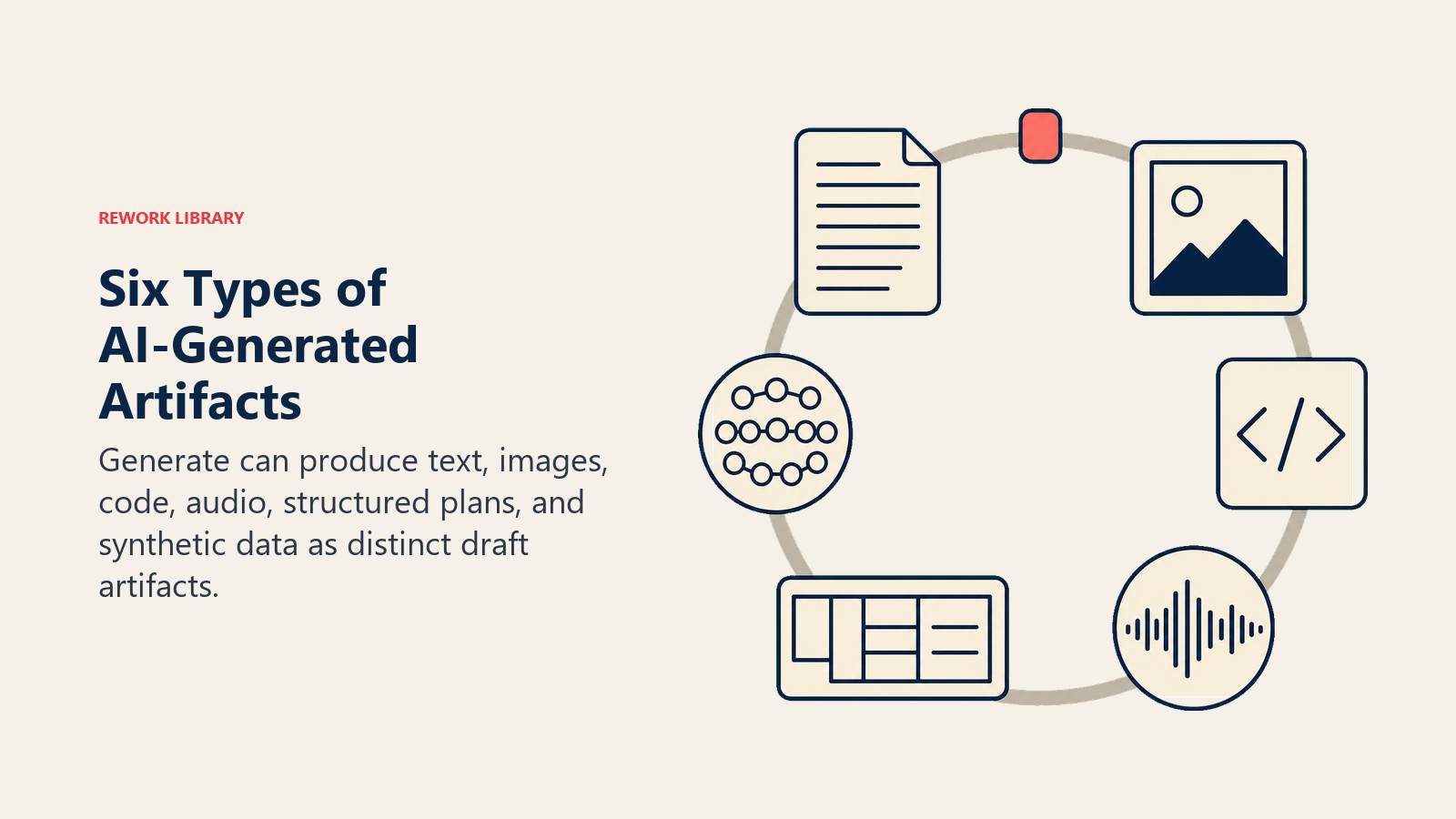
1. Generación de texto
La forma más visible. ChatGPT, Claude, Gemini y sus variantes empresariales (Jasper, Writer, Copy.ai) generan texto a partir de prompts y contexto: correos, informes, publicaciones de blog, documentos de políticas, materiales de capacitación, comunicaciones con clientes, propuestas. La generación de texto es lo que la mayoría de las personas quieren decir cuando dicen "IA generativa."
Un representante de ventas proporciona tres inputs: la industria del prospecto, el contexto del deal desde el CRM y la objeción específica planteada en la última llamada. La IA redacta un correo de seguimiento de 400 palabras. El representante edita un párrafo, ajusta la línea de asunto y lo envía. 25 minutos se convierten en 6. El representante no automatizó el envío; automatizó el borrador.
2. Generación de imágenes
Midjourney, DALL-E, Adobe Firefly y Stable Diffusion producen imágenes a partir de prompts de texto. Un equipo de marketing puede ir de "imagen principal para nuestra campaña Q3 dirigida a gerentes de cadena de suministro" a 50 variaciones visuales en menos de tres minutos.
Esto no es recuperar fotos de stock. Es sintetizar imágenes nuevas píxel a píxel. El resultado puede ser consistente con la marca si el prompt es específico, o completamente desalineado si no lo es. Los equipos con conocimientos de diseño tratan el resultado como material en bruto para un diseñador humano, no como un entregable terminado. Los equipos sin ese paso de revisión producen visuales fuera de marca que perjudican más de lo que ayudan.
3. Generación de código
GitHub Copilot, Cursor y Claude Code generan código a partir de descripciones en lenguaje natural o comentarios. Un desarrollador escribe un comentario explicando qué debería hacer una función; la IA redacta la implementación. Un analista de datos describe un informe; la IA escribe la consulta SQL.
Los datos internos de GitHub muestran que los desarrolladores que usan Copilot completan las tareas un 55% más rápido. Pero el requisito de control de calidad es alto: el código generado por IA contiene bugs. La ganancia de productividad proviene de la velocidad de borrador, no de un resultado sin errores. Cada línea necesita revisión antes de ejecutarse en producción.
4. Generación de audio
ElevenLabs, Suno y las herramientas de síntesis de voz integradas en plataformas como HubSpot generan narraciones, voz sintética y contenido de audio a partir de texto. Una empresa puede producir una narración profesional de su guía de onboarding sin una sesión de grabación. Un equipo de soporte al cliente puede crear audio consistente para la cola de llamadas sin contratar un actor de voz.
Esta sub-capacidad está creciendo rápidamente y conlleva más riesgo que las otras. La clonación de voz (producir audio sintético que suene como una persona específica) tiene un potencial significativo de uso indebido. La FTC realizó un Voice Cloning Challenge en 2024 que respondió directamente a casos de fraude donde la voz generada por IA se hacía pasar por ejecutivos en solicitudes de transferencia bancaria. Esto es Generate operando cerca del límite. Las políticas de gobernanza que cubren específicamente el audio de salida son cada vez más necesarias.
5. Generación de planes y resultados estructurados
Proporcione a Claude o ChatGPT un objetivo y contexto suficiente, y generarán un plan de proyecto, una agenda de reunión, un calendario de contenido o una estructura de OKR. Esto no es prosa; es generación de artefactos estructurados con dependencias lógicas.
Un gerente de producto pega una entrevista de usuario en Claude y pide un primer borrador de PRD. Un Director de Operaciones describe un nuevo proceso de onboarding y obtiene un documento de flujo de trabajo de 12 pasos. Estos resultados son útiles como puntos de partida. La IA no conoce su empresa lo suficientemente bien como para producir un plan terminado, pero produce un primer borrador que es más rápido de editar que de crear desde cero.
6. Generación de datos
Los datos sintéticos (registros artificiales que imitan datos reales sin contener información real de clientes) es una sub-capacidad menos discutida pero importante. La IA genera conjuntos de datos de prueba para entornos QA, datos de entrenamiento para modelos más pequeños y conjuntos de datos anonimizados para trabajo de analítica donde no pueden usarse datos reales. Para equipos técnicos que construyen sistemas de IA, es a menudo la condición previa para todo lo demás: no se puede entrenar un modelo de detección de fraude sin suficientes ejemplos de fraude, por lo que se generan sintéticos.
Las sub-capacidades de un vistazo
| Sub-capacidad | Qué produce | Herramientas de ejemplo | Riesgo clave |
|---|---|---|---|
| Texto | Correos, informes, contenido, documentos | ChatGPT, Claude, Gemini, Jasper | Alucinaciones, voz fuera de marca |
| Imagen | Visuales de marketing, miniaturas, diseños | Midjourney, DALL-E, Adobe Firefly | Resultado fuera de marca, IP/derechos de autor |
| Código | Scripts, SQL, integraciones, aplicaciones completas | GitHub Copilot, Cursor, Claude Code | Bugs, vulnerabilidades de seguridad |
| Audio | Narraciones, música, síntesis de voz | ElevenLabs, Suno | Uso indebido de clonación de voz |
| Plan/estructurado | Planes de proyecto, PRDs, cronogramas, OKRs | Claude, ChatGPT, Gemini | Dependencia excesiva, contexto faltante |
| Datos | Datos de entrenamiento sintéticos, casos de prueba | Pipelines personalizados, GPT-4 batch | Deriva estadística de la realidad |
Ejemplos reales: antes y después
Así es como se ve Generate en las distintas funciones de una empresa mediana.
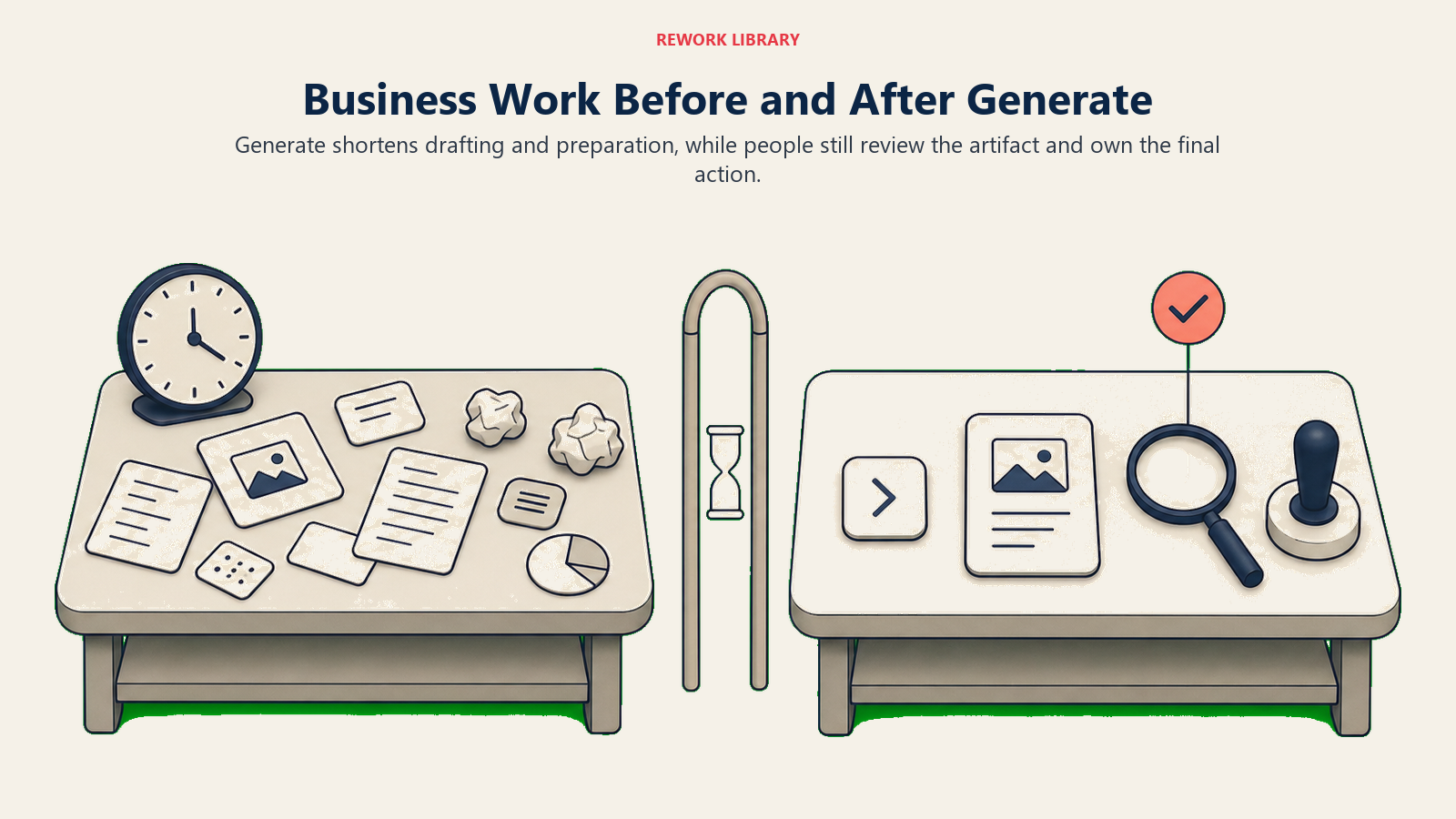
Ventas: Un representante solía pasar 45 minutos preparándose para cada revisión de deal: extrayendo notas del CRM, revisando la transcripción de la última llamada, redactando puntos de conversación. Con Claude resumiendo el historial de la cuenta y generando una agenda de primer borrador, ese tiempo de preparación es de menos de 10 minutos. El representante todavía dirige la reunión. La IA hizo la preparación.
Marketing: Un equipo de contenido que producía seis piezas al mes ahora produce 24, con Claude redactando primeros borradores a partir de briefs detallados. Los escritores pasan su tiempo en estrategia y edición, no en páginas en blanco. La producción se cuadruplicó; nadie fue reemplazado.
Finanzas: Una analista de finanzas describió en un párrafo el informe SQL que necesitaba. La IA escribió la consulta. Ella lo validó, hizo dos correcciones y tuvo el informe en una hora en lugar de un día.
Soporte al cliente: Un equipo de soporte que usa Intercom recibe respuestas redactadas por IA para cada ticket entrante. Un agente revisa, edita si es necesario y envía. El tiempo de resolución bajó un 40%.
En cada caso: Generate produce un borrador, un humano revisa y una acción separada lo envía. Esa estructura no es accidental. Es la arquitectura de un despliegue seguro de Generate.
El límite Generate-Execute
Este es el concepto más importante de este artículo.
Generate produce artefactos. Execute cambia el estado fuera de la IA. Son capacidades diferentes con perfiles de riesgo diferentes y requisitos de gobernanza diferentes.
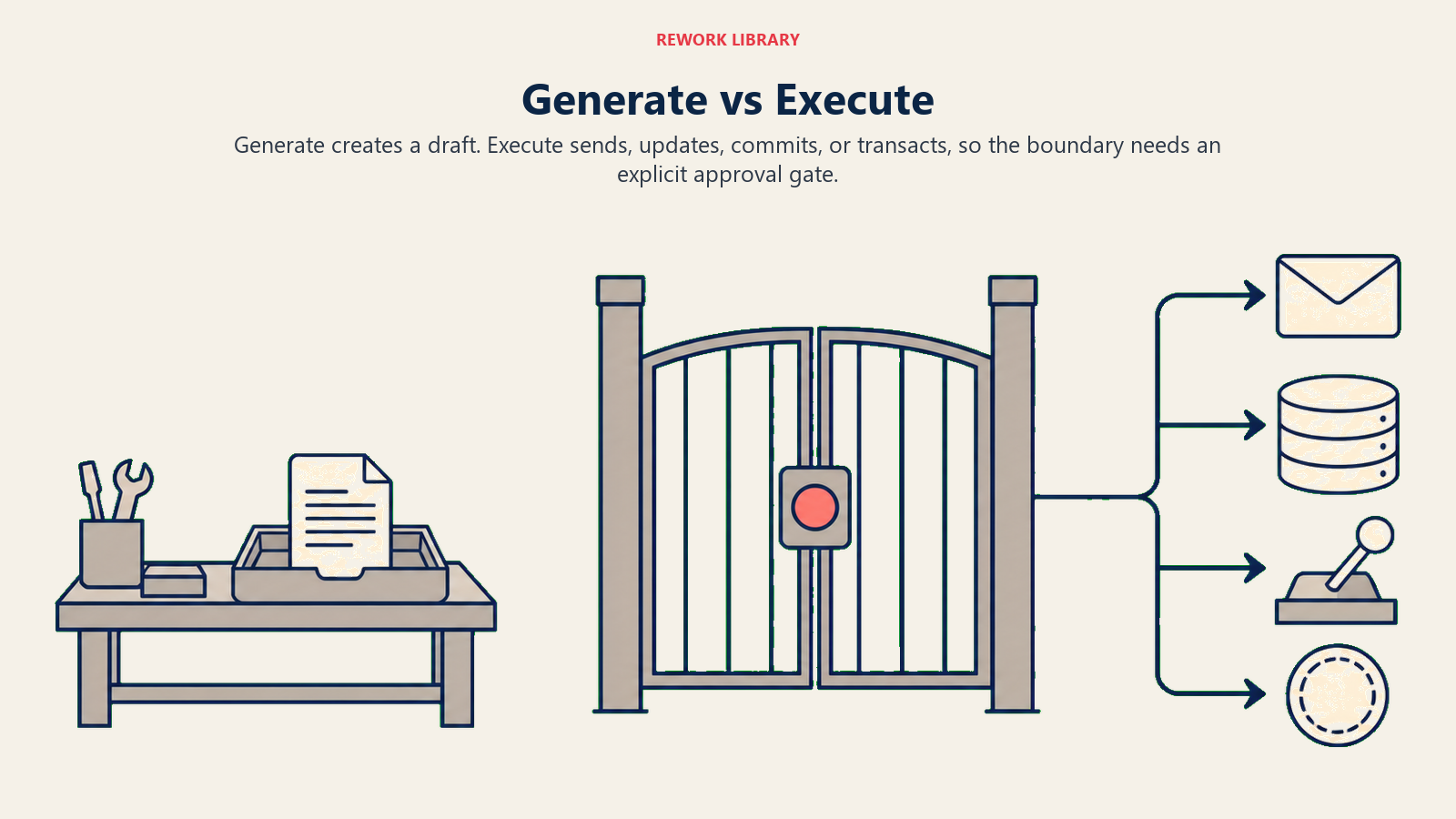
Cuando el equipo de la Dra. Chen redactó un correo a pacientes, eso fue Generate. Cuando el correo se envió a 2.200 personas, eso fue Execute. El error ocurrió porque Execute funcionó sin un review-gate entre los dos.
El límite Generate vs. Execute es donde vive la gobernanza. Es donde pertenecen los flujos de aprobación. Es donde su política de "humano en el ciclo" necesita ser explícita.
El error más común es tratar un flujo de trabajo que combina ambos como si fuera "solo la IA generando algo." Cuando su IA redacta y luego envía, está usando Generate + Execute. Esa combinación requiere una supervisión diferente que Generate solo.
Una prueba simple: "¿el resultado de esta IA cambia el estado en un sistema externo sin un paso de revisión humana?" Si la respuesta es sí, tiene un Execute en su cadena, y merece atención explícita.
Por qué Generate es la capacidad de IA más visible
De las cinco capacidades en el ACE Framework, Generate produce el resultado más legible. Puede leerlo, mirarlo, reaccionar ante él inmediatamente. A diferencia de Predict (que produce una puntuación que debe interpretar) o Ingest (que convierte un formato con el que no podía trabajar), Generate produce artefactos que parecen terminados.
Esa visibilidad impulsó la adopción: ChatGPT cruzó un millón de usuarios en cinco días. GitHub Copilot llegó a un millón en su primer año. Ninguna otra capacidad de IA creció tan rápido, porque ninguna produce algo que pueda ver y usar inmediatamente.
Pero la visibilidad también impulsa la sobreconfianza. El borrador es suficientemente bueno el 80% del tiempo, por lo que los equipos dejan de verificar el 20% donde es confidentemente incorrecto. El modo de falla (alucinación, resultado fuera de marca, error factual) es lo suficientemente grave como para causar daño real cuando ocurre.
Modos de falla: qué sale mal con Generate
Alucinaciones. Los modelos Generate producen texto plausible, no texto verificado. Pueden citar estudios que no existen, citar estadísticas fabricadas y describir eventos que nunca ocurrieron, todo en prosa fluida y confiada. El resultado parece autoritativo. Ese es el riesgo.
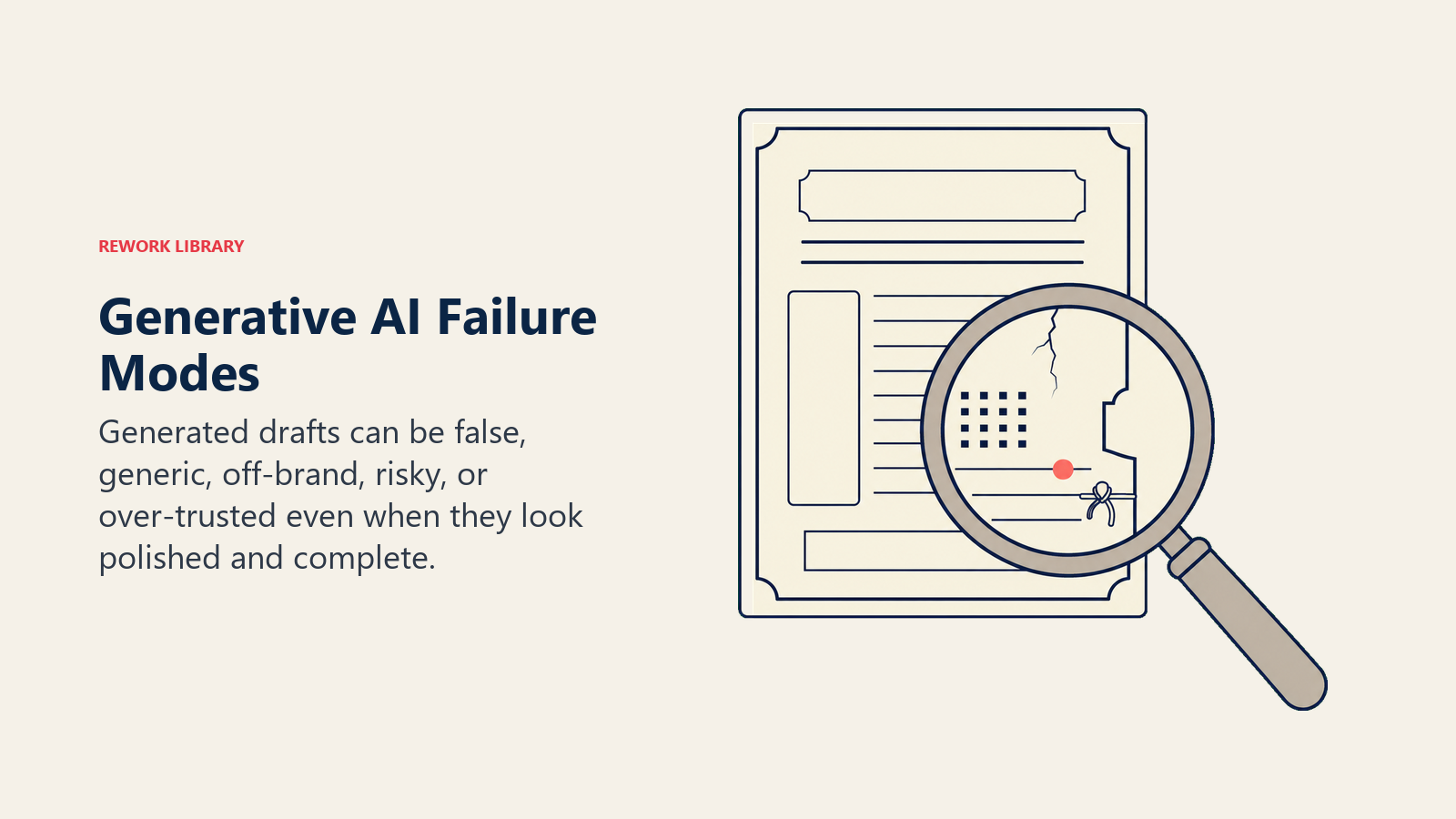
Para texto dirigido a clientes, las alucinaciones en el borrador que llegan a Execute sin revisión se convierten en alucinaciones que sus clientes reciben. Este es el modo de falla que termina los pilotos.
Resultado genérico. Proporcione a la IA un prompt poco elaborado y obtendrá un resultado poco elaborado. "Escribe una propuesta para un nuevo cliente" produce una propuesta genérica que podría aplicarse a cualquier cliente. La IA solo puede personalizar al contexto que usted proporciona. Los equipos que no invierten en calidad del prompt, inyección de contexto y diseño del flujo de trabajo obtienen resultados mediocres y culpan a la herramienta en lugar del proceso.
Voz fuera de marca. Los LLMs tienen por defecto una voz suave, levemente formal y levemente corporativa. Es legible pero no distintiva. Si su marca tiene una voz específica (directa, irreverente, técnica, cálida), la IA se desviará hacia lo genérico a menos que la restrinja explícitamente. Las guías de estilo, los ejemplos few-shot y las instrucciones de voz de marca en el prompt reducen esto. No lo eliminan. La edición humana sigue siendo necesaria para el resultado crítico de la marca.
Riesgos de PI y derechos de autor. El estado legal del contenido generado por IA, y si el entrenamiento sobre material con derechos de autor crea responsabilidad posterior, sigue sin resolverse. Varios casos están activos en los tribunales de EE.UU. La regla práctica para la mayoría de las empresas: no publique imágenes generadas por IA que se parezcan mucho a obras protegidas por derechos de autor existentes, y agregue pasos de revisión para el contenido que reproduce elementos estilísticos específicos de fuentes identificadas.
Dependencia excesiva y erosión de habilidades. Cuando los equipos usan Generate intensamente para redactar, la habilidad individual de comenzar desde cero empieza a atrofiarse. El riesgo es real pero debe ser proporcional: usar una calculadora no destruyó el pensamiento aritmético. La preocupación aumenta cuando el resultado de la IA va sin revisión por completo, porque entonces no hay compromiso cognitivo con el trabajo en absoluto.
Generate como herramienta vs. Generate en un agente
Generate como herramienta: un humano inicia cada generación, ve el resultado y decide qué hacer con él. ChatGPT usado directamente es Generate como herramienta. Copilot haciendo sugerencias mientras escribe es Generate como herramienta. El humano siempre está en el ciclo.
Generate en un agente: un sistema automatizado incluye Generate como un paso, funcionando sin iniciación humana. Un sistema de redacción de correos que extrae nuevos leads del CRM durante la noche y genera mensajes de divulgación sin revisión es Generate en un agente.
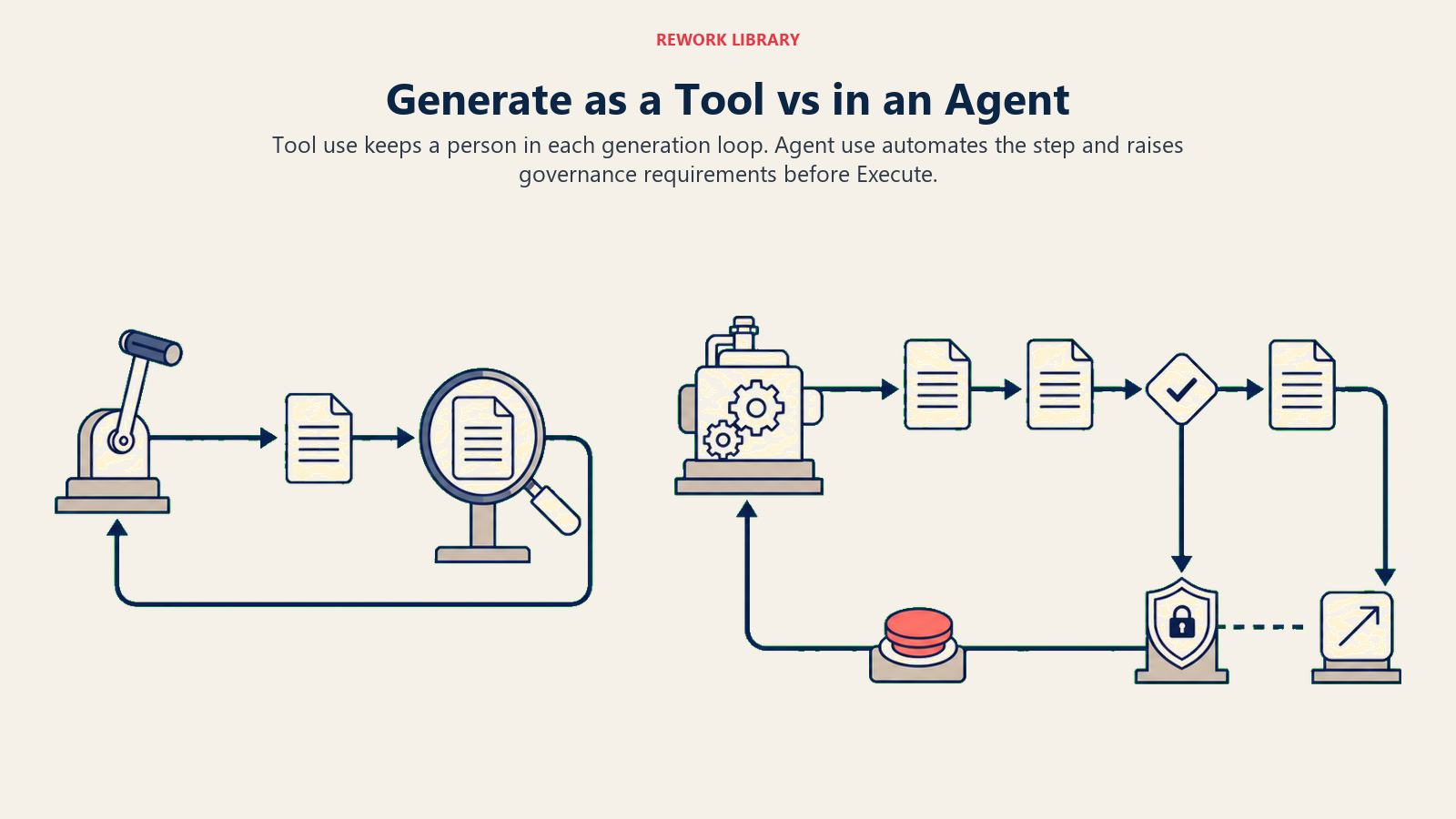
El cambio de herramienta a agente es un cambio en los requisitos de gobernanza. Cuando Generate funciona en un agente, necesita políticas sobre qué puede generar, controles de calidad antes de que se ejecute el siguiente paso y un review-gate humano antes de Execute o una decisión explícita de que la revisión no es necesaria.
La mayoría de las conversaciones sobre gobernanza de IA se enfocan en Execute porque ahí es donde viven las consecuencias. Pero generación deficiente más Execute sin verificación es la receta para la mayoría de los incidentes de IA.
Comience con Generate como herramienta. Pase a agentes solo cuando el proceso de revisión sea confiable.
Cómo evaluar una herramienta con capacidad Generate
Cuando está evaluando un producto que incluye Generate (y la mayoría de los productos de IA hoy en día lo hacen), haga tres preguntas:
¿De qué datos genera? ¿Está usando sus datos propietarios (registros CRM, correos pasados, su base de conocimiento) o solo el conocimiento general del modelo? Las herramientas que generan a partir de su contexto específico producen un resultado más relevante. Las herramientas sin acceso a su contexto producen resultados genéricos independientemente de su situación.
¿Adónde va el resultado generado? ¿Aterriza en un borrador que requiere acción humana explícita para usarse? ¿O fluye automáticamente hacia un paso Execute? Los productos que separan claramente borrador-y-revisión de envío-y-confirmación son más fáciles de gobernar.
¿Qué controles existen para la voz de marca y la precisión? ¿Puede inyectar una guía de estilo? ¿Puede restringir el modelo para que solo cite fuentes que pueda referenciar? Los mejores productos les dan a los operadores estos controles. Los más débiles le dan un cuadro de prompt y esperan.
Tratar el resultado de Generate como un primer borrador
El modelo mental correcto: un primer borrador de un pasante inteligente. Rápido, a menudo sorprendentemente bueno y completamente capaz de cometer errores confiados que debe detectar.
No enviaría el primer borrador de un correo a clientes hecho por un pasante sin leerlo. No desplegaría su primer commit de código sin revisión. El resultado de Generate merece el mismo tratamiento, no porque la IA sea mala en su trabajo, sino porque los primeros borradores requieren revisión.
Los equipos que obtienen más de Generate construyen la revisión en el flujo de trabajo desde el principio, no como un requisito burocrático sino como el paso de calidad que hace que el resultado sea genuinamente mejor que lo que la IA produjo sola.
Generate es poderoso. Pero es el comienzo de un flujo de trabajo, no el final.
Qué leer a continuación
Este artículo cubrió qué produce Generate, las seis sub-capacidades, ejemplos reales y el límite con Execute. La colección continúa:
- Límite Generate vs. Execute: qué pasos de aprobación pertenecen entre la generación y la acción, y cómo diseñarlos
- Capacidad Execute: qué sucede cuando la IA no solo redacta sino que actúa
- IA Predictiva vs. IA Generativa: cómo Generate se compara con la capacidad predictiva más antigua
- Capacidad Analyze: la capacidad que generalmente se ejecuta antes de Generate en un flujo de trabajo completo
- El ACE Framework: el mapa completo de cinco capacidades y la pila de seis capas
- Cómo leer casos de uso de IA: aplique el vocabulario ACE a cualquier pitch de herramienta o iniciativa interna

Principal Solution Architect
On this page
- Generate en el ACE Framework
- Las 6 sub-capacidades de Generate
- 1. Generación de texto
- 2. Generación de imágenes
- 3. Generación de código
- 4. Generación de audio
- 5. Generación de planes y resultados estructurados
- 6. Generación de datos
- Las sub-capacidades de un vistazo
- Ejemplos reales: antes y después
- El límite Generate-Execute
- Por qué Generate es la capacidad de IA más visible
- Modos de falla: qué sale mal con Generate
- Generate como herramienta vs. Generate en un agente
- Cómo evaluar una herramienta con capacidad Generate
- Tratar el resultado de Generate como un primer borrador
- Qué leer a continuación