Prompt Engineering: Eine Kernkompetenz am Arbeitsplatz im KI-Zeitalter

Turn this article into takeaways for your work.


Each assistant summarizes the article only for you and suggests best practices for your work.
Was Sie aus diesem Leitfaden mitnehmen
- Verstehen Sie, warum Prompt Engineering genauso wichtig ist wie das Schreiben einer guten E-Mail
- Bewerten Sie Ihr Prompt-Engineering-Niveau mit unserem 5-stufigen Kompetenzrahmen mit klaren Indikatoren
- Beherrschen Sie Kerntechniken wie klare Anweisungen, Kontextangaben, Beispiele und Ausgabeformatierung
- Lernen Sie fortgeschrittene Strategien wie Chain-of-Thought-Prompting, Few-Shot-Learning und Role-Prompting
- Vermeiden Sie häufige Fehler, die Zeit verschwenden und schlechte KI-Ergebnisse produzieren
- Erhalten Sie toolspezifische Tipps für ChatGPT, Claude, Copilot und andere beliebte KI-Assistenten
Denken Sie an das letzte Mal, als Sie eine unklare E-Mail verschickt haben und eine verwirrende Antwort erhielten. Sie mussten erneut schreiben, erklären, was Sie meinten, und auf eine weitere Antwort warten. Multiplizieren Sie diese Frustration nun mit den Dutzenden von KI-Interaktionen, die Fachleute jede Woche haben. Das sind die Kosten von schlechtem Prompt Engineering.
Prompt Engineering ist genauso wichtig geworden wie das Schreiben einer guten E-Mail. Es ist keine technische Fähigkeit, die Entwicklern vorbehalten ist. Es ist eine Kommunikationskompetenz, die jeder Wissensarbeiter benötigt. Der Unterschied zwischen jemandem, der mittelmäßige KI-Ergebnisse erhält, und jemandem, der wirklich nützliche Ergebnisse bekommt, liegt oft darin, wie die Anfragen formuliert werden.
Das macht diese Fähigkeit so dringend: KI-Tools sind bereits in Ihrem Arbeitsplatz eingebettet. Ob ChatGPT zum Verfassen von Inhalten, Copilot zur Coding-Unterstützung oder Claude für Recherche und Analyse: Diese Tools reagieren sehr unterschiedlich, je nachdem, wie Sie fragen. Ein gut formulierter Prompt kann eine 30-minütige Aufgabe in eine 3-minütige verwandeln. Ein schlechter Prompt kann dieselbe Aufgabe in eine stundenlange Hin-und-Her-Frustration verwandeln.
Warum Prompt Engineering jetzt wichtig ist
Die Zahlen belegen dies. Laut aktuellen Arbeitsmarkterhebungen berichten Mitarbeiter, die starke Prompt-Engineering-Fähigkeiten entwickeln, von 40 % schnelleren Erledigungszeiten bei KI-gestützten Aufgaben. Organisationen mit Prompt-Engineering-Schulungsprogrammen verzeichnen 2,3-mal höhere KI-Tool-Adoptionsraten und eine deutlich bessere Rendite auf ihre KI-Investitionen.
Aber über Produktivitätskennzahlen hinaus verändert Prompt Engineering Ihre Beziehung zu KI-Tools. Anstatt KI als unberechenbare Zauberkiste zu betrachten, beginnen Sie, sie als fähigen Assistenten zu sehen, der vorhersehbar auf klare Anweisungen reagiert. Diese Veränderung verwandelt Frustration in Vertrauen und Experimentieren in Effizienz.
Die Fähigkeit wächst mit der Zeit. Wenn Sie eine Bibliothek effektiver Prompts für Ihre wiederkehrenden Aufgaben aufbauen, schaffen Sie Automatisierung, die über natürliche Sprache funktioniert. Ihre Fähigkeiten zur Prozessoptimierung wachsen erheblich, wenn Sie präzise mit KI-Systemen kommunizieren können.
Das 5-Stufen-Prompt-Engineering-Framework
Stufe 1: Prompt-Beginner (0-3 Monate Praxis)
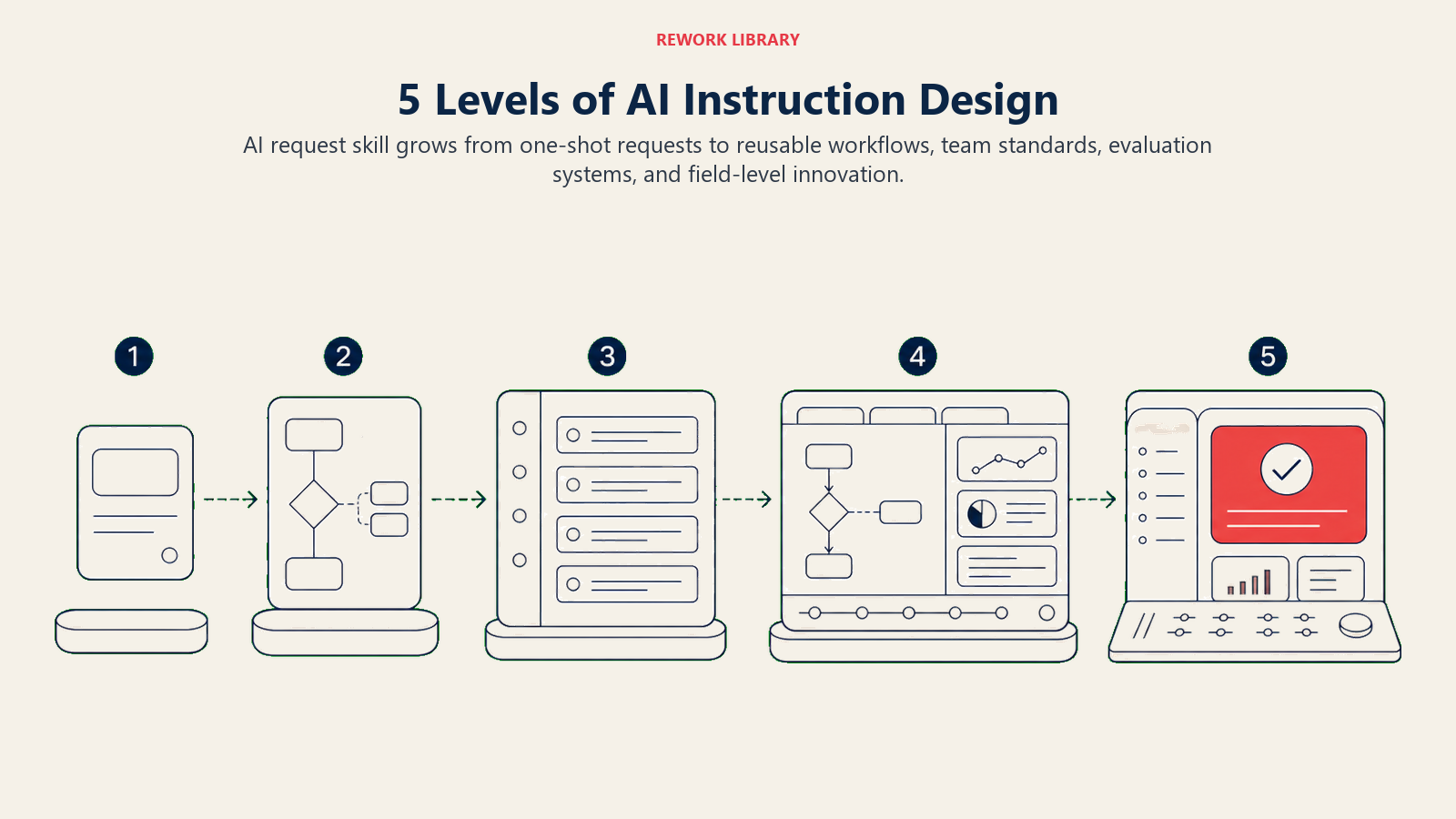
Sie befinden sich auf dieser Stufe, wenn: Sie KI-Tools gelegentlich nutzen, oft enttäuschende Ergebnisse erhalten und dazu neigen, die Ausgabe der KI ohne Verfeinerung zu akzeptieren.
Verhaltensmerkmale:
- Sie schreiben einzeilige Prompts und hoffen auf das Beste
- Sie sagen oft "Die KI versteht mich nicht" oder "Die KI hat Unsinn geliefert"
- Sie überarbeiten Prompts nicht, wenn die Ergebnisse schlecht sind
- Sie nutzen KI hauptsächlich für einfache Aufgaben wie Grammatikprüfung
- Sie kopieren Prompts von anderen, ohne zu verstehen, warum sie funktionieren
Beurteilungskriterien:
- Kann grundlegende KI-Tools für einfache Anfragen nutzen
- Versteht, dass die Formulierung eines Prompts die Ausgabequalität beeinflusst
- Erkennt, wenn die KI-Ausgabe eindeutig falsch oder nicht hilfreich ist
- Bereit, KI-Tools auszuprobieren, aber noch ohne ausgeprägtes Vertrauen
Entwicklungsschwerpunkt: Aufbau eines grundlegenden Verständnisses dafür, wie KI Sprache interpretiert. Ihr Ziel ist die Entwicklung der Gewohnheit, vollständige, spezifische Prompts zu schreiben, statt vager Anfragen.
Schnelle Erfolge auf dieser Stufe:
- Fügen Sie jedem Prompt Kontext hinzu - Anstatt "schreibe eine E-Mail" versuchen Sie "schreibe eine professionelle E-Mail an einen Kunden, die eine Projektverzögerung erklärt"
- Legen Sie das Ausgabeformat fest - Fügen Sie "als Aufzählungspunkte" oder "in 3 Absätzen" hinzu, um die Struktur zu steuern
- Geben Sie den Zweck an - Sagen Sie der KI, warum Sie diese Ausgabe benötigen, damit sie entsprechend anpassen kann
- Üben Sie die "Erkläre es einem neuen Mitarbeiter"-Denkweise - Wenn ein neuer Mitarbeiter Ihrem Prompt nicht folgen könnte, kann es die KI auch nicht
Übungsaufgabe: Nehmen Sie eine Aufgabe, die Sie normalerweise manuell erledigen würden, und schreiben Sie drei verschiedene Prompts, um die KI um Hilfe zu bitten. Vergleichen Sie die Ergebnisse. Beachten Sie, welcher Prompt die beste Ausgabe lieferte, und fragen Sie sich, warum.
Erfolgsindikatoren: Sie erhalten beim ersten oder zweiten Versuch konsistent verwendbare Ergebnisse, Sie empfinden KI nicht mehr als "zufällig", und Sie haben begonnen, ein Gespür dafür zu entwickeln, was funktioniert.
Stufe 2: Prompt-Fähig (3-6 Monate Praxis)
Sie befinden sich auf dieser Stufe, wenn: Sie meistens anständige Ergebnisse erzielen, Prompts bei Bedarf verfeinern können und bewährte Prompt-Strukturen für gängige Aufgaben entwickelt haben.
Verhaltensmerkmale:
- Sie strukturieren Prompts mit Kontext-, Aufgaben- und Formatspezifikationen
- Sie überarbeiten Prompts, um Ergebnisse zu verbessern
- Sie haben effektive Prompts zur Wiederverwendung gespeichert
- Sie können anderen erklären, warum bestimmte Prompts besser funktionieren
- Sie nutzen KI für zunehmend komplexe Aufgaben
Beurteilungskriterien:
- Schreibt mehrteilige Prompts mit klarer Struktur
- Nutzt KI erfolgreich für berufliche Arbeitsergebnisse
- Kann schwache Prompts diagnostizieren und verbessern
- Passt Prompts basierend auf den Eigenschaften verschiedener KI-Tools an
Entwicklungsschwerpunkt: Aufbau eines systematischen Ansatzes für die Prompt-Erstellung. Konzentrieren Sie sich auf das Verständnis der Komponenten, die Prompts effektiv machen, und entwickeln Sie Vorlagen für Ihre häufigen Anwendungsfälle.
Schnelle Erfolge auf dieser Stufe:
- Erstellen Sie eine Prompt-Vorlagenbibliothek für Ihre wiederkehrenden Aufgaben
- Lernen Sie das CRISP-Framework - Kontext, Rolle, Anweisungen, Spezifika, Parameter
- Beginnen Sie, Beispiele in Prompts zu verwenden - Zeigen Sie der KI, wie eine gute Ausgabe aussieht
- Experimentieren Sie mit Ton- und Stilanweisungen - "Schreibe in einem gesprächigen Ton" versus "Schreibe formell"
Beispiel-Prompt-Struktur:
Kontext: Ich bin Marketing-Manager und bereite mich auf unsere Quartalsüberprüfung vor.

Aufgabe: Analysieren Sie diese Kundenfeedbackdaten und identifizieren Sie die 3 wichtigsten Themen.

Format: Präsentieren Sie die Ergebnisse als:
1. Themenname (2-3 Wörter)
2. Wichtigste Belege (2-3 Aufzählungspunkte)
3. Empfohlene Maßnahme (1 Satz)

Ton: Professionell, aber zugänglich für nicht-technische Stakeholder.
Erfolgsindikatoren: Ihre Kollegen fangen an, nach Ihren Prompts zu fragen, Sie verbringen weniger Zeit mit der Bearbeitung von KI-Ausgaben und haben KI in Ihren regulären Workflow für mehrere Aufgabentypen integriert.
Stufe 3: Prompt-Kompetent (6-12 Monate Praxis)
Sie befinden sich auf dieser Stufe, wenn: Sie konsistent hochwertige Ergebnisse erzielen, fortgeschrittene Techniken natürlich einsetzen und anderen helfen, ihre Prompting-Fähigkeiten zu verbessern.
Verhaltensmerkmale:
- Sie verwenden Chain-of-Thought-Prompting für komplexe Denkaufgaben
- Sie liefern Beispiele (Few-Shot-Learning) für nuancierte Ausgaben
- Sie unterteilen komplexe Aufgaben in Prompt-Sequenzen
- Sie passen Ihren Ansatz basierend auf dem jeweiligen KI-Tool an
- Sie coachen Kollegen zu effektivem Prompting
Beurteilungskriterien:
- Beherrscht mehrere Prompting-Techniken und weiß, wann welche angewendet werden soll
- Erstellt anspruchsvolle Prompts, die Ausgaben nahezu in Entwurfsqualität produzieren
- Diagnostiziert die Prompt-Probleme anderer effektiv
- Versteht KI-Einschränkungen und entwirft Prompts, die damit umgehen
Entwicklungsschwerpunkt: Beherrschung fortgeschrittener Techniken und Entwicklung von Expertise in bestimmten Bereichen. Konzentrieren Sie sich auf die Erstellung von Prompt-Systemen für komplexe Workflows statt einzelner Prompts für einzelne Aufgaben.
Schnelle Erfolge auf dieser Stufe:
- Implementieren Sie Chain-of-Thought-Prompting - Bitten Sie die KI, Schritt für Schritt zu erklären
- Verwenden Sie Role-Prompting strategisch - "Agiere als Finanzanalyst, der diesen Vorschlag prüft"
- Erstellen Sie Prompt-Ketten - Verwenden Sie die Ausgabe eines Prompts als Eingabe für den nächsten
- Erstellen Sie domänenspezifische Prompt-Bibliotheken für Ihr Fachgebiet
- Wenden Sie kritisches Denken an, um KI-Ausgaben systematisch zu bewerten
Fortgeschrittene Technik - Chain-of-Thought:
Analysieren Sie, ob unser Unternehmen in den europäischen Markt expandieren sollte.

Bevor Sie Ihre Empfehlung abgeben, arbeiten Sie diese Schritte durch:
1. Listen Sie die wichtigsten Faktoren auf, die für eine Expansion sprechen
2. Listen Sie die wichtigsten Faktoren auf, die gegen eine Expansion sprechen
3. Identifizieren Sie, welche zusätzlichen Informationen Ihre Analyse verändern würden
4. Wägen Sie die Faktoren gegeneinander ab
5. Geben Sie Ihre Empfehlung mit Konfidenzniveau an

Zeigen Sie Ihre Begründung für jeden Schritt.
Erfolgsindikatoren: Sie werden als Prompt-Engineering-Experte in Ihrem Team anerkannt, haben wiederverwendbare Prompt-Systeme erstellt, die andere nutzen, und können jede Aufgabe effizient mit KI-Unterstützung angehen.
Stufe 4: Prompt-Fortgeschritten (1-2 Jahre Praxis)
Sie befinden sich auf dieser Stufe, wenn: Sie Prompt-Strategien für Teams entwerfen, KI-Workflows über Prozesse hinweg optimieren und mit sich entwickelnden Best Practices auf dem Laufenden bleiben.
Verhaltensmerkmale:
- Sie erstellen organisatorische Prompt-Standards und -Vorlagen
- Sie entwerfen mehrstufige KI-Workflows für komplexe Geschäftsprozesse
- Sie bewerten und empfehlen KI-Tools basierend auf Prompting-Fähigkeiten
- Sie schulen Teams in Prompt Engineering
- Sie experimentieren mit neuesten Techniken, sobald sie entstehen
Beurteilungskriterien:
- Entwickelt Prompt-Engineering-Richtlinien für Organisationen
- Erzielt messbare Verbesserungen der Team-KI-Produktivität
- Integriert Prompt Engineering in das Geschäftsprozessdesign
- Trägt zum Wissensaustausch über Prompt Engineering bei
Entwicklungsschwerpunkt: Skalieren Sie Ihre Expertise für organisatorischen Einfluss. Konzentrieren Sie sich auf Standardisierung, Schulung und Messung des Geschäftswerts verbesserter Prompting-Praktiken.
Schnelle Erfolge auf dieser Stufe:
- Entwickeln Sie einen Team-Prompt-Styleguide mit Standards und Beispielen
- Erstellen Sie Prompt-Engineering-Schulungen für Ihre Organisation
- Bauen Sie Messsysteme auf, um die Effektivität von Prompts zu verfolgen
- Etablieren Sie Prompt-Review-Prozesse für hochwirksame Ausgaben
- Verknüpfen Sie Prompt Engineering mit Business Acumen-Ergebnissen
Erfolgsindikatoren: Ihre Prompt-Engineering-Initiativen zeigen messbaren ROI, Sie haben organisatorische Kapazitäten aufgebaut, die nicht von Ihnen abhängen, und Sie werden bei KI-Strategieentscheidungen konsultiert.
Stufe 5: Prompt-Experte (2+ Jahre Praxis)
Sie befinden sich auf dieser Stufe, wenn: Sie zu den Best Practices des Fachgebiets beitragen, neue Techniken entwickeln und beeinflussen, wie Ihre Branche die KI-Kommunikation angeht.
Verhaltensmerkmale:
- Sie entwickeln neuartige Prompting-Ansätze für Ihre Domäne
- Sie veröffentlichen oder sprechen über Prompt-Engineering-Themen
- Sie beraten die Führungsebene zu KI-Kommunikationsstrategien
- Sie verbinden Prompt Engineering mit breiterer KI-Governance
- Sie antizipieren, wie KI-Fähigkeiten den Prompting-Bedarf verändern werden
Beurteilungskriterien:
- Anerkannter Thought Leader in Prompt Engineering
- Originale Beiträge zu Prompting-Techniken oder Frameworks
- Einfluss auf branchenweite oder organisatorische KI-Praktiken
- Erfolgsbilanz erfolgreicher KI-Transformationsinitiativen
Entwicklungsschwerpunkt: Beitragen zum breiteren Fachgebiet und gleichzeitig Grenzen innerhalb Ihrer Organisation verschieben. Konzentrieren Sie sich auf Innovation, Thought Leadership und die Entwicklung der nächsten Generation von Prompt Engineers.
Erfolgsindikatoren: Ihre Prompting-Innovationen werden von anderen übernommen, Sie werden für Expertise über Ihre Organisation hinaus gesucht, und Sie gestalten, wie Ihre Branche über KI-Kommunikation denkt.
Kerntechniken des Prompt Engineering
1. Klare Anweisungen
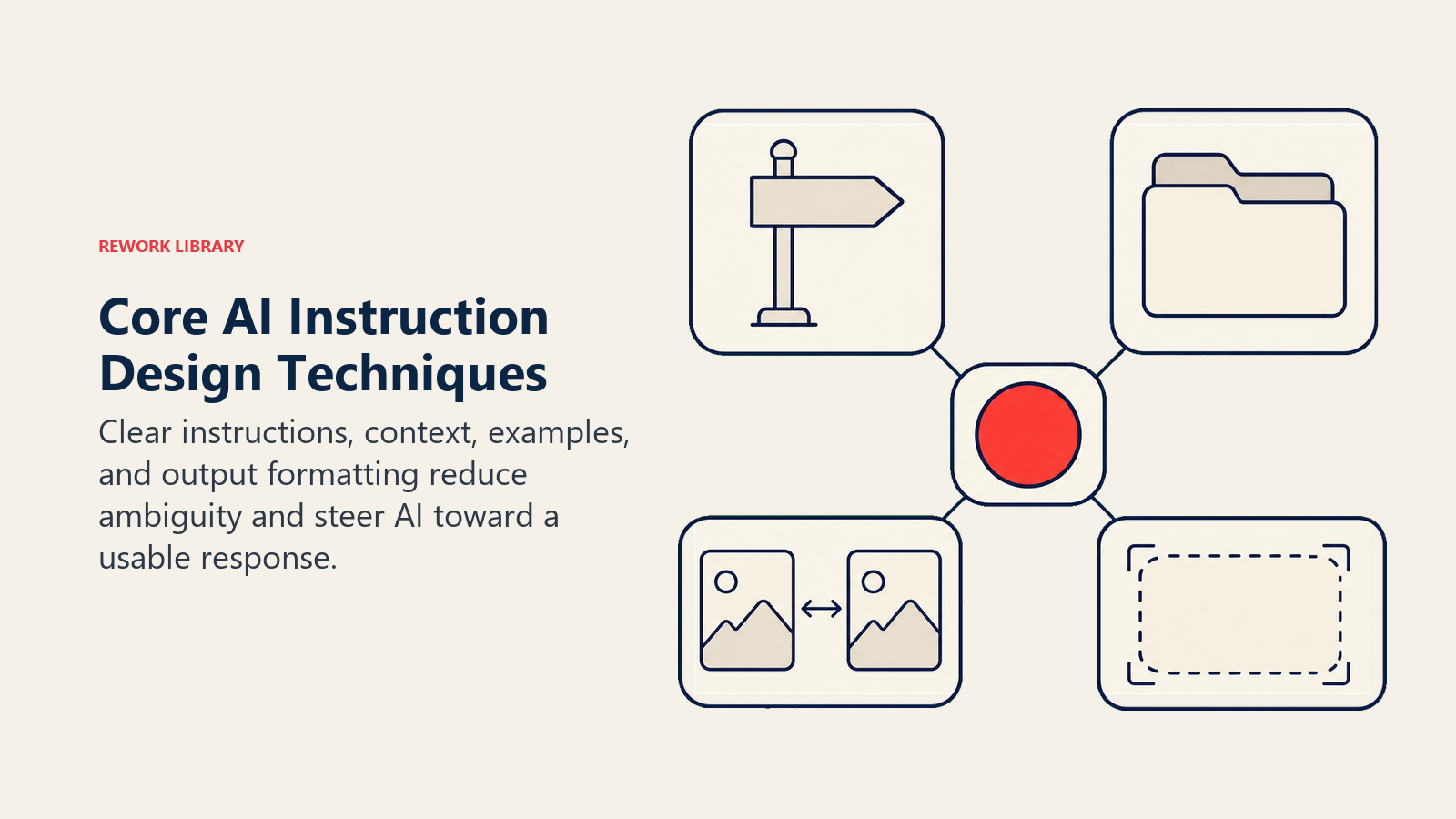
Das Fundament effektiven Promptings ist es, der KI genau zu sagen, was Sie wollen. Vage Prompts liefern vage Ergebnisse.
Statt: "Hilf mir mit diesem Bericht" Versuchen Sie: "Überprüfen Sie diesen Quartalsumsatzbericht und identifizieren Sie drei Bereiche, in denen die Daten die Schlussfolgerungen nicht unterstützen. Erklären Sie für jeden Bereich die Abweichung und schlagen Sie vor, wie sie behoben werden kann."
Wesentliche Grundsätze:
- Verwenden Sie spezifische Verben: "analysieren", "vergleichen", "zusammenfassen", "kritisieren"
- Definieren Sie den Umfang: "die ersten drei Abschnitte", "mit Fokus auf finanzielle Implikationen"
- Geben Sie an, was Sie nicht wollen: "Kein Fachjargon" oder "Überspring die Einleitung"
2. Kontextsetzung
KI hat keine Erinnerung an Ihre Situation, Ihr Unternehmen oder Ihre Ziele. Jeder Prompt beginnt bei null. Das Bereitstellen von Kontext macht einen enormen Unterschied in der Relevanz.
Wesentliche Kontext-Elemente:
- Ihre Rolle und Ihr Expertenniveau
- Das Publikum für die Ausgabe
- Relevante Hintergrundinformationen
- Einschränkungen oder Anforderungen
- Wie dies in ein größeres Projekt passt
Beispiel:
Kontext: Ich bin Product Manager bei einem B2B-Softwareunternehmen. Wir bereiten uns auf ein Board-Meeting nächste Woche vor, bei dem ich unsere Q4-Roadmap vorstelle. Das Board ist besonders besorgt über unsere Enterprise-Kundenbindung, die letztes Quartal um 5 % gesunken ist.

Aufgabe: Helfen Sie mir, eine Präsentation zu strukturieren, die Bedenken zur Retention anspricht und gleichzeitig unseren Innovationsschwung zeigt.
3. Beispiele (Few-Shot-Learning)
Der KI zu zeigen, was Sie wollen, funktioniert oft besser als es zu beschreiben. Das Einbeziehen von Beispielen in Ihren Prompt führt die KI zu Ihrem gewünschten Stil und Format.
Beispiel-Prompt mit Beispielen:
Wandeln Sie diese Kundenbeschwerden in professionelle Antwortzusammenfassungen um.

Beschwerde: "Ihre Software ist abgestürzt und ich habe 3 Stunden Arbeit verloren!!"
Zusammenfassung: Kunde erlebte Datenverlust durch Anwendungsabsturz. Auswirkung: 3 Stunden Arbeit verloren. Stimmung: Frustriert. Priorität: Hoch.

Beschwerde: "Das neue Update ist verwirrend und nichts ist mehr dort, wo es früher war."
Zusammenfassung: Kunde hat Schwierigkeiten mit UI-Änderungen im aktuellen Update. Auswirkung: Reduzierte Produktivität. Stimmung: Unzufrieden. Priorität: Mittel.

Wandeln Sie jetzt diese Beschwerde um:
Beschwerde: "Ich warte seit 2 Wochen auf eine Antwort vom Support und immer noch nichts!"
4. Ausgabeformatierung
Das genaue Festlegen, wie Informationen präsentiert werden sollen, spart Bearbeitungszeit und verbessert die Nutzbarkeit.
Formatierungsoptionen zum Festlegen:
- Struktur: Aufzählungspunkte, nummerierte Liste, Tabelle, Absätze
- Länge: "in 100 Wörtern", "3-5 Sätze", "eine Seite"
- Abschnitte: "mit einer Zusammenfassung für die Führungsebene", "ende mit nächsten Schritten"
- Stil: "verwende Überschriften", "Schlüsselbegriffe fett", "füge Beispiele ein"
Beispiel:
Fassen Sie diesen Forschungsartikel zusammen. Formatieren Sie Ihre Antwort als:

**Wesentliche Erkenntnis:** (1 Satz)
**Methodik:** (2-3 Sätze)
**Einschränkungen:** (Aufzählungspunkte)
**Implikationen für unser Team:** (1 Absatz)
Fortgeschrittene Prompt-Engineering-Techniken
Chain-of-Thought-Prompting
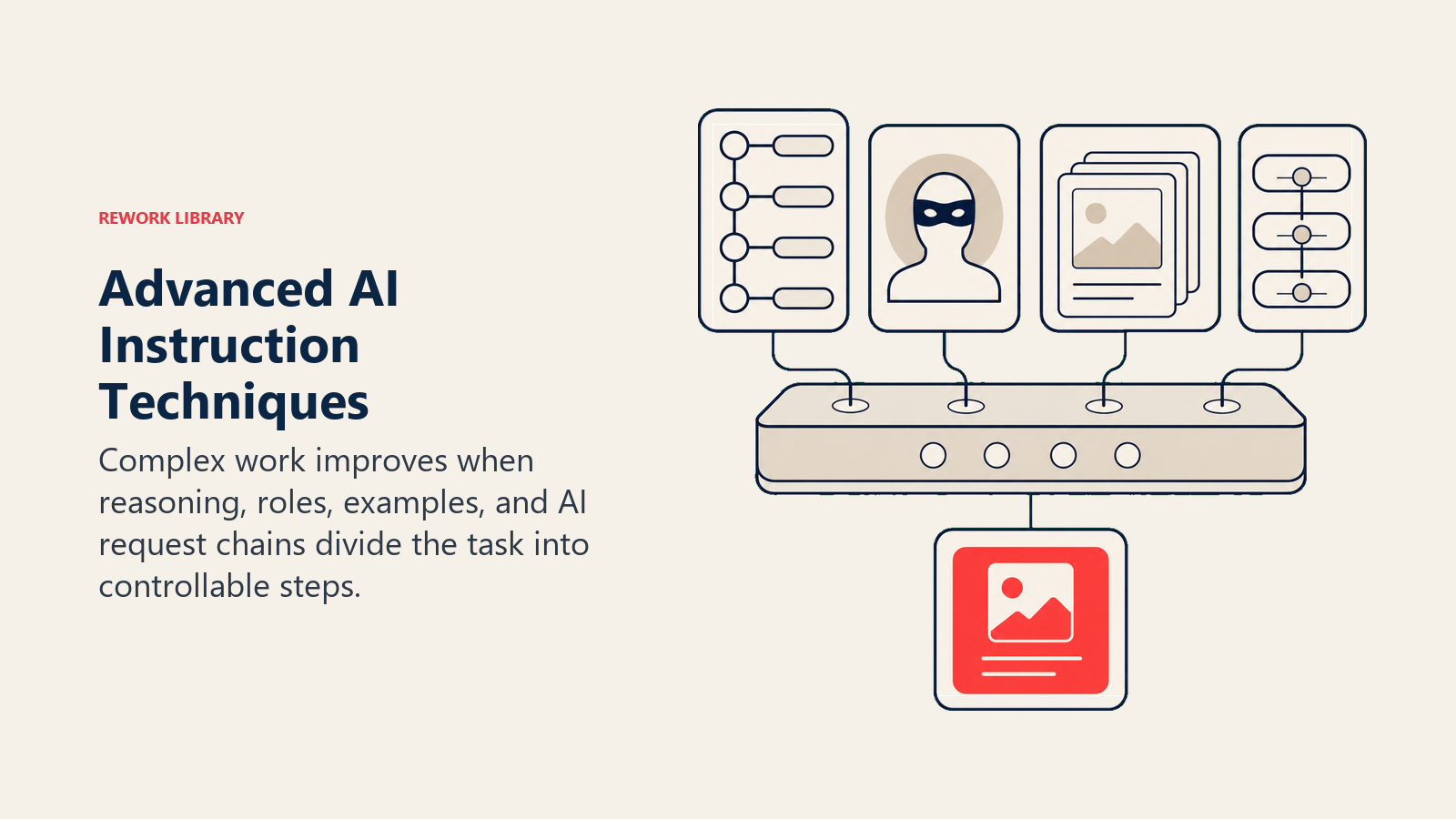
Für komplexe Denkaufgaben liefert das Bitten der KI, Schritt für Schritt zu denken, viel bessere Ergebnisse als das Fragen nach einer direkten Antwort.
Warum es funktioniert: KI-Modelle performen besser, wenn sie "ihre Arbeit zeigen". Der Denkprozess hilft ihnen, genauere Schlussfolgerungen zu ziehen.
Grundmuster:
[Ihre Frage oder Aufgabe]

Denken Sie dies Schritt für Schritt durch:
1. Betrachten Sie zunächst [Aspekt 1]
2. Analysieren Sie dann [Aspekt 2]
3. Wägen Sie schließlich [Kompromisse] ab

Zeigen Sie Ihre Begründung, bevor Sie Ihre endgültige Antwort geben.
Wann zu verwenden:
- Mathematische oder analytische Probleme
- Strategische Entscheidungen mit mehreren Faktoren
- Bewertungen, die differenziertes Urteilsvermögen erfordern
- Komplexe Vergleiche
Role-Prompting
Die KI zu bitten, eine bestimmte Persona oder Expertise anzunehmen, produziert oft gezieltere, hochwertigere Ausgaben.
Effektive Rollen:
- Berufliche Rollen: "Agiere als leitender Finanzanalyst"
- Publikumssimulation: "Antworte, wie ein skeptischer Kunde es tun würde"
- Styleguides: "Schreibe wie das Redaktionsteam des Economist"
- Fachbereiche: "Als Experte für Supply-Chain-Logistik"
Beispiel:
Sie sind ein erfahrener HR-Direktor mit 20 Jahren in Technologieunternehmen.

Überprüfen Sie diese Stellenbeschreibung für eine Senior-Developer-Rolle. Identifizieren Sie:
- Anforderungen, die unseren Kandidatenpool unnötig einschränken könnten
- Formulierungen, die diverse Bewerber abschrecken könnten
- Als "erforderlich" aufgeführte Fähigkeiten, die wahrscheinlich "bevorzugt" sein sollten

Geben Sie konkrete Verbesserungsvorschläge.
Hinweis: Role-Prompting funktioniert am besten für Stil und Perspektive. Es verleiht der KI keine Expertise, die sie nicht besitzt.
Few-Shot-Learning
Das Bereitstellen mehrerer Beispiele lehrt die KI Ihre spezifischen Standards und Präferenzen weit besser als eine Beschreibung allein.
Muster:
[Kurze Erklärung der Aufgabe]

Beispiel 1:
Eingabe: [Beispiel-Eingabe]
Ausgabe: [Beispiel-Ausgabe]

Beispiel 2:
Eingabe: [Beispiel-Eingabe]
Ausgabe: [Beispiel-Ausgabe]

Beispiel 3:
Eingabe: [Beispiel-Eingabe]
Ausgabe: [Beispiel-Ausgabe]

Jetzt tun Sie dies:
Eingabe: [Ihre eigentliche Eingabe]
Best Practices:
- Verwenden Sie 2-5 Beispiele (mehr ist nicht immer besser)
- Wählen Sie diverse Beispiele, die die Bandbreite zeigen
- Machen Sie Beispiele repräsentativ für das, was Sie tatsächlich eingeben werden
- Fügen Sie Randfälle ein, wenn relevant
Prompt-Verkettung
Komplexe Aufgaben funktionieren oft besser als eine Abfolge von Prompts statt als ein einziger massiver Prompt.
Beispiel-Workflow für das Schreiben eines Berichts:
Prompt 1: "Listen Sie die 5 wichtigsten Punkte aus diesem Datensatz auf" Prompt 2: "Erklären Sie für jeden Punkt die geschäftliche Implikation" Prompt 3: "Organisieren Sie diese in einen logischen Erzählfluss" Prompt 4: "Schreiben Sie eine Zusammenfassung für die Führungsebene basierend auf dieser Erzählung" Prompt 5: "Überprüfen Sie und schlagen Sie Verbesserungen zu diesem Entwurf vor"
Vorteile:
- Jeder Schritt kann überprüft und korrigiert werden
- Komplexe Aufgaben werden handhabbar
- Sie behalten die Kontrolle über die Richtung
- Probleme lassen sich leichter beheben
Häufige Fehler und wie man sie vermeidet
Fehler 1: Vage Anfragen
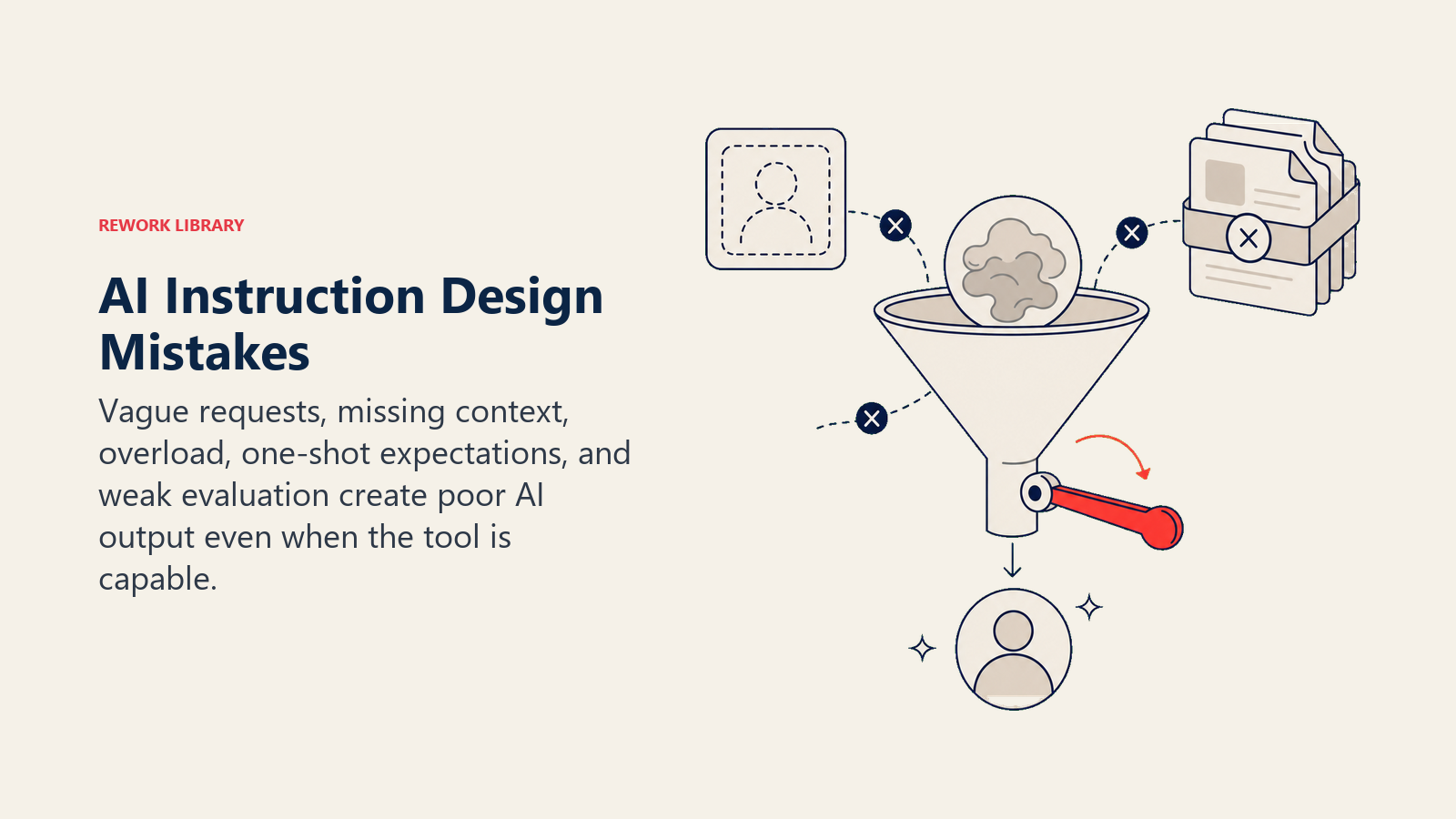
Das Problem: "Machen Sie das besser" gibt der KI keine Richtung.
Die Lösung: Legen Sie fest, was "besser" bedeutet. "Machen Sie diese E-Mail prägnanter, während Sie die drei wichtigsten Punkte beibehalten. Entfernen Sie Fachjargon. Fügen Sie am Ende einen klaren Call to Action hinzu."
Fehler 2: Informationsüberflutung
Das Problem: Das Einfügen riesiger Dokumente ohne Anleitung überfordert die KI und produziert unkonzentrierte Ergebnisse.
Die Lösung: Extrahieren Sie relevante Abschnitte, fassen Sie den Kontext zusammen und stellen Sie spezifische Fragen. "Basierend auf den Abschnitten 3 und 4 dieses Berichts: Was sind die Hauptrisiken für unseren Zeitplan?"
Fehler 3: Annahme, KI kennt Ihren Kontext
Das Problem: "Entwerfen Sie eine Antwort auf Johns E-Mail" setzt voraus, dass die KI weiß, wer John ist und was er geschrieben hat.
Die Lösung: Beziehen Sie alle relevanten Kontextinformationen ein. Auch wenn es Ihnen offensichtlich erscheint, buchstabieren Sie es für die KI aus.
Fehler 4: Erwartung sofortiger Perfektion
Das Problem: Perfekte Ausgabe beim ersten Versuch zu erwarten und aufzugeben, wenn sie nicht kommt.
Die Lösung: Behandeln Sie KI-Interaktion als Gespräch. Verfeinern, umleiten und iterieren. "Das ist nah dran, aber machen Sie den Ton formeller und fügen Sie spezifische Zahlen aus den Daten hinzu."
Fehler 5: Toolunterschiede ignorieren
Das Problem: Dieselben Prompts über verschiedene KI-Tools hinweg verwenden und inkonsistente Ergebnisse erhalten.
Die Lösung: Lernen Sie die Stärken jedes Tools kennen und passen Sie Ihren Prompting-Stil entsprechend an (siehe nächsten Abschnitt).
Fehler 6: Nicht angeben, was vermieden werden soll
Das Problem: Ausgaben erhalten, die mit unerwünschten Inhalten gefüllt sind.
Die Lösung: Seien Sie explizit über Ausschlüsse. "Keine Aufzählungspunkte. Vermeiden Sie Fachjargon. Fügen Sie keine Haftungsausschlüsse am Ende ein."
Fehler 7: Schlechte Ausgaben akzeptieren
Das Problem: Mehr Zeit mit der Bearbeitung schlechter KI-Ausgaben verbringen, als man für die Aufgabe selbst benötigt hätte.
Die Lösung: Wenn die Ausgabequalität schlecht ist, verbessern Sie Ihren Prompt, anstatt die Ausgabe zu flicken. Langfristig ist das schneller und baut Ihre Fähigkeiten auf.
Toolspezifische Prompting-Tipps
ChatGPT (OpenAI)
Stärken: Kreative Aufgaben, Brainstorming, Gesprächsfluss, Allgemeinwissen Optimal für: Content-Erstellung, Ideenfindung, Konzepterklärungen, informelle Unterstützung
Tipps:
- Verwenden Sie "Weitermachen", um Ausgaben zu verlängern, die Längenbeschränkungen erreichen
- ChatGPT reagiert gut auf gesprächsbezogene Verfeinerung
- Benutzerdefinierte Anweisungen (in den Einstellungen) können persistenten Kontext setzen
- Die Memory-Funktion kann den Kontext über Gespräche hinweg aufrechterhalten
Claude (Anthropic)
Stärken: Analyse langer Dokumente, nuanciertes Denken, Befolgen komplexer Anweisungen, Konsistenz Optimal für: Recherche, Analyse, Langform-Schreiben, technische Dokumentation
Tipps:
- Claude verarbeitet sehr lange Prompts gut (nutzen Sie das für detaillierte Anweisungen)
- Ausgezeichnet darin, mehrstufige Anweisungen präzise zu befolgen
- Reagiert gut auf explizite Strukturanforderungen
- Gibt Unsicherheit zu, statt zu raten
Microsoft Copilot
Stärken: Integration mit Microsoft 365, Zugriff auf Unternehmensdaten, Code-Unterstützung Optimal für: Office-Dokumente, E-Mail-Entwürfe, Besprechungszusammenfassungen, Code-Vervollständigung
Tipps:
- Referenzieren Sie spezifische Dateien und E-Mails namentlich
- Nutzen Sie Copilots Verständnis Ihres Kalenders und Ihrer Kontakte
- Seien Sie spezifisch darüber, welchen Anwendungskonventionen gefolgt werden soll
- Nutzen Sie den Zugriff auf Ihre Organisationsdaten
GitHub Copilot
Stärken: Code-Vervollständigung, Funktionsgenerierung, Dokumentation Optimal für: Code schreiben, Codebasen verstehen, Tests generieren
Tipps:
- Schreiben Sie klare Kommentare vor dem Code, den Sie generieren möchten
- Verwenden Sie beschreibende Funktionsnamen, die den Zweck angeben
- Stellen Sie Kontext durch nahe liegende Code-Beispiele bereit
- Überprüfen Sie Vorschläge sorgfältig auf Sicherheit und Korrektheit
Google Gemini
Stärken: Multimodales Verständnis, Google-Ökosystem-Integration, Suchfähigkeiten Optimal für: Recherche, die Text und Bilder kombiniert, Google-Workspace-Aufgaben, aktuelle Informationen
Tipps:
- Nutzen Sie die Fähigkeit, Bilder neben Text zu analysieren
- Gut für Aufgaben, die aktuelle Web-Informationen erfordern
- Integriert sich gut mit Google Docs, Sheets und Slides
- Nutzen Sie es für Aufgaben, die von der Suche profitieren
Aufbau Ihrer Prompt-Engineering-Praxis
Tägliche Übungsgewohnheiten
Die 5-Minuten-Prompt-Überprüfung: Verbringen Sie nach jeder KI-Interaktion eine Minute mit folgenden Fragen:
- Habe ich bekommen, was ich brauchte?
- Was hätte ich besser spezifizieren können?
- Was hat die KI missverstanden?
Diese schnelle Reflexion baut kontinuierliches Lernen auf, das sich schnell zusammensetzt.
Das Prompt-Journal: Führen Sie ein Dokument mit Prompts, die gut funktioniert haben. Notieren Sie:
- Die Aufgabe und den Kontext
- Den verwendeten Prompt
- Warum er funktioniert hat
- Variationen für ähnliche Aufgaben
Wöchentlicher Fähigkeitsaufbau
Technik der Woche: Konzentrieren Sie sich jede Woche auf das Beherrschen einer Technik. Woche 1: klare Anweisungen. Woche 2: Kontextsetzung. Woche 3: Few-Shot-Beispiele. Dieser fokussierte Ansatz baut Tiefe statt oberflächlicher Vertrautheit auf.
Prompt-Tausch: Teilen Sie effektive Prompts mit Kollegen und lernen Sie von deren Prompts. Unterschiedliche Perspektiven enthüllen Techniken, die Sie allein nicht entdecken würden.
Monatliche Bewertung
Fortschrittskontrolle:
- Zählen Sie Aufgaben, bei denen KI erheblich Zeit gespart hat
- Notieren Sie Verbesserungen der Ausgabequalität beim ersten Versuch
- Identifizieren Sie verbleibende Frustrationspunkte
- Planen Sie den Entwicklungsschwerpunkt des nächsten Monats
Übungsaufgaben nach Stufe
Anfängerübungen
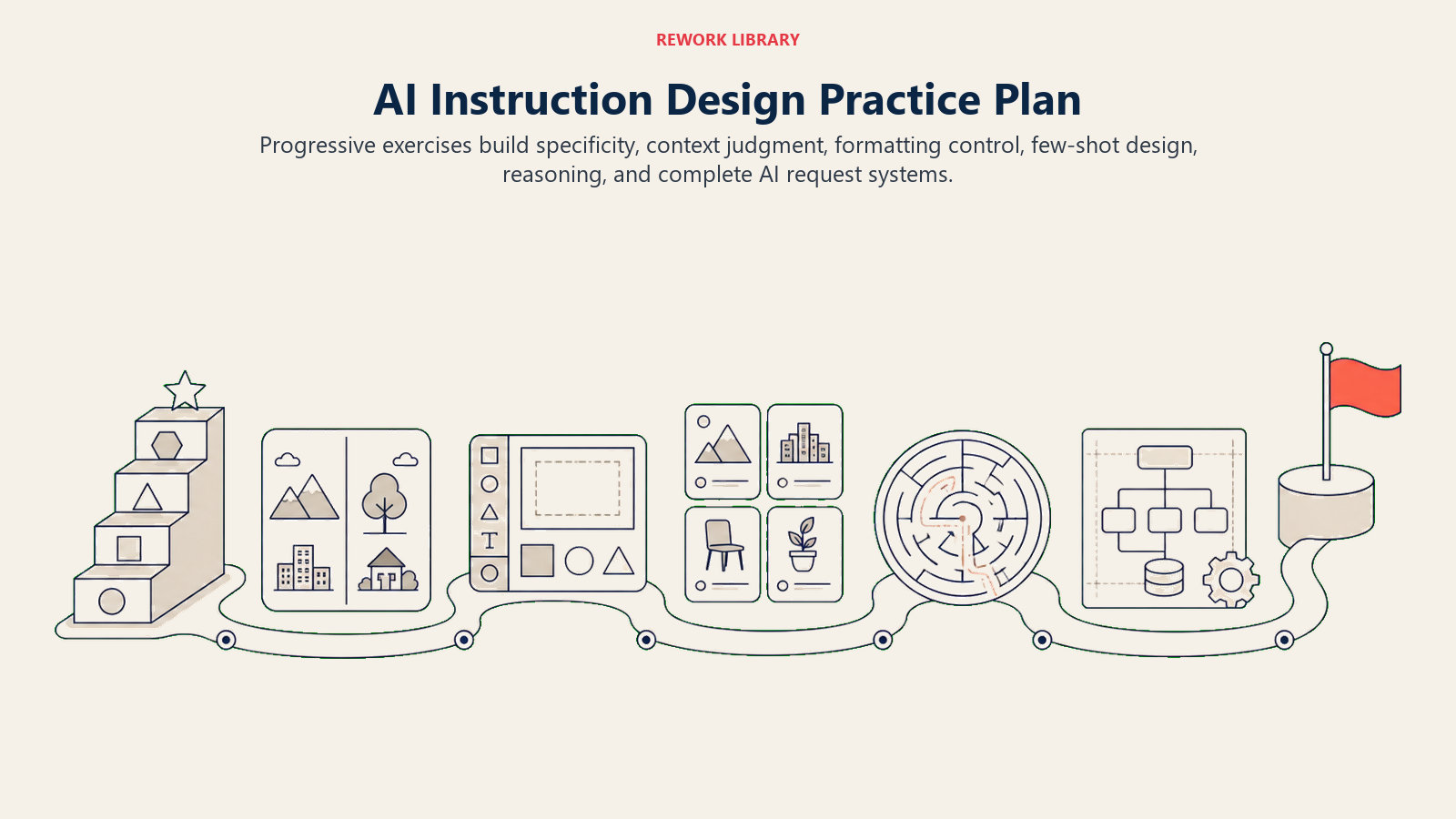
Übung 1: Die Spezifitätsleiter Nehmen Sie den Prompt "Schreibe über Produktivität" und machen Sie ihn schrittweise spezifischer in fünf Versionen. Beobachten Sie, wie jede Version nützlichere Ausgaben produziert.
Übung 2: Kontextvergleich Schreiben Sie dieselbe Anfrage zweimal: einmal ohne Kontext, einmal mit vollem Kontext. Vergleichen Sie die Ausgaben und notieren Sie, welche Kontext-Elemente den größten Unterschied gemacht haben.
Fortgeschrittene Übungen
Übung 3: Format-Exploration Fordern Sie dieselben Informationen in fünf verschiedenen Formaten an (Absatz, Aufzählungspunkte, Tabelle, Frage/Antwort, Zusammenfassung für die Führungsebene). Lernen Sie, wann jedes Format am besten dient.
Übung 4: Few-Shot-Praxis Erstellen Sie einen Drei-Beispiel-Prompt für eine Aufgabe, die Sie regelmäßig erledigen. Testen Sie ihn gegen einen Prompt ohne Beispiele. Messen Sie den Qualitätsunterschied.
Übungen für Experten
Übung 5: Chain-of-Thought-Design Nehmen Sie eine komplexe Entscheidung, vor der Sie stehen, und entwerfen Sie einen Chain-of-Thought-Prompt, der die KI durch Ihr Denkrahmenwerk führt. Bewerten Sie, ob der Denkprozess die Schlussfolgerung verbessert.
Übung 6: Prompt-System-Design Erstellen Sie eine verbundene Reihe von Prompts, die einen vollständigen Workflow abwickeln (wie "Vorbereitung auf ein Kundengespräch" von der Recherche über Gesprächspunkte bis zu Entwürfen für Follow-up-E-Mails).
Ihre nächsten Schritte
Prompt Engineering ist kein Ziel. Es ist eine fortlaufende Praxis, die sich weiterentwickelt, wenn KI-Tools sich verbessern und Ihre Bedürfnisse sich ändern. Die Investition, die Sie jetzt in den Aufbau dieser Fähigkeiten machen, wird sich über jede KI-Interaktion in Ihrer Karriere auszahlen.
Beginnen Sie heute:
- Wählen Sie eine Technik aus diesem Leitfaden (klare Anweisungen ist ein guter Ausgangspunkt)
- Wenden Sie sie auf Ihre nächsten drei KI-Interaktionen an
- Beachten Sie den Unterschied in der Ausgabequalität
- Fügen Sie nächste Woche eine weitere Technik hinzu
Die Fachleute, die in KI-augmentierten Arbeitsumgebungen erfolgreich sein werden, sind nicht diejenigen, die diese Tools fürchten oder meiden. Es werden diejenigen sein, die gelernt haben, effektiv mit ihnen zu kommunizieren. Diese Reise beginnt mit Ihrem nächsten Prompt.
Ihre Fähigkeit, klar zu kommunizieren mit KI-Systemen wird genauso wichtig wie Ihre Fähigkeit, mit Kollegen zu kommunizieren. Die gute Nachricht ist, dass dieselben Prinzipien gelten: Seien Sie spezifisch, geben Sie Kontext an, hören Sie auf Feedback und iterieren Sie, bis Sie verstanden werden. Sie haben bereits das Fundament. Jetzt ist es Zeit, es auf die Tools anzuwenden, die das nächste Jahrzehnt der Arbeit definieren werden.
Verwandte Kompetenzen für den Erfolg im KI-Zeitalter
Der Aufbau von Prompt-Engineering-Fähigkeiten verbindet sich natürlich mit diesen verwandten Kompetenzen:
Technische und analytische Fähigkeiten
- Digital Literacy - Grundlage für effektives Arbeiten mit KI und digitalen Tools
- Datenanalyse - KI-generierte Einblicke interpretieren und verifizieren
- Technisches Problemlösen - Fehlersuche, wenn Prompts nicht wie erwartet funktionieren
Kommunikations- und Denkfähigkeiten
- Kommunikation - Klare Kommunikationsprinzipien gelten für die KI-Interaktion
- Kritisches Denken - KI-Ausgaben bewerten und Fehler oder Einschränkungen identifizieren
- Systemdenken - Prompt-Workflows entwerfen, die in größere Prozesse passen
Berufliche Entwicklung
- Kontinuierliches Lernen - Mit sich entwickelnden Best Practices im Prompt Engineering auf dem Laufenden bleiben
- Anpassungsfähigkeit - Techniken anpassen, wenn KI-Tools sich verändern und verbessern
- Innovationsdenken - Neue Anwendungen für KI-Unterstützung in Ihrer Arbeit finden

Senior Customer Retention Strategist
On this page
- Warum Prompt Engineering jetzt wichtig ist
- Das 5-Stufen-Prompt-Engineering-Framework
- Stufe 1: Prompt-Beginner (0-3 Monate Praxis)
- Stufe 2: Prompt-Fähig (3-6 Monate Praxis)
- Stufe 3: Prompt-Kompetent (6-12 Monate Praxis)
- Stufe 4: Prompt-Fortgeschritten (1-2 Jahre Praxis)
- Stufe 5: Prompt-Experte (2+ Jahre Praxis)
- Kerntechniken des Prompt Engineering
- 1. Klare Anweisungen
- 2. Kontextsetzung
- 3. Beispiele (Few-Shot-Learning)
- 4. Ausgabeformatierung
- Fortgeschrittene Prompt-Engineering-Techniken
- Chain-of-Thought-Prompting
- Role-Prompting
- Few-Shot-Learning
- Prompt-Verkettung
- Häufige Fehler und wie man sie vermeidet
- Fehler 1: Vage Anfragen
- Fehler 2: Informationsüberflutung
- Fehler 3: Annahme, KI kennt Ihren Kontext
- Fehler 4: Erwartung sofortiger Perfektion
- Fehler 5: Toolunterschiede ignorieren
- Fehler 6: Nicht angeben, was vermieden werden soll
- Fehler 7: Schlechte Ausgaben akzeptieren
- Toolspezifische Prompting-Tipps
- ChatGPT (OpenAI)
- Claude (Anthropic)
- Microsoft Copilot
- GitHub Copilot
- Google Gemini
- Aufbau Ihrer Prompt-Engineering-Praxis
- Tägliche Übungsgewohnheiten
- Wöchentlicher Fähigkeitsaufbau
- Monatliche Bewertung
- Übungsaufgaben nach Stufe
- Anfängerübungen
- Fortgeschrittene Übungen
- Übungen für Experten
- Ihre nächsten Schritte
- Verwandte Kompetenzen für den Erfolg im KI-Zeitalter
- Technische und analytische Fähigkeiten
- Kommunikations- und Denkfähigkeiten
- Berufliche Entwicklung