Switching from Salesforce to Rework: The Full Migration Playbook
Most Salesforce migrations fail in the third week.
The first week goes well — you export your data, map some fields, and the new system looks clean. Week two, the Rework instance starts to take shape. Then week three hits: a rep can't find their pipeline report, three automations are silently broken, and someone discovers that the Gong integration isn't configured yet. By week four, half the team is logging calls in both systems just to be safe. By week six, leadership loses patience and declares the migration "complete" even though Salesforce is still open in 12 browser tabs.
This guide exists to prevent that. It's not a feature comparison. If you want that, read Rework vs Salesforce. This is an operational guide for the team that has decided to switch and needs to know what the next 30 days actually look like.
Before You Start: The Audit You Can't Skip
The single biggest cause of painful migrations is starting the import before finishing the audit. Spend three to five days here. It saves you three to five weeks later.
Active pipeline deals. Export every open opportunity and look at close dates. If you have more than 15% of your annual revenue target closing in the next 45 days, wait. Running a migration alongside an active Q-end push is a recipe for missed deals, not just missed deadlines.
Contact and account data quality. Salesforce data degrades fast. Most orgs that have been live for more than 18 months have duplicate contacts, contacts with no associated account, and accounts with fields that mean different things to different reps. Run a deduplication pass before you touch Rework. Tools like Dedupely or Cloudingo work directly against Salesforce. Don't move the mess. Clean it first.
Custom fields and objects. List every custom field your team actually uses, not just the ones someone built three years ago. Rework supports standard CRM objects (contacts, companies, deals, activities) and custom fields within those objects. What it doesn't replicate is Salesforce's custom object architecture. If you've built custom objects for things like contracts, projects, or partner relationships, you'll need to decide whether to flatten that data into standard objects, export it to a separate tool, or accept that it won't transfer cleanly.
Workflow automations. Export your active Process Builder flows and workflows. Categorize each one: is this a sales process automation (deal stage changes, task creation, assignment rules) or an operational automation (field updates, approval processes, cross-object updates)? The first category transfers to Rework automations fairly directly. The second often doesn't, especially if it crosses object types or uses complex approval chains.
Reports and dashboards. Ask every rep and manager to list the three reports they check weekly. That list, not your full reporting library, is what you need to rebuild in Rework before cutover. Everything else can wait.
Connected integrations. Map every tool that has a live Salesforce connection: Outreach, Gong, Salesloft, Marketo, Pardot, ZoomInfo, LinkedIn Sales Navigator, DocuSign, Slack, and whatever your finance team uses for forecasting. Each integration is its own mini-migration project. Budget one to two hours per integration for a simple reconnect, and one to two days for anything with custom field mappings or bi-directional sync.
What You'll Lose — Honestly
Skipping this section is how you create trust problems. Your reps will discover these gaps eventually. Better that they hear it from you before cutover.
AppExchange. Salesforce has more than 3,000 native integrations. Rework doesn't come close to that. If your team relies on a niche AppExchange app (specific compliance tools, vertical-specific lead enrichment, custom CPQ solutions), check whether a Rework equivalent exists before you're deep in the migration.
Salesforce Flow and Apex custom logic. If your org has any developer-built automations using Apex or complex Flow logic, those don't translate. They have to be rebuilt from scratch using Rework's automation engine or a third-party tool like Make or Zapier. If you don't know whether you have these, ask whoever manages your Salesforce instance. The answer is almost always yes.
Report types and advanced analytics. Salesforce's reporting engine, especially with the Einstein Analytics add-on, is genuinely powerful. Rework's reporting covers the core CRM metrics well but doesn't match the flexibility of Salesforce's custom report builder for complex cross-object reporting. If your RevOps team runs multi-object joined reports or custom funnel analysis, plan for a gap.
Forecast categories and opportunity splits. Enterprise Salesforce orgs often use opportunity splits and custom forecast categories for complex commission structures. Rework's forecasting is simpler. If your comp plan depends on Salesforce forecast categories, flag this with your finance and sales ops teams before you commit to a timeline.
Certain email-to-case or support workflow patterns. If your sales team's Salesforce instance is tightly integrated with a Service Cloud instance for customer support handoffs, that integration won't carry over. Rework is a CRM and productivity tool, not a helpdesk platform.
What Gets Better
This is also worth being specific about, because the improvements have to justify the migration cost.
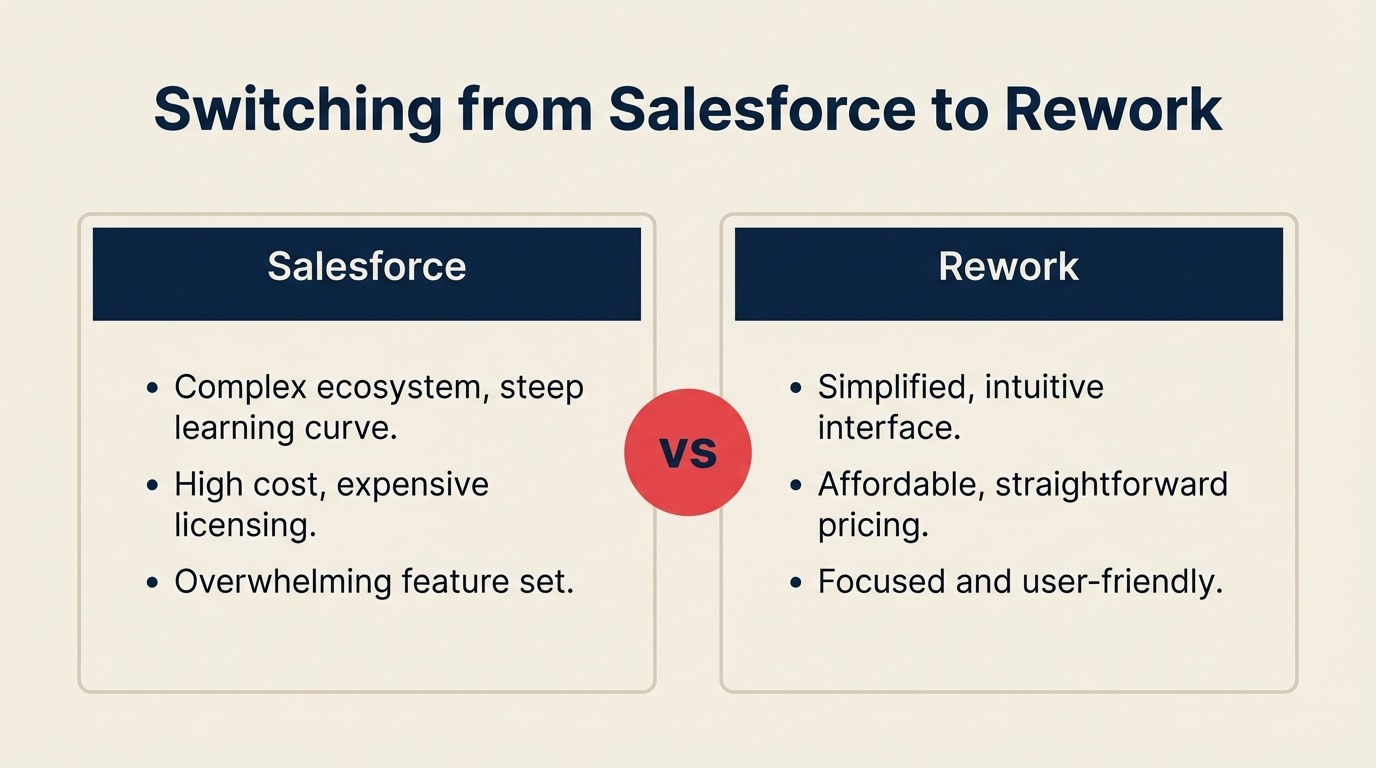
Admin overhead. Most Salesforce orgs need a dedicated admin or a consulting firm to manage ongoing configuration. Rework's admin surface is smaller and the interface is less arcane. A revenue ops manager with no Salesforce background can configure Rework. That changes your total cost of ownership substantially — and it changes how your RevOps team spends its time. If you're thinking about what a modern RevOps function looks like post-migration, RevOps strategy and structure is worth a read. More on cost below.
Rep onboarding. New rep time-to-productivity in Salesforce typically runs four to six weeks before reps can navigate and log without hand-holding. Teams that have moved to Rework consistently report that number dropping to one to two weeks. The interface has fewer menus, fewer required fields, and less legacy configuration to wade through.
Cost per seat. Salesforce Enterprise runs $165 per user per month. Unlimited runs $330. Most growing teams also add Sales Engagement ($75/user), Revenue Intelligence ($220/user), and at least a couple of AppExchange apps. Salesforce's official pricing page lists the full tier breakdown. See Salesforce pricing in 2026 for analysis of what teams actually pay when add-ons are included. Rework's pricing is a single line item. For a 20-person sales team, the difference is often $80,000 to $120,000 per year. That's enough to fund a RevOps hire or double your outbound budget.
Daily UX for reps. Salesforce was not built for the rep using it eight hours a day. It was built for administrators and analysts. Rework inverts that: the rep experience is the primary design priority. Fewer clicks to log a call, cleaner deal views, and no sea of empty fields.
The Migration: Week by Week
This timeline assumes a 10 to 30 person sales team with moderate Salesforce complexity: some custom fields, fewer than five active integrations, no Apex code. Larger or more complex orgs should add one to two weeks per complication.
Week 1: Data Export and Cleanup
Export contacts, accounts, opportunities, and activity history from Salesforce. Salesforce's native Data Export tool produces CSVs, one file per object type. Export everything even if you don't plan to import everything. You can always filter later; you can't recover data you didn't pull.
Run deduplication on contacts and accounts. The threshold most teams use: if two contacts share the same email domain and company name and have not had activity in 90 days, merge them. Don't auto-merge anything with recent activity.
Map your custom fields. Create a spreadsheet: Salesforce field name, Salesforce field type, the data in it, and the equivalent Rework field (or "no equivalent"). This document drives week two.
Week 2: Rework Setup and Field Mapping
Configure Rework pipelines to match your sales stages. If you've wanted to revise your stage definitions, now is the time. Don't try to migrate stages and revise them simultaneously; that adds confusion. Pick one.
Create custom fields in Rework based on your field mapping spreadsheet. Import a test batch of 50 to 100 contacts and check that data lands in the right places. Fix mapping issues before running the full import.
Set up automations for your top five highest-volume workflows. These are the automations that fire daily: stage change notifications, task creation on deal move, assignment on new contact. Don't try to rebuild your full automation library in week two. Get the critical ones working.
Week 3: Parallel Running
Import the full dataset. Both Salesforce and Rework are live. This is the most resource-intensive week because your ops team is fielding questions from reps who are confused about where to log things. Be prescriptive: Salesforce is for reading; Rework is for writing. Reps log all new activity in Rework. They reference Salesforce for historical context only.
Connect integrations. Start with the highest-traffic ones: email (Gmail or Outlook), calendar sync, and your primary sales engagement tool (Outreach, Salesloft, or equivalent). Get these verified before training.
Rebuild your top reports in Rework. Using the list you made in week one, recreate the five to ten reports your team uses daily. Ask two or three managers to spot-check the numbers against Salesforce for consistency.
Week 4: Team Cutover and Training
Training should be live and hands-on, not a recording. Run two 90-minute sessions: one for reps, one for managers and admins. Reps need to be able to log a call, update a deal, and find their pipeline report without help. Managers need to be able to check their team's pipeline and pull a forecast. The team onboarding guide has a structured checklist for this rollout phase that most ops teams find useful.
After training, declare Salesforce read-only. Do this on a Monday, not a Friday. You want your team at full availability when questions come in. Announce a specific date, typically 10 to 14 days out, when Salesforce access will end.
Post-Cutover: 30-Day Stabilization Checklist
- All reps logging 100% of activity in Rework (verify via activity reports, not self-reporting)
- Integrations verified with a test record through each connected tool
- All automated workflows confirmed with activity logs (check that they actually fired, not just that they're configured)
- Salesforce contract canceled or non-renewed (confirm your renewal date before you start)
- Historical data archived. Keep a backup of the Salesforce export for at least 12 months
Data Migration: The Technical Reality
Salesforce exports cleanly for standard objects. Contacts, accounts, opportunities, and tasks will move without much friction if your data is clean.
What needs manual work: relationship records (contact roles on opportunities, account hierarchies), custom objects, and any data that lives inside managed packages from AppExchange apps. Those packages own their data and won't include it in a standard export.
Activity history (calls, emails, meetings logged in Salesforce) imports as notes in Rework if you export it as part of the tasks/events export. The formatting isn't perfect, but the content is preserved.
Third-party migration services like Trujay, Import2, or Skyvia can automate the import/transform process if you have complex data structures. They add cost (typically $500 to $2,000 for a mid-market migration) but reduce manual error. If you want a thorough walkthrough of what the import process involves technically, the data migration guide covers field mapping, error handling, and post-import validation in detail.
Handling Integrations
Not all integrations are equal work. Here's a realistic breakdown:
Straightforward reconnects (2 to 4 hours each): Gmail, Outlook, Google Calendar, Slack, DocuSign, Stripe, LinkedIn Sales Navigator.
Moderate effort (half a day each): ZoomInfo, Clearbit, Intercom. These typically require re-mapping fields and testing enrichment sync.
Significant rebuild (1 to 2 days each): Outreach, Salesloft, Gong. Sales engagement tools have deep Salesforce integration: bidirectional activity sync, sequence enrollment via Salesforce triggers, reporting that pulls from Salesforce fields. Rebuilding this in Rework means re-authenticating, remapping fields, and re-testing every workflow that crosses systems.
Tools that likely have no Rework equivalent: Marketo, Pardot, Eloqua. If your marketing team runs campaigns through a Salesforce-connected MAP, that relationship doesn't transfer to Rework. Marketing keeps their MAP; sales uses Rework; and you connect them via webhook or a middleware tool like Make or Zapier.
Team Adoption: Avoiding the Two-Week Productivity Dip
The dip is real. Budget for it. Teams running a clean migration typically see a 10 to 15% decline in activity volume in the first two weeks post-cutover as reps adjust. Teams running a disorganized migration see that dip last six to eight weeks.
What reduces the dip:
- A single internal "Rework champion" per team who can answer questions without escalating to ops
- A Slack channel for migration questions so answers are searchable
- Clear daily check-ins for the first two weeks with specific metrics (calls logged, deals updated, pipeline reviewed)
- Managers who use Rework visibly. If a manager is still reviewing forecasts in Salesforce, their team will follow
Common Failure Points
Migrating dirty data. The most common cause of migration regret. Teams import duplicates, outdated contacts, and fields that mean nothing, then spend months cleaning Rework instead of selling.
Skipping the parallel period. Going directly from Salesforce to Rework without a week of parallel running means that integration failures, broken automations, and missing reports all hit at once on day one.
Under-resourcing the integration work. Rebuilding five integrations is five separate projects. Each one has a test cycle. Teams that treat this as "afternoon work" find themselves debugging Gong sync issues at 11pm two days before quarter close.
No clear data entry owner. If it's unclear whether reps should log in Salesforce or Rework during the parallel period, they'll log in neither. Assign one system for new data. Enforce it.
Attempting a migration mid-deal-cycle. If your top three deals are closing in the next 30 days, wait. Win the deals first.
Is This the Right Time to Switch?
Strong signals to go now:
- Your Salesforce contract renews in 60 to 90 days
- Your team is under 50 reps (complexity scales fast above that)
- You have fewer than five active integrations
- Your Salesforce admin capacity is a constraint on growth
- You have a dedicated RevOps or Sales Ops resource who can own the migration
Strong signals to wait:
- You're in Q4 with more than 20% of annual revenue in active deals
- You're mid-way through a major Salesforce configuration project
- A critical integration (Marketo, complex CPQ, custom Apex) has no Rework equivalent
- Your team is more than 50 reps and you don't have RevOps capacity to manage the transition
- You're in a regulated industry with data residency requirements. Confirm Rework's compliance posture first
The real TCO of a CRM analysis puts the full cost of staying on Salesforce in context. If the numbers say leave, the operational checklist above gives you the path.
What to Do Next
If you've read this and the migration still makes sense for your team, the practical next step is a data audit. Pull your Salesforce data export today. It's free, and the export process itself tells you a lot about your data quality.
If you're comparing this migration against other options, Switching from HubSpot to Rework covers the same process for teams coming from HubSpot, which has a meaningfully different migration profile.
And if you want to pressure-test the decision before committing to the work, Rework vs Salesforce has the side-by-side breakdown that makes the trade-offs explicit.
The migration is real work. But teams that run it cleanly don't look back.

Principal Product Marketing Strategist
On this page
- Before You Start: The Audit You Can't Skip
- What You'll Lose — Honestly
- What Gets Better
- The Migration: Week by Week
- Week 1: Data Export and Cleanup
- Week 2: Rework Setup and Field Mapping
- Week 3: Parallel Running
- Week 4: Team Cutover and Training
- Post-Cutover: 30-Day Stabilization Checklist
- Data Migration: The Technical Reality
- Handling Integrations
- Team Adoption: Avoiding the Two-Week Productivity Dip
- Common Failure Points
- Is This the Right Time to Switch?
- What to Do Next