Best SEO Audit Tools in 2026: 13 Site Crawlers and Auditors Compared
Turn this article into takeaways for your work.


Each assistant summarizes the article only for you and suggests best practices for your work.
The best SEO audit tool depends on how big your site is and who runs the audit. Screaming Frog and Sitebulb suit hands-on specialists who want a desktop crawler, Semrush, Ahrefs, SE Ranking and Moz Pro bundle audits with rank tracking and backlinks, Lumar and JetOctopus handle very large sites in the cloud, and Google Search Console is the free source of truth you should open first. This guide compares 13 options on crawl limits, JavaScript rendering, scheduling and what a small team actually pays.
An SEO audit tool does two jobs. It crawls your site the way a search engine would and lists what's broken: dead links, redirect chains, duplicate titles, missing canonicals, blocked pages. Then it ranks those problems so you fix the ones that matter first. Tools differ most in where the crawl runs (your laptop or their servers), how many pages they will crawl, and whether they can run on a schedule and tell you when something regresses.
Each tool is judged on five things: crawl capacity, JavaScript rendering, scheduling and monitoring, how well it prioritizes issues, and cost at a realistic small-team setup. Prices come from each vendor's own pricing page and state the billing term. If you're still choosing the rest of your stack, the best SEO tools hub covers keywords, rank tracking, backlinks and traffic in one place.
Key Facts
- Google's Core Web Vitals "good" thresholds are LCP within 2.5 seconds, INP under 200 milliseconds and CLS under 0.1, per Google Search Central.
- PageSpeed Insights reports field data from real Chrome users over the previous 28 days, and a page passes only when the 75th percentile of all three vitals is good, per Google's PageSpeed Insights documentation.
- Google Search Console is "a free service offered by Google," per Google's Search Console help.
- Screaming Frog's free version crawls up to 500 URLs, while the paid licence is listed at $279 per year, per its pricing page.
- Ahrefs Free includes 5,000 crawl credits per month per verified project, and credits are only spent on HTML pages returning status 200, per Ahrefs.
Quick Comparison Table
Prices are US dollars unless marked, with the billing term stated. Where a vendor doesn't print a price, it says so.
| Tool | Best For | Starting Price | Key Strength | Key Limitation |
|---|---|---|---|---|
| Screaming Frog SEO Spider | Technical specialists who want a desktop crawler | Free up to 500 URLs; $279 per licence per year | Deep, configurable crawling on your own machine | Crawl size depends on your computer's memory |
| Sitebulb | Consultants who want prioritized, explained findings | Lite $18 per month (desktop, 1 user) | Visual reports with hints explaining each issue | Lite caps at 10,000 URLs; Pro is $42 per month per user |
| Semrush Site Audit | Teams that want audits inside a full SEO suite | SEO plan $139 per month billed monthly | Audit, rank tracking and competitor research in one login | Crawl size isn't printed on the plan cards |
| Ahrefs Site Audit | Teams already using Ahrefs for backlinks | Ahrefs Free (5,000 credits); Lite $129 per month billed monthly | Free crawl for sites you verify | Credit-based limits need watching |
| Lumar | Enterprise sites with large page counts | Pricing on request | Cloud crawling built for large sites | No published price, quote-led buying |
| JetOctopus | Big sites that also want log analysis | Growth $349 per month (annual option) | Crawler and log analyzer in every plan | Priced for in-house SEO teams, not solo owners |
| SE Ranking | Small agencies wanting audit plus tracking | Core $129 per month billed monthly | 250k pages audited per month on the entry plan | Only one manager seat included |
| Sitechecker | Small teams that want scheduled recrawls | Basic $99 per month billed monthly | Unlimited users on every plan | Plan limits can vary by visitor |
| Seobility | Small sites on a tight budget | Free plan; Premium €59.90 per month excl. VAT | Free tier with no time limit | Free crawl is 100 pages |
| Moz Pro | Teams that value Moz's educational content | Standard $99 per month billed monthly | Site crawl plus keyword and link tools | Entry plan tracks only 300 keywords |
| Google Search Console | Every site owner | Free | First-party crawl, index and vitals data | Reports on Google only; no full-site crawler |
| Google PageSpeed Insights | Page-level speed and Core Web Vitals checks | Free to use | Real-user field data plus Lighthouse | One URL at a time |
| Bing Webmaster Tools | Sites that care about Bing and IndexNow | Free | On-demand Site Scan and URL submission | Smaller audit scope than a dedicated crawler |
Desktop Crawlers vs Cloud Crawlers vs Suite Audits
Before comparing brands, decide which of three shapes you need. The shape drives cost and workflow more than any single feature.
| Shape | How it works | Strengths | Trade-offs | Examples |
|---|---|---|---|---|
| Desktop crawler | Software installed on your computer crawls your site | One-off licence, deep control, no per-project fees | Uses your machine's memory, nobody else sees the crawl unless you export it | Screaming Frog, Sitebulb (desktop) |
| Cloud crawler | The vendor's servers crawl and store the results | Scheduling, team access, very large sites, history | Monthly fees that rise with crawled URLs | Lumar, JetOctopus, Sitebulb Cloud |
| Suite audit | Audit is one module inside an all-in-one SEO platform | One login, projects tie to rank tracking and backlinks | Audit depth is usually shallower than a dedicated crawler | Semrush, Ahrefs, SE Ranking, Moz Pro, Sitechecker, Seobility |
| Search engine tools | The search engine reports what it saw | Authoritative, free | Not a crawler of your whole site on demand | Search Console, PageSpeed Insights, Bing Webmaster Tools |
Most small teams end up with two layers: a free search engine tool for ground truth, plus one paid crawler or suite for scheduled checks. Teams that audit once a quarter often do fine with a desktop licence. Teams that need a weekly regression alert across several sites are better served by a suite or cloud crawler.
Sizing and Persona Table
| Your situation | Typical site size | What to prioritize | Good starting point |
|---|---|---|---|
| Solo owner or small brand site | Under 500 pages | Free checks, plain-English fixes | Search Console, Seobility Free, Ahrefs Free |
| In-house marketer at an SMB | 500 to 10,000 pages | Scheduled audits plus rank tracking | SE Ranking, Sitechecker, Semrush SEO |
| Freelance technical SEO | 1,000 to 100,000 pages | Depth, custom extraction, client-ready reports | Screaming Frog, Sitebulb |
| Small agency | Many small sites | Seats, projects, white-label reports | SE Ranking, Sitechecker, Semrush |
| Ecommerce or publisher | 100,000 pages and up | Cloud crawling, log analysis, segments | JetOctopus, Lumar, Sitebulb Cloud |
| Developer or web team | Any | Speed and vitals in the build process | PageSpeed Insights, Screaming Frog |
1. Screaming Frog SEO Spider: The Desktop Standard for Technical Audits
Screaming Frog is a desktop application that crawls a site from your own computer and returns every URL with its status code, titles, headings, canonicals, directives and more. It's the default pick of technical SEO specialists because you can configure almost everything and export raw data for spreadsheets or scripts.
Sizing fit: The free version is capped at 500 URLs, which covers a small brochure site. The paid licence removes the cap, though the practical maximum depends on the memory and storage you allocate. The crawl limit is not the only difference: scheduling, JavaScript rendering, saved crawls, crawl comparison, custom extraction and the Google Analytics, Search Console and PageSpeed integrations are paid-only on the vendor's feature comparison.
What it does best: Deep, flexible crawling and quick answers to precise questions: which pages return 404, where redirect chains start, which titles are duplicated. Because it runs locally, a one-off audit costs the licence and nothing else.
Honest limit: A desktop crawler is a tool for a person, not a team dashboard. There's no hosted history your colleagues can open, and a very large crawl will strain a laptop. Plan on exporting reports for stakeholders.
| Pros | Cons |
|---|---|
| Highly configurable, exports everything | Capacity tied to your computer |
| Free version for small sites (500 URLs) | Less hand-holding for beginners |
| Flat annual licence, no per-project fees | Collaboration means sharing exports |
Pricing: $279 per licence per year. Volume tiers per licence per year: $265 for 5 to 9 licences, $249 for 10 to 19, $235 for 20 or more. Free version available. Source: Screaming Frog pricing.
Best for: Technical SEOs and developers who want maximum control for a low annual cost. Replacing it outright? See the Screaming Frog alternatives.
2. Sitebulb: Prioritized Audits That Explain Themselves
Sitebulb comes in two forms: a desktop app for Windows and Mac, and a cloud product. Its pitch is that it doesn't just list problems, it explains them and ranks them, which makes it popular with consultants who have to hand a clear report to a client.
Sizing fit: Desktop Lite allows 10,000 URLs per audit for one user. Desktop Pro allows 500,000 URLs per audit, which the FAQ says can be raised to 2 million depending on your machine. Sitebulb Cloud has no listed project limits and starts at two users.
What it does best: Turning a pile of crawl data into a prioritized to-do list with explanations, so a non-specialist stakeholder can follow it.
Honest limit: The Lite cap of 10,000 URLs is tight for ecommerce sites, and Pro ($42 per month billed monthly for one user) adds cost for every extra seat. Cloud is a separate plan for teams that starts at $125 per month.
| Pros | Cons |
|---|---|
| Clear hints and prioritization for every issue | Lite limited to 10,000 URLs per audit |
| Desktop and cloud options | Pro price depends on user count |
| 14-day trial equivalent to Pro, no card required | Cloud pricing shows two different starting figures |
Pricing: Desktop Lite is $18 per month billed monthly or $180 per year billed yearly, for one user. Desktop Pro is $42 per month billed monthly or $425 per year billed yearly for one user, with extra users priced separately. Sitebulb Cloud, for teams of two or more, starts at $125 per month (Mini), with Small at $245 and Medium at $495; yearly billing carries no discount on Cloud. Details on the Sitebulb pricing page.
Best for: Consultants and in-house SEOs who report to non-technical stakeholders.
3. Semrush Site Audit: The Audit Inside a Full Suite
Semrush's Site Audit sits inside its SEO plan alongside Position Tracking, keyword research and competitor analysis. The old Pro, Guru and Business plans are gone; the current lineup is SEO, Starter, Pro+ and Advanced.
Sizing fit: The SEO plan covers 5 websites to monitor and 500 keywords tracked daily. Pro+ raises that to 15 websites and 1,500 keywords, and Advanced is custom with 40 or more websites. Pages crawled per audit isn't printed on the plan cards.
What it does best: Keeping audit findings next to rankings and competitor data, so you can see whether a fix moved a position. The plans also add AI search features, which we don't cover here; see the best Semrush AI Toolkit alternatives for that intent.
Honest limit: Audit depth is a module, not a specialist crawler, and seats cost extra. One user is the baseline, with additional users from $45 per month.
| Pros | Cons |
|---|---|
| Audit, tracking and research in one tool | Extra users from $45 per month each |
| Seven-day free trial | Crawl size not printed on the plan cards |
| Free plan with one demo project | Price jumps between tiers |
Pricing: SEO plan $139 per month billed monthly, or $117.33 per month billed annually. Starter $199 monthly ($165.17 annually). Pro+ $299 monthly ($248.17 annually). Advanced is custom. Source: Semrush pricing.
Best for: Marketing teams that want audits, tracking and competitor research under one subscription.
4. Ahrefs Site Audit: Free Crawling for Sites You Own
Ahrefs runs its audit through a credit system. The free tier, now called Ahrefs Free (formerly Webmaster Tools), lets you verify your own sites and crawl them at no charge.
Sizing fit: Ahrefs Free gives 5,000 crawl credits per month per verified project. Paid plans scale the allowance: Lite 100,000, Standard 500,000 and Advanced 1,500,000 crawl credits.
What it does best: A zero-cost technical health check for small sites, with a Health Score you can monitor over time, and paid plans that pair the audit with backlink and keyword data. Credits are only used when a crawl hits an HTML page returning status 200, so redirects and broken URLs don't eat your allowance.
Honest limit: Credits are a budget to manage, and the free page doesn't describe JavaScript rendering or scheduling options. Printed paid prices are monthly-billed only.
| Pros | Cons |
|---|---|
| Free crawling for verified sites | Credit limits need monitoring |
| Health Score trend over time | Annual dollar prices aren't printed |
| Strong link data alongside the audit | Extra users cost $40 to $80 each, depending on plan |
Pricing: Ahrefs Free is free. Paid plans, billed monthly: Lite $129 (750 tracked keywords, 5 non-verified projects), Standard $249 (2,000 keywords), Advanced $449 (5,000 keywords), Enterprise $1,499 with an annual commitment. A Starter plan is listed at $29 per month. Source: Ahrefs pricing. For the brand-monitoring side, see best Ahrefs Brand Radar alternatives.
Best for: Small site owners who want a free audit, and teams already living in Ahrefs.
5. Lumar: Enterprise Cloud Crawling
Lumar is a cloud crawling platform aimed at large organizations that need to monitor technical health across big sites and multiple teams. The company built its name on large-scale crawling and governance.
Sizing fit: Large sites, often with hundreds of thousands to millions of pages, where one SEO can't manage the work alone and needs workflows, history and reporting.
What it does best: Handling scale and giving several teams a shared view. The buying process is built for enterprises, with a demo and a custom quote.
Honest limit: There is no published price, so you can't budget from a pricing page, and it's more tool than a small site needs. The pricing page offers a form for a quote and a demo, not a self-serve signup.
| Pros | Cons |
|---|---|
| Built for very large sites | No published price |
| Shared team workflows | Overkill under tens of thousands of pages |
| Flexible packaging | Demo-led buying process |
Pricing: Pricing on request. Source: Lumar pricing.
Best for: Enterprise SEO teams and large publishers or retailers.
6. JetOctopus: Cloud Crawler With Log Analysis
JetOctopus pairs a cloud crawler with a log analyzer, so you can compare what Googlebot actually requested against what your crawl says exists. It lists a JavaScript rendering crawl mode and says all modules are included in every plan.
Sizing fit: Growth crawls 500K URLs per month with 2M log lines; Pro 2M URLs with 8M log lines; Ultra 5M URLs with 25M log lines. Unlimited is custom. The log line allowance on Pro and Ultra shows two figures depending on whether you're in-house or an agency.
What it does best: Large-site diagnosis where crawl budget and indexation are the problem. Seeing crawl and log data side by side is the use case.
Honest limit: It's priced for teams with serious sites. The page prints two price points per plan under an Annually and Quarterly toggle with a 25% saving, so confirm which applies to you at checkout.
| Pros | Cons |
|---|---|
| Crawler plus log analyzer included | Starts at $349 per month, high for small sites |
| JavaScript crawl mode listed | Two price points per plan, confirm the term |
| 7-day full-access trial, no card | Trial crawl limited to 10k URLs |
Pricing: Growth $349 per month on the annual option ($459 on the quarterly option); Pro $809 annual option ($1,089 quarterly); Ultra $1,559 annual option ($2,069 quarterly). Unlimited is "let's talk." Source: JetOctopus pricing.
Best for: In-house SEO teams on large ecommerce or publishing sites.
7. SE Ranking: Generous Page Audits for Small Agencies
SE Ranking's lineup is now Core, Growth and Enterprise; the older Essential, Pro and Business names are retired. Audits are part of every plan.
Sizing fit: Core covers 10 projects, 2,000 tracked keywords and 250,000 pages audited per month with one manager seat. Growth covers 30 projects, 5,000 keywords, 2 million pages audited per month and 3 manager seats. Extra seats start at $16.
What it does best: Pairing a high monthly audit allowance with rank tracking and project management at a price below the bigger suites. The 14-day trial needs no credit card.
Honest limit: The entry plan includes only one manager seat, so a three-person team adds seat cost. Printed prices show monthly and annual side by side, with annual 20% cheaper.
| Pros | Cons |
|---|---|
| 250k audited pages per month on Core | One manager seat on Core |
| Rank tracking and audit together | Extra seats priced separately |
| 14-day trial, no card required | Plan names recently changed |
Pricing: Core $129 per month billed monthly, $103.20 per month billed annually. Growth $279 monthly, $223.20 annually. Enterprise on request. Source: SE Ranking pricing.
Best for: Small agencies and in-house teams running several smaller sites.
8. Sitechecker: Scheduled Recrawls and Unlimited Users
Sitechecker is an audit-first platform with rank tracking and Search Console and GA4 insights. On every plan it offers unlimited users and unlimited recrawls.
Sizing fit: Basic covers 3 websites and 500 keywords, Standard 20 websites and 2,500 keywords, Premium 50 websites and 5,000 keywords. Auto-recrawl runs weekly on Basic, daily on Standard and every 12 hours on Premium and Enterprise.
What it does best: Frequent, automatic recrawls for teams that want to catch regressions quickly, without paying per seat.
Honest limit: The plan limits shown can vary by visitor, so the numbers above are the defaults.
| Pros | Cons |
|---|---|
| Unlimited users on every plan | Limits can vary by visitor |
| Recrawl frequency rises by tier | Basic recrawls only weekly |
| 14-day trial, no card | Entry plan covers 3 websites |
Pricing: Basic $99 per month billed monthly ($83 per month billed annually). Standard $249 monthly ($208 annually). Premium $449 monthly ($375 annually). Enterprise custom. Source: Sitechecker plans.
Best for: Small teams that need many seats and scheduled monitoring.
9. Seobility: A Free Plan That Never Expires
Seobility offers a free plan with no time limit, which makes it a handy first audit for a small site.
Sizing fit: Free covers 1 project, 100 pages per crawl and 10 tracked keywords. Premium covers 3 projects and 25,000 pages per crawl, Professional 7 projects and 50,000 pages, Agency 20 projects and 100,000 pages.
What it does best: Letting a small business audit its site at no cost and grow into a paid tier later.
Honest limit: A 100-page crawl is a sampler, not an audit, for any site beyond a brochure. Prices are in euros excluding VAT.
| Pros | Cons |
|---|---|
| Free plan, no time limit | Free crawl is 100 pages |
| 14-day trial on paid plans | Priced in EUR excluding VAT |
| Annual billing saves 20% | Payment method required for the trial |
Pricing: Premium €59.90 per month (€575.04 per year), Professional €99.90 per month (€959.04 per year), Agency €209.90 per month (€2,015.04 per year), all excluding VAT. Source: Seobility pricing.
Best for: Small business owners wanting a free starting point.
10. Moz Pro: Site Crawl With Moz's Teaching Layer
Moz Pro bundles a site crawl with keyword research, rank tracking and link tools. Plan names are now Starter, Standard, Medium and Large.
Sizing fit: Standard includes 1 user, 3 tracked sites, 300 tracked keywords and a 400K pages per month crawl allowance on the pricing card. Medium includes 2 users, 10 sites, 1,500 keywords and 2M pages. Large includes 3 users, 25 sites, 3,000 keywords and 5M pages.
What it does best: Combining a crawl with Moz's well-known education and metrics for teams that want guidance as well as data.
Honest limit: The entry tracks only 300 keywords, and additional seats are $49 per month on any plan. The pricing card and table express crawl limits differently (monthly versus weekly), so read both.
| Pros | Cons |
|---|---|
| Crawl plus keyword and link tools | Standard tracks 300 keywords |
| Seats on every plan at $49 each | Annual figures are first-year prices |
| Clear tiering by site count | Crawl limits stated two ways |
Pricing: Standard $99 per month billed monthly, $79 per month billed annually (first-year price). Medium $179 monthly, $143 annually. Large $299 monthly, $239 annually. Starter is listed at $49 per month. Source: Moz Pro pricing.
Best for: Teams that want one platform with a strong learning resource.
11. Google Search Console: The Free Source of Truth
Search Console is Google's own report on how it crawls, indexes and serves your site. It's not a site crawler you run on demand, but its data is first-party, which no third-party tool can match.
Sizing fit: Every site, at every size.
What it does best: URL Inspection gives detailed crawl, index and serving information about individual pages, index coverage reports show whether Google has a fresh view of your site, and Core Web Vitals reports cover mobile and desktop.
Honest limit: It tells you what Google saw, not everything wrong with your site. Orphan pages, internal-link depth and duplicate-content patterns usually need a crawler.
| Pros | Cons |
|---|---|
| First-party Google data | Google only |
| Free | No on-demand full-site crawl |
| Core Web Vitals and index reports | Limited issue prioritization |
Pricing: Free, per Google's Search Console help.
Best for: Everyone. Set it up before you buy anything else.
12. Google PageSpeed Insights: Core Web Vitals Checks
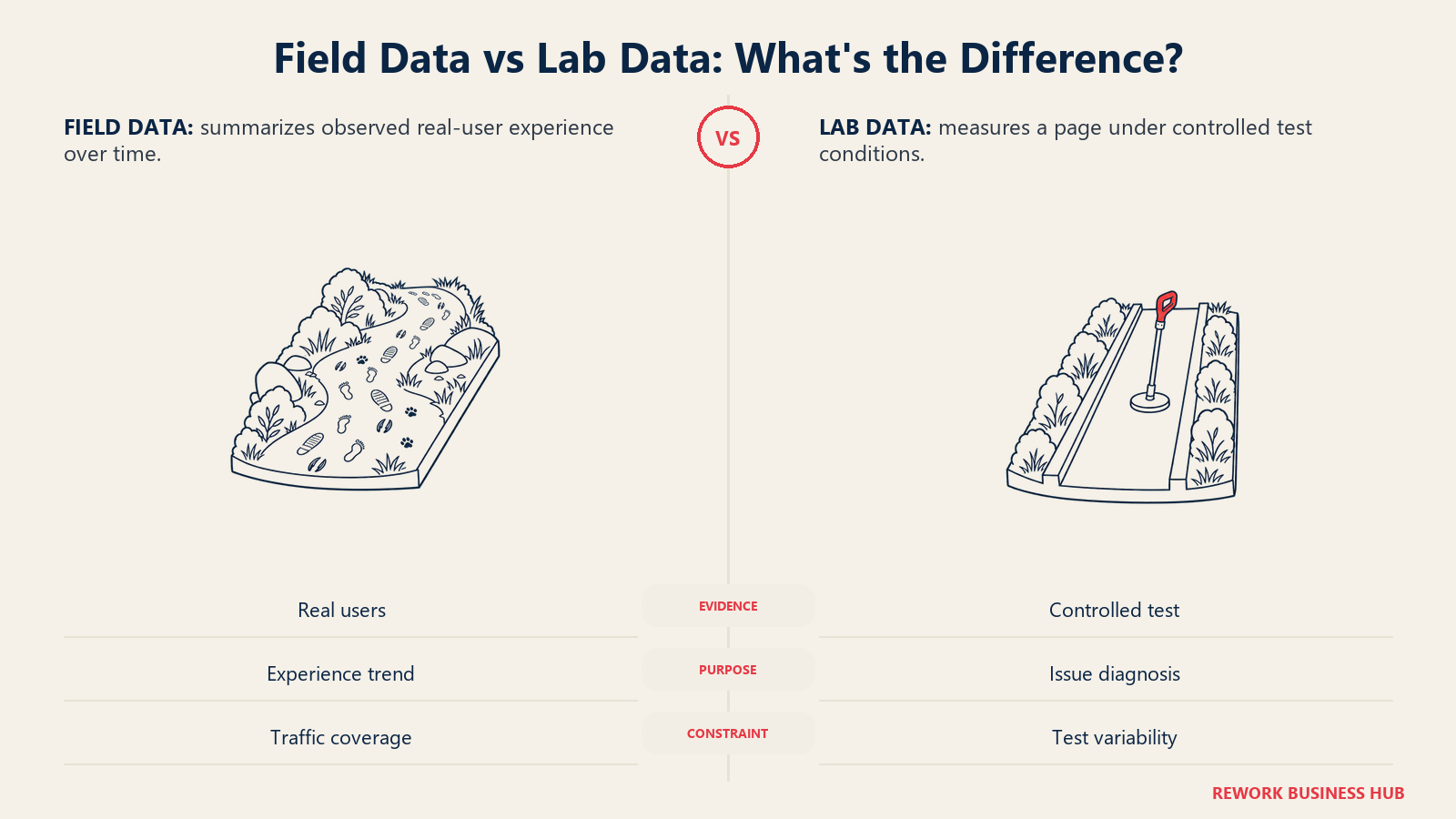
PageSpeed Insights analyzes a single URL and reports both field data and lab data. Field data comes from the Chrome UX Report over the previous 28 days and covers FCP, INP, LCP and CLS. Lab data comes from Lighthouse, which scores Performance, Accessibility, Best Practices and SEO.
Sizing fit: Any site, one URL at a time.
What it does best: Telling you whether real users have a good experience and what specific changes would help. The Core Web Vitals "good" thresholds are LCP within 2.5 seconds, INP under 200 milliseconds and CLS under 0.1, with a pass requiring the 75th percentile of all three to be good.
Honest limit: It's a page-level tool. For site-wide patterns, pair it with a crawler or the Core Web Vitals report in Search Console. The API works with or without a key, though a key is recommended for frequent automated queries.
| Pros | Cons |
|---|---|
| Real-user field data plus lab tests | One URL per test |
| Concrete fix suggestions | Lab scores vary between runs |
| Free to use | Falls back to origin-level data for low-traffic URLs |
Pricing: Free to use. Sources: PageSpeed Insights docs and Google Search Central.
Best for: Developers and marketers checking speed on key templates.
13. Bing Webmaster Tools: Site Scan and IndexNow
Bing Webmaster Tools is free and includes a Site Scan, an on-demand technical audit that flags issues like broken links, duplicate tags and missing metadata. It also supports URL submission and IndexNow, which lets you notify Bing and other participating engines about added, updated or deleted URLs.
Sizing fit: Any site that wants visibility in Bing and other IndexNow engines.
What it does best: Fast change notification through IndexNow, plus search performance data covering up to 16 months, backlink data and keyword research.
Honest limit: Site Scan is a lighter audit than a dedicated crawler, and the tool needs sign-up and site verification. Source: Microsoft's Bing Webmaster blog.
| Pros | Cons |
|---|---|
| Free, with Site Scan | Lighter than dedicated crawlers |
| IndexNow for fast change notification | Bing-focused data |
| Up to 16 months of performance data | Requires verification |
Pricing: Free.
Best for: Sites that want Bing coverage and fast URL updates at no cost.
Technical Features Compared
| Tool | Where it crawls | JavaScript rendering | Scheduling | Crawl allowance |
|---|---|---|---|---|
| Screaming Frog | Your computer | Paid licence only | Paid licence only | 500 URLs free; paid limited by memory |
| Sitebulb | Desktop or cloud | Not covered on the pricing page | Not covered on the pricing page | Lite 10,000 URLs; Pro 500,000 per audit |
| Semrush Site Audit | Vendor servers | Not printed | Not printed | Not printed on plan cards |
| Ahrefs Site Audit | Vendor servers | Not described on the free page | Not described on the free page | Free 5,000 credits; Lite 100,000 |
| Lumar | Vendor servers | Not printed | Not printed | Custom quote |
| JetOctopus | Vendor servers | JavaScript crawl mode listed | Not printed | 500K to 5M URLs per month |
| SE Ranking | Vendor servers | Not printed | Not printed | Core 250k pages per month |
| Sitechecker | Vendor servers | Not printed | Weekly, daily or every 12 hours by plan | Plan dependent |
| Seobility | Vendor servers | Not printed | Not printed | 100 to 100,000 pages per crawl |
| Moz Pro | Vendor servers | Not printed | Not printed | 400K to 5M pages per month |
A "not printed" entry doesn't mean the feature is missing. It means the vendor's pricing page doesn't state it, so ask before you rely on it. JavaScript rendering matters most if your site builds content in the browser; test your most script-heavy template in the trial before you commit.
What a Realistic Small-Team Setup Costs
Entry prices mislead because seats, tracked keywords and projects change the total. This table prices a small team of three people working on a handful of sites with roughly 500 to 1,000 tracked keywords where the tool includes tracking. Figures are sums of printed list prices, billed monthly, in the vendor's currency.
| Tool and plan | How the setup is built | Monthly total (billed monthly) | What you get |
|---|---|---|---|
| Screaming Frog | 3 licences at $279 per year | $837 per year | Unlimited-URL desktop crawling, no tracking |
| Sitebulb Lite | 3 users at $18 per month | $54 | 10,000 URLs per audit each |
| Semrush SEO | $139 plus 2 extra users from $45 each | $229 or more | 5 websites, 500 daily keywords |
| Ahrefs Lite | $129 plus 2 more users at $40 each | $209 | 750 keywords, 100,000 crawl credits |
| SE Ranking Core | $129 plus 2 extra seats from $16 each | $161 or more | 10 projects, 2,000 keywords |
| Sitechecker Basic | $99, unlimited users | $99 | 3 websites, 500 keywords |
| Seobility Professional | €99.90 for up to 3 members | €99.90 excl. VAT | 7 projects, 700 keywords |
| Moz Pro Standard | $99 plus 2 extra seats at $49 each | $197 | 300 keywords, 3 tracked sites |
| Moz Pro Medium | $179 plus 1 extra seat at $49 | $228 | 2 users included, 1,500 keywords |
| JetOctopus Growth | Single plan on the annual option | $349 | 500K crawled URLs per month |
| Lumar | Quote-led | Pricing on request | Enterprise scale |
| Search Console, PageSpeed Insights, Bing | Free | $0 | First-party search data |
Three patterns stand out. Sitechecker is the cheapest paid route to three seats with tracking because it doesn't charge per user. SE Ranking gives the most keywords and audited pages for the money, though seat prices are listed as "from." Screaming Frog is the cheapest per audit if your work is crawling rather than tracking, at about $23 per month per licence spread across the year. Annual billing lowers the monthly figures on most suites; where a vendor prints an annual rate, it's listed on each tool's section above.
How to Choose: Decision Framework
| If you need... | Pick... | Why |
|---|---|---|
| A free first audit with no commitment | Search Console plus Ahrefs Free or Seobility Free | First-party data plus a free crawl |
| Maximum control and a flat annual cost | Screaming Frog | Local crawling, $279 per licence per year |
| Client-ready findings with explanations | Sitebulb | Prioritized reports with hints |
| Audits next to rank tracking and competitors | Semrush or SE Ranking | Audit is part of the suite |
| A free crawl plus strong backlink data | Ahrefs | Free tier then paid plans with link data |
| Scheduled recrawls for many seats | Sitechecker | Unlimited users, recrawl frequency by tier |
| Very large sites and log analysis | JetOctopus or Lumar | Cloud crawling at scale |
| Speed and Core Web Vitals on key pages | PageSpeed Insights | Field and lab data per URL |
| Bing visibility and fast URL updates | Bing Webmaster Tools | Site Scan and IndexNow |
If you also need keyword and traffic data, pair your audit tool with picks from the best keyword research tools, the best rank trackers and the best website traffic checkers. Teams on a tight budget should start with the best free SEO tools.
Audit Workflow: What to Check and in What Order
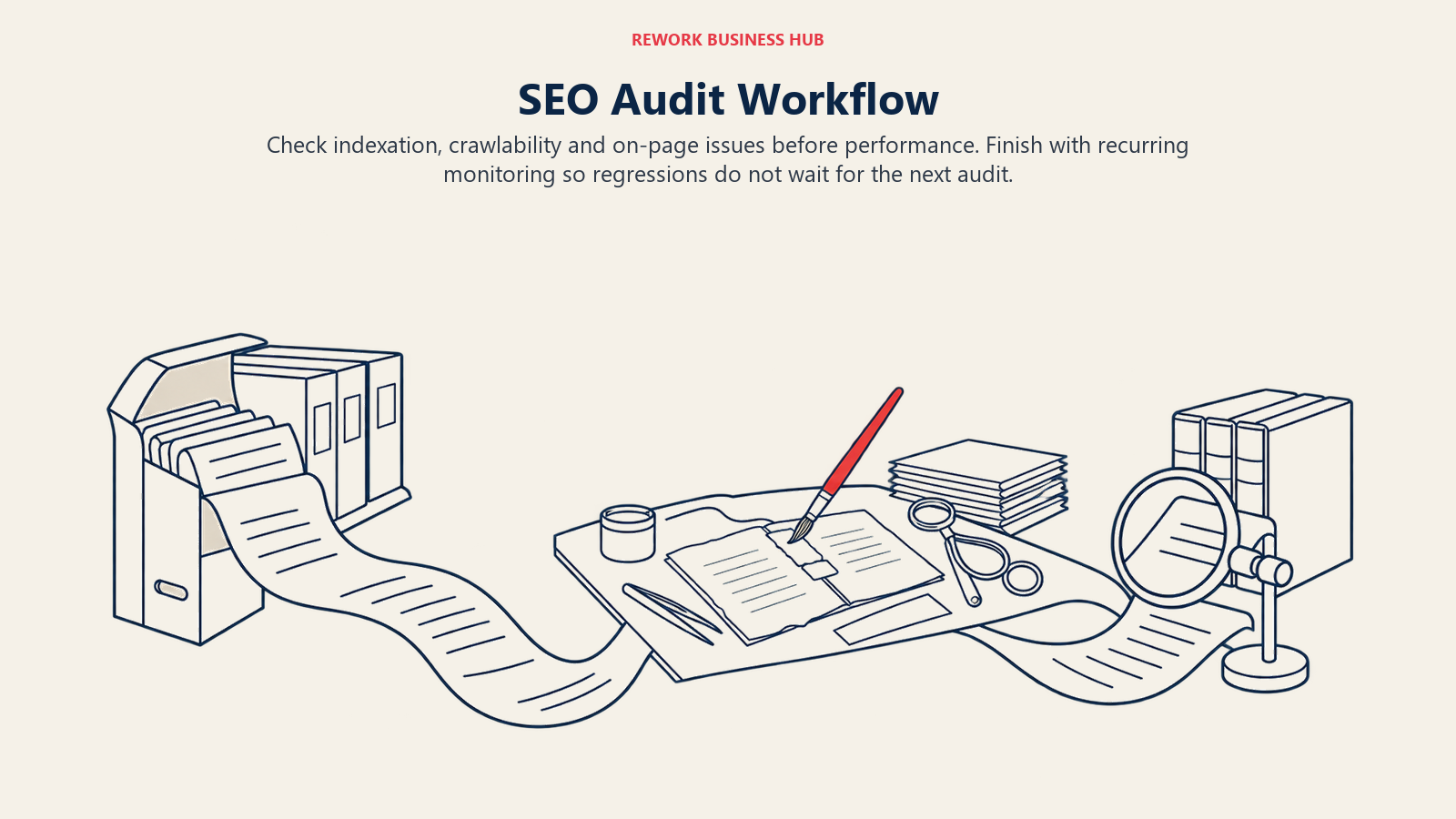
A tool only helps if the audit follows a sequence. Start with indexation: confirm in Search Console that your important pages are indexed and that nothing valuable is excluded. Move to crawlability next, looking for blocked resources, redirect chains and broken internal links. Then check on-page basics such as titles, descriptions, headings and canonicals. Finish with performance, using PageSpeed Insights on your homepage, a category page and a typical article.
| Step | Question | Where to look |
|---|---|---|
| 1. Indexation | Are the right pages in Google's index? | Search Console index reports and URL Inspection |
| 2. Crawlability | Can bots reach and follow everything important? | Screaming Frog, Sitebulb or a suite audit |
| 3. On-page | Are titles, headings and canonicals clean? | Any crawler's issue list |
| 4. Performance | Do real users pass Core Web Vitals? | PageSpeed Insights, Search Console vitals report |
| 5. Monitoring | Will you hear when something regresses? | Scheduled audits in a suite or cloud crawler |
And keep a fixed cadence. A monthly audit for a small site, weekly for a site that ships changes often. The point of a scheduled tool is that regressions surface within days, not at the next quarterly review.
For a different intent, how AI answer engines treat your pages, see the best AI SEO tools, the best AEO tools and the explainer on AEO vs SEO.
What to Do Next
Open Search Console first and read the index and Core Web Vitals reports for your site. Then pick one crawler from this list that matches your site size and run a trial audit on your most complex section. Fix the highest-impact issues, schedule a recurring crawl, and compare results at the next cycle. If the audit tool you choose doesn't also track rankings, add one of the best rank trackers so you can see whether fixes move positions.

Principal Product Marketing Strategist
On this page
- Key Facts
- Quick Comparison Table
- Desktop Crawlers vs Cloud Crawlers vs Suite Audits
- Sizing and Persona Table
- 1. Screaming Frog SEO Spider: The Desktop Standard for Technical Audits
- 2. Sitebulb: Prioritized Audits That Explain Themselves
- 3. Semrush Site Audit: The Audit Inside a Full Suite
- 4. Ahrefs Site Audit: Free Crawling for Sites You Own
- 5. Lumar: Enterprise Cloud Crawling
- 6. JetOctopus: Cloud Crawler With Log Analysis
- 7. SE Ranking: Generous Page Audits for Small Agencies
- 8. Sitechecker: Scheduled Recrawls and Unlimited Users
- 9. Seobility: A Free Plan That Never Expires
- 10. Moz Pro: Site Crawl With Moz's Teaching Layer
- 11. Google Search Console: The Free Source of Truth
- 12. Google PageSpeed Insights: Core Web Vitals Checks
- 13. Bing Webmaster Tools: Site Scan and IndexNow
- Technical Features Compared
- What a Realistic Small-Team Setup Costs
- How to Choose: Decision Framework
- Audit Workflow: What to Check and in What Order
- What to Do Next